




Operating Systems is one of the most scoring and steady subjects in GATE CS, usually worth about 8 to 10 marks in the paper. It is part of the core computer science section and connects to Computer Organization and Computer Networks. These handwritten notes cover the full GATE syllabus in a compact, exam-focused form.
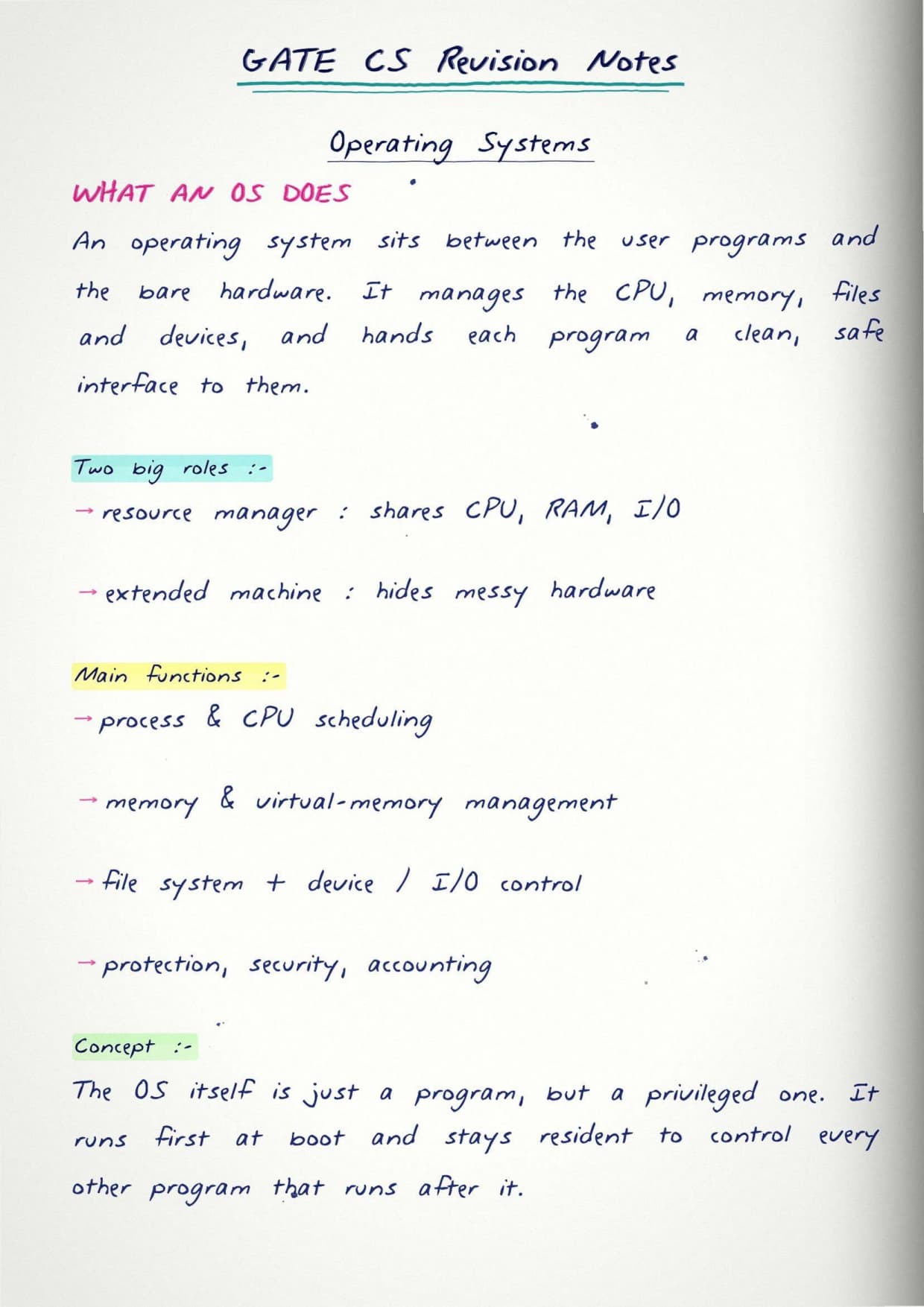
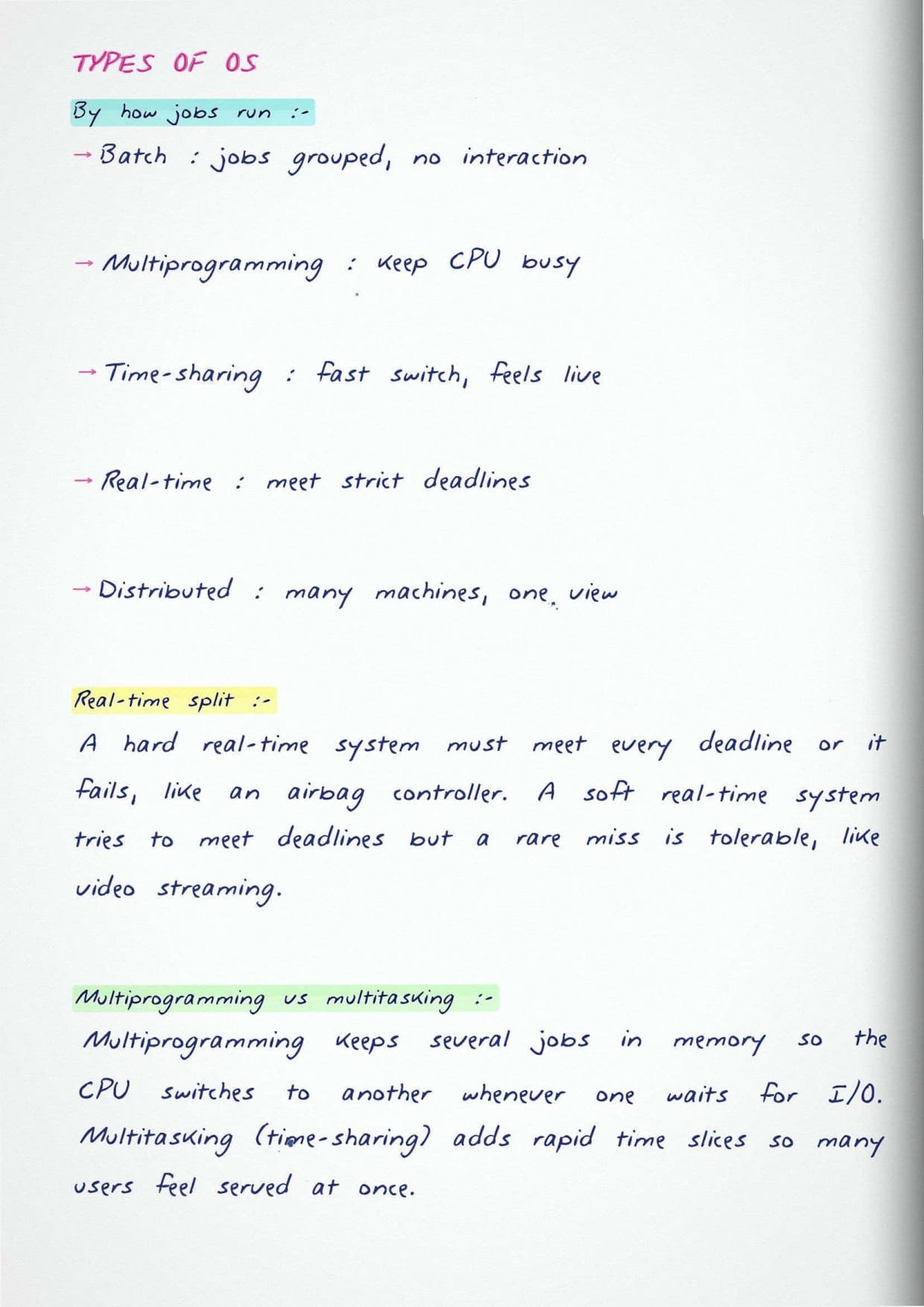
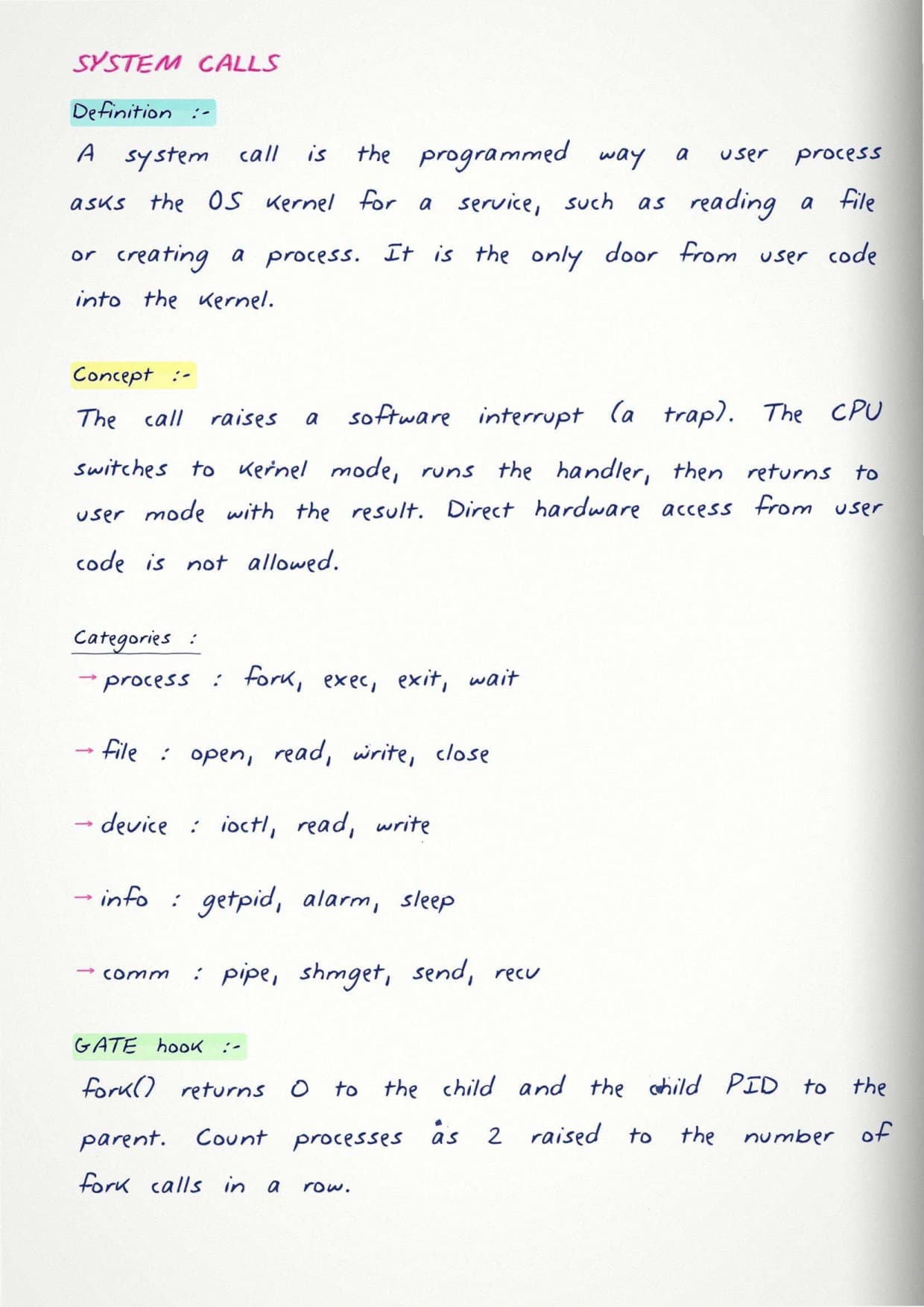
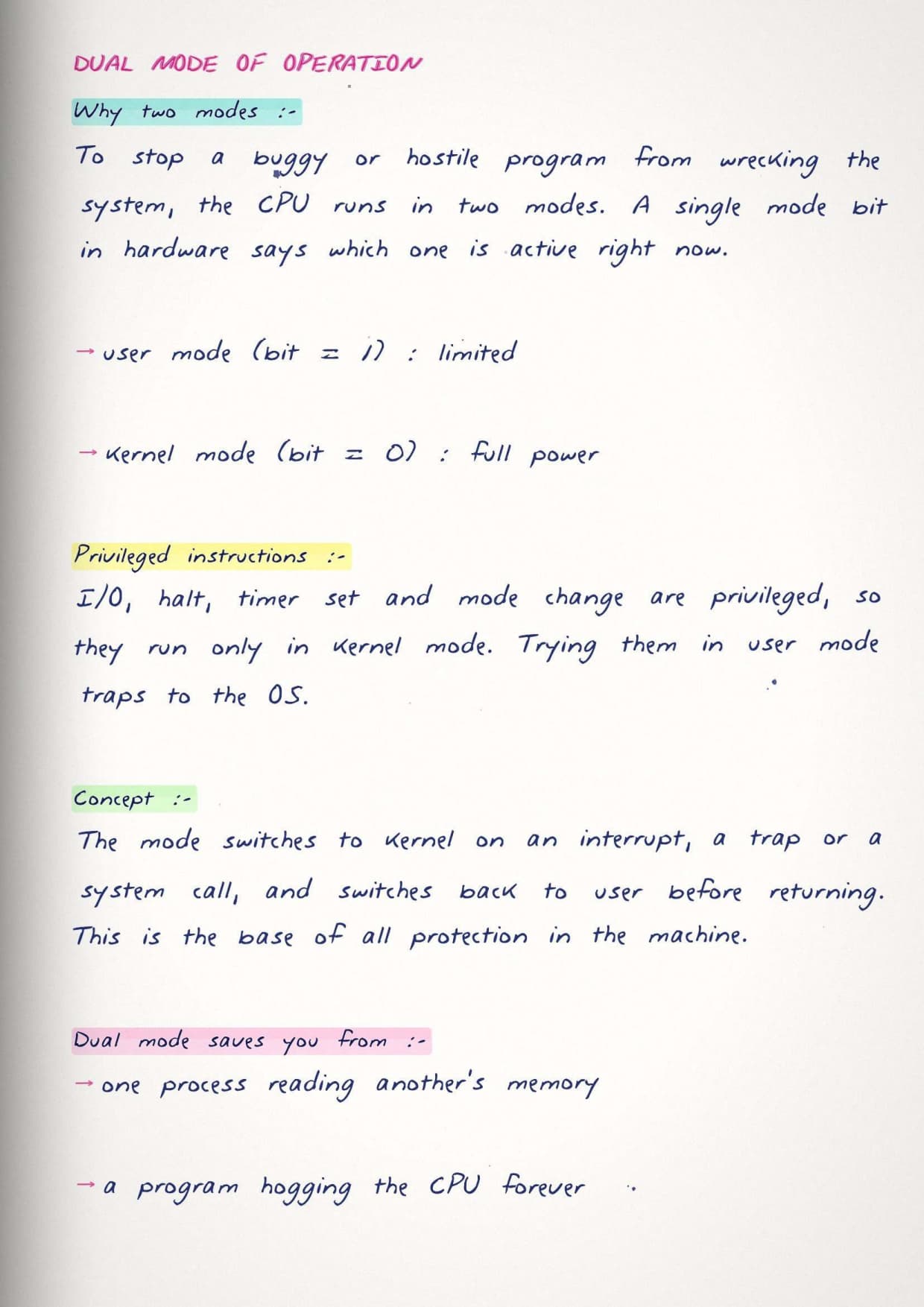
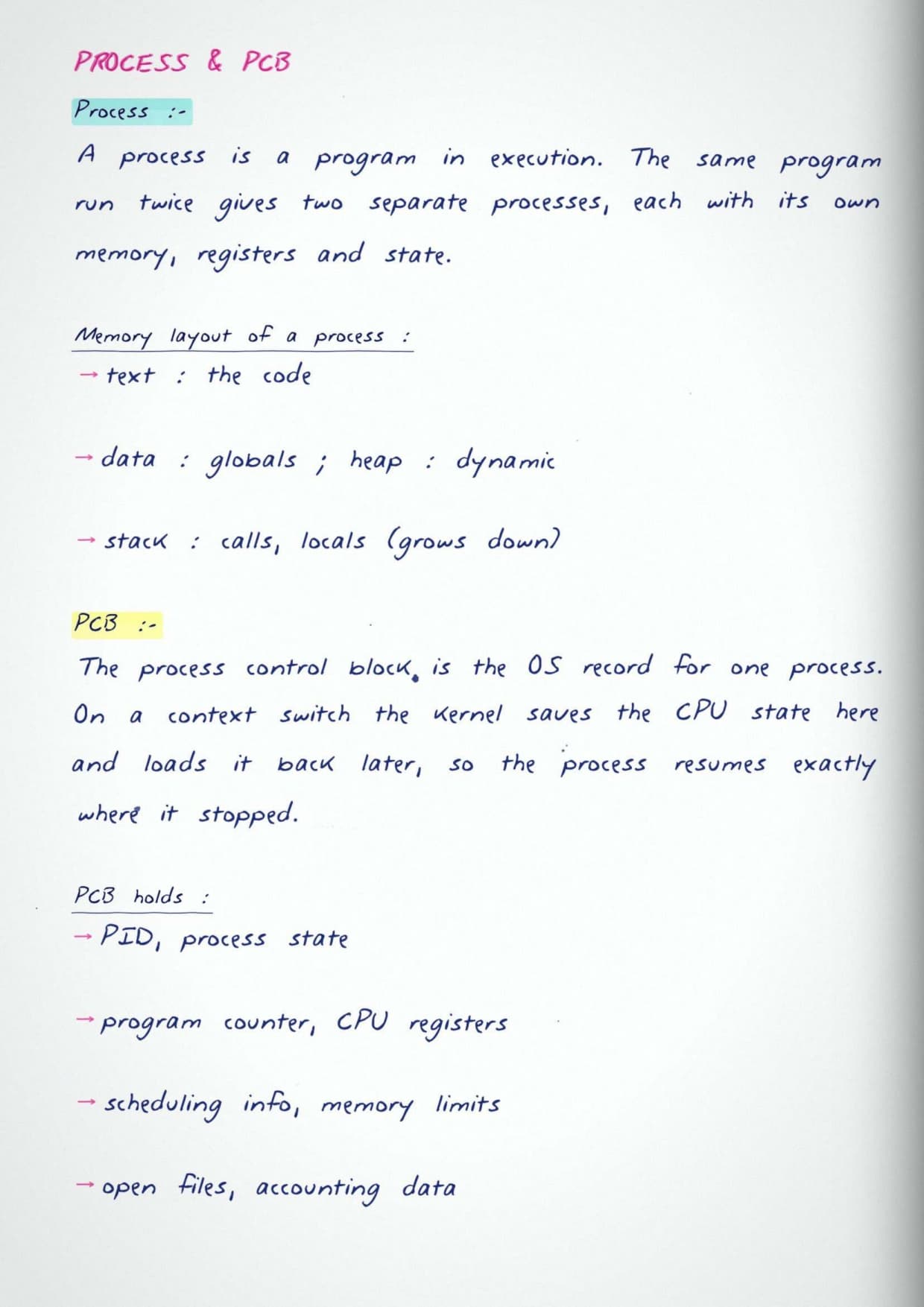
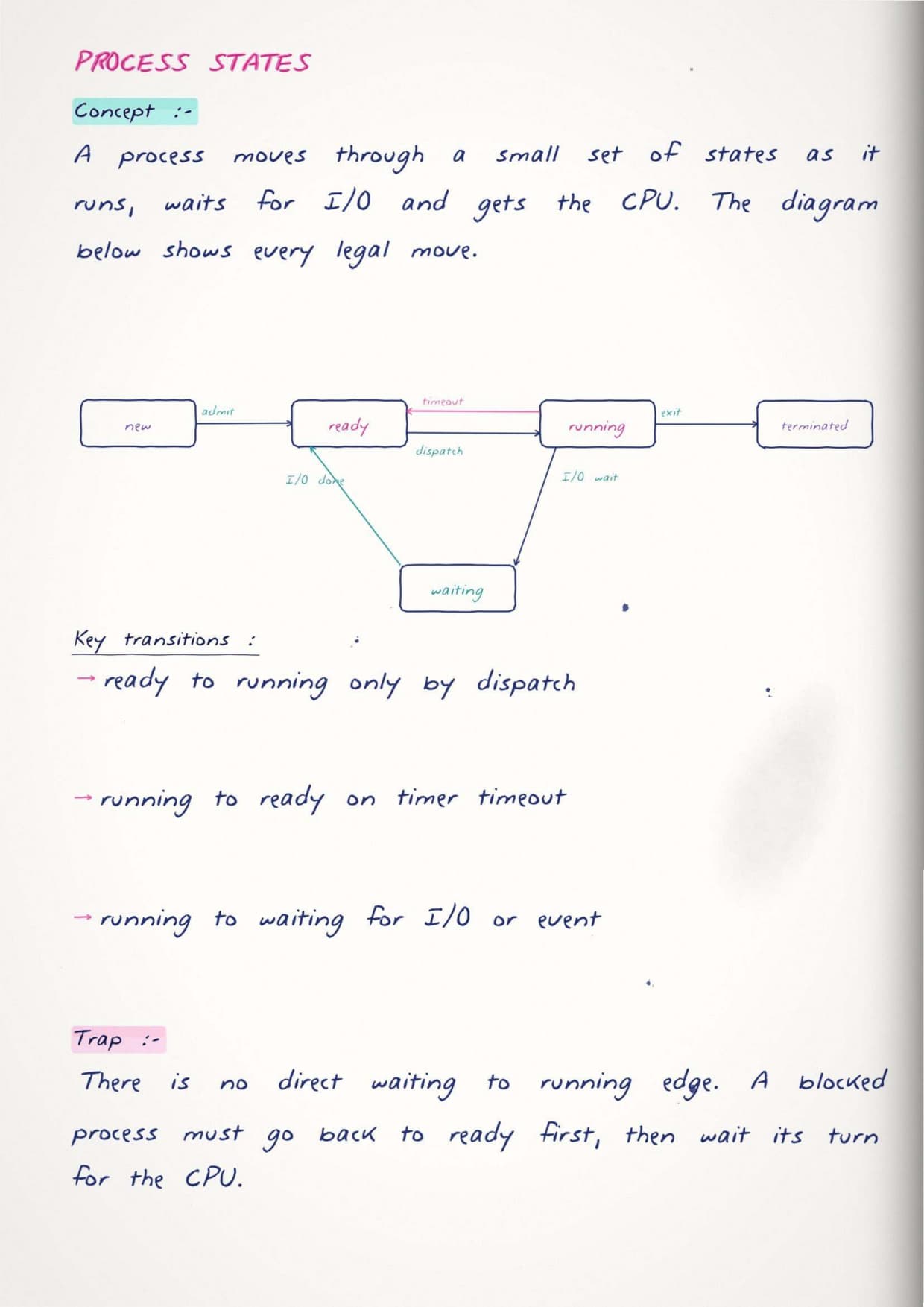
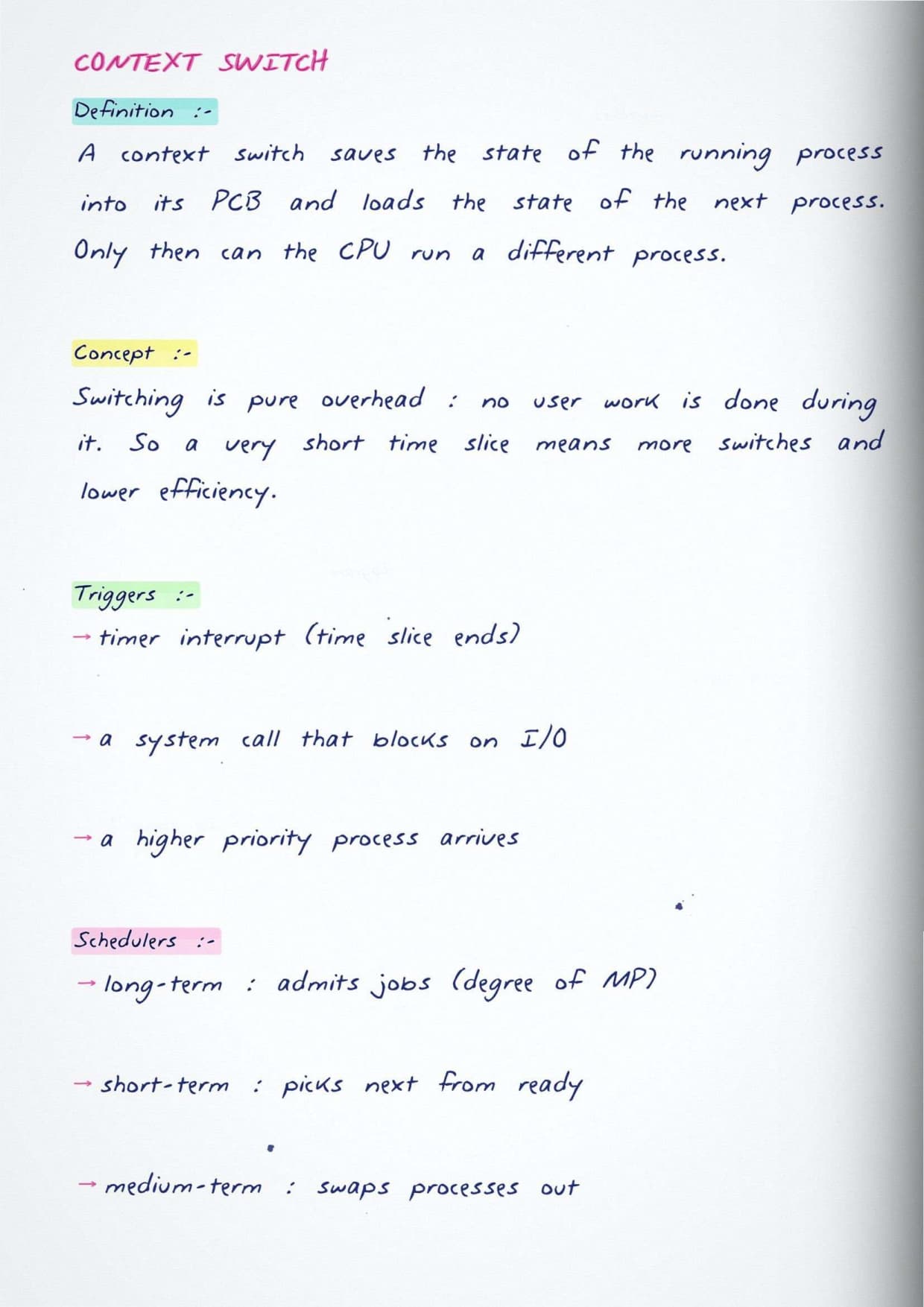
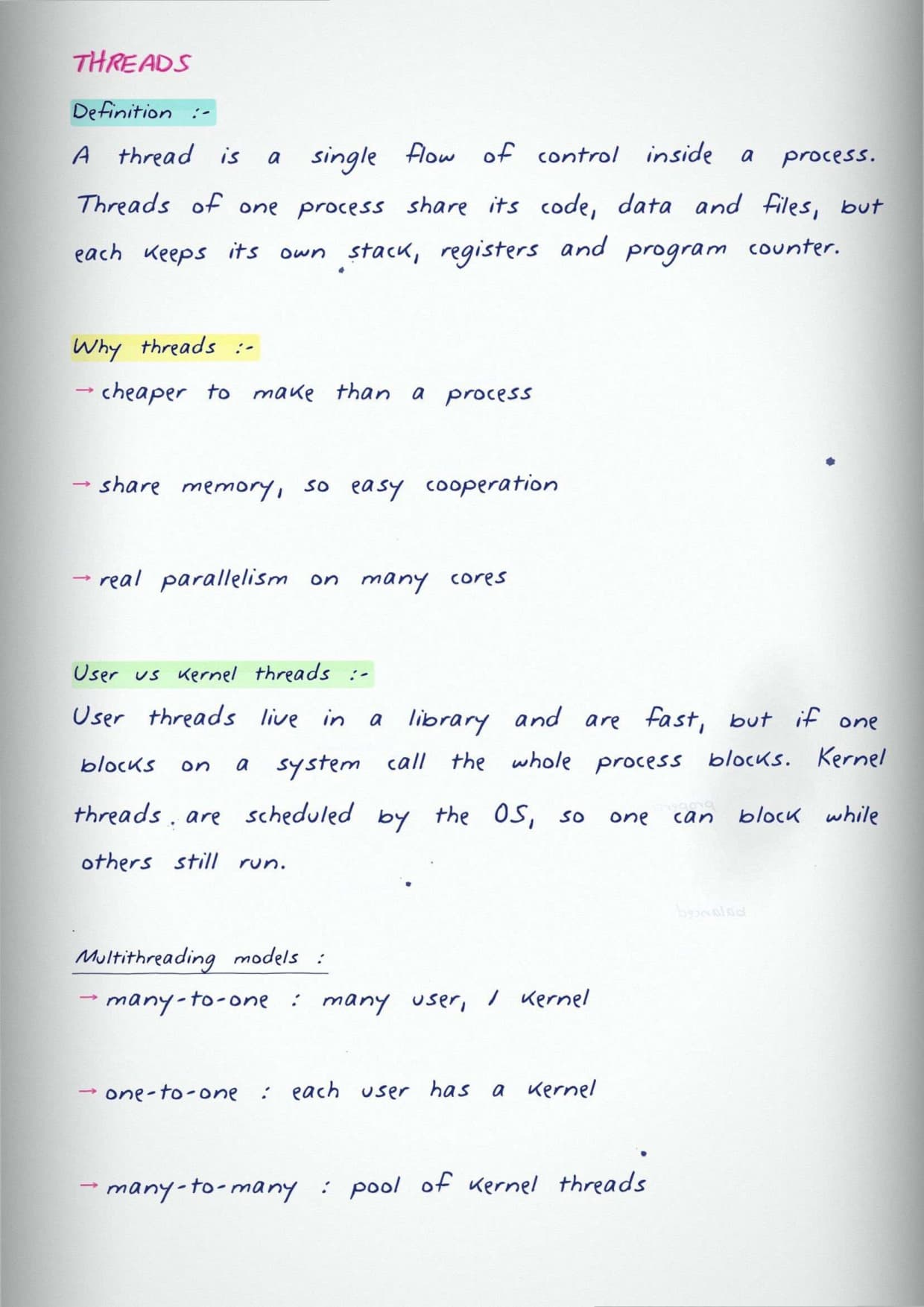
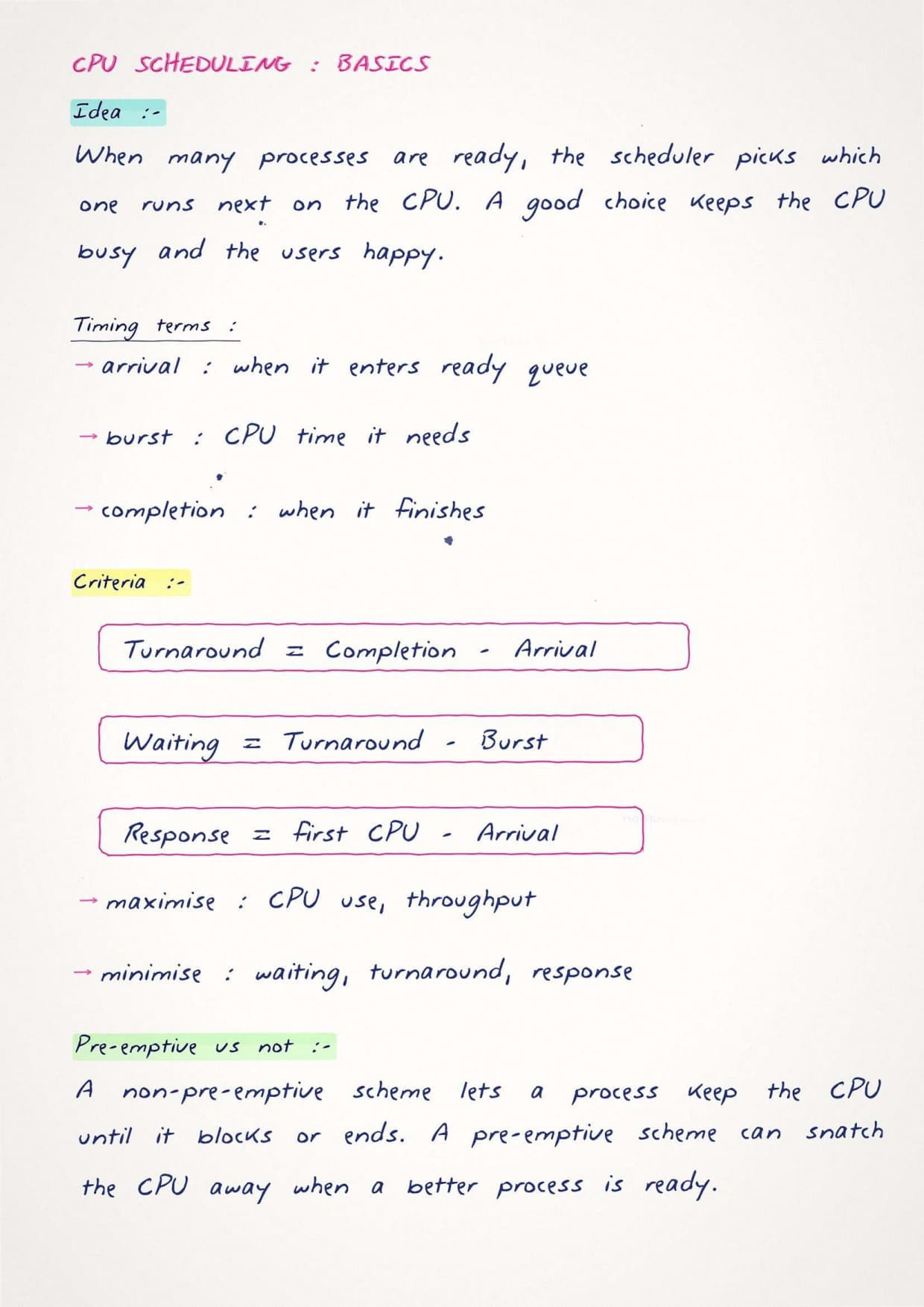
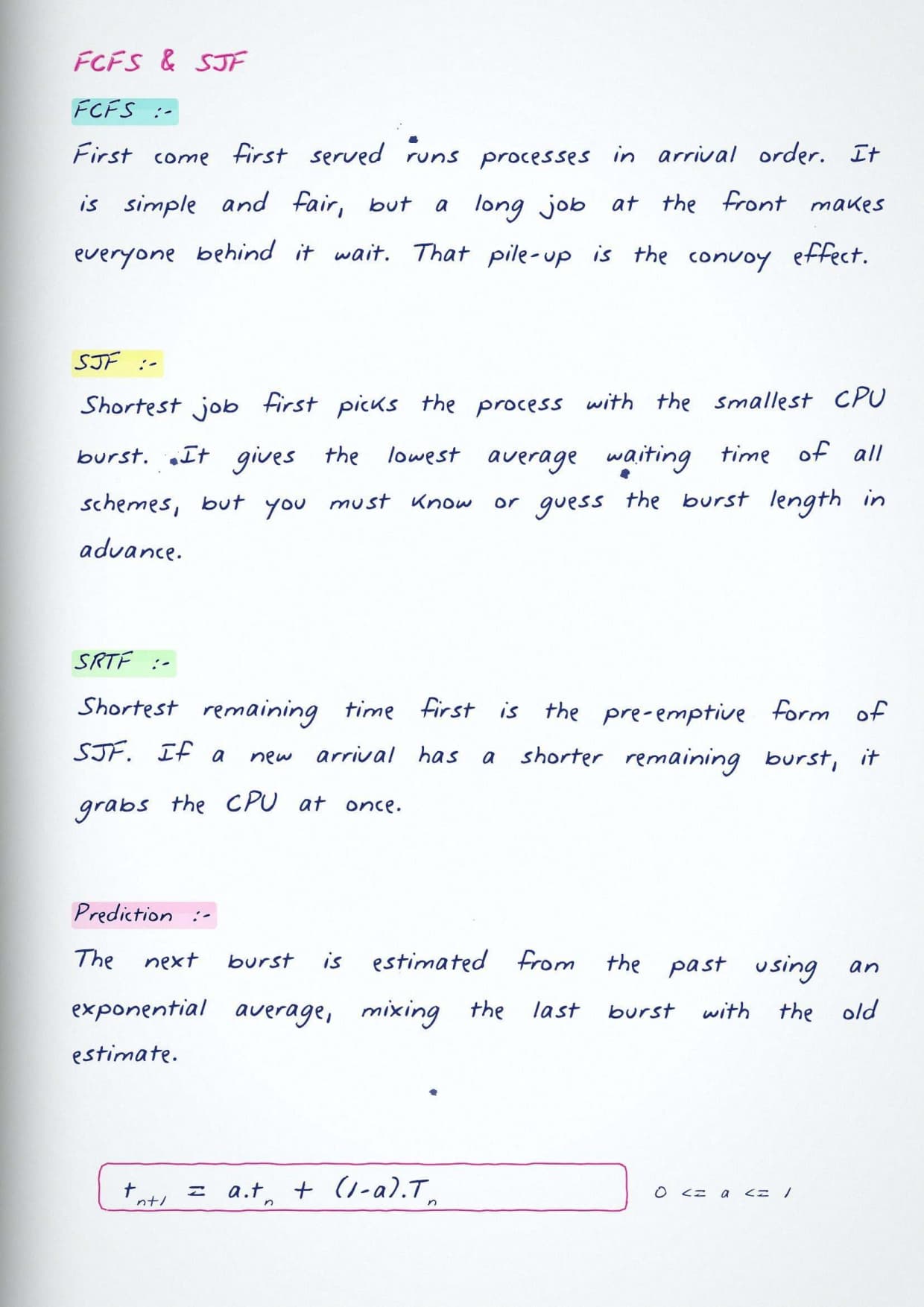
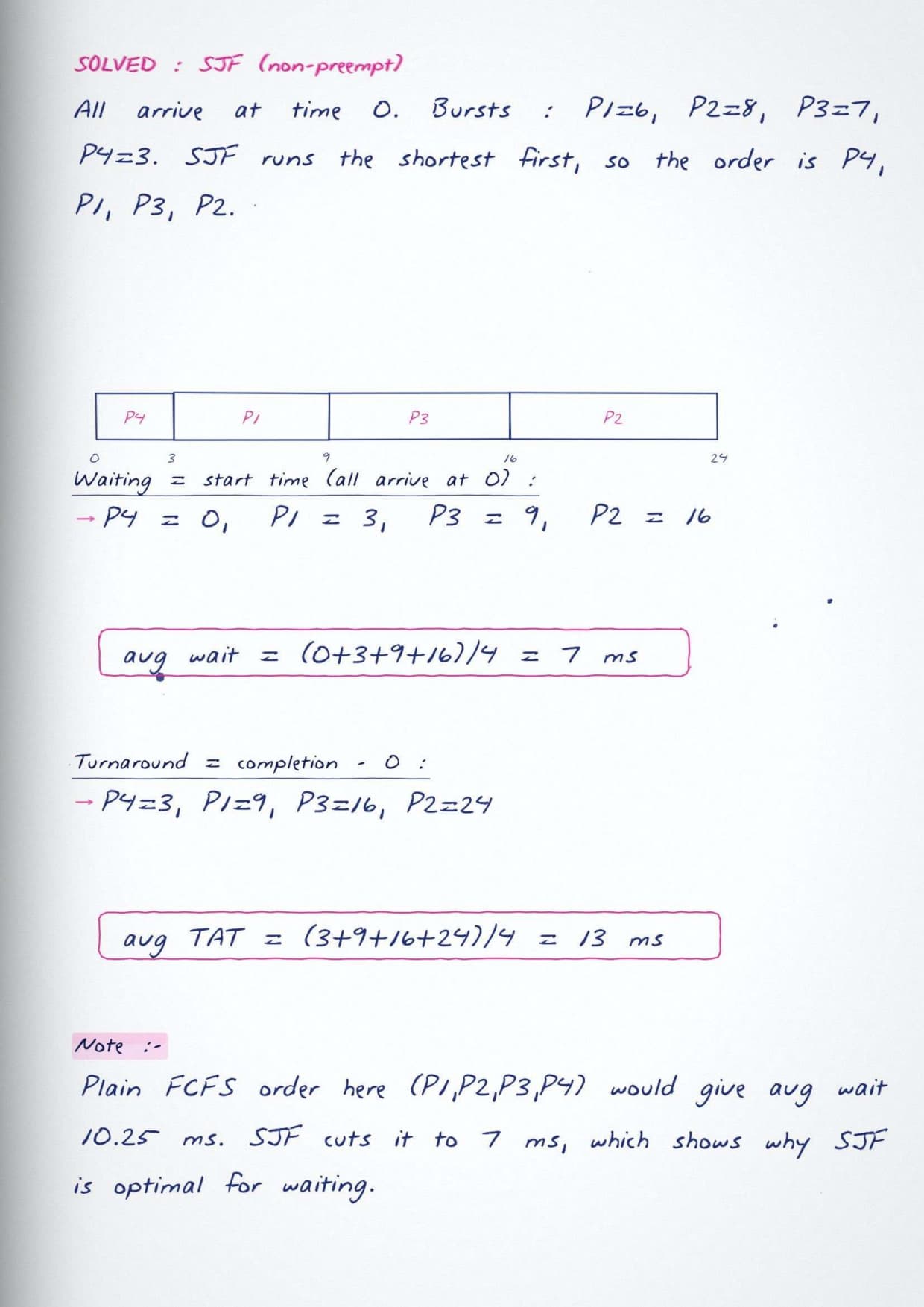
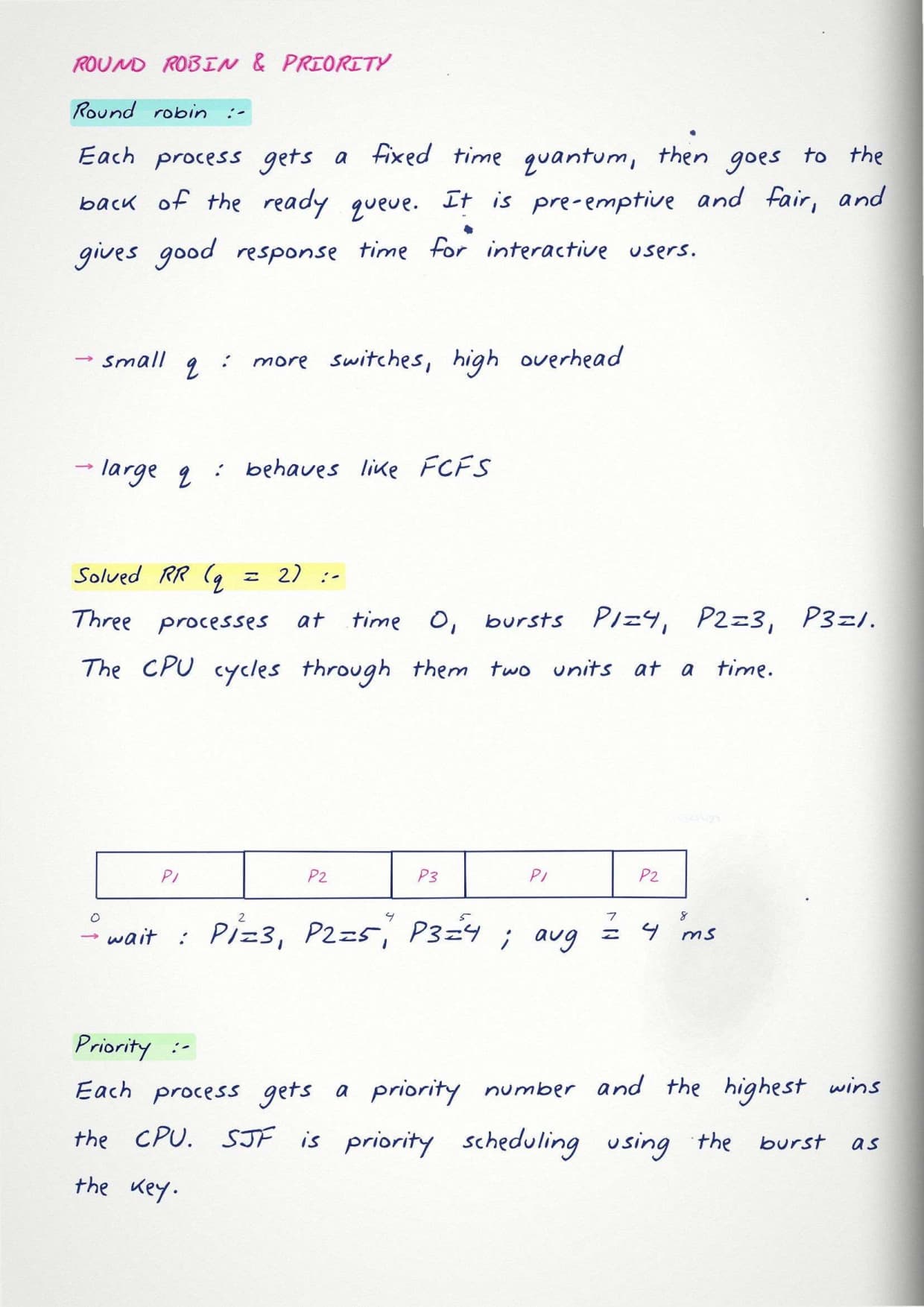
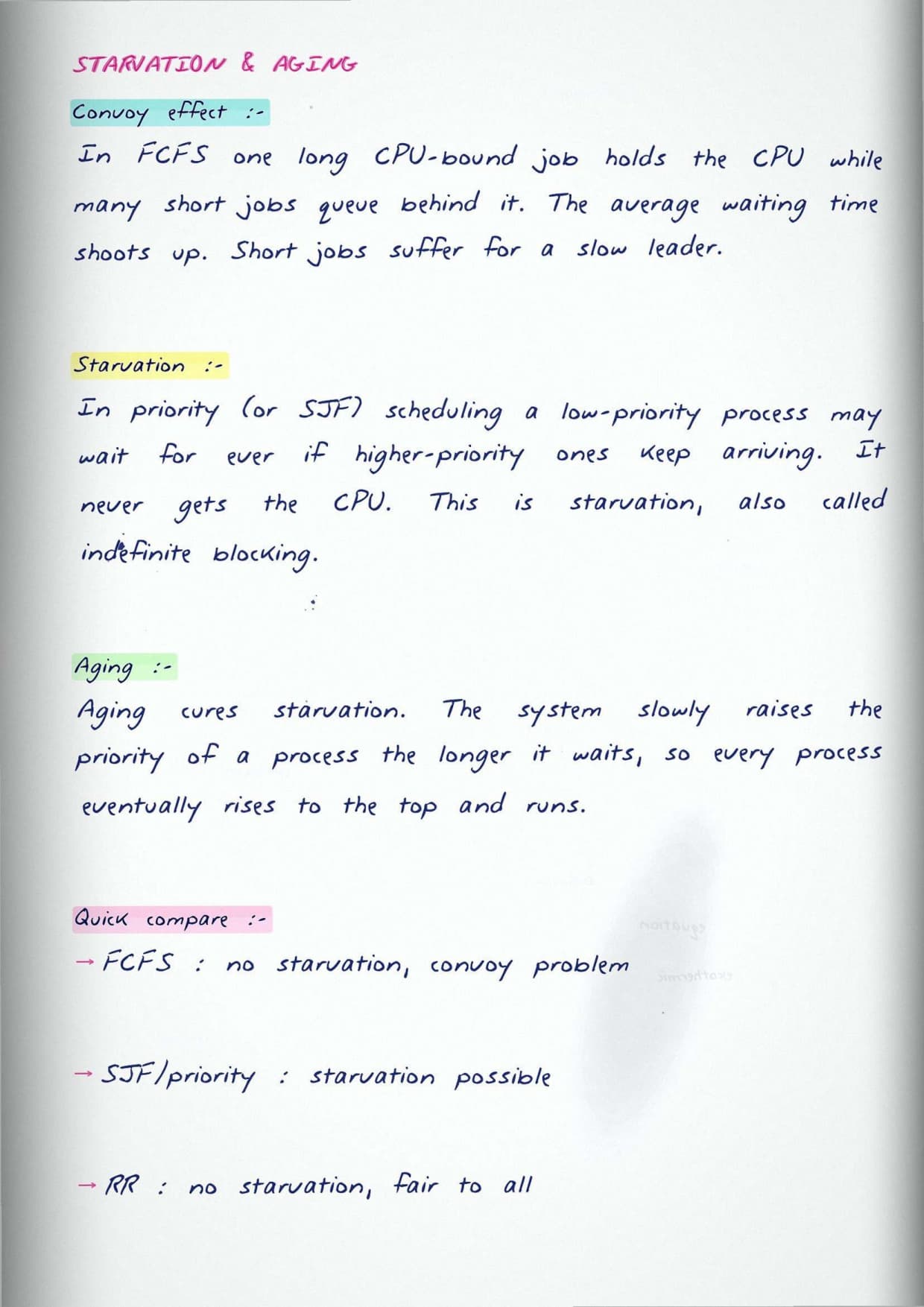
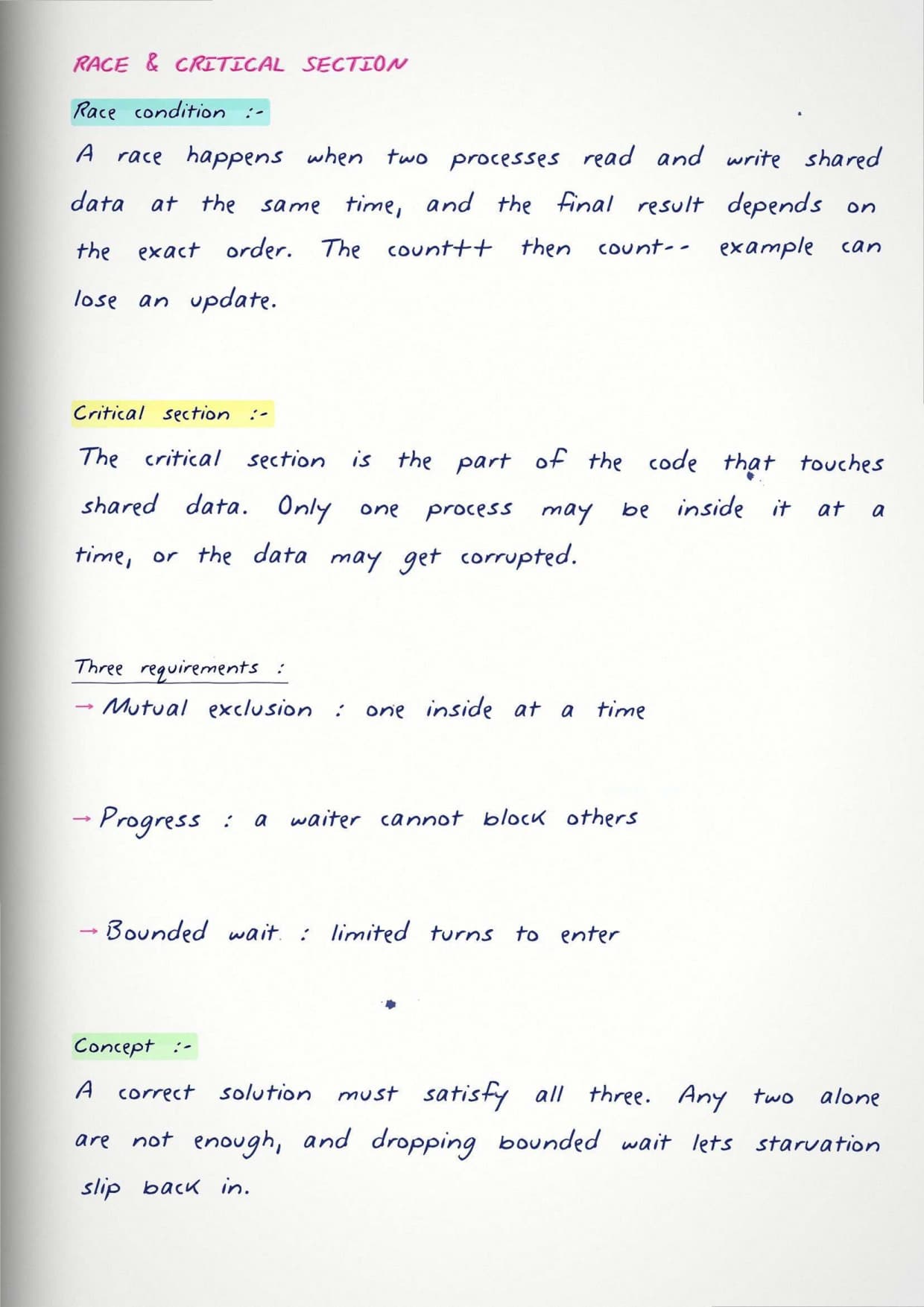
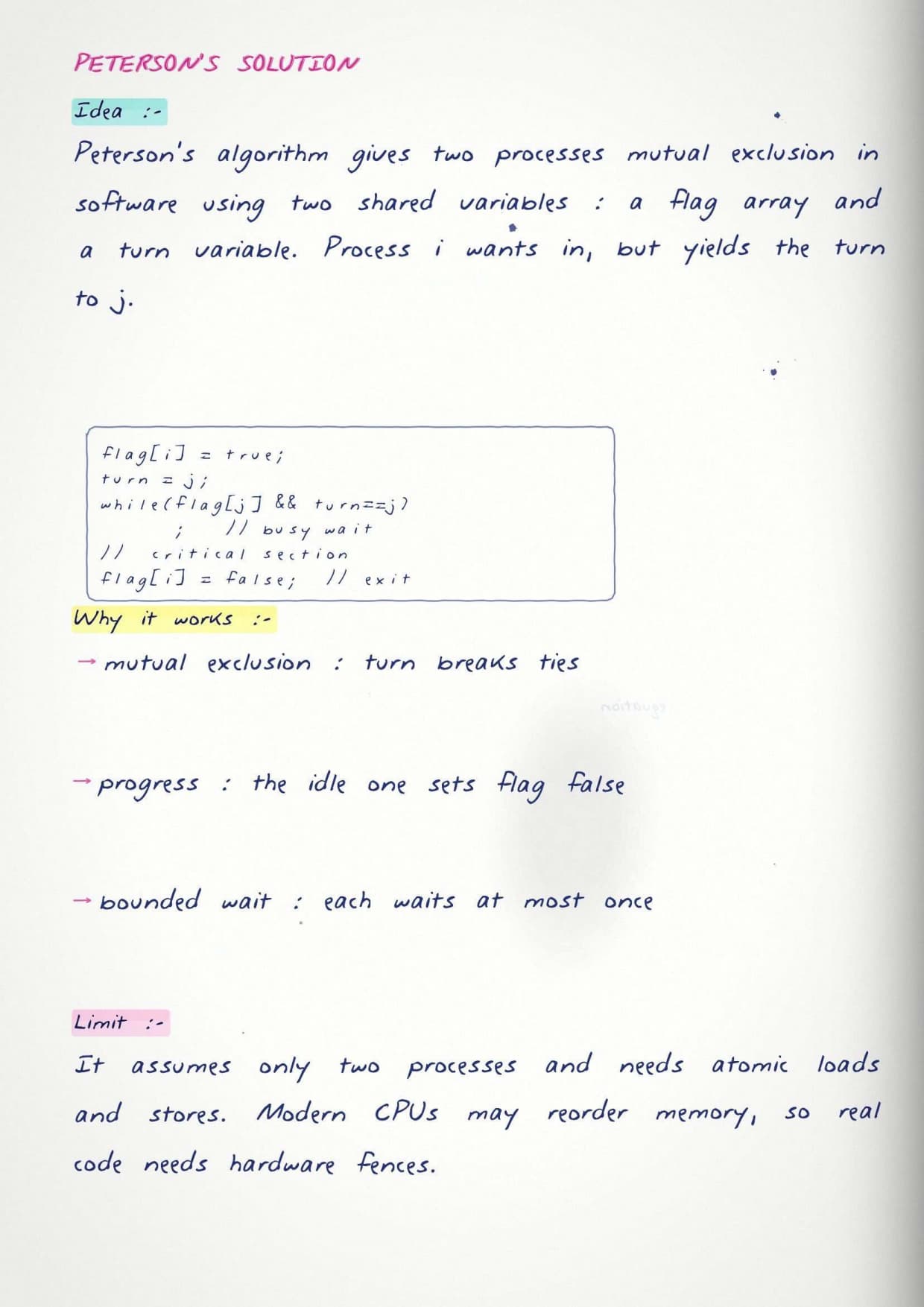
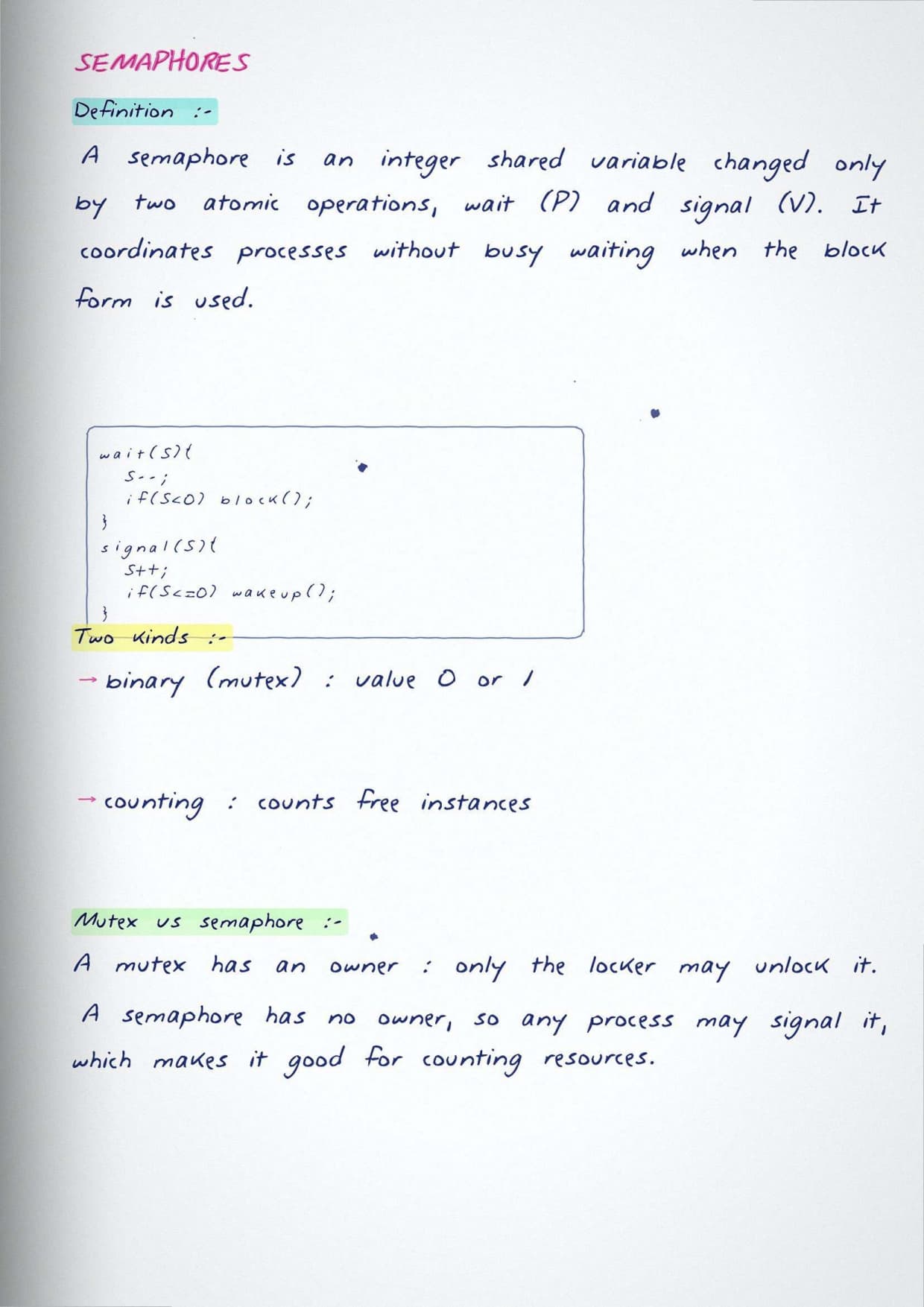
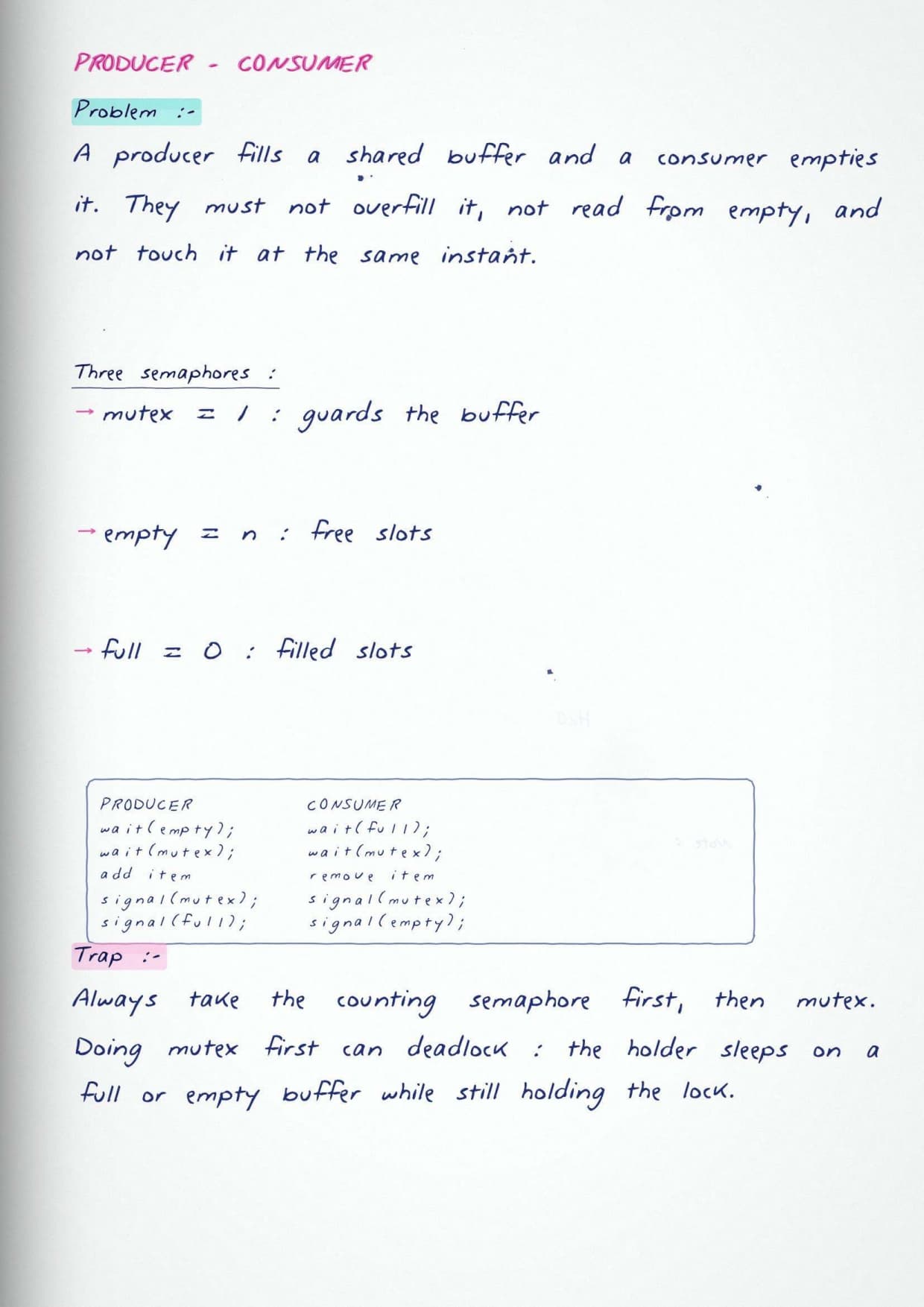
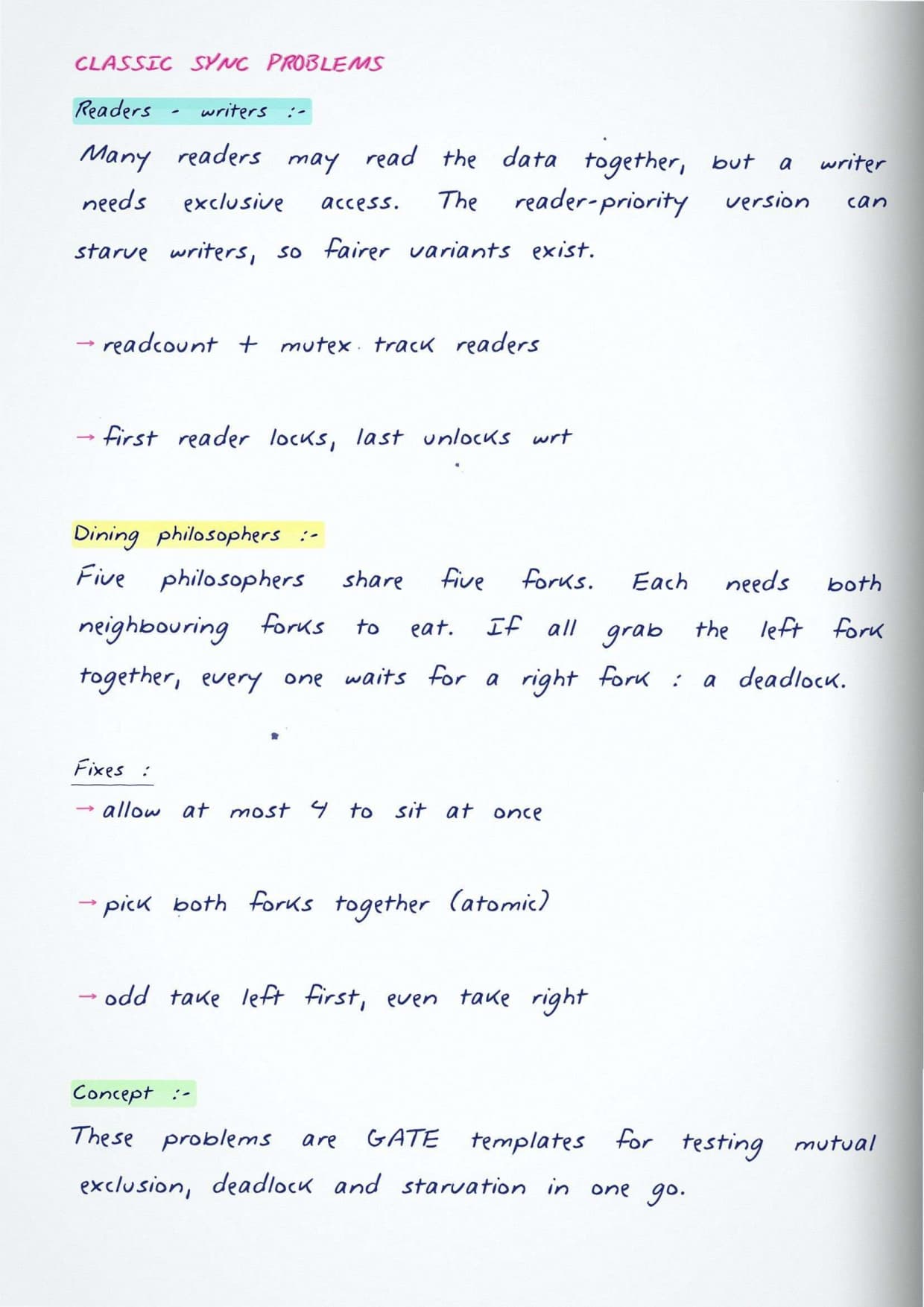
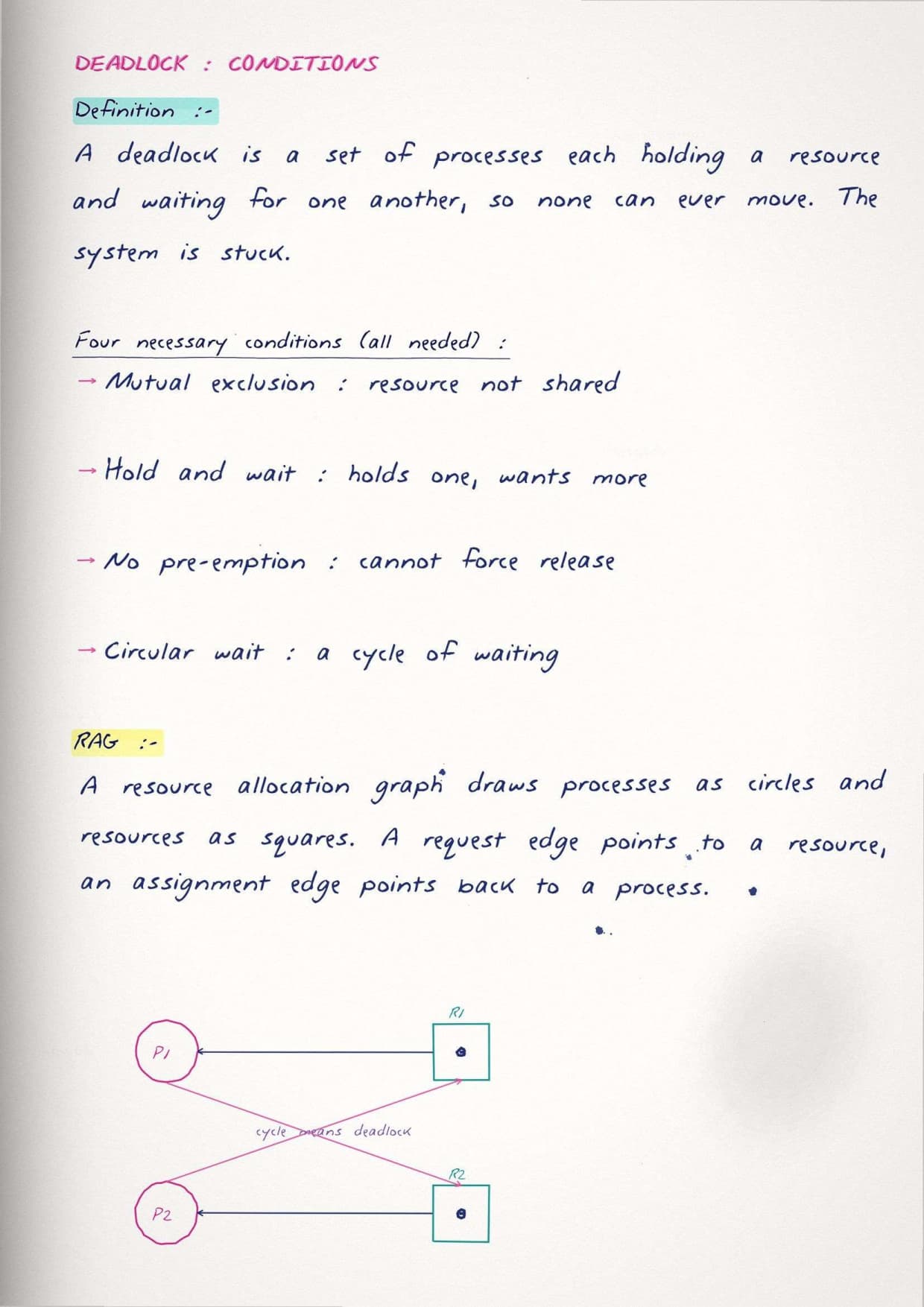
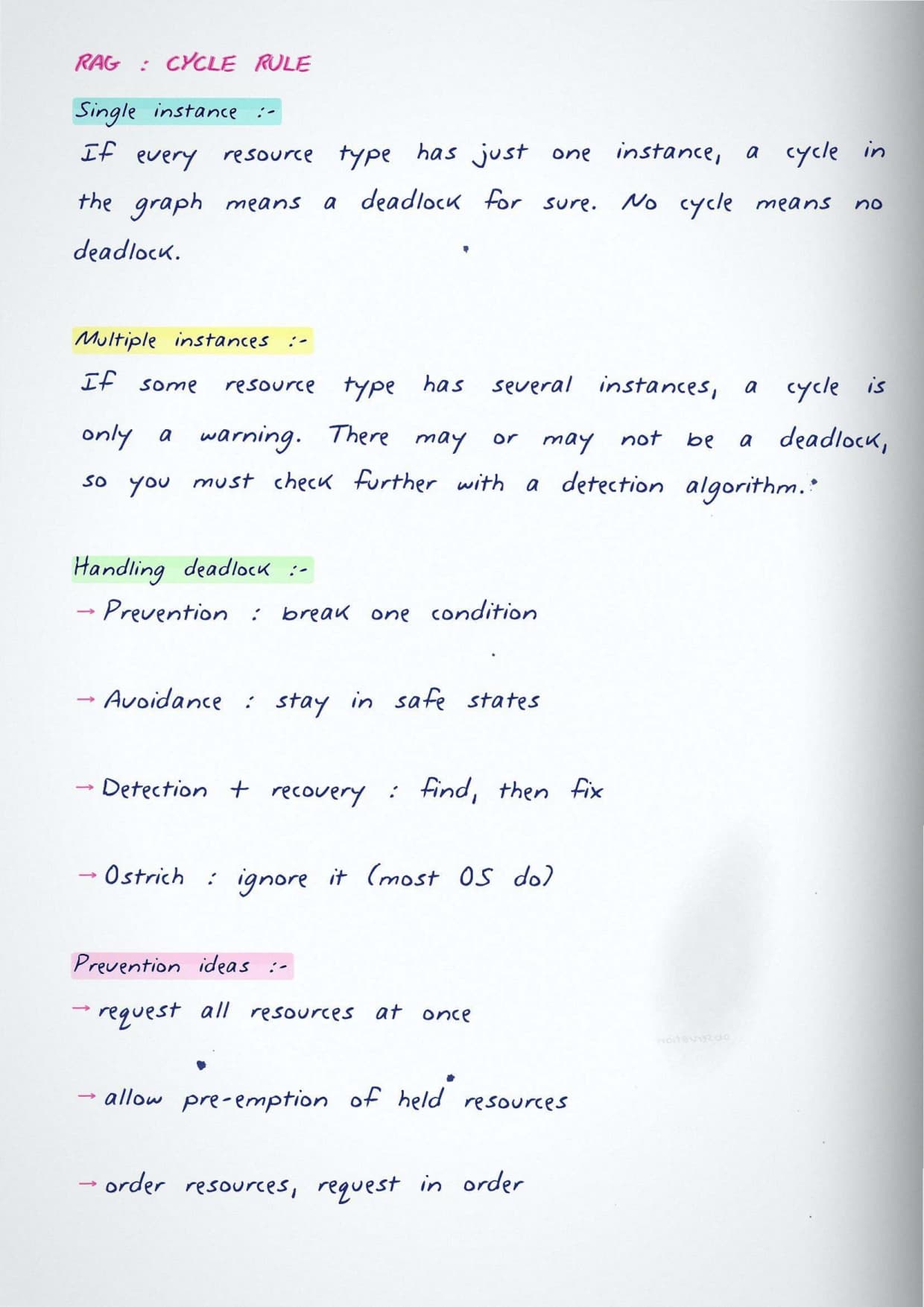
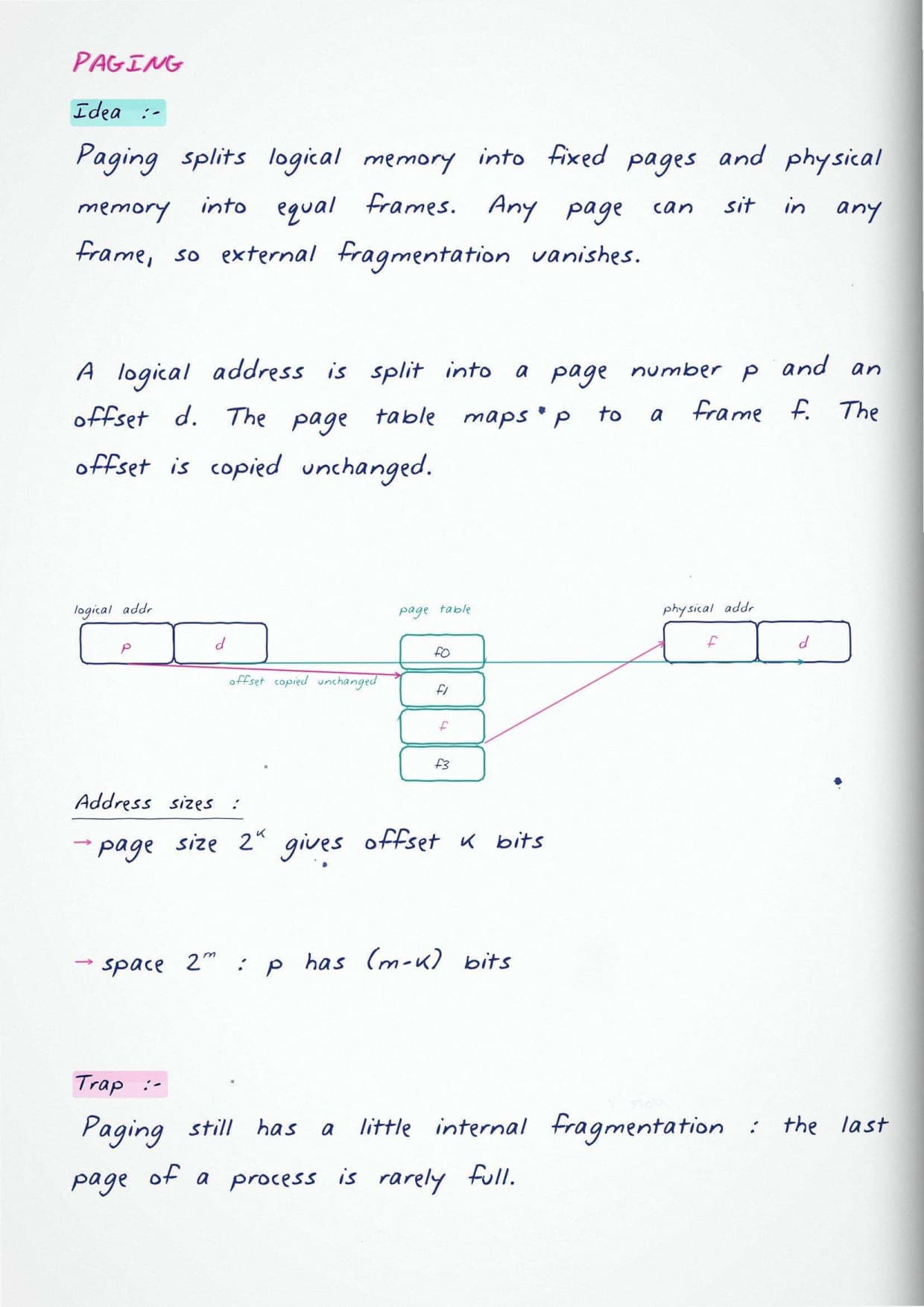
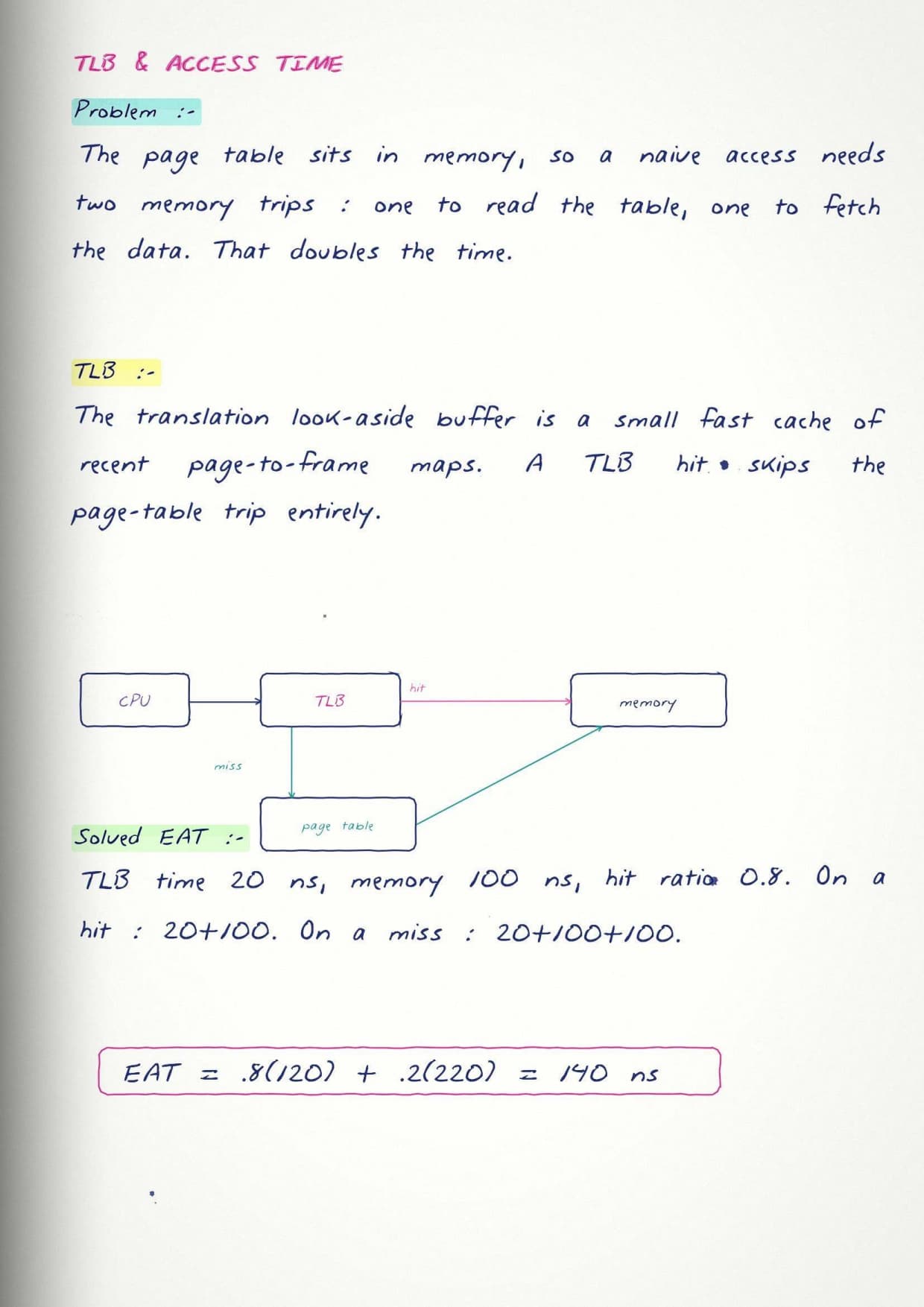
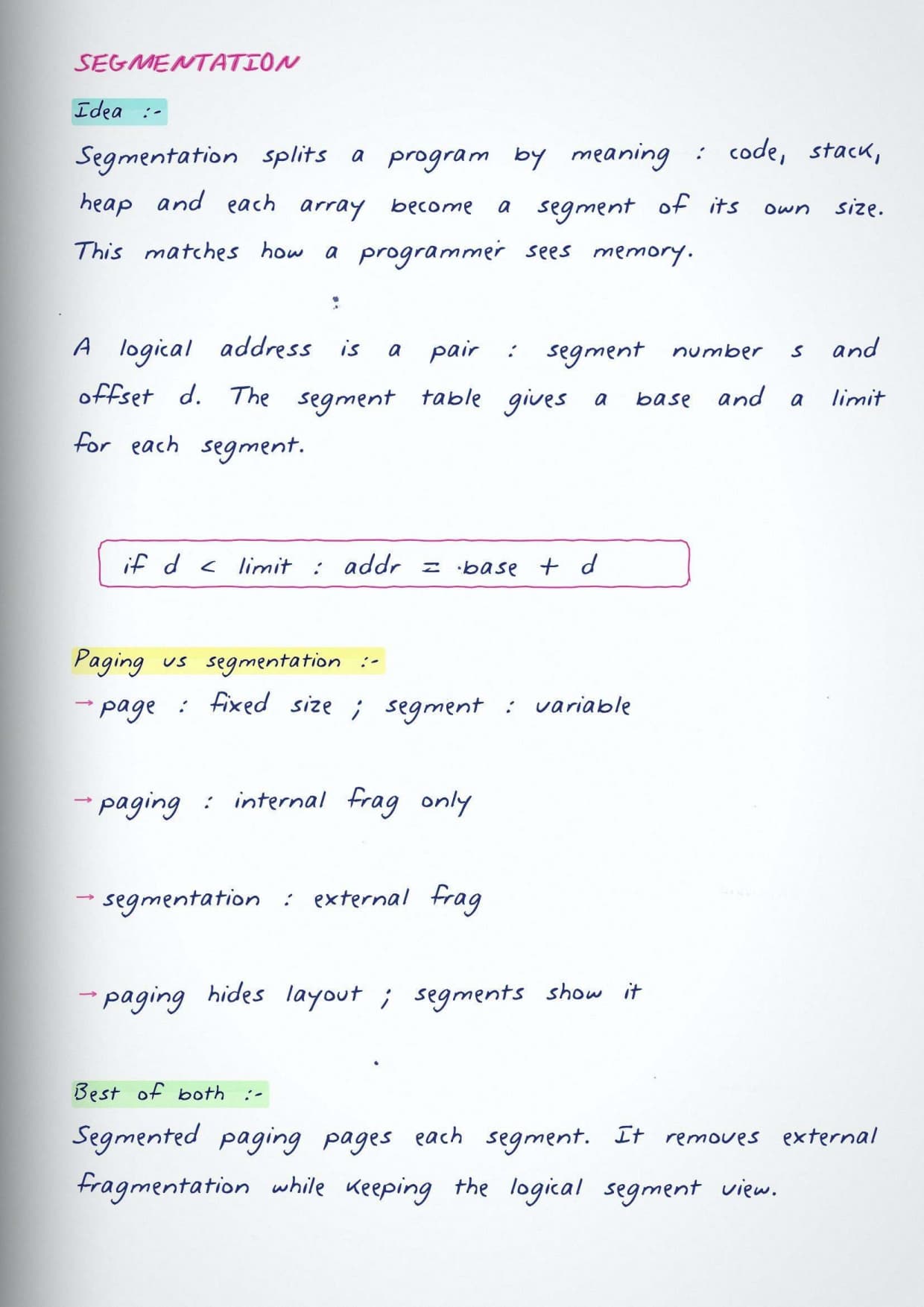
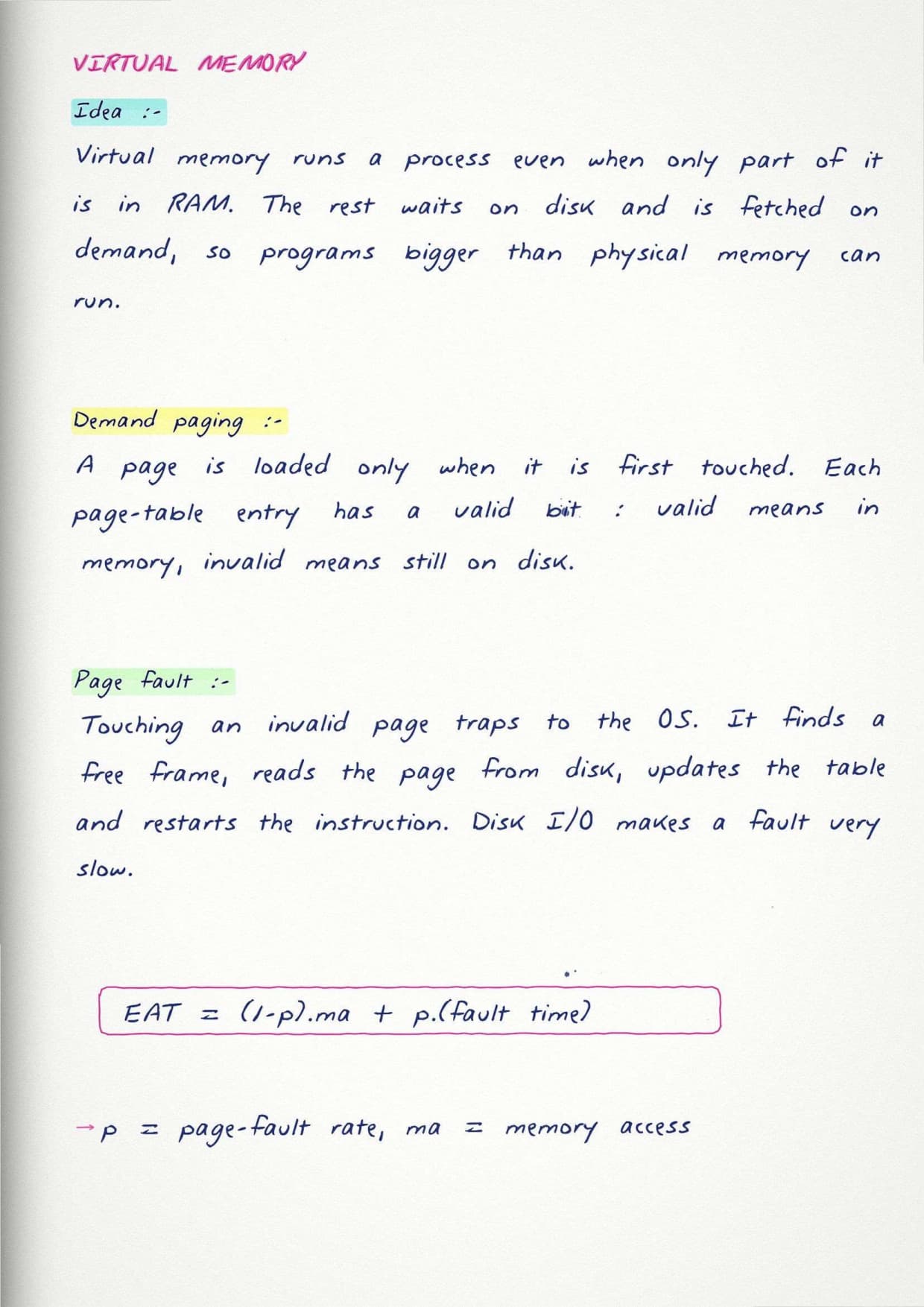
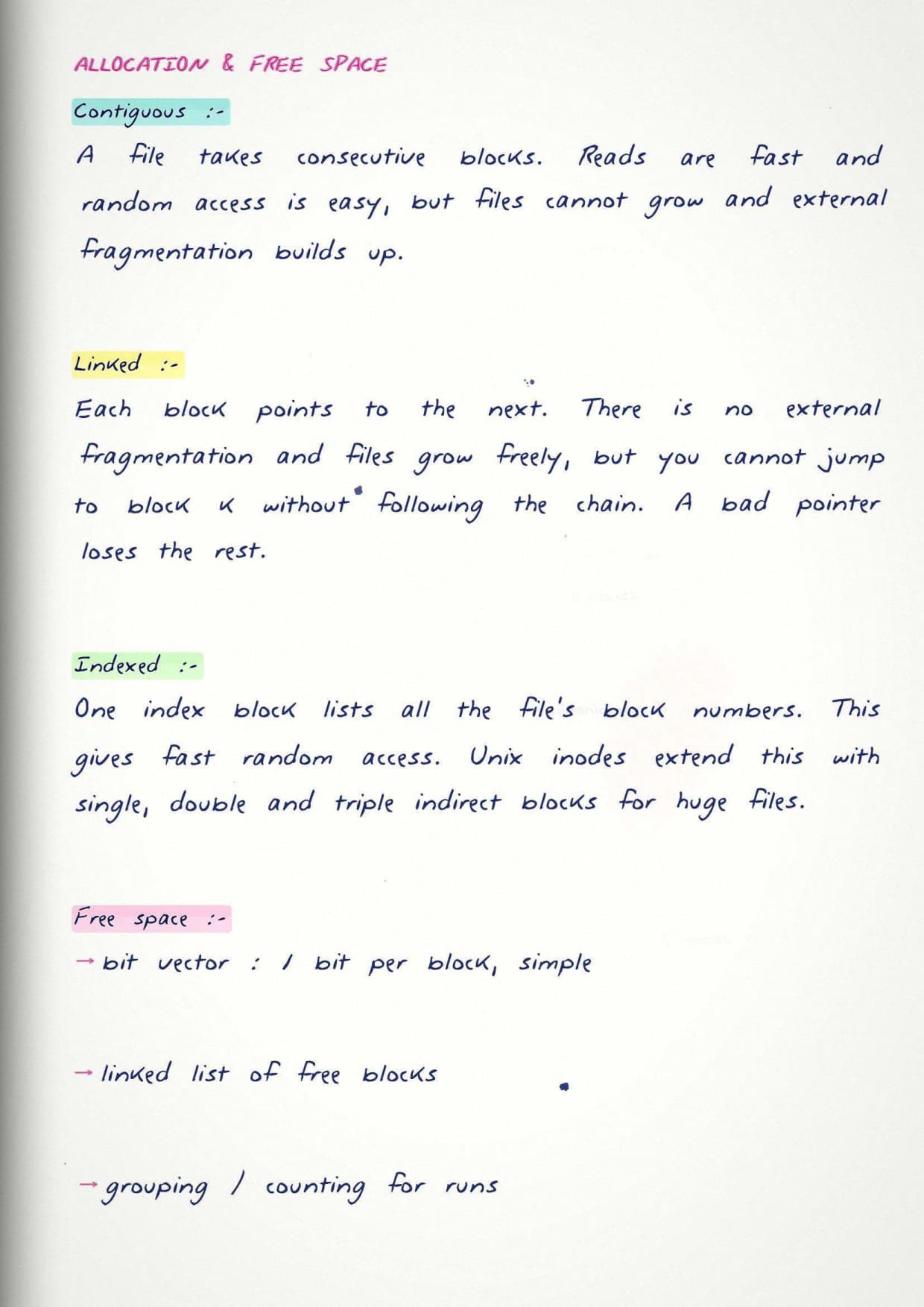
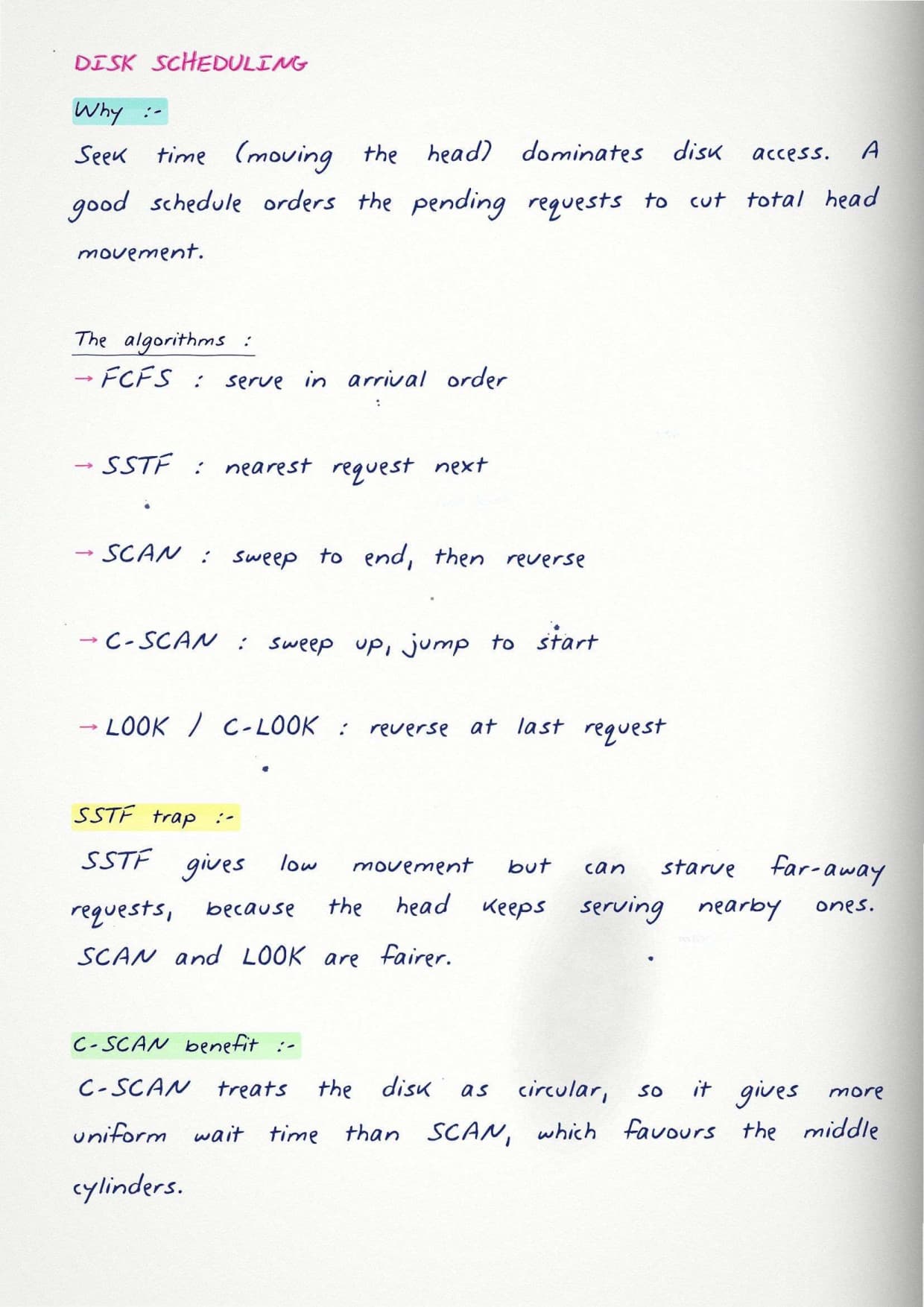
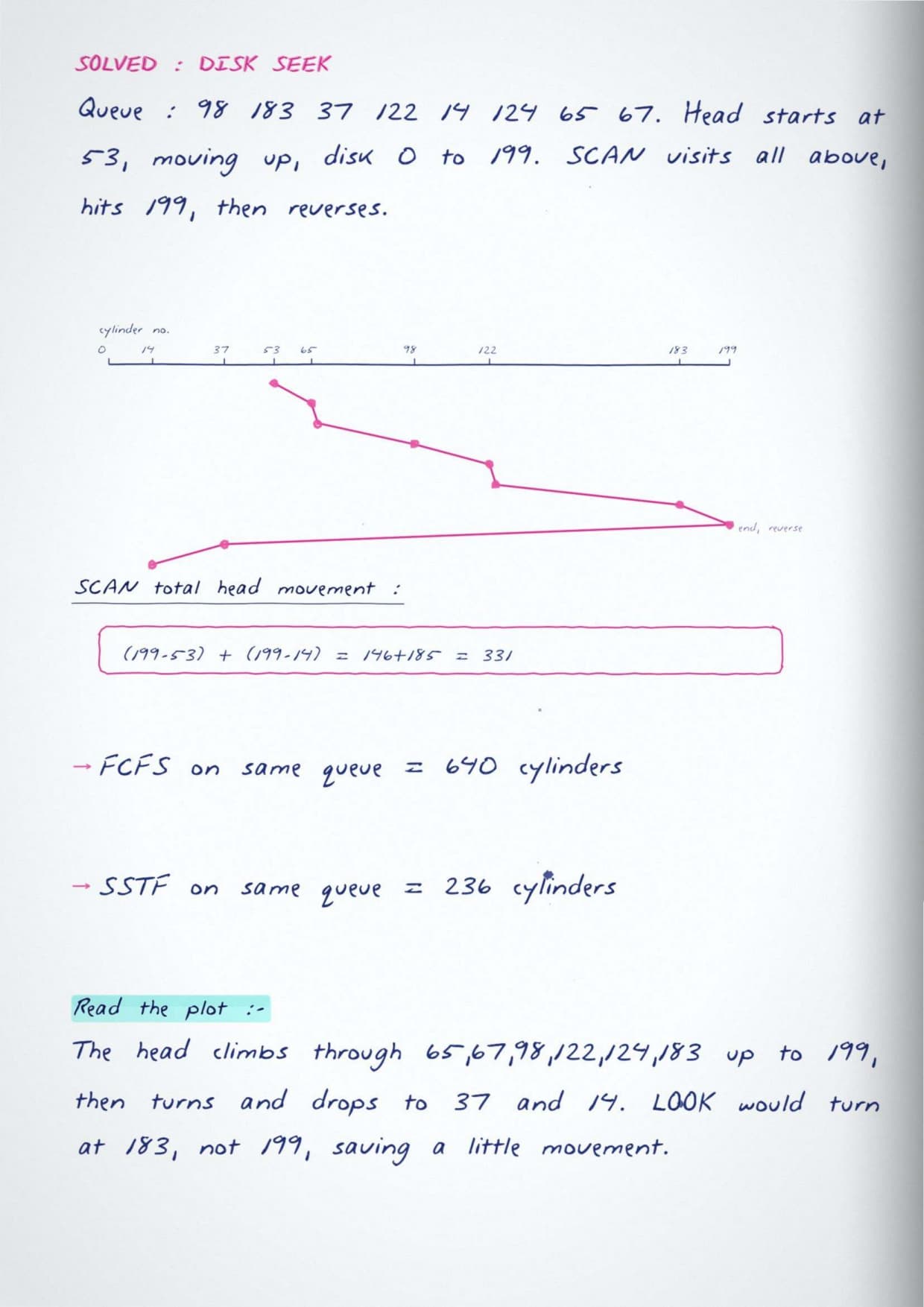
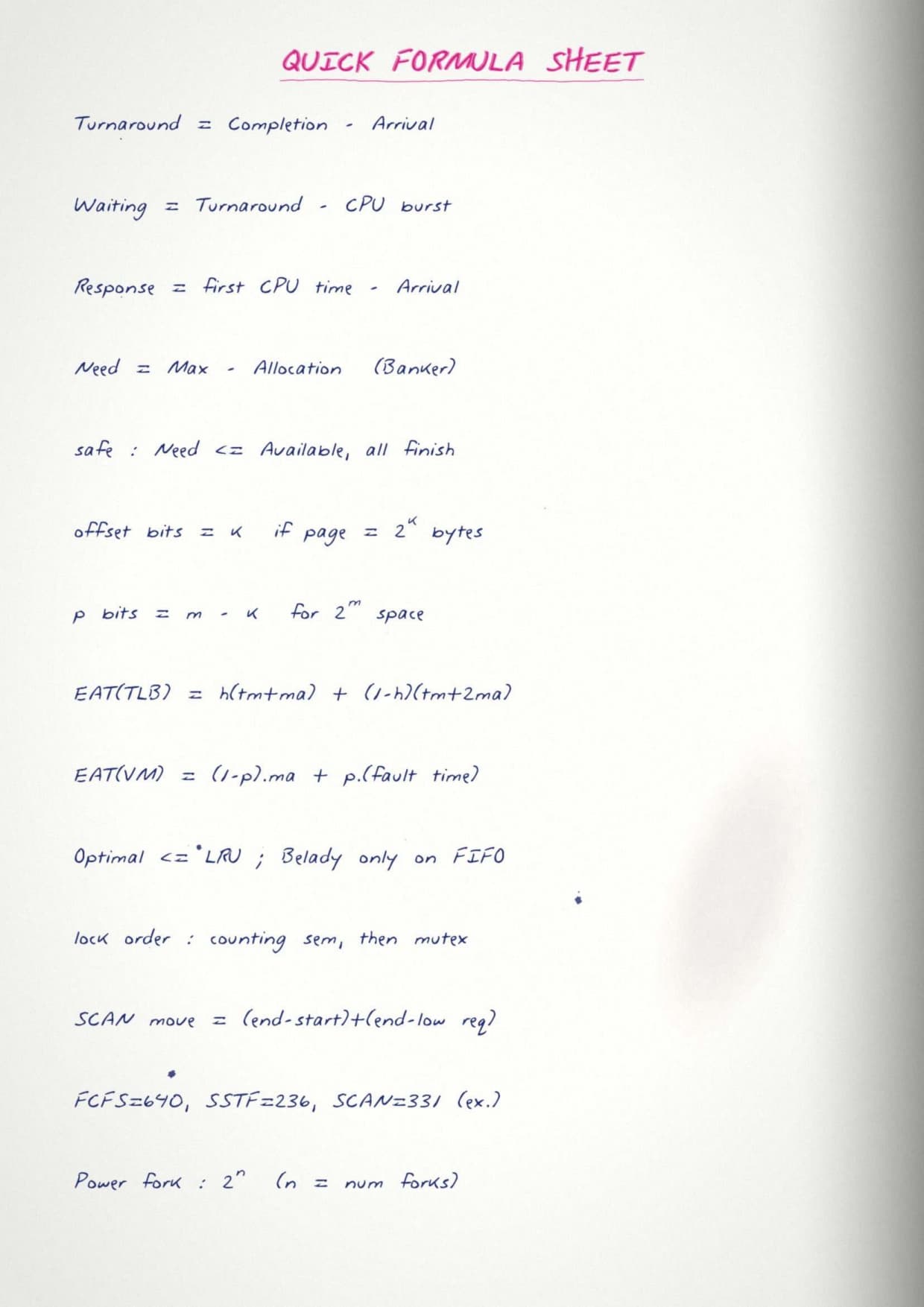
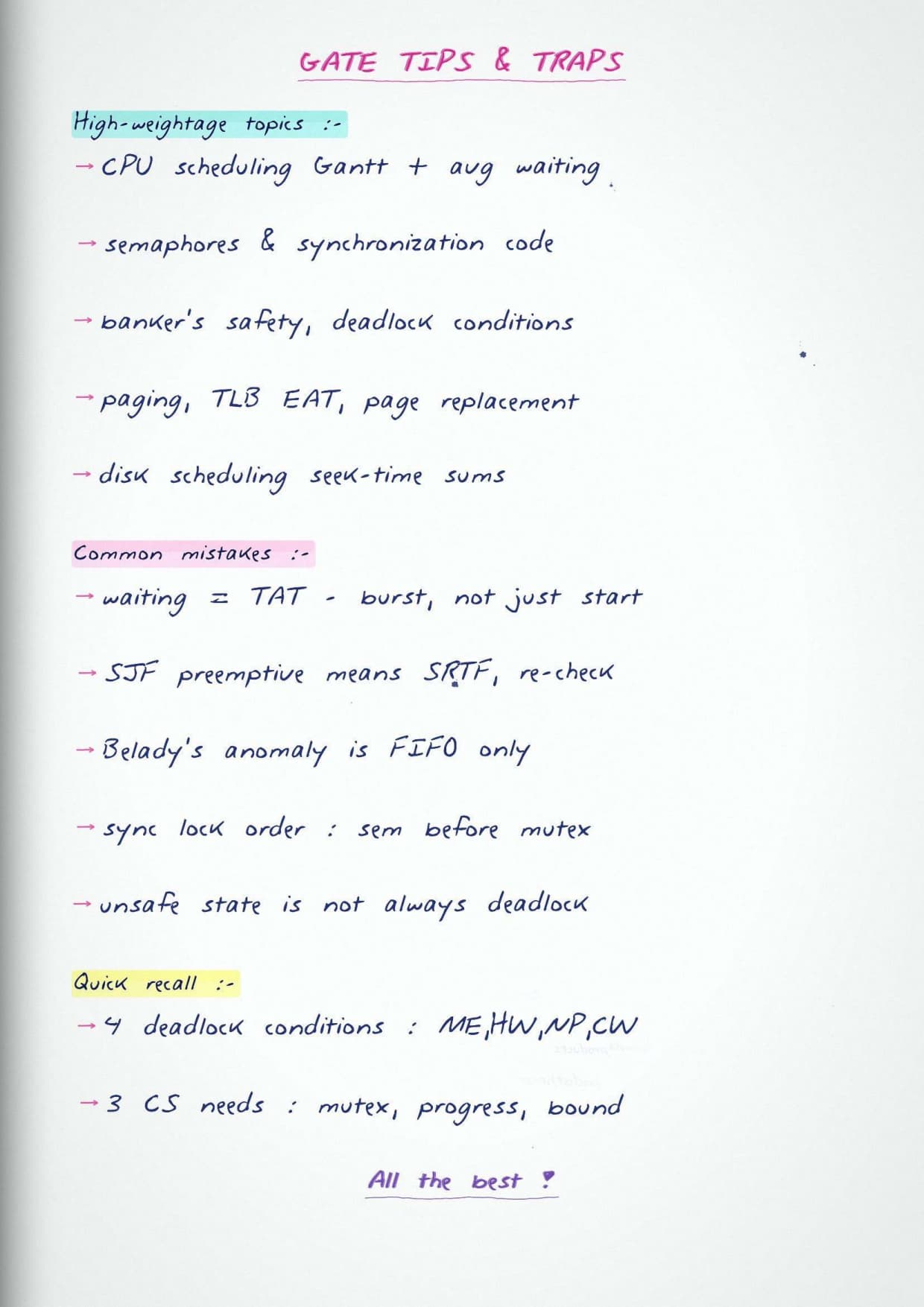
The notes carry hand-drawn diagrams for Gantt charts, process state diagrams, paging, and disk scheduling, along with a formula sheet you can revise in the last few days before the exam. Every result and rule is explained step by step, so you follow the logic instead of memorising an answer on its own.
- Full Operating Systems syllabus in one PDF, in the standard GATE order.
- Key formulas and rules for every topic, with the reason behind them.
- Hand-drawn diagrams and a formula sheet for fast last-day revision.
What These GATE Operating Systems Notes Cover
Operating Systems studies how the software layer manages the CPU, memory, files, and devices so many programs can run together safely. The notes explain each idea in plain words and then give the rule or formula you apply in the exam. They stay close to the GATE CS syllabus, so nothing extra is added and nothing important is left out.
- Clear meaning of each term, with the rule that follows from it.
- Key formulas for scheduling, paging, and disk access.
- Hand-drawn figures for process states, memory, and disk arms.
- A formula sheet that collects every result in one place.
GATE Operating Systems Quick Revision
Source: GATE Wallah CSE & DA on YouTube
Topics Covered in GATE Operating Systems
The notes follow the standard GATE CS order, starting from processes and threads and building up to memory management and disk scheduling. Each topic connects to the one before it, so the subject reads as a single flow rather than a set of separate rules. The full list below matches the official syllabus.
- Processes and threads, process states, and the process control block.
- CPU scheduling, including FCFS, SJF, Round Robin, and priority.
- Process synchronization, semaphores, and the critical section problem.
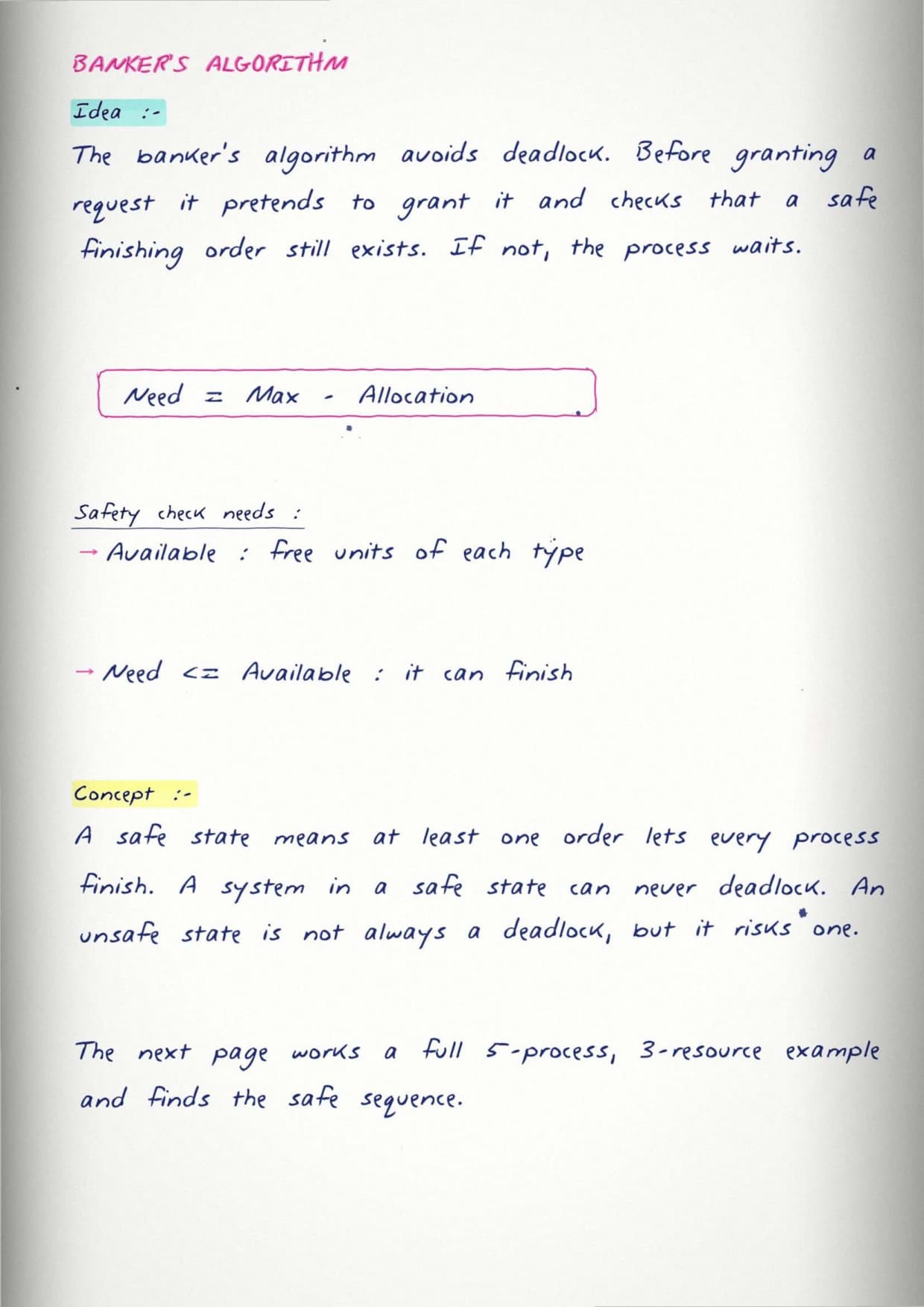
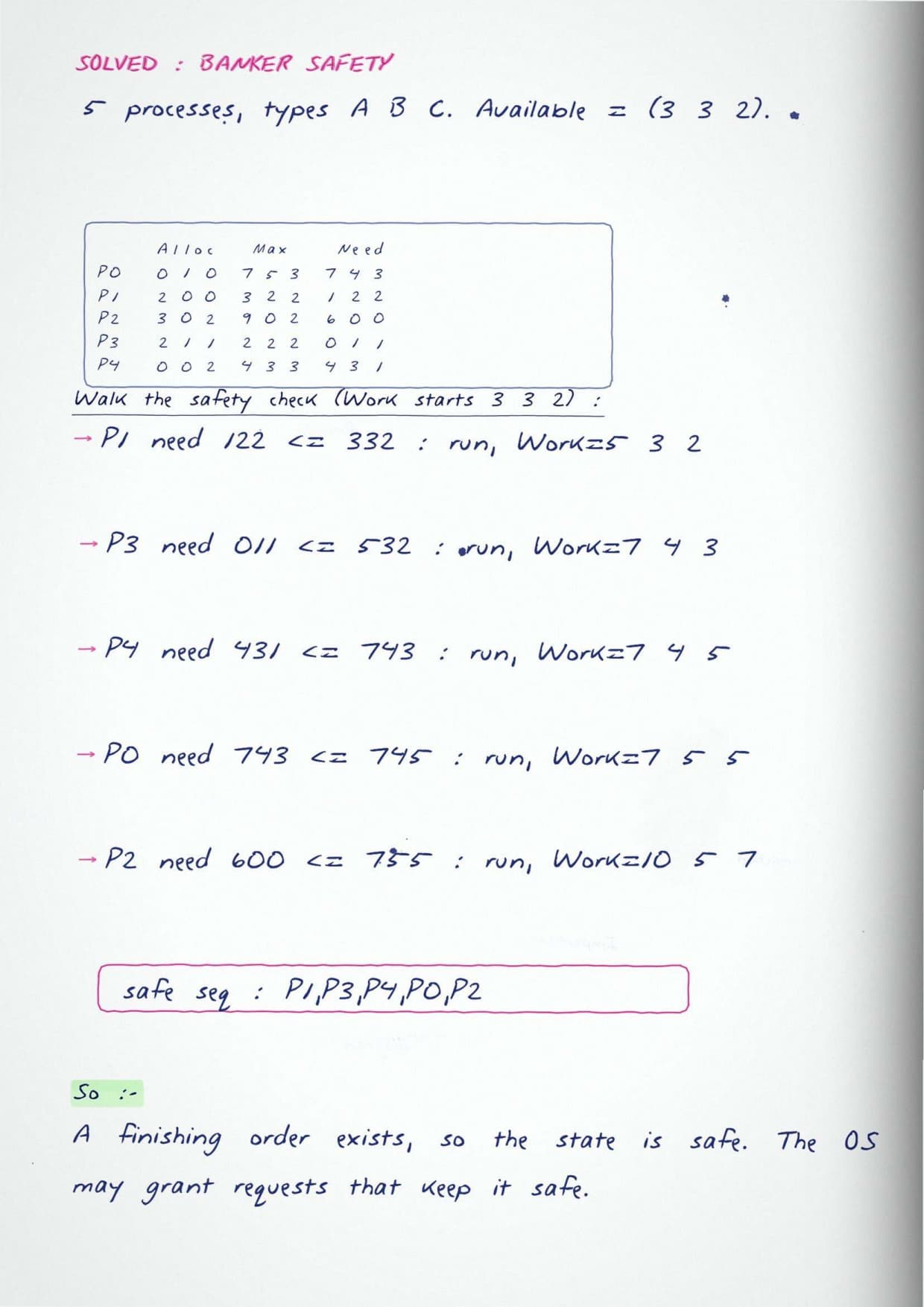
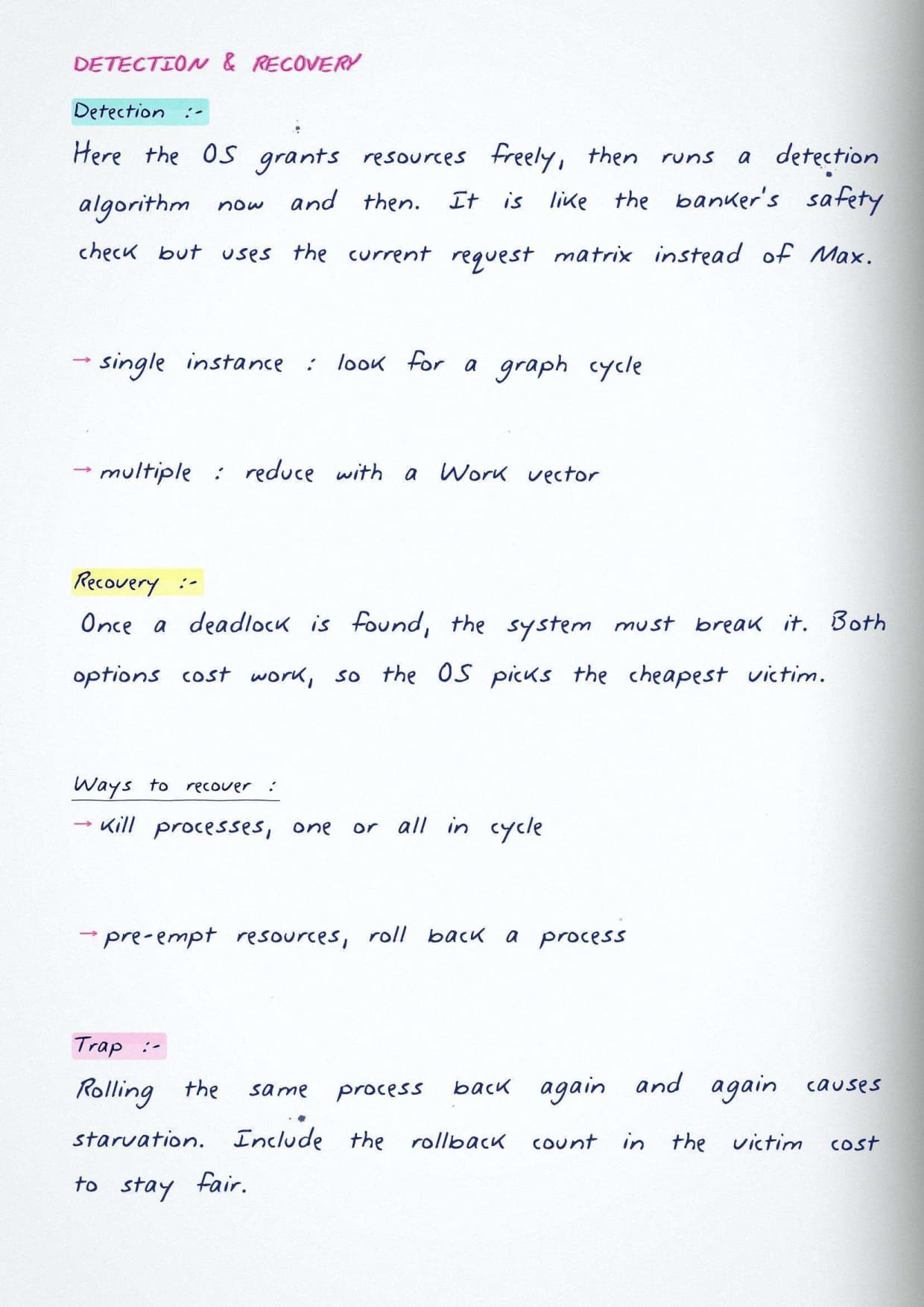
- Deadlocks, their four conditions, and the banker's algorithm.
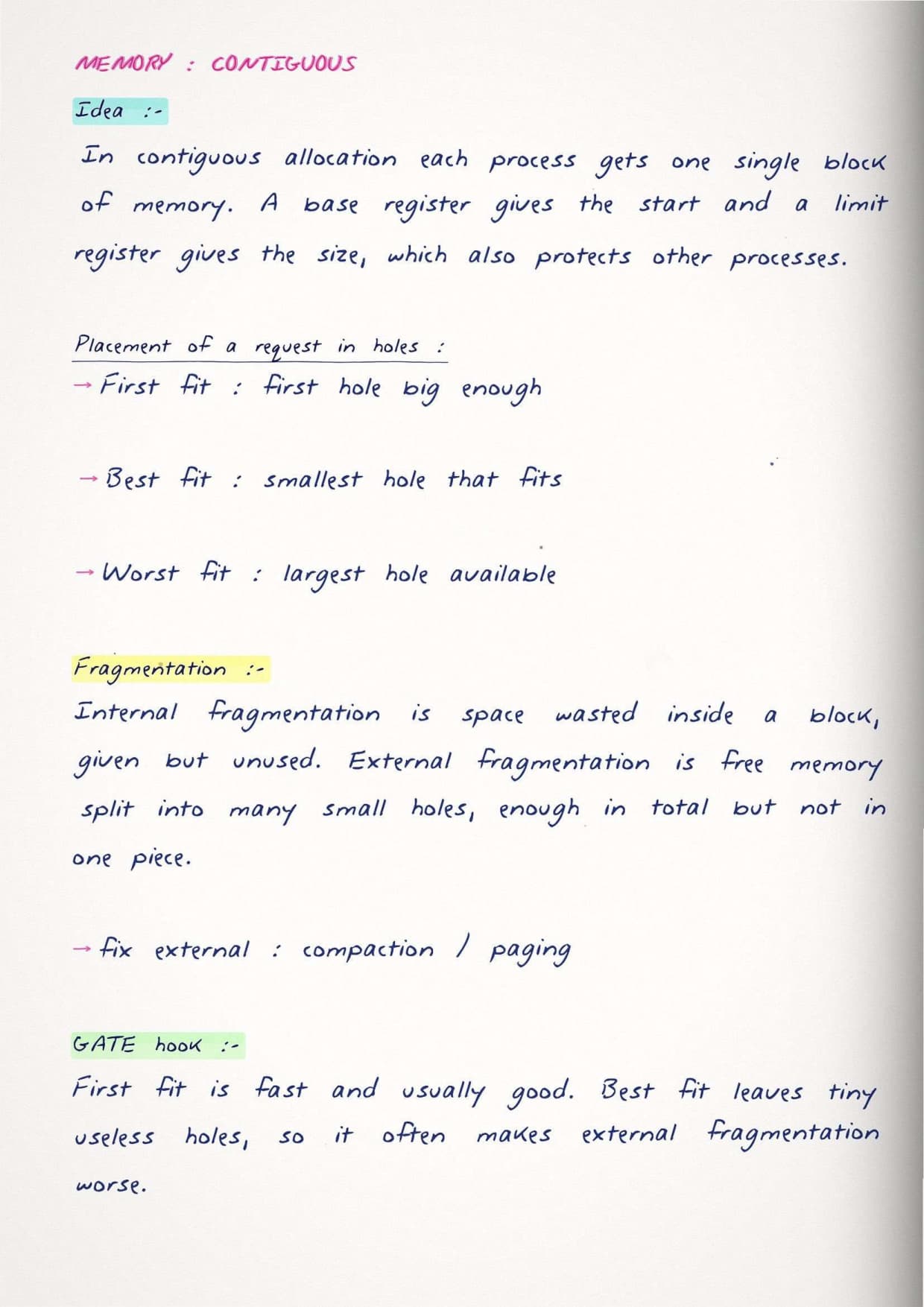
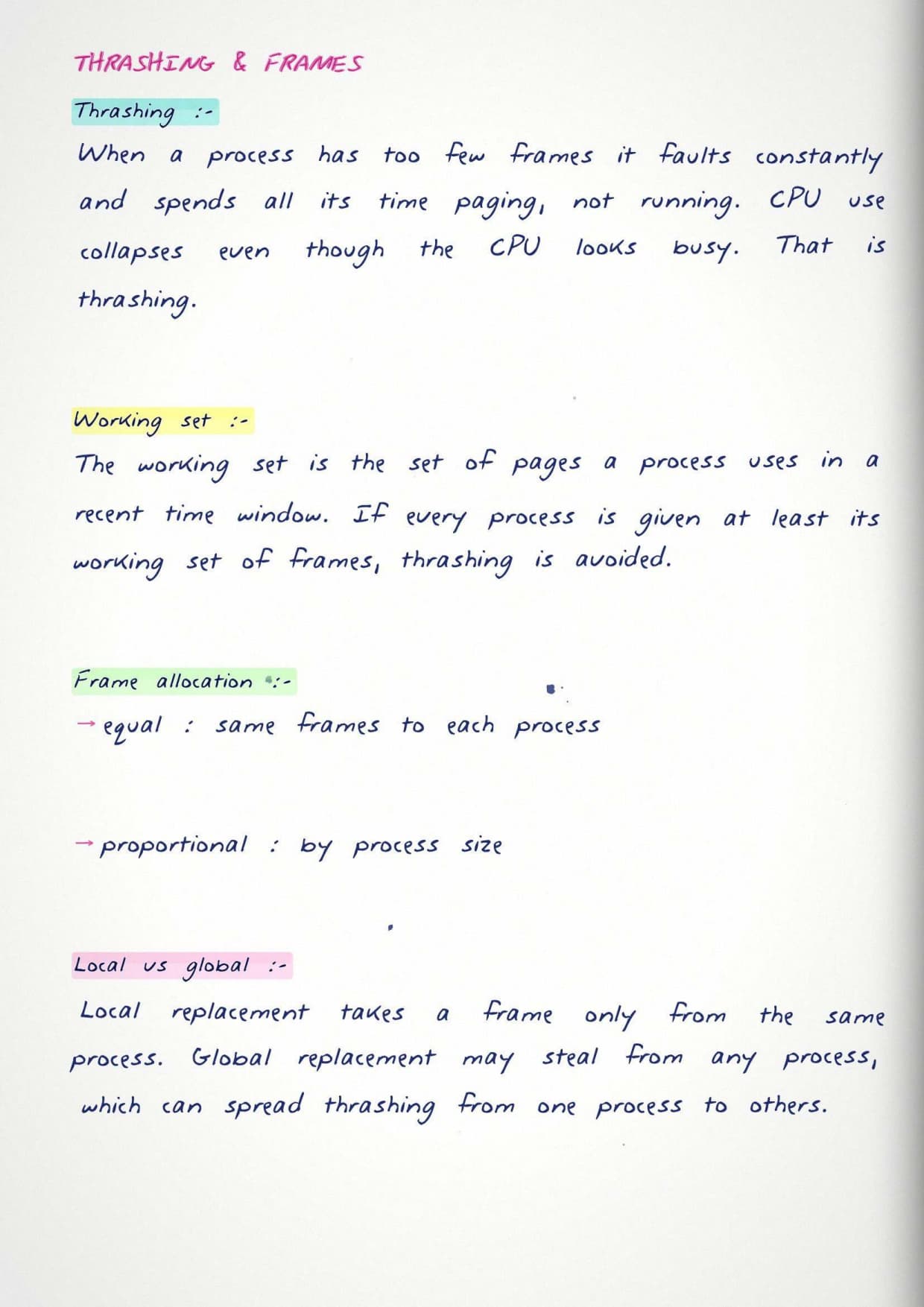
- Memory management, contiguous allocation, and paging.
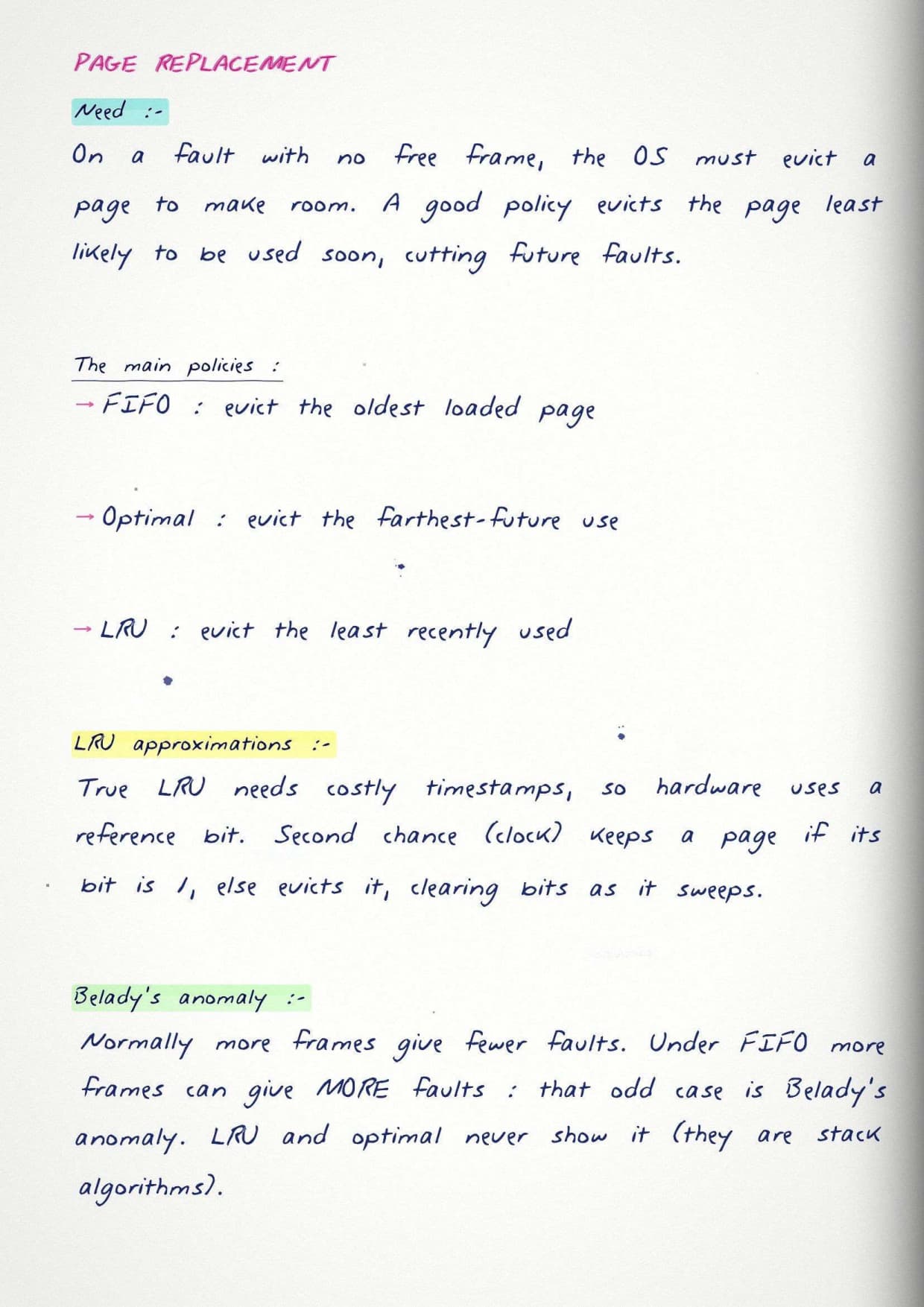
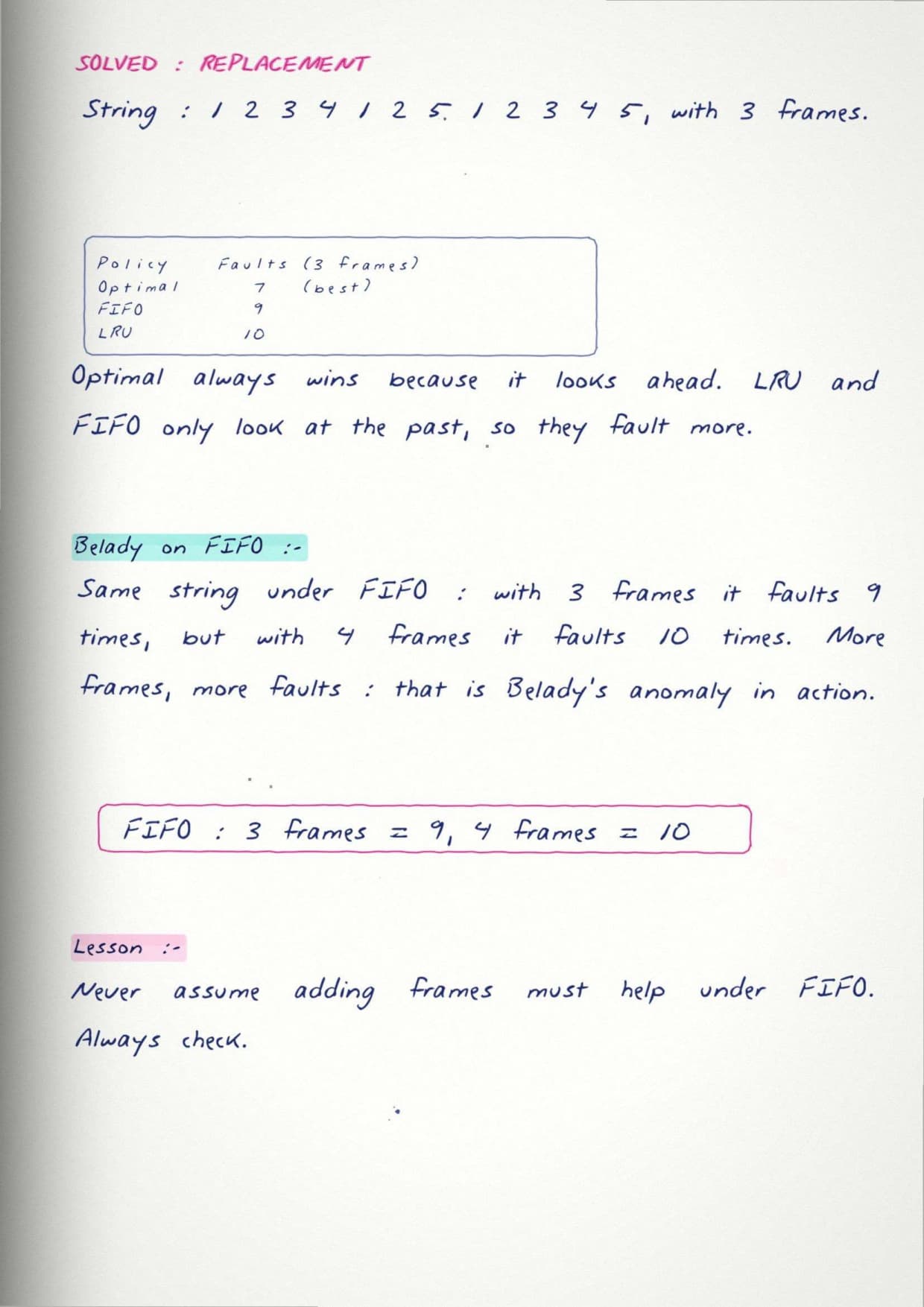
- Virtual memory and page replacement, with FIFO, LRU, and Optimal.
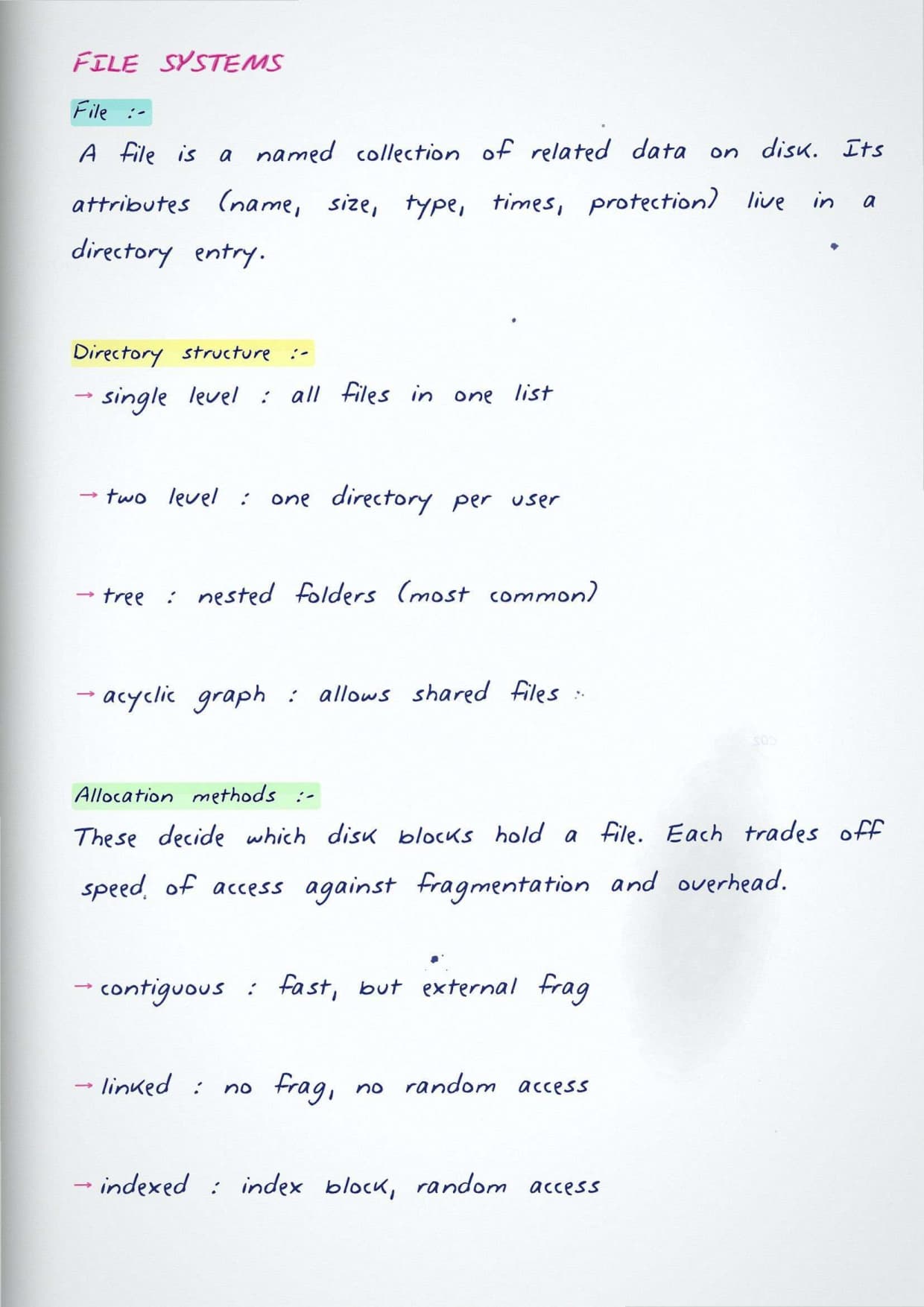
- File systems, allocation methods, and directory structures.
- Disk scheduling, including FCFS, SSTF, SCAN, and C-SCAN.
How the Notes Are Organised
The material runs from the basics to the harder topics, so you can read it straight through or open a single page for a quick recap. Simpler topics such as process states and scheduling come first, while heavier ones like virtual memory and disk scheduling come later once the basics are in place. A formula sheet near the end brings the key results together for revision.
Because each topic stands on its own, you can match it to whatever you are practising that day and revise only the part you need before an attempt.
How GATE Operating Systems Links to Other Subjects
Operating Systems does not stand alone in the GATE CS paper. Its ideas come up again in Computer Organization and Computer Networks, so revising it well earns marks in more than one place. The notes point out these links as they come up.
- Memory management and interrupts connect to Computer Organization.
- Sockets and process communication link to Computer Networks.
- Paging and cache ideas share ground with the memory hierarchy.
- Synchronization concepts return in concurrent database transactions.
Important Topics in GATE Operating Systems
A few topics appear in the GATE paper almost every year and carry most of the subject's marks. If your time is short, revise these first and make sure you can solve them quickly and without mistakes, since they are the surest source of marks.
- CPU scheduling with Gantt charts and average waiting time.
- Page replacement counting page faults for FIFO, LRU, and Optimal.
- Deadlock handling and the banker's algorithm.
- Semaphores and the classic synchronization problems.
- Disk scheduling total head movement for SCAN and C-SCAN.
- Common traps: watch the arrival time in scheduling and the reference string order in paging.
How to Prepare GATE Operating Systems with Handwritten Notes
Operating Systems rewards steady problem solving more than reading, so use the notes as a theory and formula base beside daily practice. Read a topic, note its rule, then solve a few previous year questions on it before you move on. Return to the notes before mock tests to refresh the ideas quickly.
- First read: cover every topic once to build the base.
- Second pass: focus on scheduling, paging, deadlocks, and disk access.
- Solve previous year questions topic by topic beside the notes.
- Final week: revise the formula sheet and the tips page.
Why These Notes Help You Score Better
Handwritten notes are quick to scan and easy to recall under exam pressure, which is why they work well for revision in the final weeks. A short, visual page is faster to go through than a full textbook chapter, and each diagram is right next to the result it explains, so the link stays clear for students.
GATE CS Operating Systems Handwritten Notes FAQs
Ques. Do these notes cover the full GATE CS Operating Systems syllabus?
Ans. Yes. They cover every topic in the official syllabus, from processes and scheduling through to virtual memory and disk scheduling, in the standard GATE order.
Ques. How much weightage does Operating Systems carry in GATE CS?
Ans. It is a scoring subject, usually worth about 8 to 10 marks, and its ideas also support questions in Computer Organization and Computer Networks.
Ques. Can I rely only on these notes for Operating Systems?
Ans. Use them as your theory and formula base, but pair them with regular numerical practice and previous year papers for the best result.
Ques. Are the notes useful for last-minute revision?
Ans. Yes. The topic-wise pages and the formula sheet are made for quick revision in the days before the exam.



Comments