




JEE Main 2026 Session 2 City Slip is expected to be released in the second week of March, most likely between 10th and 14th March. Once it's released, you can check your exam city and zone within 2 minutes. You need the application number and password as prerequisites to download your City slip.
- Go to the official Website https://jeemain.nta.nic.in/.
- Click on the “Advance City Intimation for JEE Main 2026 [Session 2]” in the bottom right corner.
- Enter your Application number, Password, and Security Pin.
- The JEE Main Session 2 City Slip will open after you hit the submit button.
One thing you need to understand here is that the City intimation slip and the Admit card are not the same. The city intimation slip will inform you about the exam centre, and the admit card will inform you about your exam centre address.
Also Read:
- Check JEE Main 2026 Session-2 Exam Dates
- When will the JEE Main 2026 session-2 Admit Card be released?
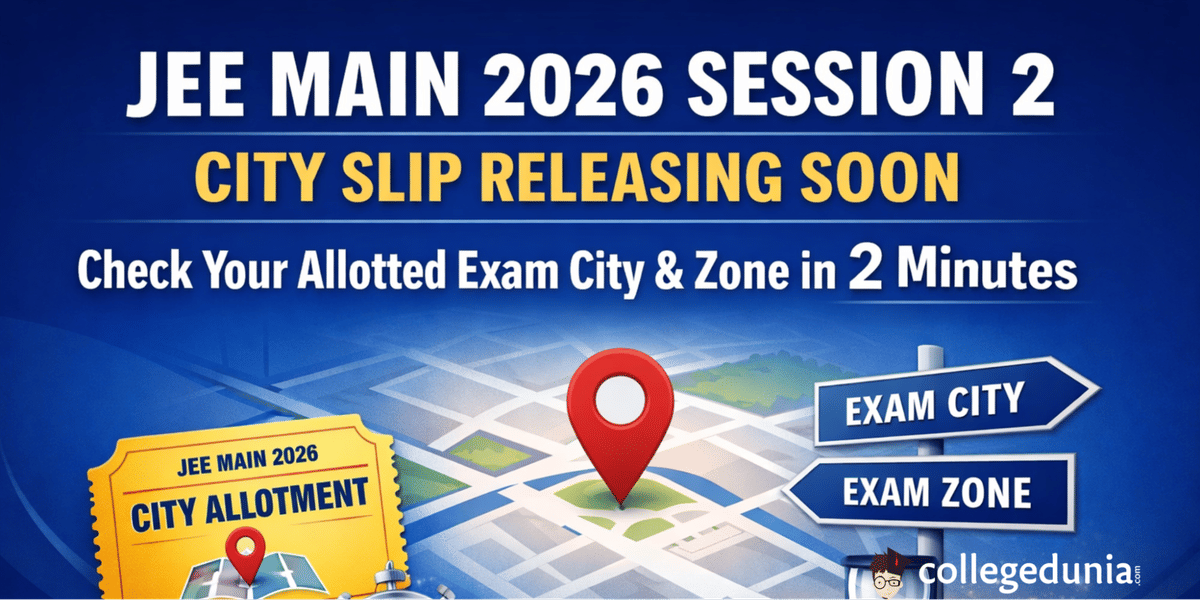
Easy Steps to Download JEE Main Session 2 City Slip in Just 2 Minutes
It's super easy to download the JEE Main Session 2 city slip, and it takes only 2 minutes. You just need your phone or laptop with internet.
Refer to this video below for a step-by-step Guide to check your Exam City and Exam Zone.
Problems Students Face While Downloading JEE Main 2026 Session 2 City Slip
Students face many problems while trying to check their JEE Main city intimation slip. These might be a website crash, a login error, or not showing city intimation slip.
| Common Problems Faced | Probable Cause | Recommended Solution |
|---|---|---|
| Slow Loading, website crashes | High traffic immediately after the release of the city intimation slip. | Try downloading after some time, preferably during off-peak hours. |
| Invalid Credentials | Incorrect application number or password. | Check your application number and password. Use “forget password” option if you don’t remember your password. |
| Security Pin not loading | Slow internet or browser cache issue | Clear browser history or try a different browser. |
| Information Not Found or Blank Slip | Server Issues or NTA might release City Intimation slips in batches. | Wait for a few hours. If the issue still persists, reach out to NTA through help-line 011-69227700 and 011-40759000. |
Ques. The JEE Main website is crashing, and I can’t download the JEE Main City slip. What should I do?
Ans. This usually happens due to high traffic, especially on the day of the release of the city slip. Wait for 2-3 hours and try logging in off-peak hours.
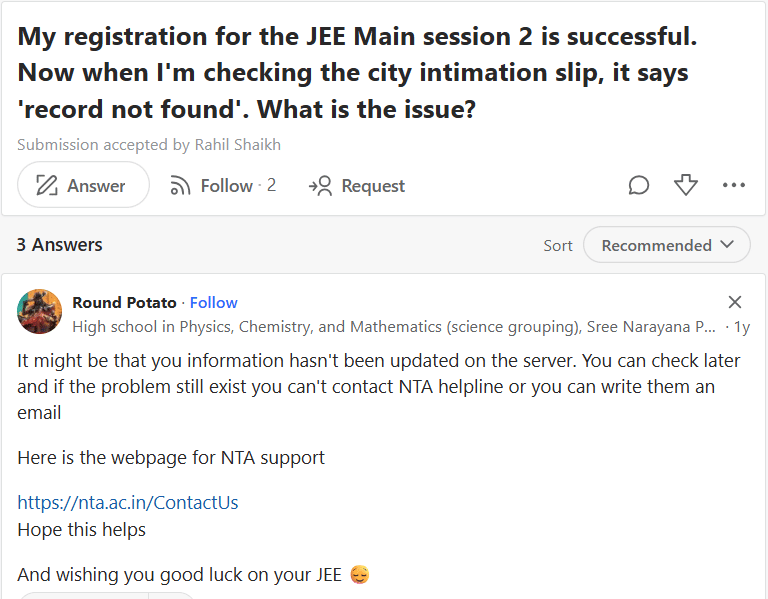
A user on Quora faces a problem regarding the JEE Main City Intimation Slip. They are not able to download the City slip even though the registration is successful. This might be server issues. If the problem doesn’t solve even after a few hours, reach out to NTA.
What to check in JEE Main City Intimation Slip?
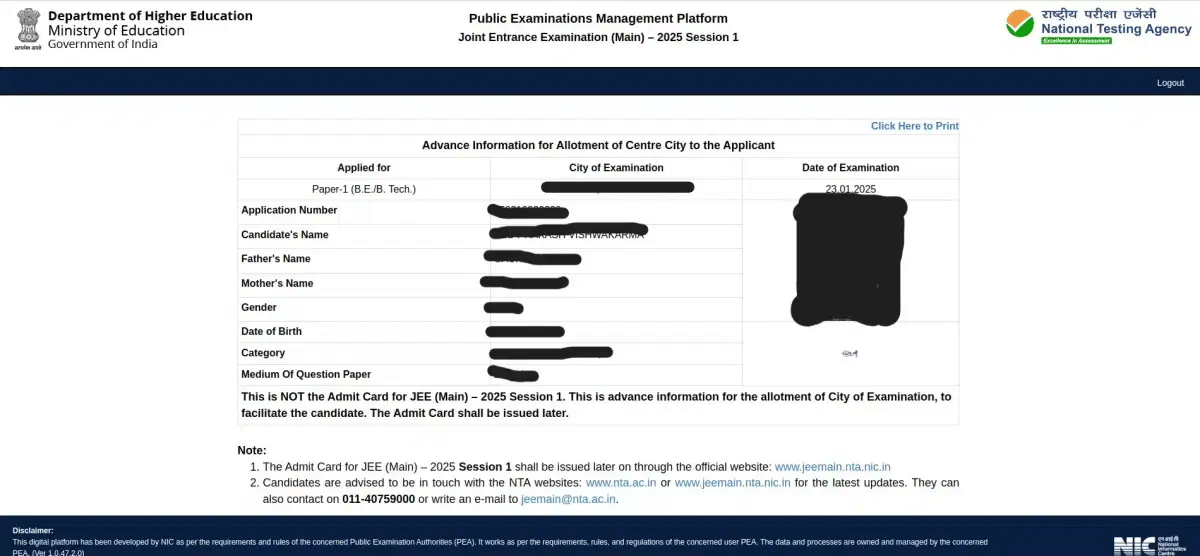
Along with your Exam city and dates, verify all the other details to make sure there are no mistakes in the JEE Main 2026 session 2 city slip.
- Check if your personal information is correct. Make sure there are no mistakes in your name, parents' names, and date of birth.
- Verify your application number, papers that you applied, and the medium of the question paper is the same as you chose.
- If you find any mistakes in your JEE Main session 2 city slip, contact the NTA help line 011-69227700 and 011-40759000.
| Objective | Details to Check | Description |
|---|---|---|
| Identity Details | Candidate’s Name & Parents' Name | Must exactly match your official 10th/12th certificate and application form |
| Application Number | Ensure this unique registration ID is correctly printed | |
| Date of Birth & Gender | Cross-verify these against your ID proof | |
| Exam Details | Allotted Exam City | Note the city and state assigned. This is the primary reason for the city slip |
| Date of Examination | Check your specific allotted exam date for session 2 | |
| Paper Applied for | Verify if it correctly lists Paper B.E or B.Arch/B.Planning | |
| Medium of Question Paper | Ensure your choice of medium matches the JEE Main City slip | |
| Reservation | Category & PwD Status | Verify your category and PwD status. |
Sample JEE Main City Intimation Slip
Ques. My name is misspelled on the city slip. Is it a problem?
Ans. Yes. Your name should match the name on the Photo ID proof. If your name is misspelled, reach out to the NTA helpline through 011-69227700 and 011-40759000.
Ques. Can I change my exam shift, which is shown in my JEE Main Exam city slip?
Ans. No, NTA doesn’t allow changes to the allotted date and shift of the exam. The allotted exam shift and date on the JEE Main city slip are fixed.
What is NOT on the JEE Main 2026 Session 2 City Slip?
The JEE Main City Slip is not your admit card, and it does not contain the following details.
| What is not in the JEE Main Session 2 City Slip? | Details |
|---|---|
| Exact Exam Center Address | Only the city will be provided |
| Exact shift & Timings | Your specific exam shift and reporting time will be in the admit card, not on the city intimation slip |
| Roll number | Your roll number will not be in the city intimation slip. It will be in your JEE Main 2026 admit card. |
Related News:



Comments