


CBSE has started distributing 6-digit DigiLocker access codes to schools to help Class 10 and 12 students securely access their digital marksheets and certificates after the CBSE Result 2026 declaration. Students can activate their DigiLocker accounts using the access code, roll number, and school code through the official portal before the results are announced.
- DigiLocker, a Digital India initiative by the Ministry of Electronics & IT (MeitY), allows students to store and access official digital documents online.
- CBSE stated that the 6-digit access code system has been introduced to improve the security and privacy of student data while providing academic documents through its digital repository, “Parinam Manjusha.”
- Students who have not yet received their DigiLocker access code have been advised to contact their school examination coordinator.
CBSE has also clarified that the 6-digit code is only meant for account activation and not for regular DigiLocker login. The CBSE Class 12 Result 2026 is likely to be announced in 13th May 2026.
Related Links:
- CBSE Class 12 Result 2026 Live Updates: Check Scorecard, How to Download Marksheet @cbscresult.nic.in, UMANG App and DigiLocker
- CBSE Grading System for Class 12, Marking System, and Relative Grading
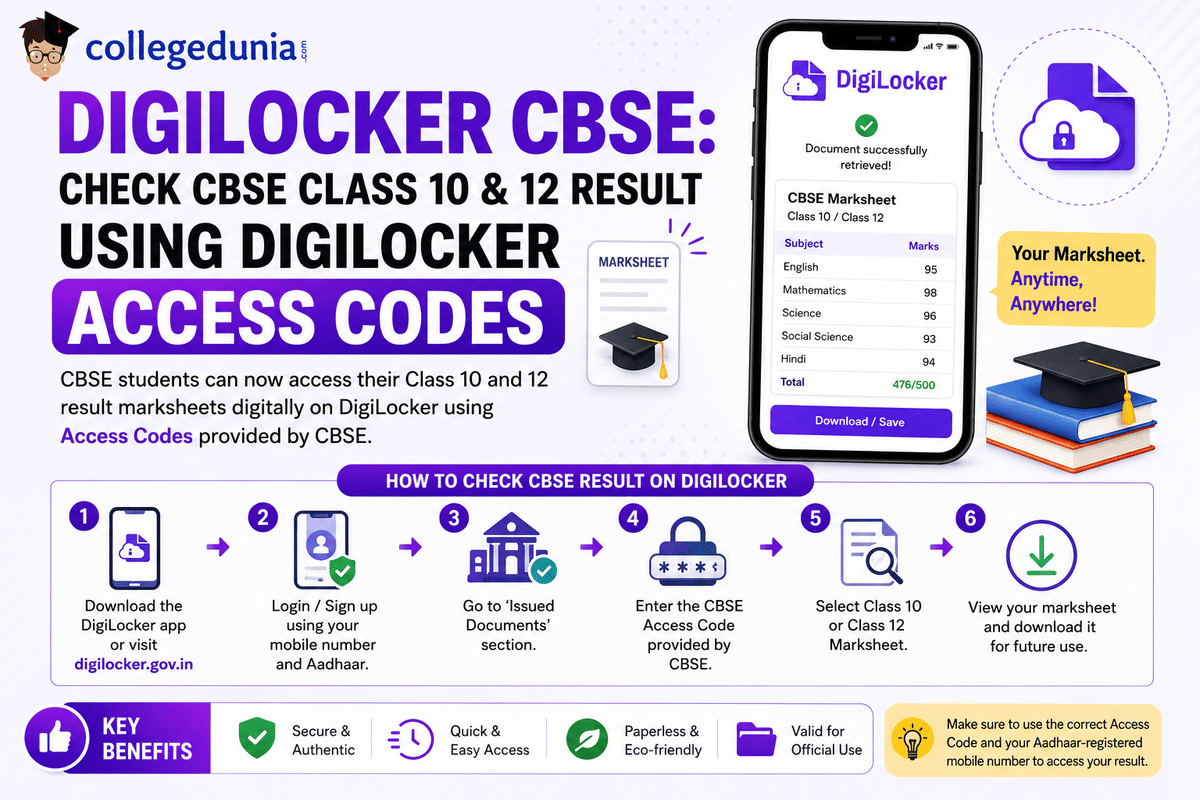
How to get CBSE DigiLocker Access Code?
Students can get their CBSE DigiLocker access code from their school. CBSE shares a unique 6-digit access code with schools through the Parinam Manjusha portal, and students need this code along with their roll number and school code to activate their DigiLocker account at cbseservices.digilocker.gov.in/activatecbse.
Steps to Activate DigiLocker Account
- Collect the 6-digit access code from your school principal or class teacher.
- Visit the official CBSE DigiLocker activation portal.
- Select your class (10th or 12th).
- Enter your school code, roll number, and access code.
- Verify your mobile number using the OTP received.
- After result declaration, access your marksheet and certificates under the “Issued Documents” section.
Students who have not received their DigiLocker access code should contact their school authorities immediately.
Class XII Results Update - Digilocker Pin released: Reddit
One Reddit user claimed that CBSE has released DigiLocker access PINs to schools for Class 10 and 12 students through school portals. The user also suggested that this could indicate that the CBSE Result 2026 announcement is expected soon, possibly within the next few days.
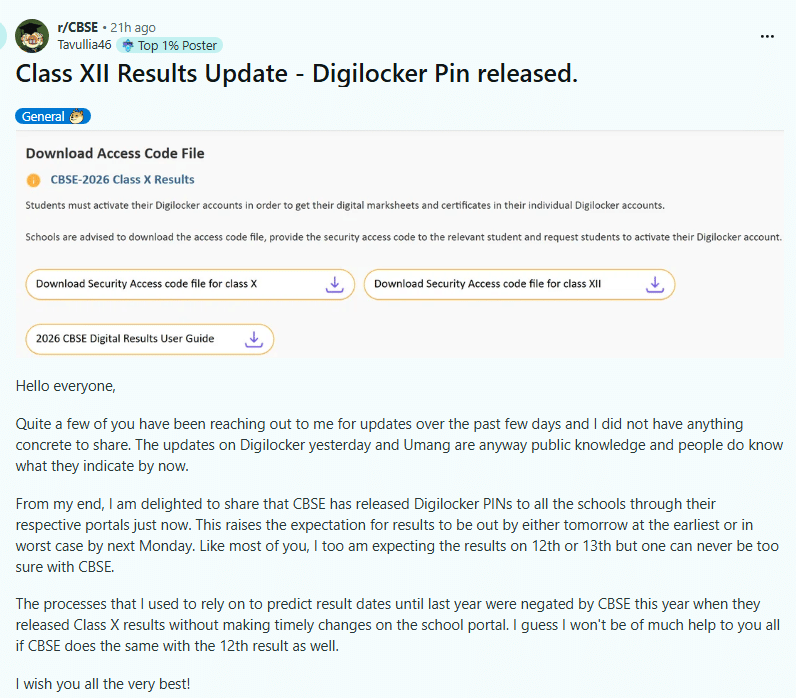
Source: Reddit
How Schools Can Download CBSE Class 10th and 12th Access Codes?
The access codes for CBSE Class 10 and 12 students can be obtained by schools in the following ways:
Step 1: Enter the LOC login information and visit cbse.digitallocker.gov.in. Then, choose 'Login as School' from the drop-down menu.

Step 2: Select 'Download Access Code file' located on the left-hand side of the screen. This will redirect you to a new page where your students' access codes are available.
Step 3: After you've downloaded the file, give each student their secure access codes. Don't forget to download the User Manual from the website and provide it to your pupils as a resource.
How Can I Use DigiLocker to Access Documents?
After the announcement of the CBSE Board Exam Results 2024, students can access their class 10 and 12 mark sheets by following the instructions below:
Step 1: Students can access cbseservices.digilocker.gov.in/activatecbse by visiting this URL.
Step 2: Select "Account Confirmation - Get Started"

Step 3: Choose the class, type in the school code, roll number, and shared access code, then click the Next button.
Step 4: Click Submit after entering your date of birth and a 10-digit mobile number.
Step 5: Enter the OTP that was sent to the registered mobile number.
Step 6: Select "Go to DigiLocker account" after activation. Get the certificates by downloading them.
Check:



Comments