




Candidates can use CBSE official website results.cbse.nic.in, mobile apps such as UMANG and DigiLocker, or SMS service to check class 12th CBSE result 2026.
- Candidates are required to provide their roll number, DOB, and other details as per the Class 12th admit card only to check the result.
- Students must keep their class 12th admit card ready while checking the result, as all login details are required exactly in the same format.
- Candidates can face server error while checking the result at website dur to heavy traffic they can use other methods such as mobile app and SMS in such case or try again later.
Related Links:
- CBSE Class 12 Result 2026: Check Expected Date & Direct Link Here
- CBSE Class 12 Result Expected Pass Percentage
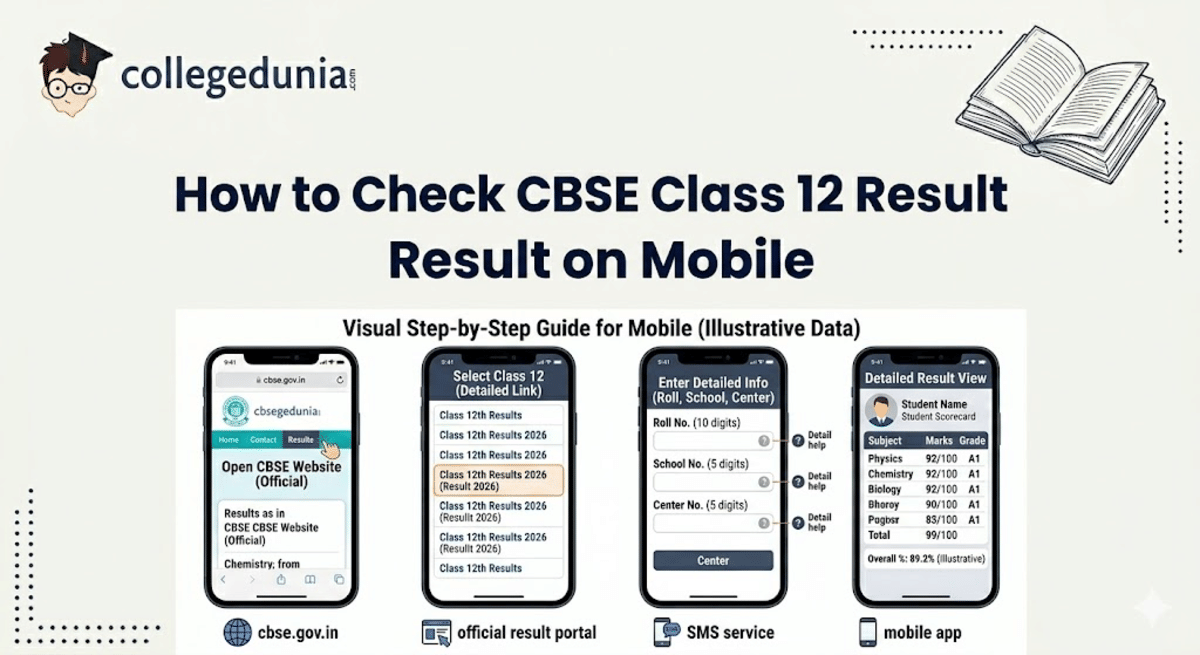
Key Summary
- Students can check their CBSE Class 12 result on mobile by visiting the official website, entering roll number, school number, DOB, and admit card ID, and downloading the result.
- The result checking process includes multiple steps and redirects on the official portal, which can confuse students if not followed carefully.
- Apart from the website, CBSE also allows result access through DigiLocker, UMANG, and SMS, giving backup options during high traffic.
How to Check CBSE 12th Result on Mobile (Official Website)
Students can use any of the browser available in the mobile phone such as Chrome or Safari to check the 12th result on mobile.
- Visit the Central Board of Secondary Education official website on the browser: results.cbse.nic.in
- Click on the link “Secondary School Examination (Class XII) 2026” in 2026 Result section and you will be redirected to another page.
- Now enter all the mandatory details as per the class 12th admit card only such as roll number, school number, date of birth, and Admit card ID, then click on Enter.
- Your class 12th CBSE result will be viewed on your screen.
- Download the result or take a screenshot for future reference.
Ques. How can I check CBSE Class 12 result on mobile?
Ans. You can check the result by visiting the official website, entering your roll number, school number, DOB, and admit card ID. The result will be displayed on screen, which you can download or screenshot.
How to Check CBSE 12th Result via Mobile Apps
Students can also access their CBSE Class 12 result easily through official government apps on their mobile.
- Download and open DigiLocker or UMANG from AppStore or PlayStore.
- Sign in using your mobile number or Aadhaar-linked account.
- Search for “CBSE Class 12 Result 2026” or go to the education section.
- Enter all the essential details like roll number and year.
- View and download your digital marksheet.
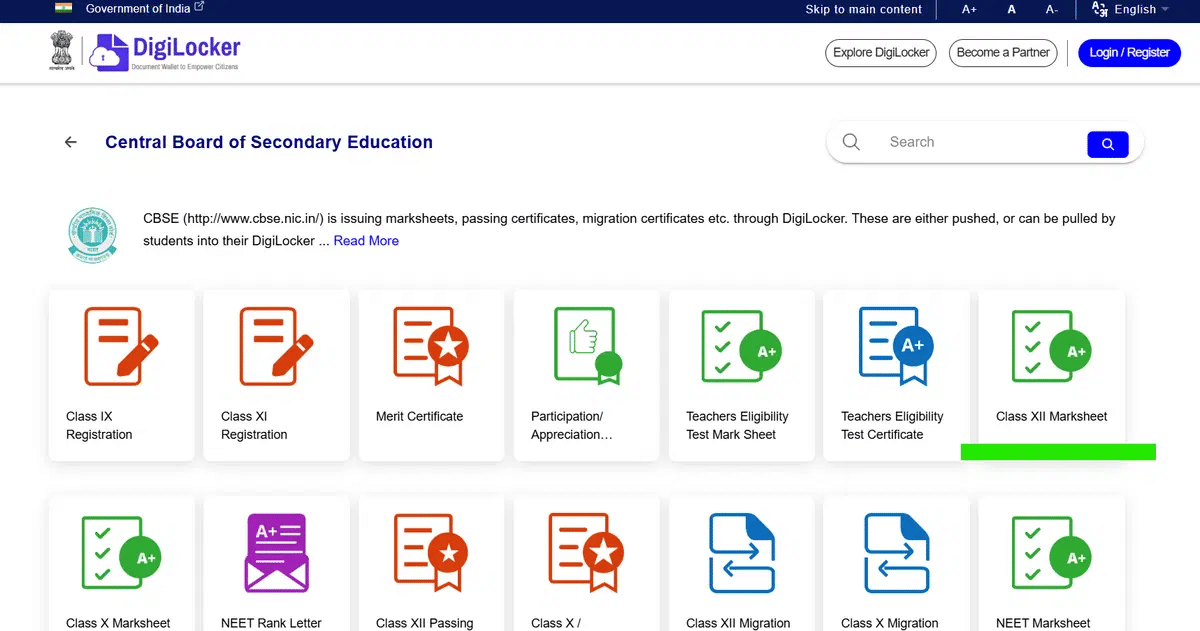
Source: Digilocker Class XII Marksheet
Ques. Which is the official website to check CBSE 12th result?
Ans. The result can be checked on the official CBSE result portal. Always use authentic links to avoid errors or fake websites.
How to Check CBSE 12th Result via SMS
Students can check their result through SMS if the official service is activated. Tespecially useful when internet access is slow.
- Type the message in this format or just copy and paste it: CBSE12 <Roll Number> <School Number> <Centre Number>.
- Send the SMS to the official number (+91 7738299899) released by Central Board of Secondary Education.
- Wait for a reply SMS that contains your CBE 12th result details.
- Save the message or take a screenshot for future use.
Ques. What details are required to check CBSE Class 12 result?
Ans. You need your roll number, school number, date of birth, and admit card ID. These details must be entered exactly as mentioned on the admit card.
Reddit Discussion on How to Check Class 12th CBSE Result
Various users on Reddit are discussing what is the best way to check CBSE class 12th result. A user mentioned the official website https://results.cbse.nic.in/ is the best way to check the result. He also mentioned this is the best, orginal, and evergreen method, you only need your roll number and DOB.
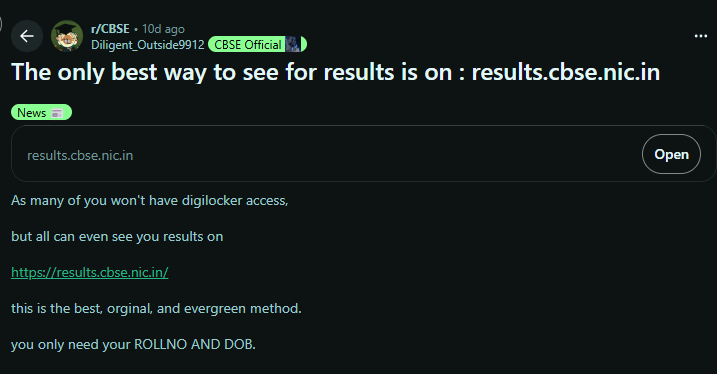
Source: Reddit Discussion
Common Issues While Checking CBSE Class 12th Result on Mobile
Most issues are caused by heavy traffic at the same time, not by any problem in the student’s result.
- Errors like server busy or slow loading show that lakhs of students try to access results within a few minutes.
- Mobile users face more issues because apps and browsers depend on both server speed and internet quality.
| Issue | What Actually Happens | Why It Happens | Solution / Tips |
|---|---|---|---|
| Website freezes after clicking result link | Screen loads but stays stuck or partially opens | Sudden spike when lakhs of students click the result link at the same time | Open the site in a new tab, switch browser (Chrome → Edge), or try after 5–10 minutes |
| “Server Busy” or “502/503 Error” | Error code appears instead of result page | CBSE servers temporarily exceed request capacity during peak traffic | Avoid repeated refresh; wait briefly and retry or switch to DigiLocker/UMANG |
| Details accepted but result not loading | After submitting details, page shows loading but no result | Backend delay in fetching data due to heavy simultaneous requests | Wait on the same page for a minute or reload once instead of multiple attempts |
| Repeated “Invalid Credentials” error | Correct details still show error | Minor mismatch like extra space, wrong format, or confusion between similar numbers | Re-enter carefully, avoid autofill, match exactly with admit card format |
| App shows “Service Unavailable” | DigiLocker/UMANG opens but result section doesn’t load | API/server syncing delay between CBSE and apps during peak time | Log out and log in again, or wait until traffic reduces |
| Result opens but download fails | PDF/marksheet not downloading on mobile | Weak internet or file request timing out due to load | Switch to stable network (Wi-Fi), or take screenshot first and download later |
| OTP delay in apps | OTP arrives late or not at all | Network congestion or server delay during mass login attempts | Wait 30–60 seconds, request OTP again, or change network |
Ques. Can I check CBSE result through mobile apps?
Ans. Yes, you can use DigiLocker and UMANG to access your result. These apps provide secure digital marksheets.
Ques. How to check CBSE 12th result via SMS?
Ans. You need to send a message in the prescribed format with your details to the official number. The result will be sent back as an SMS.
Ques. What should I do if the CBSE website is not opening?
Ans. This usually happens due to heavy traffic during result time. You can wait and retry or use apps or SMS as alternative methods.
Ques. Is DigiLocker marksheet valid for admission?
Ans. Yes, DigiLocker marksheets are digitally verified and accepted for official use. They can be used for admissions and documentation.
Ques. Can I check my CBSE result without internet?
Ans. Yes, you can use the SMS method to check your result without internet. This is useful when network connectivity is weak.



Comments