


CBSE Class 12 result has been declared around May 13, 2026. Students can access their CBSE Class 12 results by roll number through the official websites results.cbse.nic.in or cbse.gov.in.
- Enter your Class 12 roll number, school number, and admit card ID to check your CBSE Class 12 results.
- Students can check their Class 12 results directly at their phone number through SMS. Send an SMS Cbse12 <RollNo> <DOB> <SchoolNo> <CenterNo> to the number 7738299899 to receive your subject-wise Class 12 marks.
- You can check CBSE Class 12 results and download your mark sheet through DigiLocker or the UMANG app.
Also Read:
- CBSE Class 12 Results: Check Expected Date and Direct Link Here
- How to Check CBSE Class 12 Results 2026 Online
How to Do CBSE Class 12 Result Check By Roll Number?
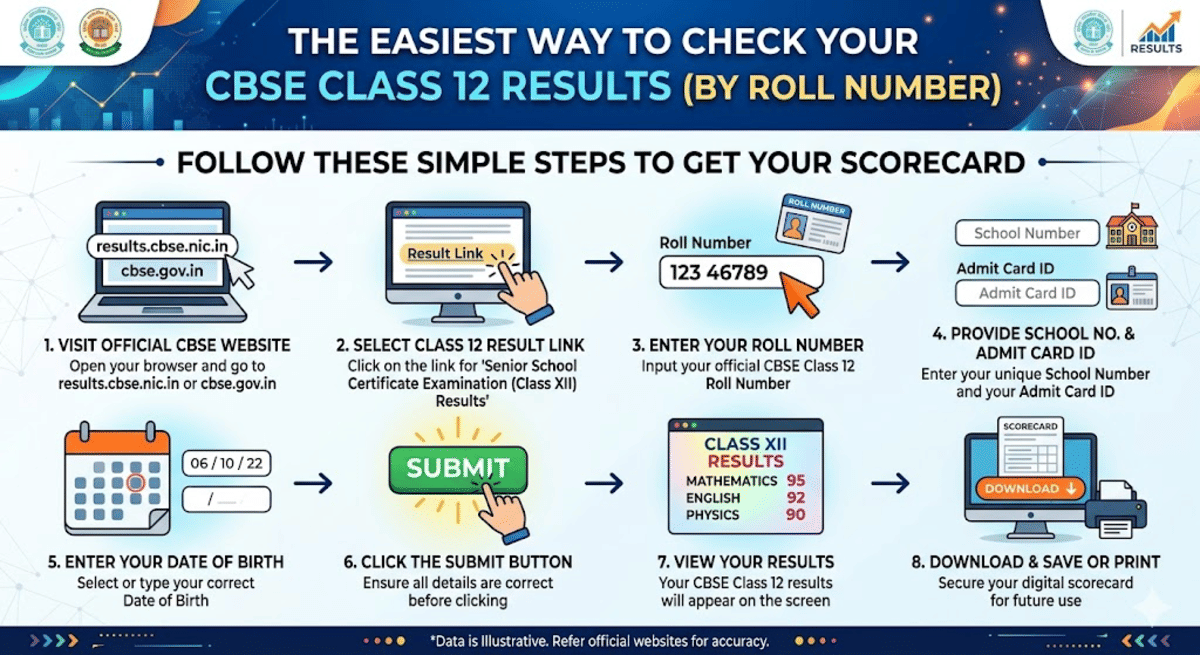
The easiest way to check your CBSE Class 12 results by roll number is to check through the official CBSE website.
- Open your browser and go to results.cbse.nic.in or cbse.gov.in
- Click on the link for “Senior School Certificate Examination (Class XII) Results
- Enter your Roll Number
- Enter your School Number and your Admit Card ID
- Enter Your Date of Birth
- Click on the Submit button
- Your CBSE Class 12 results will appear on the screen.
- Download and save or print the scorecard for future use.
Tip: Keep your CBSE Class 12 admit card ready before you start checking your results. All the details that required to check the results are available on it.
| Required Login Details | Where to Find it? |
|---|---|
| Roll Number | Printed on Your CBSE Class 12 Admit Card |
| School Number | 5 Digit Code On the Admit Card |
| Admit Card ID | Unique Code printed on the CBSE Class 12 Admit Card |
Also Read:
Ques. When will the CBSE Class 12 results be out in 2026?
Ans. The CBSE board hasn’t officially announced any date for the results. But many experts predict the results are likely to be declared by April 30 or in the first week of May.
Ques. Can I check my CBSE class 12th results just with my roll number?
Ans. No, along with your roll number, you need your school number and admit card ID to check your results. Its adviced to keep your admit card with you before you check your results.
Alternative Methods to Check CBSE Class 12 Results By Roll Number
If you can’t access your CBSE Class 12 results on the results day due to heavy traffic, try these alternative methods to check your results.
Check Your CBSE Class 12 Results By Roll Number Via SMS
Students can receive their CBSE Class 12 results directly on their phone through SMS. They only have to send your Roll number, Date of birth, School Number, and Centre number to 7738299899.
- Type in the format of cbse12 <RollNo> <DOB> <SchoolNo> <CenterNo>
- Your date of birth should be in the format of DDMMYYYY.
- Exam centre number will be displayed in your admit card.
- You will receive your subject-wise marks on the same number

Source: How to access your Class 12 results by CBSE
How to Check CBSE Class 12 Results By Roll Number through IVRS
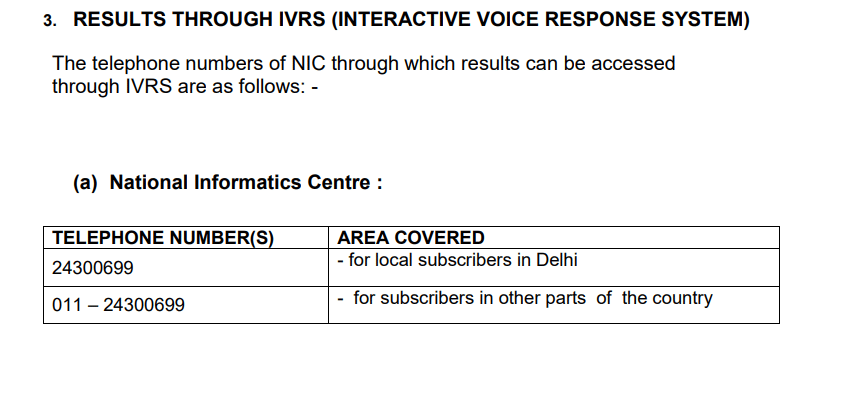
You can receive your CBSE Class 12 results through IVRS.
- You can call 24300699 if you are around Delhi. Add your area code before this number.
- Call 011 - 24300699 if you are in other parts of the country.
- Follow the Instructions on the call
Source: How to access Class 12 Results by CBSE
Check Your CBSE Class 12 Result by Roll Number through DigiLocker
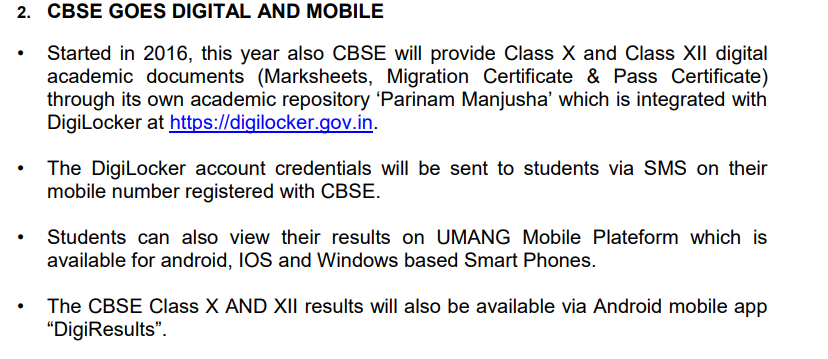
You can check your CBSE Class 12 results through the DigiLocker app, and you can also download your marksheet.
- Log in to DigiLocker using your credentials. Credentials (Security Pin) will be sent to your registered mobile number.
- Link in Aadhar if you haven’t already.
- Click on “Get CBSE Class XII Results”
- Enter your Roll number and date of birth and click submit.
- Your Mark sheet will appear on the screen.
- Or you can visit results.digilocker.gov.in/ to get your CBSE class 12 results once its available.
Source: Accessing CBSE Class 12 Results by CBSE
Also Read:
CBSE Class 12 Results via Digi Locker
Ques. Can I get my CBSE Class 12 results through SMS?
Ans. Yes. You can get your CBSE results directly to your mobile through SMS. You have to send SMS to in the format of cbse12 <RollNo> <DOB> <SchoolNo> <CenterNo> to 7738299899. You will receive your subject-wise marks directly to your phone.
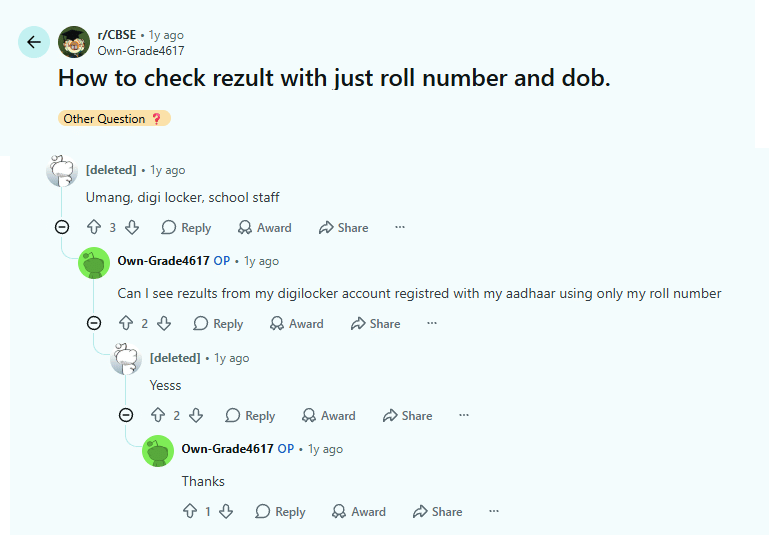
If you want to check your CBSE Class 12 marks with only your Roll Number and Date of Birth, as per the user on r/CBSE thread on Reddit, use DigiLoker and Umang apps. To check your CBSE Class 12 results on the official website, you have to enter your school number, admit card ID, along with your roll number and date of birth.
Common Issues While Checking CBSE Class 12 Results by Roll Number
A slow website or an unresponsive website is the most common issue students find while accessing CBSE Class 12 results, mainly due to very high traffic during the results announcement.
- Be patient, switch to other alternative websites, or use DigiLocker, Umang, or access your results via SMS.
- Cross-check your details once you download your marks card. If you find any issues, report them to the authority immediately.
| Common Issues | Solutions |
|---|---|
| Website Crashes or server overload |
|
| Wrong credentials | Make sure you have all the correct information available with you |
| DigiLocker or App login Issues |
|
| Forgot your Roll Number | Check your Admit Card. Your admit card should contain your roll number |
Related News:



Comments