




To download the CBSE 12th Result 2026 scorecard using Digilocker, students are required to create an account on the app with their Aadhar linked mobile number.
Students can also access their CBSE Class XII scorecard online with their roll number, SMS, IVRS and UMANG App.
- CBSE Class 12 students can download their scorecards from the official website cbseresults.nic.in, cbse.gov.in and results.cbse.nic.in.
- Digilocker App is the safer option for downloading the CBSE Class 12 scorecard as the official website usually goes slow or crashes due to heavy traffic.
- To access and download CBSE Class 12 scorecard 2026 via Digilocker, students must enter a 6 digit security PIN provided by their school.
Also Read:
- CBSE Class 12 Result 2026 Live Updates: Check Scores on UMANG, DigiLocker
- CBSE Class 12 Grading System 2026, CGPA, Grade Point and Percentage
Key Summary
- CBSE Class 12 Result 2026 scorecard download using DigiLocker provides a faster and more reliable way to access marksheets compared to official websites.
- DigiLocker marksheet includes complete academic details such as subject-wise marks, grades and result status.
- Aadhaar-linked mobile number plays a key role in account authentication, enabling secure OTP based login and document verification
- CBSE Class 12 Result 2026 scorecard downloaded from DigiLocker is digitally signed and holds the same legal validity as the original physical marksheet.
How to Download CBSE Class 12 2026 Scorecard Using Digilocker?
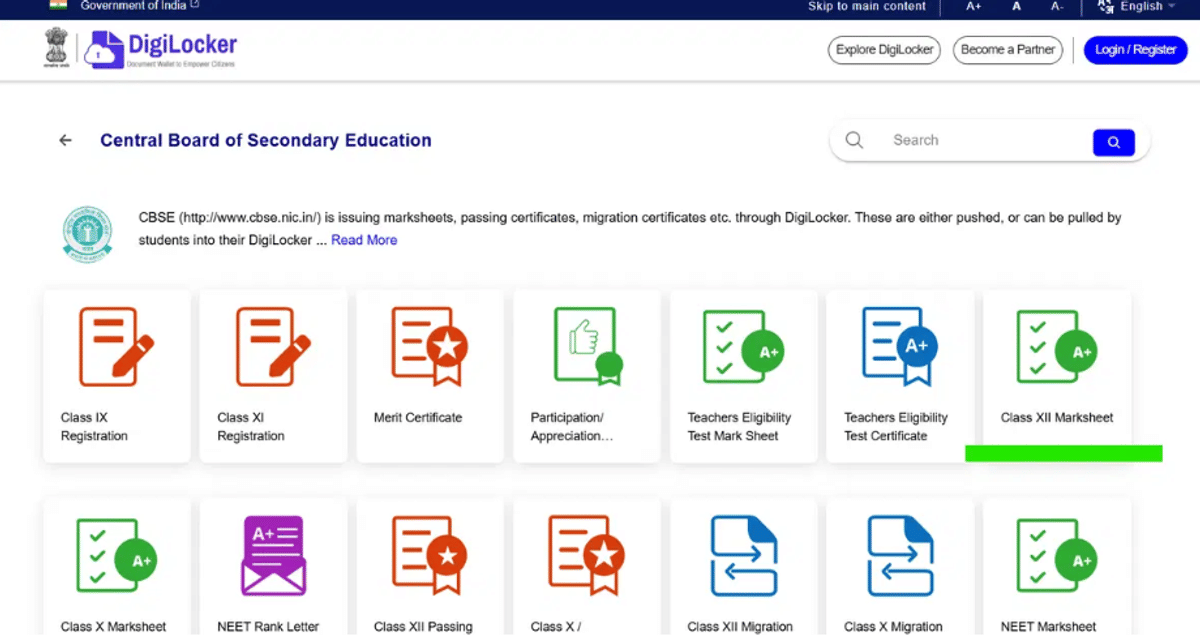
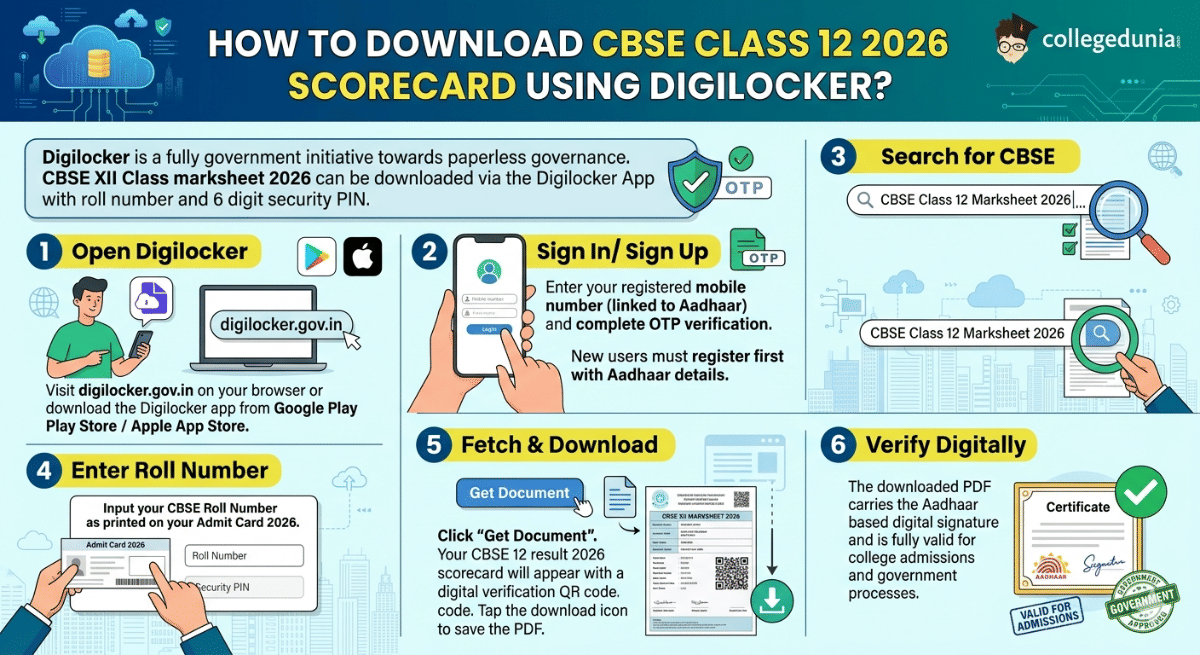
You can download CBSE Class 12 Result 2026 Scorecard Download Using Digilocker App by entering your roll number and 6-digit security PIN.
- Step 1 : Open Digilocker
Visit digilocker.gov.in on your browser or download the Digilocker app from Google Play Store / Apple App Store.
- Step 2 : Sign In/ Sign Up
Enter your registered mobile number (linked to Aadhaar) and complete OTP verification. New users must register first with Aadhaar details.
- Step 3 : Search for CBSE
In the search bar, type “ CBSE Class 12 Marksheet 2026”.
- Step 4 : Enter Roll Number
Input your CBSE Roll Number as printed on your Admit Card 2026.
- Step 5 : Fetch & Download
Click “Get Document”. Your CBSE 12 result 2026 scorecard will appear with a digital verification QR code. Tap the download icon to save the PDF.
- Step 6 : Verify Digitally
The downloaded PDF carries the Aadhaar-based digital signature and is fully valid for college admissions and government processes.
Also Read:
- CBSE Class 12 Toppers: Check Toppers list, Merit List, Previous Years' Result Statistics and Course selection
- CBSE Class 12 Compartment Exam- Registration, Sample Papers, Syllabus and Result
Ques. Is DigiLocker marksheet valid for DU, JNU or IIT admissions?
Ans. The DigiLocker digital marksheet is legally valid number under Section 7A of the IT Act 2000 and is accepted by all central universities, IITs, NITs and state universities for admission processes.
Ques. My mobile number is not linked to Aadhaar. Can I still use DigiLocker?
Ans. You can register using your Aadhaar card number and verify via OTP sent to your Aadhaar registered number. If your number is outdated, update it at the nearest Aadhaar enrollment centre before result day.
Credentials Required for Downloading CBSE Class 12 Scorecard Using DigiLocker
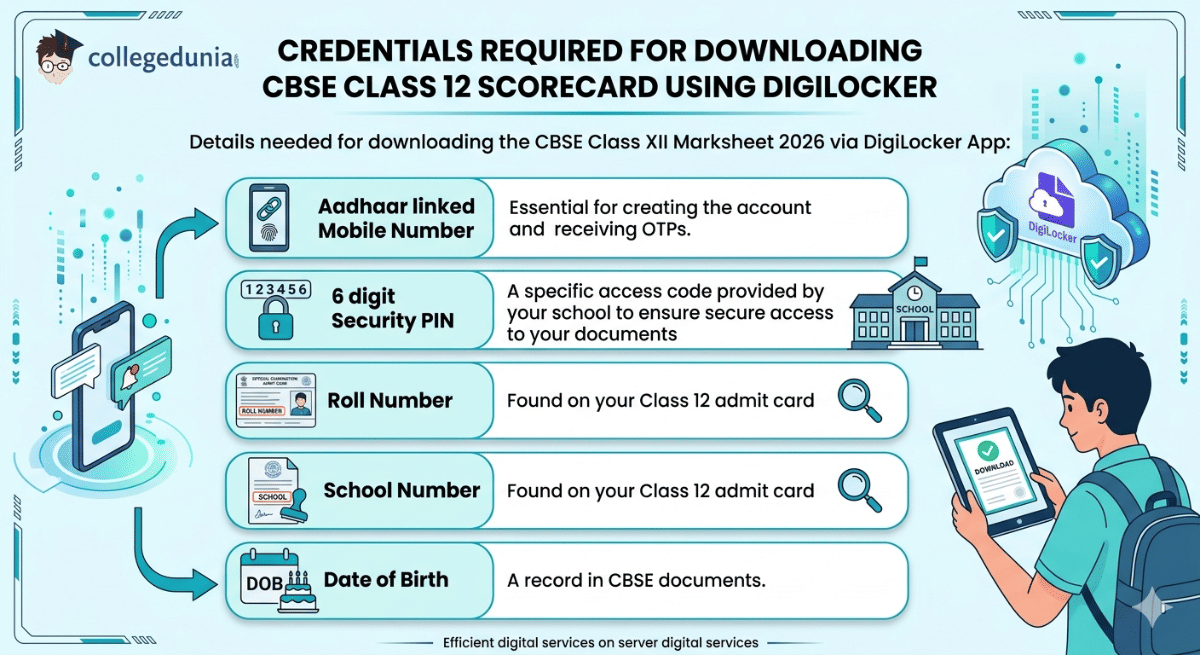
The details given below are required for downloading the CBSE Class 12 Result 2026 Scorecard Download Using Digilocker:
| Credentials | Requirements |
|---|---|
| Aadhaar linked Mobile Number | Essential for creating the account and receiving OTPs. |
| 6 digit Security PIN | A specific access code provided by your school to ensure secure access to your documents |
| Roll Number | Found on your Class 12 admit card |
| School Number | Found on your Class 12 admit card |
| Date of Birth | A record in CBSE documents. |
Also Read:
Ques. Is the 6-digit Security PIN mandatory for CBSE Class 12 Result 2026 DigiLocker access?
Ans. Yes, the 6-digit Security PIN is required for first-time account activation. It is issued by schools to ensure secure access to CBSE documents.
Ques. Can I download CBSE Class 12 Result 2026 without Aadhaar-linked mobile number?
Ans. Yes, although Aadhaar-linked mobile phones are recommended for OTP verification, but students can also log in using registered mobile number and credentials provided by CBSE.
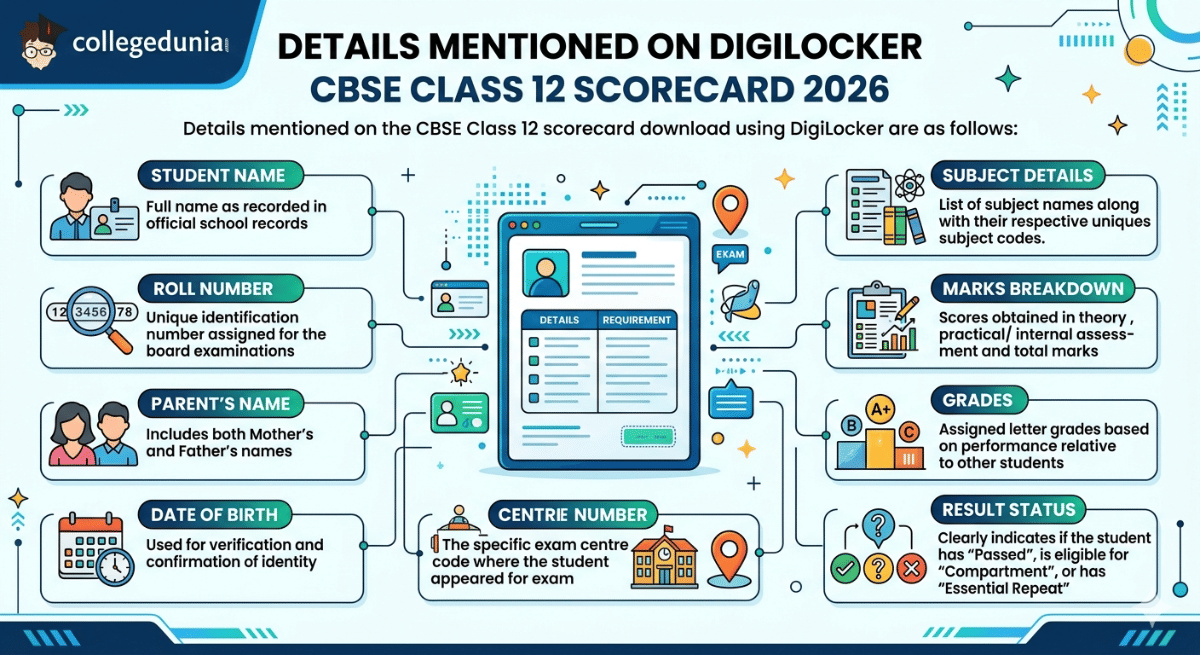
Details Mentioned on DigiLocker CBSE Class 12 Scorecard 2026
Details mentioned on the CBSE Class 12 scorecard download using DigiLocker are as follows:
| Detail | Requirement |
|---|---|
| Student Name | Full name as recorded in official school records |
| Roll Number | Unique identification number assigned for the board examinations |
| Parent’s Name | Includes both Mother’s and Father’s names |
| Date of Birth | Used for verification and confirmation of identity |
| School Details | Name of the school and the specific School Number |
| Centre Number | The specific exam centre code where the student appeared for the exam |
| Subject Details | List of subject names along with their respective unique subject codes. |
| Marks Breakdown | Scores obtained in theory, practical/ internal assessment and total marks |
| Grades | Assigned letter grades based on performance relative to other students |
| Result Status | Clearly indicates if the student has “Passed”, is eligible for “Compartment”, or has “Essential Repeat” |
Also Read:
Ques. What should I do if my name or date of birth is incorrect on the DigiLocker CBSE Class 12 scorecard?
Ans. If a student's name or date of birth is incorrect on the DigiLocker CBSE Class 12 scorecard, then students must immediately report discrepancies to their school authorities or the CBSE regional office, as corrections are processed only through official channels.
Ques. What does “Essential Repeat” or “Compartment” mean in CBSE Class 12 Result 2026?
Ans. In Class 12 Scorecard 2026, “Compartment” indicates failure in one or two subjects with eligibility for re-exam, while “Essential Repeat” means the student must reappear for the full examination.



Comments