




The BITSAT 2027 Admit Card is expected to be released by BITS Pilani around April 15 for Session 1 & around May 22 for Session 2 on their official website: admissions.bits-pilani.ac.in. In 2026, the BISAT Hall Ticket Session 1 admit card was released on April 10, 2026, and the Session 2 admit card was released on May 20, 2027. The official BITSAT 2027 schedule has not been announced yet as of August 2026.
- Students can download their admit card using their application number and password (or date of birth) once the portal goes live.
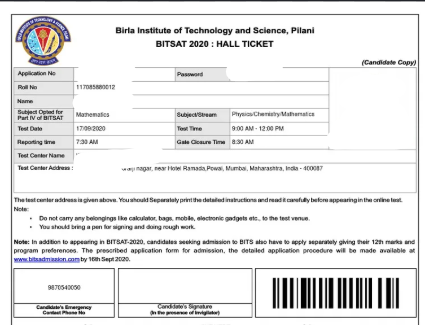
- Details on the BITSAT admit card include your name, application number, exam centre, session date, shift timing, and reporting time.
- Carry a printed copy of the admit card along with a valid photo ID to the exam centre, as it is required for candidate verification and entry.
- Without the admit card, you may not be allowed to enter the exam centre or appear for the test.
- In case of any discrepancy, contact BITS Pilani at admissions@bits-pilani.ac.in immediately after downloading.
You cannot appear in the exam without a valid printed admit card — no digital copy is accepted at the exam centre.
Related Links:
- BITSAT 2027 Exam Dates: Notification Expected Nov 2026, Phase-wise Schedule and Slot Booking
- BITSAT Exam Centers 2027: City List, Allotted Center and Change Policy
BITSAT Admit Card 2027: Overview
| Particular | Details |
|---|---|
| Exam Name | BITS Admission Test (BITSAT) 2027 |
| Admit Card | BITSAT Admit Card 2027 |
| Release Date | Session 1: April 15, 2027Session 2: May 22, 2027(Tentative) |
| Mode of Release | Online |
| Official Website | bitsadmission.com |
| Login Credentials | Application Number and Password |
| Details Mentioned | Candidate’s name, photograph, signature, exam date, test centre, address, and exam timing |
| How to Download | Log in to the official BITSAT portal and download the admit card |
| Docs Required at Exam Centre | Admit card and valid photo ID proof |
| Importance | Mandatory document for appearing in the BITSAT 2027 examination |
Ques. What information is required to download the BITSAT Admit Card 2027?
Ans. The candidate must remember their User ID and Password that they created during the registration process.
Ques. Where will I find the BITSAT Admit Card 2027 download link?
Ans. The admit card download link for the CEED exam will be available only on GGSIPU’s official website.
Ques. Do they ask for an OTP to download the admit card?
Ans. No, OTPs are never required to download the admit card link. If you have found yourself on any such website, then close that window immediately.
BITSAT Admit Card 2027 Release Date
The official BITSAT 2027 schedule has not been released yet. Based on the BITSAT 2026 schedule, the admit card is generally available 4–5 days before each session. The expected exam date for BITSAT 2026 is April 15–17, 2027 (Session 1) & May 24–26, 2027 (Session 2).
| Event | Expected Date |
|---|---|
| BITSAT 2027 Session 1 Admit Card | April 10, 2027 (Expected) |
| BITSAT 2027 Session 1 Exam | April 15–17, 2027 (Expected) |
| BITSAT 2027 Session 2 Admit Card | May 20, 2027 (Expected) |
| BITSAT 2027 Session 2 Exam | May 24–26, 2027 (Expected) |
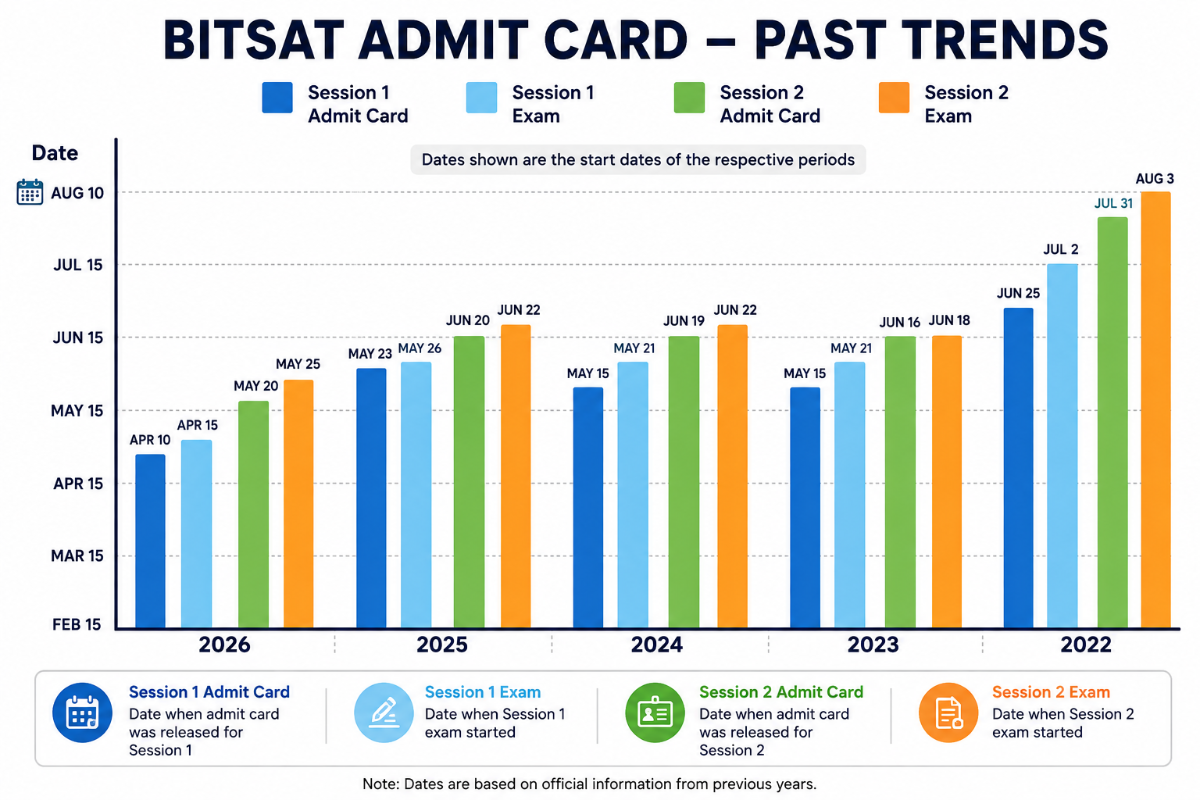
BITSAT Admit Card — Past 5 Year Trends
The largest admit-card-to-exam gap was 7 days in 2022, while the shortest was 2 days in 2025 (Session 2). Overall, the gap between the admit card release date and the exam date shows no consistent year-on-year trend, fluctuating across sessions and years.
| Year | Session 1 Admit Card | Session 1 Exam | Session 2 Admit Card | Session 2 Exam |
|---|---|---|---|---|
| 2026 | April 10, 2026 | April 15–16, 2026 | May 20, 2026 | May 25–27, 2026 |
| 2025 | May 23, 2025 | May 26–30, 2025 | June 20, 2025 | June 22–26, 2025 |
| 2024 | May 15, 2024 | May 21–26, 2024 | June 19, 2024 | June 22–26, 2024 |
| 2023 | May 15, 2023 | May 21–26, 2023 | June 16, 2023 | June 18–22, 2023 |
| 2022 | June 25, 2022 | July 2–9, 2022 | July 31, 2022 | August 3–7, 2022 |
How to Download BITSAT Admit Card 2027?
Once released, you can download the BITSAT 2027 Admit Card from the official BITS Pilani admissions portal using your login credentials. Follow the steps below.
- Visit the official BITS Pilani admissions website, admission.bits-pilani.ac.in and open the BITSAT portal.
- Click on the BITSAT 2027 admit card/hall ticket download link.
- Log in using your application number and password.
- Open the Hall Ticket/Admit Card displayed on the screen.
- Check your name, photograph, exam date, slot, reporting time, and test-centre details.
- Download the admit card and save the PDF for future reference.
- Take a clear printout and carry it to the exam centre along with the required photo ID.
Note: The BITSAT 2027 admit card download link is not yet active. The portal will go live once BITS Pilani releases the hall ticket.
Ques. If I download the BITSAT admit card more than once, will I be disqualified?
Ans. No, nothing will happen. You are allowed to download the admit card as many times as you want, given that you download it for the correct exam.
Ques. I am trying to download my BITSAT admit card from the official website, but it says “404 Server Not Found.” Why is this happening?
Ans. When the Admit Card is released, a large number of students open the website at the same time, causing the site to crash and display a “404 Server Not Found” error. It is advised to open the website after some time. Keep trying, especially at night or early morning, when site traffic is low.
Details Mentioned on BITSAT Admit Card 2027
Check the candidate’s name, photograph, signature, application number, exam date, shift/timing, test centre name and address on the BITSAT 2027 admit card. Verify that all details match your application; report any discrepancy to BITS Pilani promptly to avoid issues with identity verification or exam-centre entry.
| Detail | Description |
|---|---|
| Candidate’s Name | Ensure that your name is the same as in your application and valid ID |
| Application Number | Match it with your BITSAT application details |
| Exam Session | Session 1 or Session 2, based on your slot booking choice |
| Exam Date | Scheduled date of the BITSAT 2027 exam for your session |
| Exam Slot / Shift Timing | Check the exam date, shift, reporting time, and duration. |
| Reporting Time | Arrive at the exam centre at least 60 minutes before the exam begins. |
| Exam Centre Name | Mentioned on the admit card |
| Exam Centre Address | Look for the exact address of the exam centre along with city & state |
| Candidate’s Photograph | Clear photograph matching the one uploaded during registration |
| Candidate’s Signature | As uploaded in the BITSAT 2027 application form |
| Important Instructions | Exam rules, prohibited items, reporting guidelines, and biometric verification details printed on the hall ticket |
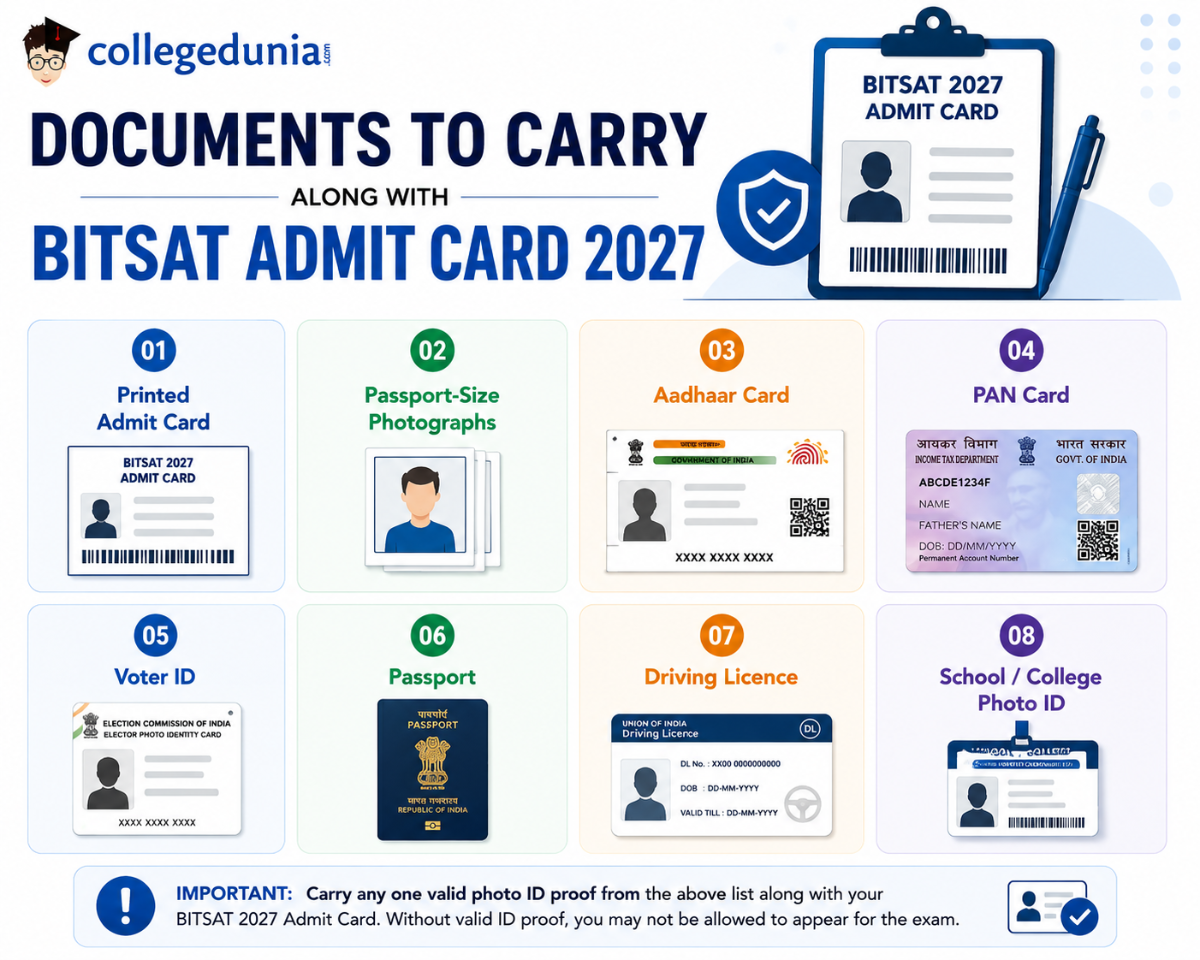
Documents to Carry Along with BITSAT Admit Card 2027
The BITSAT admit card is the primary entry document, while candidates should carry a valid photo ID such as Aadhaar, PAN, Passport, Voter ID, or Driving Licence. Carry 2–3 passport-size photographs matching the application photo; a school/college photo ID may help candidates without a government-issued ID.
| Document | Notes |
|---|---|
| Printed Admit Card | Colour printout on A4; photograph must be clearly legible; carry 2–3 copies |
| Passport-Size Photographs | 2–3 copies; same as uploaded in the BITSAT 2027 application form |
| Aadhaar Card | Most widely accepted government ID; masked or e-Aadhaar is also valid |
| PAN Card | Valid government-issued photo ID |
| Voter ID | Must carry a photo of the holder |
| Passport | Must be valid and unexpired |
| Driving Licence | Must carry a photo; valid for identity verification |
| School / College Photo ID | Acceptable for students without a government-issued document |
What problems are faced while downloading the BITSAT Admit Card 2027?
While trying to download the BITSAT Admit Card, it is common to run into some issues such as:
| Issue | Query Raised by Candidates |
|---|---|
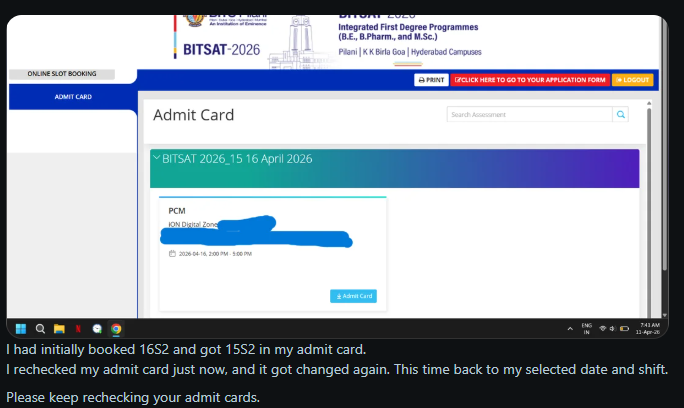
| Exam date/shift mismatch | I booked a particular exam date and shift, but my BITSAT admit card shows a different date and shift. Why has my slot changed? |
| Admit card details changed after download | My BITSAT admit card was available earlier, but the details have changed when I checked it again. Which admit card details should I consider final? |
| Admit card download/access problem | I am unable to download my BITSAT admit card from the official portal. What should I do? |
Source: Reddit
Candidates have reported that the exam date and shift displayed on their BITSAT admit card changed from the date and shift they had initially booked, creating confusion about their allotted test slot.
What to do after downloading the BITSAT Admit Card 2027?
After downloading the BITSAT Admit Card:
- Check for any errors in the details given in the Admit Card. Make sure that the spelling of your name, your date of birth, your correspondence address, and centre details are correctly generated.
- If instructed, affix your recent passport-size photograph on the allotted space of the Admit Card.
- Take a printout of the Admit Card before the day of the examination. Keep 2 copies of the hall ticket to avoid any inconvenience.
- Check on Google Maps where your exam centre is located.
- Plan your travel & logistics before the day of the examination to avoid any last-minute rush.
- Do not dare to change any information mentioned on the hall ticket.
BITSAT Admit Card 2027 Slot Booking
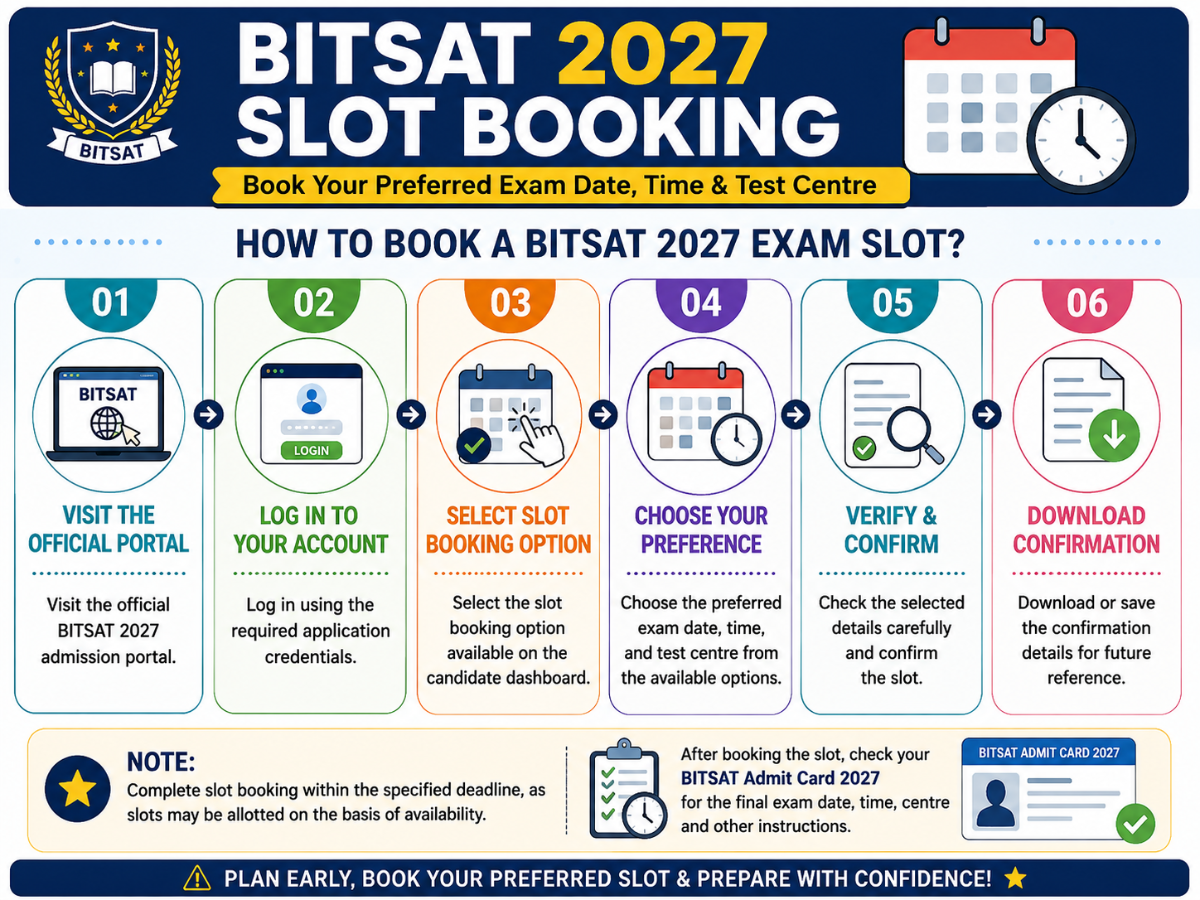
BITSAT 2027 Slot Booking allows candidates to select their preferred exam date, time, and test centre for appearing in the examination.
- Candidates who have completed the application process can book their slots through the official BITSAT portal using their login credentials.
- Slot availability is subject to the options provided by the exam authorities.
How to Book a BITSAT 2027 Exam Slot?
Also Read:
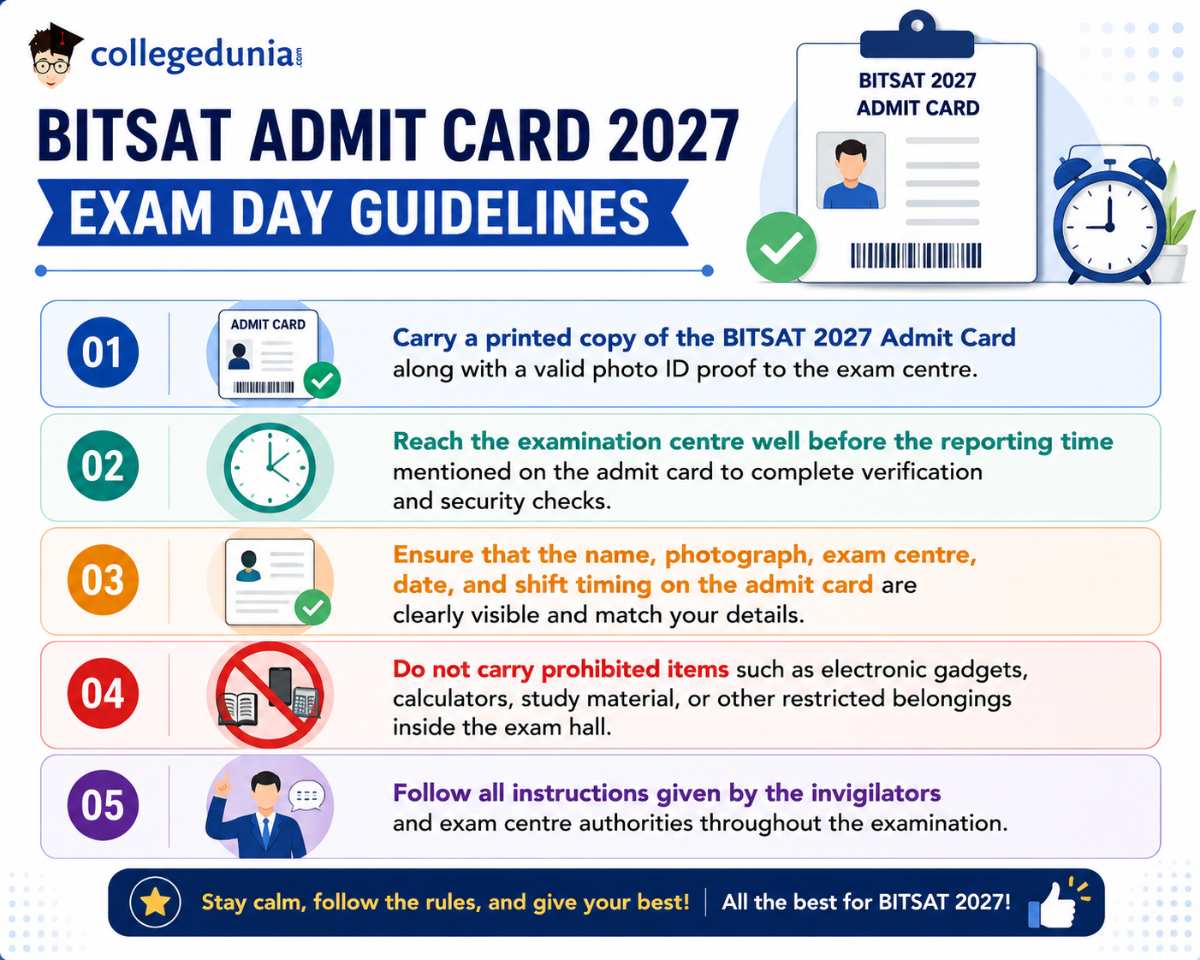
BITSAT Admit Card 2027 Exam Day Guidelines
- Carry a printed copy of the BITSAT 2027 Admit Card along with a valid photo ID proof to the exam centre.
- Reach the examination centre well before the reporting time mentioned on the admit card to complete verification and security checks.
- Ensure that the name, photograph, exam centre, date, and shift timing on the admit card are clearly visible and match your details.
- Do not carry prohibited items such as electronic gadgets, calculators, study material, or other restricted belongings inside the exam hall.
- Follow all instructions given by the invigilators and exam centre authorities throughout the examination.
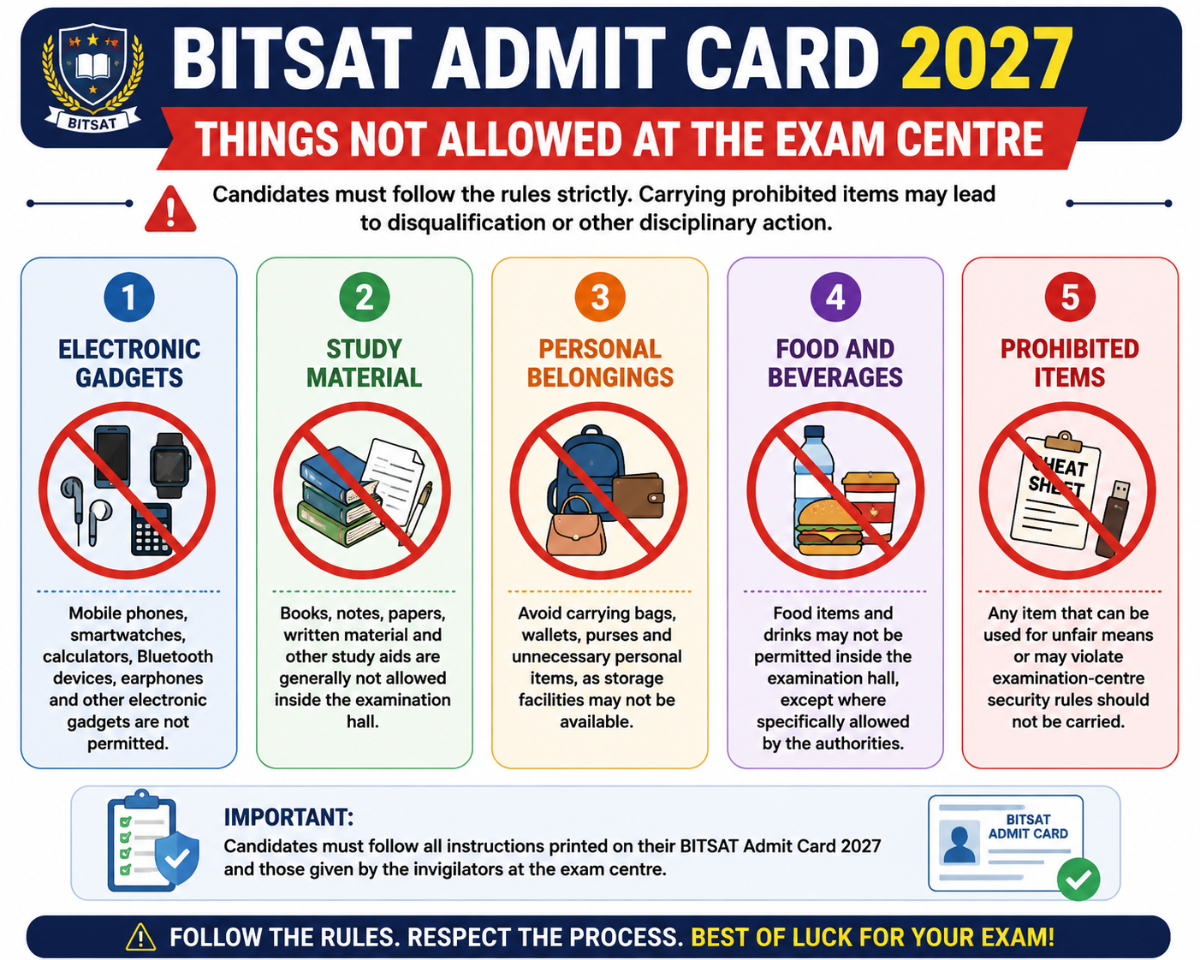
BITSAT Admit Card 2027: Things Not Allowed at the Exam Centre
Candidates should avoid carrying the following items to the BITSAT 2027 exam centre:
| Category | Things Not Allowed at the BITSAT Exam Centre |
|---|---|
| Electronic Gadgets | Mobile phones, smartwatches, calculators, Bluetooth devices, earphones and other electronic gadgets |
| Study Material | Books, notes, papers, written material and other study aids |
| Personal Belongings | Bags, wallets, purses and other unnecessary personal items, as storage facilities may not be available |
| Food and Beverages | Food items and drinks, unless specifically permitted by the exam authorities |
| Prohibited Items | Any item that can be used for unfair means or violates examination-centre security rules |
BITSAT Admit Card 2027 Grievance Helpdesk
If you find any error or discrepancy in your BITSAT Admit Card 2027, contact the BITSAT admission authorities immediately for assistance.
- Visit the official BITSAT website for updates, support, and contact details.
- If the admit card download link is not working, refresh the page, clear your browser cache, or try logging in again after some time.
- Use the “Forgot Password” option on the candidate login page if you are unable to access your account.
- Report any incorrect personal details, photograph, signature, exam date, shift, or test-centre information to the BITSAT authorities before the exam date.
- Keep a copy of your application details and admit card while contacting the authorities to help resolve the issue quickly.
BITSAT 2027 Helpline
| Contact Type | Details |
|---|---|
| Helpline Number | +91-1596-255294 or +91-1596-255330 |
| Email — General Admissions Queries | admissions@bits-pilani.ac.in |
| Official Admissions Portal | admissions.bits-pilani.ac.in |
Source: BITSAT Official Page
BITSAT Admit Card 2027 FAQs
Ques: When will the BITSAT 2027 Admit Card be released?
Ans: The official BITSAT 2027 schedule has not been announced yet. Based on the 2026 cycle, the Session 1 admit card is expected in April 2027, and the Session 2 admit card in May 2027. Check admissions.bits-pilani.ac.in regularly for official updates once registration opens in December 2026.
Ques: How do I download the BITSAT 2027 Admit Card?
Ans: Once released, visit admissions.bits-pilani.ac.in, click on the BITSAT 2027 Admit Card link, log in with your application number and password (or date of birth), and download the PDF. Take a colour printout on A4 paper and carry it to the exam centre.
Ques: What credentials do I need to download the BITSAT 2027 Admit Card?
Ans: You need your BITSAT 2027 Application Number and Password. Alternatively, you can log in using your Application Number and Date of Birth if you have forgotten your password.
Ques: What if I have forgotten my application number or password for BITSAT 2027?
Ans: Use the "Forgot Password" option on the BITSAT login page to reset access. You can also try logging in with your date of birth instead of your password. If neither works, email BITS Pilani at admissions@bits-pilani.ac.in with your registered details for assistance.
Ques: Can I use a soft copy or digital admit card at the BITSAT 2027 exam centre?
Ans: No. Only a printed hard copy of the BITSAT 2027 Admit Card is accepted at the exam centre. A digital copy or screenshot on your phone is not valid for entry and will result in denial of entry.
Ques: What details are printed on the BITSAT 2027 Admit Card?
Ans: The admit card contains your name, application number, exam session, exam date, slot timing, reporting time, exam centre name and address, photograph, and signature. It also includes important exam-day instructions and rules.
Ques: What if there is a spelling mistake in my name on the BITSAT 2027 Admit Card?
Ans: Contact BITS Pilani immediately at admissions@bits-pilani.ac.in. Include your application number, a description of the error, and a scanned copy of your name-proof document such as your Class 10 certificate. Raise the issue as soon as you download the card — do not wait until exam day.
Ques: What if my photograph on the BITSAT 2027 Admit Card is unclear or incorrect?
Ans: If the photograph is blurred or does not match the one you uploaded, write to admissions@bits-pilani.ac.in with your application number and supporting documents. Carry additional passport-size photographs on exam day as the invigilator may ask for one.
Ques: Can I appear in BITSAT 2027 without an admit card?
Ans: No. The BITSAT 2027 Admit Card is mandatory for entry into the exam centre. No student is permitted inside without a valid printed copy of the hall ticket, regardless of any reason.
Ques: Will the BITSAT 2027 Admit Card be sent by post?
Ans: No. BITS Pilani does not send the admit card by post or email attachment. You must log in and download it yourself from admissions.bits-pilani.ac.in once it is released.
Ques: What photo ID should I carry with the BITSAT 2027 Admit Card?
Ans: Carry any valid government-issued photo ID such as Aadhaar, PAN Card, Voter ID, Passport, or Driving Licence. If you do not have a government-issued ID, a school or college photo ID card is also acceptable at BITSAT exam centres.
Ques: Is there a separate admit card for BITSAT 2027 Session 1 and Session 2?
Ans: Yes. BITS Pilani releases separate admit cards for Session 1 and Session 2. If you have registered for both sessions, download both hall tickets individually from the portal — the Session 1 admit card will not be valid for Session 2 and vice versa.



Comments