



The WBJEE 2026 result is out on 18 June 2026 at wbjee.nic.in. and the WBJEE 2026 rankcard is now available on the official website at wbjeeb.nic.in/wbjee/.
- In case you cannot log in to check your WBJEE 2026 result, you need to recover the application number and reset your password on the official WBJEE website.
- Candidates can recover their WBJEE application number by clicking on the “forgotten application number link” in the candidates' login section.
- If you fail to login, you need to contact the WBJEE helpdesk through the official site.
Related Articles:
- WBJEE Result 2026 Out: Check Toppers List, Counselling, Cutoff and Marks Vs Rank
- List of Top Colleges in India Accepting WBJEE Based on 2026 Ranking
- How to Check WBJEE 2026 Result on wbjeeb.nic.in

Key Summary
- Candidates can see their WBJEE 2026 result by using their application number and password only.
- You will be able to get your application number through your registered mobile number and Email ID.
- The common WBJEE 2026 login issues and ways to recover your application number for WBJEE 2026 has been described below.
WBJEE 2026 Result Login Details
You can check your WBJEE 2026 result through your application number and password. So candidates should keep the login details ready.
| Login Field | Details |
|---|---|
| Application Number | Printed on your WBJEE 2026 admit card and sent in the registration confirmation email |
| Password | Password set during WBJEE 2026 online registration |
| Official Portal | wbjeeb.nic.in |
Related Article: WBJEE Cutoff 2026: Check Category- Wise Closing Rank and College Option
Ques. If I do not have the WBJEE 2026 admit card, can I check the result?
Ans. Yes, if you do not have your WBJEE 2026 admit card, you can check your result as the application number is sent to your registered email ID and on the SMS sent to your registered contact number.
Common WBJEE 2026 Result Login Issues
You can check the login errors along with the ways to fix the issues as tabulated below which will help you in your WBJEE 2026 Result day:
| Issue | Likely Cause | Fix |
|---|---|---|
| Forgot application number | Admit card not saved and in case registration email deleted | Use Forgot Application Number on the portal |
| Forgot password | Password not noted after registration | Use Forgot Password link on the login page |
| Invalid credentials error | Typing error in application number or password | Re-enter carefully |
| Page not loading | High traffic on result day | Wait and refresh or try during off-peak hours |
| OTP not received | Registered number inactive or inbox full | Use email-based recovery option instead |
| Account locked | Multiple failed login attempts | Wait 30 minutes or contact WBJEEB helpdesk |
Related Article: How to Download WBJEE 2026 Scorecard and Rank Card
Ques. What to do if my account gets locked on WBJEE 2026 Result day?
Ans. Multiple login attempts due to a network connectivity issue on the result day may cause your account to get locked. In such a case, you need to wait for 30 minutes for your account to get active or contact the WBJEE helpdesk.
How to Recover WBJEE 2026 Application Number
Candidates need their application number to check their WBJEE 2026 result. The ways to recover the WBJEE 2026 application number is described below:
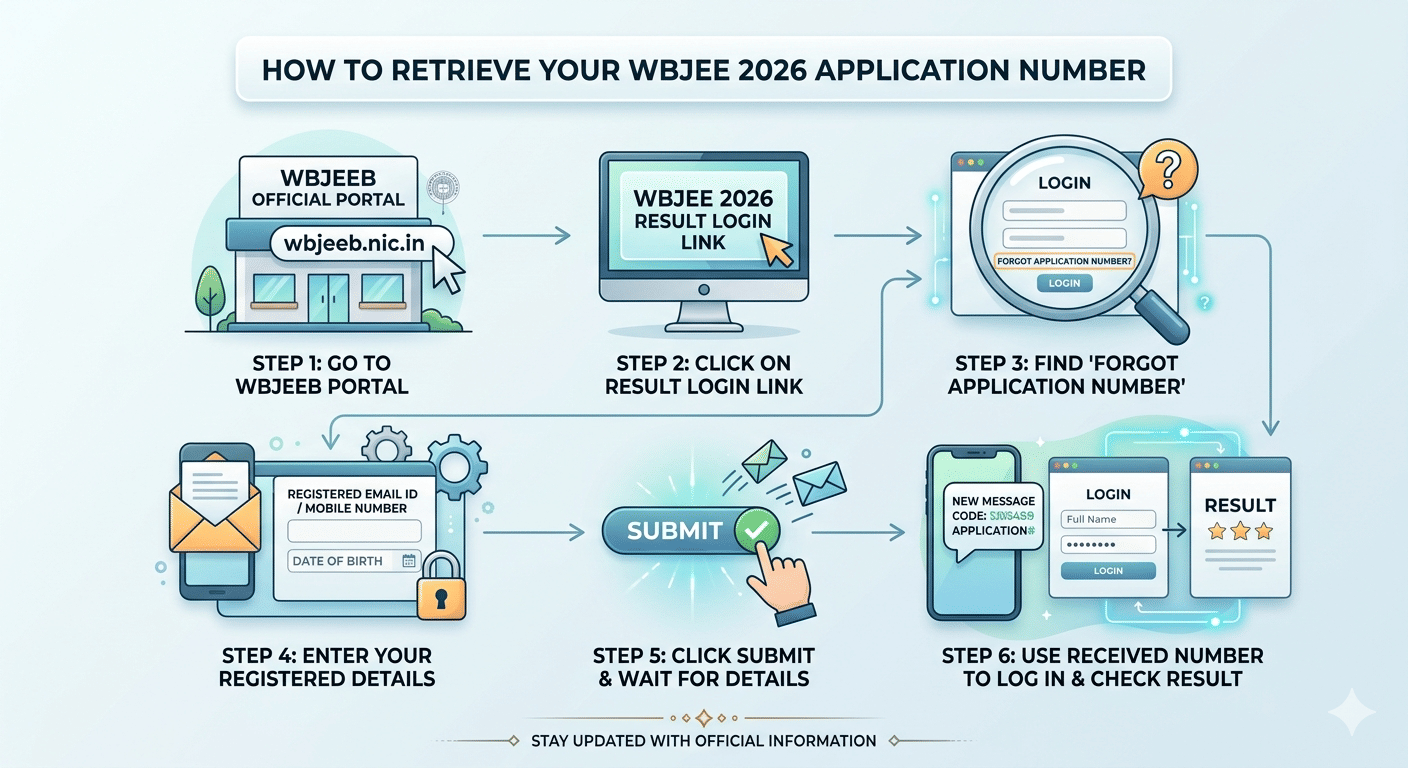
- Step-1 Go to the official portal at wbjeeb.nic.in.
- Step- 2 Click on the WBJEE 2026 result login link on the homepage.
- Step- 3 On the login page, look for the Forgot Application Number link below the login fields.
- Step- 4 Enter your registered email ID or mobile number along with your date of birth.
- Step- 5 Click submit and your application number will be sent to your registered email or mobile number.
- Step- 6 Use the retrieved application number to log in and check your result.
According to a Reddit post, a user wanted to know the expected colleges based on marks of around 49 to 52 marks for OBC category. As per discussion, it was suggested that he/she will not be able to get any college except for JU and CU in ECE,CE and IT branch.
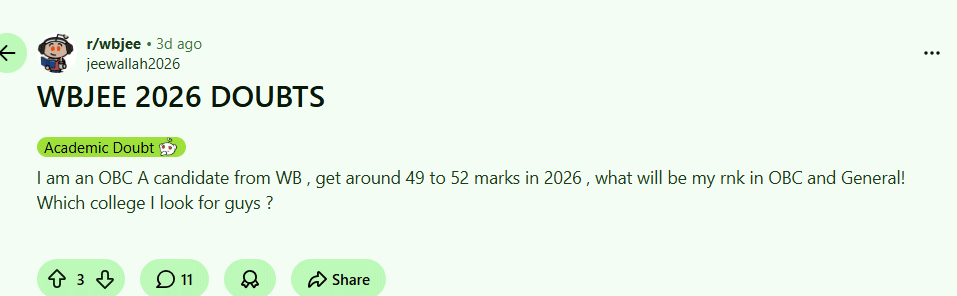
Source: Reddit
How to Reset WBJEE 2026 Password
If you remember your application number but have forgotten your password, you can reset it using the registered email ID or mobile number linked to your WBJEEB account.
- Step- 1 Open wbjeeb.nic.in and navigate to the WBJEE 2026 login page.
- Step- 2 Click Forgot Password below the login fields.
- Step- 3 Enter your application number and registered email ID.
- Step- 4 Click Submit and a password reset link or OTP will be sent to your registered email or mobile number.
- Step- 5 Open the reset link, enter a new password, and confirm it.
- Step- 6 Return to the login page and sign in with your application number and the new password.
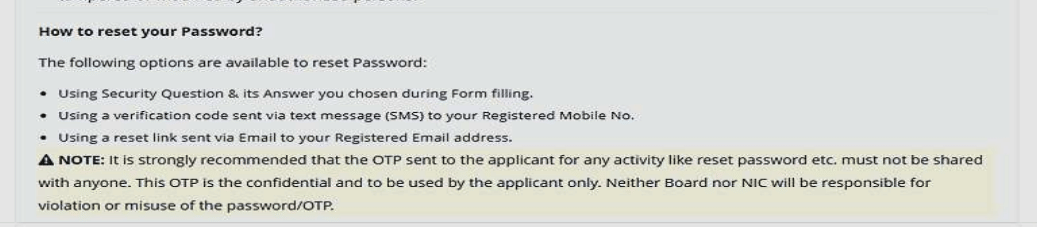
Source: WBJEE Official Site
How to Check WBJEE 2026 Result After Login
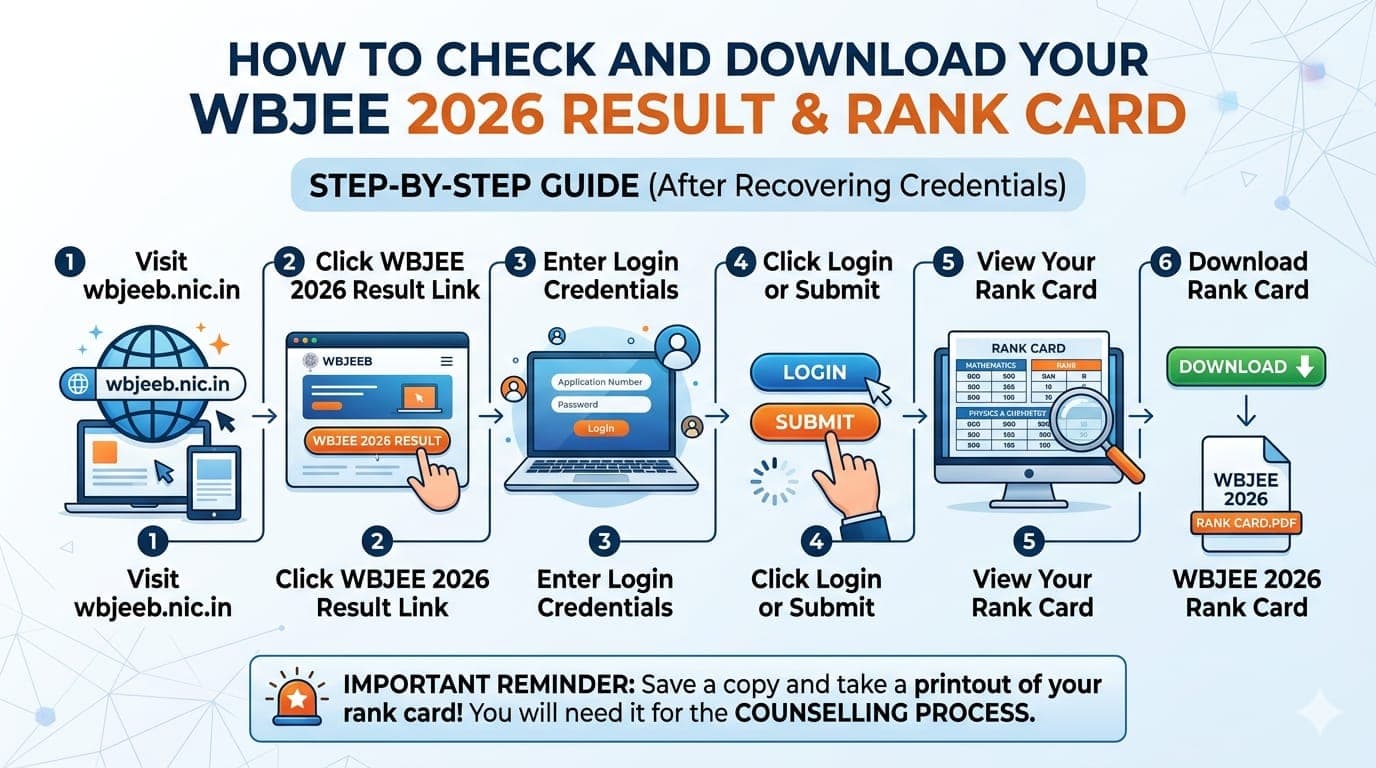
Once you have recovered your credentials, follow these steps to check and download the WBJEE 2026 result and rank card.
- Step- 1 Visit wbjeeb.nic.in.
- Step- 2 Click the WBJEE 2026 Result link on the homepage.
- Step-3 Enter your application number and password in the login fields.
- Step-4 Click Login or Submit.
- Step-5 Your WBJEE 2026 rank card will appear showing your rank in the Mathematics and Physics-Chemistry papers.
- Step- 6 Click Download to save your rank card as a PDF for future use.
Keep a saved copy and print out of your WBJEE 2026 rank card as you will need it during the counselling process.
Related Articles:
WBJEE 2026 Result Login FAQs
Ques. What credentials do I need to check WBJEE 2026 result?
Ans. You need your WBJEE 2026 application number and registered password to log in at wbjeeb.nic.in. Your application number is printed on your admit card and was also sent to your registered email at the time of registration.
Ques. How can I find my WBJEE 2026 application number if I lost my admit card?
Ans. Use the Forgot Application Number option on the WBJEE 2026 result login page at wbjeeb.nic.in. Enter your registered email ID or mobile number and date of birth to retrieve it. You can also check the WBJEEB registration confirmation email in your inbox.
Ques. What should I do if am not receiving the OTP for WBJEE 2026 password reset?
Ans. Check that your registered mobile number is active and has network connectivity. Also check your spam or junk folder for an email-based reset link. If neither works, try again after a few minutes or contact the WBJEEB helpdesk through wbjeeb.nic.in.
Ques. My WBJEE 2026 login shows Invalid Credentials. What should I do?
Ans. This usually means there is a typo in your application number or password. Check that CAPS LOCK is off, re-enter your details carefully, and try again. If you have exceeded the allowed login attempts, wait 30 minutes before trying again.
Ques. The WBJEE 2026 result page is not loading. Is this a login issue?
Ans. On result day, the official portal at wbjeeb.nic.in may be slow due to heavy traffic. This is not a login error. Wait a few minutes and refresh the page, or try accessing the portal during off-peak hours such as early morning or late at night.
Ques. What if none of the self-service recovery options work for WBJEE 2026 login?
Ans. Contact the WBJEEB helpdesk directly through the official website at wbjeeb.nic.in. Keep your name, date of birth, registered mobile number, and a government-issued photo ID ready to verify your identity and recover your account credentials.



Comments