




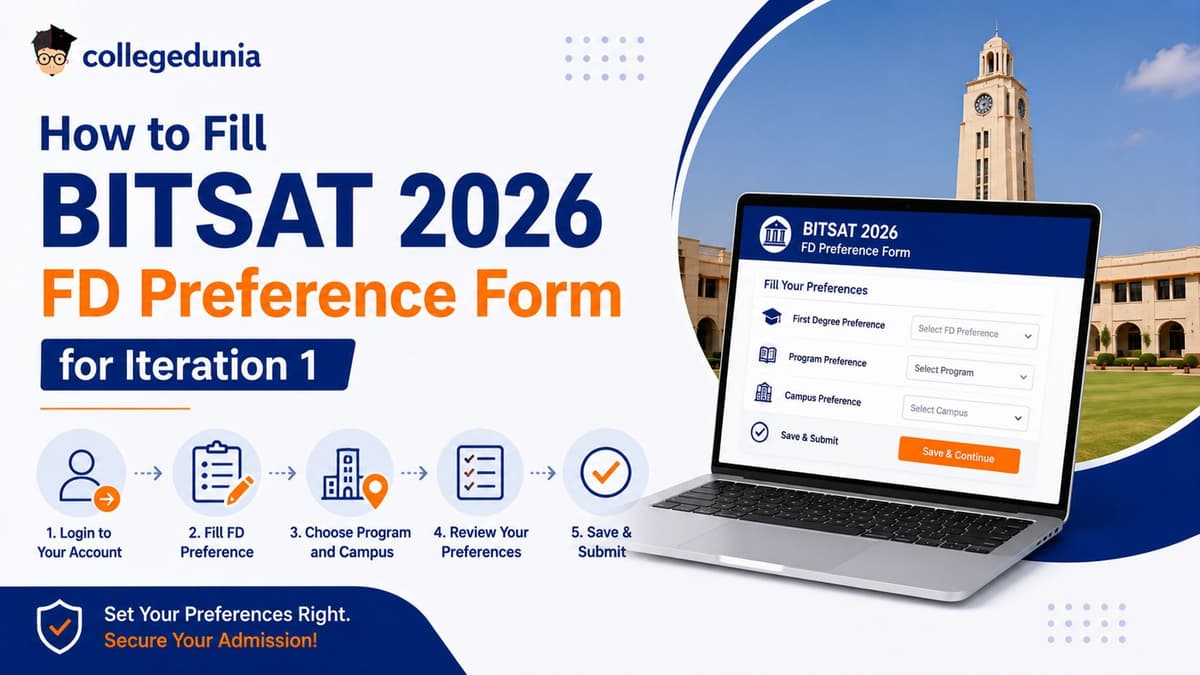
BITSAT 2026 Iteration 1 FD Preference Form can be filled on bitsadmission.com after candidates complete the admission registration process.
- Candidates must fill programme and campus preferences carefully because seat allotment is done according to BITSAT 2026 score, preference order and seat availability.
- The FD Preference Form becomes available only after payment of the non-refundable admission registration fee.
- Iteration 1 has the highest number of available seats while candidates not satisfied with their allotment can wait for upgrade opportunities in later rounds.
Related Links:
Key Summary
- Candidates can add programme choices from BITS Pilani, Goa and Hyderabad campuses in a single preference list.
- No document upload is required during preference filling as verification is completed only after seat acceptance.
- The last submitted preference list before the deadline is considered final for Iteration 1 allotment.
What is the BITSAT FD Preference Form?
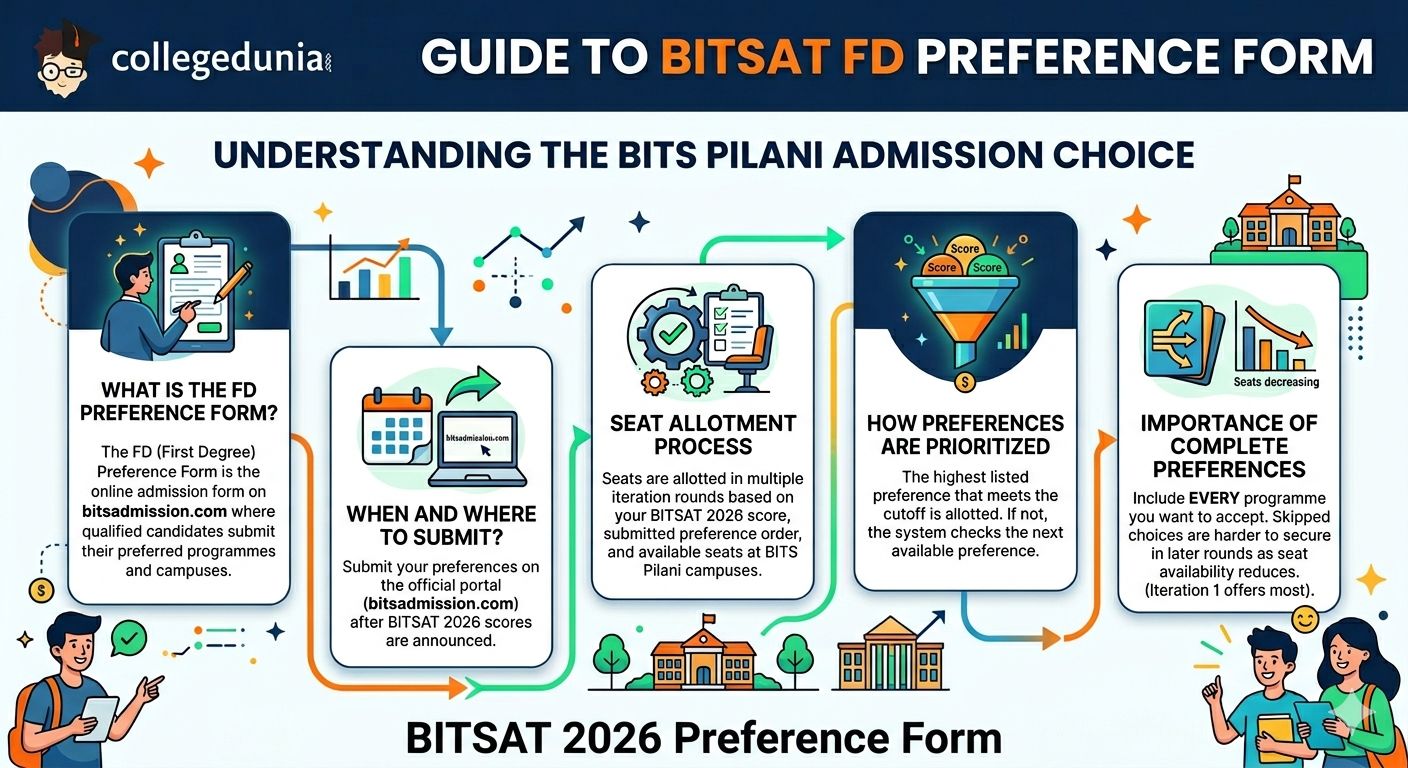
The FD (First Degree) Preference Form is the online admission form on bitsadmission.com where BITSAT 2026 qualified candidates submit their preferred programmes and campuses.
- BITS Pilani alloted seats in every iteration round according to BITSAT 2026 score, submitted preference order and seat availability.
- If a candidate’s score meets the cutoff for the highest listed preference that programme is allotted first. If not, the system checks the next available preference in the list.
- The BITS admission process is conducted through multiple iteration rounds with Iteration 1 usually offering the highest number of available seats.
- Candidates are advised to include every programme they want to accept because skipped choices may become difficult to secure in later iterations when seat availability reduces.
Also Check : BITSAT 2026 Score Required for BITS Hyderabad: Branch-Wise Cutoff
Ques. What is the BITSAT FD Preference Form used for in BITS admission process?
Ans. The BITSAT FD (First Degree) Preference Form is an online form available on bitsadmission.com where qualified candidates submit their preferred courses and campuses. Seat allotment in each iteration is done based on BITSAT 2026 score, preference order, and seat availability, making this form crucial for securing admission.
Ques. What happens if a programme is not included in the BITSAT FD Preference Form?
Ans. If a programme is not included in the FD Preference Form, the system will not consider it for allotment even if the candidate’s score is sufficient. Candidates are strongly advised to fill all desired programmes because missing preferences may reduce chances of getting a seat in later iteration rounds when availability becomes limited.
Important Dates for BITSAT 2026 Iteration 1
BITS Pilani releases the official admission and iteration schedule on bitsadmission.com after the declaration of BITSAT 2026 results.
- Candidates should regularly check bitsadmission.com for the latest updates and confirmed deadlines.
- The dates mentioned in the table given below are expected dates based on the 2025 BITS admission schedule
| Event | Expected Timeline (2026) |
|---|---|
|
Apply for Admission with 12th Marks & Programme Preferences |
April 29 – June 1, 2026 (earlier window) |
|
FD Preference Form Edit Window (Marks/Preferences) |
June 9 – 10, 2026 |
|
Iteration 1 Announcement (Admit List & Waitlist) |
June 20, 2026 |
|
Iteration 1 Fee Payment & Seat Acceptance Deadline |
June 26, 2026 |
|
Iteration 2 Announcement |
July 1, 2026 |
|
Iteration 2 Fee Payment Deadline |
July 8, 2026 |
|
Iteration 3 Announcement |
July 14, 2026 |
|
Iteration 3 Fee Payment Deadline |
July 18, 2026 |
Also Check : BITSAT 2026 Low Score? Top Engineering Alternatives After First Iteration
Ques. When will BITSAT 2026 Iteration 1 result be released?
Ans. The BITSAT 2026 Iteration 1 result (admit list and waitlist) is expected to be released on June 20, 2026 on bitsadmission.com. Candidates should regularly check the official website as the final schedule is confirmed after BITSAT result declaration.
Ques. What is the deadline for accepting seat after BITSAT 2026 Iteration 1 allotment?
Ans. Candidates allotted a seat in BITSAT 2026 Iteration 1 are expected to complete fee payment and confirm seat acceptance by June 26, 2026. Failure to meet the deadline may lead to cancellation of the allotted seat and movement to further iteration rounds.
Step-by-Step: How to Fill BITSAT 2026 FD Preference Form
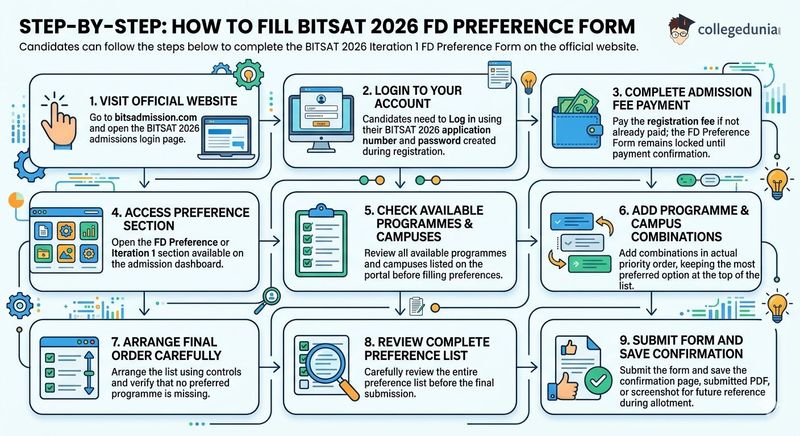
Candidates can follow the steps below to complete the BITSAT 2026 Iteration 1 FD Preference Form on official website.
- Step 1: Visit bitsadmission.com and open the BITSAT 2026 admissions login page.
- Step 2: Candidates need to Log in using their BITSAT 2026 application number and password created during registration.
- Step 3: Complete the admission registration fee payment if it has not already been paid as the FD Preference Form remains locked until payment confirmation.
- Step 4: Open the FD Preference or Iteration 1 section available on the admission dashboard.
- Step 5: Check all available programmes and campuses listed on the portal before filling preferences.
- Step 6: Candidates need to add programme and campus combinations in their actual priority order and keeping the most preferred option at the top of the list.
- Step 7: Arrange the final preference order carefully using the available controls and verify that no preferred programme is missing.
- Step 8: Review the complete preference list before final submission.
- Step 9: Submit the form and save the confirmation page, submitted PDF or screenshot for future reference during the allotment process.
Also Check : BITSAT 2026 Iteration 1 Seat Allotment: How to Accept and Report to Campus
Ques. What login details are required to fill the BITSAT 2026 FD Preference Form?
Ans. Candidates need to log in at bitsadmission.com using their BITSAT 2026 application number and password created during registration. After login, they must ensure that the admission registration fee is paid, as the FD Preference Form remains locked until payment confirmation.
Ques. What is the most important step while filling the BITSAT 2026 Iteration 1 preference list?
Ans. The most important step is arranging programme and campus combinations in strict priority order, with the most preferred choice at the top. Candidates should carefully review all available options, ensure no desired programme is missed, and verify the list before final submission, as allotment depends directly on this order.
Programs Available for Preference in BITSAT 2026
BITS Pilani offers First Degree (FD) programmes across its three campuses and eligible candidates may also see dual-degree options on the admission portal.
- The final list of programmes is updated on bitsadmission.com at the time of preference filling, and candidates should verify the 2026 seat availability on the official portal as intake varies every year.
| Campus | B.E. Programs | M.Sc. / B.Pharm Programs |
|---|---|---|
| BITS Pilani |
Chemical, Civil, Computer Science, Electrical & Electronics, Electronics & Instrumentation, Electronics & Communication, Mathematics & Computing, Mechanical, Manufacturing, Environmental & Sustainability, Pharmaceutical Engg. |
B.Pharm M.Sc. (Biological Sciences, Chemistry, Economics, Mathematics, Physics, Semiconductor & Nanoscience) M.Sc. General Studies |
| BITS Goa |
Chemical, Computer Science, Electrical & Electronics, Electronics & Instrumentation, Electronics & Communication, Electronics & Computer Engg., Mathematics & Computing, Mechanical, Environmental & Sustainability |
M.Sc. (Biological Sciences, Chemistry, Economics, Mathematics, Physics, Semiconductor & Nanoscience) |
| BITS Hyderabad |
Chemical, Civil, Computer Science, Electrical & Electronics, Electronics & Instrumentation, Electronics & Communication, Mathematics & Computing, Mechanical, Environmental & Sustainability, Pharmaceutical Engg. |
B.Pharm M.Sc. (Biological Sciences, Chemistry, Economics, Mathematics, Physics, Semiconductor & Nanoscience) |
Also Check : BITSAT 2026 Branch-Wise Cutoff: Pilani, Goa and Hyderabad
Ques. What are the main B.E. and M.Sc. programmes available in BITSAT 2026 across Pilani, Goa, and Hyderabad campuses?
Ans. BITSAT 2026 offers multiple First Degree programmes across its three campuses including B.E. courses like Computer Science, Electrical & Electronics, Mechanical, Civil, Electronics & Communication, Mathematics & Computing, and Chemical Engineering. M.Sc. programmes include Biological Sciences, Chemistry, Economics, Mathematics, Physics, and Semiconductor & Nanoscience. BITS Pilani and Hyderabad also offer B.Pharm along with select M.Sc. General Studies options.
Ques. Do all BITS campuses offer the same BITSAT 2026 programmes and seat intake?
Ans. No, the programmes and seat intake vary across BITS Pilani, Goa, and Hyderabad campuses. While core B.E. branches like Computer Science, Electronics, Mechanical, and Electrical are common, some courses like Civil Engineering, Pharmaceutical Engineering, and B.Pharm are available only in specific campuses. The final and updated programme list is published on bitsadmission.com during preference filling each year.
Details Required Before You Begin
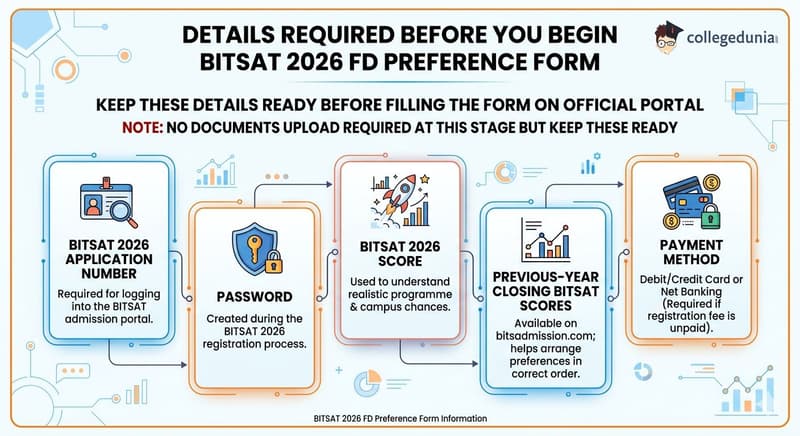
Candidates do not need to upload any documents at this stage but must keep the following details ready before filling the BITSAT 2026 FD Preference Form on official portal.
- BITSAT 2026 Application Number : required for logging into the admission portal.
- Password : created during BITSAT 2026 registration.
- BITSAT 2026 Score : used to understand realistic programme and campus chances.
- Previous-year closing BITSAT scores : available on bitsadmission.com and useful for arranging preferences in the correct order.
- Payment method : debit/credit card or net banking, required if the registration fee has not been paid.
Also Check : List of Top Colleges in India Accepting BITSAT
Ques. What details are required before filling the BITSAT 2026 FD Preference Form?
Ans. Before filling the BITSAT 2026 FD Preference Form, candidates must keep their BITSAT 2026 application number, password, BITSAT score, and a valid payment method ready. They should also review previous year closing scores from bitsadmission.com to arrange their programme preferences in a realistic and strategic order.
Ques. Is document upload required while filling the BITSAT 2026 FD Preference Form?
Ans. No, document upload is not required at the FD Preference Form stage. However, candidates must keep their login credentials and admission-related details ready, as these are necessary for accessing the portal, paying fees if pending, and correctly submitting their programme and campus preferences.
Tips to Fill BITSAT 2026 Preferences Strategically
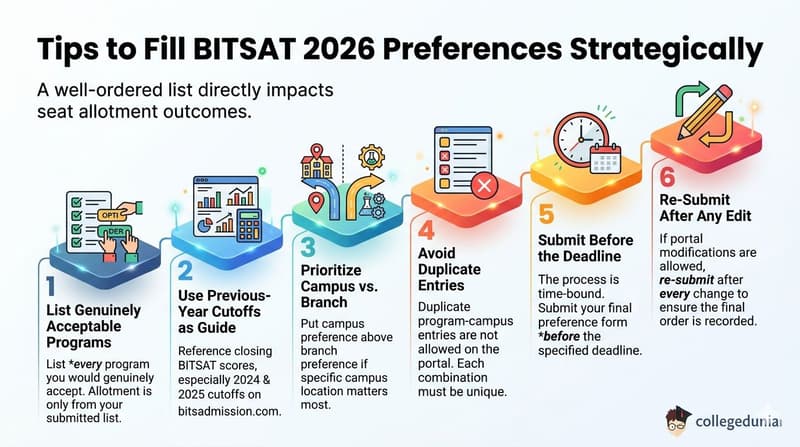
Candidates should prepare a well ordered preference list because it directly impacts seat allotment outcomes in BITSAT 2026.
- List every program you would genuinely accept : Candidates must list every programme they are genuinely willing to accept since allotment is only made from the submitted preference list.
- Use previous-year cutoffs as a guide: Previous year closing BITSAT scores should be used as a reference especially 2024 and 2025 programme wise cutoffs available on bitsadmission.com before finalising the order.
- Put campus preference above branch preference if campus matters to you: Candidates who prioritise a specific campus should place campus preference above branch preference to improve chances in their preferred location.
- Do not duplicate entries: Duplicate programme-campus entries are not allowed on the portal so each combination must appear only once.
- Submit before the deadline: The preference form must be submitted before the deadline, and the process is time-bound.
- Re-submit after any edit: If the portal allows modifications before Iteration 1 closes then candidates must re-submit the updated form after every change to ensure the final order is recorded correctly.
Ques. How should candidates strategically fill the BITSAT 2026 preference form to improve seat allotment chances?
Ans. Candidates should list every programme they are willing to accept and arrange them in a strict priority order because BITSAT allotment is strictly based on submitted preferences. Using previous year cutoffs (especially 2024 and 2025 data from bitsadmission.com) helps create a realistic order. Candidates who prioritise a specific campus should place campus preference above branch preference to increase chances of getting their preferred location.
Ques. What are the common mistakes to avoid while filling BITSAT 2026 FD preferences?
Ans. Candidates should avoid leaving out any acceptable programme, as seats are allotted only from the submitted list. They must not enter duplicate programme-campus combinations since the portal does not allow repetition. It is also important to submit the form before the deadline and re-submit after any changes, if modification is allowed, to ensure the final updated preference order is considered for Iteration 1 allotment.
BITSAT 2026 FD Preference Form : Reddit Discussion
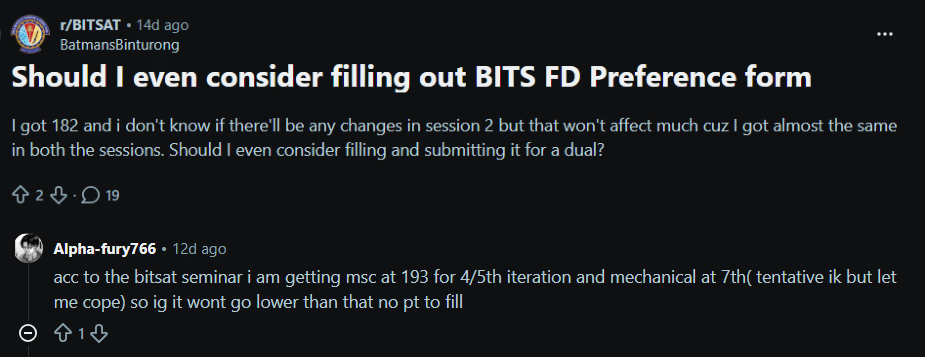
- The discussion focused on whether a candidate scoring around 182 marks in BITSAT should still consider filling the BITS dual degree (FD preference form), especially with minimal variation expected between both sessions.
- Another user shared expectations from the BITSAT counselling seminar, stating that even in later iterations, cutoffs may not go very low, estimating around 193 marks for MSc and even higher thresholds for Mechanical, suggesting limited chances at lower scores.
Source : Reddit
BITSAT 2026 FD Preference Form FAQs
Ques. What does FD stand for in the BITSAT 2026 Preference Form?
Ans. FD stands for First Degree. The FD Preference Form is where BITSAT 2026 qualifiers submit their Class 12 marks and list preferred B.E., B.Pharm, and Integrated M.Sc. programs (with campus choices) in ranked order. BITS uses your BITSAT score + 12th marks + preference order for seat allotment in each iteration.
Ques. Is there a fee to access the BITSAT 2026 FD Preference Form?
Ans. Yes, candidate must pay a non-refundable admission application/registration fee (typically ₹1,000–₹1,100 for Indian students) on the official portal before or while filling the preference form. The exact amount is displayed on the portal.
Ques. How many preferences can I add in Iteration 1?
Ans. There is no upper limit. Candidates can list all available program-campus combinations they are willing to accept. It is strongly advised to include every realistic option to maximize your chances.
Ques. Can I edit my preferences after submitting the Iteration 1 form?
Ans. Yes. An edit window was provided (June 9–10, 2026). Candidate could edit and resubmit your preference list (and 12th marks) as many times as needed before the deadline. The last submitted version is considered final for Iteration 1. The window has now closed.
Ques. What happens if I am not happy with my Iteration 1 seat allotment?
Ans. If candidate accept the seat and pay the fees, they can still considered for upgradation in subsequent iterations (if a higher preference becomes available). Candidate can also choose to participate in the next rounds. BITS Pilani usually conducts multiple iterations (typically 3–4) until seats are filled.
Ques. Do I need to upload documents when filling the FD Preference Form?
Ans. No. At the preference-filling stage, Candidate only enter 12th marks, select preferences, and pay the fee. Document upload and verification happen after they accept a seat allotment.



Comments