




NCERT Notes for Class 11 Computer Science Chapter 1 Computer System give students a crisp revision path for the 2026-27 syllabus. This chapter explains how hardware, software, memory, data and operating systems work together, so the notes below focus on definitions, tables, diagrams, quick recall points and common exam traps.
Student Feedback: More than 10,000 students use Collegedunia NCERT notes to revise chapter vocabulary, diagrams and final exam points faster.
- Use these notes after reading the NCERT chapter once, then revise the tables before a class test.
- Pay special attention to storage units, software categories and operating system functions.
- Download the PDF for offline revision and keep the glossary page for last-minute recall.
|
Table of Contents |
Class 11 Computer Science Chapter 1 Computer System Notes Overview
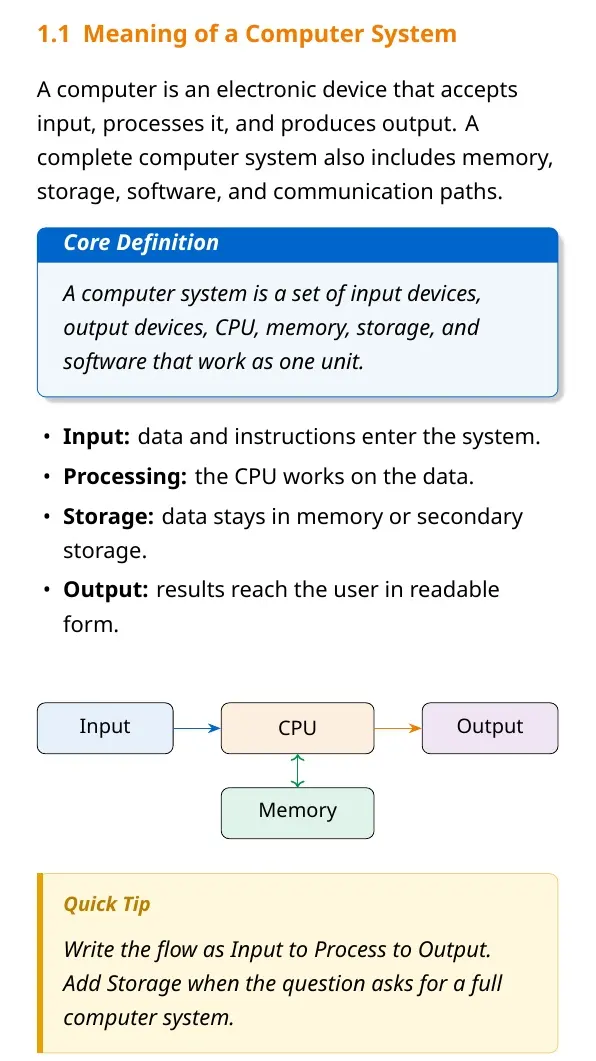
Computer System is the opening chapter of Class 11 Computer Science because it builds the vocabulary used throughout the subject. A computer is not only a CPU or monitor. It is a complete arrangement of input devices, processing unit, memory, storage, output devices, software and users. The chapter explains how the system accepts raw data, processes it according to stored instructions and returns meaningful information.
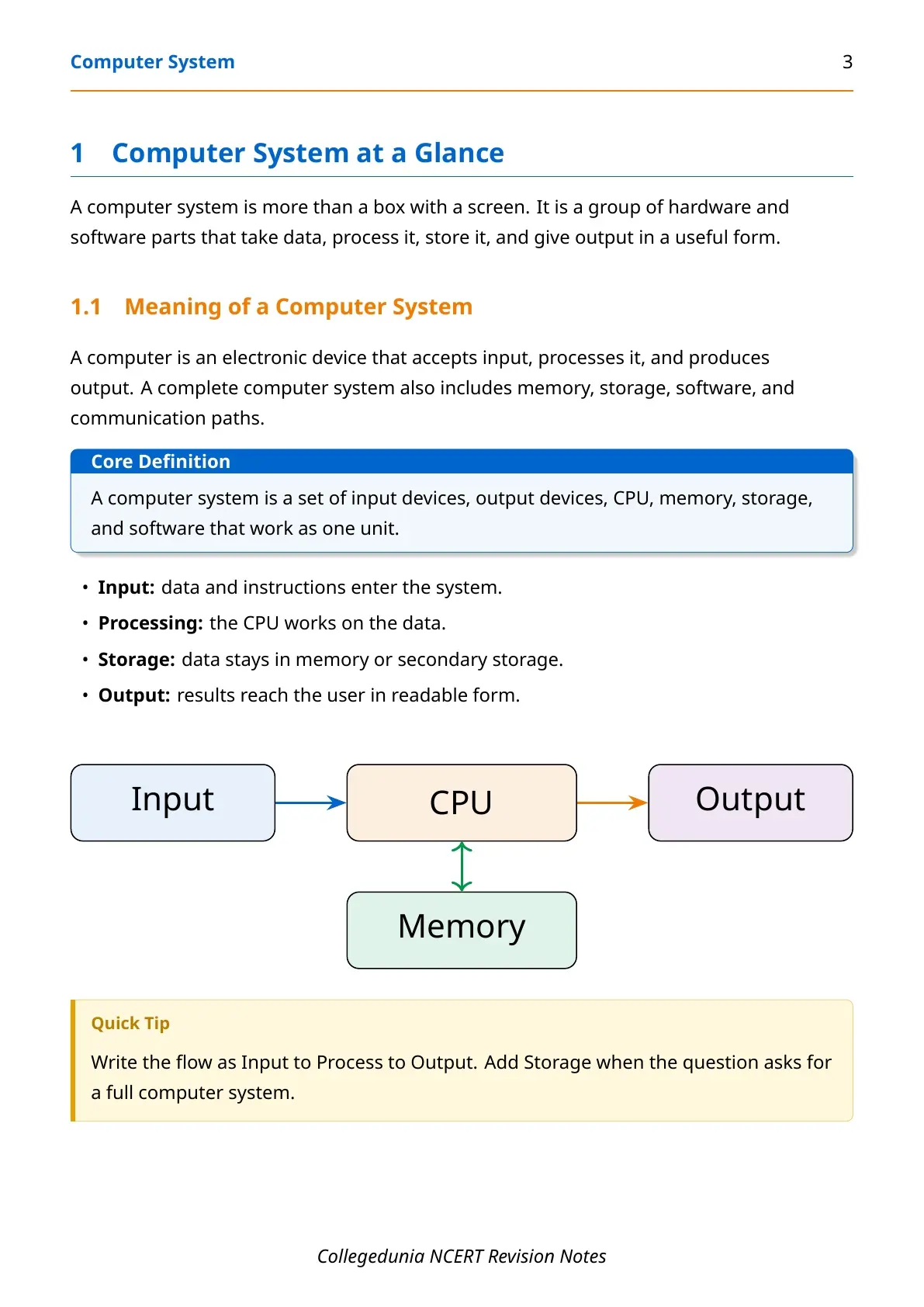
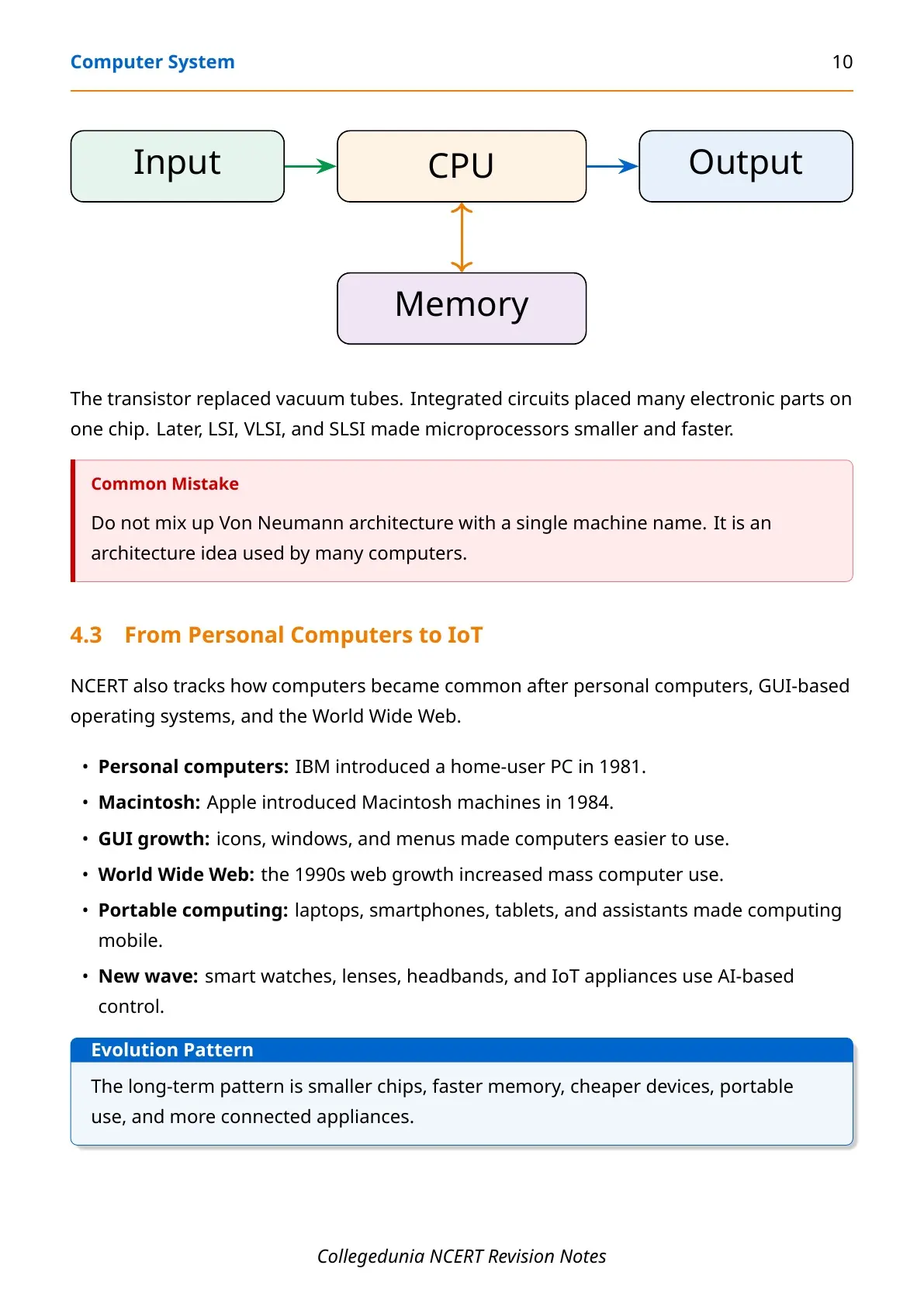
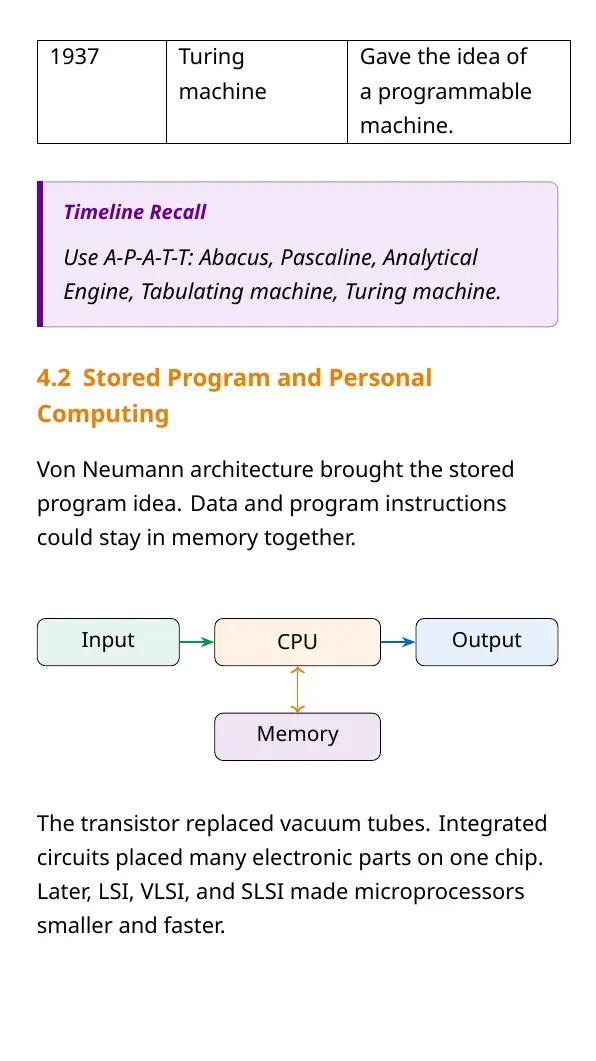
For board revision, treat the chapter as a map of the machine. Students should know what each component does, how data moves between units and why software is needed to make hardware useful. Input, process, storage and output form the fastest way to recall the flow.
| Area | What to revise | Why it matters |
|---|---|---|
| Hardware | CPU, memory, storage, input and output devices | Defines the physical parts of a computer system |
| Software | System software, application software and programming tools | Explains how instructions control hardware |
| Data | Bits, bytes, storage units and file handling | Links theory to practical computing |
Computer System Chapter 1 Video Revision
Source: Magnet Brains on YouTube
What is a Computer System in Class 11 Computer Science?
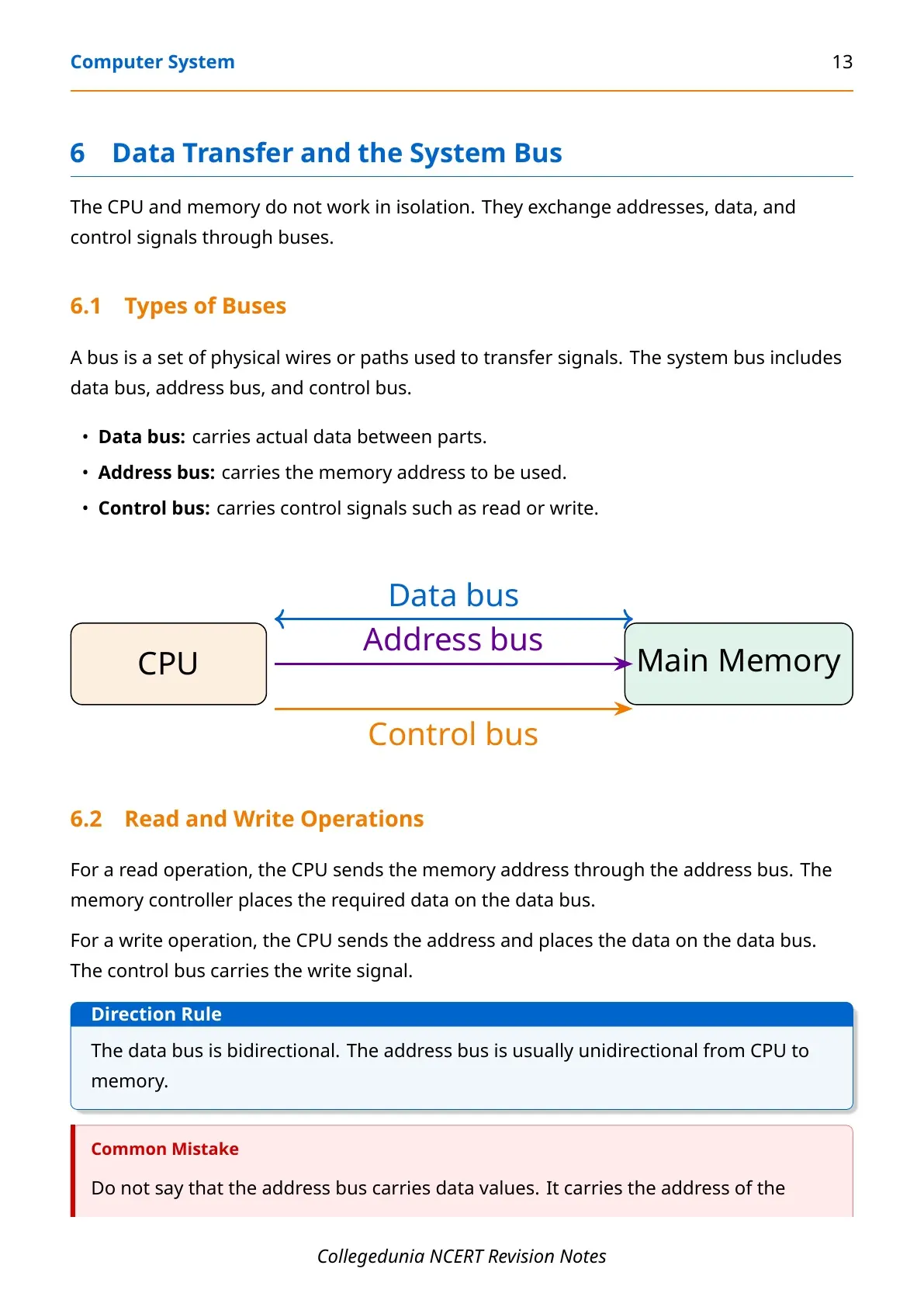
A computer system is a programmable electronic system that accepts data and instructions, processes them, stores them and produces output. The central idea is that hardware needs software and software needs hardware. Hardware supplies the physical capability, while software supplies the instructions that tell the machine what to do.
In exam answers, define the system as a combination of the following parts:
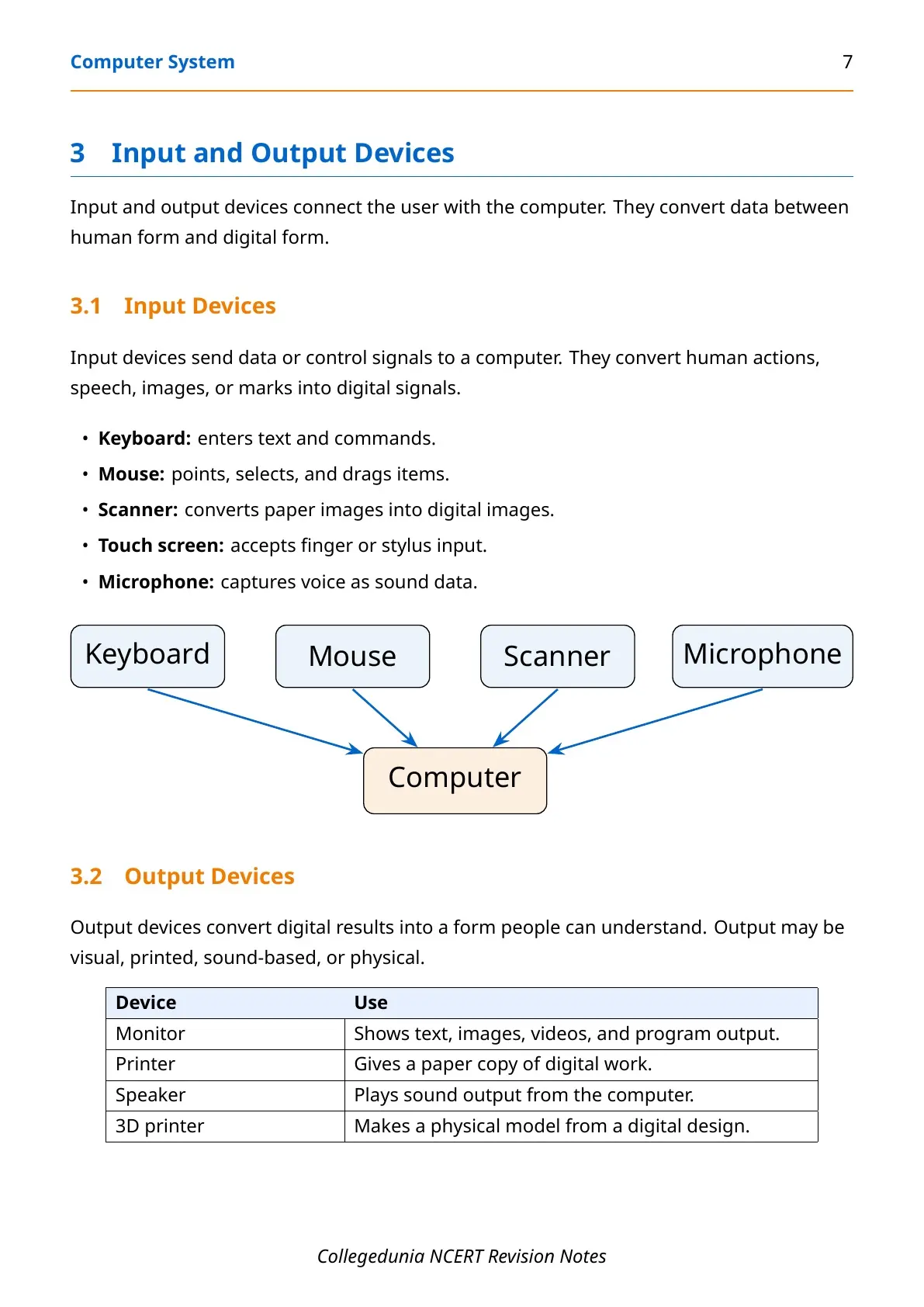
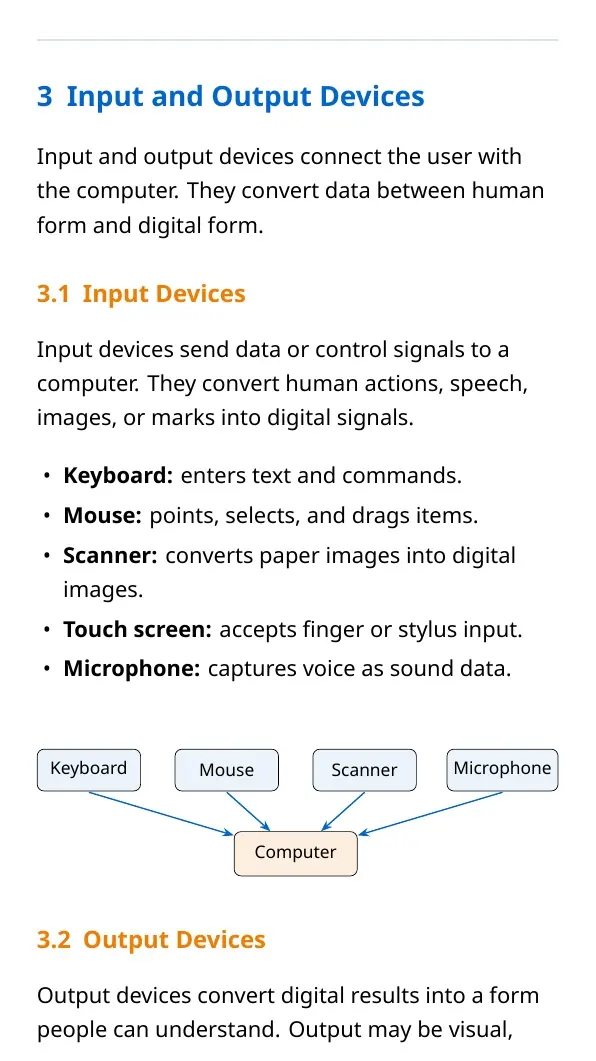
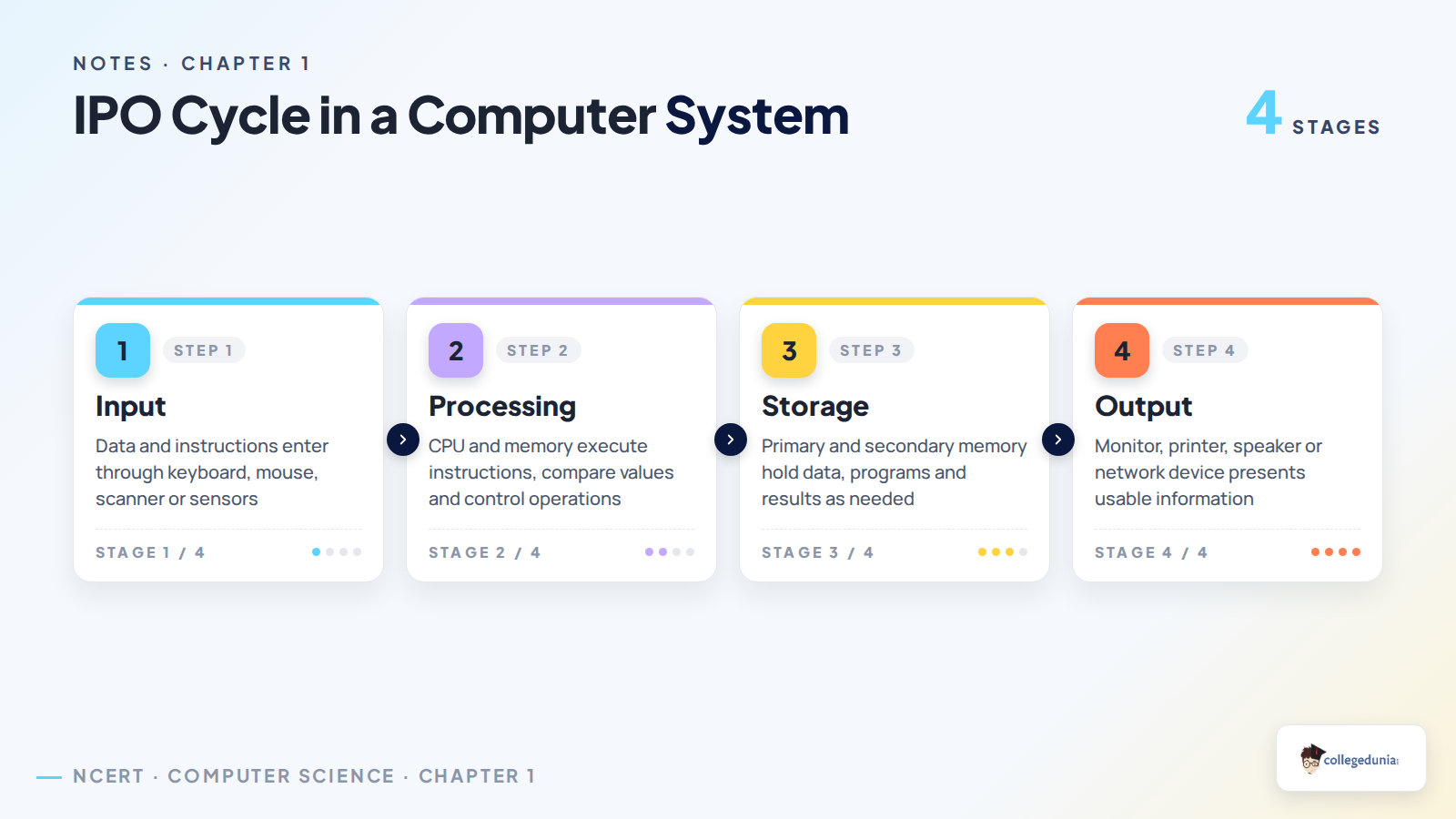
- Input unit: receives data and commands through devices such as keyboard, mouse, scanner, touch screen or microphone.
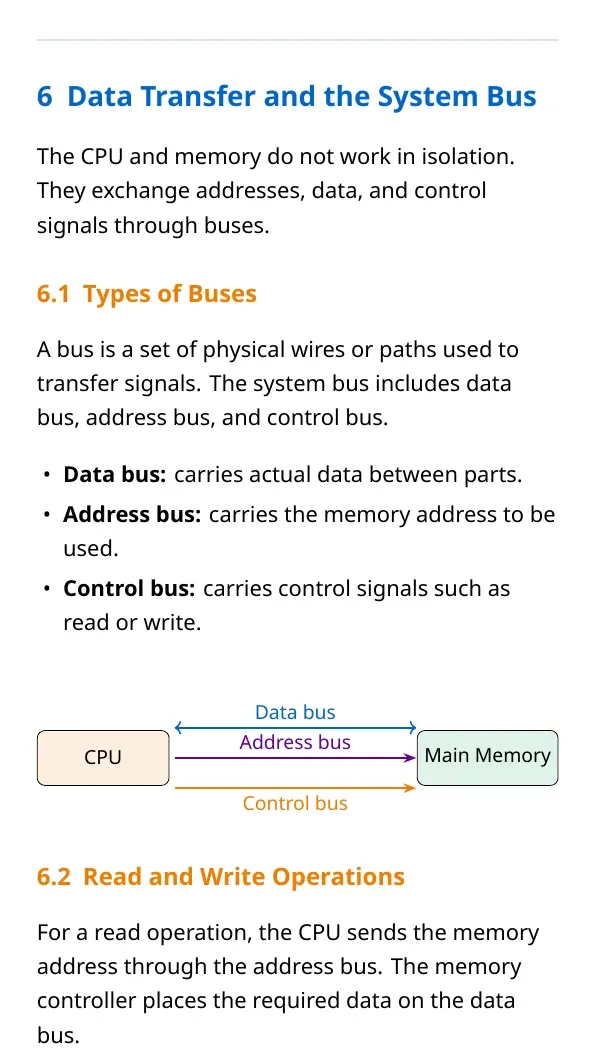
- Processing unit: uses the CPU to perform arithmetic, logic and control operations.
- Memory and storage: hold data, instructions and results for short-term or long-term use.
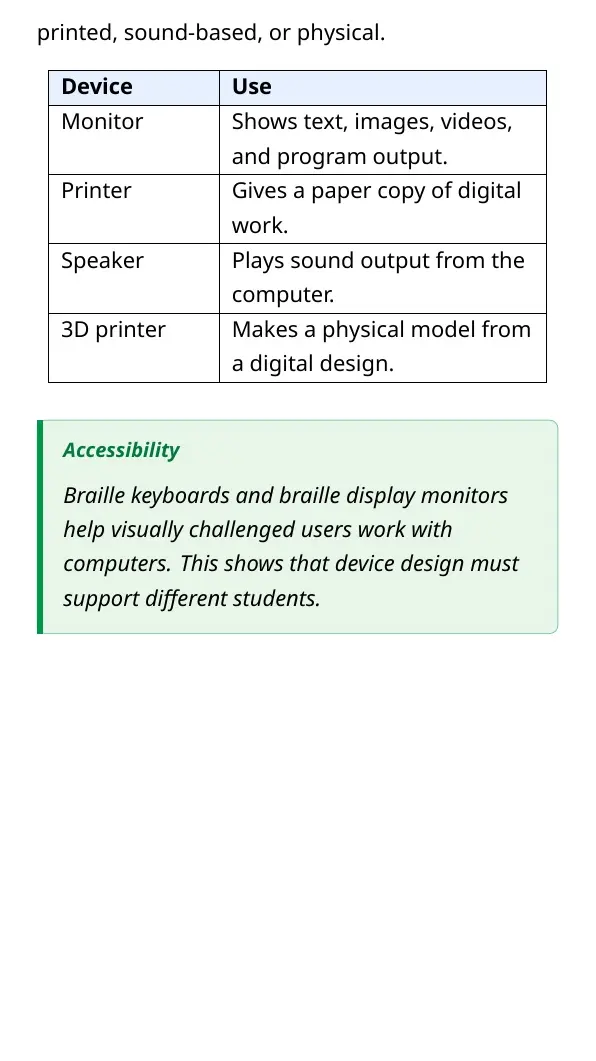
- Output unit: presents information through monitor, printer, speaker, projector or network transfer.
Hardware Components of Computer System
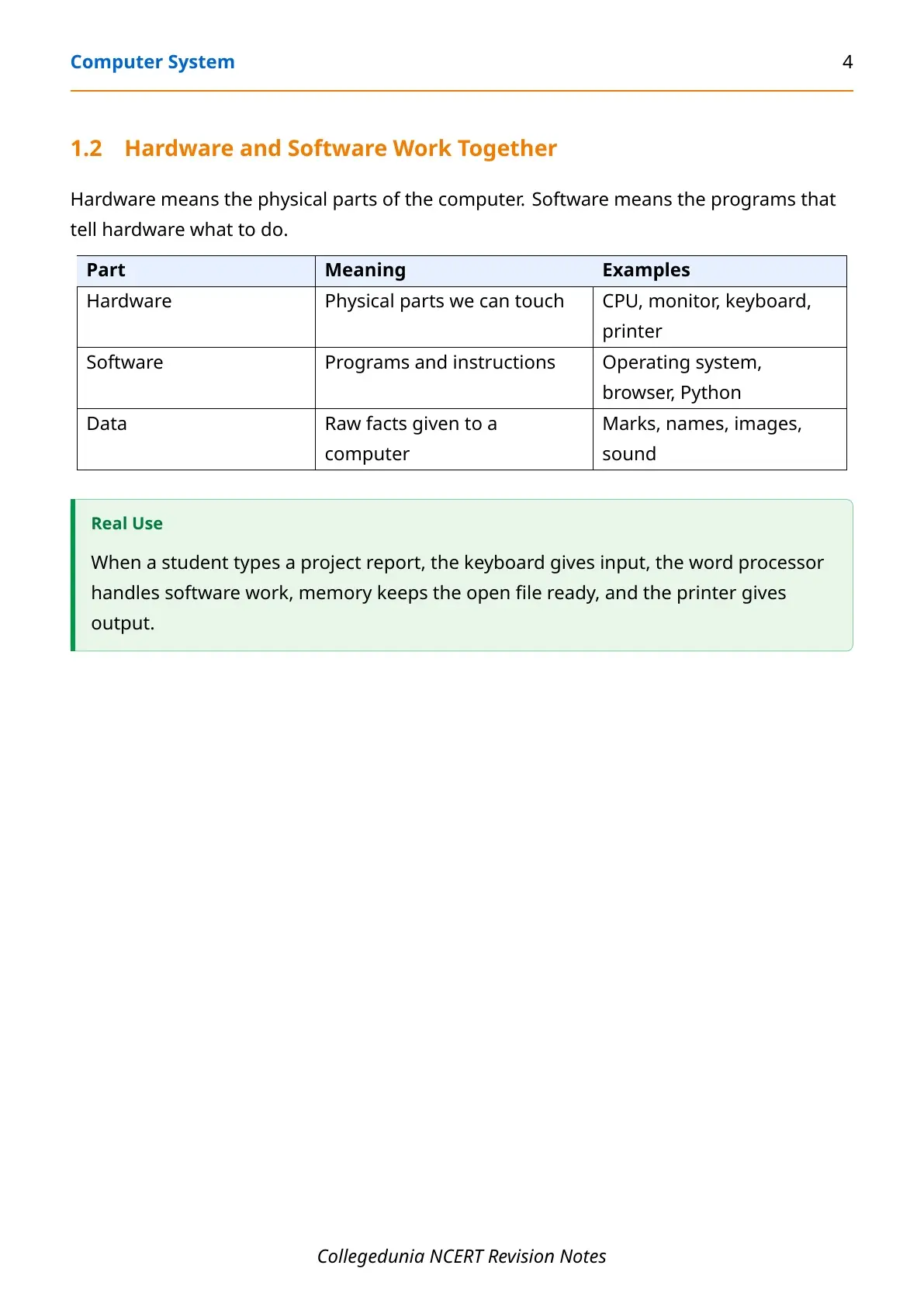
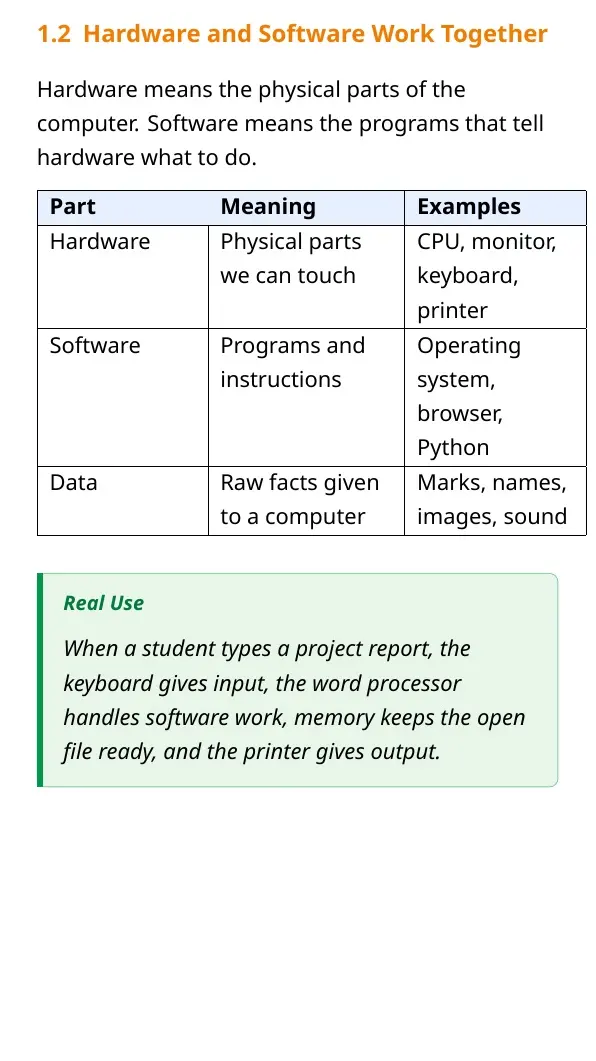
Hardware means every physical part of the computer that can be seen and touched. NCERT classifies the major hardware blocks by function, not by their shape. The CPU processes instructions, main memory keeps active data, secondary storage keeps data permanently and peripheral devices help the user communicate with the system.
| Hardware component | Main function | Examples |
|---|---|---|
| Input devices | Enter raw data and instructions | Keyboard, mouse, scanner, webcam |
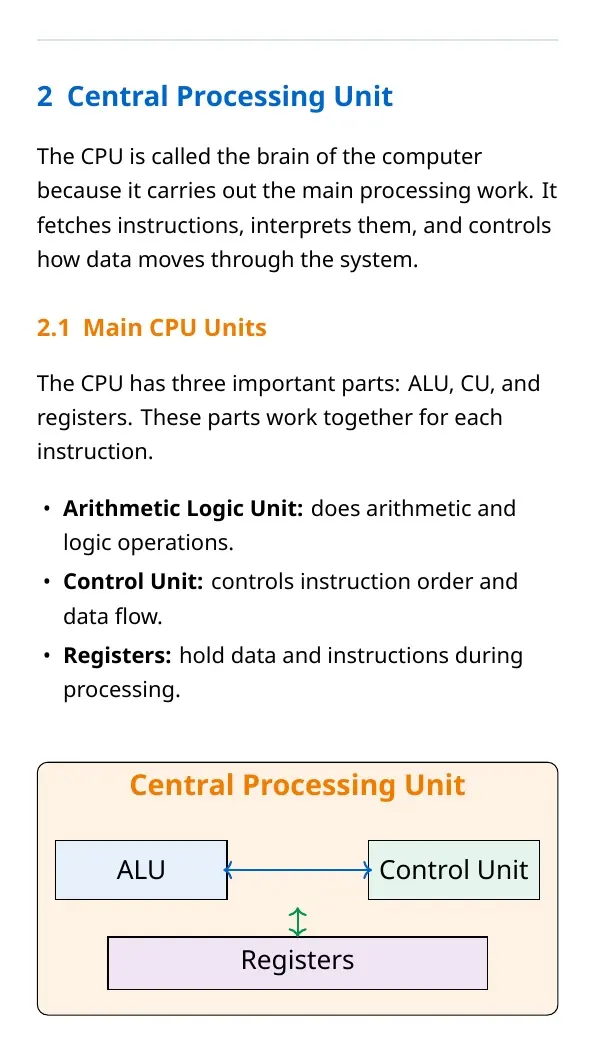
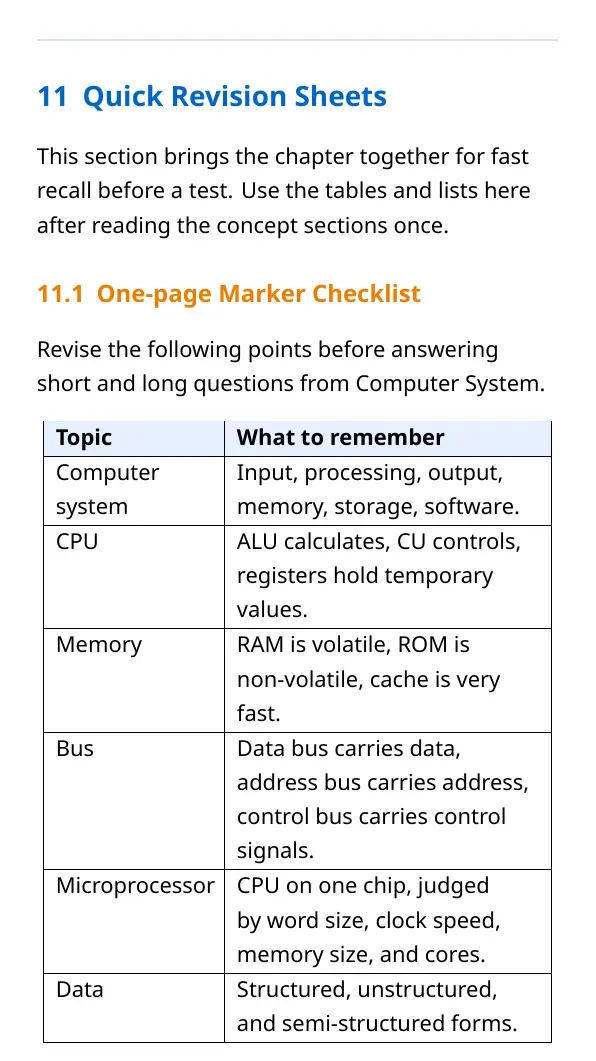
| CPU | Controls processing and executes instructions | ALU, control unit, registers |
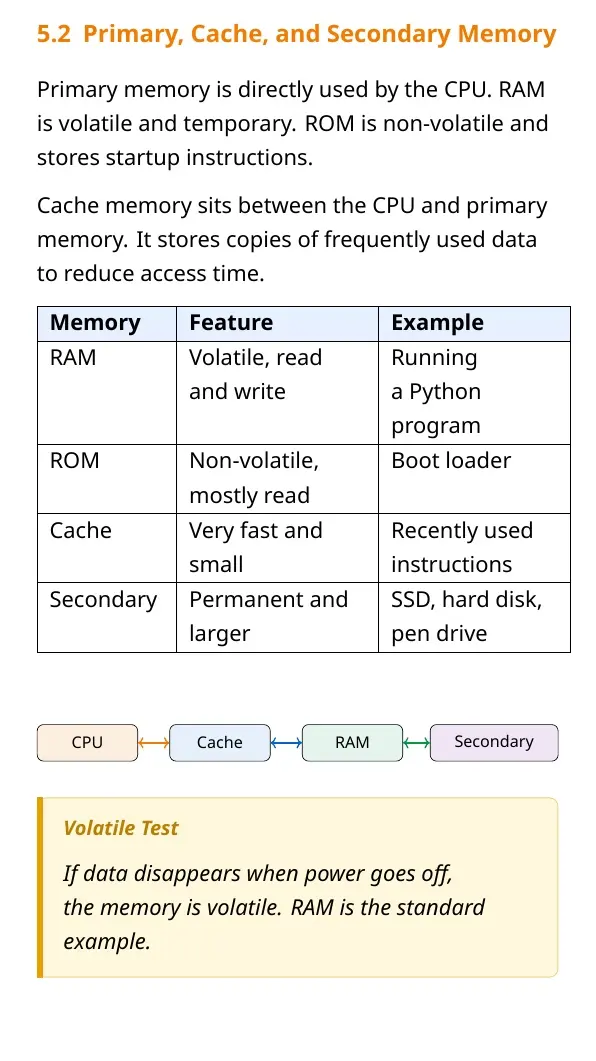
| Primary memory | Stores active programs and data | RAM, ROM, cache |
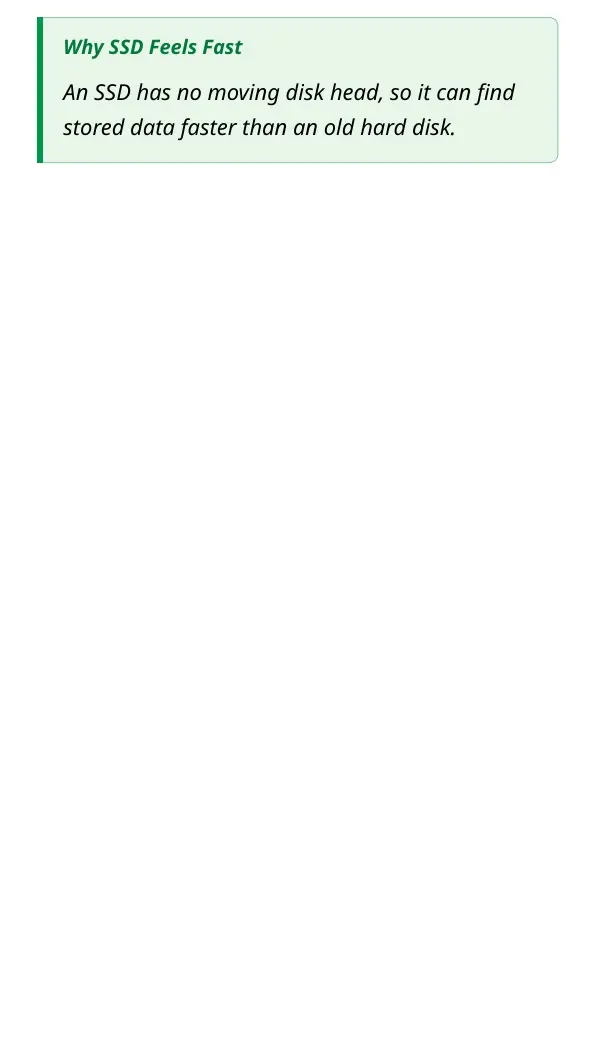
| Secondary storage | Stores files permanently | SSD, hard disk, pen drive, optical disc |
| Output devices | Show or transmit processed information | Monitor, printer, speakers |
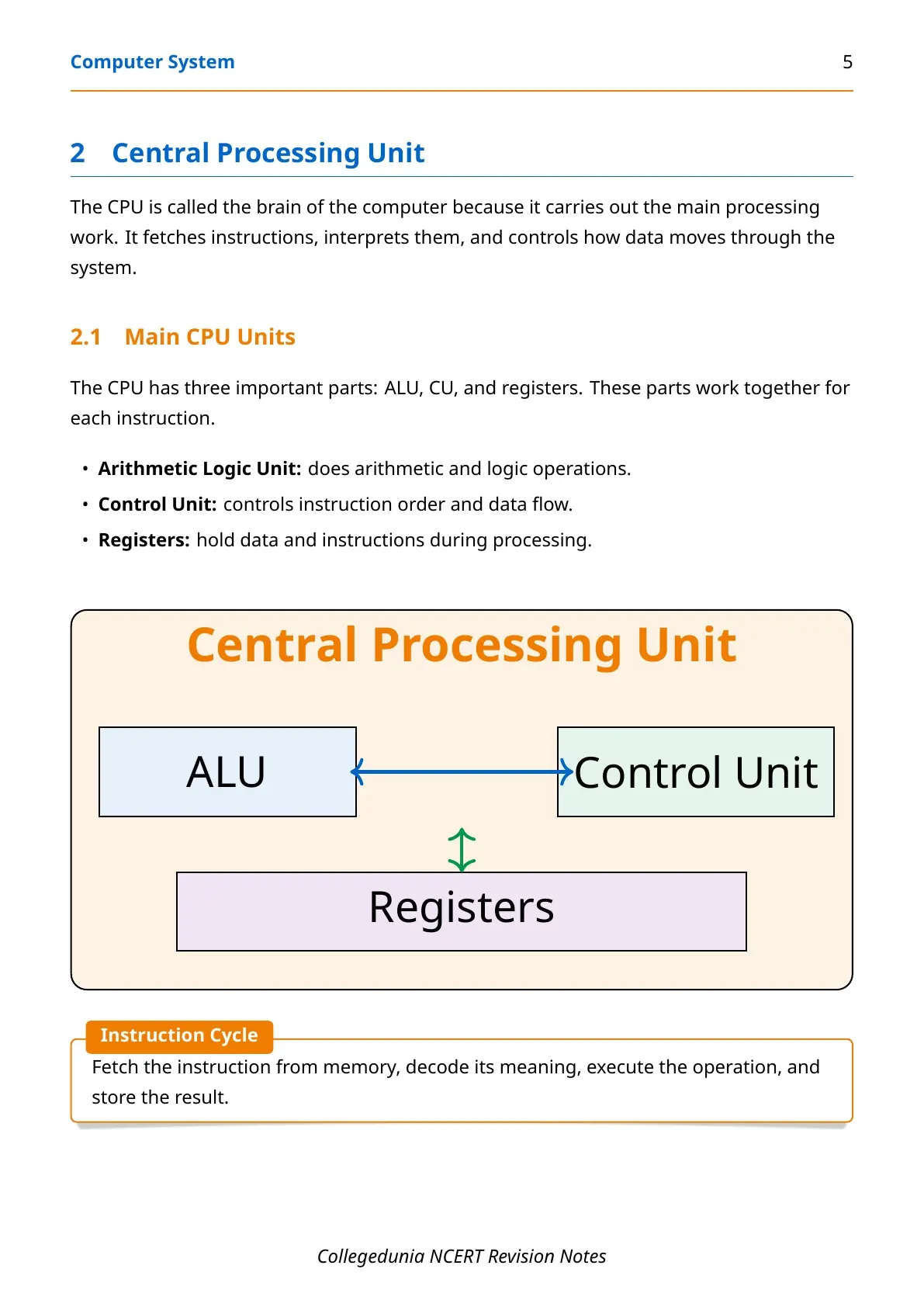
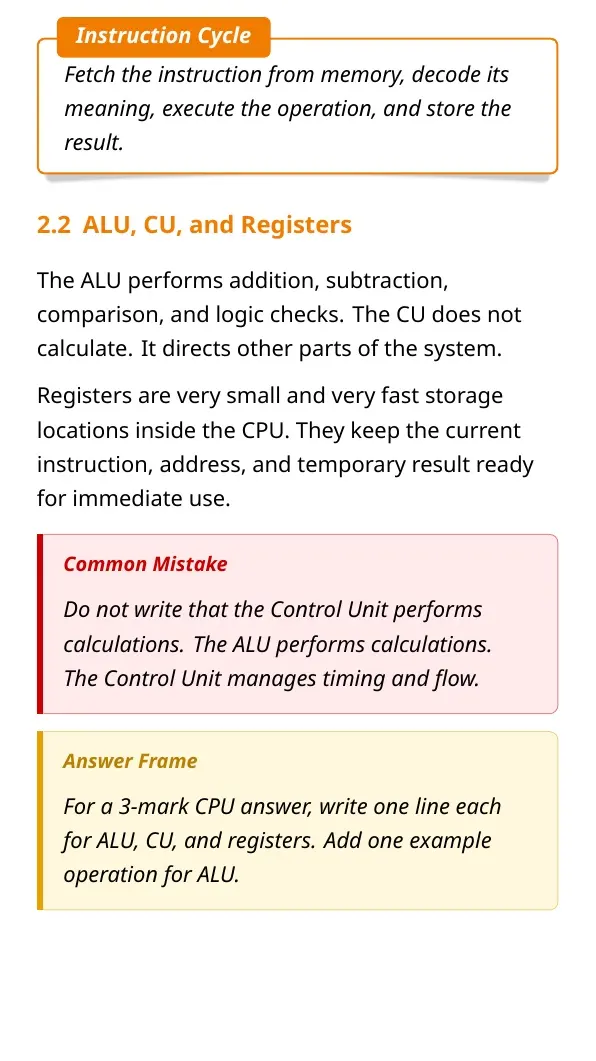
The CPU is often called the brain of the computer, but a stronger answer says that the CPU coordinates the system through three internal units. The arithmetic logic unit performs calculations and comparisons, the control unit directs data flow and registers store very small high-speed values during execution.
Memory, Data and Storage Units
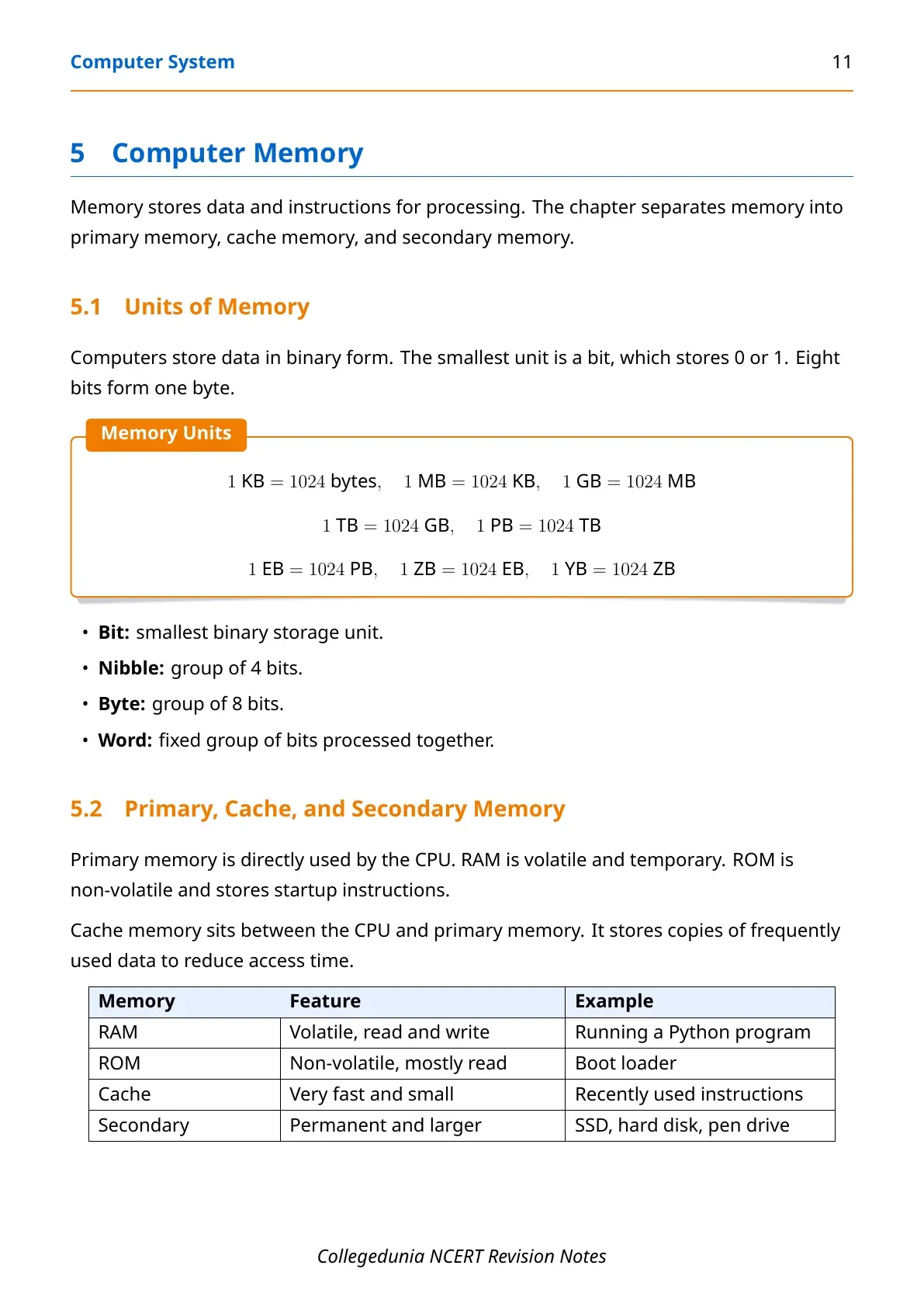
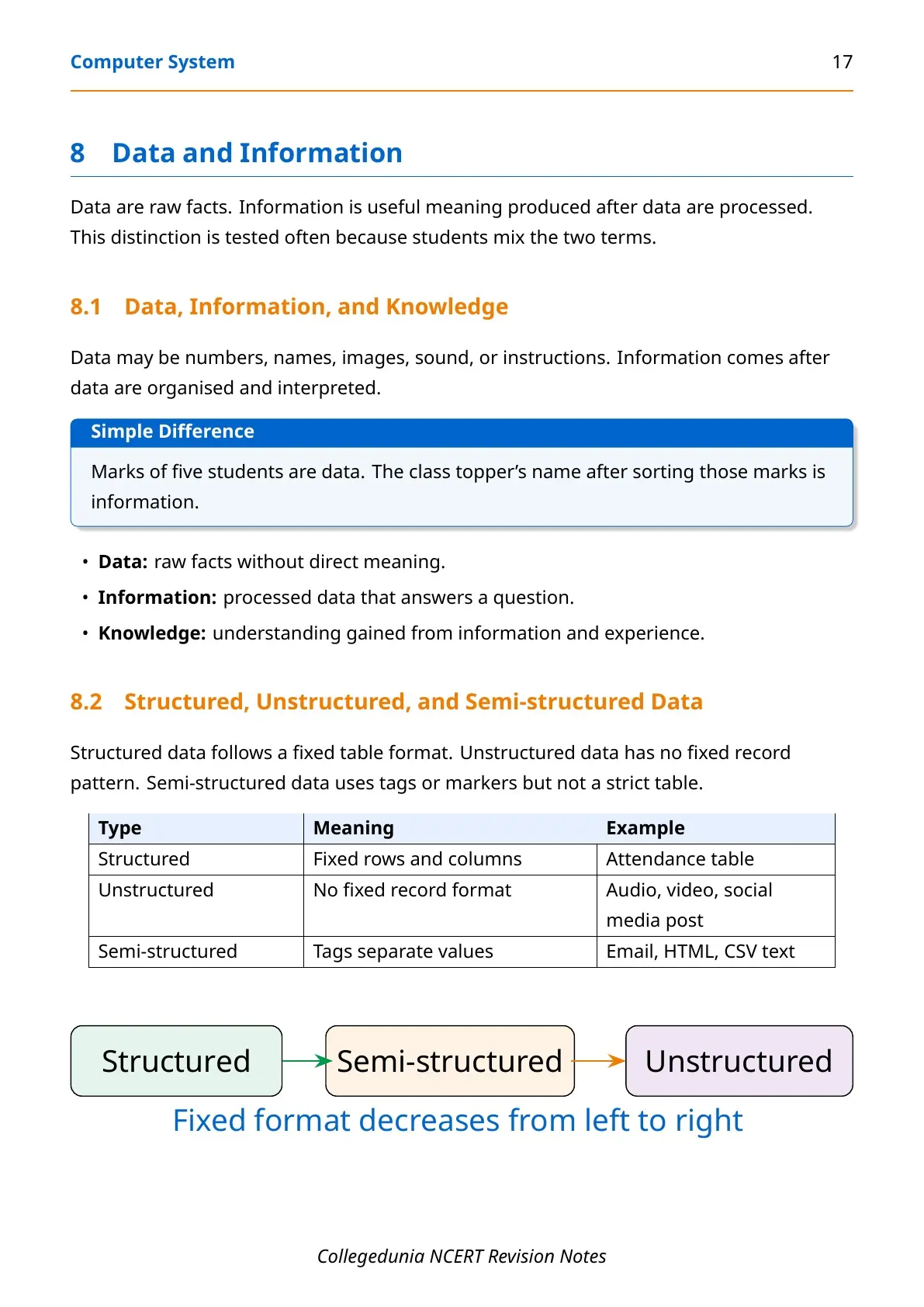
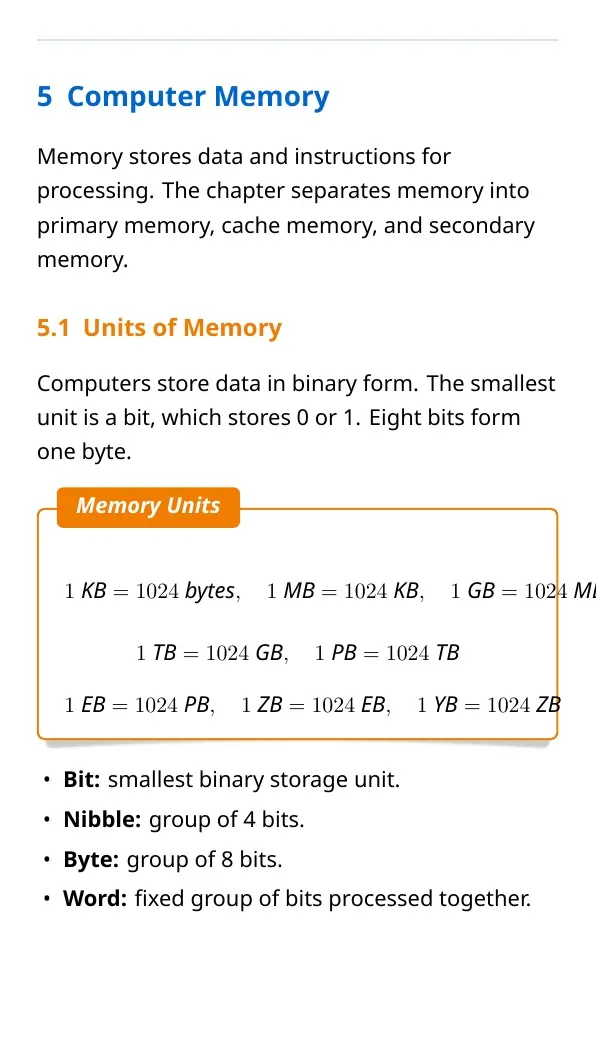
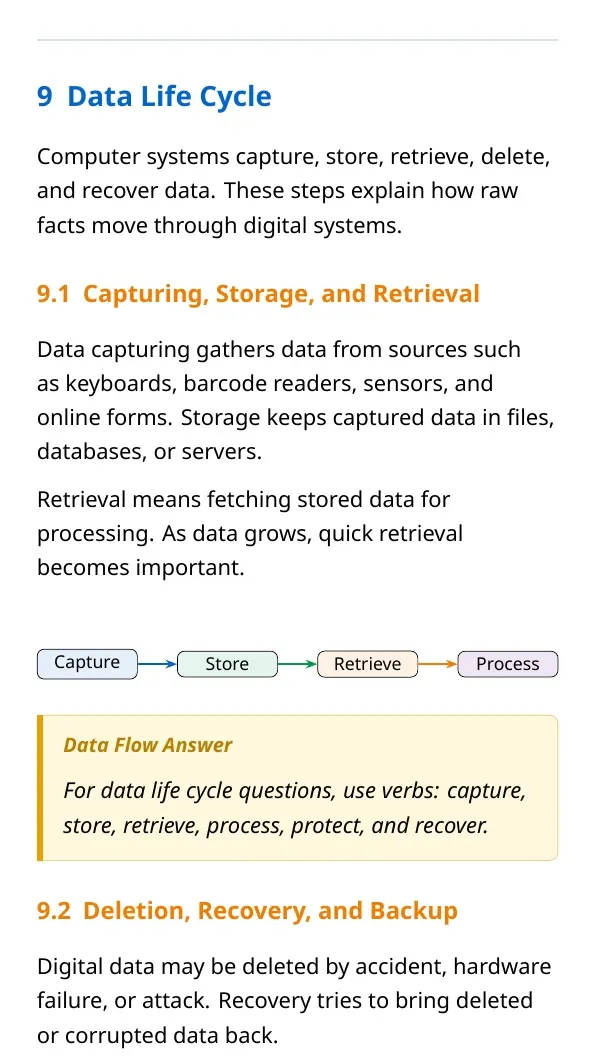
Computers represent data using binary digits, called bits. A bit stores either 0 or 1. Eight bits form one byte, and larger storage units are built from bytes. This chapter also introduces the modern higher units used in storage devices and cloud systems.
| Unit | Relation | Common use |
|---|---|---|
| Bit | Smallest binary value, 0 or 1 | Digital signal and logic |
| Byte | 8 bits | One character in many encodings |
| Kilobyte, Megabyte, Gigabyte | Increasing storage groups | Documents, photos, applications |
| Terabyte, Petabyte, Exabyte | Very large storage groups | Backups, servers, data centres |
| Zettabyte, Yottabyte | Extremely large global-scale units | Internet-scale and research discussions |
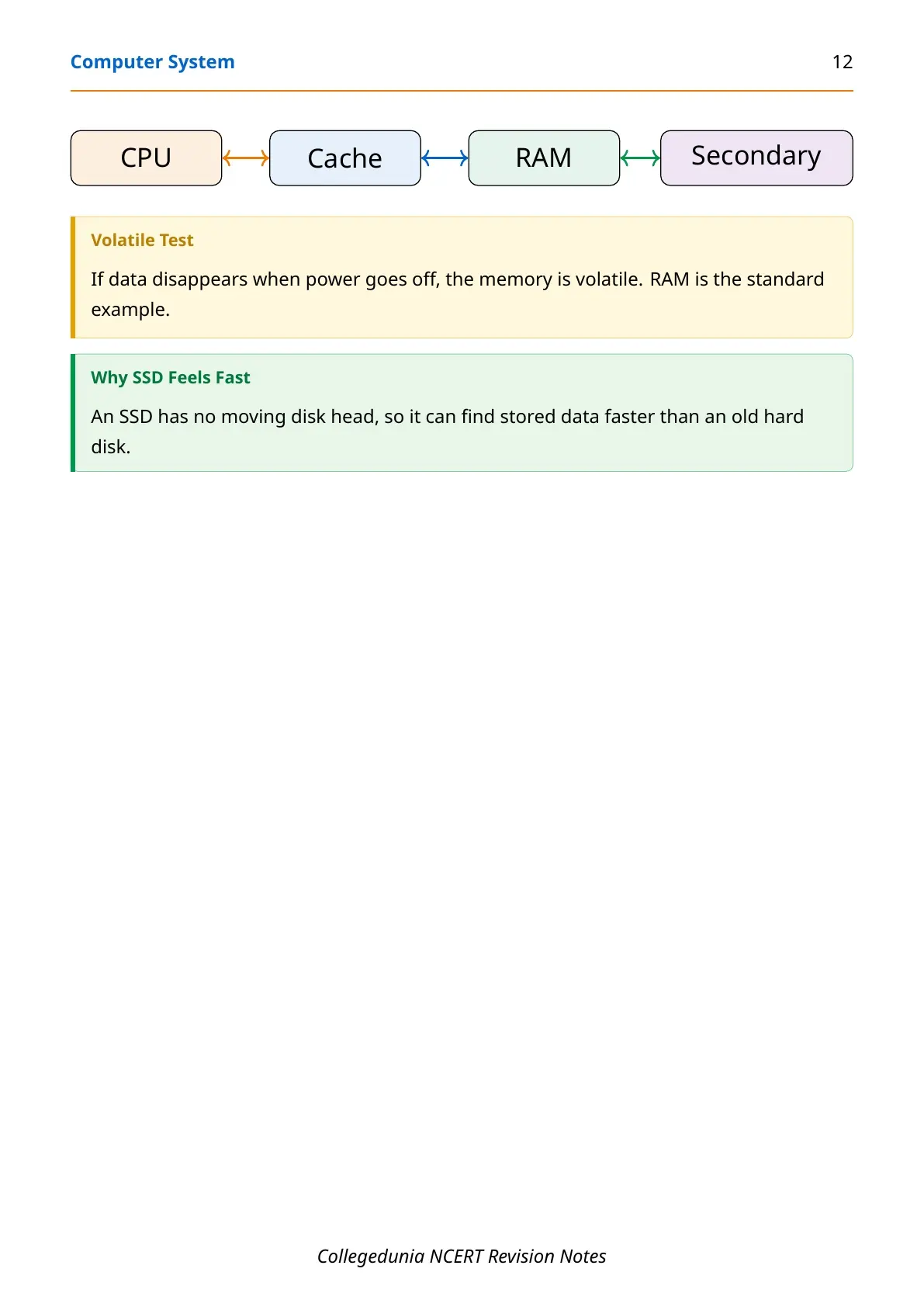
Students should also separate primary memory from secondary storage. RAM is fast and temporary, ROM keeps essential startup instructions, cache speeds up CPU access and secondary storage keeps user files even after power is switched off.
System Software, Application Software and Programming Tools
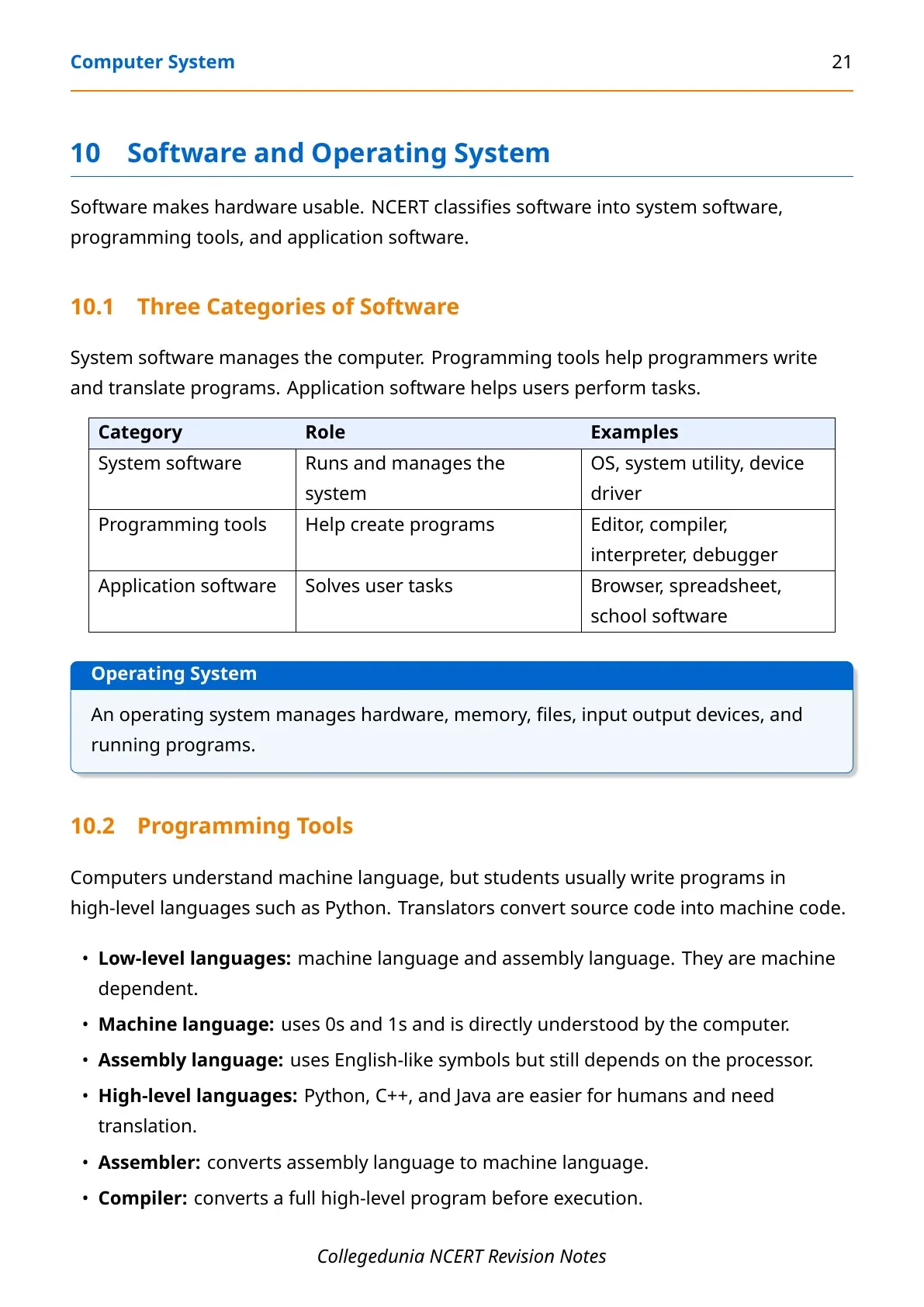
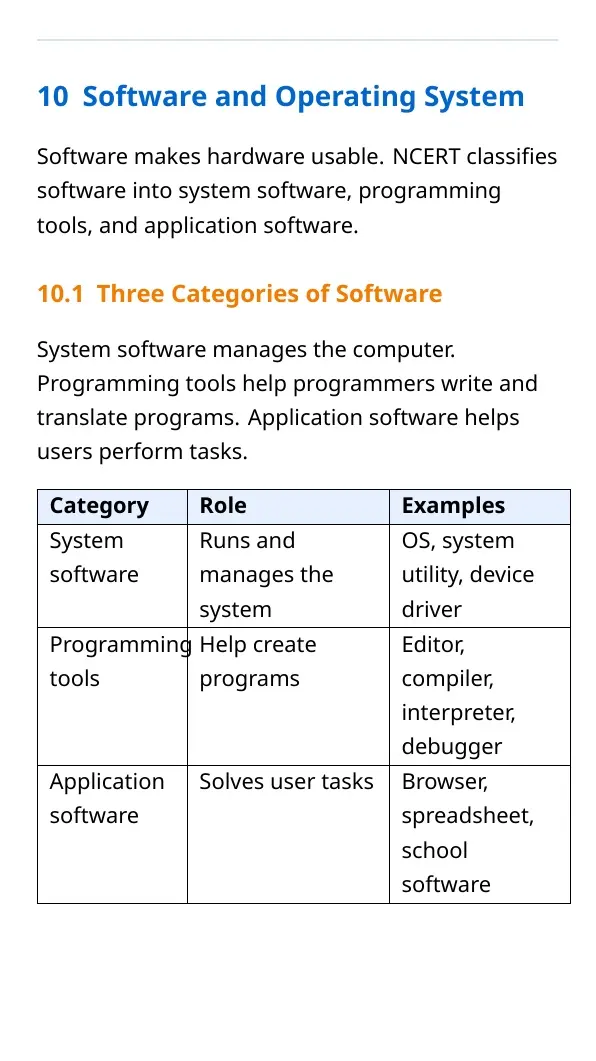
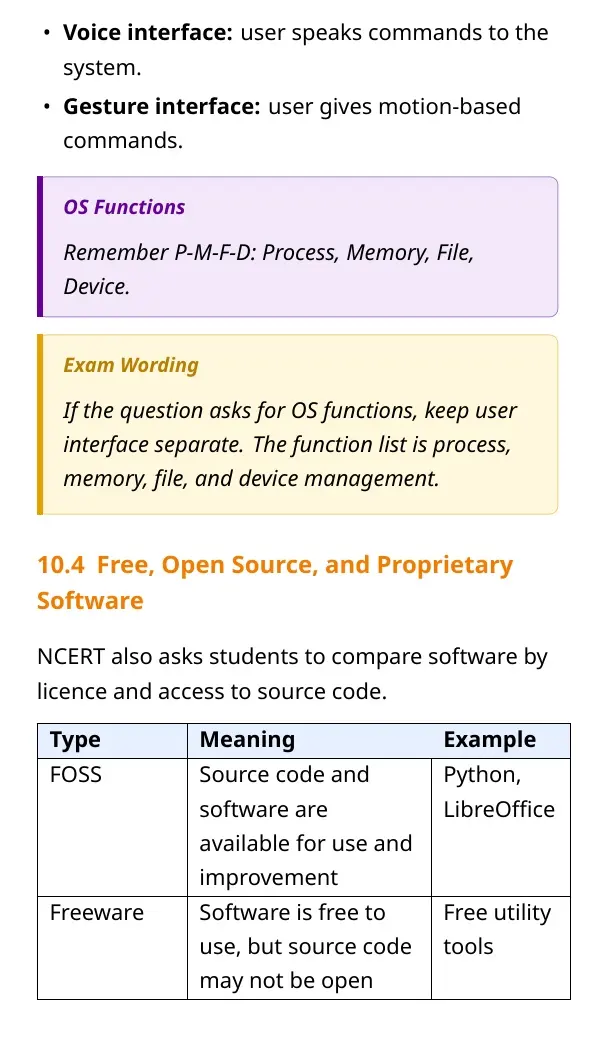
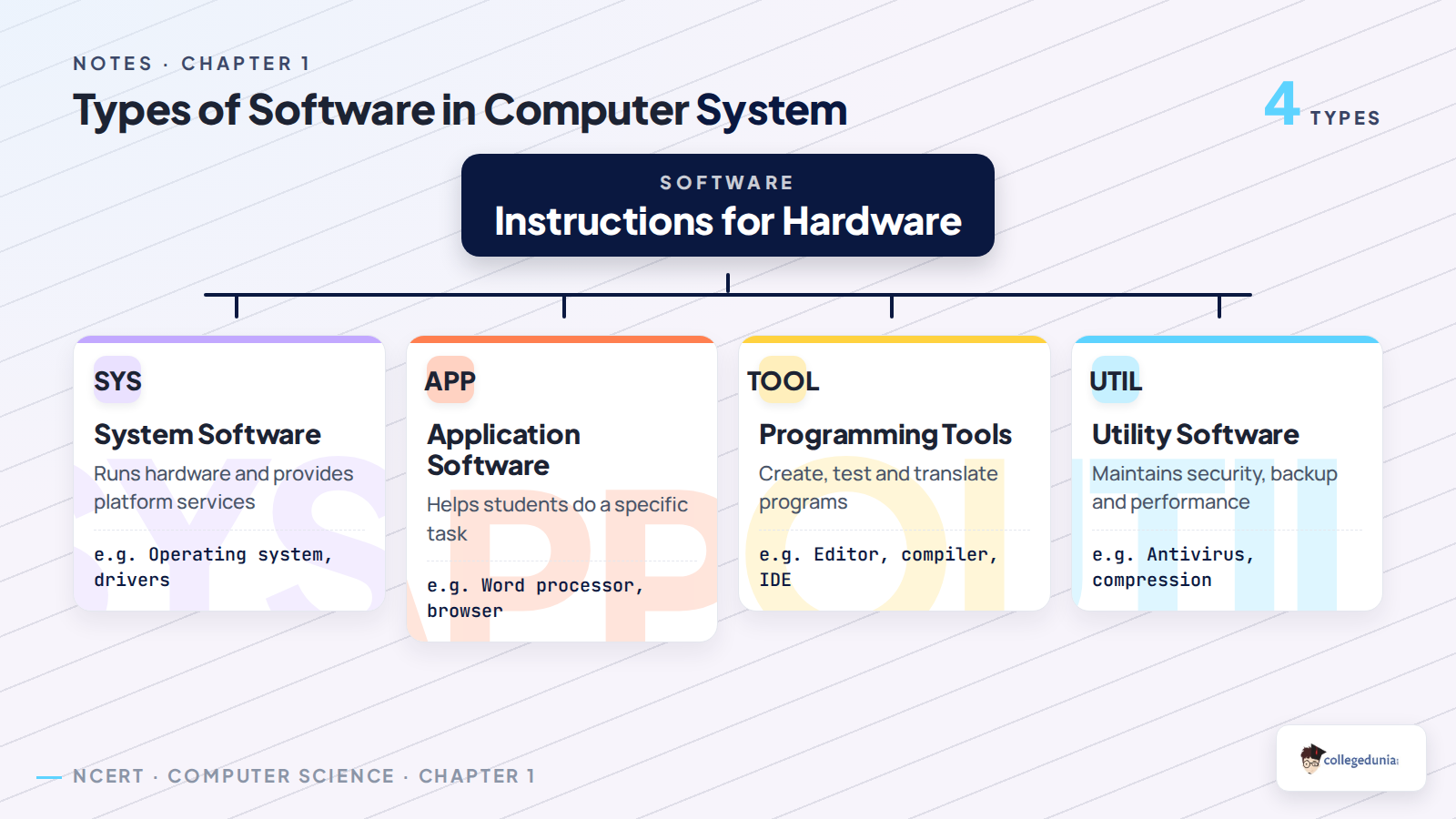
Software is the set of programs that tells hardware what to do. NCERT separates software into system software, application software and programming tools. This distinction is a common short-answer area, so students should avoid writing only examples. Write the purpose first, then the example.
| Software type | Meaning | Examples |
|---|---|---|
| System software | Manages hardware and provides services for other programs | Operating system, device driver, utility |
| Application software | Helps users complete a specific task | Word processor, browser, spreadsheet |
| Programming tools | Help programmers write, translate, test and debug code | Editor, compiler, interpreter, IDE, debugger |
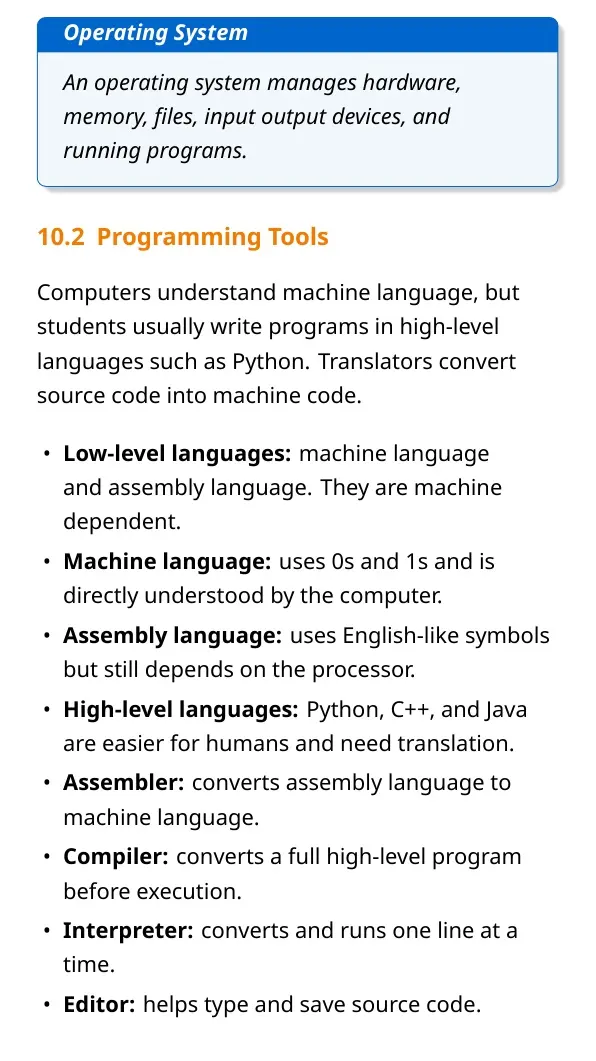
Low-level languages include machine language and assembly language. Machine language uses binary patterns, while assembly language uses symbolic instructions but remains processor dependent. High-level languages are closer to human language and need a compiler or interpreter before execution.
Operating System Functions for Computer System Notes
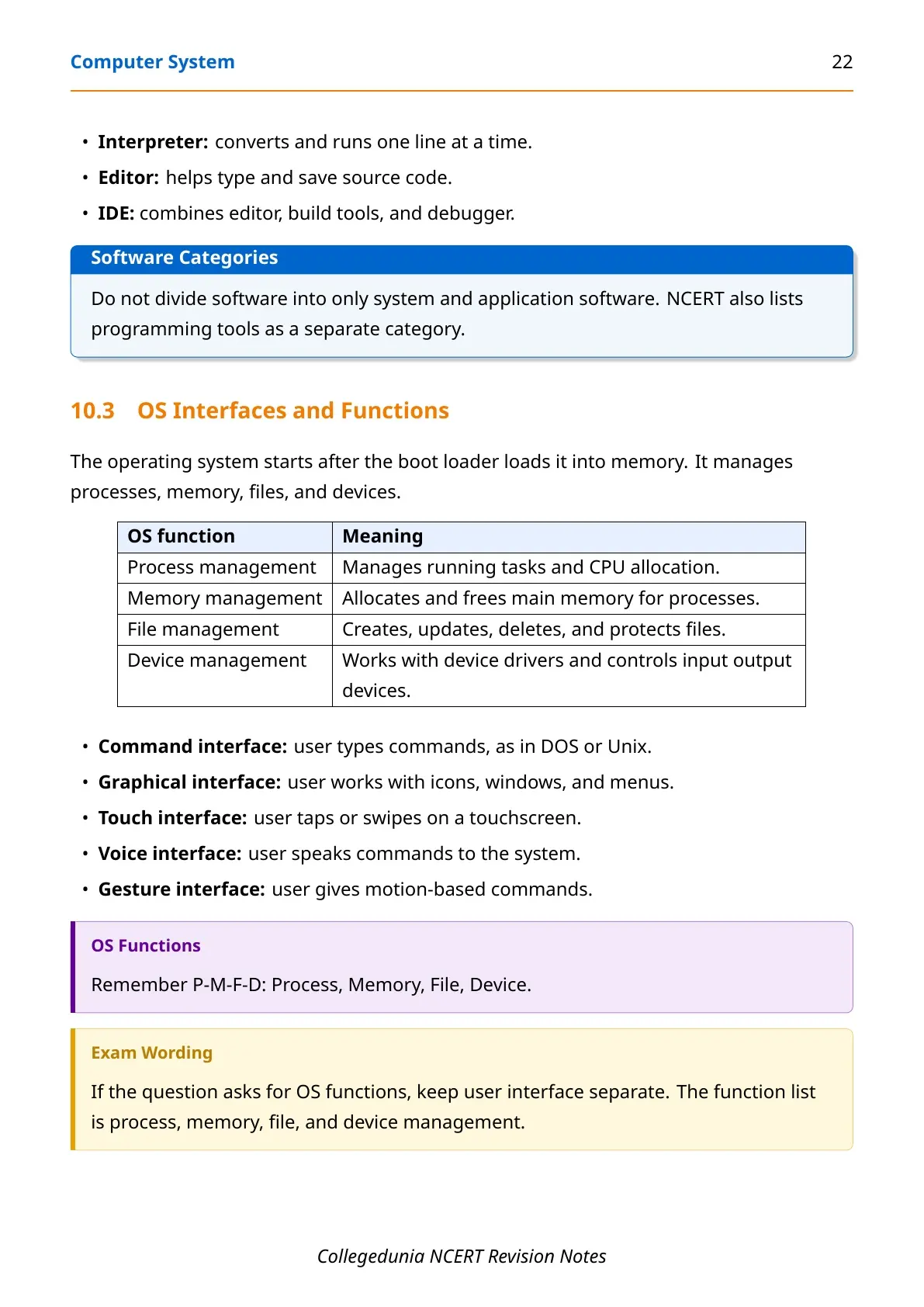
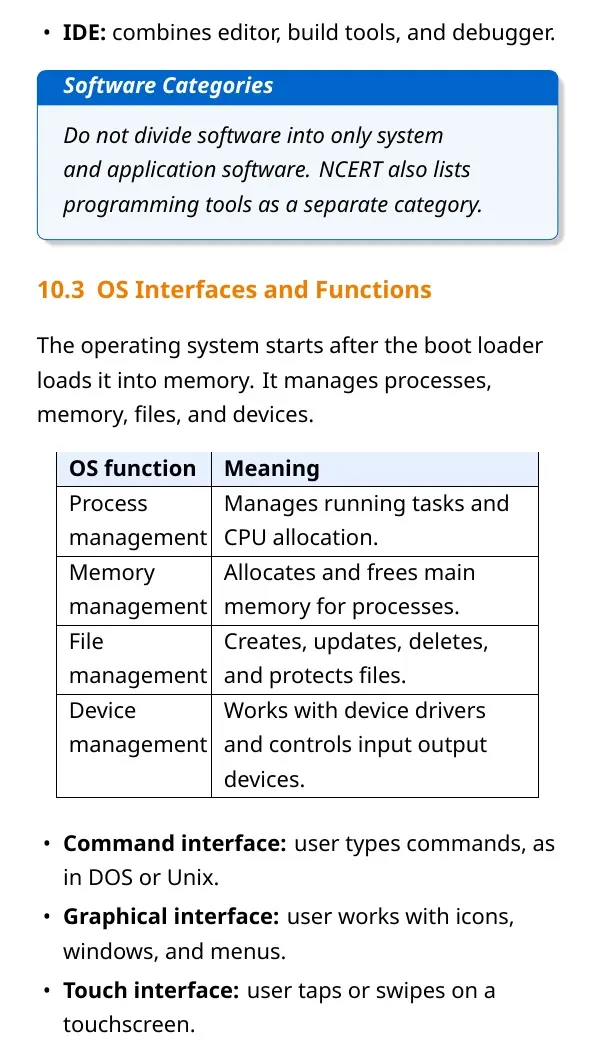
An operating system is system software that acts as an interface between the user, application programs and hardware. It manages resources and makes the computer usable. For Class 11 Computer Science Chapter 1, revise operating system functions with the sequence process, memory, file, device and user interface.
- Process management: schedules and controls running programs.
- Memory management: allocates RAM and tracks which program is using which part.
- File management: creates, names, stores, deletes and organises files and folders.
- Device management: controls devices through drivers and manages input-output operations.
- User interface: provides command-line or graphical ways to interact with the system.
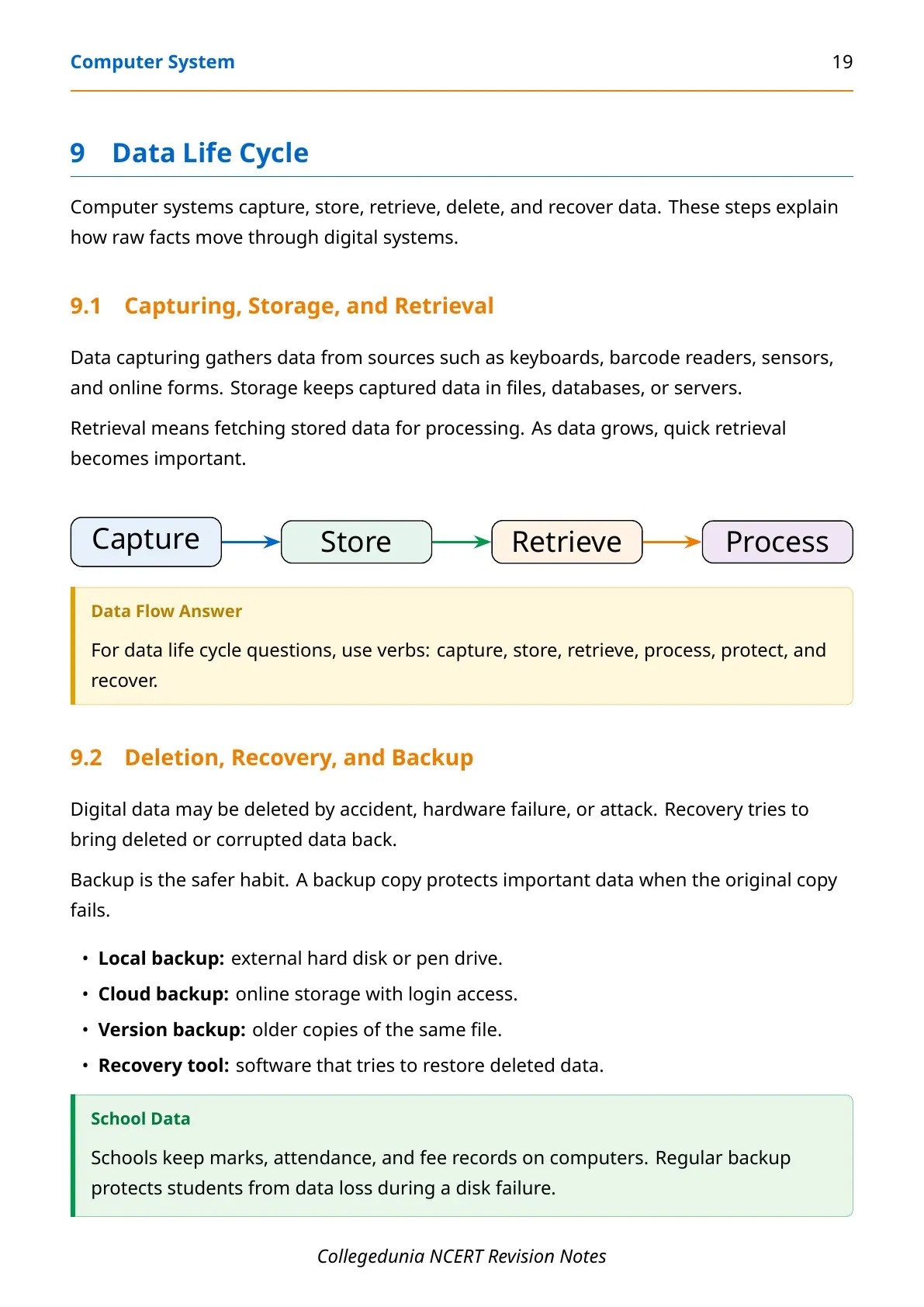
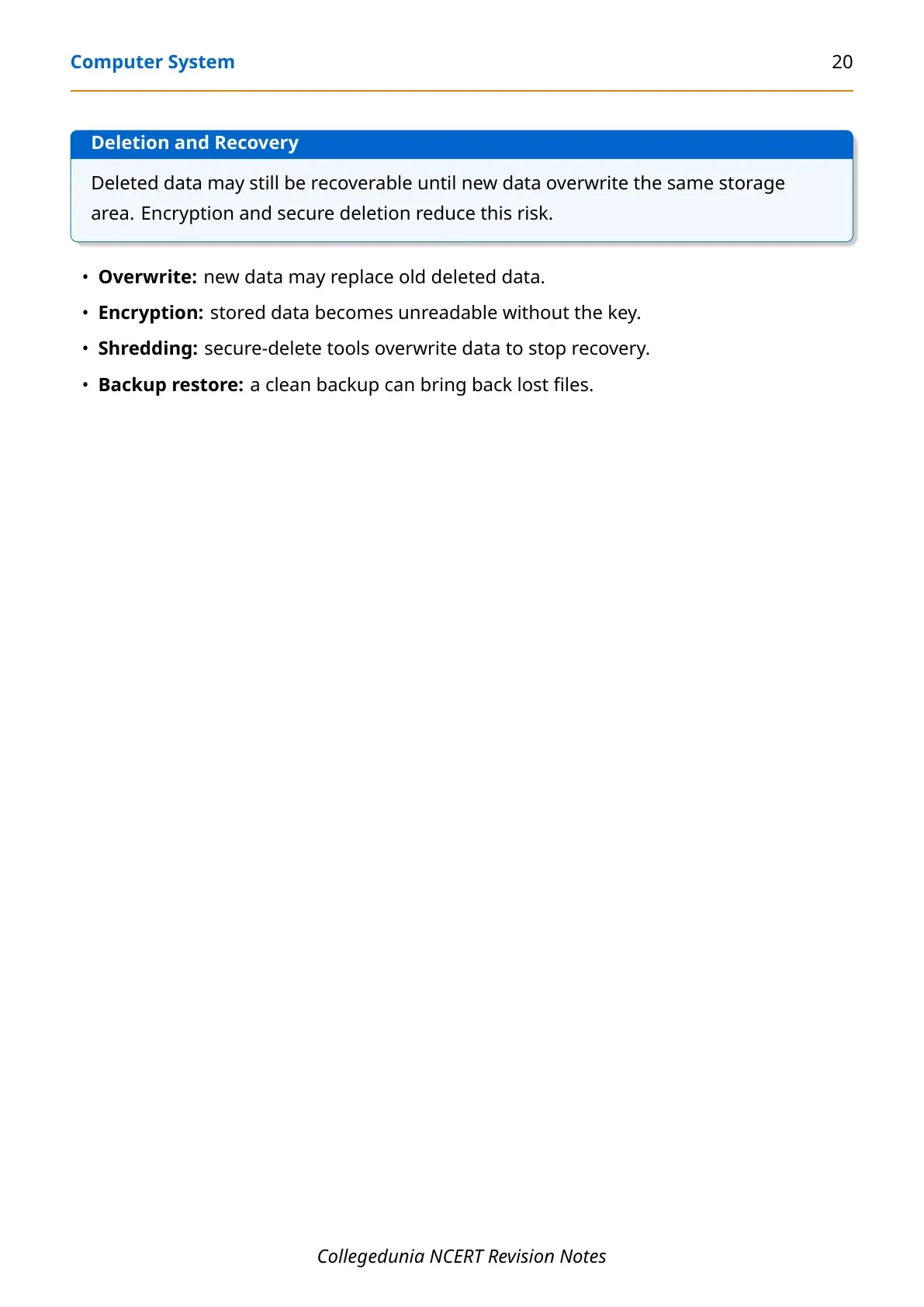
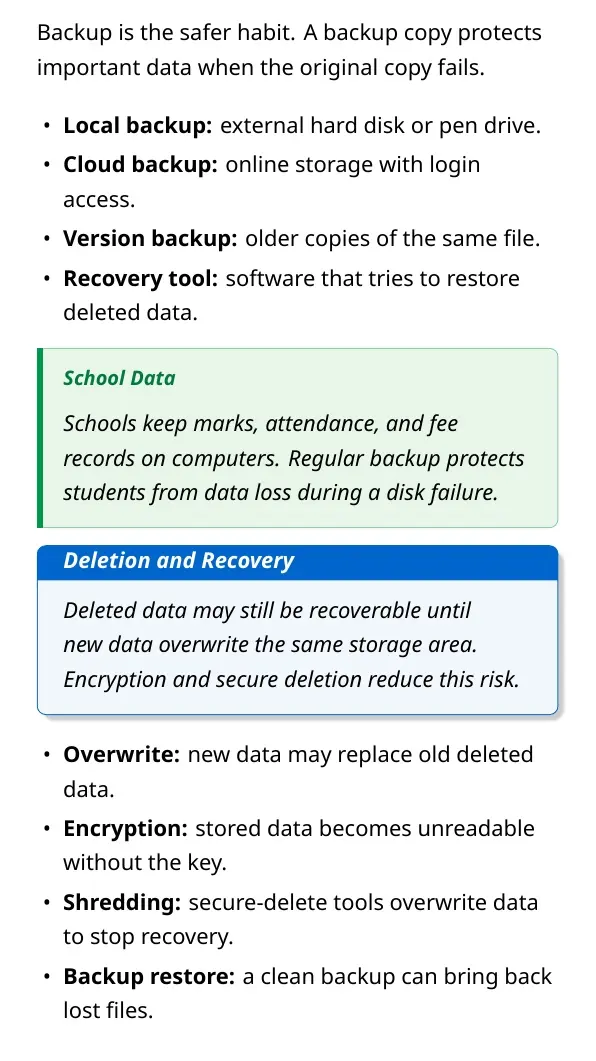
A useful exam detail is that deleting a file usually removes its directory entry first. Recovery may be possible until the storage space is overwritten. Secure deletion, encryption and shredding tools are used when data must not be recovered.
Evolution of Computers and Microprocessors
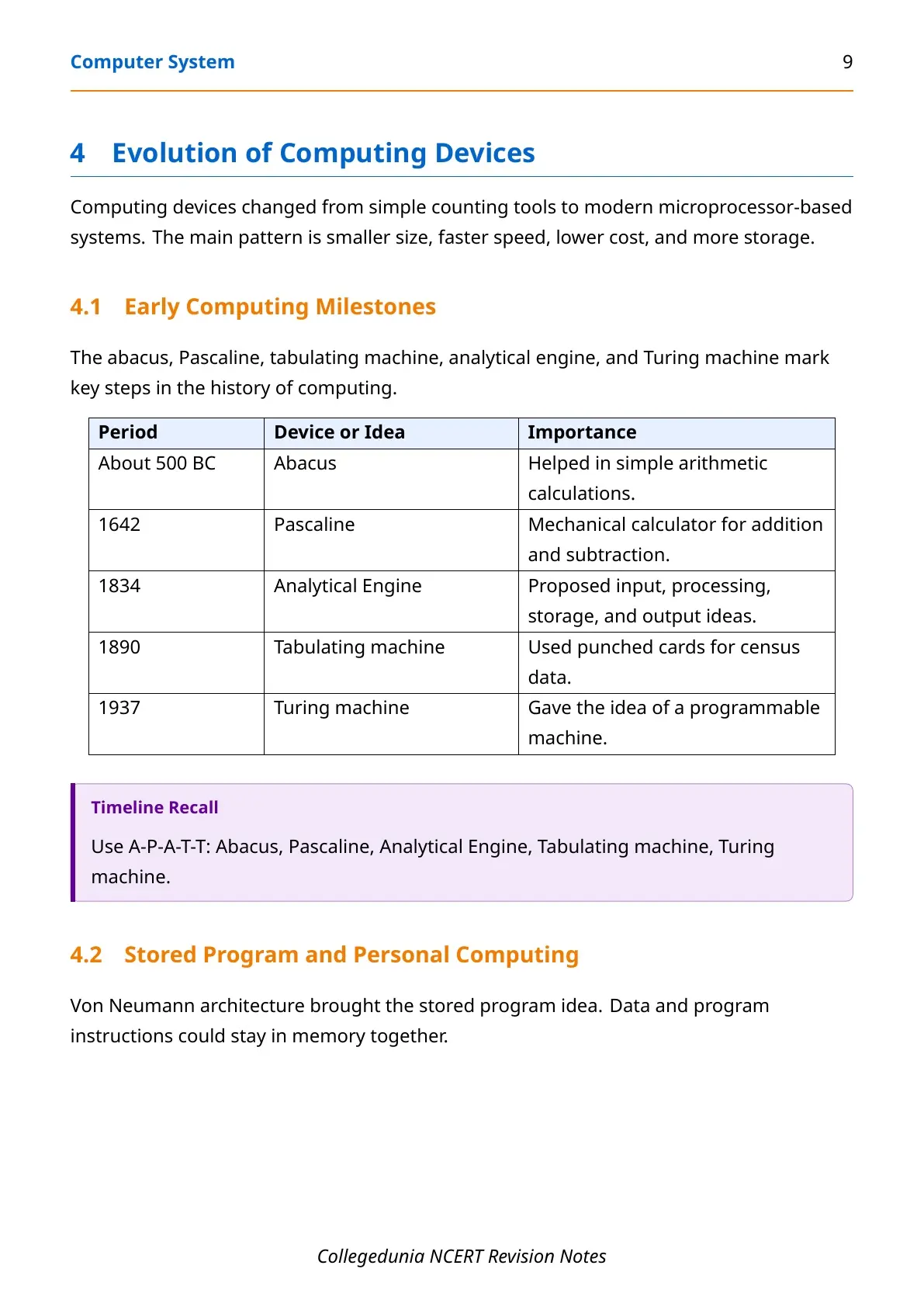
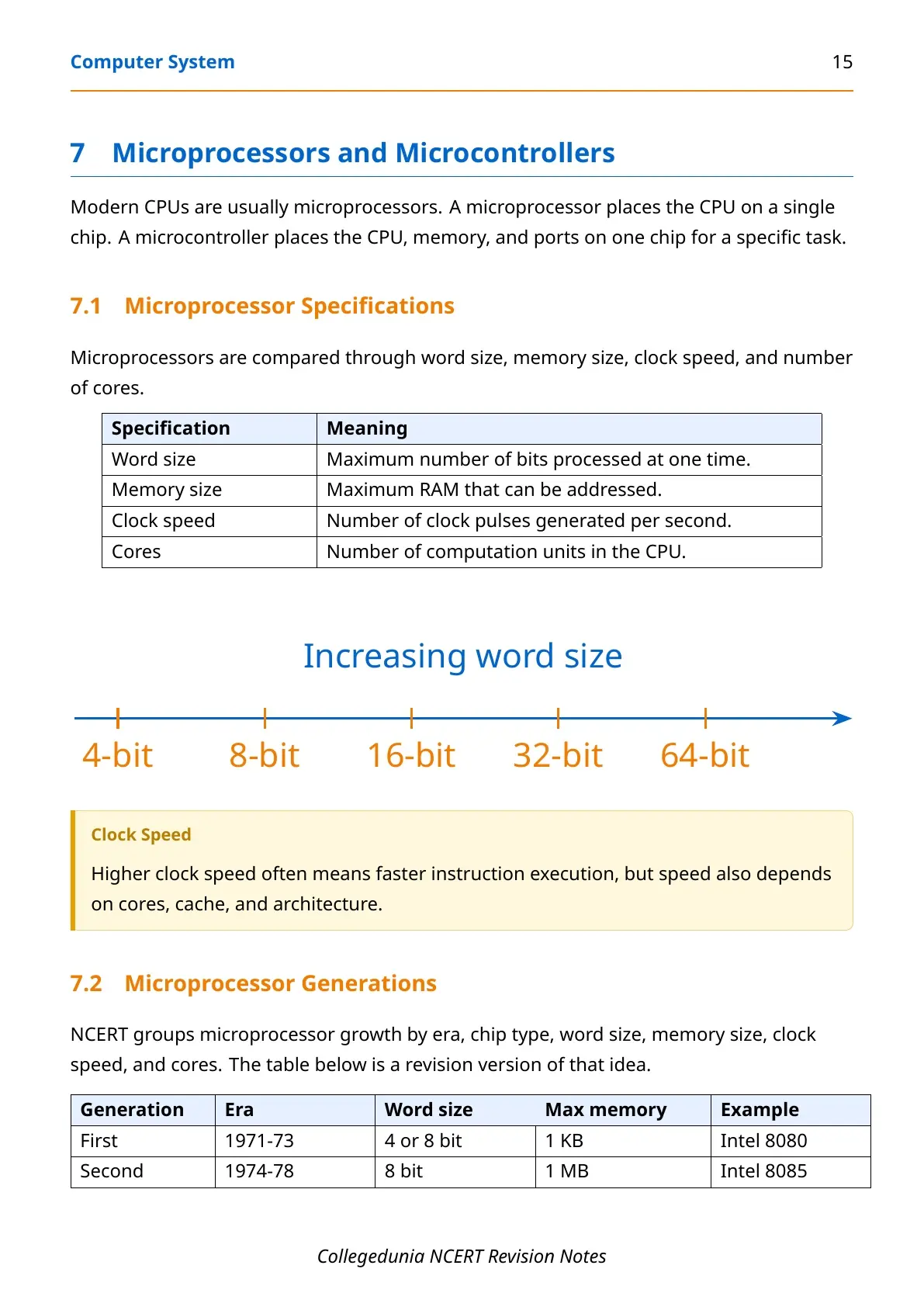
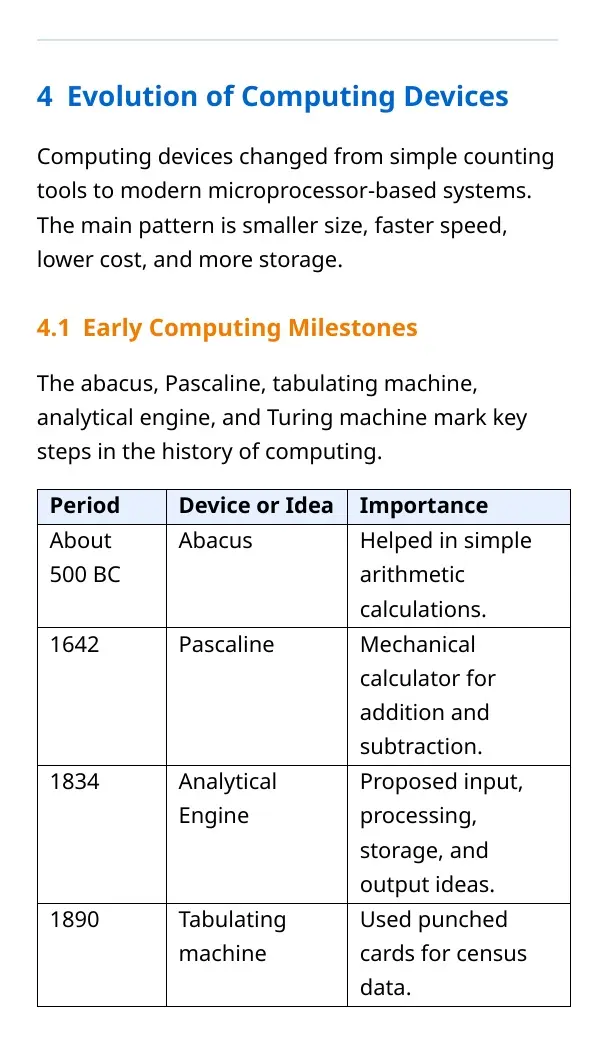
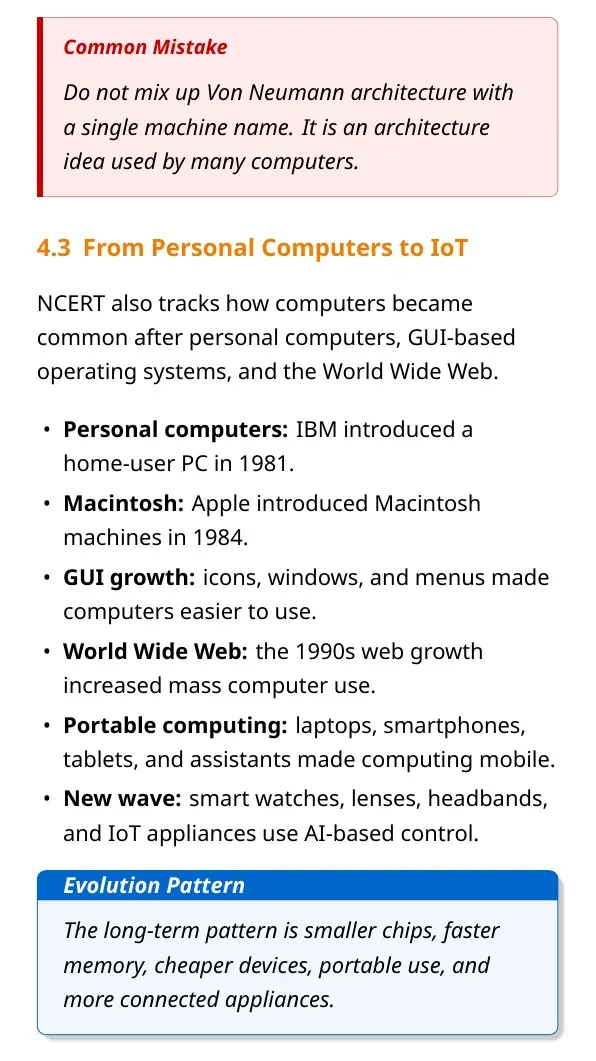
The chapter introduces the evolution of computing from early calculating devices to modern systems. Students should connect the evolution with changes in size, speed, cost and reliability. Early computers were large and expensive, while modern systems are compact, faster and widely networked.
| Generation idea | Technology cue | Revision point |
|---|---|---|
| First and second generation | Vacuum tubes, then transistors | Large systems, higher heat and limited speed |
| Third generation | Integrated circuits | Smaller and more reliable systems |
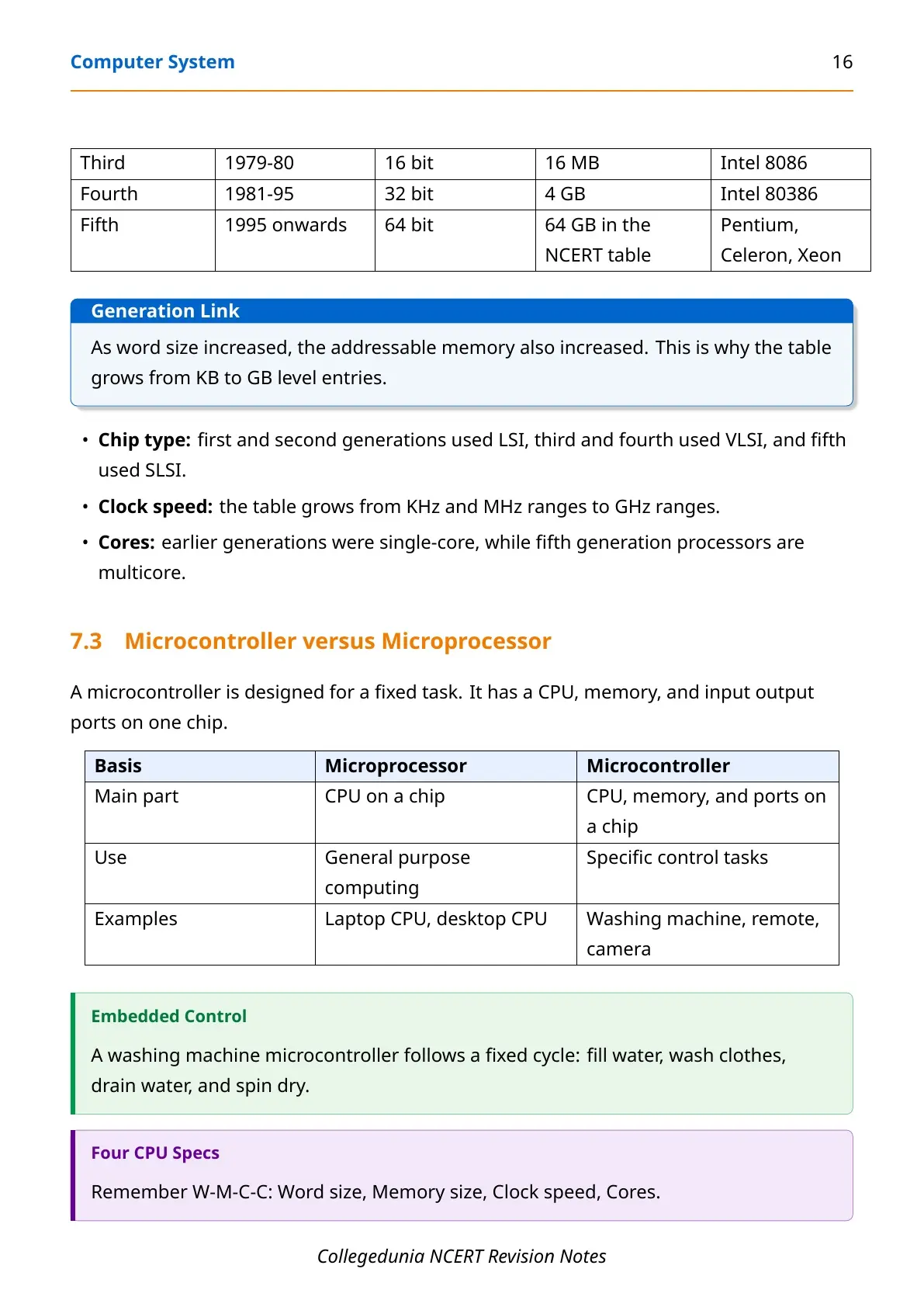
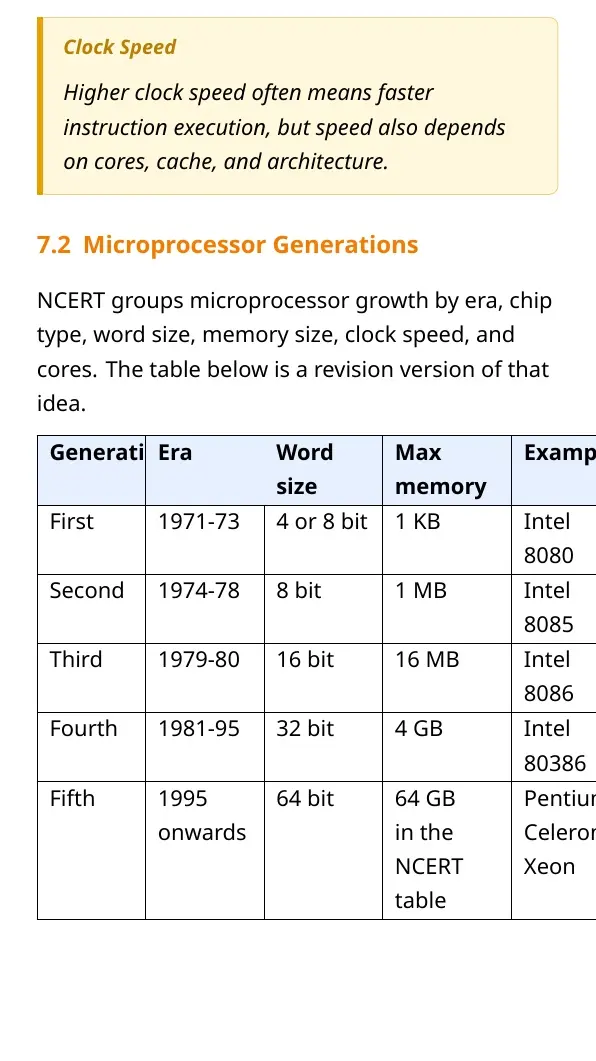
| Fourth generation | Microprocessors using LSI and VLSI | Personal computers became practical |
| Modern stage | SLSI, multicore processors, high clock speed | Laptops, smartphones, wearables, cloud and AI-linked devices |
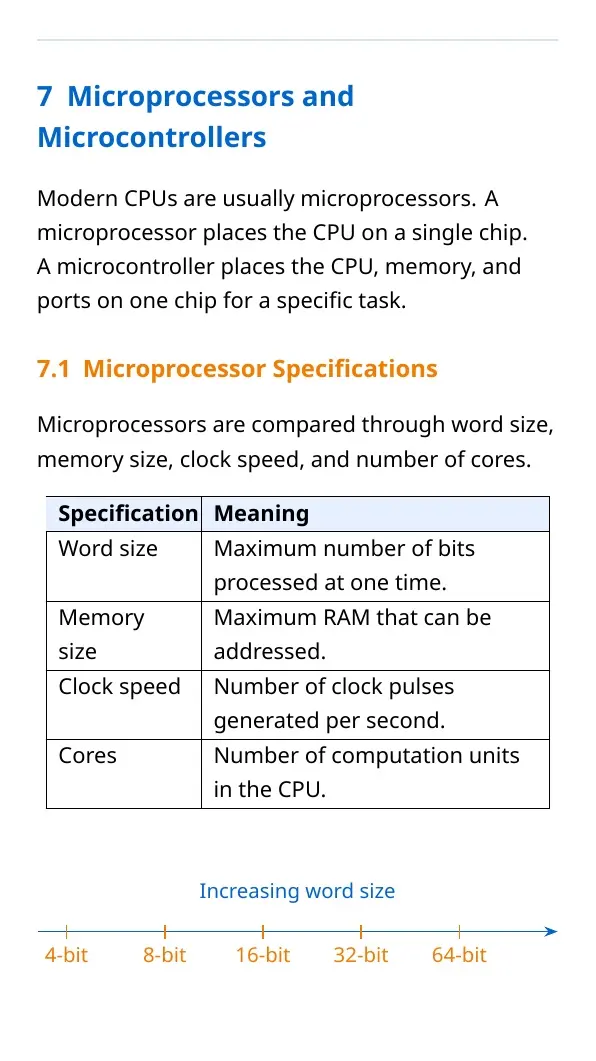
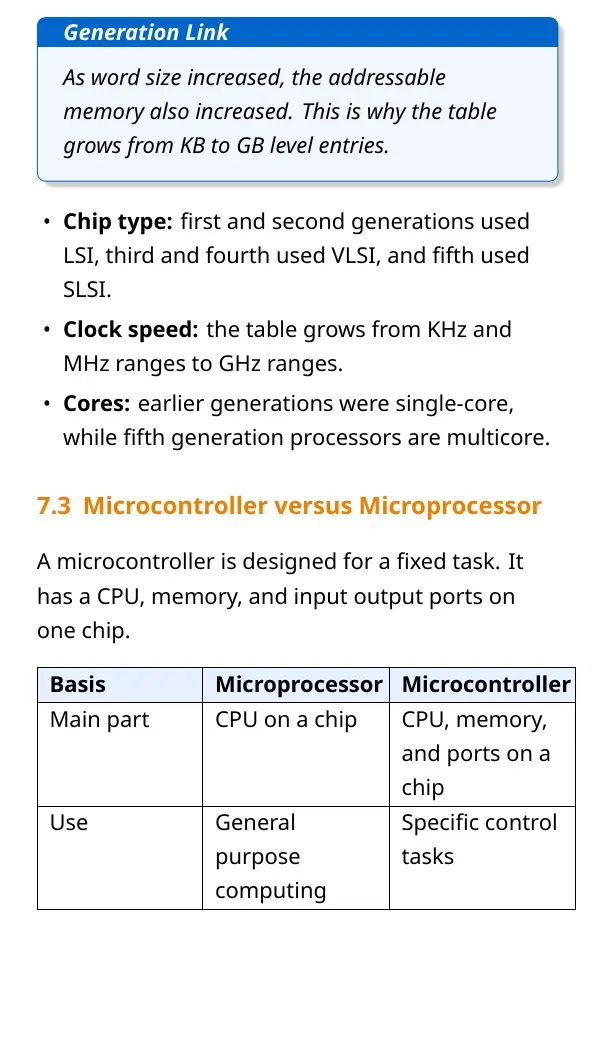
Clock speed is commonly expressed in KHz, MHz or GHz. Modern processors may also have multiple cores, so performance depends on architecture, memory, workload and software design, not clock speed alone.
How to Revise Computer System Notes for Exams
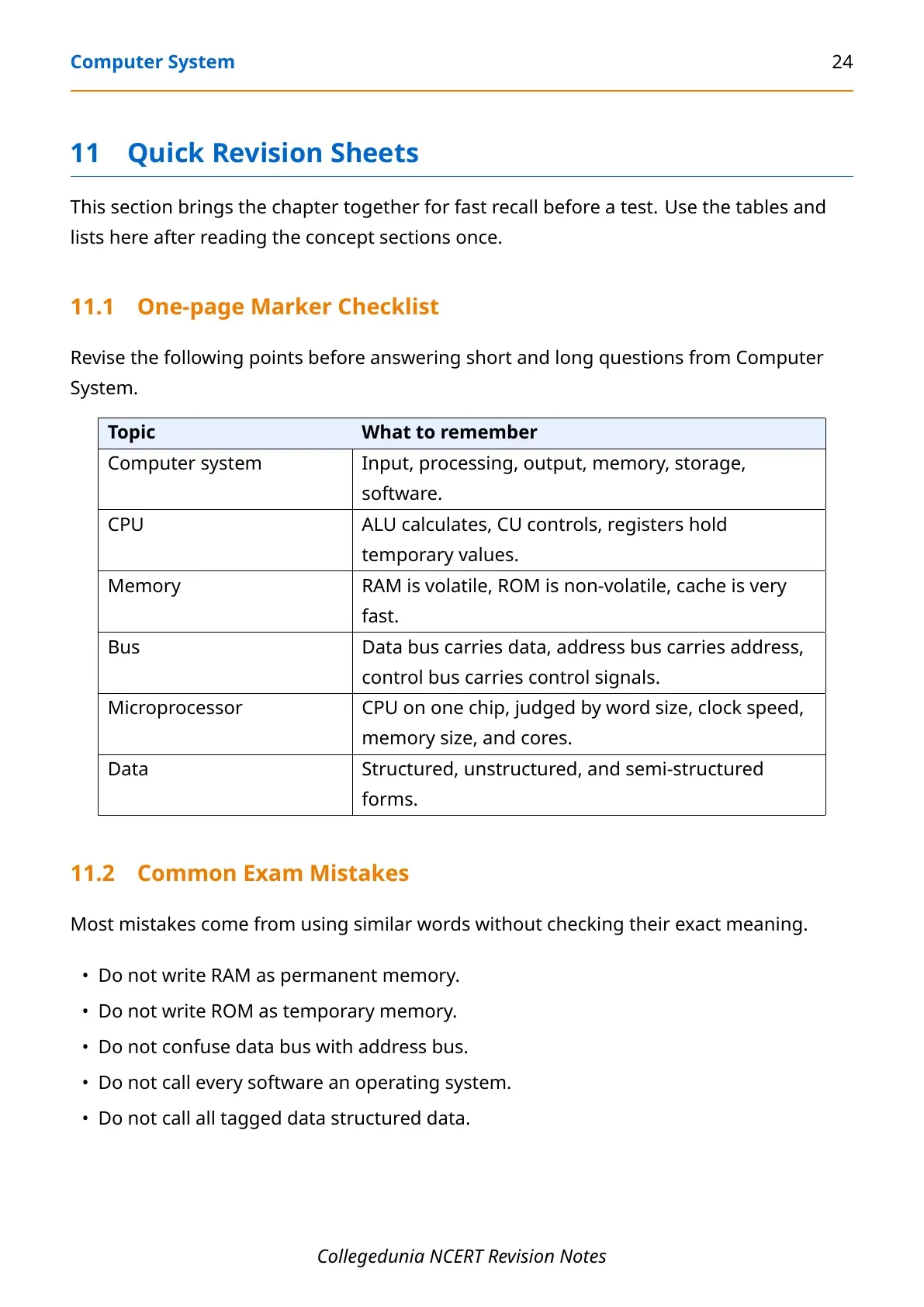
Start revision with the definition of a computer system, then move to tables. Tables are efficient because the chapter has many paired differences: hardware and software, RAM and ROM, system and application software, compiler and interpreter, command-line interface and graphical user interface.
- Write one-line definitions of hardware, software, CPU, memory, operating system and file.
- Practise the storage unit table from bit to yottabyte.
- Draw a simple IPO cycle and label input, processing, storage and output.
- Prepare two examples for every software category.
- Revise operating system functions with one keyword and one example for each.
Common mistake: writing that an operating system is only a user interface. A better answer says it manages processes, memory, files and devices while also giving students a way to interact with the computer.
Related NCERT Class 11 Computer Science Resources
| Resource | Use it for | Link |
|---|---|---|
| NCERT Solutions | Exercise answers and stepwise explanation | Computer System NCERT Solutions |
| Handwritten Notes | Quick notebook-style revision | Computer System Handwritten Notes |
| NCERT Book PDF | Official chapter reading | Computer System NCERT Book PDF |
All Chapters in Class 11 Computer Science Notes
| Chapter | Notes link | Best for |
|---|---|---|
| Chapter 1 Computer System | Computer System Notes | Hardware, software, OS and storage basics |
| Chapter 2 Encoding Schemes and Number System | Encoding Schemes and Number System Notes | Binary, conversion and character encoding |
| Chapter 3 Emerging Trends | Emerging Trends Notes | AI, IoT, big data and cloud basics |
| Chapter 4 Introduction to Problem Solving | Introduction to Problem Solving Notes | Algorithms, flowcharts and logic building |
Class 11 Computer Science Chapter 1 Computer System Notes FAQs
Ques. What is a computer system in Class 11 Computer Science?
Ans. A computer system is a combination of hardware, software, data and users that accepts input, processes it, stores it and produces output.
Ques. What are the main hardware components in Computer System?
Ans. The main hardware components are input devices, CPU, primary memory, secondary storage and output devices.
Ques. What is the difference between system software and application software?
Ans. System software manages hardware and provides platform services. Application software helps students perform specific tasks such as browsing, typing or calculating.
Ques. Why is an operating system important?
Ans. An operating system manages processes, memory, files and devices, and provides an interface through which users can operate the computer.



Comments