




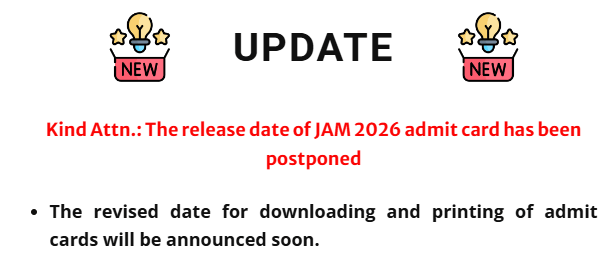
The Indian Institute of Technology (IIT) has postponed the release of the IIT JAM 2026 admit card. The revised date for downloading and printing the admit cards will be announced soon. Students who successfully registered for IIT JAM 2026 will be able to download their IIT JAM 2026 Hall Ticket through the JOAPS portal on the IIT JAM 2026 official website.
- The IIT JAM 2026 hall ticket will be available in PDF format and will include details such as the exam centre, venue, shift timing, and reporting time. Candidates must carry the IIT JAM admit card to the exam centre, as entry will not be permitted without it.
- The IIT JAM 2026 exam is scheduled for February 15, 2026, across 116+ centres nationwide. Candidates can download their admit card up to one or two days before the exam.
- The exam will be held in two shifts: the morning shift (9:30 am – 12:30 pm) for Chemistry, Geology, and Mathematics, and the afternoon shift (2:30 pm – 5:30 pm) for Biotechnology, Physics, Economics, and Mathematical Statistics.
|
Also Read |
IIT JAM 2026 Admit Card Release Date
IIT Bombay has released the IIT JAM 2026 registration dates, along with other exam information, on the official website.
| Date | Events |
| Postponed | JAM Admit Card |
| February 15, 2026 | Jam Exam Date |
How to Download IIT JAM 2026 Admit Card
- Visit the official website: jam2026.iitb.ac.in and open the JOAPS admit card link.
- Solve the security question, accept the declaration, add your signature, and click Download Admit Card.
- Take a printout and carry it with a valid ID to the exam centre; without these, entry will not be allowed.
Details to Check on IIT JAM 2026 Admit Card
Candidates must carefully verify all the details printed on their IIT JAM 2026 admit card and report any errors to the exam authorities immediately. The admit card will include the following information:
- Candidate’s name
- Registration number
- Exam date and time
- Test paper name and code
- Candidate’s photograph and signature
- Exam centre address
- Parent/guardian’s contact number
- Organising Chairman’s signature
- Exam day instructions
What to do after Downloading the IIT JAM 2026 Admit Card
- Take 2 colour A4 printouts of the admit card.
- Check all details carefully for errors.
- Paste your photo in the given space; don’t sign the admit card at home.
- Get the parent/guardian's signature on the admit card.
- For any mistakes, contact the IIT Delhi helpline (10 AM–5 PM) immediately.
Important Instructions for IIT JAM 2026 Admit Card
- Carry your admit card and one original photo ID (College/Employer ID, DL, Passport, PAN, Voter ID, Aadhaar).
- Take a clear A4 colour printout of the admit card and check that the photo and signature are visible.
- Visit your exam centre a day before the test.
- Ensure no ink/mehndi/henna/tattoo on fingertips for biometric verification.
- Report 90 minutes early; entry is allowed only after identity verification.
- Sit at your seat 40 minutes before and log in 20 minutes before the exam.
- No login allowed 30 minutes after the exam begins; no early exit.
- A virtual calculator will be provided; no electronic devices are allowed.
- No charts/papers allowed; scribble pads will be provided and must be returned after writing your name and registration number on them.
Bullered Photograph and Signature in IIT JAM Admit Card
One of the common problems students face after downloading IIT JAM admit card is a blurred image and photograph. In such a case, you must inform the conducting authority by emailing jam@iitm.ac.in. Due to blurred images, you will not be allowed to enter the exam center due to verification issues.
IIT JAM Admit Card: List of Test Centers
IIT JAM will mention you IIT JAM test center along with other details. The test center mentioned will be among the IIT JAM test centers listed on the official website.
IIT JAM is conducted in 8 zones. You can also check the list of IIT JAM test centers from the table below.
| IIT JAM Zone | Test Cities |
|---|---|
| IISc Bengaluru Zone | Belagavi [KA], Bengaluru North [KA], Bengaluru South [KA], Bidar [KA], Hassan [KA], Hubballi / Dharwad [KA], Hyderabad [TS], Kalaburagi [KA], Kannur [KL], Kozhikode [KL], Mangaluru [KA], Mysuru [KA], Palakkad [KL], Port Blair [AN], Payyanur [KL], Shivamogga [KA], Thrissur [KL], Vatakara [KL] |
| IIT Bombay Zone | Ahmedabad [GJ], Ahilyanagar (Ahmednagar) [MH], Akola [MH], Amravati [MH], Chhatrapati Sambhaji Nagar (Aurangabad) [MH], Goa [GA], Jalgaon [MH], Kolhapur [MH], Mumbai [MH], Nagpur [MH], Nanded [MH], Nashik [MH], Pune [MH], Rajkot [GJ], Sangli [MH], Satara [MH], Solapur [MH], Surat [GJ], Vadodara [GJ] |
| IIT Delhi Zone | Alwar [RJ], Bhilwara [RJ], Dausa [RJ], Faridabad [HR], Greater NOIDA [UP], Gurugram [HR], Hanumangarh [RJ], Hisar [HR], Indore [MP], Jaipur [RJ], Jammu-Samba [JK], Jodhpur [RJ], Mathura [UP], New Delhi [DL], Srinagar [JK] |
| IIT Guwahati Zone | Agartala [TR], Dhanbad [JH], Dibrugarh [AS], Dimapur-Kohima [NL], Asansol [WB] Durgapur [WB], Guwahati [AS], Imphal [MN], Jorhat [AS], Kalyani [WB], Patna [BR], Shillong [ML], Siliguri [WB] |
| IIT Kanpur Zone | Agra [UP], Aligarh [UP], Bareilly [UP], Bhopal [MP], Gorakhpur [UP], Jabalpur [MP], Kanpur [UP], Lucknow [UP], Prayagraj [UP], Varanasi [UP] |
| IIT Kharagpur Zone | Bhubaneswar [OR], Bilaspur [CH], Brahmapur [OR], Kolaghat [WB], Kolkata [WB], Kharagpur-Midnapore [WB], Raipur [CH], Ranchi [JH], Vijayawada [AP], Visakhapatnam [AP] |
| IIT Madras Zone | Alappuzha [KL], Aluva-Ernakulam [KL], Chennai [TN], Coimbatore [TN], Guntur [AP], Karimnagar [TS], Karaikudi [TN], Khammam [TS], Kollam [KL], Kottayam [KL], Madurai [TN], Ongole [AP], Puducherry [PY], Salem [TN], Thiruvananthapuram [KL], Tiruchirappalli [TN], Tirunelveli [TN], Tirupati [AP], Warangal [TS] |
| IIT Roorkee Zone | Ambala [HR], Dehradun [UK], Ghaziabad [UP], Haldwani [UK], Jalandhar [PB], Kangra-Dharamshala [HP], Kurukshetra [HR], Meerut [UP], Mohali-Chandigarh [PB], Moradabad [UP], NOIDA [UP], Patiala [PB], Roorkee [UK], Shimla-Solan [HP] |



Comments