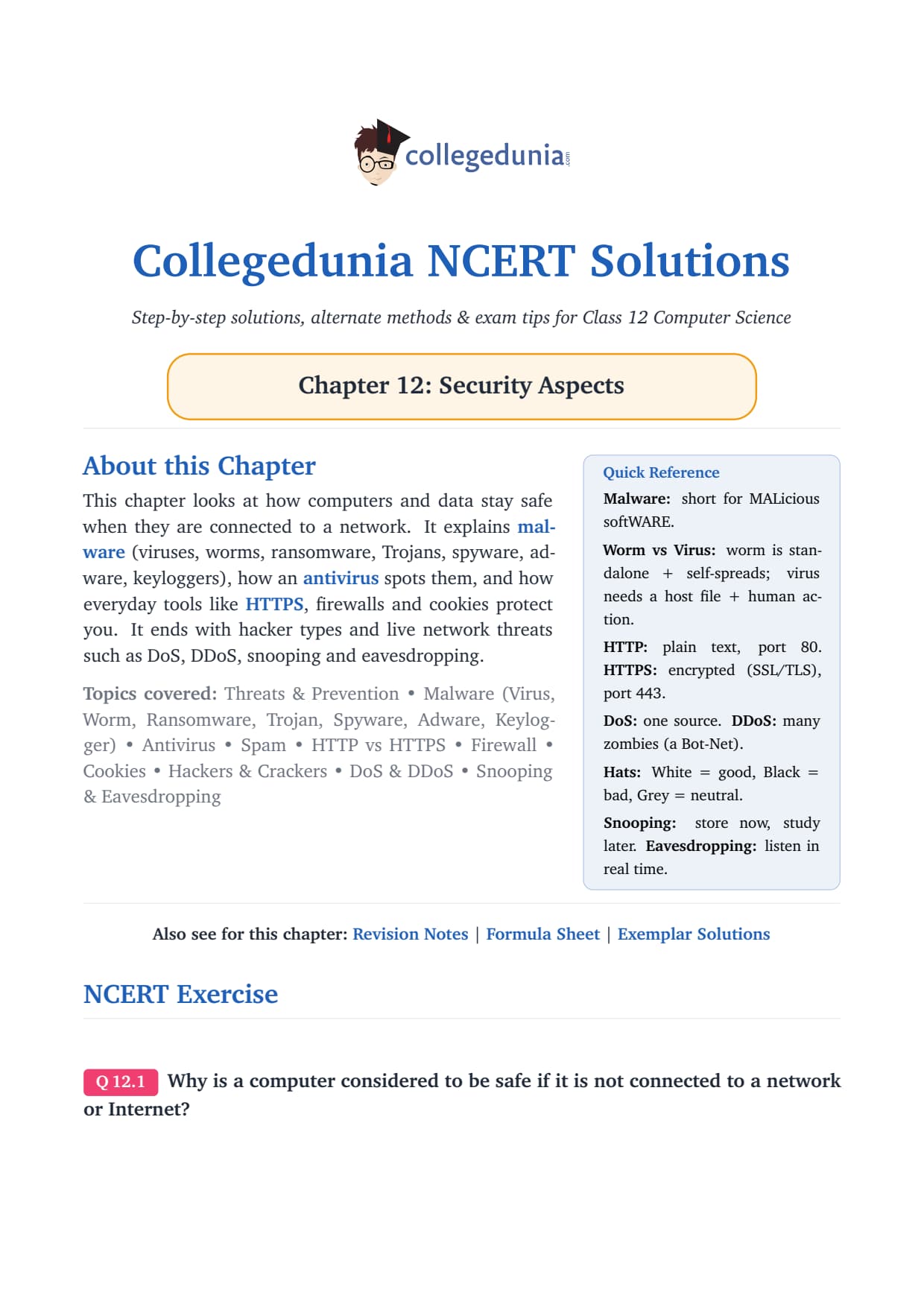
The NCERT Solutions for Class 12 Computer Science Chapter 12 Security Aspects answer all 17 exercise questions, written for the latest 2026-27 CBSE syllabus. Every answer keeps the textbook's flow: what malware is, how viruses, worms, ransomware and Trojans differ, how an antivirus spots them, and how HTTP, HTTPS, firewalls and cookies protect your data online.
All 17 NCERT questions solved in plain English, with comparison tables and an Expert Solution per question that adds exam strategy and common-trap warnings.
Full coverage of virus vs worm, ransomware, Trojan, keylogger, DoS vs DDoS, and snooping vs eavesdropping, the exact points the CBSE board paper repeats.
Answers aligned with the 2026-27 CBSE Class 12 Computer Science syllabus and useful for CUET and JEE-level cyber-security questions; no NEET references because Computer Science is not a medical subject.
Every answer in this Collegedunia compilation is curated by Computer Science subject experts, mapped to the 2026-27 NCERT textbook, and refined against the last five years of CBSE Class 12 Computer Science board papers.
Student Feedback: What 9,800 students told us about this chapter
71% of Class 12 students said the virus versus worm and DoS versus DDoS comparisons were the parts they most often mixed up in the exam. 3 out of 5 students told us they lost a mark by writing "a virus spreads by itself", which actually describes a worm.
Toppers reported that giving one named example with a single fact, such as WannaCry or Stuxnet, added 1 to 2 marks over a plain definition, and the average student spent 1.5 to 2 hours on this chapter across the first read and exercise practice.
Source: 2026-27 Class 12 Computer Science student poll. Sample of 9,800 students from CBSE schools across 12 states, conducted before the 2026 boards.
What the NCERT Solutions for Class 12 Computer Science Chapter 12 Security Aspects Cover
This chapter answers one question: how do computers and data stay safe once they are connected to a network? The NCERT book builds the answer in clear blocks, and these solutions follow that order while filling the gaps students hit in the exam.
Threats and prevention: why connectivity is the doorway for attacks, and the preventive measures that close it.
Malware family: virus, worm, ransomware, Trojan, spyware, adware and keylogger, with the differences the board paper keeps testing.
Antivirus and identification: signature, sandbox, data mining, heuristic and real-time methods of spotting malware.
Safe browsing: HTTP versus HTTPS, firewalls, cookies, and the on-screen versus virtual keyboard difference.
Network attacks and hackers: White, Black and Grey Hat hackers, DoS versus DDoS, and snooping versus eavesdropping.
Exercise-wise Breakdown of the Security Aspects Chapter NCERT Solutions
Chapter 12 of NCERT Class 12 Computer Science carries 17 end-of-chapter exercise questions. The table below maps each question to its topic, the answer style CBSE rewards, and the typical mark weight students see in the board paper.
Hacker hats, DoS vs DDoS, snooping vs eavesdropping
Comparison with the key distinction
2 to 3 marks each
The list questions (Q 9 to Q 12) and the comparison questions (Q 3, Q 16, Q 17) carry the heaviest marks. Students who group their points and state the single key difference clearly score full marks.
Types of Malware: Virus, Worm, Ransomware, Trojan and Keylogger
Malware is short for MALicious softWARE, any program written to harm a computer or steal data. The chapter groups malware by how it behaves, and the board paper tests the differences between these types far more than their definitions. Get the family right and most of the chapter falls into place.
Virus: harmful code that hides in a host file and needs a human to run that file. Examples: ILOVEYOU, MyDoom, Stuxnet.
Worm: a standalone program that copies itself and self-spreads across a network with no human help. Examples: Code Red, MSBlast, Morris Worm.
Ransomware: locks or encrypts your data and demands a ransom in Bitcoin. WannaCry (2017) hit about 200,000 machines across 150 countries.
Trojan: looks like a genuine app but hides harmful code; it relies on deception and does not self-replicate, often leaving a backdoor.
Keylogger: records every key you press, silently leaking passwords, PINs and banking details to an attacker.
Watch Out: The single most repeated error is writing that a virus spreads on its own. That describes a worm. A virus is dependent (needs a host file) and manual (needs a human click); a worm is independent and automatic. Tie every other difference back to these two roots.
Because malware behaves in different ways, no single defence covers all of it. A virus is blocked mainly by careful user behaviour and antivirus scanning, while a worm needs network controls like a firewall and prompt patching. The next sections show how an antivirus actually finds these threats.
How Antivirus Software Identifies Malware
An antivirus (anti-malware) prevents, detects and removes malware using five identification methods. The cleanest way to remember them is to split the five into two families: methods that look for known patterns and methods that watch suspicious behaviour.
Family
Method
How it works
Pattern-based
Signature detection
Matches files against known byte signatures in the Virus Definition File (VDF); must be updated continuously.
Heuristics
Compares a suspect's source code with known viruses to catch close variants.
Behaviour-based
Sandbox detection
Runs the file in a safe virtual environment and watches what it does.
Data mining
Uses machine learning to classify a file as benign or malicious.
Real-time protection
Watches programs as they run in active memory and steps in on suspicious activity.
Quick Tip: An outdated VDF is as good as having no antivirus. Always mention that the signature database must be updated regularly, because a signature it has never seen cannot be matched.
Pattern-based methods are fast and accurate for malware that has been seen before, but they struggle with brand-new or polymorphic malware that keeps changing its signature. Behaviour-based methods catch the unknown and the dormant, at the cost of being slower. Real antivirus layers both.
HTTP versus HTTPS, Firewalls and Cookies
Safe browsing is the second half of the chapter. The board paper most often asks the HTTP versus HTTPS risk-and-fix question, so keep the difference sharp: HTTP sends data in plain text, while HTTPS encrypts it.
HTTP versus HTTPS (Q 13)
HTTP sends information as plain readable text, so a hacker who intercepts it can read passwords and banking details. HTTPS encrypts the data before transmission using an SSL Digital Certificate, so intercepted data is scrambled and unreadable, then decrypts it at the receiver. The padlock and "https://" in the address bar are your one-glance check before typing any card detail.
HTTP is acceptable only for public-information sites like news portals and blogs, where nothing secret is exchanged.
HTTPS is essential the moment a page handles credentials, payments or personal details.
Firewalls and cookies (Q 14)
A firewall filters traffic between networks and acts as the first barrier against worms and unwanted connections. A cookie is a small file a website stores on your computer. The exam asks for one advantage and one disadvantage:
Advantage: first-party cookies remember your cart, keep you logged in, and auto-fill forms, so browsing is faster.
Disadvantage: third-party cookies track you across sites for advertising, and "supercookies" or "zombie cookies" raise privacy and security concerns.
Remember: Ordinary cookies do not infect your computer. The cookie risk is about privacy and tracking, not direct damage, so the right response is selective control, not blanket fear.
Network Attacks: Hackers, DoS, DDoS, Snooping and Eavesdropping
The last block of questions covers people and live attacks. Hackers are sorted by intent into three hats, and the two attack pairs, DoS versus DDoS and snooping versus eavesdropping, each turn on a single distinction.
White, Black and Grey Hat Hackers (Q 15)
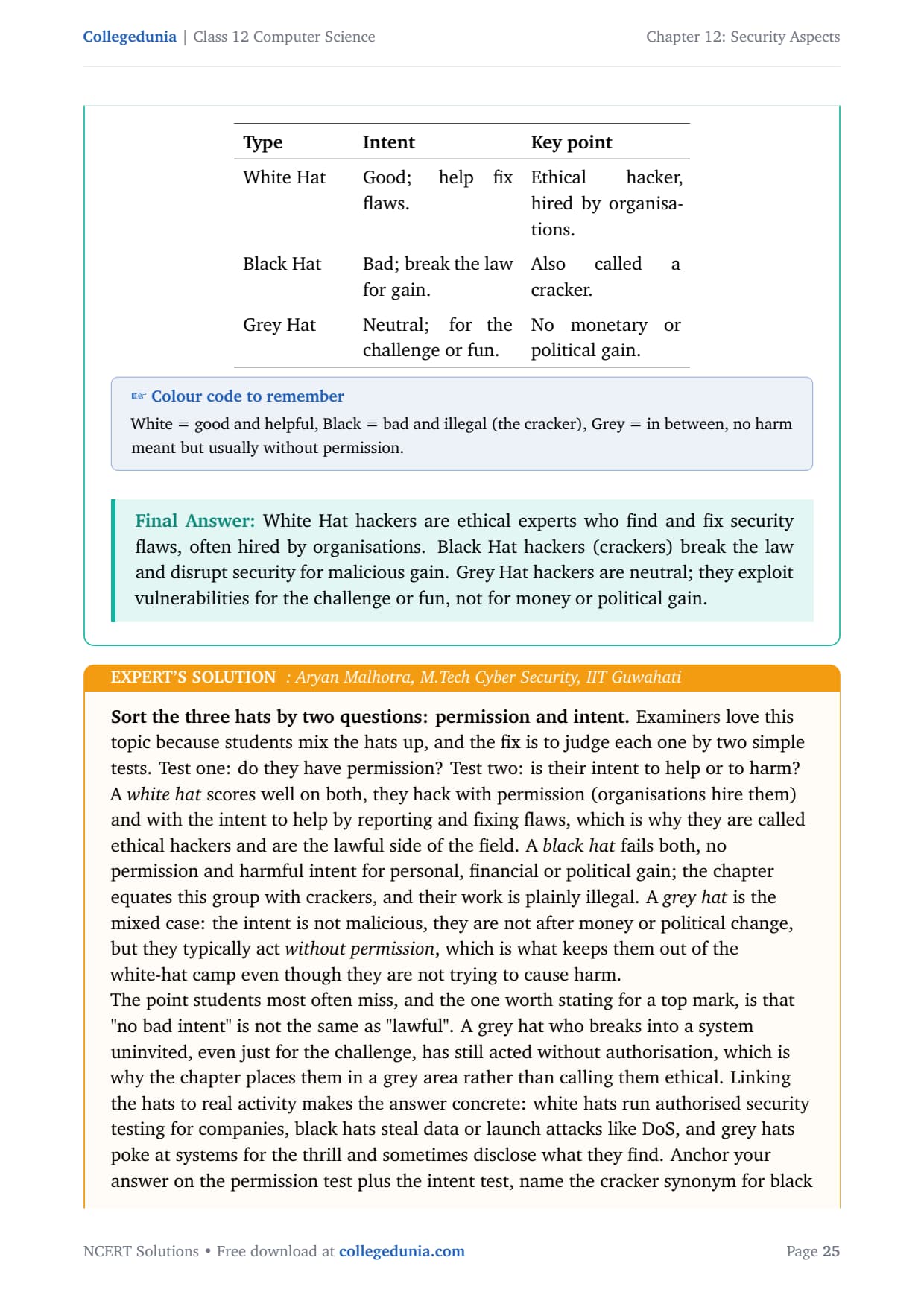
Judge each hat by two tests: permission and intent. A White Hat hacks with permission and helpful intent (an ethical hacker hired by organisations). A Black Hat, also called a cracker, has no permission and harmful intent for gain. A Grey Hat has no malicious aim but usually acts without permission, which is why they sit in the middle.
DoS versus DDoS (Q 16)
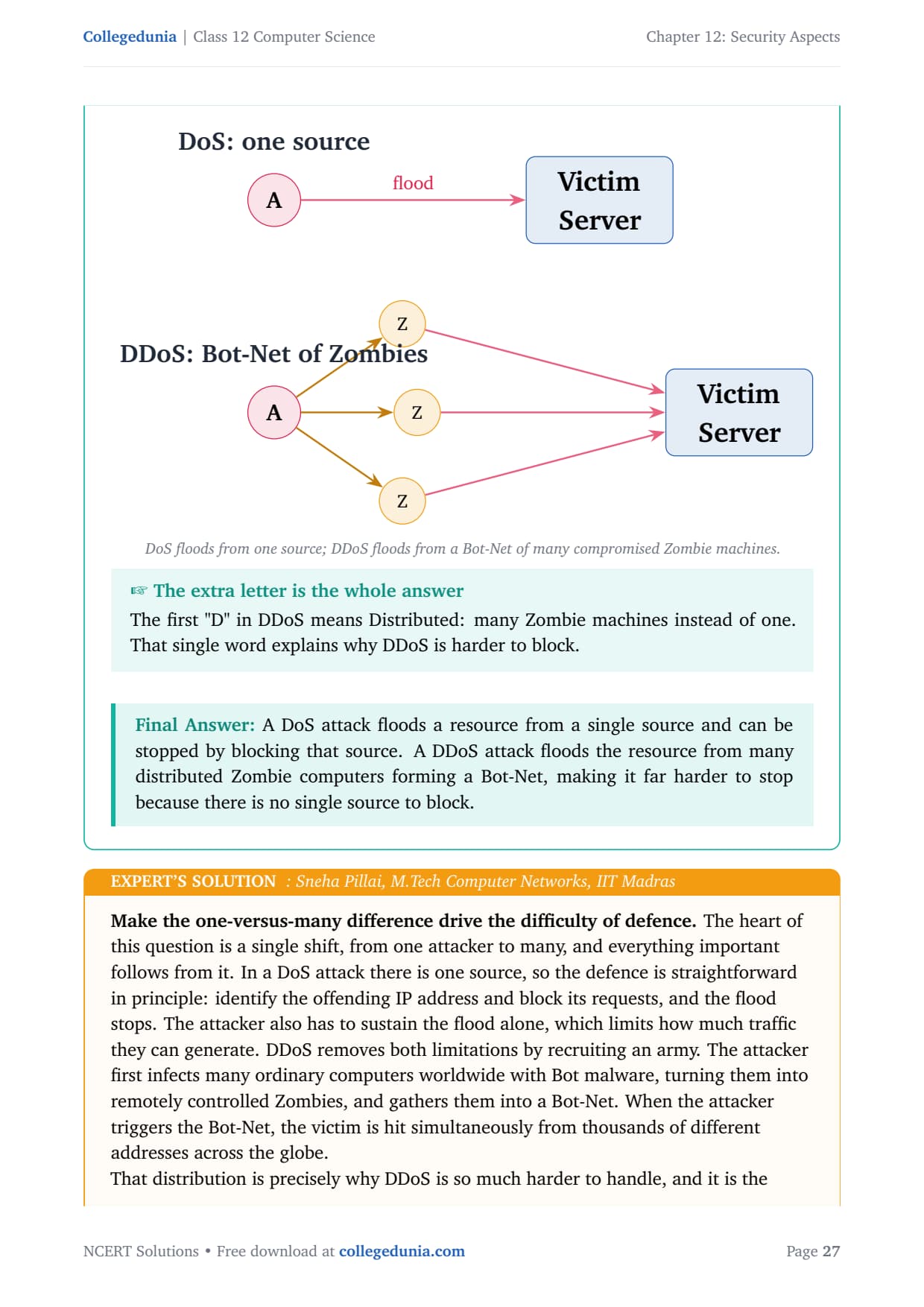
A DoS (Denial of Service) attack floods a resource from a single source, so blocking that one source stops it. A DDoS (Distributed Denial of Service) attack floods from many compromised computers called Zombies, controlled by Bots and gathered into a Bot-Net. The extra "D" for Distributed is the whole answer: thousands of sources make a DDoS far harder to block, trace and recover from.
Snooping versus eavesdropping (Q 17)
Both secretly intercept communication, but the difference is timing. Eavesdropping is real-time interception, listening live as two parties talk. Snooping (Sniffing) captures and stores traffic to analyse later. The NCERT letter analogy is the perfect hook: snooping is copying a letter, keeping the copy, and still forwarding the original. Encryption defeats both.
Common Mistakes Students Make in the Security Aspects Chapter
The repeat-offender mistakes in Security Aspects board answers:
Calling a virus self-spreading: that is a worm. A virus needs a host file and a human click.
Saying a standalone computer is "fully safe": it only removes network threats, not pen-drive or physical-access risks.
Writing two flavours of the same keylogger threat: pick two genuinely different harms, account takeover and financial or identity fraud.
Mixing DoS and DDoS: DoS is one source, DDoS is a Bot-Net of distributed Zombies.
Swapping snooping and eavesdropping: eavesdropping is live, snooping is capture-now-analyse-later.
How to Use the Security Aspects NCERT Solutions PDF for Board Prep
This chapter is theory-heavy but trap-heavy too, because so many terms look alike. The best approach is two passes: one for the malware family, one for the network attacks and safe-browsing terms.
First pass: the malware family (45 minutes)
Read the malware types and write one line of meaning next to each. Lock down the virus-versus-worm difference and one named example per type, because these are the highest-frequency exam points.
Second pass: attacks and safe browsing (1 hour)
Work the comparison questions, DoS versus DDoS and snooping versus eavesdropping, by stating the single key difference first, then supporting it. Add the HTTP-versus-HTTPS risk-and-fix answer and the hacker hats, since these three carry steady marks every year.
CUET and JEE angle
For students preparing competitive exams, the security terms in this chapter appear in CUET Computer Science and in JEE-level general-aptitude and networking questions. The virus-worm-Trojan distinctions and HTTPS encryption are exactly the kind of definition questions those papers reuse, so the work here doubles as competitive prep.
Previous Year Question Trends from the Security Aspects Chapter
The Security Aspects chapter is tested in CBSE board papers mainly through definition, difference and short-note questions. The table below maps the asked question types across recent board papers.
Year
Question type asked
Marks
2025
Difference between virus and worm; what is a firewall
2 + 1
2024
How ransomware extracts money; one advantage of cookies
2 + 1
2023
Risks of HTTP and how HTTPS resolves them
3
2022
Differentiate DoS and DDoS; short note on hacker types
2 + 2
2021
Two threats from a keylogger; signs of malware infection
2 + 3
Also Check: The full set of CBSE board paper questions for this chapter is included in the downloadable PDF above, updated for the 2026-27 cycle.
Other Resources for Class 12 Computer Science Chapter 12 Security Aspects
Pair this NCERT Solutions PDF with the matching revision notes, handwritten notes and the official NCERT book chapter. All resources for Class 12 Computer Science Chapter 12 Security Aspects are linked below.
Resource
What it covers
Open
NCERT Solutions
Step-by-step answers to all 17 exercise questions, with an Expert Solution for each.
You are here
Notes
Concept-first revision notes on malware, antivirus, HTTPS, firewalls and network attacks.
NCERT Solutions for Class 12 Computer Science: All Chapters
Related Links: Use the table below to open the NCERT Solutions for the other chapters of Class 12 Computer Science. Every chapter ships with the same step-by-step answer style, full PDF download, and revision FAQ.
All NCERT Solutions for Class 12 Computer Science Chapter 12 Security Aspects with Step-by-Step Solutions
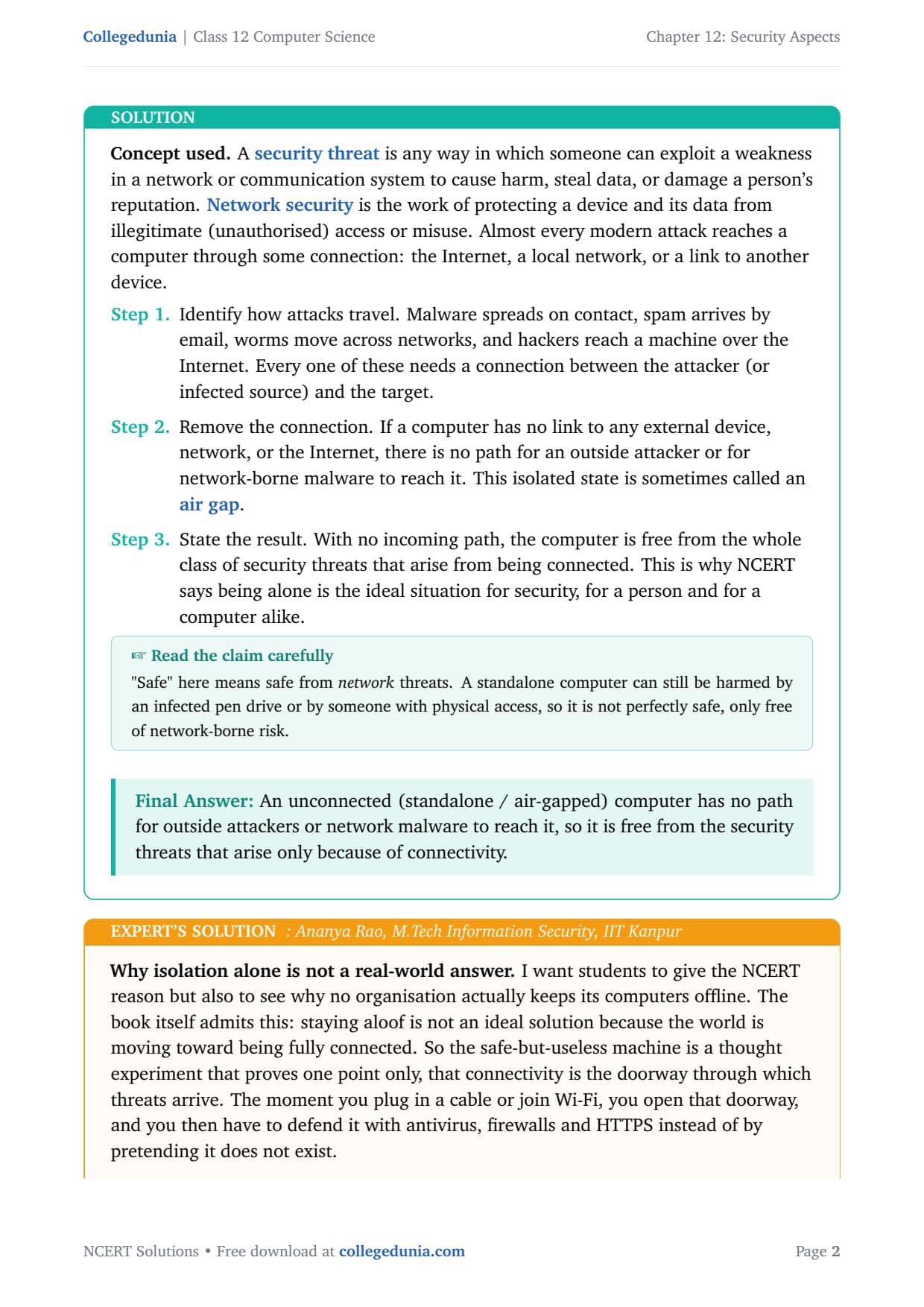
Q 1
Why is a computer considered to be safe if it is not connected to a network or Internet?
A security threat is any way someone can exploit a weakness in a network to cause harm, steal data, or damage a reputation. Network security protects a device and its data from unauthorised access. Almost every modern attack reaches a computer through some connection: the Internet, a local network, or a link to another device.
How attacks travel. Malware spreads on contact, spam arrives by email, worms move across networks, and hackers reach a machine over the Internet. Every one of these needs a connection between the attacker and the target.
Remove the connection. If a computer has no link to any external device, network, or the Internet, there is no path for an outside attacker or for network malware to reach it. This isolated state is called an air gap.
The result. With no incoming path, the computer is free from the whole class of threats that arise from being connected.
Answer: An unconnected (standalone or air-gapped) computer has no path for outside attackers or network malware to reach it, so it is free from the security threats that arise only because of connectivity.
AR
Ananya Rao
M.Tech Information Security, IIT Kanpur
Verified Expert
Give the NCERT reason, but also see why no real organisation keeps its computers offline. The book itself admits that staying aloof is not an ideal solution, because the world is moving toward being fully connected. So the safe-but-useless machine is a thought experiment that proves one point: connectivity is the doorway through which threats arrive.
The deeper exam idea is the trade-off between security and usability. Real security work means staying connected so the machine is useful, then adding layers of protection so the connection cannot be abused.
Watch the common trap. Even an isolated machine is not totally safe, because threats can still arrive on a pen drive or from a person with physical access. The Stuxnet worm famously crossed an air gap by hiding on USB drives.
If an exam asks for limits, say that disconnecting removes network threats but not physical or removable-media threats. A precise answer wins marks; a sweeping "it is fully safe" loses them.
Answer: No connection means no network attack path, so network threats vanish, but isolation costs usability and still leaves physical and removable-media risks.
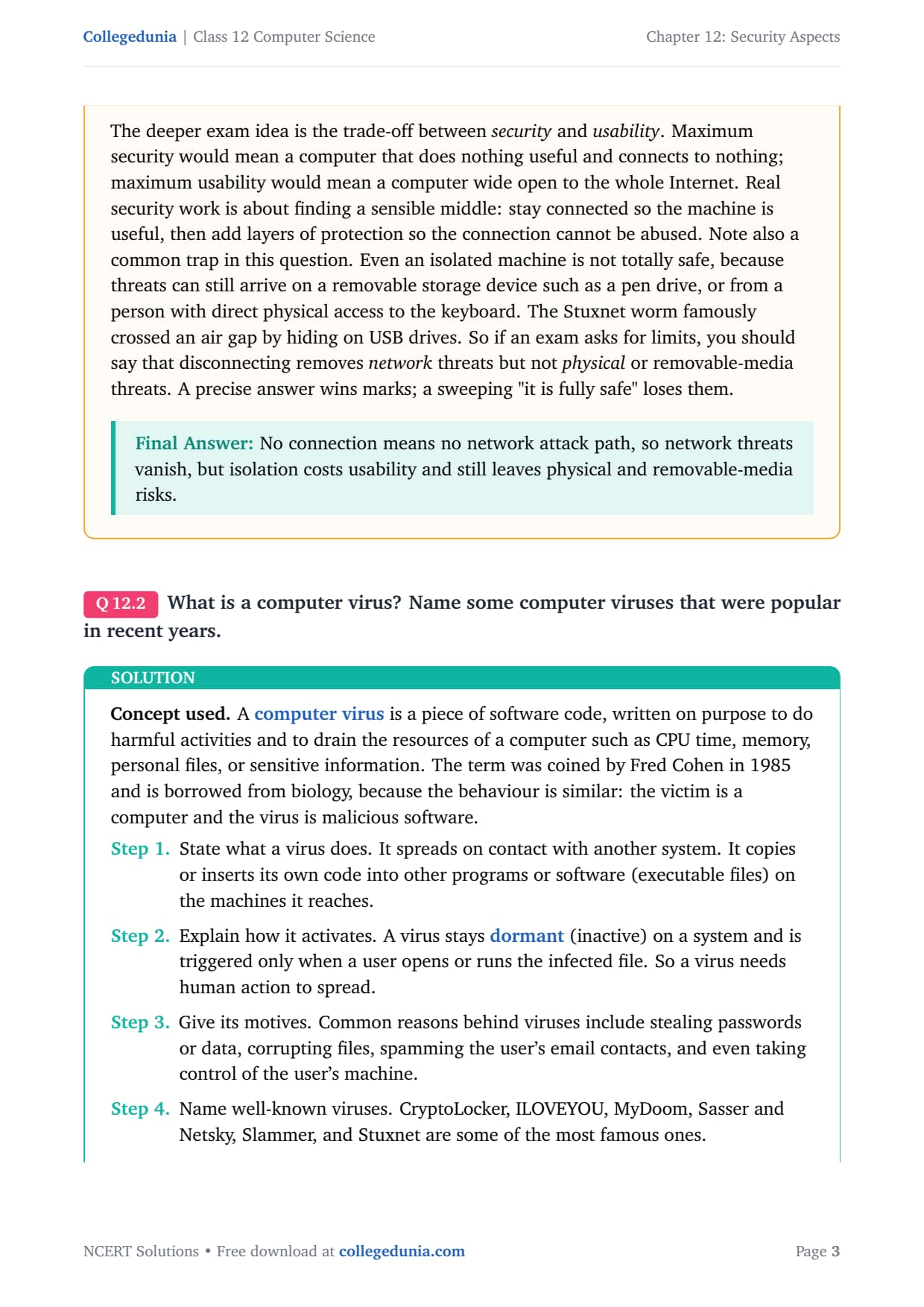
Q 2
What is a computer virus? Name some computer viruses that were popular in recent years.
A computer virus is software code written on purpose to do harmful activities and to drain a computer's resources such as CPU time, memory, personal files, or sensitive information. The term was coined by Fred Cohen in 1985 and is borrowed from biology, because the behaviour is similar.
What it does. It spreads on contact with another system, copying or inserting its own code into other programs or executable files on the machines it reaches.
How it activates. A virus stays dormant on a system and is triggered only when a user opens or runs the infected file. So a virus needs human action to spread.
Its motives. Stealing passwords or data, corrupting files, spamming the user's contacts, and even taking control of the machine.
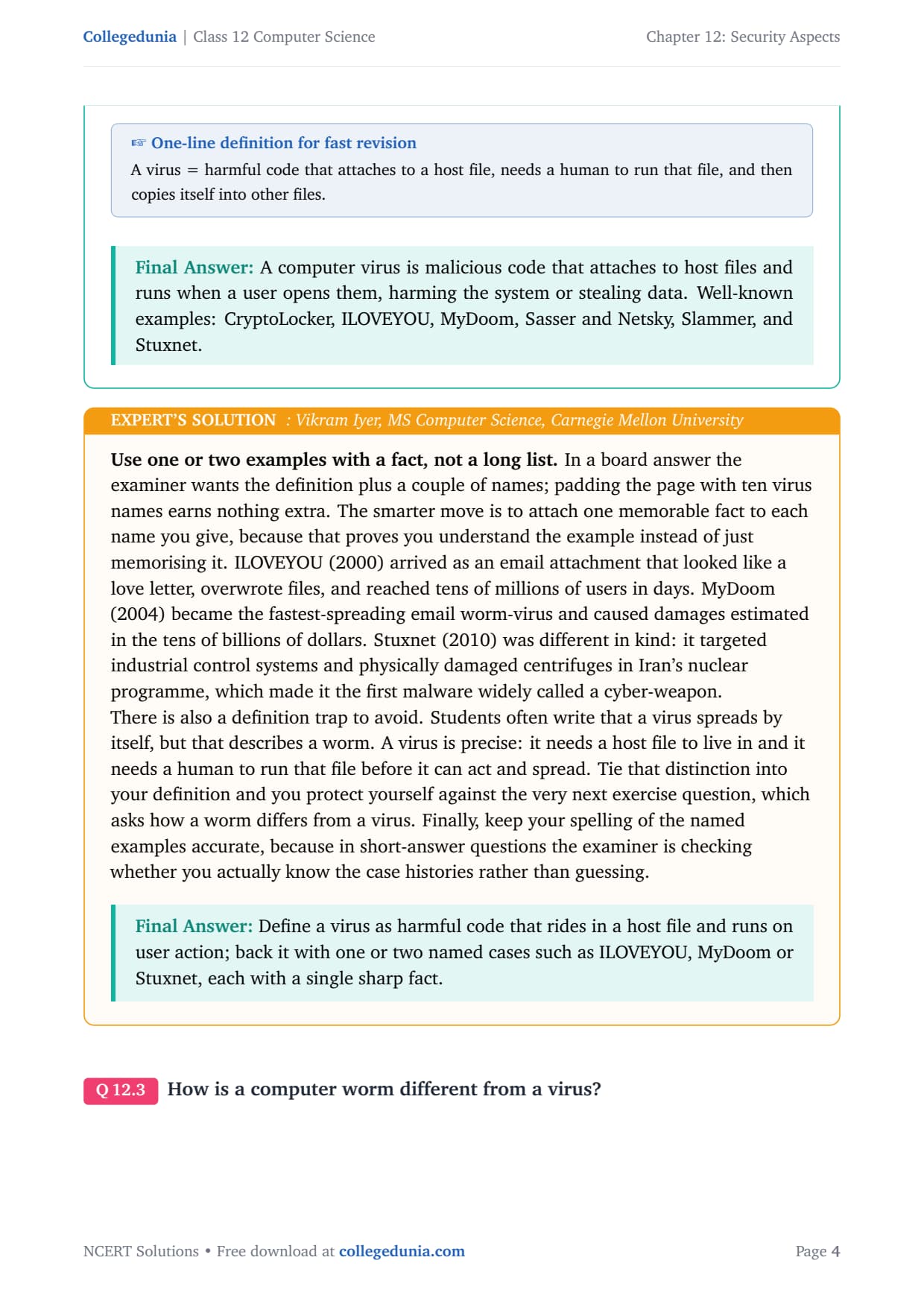
Answer: A computer virus is malicious code that attaches to host files and runs when a user opens them, harming the system or stealing data. Well-known examples are CryptoLocker, ILOVEYOU, MyDoom, Sasser and Netsky, Slammer, and Stuxnet.
VI
Vikram Iyer
MS Computer Science, Carnegie Mellon University
Verified Expert
Use one or two examples with a fact, not a long list. In a board answer the examiner wants the definition plus a couple of names; padding the page with ten virus names earns nothing extra. Attach one memorable fact to each name you give.
ILOVEYOU (2000) arrived as an email attachment that looked like a love letter, overwrote files, and reached tens of millions of users in days.
MyDoom (2004) became the fastest-spreading email worm-virus and caused damages estimated in the tens of billions of dollars.
Stuxnet (2010) targeted industrial control systems and physically damaged centrifuges in Iran's nuclear programme, the first malware widely called a cyber-weapon.
Avoid the definition trap: students often write that a virus spreads by itself, but that describes a worm. A virus needs a host file to live in and a human to run that file before it can act.
Answer: Define a virus as harmful code that rides in a host file and runs on user action; back it with one or two named cases such as ILOVEYOU, MyDoom or Stuxnet, each with a single sharp fact.
Q 3
How is a computer worm different from a virus?
A worm is malware that causes unexpected or damaging behaviour on an infected system, just like a virus. The difference is in how each one survives and spreads. A host program is the file a virus must attach to; a worm does not need one.
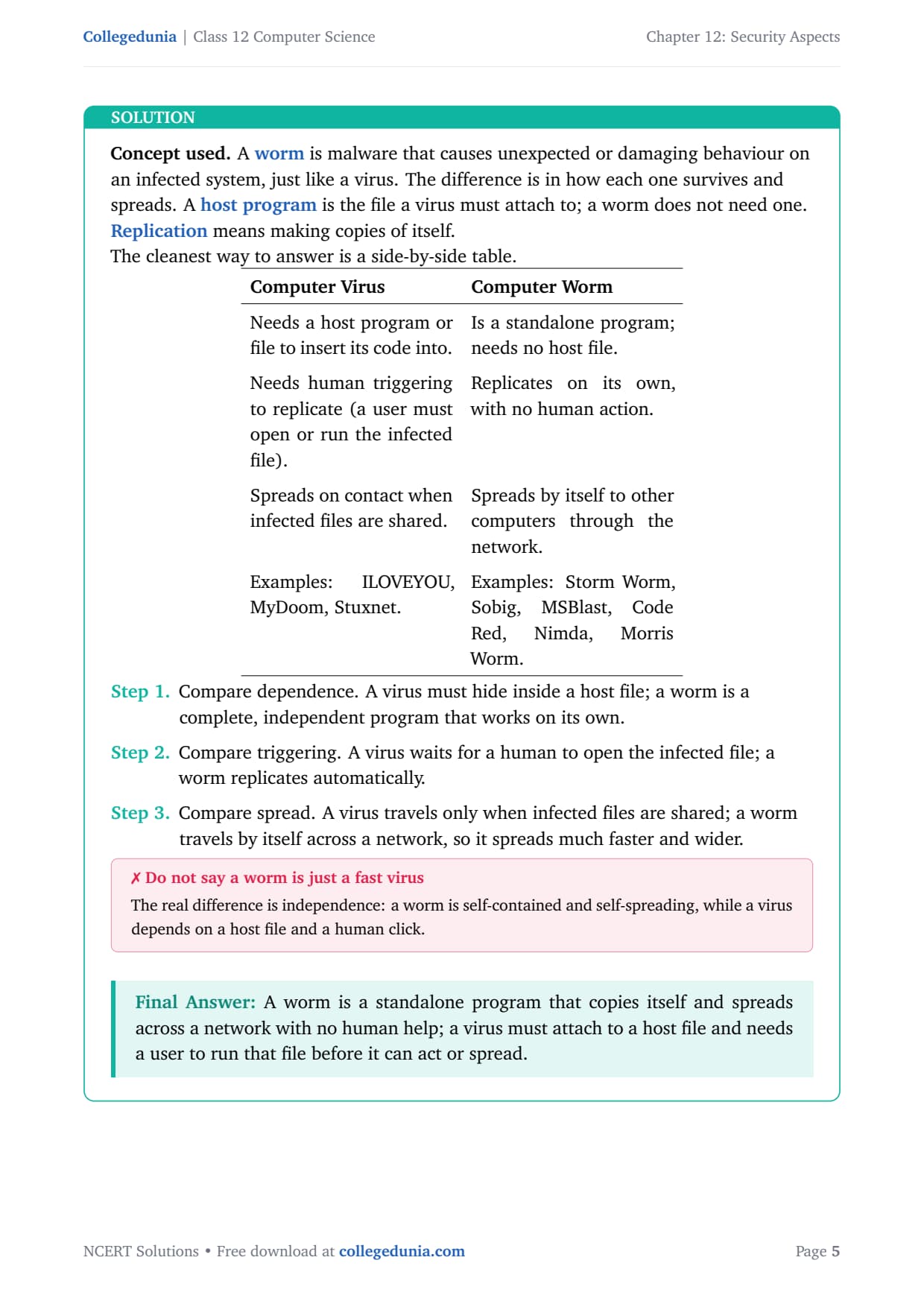
Computer Virus
Computer Worm
Needs a host program or file to insert its code into.
Is a standalone program; needs no host file.
Needs human triggering to replicate (a user must open the infected file).
Replicates on its own, with no human action.
Spreads on contact when infected files are shared.
Spreads by itself to other computers through the network.
Answer: A worm is a standalone program that copies itself and spreads across a network with no human help; a virus must attach to a host file and needs a user to run that file before it can act or spread.
PM
Priya Menon
M.Tech Cyber Security, IIIT Hyderabad
Verified Expert
Anchor the answer on two words: independence and automation. A worm is independent (no host file) and automatic (no human click); a virus is the opposite on both counts. Every other difference flows from these two roots.
Because a worm is independent and automatic, it races across a network on its own, which is why worms such as MSBlast and Code Red spread to huge numbers of machines fast.
This predicts the defence. Worms exploit network connections, so a firewall and prompt patching stop them. A virus is blocked more by user behaviour: do not open unknown attachments, plus antivirus scanning.
A neat closing line: a virus is a passenger that needs a vehicle and a driver, whereas a worm is its own vehicle and drives itself, which is exactly why a worm is harder to stop once it is loose.
Answer: Worm = independent and automatic, so it self-spreads over the network; virus = dependent on a host file and on a human click, so it spreads slowly.
Q 4
How is Ransomware used to extract money from users?
Ransomware is malware that targets a user's data. Encryption means scrambling data so it cannot be read without a secret key, and a ransom is money demanded in exchange for releasing something. Ransomware combines these: it locks up your own data and then sells you back access.
Block access. It either stops the user from opening their own files, or it threatens to publish the personal data online unless money is paid.
Make the lock hard to undo. Stronger ransomware encrypts the data, which makes it very difficult to recover without the key held by the attacker.
Demand payment. Payment is usually demanded in a cryptocurrency such as Bitcoin, because it is hard to trace.
Use fear as the lever. WannaCry (May 2017) encrypted data on about 200,000 computers across 150 countries and demanded Bitcoin. It made victims "cry", which is how it got its name.
Answer: Ransomware blocks or encrypts the user's own data and then demands a ransom, usually in Bitcoin, to restore access; the threat of permanent loss or public exposure forces many users to pay.
RD
Rohan Desai
M.Tech Information Security, IIT Kharagpur
Verified Expert
Spell out why Bitcoin and why paying is risky. A higher-mark answer explains two design choices. First, attackers demand cryptocurrency because those payments are hard to trace back to a real person. Second, strong encryption means that without the attacker's private key, even the best technician usually cannot recover the files.
Paying is not a guaranteed fix and is widely advised against. There is no promise that the attacker will send a working key, and paying funds and encourages more attacks.
The recommended defence is preparation: keep regular backups stored offline so ransomware cannot reach them, keep software patched, and never open suspicious attachments.
Naming WannaCry with its scale (around 200,000 machines in roughly 150 countries) shows real knowledge, and the backup point shows you understand prevention, the mark-rich half of any security answer.
Answer: Ransomware monetises stolen access: encrypt the victim's data, demand untraceable Bitcoin to decrypt it, and rely on fear; the real cure is offline backups and patching, not paying.
Q 5
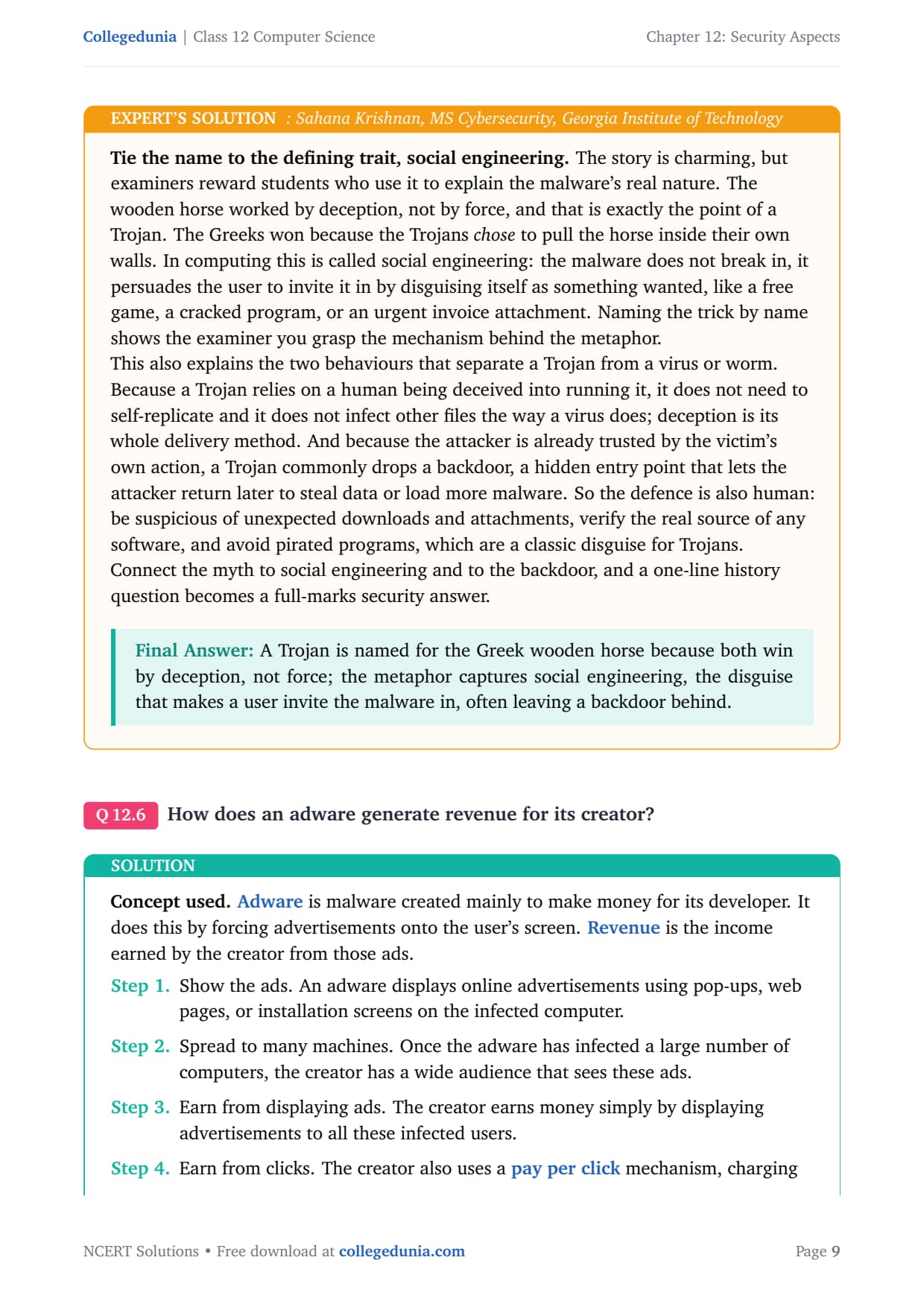
How did a Trojan get its name?
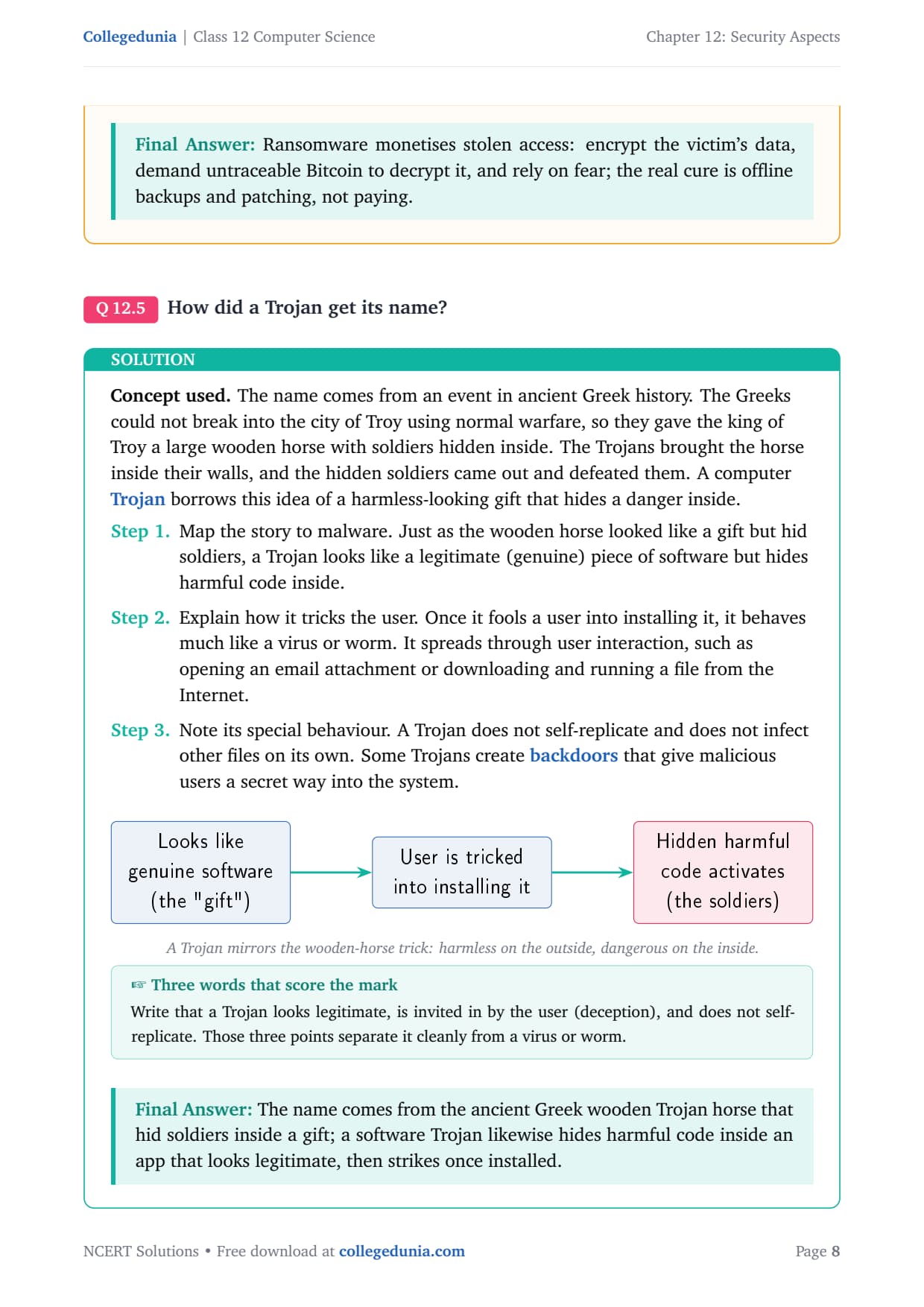
The name comes from ancient Greek history. The Greeks could not break into the city of Troy using normal warfare, so they gave the king of Troy a large wooden horse with soldiers hidden inside. The Trojans brought the horse inside their walls, and the hidden soldiers came out and defeated them. A computer Trojan borrows this idea of a harmless-looking gift that hides a danger inside.
Map to malware. Just as the wooden horse looked like a gift but hid soldiers, a Trojan looks like a legitimate piece of software but hides harmful code inside.
How it tricks the user. Once it fools a user into installing it, it spreads through user interaction, such as opening an email attachment or downloading a file.
Special behaviour. A Trojan does not self-replicate and does not infect other files on its own. Some Trojans create backdoors that give a secret way into the system.
Answer: The name comes from the ancient Greek wooden Trojan horse that hid soldiers inside a gift; a software Trojan likewise hides harmful code inside an app that looks legitimate, then strikes once installed.
SK
Sahana Krishnan
MS Cybersecurity, Georgia Institute of Technology
Verified Expert
Tie the name to the defining trait: social engineering. The wooden horse worked by deception, not by force. The Greeks won because the Trojans chose to pull the horse inside their own walls. A Trojan does not break in; it persuades the user to invite it in by disguising itself as something wanted.
This explains why a Trojan does not need to self-replicate; deception is its whole delivery method.
Because the attacker is already trusted by the victim's own action, a Trojan commonly drops a backdoor, a hidden entry point that lets the attacker return later.
The defence is also human: be suspicious of unexpected downloads, verify the source of any software, and avoid pirated programs, which are a classic disguise for Trojans.
Answer: A Trojan is named for the Greek wooden horse because both win by deception, not force; the metaphor captures social engineering, the disguise that makes a user invite the malware in, often leaving a backdoor behind.
Q 6
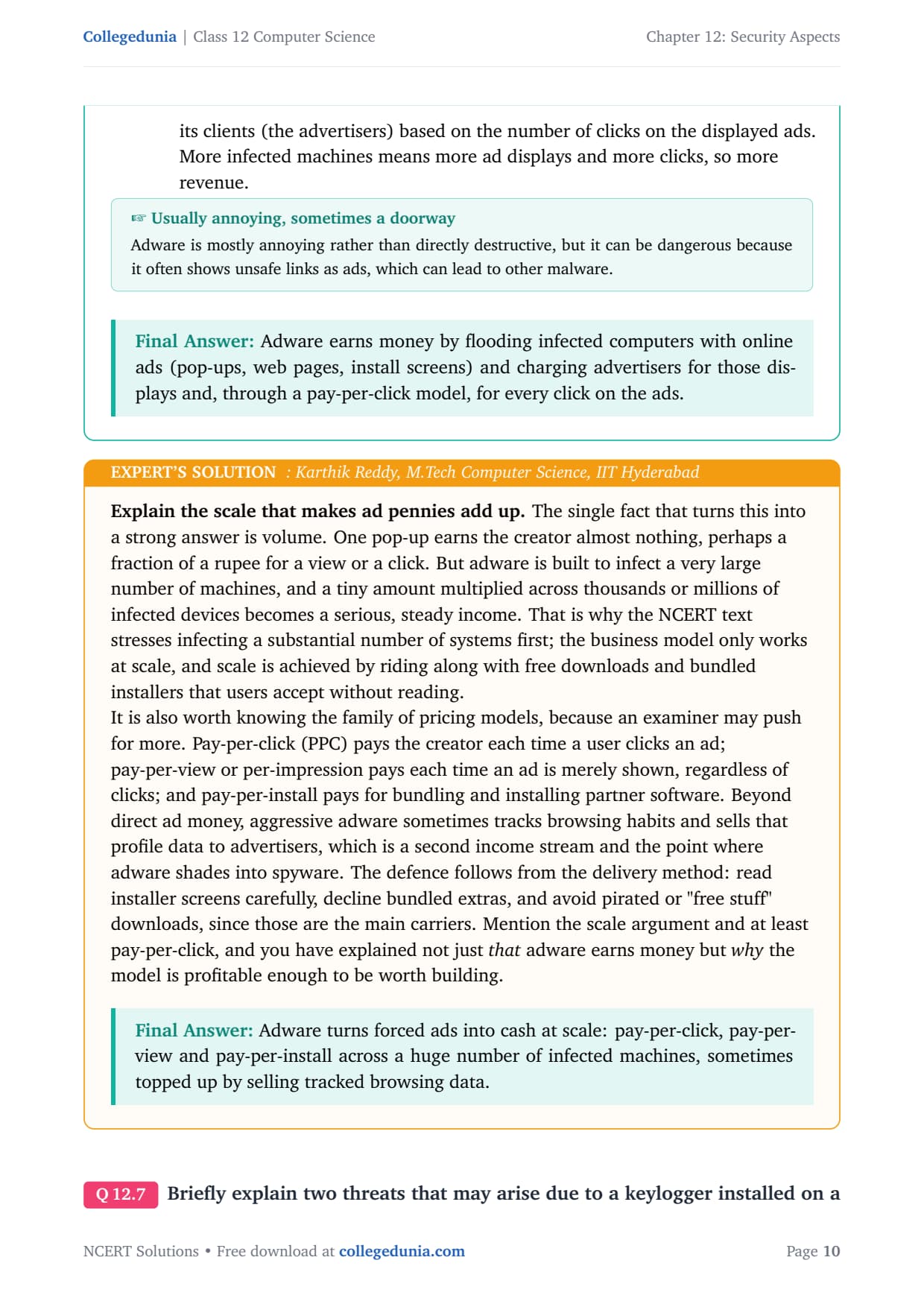
How does an adware generate revenue for its creator?
Adware is malware created mainly to make money for its developer by forcing advertisements onto the user's screen. Revenue is the income the creator earns from those ads.
Show the ads. Adware displays online advertisements using pop-ups, web pages, or installation screens on the infected computer.
Spread to many machines. Once it has infected a large number of computers, the creator reaches many users who see these ads.
Earn from displaying ads. The creator earns money simply by displaying advertisements to all these infected users.
Earn from clicks. The creator also uses a pay per click mechanism, charging advertisers based on the number of clicks. More infected machines means more displays and clicks, so more revenue.
Answer: Adware earns money by flooding infected computers with online ads (pop-ups, web pages, install screens) and charging advertisers for those displays and, through a pay-per-click model, for every click on the ads.
KR
Karthik Reddy
M.Tech Computer Science, IIT Hyderabad
Verified Expert
Explain the scale that makes ad pennies add up. One pop-up earns almost nothing, but adware is built to infect a very large number of machines, and a tiny amount multiplied across thousands or millions of devices becomes a serious, steady income. That is why the NCERT text stresses infecting a substantial number of systems first.
Know the family of pricing models: pay-per-click pays for each click, pay-per-view pays each time an ad is shown, and pay-per-install pays for bundling partner software.
Aggressive adware sometimes tracks browsing habits and sells that profile data, a second income stream where adware shades into spyware.
The defence follows from the delivery method: read installer screens carefully, decline bundled extras, and avoid pirated or "free stuff" downloads.
Answer: Adware turns forced ads into cash at scale: pay-per-click, pay-per-view and pay-per-install across a huge number of infected machines, sometimes topped up by selling tracked browsing data.
Q 7
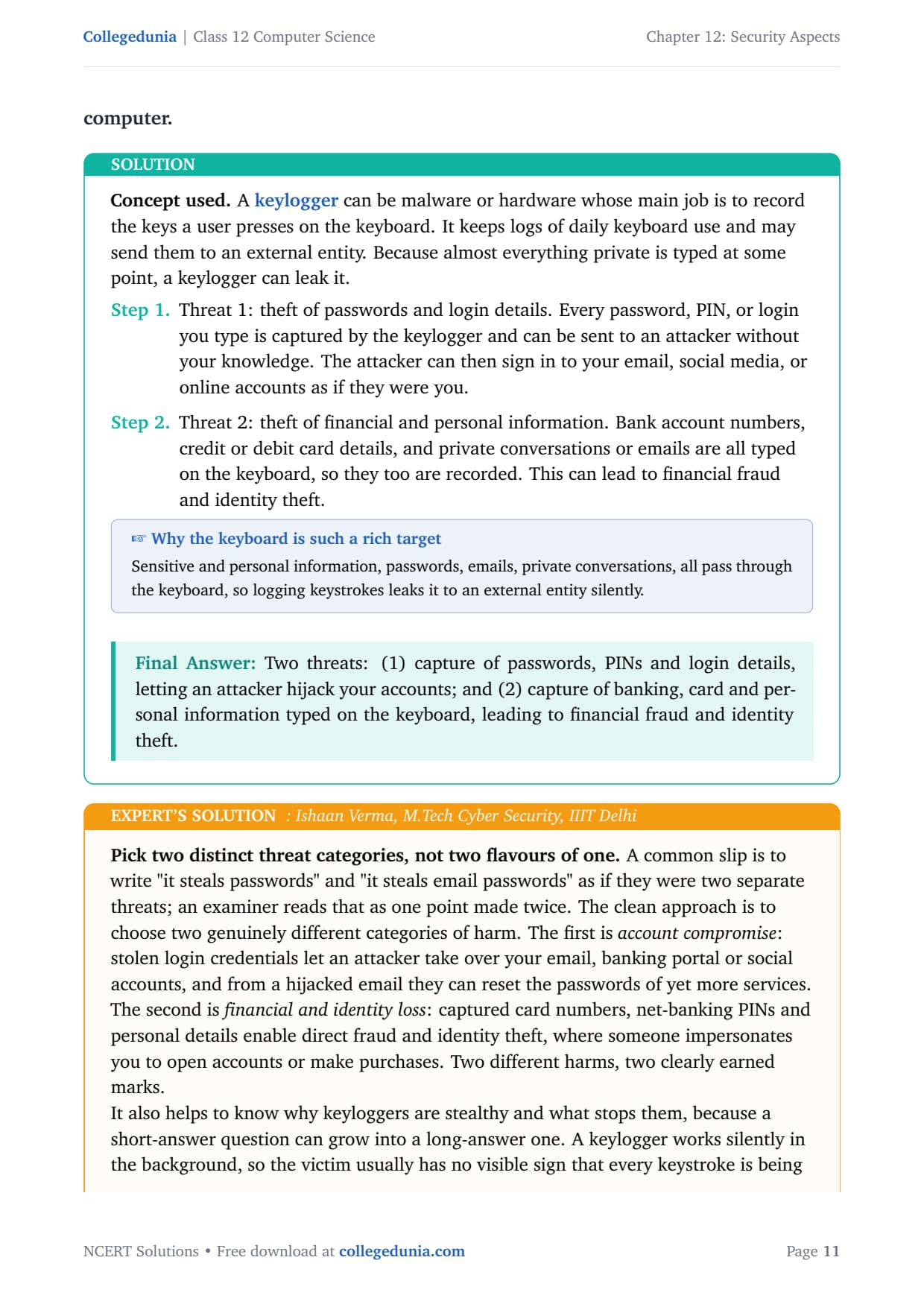
Briefly explain two threats that may arise due to a keylogger installed on a computer.
A keylogger can be malware or hardware whose main job is to record the keys a user presses on the keyboard. It keeps logs of daily keyboard use and may send them to an external entity. Because almost everything private is typed at some point, a keylogger can leak it.
Threat 1: theft of passwords and login details. Every password, PIN, or login you type is captured and can be sent to an attacker without your knowledge. The attacker can then sign in to your email, social media, or online accounts as if they were you.
Threat 2: theft of financial and personal information. Bank account numbers, card details, and private conversations or emails are all typed on the keyboard, so they too are recorded. This can lead to financial fraud and identity theft.
Answer: Two threats: (1) capture of passwords, PINs and login details, letting an attacker hijack your accounts; and (2) capture of banking, card and personal information typed on the keyboard, leading to financial fraud and identity theft.
IV
Ishaan Verma
M.Tech Cyber Security, IIIT Delhi
Verified Expert
Pick two distinct threat categories, not two flavours of one. A common slip is to write "it steals passwords" and "it steals email passwords" as if they were two separate threats; an examiner reads that as one point made twice.
The first category is account compromise: stolen credentials let an attacker take over your email or banking portal, and from a hijacked email they can reset the passwords of more services.
The second is financial and identity loss: captured card numbers, net-banking PINs and personal details enable direct fraud and identity theft.
A keylogger works silently in the background, so the victim has no visible sign. This connects to the next question: an online virtual keyboard with a randomised layout denies the keylogger the very thing it is built to capture.
Answer: Name two distinct harms, account takeover from stolen credentials and financial or identity fraud from captured banking and personal data, and add that the logging is silent, which is why it is dangerous.
Q 8
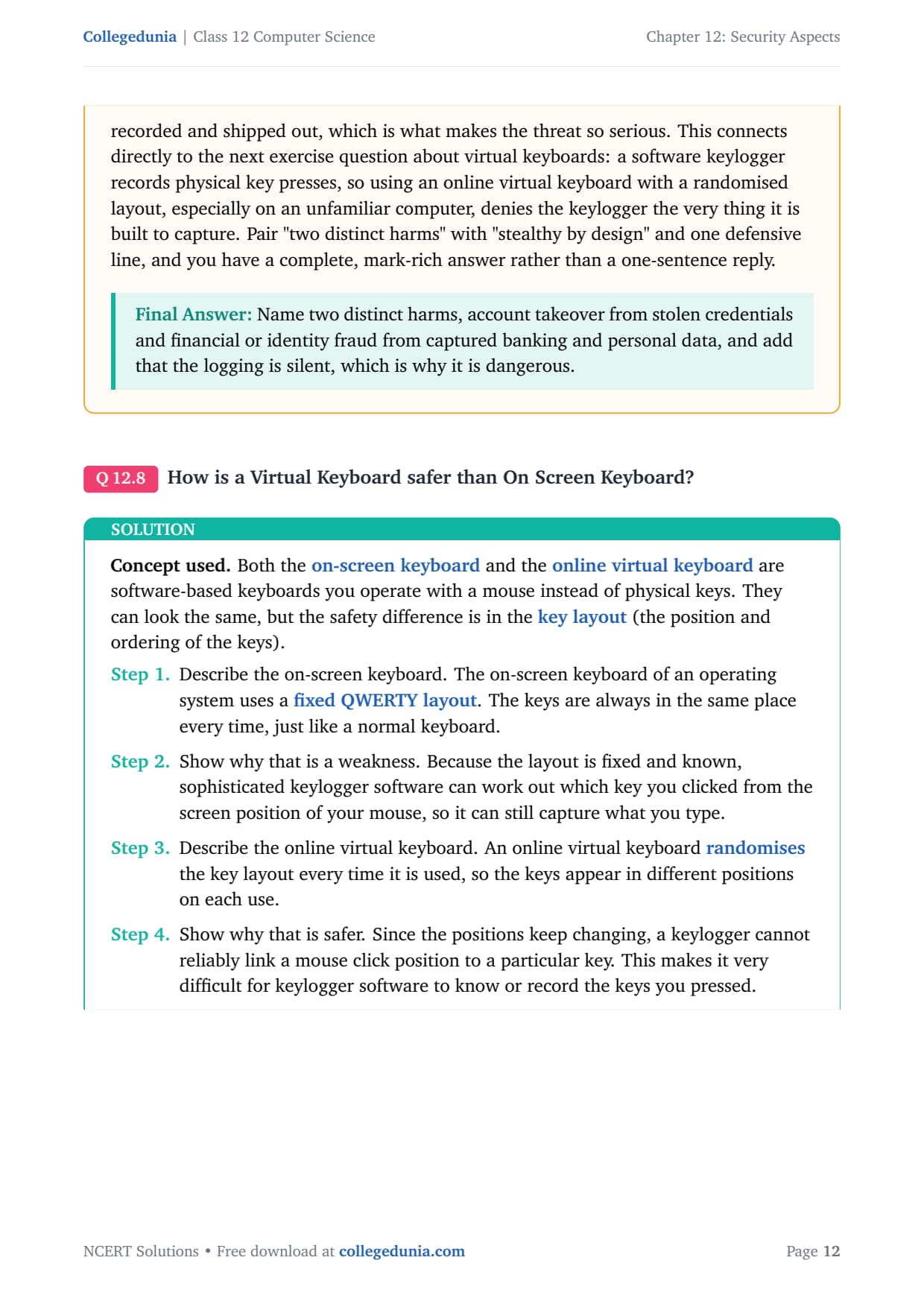
How is a Virtual Keyboard safer than On Screen Keyboard?
Both the on-screen keyboard and the online virtual keyboard are software-based keyboards you operate with a mouse instead of physical keys. They can look the same, but the safety difference is in the key layout.
On-Screen Keyboard
Online Virtual Keyboard
Fixed QWERTY key layout.
Randomised layout, different every time.
Predictable, so a keylogger can map clicks to keys.
Unpredictable, so a keylogger cannot map clicks to keys.
Less safe against sophisticated keyloggers.
Safer; recommended on unknown computers.
Because the on-screen keyboard keeps the keys in the same place, a sophisticated keylogger can work out which key you clicked from the screen position of your mouse. A virtual keyboard randomises the positions on each use, so a keylogger cannot reliably link a click to a key.
Answer: A virtual keyboard randomises its key layout on every use, so a keylogger cannot reliably tell which key was clicked; an on-screen keyboard keeps a fixed QWERTY layout, which a sophisticated keylogger can map and exploit.
MN
Meera Nair
M.Tech Information Security, IIT Madras
Verified Expert
Frame it as breaking the attacker's mapping. A software keylogger needs a stable mapping between what it observes and the actual key. On a fixed layout, the attacker observes the mouse-click coordinates and translates them straight back into the letter, because the "A" is always in the same spot.
The randomised virtual keyboard destroys that mapping: the coordinate that meant "A" a moment ago might mean "Q" next time, so a captured stream of clicks becomes meaningless.
NCERT specifically recommends a virtual keyboard while signing in from an unknown computer, such as a cyber-cafe, where you cannot trust the system is free of keyloggers.
Do not treat "on-screen" and "virtual" as identical just because both are software keyboards; the security difference lies entirely in fixed versus randomised layout.
Answer: The virtual keyboard's randomised layout destroys the fixed coordinate-to-key mapping a keylogger relies on, which is why it is safer, especially on untrusted public computers.
Q 9
List and briefly explain different modes of malware distribution.
A mode of distribution is the route by which malware travels from its creator to a victim's computer. Once malware is written, it can take several common channels to reach a machine.
Downloaded from the Internet. Most often, malware is downloaded unintentionally onto the hard drive. Designers disguise it, so be careful while downloading files, especially items advertised as "free stuff".
Spam Email. Users get unsolicited emails with embedded hyperlinks or attachments. Clicking these links or opening these attachments can install malware.
Removable Storage Devices. Replicating malware infects pen drives, SD cards, music players, and phones, so it transfers to every system they are plugged into.
Network Propagation. Some malware, such as worms, moves from one computer to another by itself through a network connection.
Answer: Malware mainly reaches a computer by (1) downloads from the Internet, (2) spam email links and attachments, (3) infected removable storage devices, and (4) network propagation by self-spreading malware such as worms.
AS
Aditya Sharma
M.Tech Computer Networks, IIT Roorkee
Verified Expert
Group the four routes by who does the work. Three of the four depend on the user doing something, while one runs on its own. Internet downloads, spam email, and removable storage all need the victim to act; network propagation by worms moves machine to machine with no human help.
The three user-driven routes are blocked mainly by careful behaviour: do not download free stuff from untrusted sites, do not click unsolicited links, and scan every removable device before use.
The one automatic route, network propagation, is blocked mainly by network controls: a firewall as the first barrier and prompt software patching.
When an exam asks you to list the routes and suggest prevention, pair each route with its matching defence instead of giving a generic "install antivirus".
Answer: Three routes are user-triggered (Internet downloads, spam email, removable media) and one is automatic (network propagation by worms); match careful behaviour to the first three and firewall plus patching to the last.
Q 10
List some common signs of malware infection.
A sign of infection is unusual computer behaviour that hints malware may be present. None alone proves infection, but several together strongly suggest it. The chapter lists these common signs.
Frequent pop-up windows prompting you to visit a website or download software.
Changes to the default homepage of your web browser.
Mass emails being sent automatically from your email account.
An unusually slow computer with frequent crashes.
Unknown programs starting up as you turn on your computer.
Programs opening and closing automatically by themselves.
A sudden lack of storage space, or random messages, sounds, or music appearing.
Programs or files appearing or disappearing without your knowledge.
If you notice several of these together, scan the computer with updated antivirus software at once.
Answer: Common signs include frequent pop-ups, a changed browser homepage, mass emails sent from your account, a slow or crashing computer, unknown startup programs, programs opening and closing on their own, sudden loss of storage, and files appearing or disappearing without your knowledge.
TJ
Tanvi Joshi
M.Tech Cyber Security, NIT Trichy
Verified Expert
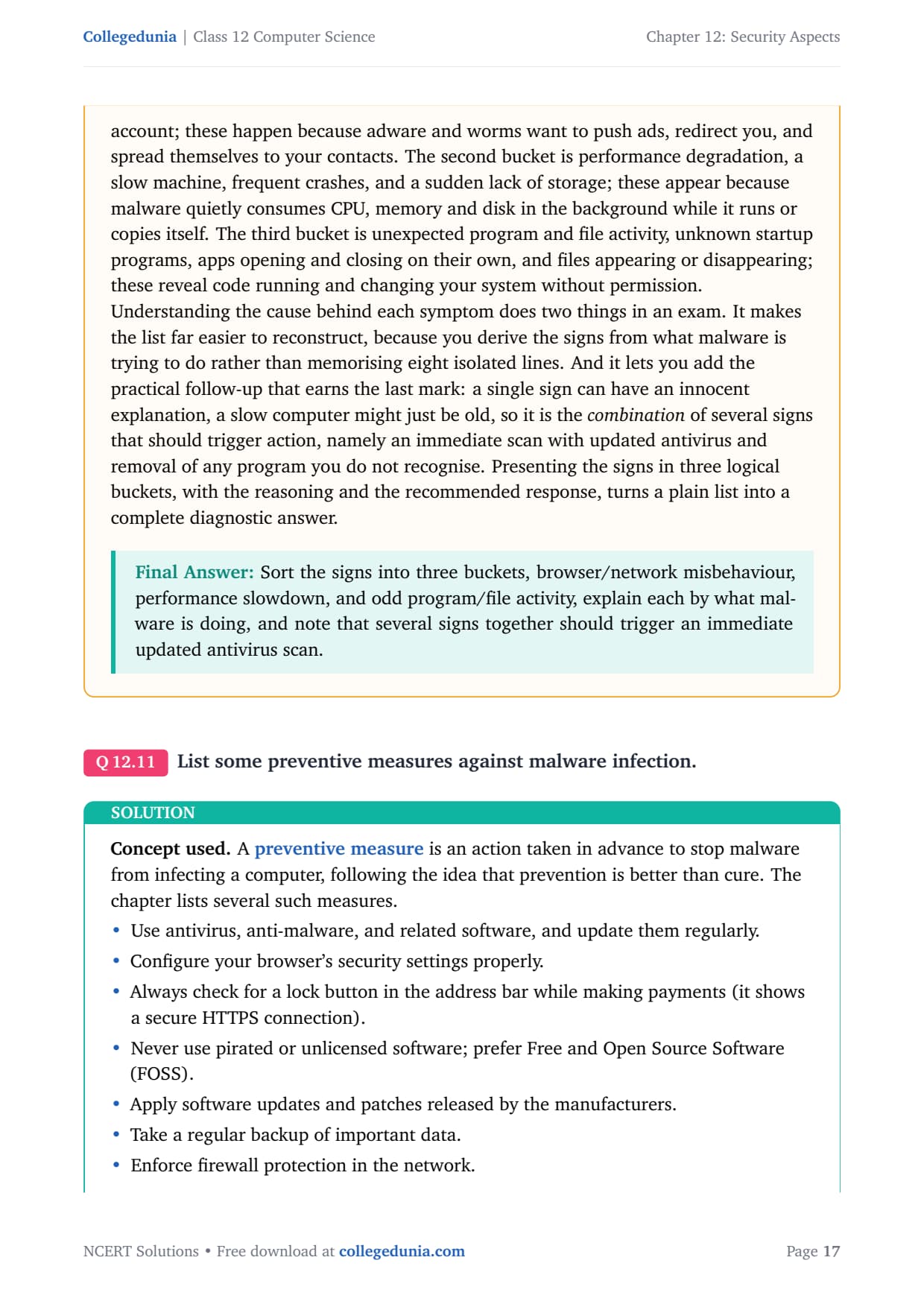
Memorise by category, then explain the logic behind each. Three buckets cover all the signs and explain why each symptom appears.
Browser and network misbehaviour (pop-ups, hijacked homepage, mass emails): adware and worms want to push ads, redirect you, and spread to your contacts.
Performance degradation (slow machine, crashes, low storage): malware quietly consumes CPU, memory and disk in the background.
Unexpected program and file activity (unknown startup programs, apps opening and closing, files appearing or vanishing): code running and changing your system without permission.
A single sign can be innocent (an old PC just runs slow), so it is the combination of several signs that should trigger an immediate scan with updated antivirus.
Answer: Sort the signs into three buckets, browser/network misbehaviour, performance slowdown, and odd program/file activity, explain each by what malware is doing, and note that several signs together should trigger an immediate updated antivirus scan.
Q 11
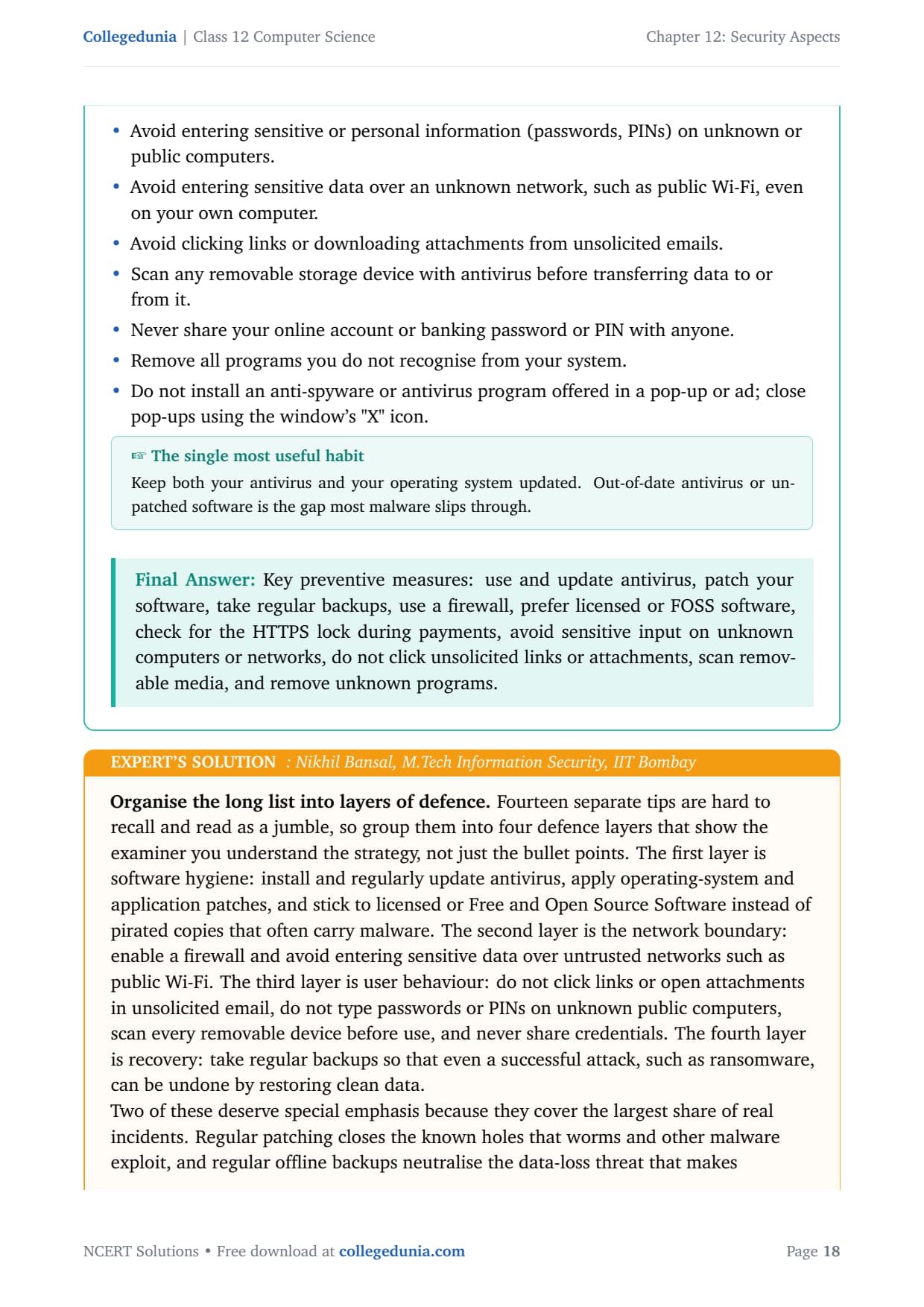
List some preventive measures against malware infection.
A preventive measure is an action taken in advance to stop malware from infecting a computer, following the idea that prevention is better than cure. The chapter lists several such measures.
Use antivirus, anti-malware, and related software, and update them regularly.
Configure your browser's security settings properly.
Check for a lock button in the address bar while making payments (it shows a secure HTTPS connection).
Never use pirated or unlicensed software; prefer Free and Open Source Software (FOSS).
Apply software updates and patches released by the manufacturers.
Take a regular backup of important data and enforce firewall protection.
Avoid entering passwords or PINs on unknown or public computers, or over an unknown network such as public Wi-Fi.
Avoid clicking links or downloading attachments from unsolicited emails, and scan removable media before transferring data.
Never share your account or banking password, and remove programs you do not recognise.
Answer: Key measures: use and update antivirus, patch your software, take regular backups, use a firewall, prefer licensed or FOSS software, check for the HTTPS lock during payments, avoid sensitive input on unknown computers or networks, do not click unsolicited links, scan removable media, and remove unknown programs.
NB
Nikhil Bansal
M.Tech Information Security, IIT Bombay
Verified Expert
Organise the long list into four layers of defence. This shows the examiner you understand the strategy, not just the bullet points.
Software hygiene: update antivirus, apply OS and application patches, and stick to licensed or FOSS software instead of pirated copies.
Network boundary: enable a firewall and avoid entering sensitive data over untrusted networks such as public Wi-Fi.
User behaviour: do not click unsolicited links, do not type PINs on unknown computers, scan removable devices, and never share credentials.
Recovery: take regular offline backups so even a successful attack such as ransomware can be undone.
A commonly tested point: do not install security software offered through a pop-up or advertisement, because fake "your PC is infected" pop-ups are themselves a malware trick. Close them with the window's X.
Answer: Group the measures into four layers, software hygiene, network boundary, user behaviour, and recovery (backups), and stress patching, offline backups, and never trusting pop-up "antivirus" offers as the highest-value habits.
Q 12
Write a short note on different methods of malware identification used by antivirus software.
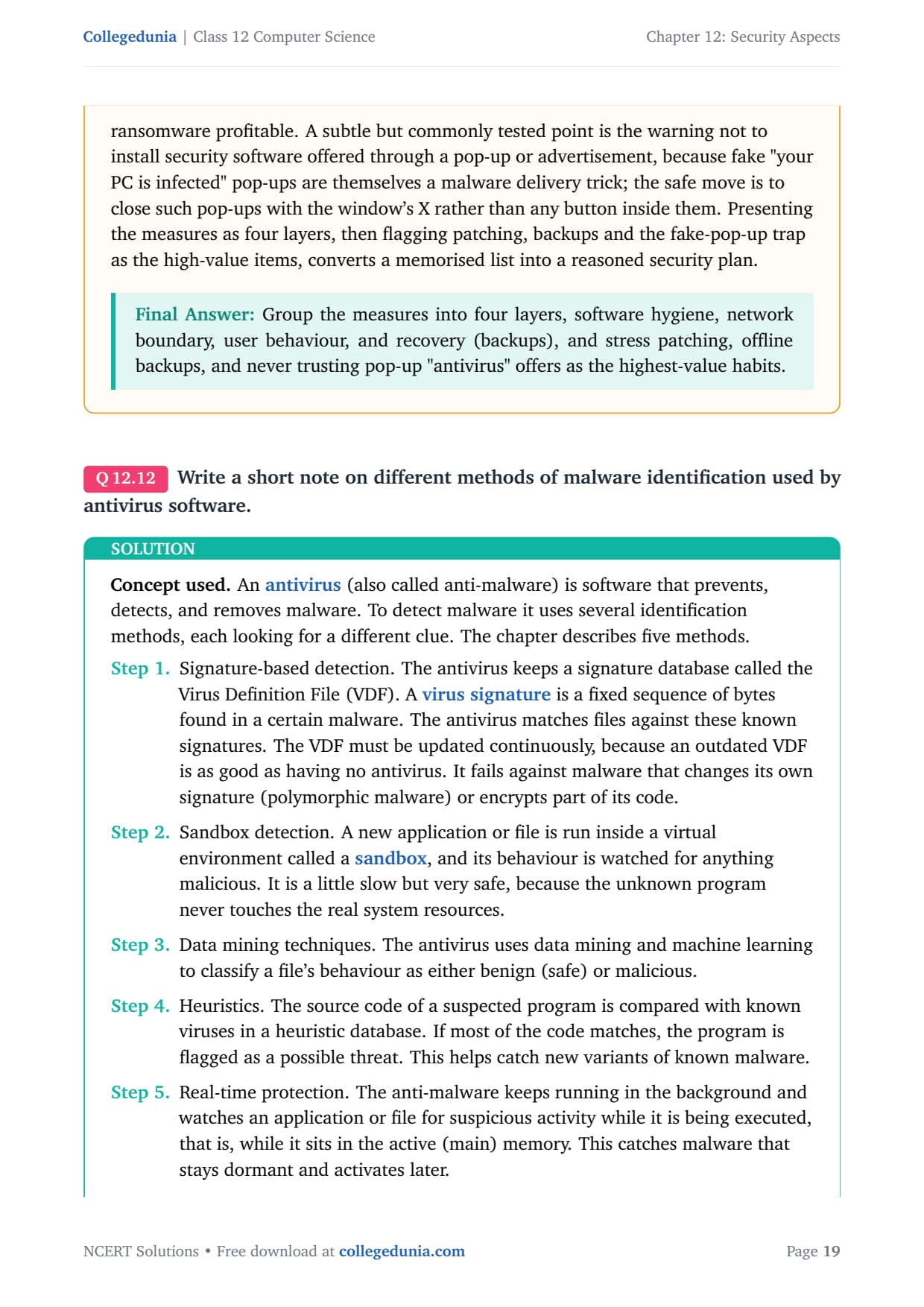
An antivirus (also called anti-malware) is software that prevents, detects, and removes malware. To detect malware it uses several identification methods, each looking for a different clue. The chapter describes five methods.
Signature-based detection. The antivirus keeps a signature database called the Virus Definition File (VDF). A virus signature is a fixed sequence of bytes found in a certain malware. The VDF must be updated continuously; it fails against polymorphic malware that changes its own signature.
Sandbox detection. A new file is run inside a virtual environment called a sandbox, and its behaviour is watched. It is a little slow but very safe, because the unknown program never touches real system resources.
Data mining techniques. Data mining and machine learning classify a file's behaviour as benign (safe) or malicious.
Heuristics. The source code of a suspected program is compared with known viruses in a heuristic database. If most of the code matches, the program is flagged. This catches new variants of known malware.
Real-time protection. The anti-malware keeps running in the background and watches a file for suspicious activity while it executes in active memory. This catches malware that stays dormant and activates later.
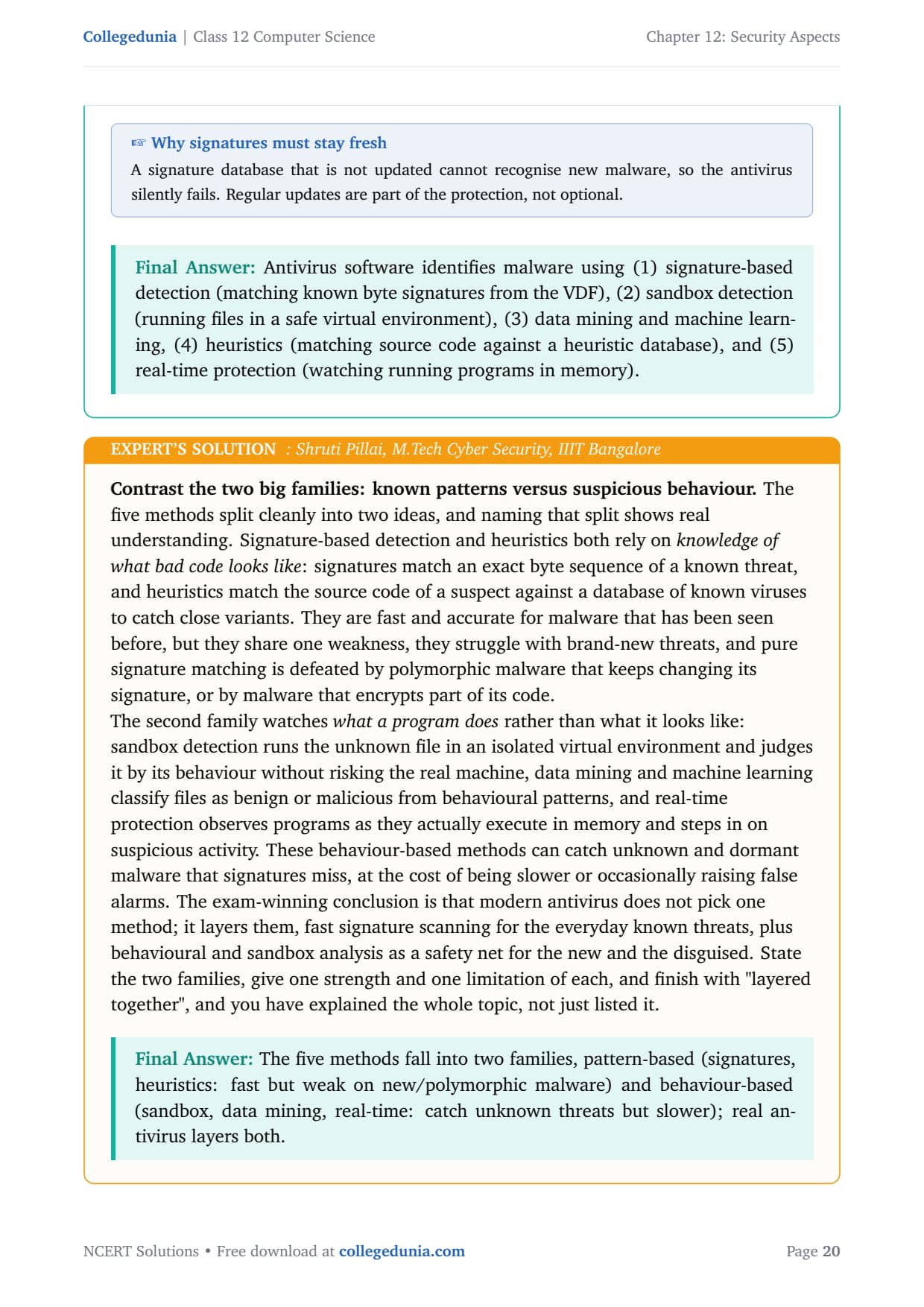
Answer: Antivirus software identifies malware using (1) signature-based detection, (2) sandbox detection, (3) data mining and machine learning, (4) heuristics, and (5) real-time protection.
SP
Shruti Pillai
M.Tech Cyber Security, IIIT Bangalore
Verified Expert
Contrast the two big families: known patterns versus suspicious behaviour. The five methods split cleanly into two ideas, and naming that split shows real understanding.
Pattern-based (signatures and heuristics) relies on knowledge of what bad code looks like. Fast and accurate for known malware, but defeated by brand-new or polymorphic threats.
Behaviour-based (sandbox, data mining, real-time) watches what a program does. It can catch unknown and dormant malware that signatures miss, at the cost of being slower or occasionally raising false alarms.
Modern antivirus does not pick one method; it layers them, fast signature scanning for everyday known threats, plus behavioural and sandbox analysis as a safety net for the new and the disguised.
Answer: The five methods fall into two families, pattern-based (signatures, heuristics: fast but weak on new malware) and behaviour-based (sandbox, data mining, real-time: catch unknown threats but slower); real antivirus layers both.
Q 13
What are the risks associated with HTTP? How can we resolve these risks by using HTTPS?
HTTP (Hyper Text Transfer Protocol) and HTTPS (Hyper Text Transfer Protocol Secure) are both sets of rules that govern how a client web browser and a server communicate over the World Wide Web. Encryption means scrambling data so that only the intended receiver can read it.
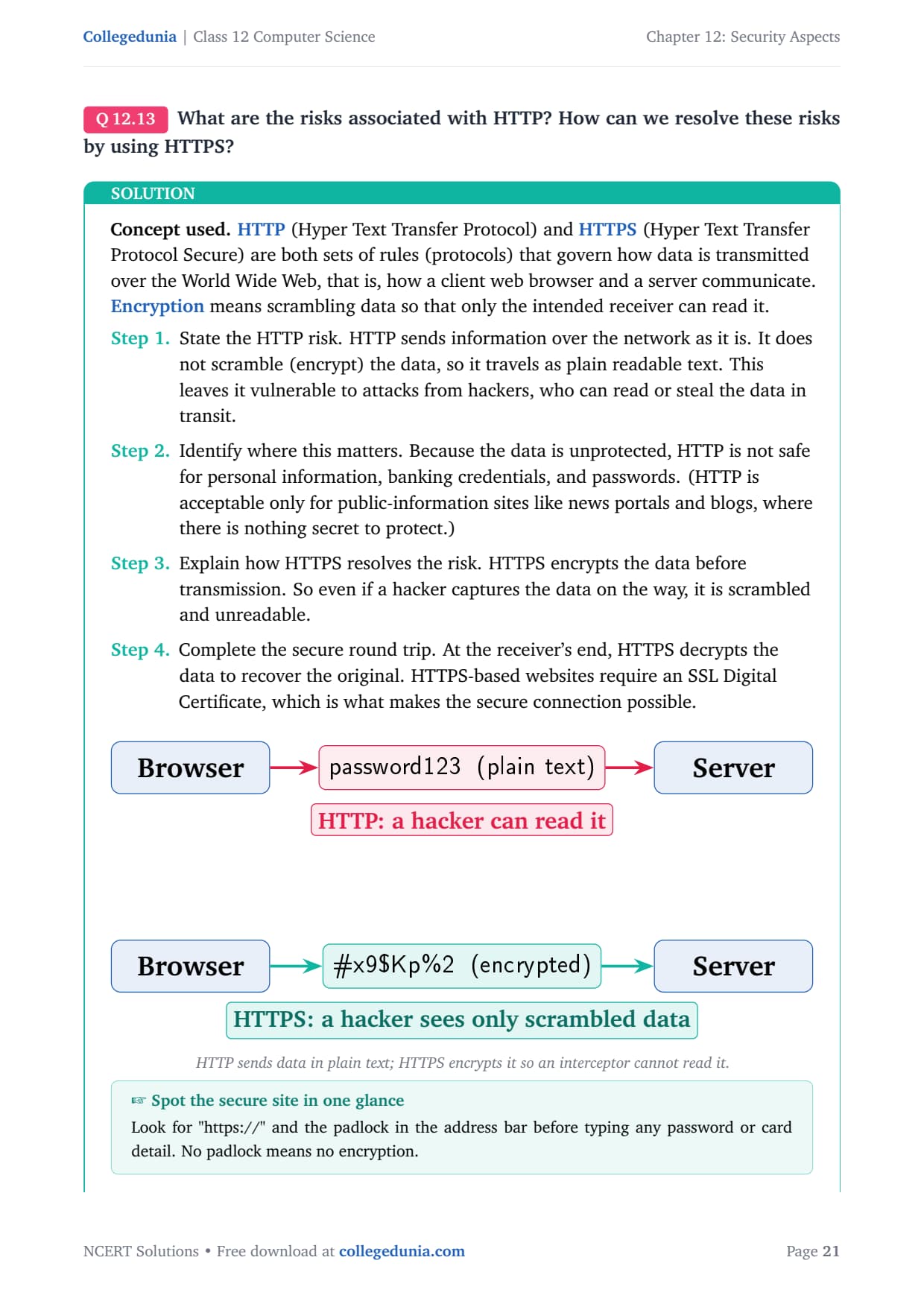
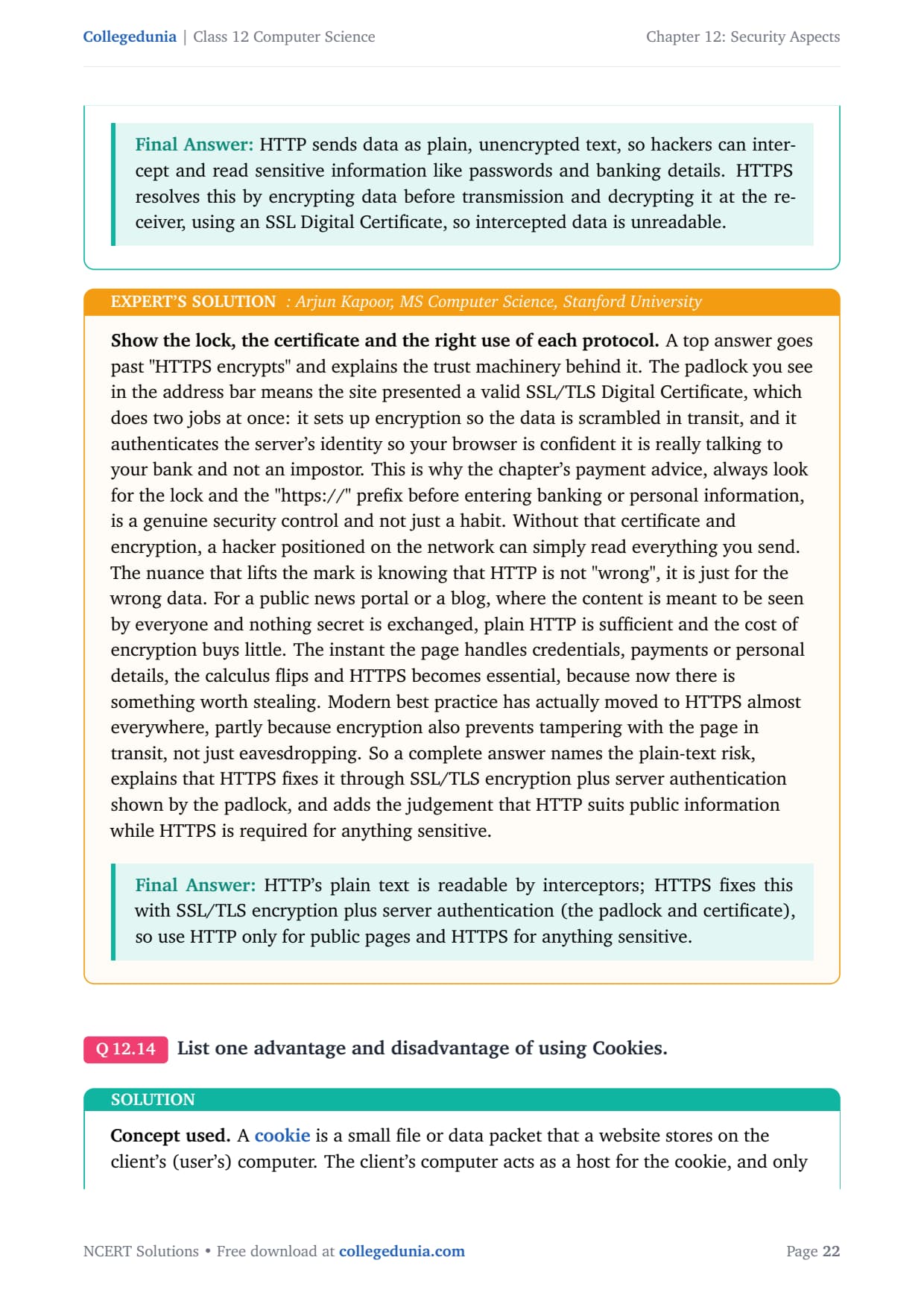
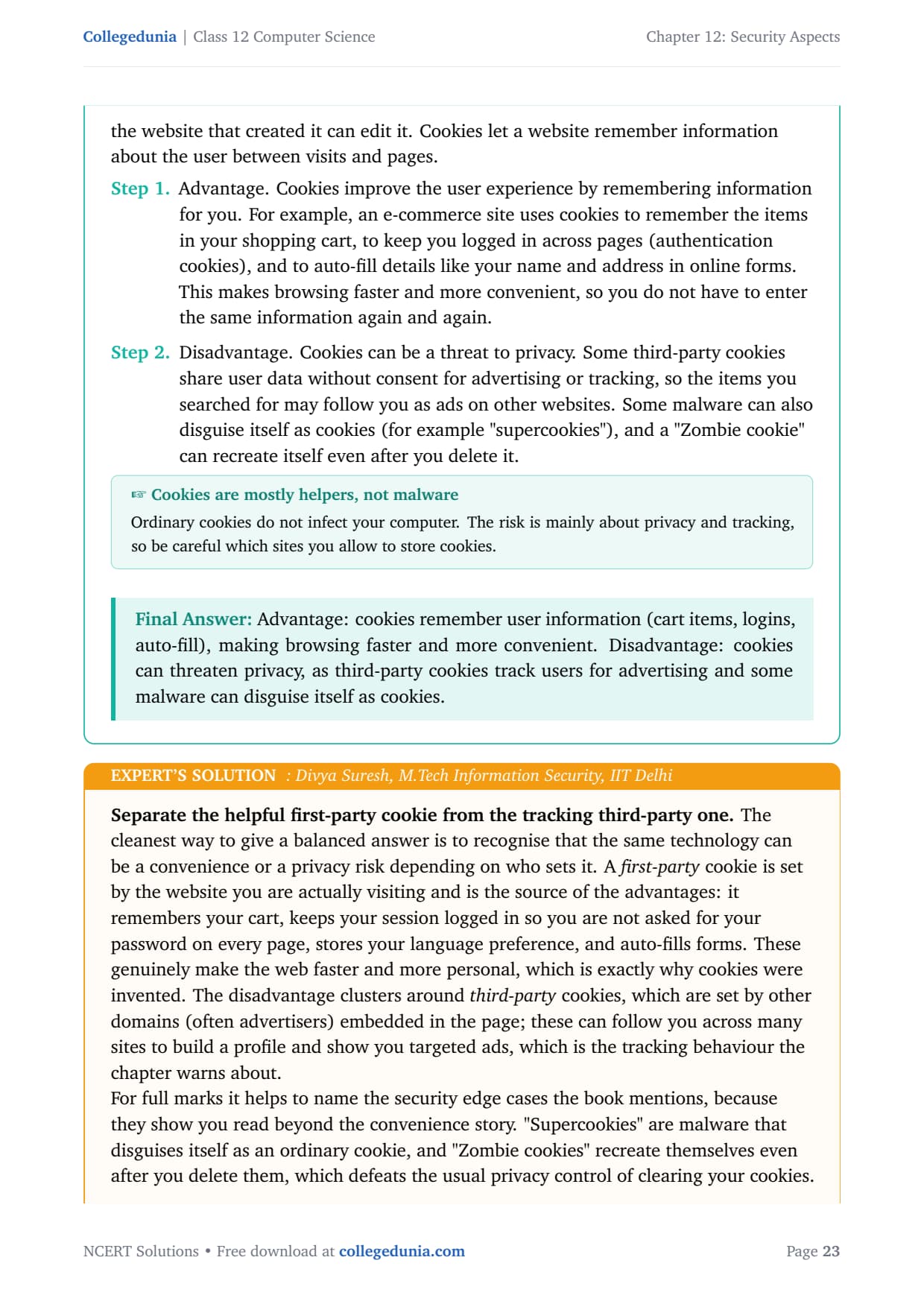
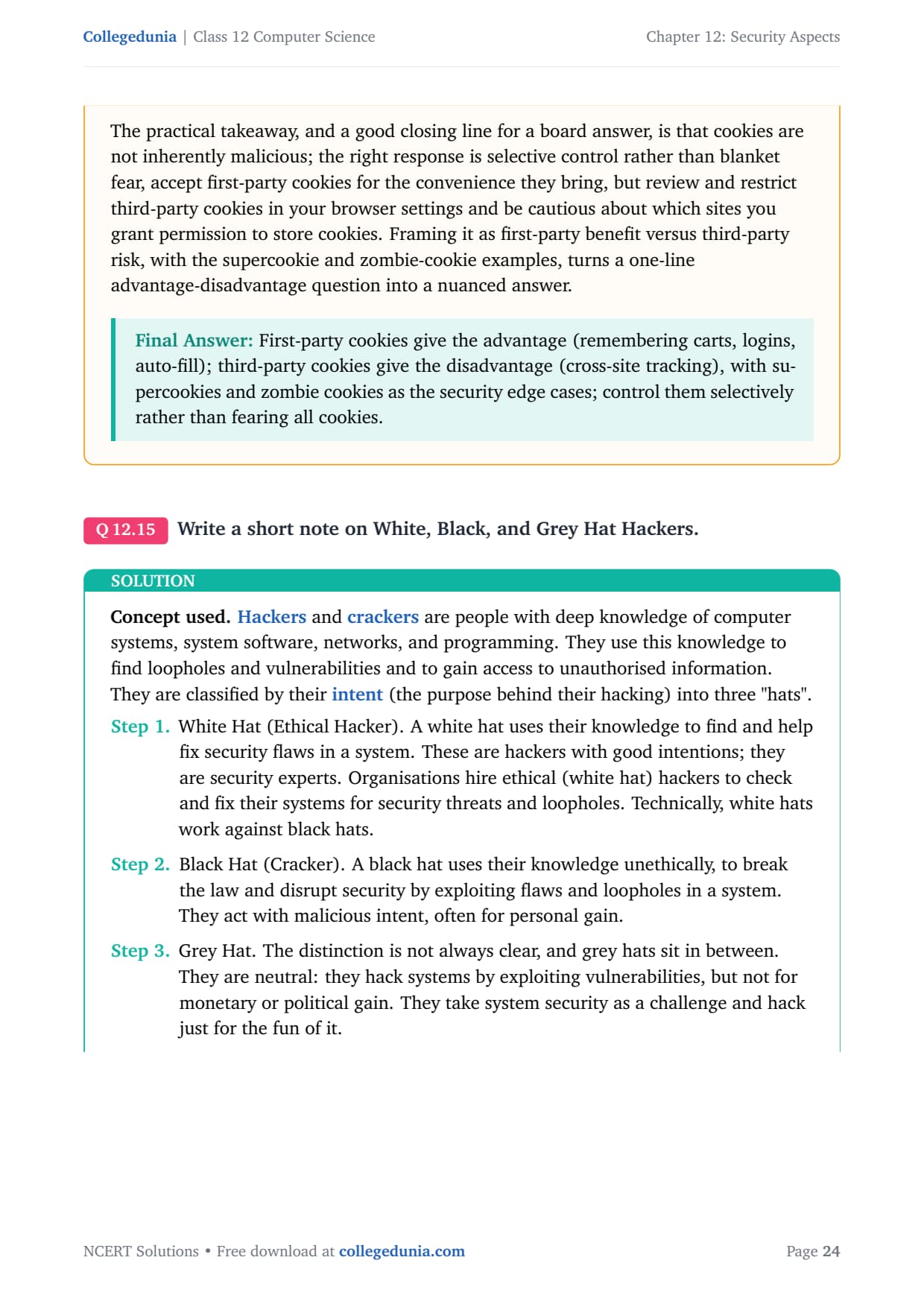
The HTTP risk. HTTP sends information as plain readable text; it does not encrypt the data. This leaves it vulnerable to hackers, who can read or steal the data in transit.
Where it matters. Because the data is unprotected, HTTP is not safe for personal information, banking credentials, and passwords. It is acceptable only for public-information sites like news portals and blogs.
How HTTPS resolves it. HTTPS encrypts the data before transmission, so even if a hacker captures it, the data is scrambled and unreadable.
The secure round trip. At the receiver's end, HTTPS decrypts the data to recover the original. HTTPS-based websites require an SSL Digital Certificate.
Answer: HTTP sends data as plain, unencrypted text, so hackers can intercept and read sensitive information like passwords. HTTPS resolves this by encrypting data before transmission and decrypting it at the receiver, using an SSL Digital Certificate, so intercepted data is unreadable.
AK
Arjun Kapoor
MS Computer Science, Stanford University
Verified Expert
Show the lock, the certificate and the right use of each protocol. The padlock in the address bar means the site presented a valid SSL/TLS Digital Certificate, which does two jobs: it sets up encryption, and it authenticates the server's identity so your browser knows it is really talking to your bank.
This is why the chapter's payment advice, look for the lock and "https://" before entering banking details, is a genuine security control.
HTTP is not "wrong", it is just for the wrong data. For a public news portal, plain HTTP is sufficient. The instant a page handles credentials or payments, HTTPS becomes essential.
Modern best practice has moved to HTTPS almost everywhere, partly because encryption also prevents tampering with the page in transit, not just eavesdropping.
Answer: HTTP's plain text is readable by interceptors; HTTPS fixes this with SSL/TLS encryption plus server authentication (the padlock and certificate), so use HTTP only for public pages and HTTPS for anything sensitive.
Q 14
List one advantage and disadvantage of using Cookies.
A cookie is a small file or data packet that a website stores on the user's computer. The user's computer acts as a host for the cookie, and only the website that created it can edit it. Cookies let a website remember information about the user between visits and pages.
Advantage. Cookies improve the user experience by remembering information for you. An e-commerce site uses cookies to remember the items in your shopping cart, to keep you logged in across pages, and to auto-fill details in online forms. This makes browsing faster, so you do not have to enter the same information again and again.
Disadvantage. Cookies can be a threat to privacy. Some third-party cookies share user data without consent for advertising or tracking, so items you searched for may follow you as ads. Some malware can also disguise itself as cookies (such as "supercookies"), and a "Zombie cookie" can recreate itself even after you delete it.
Answer: Advantage: cookies remember user information (cart items, logins, auto-fill), making browsing faster. Disadvantage: cookies can threaten privacy, as third-party cookies track users for advertising and some malware can disguise itself as cookies.
DS
Divya Suresh
M.Tech Information Security, IIT Delhi
Verified Expert
Separate the helpful first-party cookie from the tracking third-party one. The same technology can be a convenience or a privacy risk depending on who sets it.
A first-party cookie is set by the website you are actually visiting and is the source of the advantages: it remembers your cart, keeps your session logged in, and auto-fills forms.
The disadvantage clusters around third-party cookies, set by other domains (often advertisers) embedded in the page; these follow you across sites to build a profile and show targeted ads.
Name the security edge cases: "Supercookies" are malware disguised as ordinary cookies, and "Zombie cookies" recreate themselves even after deletion. Cookies are not inherently malicious; accept first-party cookies but restrict third-party ones in your browser.
Answer: First-party cookies give the advantage (remembering carts, logins, auto-fill); third-party cookies give the disadvantage (cross-site tracking), with supercookies and zombie cookies as the security edge cases; control them selectively rather than fearing all cookies.
Q 15
Write a short note on White, Black, and Grey Hat Hackers.
Hackers and crackers are people with deep knowledge of computer systems, networks, and programming. They use this knowledge to find loopholes and vulnerabilities and to gain access to unauthorised information. They are classified by their intent into three "hats".
Type
Intent
Key point
White Hat
Good; help fix flaws.
Ethical hacker, hired by organisations.
Black Hat
Bad; break the law for gain.
Also called a cracker.
Grey Hat
Neutral; for the challenge or fun.
No monetary or political gain.
A White Hat (ethical hacker) uses their knowledge to find and fix security flaws and works against black hats. A Black Hat (cracker) breaks the law and disrupts security for malicious gain. A Grey Hat sits in between, exploiting vulnerabilities for the challenge but not for money or political gain.
Answer: White Hat hackers are ethical experts who find and fix security flaws, often hired by organisations. Black Hat hackers (crackers) break the law for malicious gain. Grey Hat hackers are neutral; they exploit vulnerabilities for the challenge, not for money or political gain.
AM
Aryan Malhotra
M.Tech Cyber Security, IIT Guwahati
Verified Expert
Sort the three hats by two questions: permission and intent. Test one: do they have permission? Test two: is their intent to help or to harm?
A white hat scores well on both: permission (organisations hire them) and intent to help by reporting and fixing flaws. This is the lawful, ethical side.
A black hat fails both: no permission and harmful intent for gain. The chapter equates this group with crackers, and their work is illegal.
A grey hat is the mixed case: intent is not malicious, but they typically act without permission, which keeps them out of the white-hat camp.
The point most students miss: "no bad intent" is not the same as "lawful". A grey hat who breaks in uninvited, even for the challenge, has still acted without authorisation.
Answer: Judge each hat by permission and intent: white = permission + helpful (ethical), black = no permission + harmful (cracker, illegal), grey = no permission but no malicious aim (neutral).
Q 16
Differentiate between DoS and DDoS attack.
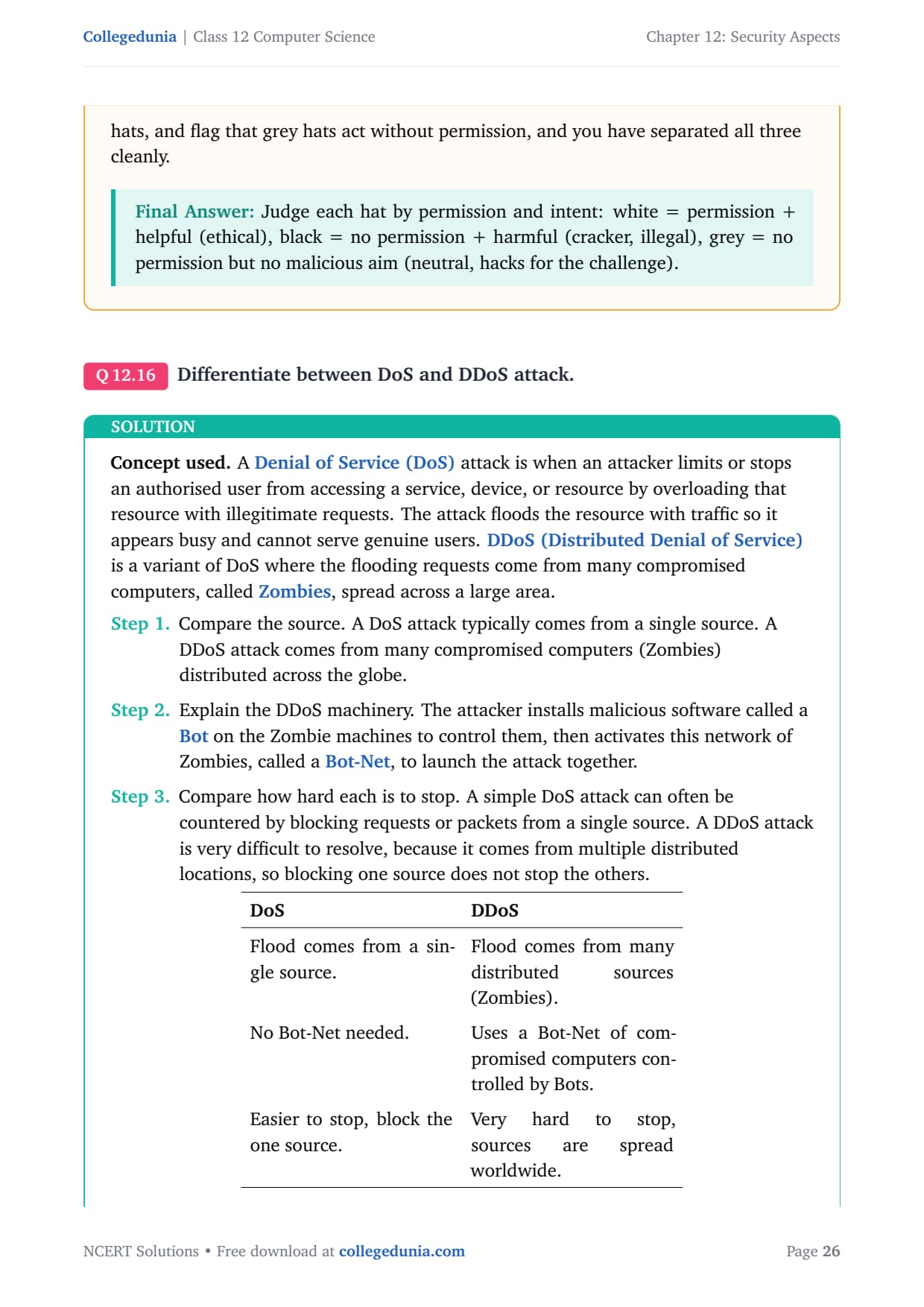
A Denial of Service (DoS) attack is when an attacker stops an authorised user from accessing a service by overloading that resource with illegitimate requests, so it appears busy. DDoS (Distributed Denial of Service) is a variant where the flooding requests come from many compromised computers, called Zombies, spread across a large area.
DoS
DDoS
Flood comes from a single source.
Flood comes from many distributed sources (Zombies).
No Bot-Net needed.
Uses a Bot-Net of compromised computers controlled by Bots.
Easier to stop, block the one source.
Very hard to stop, sources are spread worldwide.
In a DDoS attack, the attacker installs malicious software called a Bot on the Zombie machines, then activates this network of Zombies, called a Bot-Net, to launch the attack together. Blocking one source does not stop the others.
Answer: A DoS attack floods a resource from a single source and can be stopped by blocking that source. A DDoS attack floods the resource from many distributed Zombie computers forming a Bot-Net, making it far harder to stop because there is no single source to block.
SP
Sneha Pillai
M.Tech Computer Networks, IIT Madras
Verified Expert
Make the one-versus-many difference drive the difficulty of defence. In a DoS attack there is one source, so the defence is straightforward: identify the offending IP address and block it. DDoS removes that limitation by recruiting an army.
The attacker infects many computers worldwide with Bot malware, turning them into remotely controlled Zombies, and gathers them into a Bot-Net that hits the victim from thousands of addresses at once.
Blocking one Zombie does nothing, and the malicious traffic blends in with genuine user traffic, so simple filtering can accidentally block real customers.
The Zombie owners are usually innocent victims whose machines were hijacked, which is why DDoS is also harder to trace back to the real attacker hiding behind the Bot-Net.
Answer: DoS = one source, so block that source and it stops; DDoS = a Bot-Net of many hijacked Zombies, so it is far harder to block, harder to trace, and harder to recover from.
Q 17
How is Snooping different from Eavesdropping?
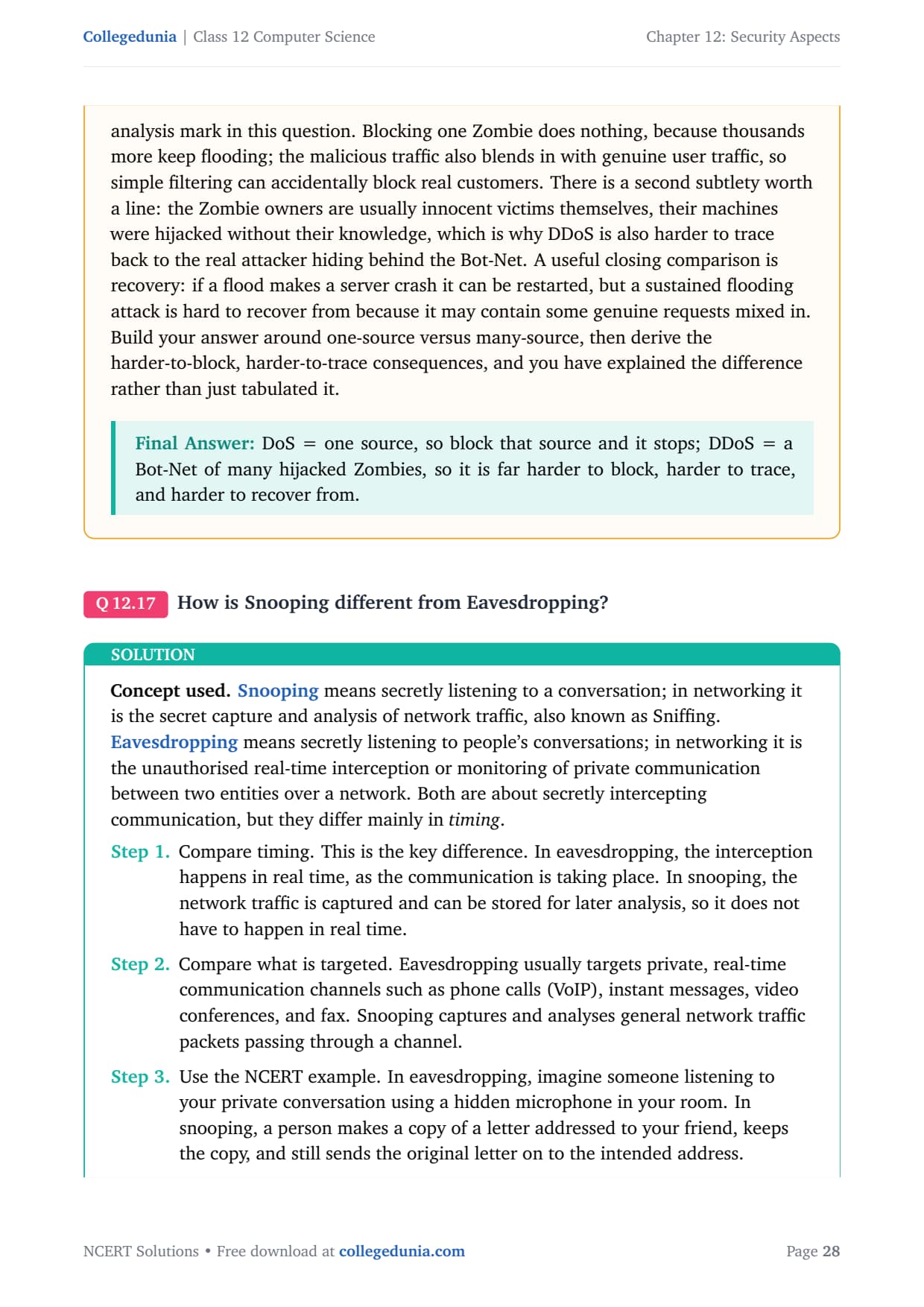
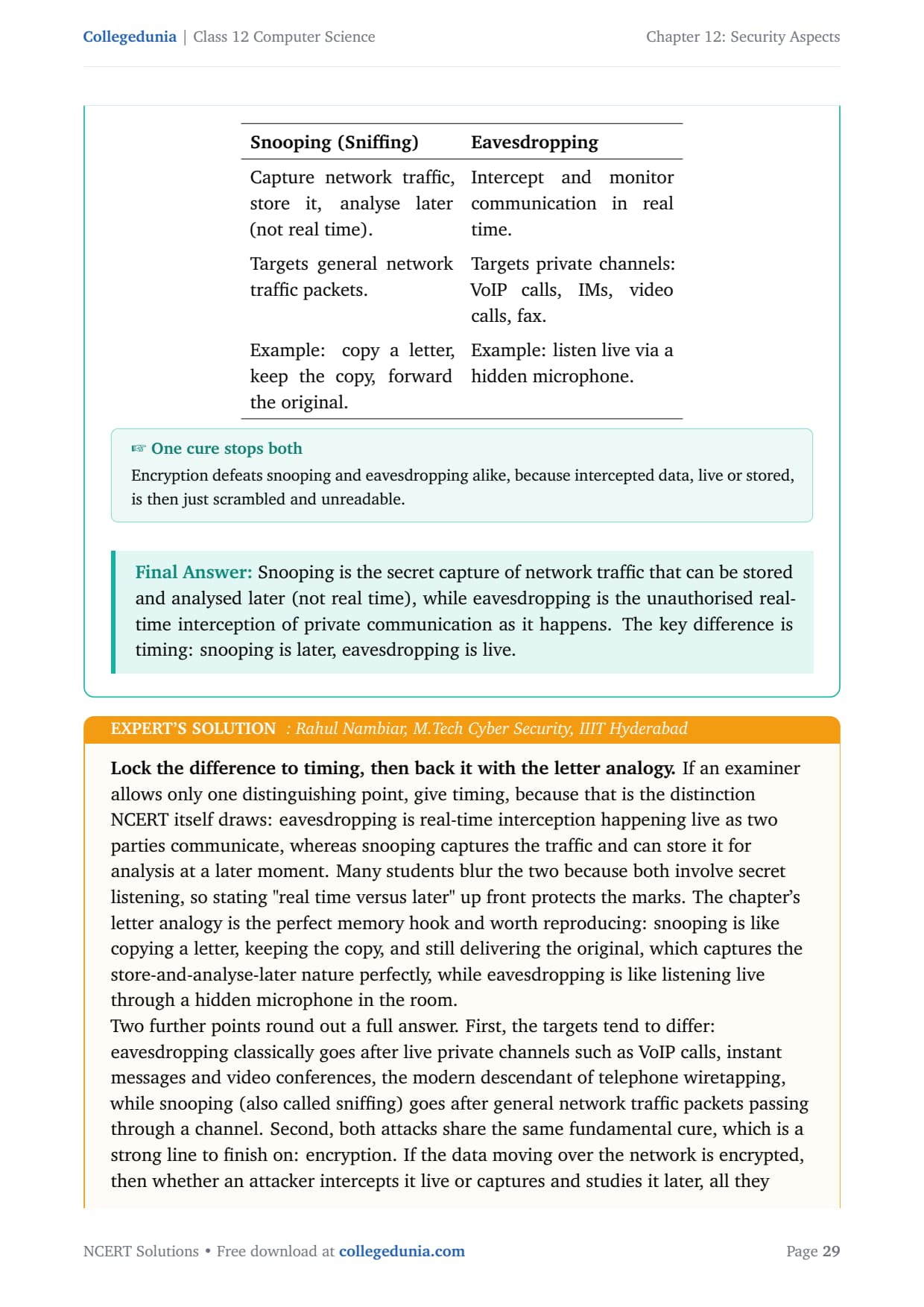
Snooping in networking is the secret capture and analysis of network traffic, also known as Sniffing. Eavesdropping is the unauthorised real-time interception or monitoring of private communication between two entities over a network. Both are about secretly intercepting communication, but they differ mainly in timing.
Snooping (Sniffing)
Eavesdropping
Capture traffic, store it, analyse later (not real time).
Intercept and monitor communication in real time.
Targets general network traffic packets.
Targets private channels: VoIP calls, IMs, video calls, fax.
Example: copy a letter, keep the copy, forward the original.
Example: listen live via a hidden microphone.
In eavesdropping, the interception happens in real time, as the communication takes place. In snooping, the network traffic is captured and can be stored for later analysis, so it does not have to happen in real time.
Answer: Snooping is the secret capture of network traffic that can be stored and analysed later (not real time), while eavesdropping is the unauthorised real-time interception of private communication as it happens. The key difference is timing: snooping is later, eavesdropping is live.
RN
Rahul Nambiar
M.Tech Cyber Security, IIIT Hyderabad
Verified Expert
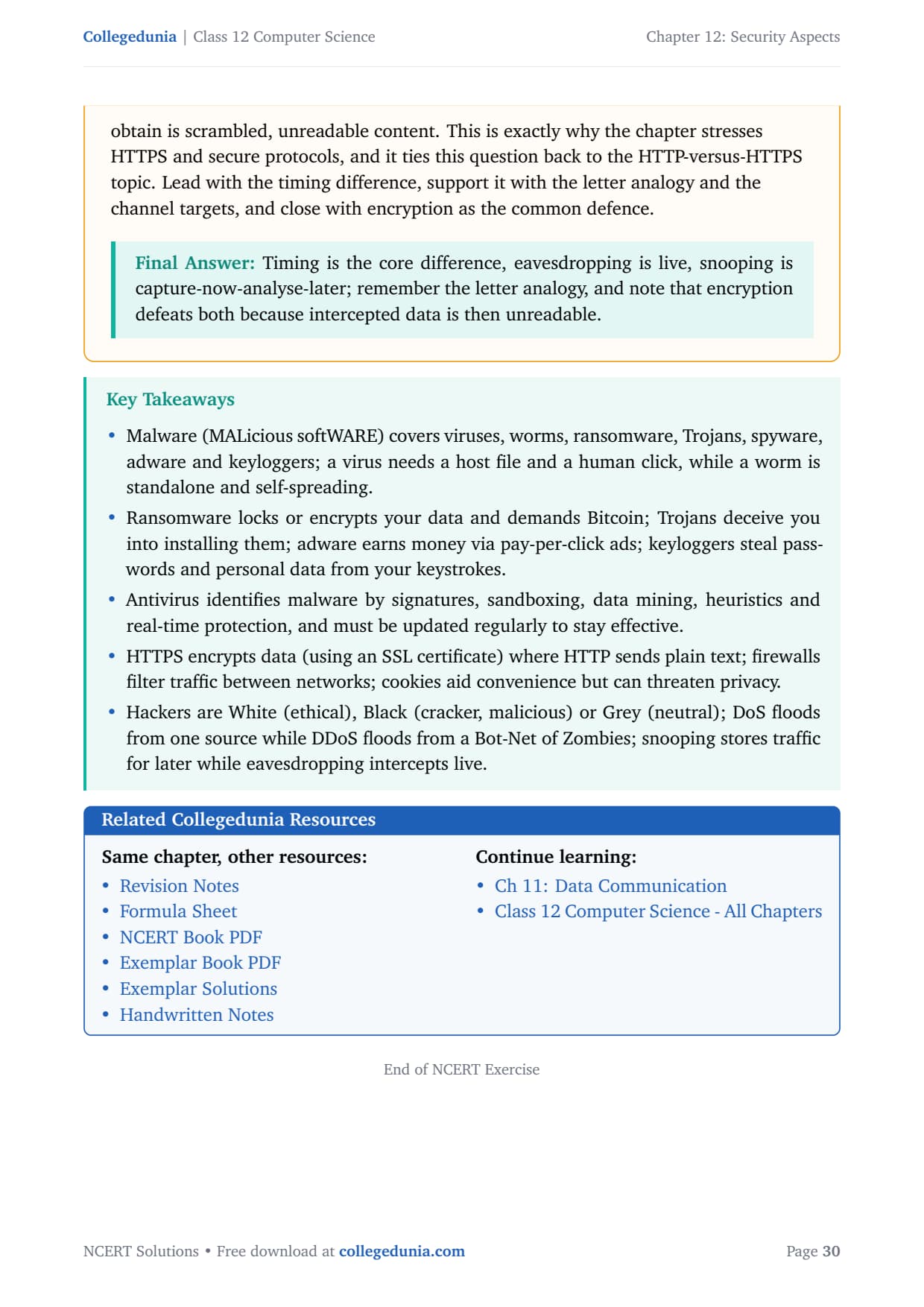
Lock the difference to timing, then back it with the letter analogy. Eavesdropping is real-time interception happening live, whereas snooping captures the traffic and can store it for analysis later. Many students blur the two because both involve secret listening.
The letter analogy is the perfect memory hook: snooping is like copying a letter, keeping the copy, and still delivering the original, which captures the store-and-analyse-later nature.
The targets differ: eavesdropping goes after live private channels such as VoIP calls and video conferences, while snooping goes after general network traffic packets.
Both share the same cure: encryption. If the data is encrypted, then whether an attacker intercepts it live or captures it later, all they obtain is scrambled, unreadable content. This ties back to the HTTP-versus-HTTPS topic.
Answer: Timing is the core difference, eavesdropping is live, snooping is capture-now-analyse-later; remember the letter analogy, and note that encryption defeats both because intercepted data is then unreadable.
Ques. How many questions are there in NCERT Class 12 Computer Science Chapter 12 Security Aspects?
Ans. There are 17 end-of-chapter exercise questions in NCERT Class 12 Computer Science Chapter 12 Security Aspects. All 17 are solved with full answers and an Expert Solution in the PDF. The mix covers malware types (virus, worm, ransomware, Trojan, adware, keylogger), antivirus identification methods, HTTP versus HTTPS, cookies, hacker hats, DoS versus DDoS, and snooping versus eavesdropping.
Ques. What is the difference between a computer virus and a worm?
Ans. A computer virus needs a host file to attach to and a human to open or run that file before it can act and spread, so it is dependent and manual. A computer worm is a standalone program that needs no host file and replicates by itself across a network with no human action, so it is independent and automatic. Because a worm self-spreads, it travels much faster and wider than a virus. Examples of viruses are ILOVEYOU and Stuxnet, while worms include Code Red and the Morris Worm.
Ques. How does ransomware extract money from users in Class 12 Computer Science?
Ans. Ransomware blocks or encrypts a user's own data, then demands a ransom to restore access. Stronger ransomware encrypts the files so they cannot be recovered without the attacker's secret key. Payment is usually demanded in a cryptocurrency such as Bitcoin because it is hard to trace. The fear of permanent data loss or public exposure pressures users into paying. WannaCry (2017) is the famous example, hitting about 200,000 computers across 150 countries. The recommended defence is keeping regular offline backups, not paying.
Ques. What is the difference between HTTP and HTTPS?
Ans. HTTP (Hyper Text Transfer Protocol) sends data over the web as plain, unencrypted text, so a hacker who intercepts it can read passwords and banking details. HTTPS (Hyper Text Transfer Protocol Secure) encrypts the data before transmission using an SSL Digital Certificate and decrypts it at the receiver, so intercepted data is scrambled and unreadable. HTTP is acceptable only for public-information sites like news portals, while HTTPS is essential for any page handling credentials, payments or personal data. Look for the padlock and "https://" in the address bar before entering sensitive information.
Ques. How is a DoS attack different from a DDoS attack?
Ans. A DoS (Denial of Service) attack floods a resource with illegitimate requests from a single source, so the service appears busy and genuine users cannot access it. A DDoS (Distributed Denial of Service) attack does the same, but the flood comes from many compromised computers called Zombies, controlled by Bots and gathered into a Bot-Net. The extra "D" stands for Distributed. A DoS attack can be stopped by blocking the one source, while a DDoS attack is far harder to stop, trace and recover from, because there is no single source to block.
Ques. How many pages is the Class 12th Computer Science Security Aspects NCERT Solutions PDF?
Ans. The Security Aspects NCERT Solutions PDF runs about 19 pages and covers all 17 exercise questions with detailed answers, comparison tables, labelled diagrams, and an Expert Solution for each question. Both Normal and HD versions are available from this page, and both are free to download for the 2026-27 session.
Ques. Is the NCERT Solutions for Class 12 Computer Science Chapter 12 aligned with the 2026-27 syllabus?
Ans. Yes. This page reflects the current 2026-27 CBSE syllabus for Class 12 Computer Science. The Security Aspects chapter is unchanged for the current cycle, and every answer follows the NCERT textbook, covering malware, antivirus methods, HTTP and HTTPS, firewalls, cookies, hacker types, and network attacks. The solutions are useful for the CBSE board exam, and the same security ideas help with CUET Computer Science and JEE-level networking questions.
Ques. What is the difference between snooping and eavesdropping?
Ans. The key difference is timing. Eavesdropping is the unauthorised real-time interception of private communication, listening live as two parties talk, and it usually targets channels like VoIP calls and video conferences. Snooping, also called sniffing, captures network traffic and can store it for analysis later, so it does not have to happen in real time, and it targets general network traffic packets. The NCERT letter analogy explains snooping well: it is like copying a letter, keeping the copy, and still forwarding the original. Encryption defeats both, because intercepted data is then scrambled and unreadable.








Comments