The NCERT Solutions for Class 12 Computer Science Chapter 11 Data Communication cover all 13 exercise questions, according to the latest 2026-27 CBSE syllabus. Every answer follows the textbook's own flow: the five components of data communication, the three communication modes, wired and wireless transmission media, bandwidth and data transfer rate, and the role of a protocol such as HTTP and DNS.
All 13 NCERT questions solved with clear definitions, comparison tables, and an Expert Solution per question that adds exam strategy and common-trap warnings.
Full coverage of simplex, half-duplex and full-duplex, LAN, MAN and WAN, optical fibre, the radio-wave band, and the bandwidth formula that the CBSE board paper tests directly.
Answers aligned with the 2026-27 CBSE Class 12 Computer Science syllabus and useful for CUET and JEE-level networking questions; no NEET references because Computer Science is not a medical subject.
Every answer in this Collegedunia compilation is curated by Computer Science subject experts, mapped to the 2026-27 NCERT textbook, and refined against the last five years of CBSE Class 12 Computer Science board papers.
Student Feedback: What 10,900 students told us about this chapter
64% of Class 12 students said the hardest part of the Data Communication chapter was keeping half-duplex and full-duplex apart. 3 out of 5 students told us they lost a mark by subtracting bandwidth across mixed units, writing "1 GHz minus 500 MHz" as 0.5 instead of 500 MHz.
Toppers found that drawing the sender, medium and receiver block for the first question added 1 to 2 marks on the components answer, and the average student spent 1.5 to 2 hours on this chapter across the first read and exercise practice.
Source: 2026-27 Class 12 Computer Science student poll. Sample of 10,900 students from CBSE schools across 12 states, conducted before the 2026 boards.
What the NCERT Solutions for Class 12 Computer Science Chapter 11 Data Communication Cover
This chapter answers one question: how does data move from one device to another across a network? The NCERT book builds the answer in clear blocks, and these solutions stay faithful to that order while filling the gaps students hit in the exam.
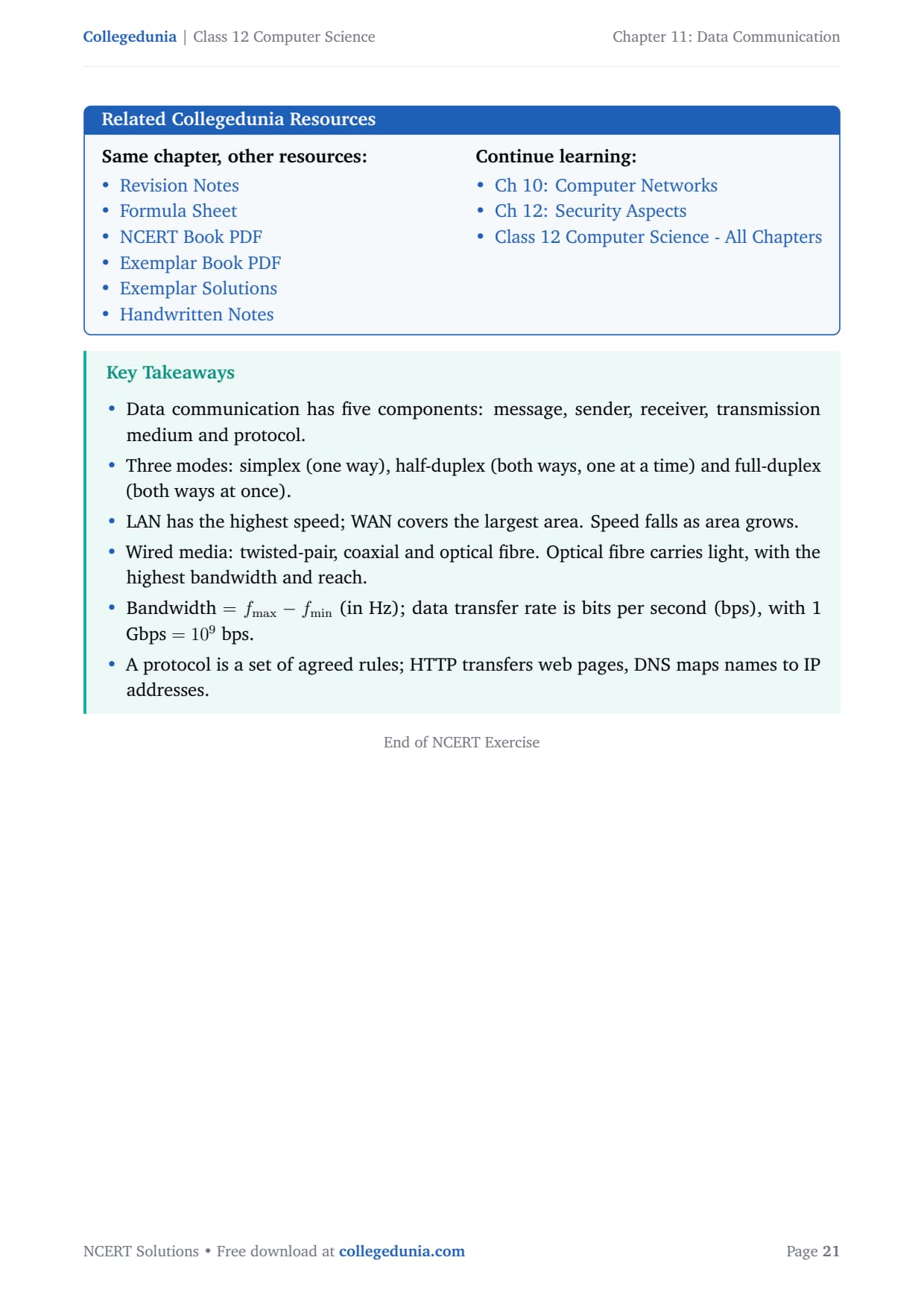
Components of data communication: the message, the sender, the receiver, the transmission medium, and the protocol that keeps both ends in step.
Communication modes: simplex (one way), half-duplex (both ways, one at a time) and full-duplex (both ways at once).
Networks by area: LAN, MAN and WAN, with the inverse rule that speed falls as the covered area grows.
Transmission media and metrics: wired (twisted-pair, coaxial, optical fibre) versus wireless media, plus bandwidth, data transfer rate, HTTP and DNS.
Exercise-wise Breakdown of the Data Communication Chapter NCERT Solutions
Chapter 11 of NCERT Class 12 Computer Science carries 13 end-of-chapter exercise questions. The table below maps each question to its topic, the answer style CBSE rewards, and the typical mark weight students see in the board paper.
Question
Topic covered
Answer style
Typical marks
Q 1
Data communication and its five components
One labelled line per component
2 to 3 marks
Q 2
Mode that allows both directions at once
One word with a reason
1 mark
Q 3
LAN, MAN, WAN: fastest and widest
Two-part answer with the inverse rule
1 to 2 marks
Q 4
Three categories of wired media
Name plus one feature each
3 marks
Q 5
Compare wired and wireless media
Two-column comparison table
3 to 4 marks
Q 6 to Q 8
Light-carrying medium, fibre pros and cons, radio band
One-line recall with a reason
1 to 3 marks
Q 9 and Q 13
Gbps to bps and the bandwidth formula
Formula, substitution, answer
1 to 2 marks each
Q 10 to Q 12
HTTP full form, short notes, protocol with example
Full form plus definition plus use
1 to 4 marks
The comparison question (Q 5), the short-notes question (Q 11) and the protocol question (Q 12) carry the heaviest marks. Students who answer in a clean table or in labelled headings score full marks faster than those who write running prose.
Components of Data Communication and the Three Communication Modes
Data communication is the exchange of data, whether text, numbers, images, audio or video, between two devices over a transmission medium. For the exchange to work, five parts must be in place. The first three questions of the exercise test these basics directly.
Message: the actual information being sent.
Sender and receiver: the devices that send and receive. These are roles, so the same phone is a sender one moment and a receiver the next.
Transmission medium: the physical path, wired or wireless, that carries the message.
Protocol: the agreed set of rules that lets both ends read the data the same way.
The three communication modes describe the direction data can flow. In simplex mode data flows one way only, like a keyboard to a computer. In half-duplex mode data flows both ways but only one direction at a time, like a walkie-talkie. In full-duplex mode data flows both ways at the same instant, like a telephone call.
Watch Out: Both half-duplex and full-duplex allow both directions, so "both directions" alone does not pin the answer. The deciding word in Question 2 is "simultaneously", and only full-duplex sends and receives at the same instant. Underline that word before you answer.
Because each mode maps to a familiar device, learning one real example per mode is enough to recall all three in the exam, which is exactly how the next questions build on these foundations.
LAN, MAN and WAN: The Inverse Speed and Area Rule
Networks are grouped by the geographical area they cover. A LAN (Local Area Network) connects devices in a small area such as a room or campus. A MAN (Metropolitan Area Network) spans a city. A WAN (Wide Area Network) spans regions, countries or continents, and the Internet is the best-known WAN.
Network
Area covered
Typical speed
Example
LAN
Room, building or campus
Highest
Office or school network
MAN
A whole city
Medium
City cable-TV network
WAN
Country or continent
Lowest
The Internet
The key idea in Question 3 is the inverse rule: as the covered area grows, the typical speed falls. A LAN runs over short, private, clean links, so it is the fastest. A WAN stitches many networks over long public links, so it has the widest reach but the lowest speed. Fix this one rule and both answers follow at once.
Quick Tip: The Internet feels powerful, so students wrongly pick WAN as fastest. Global reach is exactly why a WAN is the slowest of the three. Smaller area means faster, larger area means slower.
Wired and Wireless Transmission Media: Twisted-Pair, Coaxial and Optical Fibre
Transmission media split into two families. Wired media (guided media) carry the signal through a solid cable. Wireless media (unguided media) carry it through air or space as electromagnetic waves. Questions 4 to 8 test both families and the metrics that describe them.
The three wired media (Q 4 and Q 6)
The three categories of wired media rise in bandwidth, reach and cost in the same order.
Twisted-pair cable: two insulated copper wires twisted to cut interference. Cheap and common, but lower bandwidth and limited to about 100 metres.
Coaxial cable: a copper core wrapped in a metal mesh shield. Higher bandwidth and longer reach than twisted-pair, used for cable TV.
Optical fibre cable: a thin glass strand that carries data as pulses of light by total internal reflection. It has the highest bandwidth and the longest reach, and it is the medium that carries signals in the form of light in Question 6.
Wired versus wireless and the radio band (Q 5 and Q 8)
Wired links are generally faster, steadier, less affected by noise and harder to tap. Wireless links trade some speed and security for mobility and easy setup. There is no winner, only a trade-off, and saying so explicitly often earns the final mark. Radio waves, the wireless medium in Question 8, cover the band from 3 KHz to 1 GHz and travel in all directions, which is why they carry AM, FM and TV broadcasts.
Remember: Every advantage of optical fibre flows from "light" and every disadvantage flows from "glass". Light gives high bandwidth, long reach and noise immunity; glass makes it costly, fragile and hard to splice.
Bandwidth, Data Transfer Rate and Protocols like HTTP and DNS
The last block of questions tests the metrics and the named technologies. Keep two units straight: bandwidth is measured in hertz (Hz), and data transfer rate is measured in bits per second (bps).
Unit conversion and the bandwidth formula (Q 9 and Q 13)
For data rates the prefixes are decimal: 1 Kbps is 103 bps, 1 Mbps is 106 bps, and 1 Gbps is 109 bps. So 18 Gbps is 18 multiplied by 109, which is 18,000,000,000 bps. The bandwidth of a signal is the difference between its highest and lowest frequency.
The trap in Question 13 is subtracting across mixed units. Convert 1 GHz to 1000 MHz first, then subtract, so the answer is 500 MHz, not 0.5. Always write the converted value on its own line so the examiner can see you handled the units.
HTTP, DNS and protocols (Q 10 to Q 12)
A protocol is a set of agreed rules that two devices follow to exchange data. It fixes the syntax (format and order), the semantics (meaning) and the timing (when and how fast). HTTP stands for Hypertext Transfer Protocol, the rules a browser and a web server use to request and send web pages. DNS (Domain Name System) maps a domain name such as google.com to its numeric IP address. A neat line for the exam is that DNS finds the address and HTTP delivers the page.
Common Mistakes Students Make in the Data Communication Chapter
The repeat-offender mistakes in Data Communication board answers:
Confusing half-duplex with full-duplex: both allow two-way flow, but only full-duplex is simultaneous, as Question 2 demands.
Picking WAN as the fastest: the Internet feels powerful, but wide area means low speed. LAN is the fastest.
Subtracting across mixed units: in Question 13, convert 1 GHz to 1000 MHz before subtracting, giving 500 MHz, not 0.5.
Using the wrong power of ten: 1 Gbps is 109 bps, so 18 Gbps has nine zeros, not six.
Confusing HTTP with HTML: HTTP is the transfer protocol; HTML is the page language. They are not the same.
How to Use the Data Communication NCERT Solutions PDF for Board Prep
The Data Communication chapter is short but term-heavy. The best approach is two passes: one for the definitions and modes, one for the numerical questions and short notes.
First pass: terms and modes (45 minutes)
Read the chapter and note the five components, the three modes with one device example each, and the LAN, MAN, WAN inverse rule. Write one line of meaning next to each term so the words stick before you attempt the exercise.
Second pass: numericals and short notes (1 to 1.5 hours)
Work Q 9 and Q 13 on paper, writing the conversion factor and the converted unit on their own lines. Then practise the short notes in Q 11 in a fixed skeleton: full form, one-line definition, then unit or use. Pay attention to the bandwidth unit conversion, because that single specific decides full marks.
CUET and JEE angle
For students preparing competitive exams, data-communication basics appear in CUET Computer Science and in JEE-level computer-awareness sections. The modes, the LAN, MAN, WAN ranking, and protocols like HTTP and DNS are exactly the recall items those papers reuse, so the work here doubles as competitive prep.
Previous Year Question Trends from the Data Communication Chapter
The Data Communication chapter is tested in CBSE board papers mainly through definition, comparison and short numerical questions. The table below maps the asked question types across recent board papers.
Year
Question type asked
Marks
2025
Name the mode for simultaneous two-way flow; expand HTTP
1 + 1
2024
Compare wired and wireless media; bandwidth from a frequency range
3 + 2
2023
Three categories of wired media with one feature each
3
2022
Components of data communication; LAN versus WAN speed
2 + 1
2021
Short notes on Bluetooth and DNS; Gbps to bps conversion
2 + 1
Also Check: The full set of CBSE board paper questions for this chapter is included in the downloadable PDF above, updated for the 2026-27 cycle.
Other Resources for Class 12 Computer Science Chapter 11 Data Communication
Pair this NCERT Solutions PDF with the matching revision notes, handwritten notes and the official NCERT book chapter. All resources for Class 12 Computer Science Chapter 11 Data Communication are linked below.
Resource
What it covers
Open
NCERT Solutions
Step-by-step answers to all 13 exercise questions, with an Expert Solution for each.
You are here
Notes
Concept-first revision notes on components, modes, media, bandwidth and protocols.
NCERT Solutions for Class 12 Computer Science: All Chapters
Related Links: Use the table below to open the NCERT Solutions for the other chapters of Class 12 Computer Science. Every chapter ships with the same step-by-step answer style, full PDF download, and revision FAQ.
All NCERT Solutions for Class 12 Computer Science Chapter 11 Data Communication with Step-by-Step Solutions
Q 1
What is data communication? What are the main components of data communication?
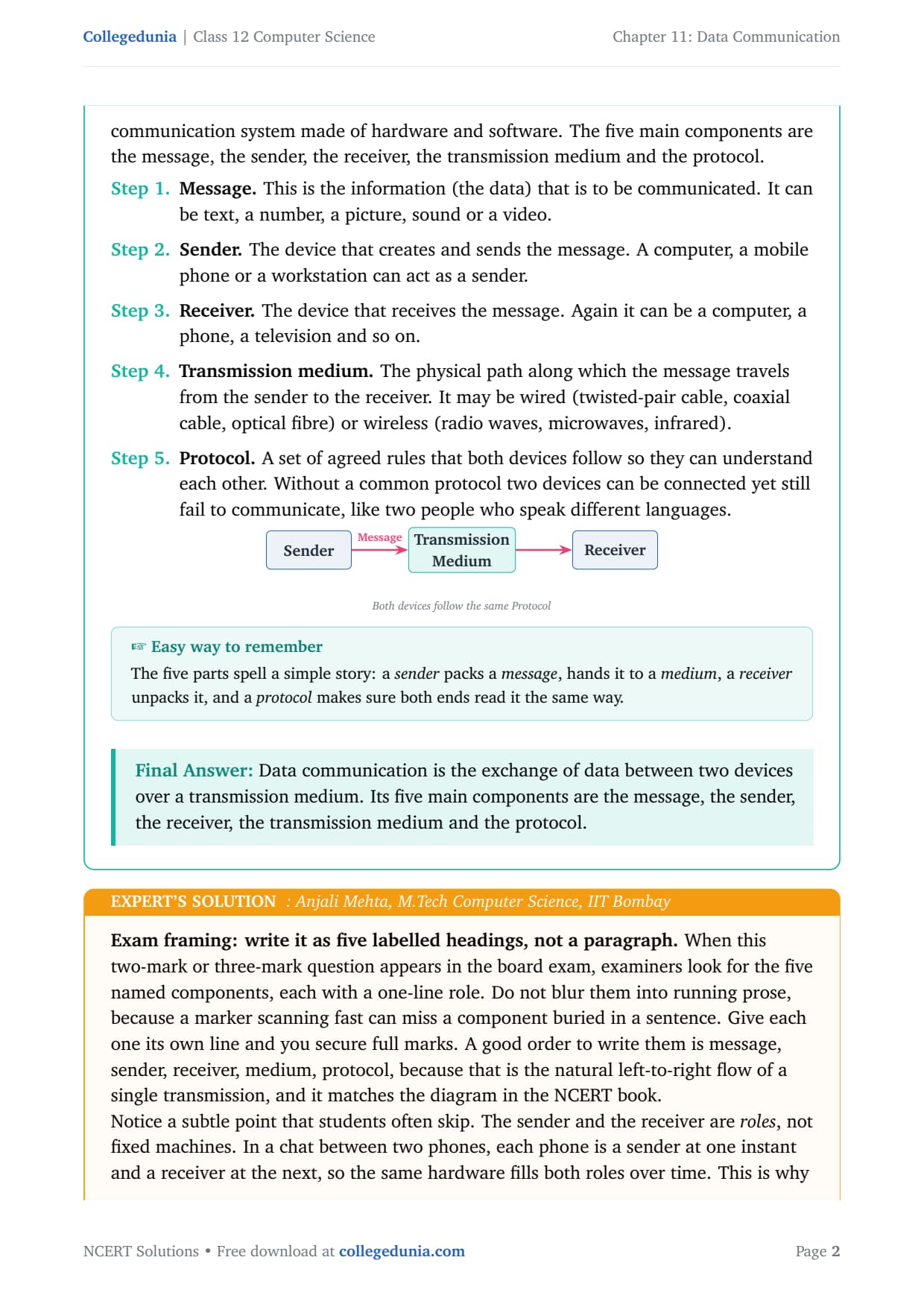
Data communication is the exchange of data (text, numbers, images, audio or video) between two devices through some form of transmission medium, such as a cable or the air. For the exchange to work, the two devices must be part of a communication system made of hardware and software. The five main components are listed below.
Message. The information (the data) to be communicated. It can be text, a number, a picture, sound or a video.
Sender. The device that creates and sends the message, such as a computer, a phone or a workstation.
Receiver. The device that receives the message, again a computer, a phone, a television and so on.
Transmission medium. The physical path the message travels along. It may be wired (twisted-pair, coaxial, optical fibre) or wireless (radio waves, microwaves, infrared).
Protocol. A set of agreed rules both devices follow so they can understand each other. Without a common protocol, two connected devices can still fail to communicate.
Answer: Data communication is the exchange of data between two devices over a transmission medium. Its five main components are the message, the sender, the receiver, the transmission medium and the protocol.
AM
Anjali Mehta
M.Tech Computer Science, IIT Bombay
Verified Expert
Write this as five labelled headings, not a paragraph. Examiners look for the five named components, each with a one-line role, so give each one its own line to secure full marks. A good order is message, sender, receiver, medium, protocol, because that matches the natural left-to-right flow of a single transmission.
The sender and the receiver are roles, not fixed machines. In a chat between two phones, each phone is a sender at one instant and a receiver the next.
Do not treat the protocol as an afterthought. It is the component that turns five separate pieces of hardware into a working communication system.
If the question carries three or more marks, add that the message can be text, numbers, images, audio or video, because that extra detail often carries a separate mark.
Answer: Five components: message, sender, receiver, transmission medium, protocol. Sender and receiver are roles the same device can swap between.
Q 2
Which communication mode allows communication in both directions simultaneously?
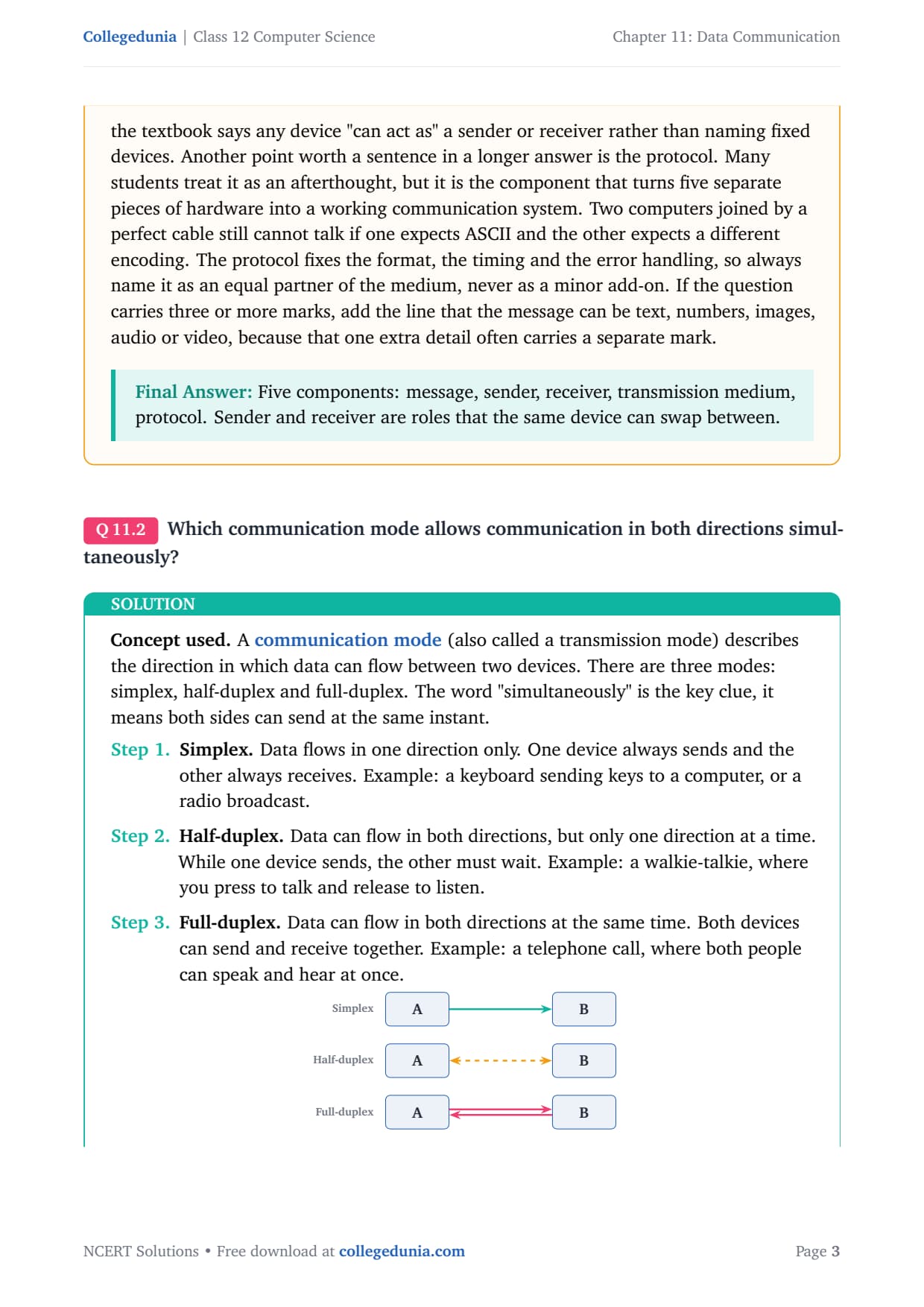
A communication mode (or transmission mode) describes the direction in which data can flow between two devices. There are three modes, and the word "simultaneously" is the key clue.
Simplex. Data flows one way only, like a keyboard sending keys to a computer or a radio broadcast.
Half-duplex. Data flows in both directions, but only one direction at a time, like a walkie-talkie where you press to talk and release to listen.
Full-duplex. Data flows in both directions at the same time, like a telephone call where both people speak and hear at once.
Since the question asks for "simultaneously", only full-duplex fits.
Answer: Full-duplex mode allows communication in both directions simultaneously. A telephone call is the classic example.
RI
Rohan Iyer
B.Tech Electronics and Communication, NIT Trichy
Verified Expert
The single mistake that costs this mark is reading "both directions" and stopping there. Half-duplex also allows both directions, so the deciding word is "simultaneously", and only full-duplex meets it. Underline that one word before you answer.
Attach a real device to each mode: simplex is a radio, half-duplex is a walkie-talkie, full-duplex is an ordinary phone call.
For a longer answer, add that full-duplex needs more capacity because both directions are live together, which is why such links generally cost more.
Answer: Full-duplex, sends and receives at the same time. Watch the word "simultaneously", it rules out half-duplex.
Q 3
Among LAN, MAN, and WAN, which has the highest speed and which one can cover the largest area?
Networks are classified by the area they cover. A LAN (Local Area Network) connects devices in a small area such as a room or campus. A MAN (Metropolitan Area Network) spans a city. A WAN (Wide Area Network) spans regions, countries or continents. There is an inverse relationship: as the area grows, the typical speed falls.
Area. LAN is smallest, MAN is city-sized, WAN is largest and joins many LANs and MANs.
Speed. LAN runs over short, private, high-quality links, so it has the highest speed. WAN uses long public links, so it is the slowest.
Answer: LAN has the highest speed. WAN can cover the largest area.
PN
Priya Nair
M.Sc Information Technology, University of Hyderabad
Verified Expert
The whole question hangs on one idea: speed and area pull in opposite directions. Once you fix "smaller area means faster, larger area means slower", both answers come free. This rule also protects you against the distractor where a question hopes you pick WAN as fastest because the Internet feels powerful.
A LAN uses short cables one organisation owns, so the links are clean and free of long-distance delay. A WAN stitches together public carriers and leased lines, adding delay at every hop.
Draw a quick three-row table even for a one-mark question, because it forces one value per network and makes the inverse pattern visible at a glance.
Answer: Highest speed: LAN. Largest area: WAN. Remember, area up means speed down.
Q 4
What are three categories of wired media? Explain them.
Wired media (guided media) are physical cables that carry the signal along a fixed path. The three categories rise in bandwidth, reach and cost in this order.
Twisted-pair cable. Two insulated copper wires twisted together. The twisting cuts interference. It comes as UTP and STP, is cheap and easy to install (telephone lines, LANs), but has lower bandwidth and is limited to about 100 metres.
Coaxial cable. A central copper conductor wrapped in insulation, then a metal mesh and a plastic cover. The mesh shields the inner wire, so it carries higher bandwidth over longer distances than twisted-pair. Used for cable TV and older backbones.
Optical fibre cable. A thin strand of glass that carries data as pulses of light. It has the highest bandwidth, the longest reach (tens of kilometres with repeaters) and is immune to electromagnetic interference, but it is the most expensive and fragile.
Answer: The three categories of wired media are twisted-pair cable, coaxial cable and optical fibre cable, in increasing order of bandwidth, reach and cost.
KR
Karthik Reddy
B.E. Telecommunication Engineering, BMS College of Engineering
Verified Expert
The marker is checking the three names and a one-line distinguishing feature for each. Pair each cable with its most memorable property: twisted-pair is the cheap everyday cable, coaxial is the shielded cable-TV cable, and optical fibre is the light-carrying glass cable with the highest bandwidth.
The two wires of a pair carry equal and opposite signals, so outside noise that hits both equally gets cancelled at the receiver. Twisting keeps them close so they pick up identical noise.
Mentioning interference handling, bandwidth and distance for each cable turns a plain list into a comparison, and CBSE markers reward the comparison.
Transmission media split into two families. In wired media (guided) the signal travels through a solid cable. In wireless media (unguided) the signal travels through air or space as electromagnetic waves. The table compares them point by point.
Basis
Wired media
Wireless media
Path
Through a physical cable
Through air or space as waves
Also called
Guided media
Unguided media
Examples
Twisted-pair, coaxial, optical fibre
Radio waves, microwaves, infrared
Mobility
Tied to the cable, low
Free to move, high
Installation
Needs cabling, harder
No cabling, easier
Speed
Generally high and steady
Varies with distance and obstacles
Interference
Less affected by noise
More affected by weather and walls
Security
Harder to tap, more secure
Easier to intercept, needs encryption
Answer: Wired media carry the signal through a physical cable (guided, fast, secure but fixed). Wireless media carry it through air as waves (unguided, mobile, easy to set up but more open to noise and interception).
SP
Sneha Patel
M.Tech Communication Systems, IIT Madras
Verified Expert
For a "compare" question the examiner expects a two-column table with a clear basis per row. Pick four or five strong points (path, mobility, speed, interference, security) and you cover almost every variant. A table also stops you from describing only one side and forgetting the matching point.
There is no winner, only a trade-off, and saying so explicitly often earns the final mark. Wired wins on speed and security; wireless wins on mobility and easy coverage.
Real networks mix both: an optical-fibre backbone between buildings feeds Wi-Fi access points inside each room.
Answer: Wired: guided, fast, steady, secure, fixed. Wireless: unguided, mobile, easy to deploy, but slower and more open to noise. It is a trade-off, not a winner.
Q 6
Which transmission media carries signals in the form of light?
Most cables carry data as electrical signals (changing voltage on copper). One wired medium is different: it carries data as pulses of light. That medium is the optical fibre cable.
Identify. Twisted-pair and coaxial use electrical signals; radio, microwave and infrared are wireless. Only optical fibre uses light.
How it works. A light source (LED or laser) switches on and off to represent bits. The light bounces along the glass by total internal reflection to a detector at the far end.
Answer: Optical fibre cable carries signals in the form of light, as pulses travelling through a thin glass strand by total internal reflection.
VS
Vikram Singh
B.Tech Electronics, Delhi Technological University
Verified Expert
This is a one-mark recall question, and "optical fibre" earns the mark on its own. But a single extra line about how the light travels, by total internal reflection, guards you against a careless slip and prepares you for the follow-up "explain how it works".
Light carries no electric charge along the cable, so electromagnetic noise cannot touch it. That is the deep reason optical fibre is both the fastest and the most interference-free wired medium.
If marks allow, name the consequence: highest bandwidth and immunity to electrical noise, which is why backbone and undersea links are almost all fibre.
Answer: Optical fibre cable. Light pulses travel through a glass strand by total internal reflection, giving very high bandwidth with no electrical interference.
Q 7
List out the advantages and disadvantages of optical fiber cable.
Optical fibre cable carries data as pulses of light through a thin glass core. Its strengths come from using light; its weaknesses come from the glass being delicate and costly.
Advantages:
Very high bandwidth, so a very high data transfer rate.
Long-distance transmission; the signal weakens very little, travelling tens of kilometres before a repeater.
Immune to electromagnetic interference, because it uses light, not electricity.
More secure; it is hard to tap a fibre without breaking it.
Light and thin compared with copper of the same capacity.
Disadvantages:
High cost of the cable and the send/receive equipment.
Fragile; the thin glass core can break or crack if bent too sharply.
Difficult installation and repair, needing special tools and trained staff.
Answer: Advantages: very high bandwidth, long reach, immune to electrical interference, more secure, light and thin. Disadvantages: high cost, fragile glass core, and difficult, skilled installation and repair.
MJ
Meera Joshi
M.Tech Optical Networks, IIT Delhi
Verified Expert
The cleanest way to recall this list is to trace each point to a single cause. The advantages all flow from the signal being light: huge bandwidth, no electrical-noise disturbance, little loss over distance. The disadvantages all flow from the medium being thin glass: costly to make, brittle, and needing precise skilled splicing.
The bandwidth advantage is enormous because light oscillates at frequencies far above any electrical signal, so one fibre can carry many data streams using different colours of light.
If the question carries four or more marks, give at least three advantages and two disadvantages with one reason each, since marking schemes award per valid point.
Answer: Advantages (from using light): high bandwidth, long reach, noise immunity, security, light weight. Disadvantages (from using glass): costly, fragile, hard to install and repair.
Q 8
What is the range of frequency for radio waves?
Radio waves are a type of electromagnetic wave used as a wireless medium. Frequency is the number of wave cycles per second, in hertz (Hz), where 1 KHz = 103 Hz, 1 MHz = 106 Hz and 1 GHz = 109 Hz.
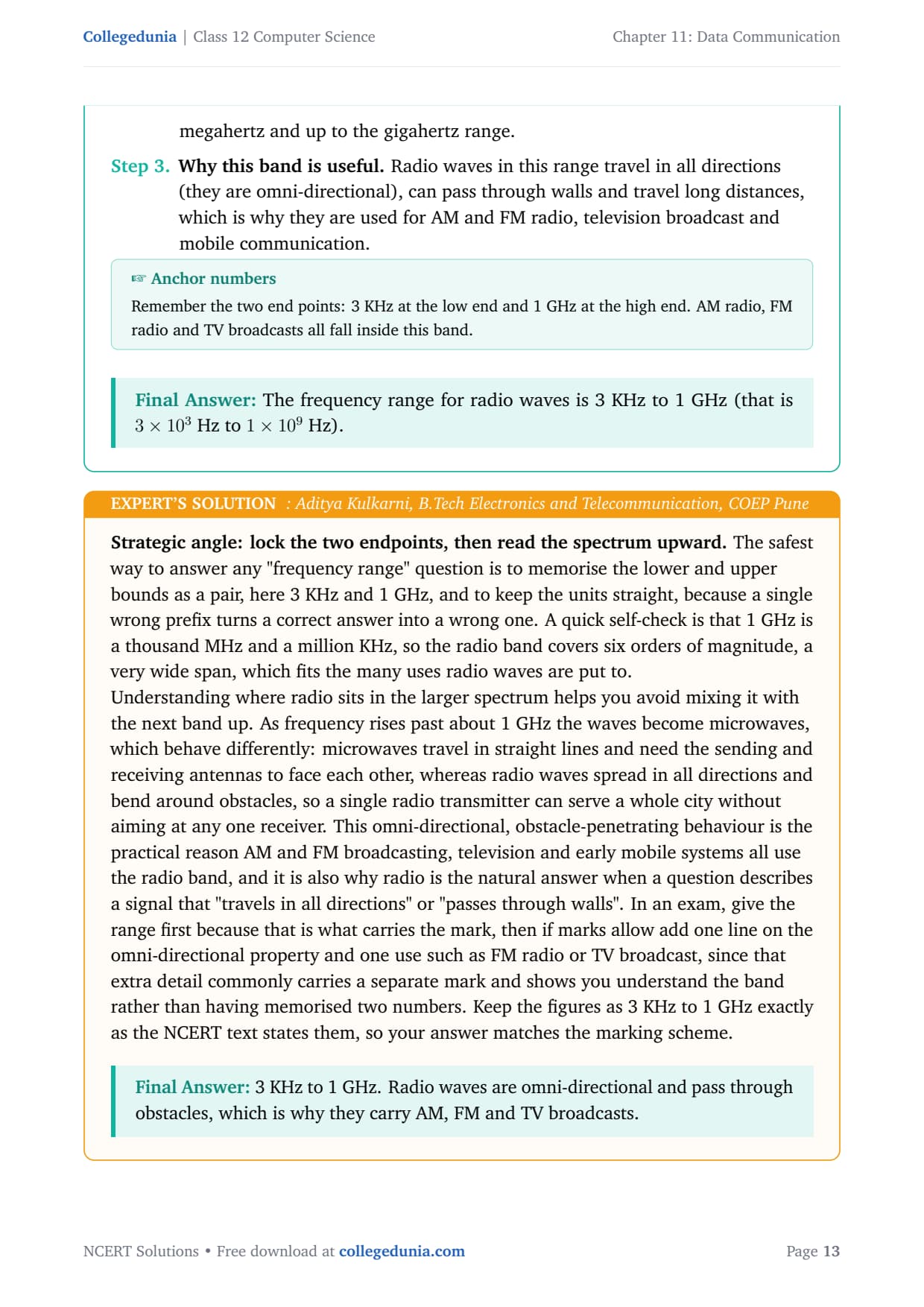
The band. In the NCERT data-communication context, radio waves cover 3 KHz up to 1 GHz, that is 3 × 10³ Hz to 1 × 10⁹ Hz.
Why useful. Radio waves travel in all directions (omni-directional), pass through walls and travel long distances, so they carry AM, FM, TV and mobile signals.
Answer: The frequency range for radio waves is 3 KHz to 1 GHz (that is 3 × 10³ Hz to 1 × 10⁹ Hz).
AK
Aditya Kulkarni
B.Tech Electronics and Telecommunication, COEP Pune
Verified Expert
Memorise the lower and upper bounds as a pair, here 3 KHz and 1 GHz, and keep the units straight, because a single wrong prefix turns a correct answer into a wrong one. A quick check: 1 GHz is a thousand MHz and a million KHz, so the band spans six orders of magnitude.
Above about 1 GHz the waves become microwaves, which travel in straight lines and need antennas to face each other, unlike radio waves that spread in all directions.
Give the range first because it carries the mark, then add the omni-directional property and one use such as FM radio, since that detail often carries a separate mark.
Answer: 3 KHz to 1 GHz. Radio waves are omni-directional and pass through obstacles, which is why they carry AM, FM and TV broadcasts.
Q 9
18 Gbps is equal to how many Bits per second?
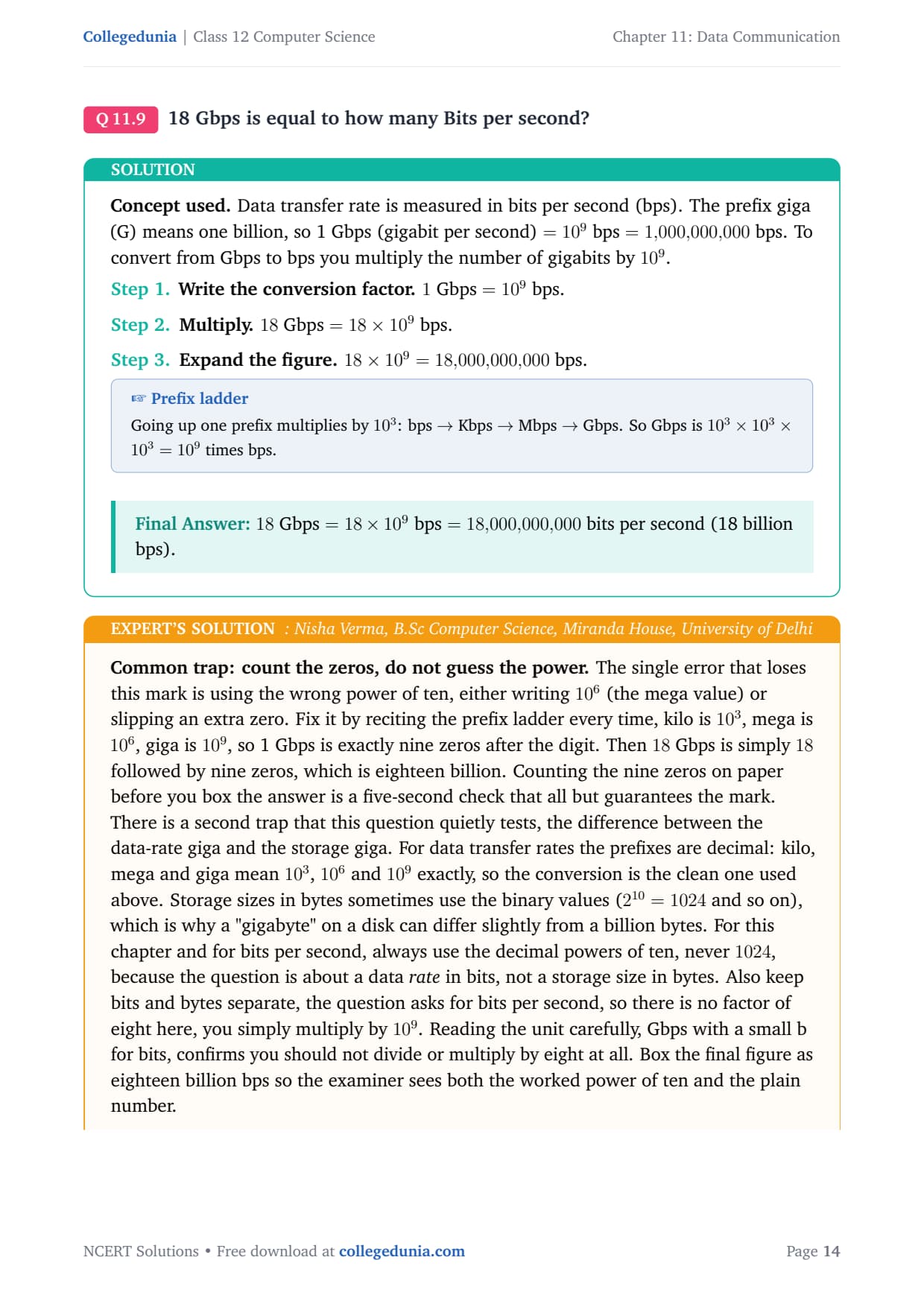
Data transfer rate is measured in bits per second (bps). The prefix giga means one billion, so 1 Gbps = 109 bps. To convert Gbps to bps, multiply by 109.
Answer: 18 Gbps = 18 × 109 bps = 18,000,000,000 bits per second (18 billion bps).
NV
Nisha Verma
B.Sc Computer Science, Miranda House, University of Delhi
Verified Expert
The single error that loses this mark is the wrong power of ten. Recite the prefix ladder every time: kilo is 103, mega is 106, giga is 109, so 1 Gbps is exactly nine zeros. Then 18 Gbps is 18 followed by nine zeros, eighteen billion.
For data rates the prefixes are decimal (103, 106, 109), never 1024, because this is a rate in bits, not a storage size in bytes.
The unit is Gbps with a small b for bits, so there is no factor of eight here; simply multiply by 109.
Answer: 18,000,000,000 bps, that is 18 × 109 bits per second (eighteen billion bits per second).
Q 10
HTTP stands for?
HTTP is one of the core protocols of the World Wide Web. A protocol is a set of rules that lets two devices exchange data in a form both understand.
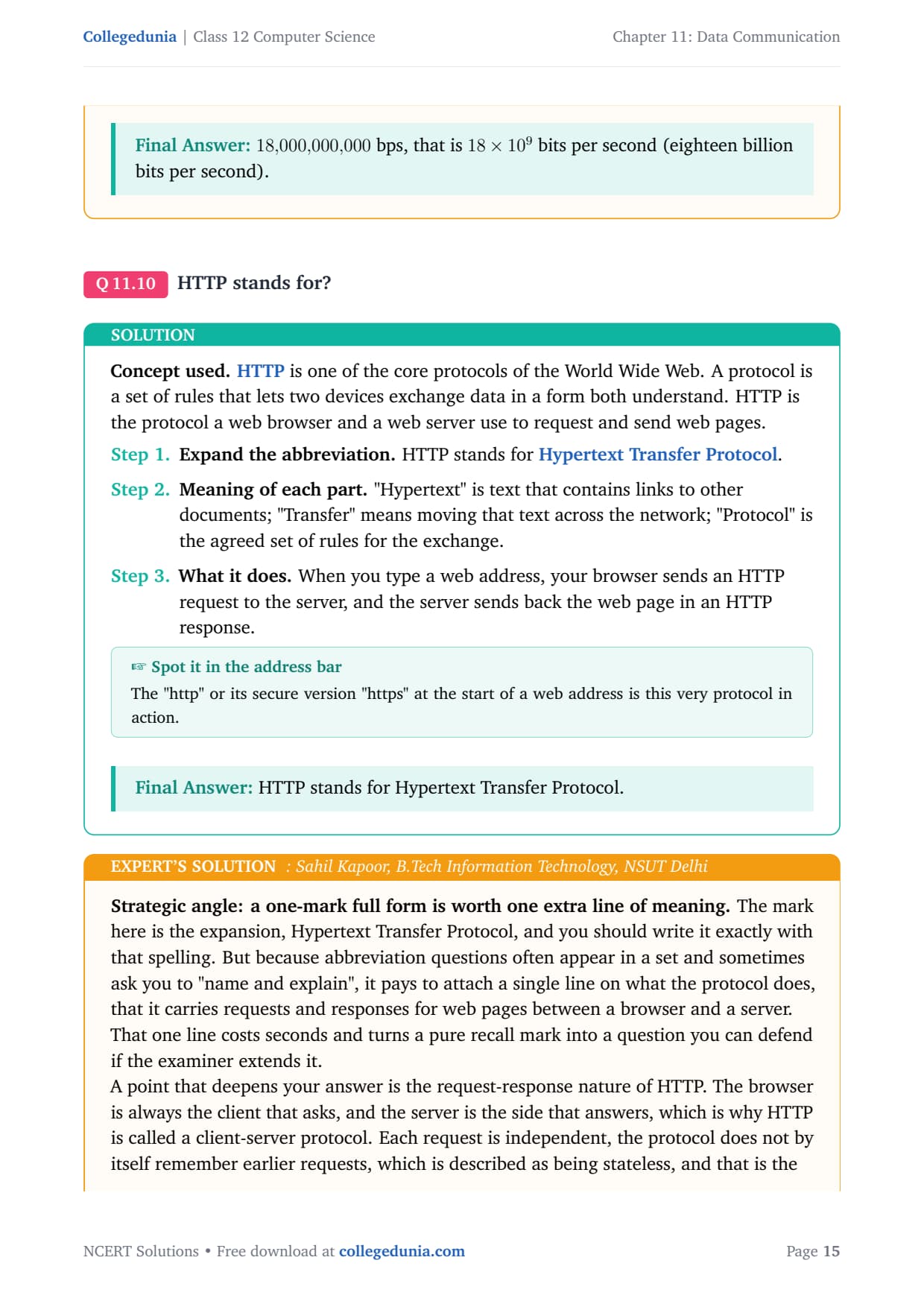
Full form. HTTP stands for Hypertext Transfer Protocol.
Meaning. "Hypertext" is text with links to other documents; "Transfer" means moving it across the network; "Protocol" is the agreed set of rules.
What it does. Your browser sends an HTTP request to a server, and the server returns the web page in an HTTP response.
Answer: HTTP stands for Hypertext Transfer Protocol.
SK
Sahil Kapoor
B.Tech Information Technology, NSUT Delhi
Verified Expert
The mark is the expansion, Hypertext Transfer Protocol, written with that exact spelling. Since abbreviation questions often ask you to "name and explain", attach one line on what the protocol does: it carries requests and responses for web pages between a browser and a server.
HTTP is a client-server protocol: the browser asks, the server answers. Each request is independent, which is why websites use cookies to remember you.
Do not confuse HTTP with HTML. HTML is the language the page is written in; HTTP is the protocol that transfers that page across the network.
Answer: Hypertext Transfer Protocol, the client-server protocol that transfers web pages between a browser and a web server.
Q 11
Write short note on the following: a) HTTP b) Bandwidth c) Bluetooth d) DNS e) Data transfer rate
Each short note gives the full form (if any), a one-line definition and a use or unit.
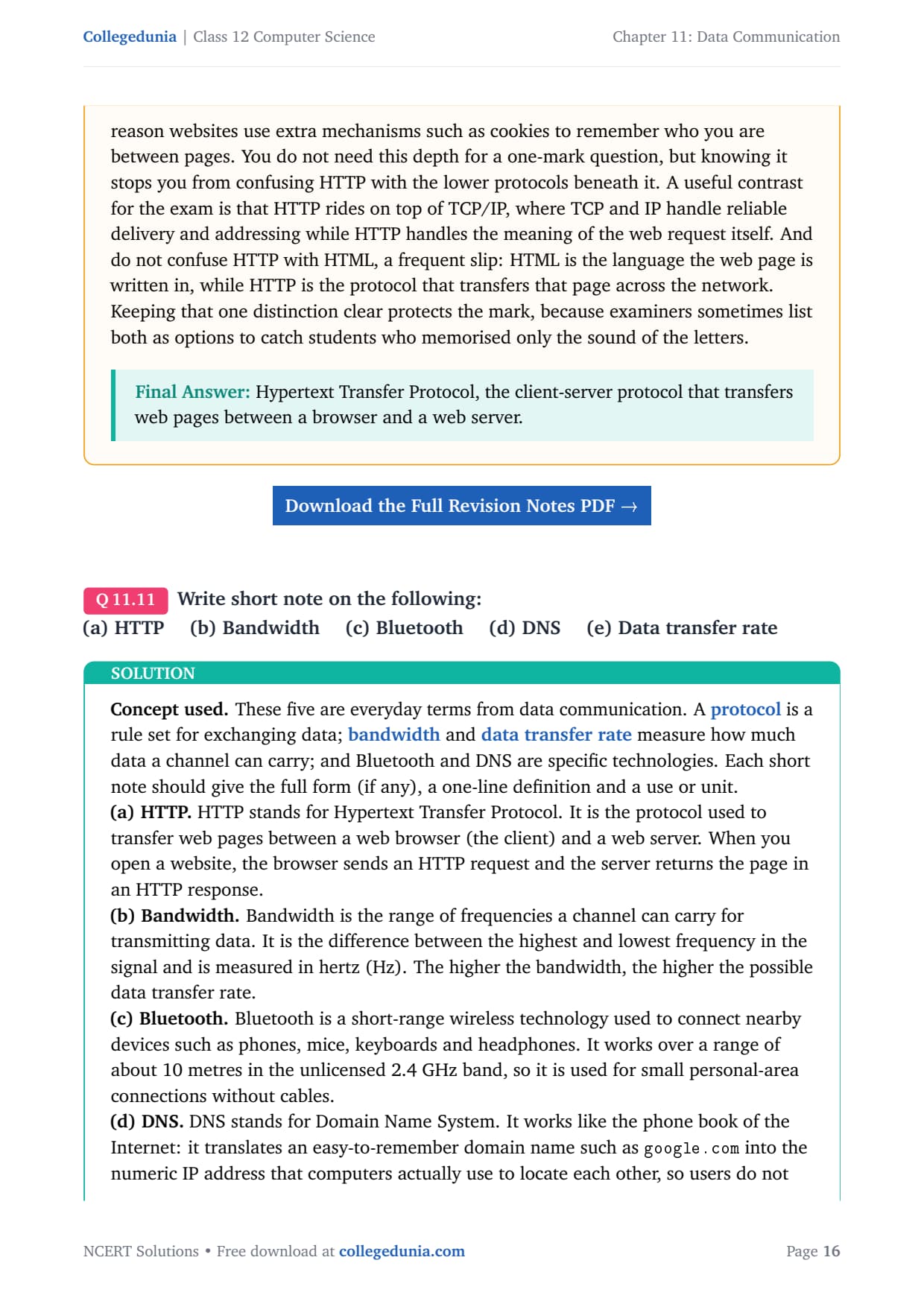
a) HTTP. Hypertext Transfer Protocol, the protocol used to transfer web pages between a browser (client) and a web server. The browser sends an HTTP request and the server returns the page in an HTTP response.
b) Bandwidth. The range of frequencies a channel can carry, the difference between the highest and lowest frequency, measured in hertz (Hz). Higher bandwidth allows a higher data transfer rate.
c) Bluetooth. A short-range wireless technology to connect nearby devices such as phones, mice and headphones. It works over about 10 metres in the unlicensed 2.4 GHz band.
d) DNS. Domain Name System, the phone book of the Internet. It translates a domain name such as google.com into the numeric IP address computers use to locate each other.
e) Data transfer rate. The number of bits sent from source to destination in one second, measured in bits per second (bps), with larger rates in Kbps, Mbps and Gbps.
Answer: HTTP transfers web pages; bandwidth (Hz) is a channel's frequency range; Bluetooth is short-range 2.4 GHz wireless; DNS maps names to IP addresses; data transfer rate (bps) is bits sent per second.
TD
Tanvi Desai
M.Sc Computer Applications, Fergusson College Pune
Verified Expert
A "short note" question rewards structure over length. For each term give three lines in a fixed order: the full form where one exists, a one-sentence definition, and the unit or a real use. The same skeleton for all five keeps your answer tidy.
Bandwidth versus data transfer rate: bandwidth is a channel property in hertz and sets the ceiling; data transfer rate is the actual bits delivered per second in bps. Bandwidth is the pipe width, rate is the flow.
HTTP versus DNS: DNS runs first, turning the name into an IP address; HTTP runs next, fetching the page. DNS finds the house, HTTP delivers the letter.
Answer: HTTP transfers web pages; bandwidth (Hz) is the channel's frequency range; Bluetooth is short-range 2.4 GHz wireless; DNS maps names to IP addresses; data transfer rate (bps) is bits sent per second.
Q 12
What is protocol in data communication? Explain with an example.
A protocol is a set of agreed rules that govern how two devices exchange data over a network. The rules cover the format of the data, the order of messages, the speed, and how errors are detected. Both the sender and the receiver must follow the same protocol, or they cannot understand each other.
Why needed. Two devices may use different hardware, encodings or speeds. A protocol fixes a common set of rules so both agree on what the bits mean.
What it defines. Syntax (format and order), semantics (meaning of each part) and timing (when and how fast data may be sent).
Example. HTTP is a web protocol. A browser sends an HTTP request in a fixed format, and the server replies with an HTTP response, so the page loads. Other examples are TCP/IP, FTP and SMTP.
Answer: A protocol is a set of agreed rules (format, order, timing, error handling) that two devices follow to communicate. Example: HTTP, the protocol a browser and a web server use to request and send web pages.
AM
Arjun Menon
M.Tech Computer Networks, IIT Kharagpur
Verified Expert
CBSE marks this question in two parts, the definition and the example, so structure your answer to hit both. Define a protocol as a set of agreed rules for communication, then name one real protocol and show the rule in action. HTTP is the strongest example because you can describe the request-response exchange in one sentence.
Explain what would go wrong without a protocol: two computers on a perfect cable still fail if one sends in one format and the other expects another, like two people who speak different languages.
Protocols are layered: HTTP for web meaning sits on TCP for reliable delivery, which sits on IP for addressing, so several protocols cooperate on one request.
Answer: A protocol is a set of agreed rules (syntax, semantics, timing) that let two devices communicate. Example: HTTP, where a browser's request and a server's response follow the same rules so the page loads.
Q 13
A composite signal contains frequencies between 500 MHz and 1 GHz. What is the bandwidth of a signal?
The bandwidth of a signal is the range of frequencies it contains, the difference between its highest and lowest frequency. Before subtracting, both frequencies must be in the same unit.
Answer: The bandwidth of the signal is 1000 MHz − 500 MHz = 500 MHz (which is 0.5 GHz, or 500 × 106 Hz).
IB
Ishita Banerjee
B.Tech Electronics and Communication, Jadavpur University
Verified Expert
The whole question is a one-line subtraction, yet students lose the mark by subtracting across mixed units, taking "1 GHz minus 500 MHz" as "1 minus 500" or "1 minus 0.5". Convert both numbers to the smaller unit first: 1 GHz is 1000 MHz, so the sum is 1000 MHz minus 500 MHz, giving 500 MHz.
The signal is "composite" because it is made of many single frequencies mixed together; bandwidth measures how wide that mix is, and a wider band allows a higher data transfer rate.
A sanity check: bandwidth can never exceed the highest frequency and is always positive, so 500 MHz (half the top frequency) is reasonable. You can also state it as 0.5 GHz or 500 × 106 Hz.
Answer: 1000 MHz − 500 MHz = 500 MHz (equal to 0.5 GHz or 500 × 106 Hz). Always convert to a common unit before subtracting.
NCERT Solutions Class 12 Computer Science Chapter 11 Data Communication FAQs
Ques. How many questions are there in NCERT Class 12 Computer Science Chapter 11 Data Communication?
Ans. There are 13 end-of-chapter exercise questions in NCERT Class 12 Computer Science Chapter 11 Data Communication. All 13 are solved with full answers and an Expert Solution in the PDF. The mix covers the components of data communication, the three communication modes, LAN, MAN and WAN, wired and wireless media, optical fibre, the radio-wave band, unit conversion, the bandwidth formula, and protocols such as HTTP and DNS.
Ques. Which communication mode allows data in both directions at the same time?
Ans. Full-duplex mode allows communication in both directions simultaneously, so both devices can send and receive at the same instant. A telephone call is the classic example, because both people can speak and hear at once. Be careful not to choose half-duplex, which also allows both directions but only one direction at a time, like a walkie-talkie. The deciding word in the question is "simultaneously", and only full-duplex meets it.
Ques. Which of LAN, MAN and WAN is the fastest and which covers the largest area?
Ans. A LAN (Local Area Network) has the highest speed because it runs over short, private, high-quality links within a small area. A WAN (Wide Area Network) covers the largest area, spanning countries and continents, and the Internet is the best-known WAN. The rule to remember is inverse: as the covered area grows, the typical speed falls, so the smallest network is the fastest and the largest network has the widest reach.
Ques. What are the three categories of wired media in Class 12 Computer Science?
Ans. The three categories of wired (guided) media are twisted-pair cable, coaxial cable and optical fibre cable. Twisted-pair uses two twisted copper wires, is cheap and common but has lower bandwidth. Coaxial cable has a shielded copper core, so it carries higher bandwidth over longer distances. Optical fibre carries data as pulses of light through a glass strand, giving the highest bandwidth and the longest reach. Bandwidth, reach and cost all rise in this same order.
Ques. How do you find the bandwidth of a signal from its frequency range?
Ans. The bandwidth of a signal is the difference between its highest and lowest frequency, written as Bandwidth = f_max minus f_min. Before subtracting, convert both frequencies to the same unit. For a composite signal between 500 MHz and 1 GHz, first write 1 GHz as 1000 MHz, then subtract: 1000 MHz minus 500 MHz equals 500 MHz. The most common error is subtracting across mixed units and writing 0.5 instead of 500 MHz.
Ques. What do HTTP and DNS stand for in data communication?
Ans. HTTP stands for Hypertext Transfer Protocol, the client-server protocol a browser and a web server use to request and send web pages. DNS stands for Domain Name System, which works like the phone book of the Internet by translating an easy-to-remember domain name such as google.com into the numeric IP address computers use. A neat way to keep them apart is that DNS finds the address first and then HTTP fetches the page from it.
Ques. How many pages is the Class 12 Computer Science Data Communication NCERT Solutions PDF?
Ans. The Data Communication NCERT Solutions PDF runs about 21 pages and covers all 13 exercise questions with step-by-step answers, comparison tables, labelled diagrams, and an Expert Solution for each question. The PDF is free to download for the 2026-27 session and is mapped to the NCERT textbook.
Ques. Is the NCERT Solutions for Class 12 Computer Science Chapter 11 aligned with the 2026-27 syllabus?
Ans. Yes. This page reflects the current 2026-27 CBSE syllabus for Class 12 Computer Science. The Data Communication chapter is unchanged for the current cycle, and every answer follows the NCERT textbook, including the radio-wave band of 3 KHz to 1 GHz and the bandwidth formula. The solutions are useful for the CBSE board exam, and the same networking ideas help with CUET Computer Science and JEE-level computer-awareness questions.








Comments