




These Notes for Class 12 Computer Science Chapter 12 Security Aspects give you a fast, concept-first revision of the whole chapter, built on the latest 2026-27 CBSE syllabus. They cover network security, every type of malware from virus to keylogger, how antivirus spots threats, the HTTP versus HTTPS difference, firewalls, cookies, the three kinds of hackers, and network attacks like DoS, DDoS, snooping and eavesdropping.
- Every threat explained with a one-line meaning, a real example, and a quick table, so you can answer the one-mark and two-mark questions the board asks.
- Full coverage of malware types, modes of distribution, signs of infection, antivirus methods, spam, firewalls, cookies, white-black-grey hat hackers, DoS and DDoS, snooping and eavesdropping.
- Notes aligned with the 2026-27 CBSE Class 12 Computer Science syllabus and useful for JEE and CUET cyber-security questions; no NEET references because Computer Science is not a medical subject.
These Collegedunia revision notes are curated by Computer Science subject experts, mapped to the 2026-27 NCERT textbook, and refined against the last five years of CBSE Class 12 Computer Science board papers.
Student Feedback: What 12,400 students told us about this chapter
74% of Class 12 students said the malware names blur together, especially virus, worm, trojan and ransomware, while revising. 3 out of 5 students told us a single one-line-per-type table was the trick that finally made the seven malware types stick the night before the exam.
Toppers found that pairing each threat with its real example, like WannaCry for ransomware or the wooden horse for a Trojan, made the answers memorable, and the average student spent 1 to 2 hours on these notes across the first read and the final revision.
Source: 2026-27 Class 12 Computer Science student poll. Sample of 12,400 students from CBSE schools across 13 states, conducted before the 2026 boards.
What the Notes for Class 12 Computer Science Chapter 12 Security Aspects Cover
This chapter answers one question: once a computer joins a network, how do attackers reach it and how do you stay safe? These notes keep the NCERT order but compress it into revision-ready blocks, so you can read the whole chapter in one sitting and recall it fast in the exam.
- The big picture: what network security means, and the difference between a vulnerability, a threat and an attack.
- Malware in full: virus, worm, ransomware, trojan, spyware, adware and keylogger, how they spread, and the signs of an infection.
- Defences: antivirus methods, spam filtering, HTTP versus HTTPS, the firewall, and the upside and downside of cookies.
- Network attacks: DoS and DDoS, intrusion problems, and the snooping versus eavesdropping difference examiners love.
Source: Decode the power within You. on YouTube
Threats, Vulnerabilities and Attacks in Class 12 Computer Science
A computer with no link to any other device or to the Internet is almost free from outside attack, but such a machine is nearly useless because the modern world runs on connected devices. The moment your computer joins a network it becomes reachable, and reachable means it can be attacked. An offline computer is safer, not perfectly safe, because it can still be infected through a pen drive or an infected file copied onto it.
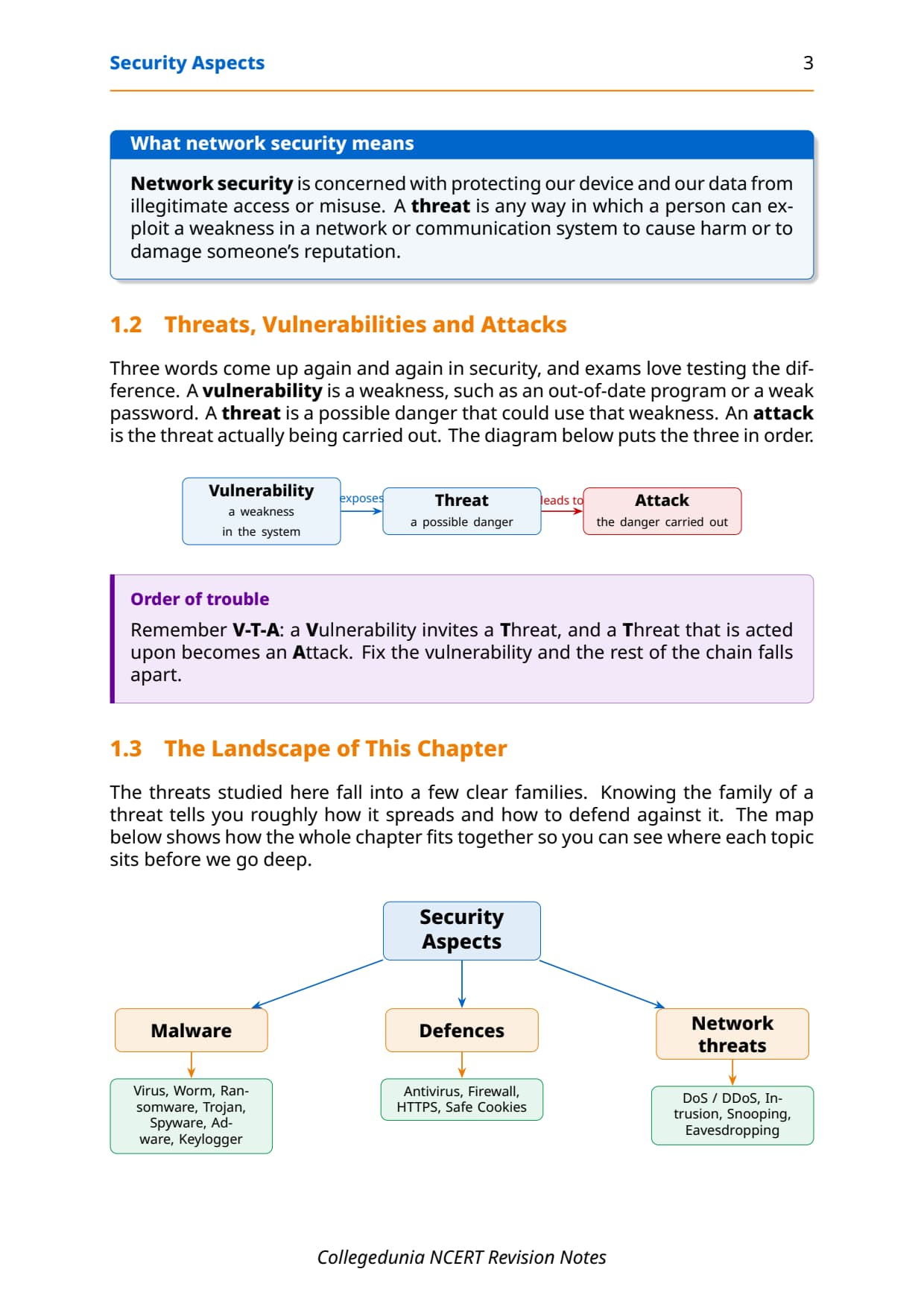
Network security is concerned with protecting our device and our data from illegitimate access or misuse. Three words come up again and again, and the board loves testing the difference between them. Learn the order: a weakness invites a danger, and a danger that is acted upon becomes an attack.
| Term | Meaning | Example |
|---|---|---|
| Vulnerability | A weakness in a network or system. | An out-of-date program or a weak password. |
| Threat | A possible danger that could use that weakness. | A worm that could exploit the old program. |
| Attack | The threat actually being carried out. | The worm actually infecting the machine. |
Malware and Its Types in Class 12 Computer Science
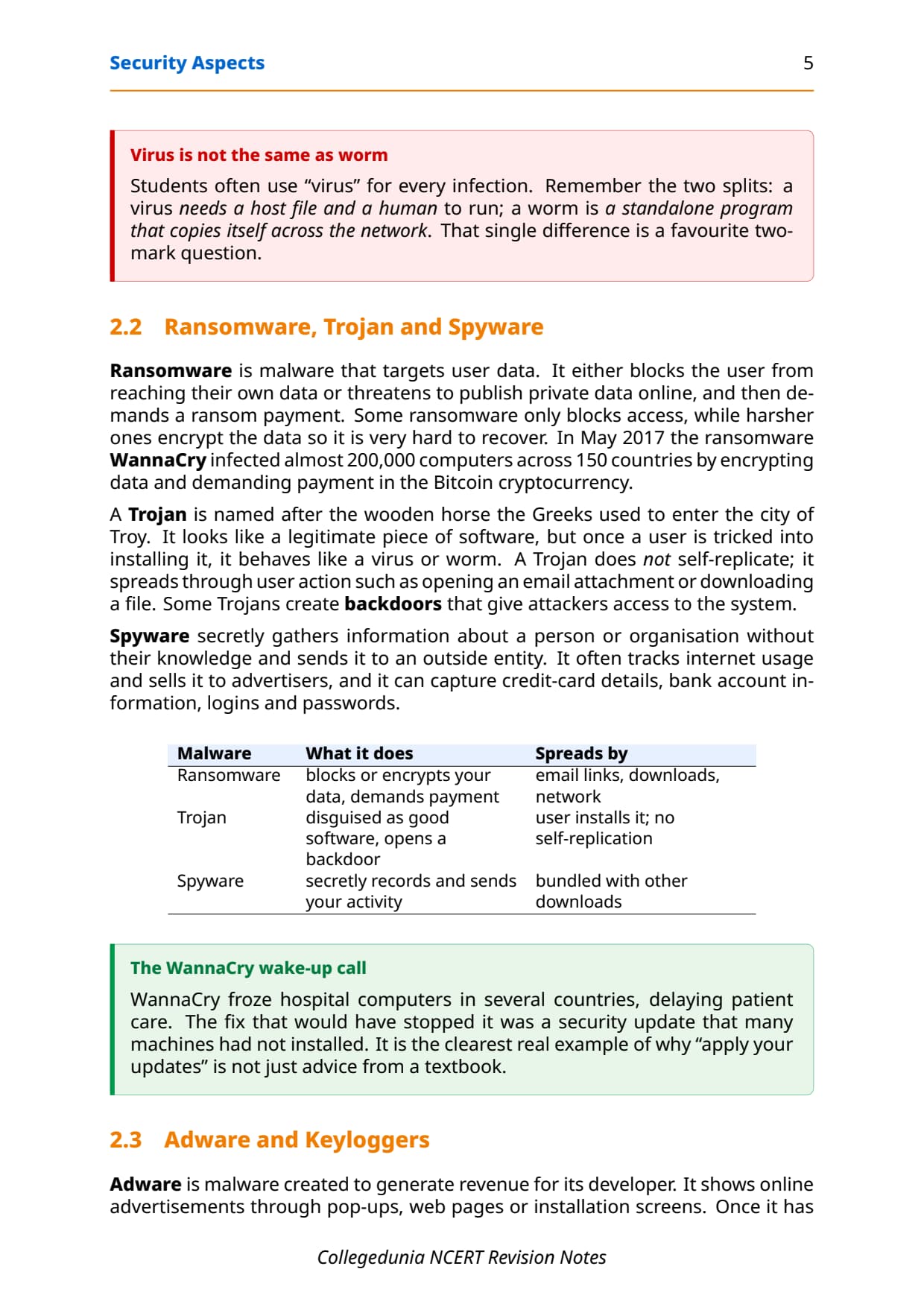
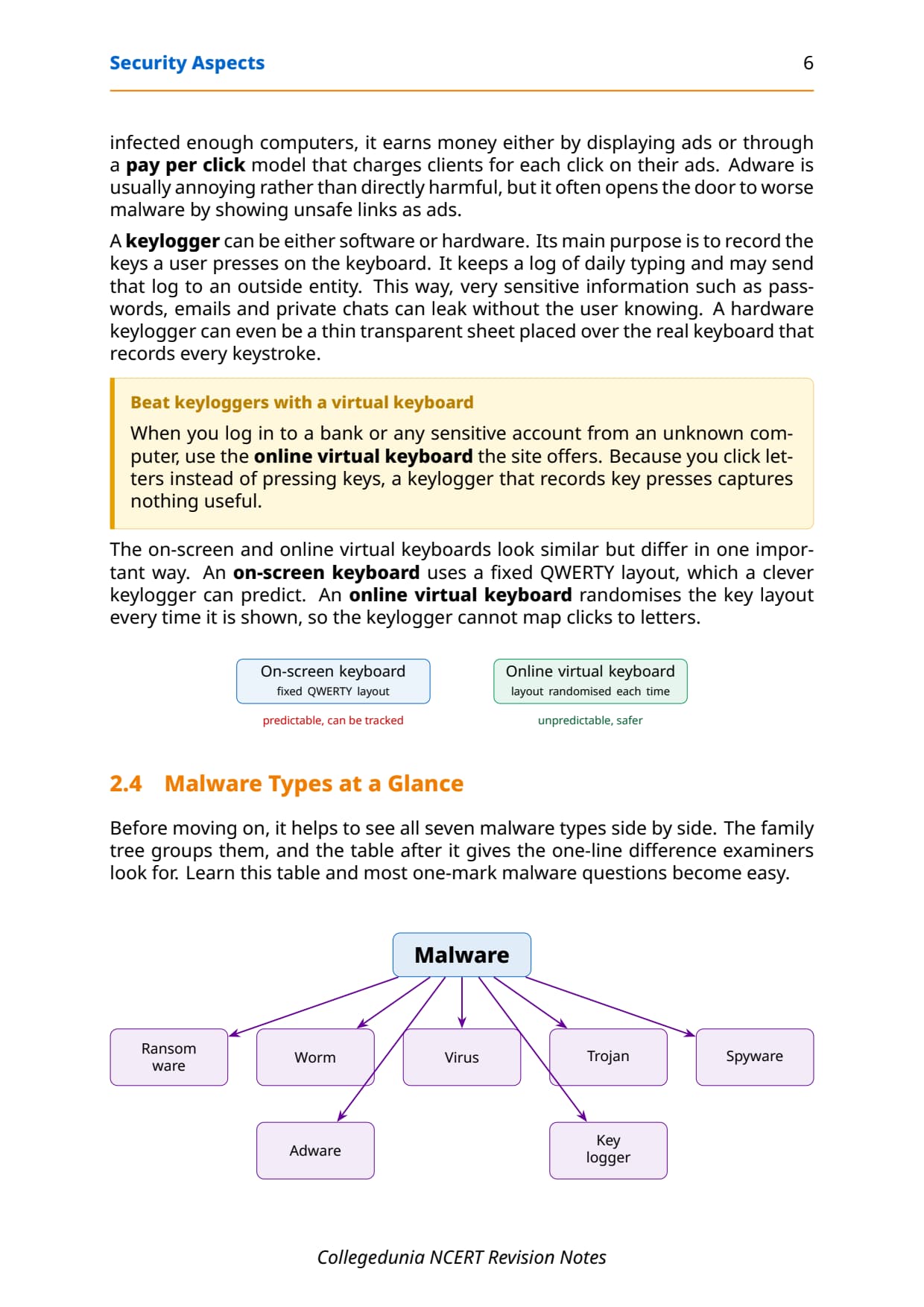
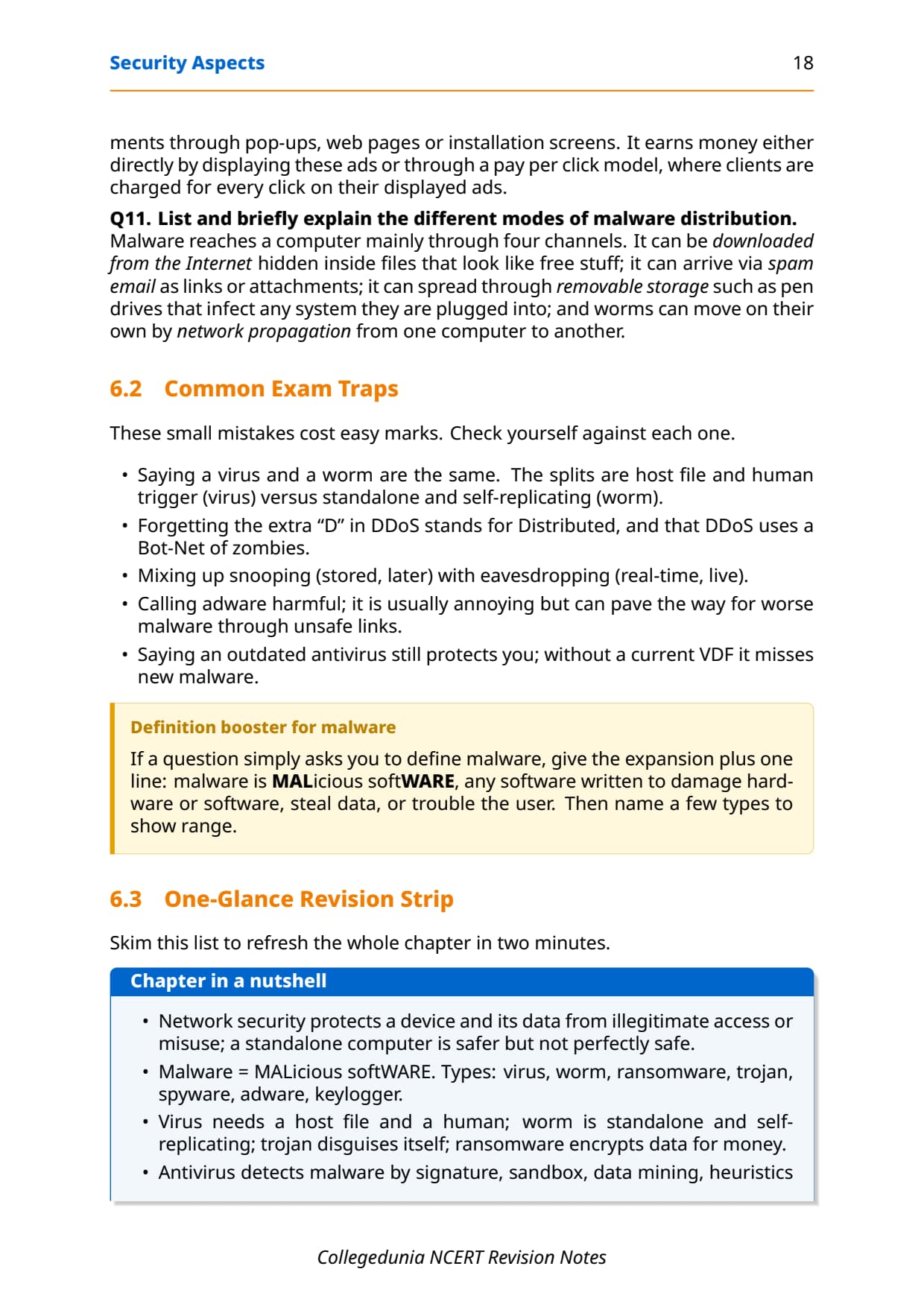
Malware is short for MALicious softWARE: any software written to damage hardware, steal data, or cause trouble for the user. New malware appears every year and causes financial damage worth billions of dollars worldwide. There are seven types you must know, and the board often asks for a one-line identity or a quick differentiate, so learn each one with its key trait.
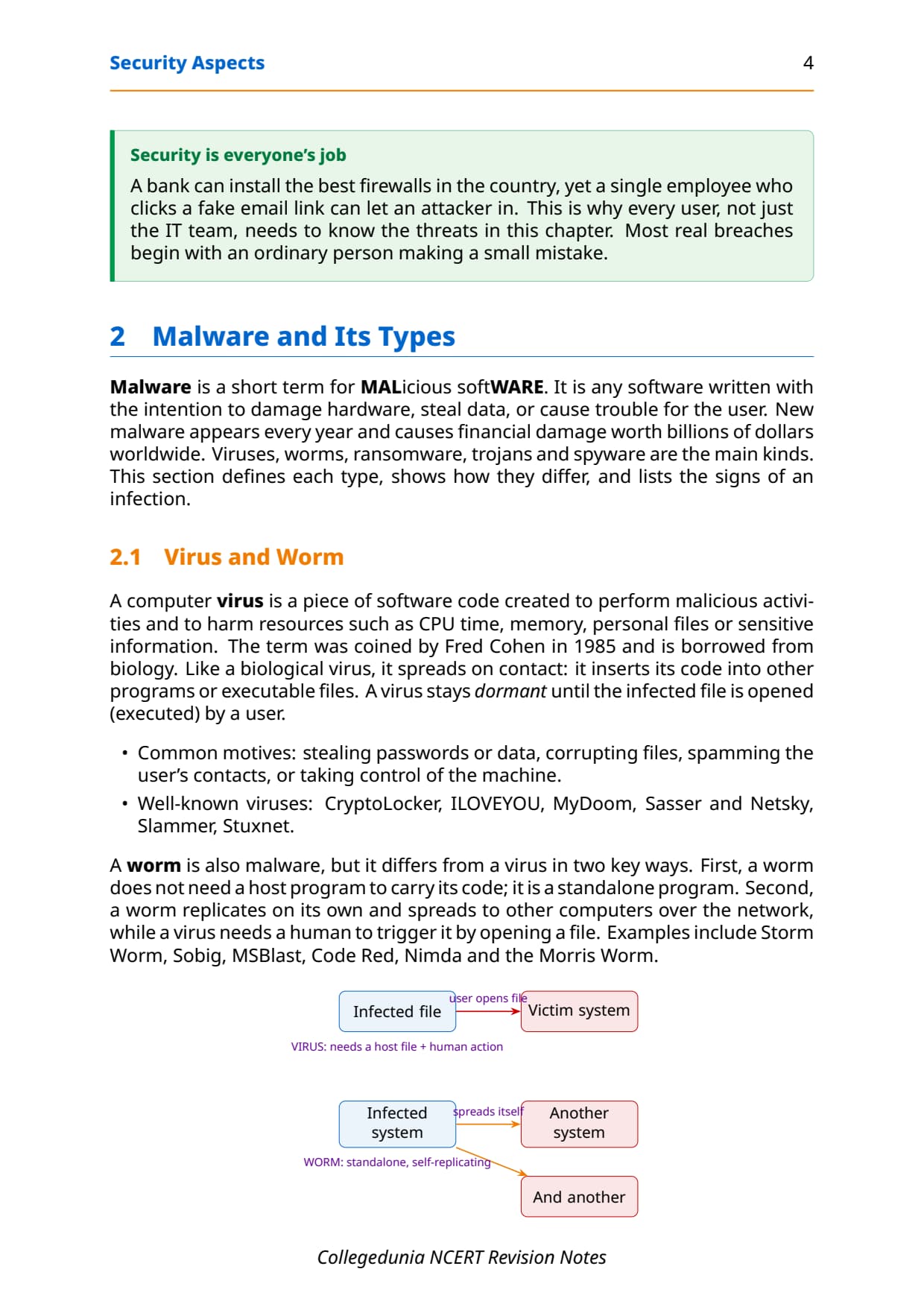
A computer virus is code that attaches itself to a file and harms resources such as CPU time, memory or personal files. It stays dormant until a user opens the infected file. A worm is different in two key ways: it does not need a host program, and it replicates on its own across the network without any human action. That single difference is a favourite two-mark question.
| Type | One-line identity | Key trait |
|---|---|---|
| Virus | Code that attaches to a file and harms the system. | Needs a host file and a human to run. |
| Worm | Standalone program that copies itself over the network. | No host, no human needed. |
| Ransomware | Blocks or encrypts data, then demands payment. | Money through a ransom. |
| Trojan | Disguised as good software, opens a backdoor. | No self-replication; user installs it. |
| Spyware | Secretly records activity and sends it out. | Spies without consent. |
| Adware | Shows ads through pop-ups and web pages. | Earns by ads or pay per click. |
| Keylogger | Records every key the user presses. | Leaks passwords and chats. |
A Trojan is named after the wooden horse the Greeks used to enter the city of Troy. It looks like legitimate software, but once a user is tricked into installing it, it behaves like a virus or worm and may open a backdoor for attackers. A keylogger records every keystroke and can leak passwords and private chats, while adware earns money for its developer through pop-up ads and a pay per click model.
Modes of Malware Distribution and Signs of Infection
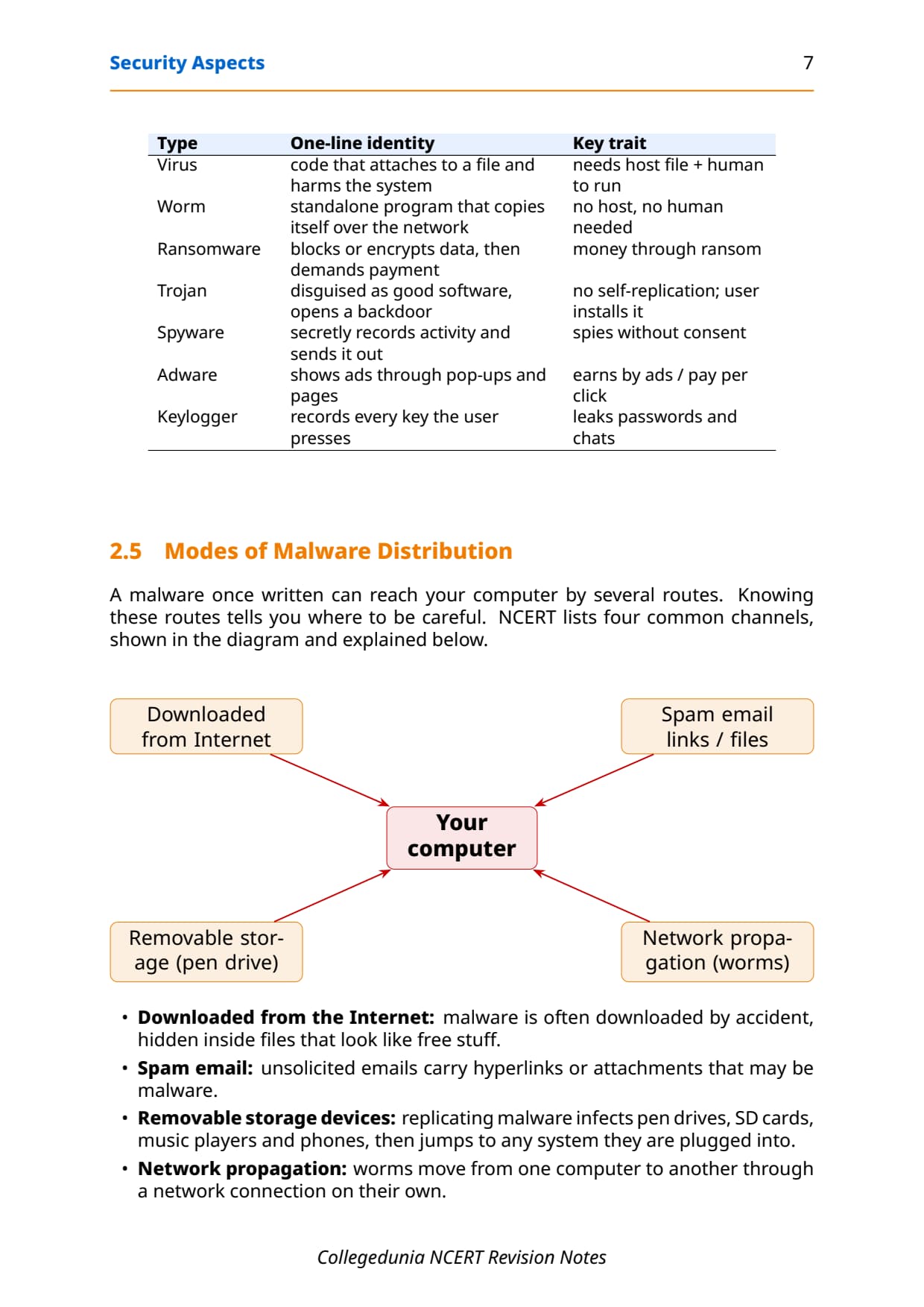
A malware once written can reach your computer by several routes, and knowing the route tells you where to be careful. NCERT lists four common channels of distribution. The board often asks you to "list and briefly explain" them, so learn the short reason against each.
| Mode of distribution | How the malware travels |
|---|---|
| Downloaded from the Internet | Hidden inside files that look like free stuff, downloaded by accident. |
| Spam email | Unsolicited emails carry hyperlinks or attachments that may be malware. |
| Removable storage devices | Replicating malware infects pen drives, SD cards and phones, then jumps to any system they are plugged into. |
| Network propagation | Worms move from one computer to another through a network connection on their own. |
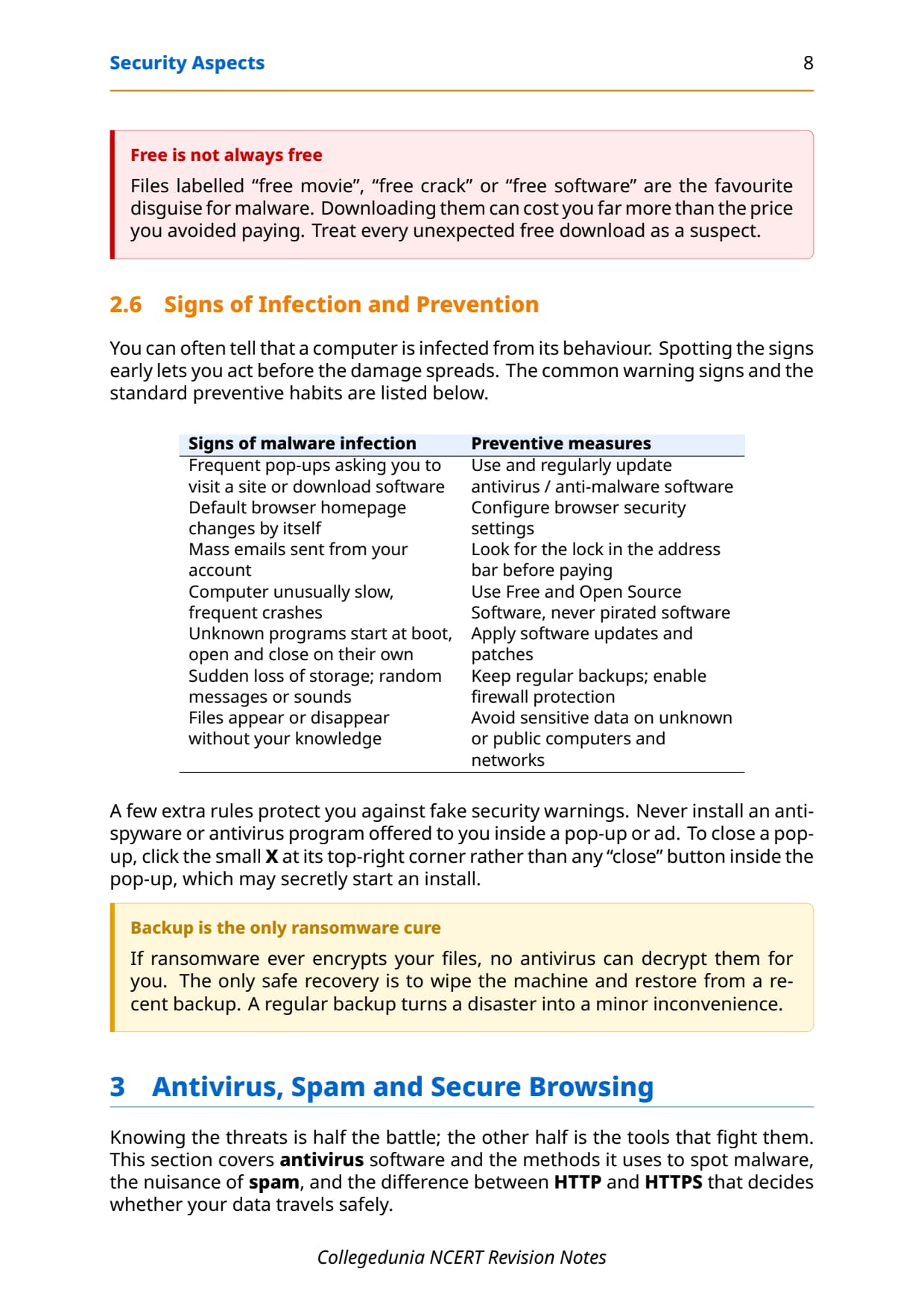
You can often tell a computer is infected from its behaviour, and spotting the signs early lets you act before the damage spreads. The table below pairs the common warning signs with the standard preventive habits, because the board often asks for both in one answer.
| Signs of malware infection | Preventive measures |
|---|---|
| Frequent pop-ups asking you to visit a site or download software. | Use and regularly update antivirus or anti-malware software. |
| The browser homepage changes by itself. | Configure the browser security settings. |
| Mass emails sent from your account. | Look for the lock in the address bar before paying. |
| Computer unusually slow, with frequent crashes. | Use Free and Open Source Software; never use pirated software. |
| Unknown programs start at boot or open and close on their own. | Apply software updates and patches. |
| Sudden loss of storage, or files appearing and disappearing. | Keep regular backups and enable firewall protection. |
Antivirus, Spam and Secure Browsing in Class 12 Computer Science
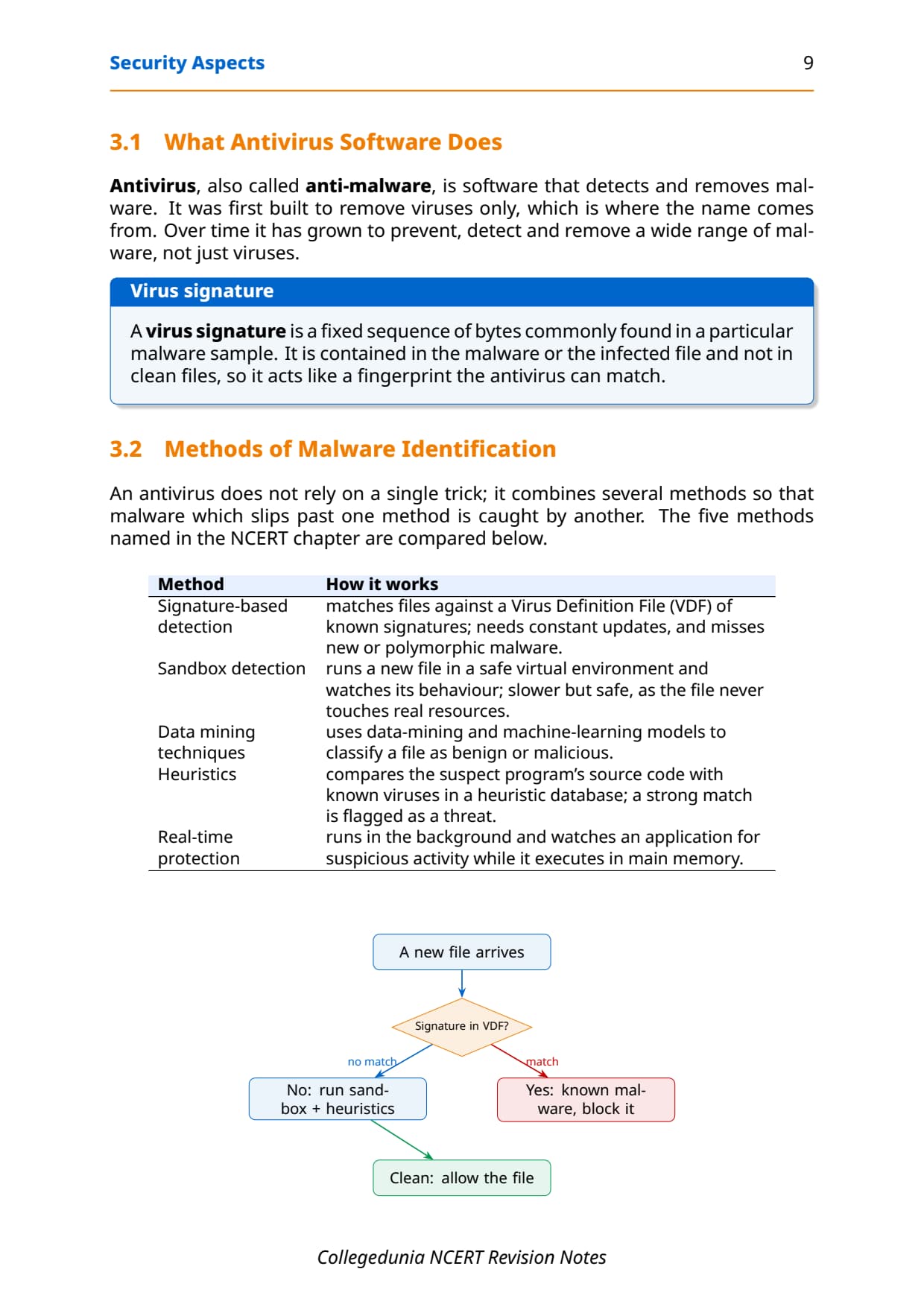
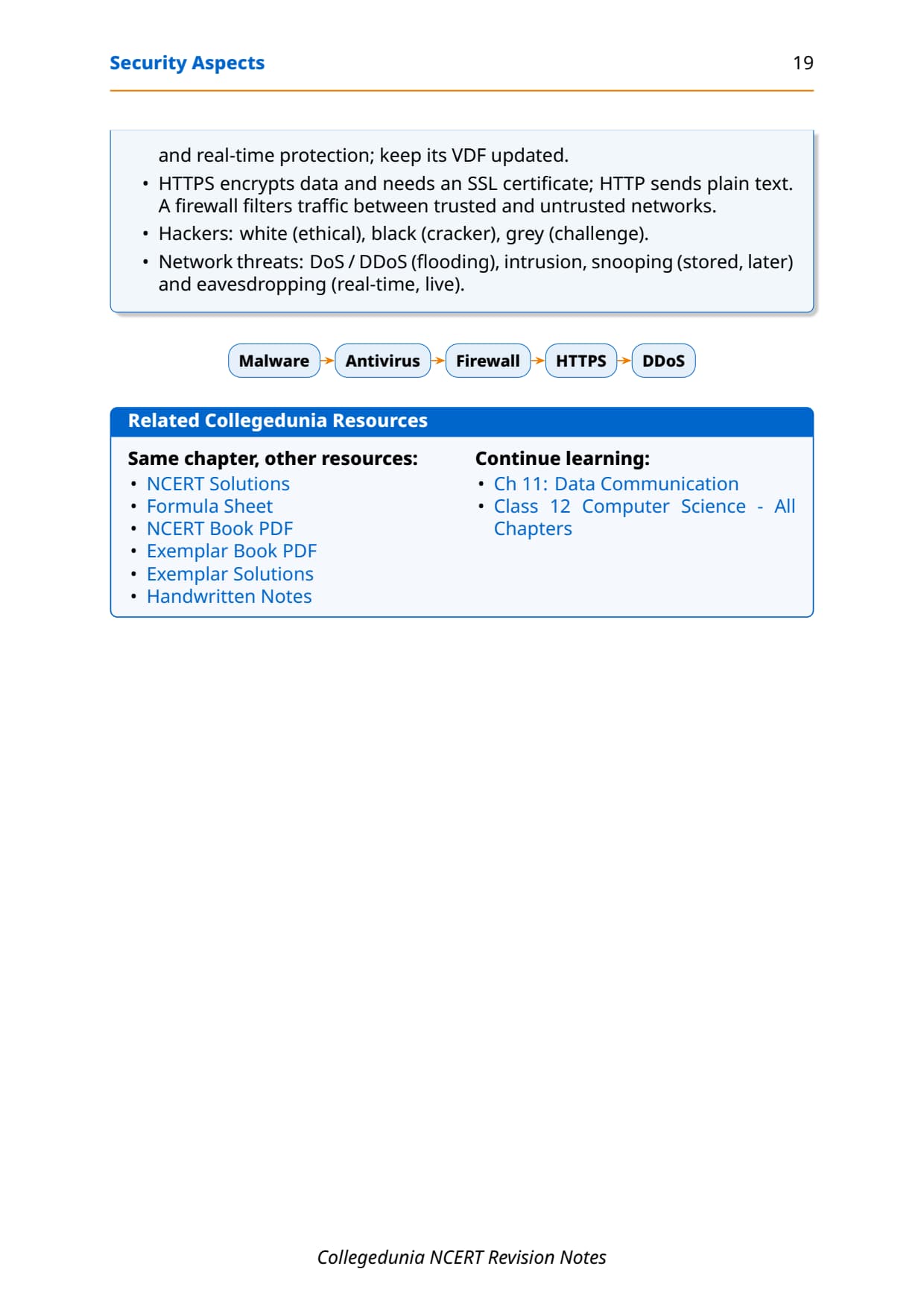
Knowing the threats is half the battle; the other half is the tools that fight them. Antivirus, also called anti-malware, is software that prevents, detects and removes malware. It started out removing only viruses, which is where the name comes from. It works mainly by matching a virus signature, a fixed sequence of bytes found in a particular malware sample, like a fingerprint.
An antivirus does not rely on a single trick; it combines several methods so that malware which slips past one is caught by another. NCERT names five methods of malware identification, and a "write a short note" question on these is common.
| Method | How it works |
|---|---|
| Signature-based detection | Matches files against a Virus Definition File (VDF) of known signatures; needs constant updates and misses brand-new malware. |
| Sandbox detection | Runs a new file in a safe virtual environment and watches its behaviour, so the file never touches real resources. |
| Data mining techniques | Uses data-mining and machine-learning models to classify a file as benign or malicious. |
| Heuristics | Compares the suspect program's code with known viruses in a heuristic database; a strong match is flagged. |
| Real-time protection | Runs in the background and watches an application for suspicious activity while it executes in memory. |
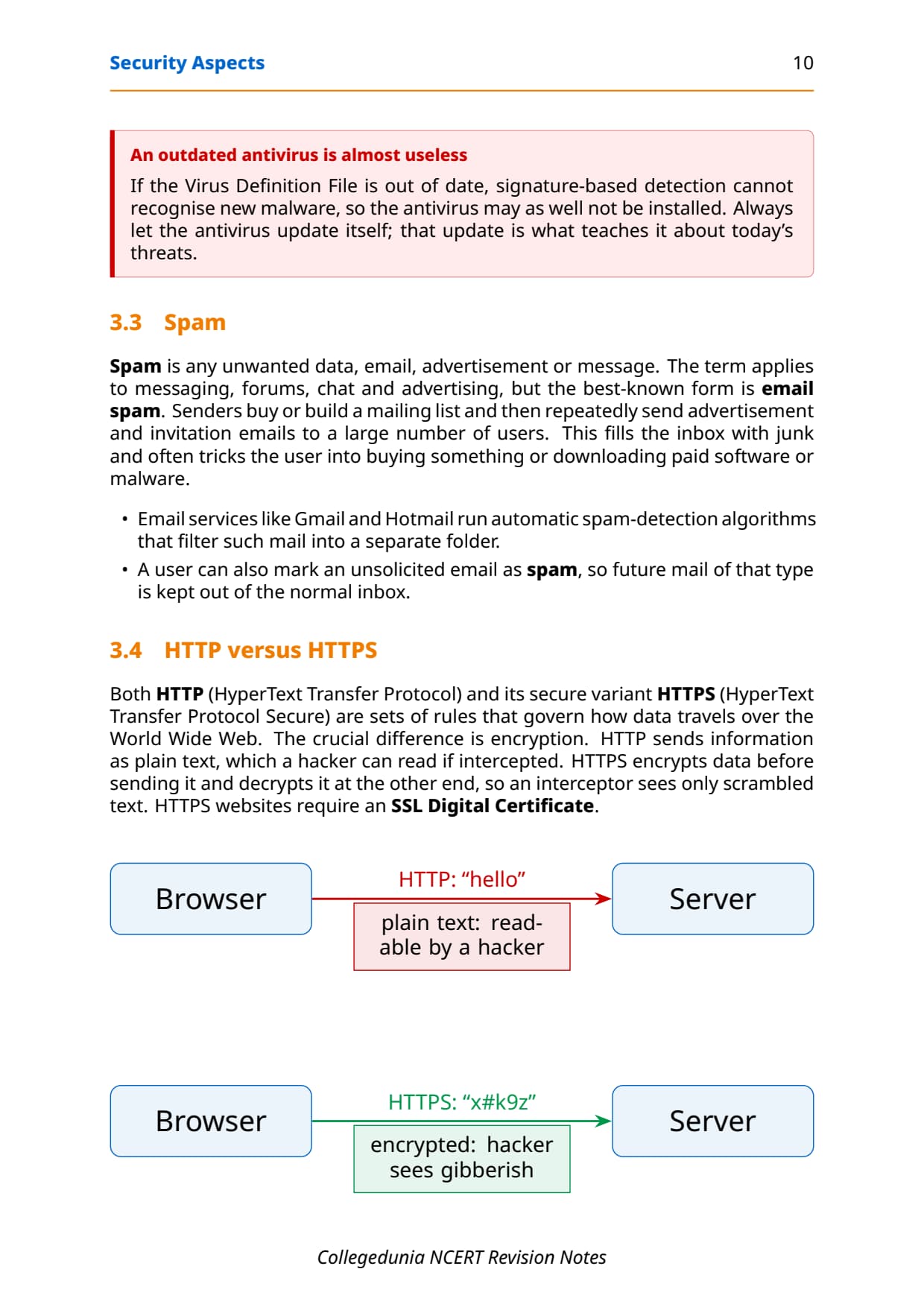
Spam is any unwanted data, email, advertisement or message, with email spam the best-known form. Senders buy or build a mailing list and repeatedly send advertisement emails to a large number of users, filling the inbox with junk. Email services like Gmail run automatic spam-detection algorithms that filter such mail into a separate folder, and you can also mark an email as spam so future mail of that type is kept out.
Both HTTP (HyperText Transfer Protocol) and HTTPS (HyperText Transfer Protocol Secure) are rules for how data travels over the World Wide Web, and the crucial difference is encryption. HTTP sends information as plain text, which a hacker can read if intercepted. HTTPS encrypts the data before sending and decrypts it at the other end, so an interceptor sees only scrambled text. HTTPS sites require an SSL Digital Certificate.
https:// and shows a lock icon. If it only says http://, your data travels as plain text. A public news blog can stay on HTTP because it only shows information that is already public.
Firewall, Cookies and Hackers in Class 12 Computer Science
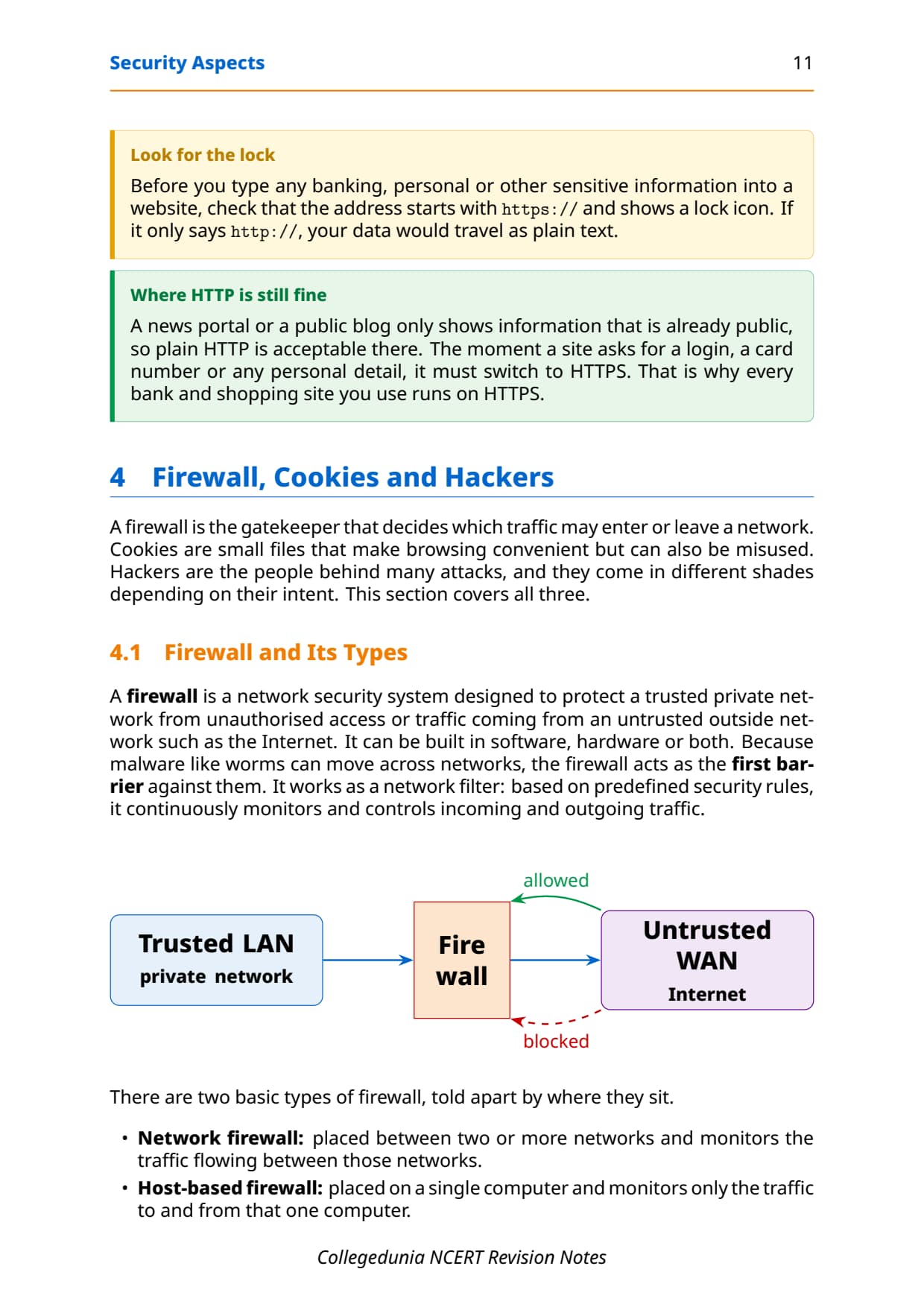
A firewall is a network security system designed to protect a trusted private network from unauthorised access coming from an untrusted outside network such as the Internet. It can be software, hardware or both, and works as a network filter: using predefined security rules, it continuously monitors and controls incoming and outgoing traffic. Because worms move across networks, the firewall is the first barrier against them.
- Network firewall: placed between two or more networks, it monitors the traffic flowing between those networks.
- Host-based firewall: placed on a single computer, it monitors only the traffic to and from that one machine.
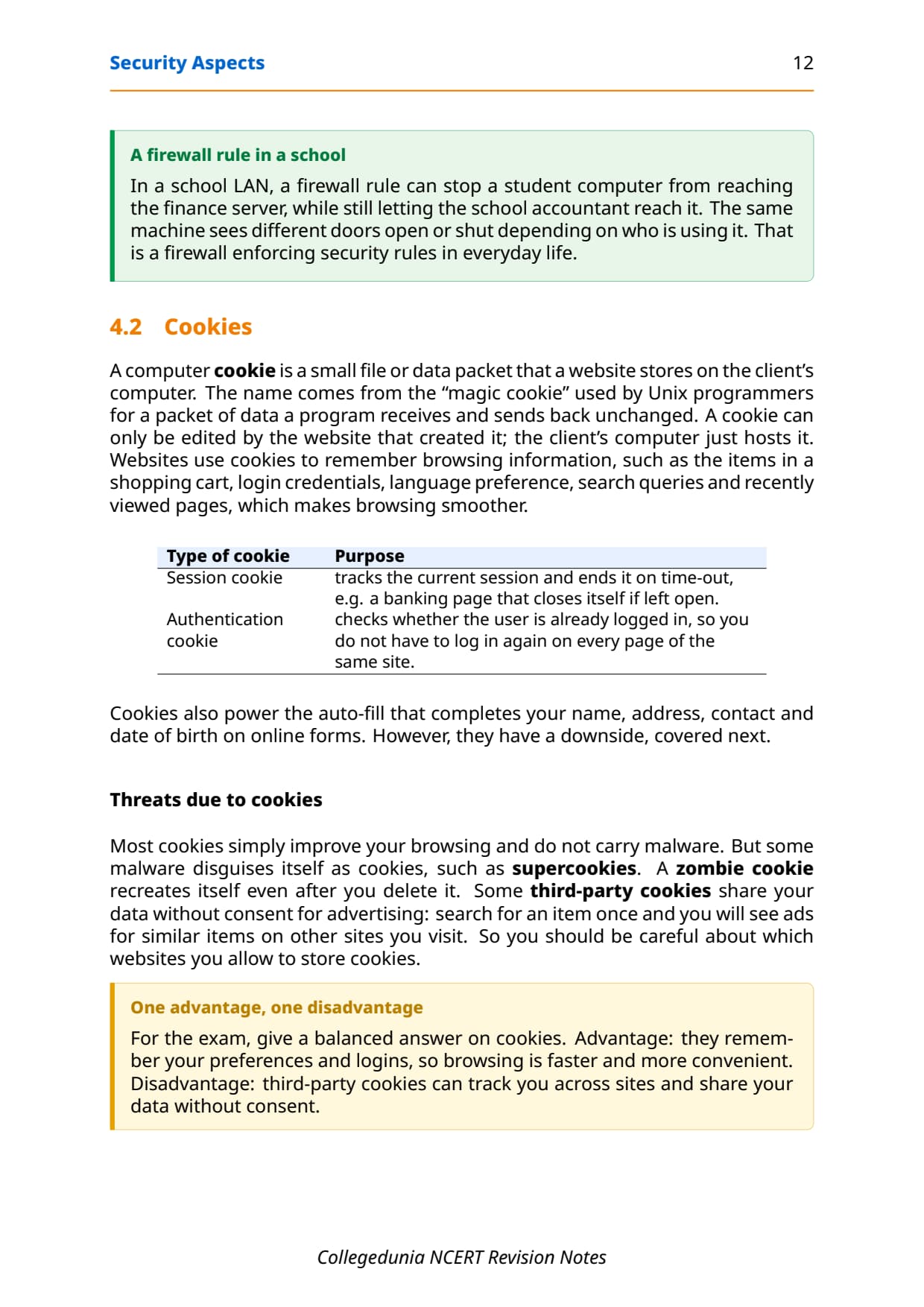
A computer cookie is a small file a website stores on the client's computer to remember browsing information such as the items in a shopping cart, login credentials, language preference and recently viewed pages. A cookie can only be edited by the website that created it. Cookies make browsing smoother, but some are misused, so the board often asks for one advantage and one disadvantage.
| Cookies | Detail |
|---|---|
| Advantage | They remember your preferences and logins, so browsing is faster and more convenient. |
| Disadvantage | Third-party cookies can track you across sites and share your data without consent. |
| Session cookie | Tracks the current session and ends it on time-out, like a banking page that closes itself. |
| Authentication cookie | Checks whether the user is already logged in, so you do not log in again on every page. |
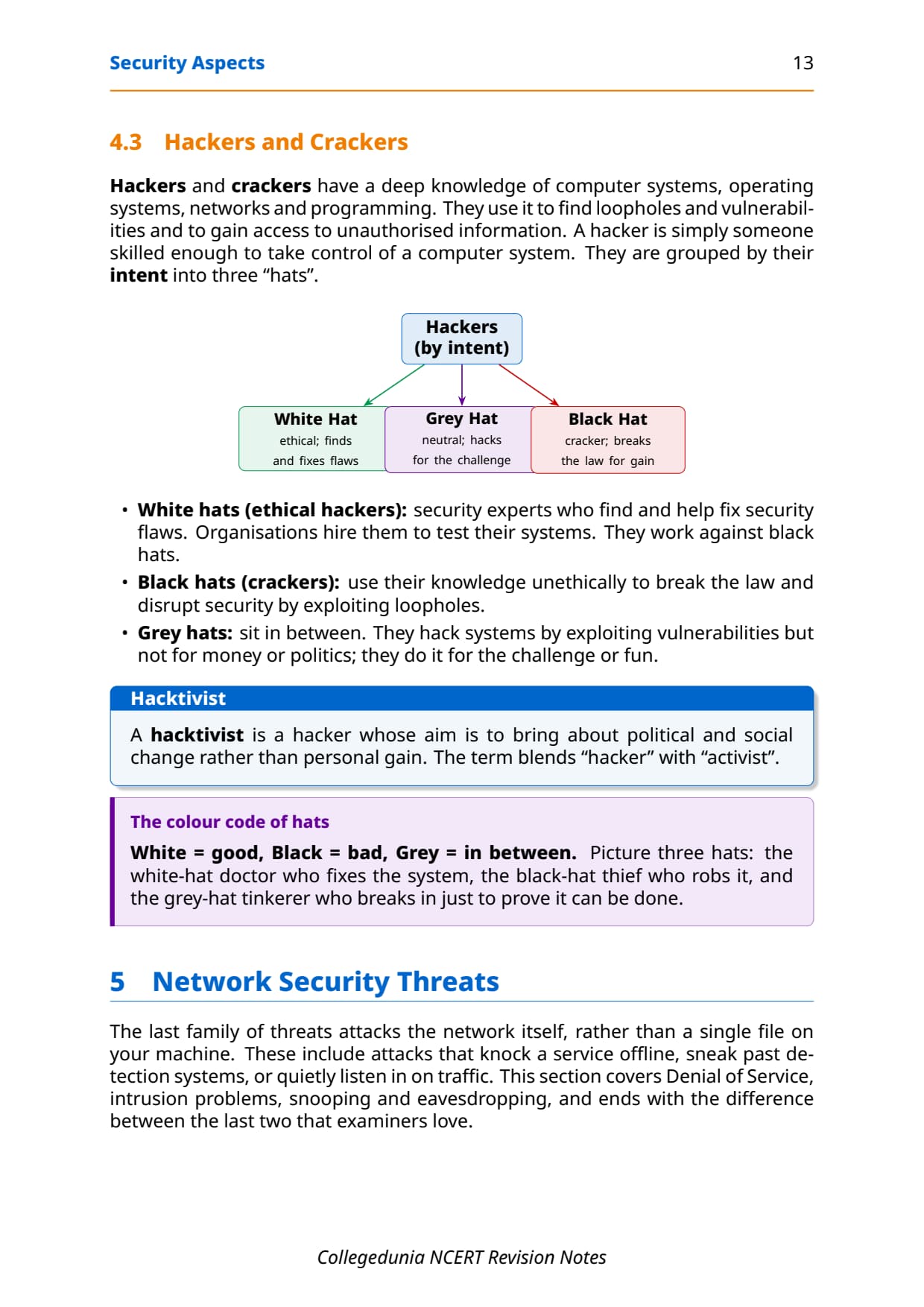
Hackers and crackers have a deep knowledge of computer systems, operating systems, networks and programming, which they use to find loopholes and gain access to unauthorised information. They are grouped by their intent into three "hats". Getting these three right is an easy short-answer mark.
| Type of hacker | Intent |
|---|---|
| White hat (ethical) | Security experts who find and help fix security flaws; organisations hire them to test their systems. |
| Black hat (cracker) | Uses knowledge unethically to break the law and disrupt security by exploiting loopholes. |
| Grey hat | Sits in between; hacks by exploiting vulnerabilities, but for the challenge or fun, not for money or politics. |
Network Security Threats: DoS, DDoS and Intrusion
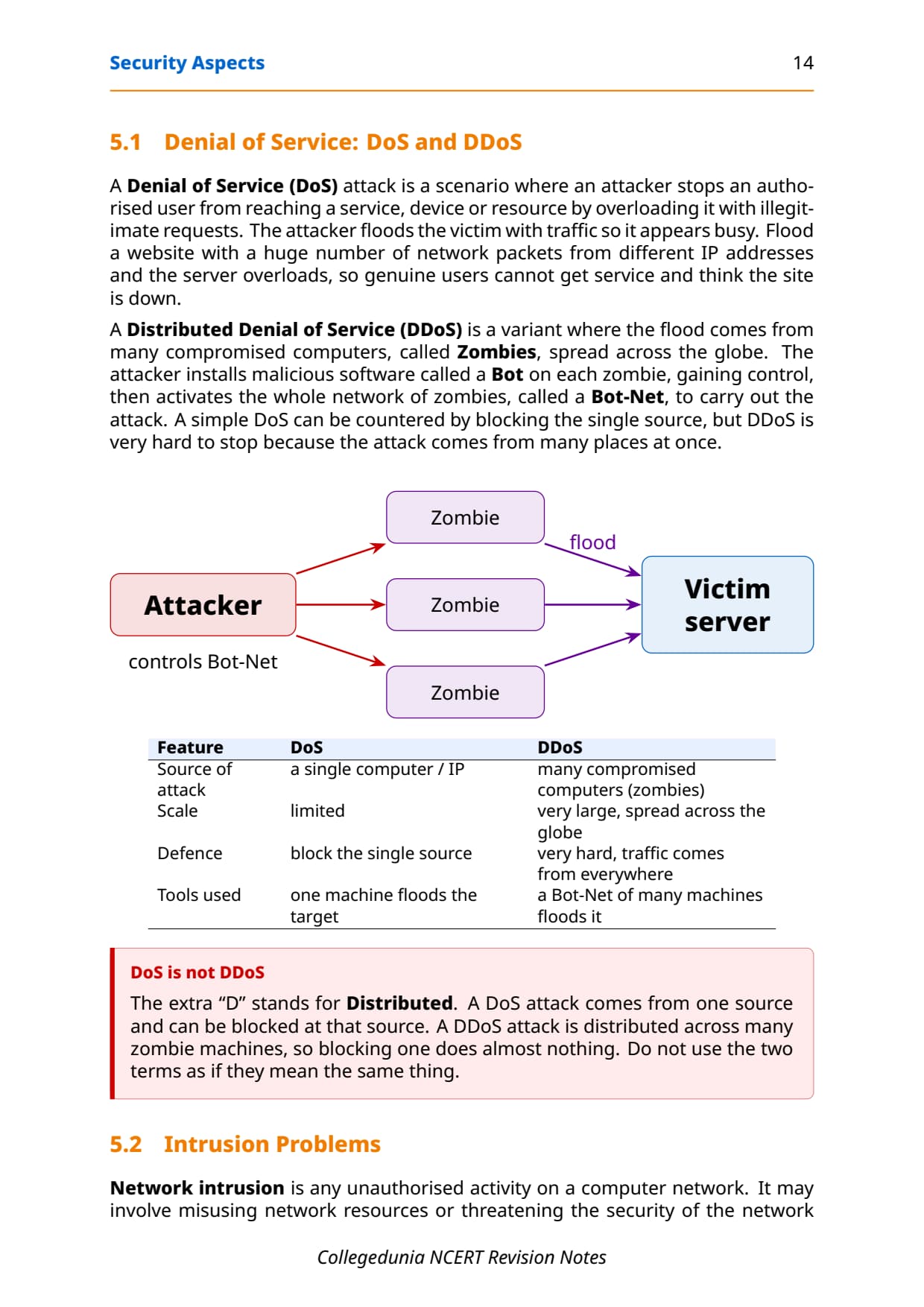
The last family of threats attacks the network itself, rather than a single file on your machine. A Denial of Service (DoS) attack stops an authorised user from reaching a service by overloading it with illegitimate requests, so the server appears busy and genuine users think the site is down. A Distributed Denial of Service (DDoS) is the same flood, but launched from many compromised computers at once.
In a DDoS, the attacker installs malicious software called a Bot on each compromised machine, which is then called a Zombie. The whole network of zombies is a Bot-Net. A simple DoS can be stopped by blocking the single source, but DDoS is very hard to stop because the attack comes from many places at once. This contrast is a guaranteed differentiate question.
| Feature | DoS | DDoS |
|---|---|---|
| Source of attack | A single computer or IP. | Many compromised computers (zombies). |
| Scale | Limited. | Very large, spread across the globe. |
| Defence | Block the single source. | Very hard; traffic comes from everywhere. |
| Tools used | One machine floods the target. | A Bot-Net of many machines floods it. |
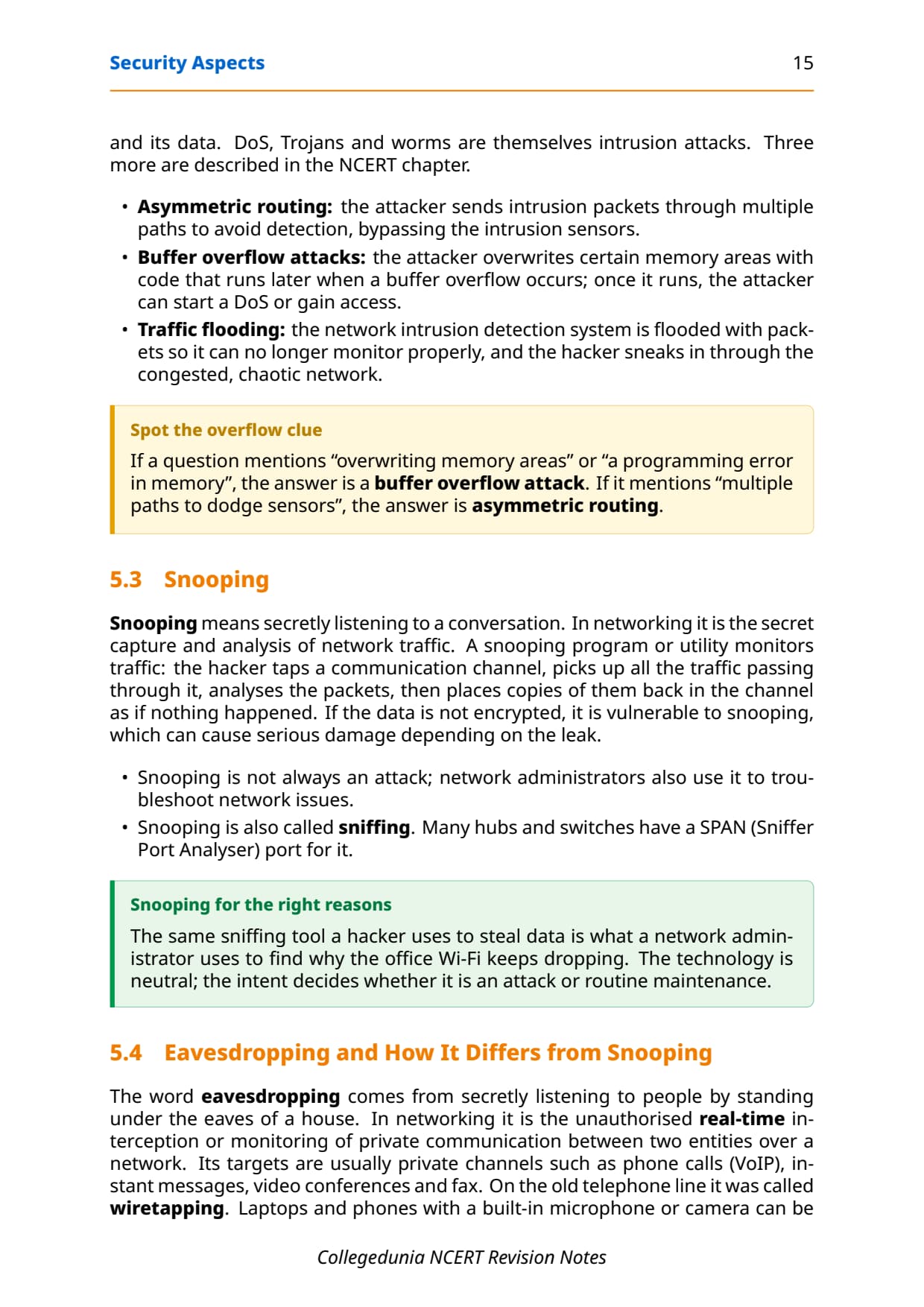
Network intrusion is any unauthorised activity on a computer network. DoS, Trojans and worms are themselves intrusion attacks, and NCERT names three more: asymmetric routing (intrusion packets sent through multiple paths to dodge sensors), buffer overflow attacks (overwriting memory areas with code that runs later), and traffic flooding (flooding the intrusion detection system so the hacker sneaks in through the chaos).
Snooping versus Eavesdropping in Class 12 Computer Science
Snooping means secretly capturing and analysing network traffic. The hacker taps a communication channel, picks up all the traffic, analyses the packets, then places copies back in the channel as if nothing happened. If data is not encrypted, it is vulnerable to snooping. Snooping is also called sniffing, and it is not always an attack, because network administrators use the same tools to troubleshoot.
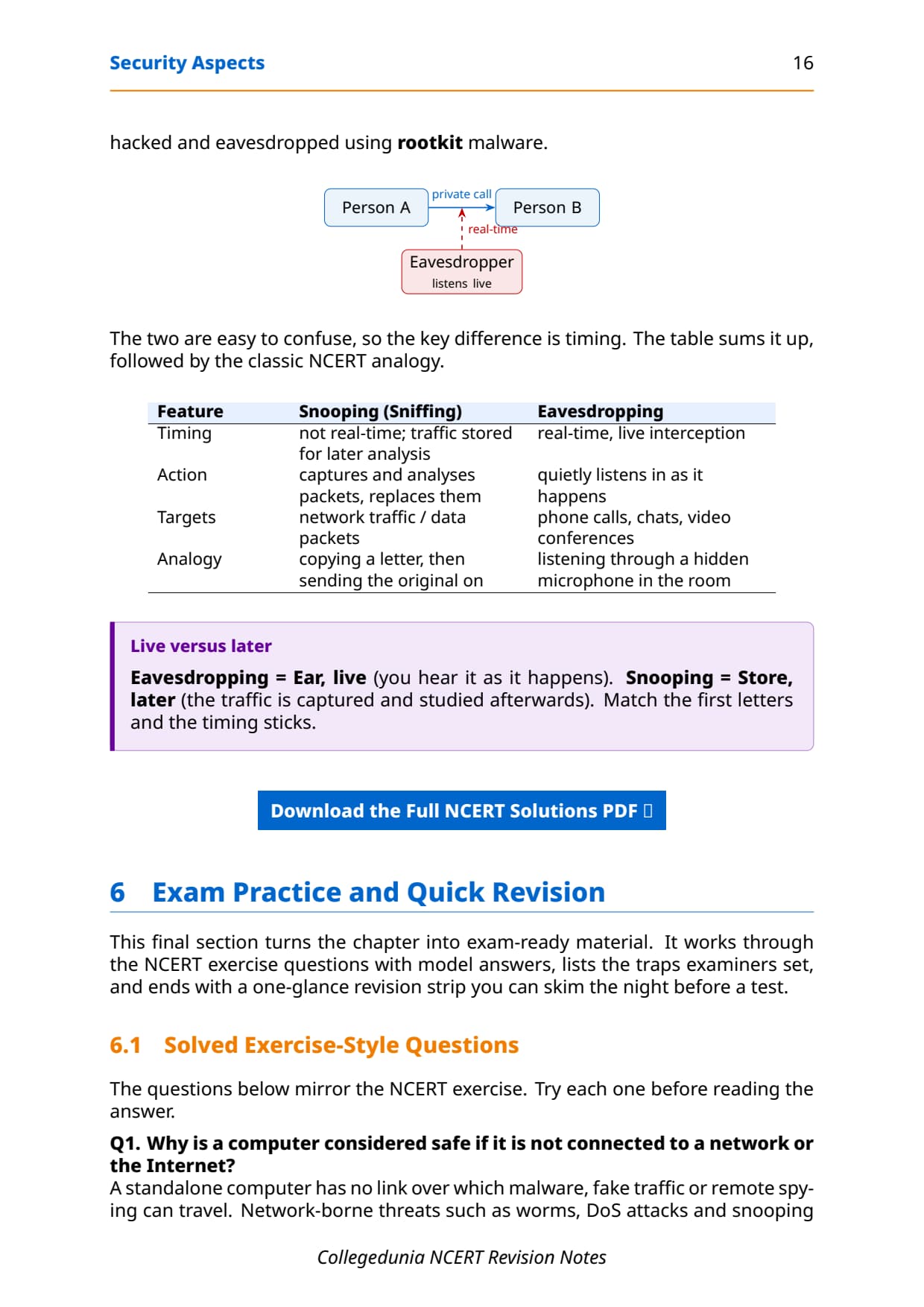
Eavesdropping is the unauthorised real-time interception of private communication such as phone calls, instant messages and video conferences. On the old telephone line it was called wiretapping. The two are easy to confuse, so the key difference is timing: snooping stores traffic for later study, while eavesdropping listens live as it happens.
| Feature | Snooping (Sniffing) | Eavesdropping |
|---|---|---|
| Timing | Not real-time; traffic stored for later analysis. | Real-time, live interception. |
| Action | Captures and analyses packets, then replaces them. | Quietly listens in as it happens. |
| Targets | Network traffic and data packets. | Phone calls, chats and video conferences. |
| Analogy | Copying a letter, then sending the original on. | Listening through a hidden microphone in the room. |
Common Mistakes Students Make in the Security Aspects Chapter
The repeat-offender mistakes in Security Aspects board answers:
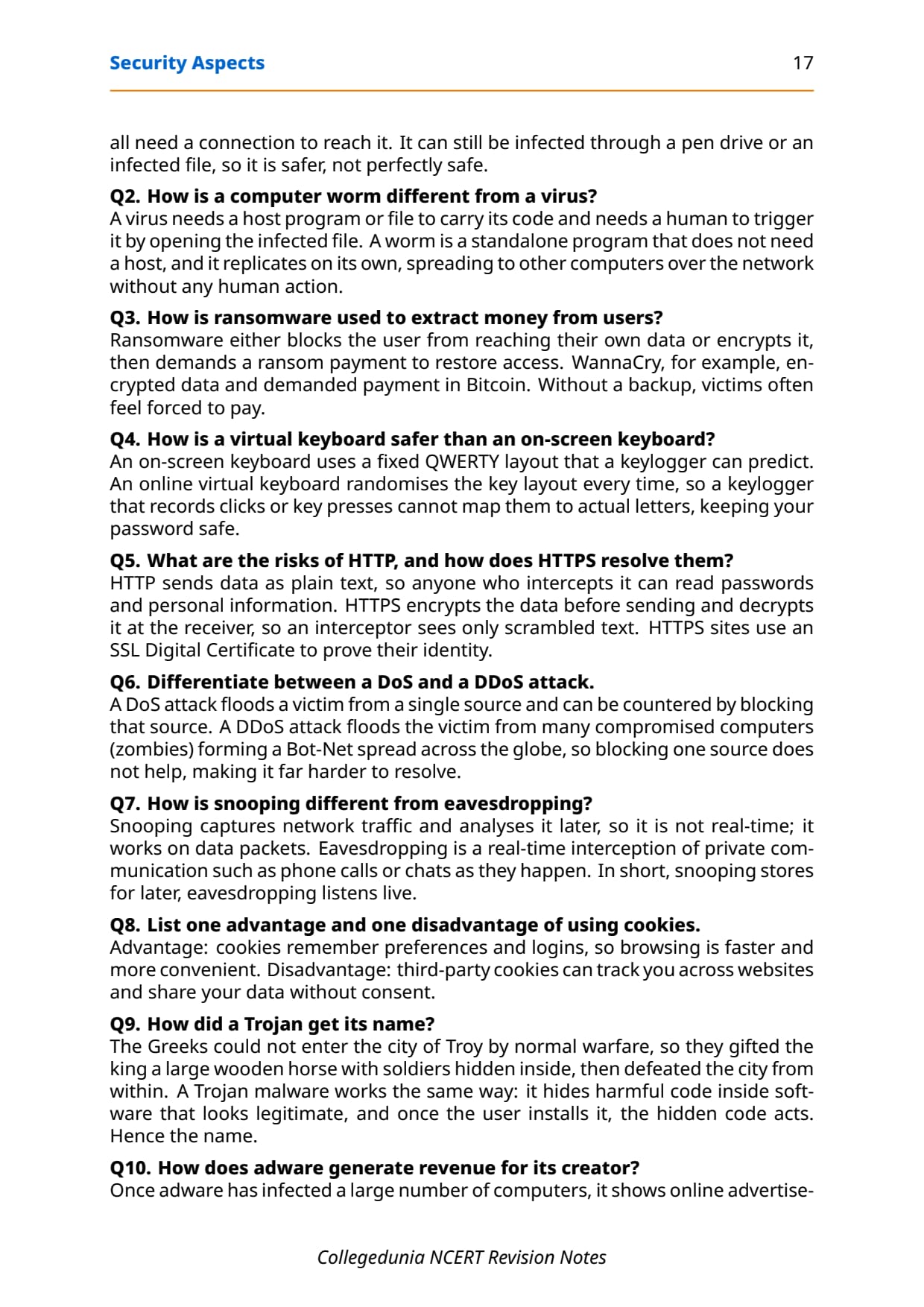
- Calling a virus and a worm the same: a virus needs a host file and a human trigger; a worm is standalone and self-replicating.
- Forgetting the extra "D" in DDoS: it stands for Distributed, and DDoS uses a Bot-Net of zombies.
- Mixing up snooping and eavesdropping: snooping is stored and analysed later, eavesdropping is real-time and live.
- Calling adware harmful: it is usually annoying, but can pave the way for worse malware through unsafe links.
- Saying an outdated antivirus still protects you: without a current Virus Definition File it misses new malware.
- Confusing an on-screen keyboard with an online virtual keyboard: only the virtual one randomises its layout each time.
How to Use the Security Aspects Notes PDF for Board Revision
The Security Aspects chapter is theory-heavy and definition-heavy, with no programs to trace. The best approach is two passes: one for the malware types and their distribution, one for the defences and the network attacks.
First pass: malware and how it spreads
Read these notes and lock the seven malware types with their one-line identity, the four modes of distribution, and the signs and preventive measures. Say one line of meaning aloud for each type, because most one-mark questions are pure definitions.
Second pass: defences and network attacks
Work through antivirus methods, HTTP versus HTTPS, firewalls and cookies, then the three hacker hats and the DoS versus DDoS and snooping versus eavesdropping pairs. Practise each differentiate question as a two-column answer, because that is exactly how the board awards the marks.
JEE and CUET angle
For students preparing competitive exams, cyber-security terms appear in CUET Computer Science and in JEE-level computer-fundamentals rounds. Malware types, HTTPS and encryption, firewalls, and the DoS versus DDoS contrast are exactly the concept questions those papers reuse, so this revision doubles as competitive prep.
Previous Year Question Trends from the Security Aspects Chapter
The Security Aspects chapter is tested in CBSE board papers mainly through definition, differentiate and short-answer questions, with the occasional "list and explain" on malware distribution or antivirus methods. The table below maps the asked question types across recent board papers, so your revision can target the high-frequency areas.
| Year | Question type asked | Marks |
|---|---|---|
| 2025 | Differentiate between a virus and a worm; how is HTTPS safer than HTTP | 2 + 1 |
| 2024 | What is a firewall; one advantage and one disadvantage of cookies | 1 + 2 |
| 2023 | Differentiate between DoS and DDoS; how does ransomware extract money | 2 + 1 |
| 2022 | List and explain the modes of malware distribution; define spam | 3 |
| 2021 | Snooping versus eavesdropping; write a short note on white, black and grey hat hackers | 3 |
Also Check: The full set of CBSE board paper questions for this chapter, with step-by-step answers, is included in the downloadable PDF above, updated for the 2026-27 cycle.
Other Resources for Class 12 Computer Science Chapter 12 Security Aspects
Pair these revision notes with the matching NCERT Solutions, handwritten notes and the official NCERT book chapter. All resources for Class 12 Computer Science Chapter 12 Security Aspects are linked below.
| Resource | What it covers | Open |
|---|---|---|
| Notes | Concept-first revision notes on network security, malware types, antivirus, HTTPS, firewalls, cookies, hackers, and DoS and DDoS attacks. | You are here |
| NCERT Solutions | Step-by-step answers to all exercise questions, with an Expert Solution for each. | Class 12 Computer Science Chapter 12 NCERT Solutions |
| Handwritten Notes | Scanned-style handwritten pages for last-minute board revision. | Class 12 Computer Science Chapter 12 Handwritten Notes |
| NCERT Book PDF | Official NCERT Computer Science Chapter 12 Security Aspects textbook in PDF form. | Class 12 Computer Science Chapter 12 NCERT Book PDF |
Notes for Class 12 Computer Science: All Chapters
Related Links: Use the table below to open the revision notes for the other chapters of Class 12 Computer Science. The previous chapter is Data Communication, and Security Aspects is the final chapter of the course. Every chapter ships with the same concept-first notes style, full PDF download, and revision FAQ.
| Chapter | Notes link |
|---|---|
| Chapter 1 | Exception Handling in Python Notes |
| Chapter 2 | File Handling in Python Notes |
| Chapter 3 | Stack Notes |
| Chapter 4 | Queue Notes |
| Chapter 5 | Sorting Notes |
| Chapter 6 | Searching Notes |
| Chapter 7 | Understanding Data Notes |
| Chapter 8 | Database Concepts Notes |
| Chapter 9 | Structured Query Language (SQL) Notes |
| Chapter 10 | Computer Networks Notes |
| Chapter 11 | Data Communication Notes |
| Chapter 12 | Security Aspects Notes (You are here) |
Notes Class 12 Computer Science Chapter 12 Security Aspects FAQs
Ques. What does Chapter 12 Security Aspects cover in Class 12 Computer Science?
Ans. Chapter 12 covers how to keep a networked computer and its data safe. The notes explain what network security means and the difference between a vulnerability, a threat and an attack. They then cover the seven malware types (virus, worm, ransomware, trojan, spyware, adware and keylogger), the four modes of malware distribution, the signs of infection and preventive measures, antivirus methods, spam, the HTTP versus HTTPS difference, firewalls, cookies, the white, black and grey hat hackers, and network attacks like DoS, DDoS, snooping and eavesdropping, all aligned with the 2026-27 CBSE syllabus.
Ques. How is a computer worm different from a virus in Class 12 Computer Science?
Ans. A virus is code that attaches itself to a host file and needs a human to trigger it by opening that file. A worm is a standalone program that does not need a host file, and it replicates on its own, spreading to other computers over the network without any human action. In short, a virus needs a host file plus a human, while a worm is standalone and self-replicating. This single difference is one of the most common two-mark questions in the board exam.
Ques. What is the difference between a DoS and a DDoS attack?
Ans. A Denial of Service (DoS) attack floods a victim from a single computer or IP and can be countered by blocking that one source. A Distributed Denial of Service (DDoS) attack floods the victim from many compromised computers, called zombies, that together form a Bot-Net spread across the globe. Because the DDoS traffic comes from everywhere at once, blocking a single source does almost nothing, which makes a DDoS far harder to resolve than a simple DoS. The extra "D" stands for Distributed.
Ques. How is snooping different from eavesdropping?
Ans. The key difference is timing. Snooping, also called sniffing, captures network traffic and data packets and analyses them later, so it is not real-time. Eavesdropping is the real-time, live interception of private communication such as phone calls, chats and video conferences as they happen. A simple way to remember it is "snooping stores for later, eavesdropping listens live". Snooping is also not always an attack, because network administrators use the same sniffing tools to troubleshoot network problems.
Ques. What is the difference between HTTP and HTTPS?
Ans. Both HTTP and HTTPS are sets of rules for how data travels over the World Wide Web, and the crucial difference is encryption. HTTP sends information as plain text, so a hacker who intercepts it can read passwords and personal data. HTTPS encrypts the data before sending and decrypts it at the other end, so an interceptor sees only scrambled text, and an HTTPS site needs an SSL Digital Certificate. Before typing any sensitive information, look for an address that starts with https and shows a lock icon.
Ques. What are white, black and grey hat hackers?
Ans. Hackers are grouped by their intent into three hats. White hat hackers are ethical hackers, the security experts that organisations hire to find and fix security flaws. Black hat hackers, also called crackers, use their knowledge unethically to break the law and disrupt security by exploiting loopholes. Grey hat hackers sit in between: they hack systems by exploiting vulnerabilities, but for the challenge or for fun, not for money or politics. A simple memory hook is white is good, black is bad and grey is in between.
Ques. How many pages is the Class 12th Computer Science Security Aspects Notes PDF?
Ans. The Security Aspects Notes PDF runs about 19 pages and covers the full chapter in concept-first revision blocks, with comparison tables, labelled diagrams of malware, firewalls and attacks, common traps, the solved NCERT exercise questions and a one-glance revision strip. The PDF is free to download for the 2026-27 session, and a green Handwritten Notes button on this page opens the scanned-style version for last-minute revision.
Ques. Are these Notes for Class 12 Computer Science Chapter 12 aligned with the 2026-27 syllabus?
Ans. Yes. This page reflects the current 2026-27 CBSE syllabus for Class 12 Computer Science. The Security Aspects chapter is unchanged for the current cycle, and these notes follow the NCERT textbook, covering network security, all seven malware types, the modes of distribution and preventive measures, antivirus methods, spam, HTTP versus HTTPS, firewalls, cookies, the three hacker hats, and the DoS, DDoS, snooping and eavesdropping network attacks. The notes are useful for the CBSE board exam, and the same ideas help with CUET Computer Science and JEE-level cyber-security questions.



Comments