




These Notes for Class 12 Computer Science Chapter 11 Data Communication give you a fast, concept-first revision of the whole chapter, built on the latest 2026-27 CBSE syllabus. They explain what data communication is, the five components that make it work, how bandwidth and data transfer rate measure a channel, the simplex, half-duplex and full-duplex modes, circuit and packet switching, every transmission medium from twisted pair to optical fibre and radio waves, and the named protocols HTTP, FTP, PPP, SMTP, DNS and TCP/IP.
- Every concept explained with a one-line meaning, a worked number example, and a clear comparison table so you can revise the chapter in one sitting.
- Full coverage of the five components, channel capacity, communication modes, switching, wired and wireless media, LAN MAN WAN, mobile generations, and the Internet protocols the CBSE board paper tests directly.
- Notes aligned with the 2026-27 CBSE Class 12 Computer Science syllabus and useful for JEE and CUET networking questions; no NEET references because Computer Science is not a medical subject.
These Collegedunia revision notes are curated by Computer Science subject experts, according to the 2026-27 NCERT textbook, and refined against the last five years of CBSE Class 12 Computer Science board papers.
Student Feedback: What 12,400 students told us about this chapter
74% of Class 12 students said the hardest part was keeping the abbreviations (HTTP, FTP, PPP, SMTP, DNS, TCP/IP) and their jobs straight, not the concepts themselves. 4 out of 5 students told us a single one-line-per-protocol table helped them lock those marks the night before the exam.
Toppers reported that listing the five components as a fixed set and tagging each mobile generation with one keyword earned full marks every time, and the average student spent 1 to 2 hours on these notes across the first read and the final revision.
Source: 2026-27 Class 12 Computer Science student poll. Sample of 12,400 students from CBSE schools across 14 states, conducted before the 2026 boards.
What the Notes for Class 12 Computer Science Chapter 11 Data Communication Cover
This chapter answers one question: how does data move from one device to another over a network? These notes keep the NCERT order but compress it into revision-ready blocks, so you can read the whole chapter in one sitting and recall it fast in the exam.
- What data communication is: the exchange of data between two or more connected devices, and the five components every exchange needs.
- How capacity is measured: bandwidth in Hertz, data transfer rate in bits per second, and the units that go with each.
- How data moves: the simplex, half-duplex and full-duplex modes, plus circuit and packet switching.
- The media and the protocols: wired and wireless transmission media, LAN MAN WAN, mobile generations, and the protocols HTTP, FTP, PPP, SMTP, DNS and TCP/IP.
Source: Decode the power within You. on YouTube
Data Communication and Its Five Components in Class 12 Computer Science
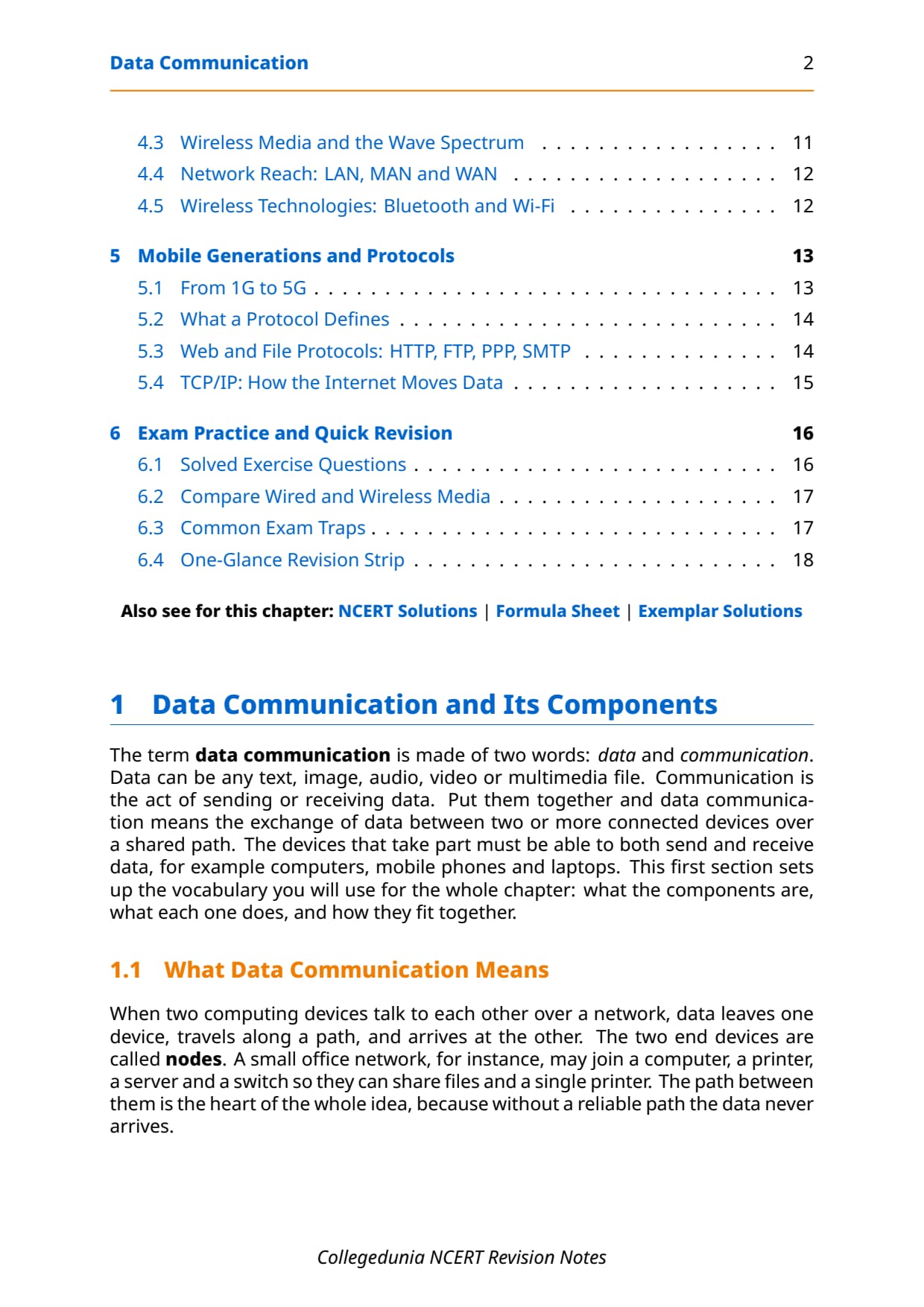
Start with the core definition. Data communication is the exchange of data between two or more networked or connected devices. The word is made of two parts: data (any text, image, audio, video or multimedia file) and communication (the act of sending or receiving). The two end devices, such as computers or mobile phones, are called nodes, and both must be able to send and receive over a shared path.
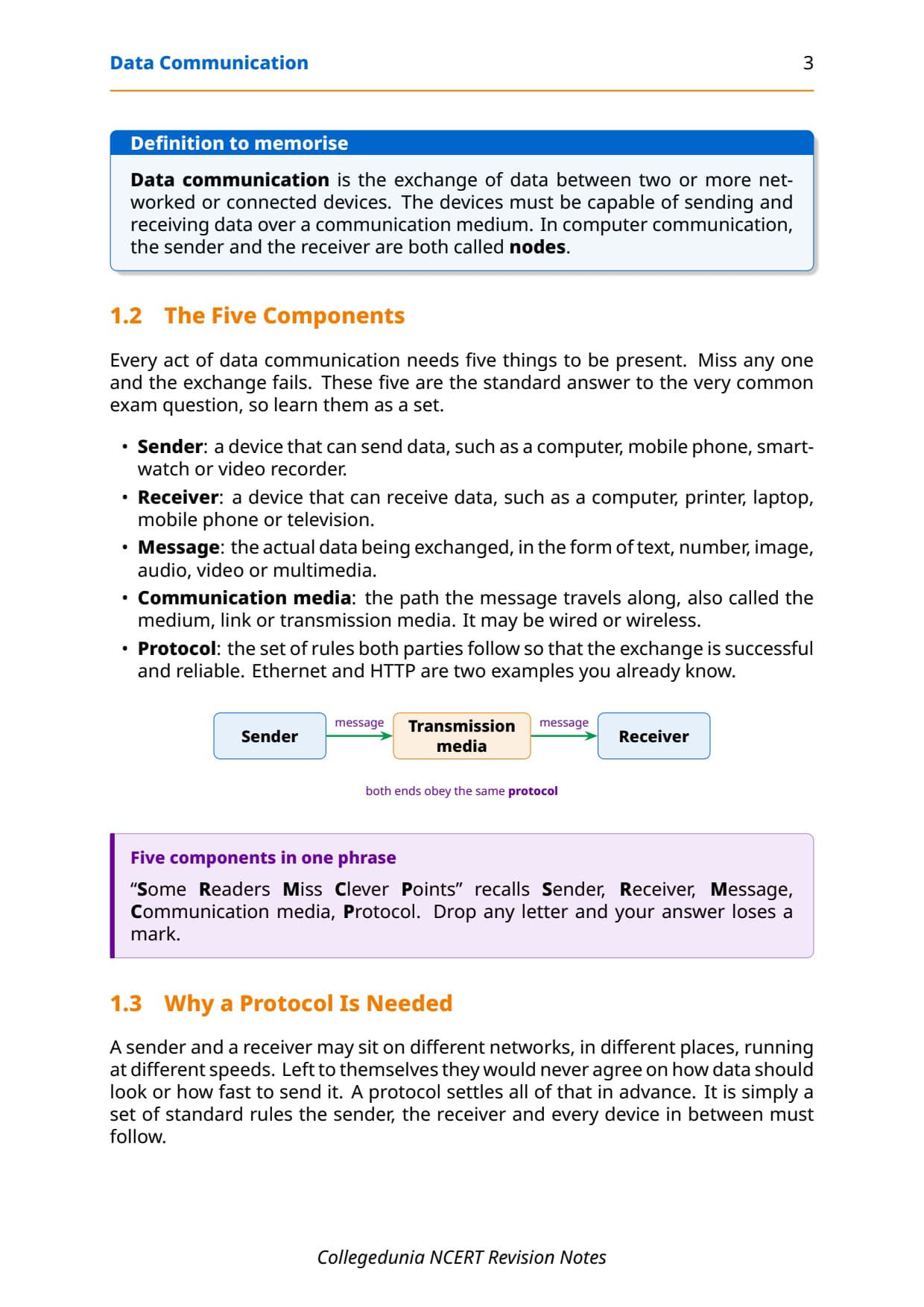
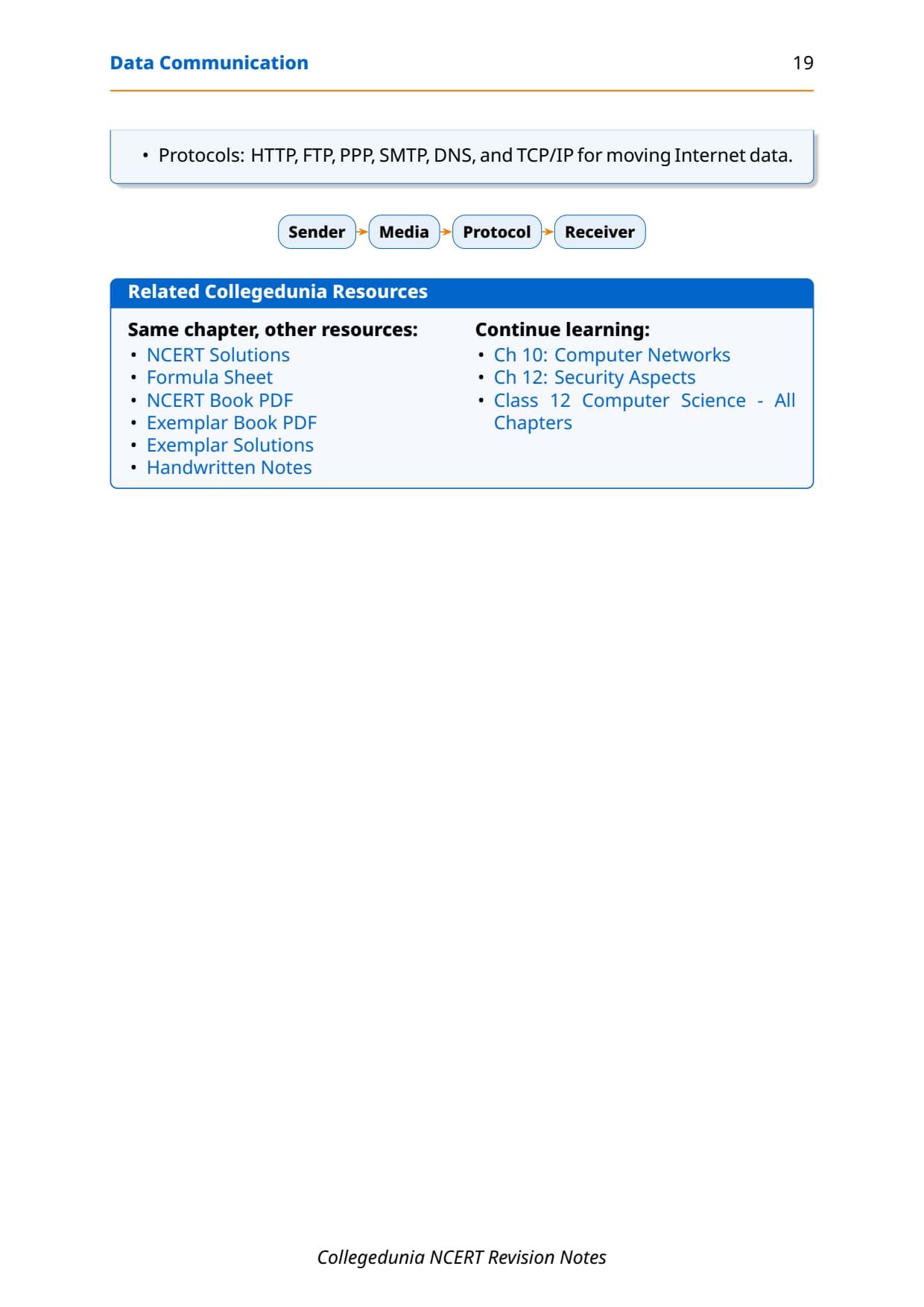
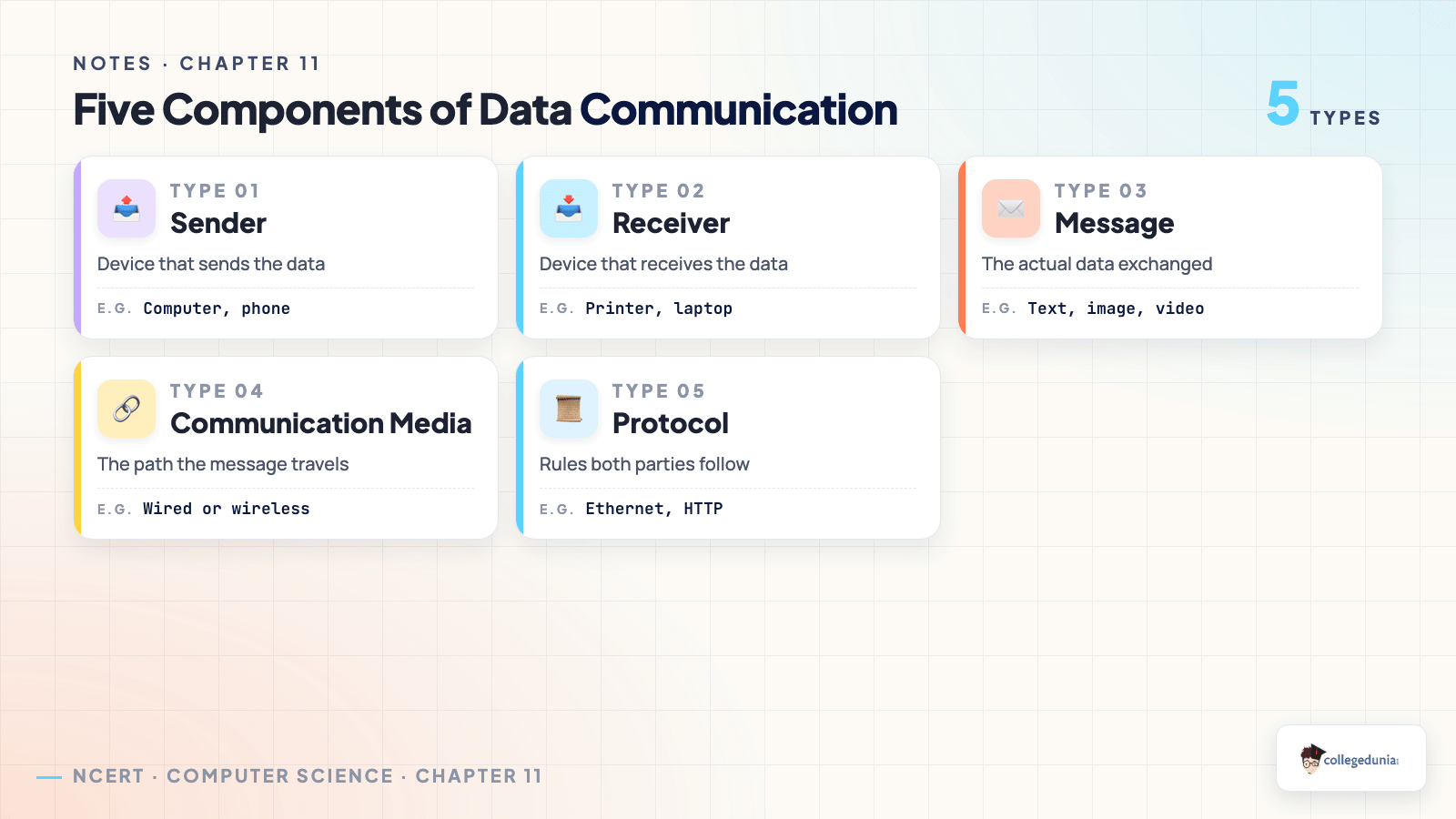
Every act of data communication needs five components. Miss any one and the exchange fails, so learn them as a fixed set, since this is the most common one-mark question from the chapter.
- Sender: a device that can send data, such as a computer, mobile phone or video recorder.
- Receiver: a device that can receive data, such as a printer, laptop or television.
- Message: the actual data exchanged, as text, number, image, audio, video or multimedia.
- Communication media: the path the message travels along, also called the medium or link; it may be wired or wireless.
- Protocol: the set of rules both parties follow so the exchange is reliable, such as Ethernet or HTTP.
A protocol is needed because a sender and a receiver may sit on different networks, in different places, running at different speeds. Left alone they would never agree on how data should look or how fast to send it. A protocol settles all of that in advance. A phone call is a tiny protocol in action: you say "hello", take turns speaking, and say "bye" to end, all by shared rules.
Bandwidth and Data Transfer Rate: Measuring a Channel
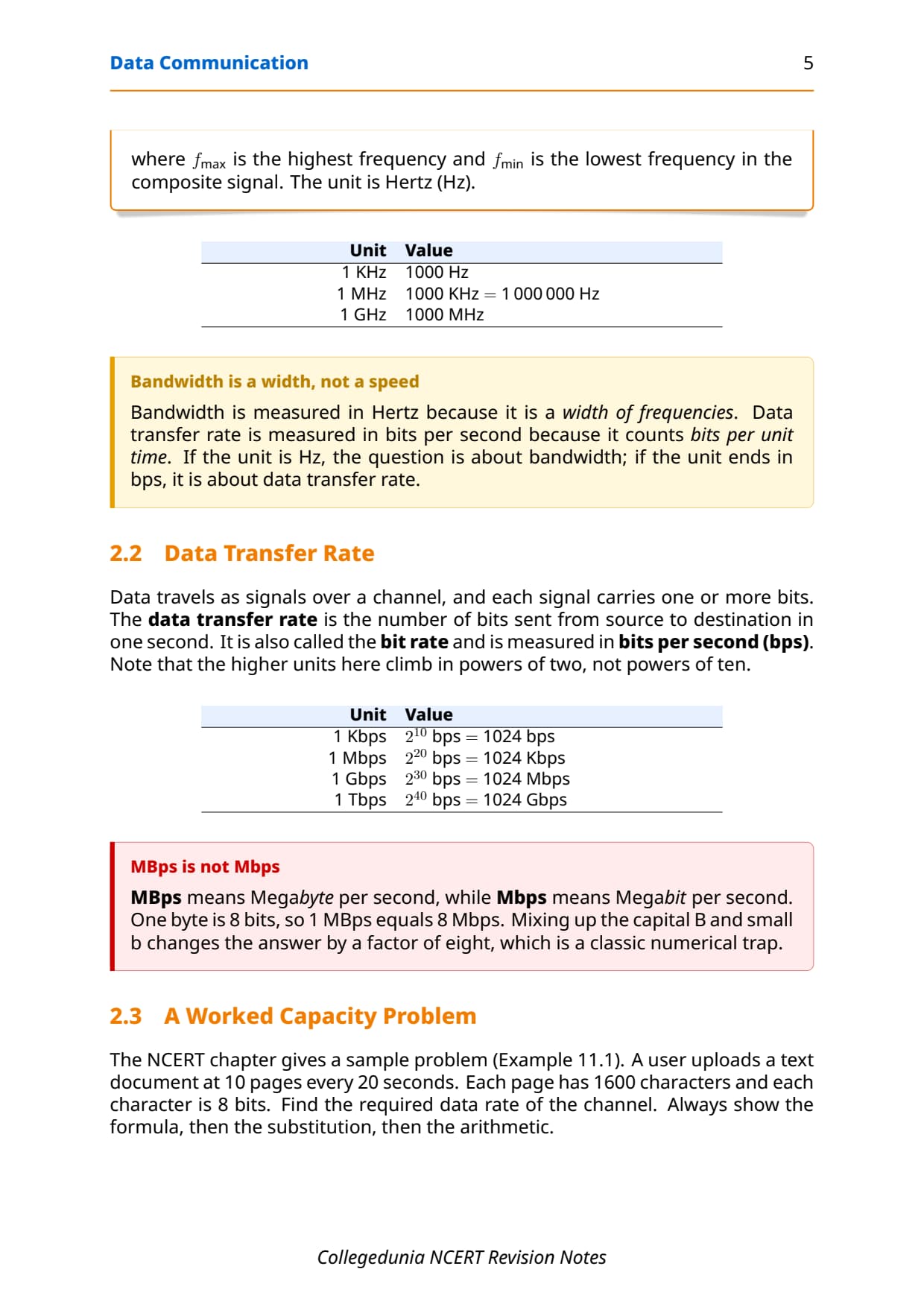
In data communication the transmission medium is also called a channel, and its capacity is the maximum traffic it can carry. Two measures describe this capacity, and exams test whether you can tell them apart, so keep them clearly separate.
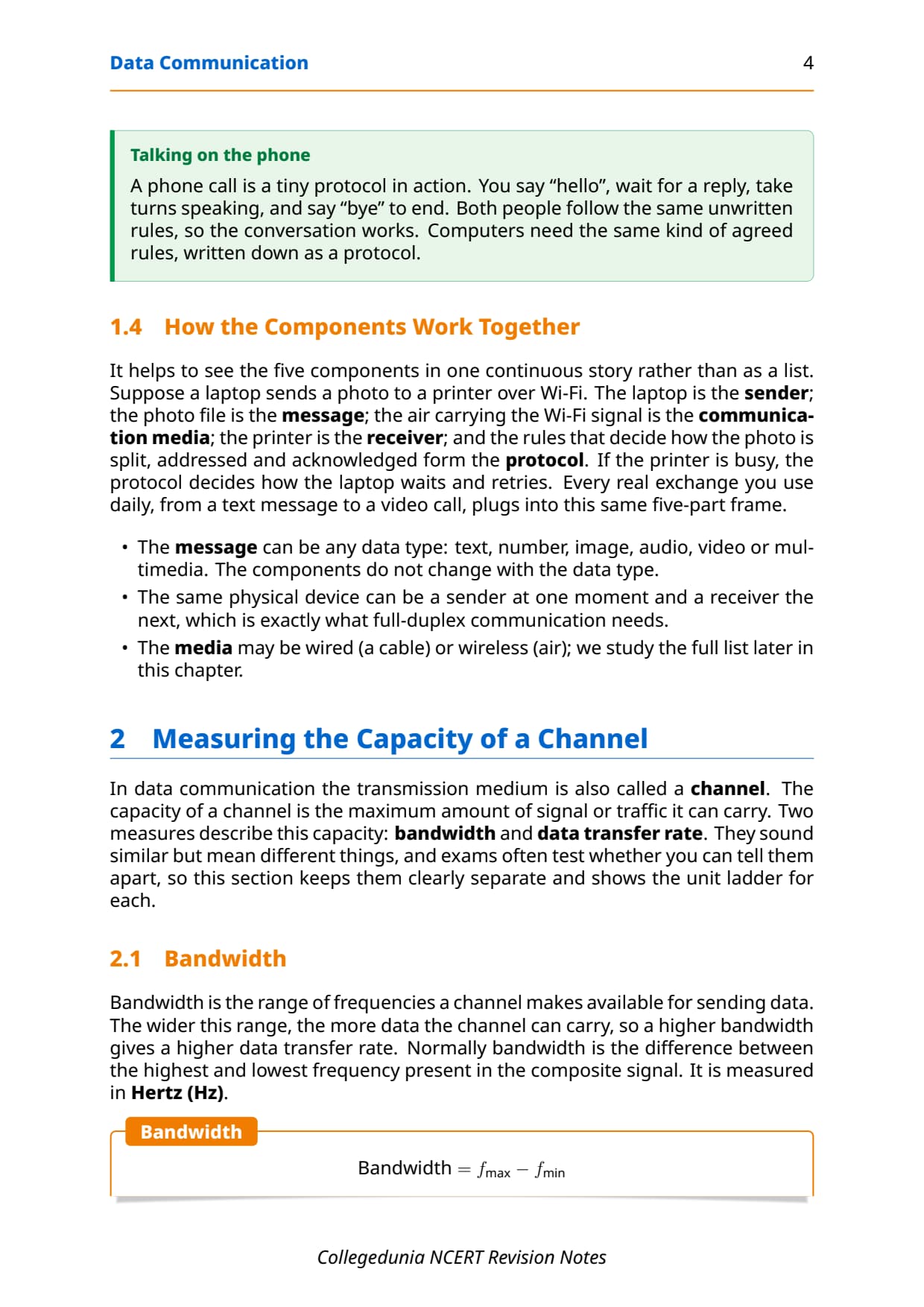
- Bandwidth: the range of frequencies a channel makes available for sending data, found as the highest frequency minus the lowest frequency in the composite signal. It is measured in Hertz (Hz).
- Data transfer rate: the number of bits sent from source to destination in one second, also called the bit rate. It is measured in bits per second (bps).
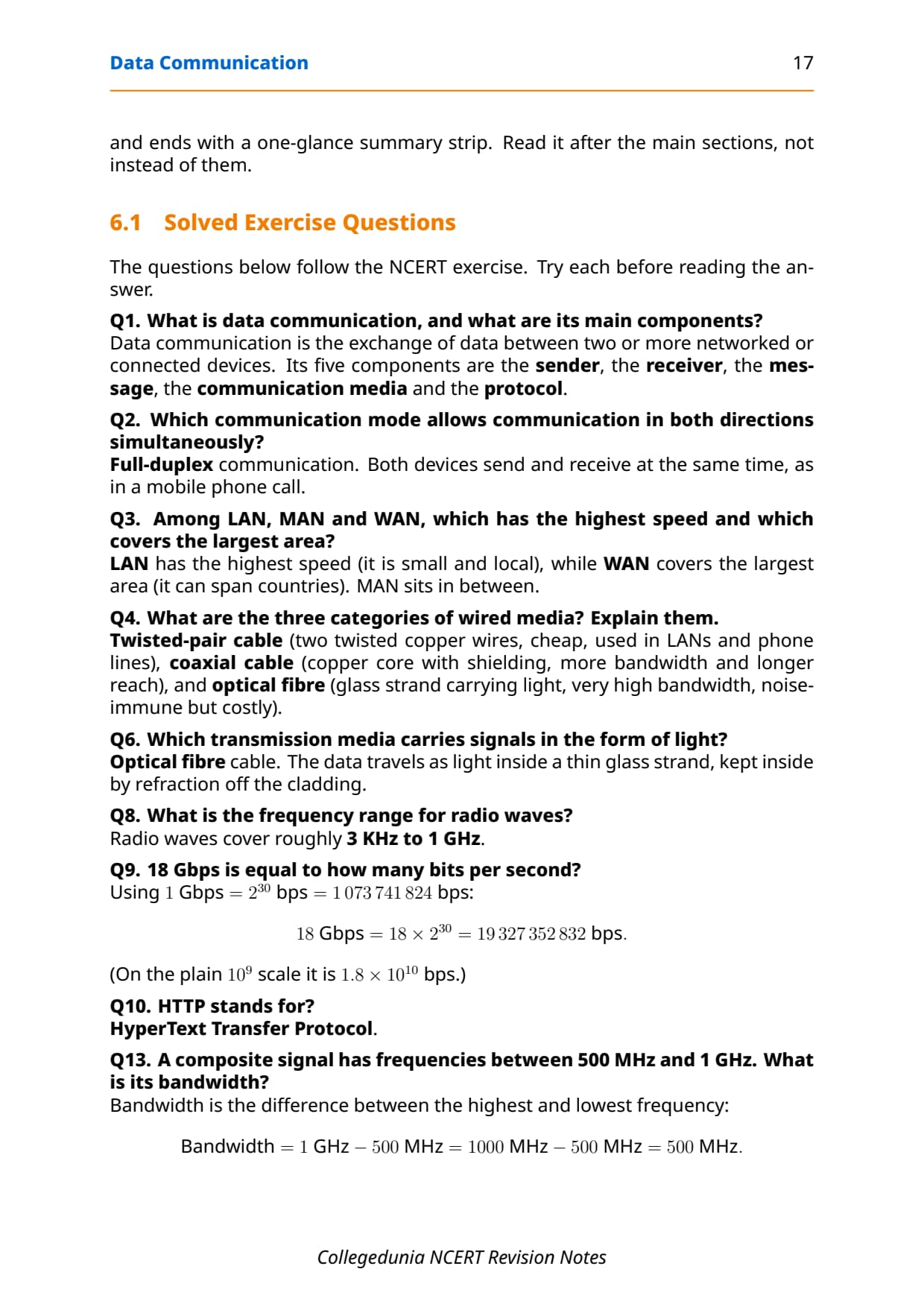
The key link is that a wider bandwidth gives a higher data transfer rate. Note the units climb differently: bandwidth units go up by 1000 (1 KHz = 1000 Hz, 1 MHz = 1000 KHz), while data-rate units climb in powers of two, so 1 Kbps = 210 = 1024 bps, 1 Mbps = 1024 Kbps, 1 Gbps = 1024 Mbps. This is exactly why exercise Q9 asks you to convert 18 Gbps into plain bits per second.
| Measure | What it is | Unit | Higher unit jump |
|---|---|---|---|
| Bandwidth | Range of frequencies available | Hertz (Hz) | × 1000 (KHz, MHz, GHz) |
| Data transfer rate | Bits sent per second | bits per second (bps) | × 1024 (Kbps, Mbps, Gbps) |
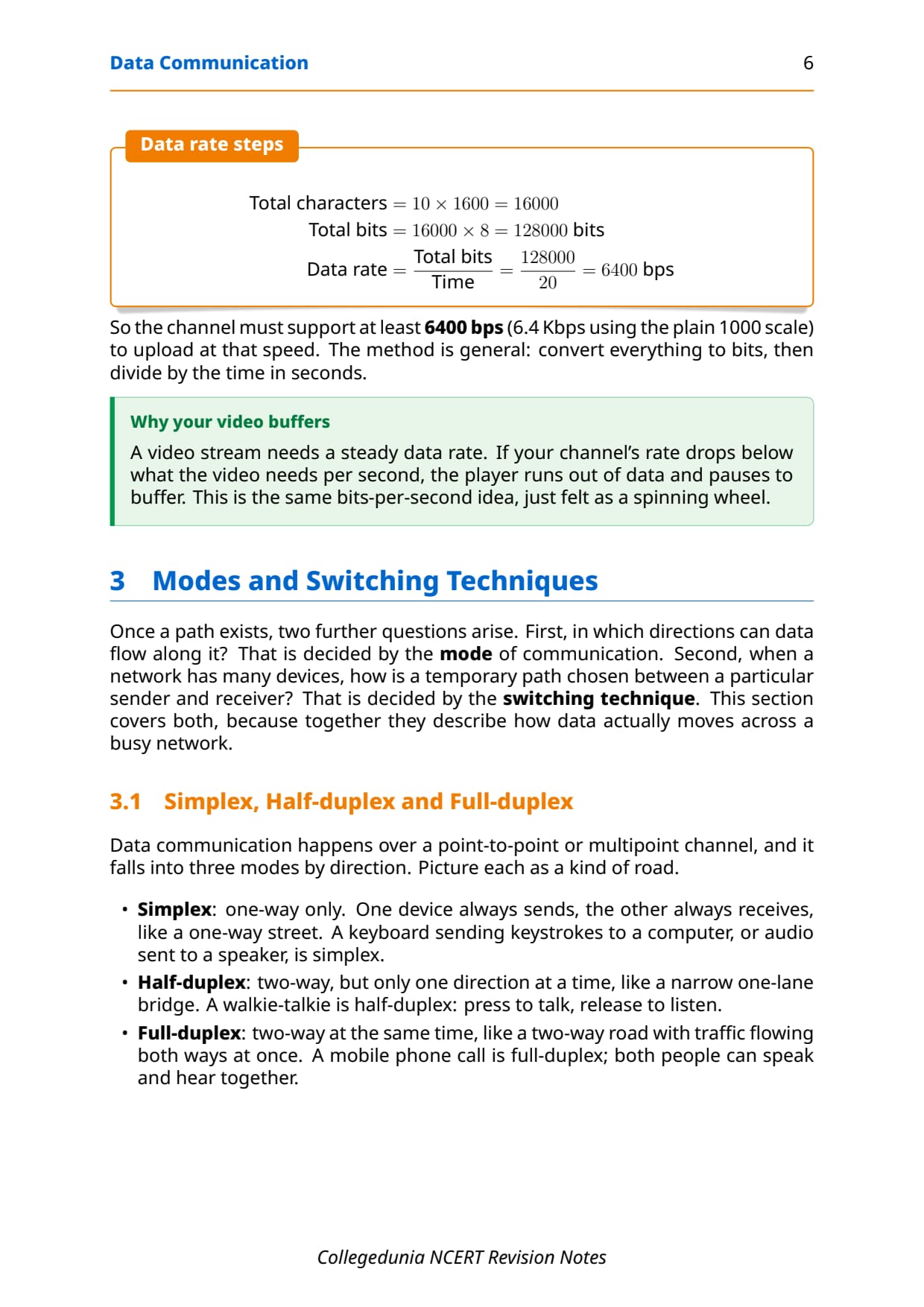
A worked capacity problem makes this concrete. The NCERT Example 11.1 uploads a text document at 10 pages every 20 seconds, with 1600 characters per page and 8 bits per character. Always show the formula, then the substitution, then the arithmetic, on separate lines.
Total characters = 10 pages x 1600 = 16000
Total bits       = 16000 x 8 bits  = 128000 bits
Data rate        = Total bits / Time
                 = 128000 / 20
                 = 6400 bps
So the channel must support at least 6400 bps (about 6.4 Kbps on the plain 1000 scale) to upload at that speed. The method is general: convert everything to bits, then divide by the time in seconds.
Simplex, Half-duplex and Full-duplex Modes of Communication
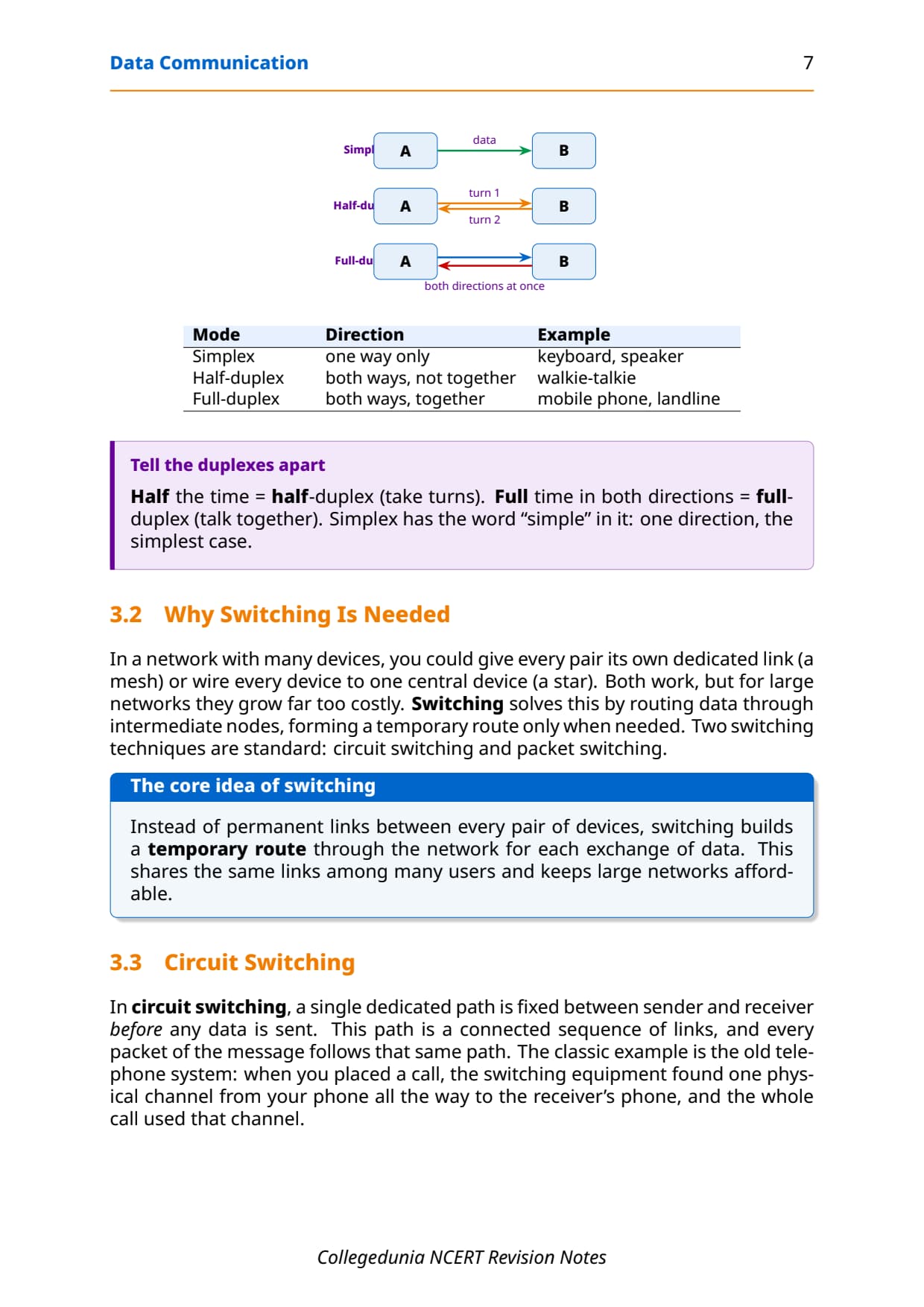
Once a path exists, the next question is which directions data can flow along it. That is decided by the mode of communication, and data communication falls into three modes by direction. Picture each as a kind of road.
- Simplex: one-way only, like a one-way street. One device always sends and the other always receives, as a keyboard sends keystrokes to a computer.
- Half-duplex: two-way, but only one direction at a time, like a narrow one-lane bridge. A walkie-talkie is half-duplex: press to talk, release to listen.
- Full-duplex: two-way at the same time, like a two-way road. A mobile phone call is full-duplex; both people can speak and hear together.
Exercise Q2 asks which mode allows communication in both directions simultaneously, and the answer is full-duplex. Underline the word "simultaneously" in any worded question, because it is the single keyword that separates full-duplex from half-duplex.
| Mode | Direction | Example |
|---|---|---|
| Simplex | One way only | Keyboard to computer, speaker |
| Half-duplex | Both ways, not together | Walkie-talkie |
| Full-duplex | Both ways, together | Mobile phone, landline call |
Circuit Switching versus Packet Switching
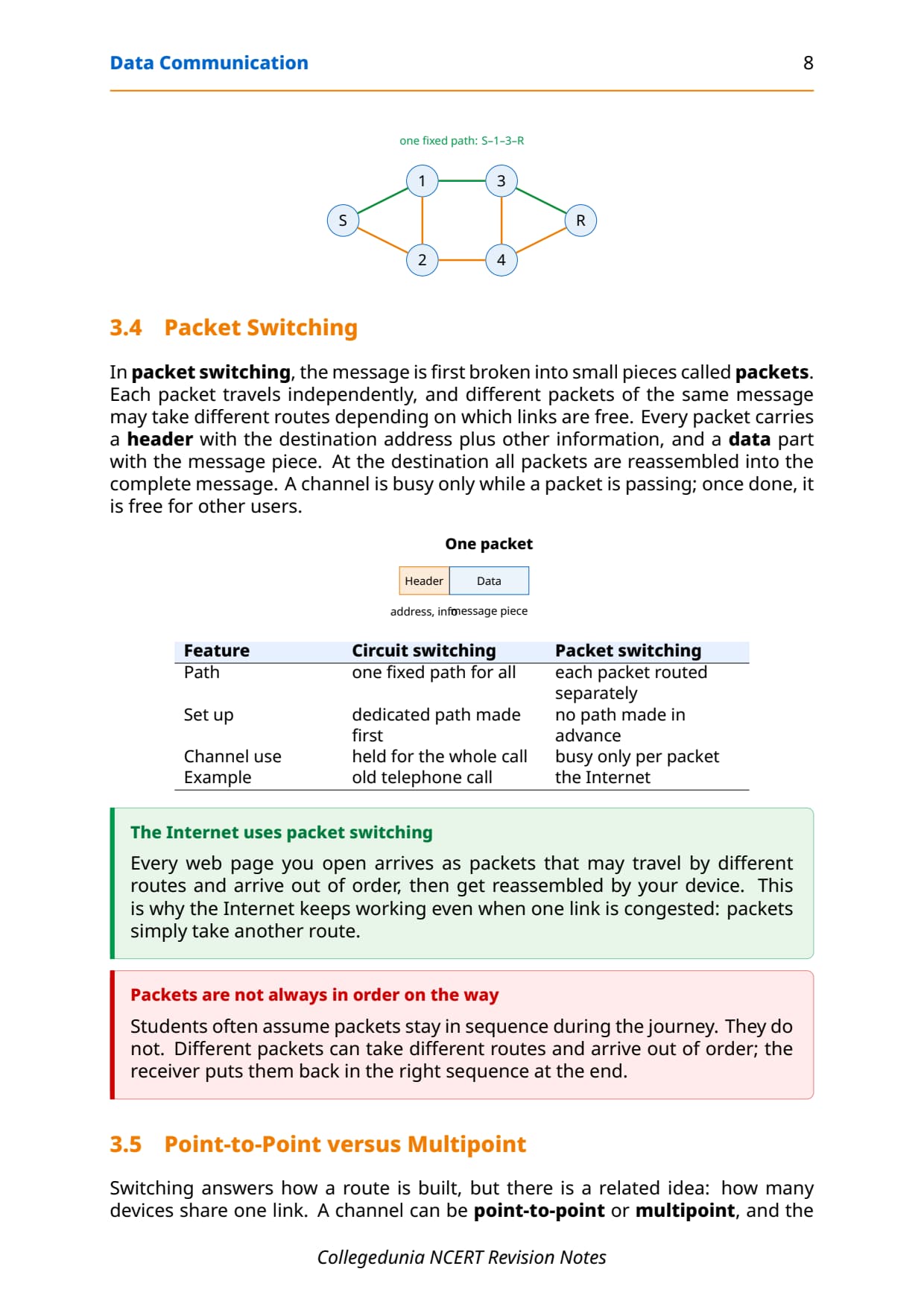
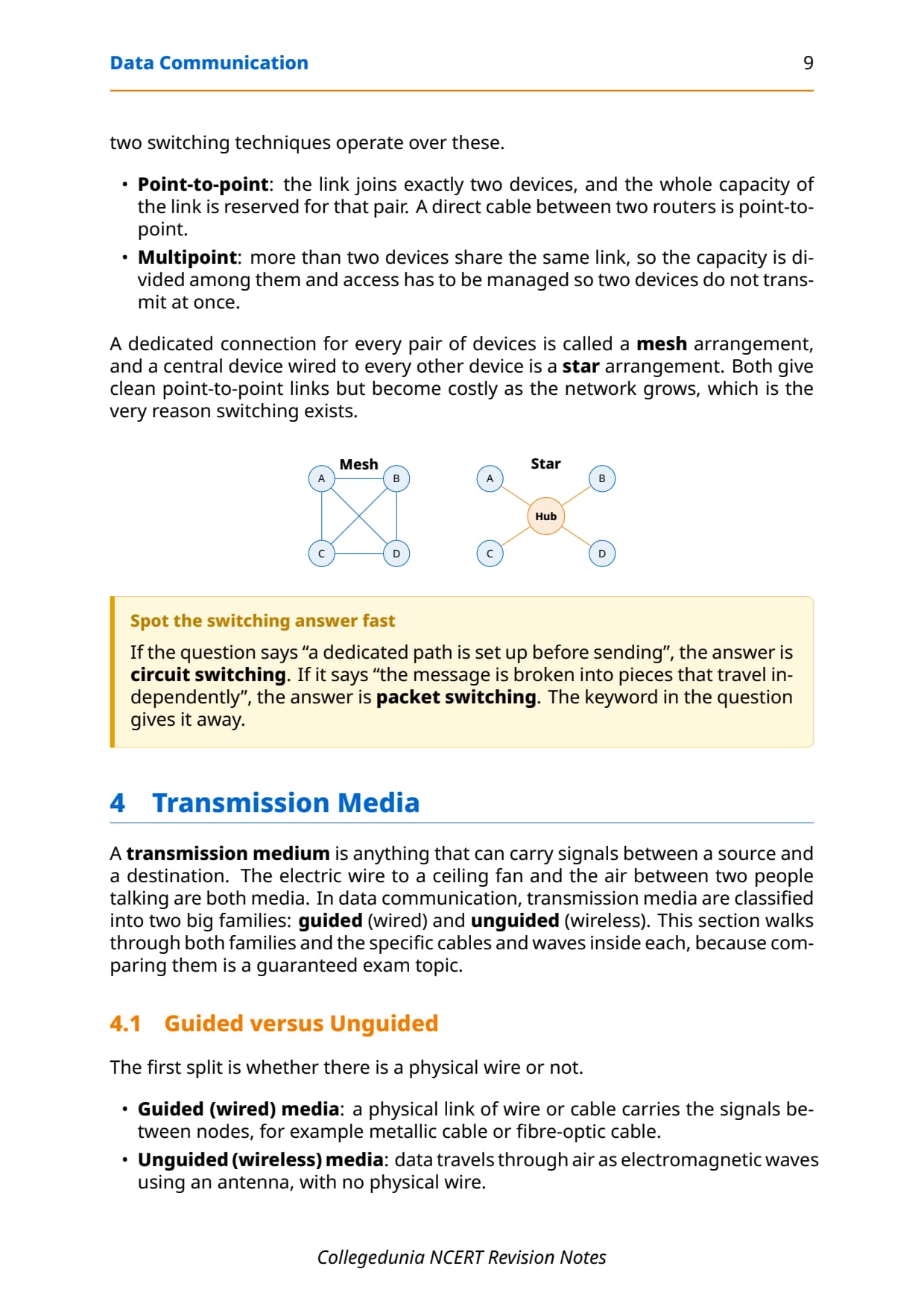
In a network with many devices, giving every pair its own permanent link gets far too costly. Switching solves this by routing data through intermediate nodes, forming a temporary route only when needed, so the same links are shared among many users. Two switching techniques are standard, and contrasting them is a guaranteed exam topic.
- Circuit switching: a single dedicated path is fixed between sender and receiver before any data is sent, and every part of the message follows that same path. The classic example is the old telephone call, where one physical channel was held for the whole call.
- Packet switching: the message is first broken into small pieces called packets, each carrying a header with the destination address and a data part. Packets travel independently, may take different routes, and are reassembled at the destination. The Internet uses packet switching.
A single packet is just a header plus a data part, written as [ Header | Data ], where the header holds the destination address and the data holds one piece of the message. Because each packet is routed on its own, a channel is busy only while a packet is passing through it, then it is free for other users, which is why packet switching scales so well.
| Feature | Circuit switching | Packet switching |
|---|---|---|
| Path | One fixed path for all | Each packet routed separately |
| Set up | Dedicated path made first | No path made in advance |
| Channel use | Held for the whole call | Busy only per packet |
| Example | Old telephone call | The Internet |
Wired Transmission Media: Twisted Pair, Coaxial and Optical Fibre
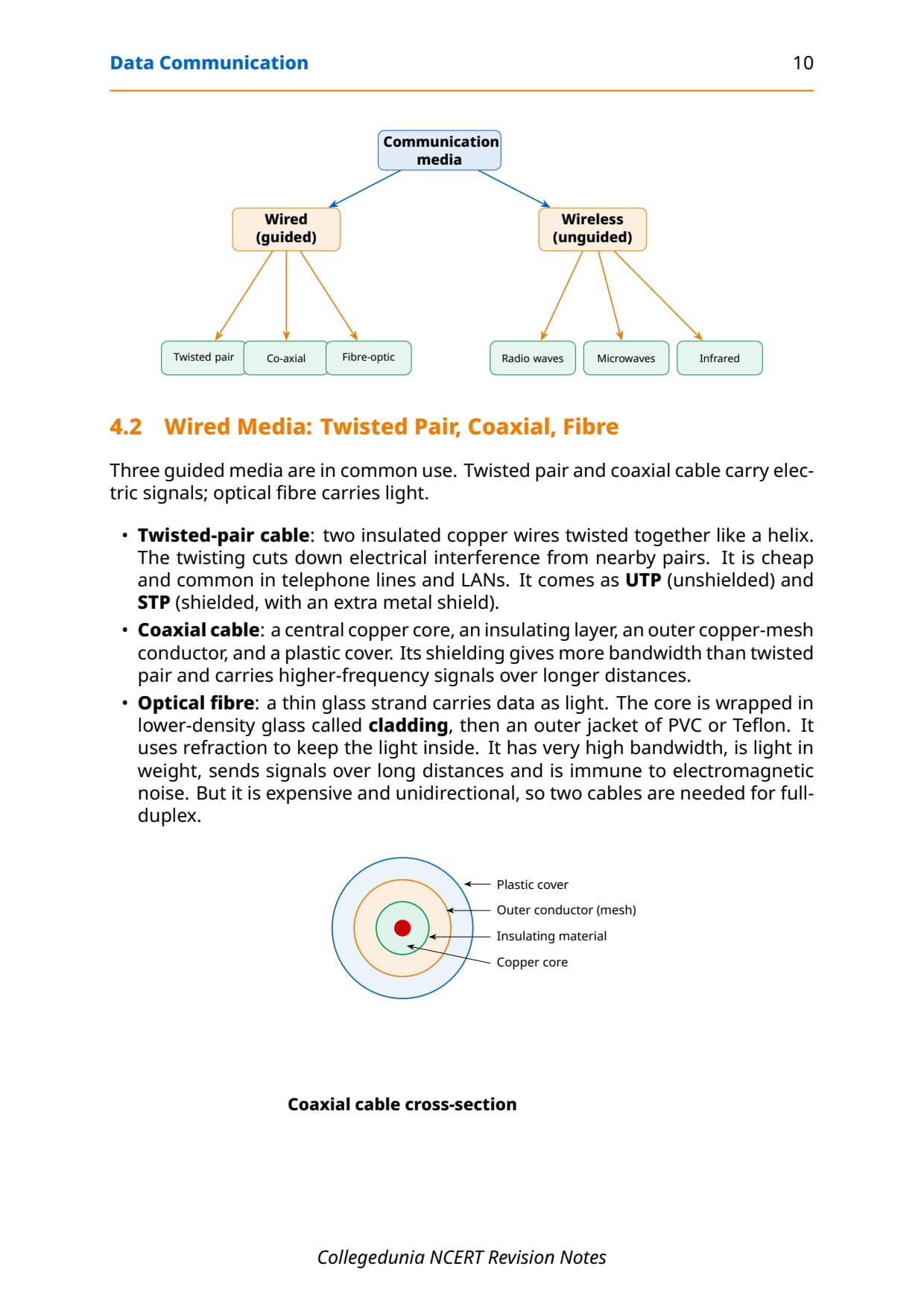
A transmission medium is anything that carries signals between a source and a destination. In data communication, media split into two families: guided (wired) media that use a physical cable, and unguided (wireless) media that send electromagnetic waves through air. Exercise Q4 asks for the three categories of wired media.
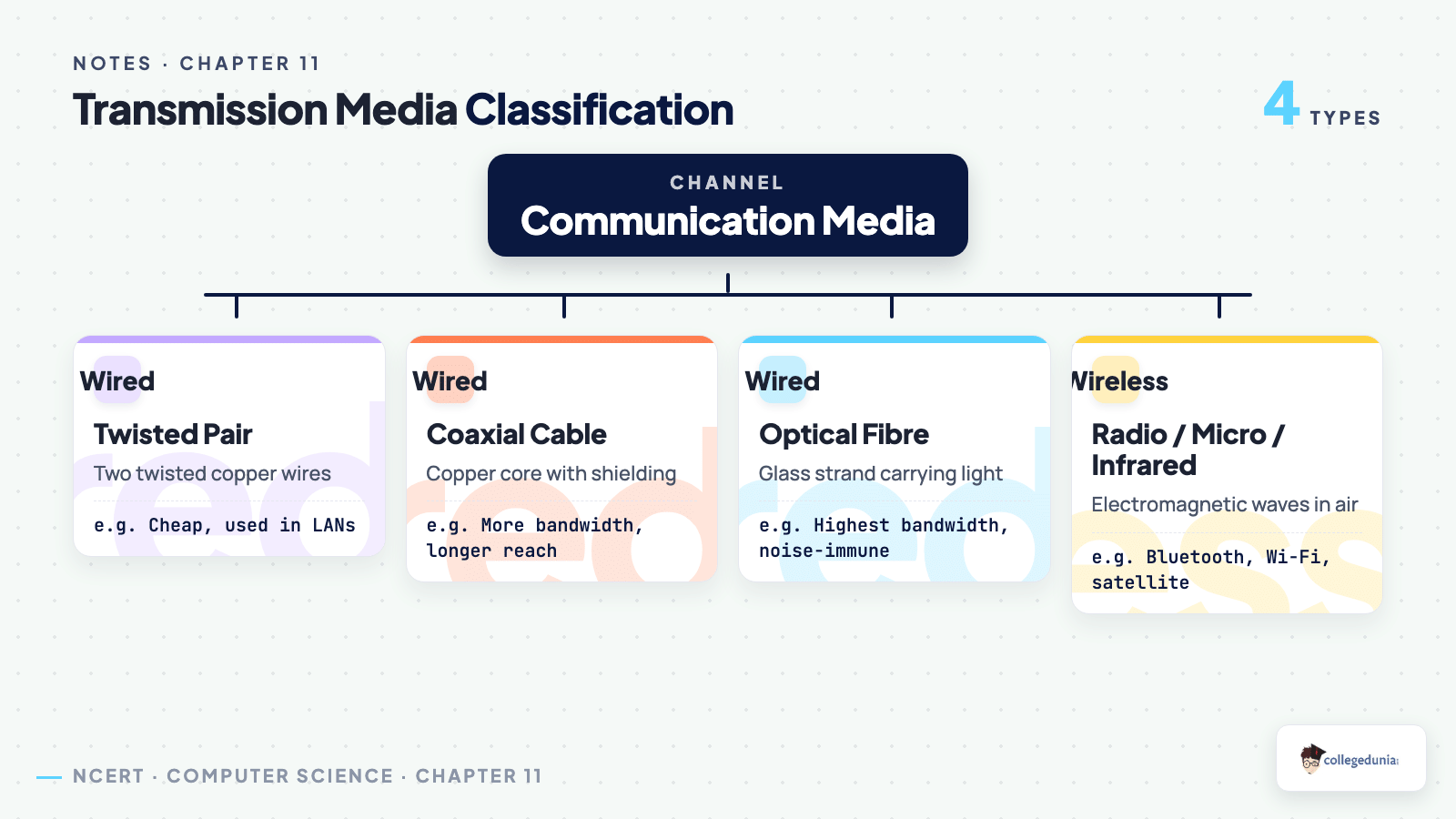
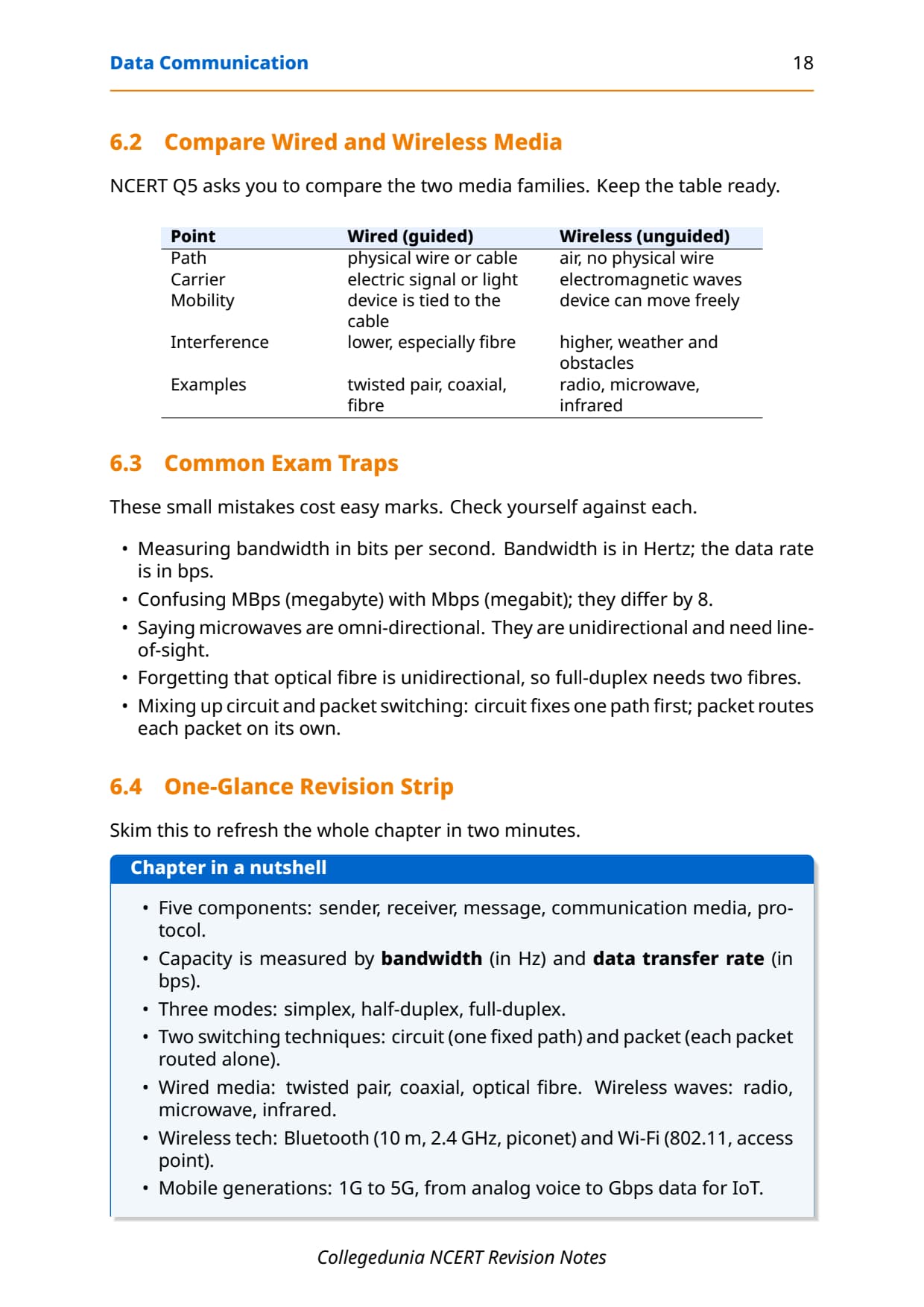
- Twisted-pair cable: two insulated copper wires twisted together; the twisting cuts interference. Cheap and common in phone lines and LANs. It comes as UTP (unshielded) and STP (shielded, with an extra metal shield).
- Coaxial cable: a central copper core, an insulating layer, an outer copper-mesh conductor and a plastic cover. Its shielding gives more bandwidth and carries higher-frequency signals over longer distances than twisted pair.
- Optical fibre: a thin glass strand that carries data as light, with the core wrapped in lower-density glass called cladding. It uses refraction to keep light inside.
Exercise Q6 asks which medium carries signals as light, and the answer is optical fibre. Its plus points are very high bandwidth, long distance, light weight and immunity to electromagnetic noise, which is why undersea backbone cables use fibre. Its minus points are that it is expensive and unidirectional, so two fibres are needed for full-duplex. State both sides for full marks.
| Medium | Carries | Note |
|---|---|---|
| Twisted pair | Electric signals | Cheap, used in LAN and phone lines |
| Coaxial | Electric signals | More bandwidth, longer distance |
| Optical fibre | Light signals | Highest bandwidth, noise-immune, costly |
Wireless Media, the Wave Spectrum and LAN MAN WAN
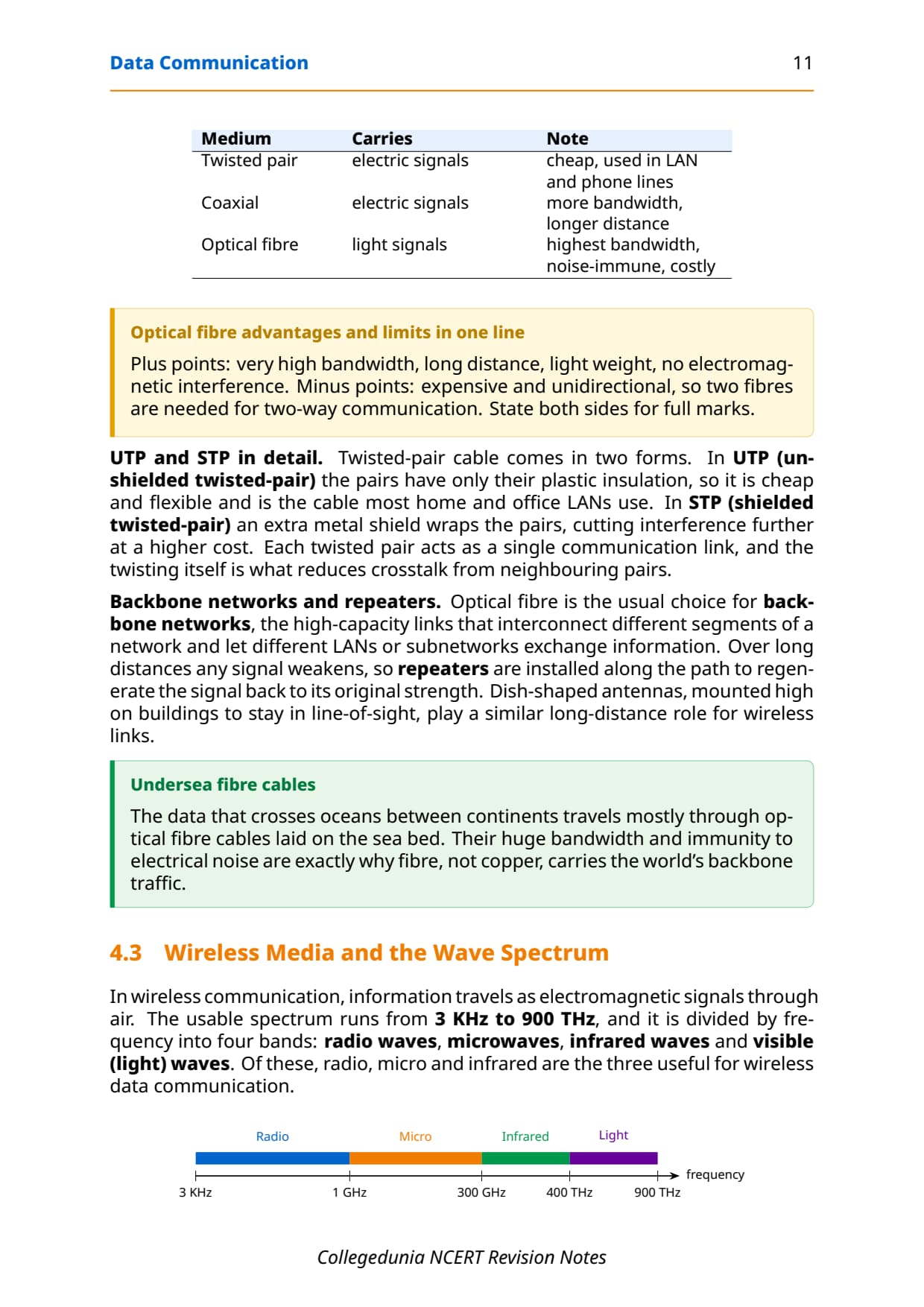
In unguided (wireless) media, information travels through air as electromagnetic waves using an antenna, with no physical wire. The usable spectrum runs from 3 KHz to 900 THz and is divided by frequency into four bands; three of them are useful for wireless data communication.
| Wave | Frequency range | Key properties and uses |
|---|---|---|
| Radio waves | 3 KHz to 1 GHz | Omni-directional (all directions); can travel long distances and penetrate walls; used in AM/FM radio, TV, cordless phones. |
| Microwaves | 1 GHz to 300 GHz | Unidirectional; need line-of-sight; cannot pass through walls; used in radar and satellite point-to-point links. |
| Infrared waves | 300 GHz to 400 THz | Very high frequency; cannot pass solids; used for short-range links such as TV remotes and mobile-to-mobile. |
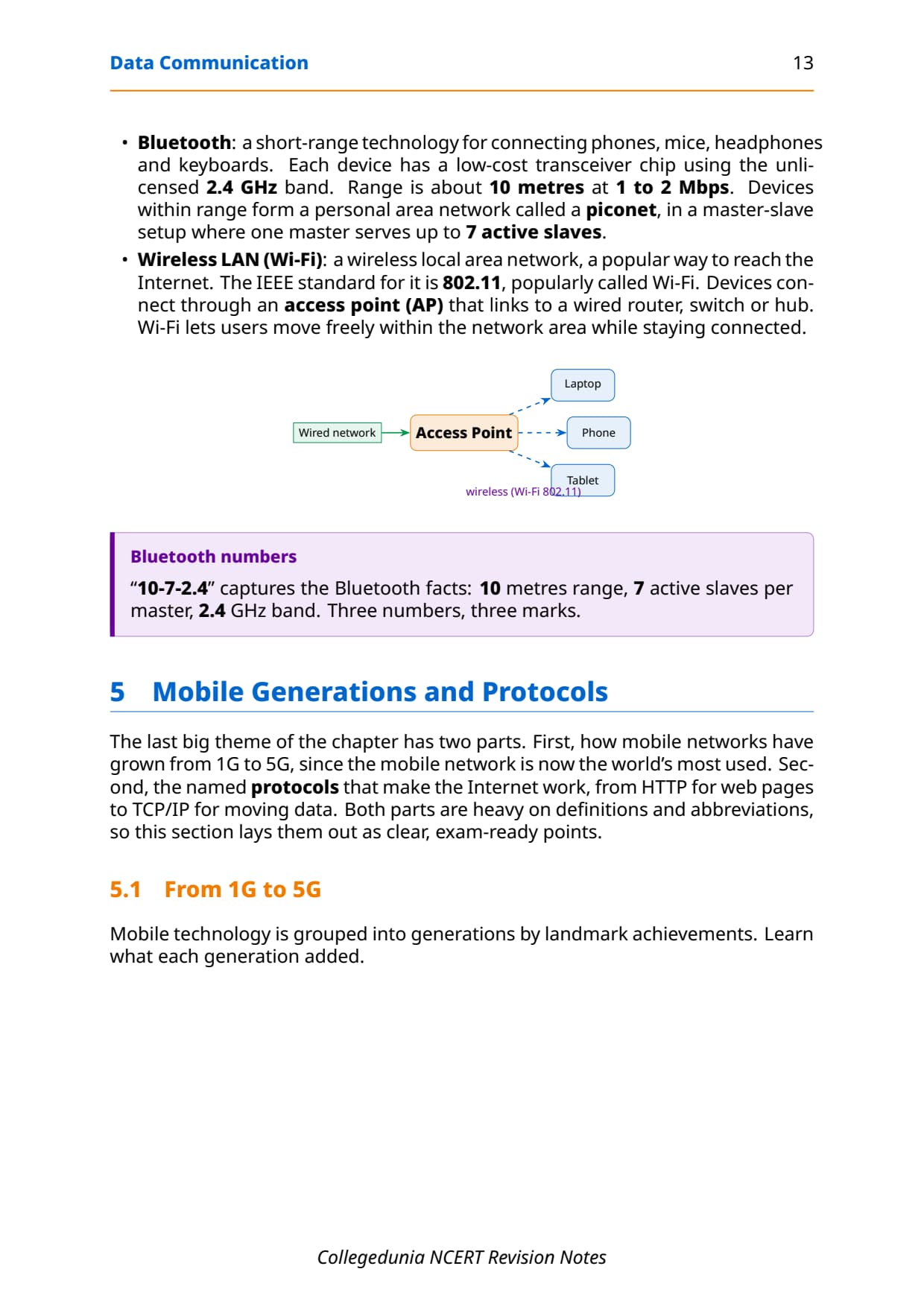
Exercise Q8 asks the frequency range of radio waves, which is roughly 3 KHz to 1 GHz. Two named wireless technologies sit on top of these waves. Bluetooth is a short-range link of about 10 metres at 1 to 2 Mbps on the 2.4 GHz band, forming a personal-area network called a piconet where one master serves up to 7 active slaves. Wi-Fi is a wireless LAN on the IEEE 802.11 standard, where devices connect through an access point wired to a router.
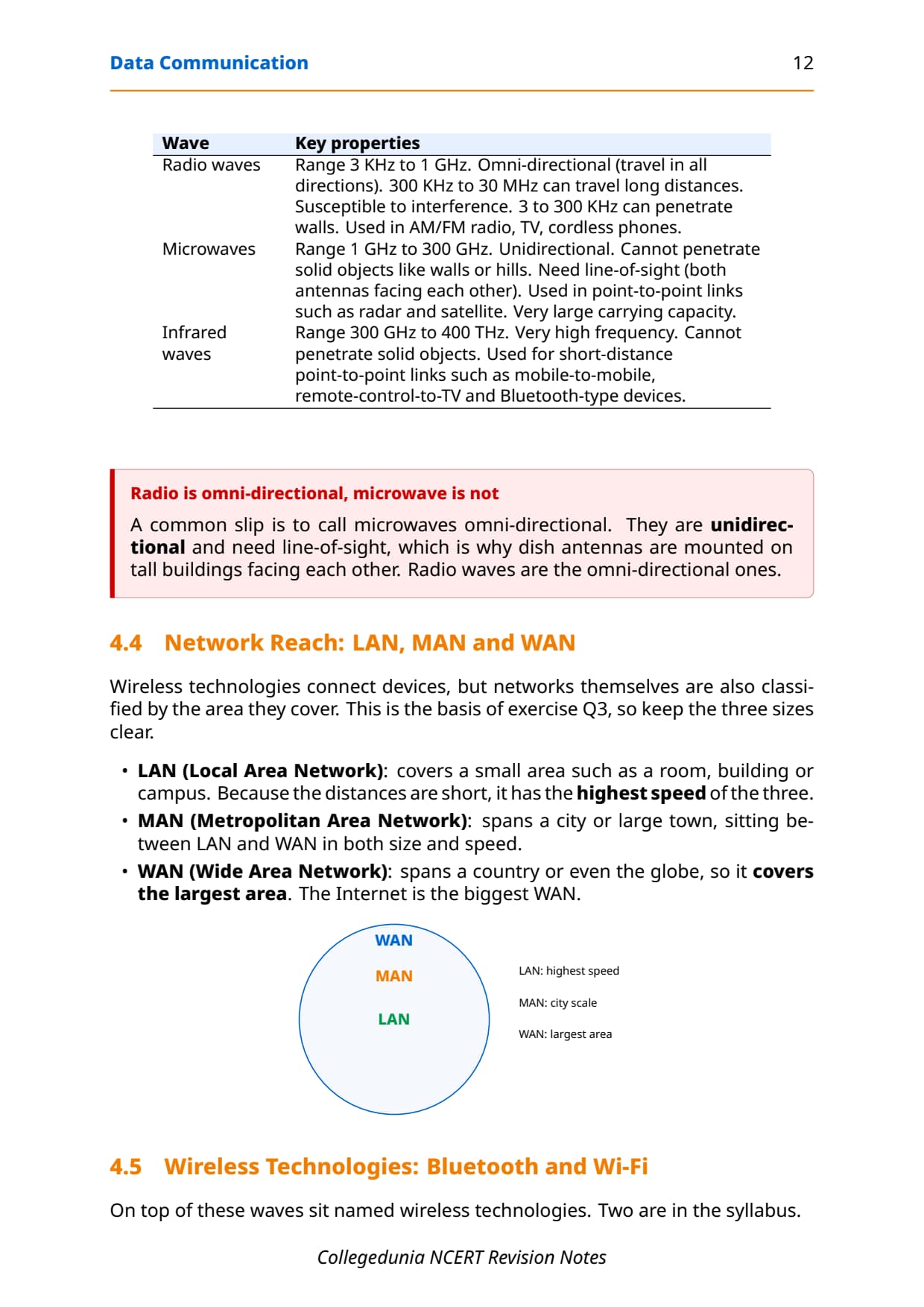
Networks are also classified by the area they cover, which is the basis of exercise Q3. Keep the three sizes clear, because the question always asks which is fastest and which is largest.
- LAN (Local Area Network): covers a room, building or campus. Short distances give it the highest speed of the three.
- MAN (Metropolitan Area Network): spans a city, sitting between LAN and WAN in size and speed.
- WAN (Wide Area Network): spans a country or the globe, so it covers the largest area. The Internet is the biggest WAN.
Mobile Generations and Internet Protocols: HTTP, FTP, PPP, SMTP, DNS, TCP/IP
The last theme of the chapter has two parts: how mobile networks grew from 1G to 5G, and the named protocols that make the Internet work. Both are heavy on definitions and abbreviations, so revise them as clear points. Mobile generations are grouped by landmark achievements.
| Generation | Around | What it added |
|---|---|---|
| 1G | 1982 | Voice calls only, using analog signals. |
| 2G | 1991 | Digital voice, more capacity, encryption, plus SMS and MMS. |
| 3G | 2001 | Voice and data together, Internet on the same towers, faster data. |
| 4G | Later | Much faster; interactive multimedia, video and wireless broadband. |
| 5G | Developing | Built for IoT and machine-to-machine; data transfer in Gbps. |
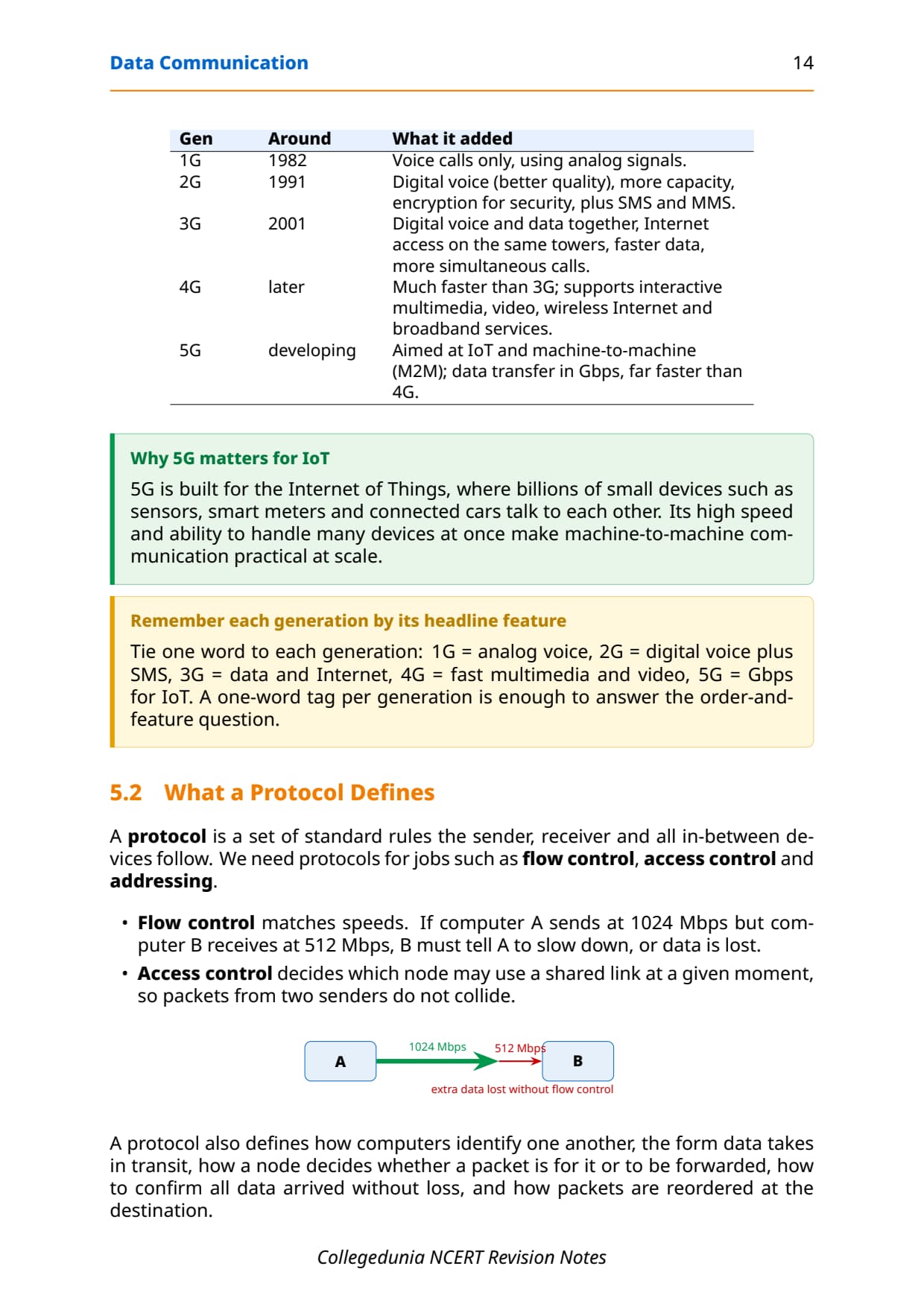
A protocol is a set of standard rules for jobs such as flow control (matching speeds so a fast sender does not overwhelm a slow receiver), access control (deciding who may use a shared link) and addressing. The named protocols below are exactly the kind asked in "write a short note" questions, so learn one job per protocol.
- HTTP (HyperText Transfer Protocol): the main protocol for the World Wide Web. It is a request-response protocol that runs over TCP; the browser sends a request and the server returns the web page. Developed by Tim Berners-Lee in 1989.
- FTP (File Transfer Protocol): transfers files between machines on a client-server model, handling differences in file naming, format and directory structure.
- PPP (Point-to-Point Protocol): sets up a dedicated direct link between two devices and defines how they authenticate, used between two routers or a home computer dialling an ISP.
- SMTP (Simple Mail Transfer Protocol): used for email; it reads the message header (the addresses) like an envelope and delivers the mail to the right mailbox.
- DNS (Domain Name System): translates a human-friendly name like ncert.nic.in into the numeric IP address of the server. Think of DNS as the phone book of the Internet.
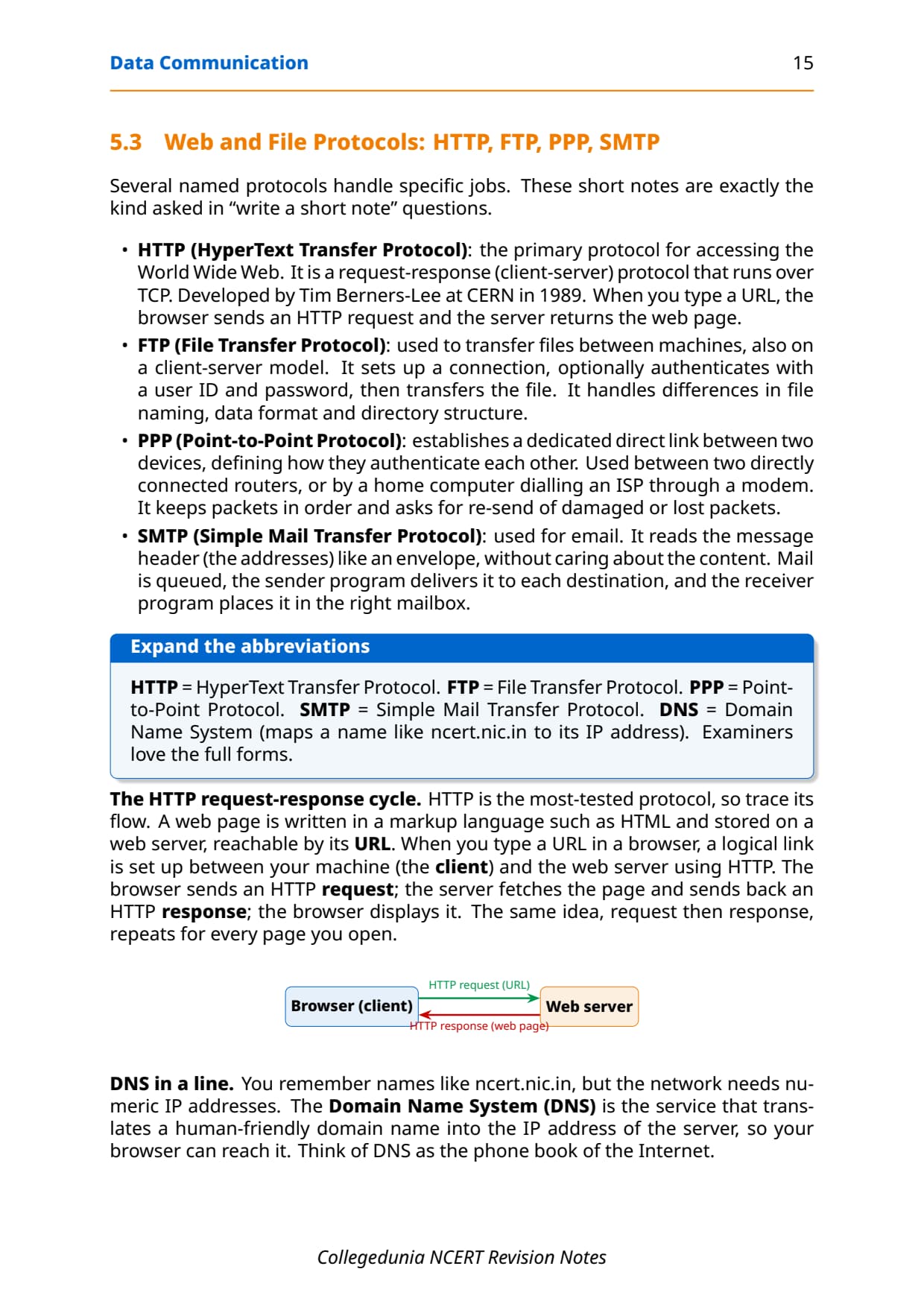
The most-tested protocol is HTTP, so trace its request-response cycle. A web page is stored on a web server, reachable by its URL. When you type a URL, the browser (the client) sends an HTTP request; the server fetches the page and sends back an HTTP response; the browser displays it. The same request-then-response repeats for every page. In code-like form the cycle reads:
Client (browser)  --- HTTP request (URL) --->  Web server
Client (browser)  <-- HTTP response (page) ---  Web server
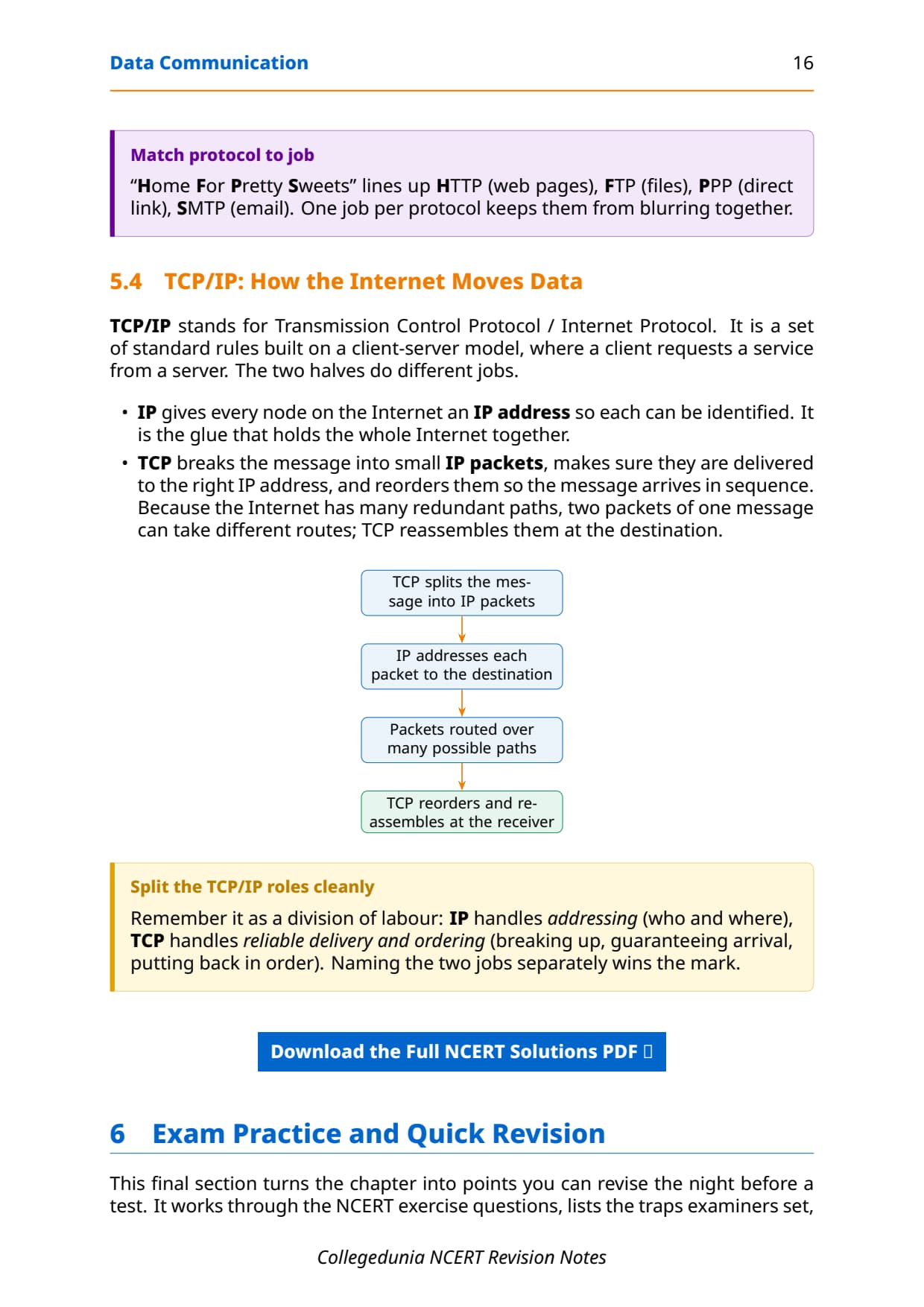
Finally, TCP/IP (Transmission Control Protocol / Internet Protocol) is the rule-set that actually moves data across the Internet, split into two jobs. IP gives every node an IP address and handles addressing (who and where). TCP breaks the message into packets, guarantees delivery to the right address, and reorders the packets so the message arrives in sequence. Naming the two jobs separately wins the mark.
The repeat-offender mistakes in Data Communication board answers:
- Listing only three or four components: data communication needs all five, including the protocol.
- Confusing bandwidth and data transfer rate: bandwidth is in Hertz, data rate is in bits per second.
- Saying packet-switched packets stay in order: they can arrive out of order and are reordered at the end.
- Calling microwaves omni-directional: it is radio waves that go in all directions, not microwaves.
- Swapping the TCP and IP roles: IP addresses, TCP delivers and reorders.
How to Use the Data Communication Notes PDF for Board Revision
Data Communication is a definition-heavy chapter with a few small calculations and many abbreviations. The best approach is two passes: one for the concepts and comparisons, one for the abbreviations and the numeric units.
First pass: concepts and comparisons
Read these notes and lock the comparison pairs: simplex versus half versus full-duplex, circuit versus packet switching, wired versus wireless media, and LAN versus MAN versus WAN. Say one line of difference aloud for each pair so it sticks. These comparisons carry most of the 2 and 3-mark questions.
Second pass: abbreviations and units
Drill the protocol full forms (HTTP, FTP, PPP, SMTP, DNS, TCP/IP) and the unit ladders for bandwidth (Hz, KHz, MHz, GHz) and data rate (bps, Kbps, Mbps, Gbps). Work the 18 Gbps conversion and the Example 11.1 data-rate problem by hand, because the chapter's numericals reuse exactly these two methods.
JEE and CUET angle
For students preparing competitive exams, basic networking, transmission media and the TCP/IP idea appear in CUET Computer Science and in the general aptitude rounds of many tests. The protocol full forms and the LAN MAN WAN distinction are exactly the kind of concept questions those papers reuse, so this revision doubles as competitive prep.
Previous Year Question Trends from the Data Communication Chapter
The Data Communication chapter is tested in CBSE board papers mainly through definition, comparison and abbreviation questions, with a short data-rate calculation. The table below maps the asked question types across recent board papers, so your revision can target the high-frequency areas.
| Year | Question type asked | Marks |
|---|---|---|
| 2025 | Expand HTTP and FTP; write a short note on DNS | 1 + 2 |
| 2024 | Differentiate circuit switching and packet switching | 2 |
| 2023 | Name and explain the three modes of communication | 3 |
| 2022 | List the five components of data communication | 2 |
| 2021 | Compare LAN, MAN and WAN; convert a data rate | 2 + 1 |
Also Check: The full set of CBSE board paper questions for this chapter, with step-by-step answers, is included in the downloadable PDF above, updated for the 2026-27 cycle.
Other Resources for Class 12 Computer Science Chapter 11 Data Communication
Pair these revision notes with the matching NCERT Solutions, handwritten notes and the official NCERT book chapter. All resources for Class 12 Computer Science Chapter 11 Data Communication are linked below.
| Resource | What it covers | Open |
|---|---|---|
| Notes | Concept-first revision notes on data communication components, bandwidth, modes, switching, transmission media and protocols. | You are here |
| NCERT Solutions | Step-by-step answers to all exercise questions, with an Expert Solution for each. | Class 12 Computer Science Chapter 11 NCERT Solutions |
| Handwritten Notes | Scanned-style handwritten pages for last-minute board revision. | Class 12 Computer Science Chapter 11 Handwritten Notes |
| NCERT Book PDF | Official NCERT Computer Science Chapter 11 Data Communication textbook in PDF form. | Class 12 Computer Science Chapter 11 NCERT Book PDF |
Notes for Class 12 Computer Science: All Chapters
Related Links: Use the table below to open the revision notes for the other chapters of Class 12 Computer Science, including the previous chapter Computer Networks and the next chapter Security Aspects. Every chapter ships with the same concept-first notes style, full PDF download, and revision FAQ.
| Chapter | Notes link |
|---|---|
| Chapter 1 | Exception Handling in Python Notes |
| Chapter 2 | File Handling in Python Notes |
| Chapter 3 | Stack Notes |
| Chapter 4 | Queue Notes |
| Chapter 5 | Sorting Notes |
| Chapter 6 | Searching Notes |
| Chapter 7 | Understanding Data Notes |
| Chapter 8 | Database Concepts Notes |
| Chapter 9 | Structured Query Language (SQL) Notes |
| Chapter 10 | Computer Networks Notes |
| Chapter 11 | Data Communication Notes (You are here) |
| Chapter 12 | Security Aspects Notes |
Notes Class 12 Computer Science Chapter 11 Data Communication FAQs
Ques. What does Chapter 11 Data Communication cover in Class 12 Computer Science?
Ans. Chapter 11 covers what data communication is and the five components every exchange needs: sender, receiver, message, communication media and protocol. The notes explain how a channel's capacity is measured by bandwidth in Hertz and data transfer rate in bits per second, the simplex, half-duplex and full-duplex modes, circuit and packet switching, the wired media twisted pair, coaxial and optical fibre, the wireless waves radio, microwave and infrared, the LAN MAN WAN classification, the mobile generations 1G to 5G, and the protocols HTTP, FTP, PPP, SMTP, DNS and TCP/IP, all aligned with the 2026-27 CBSE syllabus.
Ques. What are the five components of data communication?
Ans. The five components are the sender (a device that sends data), the receiver (a device that receives data), the message (the actual data being exchanged, as text, image, audio or video), the communication media (the wired or wireless path the message travels along), and the protocol (the set of rules both parties follow so the exchange is reliable). All five must be present for data communication to succeed. A quick way to remember them is the phrase "Send Right Messages Carefully, Please" for Sender, Receiver, Message, Communication media, Protocol.
Ques. What is the difference between bandwidth and data transfer rate?
Ans. Bandwidth is the range of frequencies a channel makes available for sending data, found as the highest frequency minus the lowest frequency in the composite signal, and it is measured in Hertz. Data transfer rate, also called the bit rate, is the number of bits sent from source to destination in one second and is measured in bits per second. A wider bandwidth allows a higher data transfer rate. The units climb differently: bandwidth units go up by 1000, while data-rate units climb in powers of two, so 1 Kbps equals 1024 bps.
Ques. Which communication mode allows communication in both directions simultaneously?
Ans. Full-duplex mode allows communication in both directions at the same time. In full-duplex, both connected devices can send and receive together, as in a mobile phone call where both people can speak and hear at once. This differs from half-duplex, where data flows both ways but only one direction at a time, like a walkie-talkie, and from simplex, where data flows in only one direction, like a keyboard sending keystrokes to a computer.
Ques. What is the difference between circuit switching and packet switching?
Ans. In circuit switching a single dedicated path is fixed between sender and receiver before any data is sent, and the whole message follows that one path, which is held for the entire session, as in the old telephone system. In packet switching the message is broken into small packets, each with a header carrying the destination address, and the packets travel independently over possibly different routes and are reassembled at the destination. Packet switching shares links efficiently because a channel is busy only while a packet passes, which is why the Internet uses it.
Ques. What are the three categories of wired transmission media?
Ans. The three categories of wired (guided) media are twisted-pair cable, coaxial cable and optical fibre. Twisted-pair cable has two twisted copper wires that reduce interference, is cheap, and is common in LANs and phone lines, available as UTP and STP. Coaxial cable has a copper core with shielding, giving more bandwidth and longer reach than twisted pair. Optical fibre is a glass strand that carries data as light, offering the highest bandwidth and immunity to electromagnetic noise, though it is expensive and unidirectional, so two fibres are needed for two-way communication.
Ques. What do HTTP, FTP, PPP, SMTP, DNS and TCP/IP stand for?
Ans. HTTP stands for HyperText Transfer Protocol, the main protocol for accessing the World Wide Web. FTP stands for File Transfer Protocol, used to transfer files between machines. PPP stands for Point-to-Point Protocol, which sets up a direct link between two devices. SMTP stands for Simple Mail Transfer Protocol, used for email. DNS stands for Domain Name System, which translates a domain name like ncert.nic.in into its numeric IP address. TCP/IP stands for Transmission Control Protocol / Internet Protocol, the rule-set where IP handles addressing and TCP breaks the message into packets, guarantees delivery and reorders them at the receiver.
Ques. How many pages is the Class 12th Computer Science Data Communication Notes PDF?
Ans. The Data Communication Notes PDF runs about 20 pages and covers the full chapter in concept-first revision blocks, with worked number examples, comparison tables for the modes, switching and media, labelled diagrams of the five components, the wave spectrum and the HTTP request-response cycle, the protocol full forms, and a one-glance revision strip. The PDF is free to download for the 2026-27 session, and a green Handwritten Notes button on this page opens the scanned-style version for last-minute revision.
Ques. Are these Notes for Class 12 Computer Science Chapter 11 aligned with the 2026-27 syllabus?
Ans. Yes. This page reflects the current 2026-27 CBSE syllabus for Class 12 Computer Science. The Data Communication chapter sits in the Computer Networks unit, after Computer Networks and before Security Aspects. These notes follow the NCERT textbook, covering data communication and its components, bandwidth and data transfer rate, the communication modes, circuit and packet switching, wired and wireless transmission media, LAN MAN WAN, mobile generations and the Internet protocols. The notes are useful for the CBSE board exam, and the same ideas help with CUET Computer Science and JEE-level aptitude questions.



Comments