




The Database Concepts Class 12 Computer Science handwritten notes have been carefully prepared by hand for quick one-shot revision, according to the latest 2026-27 CBSE syllabus. They cover the relational data model, the difference between a database and a file system, the terms relation, tuple, attribute, degree and cardinality, every key type, and the use of constraints and NULL values.

- CBSE Weightage: 7 to 9 marks from Unit 3 (Database Management), shared with SQL.
- Boxed keywords and hand-written notes for primary key, foreign key, candidate key and the constraints.
- Pairs with the NCERT Solutions, Notes and Book PDF linked lower on this page.
These Database Concepts handwritten notes are prepared from the official NCERT Computer Science textbook and matched to the 2026-27 CBSE syllabus.
Student Feedback: In a Collegedunia poll of 11,200 Class 12 Computer Science students before the 2026 boards, 74% of students said the hand-drawn key diagram, with the primary and foreign keys joined by an arrow, was the fastest way to fix this chapter in memory. Most students copied the boxed key and constraint definitions straight onto practice answer sheets.
Source: 2026-27 Class 12 Computer Science student poll. Sample of 11,200 students from CBSE schools across 13 states.
What These Database Concepts Handwritten Notes Include
Typed notes read like a textbook. Handwritten notes read like a friend's revision book, so the eye finds the keyword fast on exam day. These Database Concepts handwritten notes condense the whole chapter into 25 handwritten pages of ruled paper, with every key and constraint in a box and sample tables drawn out so students can see how a relation really looks.
The pages are built around the four threads that the CBSE board paper tests:
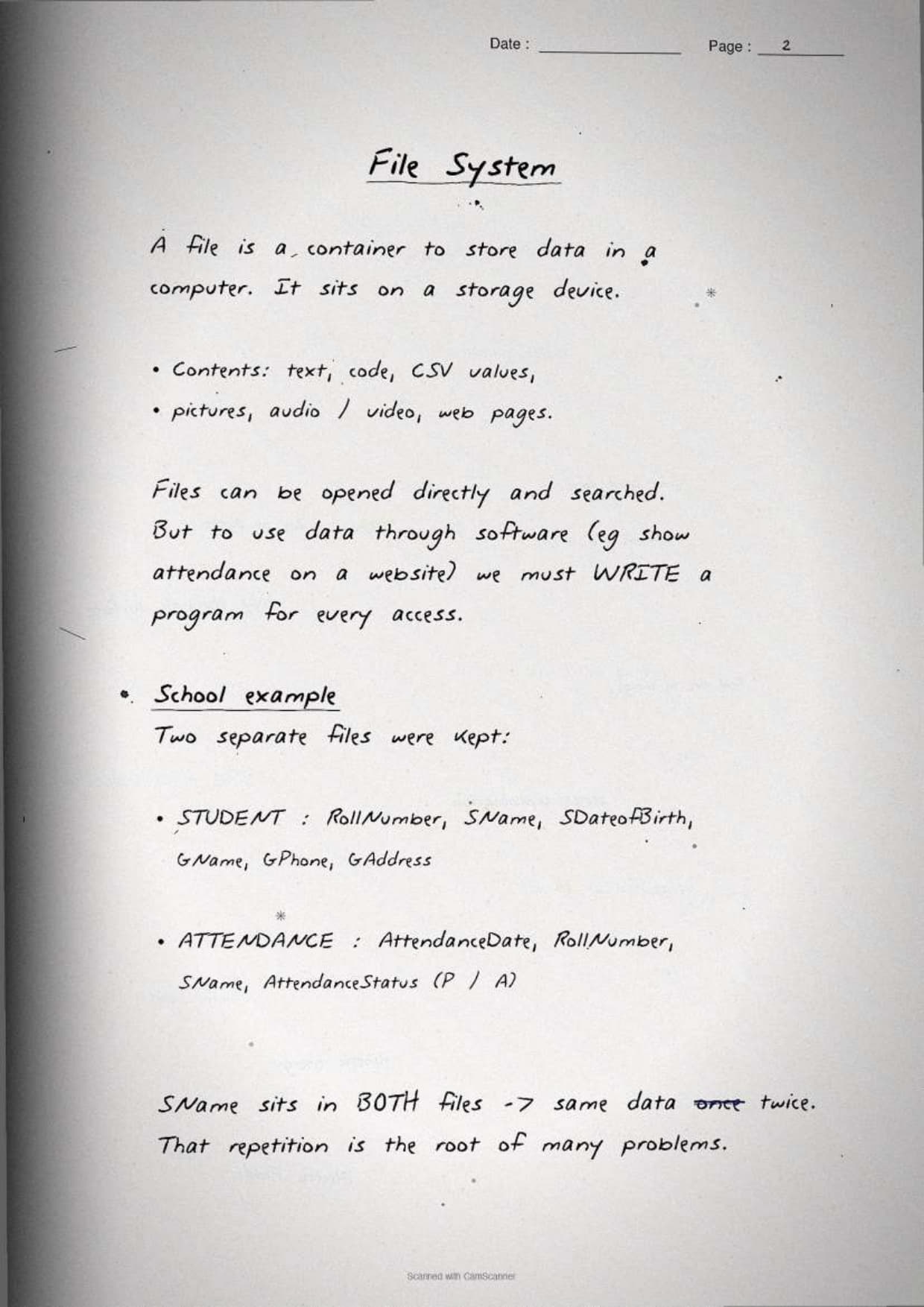
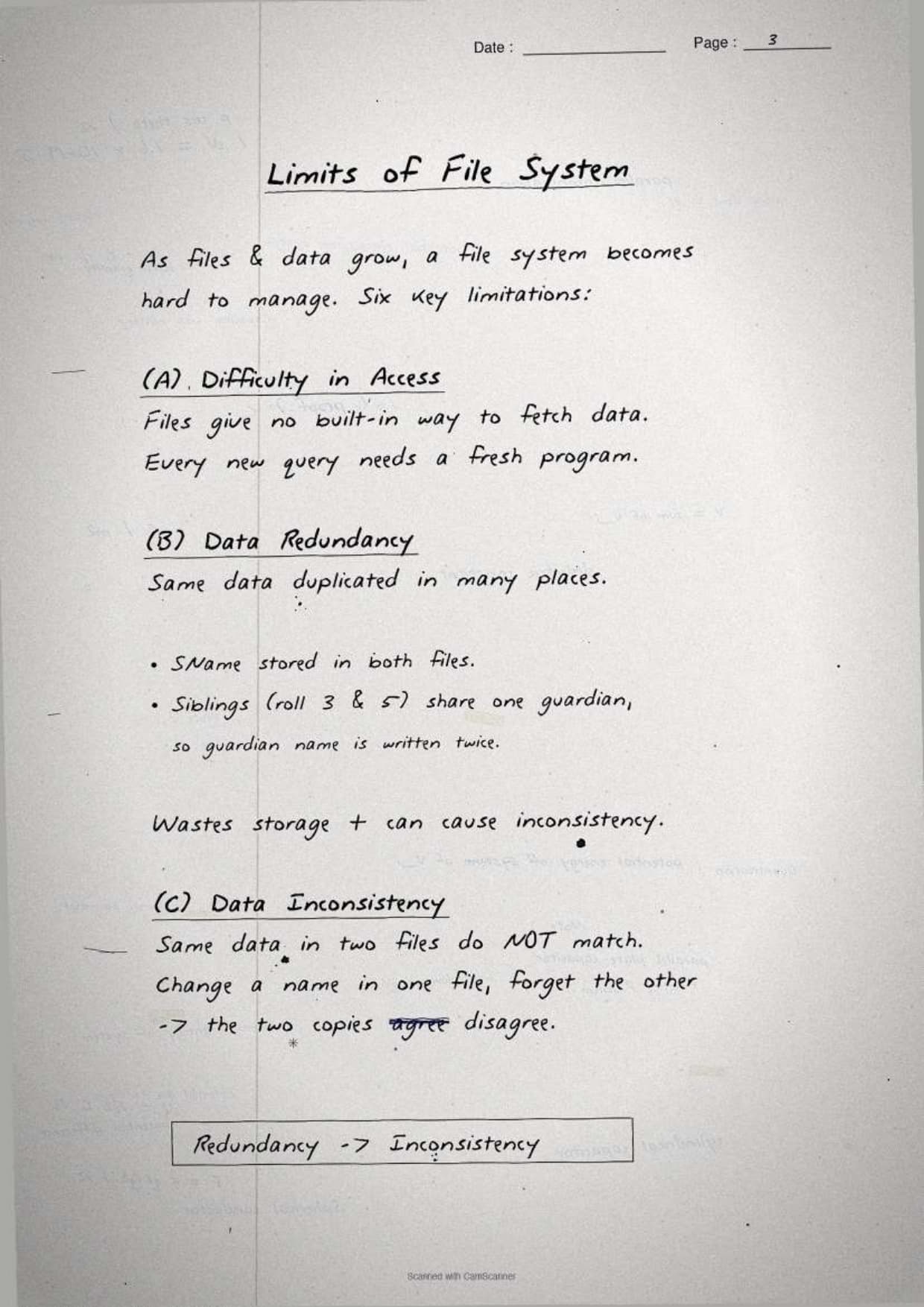
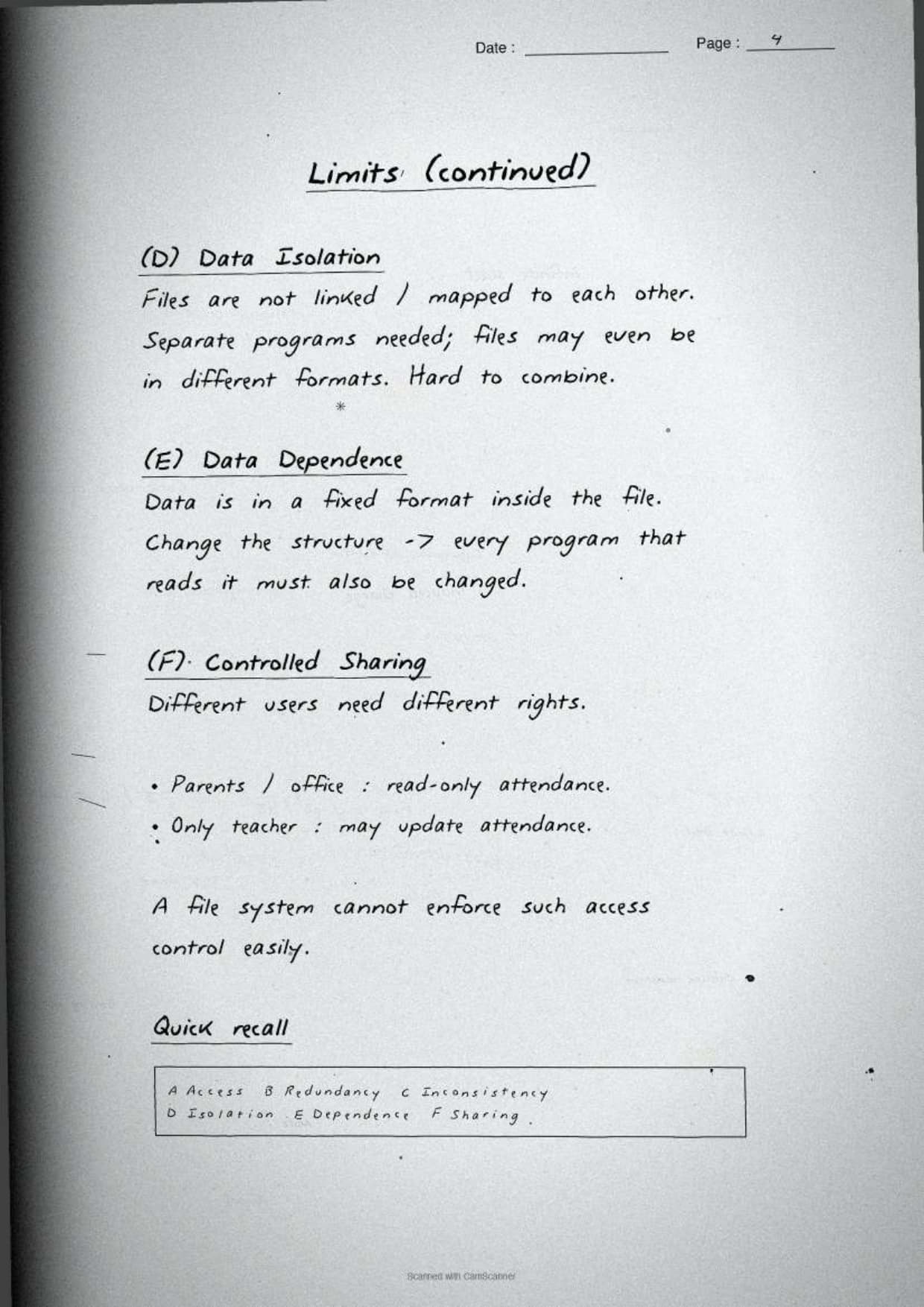
- The need: why a database management system (DBMS) beats a plain file system, with data redundancy and inconsistency explained.
- The model: the relational terms relation, tuple, attribute, degree and cardinality.
- The keys: primary key, candidate key, alternate key and foreign key, each tied to a sample table.
- The rules: constraints, NULL values and the difference between a database schema and a database state.
Because the notes are handwritten, the definitions sit in pen-drawn boxes and each key is shown joining two tables with an arrow, so locating a single term during last-week revision takes seconds. This makes the set ideal for a fast recap the night before the exam.
Database versus File System: The First Page of the Notes
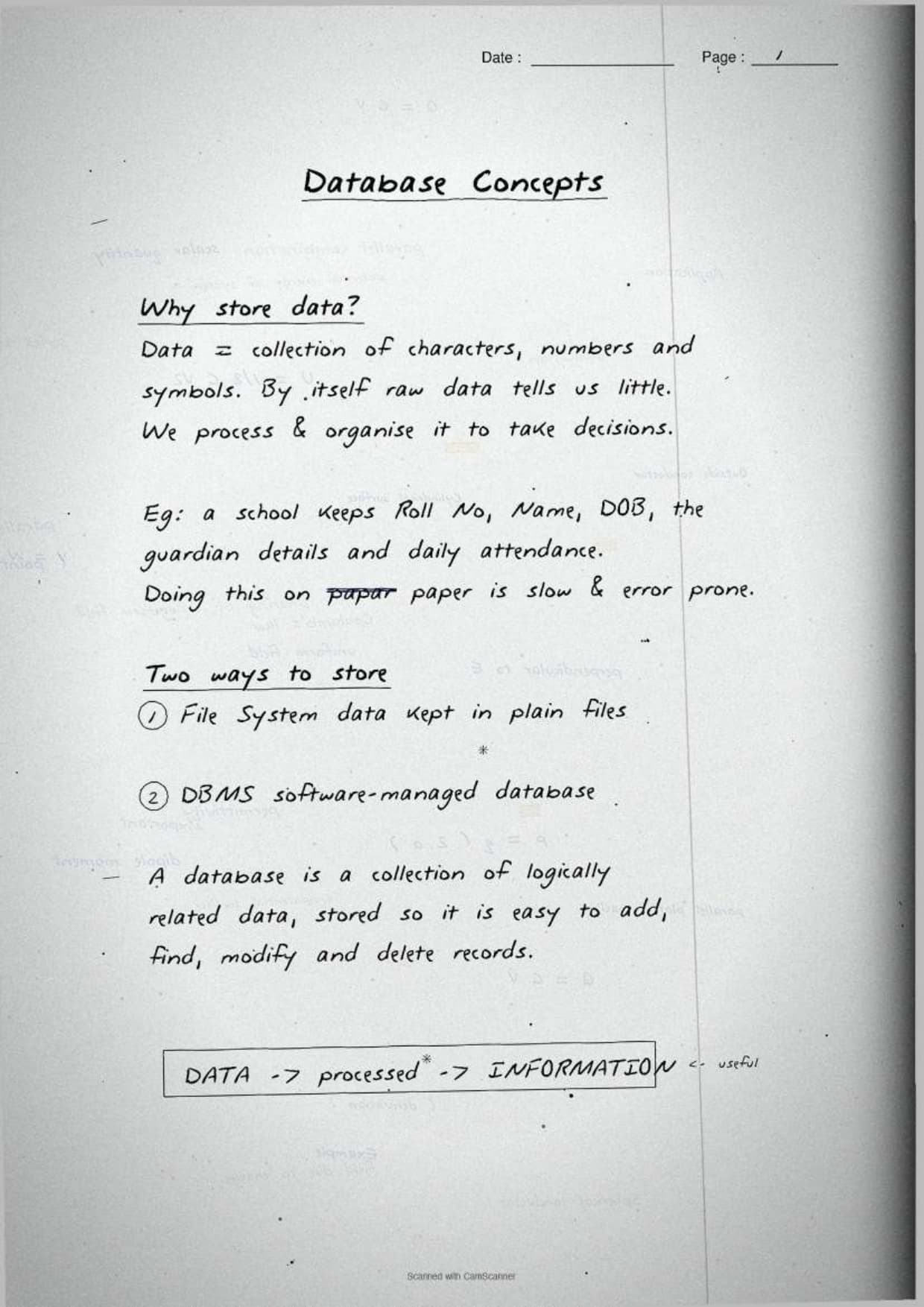
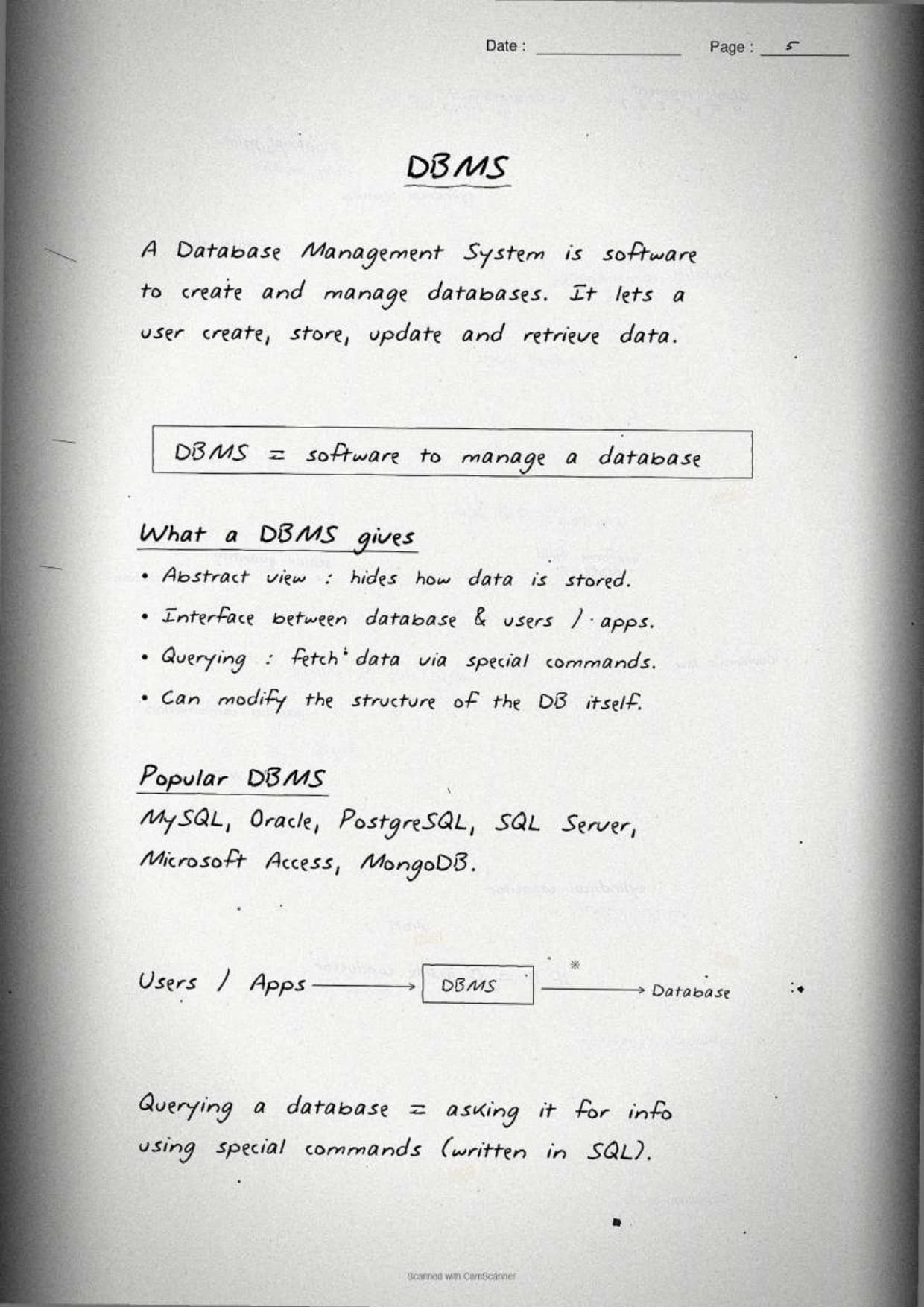
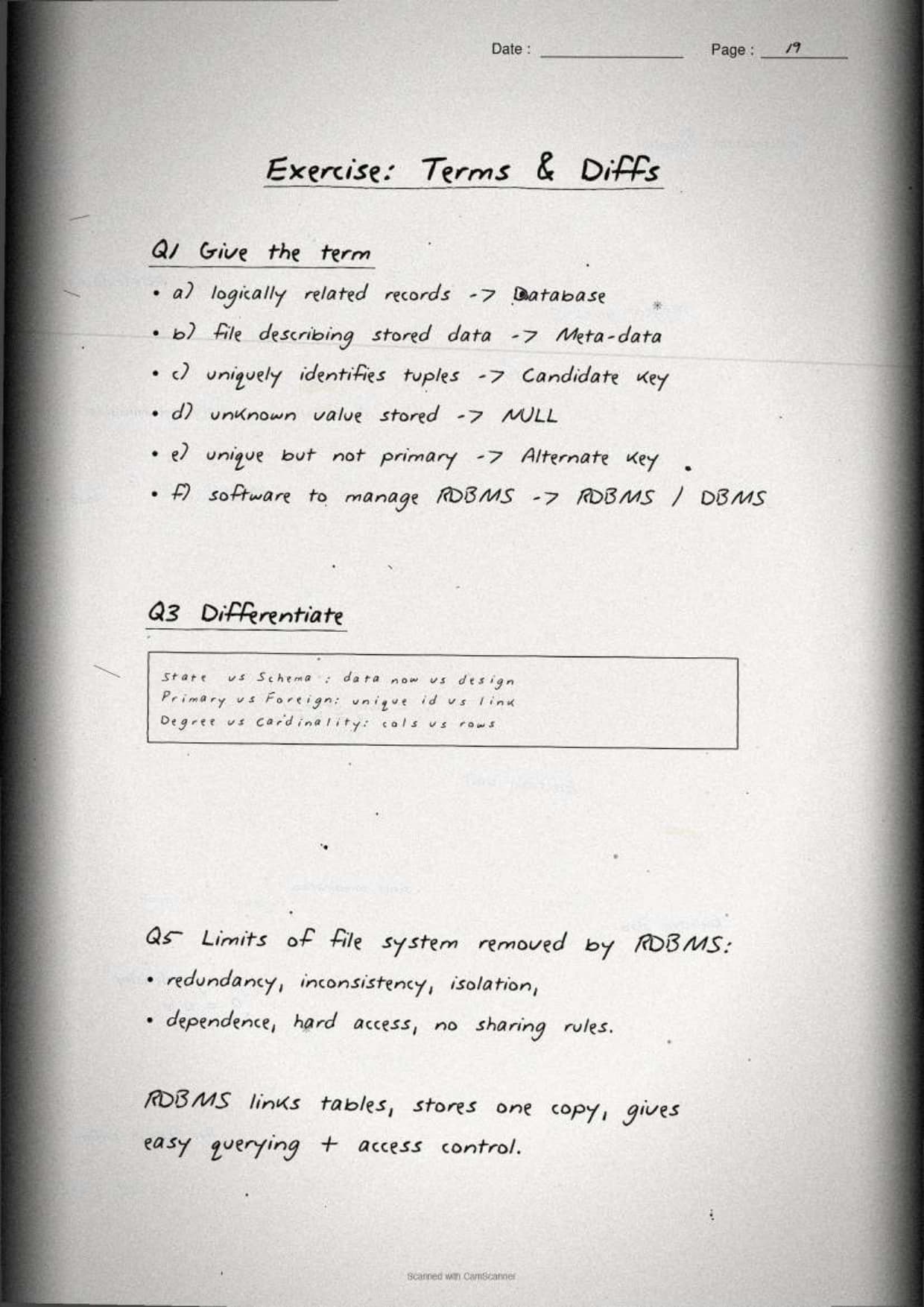
The opening page settles the most common board question: why we move from a file system to a database. The notes box the one-line reason and list the file-system problems a relational DBMS removes, so students can reproduce the answer from memory.
- Database: an organised collection of logically related data, stored so it can be accessed and managed easily.
- DBMS: the software used to create, manipulate and maintain a relational database.
- The exam line: a DBMS removes data redundancy and the inconsistency, poor security and hard sharing that come with it.
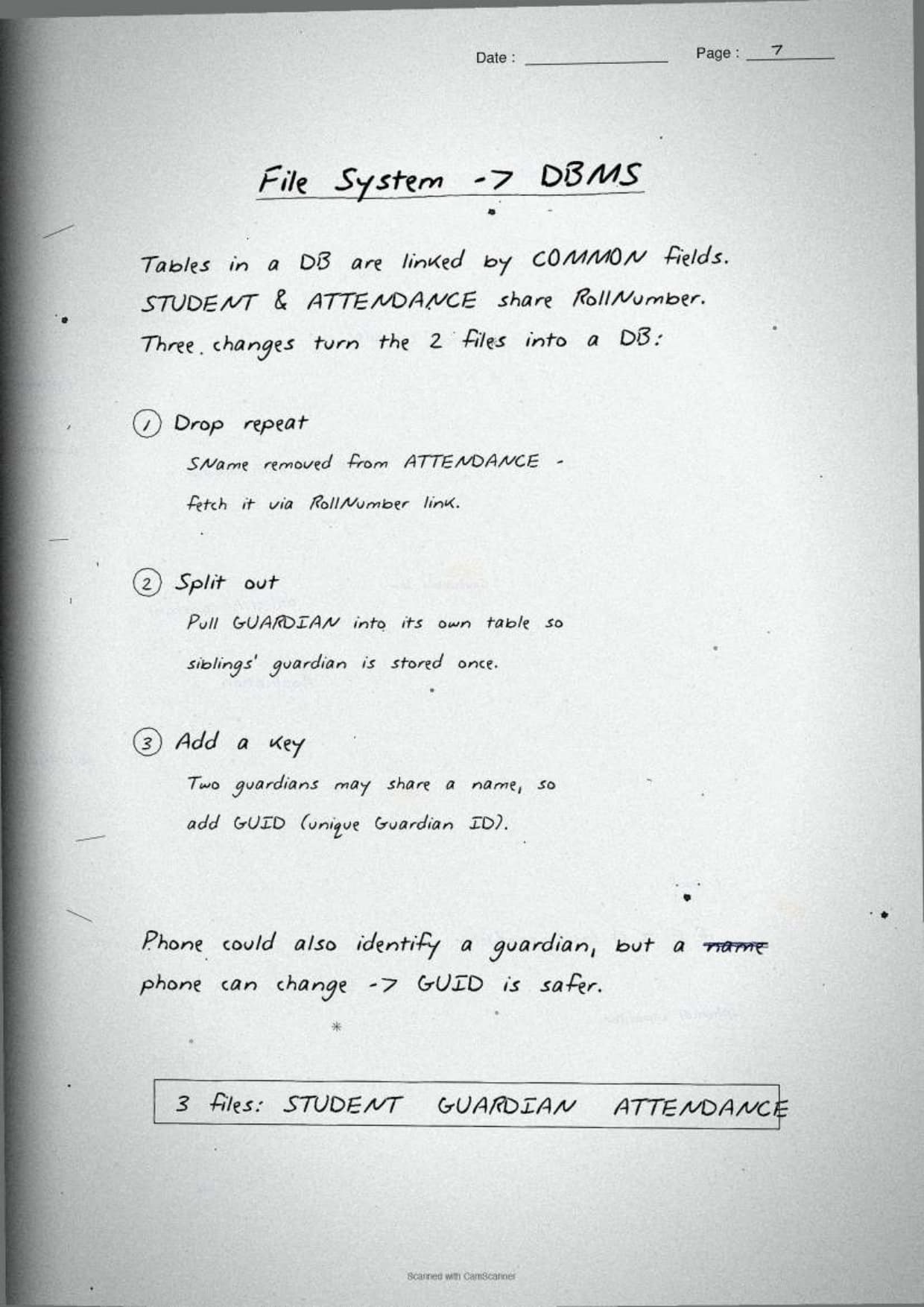
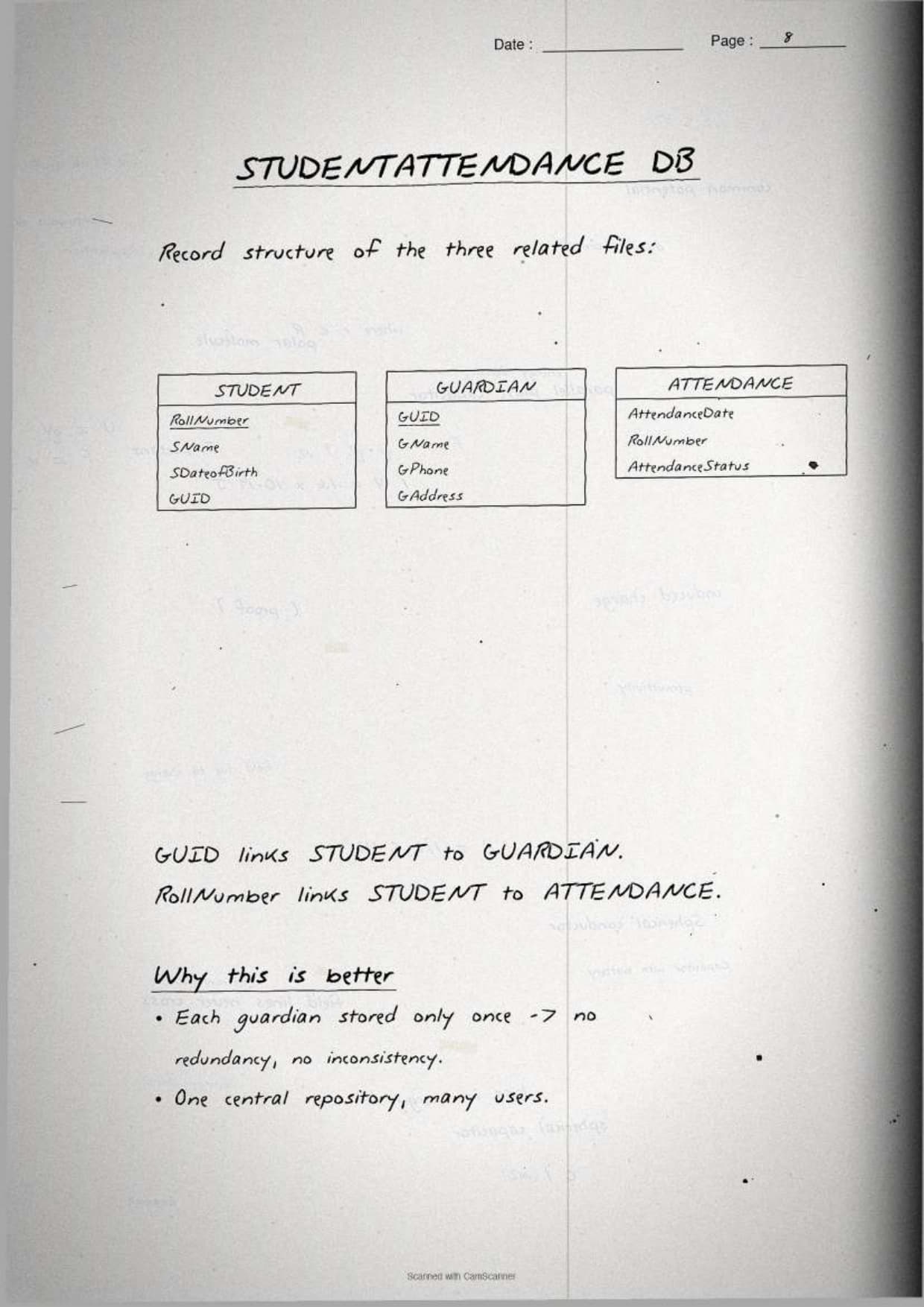
The margin note underlines the takeaway with a daily picture: a school keeping student records in many separate files repeats the same address in each, so one change has to be made many times and is easily missed. A single database stores that address once, so every report stays consistent. That single image is enough to answer the "how does a DBMS avoid redundancy" question.
Relation, Tuple, Attribute, Degree and Cardinality
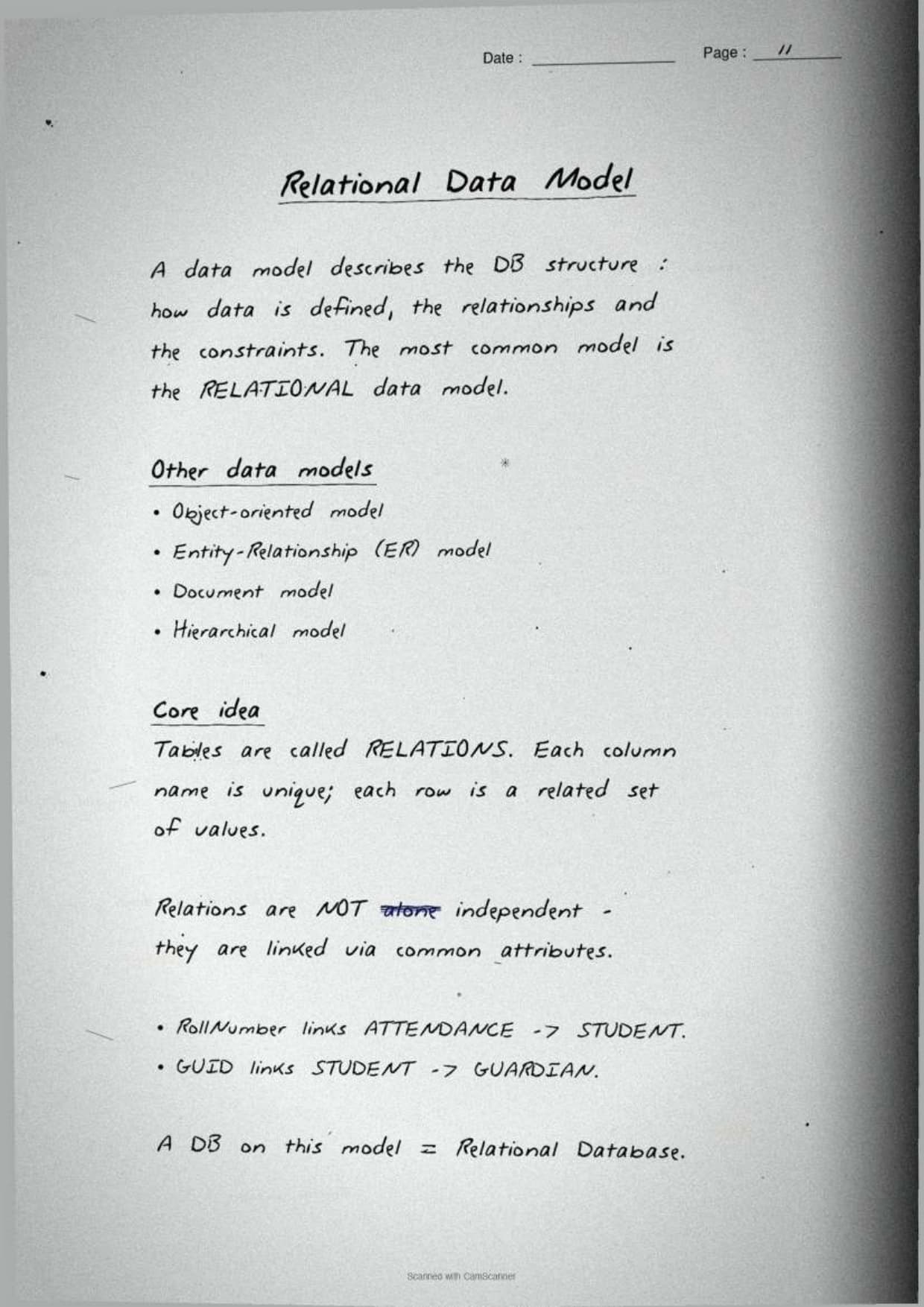
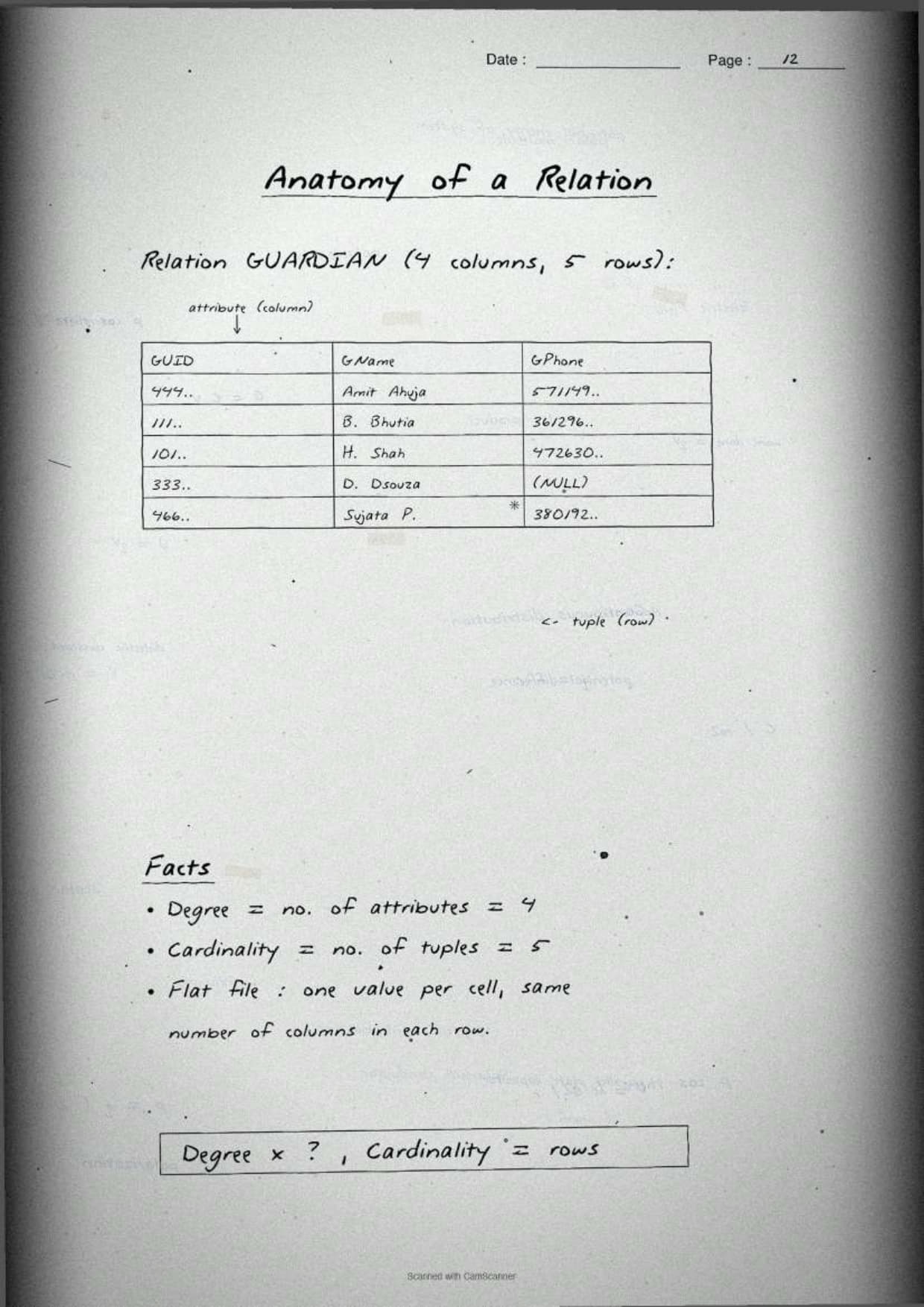
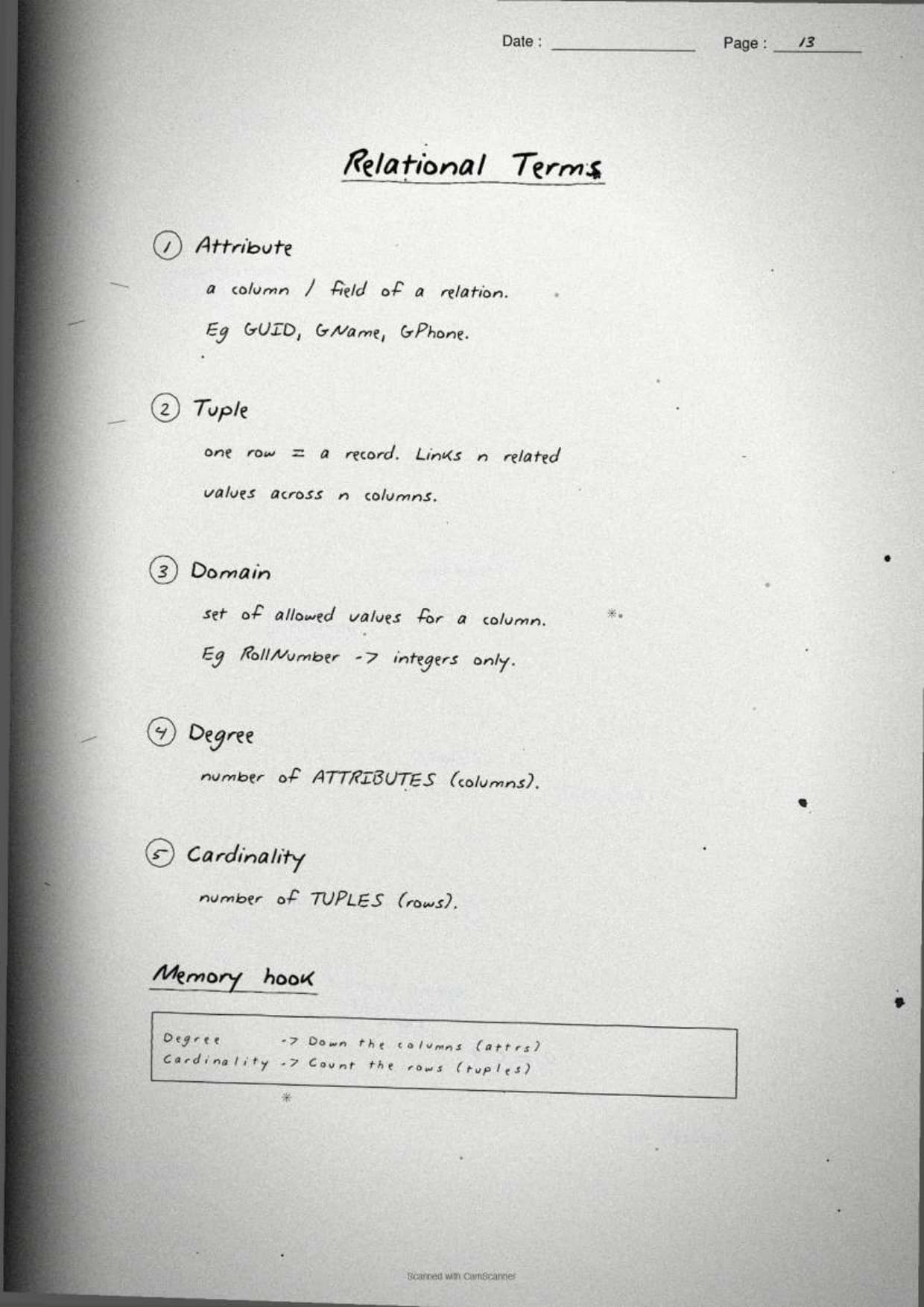
One full page lists the relational model terms the CBSE paper asks about by name. The notes give each one a one-line meaning tied to a sample STUDENT table, so students can write the answer in a single sentence.
| Term | What it means | In a table |
|---|---|---|
| Relation | A table of data with rows and columns | The whole table |
| Tuple | A single record in the relation | One row |
| Attribute | A named property of the relation | One column |
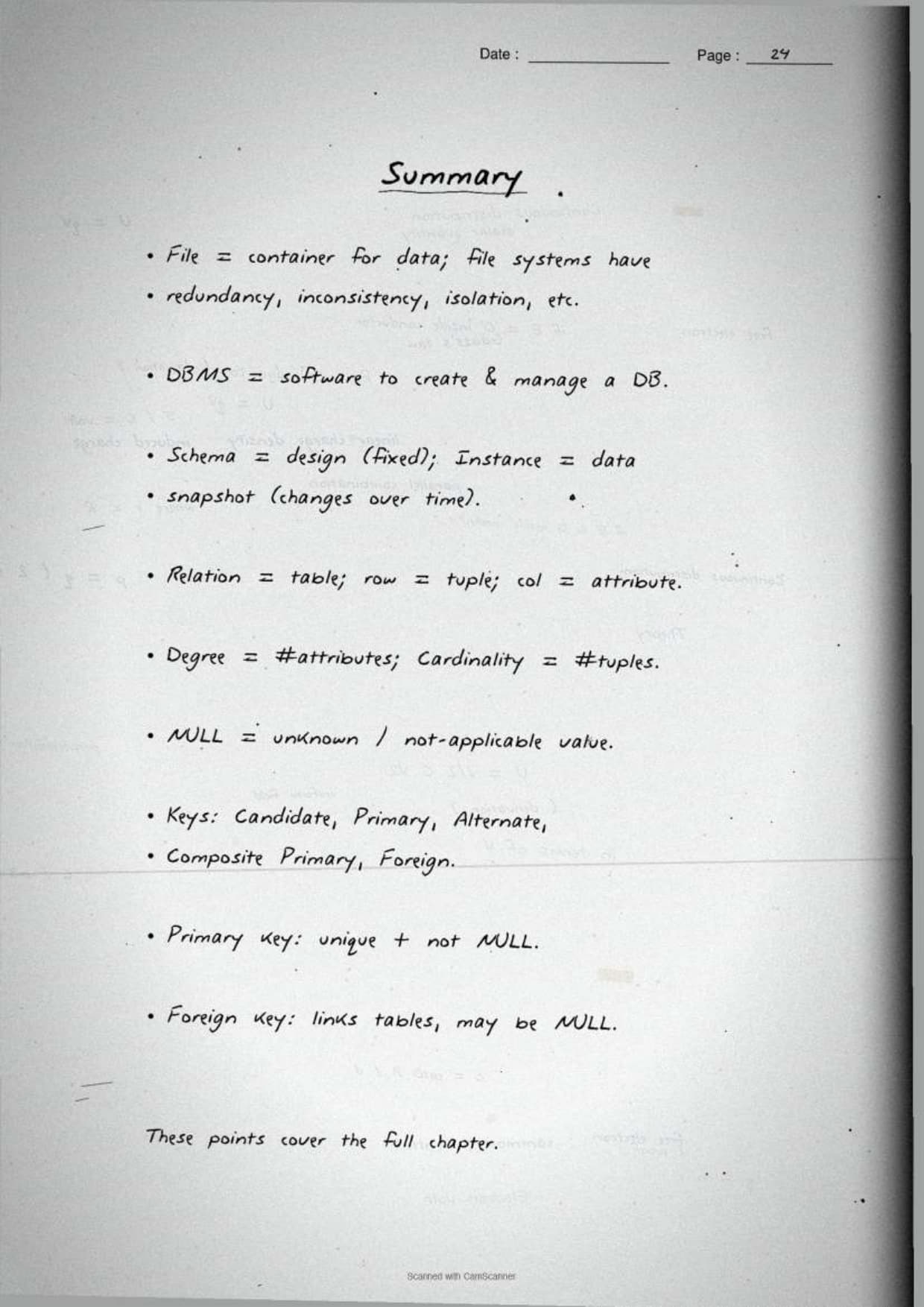
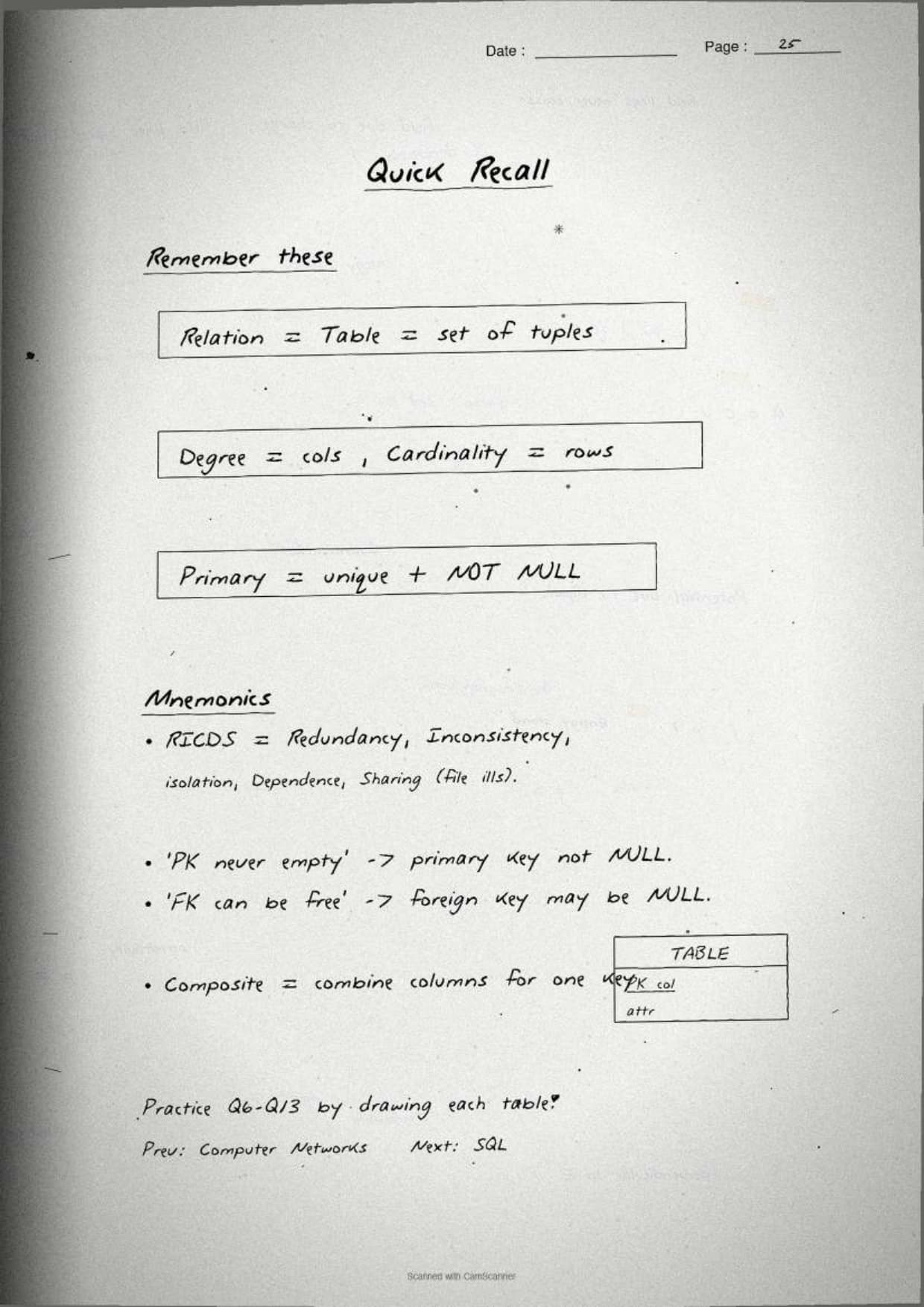
| Degree | The number of attributes | Count of columns |
| Cardinality | The number of tuples | Count of rows |
| Domain | The set of allowed values for an attribute | Per-column value set |
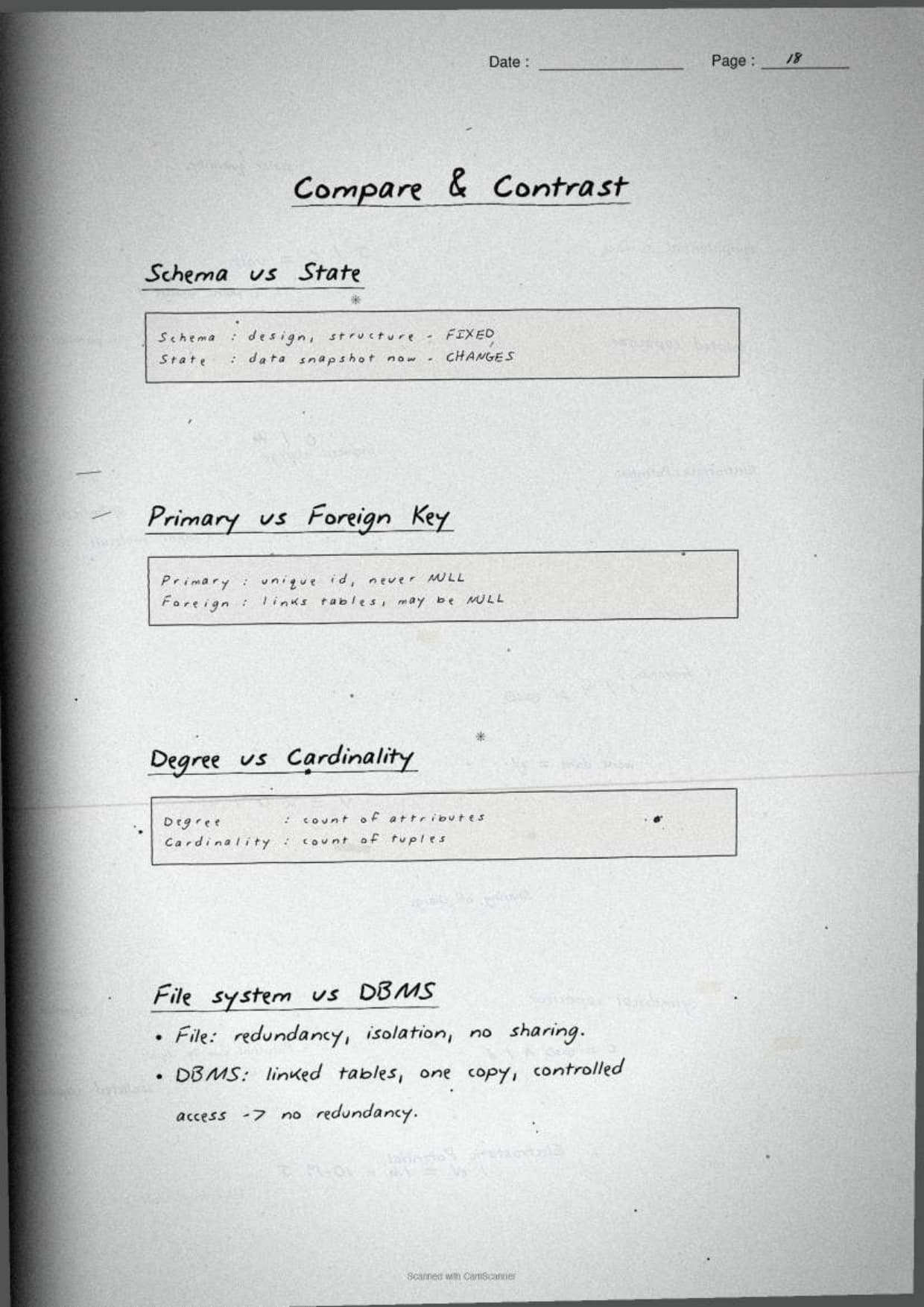
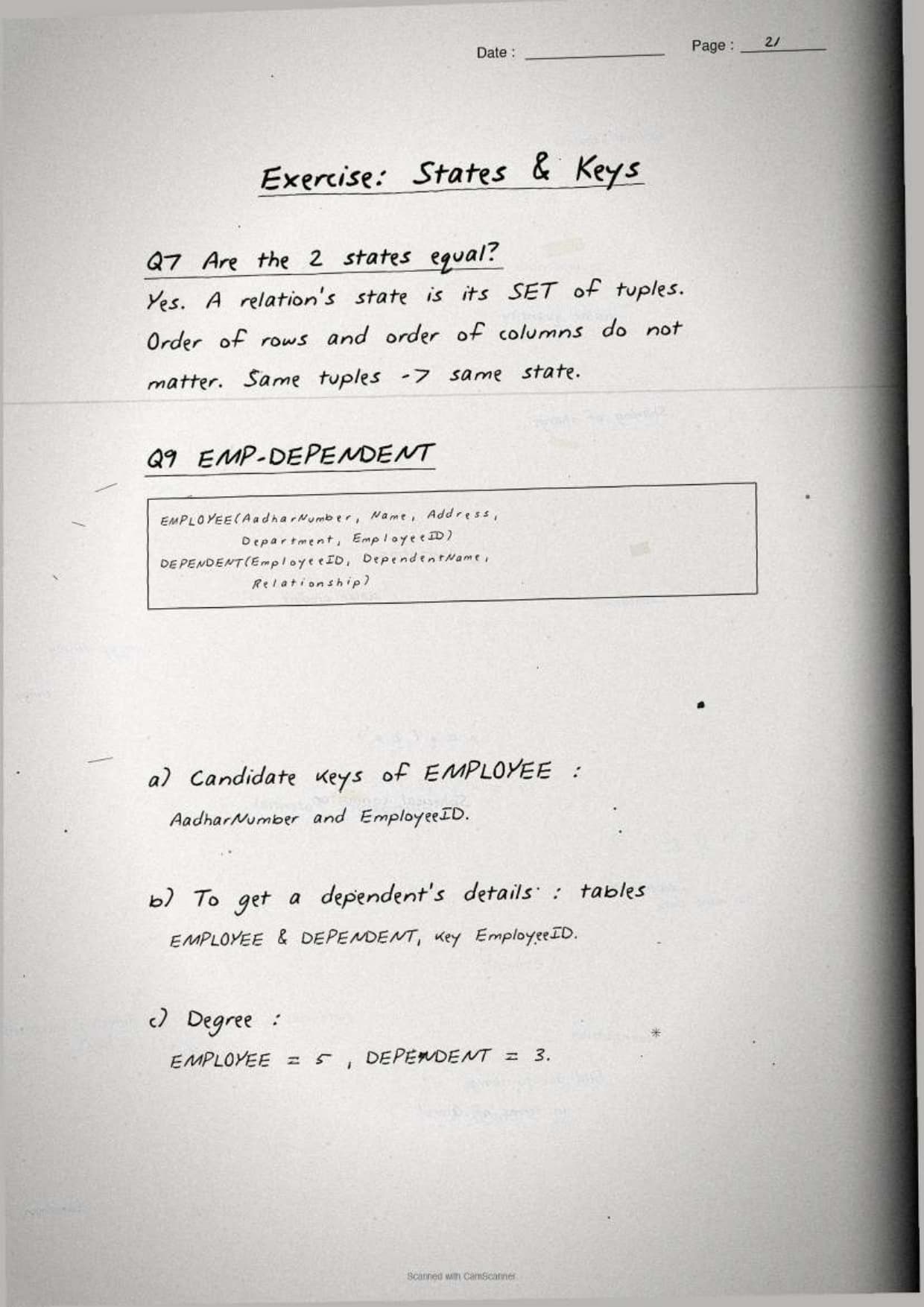
The page boxes the sharpest distinction students miss: degree counts columns, cardinality counts rows. Keeping that one line in mind turns a vague answer into a full-marks one, because the 1-mark question almost always pairs the two words. For a table with attributes AadharNumber, Name, Address, Department and EmployeeID, the degree is 5 no matter how many employees are stored.
Keys: Primary, Candidate, Alternate and Foreign
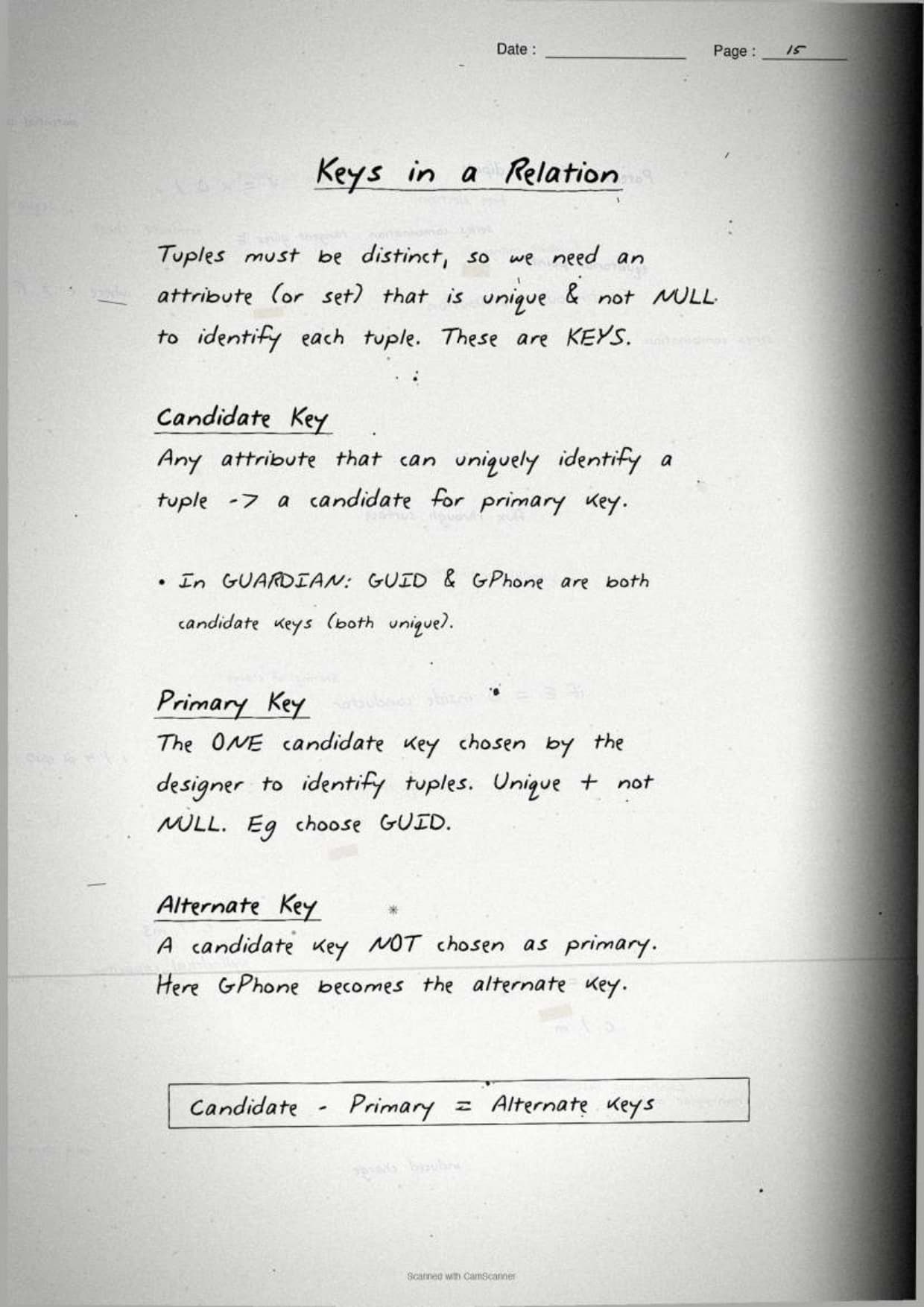
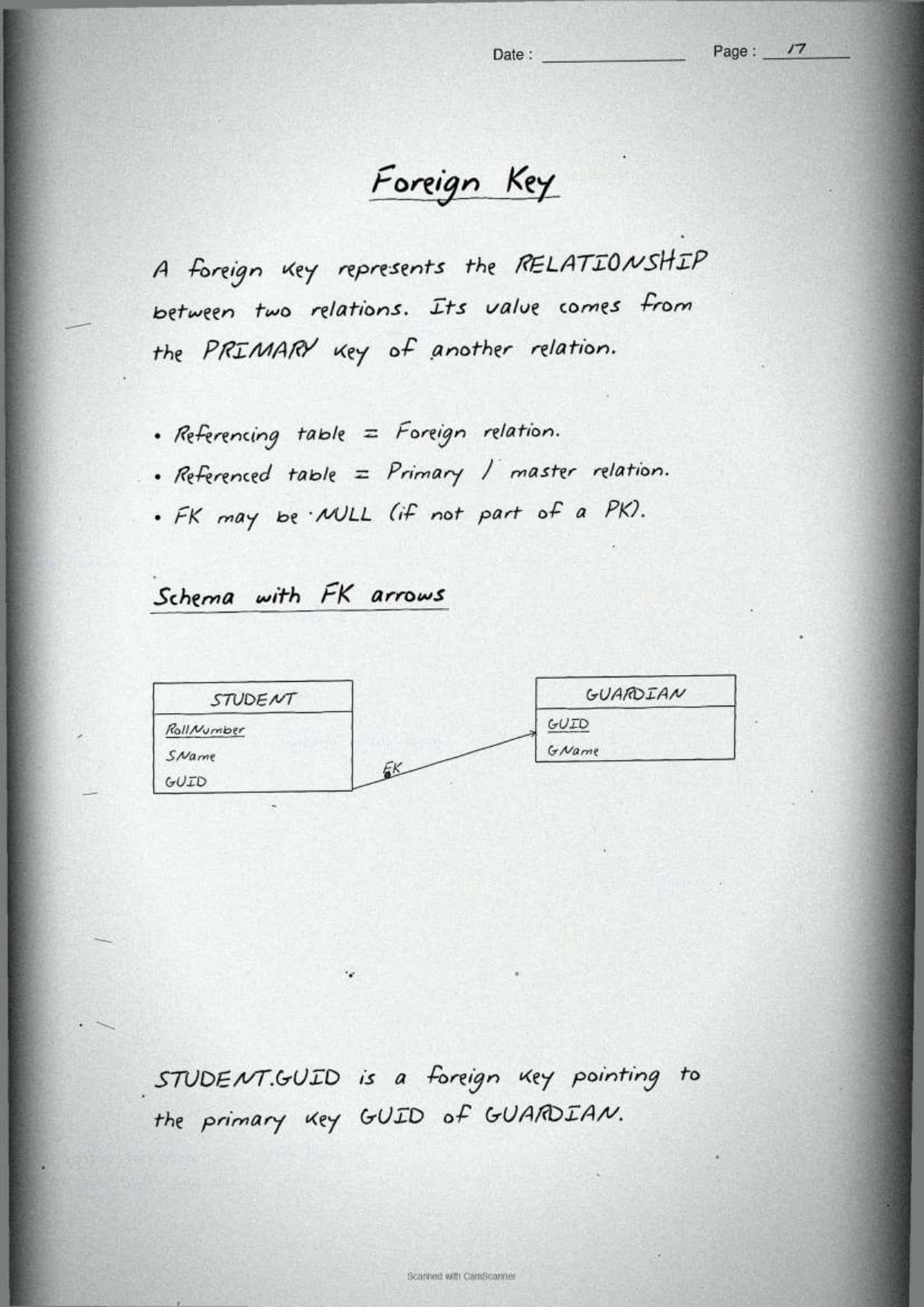
This is the page students revise most. The notes draw two tables side by side and join the foreign key to the primary key with an arrow, so the whole key family is clear at a glance. The boxed definitions below mirror the page so students can copy them straight onto the answer sheet.
| Key | What it does | Can it be NULL? |
|---|---|---|
| Candidate key | Any attribute that can uniquely identify a tuple | No |
| Primary key | The one candidate key chosen to identify each tuple | No, never |
| Alternate key | A candidate key not chosen as the primary key | No |
| Foreign key | An attribute that refers to the primary key of another relation | Yes, it may be NULL |
The notes pin down which key matches which role:
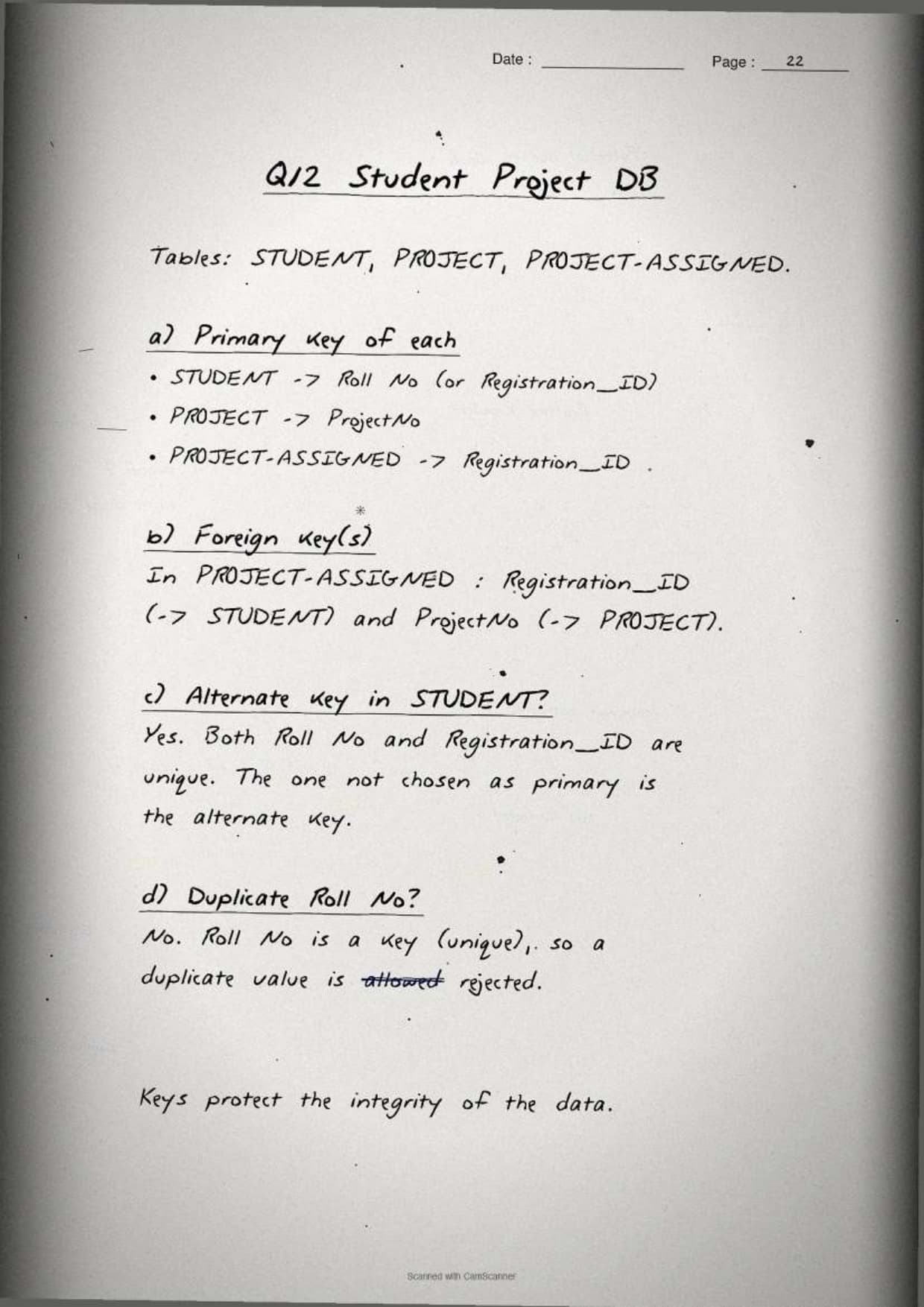
- Candidate key: there can be more than one. For a STUDENT table, both Roll No and Registration_ID may identify a tuple uniquely.
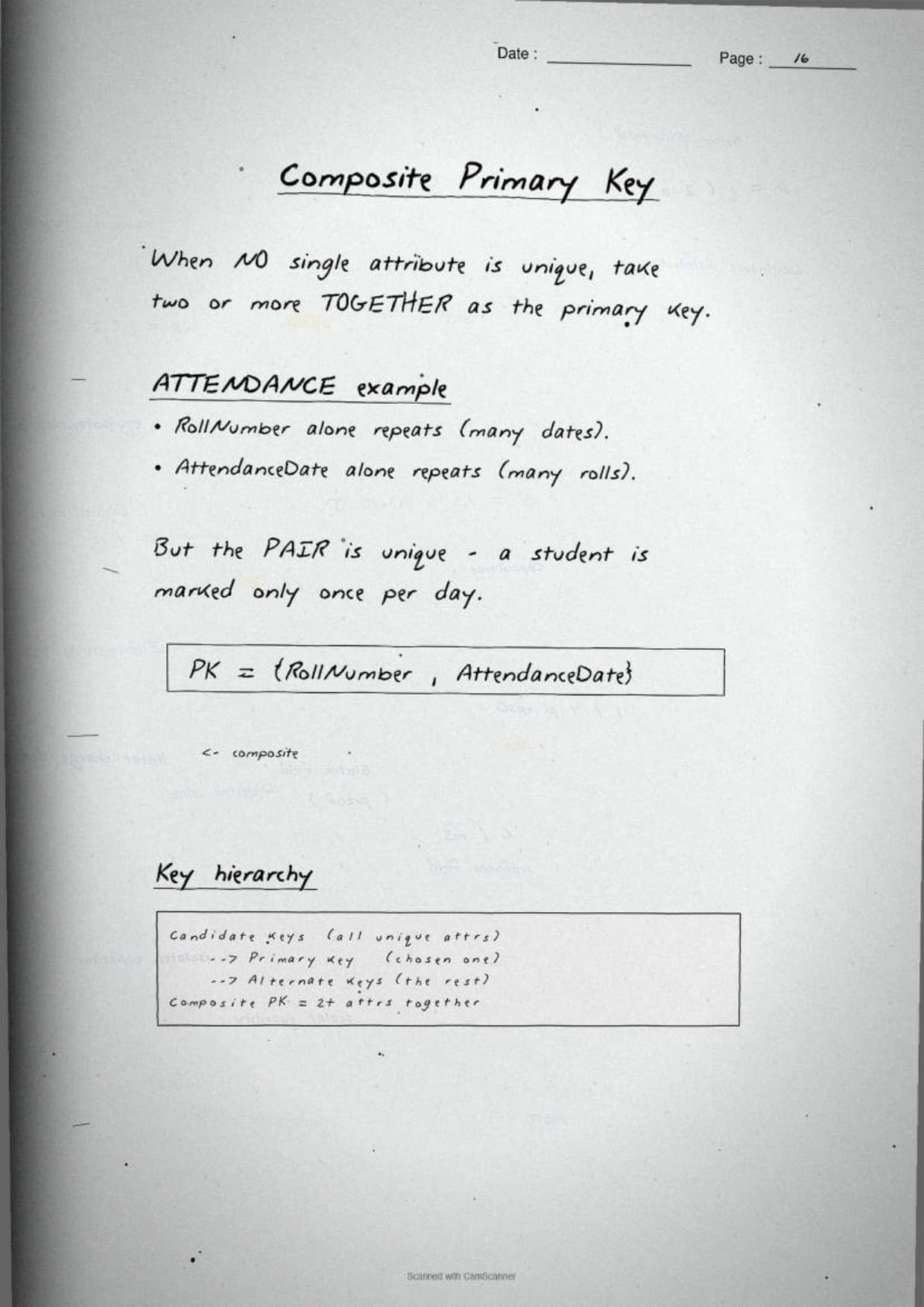
- Primary key: exactly one is chosen, and it can be a single attribute or a composite key of two or more attributes together.
- Alternate key: the candidate keys left over after the primary key is picked.
- Foreign key: links a child table to a parent table, so a value in the child must already exist in the parent (referential integrity).
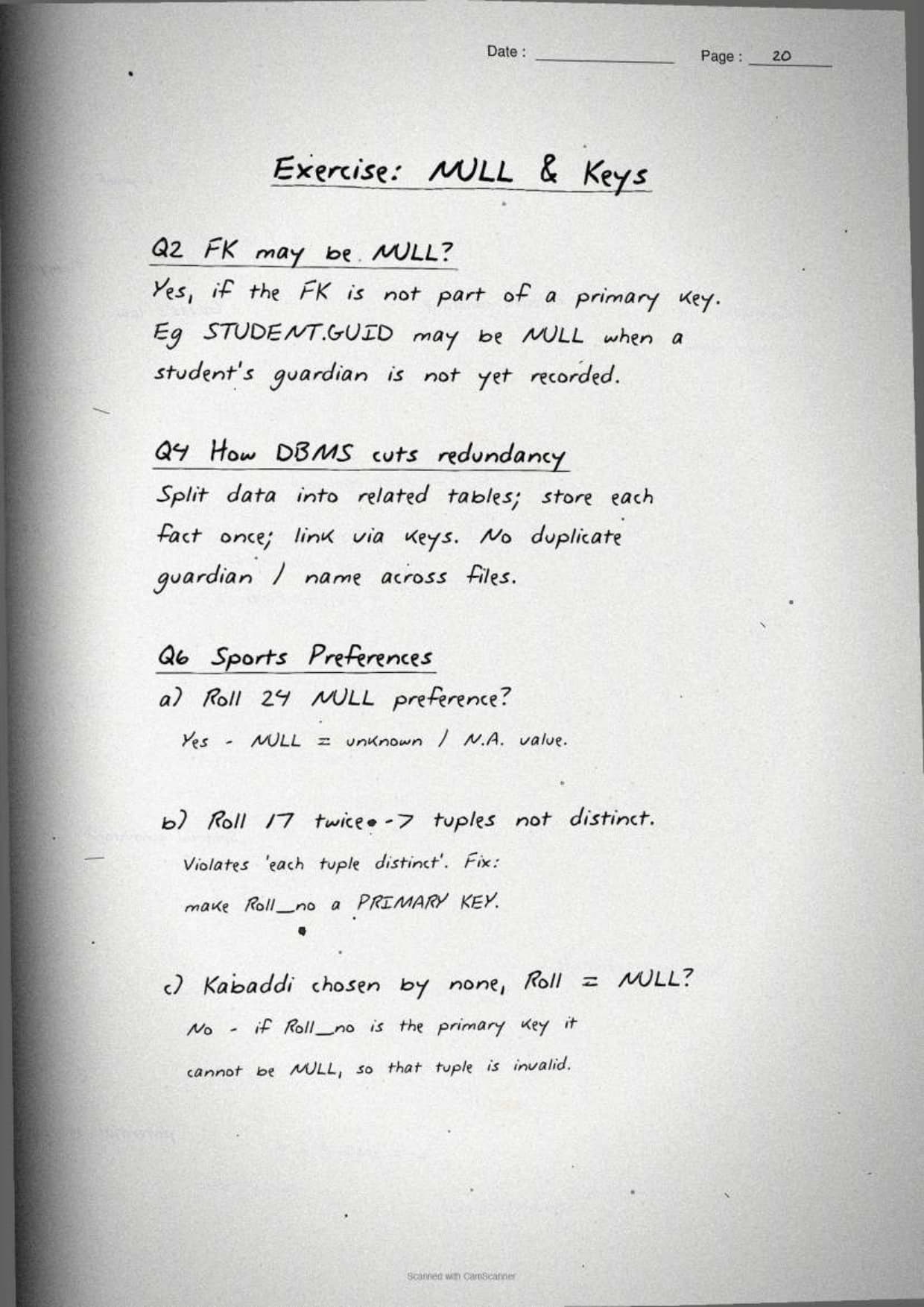
The margin note boxes the exam rule examiners check first: a primary key can never be NULL or duplicated, but a foreign key is allowed to be NULL. A foreign key is NULL when a tuple simply has no related parent record yet, such as a new employee with no department assigned. This is the single most repeated reasoning question in the chapter, so the notes circle it in red.
Constraints, NULL Values and Schema versus State
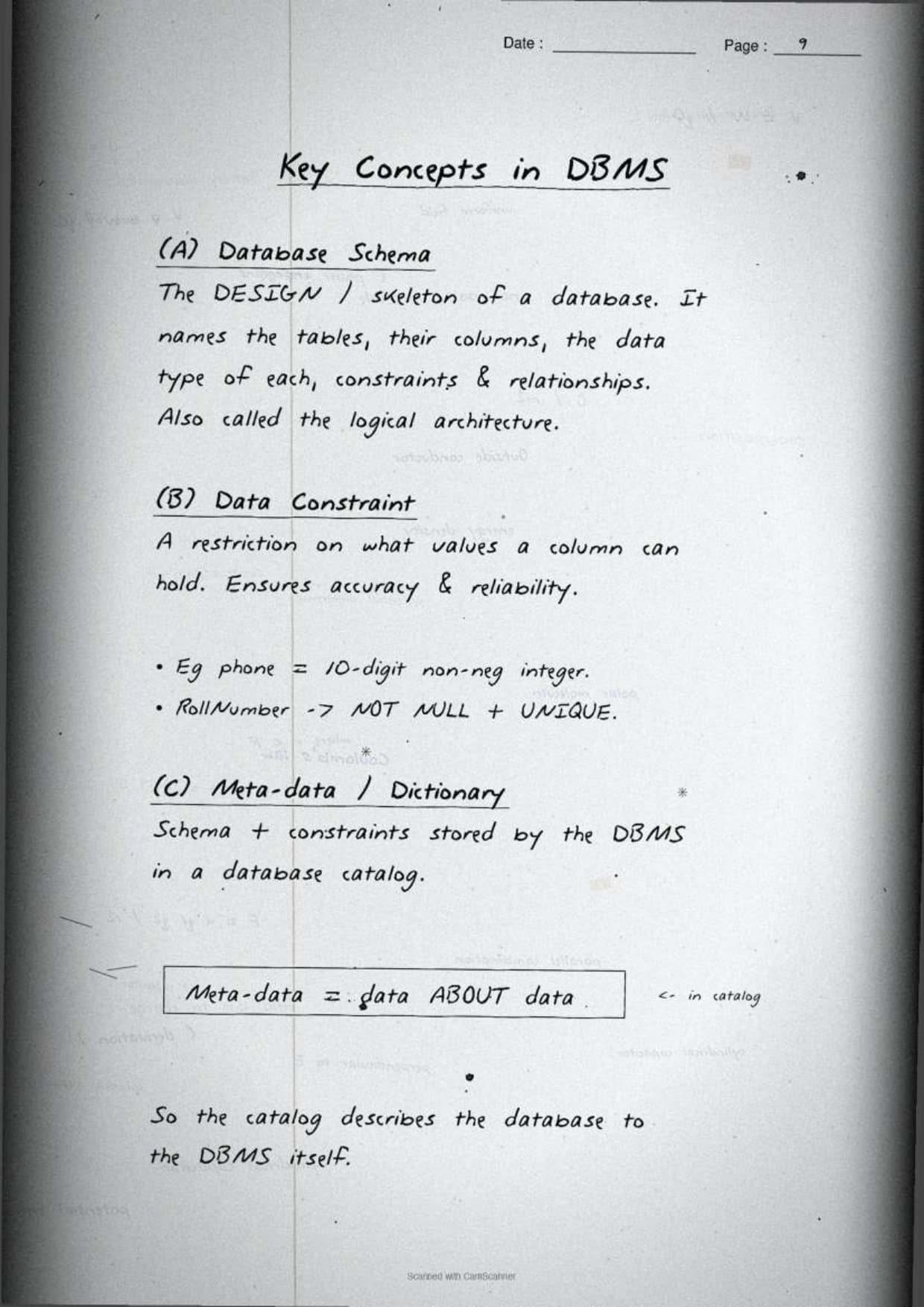
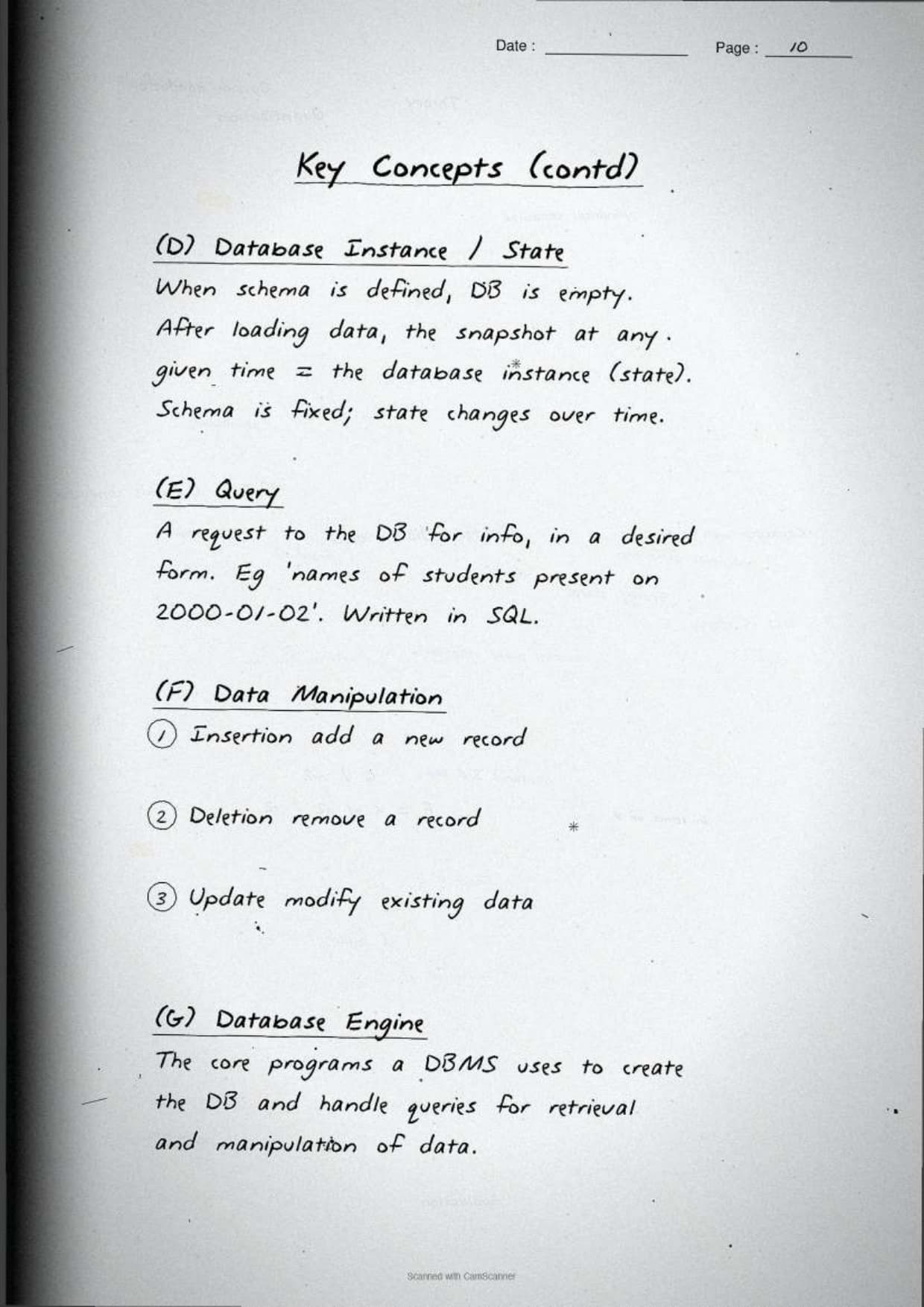
The last concept page covers the rules that keep a relation valid: constraints, the meaning of a NULL value, and the difference between a database schema and a database state. The notes box a one-line rule for each, because all three turn up as 2-mark or 3-mark direct questions in the board paper.
A constraint is a restriction placed on the values an attribute can hold, so the data stays correct. NCERT lists three a Class 12 student must know:
| Constraint | What it enforces |
|---|---|
| NOT NULL | The attribute must always hold a value, never NULL |
| UNIQUE | No two tuples may repeat the same value in that attribute |
| Primary Key | NOT NULL and UNIQUE together, on one or more attributes |
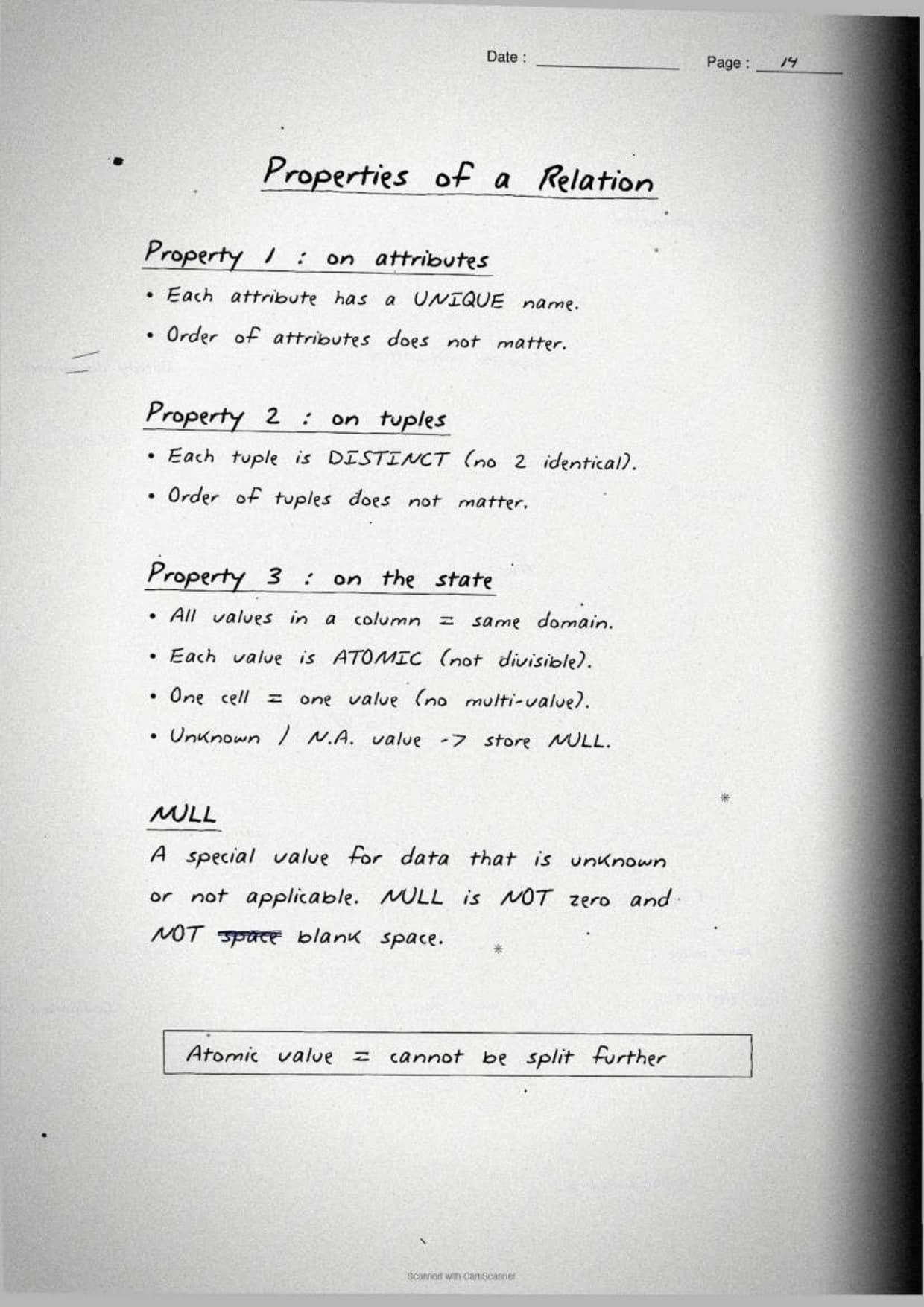
A NULL is a special marker stored when the actual value is unknown or not yet supplied. The notes box the warning that NULL is not the same as zero or a blank space, because zero is a real value while NULL means "no value here." The schema versus state contrast is the other repeat question:
- Database schema: the overall design of the database, the table names, attributes and constraints. It rarely changes.
- Database state: the actual data stored in the tables at a given moment. It changes with every insert, delete or update.
The margin note boxes the exam shortcut: two relations with the same rows are in the same state even if the column order or row order differs. Order does not matter in the relational model, so a table sorted by roll number and the same table sorted by sports name hold an identical state. Spotting that saves a full 3-mark justification question.
How to Use These Handwritten Notes Effectively
Handwritten notes work best as a final layer of revision, not as your first read. The plan below helps students get the most out of the Database Concepts handwritten notes before the board exam. Follow it once a week in the run-up to the test.
- First pass: read the pages in order, the file-system problems, then the relational terms, then the keys and constraints.
- Active recall: cover the boxed definitions and try to write each key and constraint from memory.
- Draw the tables: sketch a parent and child table, then join the foreign key to the primary key with an arrow, and check it against the page.
- Self-test: attempt a short class 12 computer science chapter 8 database concepts drill to check the small facts.
Because the notes come as a downloadable PDF, students can save them on a phone and revise offline on the way to the exam centre. Many students open database concepts class 12 computer science notes on their phone the night before a test, so a saved PDF means revision is always at hand. Pair these pages with the full solutions to check your reasoning against model answers.
Common Mistakes These Notes Help You Avoid
A few errors cost marks in this chapter every year. Most come from mixing up the key types or treating NULL as a real value. The notes flag each soft point in the margin so students phrase it safely on the answer sheet.
- Saying a primary key can be NULL. A primary key is never NULL and never duplicated, while a foreign key may be NULL.
- Swapping degree and cardinality. Degree counts columns, cardinality counts rows.
- Treating NULL as zero or a blank. NULL means the value is unknown, not the number 0.
- Confusing schema with state. Schema is the design; state is the current data inside it.
- Forgetting that a foreign key value must already exist in the parent table, or be NULL.
Students who fix these five points usually move from average to high marks. The exam rewards exact wording, so always tie the primary key to "unique and not NULL" and the foreign key to "refers to a primary key." The handwritten margin notes nudge you to keep that precision in the right places.
How These Notes Pair with the Solutions and Book PDF
These handwritten notes are a revision layer. To prepare fully, students should use them with the other resources for the same chapter, all linked in the table below. Read the notes, then test yourself with the solutions, and open the book PDF for the original text.
| Resource | Best used for |
|---|---|
| Database Concepts NCERT Solutions | Step-by-step reasoning for all back-exercise questions on keys, constraints and NULL values |
| Database Concepts Class 12 Notes | Quick typed summary with the relational model, keys and constraints in one place |
| Database Concepts NCERT Book PDF | Reading the original NCERT chapter text from the textbook |
Tip: redraw a parent and child table once with the primary and foreign keys labelled, then write the key definitions in your own words. Drawing that link once fixes the whole key family for good.
All Class 12 Computer Science Handwritten Notes by Chapter
The table links the handwritten notes for every chapter in Class 12 Computer Science, so students can move across the course in one click. Database Concepts is highlighted, with Understanding Data just before it and Structured Query Language (SQL) just after.
| Chapter | Handwritten Notes |
|---|---|
| Chapter 1 | Exception Handling in Python |
| Chapter 2 | File Handling in Python |
| Chapter 3 | Stack |
| Chapter 4 | Queue |
| Chapter 5 | Sorting |
| Chapter 6 | Searching |
| Chapter 7 | Understanding Data |
| Chapter 8 | Database Concepts |
| Chapter 9 | Structured Query Language (SQL) |
| Chapter 10 | Computer Networks |
| Chapter 11 | Data Communication |
| Chapter 12 | Security Aspects |
FAQs on Database Concepts Handwritten Notes
Database Concepts Class 12 Computer Science Handwritten Notes Common Questions
Ques. Are these class 12 computer science chapter 8 Database Concepts handwritten notes free to download?
Ans. Yes. The Database Concepts handwritten notes are free to download as a PDF from this page. They follow the 2026-27 NCERT syllabus and cover the full chapter across 25 handwritten, boxed-keyword pages for quick revision.
Ques. What does the Database Concepts chapter cover in Class 12 Computer Science?
Ans. The notes cover why a DBMS beats a file system, the relational terms relation, tuple, attribute, degree and cardinality, every key type (primary, candidate, alternate and foreign), the constraints, NULL values, and the difference between a database schema and a database state, all with hand-drawn sample tables.
Ques. Why are foreign keys allowed to have NULL values?
Ans. A foreign key may be NULL because a tuple can exist with no related record in the parent table yet. For example, a new employee may not be assigned to any department, so the department foreign key stays NULL until one is set. A primary key, by contrast, can never be NULL.
Ques. What is the difference between degree and cardinality of a relation?
Ans. Degree is the number of attributes, that is the number of columns in the relation. Cardinality is the number of tuples, that is the number of rows. A table with 5 attributes and 100 records has a degree of 5 and a cardinality of 100.
Ques. Are these notes enough for the 12th std computer science chapter 8 board exam?
Ans. They are a strong final revision layer. For full preparation, pair them with the NCERT Solutions linked on this page so you can write complete reasoning answers for all back-exercise questions on keys, constraints and NULL values, and the SQL chapter that builds on these concepts.



Comments