




These Strings handwritten notes turn the whole eighth chapter into clean, handwritten pages for fast last-minute revision. They follow the 2026-27 NCERT syllabus and Chapter 8 of Class 11 Computer Science. Students get string creation with single, double and triple quotes, positive and negative indexing, traversing with for and while loops, slicing with str[n:m:k], the +, * and in operators, immutability, and the built-in string methods, all in a pen-on-paper format that is easy to skim before a test.
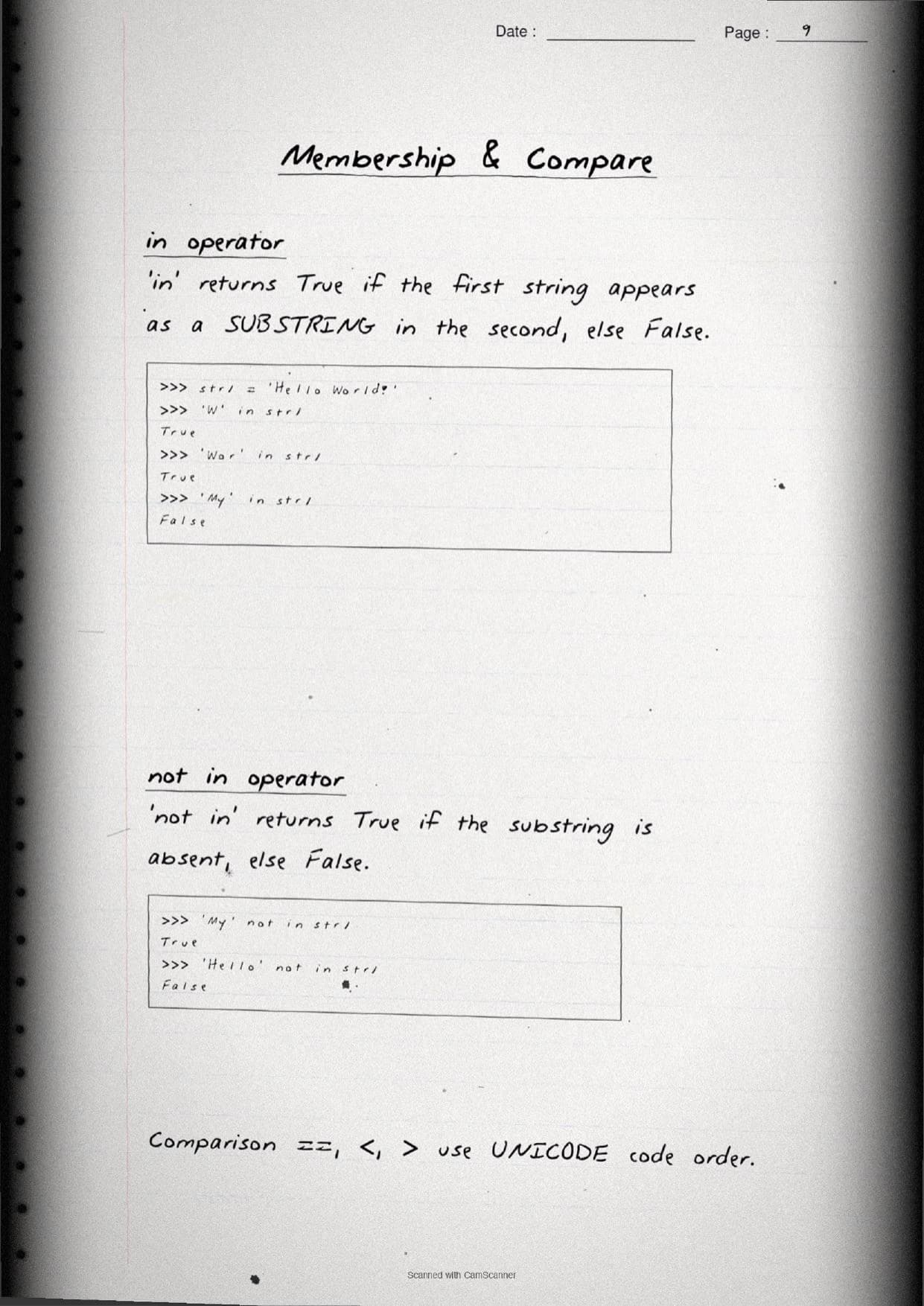
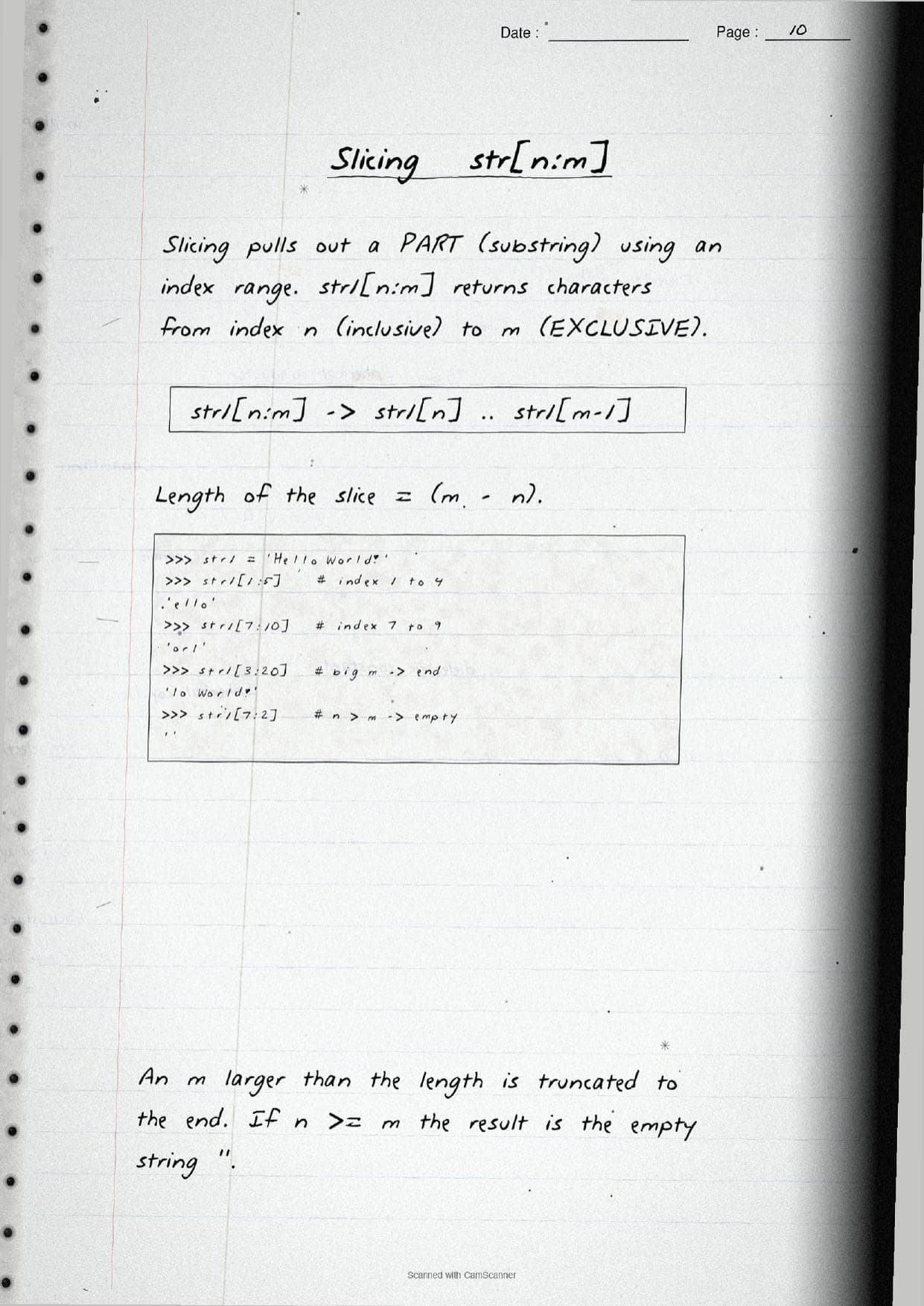
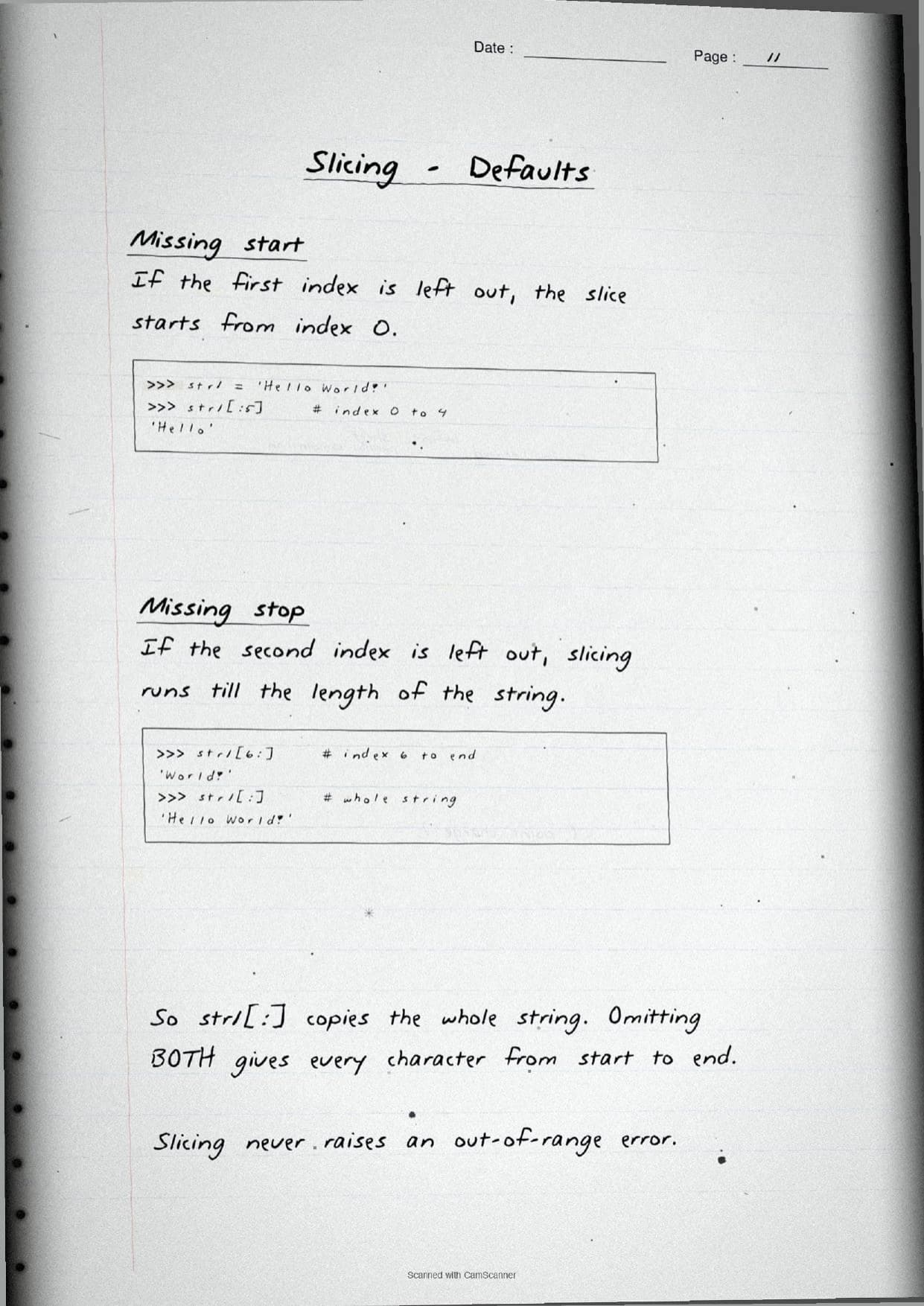
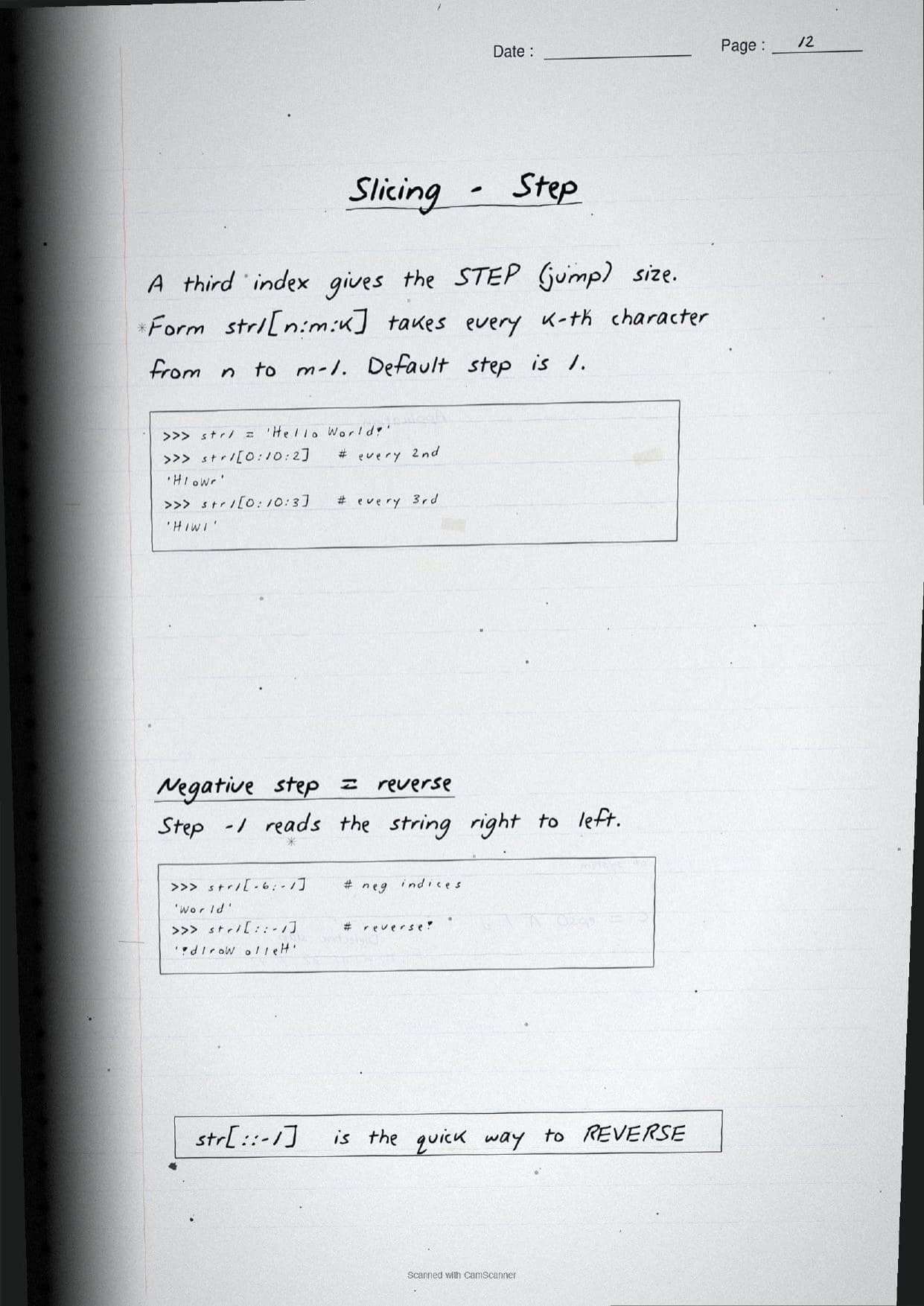
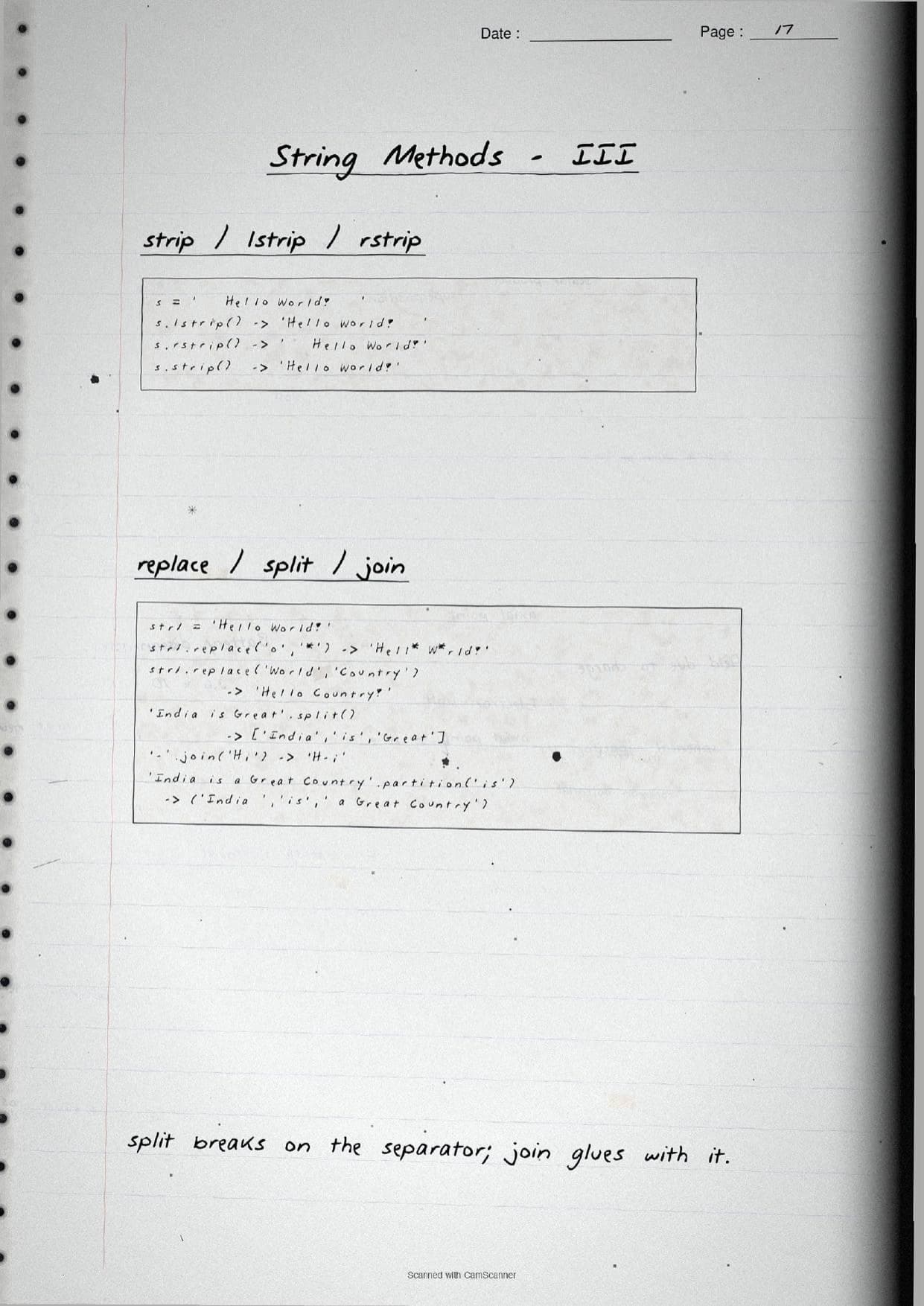
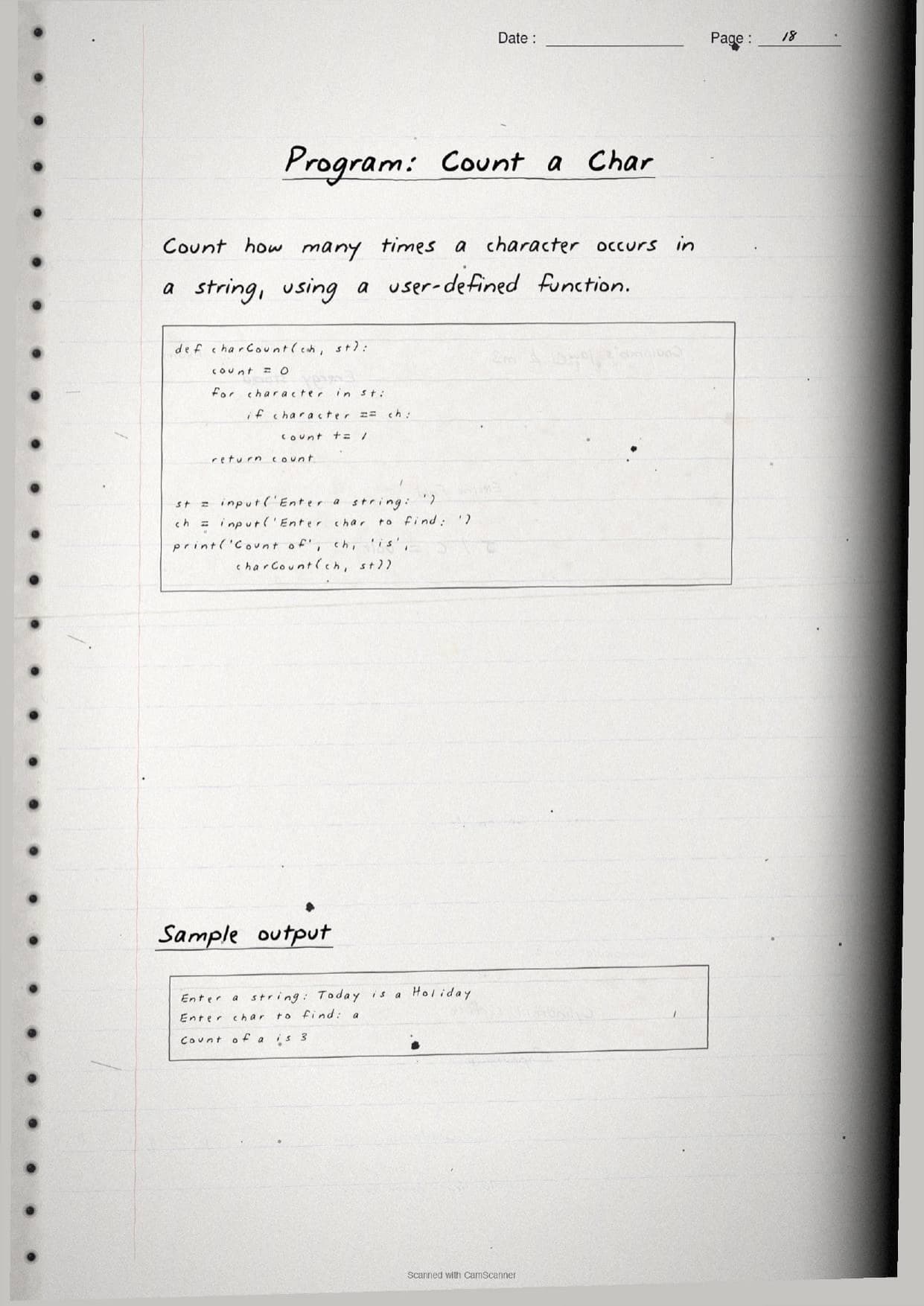
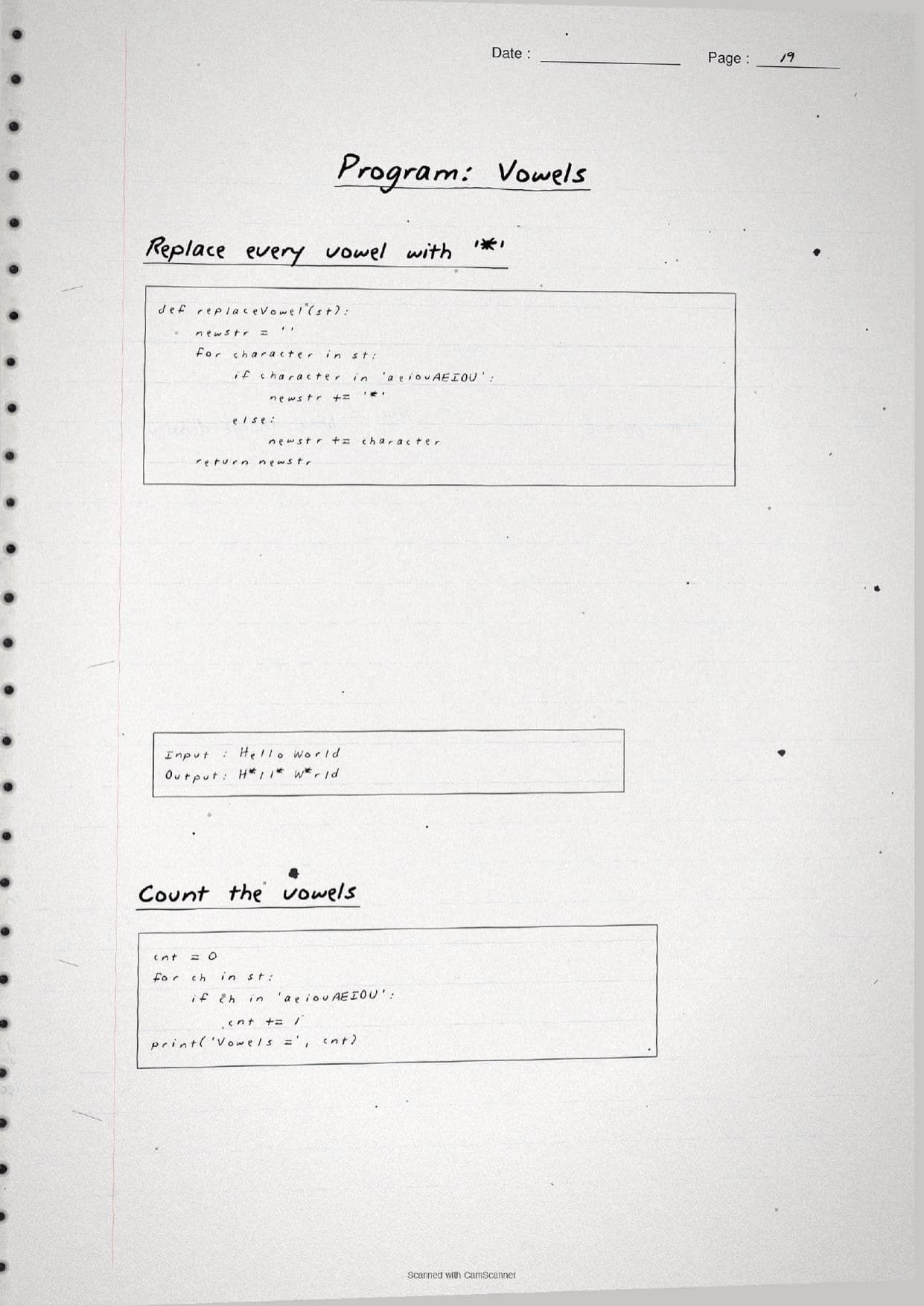
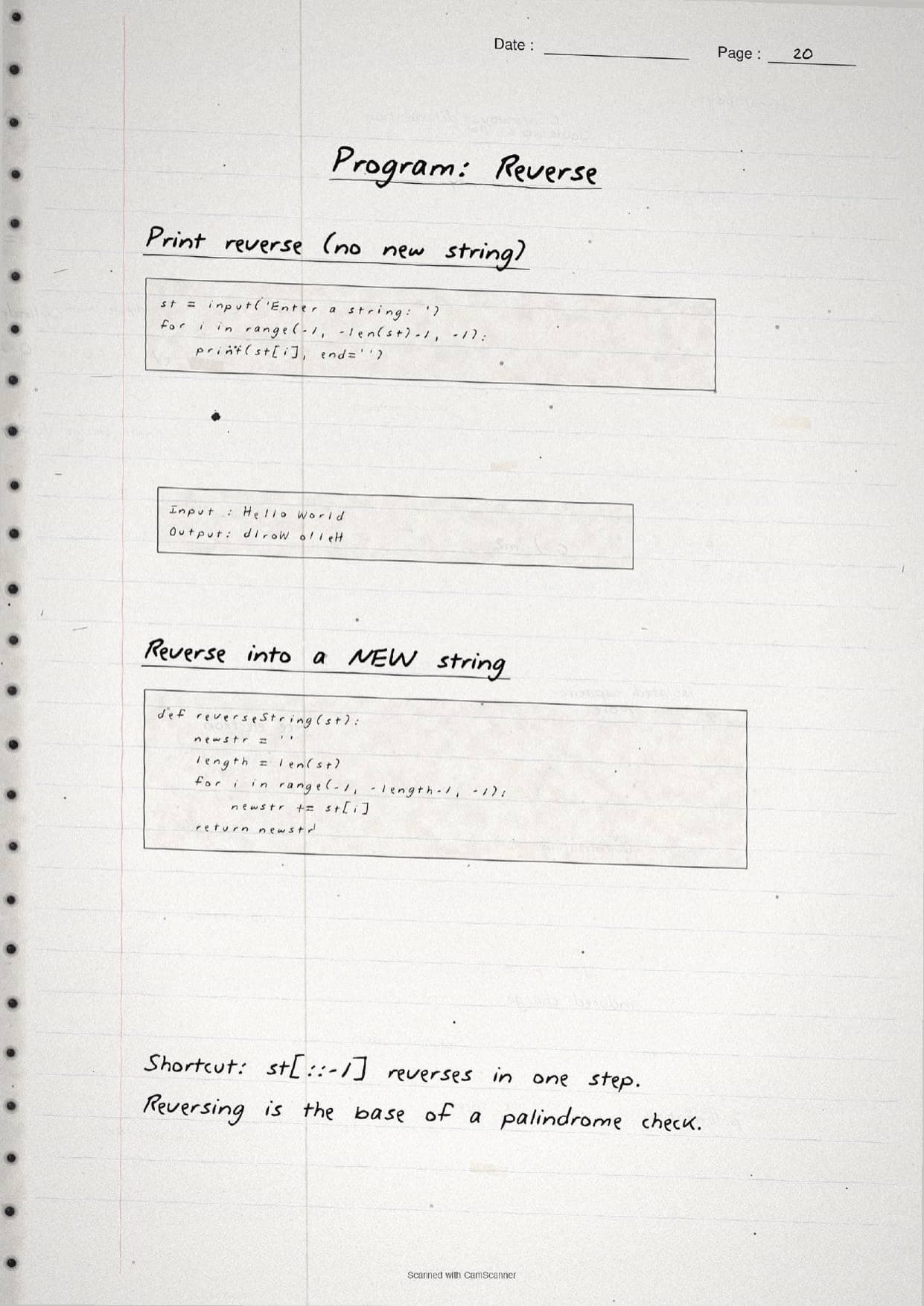
- Handwritten pages with boxed syntax, a labelled index diagram, and traced-by-hand code for every worked program.
- This is a scoring chapter of Class 11 Computer Science, so its indexing and slicing rules carry into Lists, Tuples and Dictionaries.
- Pairs with the NCERT Solutions, Notes and Book PDF linked lower on this page.
These Strings handwritten notes are prepared from the official NCERT Computer Science textbook and checked against recent CBSE Class 11 question papers.
Student Feedback: In a Collegedunia poll of 4,360 Class 11 Computer Science students, 78% of students said the handwritten index diagram and the boxed slicing rules helped them predict the output of str[n:m:k] questions faster than reading printed code, because seeing the positions traced by hand made the counting clear.
Source: 2026-27 Class 11 Computer Science student poll. Sample of 4,360 students from CBSE schools across 9 states.
What These Strings Handwritten Notes Contain
Strings is the eighth chapter of Class 11 Computer Science. It teaches how Python stores text as a sequence of characters and how to read, slice, join and process that text. These handwritten notes condense the chapter into handwritten pages that read like a topper's own notebook, with the syntax boxed and every code snippet written out by hand.
The notes are organised under three threads, each on its own set of pages:
- Creating and accessing: what a string is, the three quote styles, indexing with
[ ], positive and negative index, andlen(). - Slicing and traversing: the
str[n:m:k]form, default and negative steps, and scanning every character withforandwhileloops. - Operators, immutability and methods: the
+,*andinoperators, why a string cannot be changed in place, and the built-in methods with worked programs.
Because the pages are handwritten, the syntax sits in boxed rules and traced code rather than long paragraphs. A student can flip through the strings class 11 pages in a few minutes and still recall the index rule, the slice cut points and the common methods before walking into the exam.
Creating, Indexing and Slicing Strings
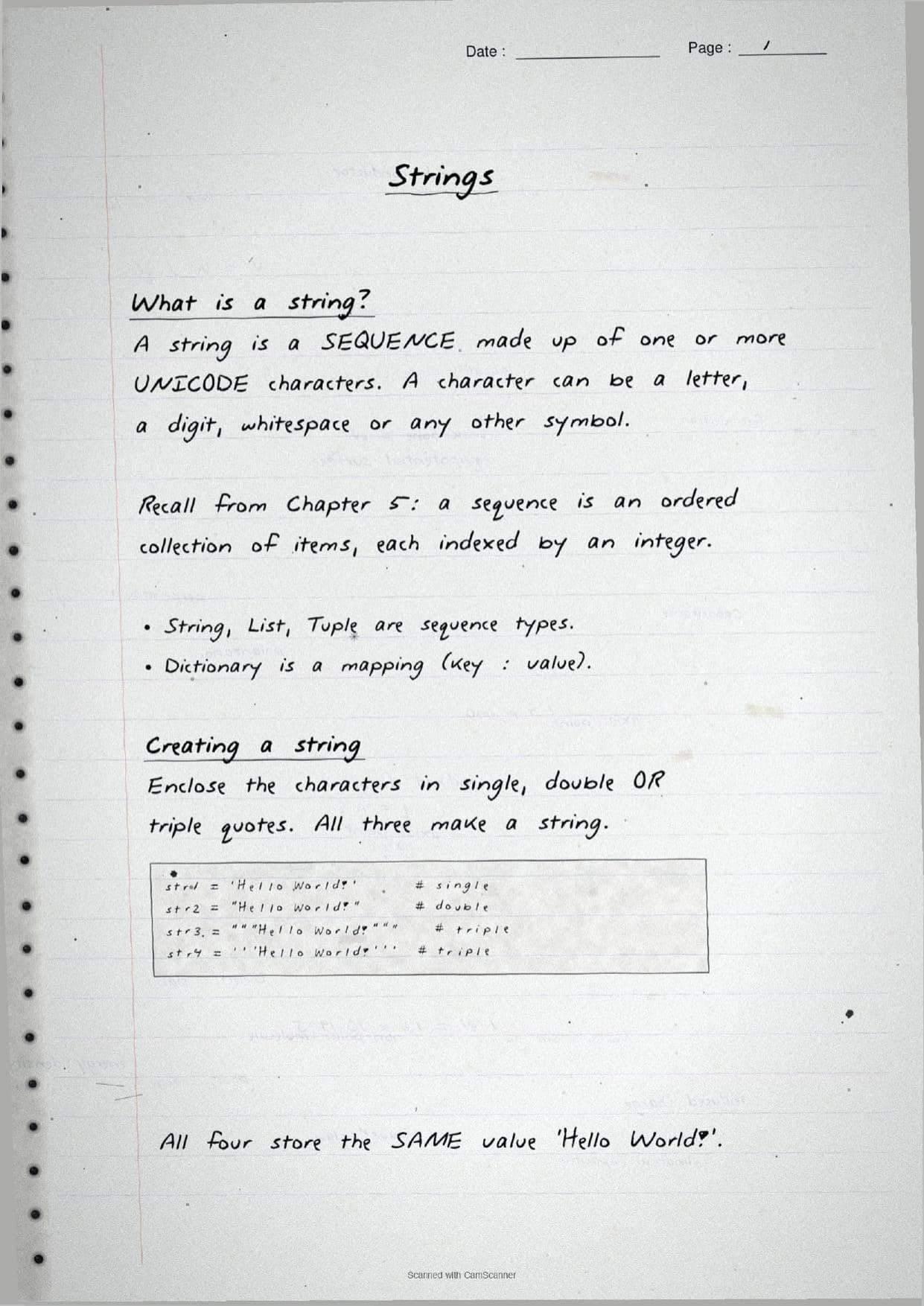
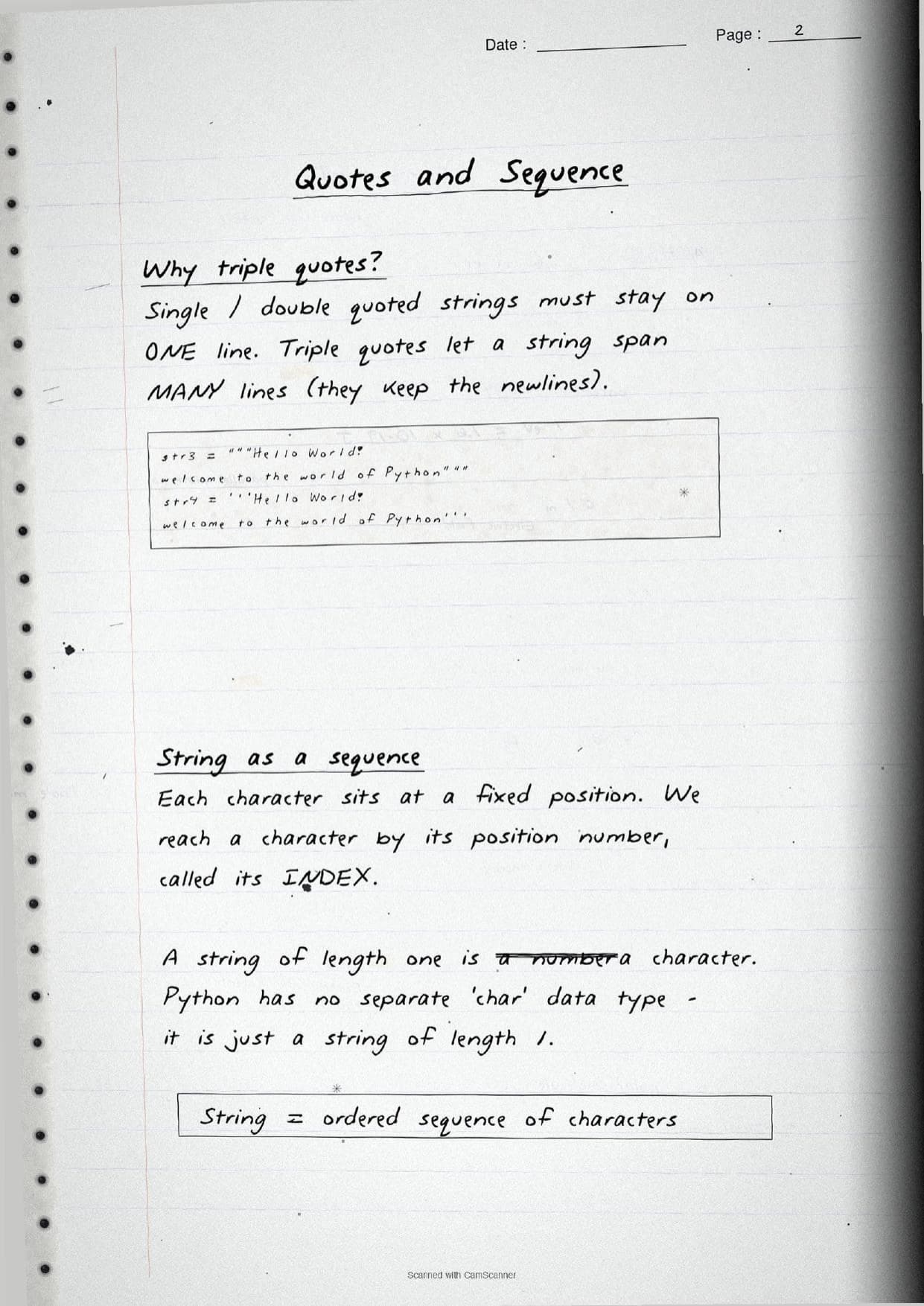
The opening pages settle what a string actually is. A string is a sequence of one or more Unicode characters, where a character can be a letter, a digit, whitespace or any symbol. You create one by enclosing the characters in 'single', "double" or """triple""" quotes. All three make a string, and triple quotes let the text span many lines. Python has no separate character type, so a single letter like 'H' is just a string of length one.
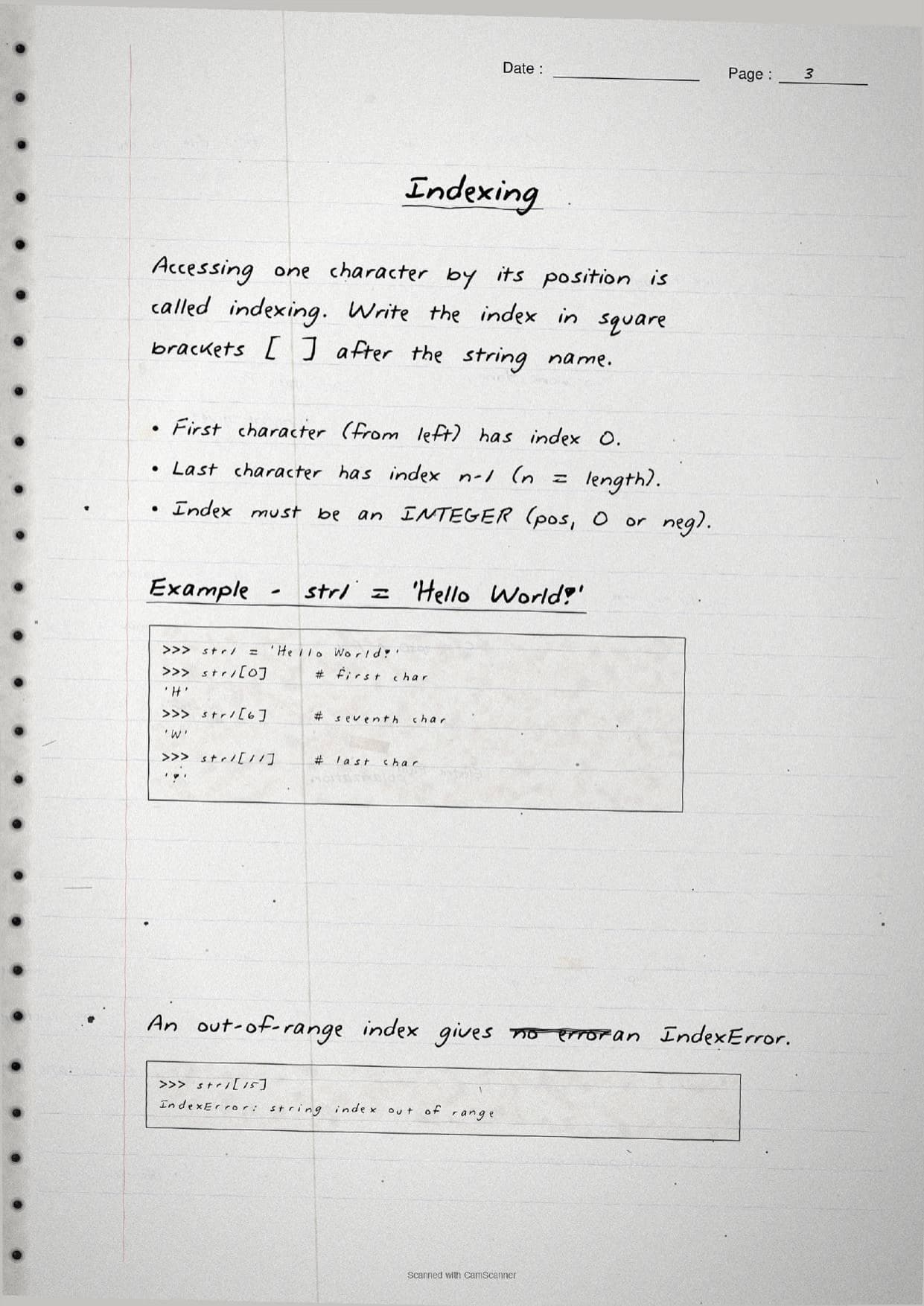
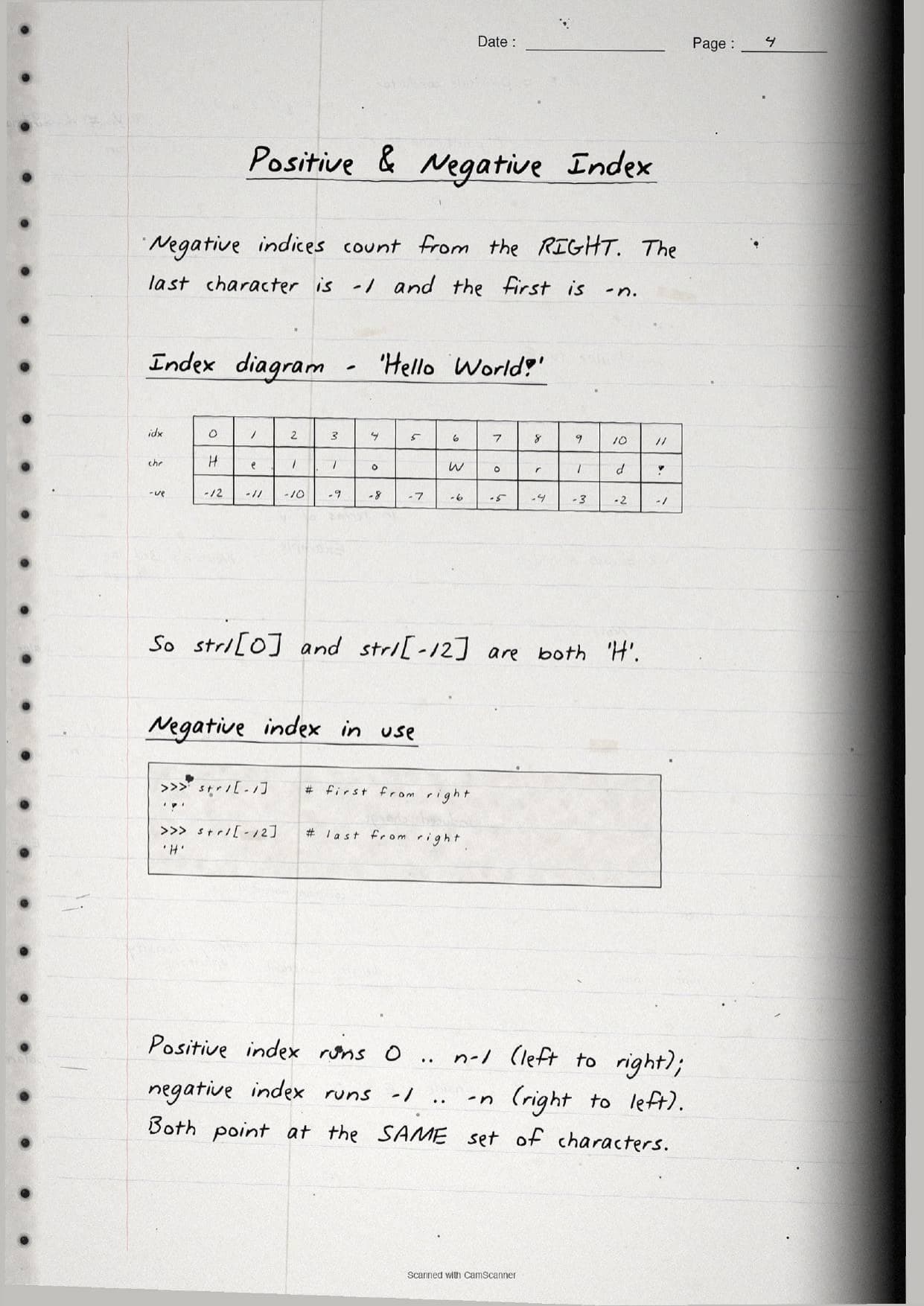
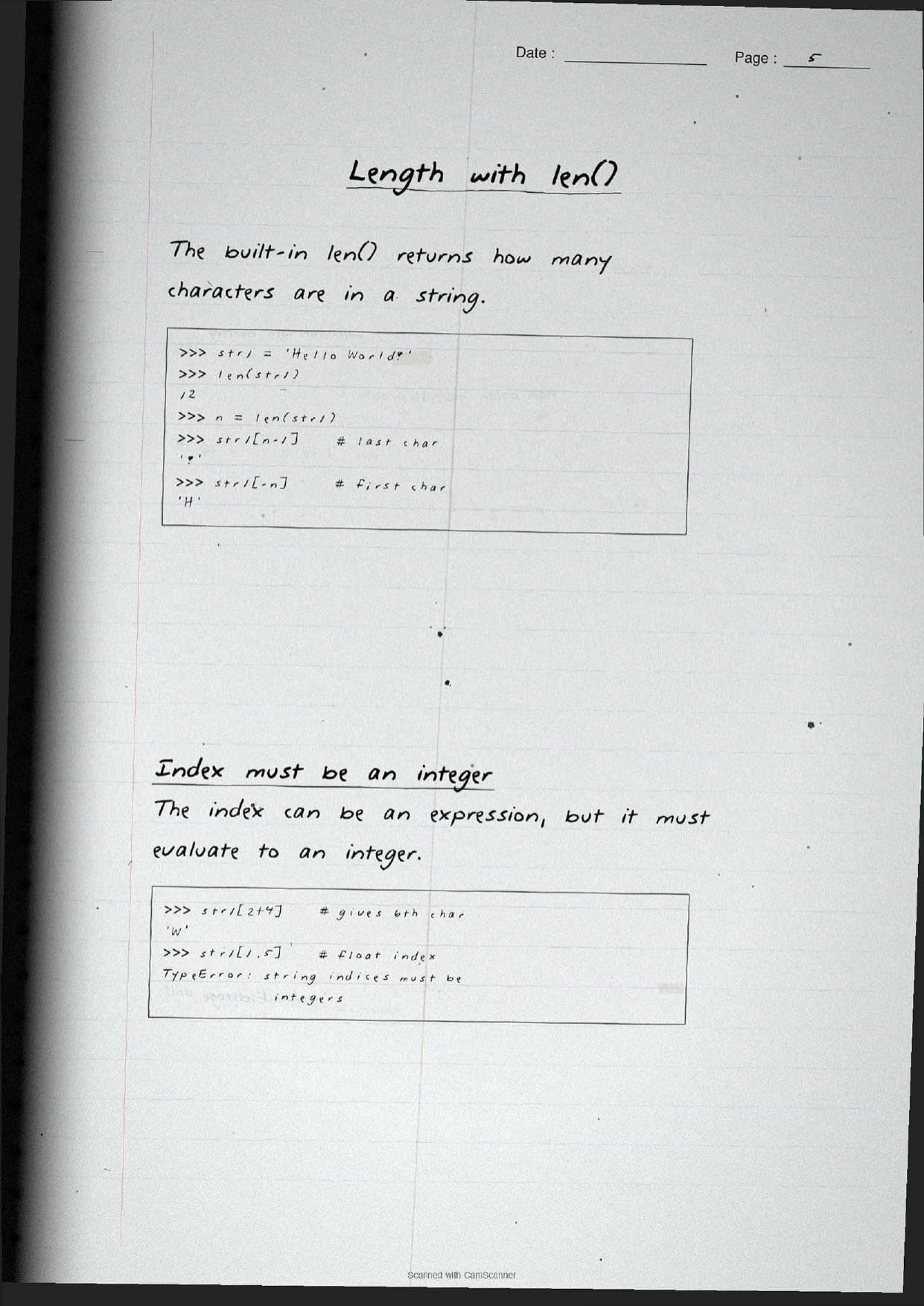
The middle pages cover indexing, which is reaching one character by its position number written in square brackets. The handwritten index diagram lines up each position so the two counting systems are clear at a glance.
| Idea on the page | What it means |
|---|---|
| Positive index | Runs 0 to n-1, left to right. So str1[0] is the first character. |
| Negative index | Runs -1 to -n, right to left. So str1[-1] is the last character. |
| Out of range | An index past the end raises an IndexError; the index must be an integer. |
| Length | len(str1) returns the character count, so str1[len(str1)-1] is the last character. |
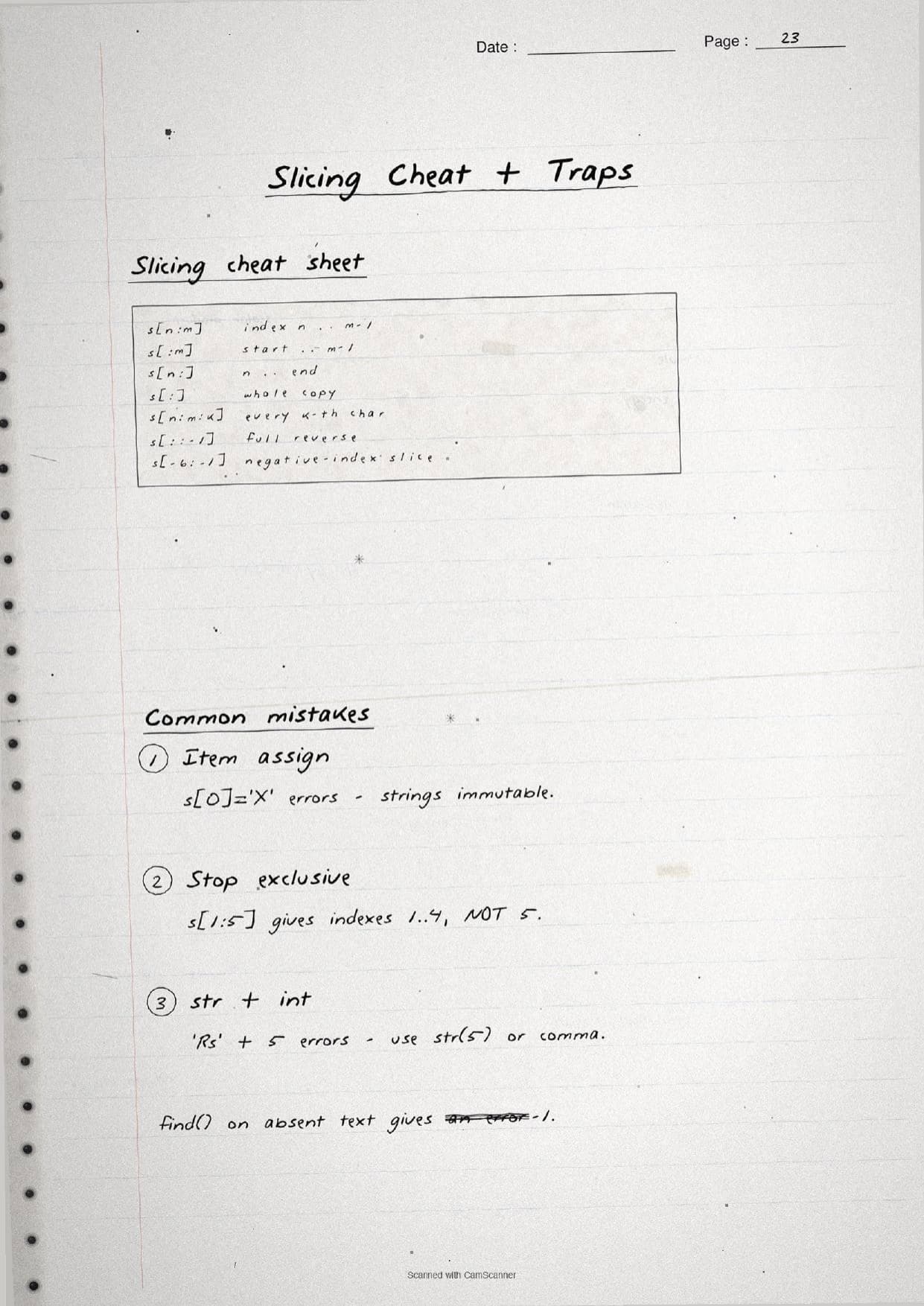
The slicing pages are the heart of the chapter. The form str1[n:m] returns the characters from index n (inclusive) to m (exclusive), so the slice length is m - n. Leaving out the start defaults to 0, leaving out the stop runs to the end, and str1[:] copies the whole string. A third value gives the step: str1[0:10:2] takes every second character, while str1[::-1] is the quick way to reverse a string. Slicing never raises an out-of-range error, which is why the notes flag it as safer than plain indexing.
Operators, Immutability and String Methods
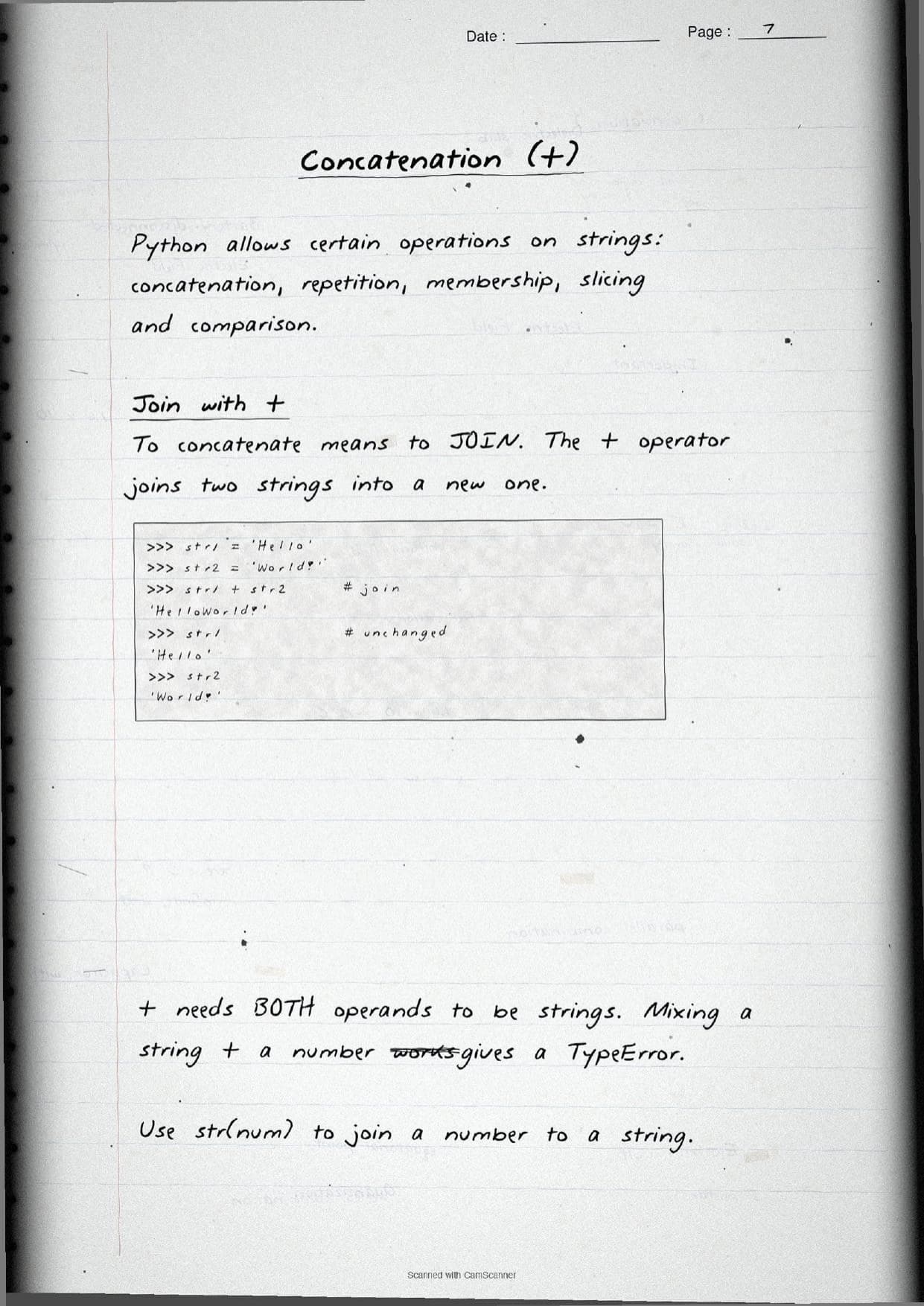
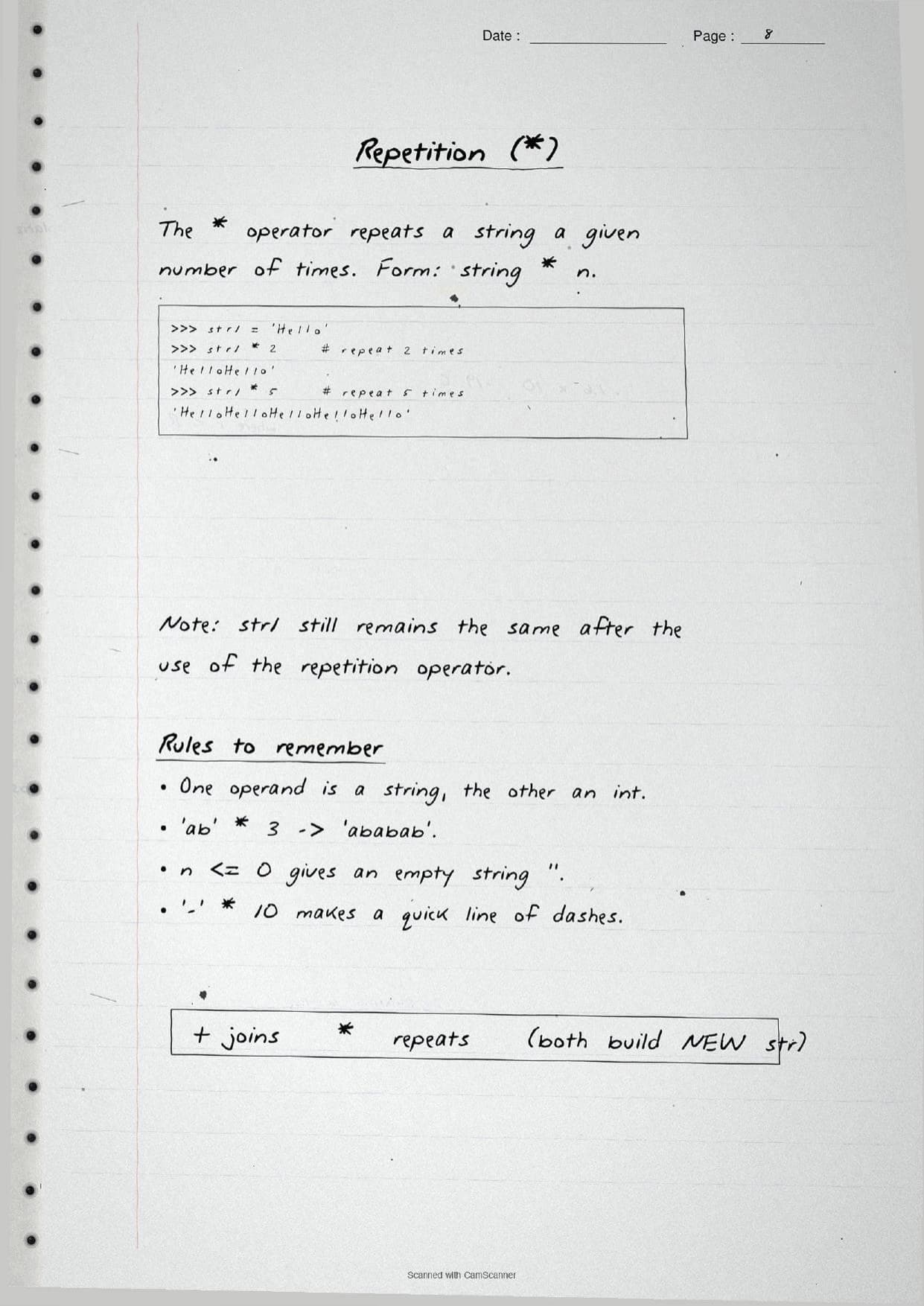
The next pages cover the operations Python allows on strings. The notes box each operator with a traced example so the difference between joining and repeating is obvious.
- Concatenation
+: joins two strings into a new one. Both operands must be strings, so'Rs' + 5fails; usestr(5)first. - Repetition
*: repeats a string, as in'ab' * 3giving'ababab'. One operand is a string, the other an integer. - Membership
inandnot in: returnTrueorFalsefor whether one string is a substring of another.
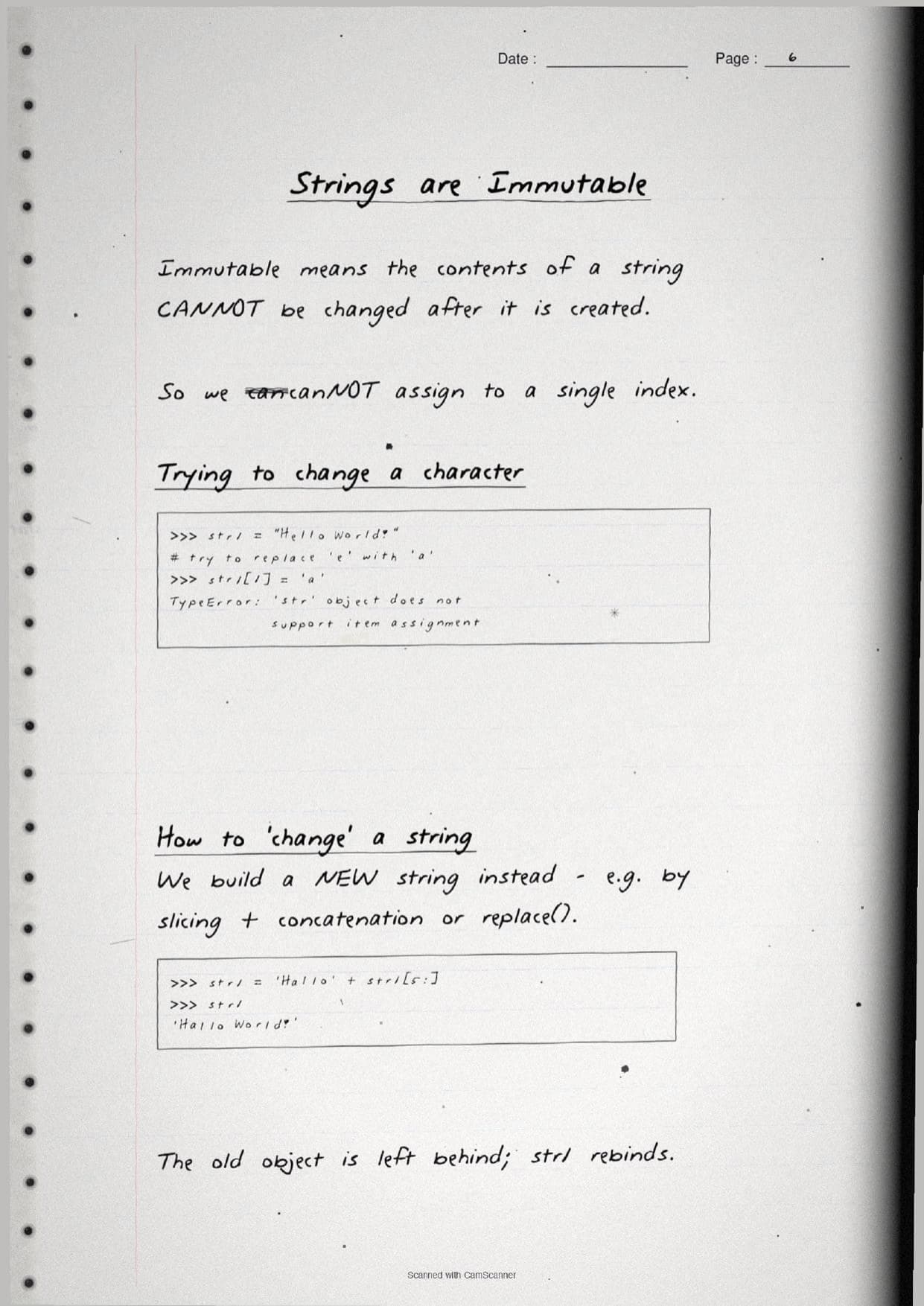
A boxed page drills the idea that strings are immutable. Once a string is created its contents cannot be changed, so an item assignment like str1[1] = 'a' raises a TypeError. To "change" a string you build a new one, for example by slicing and concatenation or by using replace(). The old object is left behind and the name simply rebinds to the new string.
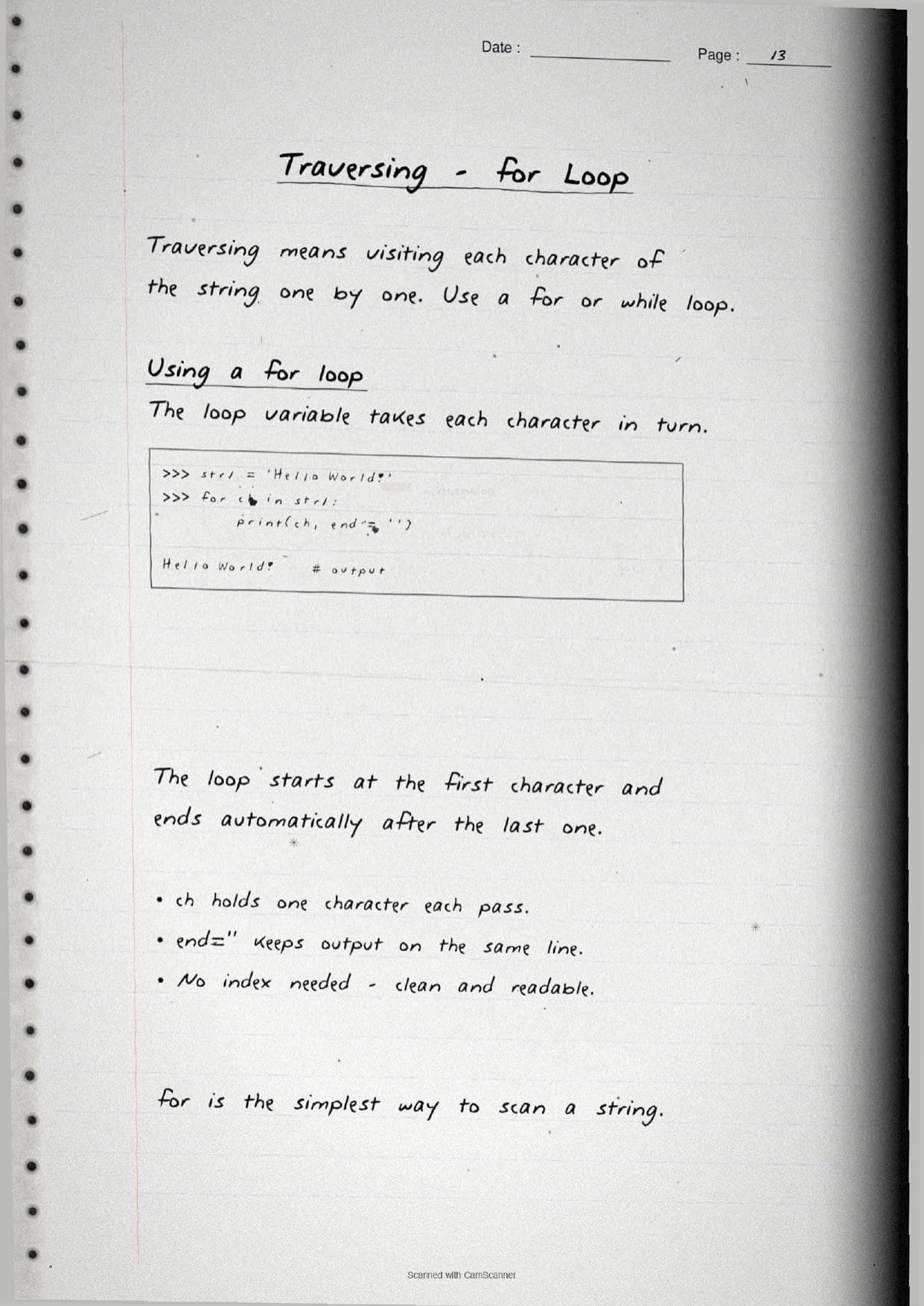
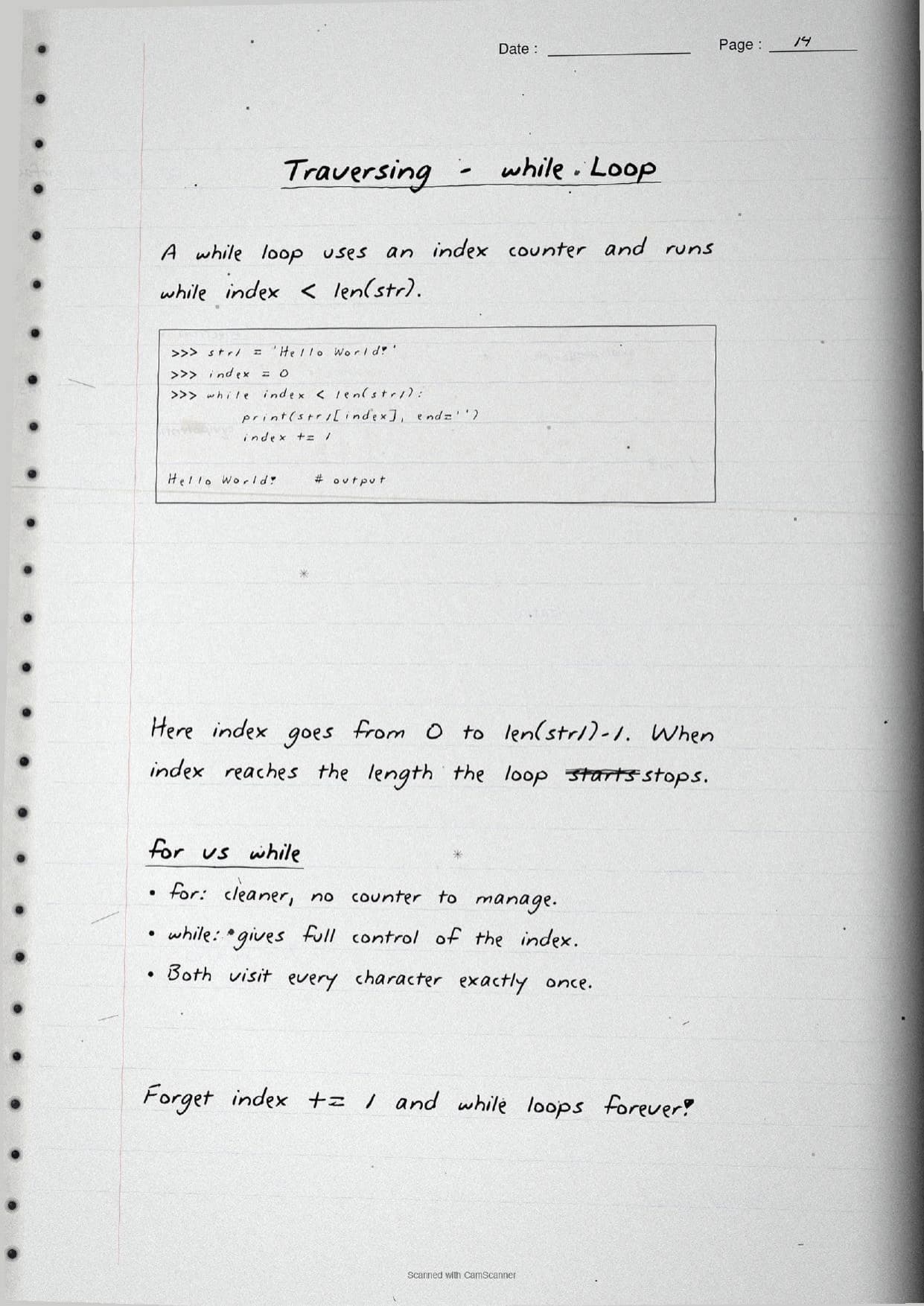
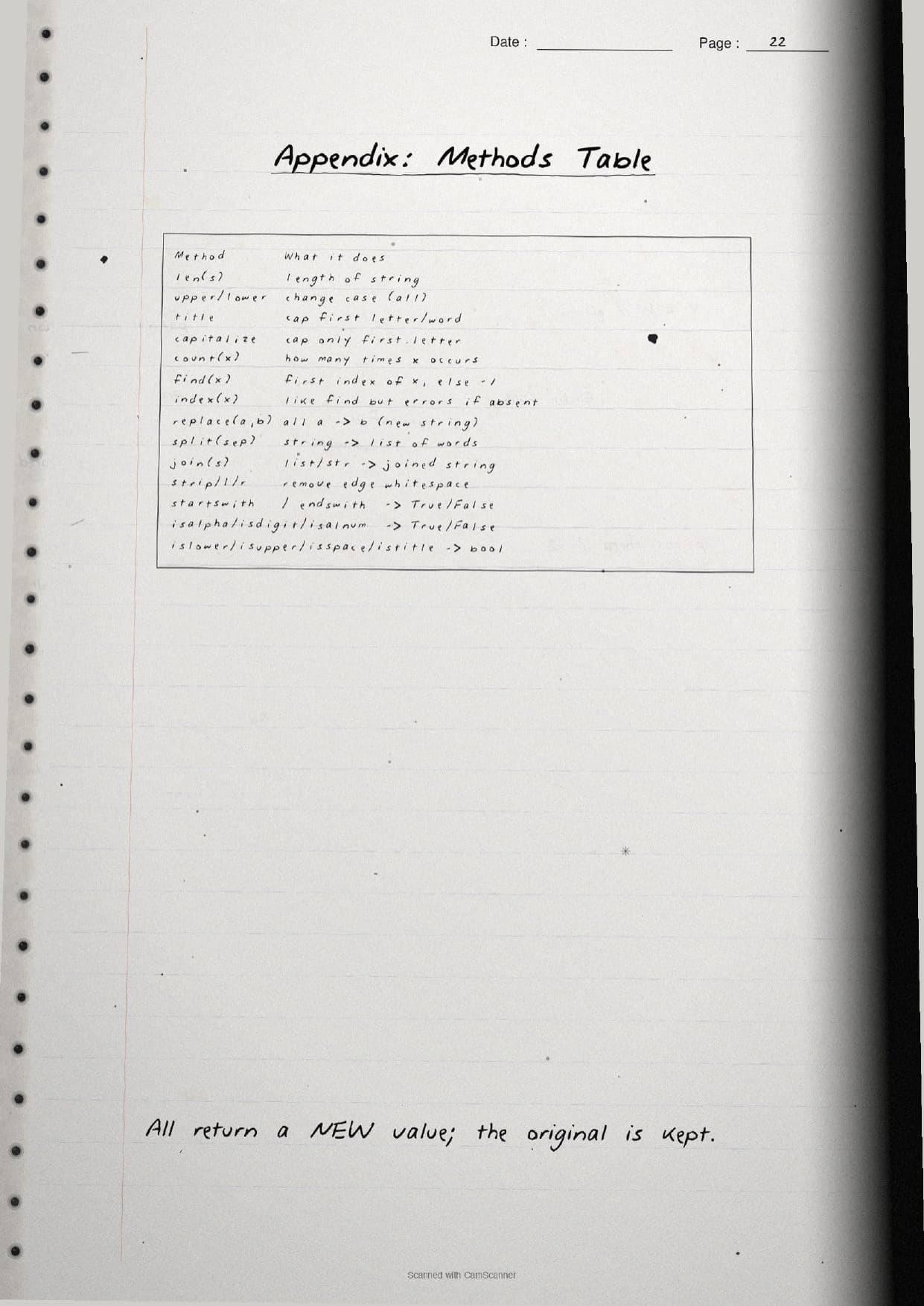
Traversing pages show how to visit each character. A for loop reads them cleanly with no counter, while a while loop uses an index and runs while index < len(str1). The methods pages then list the built-in tools, all of which return a new value and keep the original string:
| Method | What the page shows |
|---|---|
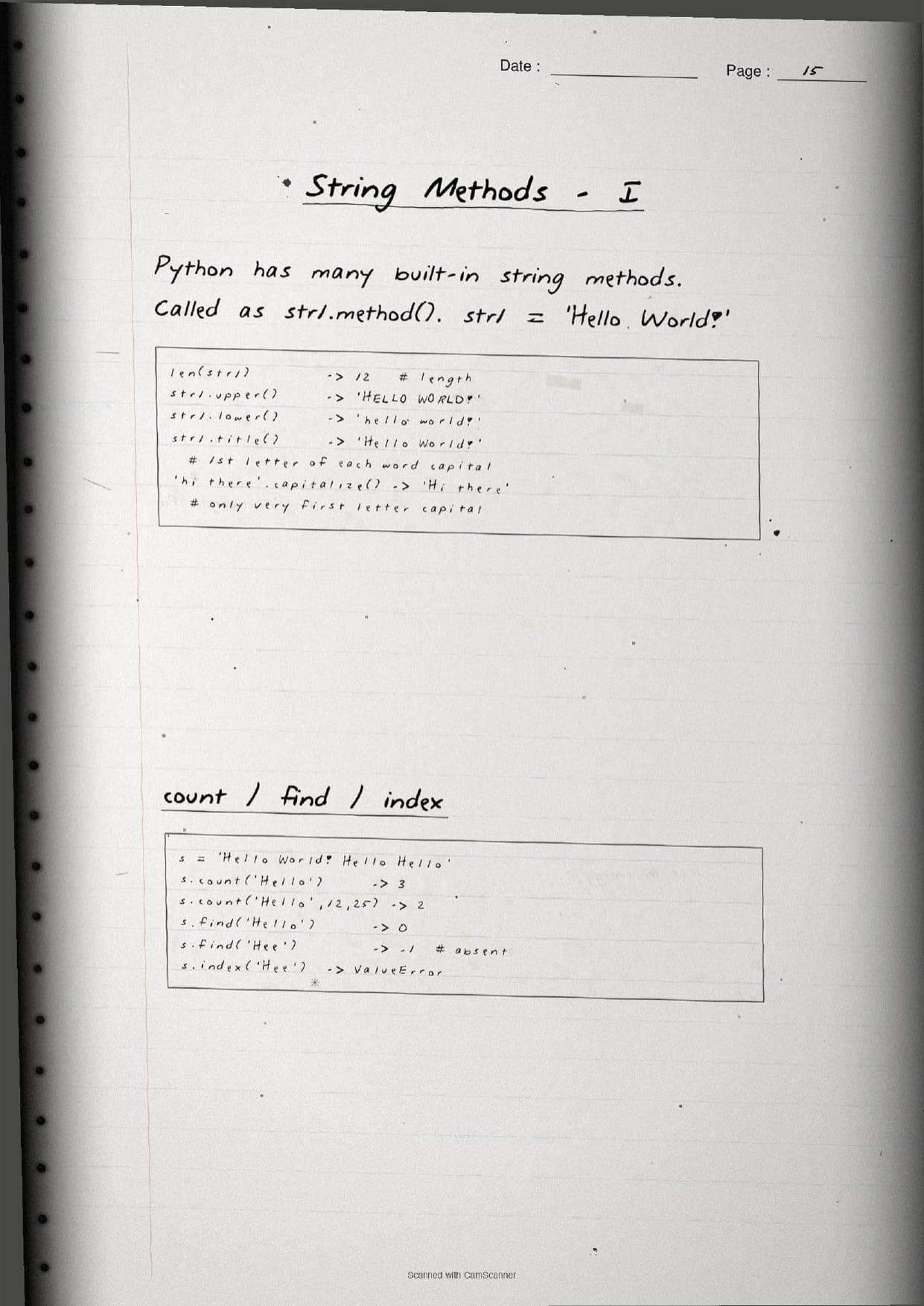
upper() / lower() | Change the case of every letter; title() and capitalize() adjust first letters. |
count() / find() | Count occurrences, or return the first index of a substring; find() gives -1 if absent. |
split() / join() | Break a string into a list of words, or glue an iterable back with a separator. |
replace() / strip() | Swap every match for new text, or trim whitespace from the edges. |
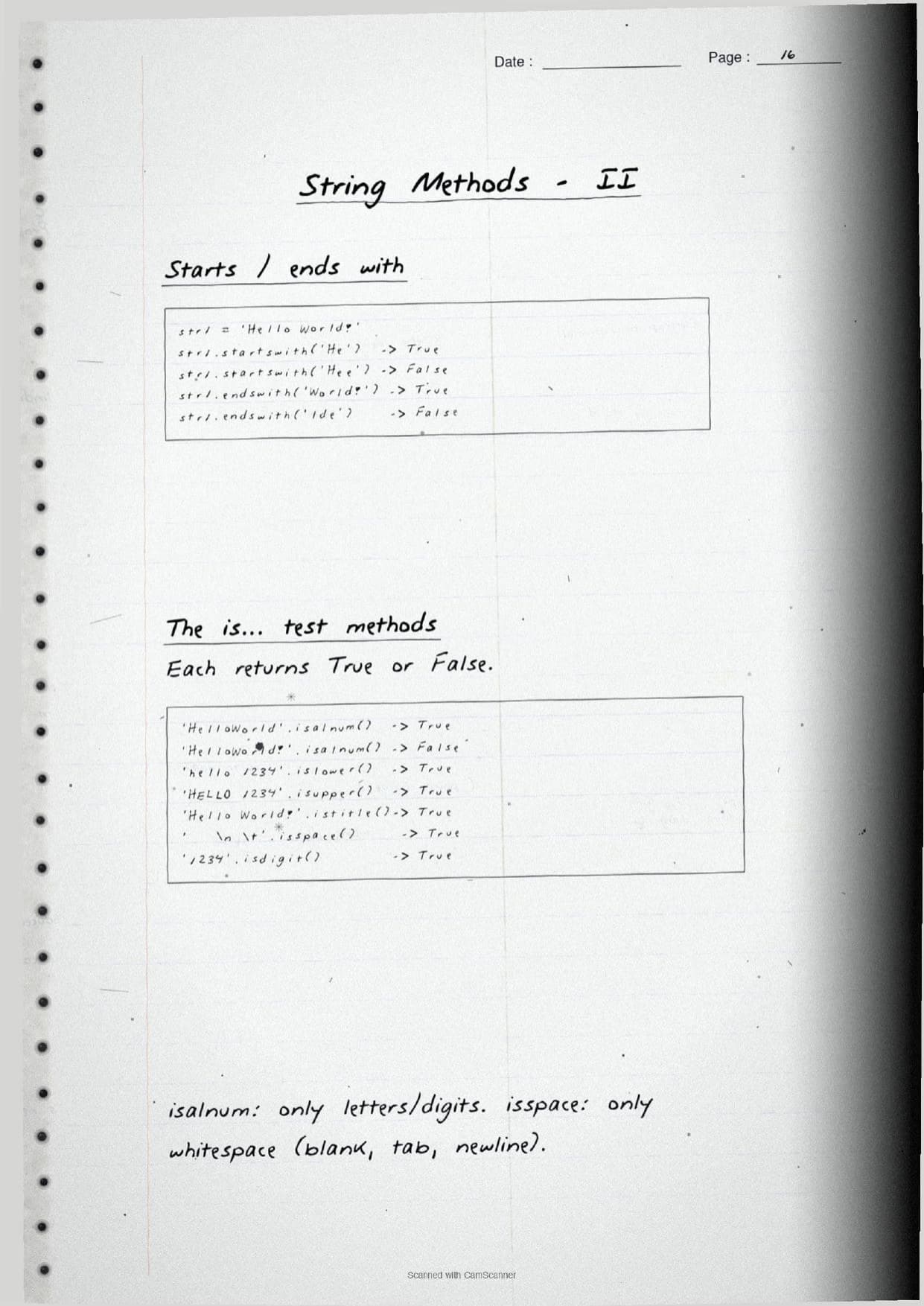
is* tests | isalnum(), isdigit(), islower(), isupper(), isspace(), istitle() each return a boolean. |
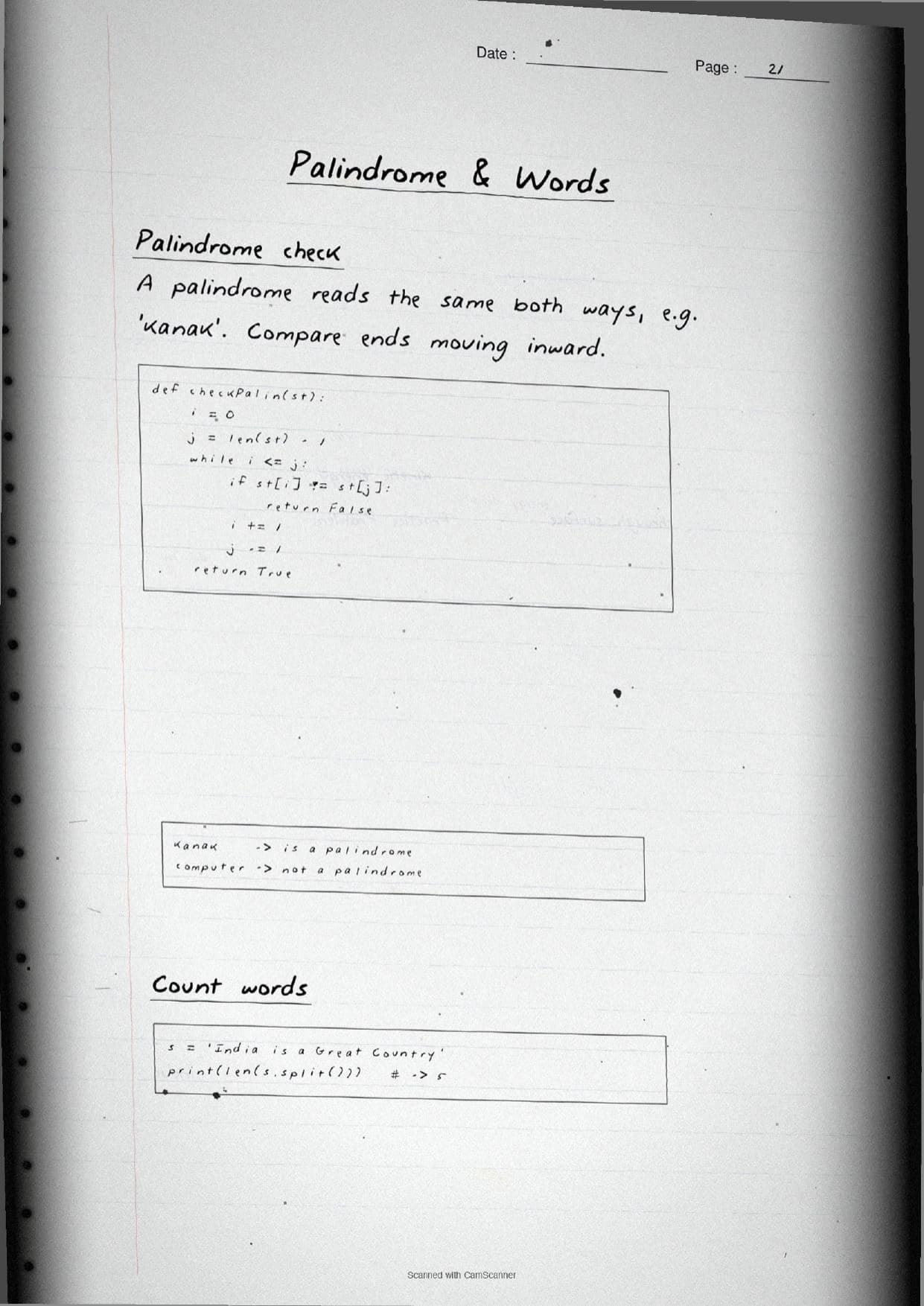
The final pages work through short programs that combine these ideas. A common one is the palindrome check, written out by hand so students can trace how the two pointers move inward:
def checkPalin(st):
    i = 0
    j = len(st) - 1
    while i <= j:
        if st[i] != st[j]:
            return False
        i += 1
        j -= 1
    return True
Other traced programs count how often a character occurs, replace every vowel with *, count vowels and words with len(s.split()), and reverse a string both with a loop and with the st[::-1] shortcut. These are the exact program types that carry three and four mark questions in the Class 11 final exam.
How to Use These Handwritten Notes
Handwritten notes work best as a final-revision tool, not a first read. The steps below show how to get the most out of the Strings handwritten notes in the last days before a test.
- Download: tap the download card above to save the handwritten pages to your device.
- First read: read the printed Notes and type the code in an editor once, so the handwritten pages act as a refresher, not a first source.
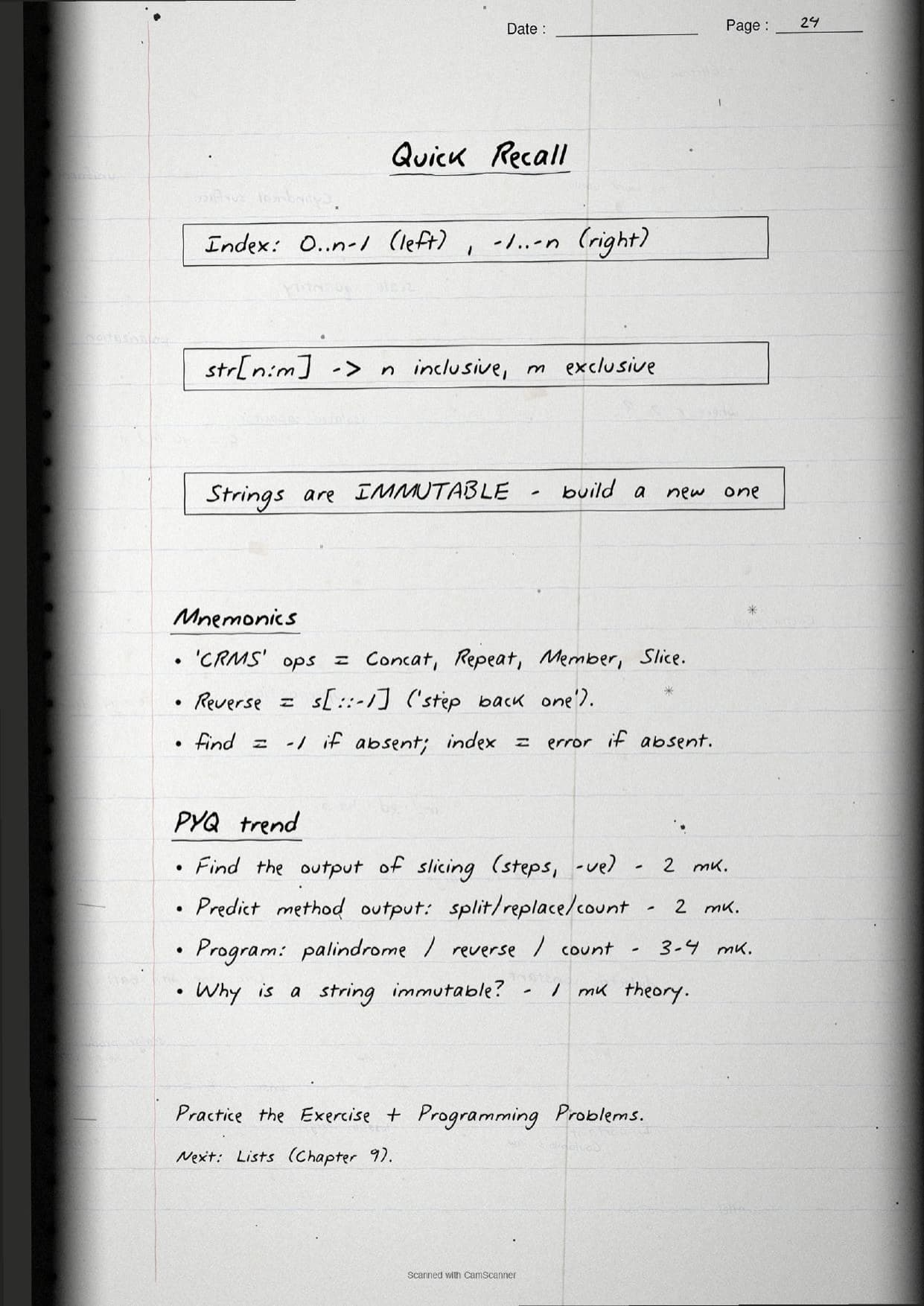
- Recall drill: cover the page and predict the output of a slice like
str1[1:5]orstr1[::-1]before checking. - Night before: flip through the boxed slicing rules and the methods table for a quick last-minute recall.
Many students search for python strings class 11 notes on their phone the night before a test, so a saved set of handwritten pages means you can revise offline. Use the handwritten notes for speed, then check the solutions to confirm your predicted outputs are right.
Common Mistakes These Notes Help You Avoid
A few errors cost marks every year. The handwritten notes flag each one in the margin so you can fix it before the exam. These five are the most common.
- Treating the slice stop as inclusive. In
str1[1:5]the characters are indexes 1 to 4, not 5. - Trying to change a character in place. Strings are immutable, so
str1[0] = 'X'raises aTypeError. - Joining a string and a number directly.
'Rs' + 5fails; wrap the number withstr()first. - Confusing
find()andindex(). When the text is absent,find()returns -1 butindex()raises aValueError. - Forgetting
index += 1inside awhileloop, which makes the traversal run forever.
Students who fix these five points usually move from average to high marks. The handwritten notes box the slice rule and label every method, so the soft points are hard to miss when you revise.
How These Handwritten Notes Pair with the Solutions and Book PDF
These handwritten notes are a fast revision tool. To prepare fully, students should use them alongside the other resources for the same chapter, all linked in the table below. Read the printed Notes, test yourself with the solutions, then use these pages for a final recall.
| Resource | Best used for |
|---|---|
| Strings NCERT Solutions | Step-by-step answers to the exercise and programming problems |
| Strings Class 11 Notes | Quick chapter summary with all operators and methods in one place |
| Strings NCERT Book PDF | Reading the original NCERT chapter text and code listings |
Tip: read the printed Notes first, run the programs once, then keep these handwritten pages for the final night-before flip. Using them for recall, not for the first read, builds memory faster.
All Class 11 Computer Science Handwritten Notes by Chapter
The table links the handwritten notes for every chapter in Class 11 Computer Science, so students can move across the course in one click. Strings is highlighted.
| Chapter | Handwritten Notes |
|---|---|
| Chapter 1 | Computer System |
| Chapter 2 | Encoding Schemes and Number System |
| Chapter 3 | Emerging Trends |
| Chapter 4 | Introduction to Problem Solving |
| Chapter 5 | Getting Started with Python |
| Chapter 6 | Flow of Control |
| Chapter 7 | Functions |
| Chapter 8 | Strings |
| Chapter 9 | Lists |
| Chapter 10 | Tuples and Dictionaries |
| Chapter 11 | Societal Impact |
FAQs on Strings Handwritten Notes
Strings Class 11 Computer Science Handwritten Notes Common Questions
Ques. Where can I download the Strings handwritten notes PDF?
Ans. You can download the Strings Class 11 Computer Science handwritten notes PDF directly from this page. It is free, follows the 2026-27 NCERT, and presents string creation, indexing, slicing, operators, immutability and the built-in methods as handwritten pages.
Ques. What is a string in Class 11 Computer Science Chapter 8?
Ans. A string is a sequence of one or more Unicode characters, where a character can be a letter, digit, whitespace or symbol. You create one using single, double or triple quotes. The handwritten notes box this definition and show all three quote styles.
Ques. What topics do these handwritten notes cover?
Ans. They cover creating strings, positive and negative indexing, len(), slicing with str[n:m:k], traversing with for and while loops, the +, * and in operators, immutability, and methods such as upper(), split(), join(), replace(), find() and count(), plus worked programs for palindrome, counting vowels and reversing.
Ques. How do I reverse a string in Python?
Ans. The quickest way is the slice str1[::-1], which reads the string from right to left with a step of -1. You can also loop with negative indices to build a new reversed string. The handwritten notes trace both methods by hand.
Ques. Are handwritten notes good for revising Class 11 Computer Science Chapter 8?
Ans. Yes. Handwritten notes are best for fast, last-minute revision because the boxed syntax and the traced code make the indexing and slicing rules easy to skim. Use them after a first read of the printed Notes and after running the programs once, not as your only source.



Comments