




These Getting Started with Python handwritten notes turn the whole chapter into clean, handwritten pages for fast last-minute revision. They follow the 2026-27 NCERT syllabus and Chapter 5 of Class 11 Computer Science. Students get the features of Python, interactive versus script mode, the five kinds of tokens, variables and dynamic typing, comments, data types, mutable versus immutable objects, operators, expressions with precedence, type conversion, and the three error types, all with the code written out by hand so it reads clearly before a test.
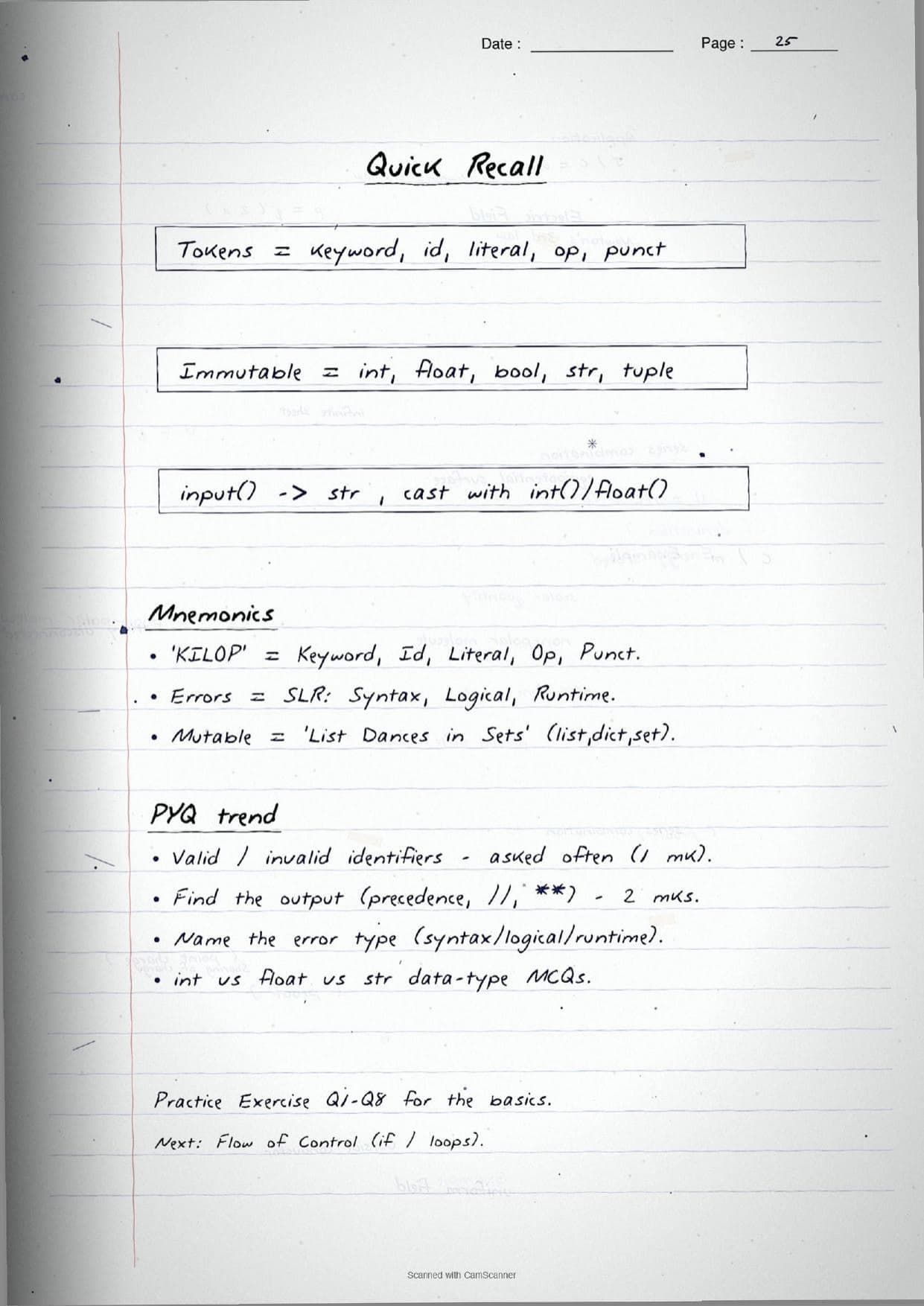
- Handwritten pages with boxed
syntax, hand-written code snippets, and traced output for each program. - This is the first programming chapter of Class 11 Computer Science, so its tokens, data types and operators set up the whole Python course.
- Pairs with the NCERT Solutions, Notes and Book PDF linked lower on this page.
These Getting Started with Python handwritten notes are prepared from the official NCERT Computer Science textbook and checked against recent CBSE Class 11 question papers.
Student Feedback: In a Collegedunia poll of 4,630 Class 11 Computer Science students, 78% of students said seeing the Python code written out by hand, with each snippet boxed next to its traced output, made operators and precedence far easier to recall than a printed program listing.
Source: 2026-27 Class 11 Computer Science student poll. Sample of 4,630 students from CBSE schools across 12 states.
What These Getting Started with Python Handwritten Notes Contain
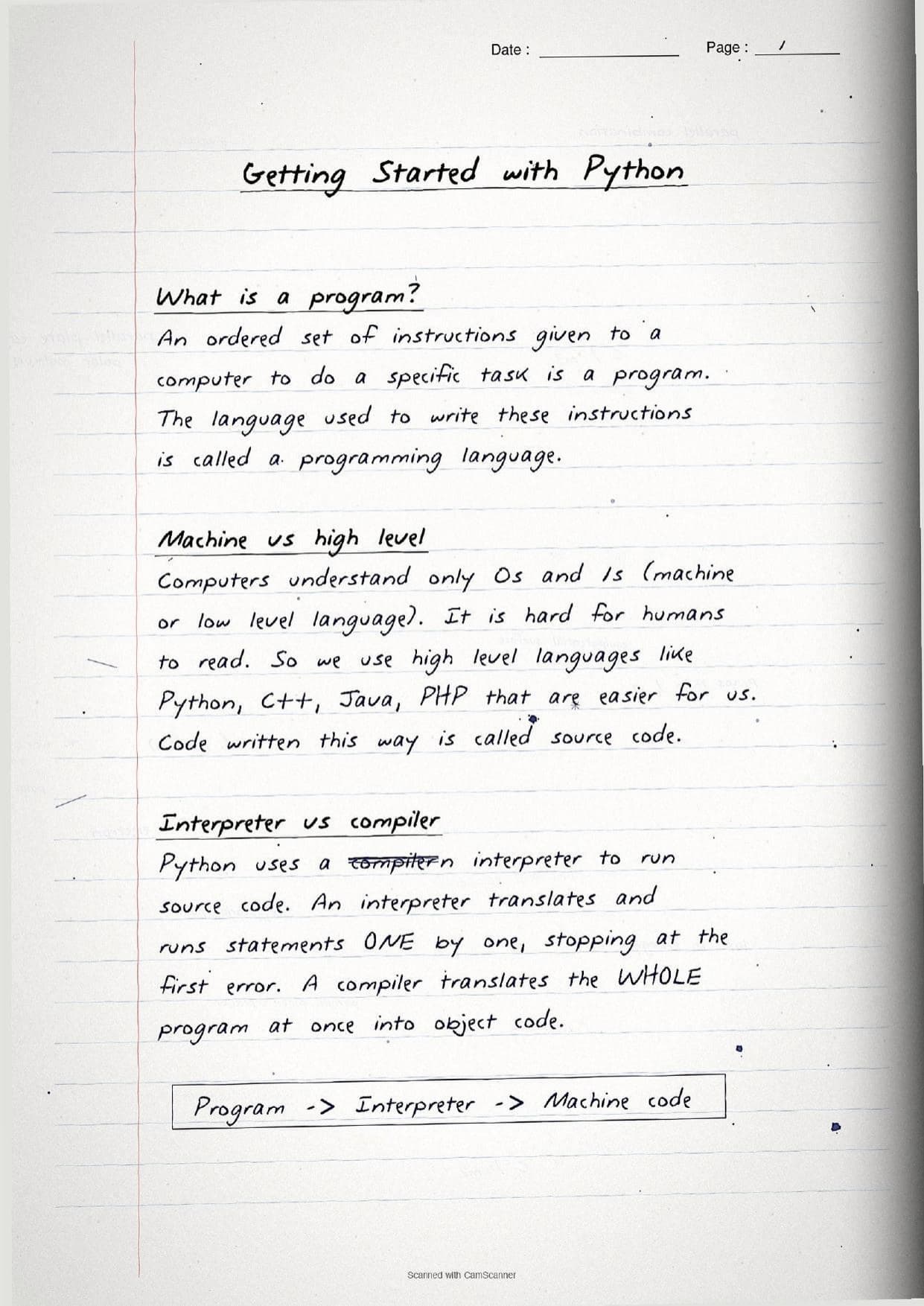
Getting Started with Python is the first programming chapter of Class 11 Computer Science. It introduces the Python language, how programs run, and the building blocks students use in every later chapter. These handwritten notes condense the chapter into handwritten pages that read like a topper's own notebook, with each program traced by hand.
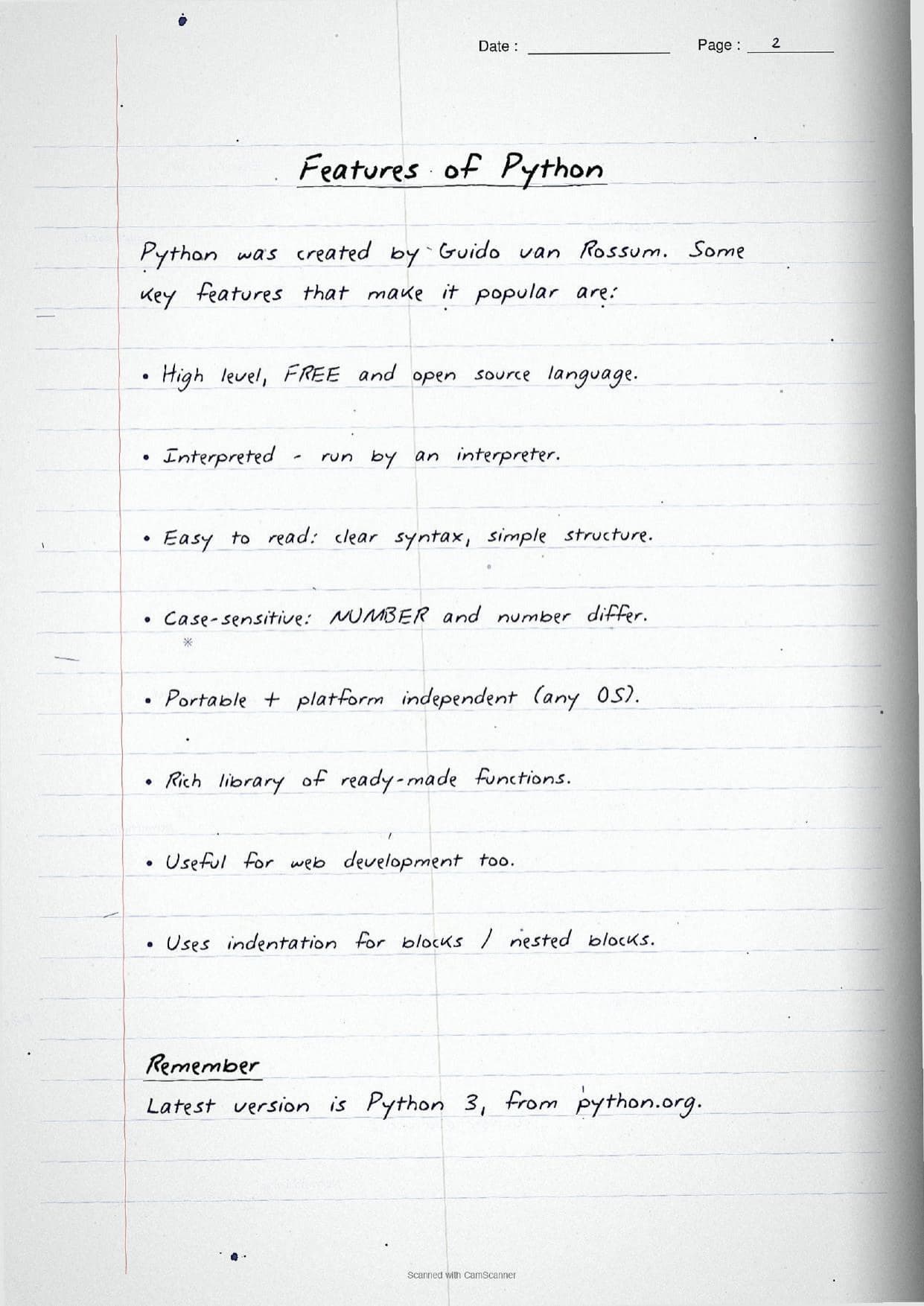
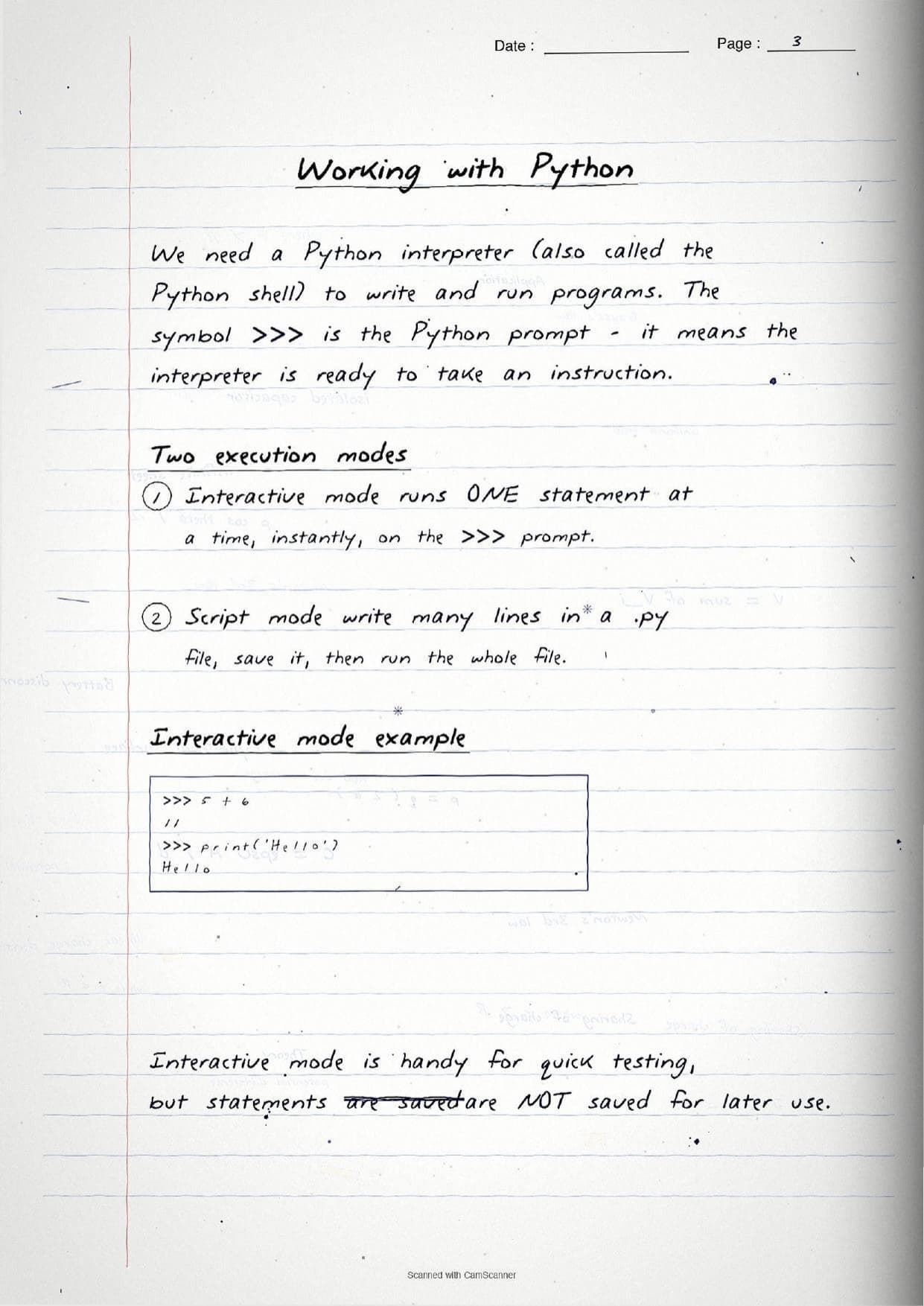
The pages open with the features of Python, a free and open source high level language created by Guido van Rossum. Python is interpreted, case-sensitive, portable and platform independent, and it uses indentation to mark blocks. The notes then split Python work into two execution modes and box a small example of each.
- Interactive mode: statements run one at a time on the
>>>prompt, handy for quick testing but not saved for later. - Script mode: many lines are written in a
.pyfile, saved, then run as a whole program.
Because the pages are handwritten, every keyword and snippet sits in a boxed line rather than a long paragraph. A student can flip through the Getting Started with Python class 11 pages in a few minutes and still pick up the features, the tokens, the data types and the operator table before walking into the exam.
Tokens, Variables and Data Types on the Pages
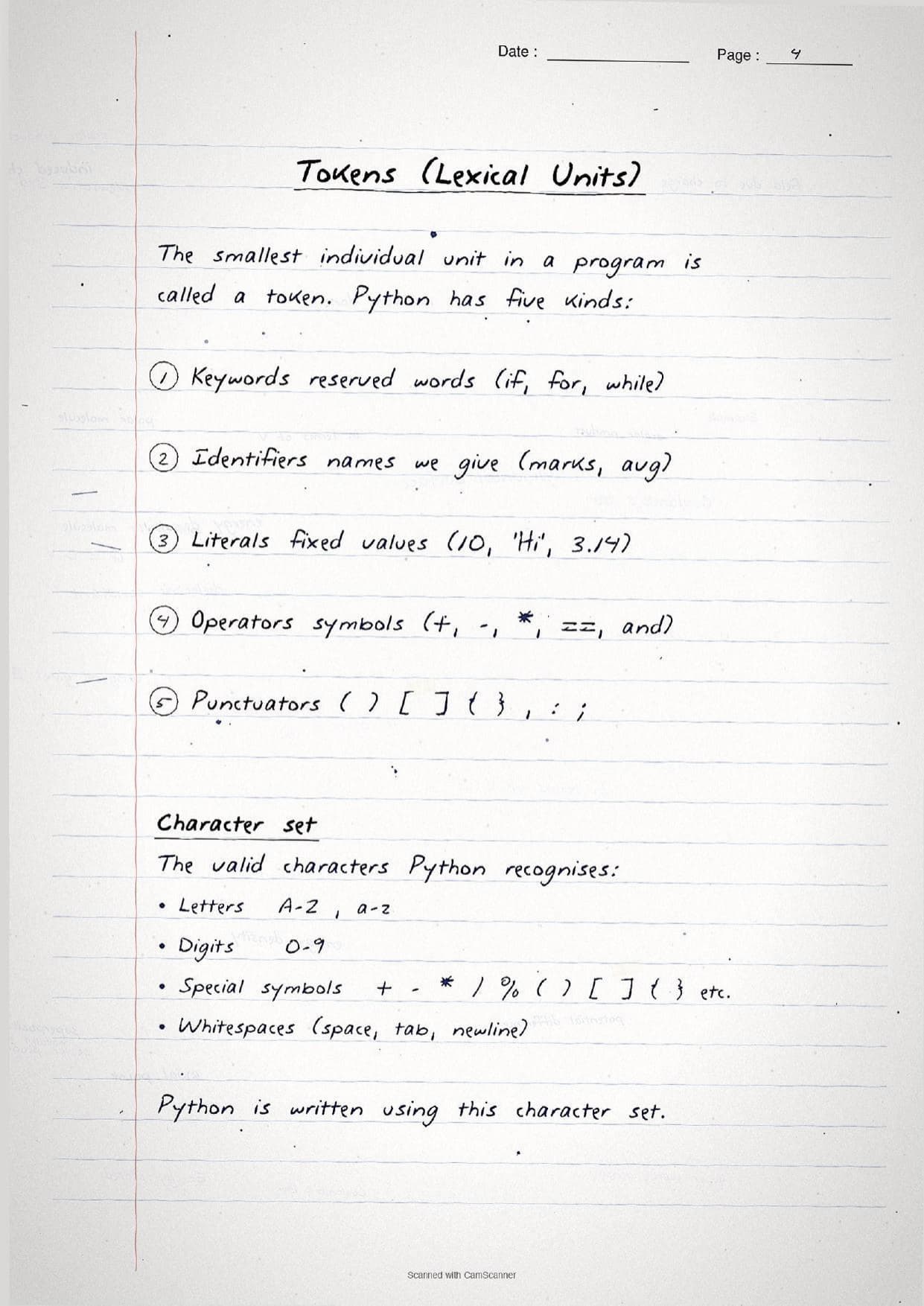
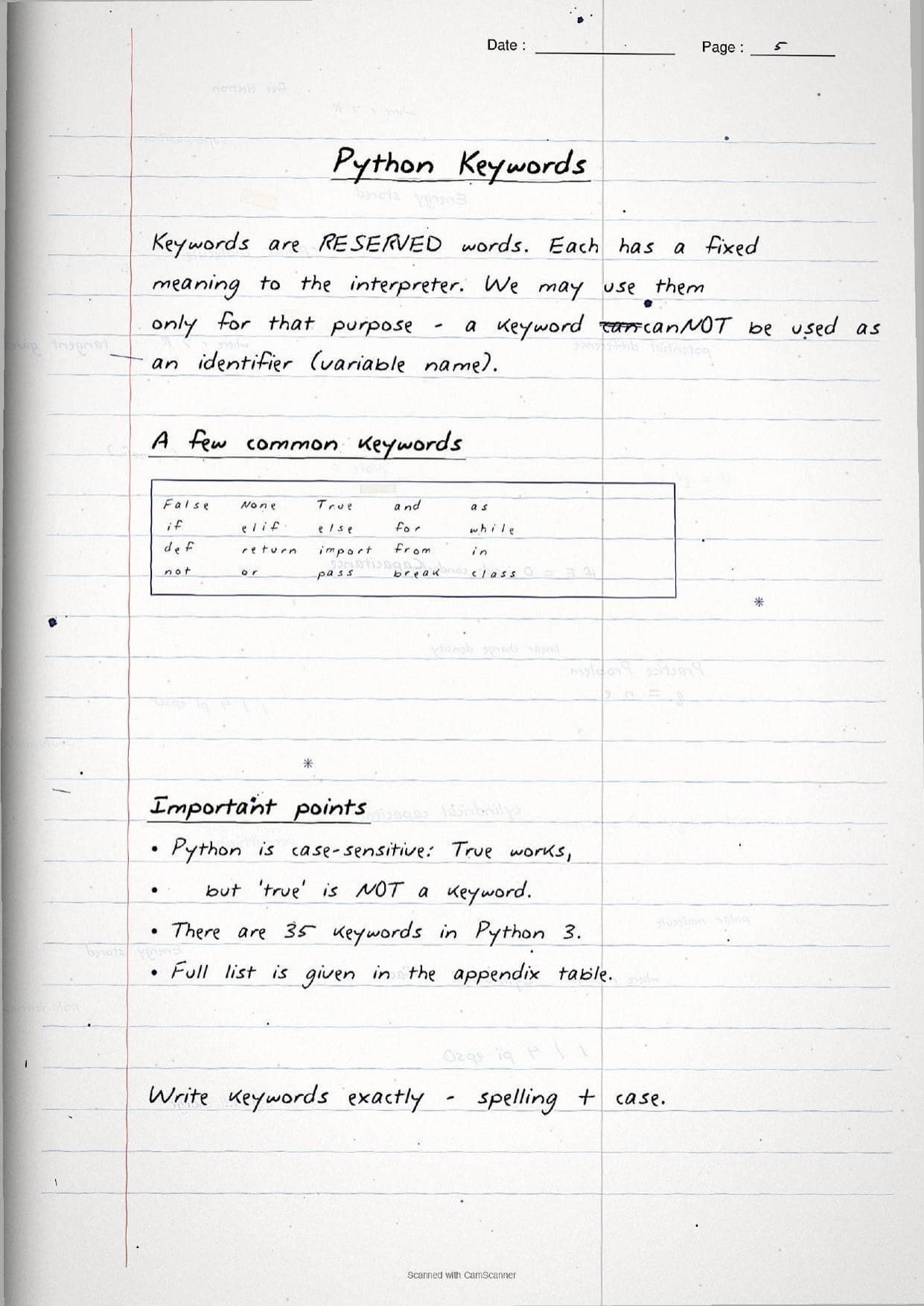
The middle pages settle the raw material of a Python program. The smallest individual unit is a token (or lexical unit), and Python has exactly five kinds. The handwritten notes box each one with a short example so students can name them in a one-mark question.
| Token | What the page shows |
|---|---|
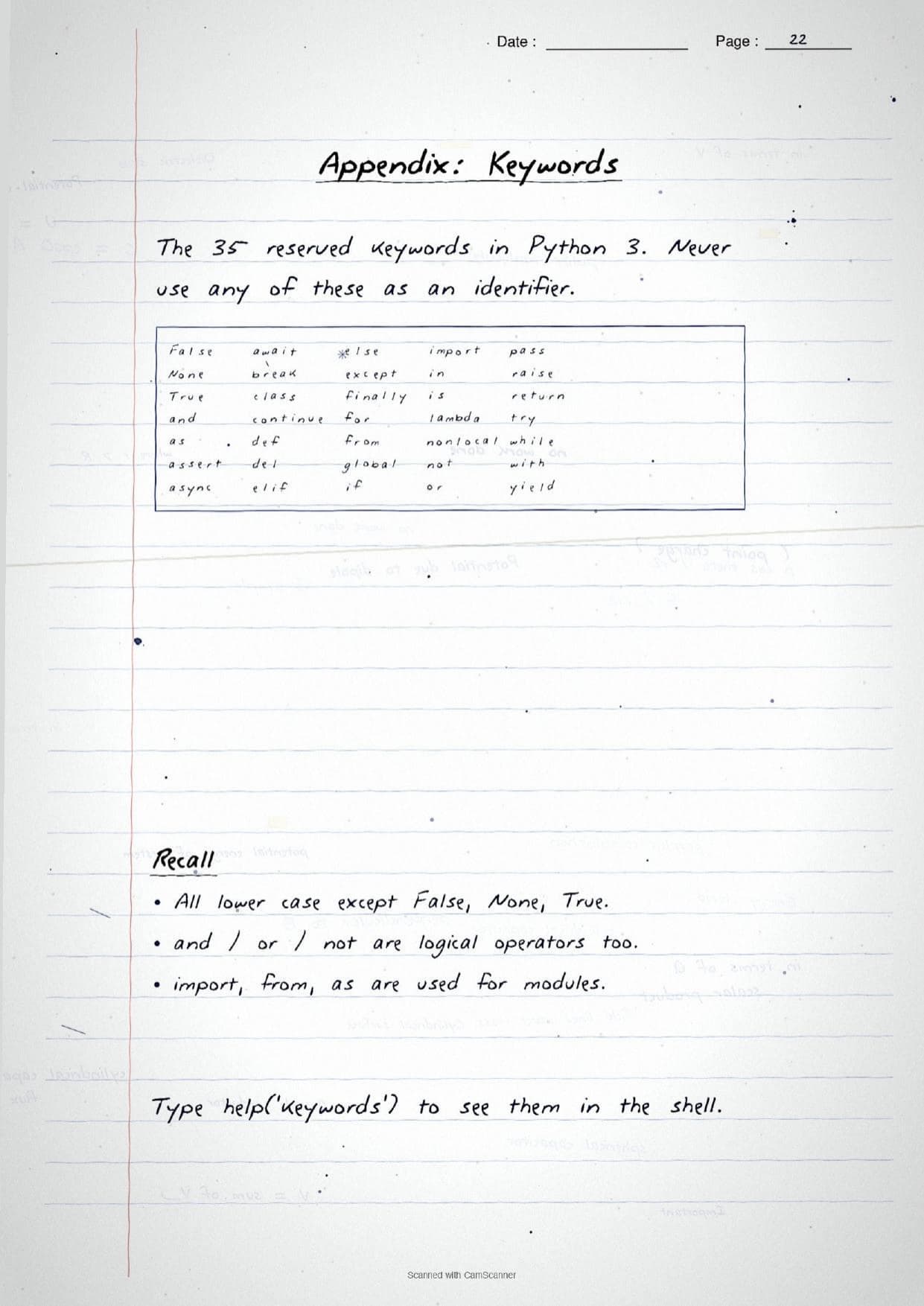
| Keywords | Reserved words with a fixed meaning, like if, for, while; 35 in Python 3 and never used as names. |
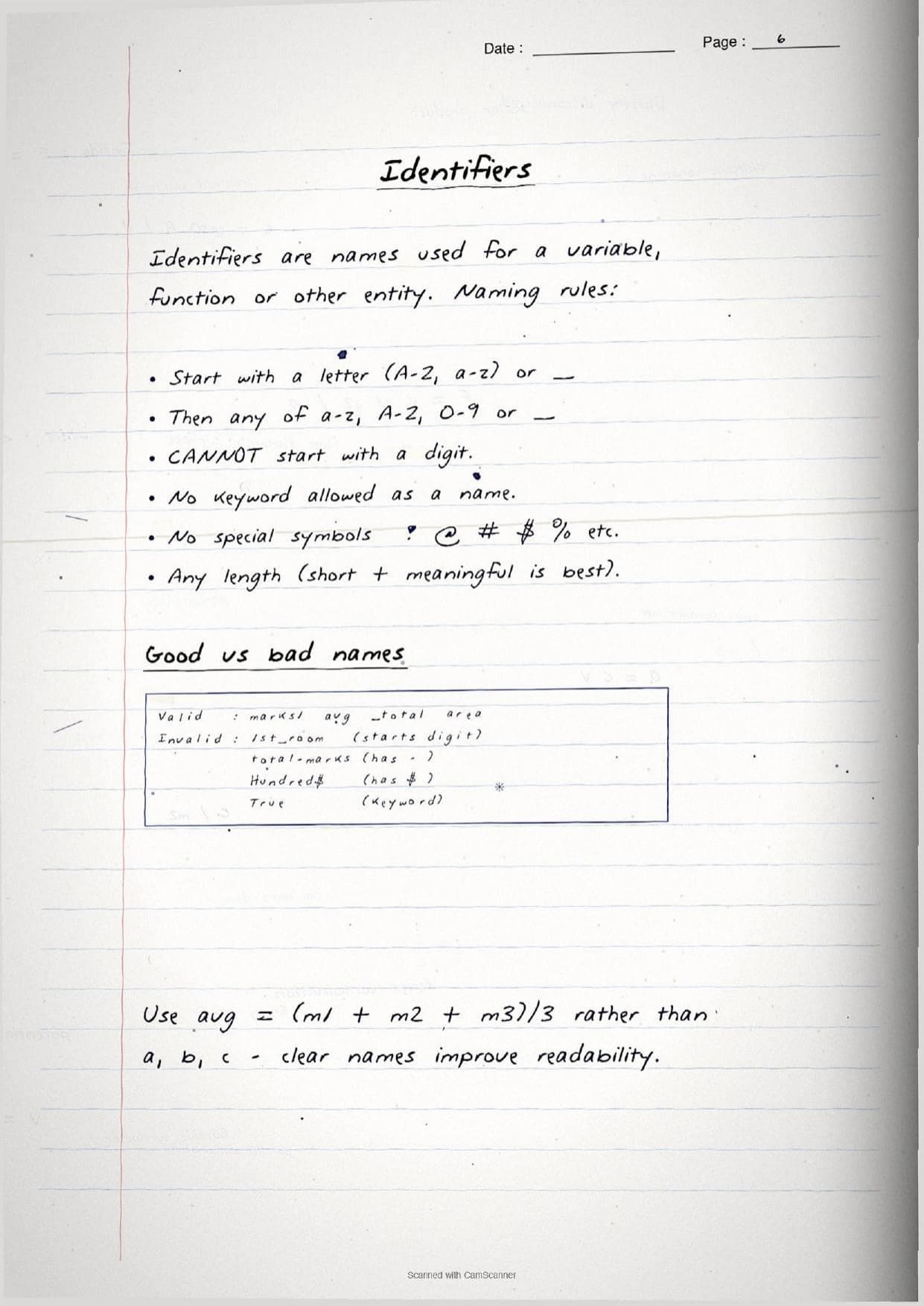
| Identifiers | Names given to a variable or function, like marks or avg; start with a letter or _, never a digit. |
| Literals | Fixed values such as 10, 'Hi' or 3.14. |
| Operators | Symbols that act on operands, like +, *, == and and. |
| Punctuators | Structure symbols such as ( ), [ ], { }, , and :. |
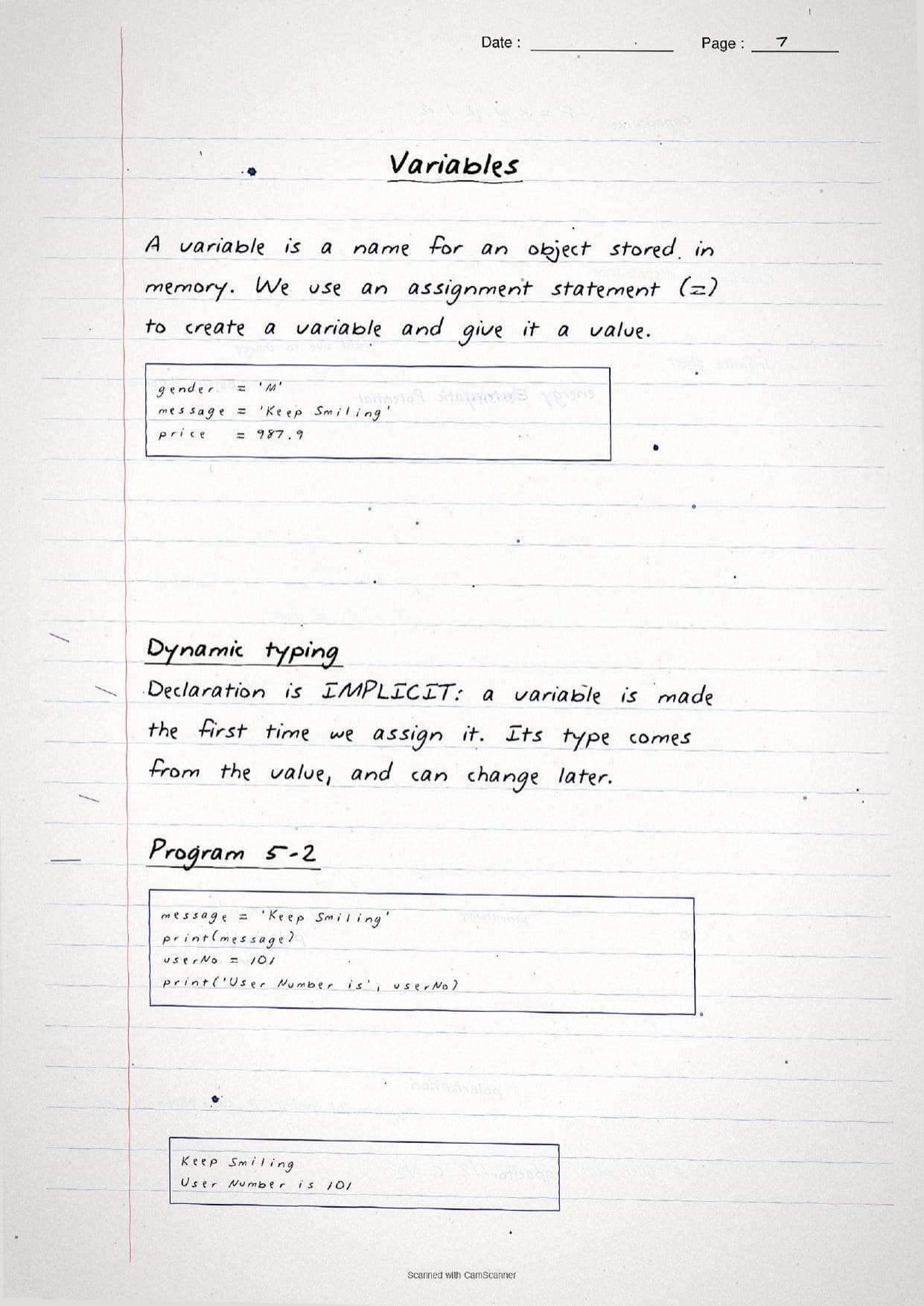
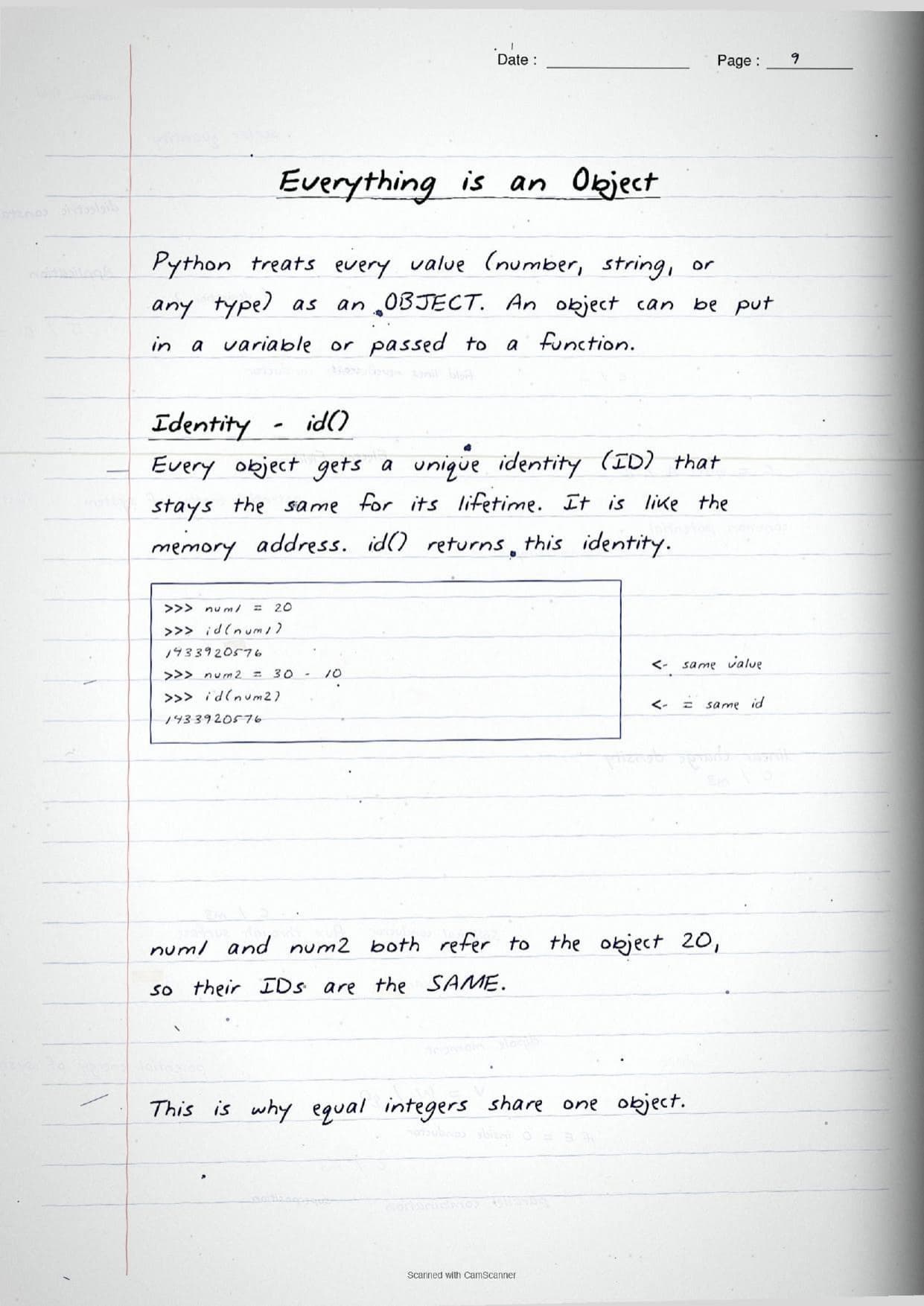
A variable is a name for an object stored in memory, created with an assignment statement using =. Python uses dynamic typing, so a variable is made the first time it is assigned and its type comes from the value, not from a separate declaration. The notes also stress that Python treats every value as an object with a unique identity, which id() returns, and that equal integers can share the same object.
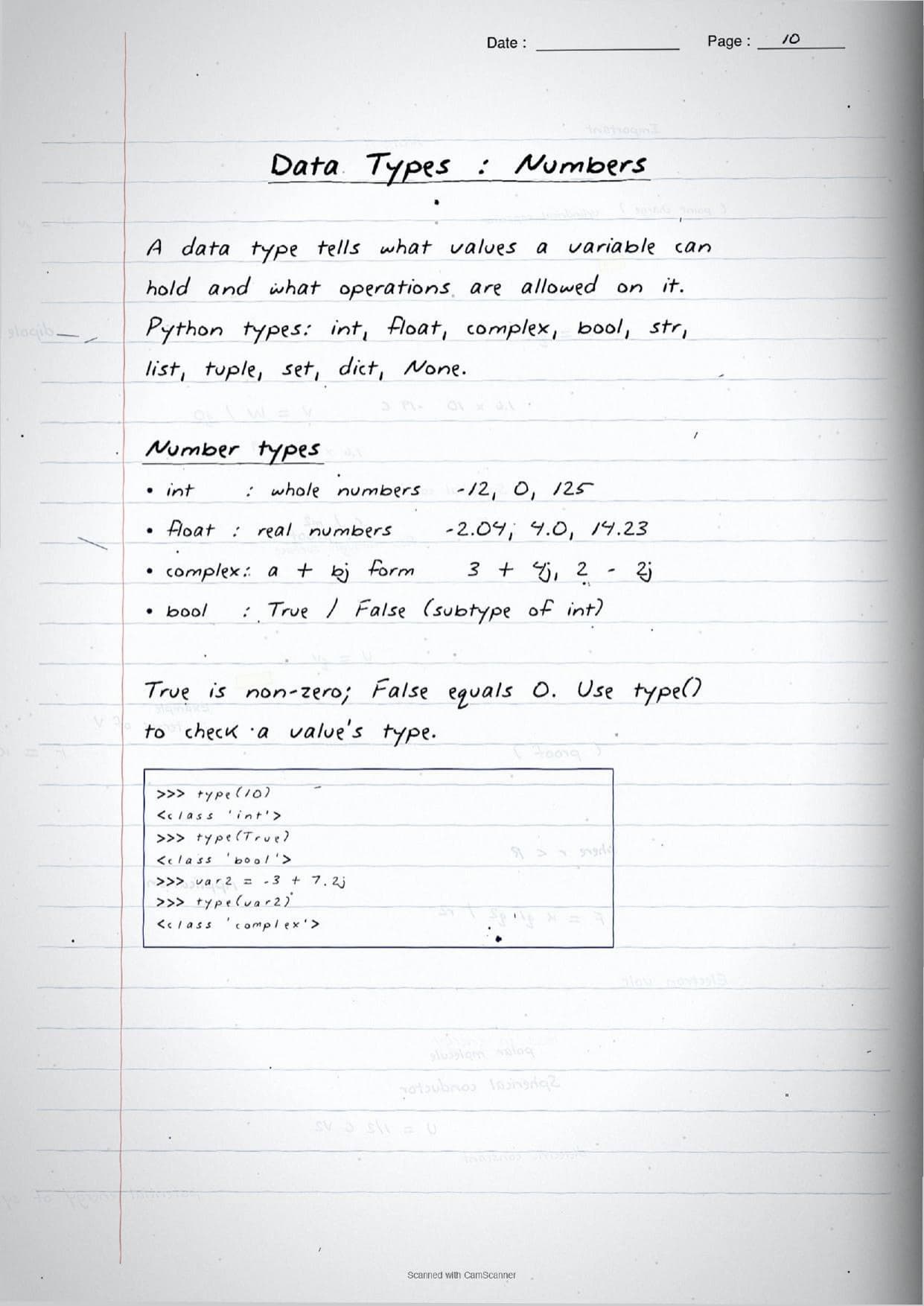
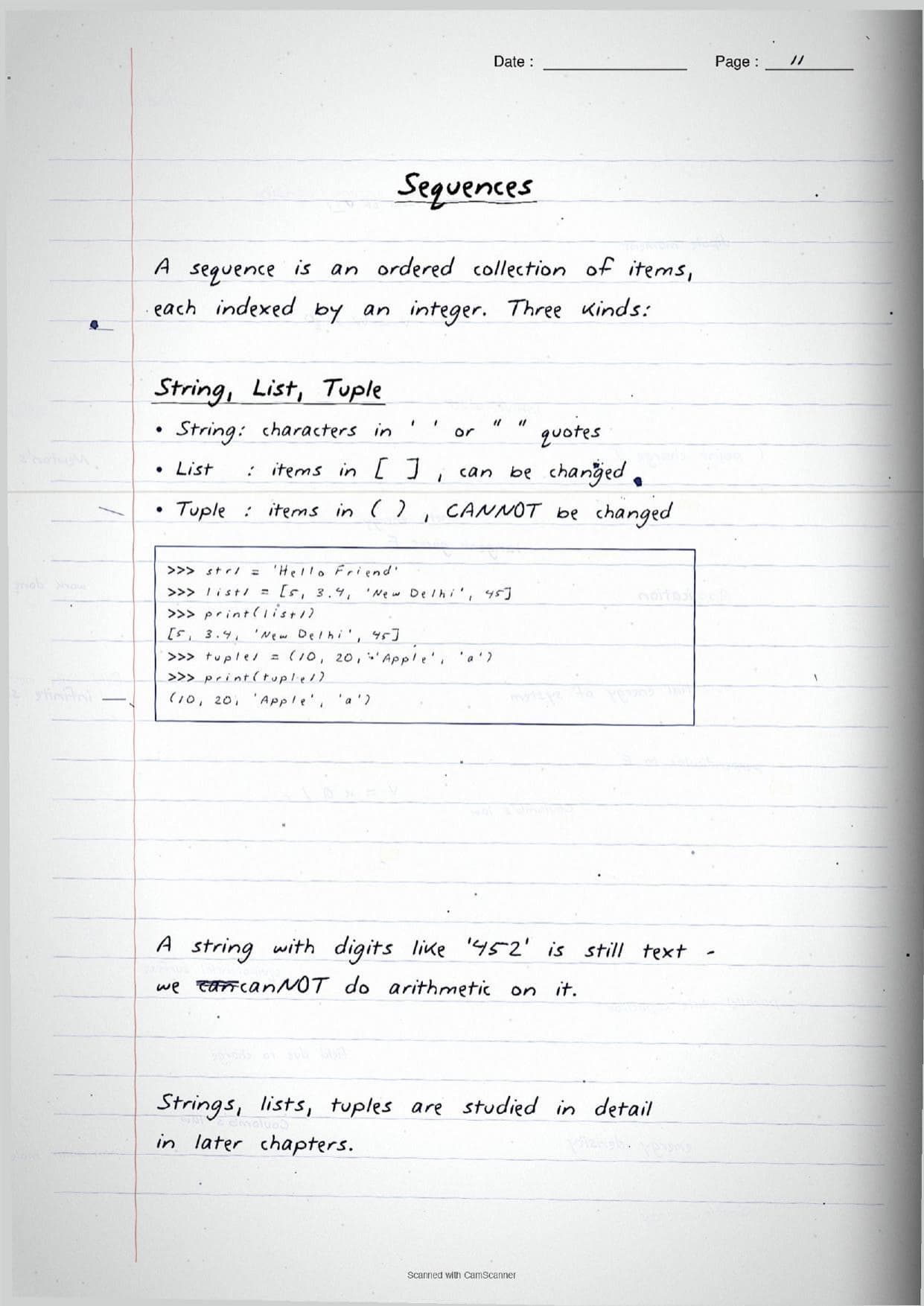
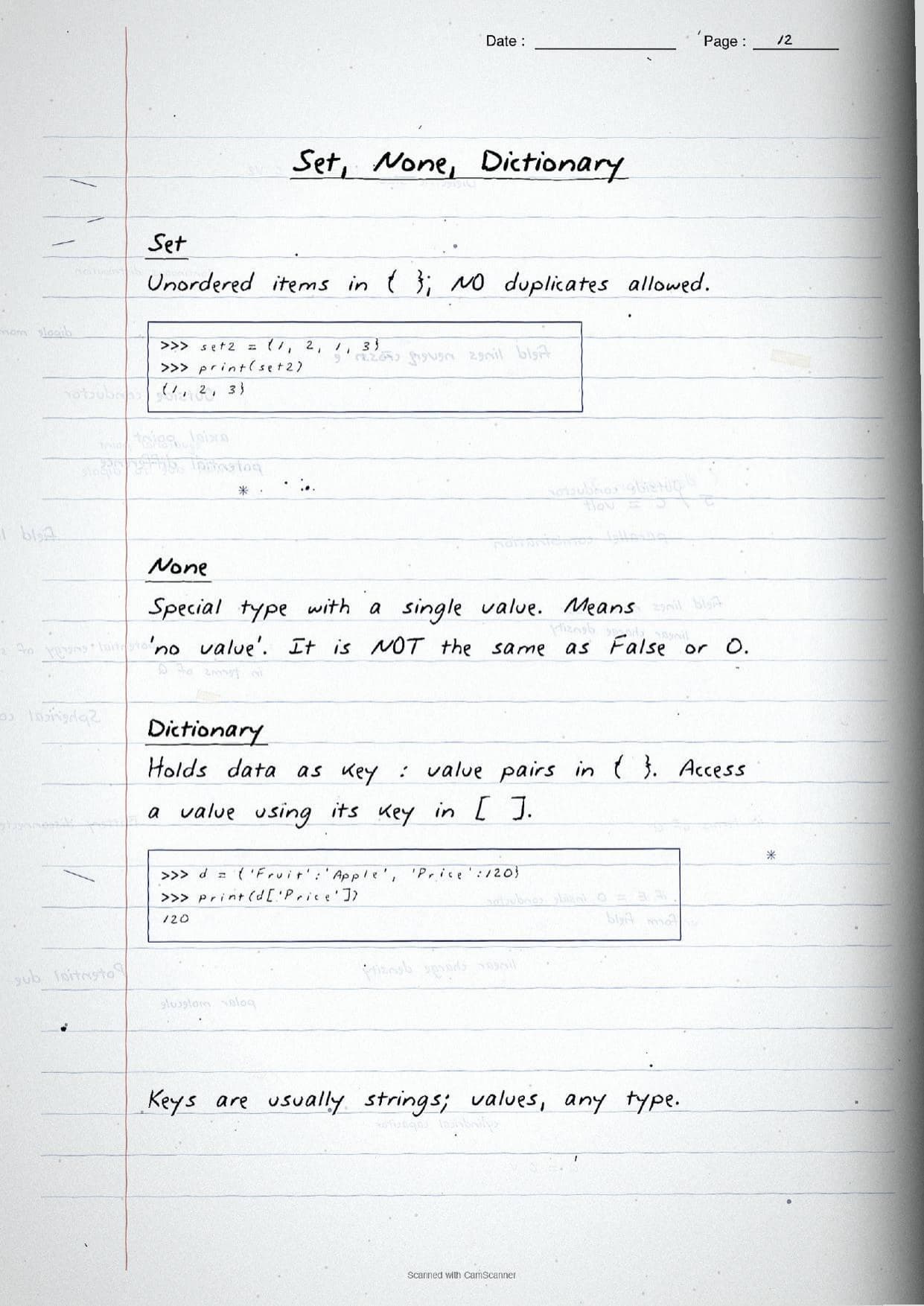
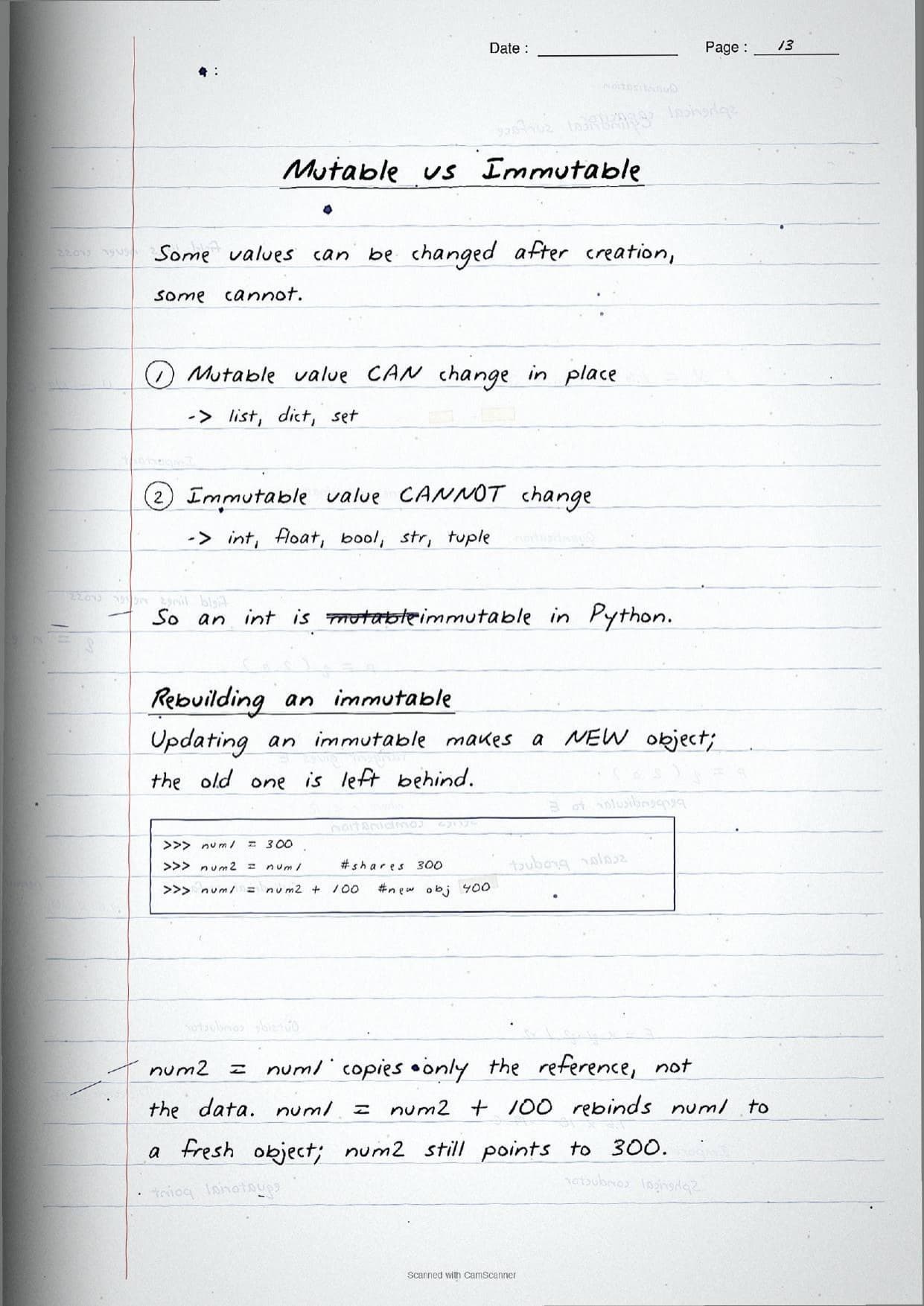
The data type of a value decides what it can hold and which operations are allowed. The handwritten pages list every built-in type with a hand-written example, and mark clearly which are mutable and which are immutable.
| Data type | Example on the page | Mutable? |
|---|---|---|
int, float, complex, bool | 125, 4.0, 3 + 4j, True | Immutable |
str | 'Hello Friend' | Immutable |
tuple | (10, 20, 'Apple') | Immutable |
list | [5, 3.4, 'Delhi'] | Mutable |
set, dict | {1, 2, 3}, {'Price':120} | Mutable |
The mnemonic on the page is simple: mutable values can change in place, while an immutable value like an int or str is rebuilt as a new object when you update it. The notes trace this with num2 = num1 copying only a reference, so updating num1 leaves num2 pointing at the old value.
Operators, Expressions and Debugging
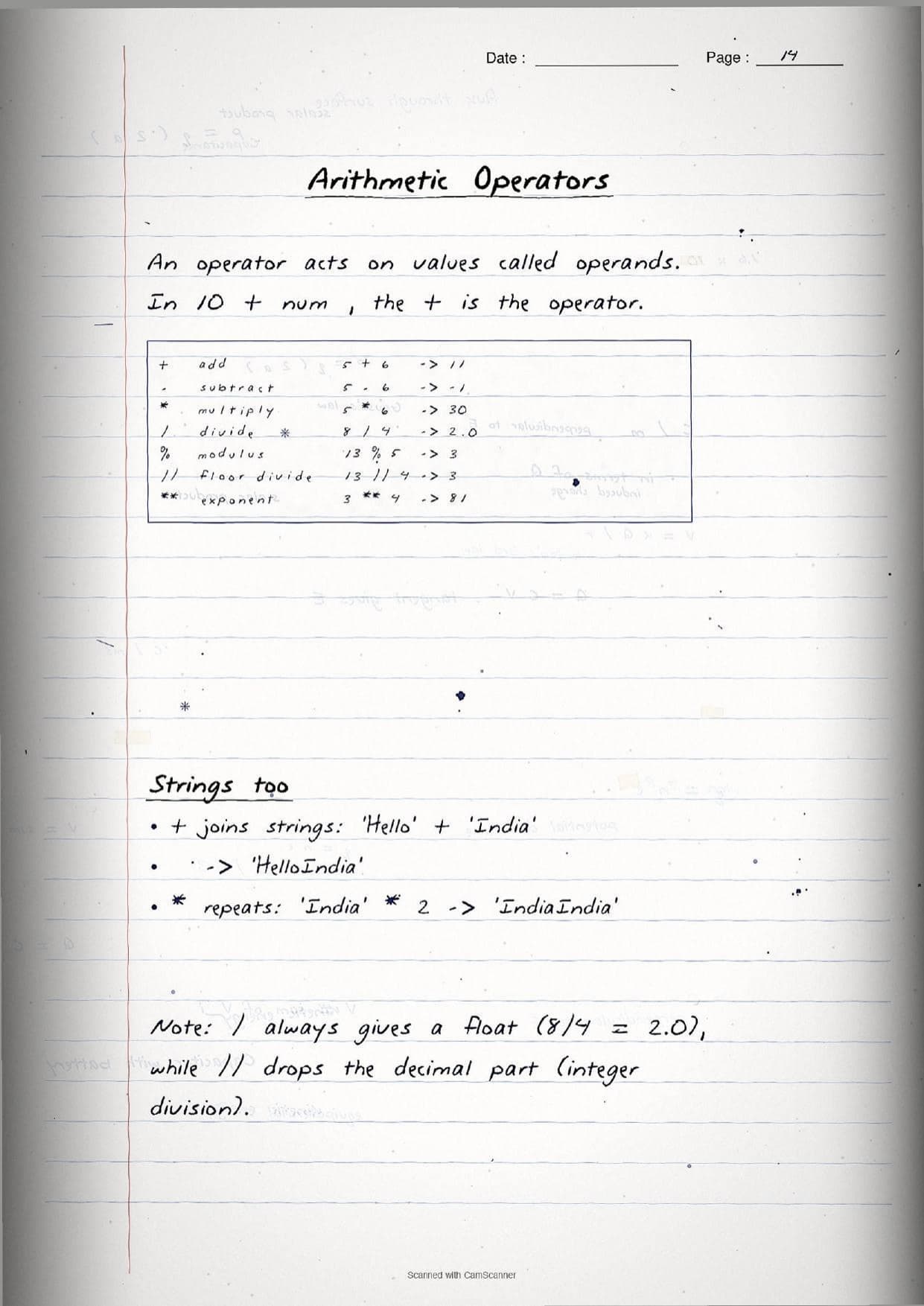
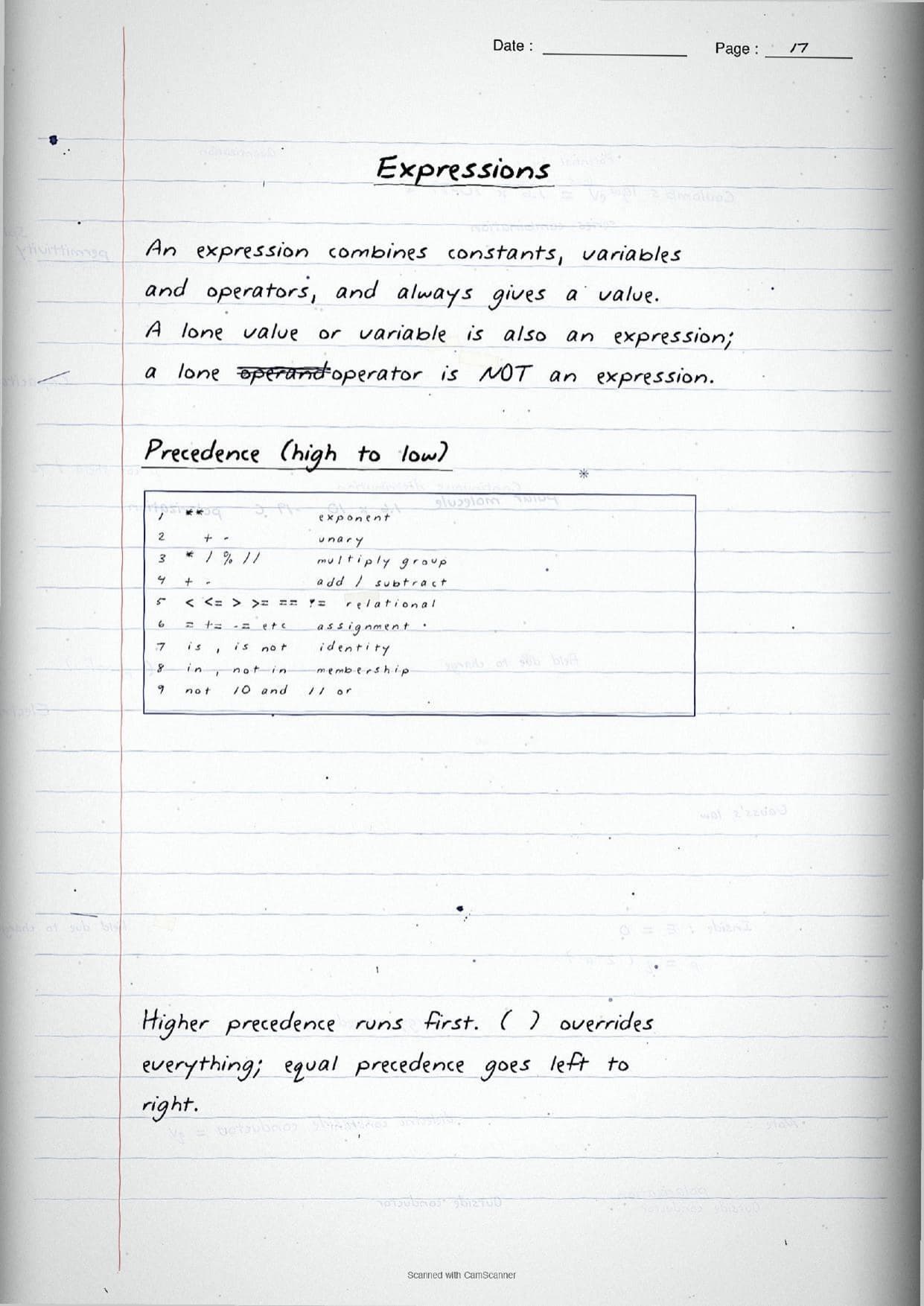
The later pages are where the marks are won. An operator acts on values called operands, and the notes group them by type with a hand-written result beside each line so students can check their own working.
- Arithmetic:
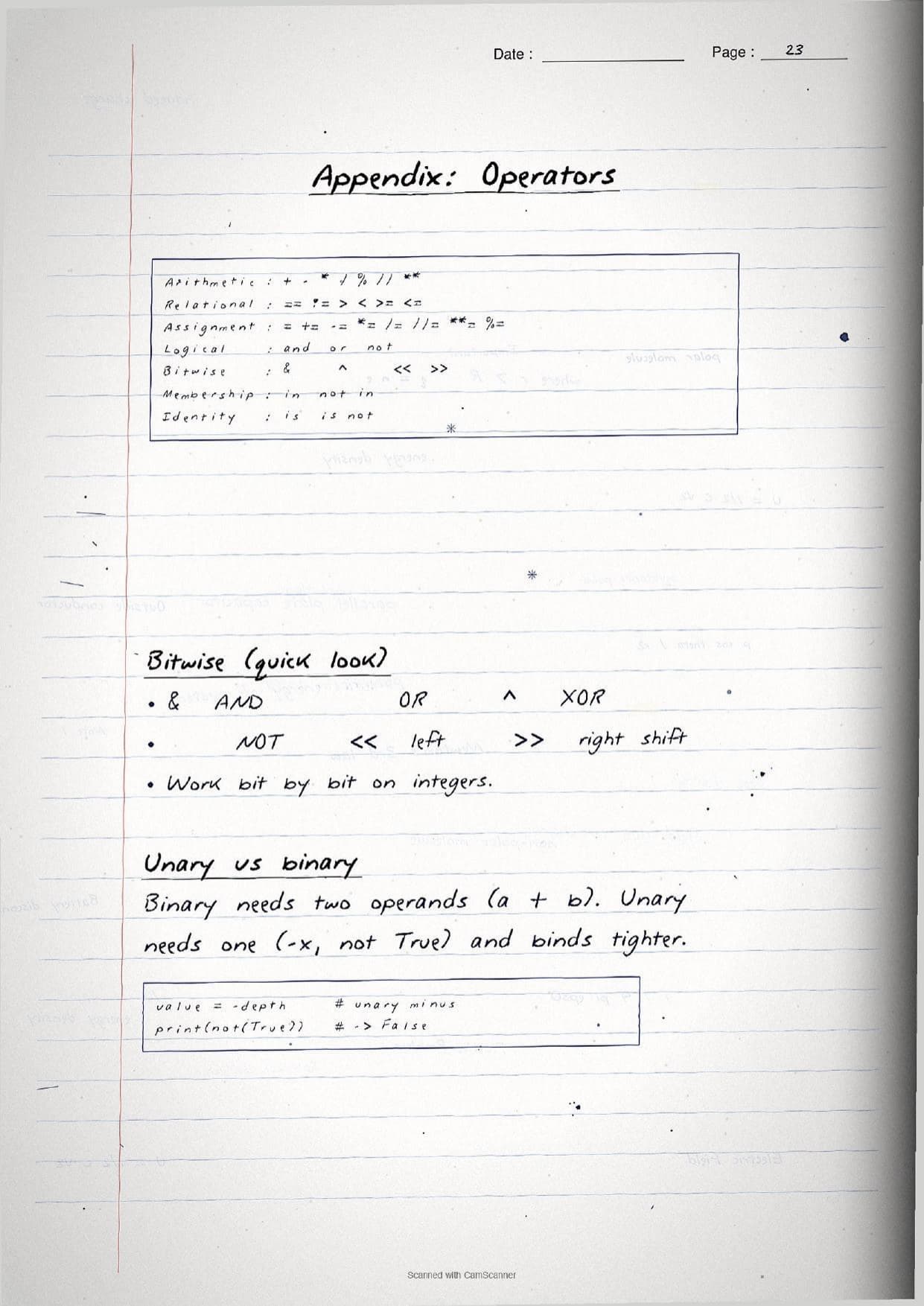
+ - * / % // **. Note that/always gives a float (8 / 4is2.0) while//is floor division that drops the decimal part. - Relational and logical:
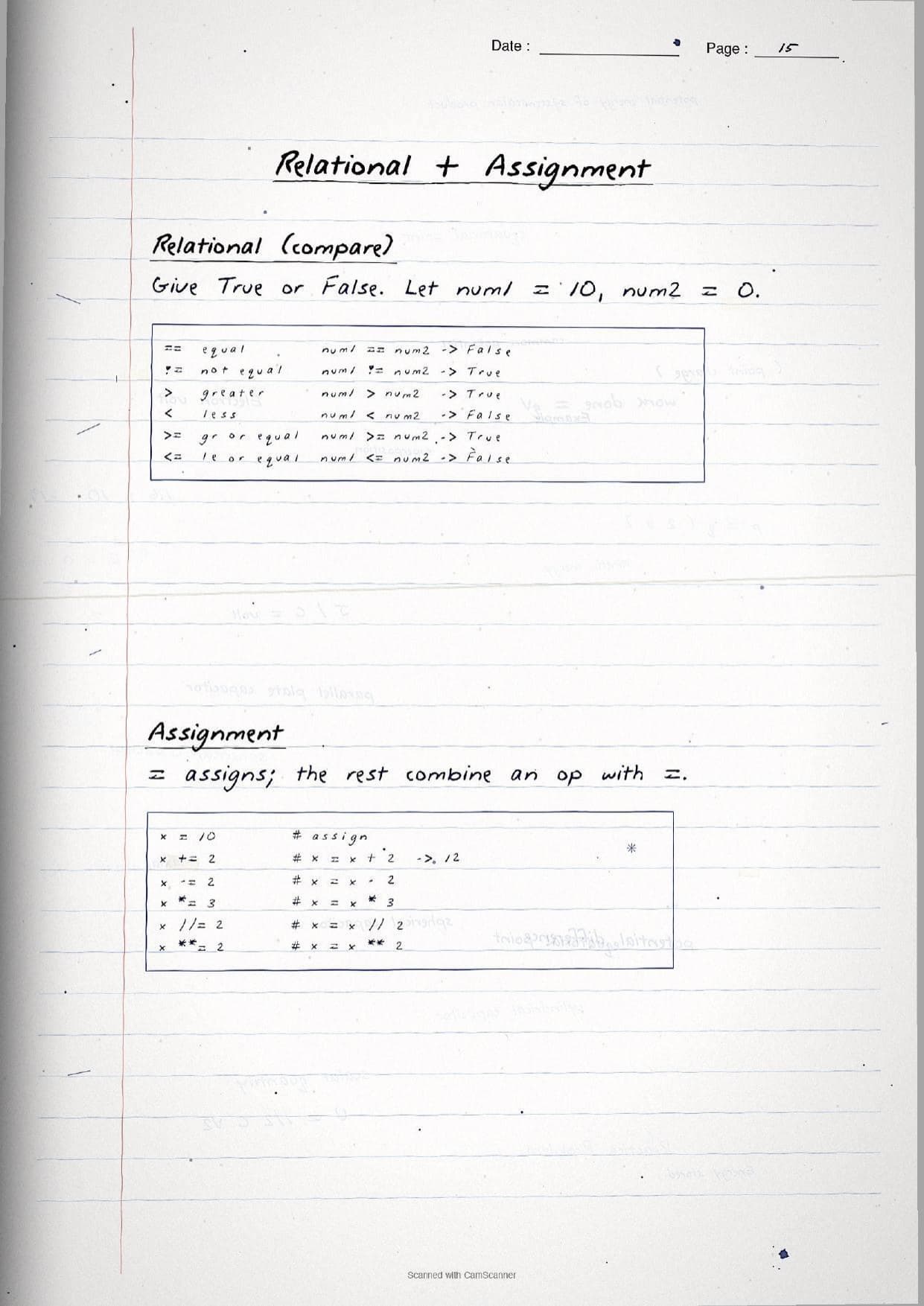
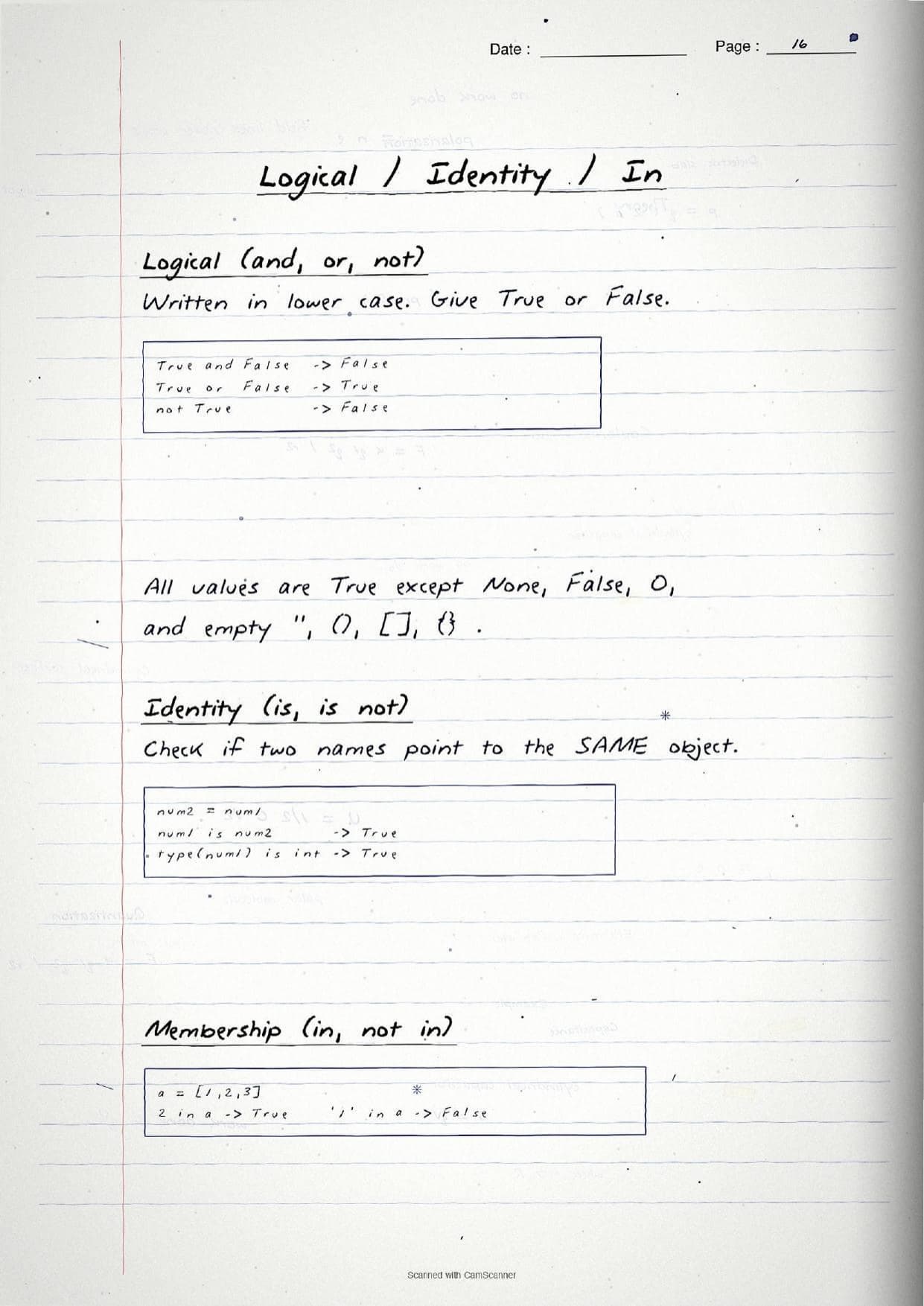
== != > < >= <=giveTrueorFalse, andand,or,notcombine those results. - Assignment, identity and membership:
=,+=and friends, plusis,is not,inandnot in.
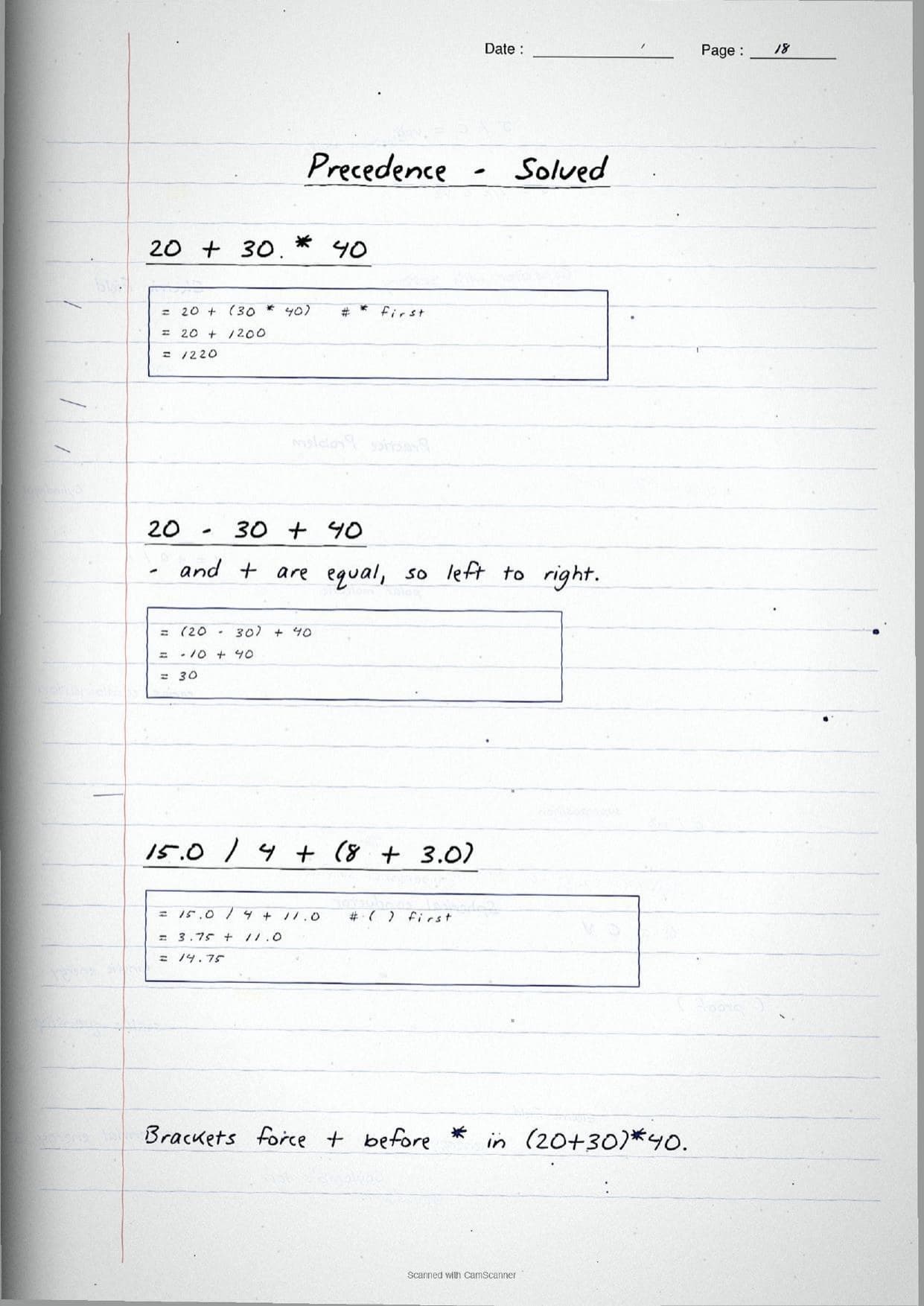
An expression combines constants, variables and operators and always gives a value. When several operators appear together, Python uses precedence to decide the order: ** is highest, then unary signs, then * / % //, then + -, and so on down to or. Brackets override everything, and equal precedence runs left to right. One worked trace on the page reads:
20 + 30 * 40
= 20 + (30 * 40)   # * before +
= 20 + 1200
= 1220
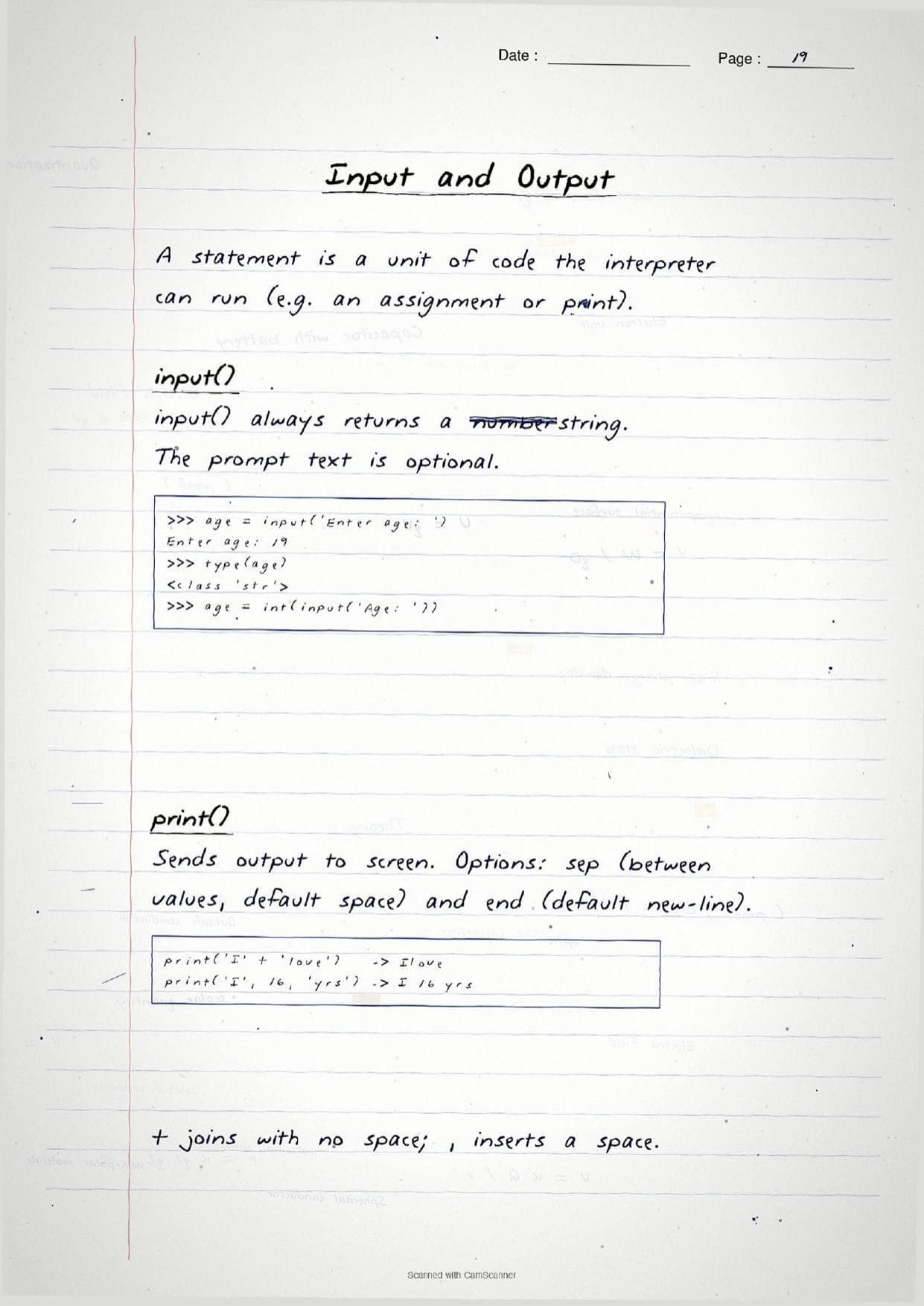
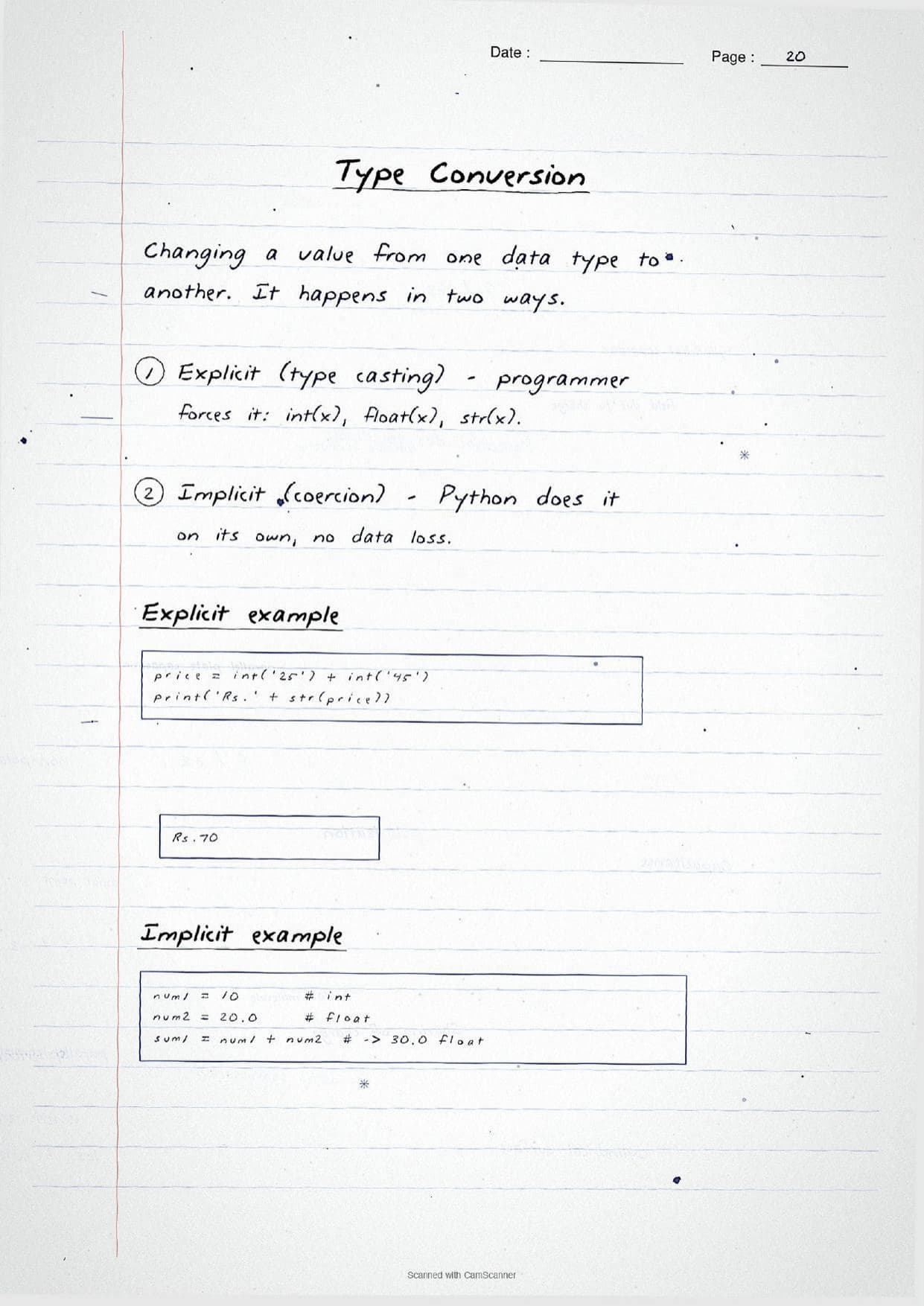
The input and output page reminds students that input() always returns a str, so numbers must be cast with int() or float() before arithmetic, while print() can use sep and end. Type conversion is split into explicit casting, like int('25'), and implicit coercion that Python does on its own with no data loss.
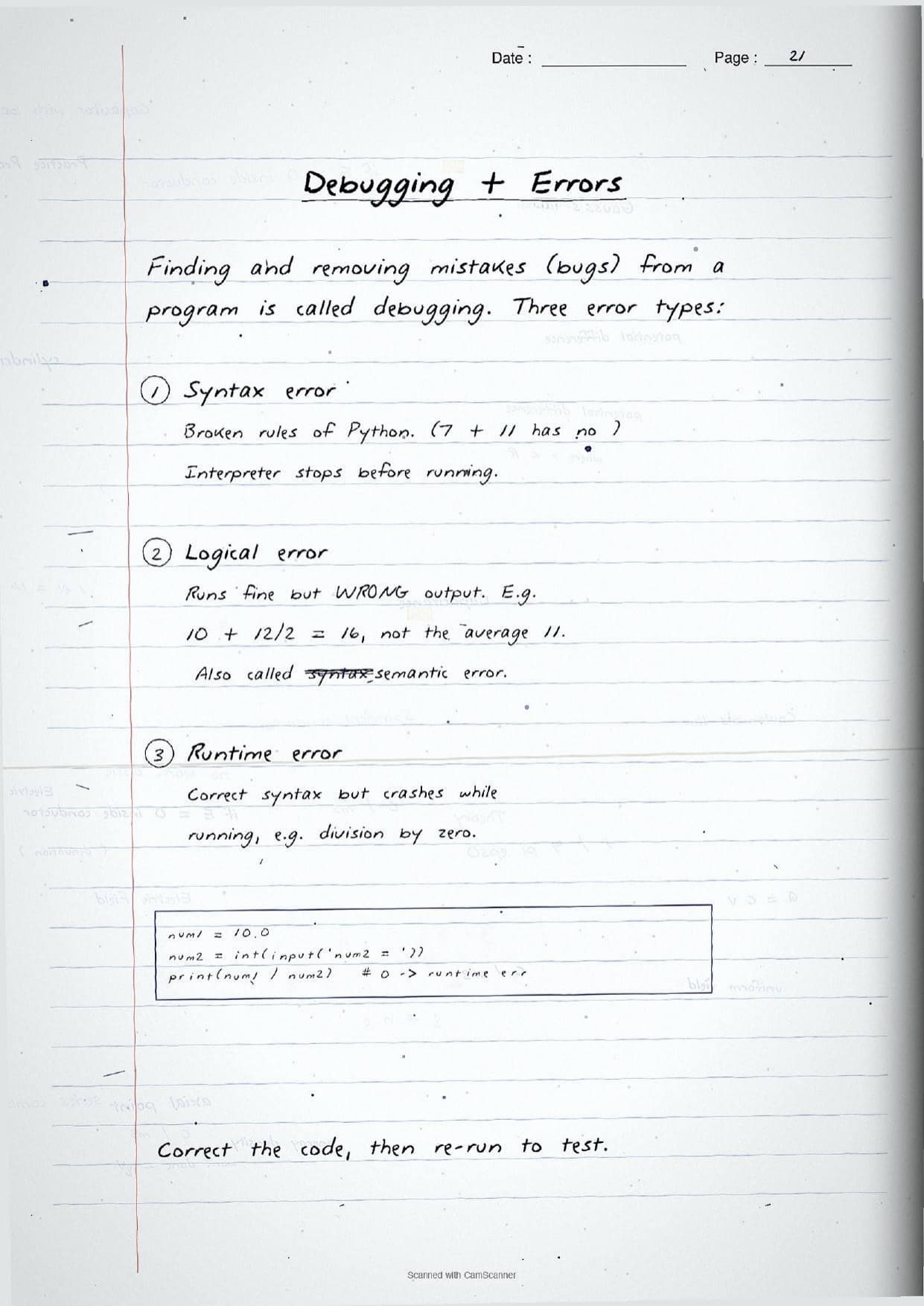
The final revision page covers debugging, the process of finding and removing bugs, and separates the three error types the exam always asks about: a syntax error breaks Python's rules and stops the program before it runs, a logical (semantic) error runs fine but gives the wrong output, and a runtime error has correct syntax but crashes while running, such as division by zero.
How to Use These Handwritten Notes
Handwritten notes work best as a final-revision tool, not a first read. The steps below show how to get the most out of the Getting Started with Python handwritten notes in the last days before a test.
- Download: tap the download card above to save the handwritten pages to your device.
- First read: read the printed Notes and type out the programs once, so the handwritten pages act as a refresher, not a first source.
- Recall drill: cover the page and try to name the five tokens, list the immutable types, and predict the output of each boxed snippet.
- Night before: flip through the operator and precedence tables for a quick last-minute recall before the exam.
Many students search for class 11 computer science chapter 5 notes on their phone the night before a test, so a saved set of handwritten pages means they can revise offline. Use the handwritten notes for speed, then run the programs in Python to confirm the traced output is right.
Common Mistakes These Notes Help You Avoid
A few errors cost marks every year. The handwritten notes flag each one in the margin so students can fix it before the exam. These five are the most common.
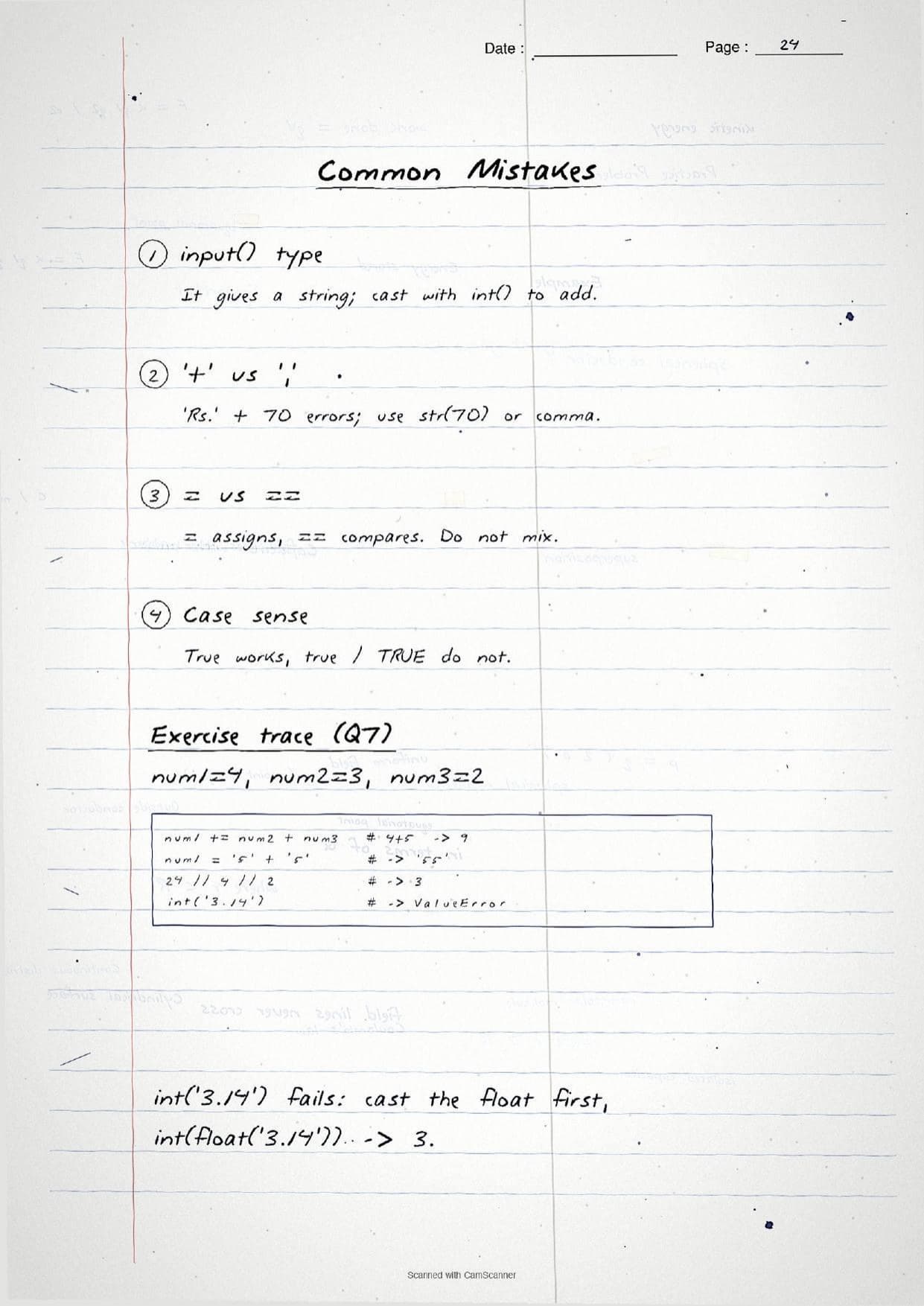
- Forgetting that
input()returns a string. You must cast it withint()orfloat()before doing arithmetic. - Mixing up
=and==. The single=assigns a value, while==compares two values. - Ignoring case sensitivity.
Trueis a keyword, buttrueandTRUEare not. - Confusing
/and//. True division gives a float, floor division drops the decimal part. - Calling an
intmutable. In Python,int,float,bool,strandtupleare all immutable.
Students who fix these five points usually move from average to high marks. The handwritten notes box each rule and trace the output line by line, so the soft points are hard to miss when they revise.
How These Handwritten Notes Pair with the Solutions and Book PDF
These handwritten notes are a fast revision tool. To prepare fully, students should use them alongside the other resources for the same chapter, all linked in the table below. Read the printed Notes, test yourself with the solutions, then use these pages for a final recall.
| Resource | Best used for |
|---|---|
| Getting Started with Python NCERT Solutions | Step-by-step answers and output traces for every exercise question |
| Getting Started with Python Class 11 Notes | Quick chapter summary with tokens, data types and operators in one place |
| Getting Started with Python NCERT Book PDF | Reading the original NCERT chapter text and example programs |
Tip: read the printed Notes first, run the programs yourself, then keep these handwritten pages for the final night-before flip. Using them for recall, not for the first read, builds memory faster.
All Class 11 Computer Science Handwritten Notes by Chapter
The table links the handwritten notes for every chapter in Class 11 Computer Science, so students can move across the course in one click. Getting Started with Python is highlighted.
| Chapter | Handwritten Notes |
|---|---|
| Chapter 1 | Computer System |
| Chapter 2 | Encoding Schemes and Number System |
| Chapter 3 | Emerging Trends |
| Chapter 4 | Introduction to Problem Solving |
| Chapter 5 | Getting Started with Python |
| Chapter 6 | Flow of Control |
| Chapter 7 | Functions |
| Chapter 8 | Strings |
| Chapter 9 | Lists |
| Chapter 10 | Tuples and Dictionaries |
| Chapter 11 | Societal Impact |
FAQs on Getting Started with Python Handwritten Notes
Getting Started with Python Class 11 Computer Science Handwritten Notes Common Questions
Ques. Where can I download the Getting Started with Python handwritten notes PDF?
Ans. You can download the Getting Started with Python Class 11 Computer Science handwritten notes PDF directly from this page. It is free, follows the 2026-27 NCERT, and presents the features of Python, tokens, data types, operators and error types as handwritten pages with the code written out by hand.
Ques. What are the five types of tokens in Python?
Ans. Python has five kinds of tokens: keywords (reserved words like if and for), identifiers (names such as marks), literals (fixed values like 10 or 'Hi'), operators (such as + and ==), and punctuators (structure symbols like ( ) and :). The handwritten notes box each one with an example.
Ques. What topics do these handwritten notes cover?
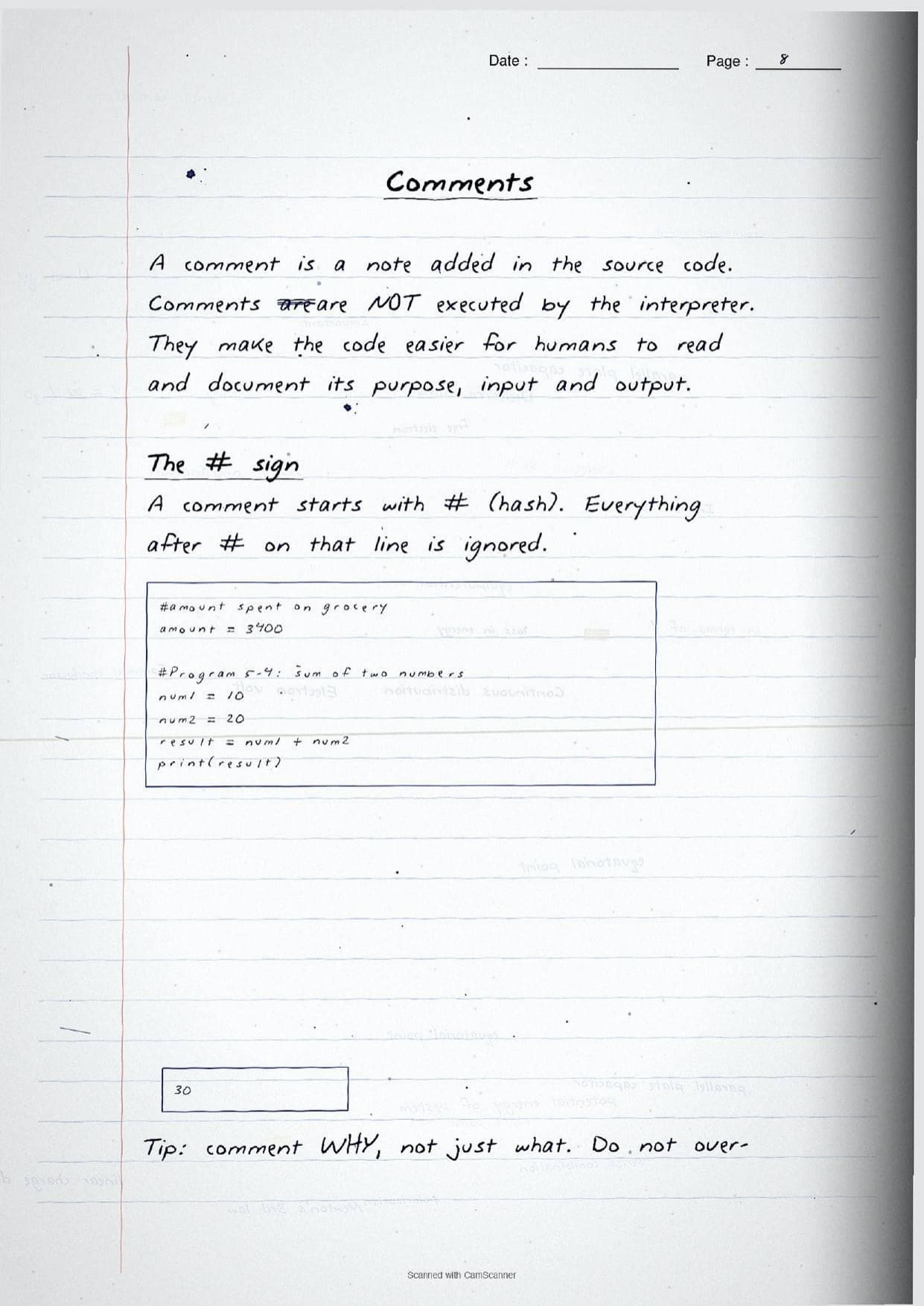
Ans. They cover the features of Python, interactive versus script mode, the five tokens, variables and dynamic typing, comments with #, all built-in data types, mutable versus immutable objects, arithmetic, relational, logical, assignment, identity and membership operators, expressions with operator precedence, type conversion, and the syntax, logical and runtime error types.
Ques. What is the difference between interactive mode and script mode?
Ans. Interactive mode runs one statement at a time on the >>> prompt and shows the result instantly, but nothing is saved. Script mode lets you write many lines in a .py file, save it, and run the whole program together. The notes show a small boxed example of each mode.
Ques. Are handwritten notes good for revising Class 11 Computer Science Chapter 5?
Ans. Yes. Handwritten notes are best for fast, last-minute revision because the boxed syntax and traced output make each program easy to skim. Use them after a first read of the printed Notes and after running the programs yourself, not as your only source.



Comments