




AIAPGET 2026 exam is conducted by NTA for admission to MD/MS in Ayush courses such as Ayurveda, Homeopathy, Unani and Sidha streams across India. The expected date for the commencement of AIAPGET 2026 is around July/August 2026.
- In case you are facing AIAPGET 2026 login issues, you can recover your application number and reset your password using registered email ID directly at aiapget.nta.nic.in.
- All the steps for of your login crediantials such as recovery of your AIAPGET 2026 application number and password reset happens only on the official portal.
- For recovery of your application number, you need to click on the “Forgotten Application Number” and provide your registered email Id to receive it.
- Candidates are advised to follow the steps below regarding how to recover AIAPGET 2026 application number and reset password in case they have AIAPGET 2026 login issues.
Related Article: AIAPGET Application Form 2026: Registration Expected Date, How to Apply and Form Correction
Key Summary
- The common AIAPGET 2026 login issue includes mismatch of your login crediantials and getting your account locked for multiple incorrect login attempts for which you need to wait for 30 minutes.
- The process of fixing your AIAPGET 2026 login issues is described in detail below but if trying all attempts of recovery steps it doesn’t work, you need to contact NTA helpdesk.
- The registration for AIAPGET 2026 will commence from June/July 2026 so you are advised to check the website regularly.
Common AIAPGET 2026 Login Issues
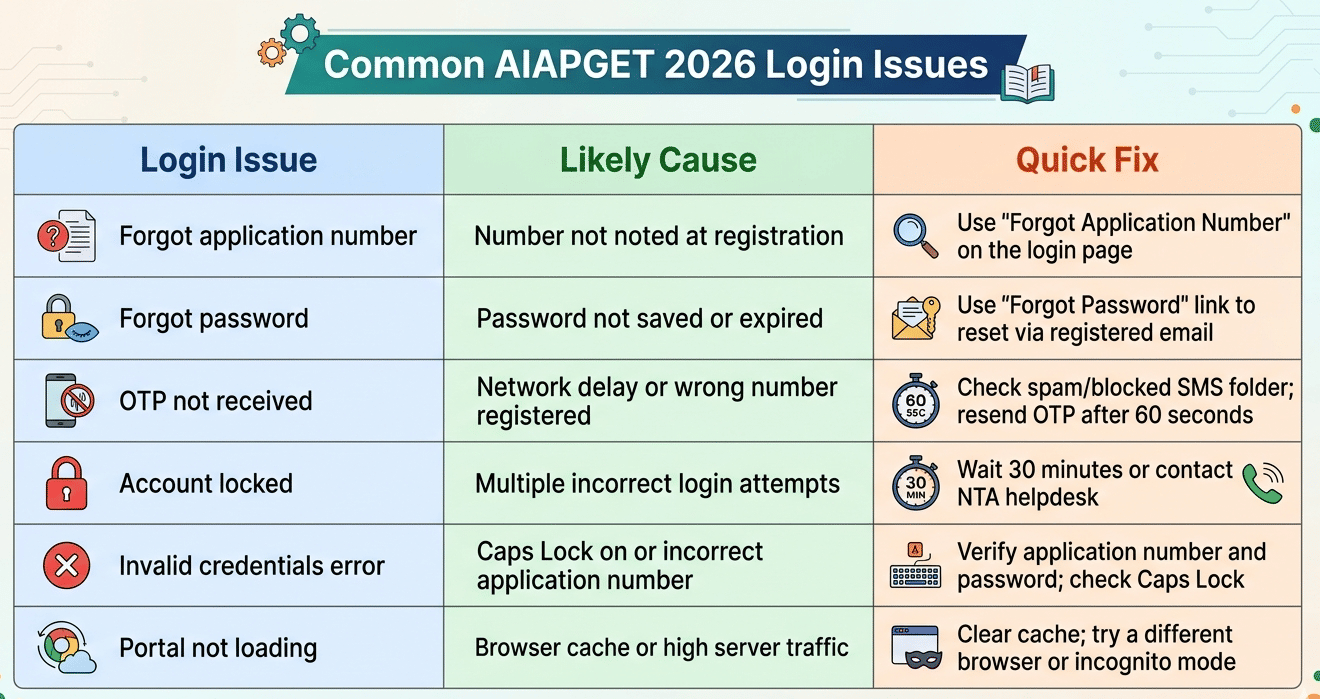
Students face a range of login problems after registering on the AIAPGET portal. The most frequent ones are listed below along with their quick fixes.
| Login Issue | Likely Cause | Quick Fix |
|---|---|---|
| Forgot application number | Number not noted at registration | Use "Forgot Application Number" on the login page |
| Forgot password | Password not saved or expired | Use "Forgot Password" link to reset via registered email |
| OTP not received | Network delay or wrong number registered | Check spam/blocked SMS folder; resend OTP after 60 seconds |
| Account locked | Multiple incorrect login attempts | Wait 30 minutes or contact NTA helpdesk |
| Invalid credentials error | Caps Lock on or incorrect application number | Verify application number and password; check Caps Lock |
| Portal not loading | Browser cache or high server traffic | Clear cache; try a different browser or incognito mode |
Related Article: AIAPGET 2026 Application Form: How to Apply on aiapget.nta.nic.in
Ques. I forgot my AIAPGET 2026 application number. How can I recover it?
Ans. Visit aiapget.nta.nic.in and click "Candidate Login". On the login page, click "Forgot Application Number", enter your registered email ID and date of birth, then submit. Your application number will be sent to your registered email and mobile number.
How to Recover AIAPGET 2026 Application Number
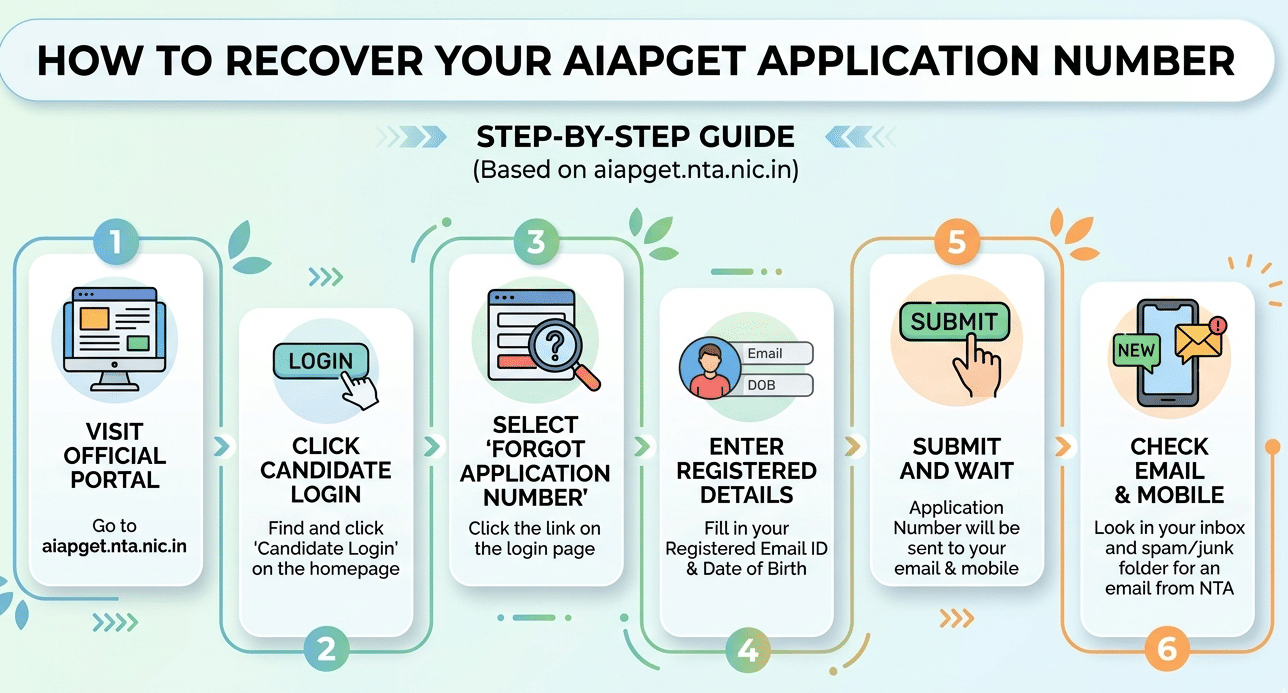
Your AIAPGET 2026 application number was emailed and sent via SMS to your registered contact details at the time of successful registration. If you did not save it, follow these steps to retrieve it.
- Step 1: Visit the official AIAPGET portal at aiapget.nta.nic.in.
- Step 2: Click on "Candidate Login" on the homepage.
- Step 3: On the login page, click "Forgot Application Number".
- Step 4: Enter your registered email ID and date of birth in the fields provided.
- Step 5: Click "Submit" and after that your application number will be sent to your registered email ID and mobile number.
- Step 6: Check your inbox and spam/junk folder for an email from NTA containing your application number.
Note: If your registered email is no longer accessible, contact the NTA Helpdesk or write to aiapget@nta.ac.in with proof of registration such as a fee payment receipt or registration confirmation screenshot.
Related Article: AIAPGET Exam Pattern 2026: 120 Questions, 480 Marks, Marking Scheme and Duration
Ques. How do I reset my AIAPGET 2026 password?
Ans. Click "Forgot Password" on the AIAPGET 2026 login page at aiapget.nta.nic.in. Enter your application number and registered email ID and submit. A password reset link will be emailed to you. Click the link, set a new password, and log in again.
How to Reset AIAPGET 2026 Password
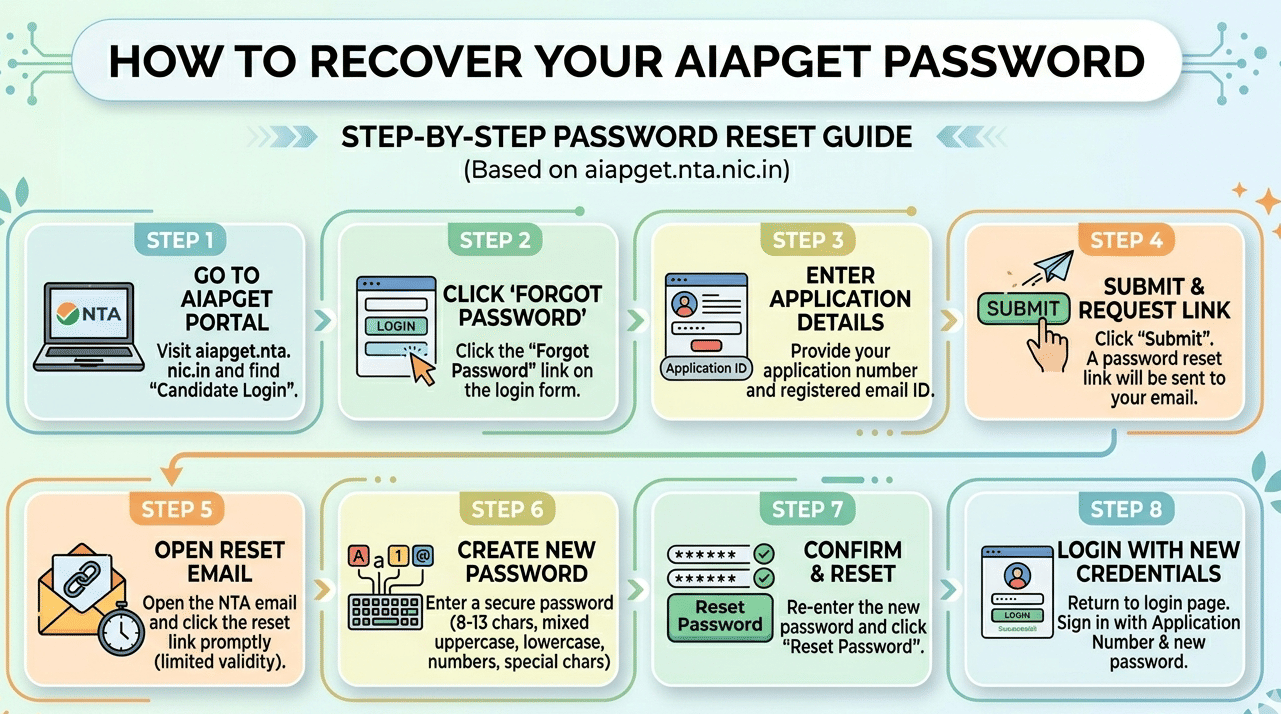
If you have forgotten your AIAPGET 2026 login password or your current password is not working, use the "Forgot Password" feature on the portal. Follow these steps carefully.
- Step 1: Go to aiapget.nta.nic.in and click "Candidate Login".
- Step 2: Click "Forgot Password" below the login form.
- Step 3: Enter your application number and registered email ID.
- Step 4: Click "Submit". A password reset link will be sent to your registered email address.
- Step 5: Open the email from NTA and click the reset link. The link is valid for a limited time so use it promptly.
- Step 6: Enter your new password. Use a mix of uppercase letters, lowercase letters, numbers, and special characters (8 to 13 characters).
- Step 7: Confirm the new password and click "Reset Password".
- Step 8: Return to the login page and sign in with your application number and the new password.
Note: If you do not receive the reset email within 10 minutes, check your spam folder. If it is still not received, use the resend option on the portal or contact NTA support directly.
Related Article: AIAPGET 2026 Form Correction: Editable Fields and How to Edit
Ques. I am not receiving the OTP on my registered mobile number. What should I do?
Ans. Check whether the message is in your blocked or spam SMS folder. Wait 60 seconds and request a resend. Make sure your mobile has network coverage and that DND settings are not blocking transactional SMS. If the issue persists, contact the NTA Helpdesk at 011-40759000.
How to Login to AIAPGET 2026 Portal
Once you have your application number and password ready, follow these steps to log in and access your AIAPGET 2026 account dashboard.
- Step 1: Open aiapget.nta.nic.in in Google Chrome or Mozilla Firefox (recommended browsers).
- Step 2: Click "Candidate Login" on the homepage.
- Step 3: Enter your application number in the first field.
- Step 4: Enter your password in the second field.
- Step 5: Type the security captcha displayed on screen. Do not use autofill for this field.
- Step 6: Click "Sign In" to access your dashboard.
Note: From your dashboard you can complete pending form steps, pay the application fee, download your admit card once it is released, and check all exam-related updates from NTA.
According to a Reddit Post, a user said that the AIAPGET 2026 notification is still not relesed on the official website. In this discussion, another user commented that many coaching institutes are predicting that the notification of AIAPGET 2026 will be available by end of July 2026.

Source: Reddit
Troubleshooting AIAPGET 2026 Login Problems
If the standard steps above do not resolve your login issue, try the following tips before contacting NTA.
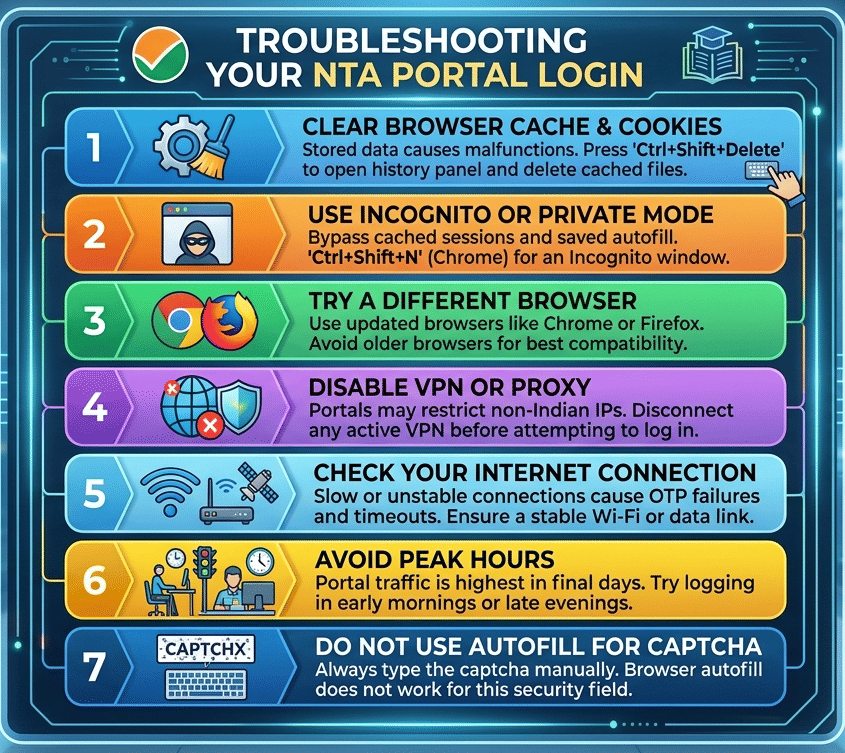
- Clear browser cache and cookies: Stored data can cause login pages to malfunction. Press Ctrl+Shift+Delete to open your browser’s clear-history panel and delete cached files.
- Use incognito or private mode: Open an incognito window (Ctrl+Shift+N in Chrome) to bypass cached sessions and saved autofill data.
- Try a different browser: Google Chrome and Mozilla Firefox work best with NTA portals. Avoid older browsers.
- Disable VPN or proxy: NTA portals may restrict access from non-Indian IP addresses. Disconnect any active VPN before logging in.
- Check your internet connection: A slow or unstable connection causes OTP delivery failures and page timeouts. Switch to a stable Wi-Fi or mobile data connection.
- Avoid peak hours: Portal traffic is highest during the final days of the registration window. Try logging in early in the morning or late in the evening.
- Do not use autofill for captcha: Always type the captcha manually — browser autofill does not work for this security field.
If none of these steps help, contact the NTA Helpdesk at 011-40759000 (Monday to Friday, 10 AM to 5 PM) or email aiapget@nta.ac.in. Keep your registration confirmation or fee receipt ready when you reach out.
Related Article: List of Top Colleges in India Accepting AIAPGET Based on 2026 Ranking
AIAPGET 2026 Login Issues FAQs
Ques. My AIAPGET 2026 account is locked after wrong password attempts. How do I unlock it?
Ans. Account locking typically happens after several incorrect login attempts. Wait for 30 minutes and then try again. If the account remains locked, contact the NTA Helpdesk at 011-40759000 or email aiapget@nta.ac.in with your application number for further assistance.
Ques. I registered with an email ID I no longer have access to. Can I update it?
Ans. Changes to a registered email ID in a submitted application are generally not allowed. Contact the NTA Helpdesk at 011-40759000 or email aiapget@nta.ac.in immediately with proof of registration such as a fee payment receipt or your original registration confirmation. NTA support will advise on the available options.
Ques. The AIAPGET 2026 portal is not loading. What should I do?
Ans. Clear your browser cache and cookies, then try again using Google Chrome or Mozilla Firefox in incognito mode. Disconnect any VPN. If the portal is under scheduled maintenance NTA will post an update on the official website. Try accessing the portal again during early morning hours when server load is lower.



Comments