




Avoiding mistakes on the XAT application form is critical, as XLRI provides highly limited correction windows. A single error can lead to admit card delays or disqualification.
The most common errors include name mismatches with Class 10 records, incorrect percentage/CGPA calculations, and uploading blurry photographs.
- There are other XAT 2027 Application Form Mistakes to Avoid, and one of them is calculating the graduation percentage incorrectly. You need to use the exact conversion formula to convert your CGPA to a percentage.
- Avoid uploading Selfies or low-resolution images. Make sure to upload a clearly visible, white-background recent passport-size photo without a cap, hats or dark glasses.
- The signature should be done in black ink and properly cropped within the 20–50 KB limit.
- Avoid adding internships or unverified freelance work as your work experience. Only add full-time, post-graduation work experience.
- Ensure you select all the specific XLRI programs you intend to apply for while registering.
Always double-check your form against official documents and register via the official XAT Online Portal because as per some media reports, less than 5% of students face disqualification due to errors in the XAT application.
Related Articles:
Key Summary
- Always fill the XAT form using a desktop or laptop on Google Chrome or Firefox; mobile browsers are unstable and can cause incomplete submissions or upload failures.
- The XAT application form cannot be edited after final submission until the correction window opens.
- Forgetting to separately apply for XLRI programmes by paying the additional Rs 200 per programme is a common and irreversible error. XAT registration alone does not make you eligible for XLRI shortlisting.
- Candidates must save the confirmation page and payment receipt immediately after form submission.
XAT 2027 Application Form: Most Common Mistakes at a Glance
One of the most common errors candidates make is a spelling error in their name or parents’ name. Your name should match your Class 10 marksheet.
- Your date of birth should also match your Valid ID or Class 10th Marksheet.
- Make sure to upload a clear scanned photograph and signature.
- After you submit your XAT 2027, you will be given a chance to correct your mistakes through the correction window which is open for usually 2-3 days.
| Mistake | Severity | Fixable in Correction Window? |
|---|---|---|
| Name spelling does not match Class 10 marksheet | Critical | No, You can’t change your Name. |
| Wrong date of birth entered | Critical | No, you can’t change your Date of birth. |
| Wrong email ID or mobile number | Critical | No, you can’t edit your email or mobile number |
| Blurry, oversized, or wrong-format photo | High | Yes, you can reupload your photo |
| Forgot to apply for XLRI programme (paid Rs 200 separately) | High | Partial; check the XAT official website if you can apply for XLRI programs. |
| Wrong graduation percentage or year entered | Moderate | Yes, you can change your academic details |
| Incorrect test city preference order | Moderate | Yes, you can change city preferences too |
| Double payment due to refreshing during fee payment | Low | Contact XAT helpdesk, no automatic refund |
Also Read: What is the Eligibility Criteria to Apply XAT 2027?
Ques. Which details cannot be changed in the XAT 2027 application form after submission?
Ans. Based on XAT 2025 and 2026 correction window rules, the following fields are permanently locked after final submission: name, date of birth, email ID, and mobile number. These cannot be edited even during the correction window. Academic details, work experience, test city preferences, photo, and signature can typically be updated during the correction window. Always verify these non-editable fields carefully before clicking Final Submit.
Mistake 1: Name and Personal Details Not Matching Official Documents
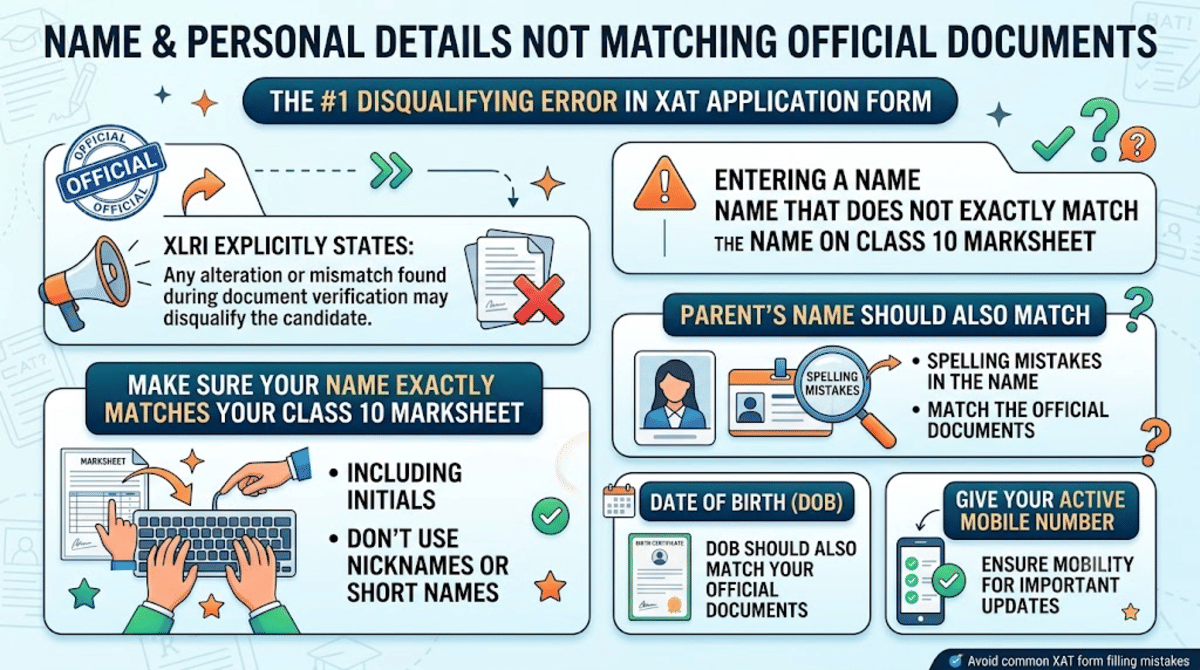
The single most disqualifying error in the XAT application form is entering a name that does not exactly match the name on Class 10 marksheet.
XLRI explicitly states that any alteration or mismatch found during document verification may disqualify the candidate.
- Make sure your name exactly matches your Class 10 marksheet including initials. Don’t use your nickname or short names.
- Your parent’s name should also match the official documents; look for any spelling mistakes in the name.
- Your date of birth should also match your official documents.
- Make sure to give your mobile number that is active.
Ques. What should a student do if they realise their name is incorrect after XAT form submission?
Ans. Since the name is a non-editable field, the student must contact the XAT helpdesk immediately at the numbers provided on xatonline.in. XLRI may or may not be able to resolve the issue; there is no guarantee of a fix, and the registration fee will not be refunded. This is why verifying the name against the Class 10 marksheet before submission is the most important pre-submission step.
Mistake 2: Incorrect Photo and Signature Upload
Photo and signature upload errors are the most common technical mistakes in XAT registration.
- Make sure the size and format of your photograph and signature are met before you upload; You can't upload your photos if this condition is not met.
- Also make sure the signature you uploaded same as the signature you are going to sign during the attendance sheet on exam day.
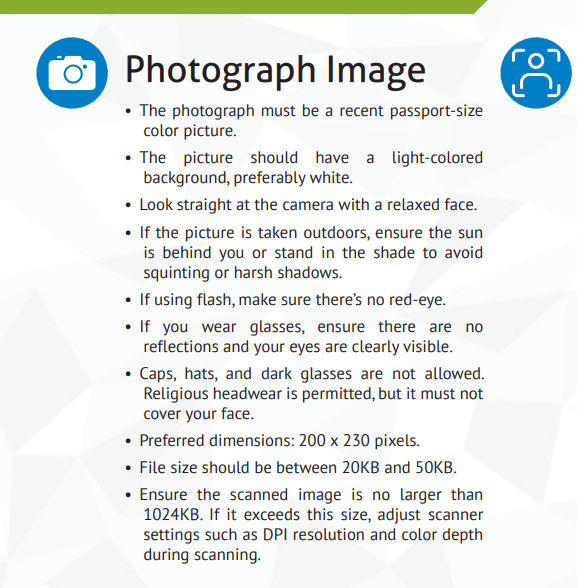
XAT 2027 Photo Specifications
- Use MS Paint or any image editor to resize the photo and signature to the correct pixel dimensions before uploading.
- Save the scanned files as JPG/JPEG explicitly before upload.
| Parameter | Required Specification | Common Mistake to Avoid |
|---|---|---|
| Type | Recent passport-size colour photograph | Don’t use an old photo or a group photo that is cropped. Don’t upload your selfie photo |
| Background | Light-coloured, preferably white | Don’t upload a photo that is colored or has an outdoor background. |
| Dimensions | 200 × 230 pixels (preferred) | Don’t upload your full body picture. |
| File Size | 20 KB - 50 KB | Don’t try to upload a photo that is more than 50KB; it will automatically rejects. |
| File Format | JPG or JPEG only | PNG or PDF formats are not allowed to upload |
| Face Visibility | Face clearly visible, looking straight at camera | Sunglasses, cap, hat, or heavy shadow on face are not allowed in your photo |
Source: XAT 2026 Official Bulletin
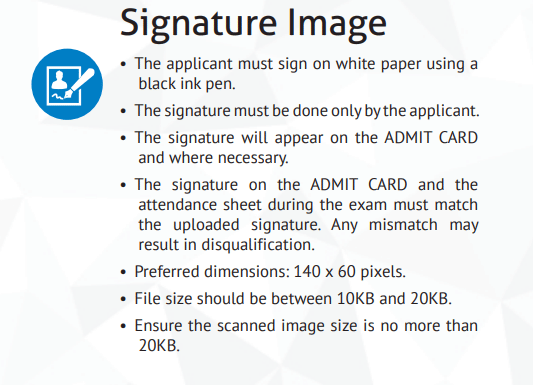
XAT 2027 Signature Specifications
| Parameter | Required Specification | Common Mistake to Avoid |
|---|---|---|
| Medium | Sign on white paper using a black ink pen | Don’t use blue ink or any other ink colored pen; Don’t use any color paper to sign other than white. |
| Dimensions | 140 × 60 pixels (preferred) | Don’t try to upload an oversized or full-page scan of the signature. |
| File Size | 10 KB - 20 KB | Make sure your signature file size is lower than 20KB; otherwise it automatically displays an error. |
| Signer | Must be signed by the candidate only | Parent, guardian, or any third party signing on candidate's behalf are not allowed. |
| Consistency | Must match the signature on the admit card and exam day attendance sheet | Signing in a different style on exam day can result in disqualification |
Source: XAT 2026 Official Bulletin
Check: XLRI Admission Process, Eligibility Criteria and Seat Intake
Ques. Can the photo be re-uploaded if it was rejected or blurry in the XAT 2027 form?
Ans. Yes, photo and signature are among the fields that can be corrected during the XAT 2027 form correction window (expected in October 2026). Students should log in to xatonline.in during this window, re-upload the corrected image, and save changes before the window closes. The same file format and size specifications apply during the re-upload.
Mistake 3: Forgetting to Apply for XLRI Programmes Separately
Paying the ₹ 2200 XAT registration fee only registers the candidate for the exam, it does not automatically make the candidate eligible for XLRI shortlisting.
- Students must separately select the programmes that they wish to attend and pay ₹200 for each programme.
- Candidates who skip this step will receive their XAT scores but will not be considered for the XLRI interview shortlisting.
- Check the eligibility requirements for each programme before you apply.
Check: List of Top MBA Colleges Accepting XAT 2027 Scores
Ques. If a student paid the Rs 2,200 XAT fee but forgot to pay the Rs 200 XLRI programme fee, can it be corrected later?
Ans. This depends on whether programme selection is listed as an editable field in the XAT 2027 correction window. In previous years, programme selection has not always been editable after final submission. Students who make this mistake should contact the XAT helpdesk at xatonline.in immediately, delaying contact reduces the chance of resolution. The safest approach is to double-check programme selections on the Preview screen before submitting.
Mistake 4: Last-Minute Registration and Technical Errors
Applying in the final days before the deadline is one of the most preventable causes of XAT registration failure.
- Applying for XAT 2027 at the last minute might cause server overload and candidates might face a slow website.
- If you apply for XAT 2027 last minute, you also have chance not to get your preferred test city in the XAT 2027 exam.
- Payment gateway errors are also very frequent at last-minute registration of the exam.
| Technical Tip | Why It Matters |
|---|---|
| Use Google Chrome or Mozilla Firefox (latest version) | Best compatibility with the xatonline.in portal |
| Use a desktop or laptop; avoid mobile phones | Mobile browsers may not render the upload interface correctly. |
| Clear browser cache before starting | Cached data from previous sessions can interfere with the portal's session management |
| Use a stable Wi-Fi connection; avoid mobile data | Unstable connections during document upload or payment cause incomplete submissions |
| Do not press Back or Refresh during payment | Can result in double deduction; XLRI does not process automatic refunds |
| Download and save the confirmation page and e-receipt immediately | These are the only proof of successful registration. |
| Check spam folder for confirmation email | Check spam folder for confirmation email if you incase didn’t email on your inbox. |
Also Read:
Ques. What should a student do if the XAT registration fee was deducted but registration was not confirmed?
Ans. Students should first wait 24-48 hours; payment gateway confirmations sometimes take time to update on the portal. If the registration still shows as incomplete, contact the XAT helpdesk with the transaction ID and bank statement as proof of deduction.
Mistake 5: Incorrect Academic Details and Work Experience
Academic percentage, year of passing, and work experience details must be entered accurately. Any inconsistency found during verification might get you disqualified.
- Enter your actual graduation marks as specified in the marksheet; don’t round up your actual percentage.
- If your result is in the form of CGPA, you are most likely to be asked to convert it to percentage; make sure to read any notes regarding this while applying for XAT.
- Make sure your work experience is full-time after graduation. Internships or part-time, industrial training are not considered valid work experience.
- If you are currently in the final year of graduation, make sure to enter the expected month and year of graduation; don’t leave it empty.
Ques. Can academic details be corrected after XAT form submission?
Ans. Yes; academic qualifications and work experience are among the editable fields during the XAT 2027 correction window. Students who notice an error in graduation percentage, year of passing, or institution name should log in to xatonline.in during the correction window (expected October 2026), edit the relevant fields, and save changes. Academic details must ultimately match original certificates at the XLRI document verification stage.
Ques. How long does the XAT 2027 form correction window stay open?
Ans. Based on XAT 2025 and 2026 patterns, the correction window remains open for approximately 2-3 days only. For XAT 2026, the window was open from October 14 to October 16. XLRI does not provide extensions after the window closes. Students should monitor xatonline.in for the official announcement of the XAT 2027 correction window dates.
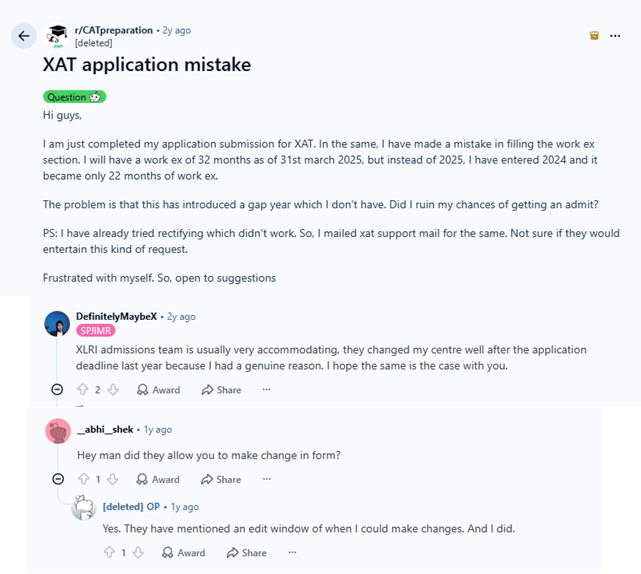
XAT 2027 Application Form Mistakes: Reddit Discussions
A user on the r/CATPreparation subreddit shared that they made a mistake on the work experience section while applying for the XAT exam. Usually, you can edit your work experience section once XAT announces the correction window.
Related News:



Comments