The NCERT Solutions for Class 12 Computer Science Chapter 2 File Handling in Python cover all 10 exercise questions, according to the latest 2026-27 CBSE syllabus. Every answer follows the textbook's own flow: text and binary files, the open() modes, reading and writing methods, the with statement, and saving whole objects with pickle.
All 10 NCERT questions solved with Python code, sample runs, and an Expert Solution per question that adds exam strategy and common-trap warnings.
Full coverage of file modes, read() and readlines(), write() and writelines(), the buffer and close(), and pickling that the CBSE board paper tests directly.
Answers aligned with the 2026-27 CBSE Class 12 Computer Science syllabus and useful for JEE and CUET file-handling questions; no NEET references because Computer Science is not a medical subject.
Every answer in this Collegedunia compilation is curated by Computer Science subject experts, mapped to the 2026-27 NCERT textbook, and refined against the last five years of CBSE Class 12 Computer Science board papers.
Student Feedback: What 12,600 students told us about this chapter
71% of Class 12 students said the hardest part of File Handling was remembering which file mode does what. 3 out of 5 students told us they lost marks by forgetting that write() does not add a newline on its own.
Toppers found that writing the file mode as a small checklist (base letter, then +, then b) cut their mistakes on the mode question to zero, and the average student spent 2 to 3 hours on this chapter across the first read and exercise practice.
Source: 2026-27 Class 12 Computer Science student poll. Sample of 12,600 students from CBSE schools across 14 states, conducted before the 2026 boards.
What the NCERT Solutions for Class 12 Computer Science Chapter 2 File Handling in Python Cover
This chapter answers one question: how does a Python program keep its data after it ends? A normal variable vanishes when the program stops, so we save data in a file on disk. These solutions stay faithful to the NCERT order while filling the gaps students hit in the exam.
Text and binary files: a text file stores readable characters with encoding; a binary file stores raw bytes unchanged.
open() and file modes: r, w, a with optional + and b decide what you can do with the file.
Reading and writing: read(), readline() and readlines() read in different units, while write() and writelines() never add a newline.
Buffer and close(), the safe with statement, and pickling with dump() and load() to save whole objects.
Exercise-wise Breakdown of the File Handling in Python Chapter NCERT Solutions
Chapter 2 of NCERT Class 12 Computer Science carries 10 end-of-chapter exercise questions. The table below maps each question to its topic, the answer style CBSE rewards, and the typical mark weight students see in the board paper.
Question
Topic covered
Answer style
Typical marks
Q 1
Differentiate text vs binary, readline vs readlines, write vs writelines
Two-column comparison table per part
1 to 2 marks each
Q 2
Use and syntax of open(), read(), seek(), dump()
One use line and one syntax line per method
2 to 3 marks
Q 3
File mode and open statement for four cases
Mode plus the exact open() line per part
2 to 4 marks
Q 4
Why close a file; what happens if you do not
Buffer and flush reasoning with the no-error point
2 to 3 marks
Q 5
Difference between plain open and with open
Three-point contrast plus the discarded read
2 to 3 marks
Q 6
Append three lines to a text file
write() with trailing newline, then writelines()
2 to 3 marks
Q 7
Display file contents; append vs write difference
read() program plus the truncate explanation
3 marks
Q 8
Sentinel loop, save sentences, show capitalised ones
Two-phase program with isupper() filter
4 to 5 marks
Q 9
Define pickling, serialization, deserialization
Definition plus the dump/load pair
2 to 3 marks
Q 10
Write and read item records in a binary file
pickle.dump / pickle.load with computed Amount
4 to 5 marks
The two program questions (Q 8 and Q 10) and the pickling questions (Q 9 and Q 10) carry the heaviest marks. Students who pick the correct file mode and remember the manual newline score full marks on the program parts.
Text Files, Binary Files and the open() File Modes
Every file question starts with two choices: is the file text or binary, and what do you want to do with it? A text file stores readable characters, applies an encoding (UTF-8 by default), and translates end-of-line markers. A binary file stores raw bytes with no encoding and no newline translation, which is why pickle files use it.
r: read only. The pointer sits at the start and the file must already exist.
w: write only. It creates the file if missing and erases all old content the instant it opens.
a: append. The pointer sits at the end and old content is kept.
+ adds the opposite operation (so r+ is read and write); b turns any mode binary (so rb, wb, ab).
Watch Out: The most repeated trap is mixing up r+ and w+. Both allow read and write, but w+ first empties the file while r+ keeps the old content. When the question says "both read and write" without erasing, the answer is r+.
Read each mode requirement as a three-flag checklist: pick the base letter for the action, add + if a second action is asked, and add b if the word "binary" or a .dat extension appears. Run Q 3 through this and the four answers (r+, wb, a+, rb) fall out with no memorisation.
Reading and Writing: read(), readline(), readlines(), write() and writelines()
Once a file is open, the read and write methods move data in and out. The NCERT chapter lists five methods, and the exam tests which one returns what. Keep their return types separate, because that single fact decides most of the marks.
f = open("notes.txt", "r")
line1 = f.readline()      # one line  -> str ("" at end of file)
f.seek(0)
all_lines = f.readlines() # all lines -> list of str ([] at end)
f.seek(0)
whole = f.read()          # whole file -> one str
f.close()
On the write side, write() takes one string and writelines() takes a list of strings. The plural name fools students: writelines() does not add a newline after each item. You must put \n yourself in both cases, exactly as Q 6 needs.
Quick Tip: Read each method name as "single item" versus "list of items". readline/write are single; readlines/writelines are list-based. No method ever inserts a newline for you.
Why You Must Close a File and the Safe with Statement
When you call write(), the data does not go straight to disk. Python keeps it in a memory buffer and copies it to disk only when the buffer fills or the file is closed. That copy is called flushing, and close() is the guaranteed flush.
Close to flush: closing forces the final flush so every byte is on disk, and it frees the file handle, a limited operating-system resource.
If you forget: buffered data can be lost if the program crashes, and open handles can pile up. On a clean exit Python usually flushes by luck, but that luck is the danger.
No error is shown: forgetting close() never raises an error. The failure is silent and appears later as missing or partial data.
The professional fix is the with statement. It hands the file to a context manager that closes it automatically when the block ends, even if an error is raised inside the block. This is exactly the contrast Q 5 asks about.
with open("hello.txt", "r") as f:
    data = f.read()       # whole file into data
# file is closed automatically here, even on an error
Pickling: Saving Whole Python Objects with dump() and load()
A text file can only store strings, so saving a list of records means writing your own code to flatten and parse it. The pickle module removes that work. Pickling (serialization) turns a whole Python object into a byte stream; unpickling (deserialization) rebuilds the exact object from those bytes.
Step
Method
File mode
Pickling / serialization (object to bytes)
pickle.dump(object, file)
"wb" (binary write)
Unpickling / deserialization (bytes to object)
pickle.load(file)
"rb" (binary read)
import pickle
data = [10, 20, 30]
f = open("nums.dat", "wb")     # binary write
pickle.dump(data, f)           # serialize
f.close()

f = open("nums.dat", "rb")     # binary read
back = pickle.load(f)          # deserialize
print(back, type(back))
f.close()
Remember: Pickle works in bytes, so the binary modes "wb" and "rb" are mandatory. Pairing dump() with a plain "w" file, or reading a .dat pickle with read() in text mode, both fail. This is the single most common pickling error.
Common Mistakes Students Make in the File Handling Chapter
The repeat-offender mistakes in File Handling board answers:
Forgetting the manual newline: write() and writelines() never add \n, so the lines run together. This is the most common slip in Q 6 and Q 8.
Confusing r+ with w+: both read and write, but w+ empties the file first. Part (a) of Q 3 needs the content-preserving r+.
Using text modes for pickle: a .dat pickle must use "wb" to write and "rb" to read; "w" or "r" raises an error.
Saying "close raises an error if skipped": it does not. Forgetting close() is silent, which is exactly why it is dangerous.
Missing the type casts: input() returns a string, so Item No and Qty need int() and Price needs float() before Price * Qty works in Q 10.
How to Use the File Handling NCERT Solutions PDF for Board Prep
File Handling is concept-heavy in the first half and program-heavy in the second. The best approach is two passes: one for the modes and methods, one for writing the programs by hand.
First pass: modes and methods (1 hour)
Read the chapter and make a small table of the file modes and the read and write methods. Write one line of meaning next to each: which mode keeps data, which erases it, which method returns a string and which returns a list. This table answers Q 1, Q 2 and Q 3 directly.
Second pass: write the programs (1.5 to 2 hours)
Hand-write Q 6, Q 7, Q 8 and Q 10 on paper, then open these solutions and check. Pay attention to the manual \n, the correct file mode, and the binary "wb"/"rb" for pickle, because these specifics decide full marks on the program questions.
JEE and CUET angle
For students preparing competitive exams, file handling and serialization appear in CUET Computer Science and in the programming rounds of JEE-level coding tests. The pickle dump and load pattern and the file mode logic here double as competitive prep.
Previous Year Question Trends from the File Handling Chapter
The File Handling chapter is tested in CBSE board papers mainly through file-mode questions, a program on reading or writing a text file, and a pickle binary-file program. The table below maps the asked question types across recent board papers.
Year
Question type asked
Marks
2025
State the file mode for a given task; difference between read() and readline()
1 + 2
2024
Write a program to count lines in a text file; pickle a list to a binary file
3 + 3
2023
Explain pickling; write a program to append records using a binary file
2 + 4
2022
Difference between write() and writelines(); read and display a text file
2 + 3
2021
Why close a file; program to read a binary file and display records
2 + 4
Also Check: The full set of CBSE board paper questions for this chapter is included in the downloadable PDF above, updated for the 2026-27 cycle.
Other Resources for Class 12 Computer Science Chapter 2 File Handling in Python
Pair this NCERT Solutions PDF with the matching revision notes, handwritten notes and the official NCERT book chapter. All resources for Class 12 Computer Science Chapter 2 File Handling in Python are linked below.
Resource
What it covers
Open
NCERT Solutions
Step-by-step answers to all 10 exercise questions, with an Expert Solution for each.
You are here
Notes
Concept-first revision notes on text vs binary files, file modes, read and write methods, and pickling.
NCERT Solutions for Class 12 Computer Science: All Chapters
Related Links: Use the table below to open the NCERT Solutions for the other chapters of Class 12 Computer Science. Every chapter ships with the same step-by-step answer style, full PDF download, and revision FAQ.
All NCERT Solutions for Class 12 Computer Science Chapter 2 File Handling in Python with Step-by-Step Solutions
Q 1
Differentiate between: a) text file and binary file b) readline() and readlines() c) write() and writelines()
A file is a named area on disk that stores data permanently. A text file stores data as readable characters and works with str objects. A binary file stores data as raw bytes, the same form held in memory, and works with bytes objects.
a) Text file vs binary file
Text file
Binary file
Stores data as readable characters.
Stores data as raw bytes, exactly as held in memory.
Opened in text mode (r, w, a); no b.
Opened in binary mode (rb, wb, ab); the mode carries a b.
An encoding (UTF-8 by default) turns characters into bytes on disk.
No encoding is applied; bytes are written and read unchanged.
End-of-line markers are translated to \n when read.
No newline translation; every byte is preserved exactly.
Readable in a normal editor like Notepad.
Looks like garbage in a text editor; examples are .dat, images, audio.
b) readline() vs readlines()
readline() reads one line at a time and returns it as a str. It returns an empty string "" at end of file and is light on memory.
readlines() reads all the remaining lines in one call and returns a list of strings, one per line. It returns [] when nothing is left and loads the whole file into memory.
c) write() vs writelines()
write() writes one string and returns the number of characters written.
writelines() writes a list (or any iterable) of strings and returns None.
Neither method adds a newline on its own, so you must put \n yourself.
Answer: Text files store readable characters with encoding and newline translation; binary files store raw bytes with neither. readline() returns one line as a string while readlines() returns every line as a list. write() takes one string while writelines() takes a list of strings, and neither adds a newline.
AV
Anjali Verma
M.Sc Computer Science, University of Delhi
Verified Expert
The trap is in the names, not the logic. The single mark students lose here is almost always on writelines(). The plural name fools you into thinking it writes lines, so students assume it adds a newline after each item. It does not. Read the name as "write a list of strings" and you will never make that mistake.
For the text-versus-binary pair, anchor your answer on one word, encoding. A text file is bytes plus a character encoding plus newline translation; strip those two services away and you have a binary file.
That is why a .dat file made by pickle must be opened with rb, never r: text mode would try to decode raw bytes as UTF-8 and crash with a UnicodeDecodeError.
On the read pair, state the end-of-file results: readline() gives "" (how a while loop knows to stop) and readlines() gives []. Those two edge results secure full marks.
A memory hook: text mode is the helpful mode that does conversions for you, while binary mode is the honest mode that touches nothing.
Answer: Text = bytes + encoding + newline translation; binary = raw bytes. readline/write are single-item; readlines/writelines are list-based; no method auto-adds a newline.
Q 2
Write the use and syntax for the following methods: a) open() b) read() c) seek() d) dump()
Each of these is a built-in tool for working with files. open() connects your program to a file and returns a file object. read() and seek() are methods of that file object. dump() belongs to the pickle module. "Use" means what the method is for; "syntax" means the exact way you call it.
a) open() — Use: opens a file and returns a file object. If the mode is left out, the file opens in read text mode. Syntax: file_object = open(file_name, mode)
b) read() — Use: reads characters from a text file (or bytes from a binary file). With no argument it reads the whole file; with a number n it reads at most n characters. Syntax: file_object.read(n) or file_object.read()
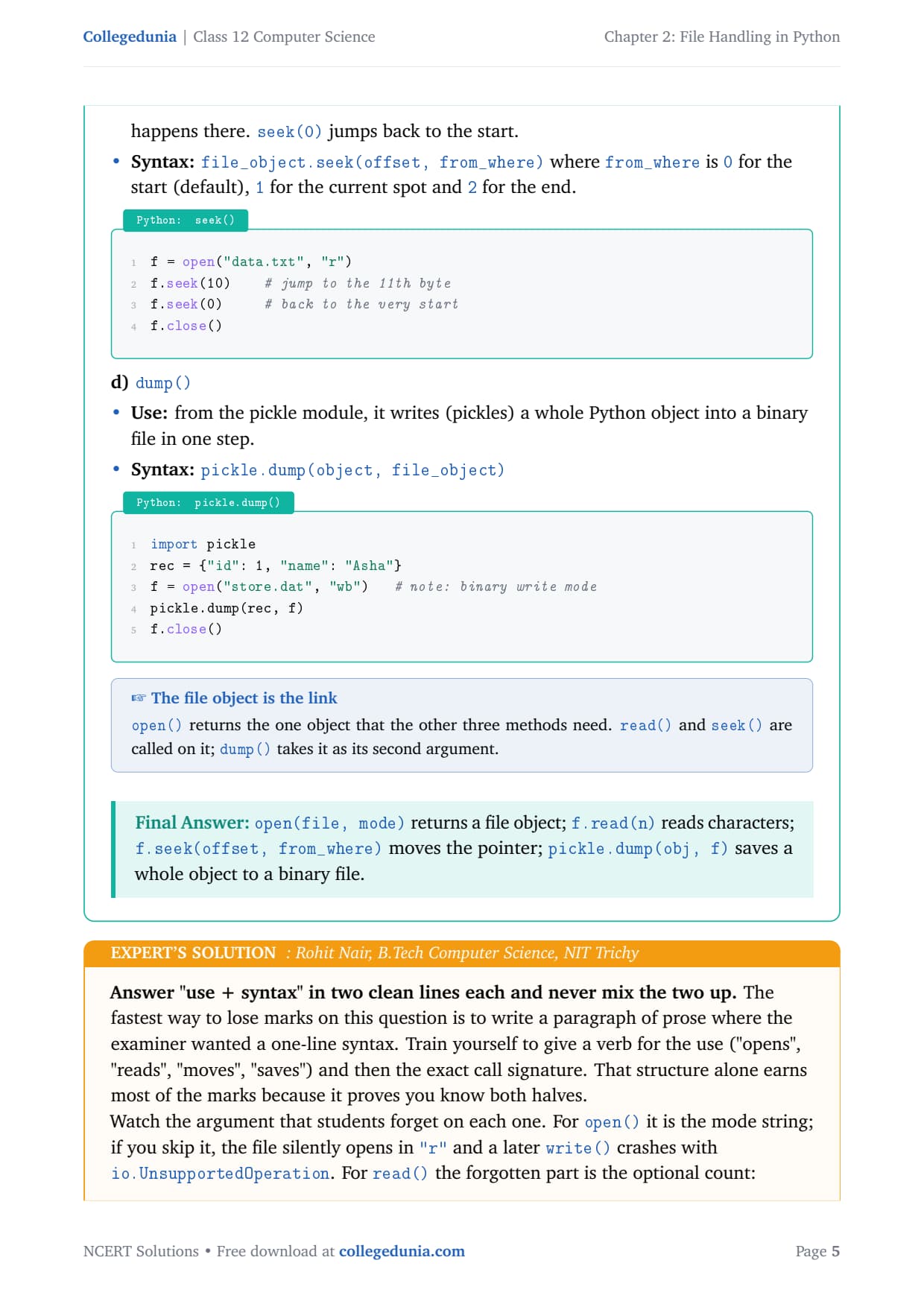
c) seek() — Use: moves the file pointer to a chosen byte position so the next read or write happens there. seek(0) jumps back to the start. Syntax: file_object.seek(offset, from_where), where from_where is 0 for start (default), 1 for current, 2 for end.
d) dump() — Use: from the pickle module, it writes (pickles) a whole Python object into a binary file in one step. Syntax: pickle.dump(object, file_object)
import pickle
f = open("data.txt", "r")     # open()
whole = f.read()              # read()
f.seek(0)                     # seek() back to start
f.close()

rec = {"id": 1, "name": "Asha"}
g = open("store.dat", "wb")   # binary write mode
pickle.dump(rec, g)           # dump()
g.close()
Answer:open(file, mode) returns a file object; f.read(n) reads characters; f.seek(offset, from_where) moves the pointer; pickle.dump(obj, f) saves a whole object to a binary file.
RN
Rohit Nair
B.Tech Computer Science, NIT Trichy
Verified Expert
Answer "use + syntax" in two clean lines each and never mix the two up. The fastest way to lose marks is to write a paragraph of prose where the examiner wanted a one-line syntax. Give a verb for the use ("opens", "reads", "moves", "saves") and then the exact call signature.
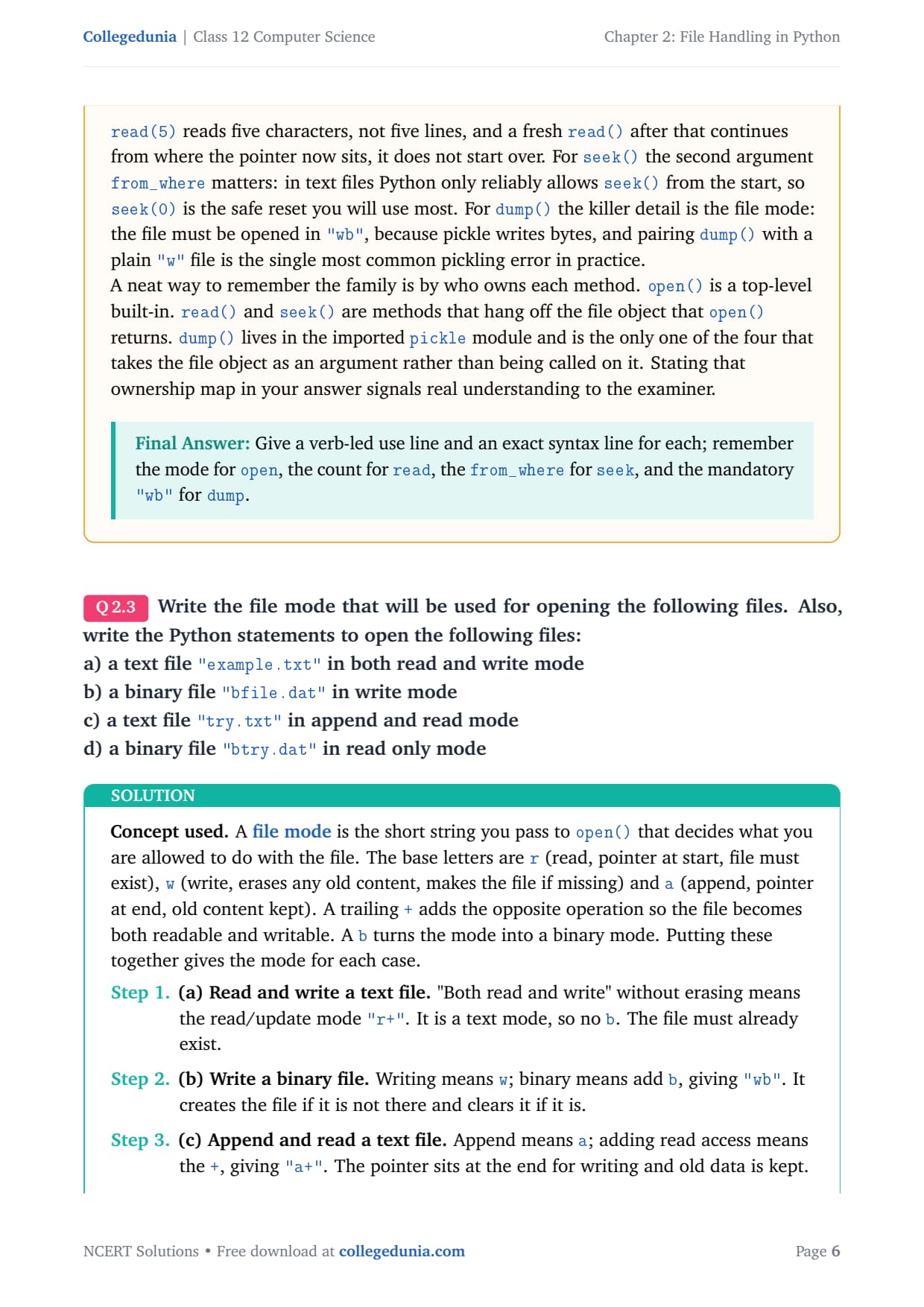
For open() the forgotten part is the mode string; skip it and the file silently opens in "r", so a later write() crashes.
For read() the forgotten part is the optional count: read(5) reads five characters, not five lines, and a fresh read() continues from where the pointer now sits.
For seek(), in text files Python reliably allows seek only from the start, so seek(0) is the safe reset you use most.
For dump() the killer detail is the file mode: it must be "wb", because pickle writes bytes.
Remember the family by who owns each method: open() is a top-level built-in; read() and seek() hang off the file object; dump() lives in the pickle module and takes the file object as an argument.
Answer: Give a verb-led use line and an exact syntax line for each; remember the mode for open, the count for read, the from_where for seek, and the mandatory "wb" for dump.
Q 3
Write the file mode that will be used for opening the following files. Also, write the Python statements to open the following files: a) a text file "example.txt" in both read and write mode b) a binary file "bfile.dat" in write mode c) a text file "try.txt" in append and read mode d) a binary file "btry.dat" in read only mode
A file mode is the short string you pass to open() that decides what you can do. The base letters are r (read, pointer at start, file must exist), w (write, erases old content, makes the file if missing) and a (append, pointer at end, old content kept). A trailing + adds the opposite operation; a b turns the mode binary.
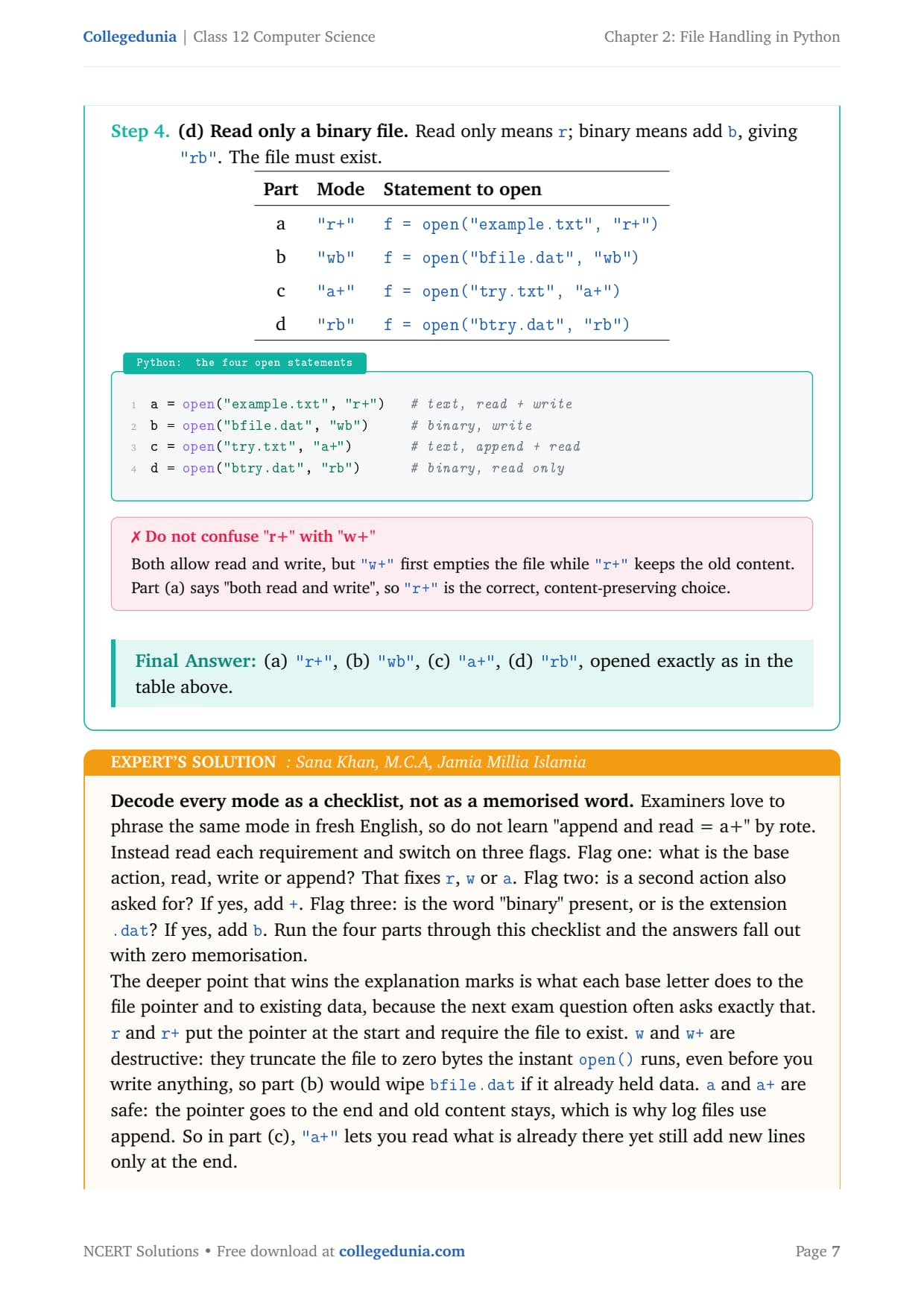
Part
Mode
Statement to open
a) text, read + write
"r+"
f = open("example.txt", "r+")
b) binary, write
"wb"
f = open("bfile.dat", "wb")
c) text, append + read
"a+"
f = open("try.txt", "a+")
d) binary, read only
"rb"
f = open("btry.dat", "rb")
Note that "both read and write" without erasing means "r+", not "w+", because "w+" first empties the file.
Answer: (a) "r+", (b) "wb", (c) "a+", (d) "rb", opened exactly as in the table above.
SK
Sana Khan
M.C.A, Jamia Millia Islamia
Verified Expert
Decode every mode as a checklist, not as a memorised word. Examiners phrase the same mode in fresh English, so switch on three flags. Flag one: base action, read, write or append, fixing r, w or a. Flag two: a second action also asked? Add +. Flag three: the word "binary" or a .dat extension? Add b.
r and r+ put the pointer at the start and require the file to exist.
w and w+ are destructive: they truncate the file to zero bytes the instant open() runs, so part (b) would wipe bfile.dat if it already held data.
a and a+ are safe: the pointer goes to the end and old content stays, which is why log files use append.
One subtlety worth a line: in an "a+" file, do a seek(0) before reading if you want to scan from the top. And a .dat file is almost always a pickle file, so the matching read uses pickle.load() rather than read().
Answer: Pick base (r/w/a), add + for a second action, add b for binary: (a) r+, (b) wb, (c) a+, (d) rb.
Q 4
Why is it advised to close a file after we are done with the read and write operations? What will happen if we do not close it? Will some error message be flashed?
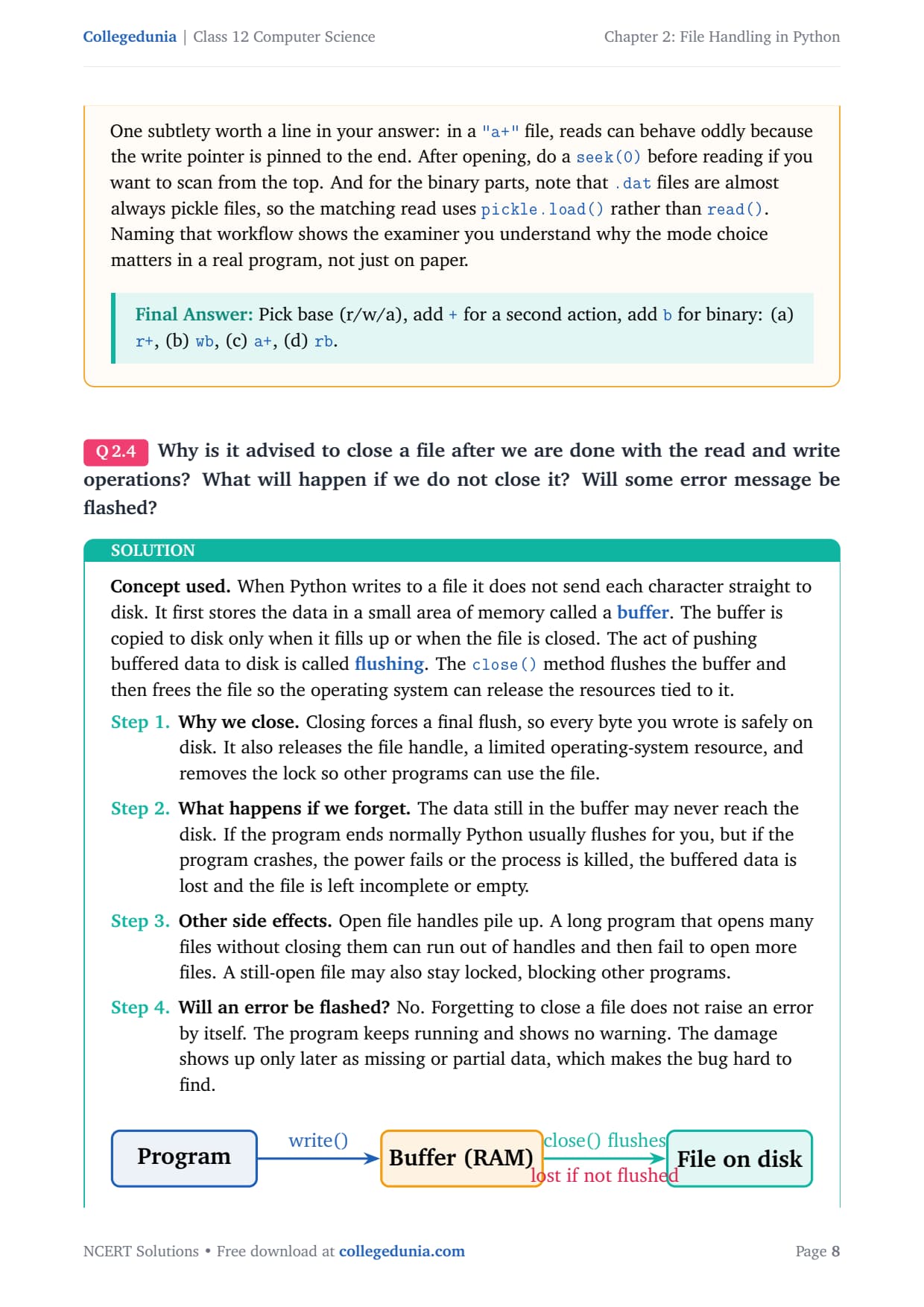
When Python writes to a file it does not send each character straight to disk. It first stores the data in a small area of memory called a buffer. The buffer is copied to disk only when it fills up or when the file is closed; that copy is called flushing. The close() method flushes the buffer and then frees the file.
Why we close: closing forces a final flush, so every byte you wrote is safely on disk. It also releases the file handle, a limited operating-system resource, and removes the lock so other programs can use the file.
If we forget: the data still in the buffer may never reach the disk. On a clean exit Python usually flushes for you, but if the program crashes, the power fails, or the process is killed, the buffered data is lost and the file is left incomplete.
Other side effects: open handles pile up. A long program that opens many files without closing them can run out of handles and fail to open more.
Will an error be flashed? No. Forgetting to close a file does not raise an error by itself. The program keeps running with no warning; the damage shows up later as missing or partial data.
Answer: Close a file so the buffer is flushed to disk and the file handle is freed. If you do not close it, buffered data can be lost on a crash and handles can run out, but no error message is shown, the failure is silent.
VI
Vikram Iyer
M.Tech Information Technology, IIT Bombay
Verified Expert
Frame your whole answer around one word: buffering. The examiner is testing whether you know that a write() call does not equal data-on-disk. Data lives in a memory buffer until a flush happens, and close() is the guaranteed flush.
Be precise about the "no error" part, the trickiest mark. A program that never closes its files will run and exit without complaint, and CPython usually flushes on a clean exit, so the data often survives by luck.
That luck is the danger. Students conclude "it worked, so closing is optional", then lose data the day the program crashes mid-run.
The correct exam line: no error is flashed, but relying on automatic flushing is risky and not guaranteed, which is why closing is advised, not optional.
The professional fix, worth a bonus line, is the with statement: with open("f.txt","w") as f: hands the file to a context manager that calls close() for you when the block ends, even on an exception.
Answer: Buffered writes reach disk only on a flush, and close() guarantees that flush plus frees the handle. Skipping it risks silent data loss with no error shown, so prefer with which closes automatically.
Q 5
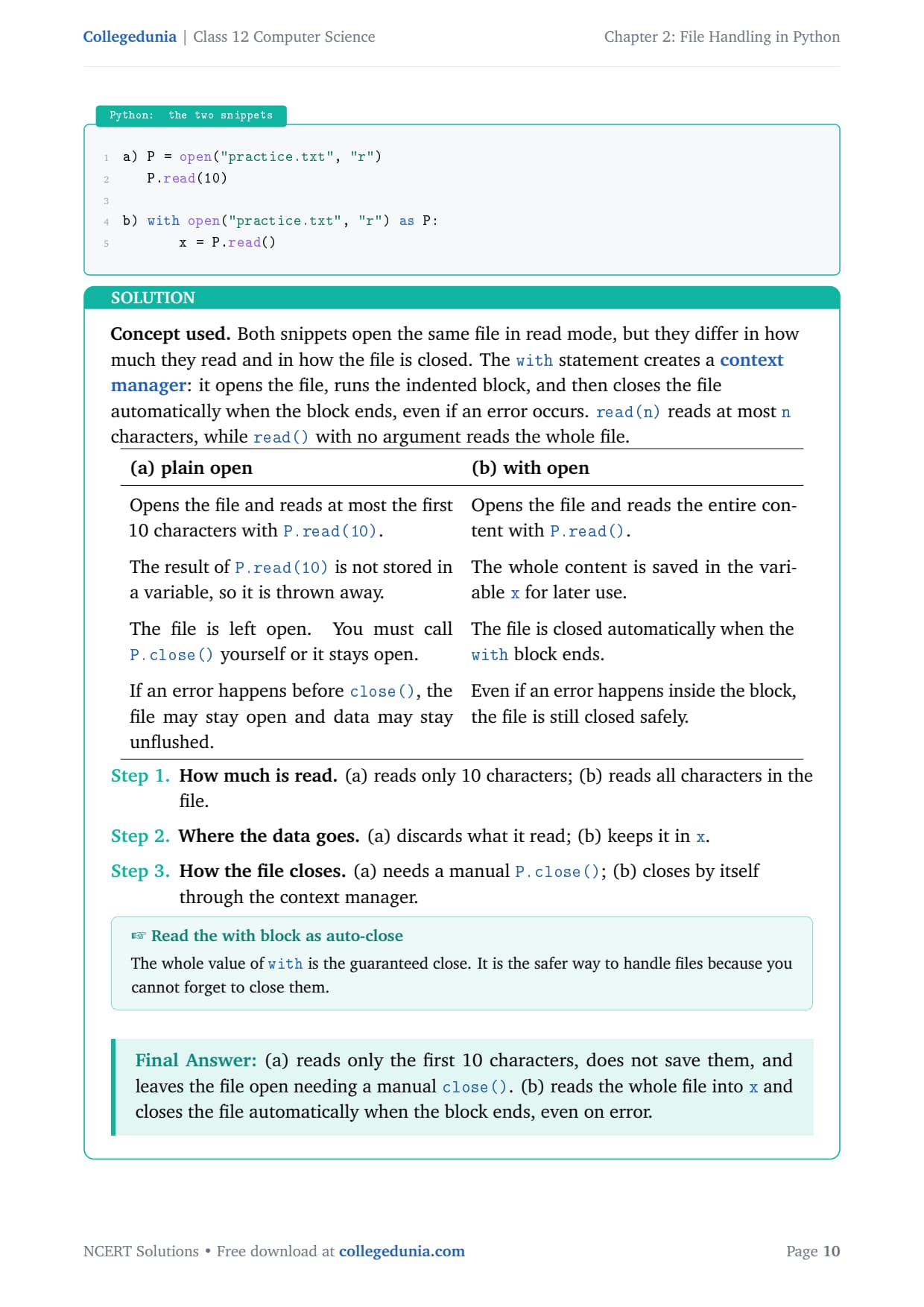
What is the difference between the following set of statements (a) and (b)?
a) P = open("practice.txt", "r")
   P.read(10)

b) with open("practice.txt", "r") as P:
       x = P.read()
Both snippets open the same file in read mode, but they differ in how much they read and in how the file is closed. The with statement creates a context manager: it opens the file, runs the indented block, then closes the file automatically when the block ends, even if an error occurs. read(n) reads at most n characters, while read() reads the whole file.
(a) plain open
(b) with open
Reads at most the first 10 characters with P.read(10).
Reads the entire content with P.read().
The result is not stored in a variable, so it is thrown away.
The whole content is saved in the variable x.
The file is left open; you must call P.close() yourself.
The file is closed automatically when the block ends.
If an error happens before close(), the file may stay open.
Even on an error inside the block, the file is still closed safely.
Answer: (a) reads only the first 10 characters, does not save them, and leaves the file open needing a manual close(). (b) reads the whole file into x and closes the file automatically when the block ends, even on error.
MK
Meera Krishnan
M.Sc Computer Science, Anna University
Verified Expert
Spot the two independent differences and the silent third one. Many students see only one contrast and lose half the marks. There are really three things changing, and a top answer names all three: the amount read, what happens to the data, and how the file closes.
The detail that separates a full-marks answer is the discarded read in (a). With no assignment, P.read(10) reads ten characters, the pointer moves forward by ten, and the string vanishes. The only lasting effect is the pointer now sits at position 10.
Plain open() forces you to remember close() on every exit path, including the error path, which in real code means a try/finally.
The with statement collapses that into one line and closes the file no matter how the block exits.
Both snippets compile and run, but (b) is the version a reviewer would accept, and saying so, with the reason, shows judgement beyond the literal question.
Answer: Three differences: (a) reads 10 chars, (b) reads all; (a) discards the read, (b) stores it in x; (a) needs a manual close, (b) closes automatically and safely.
Q 6
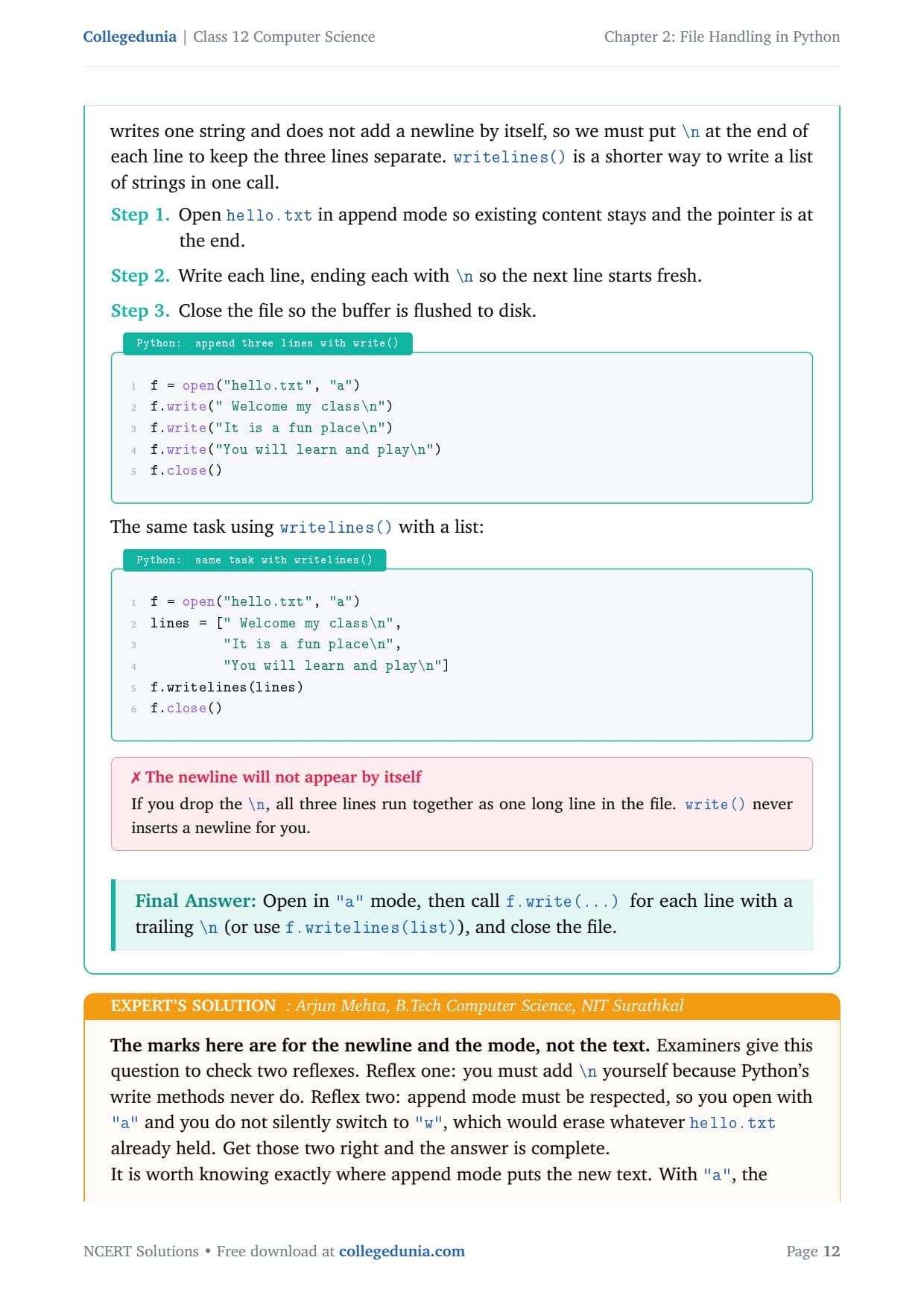
Write a command(s) to write the following lines to the text file named hello.txt. Assume that the file is opened in append mode. " Welcome my class" "It is a fun place" "You will learn and play"
Append mode ("a") opens a file with the pointer at the end and keeps any old content, so new text is added below what is already there. The write() method writes one string and does not add a newline by itself, so we put \n at the end of each line to keep the three lines separate.
f = open("hello.txt", "a")
f.write(" Welcome my class\n")
f.write("It is a fun place\n")
f.write("You will learn and play\n")
f.close()
The same task using writelines() with a list:
f = open("hello.txt", "a")
lines = [" Welcome my class\n",
         "It is a fun place\n",
         "You will learn and play\n"]
f.writelines(lines)
f.close()
If you drop the \n, all three lines run together as one long line, because write() never inserts a newline for you.
Answer: Open in "a" mode, then call f.write(...) for each line with a trailing \n (or use f.writelines(list)), and close the file.
AM
Arjun Mehta
B.Tech Computer Science, NIT Surathkal
Verified Expert
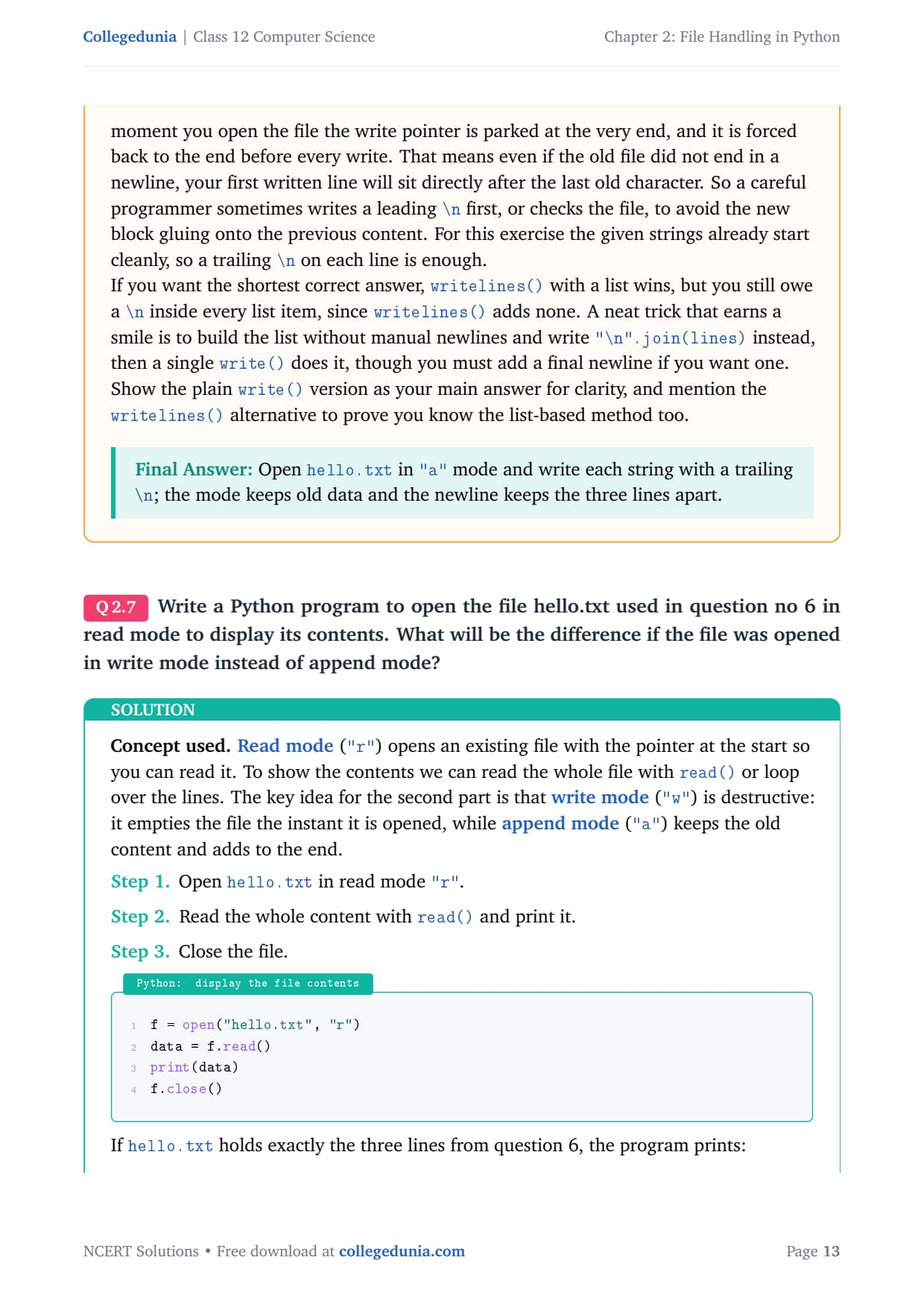
The marks here are for the newline and the mode, not the text. Examiners check two reflexes. Reflex one: add \n yourself because Python's write methods never do. Reflex two: respect append mode, open with "a" and do not silently switch to "w", which would erase whatever hello.txt already held.
With "a", the moment you open the file the write pointer is parked at the very end and is forced back to the end before every write.
So even if the old file did not end in a newline, your first written line will sit directly after the last old character.
The shortest correct answer is writelines() with a list, but you still owe a \n inside every list item, since writelines() adds none.
Show the plain write() version as your main answer for clarity, and mention the writelines() alternative to prove you know the list-based method too.
Answer: Open hello.txt in "a" mode and write each string with a trailing \n; the mode keeps old data and the newline keeps the three lines apart.
Q 7
Write a Python program to open the file hello.txt used in question no 6 in read mode to display its contents. What will be the difference if the file was opened in write mode instead of append mode?
Read mode ("r") opens an existing file with the pointer at the start so you can read it. To show the contents we read the whole file with read(). The key idea for the second part is that write mode ("w") is destructive, while append mode ("a") keeps the old content and adds to the end.
f = open("hello.txt", "r")
data = f.read()
print(data)
f.close()
If hello.txt holds exactly the three lines from question 6, the program prints:
 Welcome my class
It is a fun place
You will learn and play
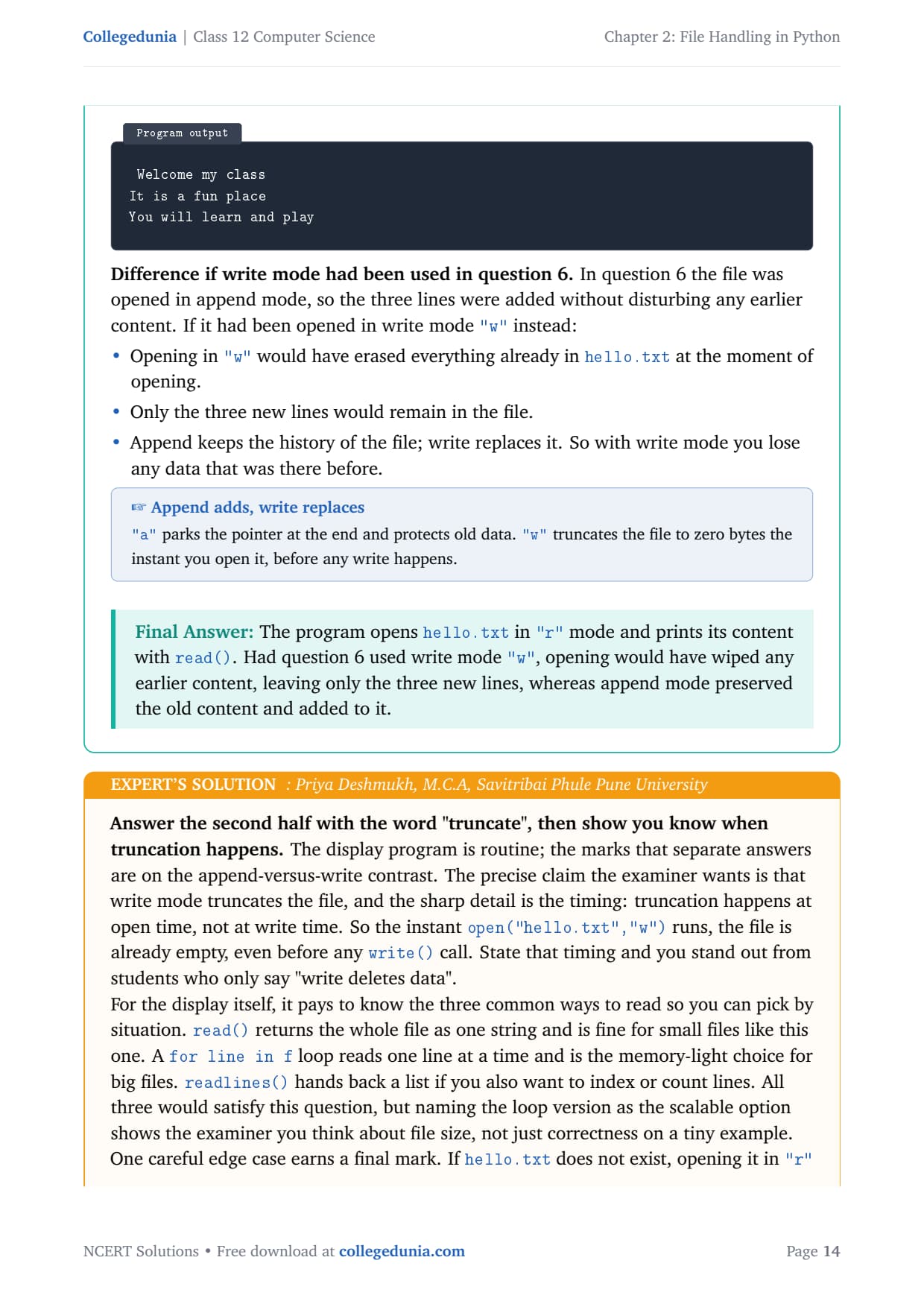
Difference if write mode had been used in question 6:
Opening in "w" would have erased everything already in hello.txt at the moment of opening.
Only the three new lines would remain in the file.
Append keeps the history of the file; write replaces it, so with write mode you lose any data that was there before.
Answer: The program opens hello.txt in "r" mode and prints its content with read(). Had question 6 used write mode "w", opening would have wiped any earlier content, leaving only the three new lines, whereas append mode preserved the old content and added to it.
PD
Priya Deshmukh
M.C.A, Savitribai Phule Pune University
Verified Expert
Answer the second half with the word "truncate", then show you know when truncation happens. The precise claim is that write mode truncates the file, and the sharp detail is the timing: truncation happens at open time, not at write time. The instant open("hello.txt","w") runs, the file is already empty.
read() returns the whole file as one string and is fine for small files like this one.
A for line in f loop reads one line at a time and is the memory-light choice for big files.
readlines() hands back a list if you also want to index or count lines.
One edge case earns a final mark: if hello.txt does not exist, opening it in "r" raises FileNotFoundError, while "w" would have created it. So read demands the file exist, while write and append both create it if needed.
Answer: Read with "r" and print via read(). Write mode would have truncated hello.txt to empty at open time, keeping only the three new lines, while append preserved the earlier content.
Q 8
Write a program to accept string/sentences from the user till the user enters "END". Save the data in a text file and then display only those sentences which begin with an uppercase alphabet.
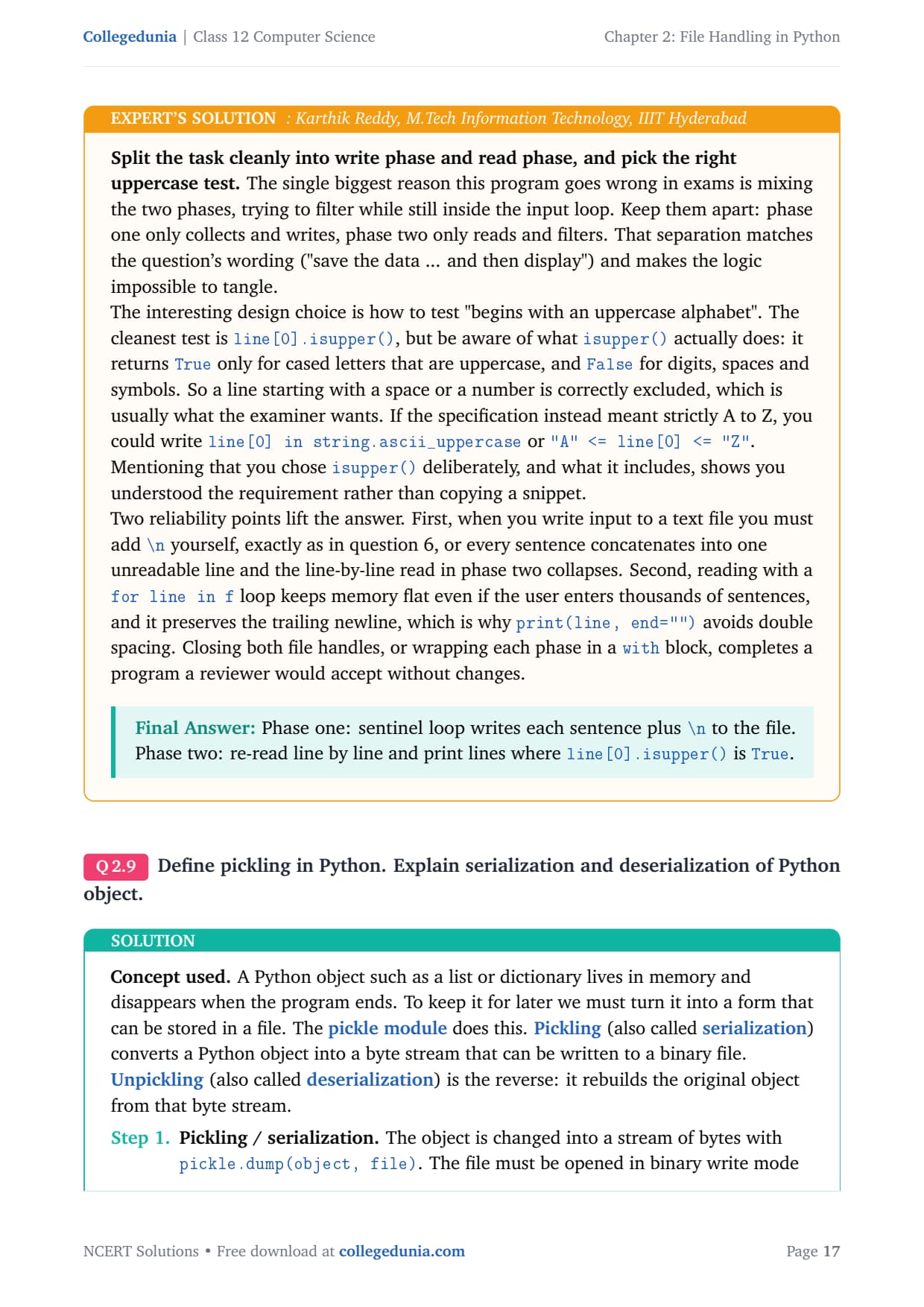
We read input in a loop until a sentinel value, here the word "END", is typed; this is a sentinel loop. We write each sentence to a text file. To find sentences that start with a capital letter we re-open the file, read it line by line, and test the first character with isupper(), which returns True only for an uppercase letter.
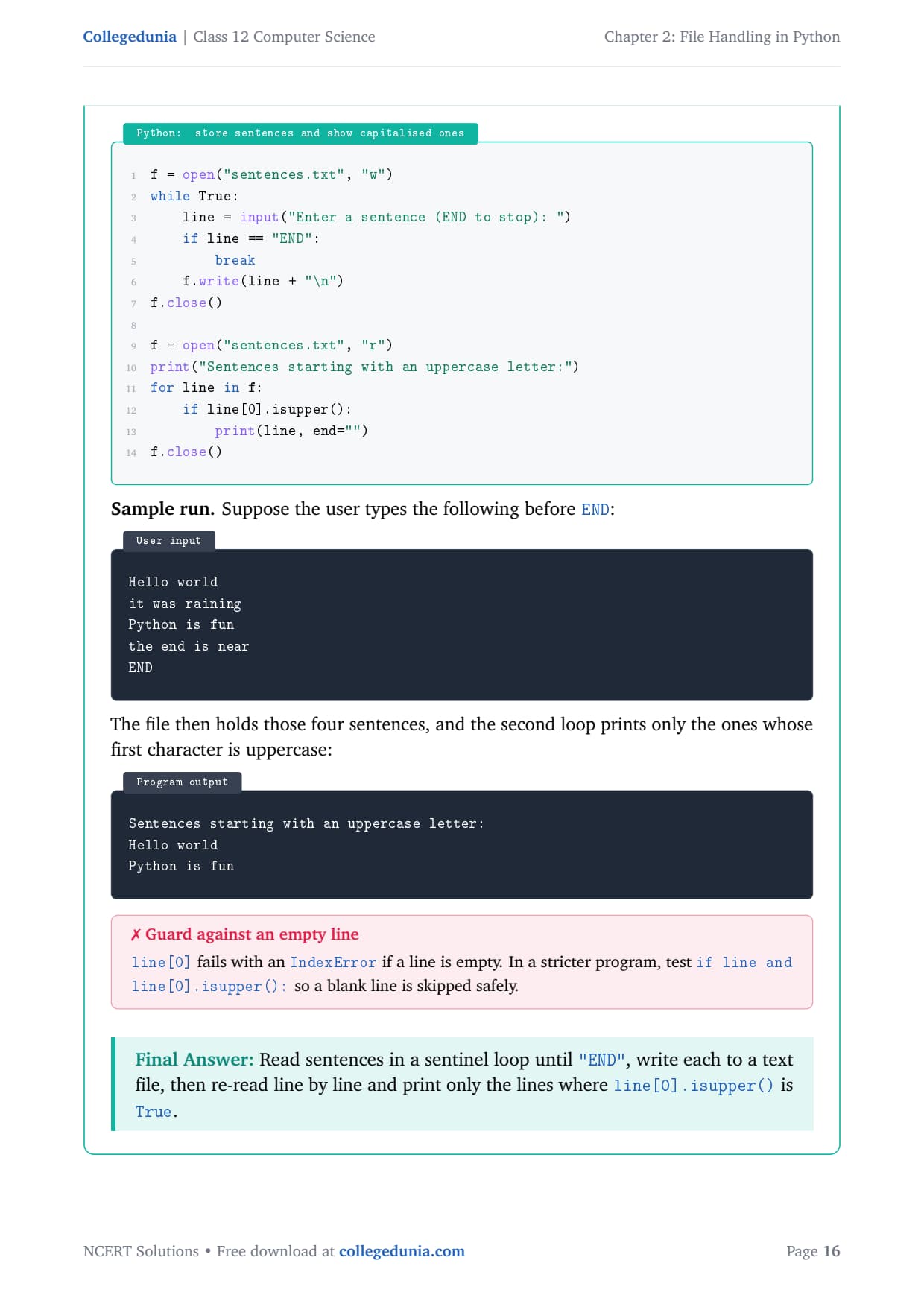
f = open("sentences.txt", "w")
while True:
    line = input("Enter a sentence (END to stop): ")
    if line == "END":
        break
    f.write(line + "\n")
f.close()

f = open("sentences.txt", "r")
print("Sentences starting with an uppercase letter:")
for line in f:
    if line[0].isupper():
        print(line, end="")
f.close()
Sample run. If the user types Hello world, it was raining, Python is fun, the end is near, then END, the second loop prints:
Sentences starting with an uppercase letter:
Hello world
Python is fun
Note: line[0] fails with an IndexError on an empty line, so a stricter test is if line and line[0].isupper():.
Answer: Read sentences in a sentinel loop until "END", write each to a text file, then re-read line by line and print only the lines where line[0].isupper() is True.
KR
Karthik Reddy
M.Tech Information Technology, IIIT Hyderabad
Verified Expert
Split the task cleanly into a write phase and a read phase. The biggest reason this program goes wrong in exams is mixing the two, trying to filter while still inside the input loop. Keep them apart: phase one only collects and writes, phase two only reads and filters.
The cleanest first-character test is line[0].isupper(). It returns True only for cased letters that are uppercase, and False for digits, spaces and symbols, which is usually what the examiner wants.
If the spec meant strictly A to Z, you could write "A" <= line[0] <= "Z" instead.
When you write input to a text file you must add \n yourself, or every sentence concatenates into one unreadable line.
Reading with a for line in f loop keeps memory flat and preserves the trailing newline, which is why print(line, end="") avoids double spacing. Closing both handles, or wrapping each phase in a with block, completes a program a reviewer would accept.
Answer: Phase one: a sentinel loop writes each sentence plus \n to the file. Phase two: re-read line by line and print lines where line[0].isupper() is True.
Q 9
Define pickling in Python. Explain serialization and deserialization of Python object.
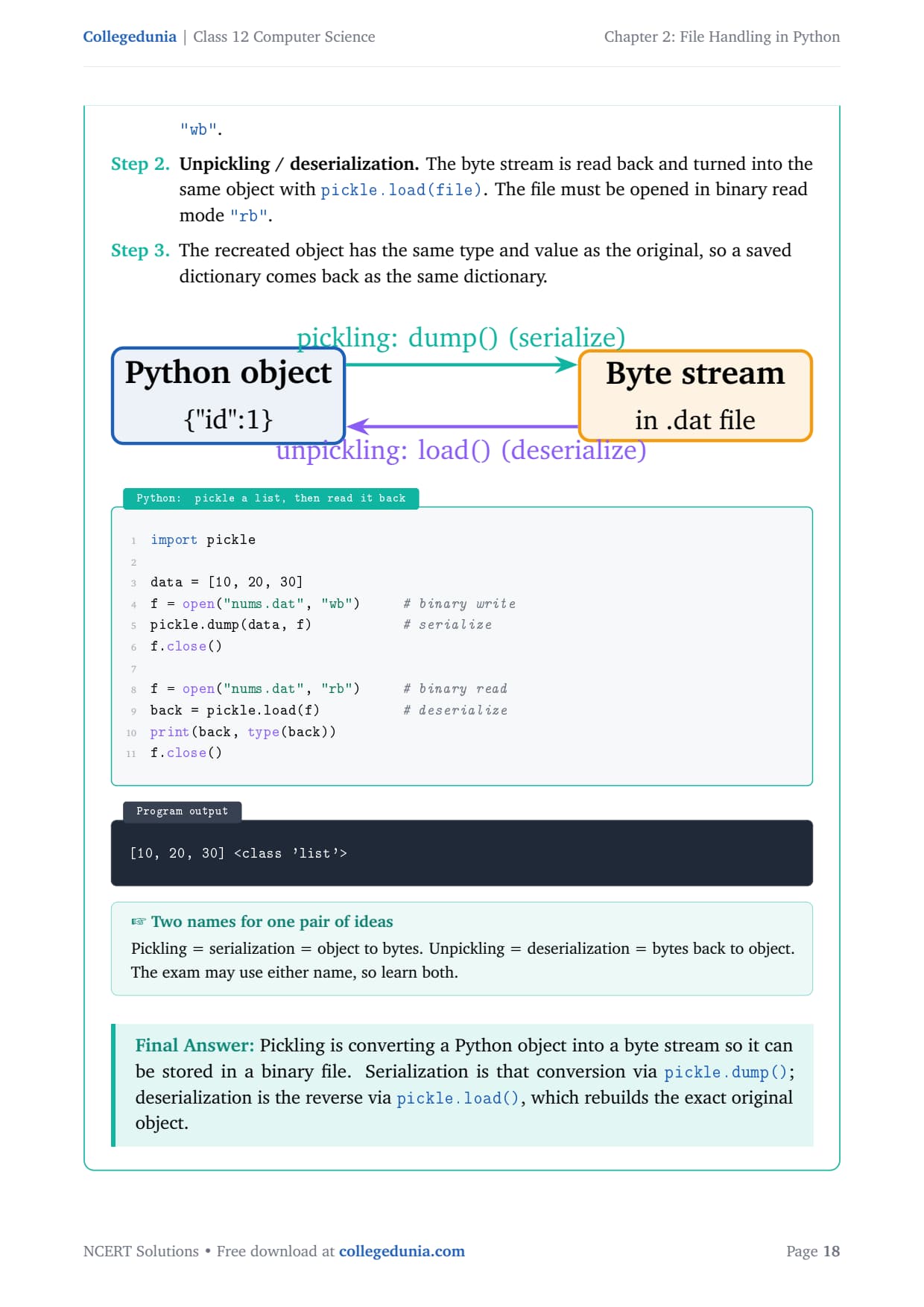
A Python object such as a list or dictionary lives in memory and disappears when the program ends. The pickle module lets us keep it for later. Pickling (also called serialization) converts a Python object into a byte stream that can be written to a binary file. Unpickling (also called deserialization) is the reverse: it rebuilds the original object from that byte stream.
Pickling / serialization: the object is changed into a stream of bytes with pickle.dump(object, file). The file must be opened in binary write mode "wb".
Unpickling / deserialization: the byte stream is read back and turned into the same object with pickle.load(file). The file must be opened in binary read mode "rb".
The recreated object has the same type and value as the original, so a saved dictionary comes back as the same dictionary.
import pickle

data = [10, 20, 30]
f = open("nums.dat", "wb")     # binary write
pickle.dump(data, f)           # serialize
f.close()

f = open("nums.dat", "rb")     # binary read
back = pickle.load(f)          # deserialize
print(back, type(back))
f.close()
[10, 20, 30] <class 'list'>
Answer: Pickling is converting a Python object into a byte stream so it can be stored in a binary file. Serialization is that conversion via pickle.dump(); deserialization is the reverse via pickle.load(), which rebuilds the exact original object.
NB
Neha Bansal
B.E Computer Science, BITS Pilani
Verified Expert
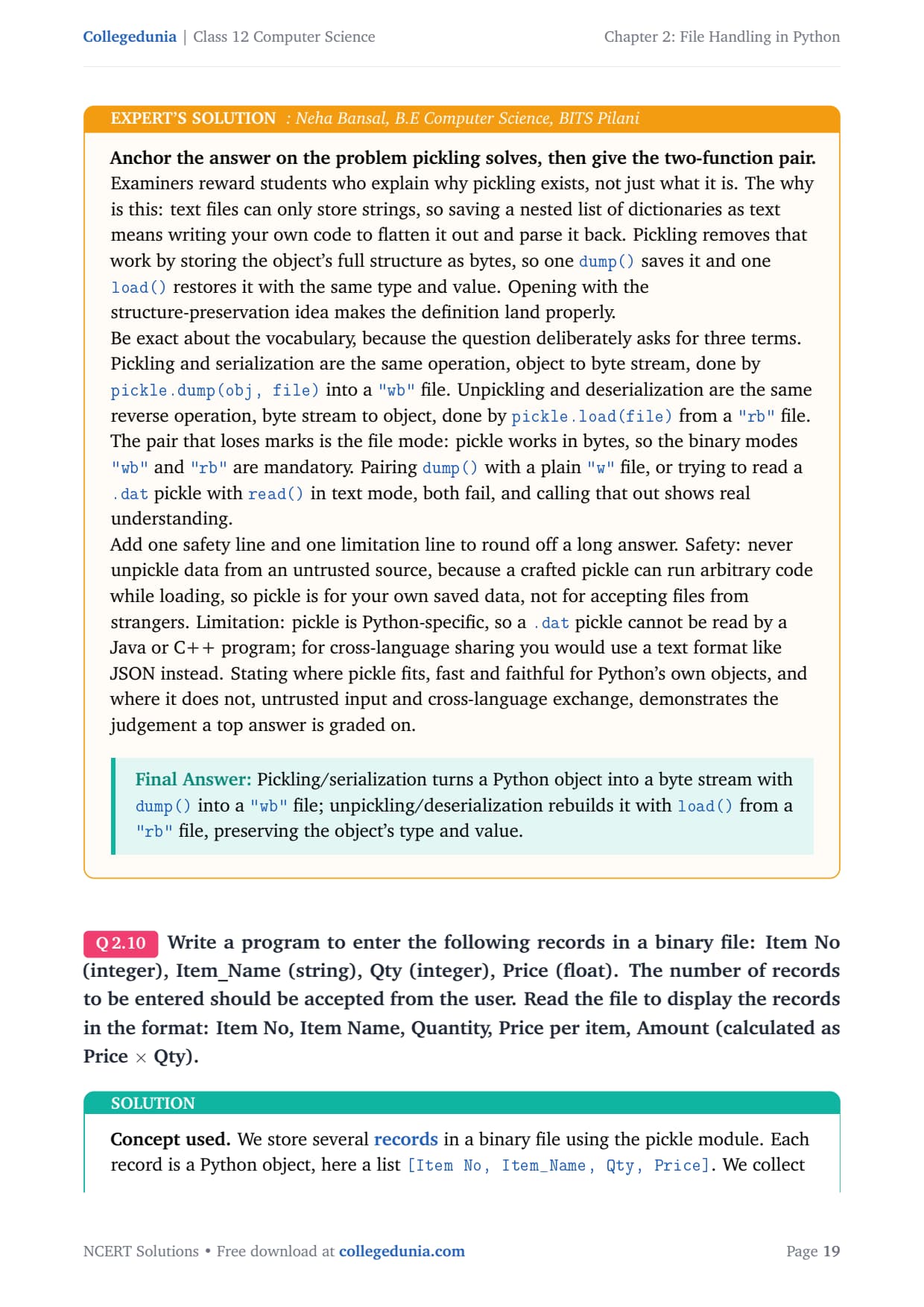
Anchor the answer on the problem pickling solves, then give the two-function pair. The why is this: text files can only store strings, so saving a nested list of dictionaries as text means writing your own code to flatten and parse it. Pickling removes that work by storing the object's full structure as bytes.
Pickling and serialization are the same operation, object to byte stream, done by pickle.dump(obj, file) into a "wb" file.
Unpickling and deserialization are the same reverse operation, done by pickle.load(file) from a "rb" file.
The pair that loses marks is the file mode: pickle works in bytes, so the binary modes "wb" and "rb" are mandatory.
Round off with a safety line and a limitation line: never unpickle data from an untrusted source, because a crafted pickle can run arbitrary code; and pickle is Python-specific, so for cross-language sharing you would use a text format like JSON instead.
Answer: Pickling/serialization turns a Python object into a byte stream with dump() into a "wb" file; unpickling/deserialization rebuilds it with load() from a "rb" file, preserving the object's type and value.
Q 10
Write a program to enter the following records in a binary file: Item No (integer), Item_Name (string), Qty (integer), Price (float). The number of records to be entered should be accepted from the user. Read the file to display the records in the format: Item No, Item Name, Quantity, Price per item, Amount (calculated as Price × Qty).
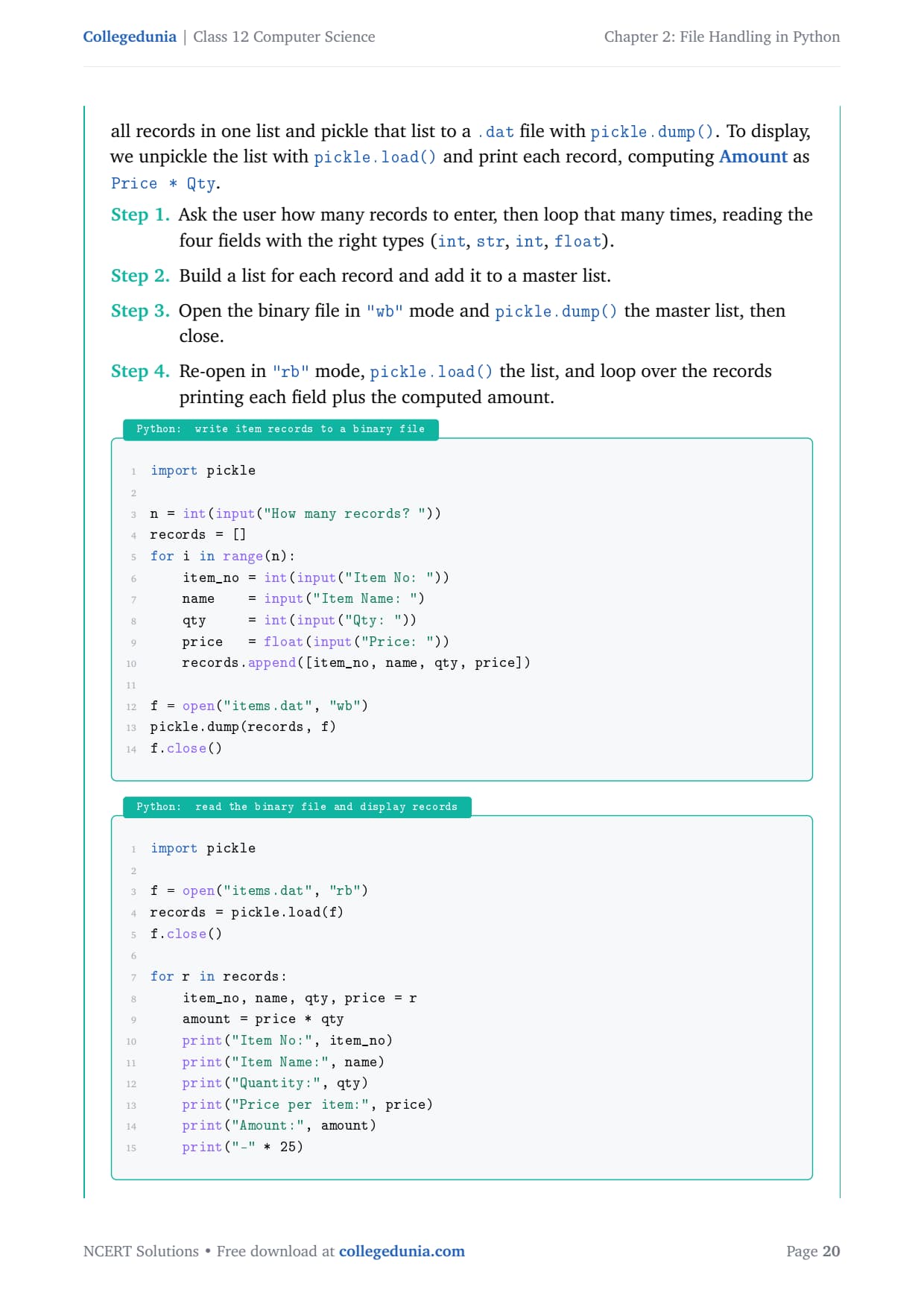
We store several records in a binary file using pickle. Each record is a list [Item No, Item_Name, Qty, Price]. We collect all records in one master list and pickle that list with pickle.dump(). To display, we unpickle the list with pickle.load() and print each record, computing Amount as Price * Qty.
import pickle

n = int(input("How many records? "))
records = []
for i in range(n):
    item_no = int(input("Item No: "))
    name    = input("Item Name: ")
    qty     = int(input("Qty: "))
    price   = float(input("Price: "))
    records.append([item_no, name, qty, price])

f = open("items.dat", "wb")
pickle.dump(records, f)
f.close()
import pickle

f = open("items.dat", "rb")
records = pickle.load(f)
f.close()

for r in records:
    item_no, name, qty, price = r
    amount = price * qty
    print("Item No:", item_no)
    print("Item Name:", name)
    print("Quantity:", qty)
    print("Price per item:", price)
    print("Amount:", amount)
    print("-" * 25)
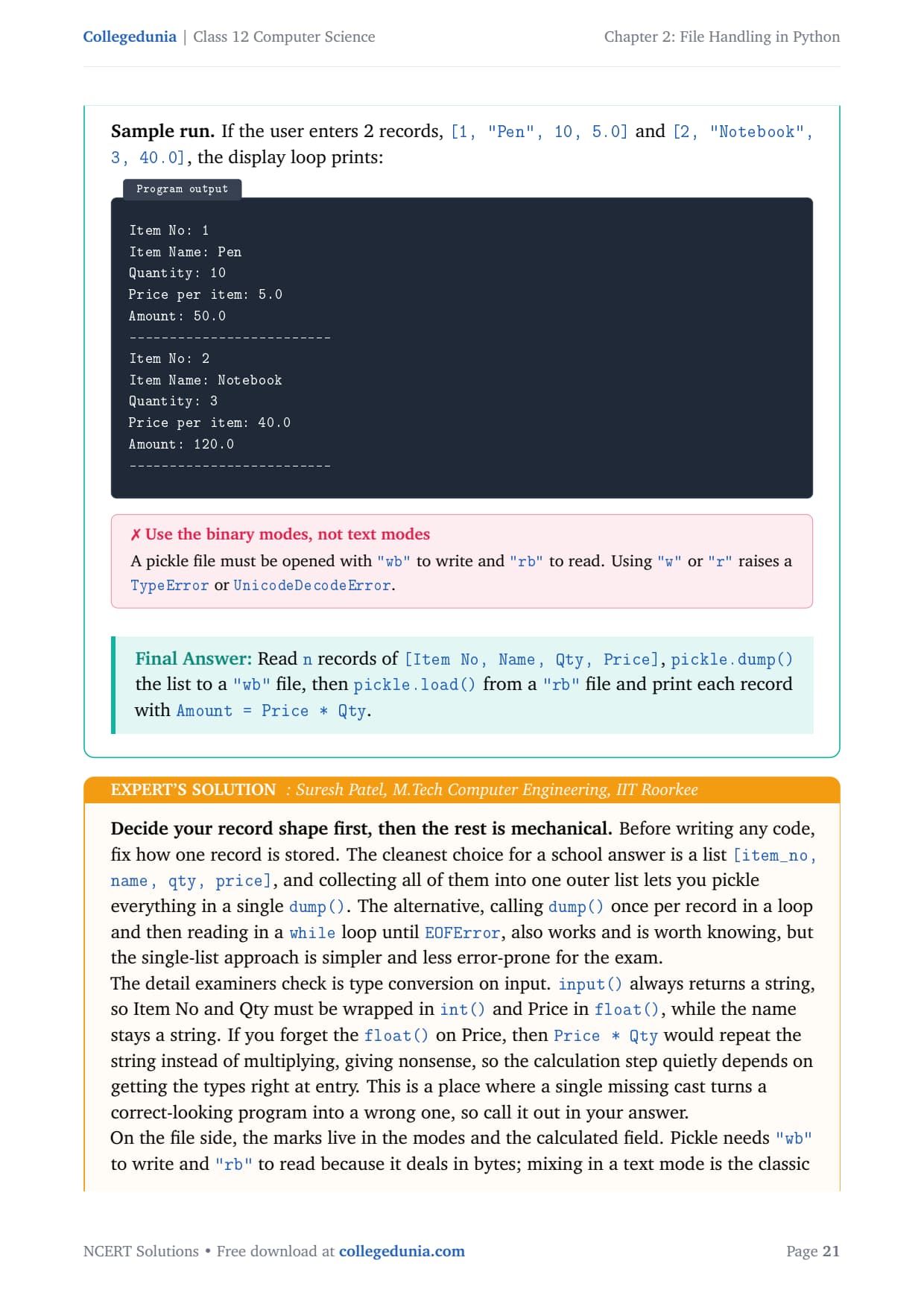
Sample run. For two records [1, "Pen", 10, 5.0] and [2, "Notebook", 3, 40.0], the display loop prints:
Answer: Read n records of [Item No, Name, Qty, Price], pickle.dump() the list to a "wb" file, then pickle.load() from a "rb" file and print each record with Amount = Price * Qty.
SP
Suresh Patel
M.Tech Computer Engineering, IIT Roorkee
Verified Expert
Decide your record shape first, then the rest is mechanical. The cleanest choice for a school answer is a list [item_no, name, qty, price], and collecting all of them into one outer list lets you pickle everything in a single dump().
The detail examiners check is type conversion on input: input() always returns a string, so Item No and Qty must be wrapped in int() and Price in float().
If you forget the float() on Price, then Price * Qty would repeat the string instead of multiplying.
Pickle needs "wb" to write and "rb" to read because it deals in bytes; mixing in a text mode is the classic failure.
The Amount column is not stored; it is computed at display time as price * qty, which is good design because you never save a value you can derive. For reading one record at a time, you would dump each record separately and loop pickle.load() inside a try that catches EOFError.
Answer: Store records as a list of lists, dump() once to a "wb" file, load() from a "rb" file, cast inputs with int/float, and compute Amount as price * qty at display time.
NCERT Solutions Class 12 Computer Science Chapter 2 File Handling in Python FAQs
Ques. How many questions are there in NCERT Class 12 Computer Science Chapter 2 File Handling in Python?
Ans. There are 10 end-of-chapter exercise questions in NCERT Class 12 Computer Science Chapter 2 File Handling in Python. All 10 are solved with full answers and an Expert Solution in the PDF. The mix is differentiate questions on files and methods, use-and-syntax questions, a file-mode question, conceptual questions on close() and pickling, and program questions on appending lines, filtering sentences, and reading and writing item records in a binary file.
Ques. What is the difference between a text file and a binary file in Class 12 Computer Science?
Ans. A text file stores data as readable characters and is opened in text mode (r, w, a). Python applies an encoding such as UTF-8 and translates end-of-line markers, so you can open it in a normal editor. A binary file stores data as raw bytes exactly as they sit in memory, is opened in binary mode (rb, wb, ab), applies no encoding and does no newline translation, and looks like garbage in a text editor. Pickle files with a .dat extension are binary files, which is why they must use wb to write and rb to read.
Ques. What is the difference between write() and writelines() in Python?
Ans. The write() method writes one string to the file and returns the number of characters written. The writelines() method writes a list (or any iterable) of strings in one call and returns None. The most important point for the board exam is that neither method adds a newline on its own. The plural name of writelines() fools students into thinking it adds a newline after each list item, but it does not, so you must put a \n inside each string yourself if you want separate lines on disk.
Ques. Why should you close a file in Python, and what happens if you do not?
Ans. You close a file so the data sitting in the memory buffer is flushed to disk and the file handle is released. If you do not close it, the buffered data may never reach the disk if the program crashes, and open handles can pile up until the program cannot open more files. Importantly, forgetting to close a file does not raise any error, so the program seems to work and the loss shows up later as missing or partial data. The safest habit is the with statement, which closes the file automatically when its block ends.
Ques. What is pickling in Python and which file mode does it need?
Ans. Pickling, also called serialization, is converting a whole Python object such as a list or dictionary into a byte stream that can be saved in a binary file. It is done with pickle.dump(object, file) into a file opened in binary write mode "wb". The reverse, unpickling or deserialization, rebuilds the exact original object with pickle.load(file) from a file opened in binary read mode "rb". The binary modes are mandatory because pickle works in bytes, so pairing dump() with a plain "w" file is a common error that fails.
Ques. How many pages is the Class 12 Computer Science File Handling in Python NCERT Solutions PDF?
Ans. The File Handling in Python NCERT Solutions PDF runs about 18 pages and covers all 10 exercise questions with step-by-step Python code, sample runs, comparison tables, and an Expert Solution for each question. Both Normal and HD versions are available from this page, and both are free to download for the 2026-27 session.
Ques. Is the NCERT Solutions for Class 12 Computer Science Chapter 2 aligned with the 2026-27 syllabus?
Ans. Yes. This page reflects the current 2026-27 CBSE syllabus for Class 12 Computer Science. The File Handling in Python chapter is part of the current cycle, and every answer follows the NCERT textbook, including the file modes, the read and write methods, the with statement, and pickling with dump() and load(). The solutions are useful for the CBSE board exam, and the same file-handling ideas help with CUET Computer Science and JEE-level programming.
Ques. What is the difference between append mode and write mode in Python file handling?
Ans. Append mode "a" opens a file with the pointer at the end and keeps all existing content, so new text is added below what is already there. Write mode "w" is destructive: it truncates the file to zero bytes the instant open() runs, even before any write happens, so any earlier content is lost and only the new text remains. Both modes create the file if it does not exist. This is exactly the contrast asked in Question 7, where opening hello.txt in write mode instead of append would have wiped the lines added earlier.








Comments