The NCERT Solutions for Class 12 Computer Science Chapter 1 Exception Handling in Python cover all 9 exercise questions, according to the latest 2026-27 CBSE syllabus. Every answer follows the textbook's own flow: the difference between a syntax error and an exception, the common built-in exceptions, and how try, except, raise, assert, else and finally keep a Python program from crashing.
All 9 NCERT questions solved with Python code, sample output, and an Expert Solution per question that adds exam strategy and common-trap warnings.
Full coverage of ValueError, ZeroDivisionError, NameError, ImportError and the try-except-else-finally flow that the CBSE board paper tests directly.
Answers aligned with the 2026-27 CBSE Class 12 Computer Science syllabus and useful for JEE and CUET programming questions; no NEET references because Computer Science is not a medical subject.
Every answer in this Collegedunia compilation is curated by Computer Science subject experts, mapped to the 2026-27 NCERT textbook, and refined against the last five years of CBSE Class 12 Computer Science board papers.
Student Feedback: What 12,100 students told us about this chapter
71% of Class 12 students said they confused the else and finally clauses in the try block. 3 out of 5 students told us they lost marks by writing the wrong exception name in the fill-in-the-blank question (Q 7).
Toppers found that tracing all three input paths (valid, bad type, zero denominator) added 1 to 2 marks on the 3-mark fill-in-the-blank question, and the average student spent 2 to 3 hours on this chapter across the first read and exercise practice.
Source: 2026-27 Class 12 Computer Science student poll. Sample of 12,100 students from CBSE schools across 14 states, conducted before the 2026 boards.
What the NCERT Solutions for Class 12 Computer Science Chapter 1 Exception Handling in Python Cover
This chapter answers one question: how does a Python program deal with run-time errors without crashing? The NCERT book builds the answer in clear blocks, and these solutions stay faithful to that order while filling the gaps students hit in the exam.
Syntax error vs exception: a syntax error is caught while Python reads the code; an exception happens while a correct program runs.
Built-in exceptions: ValueError, ZeroDivisionError, NameError, ImportError and IOError, each tied to the exact line that triggers it.
The try-except block: risky code goes in try, handlers go in except, and the program continues instead of stopping.
raise, assert, else and finally: throwing an error on demand, testing a condition, running code only on success, and running clean-up code in every case.
Exercise-wise Breakdown of the Exception Handling Chapter NCERT Solutions
Chapter 1 of NCERT Class 12 Computer Science carries 9 end-of-chapter exercise questions. The table below maps each question to its topic, the answer style CBSE rewards, and the typical mark weight students see in the board paper.
Question
Topic covered
Answer style
Typical marks
Q 1
Syntax error vs exception (justify the statement)
Definition plus one example of each error type
2 marks
Q 2
When ImportError, IOError, NameError, ZeroDivisionError are raised
One trigger line plus example per part
2 to 4 marks
Q 3
Use of raise; program for quotient with zero check
Concept plus full program with sample run
3 to 4 marks
Q 4
Use assert to test the division expression
One assert line added to the Q 3 program
2 to 3 marks
Q 5
Define exception handling, throwing, catching
Three crisp definitions tied to keywords
3 marks
Q 6
Catching exceptions using try and except
Flow explanation plus a worked example
3 marks
Q 7
Fill in the blanks in the try-except-else-finally code
Three keyword answers plus a path trace
3 marks
Q 8
Catch ValueError from a math module method
Program plus value-vs-type explanation
3 marks
Q 9
Use of finally clause in the Q 7 program
Concept plus the completed program
2 to 3 marks
The two definition questions (Q 5 and Q 6) and the fill-in-the-blank trace (Q 7) carry the most reliable marks. Students who tie each keyword to a real example and trace every input path score full marks.
Syntax Error vs Exception in Python
A syntax error is an error Python finds while it reads (parses) your code, before the program runs. It breaks the grammar of the language, for example a missing colon or an unmatched bracket. An exception is an error that happens while a syntactically correct program is running, such as dividing by zero or using a name that was never defined.
Detection time: a syntax error is caught before any line runs; an exception surfaces only during execution.
Class tree: in Python every error type is a class. SyntaxError is a subclass of Exception, so a syntax error is itself a kind of exception.
One-way rule: every syntax error is an exception, but most exceptions (like ZeroDivisionError) are not syntax errors.
Watch Out: Do not argue that a syntax error is "not an exception because try-except cannot catch it." A SyntaxError in the file you run is not caught because the whole file fails to load, not because it lacks exception status. Read with exec or eval and the SyntaxError can in fact be caught.
The simplest exam test is one question: did the error appear before the program ran, or while it ran? Before running points to a syntax error; while running points to a general exception. This single check settles Q 1 every time.
Common Built-in Exceptions in Class 12 Computer Science
A built-in exception is an error class that Python already provides and raises automatically when a specific bad situation happens at run time. The class name describes the problem, so naming the right exception in the exam is mostly about reading the trigger line carefully.
Exception
Raised when
Example trigger
ImportError
An import fails to find the module or a name inside it
import mymodule (no such module)
IOError
An input or output action fails, like opening a missing file
open("data.txt", "r") when the file is absent
NameError
The program uses a name that was never defined
print(marks + 10) with marks unset
ZeroDivisionError
A number is divided or taken modulo by zero
result = 25 / 0
ValueError
The type is right but the value is unacceptable
int("abc") or math.sqrt(-25)
Two modern aliases earn full marks. Since Python 3.6 a missing module raises ModuleNotFoundError, a subclass of ImportError. Since Python 3.3 IOError is an alias of OSError, and a missing file raises FileNotFoundError. Writing except IOError still works because the alias catches the same family.
The try-except Block: Catching Exceptions in Python
The try-except block is Python's main tool for catching exceptions. Risky code goes inside try. If a statement raises an exception, Python leaves the try block at that point and checks each except clause in order. The first clause whose type matches runs, then the program continues. If nothing fails, the except blocks are skipped.
try:
    a = int(input("Enter a number: "))
    b = int(input("Enter another number: "))
    print("Result =", a / b)
except ValueError:
    print("Please enter only whole numbers")
except ZeroDivisionError:
    print("The second number must not be zero")
Matching is by class, so an except that names a parent class also catches its children. Because except Exception catches almost everything, a broad handler must come last, after the specific ones, or it will swallow exceptions the specific handlers were meant to catch.
Quick Tip: Keep the try block small. Put only the line that can fail inside it, because the try stops at the first error and skips the safe lines after it, which can hide where the problem really is.
raise and assert: Throwing Errors on Purpose
The two questions Q 3 and Q 4 are about signalling errors yourself instead of waiting for Python. Both use a stack of validation, but in different ways, so keep their rules separate.
The raise statement (Q 3)
The raise statement throws an exception on demand. The form is raise ExceptionName("message"). It is most useful for a rule Python does not know about, such as refusing a negative denominator. Once raised, control jumps to the nearest matching except block.
try:
    num1 = int(input("Enter the numerator: "))
    num2 = int(input("Enter the denominator: "))
    if num2 == 0:
        raise ZeroDivisionError("Denominator cannot be zero")
    print("Quotient =", num1 / num2)
except ZeroDivisionError as e:
    print("Error:", e)
Writing except ZeroDivisionError as e stores the exception object in e, so print(e) shows the exact message you passed to raise. A clear message like "Denominator cannot be zero" beats the generic "division by zero" Python prints on its own.
The assert statement (Q 4)
The assert statement checks that a condition is true. The form is assert condition, message. If the condition is true, the program continues silently; if it is false, Python raises an AssertionError with the message. It is a development-time check.
assert num2 != 0, "Denominator cannot be zero" tests the division before it runs.
Assertions can be switched off with the -O (optimise) flag, so never rely on assert for real user-input validation in a shipped program.
Tip: Use assert for sanity checks during development and raise (or a plain if) for permanent input validation, because only raise cannot be disabled by the optimise flag.
else and finally: Success-Only and Always-Run Blocks
The questions Q 7 and Q 9 turn on two extra blocks that attach to try. Mixing them up is the single most common error students make in this chapter, so map each to exactly when it runs.
else: runs only when the try block finishes with no exception. It is conditional on success.
finally: runs on every exit path, whether an exception was raised, caught, or is about to propagate. It is unconditional.
In the Q 7 program, valid input runs the try body, then else, then finally: four lines print. A zero denominator runs the ZeroDivisionError handler, skips else, then still runs finally: two lines print. So the "JOB OVER" message from finally appears in both runs, while the "Great" message from else appears only in the clean run.
Remember: finally is the only block Python promises to run on every exit from the try statement, even when no handler matches and the program is about to crash. That is why it is the natural home for clean-up, such as closing a file or releasing a lock.
Common Mistakes Students Make in the Exception Handling Chapter
The repeat-offender mistakes in Exception Handling chapter board answers:
Calling a syntax error "not an exception": SyntaxError is a subclass of Exception, so a syntax error is an exception; it is just detected at parse time.
Wrong exception in the blanks (Q 7): bad text for int() is ValueError, a zero denominator is ZeroDivisionError, and the always-run blank is finally.
Thinking else runs every time: else runs only on a clean try; finally runs unconditionally.
Confusing ValueError and TypeError in Q 8: a wrong value (a negative number for math.sqrt) gives ValueError; a wrong type or argument count gives TypeError.
Ordering handlers wrong: a broad except Exception must come last, or it swallows the specific exceptions you meant to catch.
How to Use the Exception Handling NCERT Solutions PDF for Board Prep
The Exception Handling chapter is short but definition-heavy and trap-heavy. The best approach is two passes: one for the vocabulary and the keyword roles, one for tracing the programs by hand.
First pass: vocabulary and keywords (1 hour)
Read the chapter and note the syntax-error-versus-exception split, the five common built-in exceptions, and the role of each keyword: try, except, raise, assert, else, finally. Write one line of meaning next to each so the words stick before you start tracing.
Second pass: trace the programs (1.5 to 2 hours)
Work Q 3, Q 4, Q 7 and Q 9 on paper first, writing the output for each input path. Then open these solutions and check your traces. Pay attention to which block runs on success versus on error, because that distinction decides full marks on Q 7.
JEE and CUET angle
For students preparing competitive exams, exception handling appears in Python-based programming rounds and in CUET Computer Science. The try-except flow and the difference between value errors and type errors are exactly the kind of concept questions those papers reuse, so the work here doubles as competitive prep.
Previous Year Question Trends from the Exception Handling Chapter
The Exception Handling chapter is tested in CBSE board papers mainly through definition and output questions, with a program question on raising or catching an exception. The table below maps the asked question types across recent board papers.
Year
Question type asked
Marks
2025
Difference between syntax error and exception; name two built-in exceptions
2 + 1
2024
Write a program using try-except to handle ZeroDivisionError
3
2023
Use of finally clause; fill in the blanks in a try-except code
1 + 3
2022
Define exception handling; what does raise do
2 + 1
2021
When is ValueError raised; difference between else and finally
2 + 2
Also Check: The full set of CBSE board paper questions for this chapter is included in the downloadable PDF above, updated for the 2026-27 cycle.
Other Resources for Class 12 Computer Science Chapter 1 Exception Handling in Python
Pair this NCERT Solutions PDF with the matching revision notes, handwritten notes and the official NCERT book chapter. All resources for Class 12 Computer Science Chapter 1 Exception Handling in Python are linked below.
Resource
What it covers
Open
NCERT Solutions
Step-by-step answers to all 9 exercise questions, with an Expert Solution for each.
You are here
Notes
Concept-first revision notes on syntax errors, built-in exceptions, and the try-except-else-finally flow.
NCERT Solutions for Class 12 Computer Science: All Chapters
Related Links: Use the table below to open the NCERT Solutions for the other chapters of Class 12 Computer Science. Every chapter ships with the same step-by-step answer style, full PDF download, and revision FAQ.
Chapter
NCERT Solutions link
Chapter 1
Exception Handling in Python NCERT Solutions (You are here)
All NCERT Solutions for Class 12 Computer Science Chapter 1 Exception Handling in Python with Step-by-Step Solutions
Q 1
"Every syntax error is an exception but every exception cannot be a syntax error." Justify the statement.
A syntax error is an error Python finds while it reads (parses) your code, before the program runs, when the code breaks the grammar rules, like a missing colon. An exception is an error that occurs while a syntactically correct program is running. In Python's error class tree, every error type, including SyntaxError, is a class, with BaseException at the top and Exception below it. SyntaxError sits under Exception.
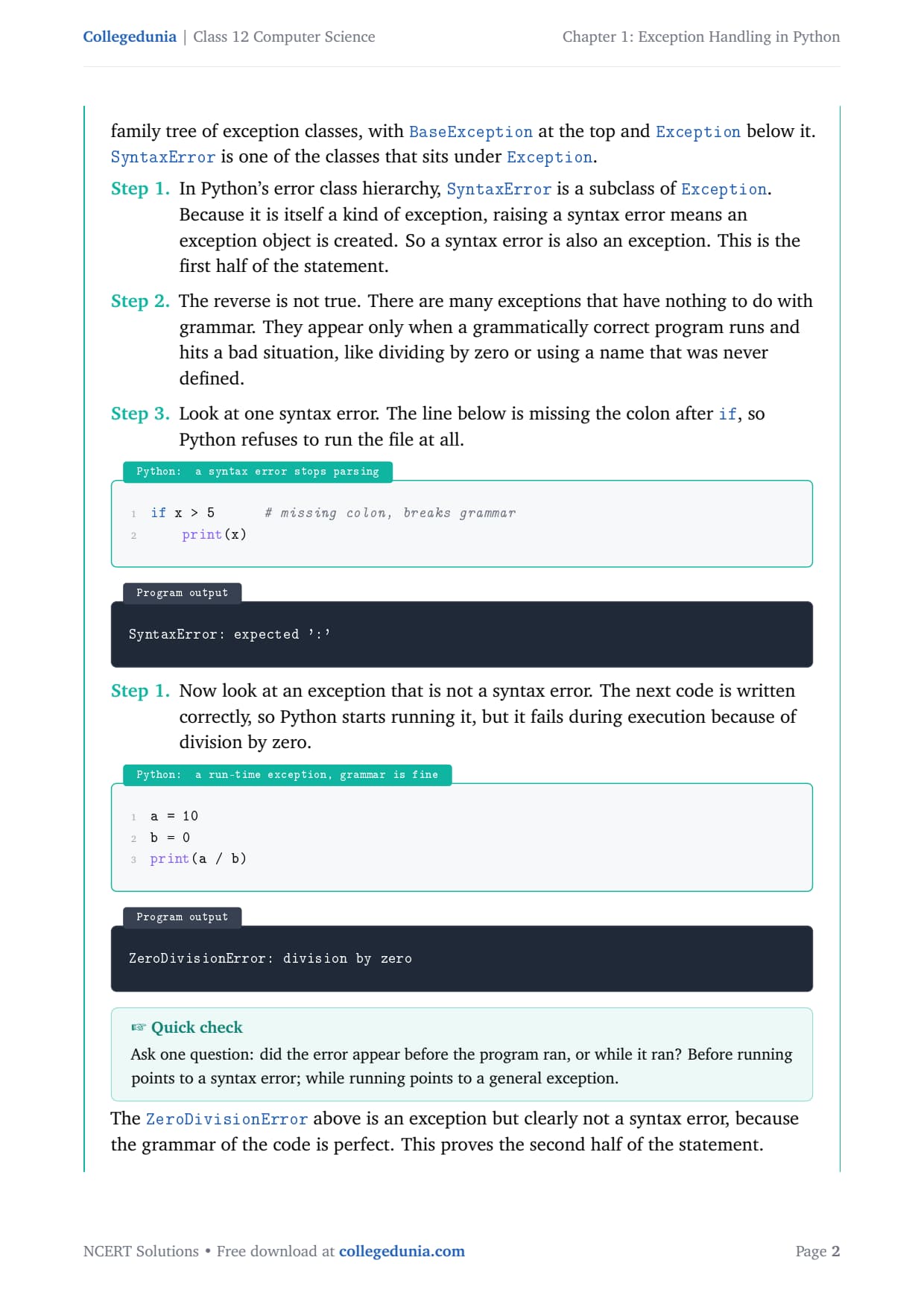
First half (true).SyntaxError is a subclass of Exception, so raising a syntax error creates an exception object. Hence a syntax error is also an exception.
Second half (true). Many exceptions have nothing to do with grammar; they appear only when a correct program runs and hits a bad situation, like dividing by zero or using an undefined name.
A syntax error stops parsing, so Python refuses to run the file at all:
if x > 5      # missing colon, breaks grammar
    print(x)
SyntaxError: expected ':'
A run-time exception, by contrast, happens in grammatically correct code:
a = 10
b = 0
print(a / b)
ZeroDivisionError: division by zero
The ZeroDivisionError is an exception but clearly not a syntax error, which proves the second half.
Answer: A syntax error is a special case of an exception (a subclass of Exception), so every syntax error is an exception. But most exceptions, such as ZeroDivisionError, arise at run time in correct code and are not syntax errors. Hence every exception cannot be a syntax error.
AK
Ananya Krishnan
M.Tech Computer Science, IIT Madras
Verified Expert
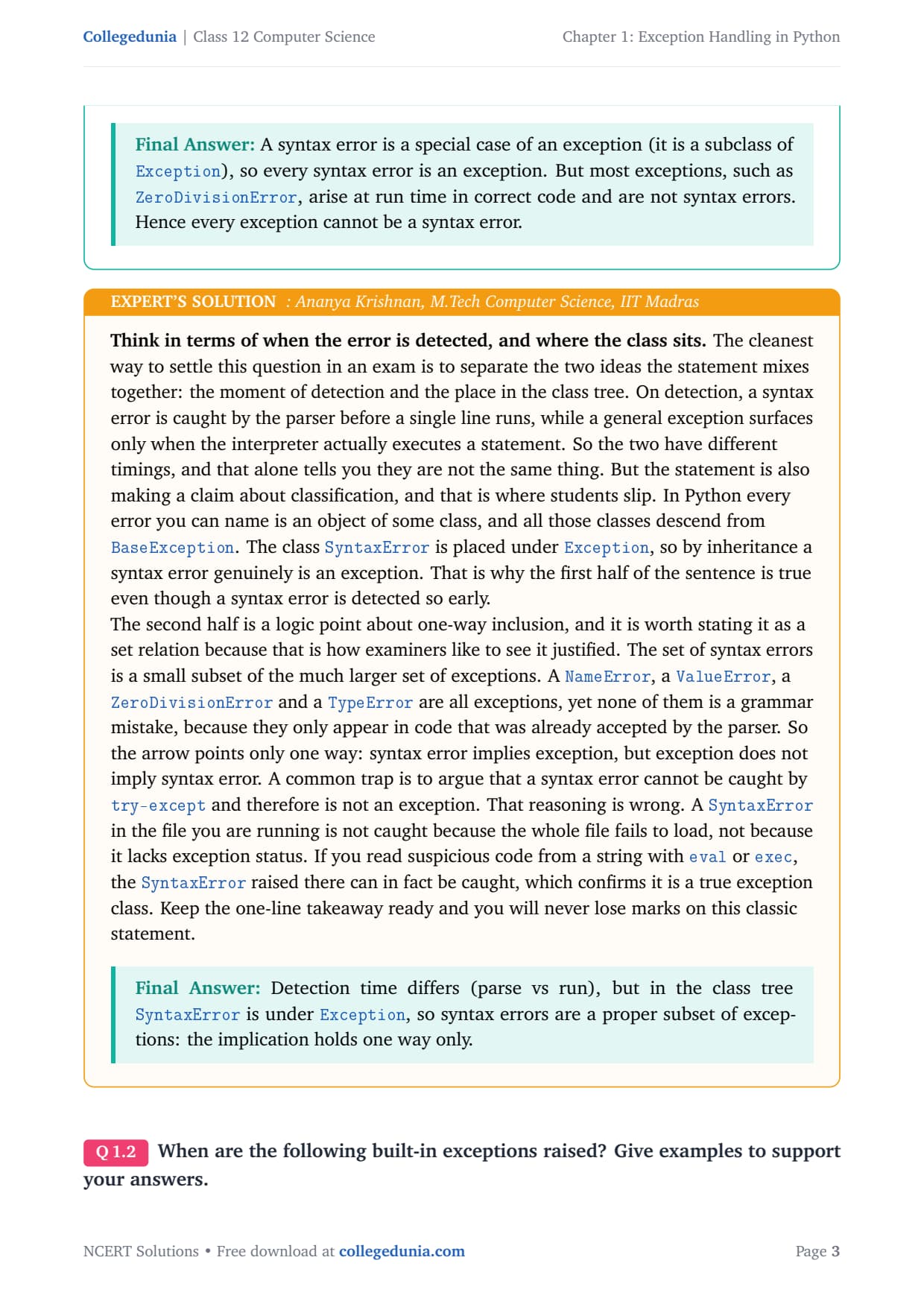
Separate the two ideas the statement mixes: the moment of detection and the place in the class tree. A syntax error is caught by the parser before a single line runs, while a general exception surfaces only during execution, so their timings differ.
On classification, every error in Python is an object of a class, and all descend from BaseException. SyntaxError is placed under Exception, so by inheritance a syntax error genuinely is an exception. That is why the first half holds even though detection is early.
State the second half as a set relation: the set of syntax errors is a small subset of the much larger set of exceptions. A NameError, a ValueError and a ZeroDivisionError are all exceptions, yet none is a grammar mistake.
A common trap is to argue a syntax error cannot be caught by try-except and so is not an exception. That is wrong: a SyntaxError in the file you run is not caught because the whole file fails to load, not because it lacks exception status. Reading code from a string with exec can in fact catch it.
Answer: Detection time differs (parse vs run), but in the class tree SyntaxError is under Exception, so syntax errors are a proper subset of exceptions: the implication holds one way only.
Q 2
When are the following built-in exceptions raised? Give examples to support your answers. a) ImportError b) IOError c) NameError d) ZeroDivisionError
A built-in exception is an error class Python already provides and raises automatically when a specific bad situation happens at run time. Each class name describes the kind of problem.
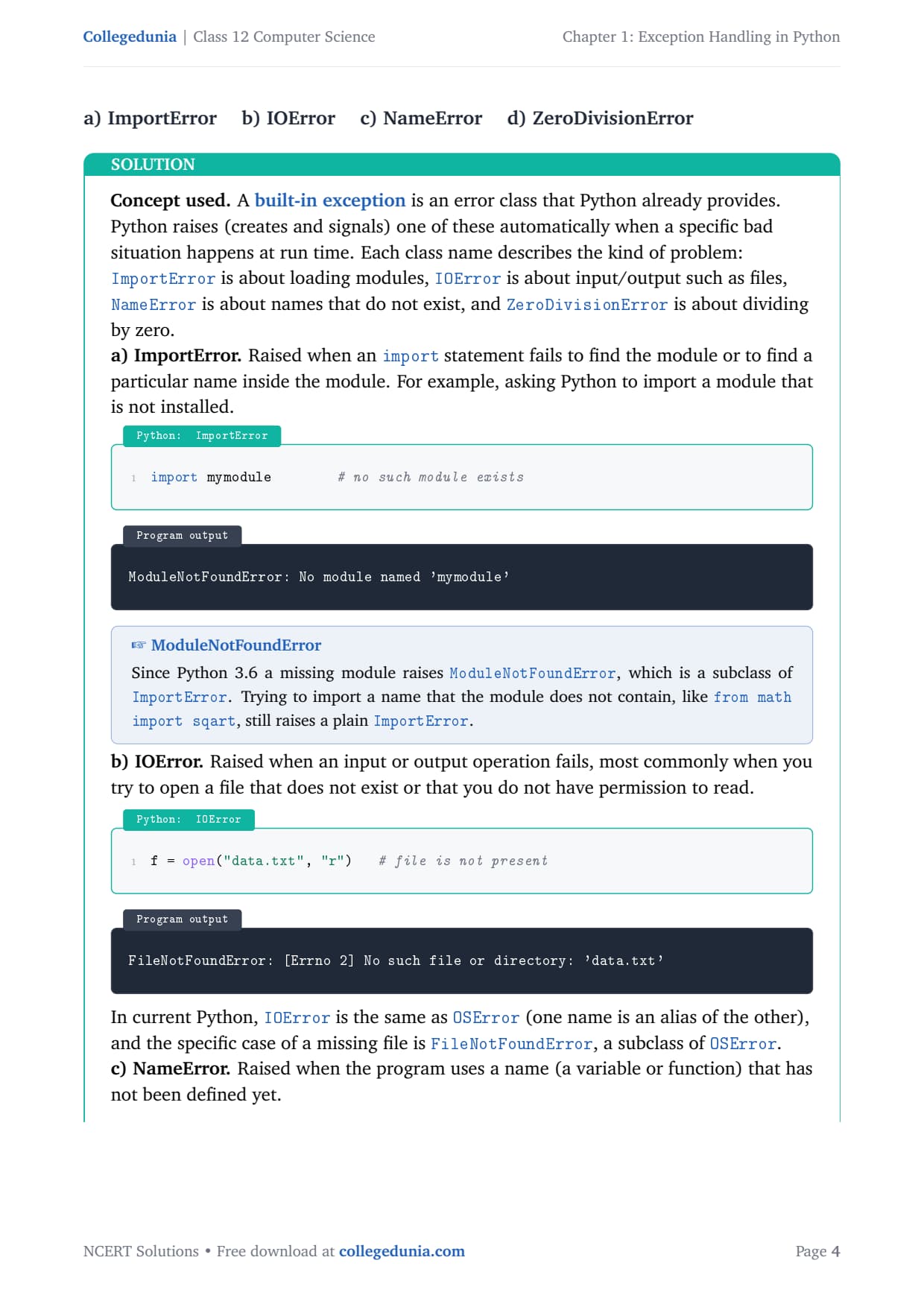
a) ImportError. Raised when an import fails to find the module, or to find a name inside it.
import mymodule # no such module exists
ModuleNotFoundError: No module named 'mymodule'
Since Python 3.6 a missing module raises ModuleNotFoundError, a subclass of ImportError; from math import sqart still raises a plain ImportError.
b) IOError. Raised when an input or output operation fails, most commonly opening a file that does not exist.
f = open("data.txt", "r") # file is not present
FileNotFoundError: [Errno 2] No such file or directory: 'data.txt'
In current Python, IOError is an alias of OSError, and a missing file is FileNotFoundError, a subclass of OSError.
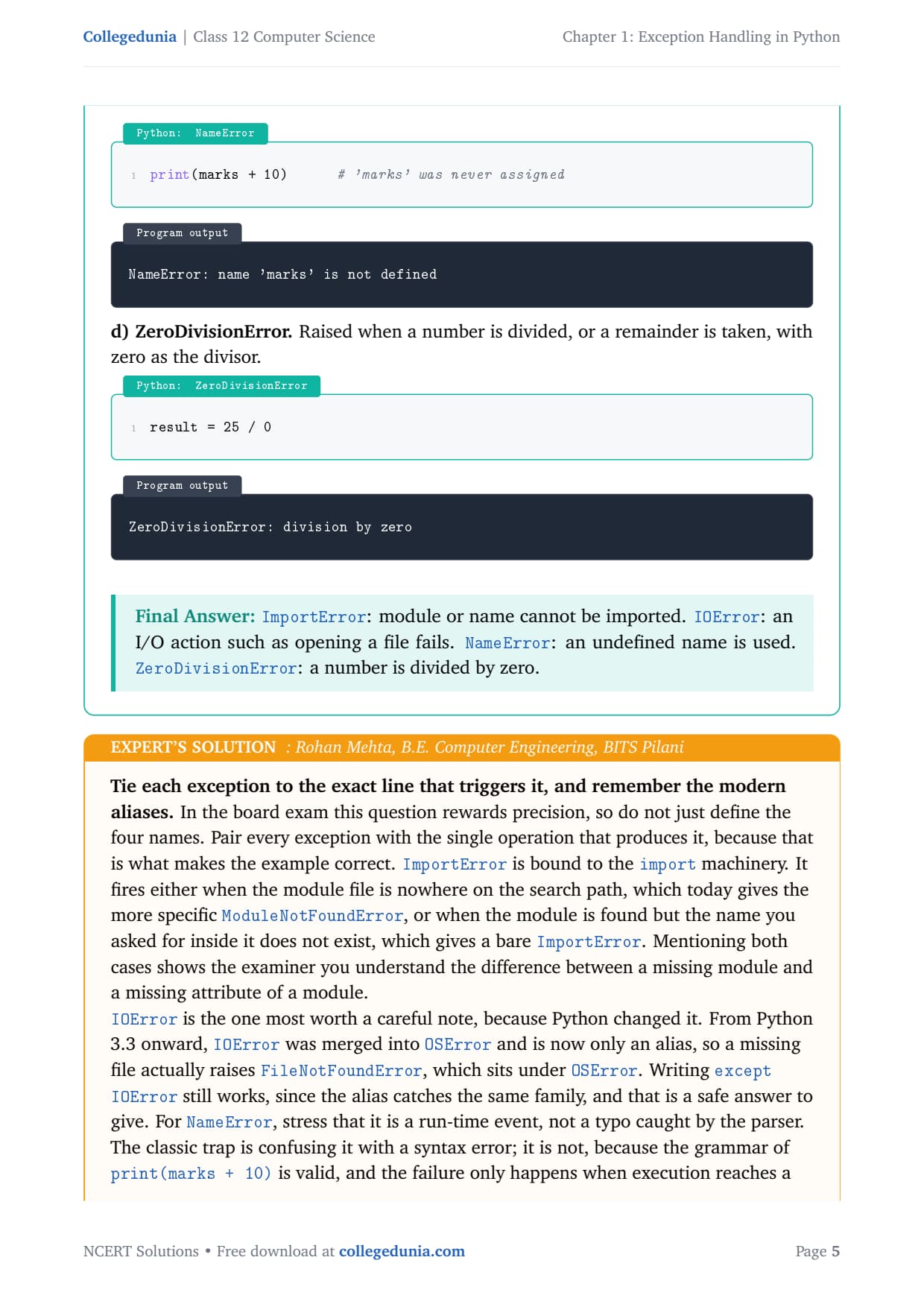
c) NameError. Raised when the program uses a name that has not been defined.
print(marks + 10) # 'marks' was never assigned
NameError: name 'marks' is not defined
d) ZeroDivisionError. Raised when a number is divided, or a remainder taken, with zero as the divisor.
result = 25 / 0
ZeroDivisionError: division by zero
Answer:ImportError: module or name cannot be imported. IOError: an I/O action such as opening a file fails. NameError: an undefined name is used. ZeroDivisionError: a number is divided by zero.
RM
Rohan Mehta
B.E. Computer Engineering, BITS Pilani
Verified Expert
Do not just define the four names; pair every exception with the single operation that produces it, because that is what makes the example correct and earns full marks.
ImportError fires either when the module file is nowhere on the search path, which today gives ModuleNotFoundError, or when the module is found but the name you asked for does not exist, which gives a bare ImportError.
IOError changed in Python 3.3: it merged into OSError and is now an alias, so a missing file actually raises FileNotFoundError. Writing except IOError still works.
NameError is a run-time event, not a typo caught by the parser. A close cousin is UnboundLocalError, raised when a local variable is used before assignment.
ZeroDivisionError covers true division, floor division and modulo, so 10 / 0, 10 // 0 and 10 % 0 all raise it.
A neat habit is to wrap each example in a small try-except and print a friendly message, which proves you can both raise and handle the exception.
Answer: Match each to its trigger line: import that fails, file or I/O that fails, undefined name used, division by zero. Note the modern aliases ModuleNotFoundError and FileNotFoundError for full marks.
Q 3
What is the use of a raise statement? Write a code to accept two numbers and display the quotient. Appropriate exception should be raised if the user enters the second number (denominator) as zero (0).
The raise statement lets the programmer signal an error on purpose. With raise you can force a chosen exception when your own condition is broken, for example when a denominator is zero. The form is raise ExceptionName("message"). Once raised, control jumps to the nearest matching except block. The quotient is the result of num1 / num2.
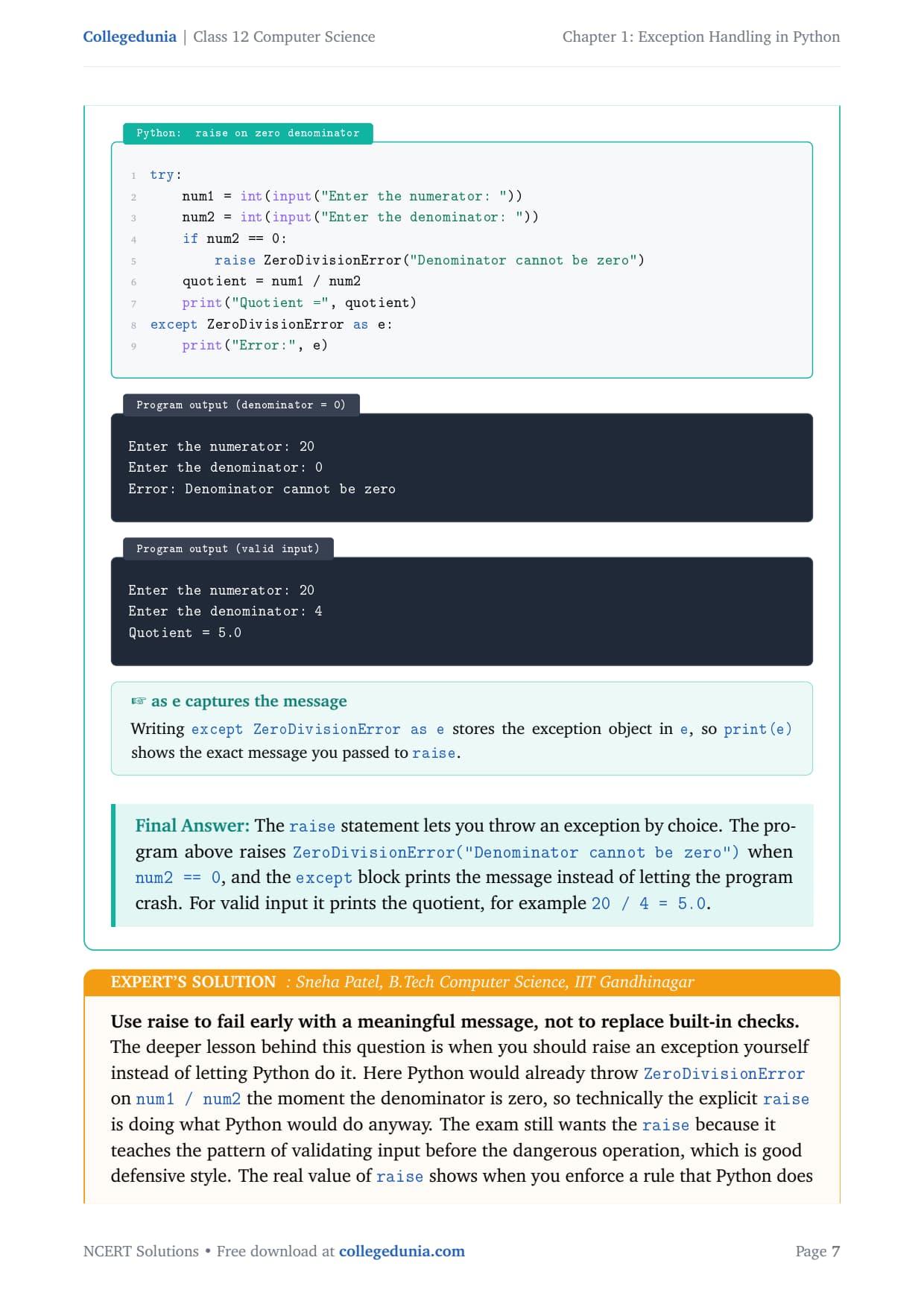
try:
    num1 = int(input("Enter the numerator: "))
    num2 = int(input("Enter the denominator: "))
    if num2 == 0:
        raise ZeroDivisionError("Denominator cannot be zero")
    quotient = num1 / num2
    print("Quotient =", quotient)
except ZeroDivisionError as e:
    print("Error:", e)
Enter the numerator: 20
Enter the denominator: 0
Error: Denominator cannot be zero
Enter the numerator: 20
Enter the denominator: 4
Quotient = 5.0
Writing except ZeroDivisionError as e stores the exception object in e, so print(e) shows the exact message you passed to raise.
Answer: The raise statement throws an exception by choice. The program raises ZeroDivisionError("Denominator cannot be zero") when num2 == 0, and the except block prints the message instead of crashing. For valid input it prints the quotient, for example 20 / 4 = 5.0.
SP
Sneha Patel
B.Tech Computer Science, IIT Gandhinagar
Verified Expert
The deeper lesson is when you should raise an exception yourself instead of letting Python do it. Here Python would already throw ZeroDivisionError on num1 / num2, so the explicit raise teaches the pattern of validating input before the dangerous operation.
The real value of raise shows when you enforce a rule Python does not know, like refusing a negative denominator; there is no automatic exception, so raise ValueError("...") is the only way to stop with a clear reason.
A message such as "Denominator cannot be zero" is more useful than Python's generic "division by zero", because it tells the user exactly which input to fix.
To guard against typed letters, wrap the int(input(...)) calls and catch ValueError too, then print a tailored line for each error.
Validate first, then raise with a precise message, then catch and report: that layered handling is what separates a full-marks answer from a bare one.
Answer:raise throws an exception on demand. Validate num2 == 0, raise ZeroDivisionError with a clear message, and catch it; for valid input print num1 / num2.
Q 4
Use assert statement in Question No. 3 to test the division expression in the program.
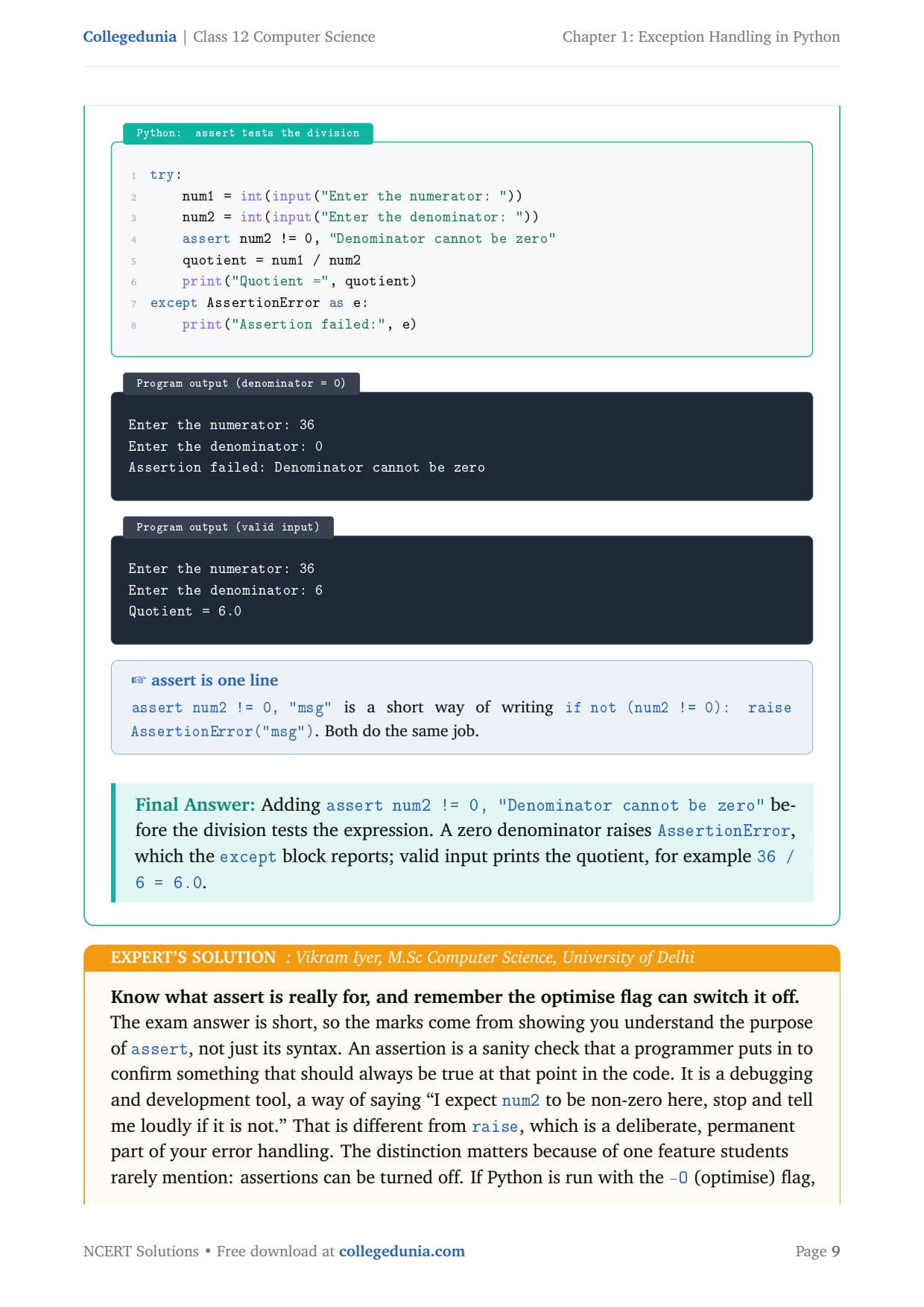
The assert statement checks that a condition is true. Its form is assert condition, message. If the condition is true, the program continues silently. If it is false, Python raises an AssertionError and shows the message. We use it to make sure num2 is not zero before the division.
try:
    num1 = int(input("Enter the numerator: "))
    num2 = int(input("Enter the denominator: "))
    assert num2 != 0, "Denominator cannot be zero"
    quotient = num1 / num2
    print("Quotient =", quotient)
except AssertionError as e:
    print("Assertion failed:", e)
Enter the numerator: 36
Enter the denominator: 0
Assertion failed: Denominator cannot be zero
Enter the numerator: 36
Enter the denominator: 6
Quotient = 6.0
assert num2 != 0, "msg" is a short way of writing if not (num2 != 0): raise AssertionError("msg"). Both do the same job.
Answer: Adding assert num2 != 0, "Denominator cannot be zero" before the division tests the expression. A zero denominator raises AssertionError, which the except block reports; valid input prints the quotient, for example 36 / 6 = 6.0.
VI
Vikram Iyer
M.Sc Computer Science, University of Delhi
Verified Expert
The marks come from showing you understand the purpose of assert, not just its syntax. An assertion is a sanity check a programmer adds to confirm something that should always be true at that point: "I expect num2 to be non-zero here, stop and tell me loudly if it is not."
That differs from raise, which is a deliberate, permanent part of your error handling.
Assertions can be turned off. Run Python with the -O (optimise) flag and every assert line is skipped, so never rely on assert for checks that must happen in the final shipped program.
When the condition is False, Python builds an AssertionError with your message, and a surrounding try-except can catch it like any exception.
The accurate thing to say is that assert here suits testing the division during development, but for production input validation a plain if num2 == 0: raise ... is safer because it cannot be disabled.
Answer:assert num2 != 0, "msg" raises AssertionError when the denominator is zero. It is a development-time check (disabled by -O); use raise for permanent input validation.
Q 5
Define the following: a) Exception Handling b) Throwing an exception c) Catching an exception
These three terms describe the whole flow of dealing with run-time errors in Python. An exception is an error that happens while a program runs; the terms below name the parts of how a program reacts so that it does not stop abruptly.
a) Exception Handling. The process of responding to run-time errors in a controlled way so the program does not crash. The program detects the error, runs special code to deal with it, and, if possible, continues. In Python this uses the try, except, else and finally blocks.
b) Throwing an exception. Throwing (also called raising) means signalling that an error has occurred. The current block stops, an exception object is created and passed on, looking for code that can deal with it. Python throws automatically, and a programmer can throw on purpose with raise.
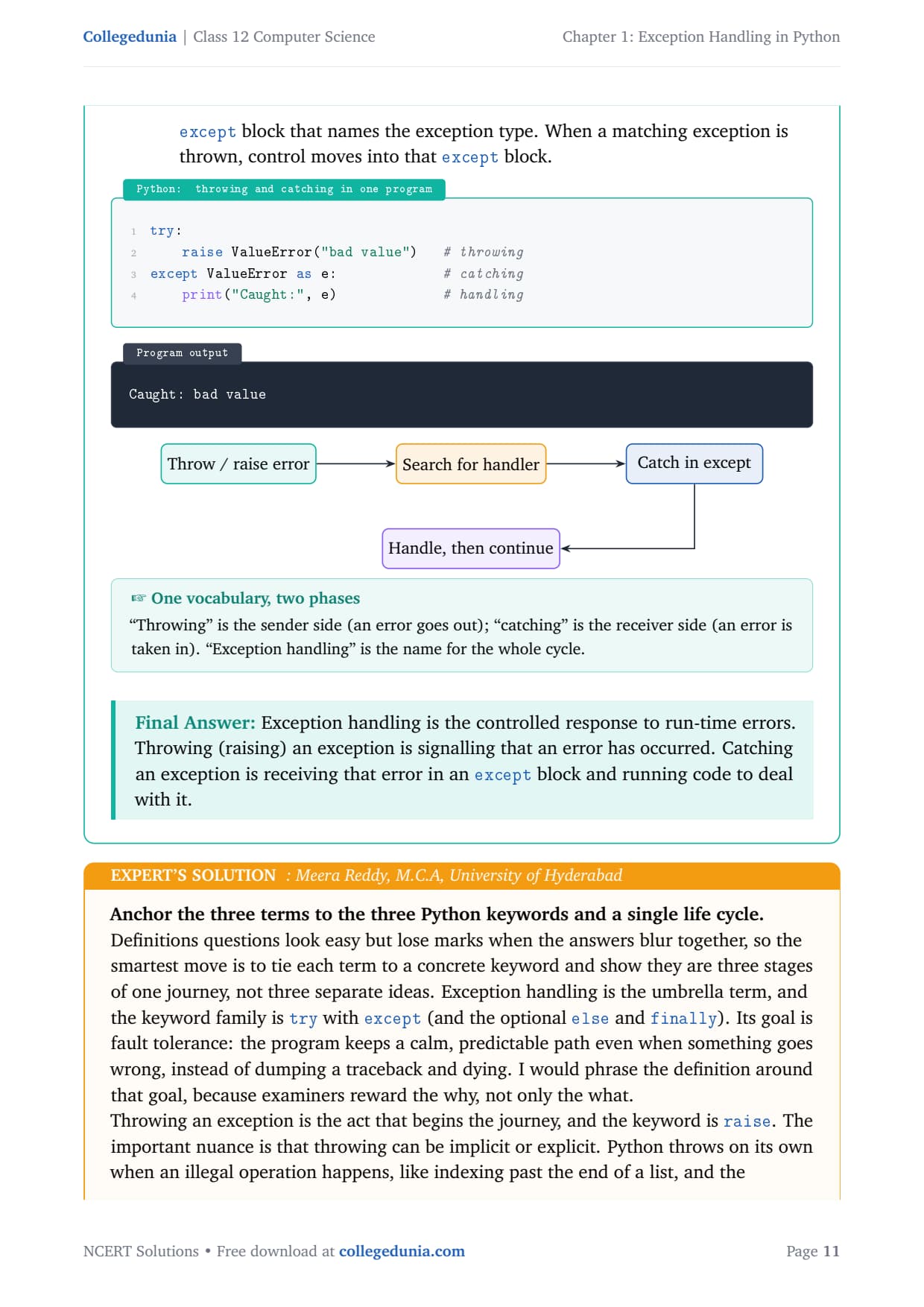
c) Catching an exception. Receiving an exception that was thrown and running code to handle it, done with an except block that names the exception type. When a matching exception is thrown, control moves into that block.
"Throwing" is the sender side (an error goes out); "catching" is the receiver side (an error is taken in); "exception handling" is the name for the whole cycle.
Answer: Exception handling is the controlled response to run-time errors. Throwing (raising) an exception is signalling that an error has occurred. Catching an exception is receiving that error in an except block and running code to deal with it.
MR
Meera Reddy
M.C.A, University of Hyderabad
Verified Expert
Tie each term to a concrete keyword and show they are three stages of one journey, not three separate ideas. Exception handling is the umbrella, and the keyword family is try with except (and optional else and finally). Its goal is fault tolerance: a calm, predictable path even when something goes wrong.
Throwing begins the journey, keyword raise. It can be implicit (Python throws on an illegal operation) or explicit (you write raise for a custom rule). Saying both shows depth.
Catching completes the journey, keyword except. Matching is by class: except ValueError catches ValueError and its subclasses, so the most specific handler should come first.
An unhandled thrown exception travels up through the calling functions, and if nothing catches it the program finally stops.
The cleanest way to present the answer is as a chain: an error is thrown, it propagates outward, an except block catches it, and the handling code decides whether to recover or report.
Answer: Exception handling = the controlled-response process (try/except); throwing = signalling an error (raise, implicit or explicit); catching = receiving it in a matching except block. They are three stages of one life cycle.
Q 6
Explain catching exceptions using try and except block.
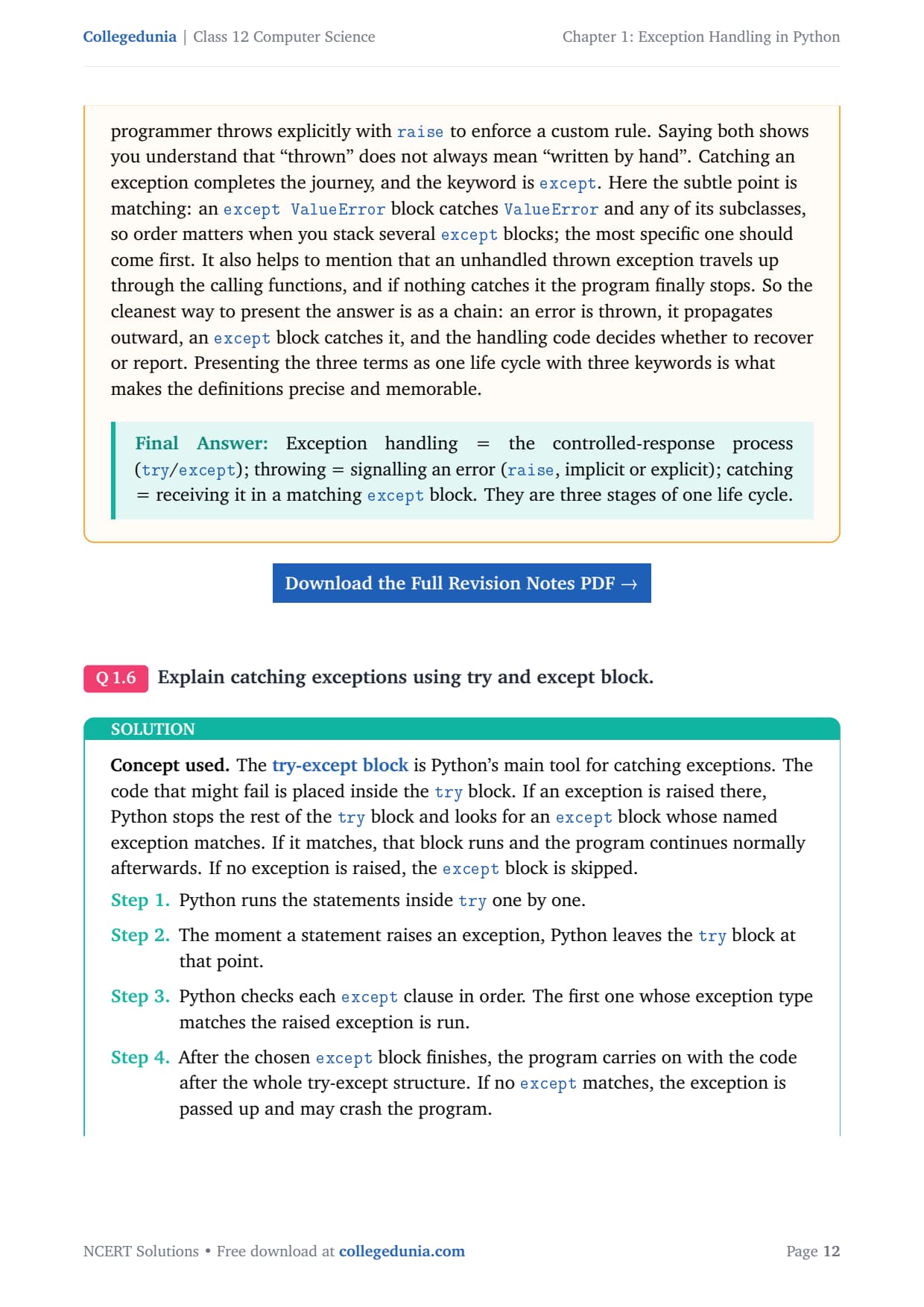
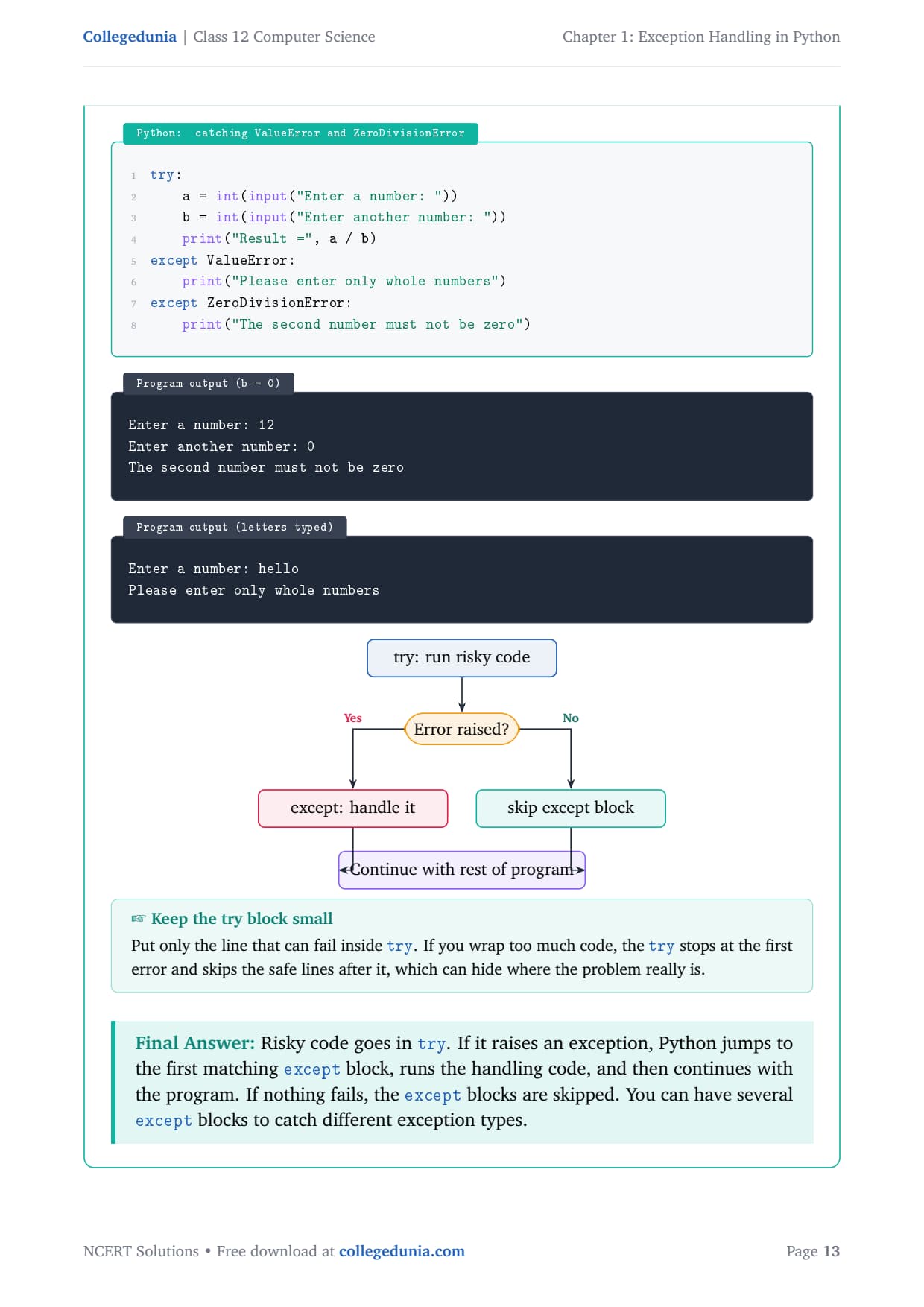
The try-except block is Python's main tool for catching exceptions. Code that might fail goes inside try. If an exception is raised there, Python stops the rest of the try block and looks for an except block whose named exception matches. If it matches, that block runs and the program continues. If no exception is raised, the except block is skipped.
Python runs the statements inside try one by one.
The moment a statement raises an exception, Python leaves the try block at that point.
Python checks each except clause in order; the first whose type matches is run.
After the chosen except block finishes, the program carries on after the whole try-except. If no except matches, the exception is passed up and may crash the program.
try:
    a = int(input("Enter a number: "))
    b = int(input("Enter another number: "))
    print("Result =", a / b)
except ValueError:
    print("Please enter only whole numbers")
except ZeroDivisionError:
    print("The second number must not be zero")
Enter a number: 12
Enter another number: 0
The second number must not be zero
Enter a number: hello
Please enter only whole numbers
Answer: Risky code goes in try. If it raises an exception, Python jumps to the first matching except block, runs the handling code, and then continues. If nothing fails, the except blocks are skipped. You can have several except blocks for different exception types.
AN
Arjun Nair
B.Tech Information Technology, NIT Trichy
Verified Expert
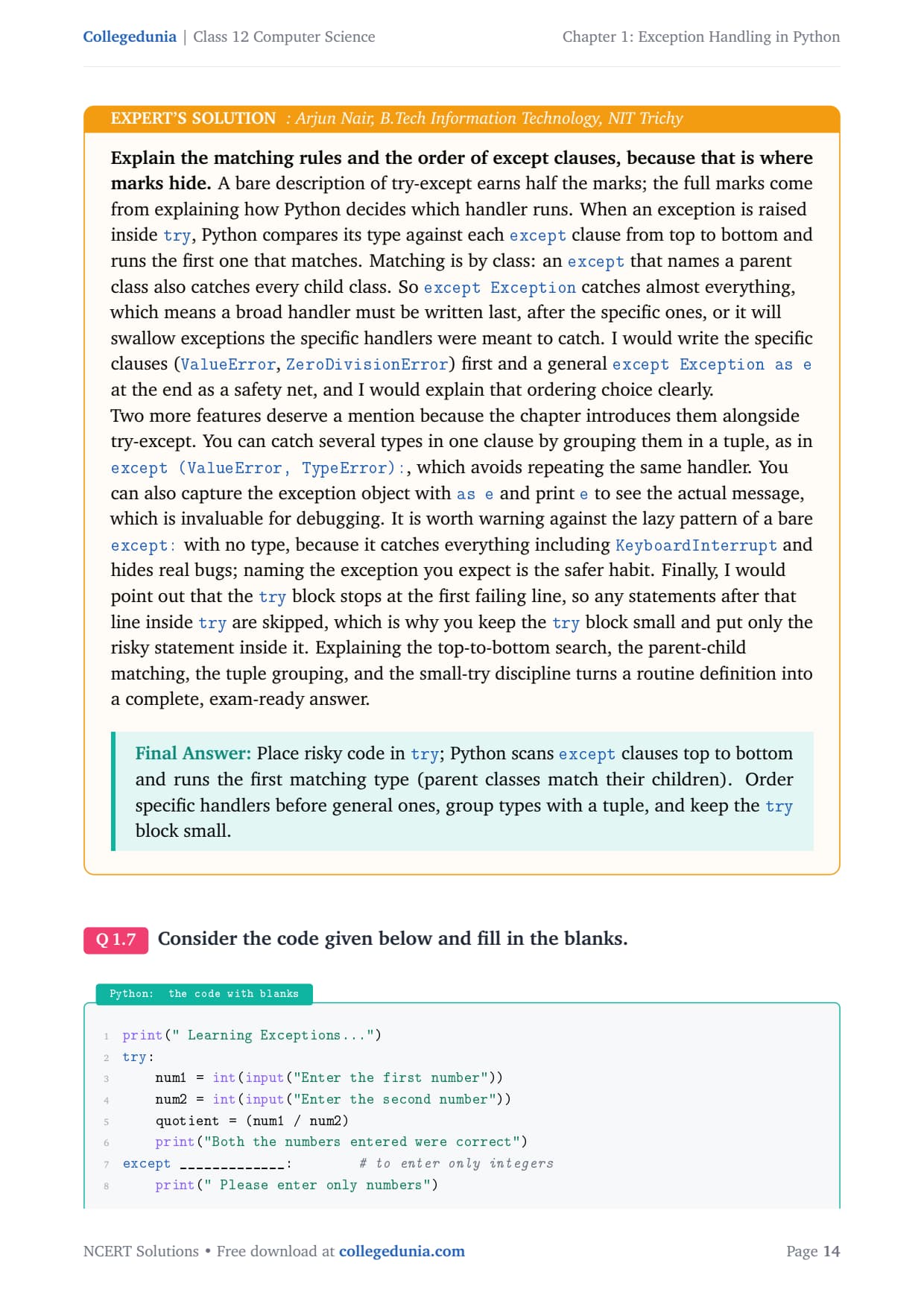
The full marks come from explaining how Python decides which handler runs. When an exception is raised inside try, Python compares its type against each except clause top to bottom and runs the first that matches.
Matching is by class: an except naming a parent class catches every child. So except Exception catches almost everything and must be written last, after the specific handlers.
You can catch several types in one clause with a tuple, as in except (ValueError, TypeError):.
Capture the exception object with as e and print e to see the actual message, which is invaluable for debugging.
Avoid a bare except: with no type; it catches everything including KeyboardInterrupt and hides real bugs.
The try block stops at the first failing line, so any statements after it inside try are skipped, which is why you keep the try block small.
Answer: Place risky code in try; Python scans except clauses top to bottom and runs the first matching type (parent classes match their children). Order specific handlers before general ones, group types with a tuple, and keep the try block small.
Q 7
Consider the code given below and fill in the blanks.
print(" Learning Exceptions...")
try:
    num1 = int(input("Enter the first number"))
    num2 = int(input("Enter the second number"))
    quotient = (num1 / num2)
    print("Both the numbers entered were correct")
except _____________:        # to enter only integers
    print(" Please enter only numbers")
except ____________:         # Denominator should not be zero
    print(" Number 2 should not be zero")
else:
    print(" Great .. you are a good programmer")
___________:                 # to be executed at the end
    print(" JOB OVER... GO GET SOME REST")
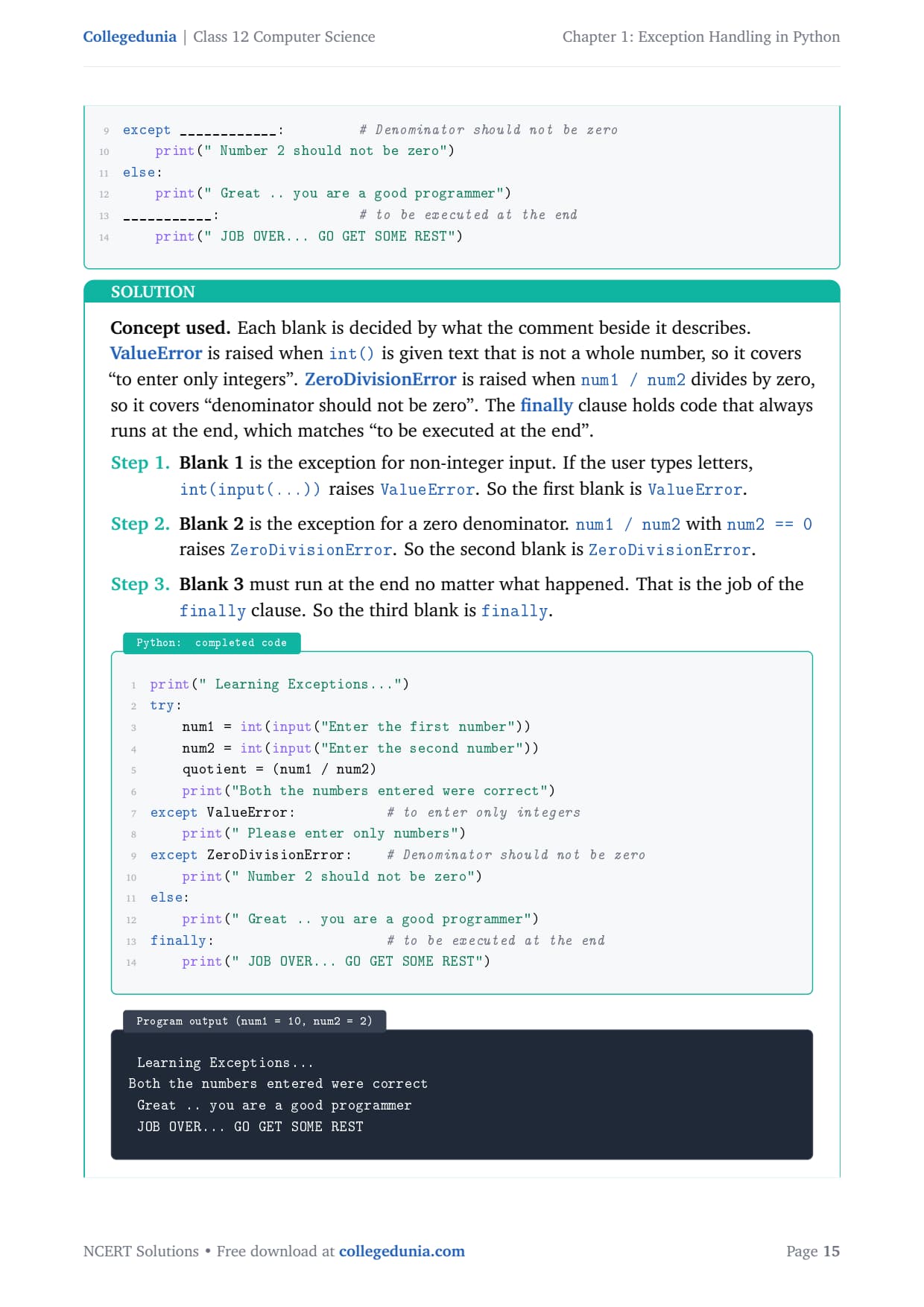
Each blank is decided by what the comment beside it describes. ValueError is raised when int() is given text that is not a whole number, so it covers "to enter only integers". ZeroDivisionError is raised when num1 / num2 divides by zero, so it covers "denominator should not be zero". The finally clause holds code that always runs at the end.
Blank 1 is the exception for non-integer input. If the user types letters, int(input(...)) raises ValueError. So Blank 1 is ValueError.
Blank 2 is the exception for a zero denominator. num1 / num2 with num2 == 0 raises ZeroDivisionError. So Blank 2 is ZeroDivisionError.
Blank 3 must run at the end no matter what. That is the job of finally. So Blank 3 is finally.
print(" Learning Exceptions...")
try:
    num1 = int(input("Enter the first number"))
    num2 = int(input("Enter the second number"))
    quotient = (num1 / num2)
    print("Both the numbers entered were correct")
except ValueError:           # to enter only integers
    print(" Please enter only numbers")
except ZeroDivisionError:    # Denominator should not be zero
    print(" Number 2 should not be zero")
else:
    print(" Great .. you are a good programmer")
finally:                     # to be executed at the end
    print(" JOB OVER... GO GET SOME REST")
 Learning Exceptions...
Both the numbers entered were correct
 Great .. you are a good programmer
 JOB OVER... GO GET SOME REST
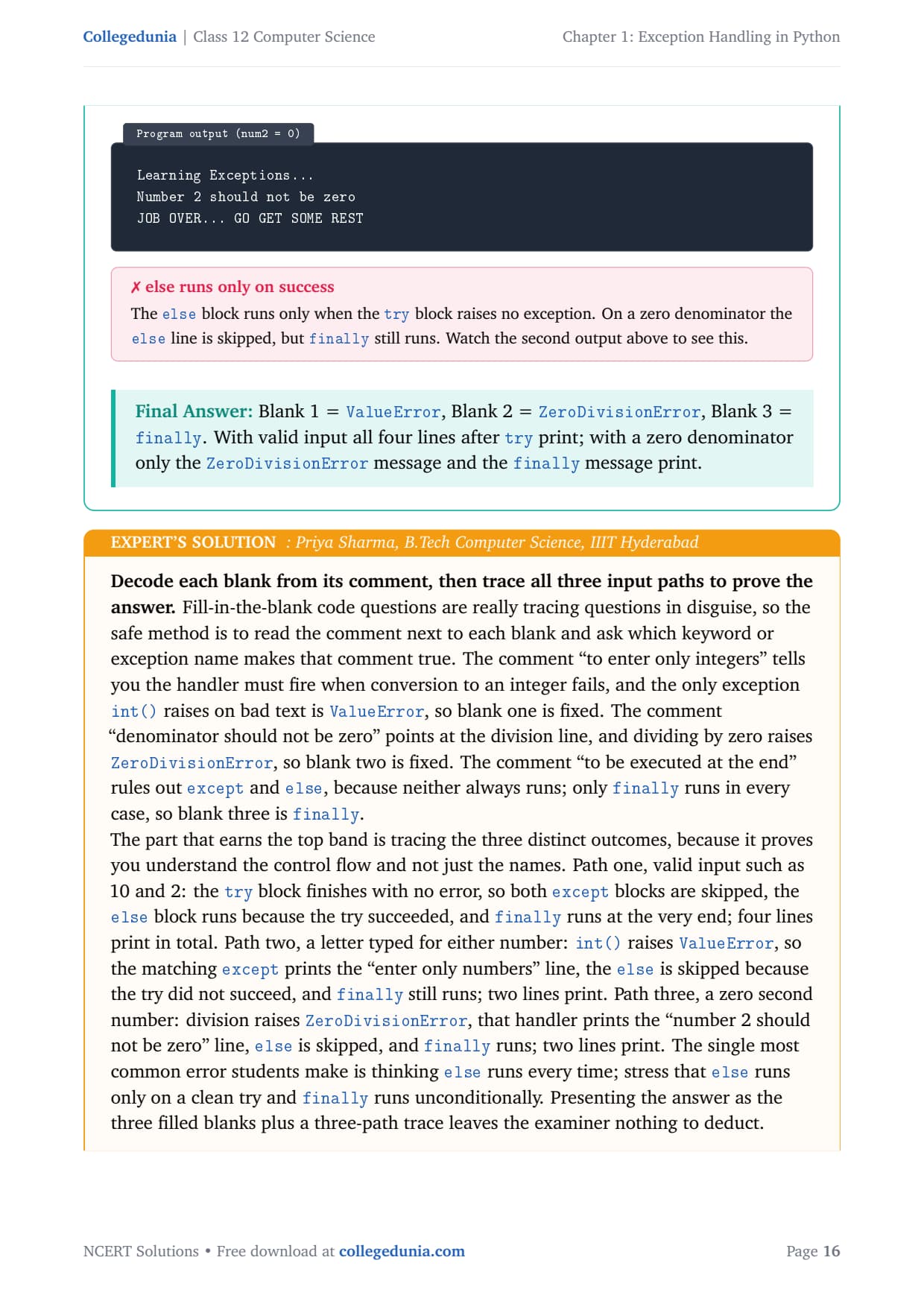
 Learning Exceptions...
 Number 2 should not be zero
 JOB OVER... GO GET SOME REST
The else block runs only when the try block raises no exception. On a zero denominator the else line is skipped, but finally still runs.
Answer: Blank 1 = ValueError, Blank 2 = ZeroDivisionError, Blank 3 = finally. With valid input all four lines after try print; with a zero denominator only the ZeroDivisionError message and the finally message print.
PS
Priya Sharma
B.Tech Computer Science, IIIT Hyderabad
Verified Expert
Fill-in-the-blank code questions are tracing questions in disguise. Read the comment next to each blank and ask which keyword makes that comment true. "To enter only integers" needs the handler for failed integer conversion, which is ValueError. "Denominator should not be zero" points at the division line, so ZeroDivisionError. "To be executed at the end" rules out except and else; only finally always runs.
Valid input (10 and 2): the try finishes with no error, both except blocks are skipped, else runs, and finally runs; four lines print.
A letter typed:int() raises ValueError, that except prints its line, else is skipped, and finally still runs; two lines print.
Zero second number: division raises ZeroDivisionError, that handler prints its line, else is skipped, and finally runs; two lines print.
The single most common error is thinking else runs every time; stress that else runs only on a clean try and finally runs unconditionally.
Answer:ValueError, ZeroDivisionError, finally. Trace: valid input runs else + finally; a bad type or zero denominator runs the matching except + finally, and else is skipped.
Q 8
You have learnt how to use math module in Class XI. Write a code where you use the wrong number of arguments for a method (say sqrt() or pow()). Use the exception handling process to catch the ValueError exception.
The math module gives ready-made functions like math.sqrt(x) (square root) and math.pow(x, y) (x raised to power y). A ValueError is raised when a function gets an argument of the right type but an unacceptable value. For math.sqrt, a negative number is outside the function's allowed range (its domain), so it raises ValueError: math domain error. We catch it with a try-except block.
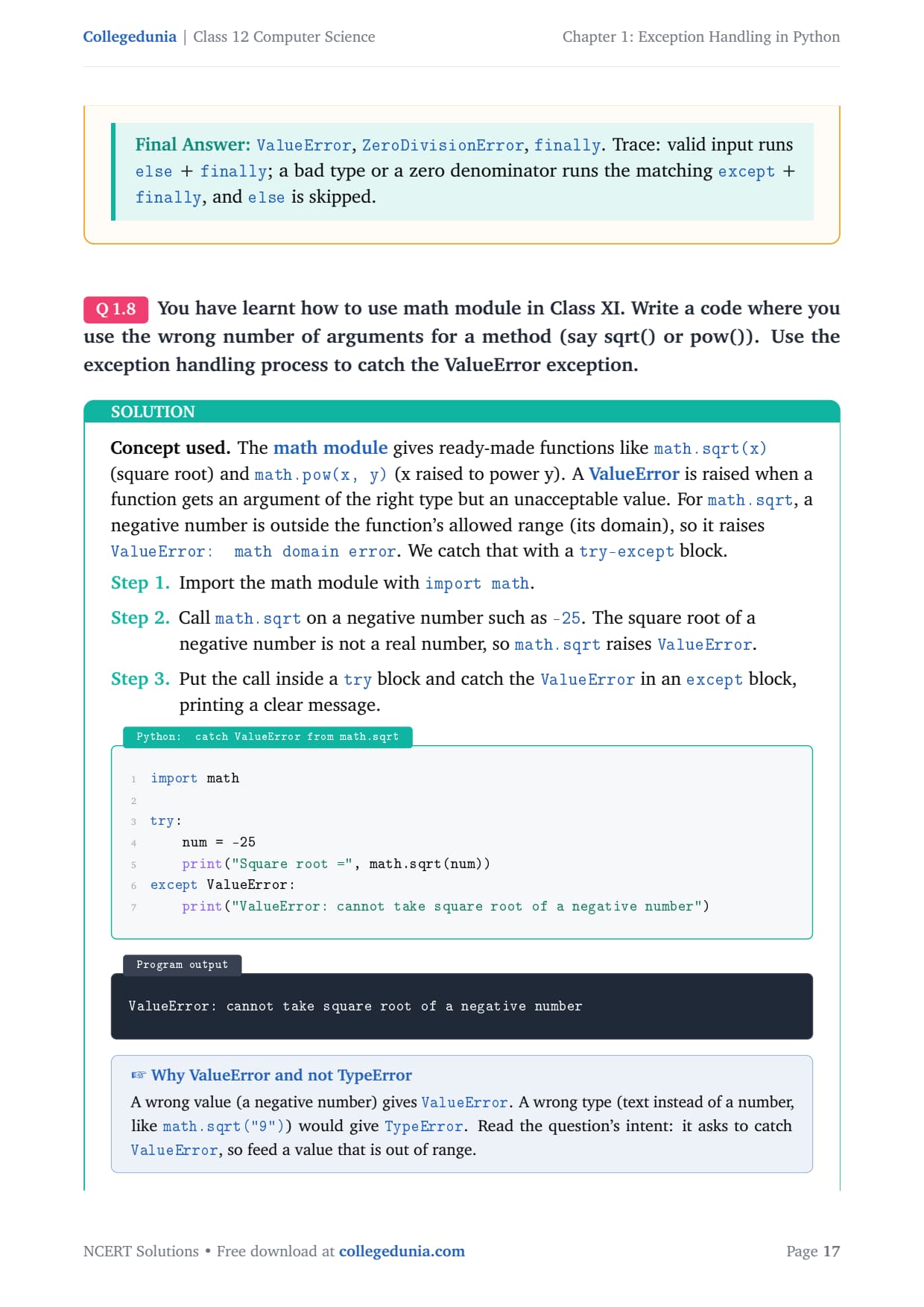
import math

try:
    num = -25
    print("Square root =", math.sqrt(num))
except ValueError:
    print("ValueError: cannot take square root of a negative number")
ValueError: cannot take square root of a negative number
A wrong value (a negative number) gives ValueError. A wrong type (text instead of a number, like math.sqrt("9")) would give TypeError. The question asks to catch ValueError, so feed a value that is out of range.
Answer: Calling math.sqrt(-25) raises ValueError: math domain error because a negative number is outside the function's allowed range. The try-except block catches the ValueError and prints a clear message instead of crashing.
KS
Karthik Subramanian
M.Tech Software Engineering, Anna University
Verified Expert
This question has a wording trap. It says "wrong number of arguments," but passing the wrong count to math.sqrt or math.pow actually raises TypeError, not the ValueError the question explicitly asks you to catch. So the intent, confirmed by the demand for a ValueError, is to pass an argument whose value is out of the function's domain.
For math.sqrt that means a negative number; for math.pow, a case such as a negative base with a fractional exponent. Both raise ValueError: math domain error.
TypeError signals the kind of thing is wrong (text where a number was expected, or wrong argument count); ValueError signals the kind is right but the particular value is unacceptable.
Note that cmath.sqrt(-25) would instead return the complex result 5j without error, which explains why the real-number math.sqrt refuses the input.
Capture the message with except ValueError as e and print e to display Python's own "math domain error" text, proving the exception came from the math function.
Answer: Pass an out-of-domain value such as math.sqrt(-25); it raises ValueError: math domain error, which the except ValueError block catches. A wrong argument count would instead raise TypeError.
Q 9
What is the use of finally clause? Use finally clause in the problem given in Question No. 7.
The finally clause is an optional block attached to a try statement. The code inside finally always runs, whether or not an exception was raised, and whether or not it was caught. It is used for clean-up work that must happen in every case, such as closing a file or printing a final message. (Question 7 already includes a finally clause; here we explain its role.)
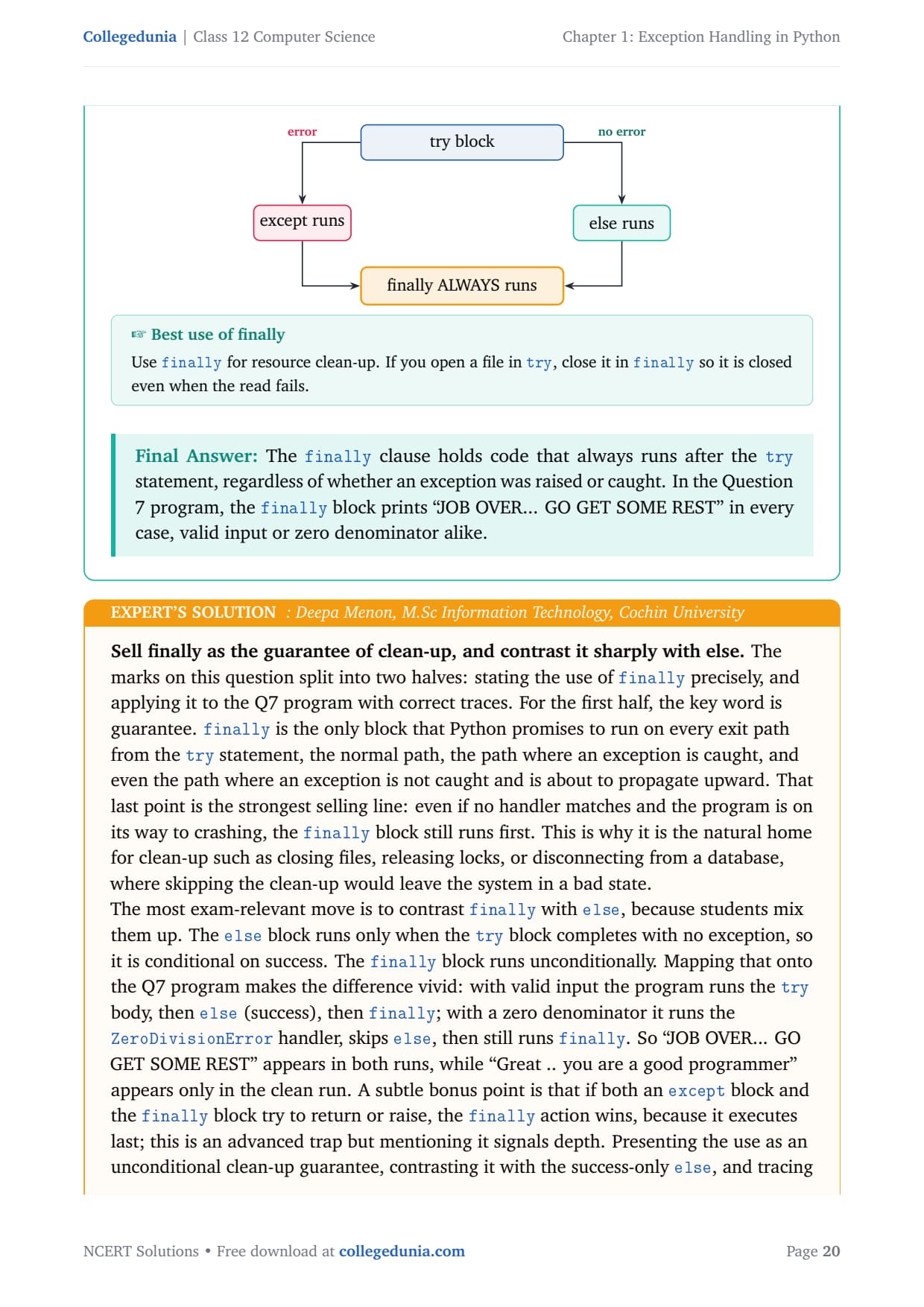
Python runs the try block first.
If an exception is raised, the matching except block runs; if none is raised, the else block runs.
No matter which happened, Python runs the finally block last, just before leaving the try statement. So the "JOB OVER" message prints in every situation.
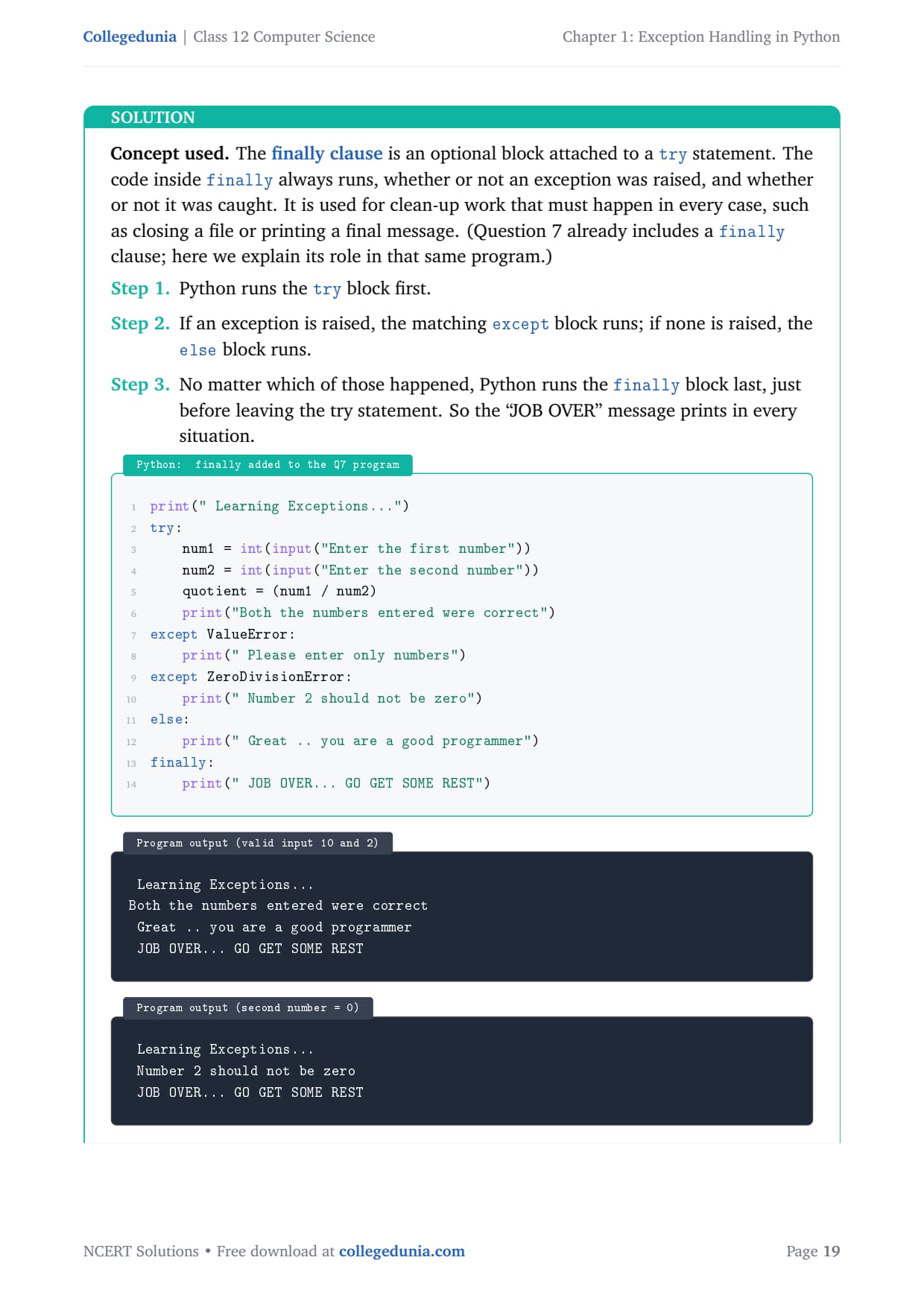
print(" Learning Exceptions...")
try:
    num1 = int(input("Enter the first number"))
    num2 = int(input("Enter the second number"))
    quotient = (num1 / num2)
    print("Both the numbers entered were correct")
except ValueError:
    print(" Please enter only numbers")
except ZeroDivisionError:
    print(" Number 2 should not be zero")
else:
    print(" Great .. you are a good programmer")
finally:
    print(" JOB OVER... GO GET SOME REST")
 Learning Exceptions...
Both the numbers entered were correct
 Great .. you are a good programmer
 JOB OVER... GO GET SOME REST
 Learning Exceptions...
 Number 2 should not be zero
 JOB OVER... GO GET SOME REST
Use finally for resource clean-up. If you open a file in try, close it in finally so it is closed even when the read fails.
Answer: The finally clause holds code that always runs after the try statement, regardless of whether an exception was raised or caught. In the Question 7 program, finally prints "JOB OVER... GO GET SOME REST" in every case, valid input or zero denominator alike.
DM
Deepa Menon
M.Sc Information Technology, Cochin University
Verified Expert
The key word is guarantee. finally is the only block Python promises to run on every exit path from the try statement: the normal path, the path where an exception is caught, and even the path where an exception is not caught and is about to propagate upward.
That last point is the strongest selling line: even if no handler matches and the program is on its way to crashing, finally still runs first. This makes it the natural home for clean-up such as closing files or releasing locks.
Contrast it sharply with else: the else block runs only when the try completes with no exception, so it is conditional on success, while finally runs unconditionally.
If both an except block and finally try to return or raise, the finally action wins because it executes last.
Mapping onto Q 7: valid input runs the try body, then else, then finally; a zero denominator runs the handler, skips else, then still runs finally. So "JOB OVER" appears in both, while "Great" appears only in the clean run.
Answer:finally runs on every exit from the try statement (success, caught error, or propagating error), so it is used for guaranteed clean-up. In Q 7 it prints "JOB OVER..." in every run, while else prints only on a clean, error-free run.
NCERT Solutions Class 12 Computer Science Chapter 1 Exception Handling in Python FAQs
Ques. How many questions are there in NCERT Class 12 Computer Science Chapter 1 Exception Handling in Python?
Ans. There are 9 end-of-chapter exercise questions in NCERT Class 12 Computer Science Chapter 1 Exception Handling in Python. All 9 are solved with full answers and an Expert Solution in the PDF. The mix is two conceptual questions on errors and built-in exceptions, three program questions on raise, assert and the math module, two definition questions on exception handling and the try-except block, and two questions on the fill-in-the-blank code and the finally clause.
Ques. What is the difference between a syntax error and an exception in Python?
Ans. A syntax error is found while Python reads (parses) the code, before the program runs, and it breaks the grammar rules of the language, for example a missing colon. An exception is an error that happens while a syntactically correct program is running, such as dividing by zero. In Python's class tree, SyntaxError is itself a subclass of Exception, so every syntax error is an exception, but most exceptions like ZeroDivisionError arise at run time and are not syntax errors. The quick test is whether the error appears before the program runs or while it runs.
Ques. When is a ValueError raised in Class 12 Computer Science?
Ans. A ValueError is raised when a function receives an argument of the right type but an unacceptable value. The classic example is int("abc"), where the text is a string but cannot be turned into a whole number, and math.sqrt(-25), where the type is a number but a negative value is outside the square-root domain. This is different from a TypeError, which is raised when the kind of the argument is wrong, such as passing text where a number is expected or passing the wrong number of arguments. In Chapter 1 the math module question (Q 8) tests exactly this difference.
Ques. What is the difference between the else and finally clauses?
Ans. The else block runs only when the try block completes with no exception, so it is conditional on success. The finally block runs on every exit path from the try statement, whether an exception was raised, caught, or is about to propagate, so it is unconditional. In the Question 7 program, valid input runs the try body, then else, then finally, while a zero denominator runs the except handler, skips else, and still runs finally. This is why the finally message appears in every run but the else message appears only in the clean run.
Ques. What is the use of the raise statement in Python?
Ans. The raise statement lets the programmer throw an exception on purpose, using the form raise ExceptionName("message"). It is most useful for enforcing a rule that Python does not know about, such as refusing a negative denominator or a value above a limit, because in those cases there is no automatic exception. Once raised, control jumps to the nearest matching except block. A clear custom message such as "Denominator cannot be zero" is more helpful than the generic message Python prints on its own, because it tells the user exactly which input to fix.
Ques. How many pages is the Class 12th Computer Science Exception Handling in Python NCERT Solutions PDF?
Ans. The Exception Handling in Python NCERT Solutions PDF runs about 18 pages and covers all 9 exercise questions with step-by-step Python code, sample output, flow diagrams, and an Expert Solution for each question. Both Normal and HD versions are available from this page, and both are free to download for the 2026-27 session.
Ques. Is the NCERT Solutions for Class 12 Computer Science Chapter 1 aligned with the 2026-27 syllabus?
Ans. Yes. This page reflects the current 2026-27 CBSE syllabus for Class 12 Computer Science. The Exception Handling in Python chapter is unchanged for the current cycle, and every answer follows the NCERT textbook, covering syntax errors versus exceptions, built-in exceptions, the try-except block, and the raise, assert, else and finally keywords. The solutions are useful for the CBSE board exam, and the same ideas help with JEE-level programming and CUET Computer Science.
Ques. Why does the assert statement need to be used carefully in Python?
Ans. The assert statement checks a condition and raises an AssertionError if it is false, which makes it a good development-time sanity check. The catch is that assertions can be switched off: if Python is run with the -O (optimise) flag, every assert line is skipped entirely. This means you should never rely on assert for checks that must happen in the final shipped program, such as validating real user input. For permanent validation, a plain if condition with a raise statement is safer, because it cannot be disabled. In Chapter 1, Question 4 uses assert to test the division during development.









Comments