




Download the Class 12 Computer Science Chapter 2 File Handling in Python NCERT Book PDF free, straight from the official NCERT textbook and matched to the 2026-27 CBSE syllabus. This is the original chapter, with the exact text on text and binary files, file modes, the open(), read(), write() and seek() methods, the with clause, and the pickle module that the board exam is set from.
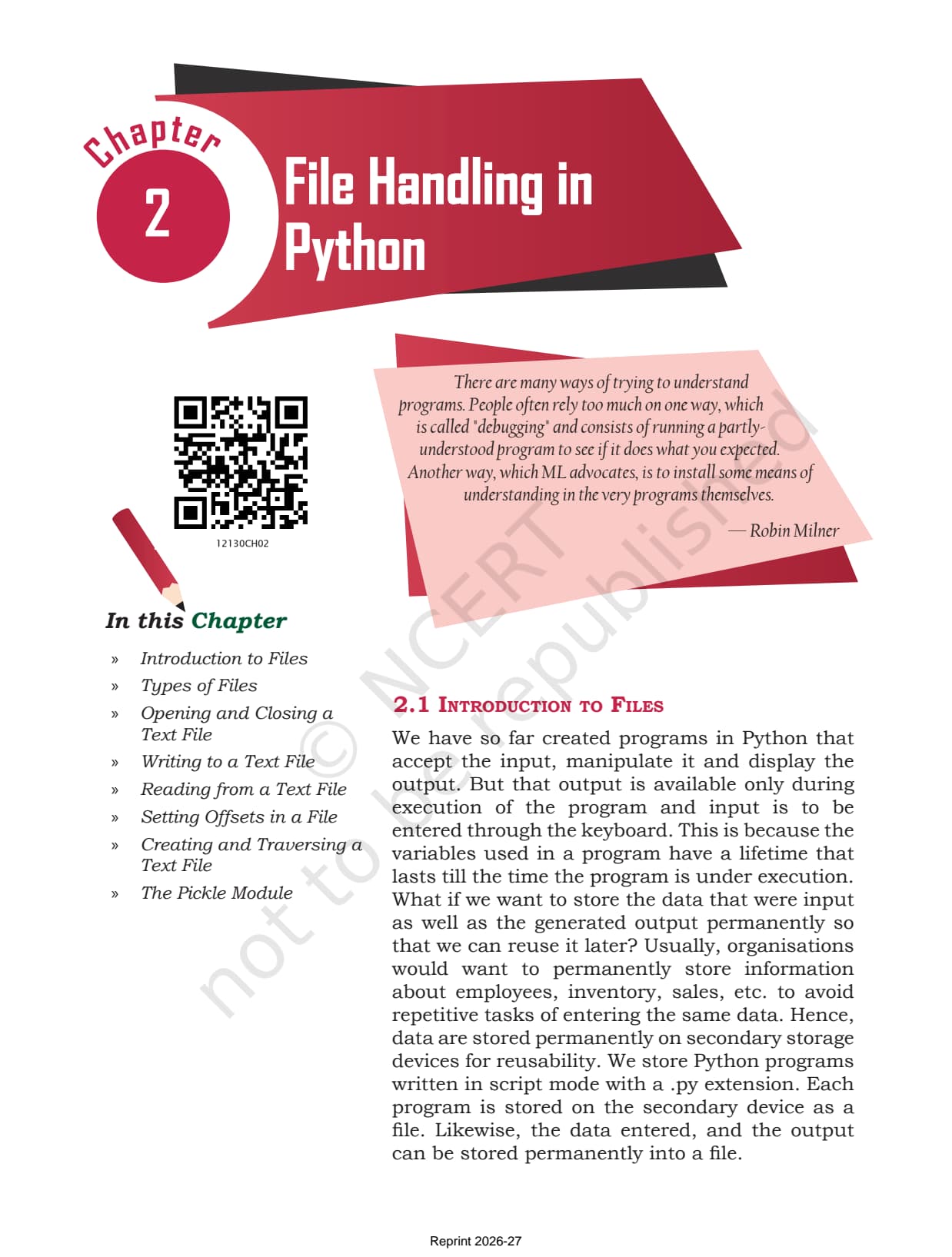
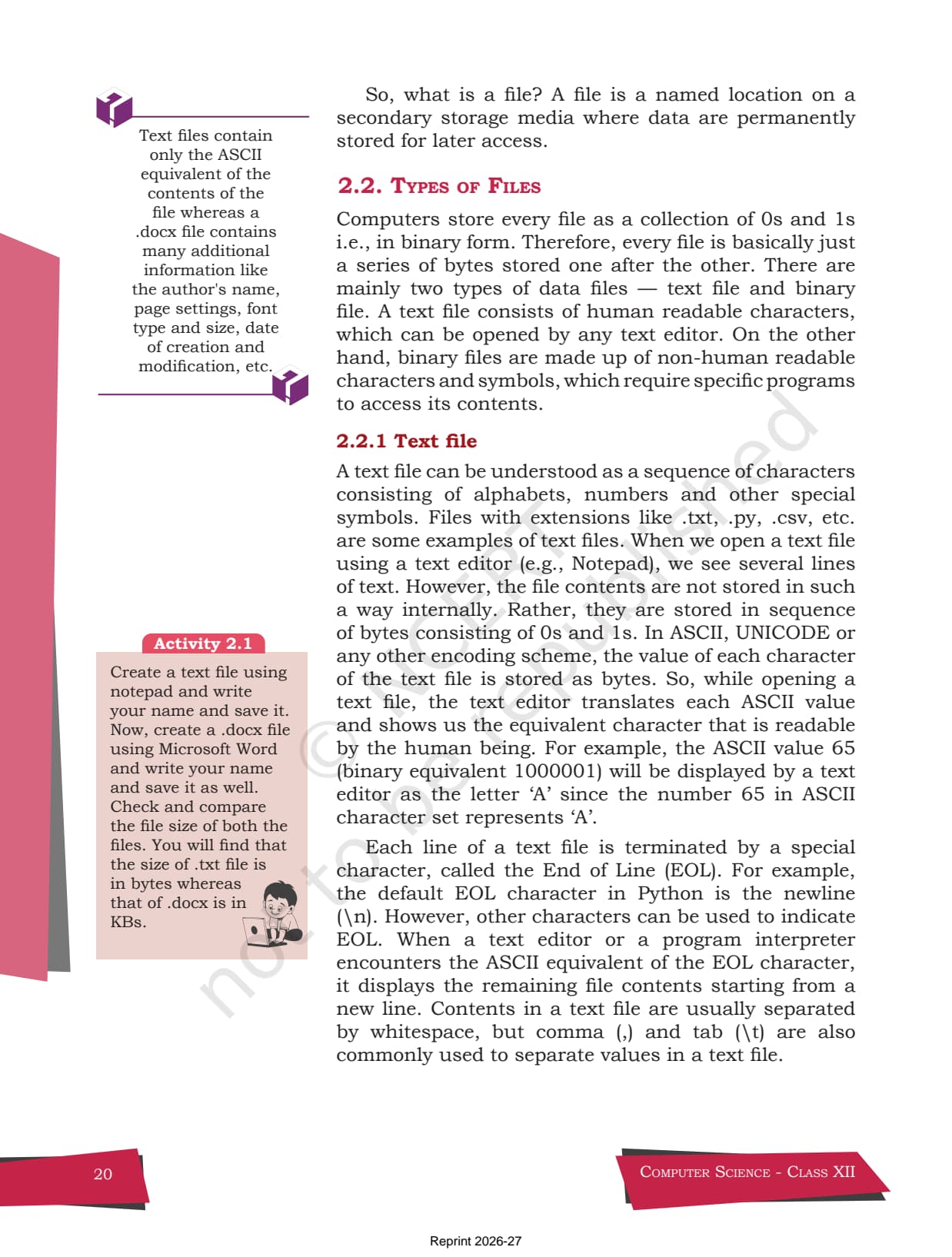
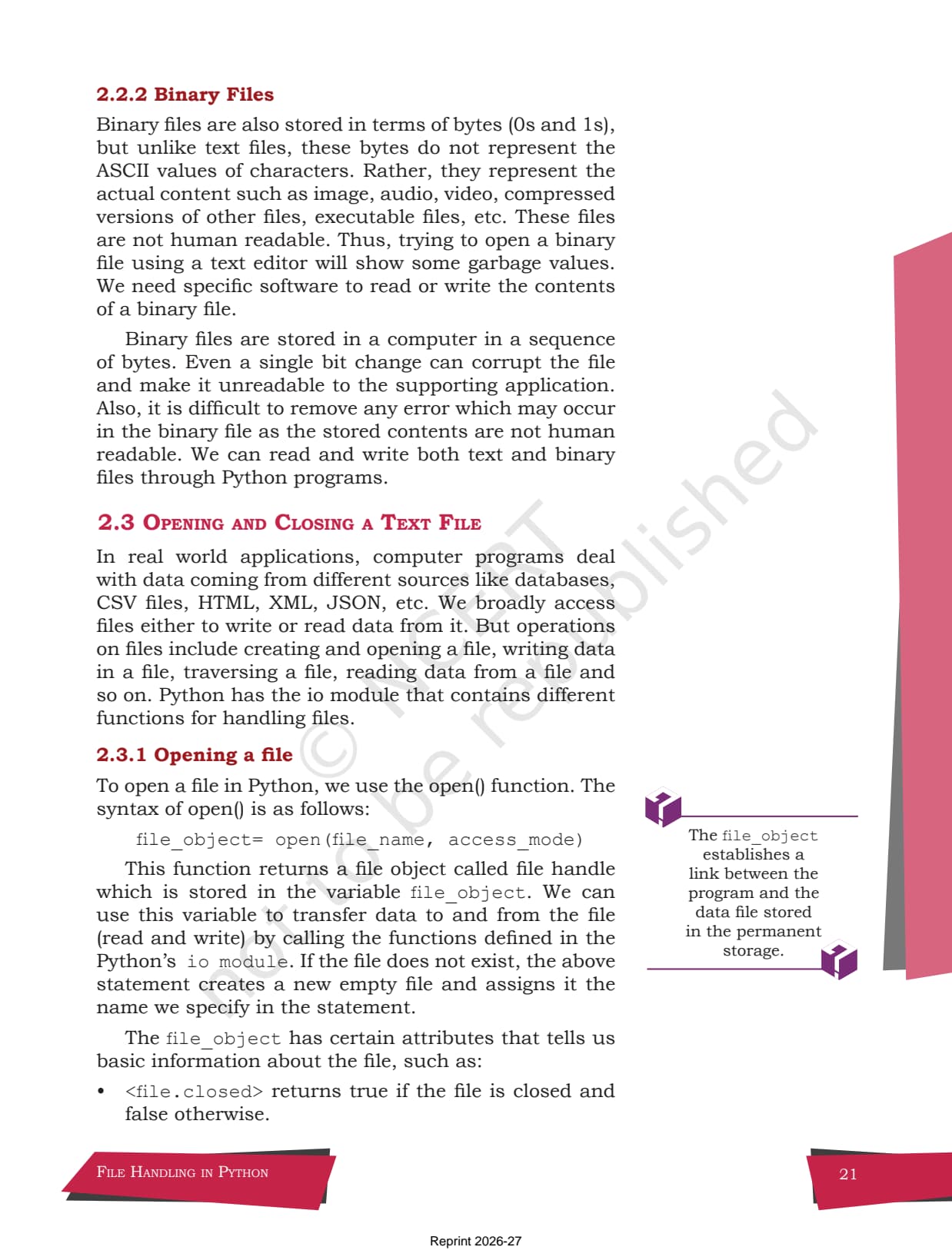
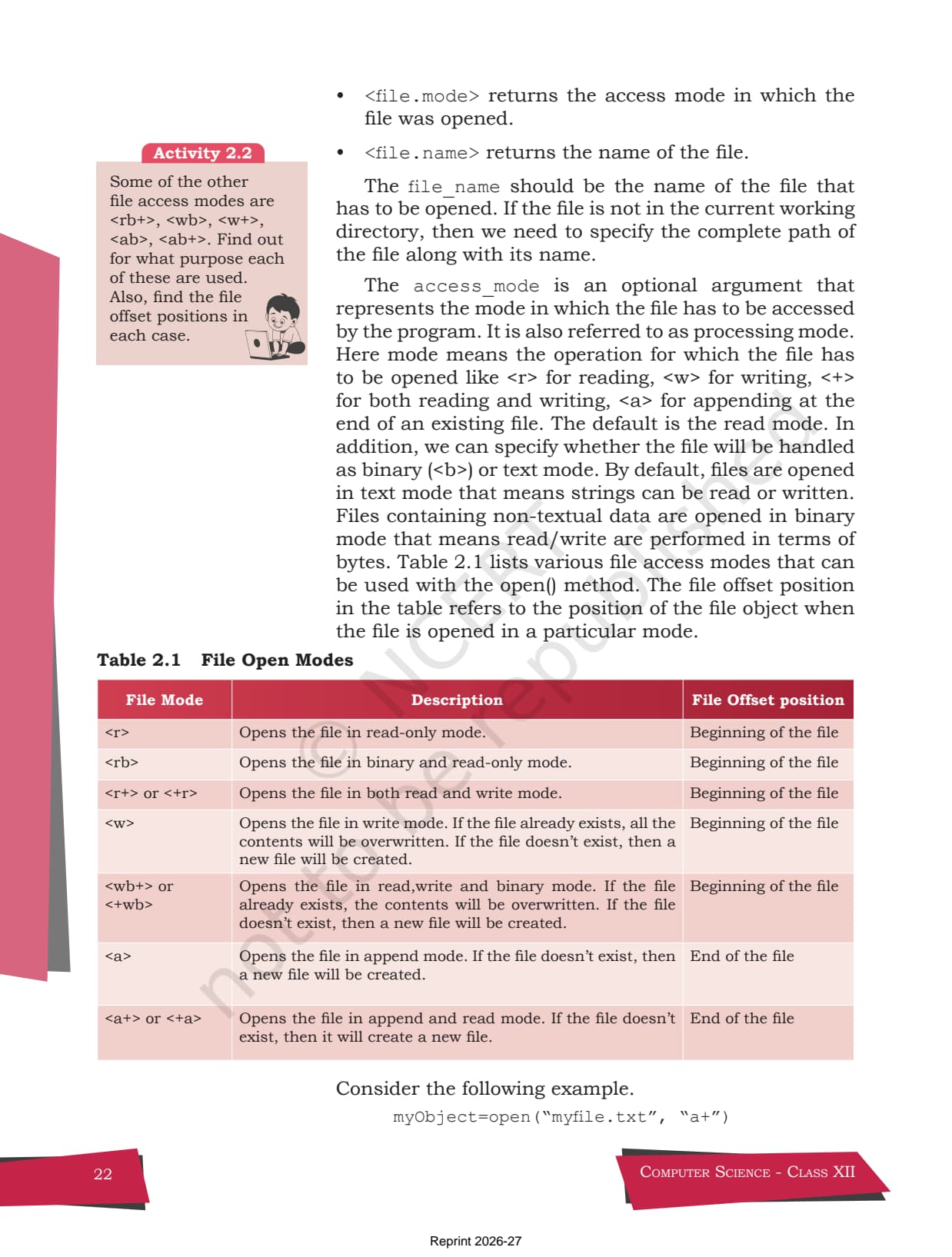
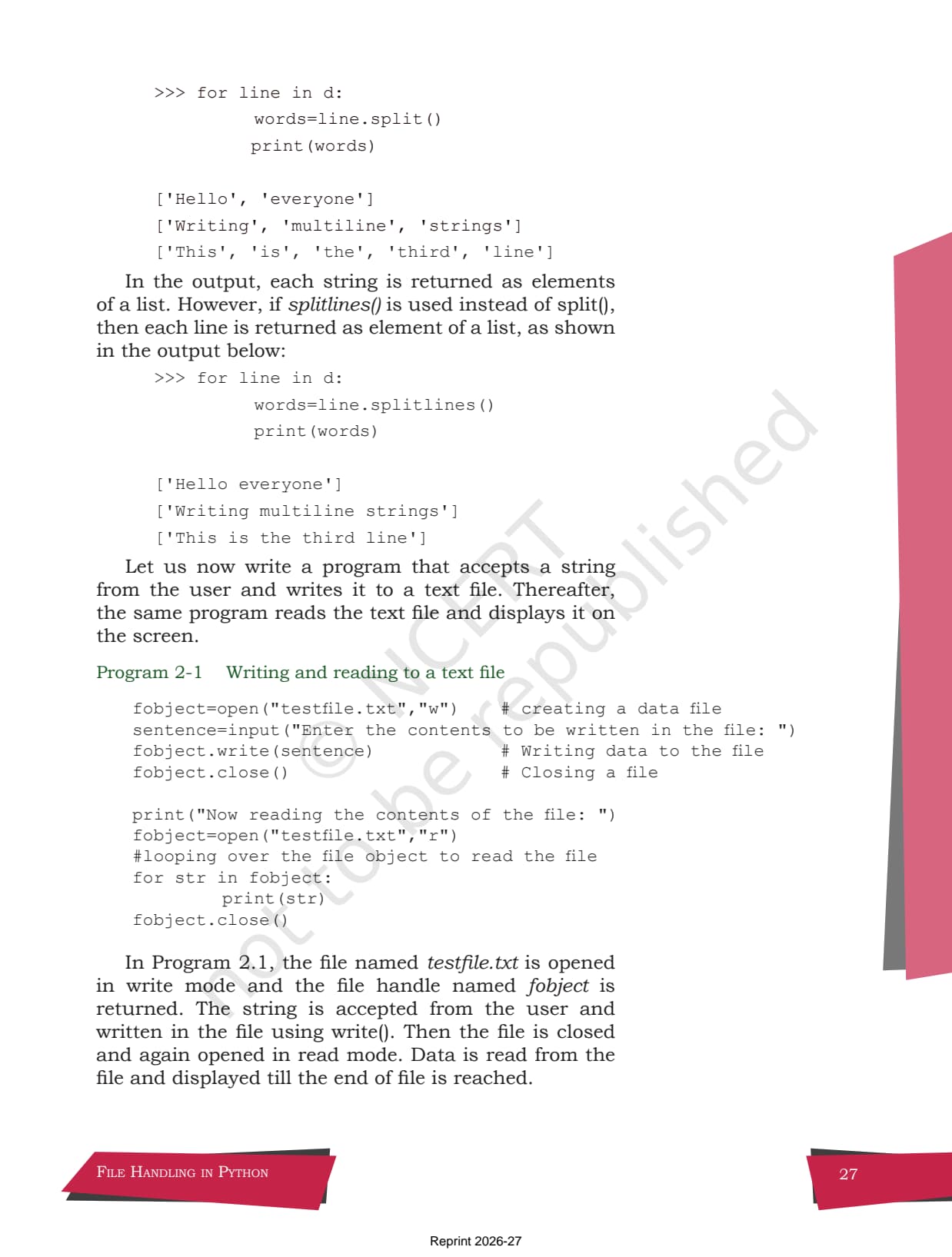
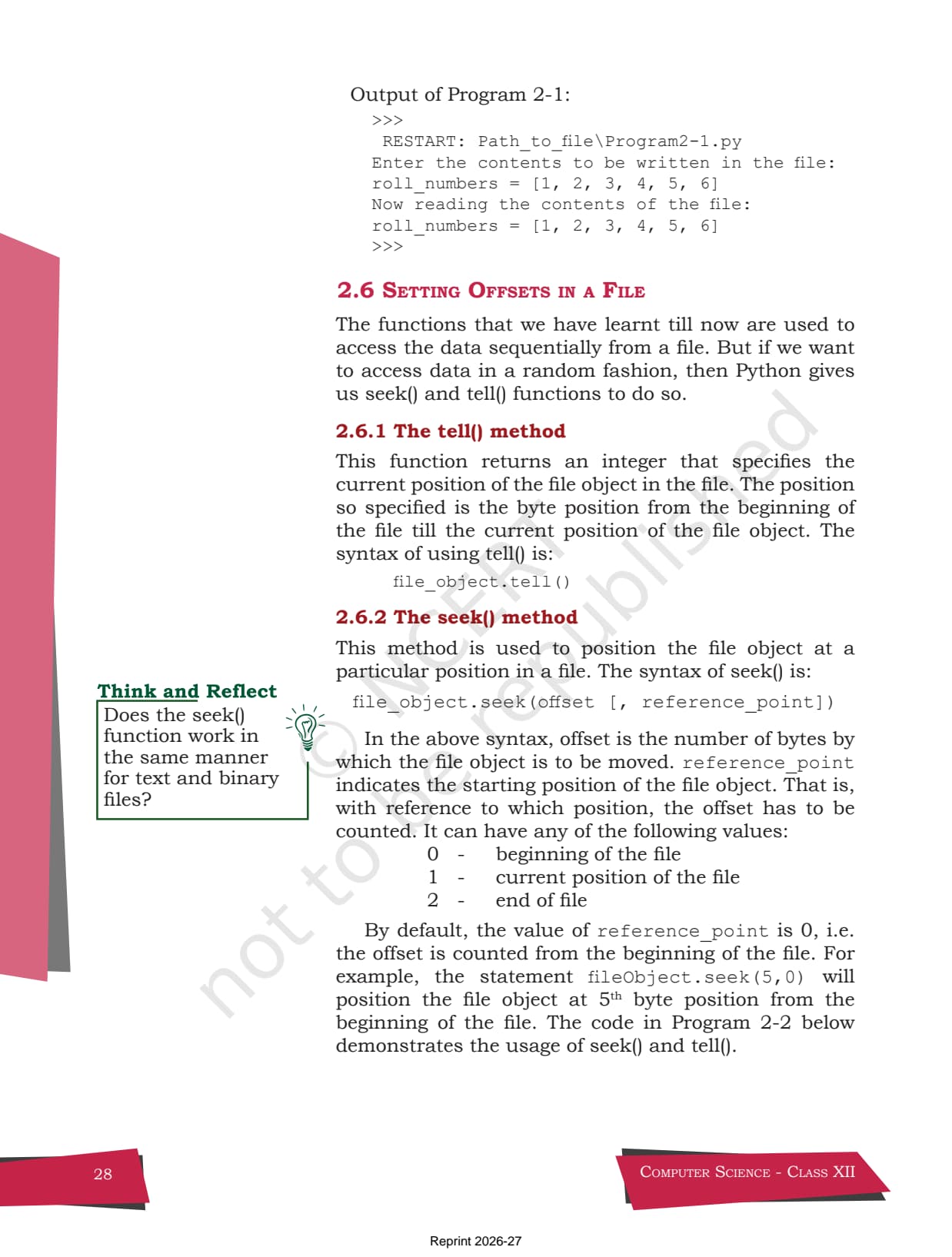
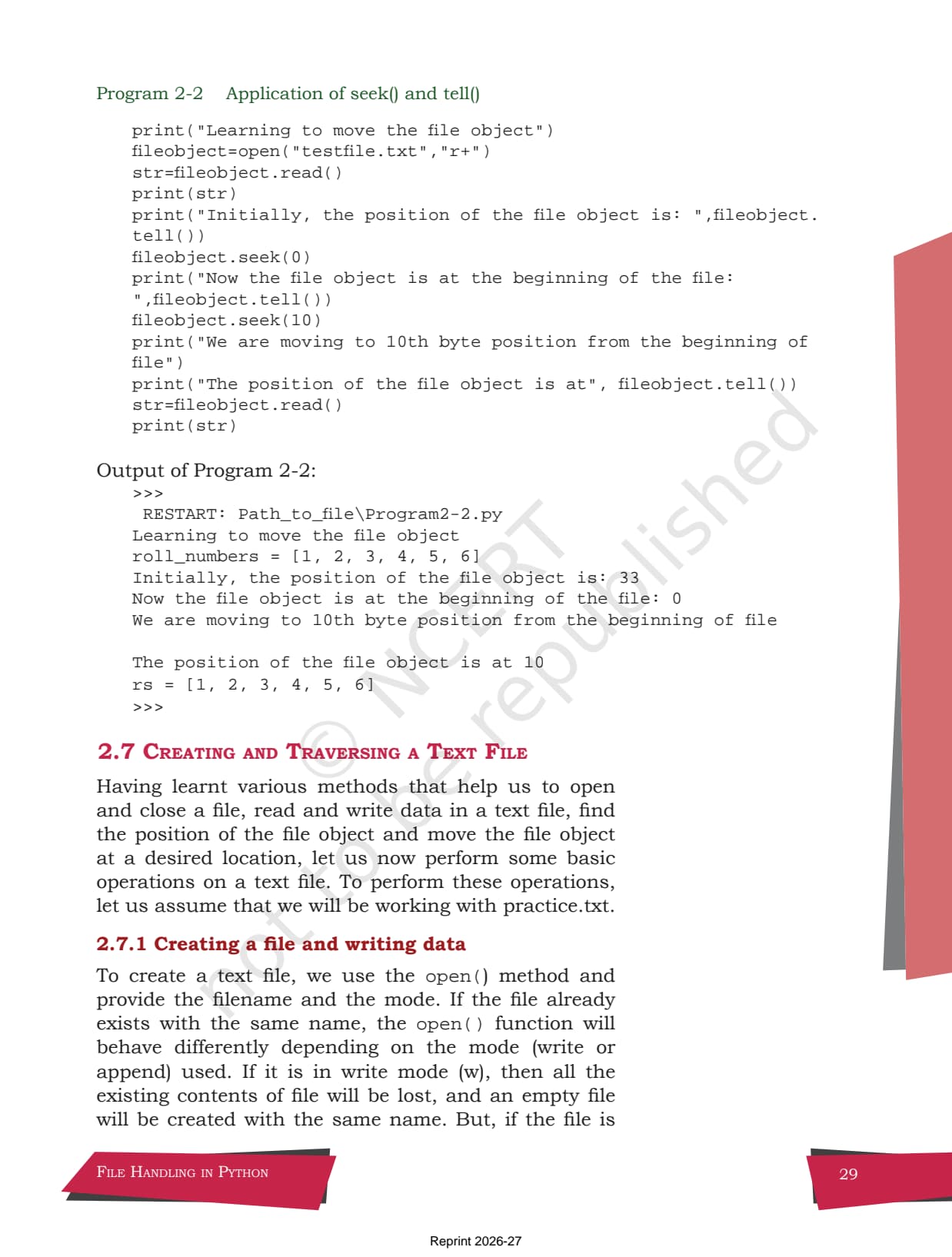
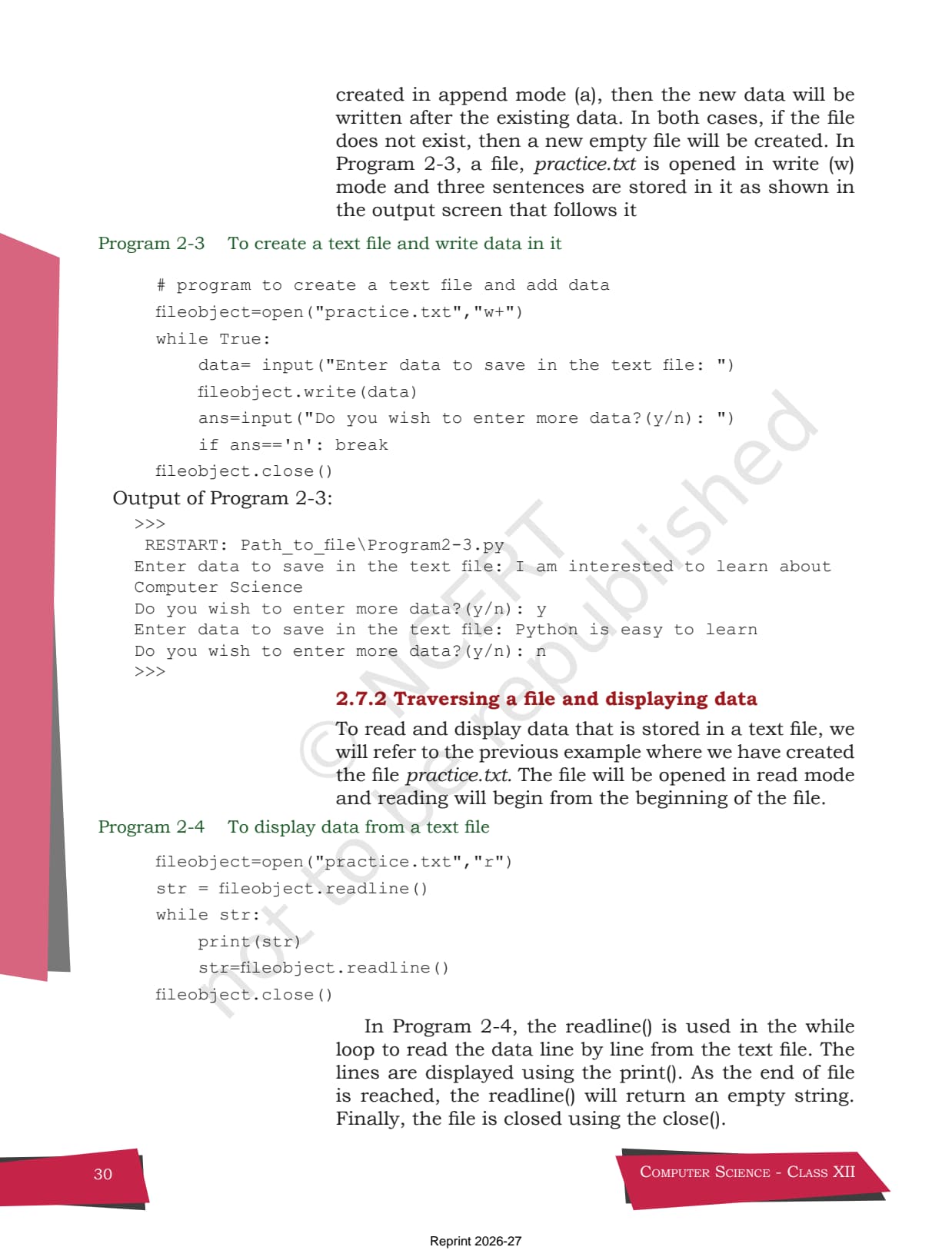
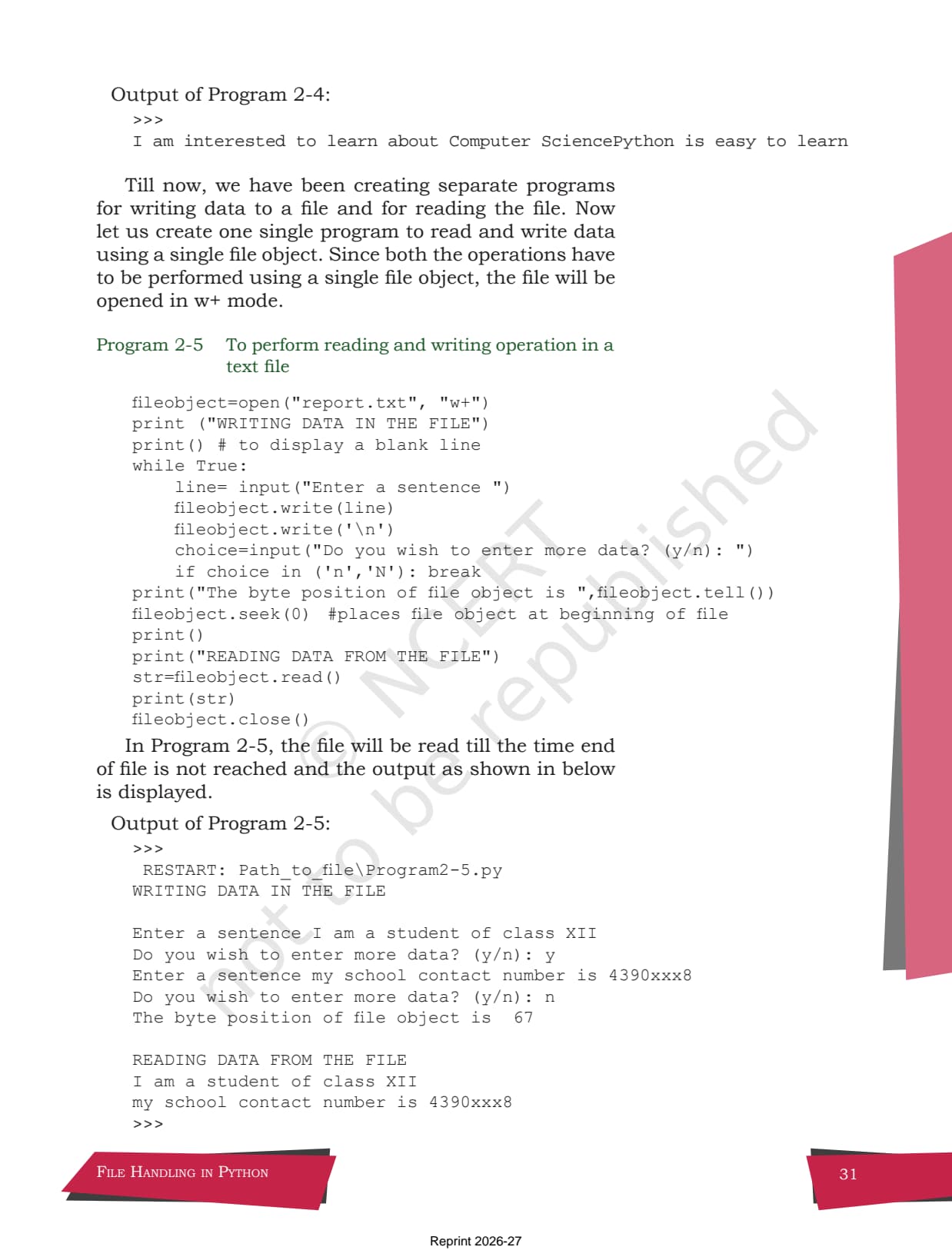
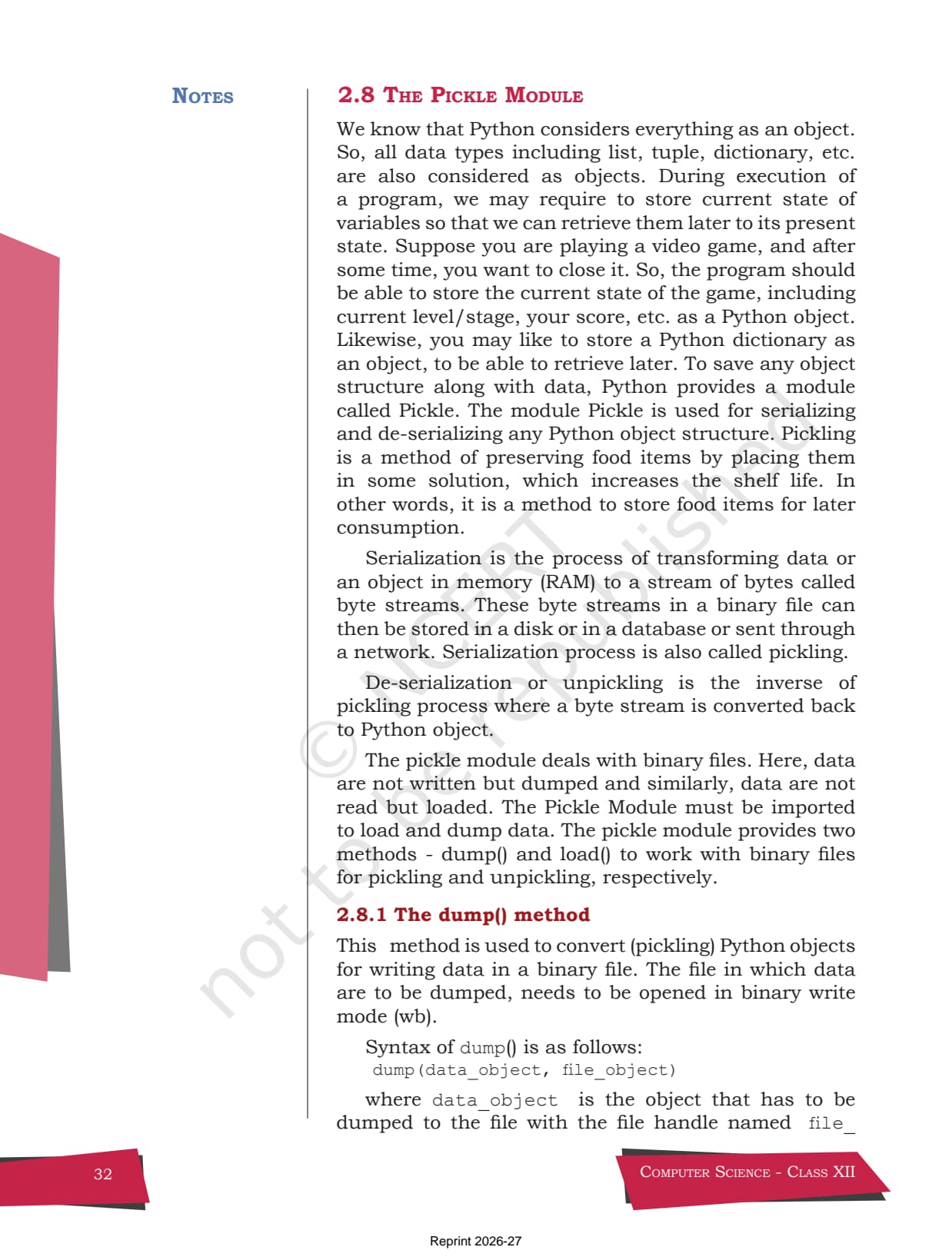
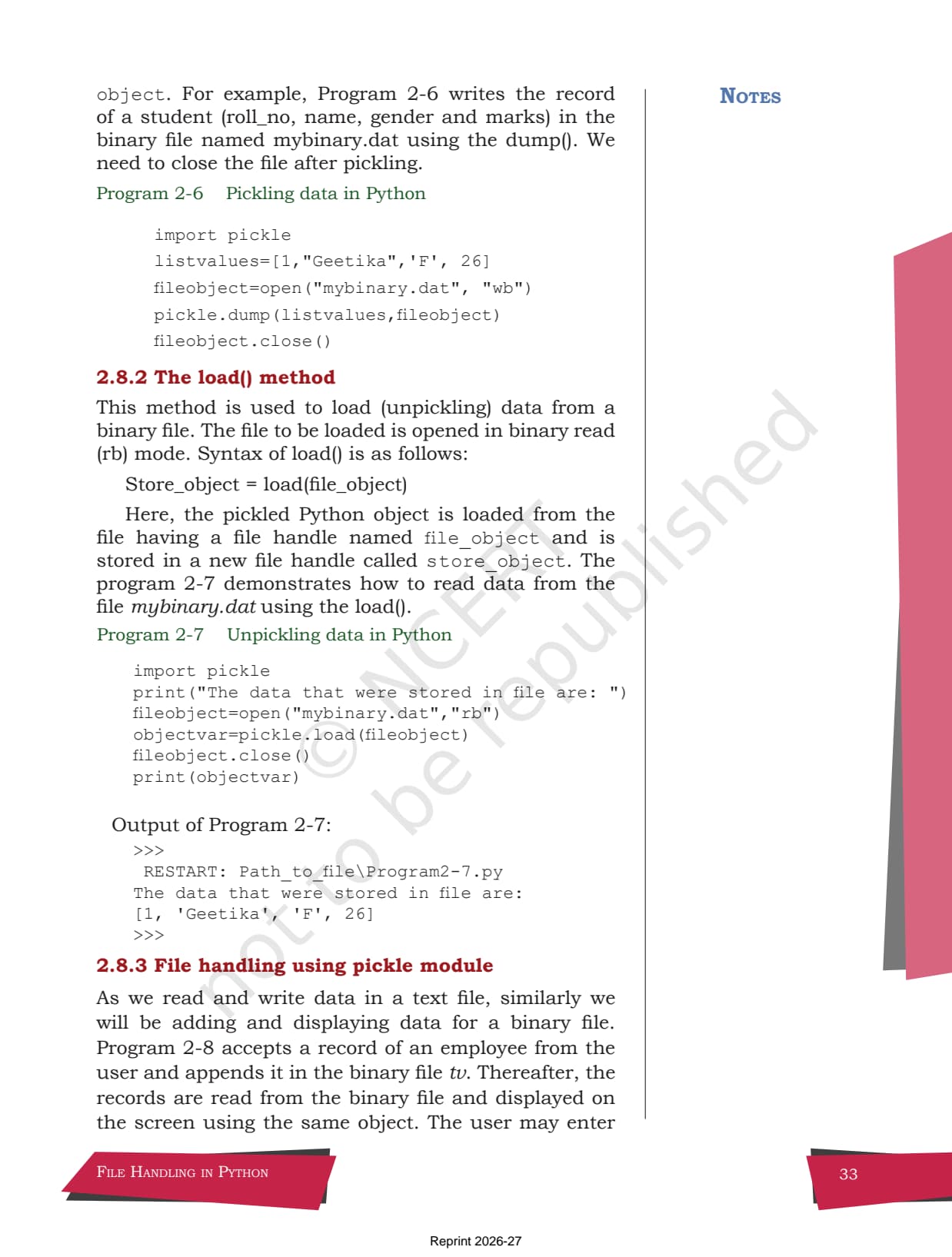
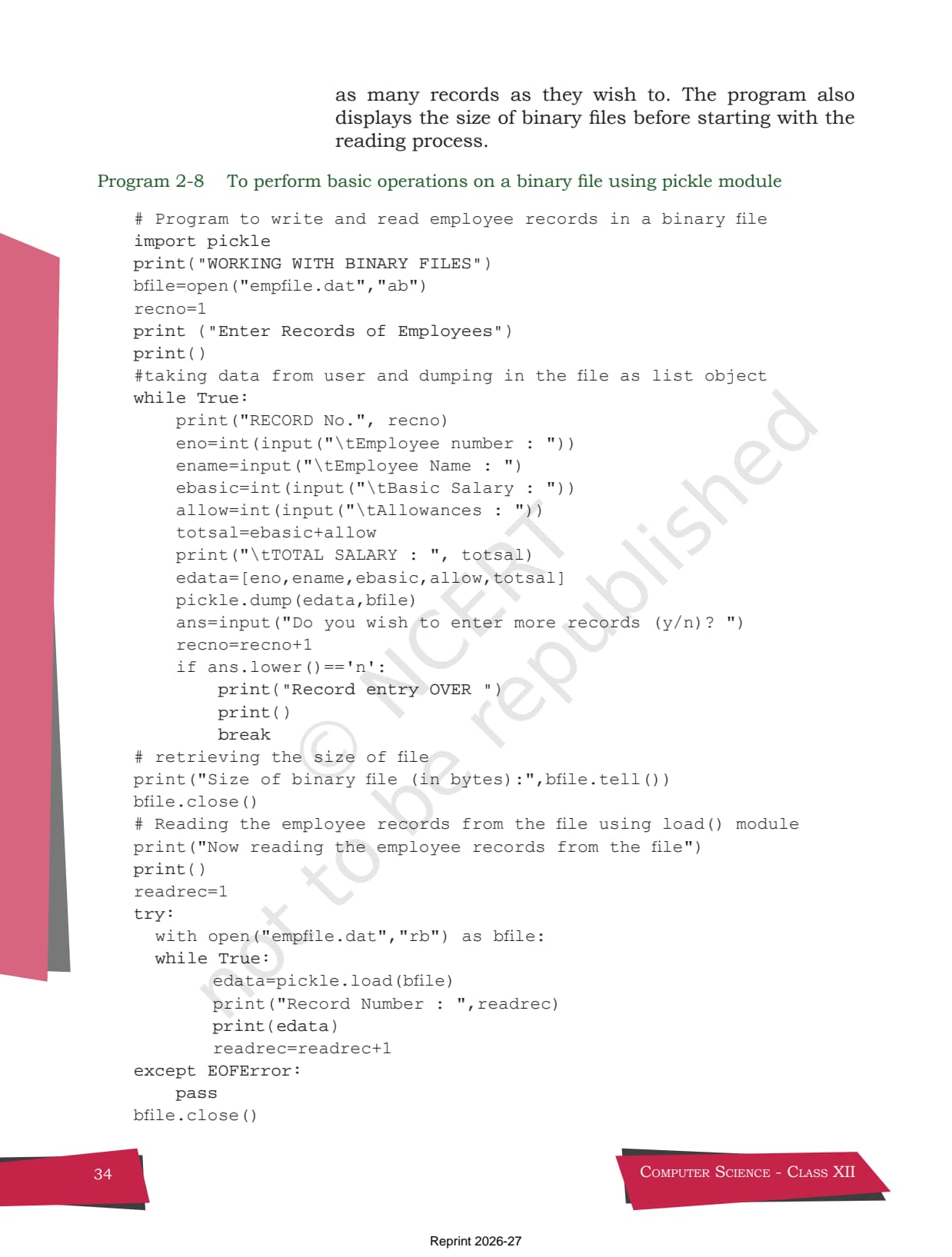
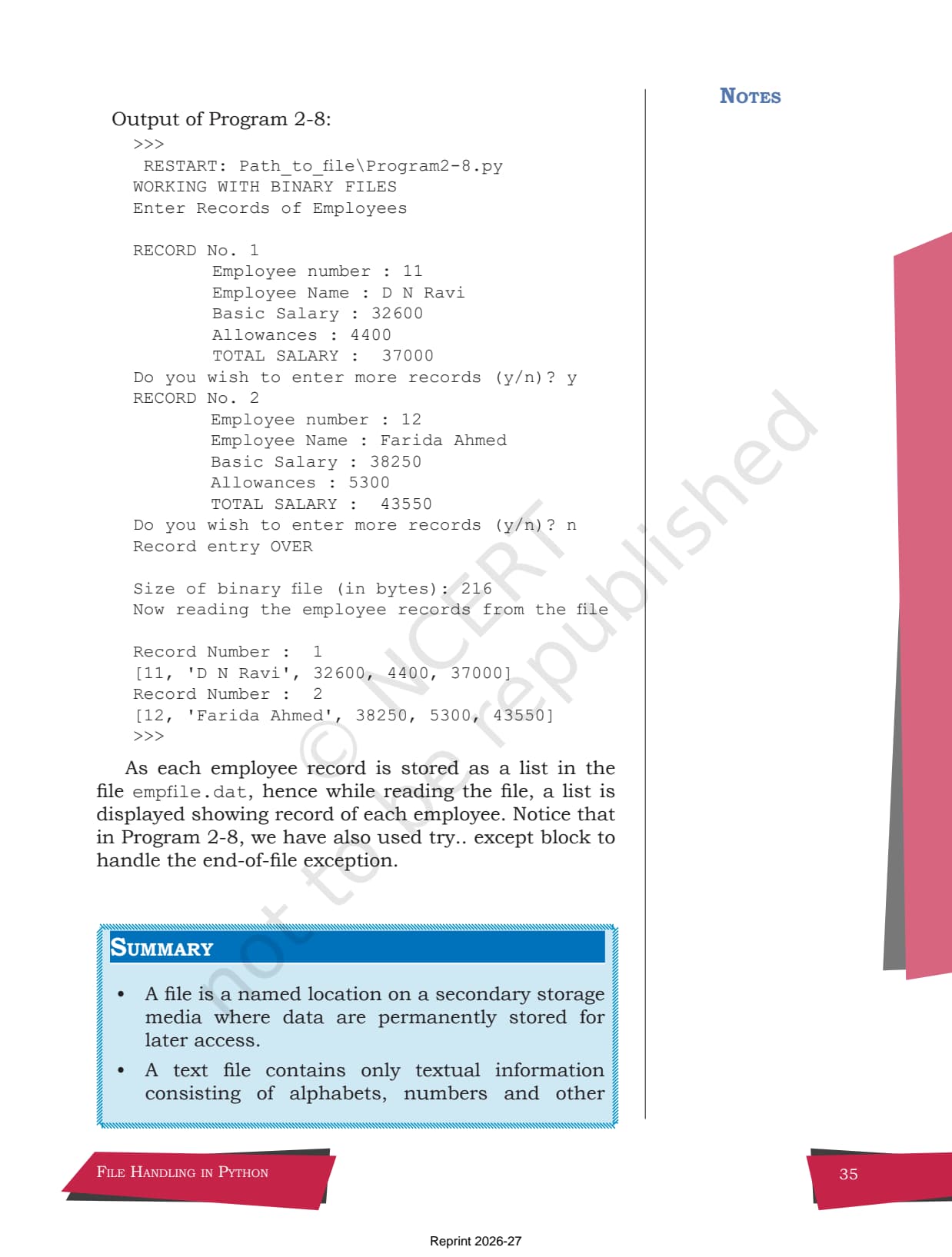
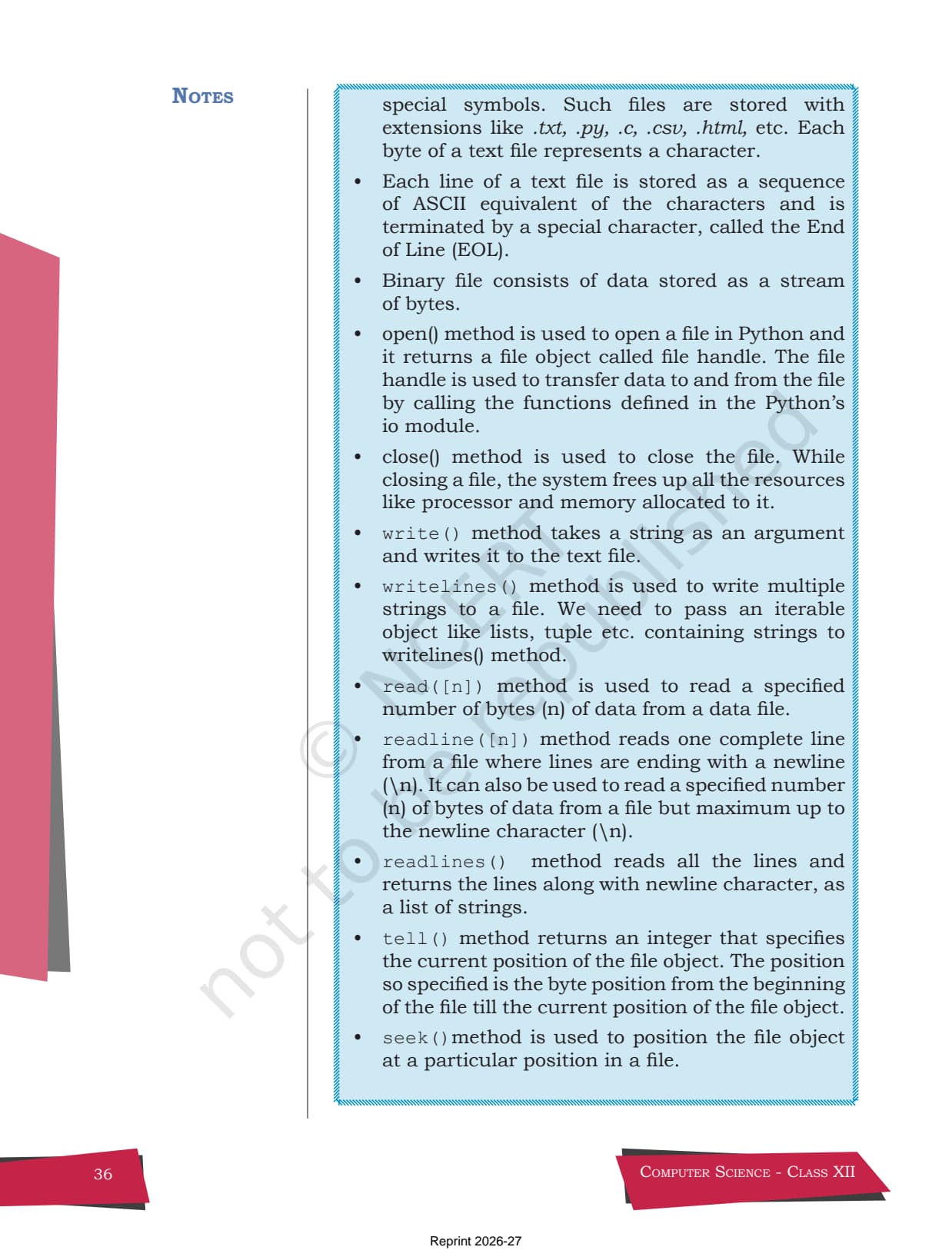
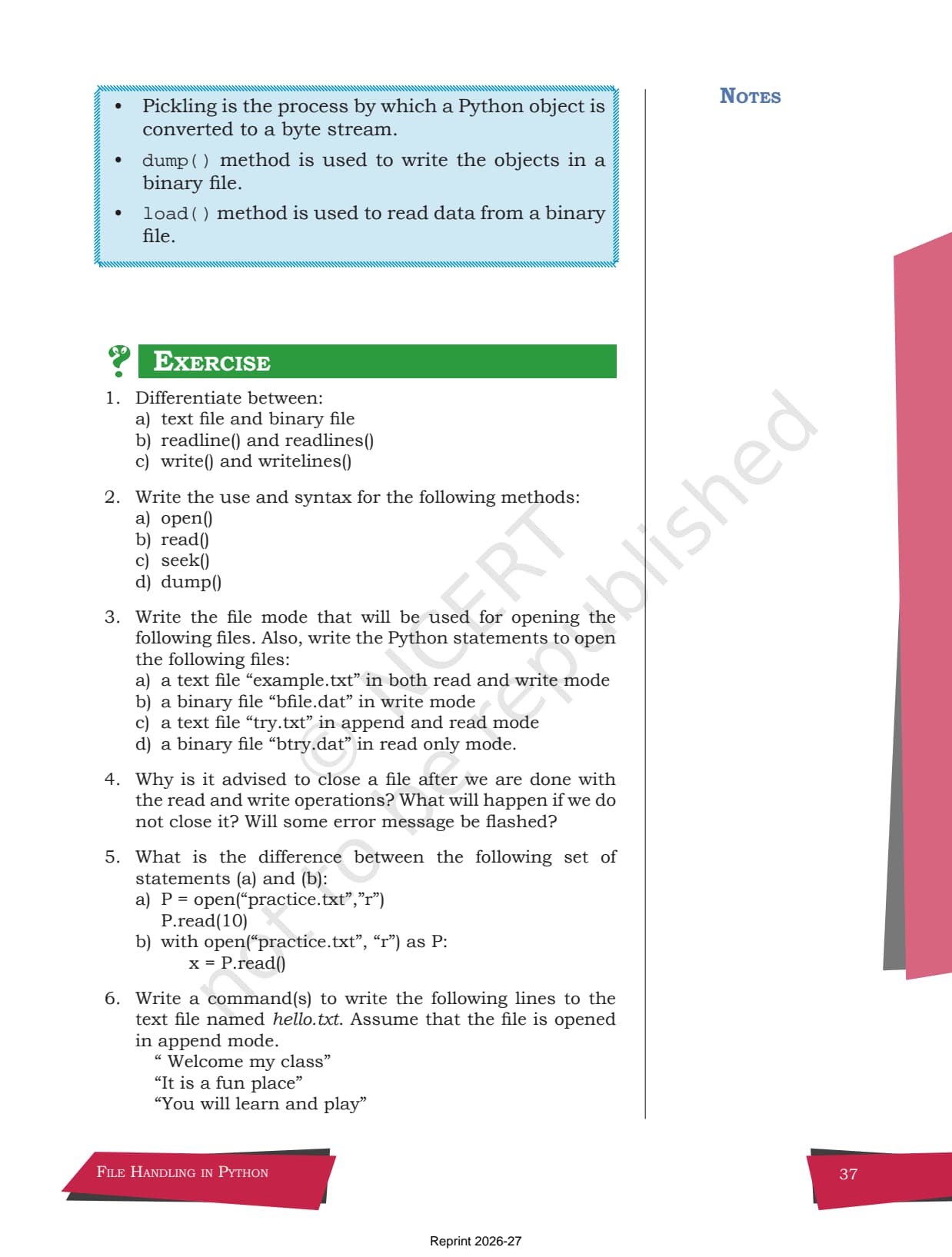
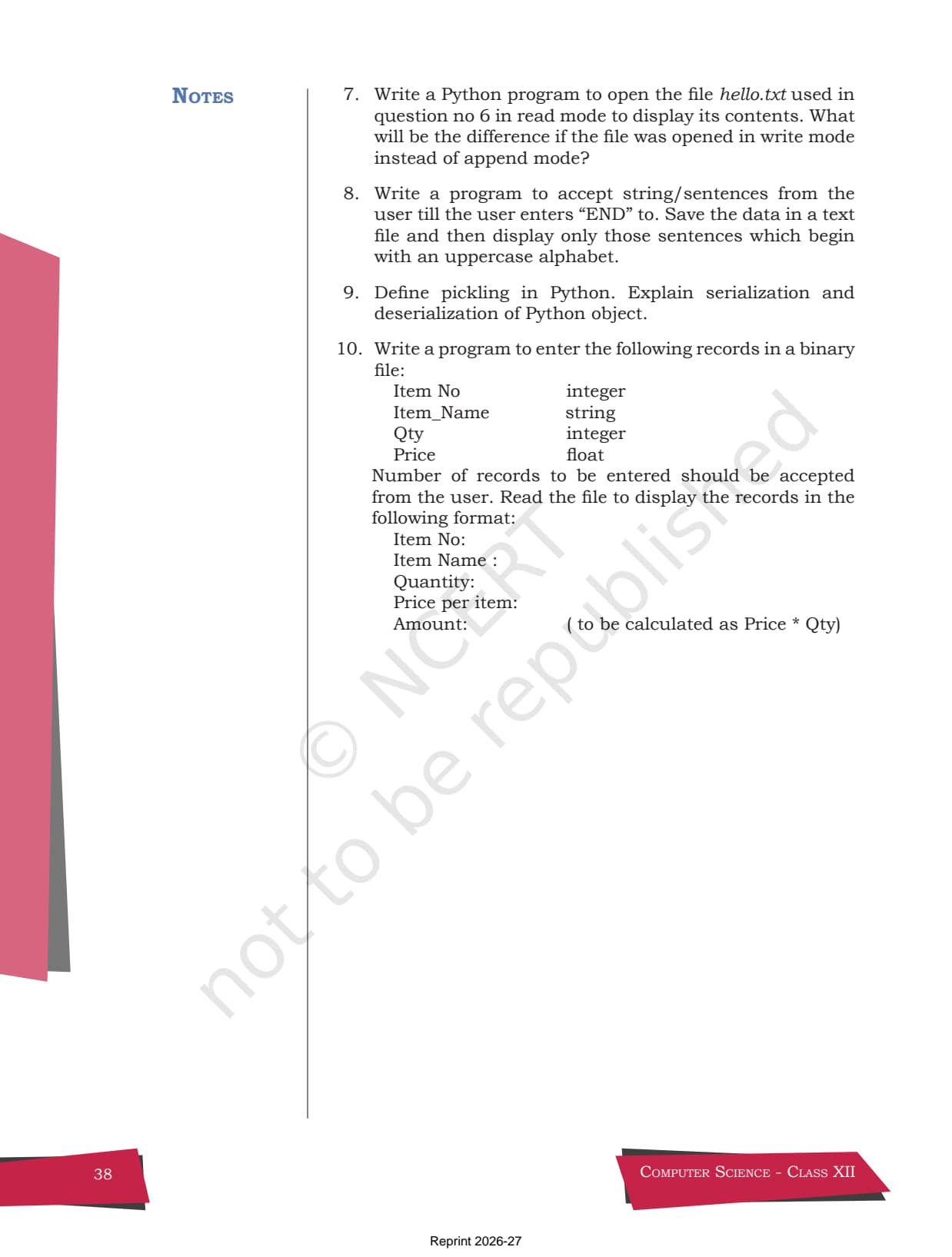
- The full NCERT chapter on file handling, with all worked Python code and the Table 2.1 file open modes.
- Includes the back-exercise of 10 questions on text files, binary files, and pickling.
- Pairs with the NCERT Solutions, Notes and Handwritten Notes linked lower on this page.
This is the official NCERT Computer Science Chapter 2 text, hosted free for Class 12 students and matched to the 2026-27 CBSE syllabus.
Student Feedback: In a Collegedunia poll of 5,210 Class 12 Computer Science students, 71% of students said they kept the original NCERT chapter PDF on their phone for the file-mode table and the worked code, because the board paper copies its examples almost word for word. Most read it once before moving to notes.
Source: 2026-27 Class 12 Computer Science student poll. Sample of 5,210 students from CBSE schools across 11 states.
What Is Inside the File Handling in Python NCERT Book Chapter
File Handling in Python is the second chapter of the Class 12 Computer Science NCERT textbook. It teaches how to store data permanently on disk instead of losing it when the program ends. The chapter mixes plain explanation with short Python code blocks, so students learn each method by reading a small example first. The list below shows what the original chapter holds, so students know what they are downloading.
- Why files are needed: variables live only while a program runs, so data must be saved to a file to reuse it later.
- Text and binary files: a text file holds human-readable characters, while a binary file stores raw bytes for images, audio and pickled objects.
- Open, close and the with clause: how open() returns a file handle and how the with block closes it on its own.
- The pickle module: how dump() and load() serialise and read back whole Python objects in a binary file.
Reading the original chapter matters because the board marks answers and code against the NCERT style. A student who has read the textbook once will write file-handling code the way the examiner expects, which the Notes and Solutions then reinforce.
Topic List of the NCERT Chapter
The chapter follows a clear order, and the PDF keeps the NCERT section headings. The table below lists each section with a one-line note, so students can see the shape of the chapter before they read. It also helps with planning revision.
| Section | What it covers |
|---|---|
| 2.1 Introduction to Files | Why data must be stored on disk so it can be reused after the program ends. |
| 2.2 Types of Files | The split between text files and binary files, and how bytes and ASCII work. |
| 2.3 Opening and Closing a Text File | The open() and close() methods, file modes, and the with clause. |
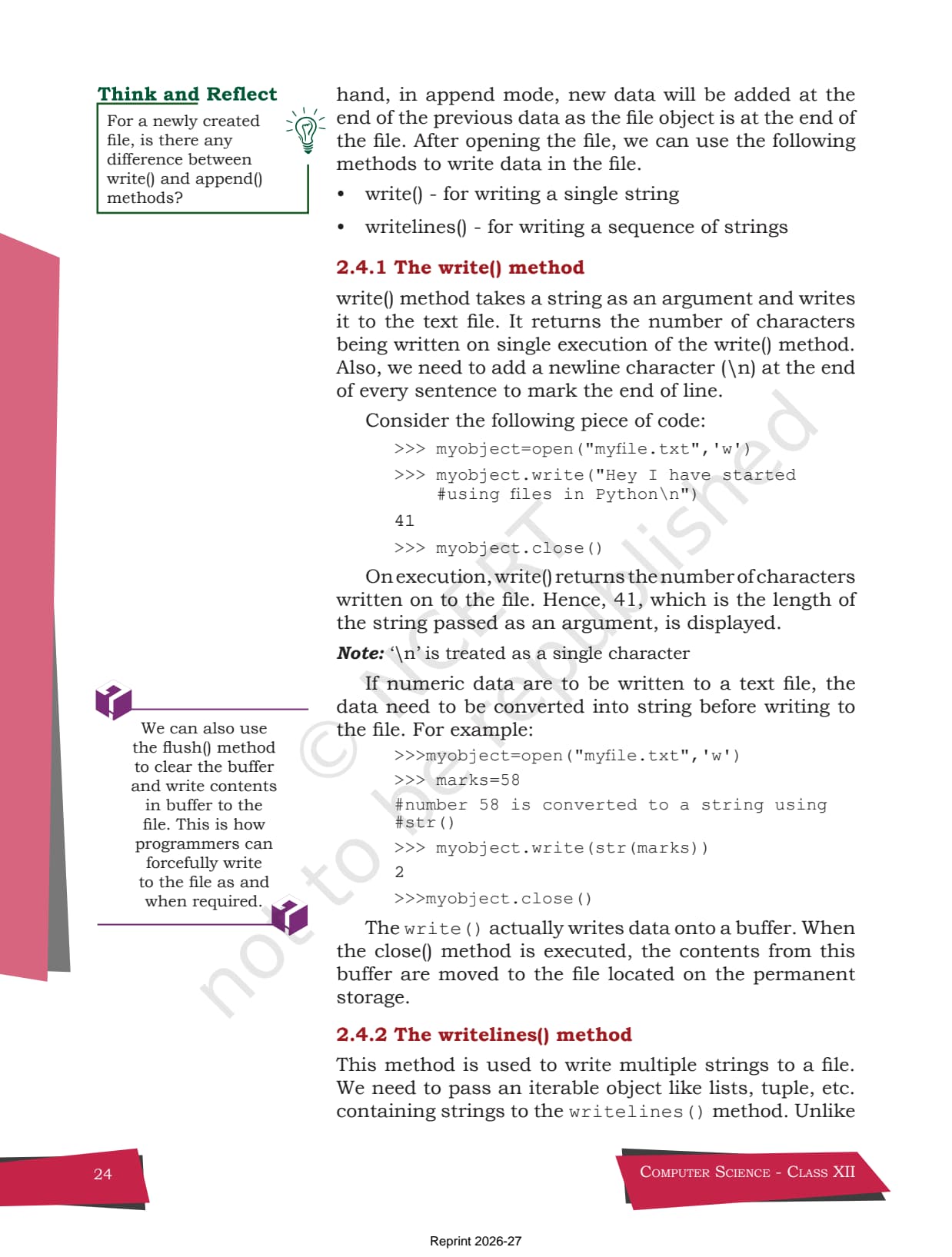
| 2.4 Writing to a Text File | The write() and writelines() methods, plus the role of the buffer. |
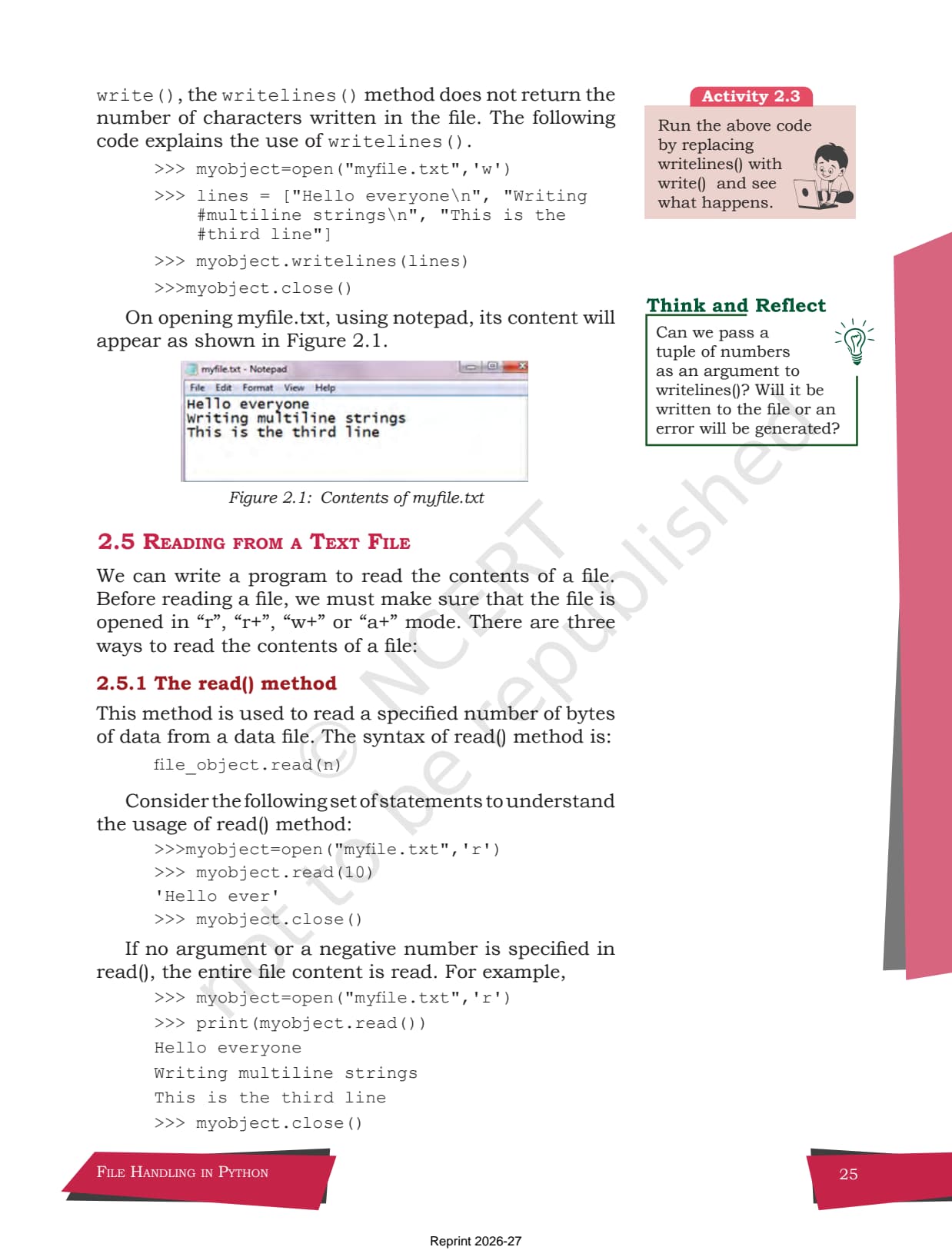
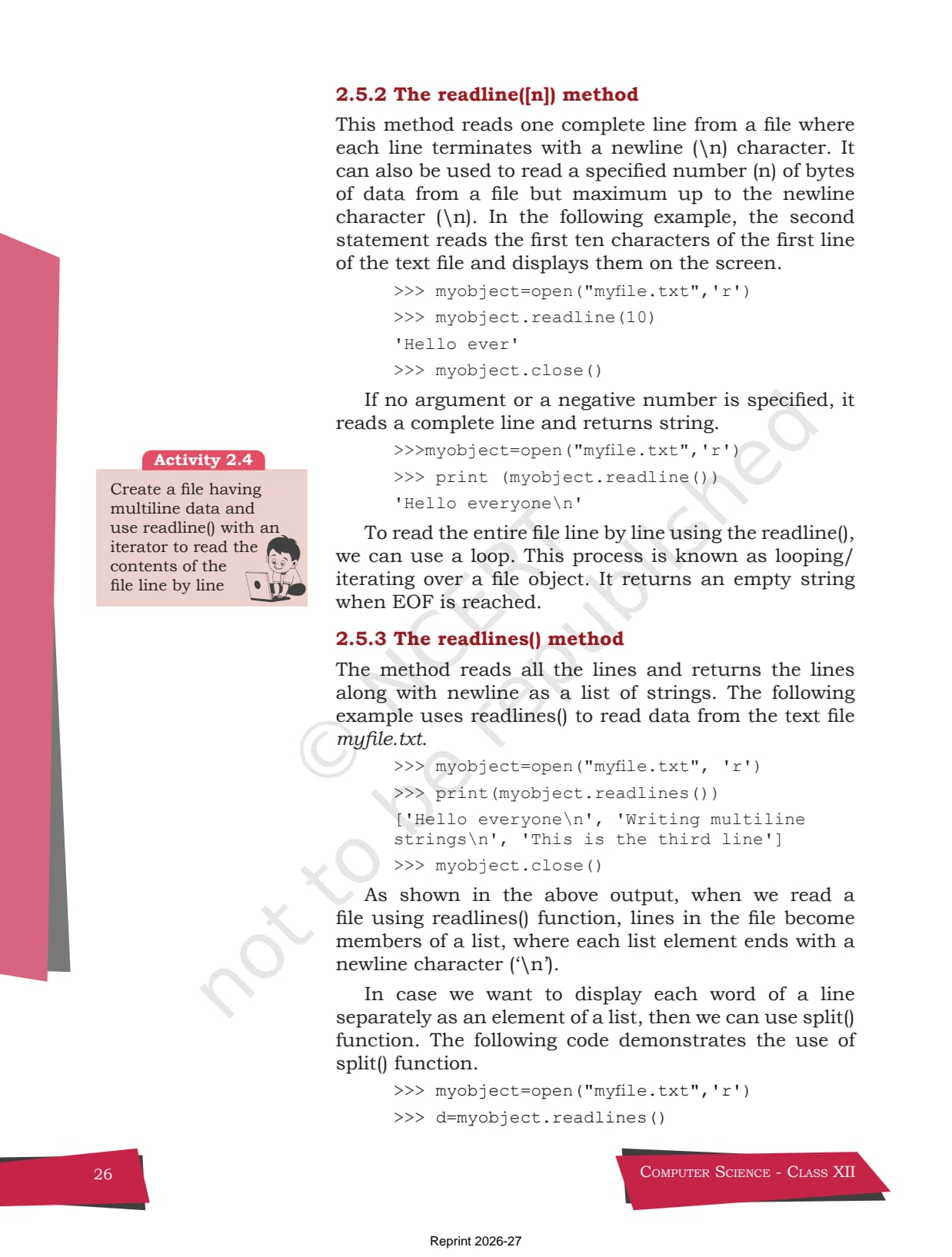
| 2.5 Reading from a Text File | The read(), readline() and readlines() methods, with examples. |
| 2.6 Setting Offsets in a File | The seek() and tell() methods that move and report the file pointer. |
| 2.7 The Pickle Module | dump() and load() for storing and reading back full Python objects. |
The most exam-heavy sections are the file modes table and the pickle module, so students should read those slowly. The read methods come up in nearly every board paper, so it is worth a careful first read rather than a skim.
File Modes Table from the NCERT Chapter
The single most useful page in the chapter is Table 2.1, which lists every file mode you can pass to open(). Students who memorise this table can answer most one-mark file questions on sight. A short version is below so students can see what the PDF carries, but the full table with offset positions is in the download.
| File Mode | What it does | Pointer starts at |
|---|---|---|
| r | Read only. This is the default mode. | Beginning of file |
| r+ | Both read and write. | Beginning of file |
| w | Write only. Erases old data, or creates the file if missing. | Beginning of file |
| a | Append. Adds to the end, or creates the file if missing. | End of file |
| rb / wb | The same modes but for binary files, used with pickle. | As above |
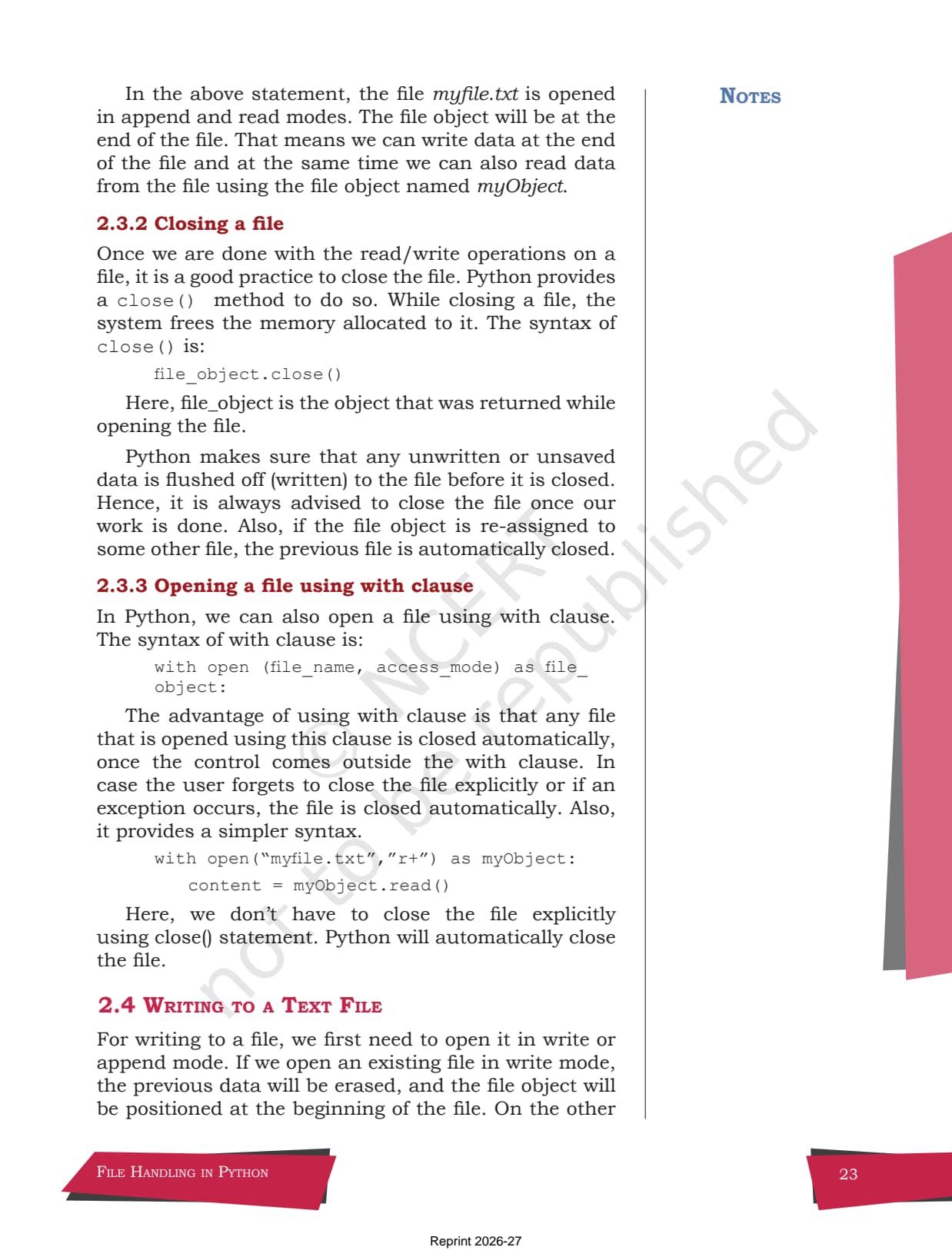
Here is the opening syntax exactly as the NCERT chapter writes it, so students get used to the real form. Notice the file mode is the second argument:
file_object = open(file_name, access_mode)

# Example from the chapter, append and read mode
myObject = open("myfile.txt", "a+")
The with clause is the safer way the chapter recommends, because it closes the file for you even if an error happens midway. The example below is the textbook one:
with open("myfile.txt", "r+") as myObject:
    content = myObject.read()
How to Download the Class 12 Computer Science Chapter 2 PDF
The PDF is free and easy to save on any device. The steps below show students how to get the chapter and keep it for offline reading. No login or payment is needed at any stage.
- Open the download card at the top of this page and tap the PDF button.
- Save to your device so you can read the chapter offline, even without internet.
- Print if you prefer paper: the file mode table and the code blocks stay clear when printed.
- Pair it with the NCERT Solutions linked below to attempt the 10 back-exercise questions as you read.
Many students search for the class 12 computer science chapter 2 file handling in python pdf the night before a coding test, so a saved copy means you can revise even when the network is down. Keep the textbook PDF and the solved answers together for a full self-study set.
Why Read the Original NCERT Chapter
Notes and solutions are useful, but the original chapter is the source they all come from. There are clear reasons to read it at least once. The points below explain why the textbook still matters even when quick notes are everywhere.
- Board style: the chapter's own code, like the write() example that returns 41 characters, is the safest pattern to copy in the exam.
- Full context: the chapter explains why a buffer holds data until close(), which notes often cut for space.
- Worked examples: the in-text code for open, read, seek and pickle is exactly what board programs are built from.
- Exercise: the back-exercise is the exact set the Solutions answer, so reading it first sharpens recall.
The honest takeaway is that the textbook is the master copy. Read it once to understand each method, then move to the Notes for revision and the Solutions for practice. That order builds stronger file-handling code than starting from notes alone.
How the Book PDF Pairs with the Solutions and Notes
The Book PDF gives you the original text and code. To study the chapter fully, use it with the other resources for the same chapter, all linked in the table below.
| Resource | Best used for |
|---|---|
| File Handling in Python Class 12 NCERT Solutions | Full step-by-step answers and Python code for all 10 exercise questions |
| File Handling in Python Class 12 Notes | A typed chapter summary with the file modes, methods and pickle in tables |
| File Handling in Python Class 12 Handwritten Notes | One-shot revision in a scanned notebook style with code snippets |
Tip: read the NCERT chapter first for the full picture, then revise from the Notes and test yourself with the Solutions. The textbook is where every good file-handling answer starts.
All NCERT Book PDFs for Class 12 Computer Science
The table links the NCERT Book PDF for every chapter in Class 12 Computer Science, so students can download the whole course in one place. File Handling in Python is highlighted.
| Chapter | NCERT Book PDF |
|---|---|
| Chapter 1 | Exception Handling in Python |
| Chapter 2 | File Handling in Python |
| Chapter 3 | Stack |
| Chapter 4 | Queue |
| Chapter 5 | Sorting |
| Chapter 6 | Searching |
| Chapter 7 | Understanding Data |
| Chapter 8 | Database Concepts |
| Chapter 9 | Structured Query Language (SQL) |
| Chapter 10 | Computer Networks |
| Chapter 11 | Data Communication |
| Chapter 12 | Security Aspects |
FAQs on File Handling in Python NCERT Book PDF
File Handling in Python Class 12 NCERT Book Common Questions
Ques. Where can I download the Class 12 Computer Science Chapter 2 File Handling in Python NCERT Book PDF?
Ans. You can download the File Handling in Python NCERT Book PDF free from the download card at the top of this page. It is the official NCERT chapter, matched to the 2026-27 CBSE syllabus, and includes the file modes table and all worked Python code.
Ques. What topics does the File Handling in Python NCERT chapter cover?
Ans. The chapter covers text and binary files, opening and closing files with open() and close(), the file modes table, the with clause, writing with write() and writelines(), reading with read(), readline() and readlines(), setting offsets with seek() and tell(), and the pickle module for storing Python objects. It ends with a 10-question back-exercise.
Ques. What is the difference between a text file and a binary file in this chapter?
Ans. A text file stores human-readable characters as their ASCII or Unicode values and can be opened in any text editor. A binary file stores raw bytes for data like images, audio or pickled objects, and is not human readable. The chapter explains both with examples and shows which file mode to use for each.
Ques. Does the PDF explain the pickle module and dump()?
Ans. Yes. The last section of the chapter explains pickling, which is serialising a whole Python object into a binary file using dump(), and reading it back with load(). This is a common board question, so the worked code in the original PDF is worth reading carefully.
Ques. Is it useful to read the NCERT chapter and not just the notes?
Ans. Yes. The board paper copies the chapter's own code and wording closely, so reading the original chapter once helps students write file-handling answers the way the examiner expects. Use the Notes for revision and the Solutions for practice afterwards.



Comments