




Download the Class 12 Computer Science Chapter 10 Computer Networks NCERT Book PDF free, straight from the official NCERT textbook and matched to the 2026-27 CBSE syllabus. This is the original chapter, with the exact text on types of networks, network devices, topologies, MAC and IP addresses, and the Domain Name System that the board exam is set from.
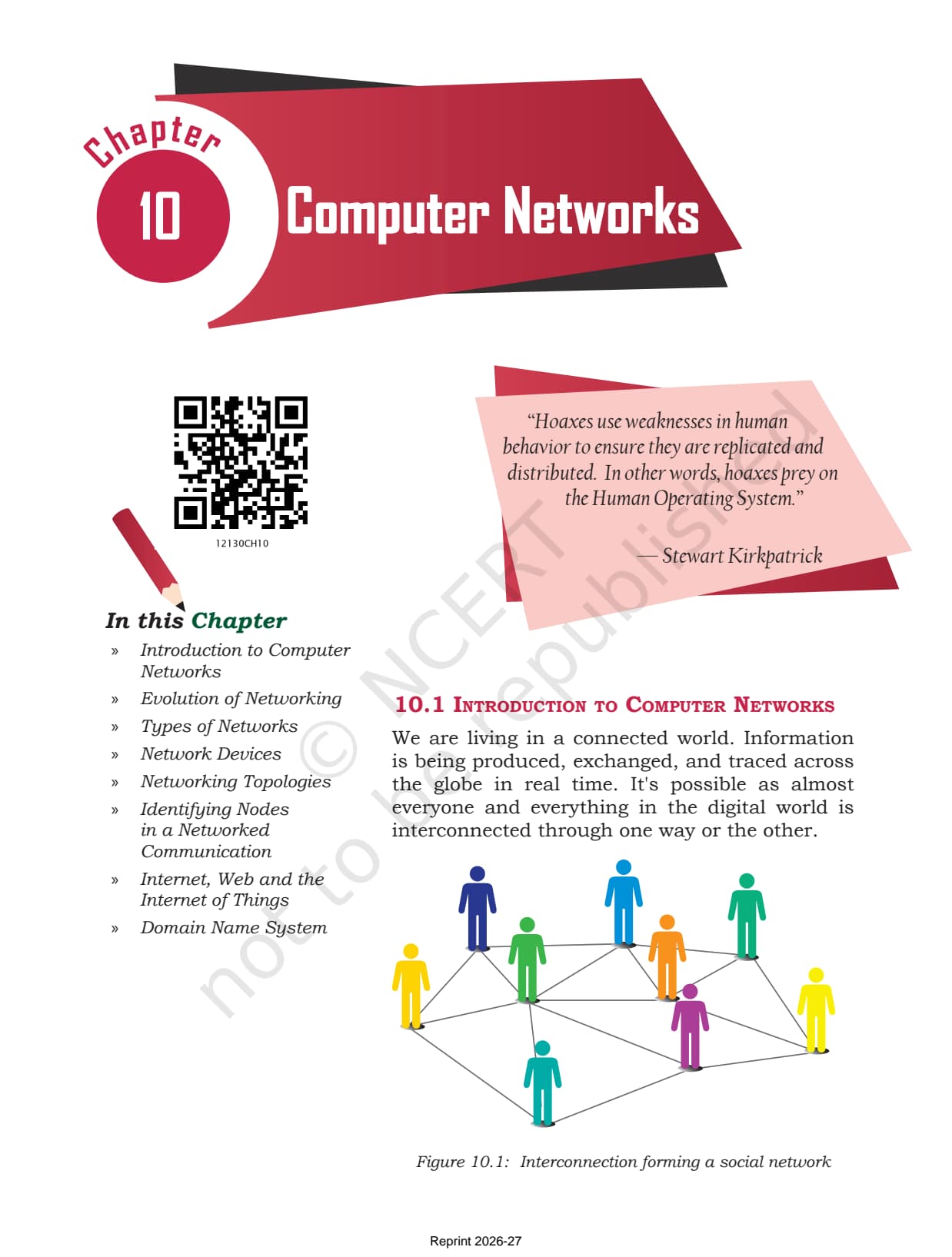
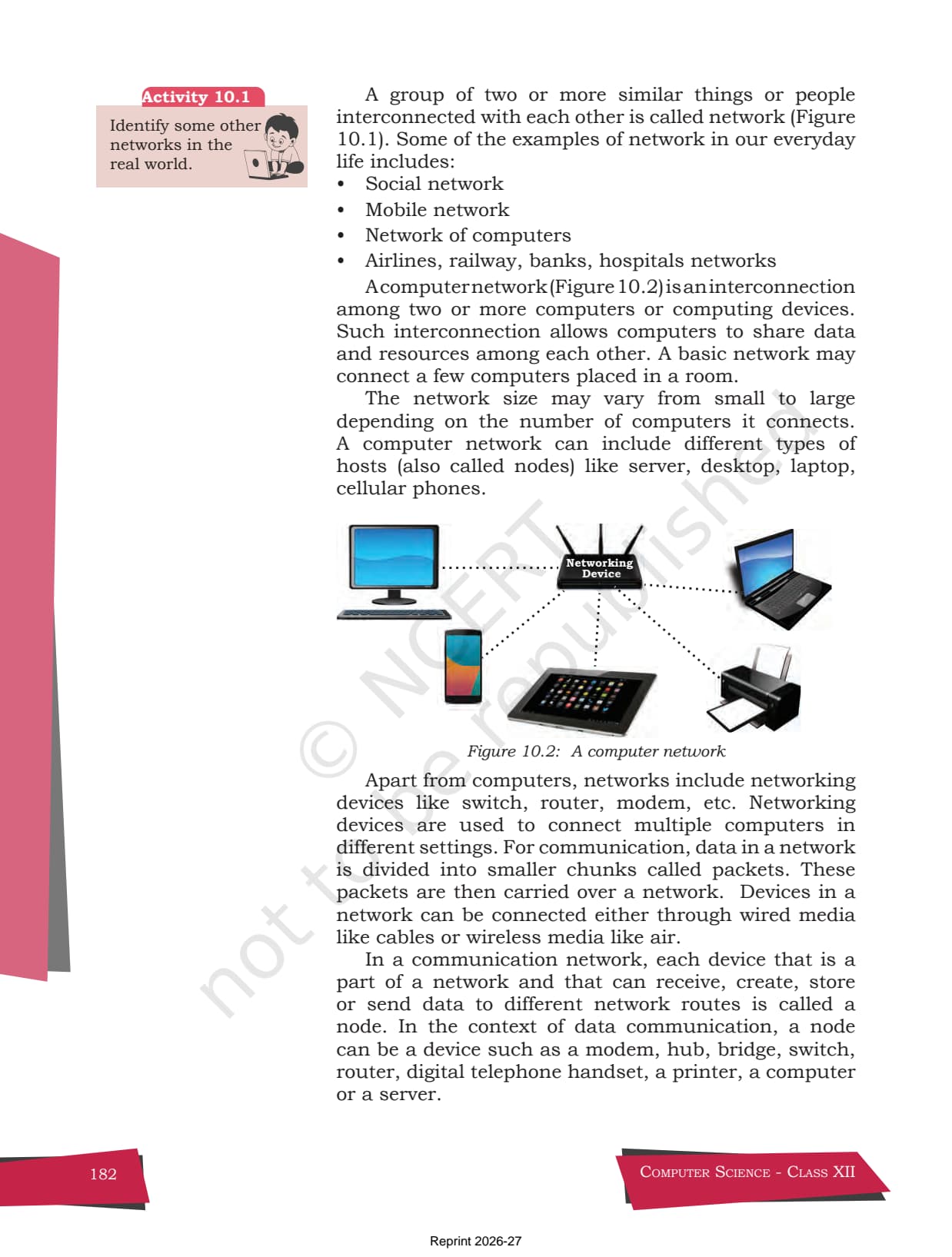
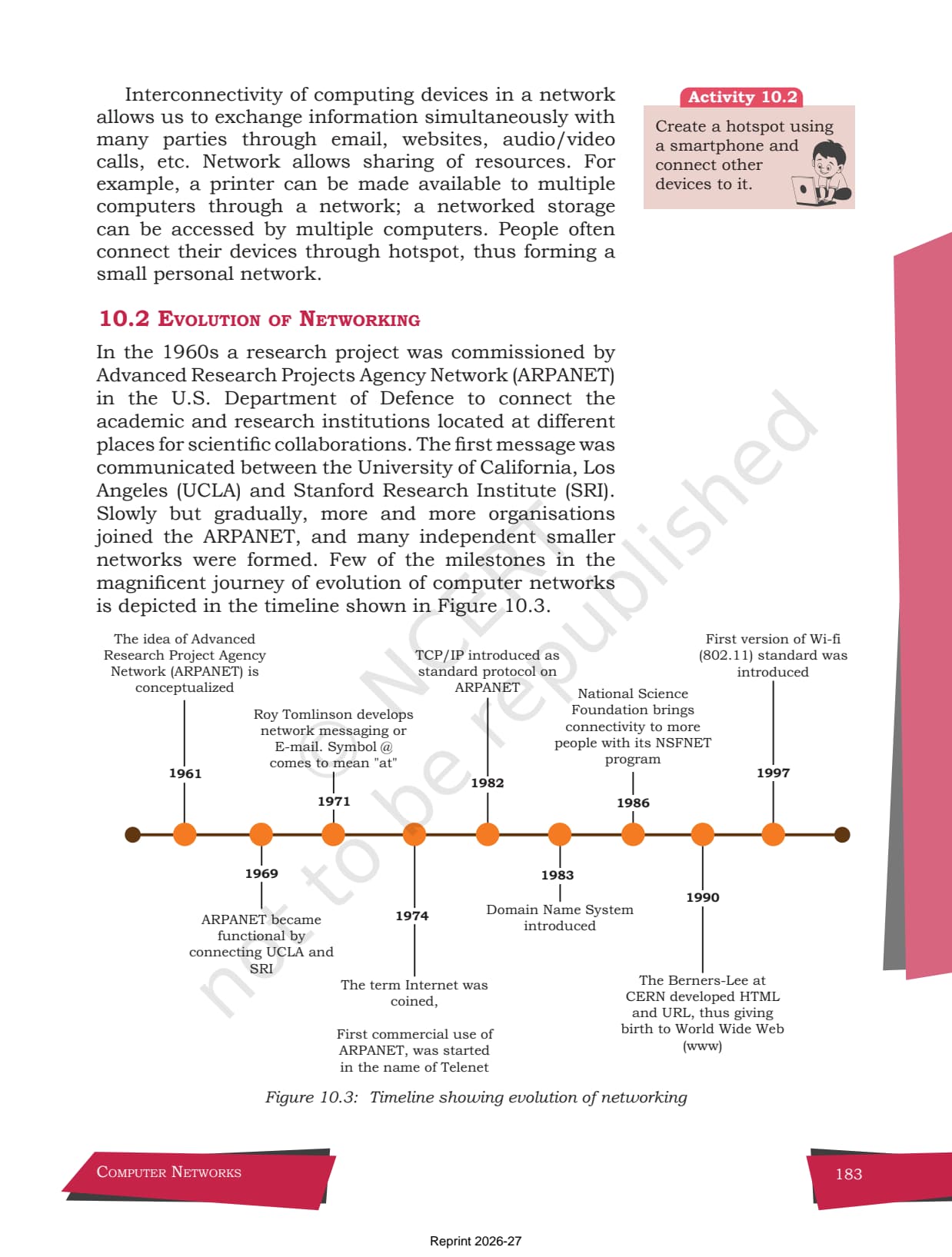
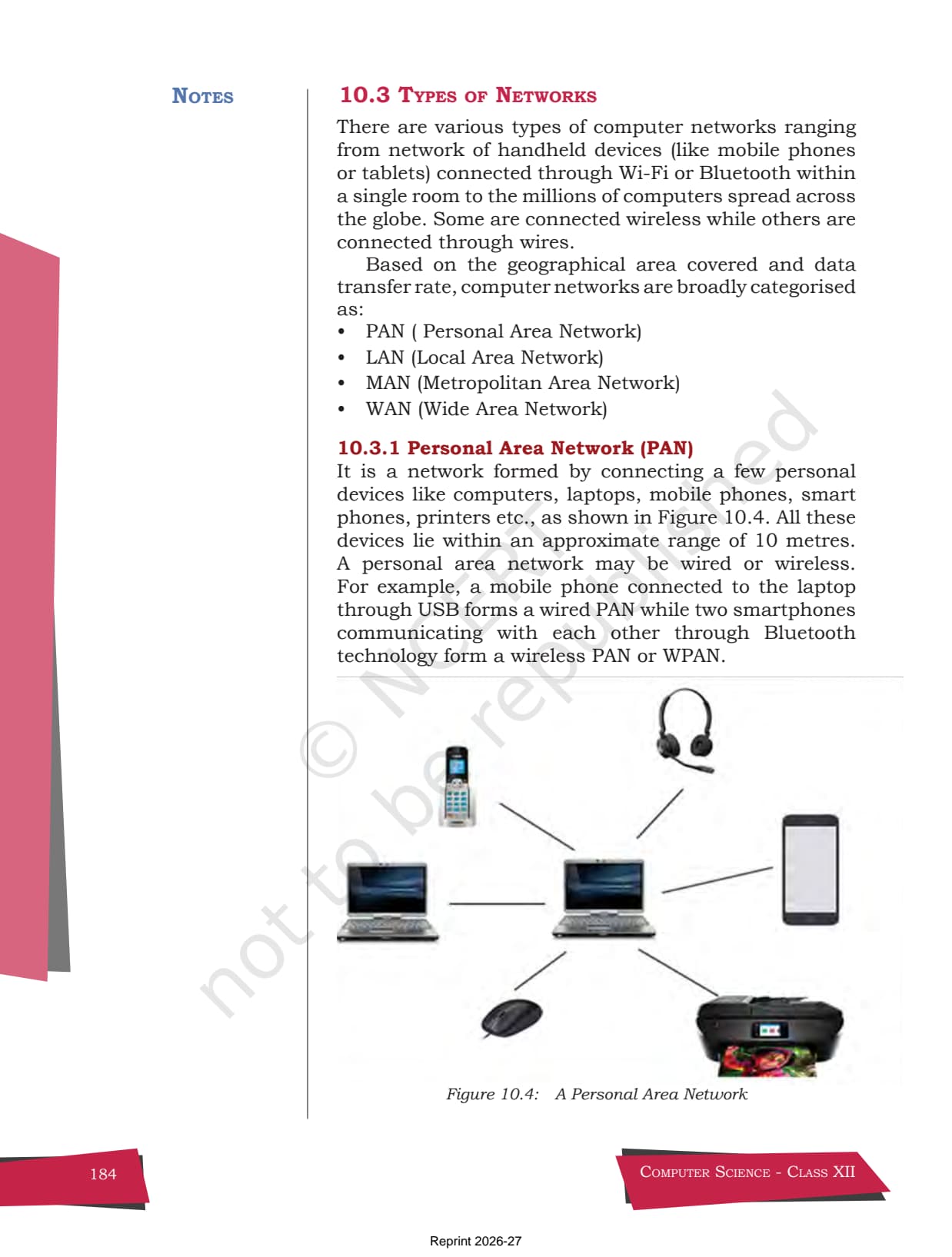
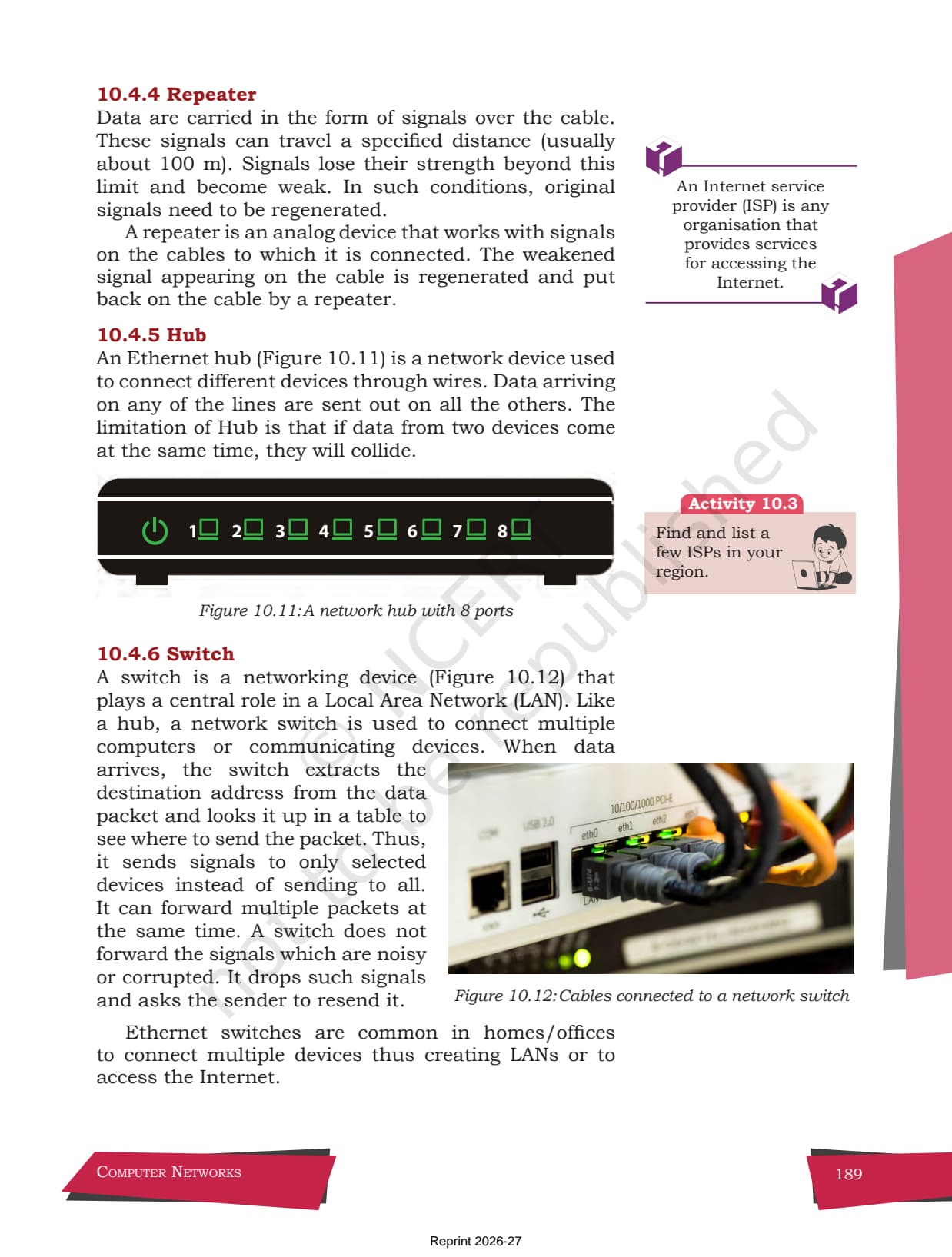
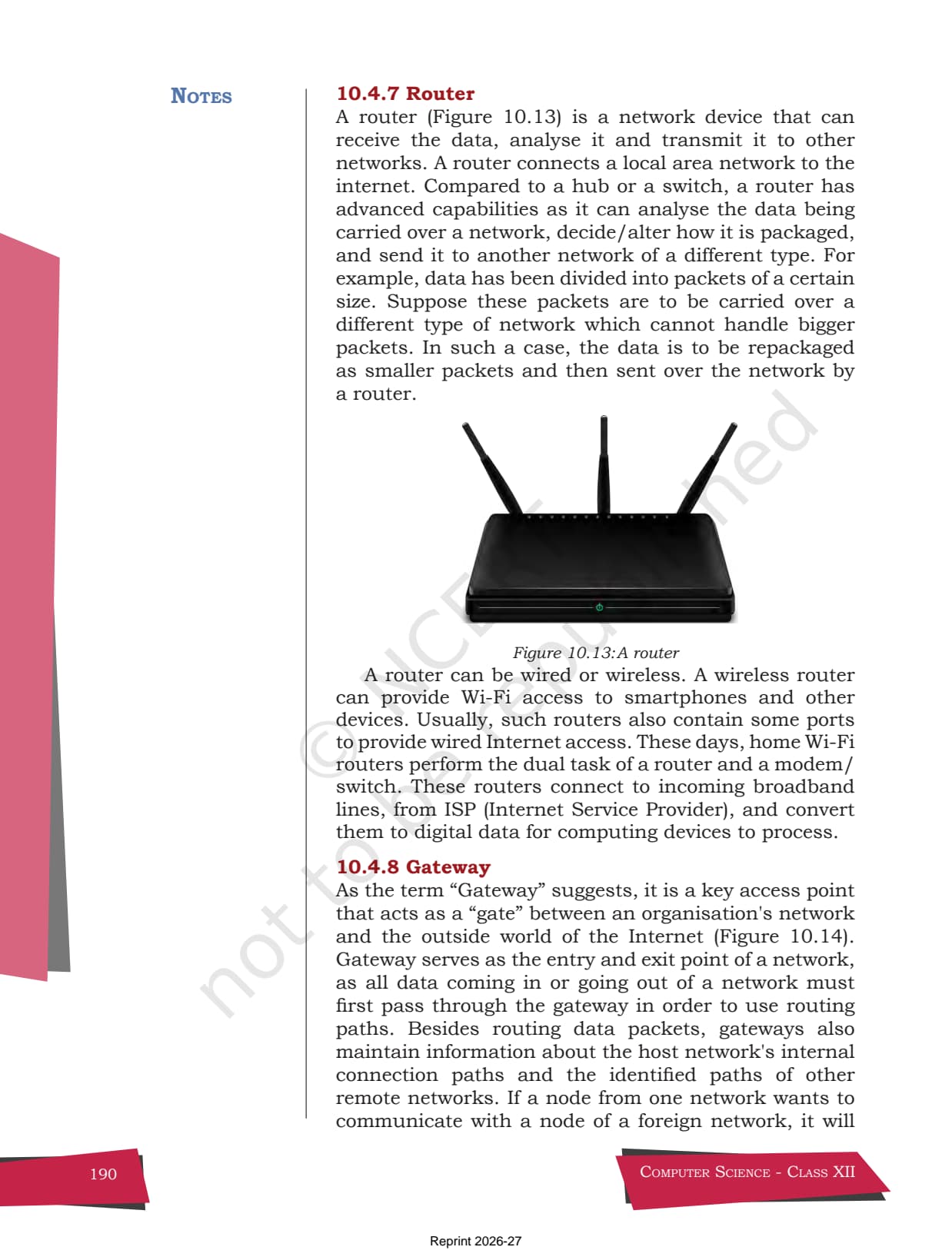
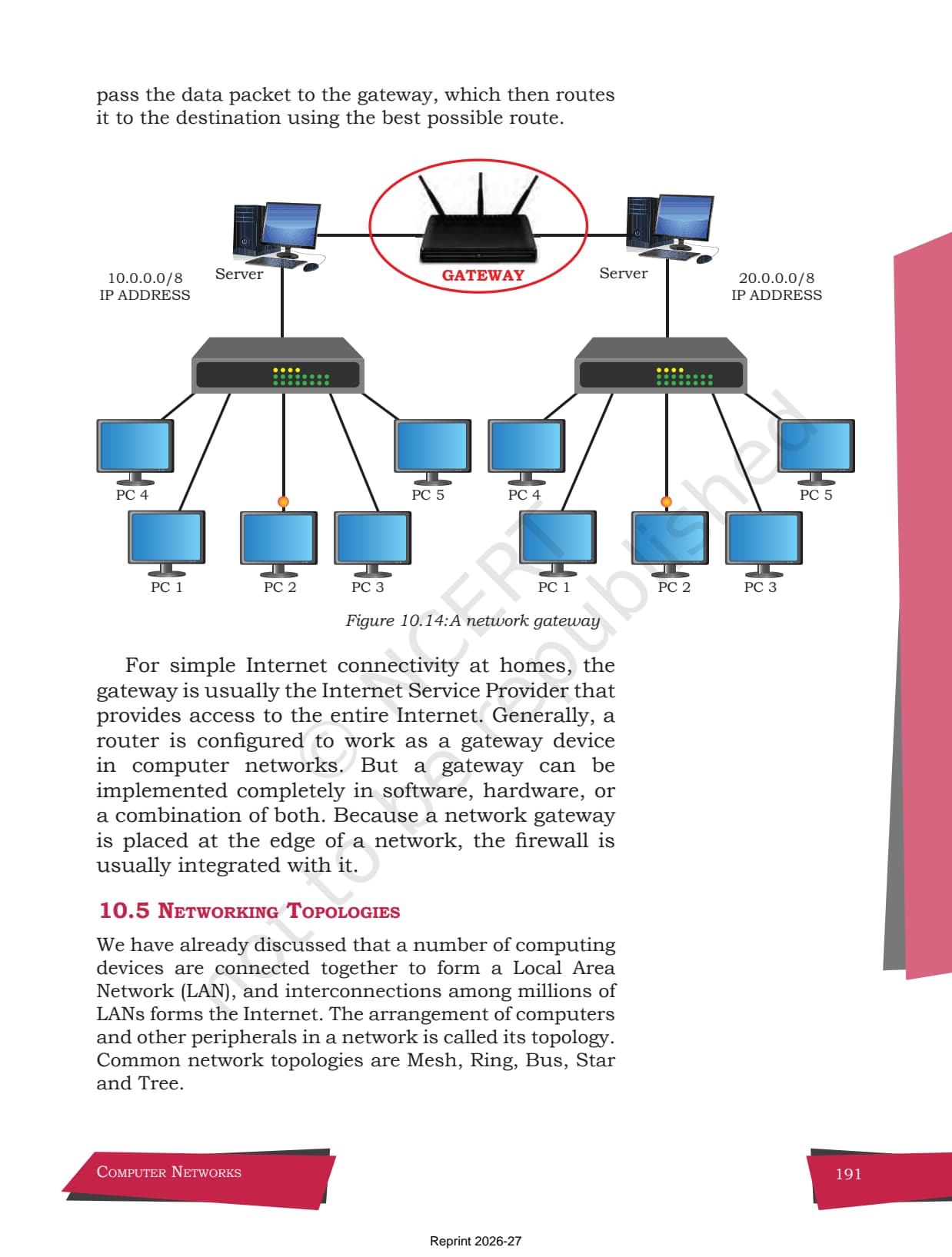
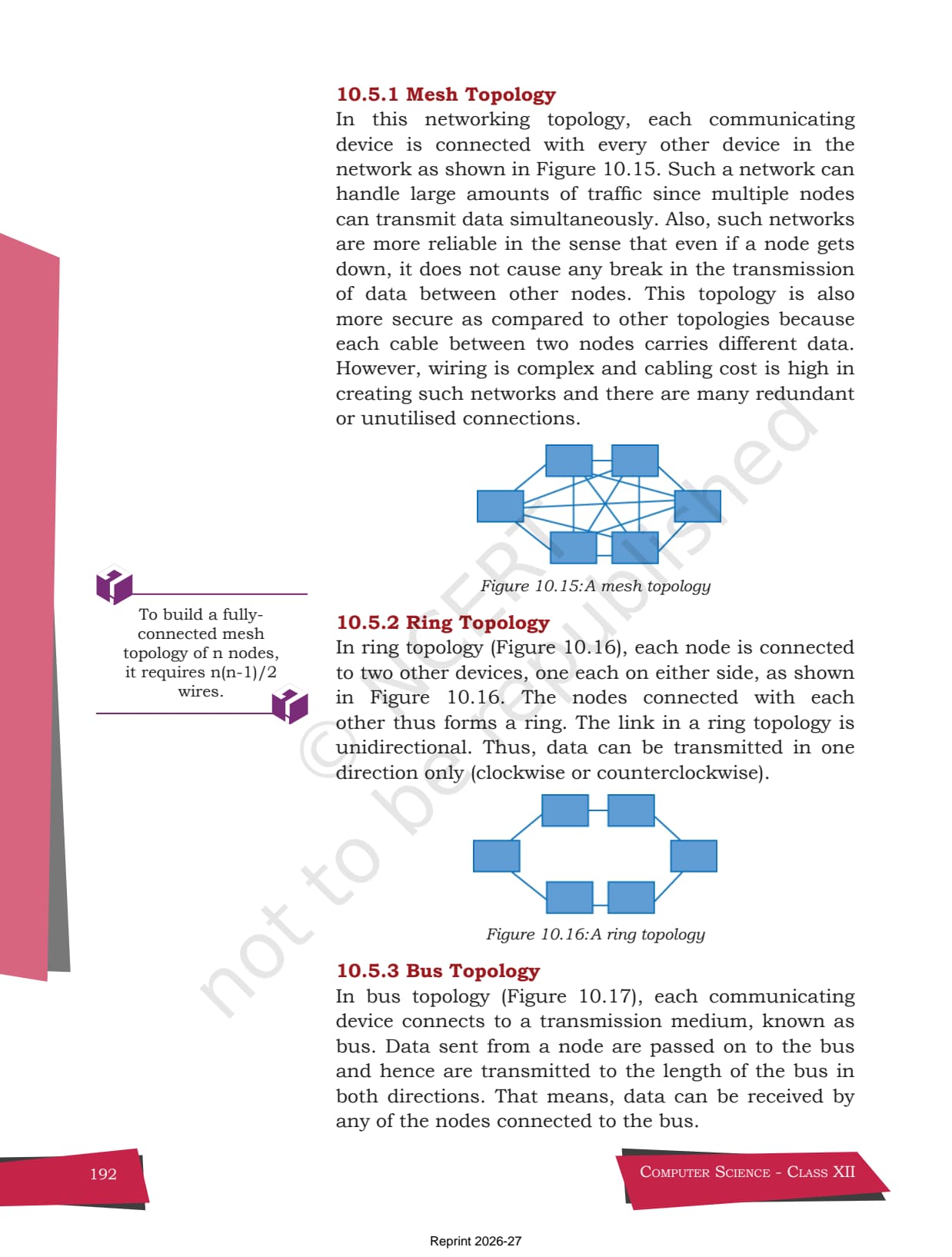
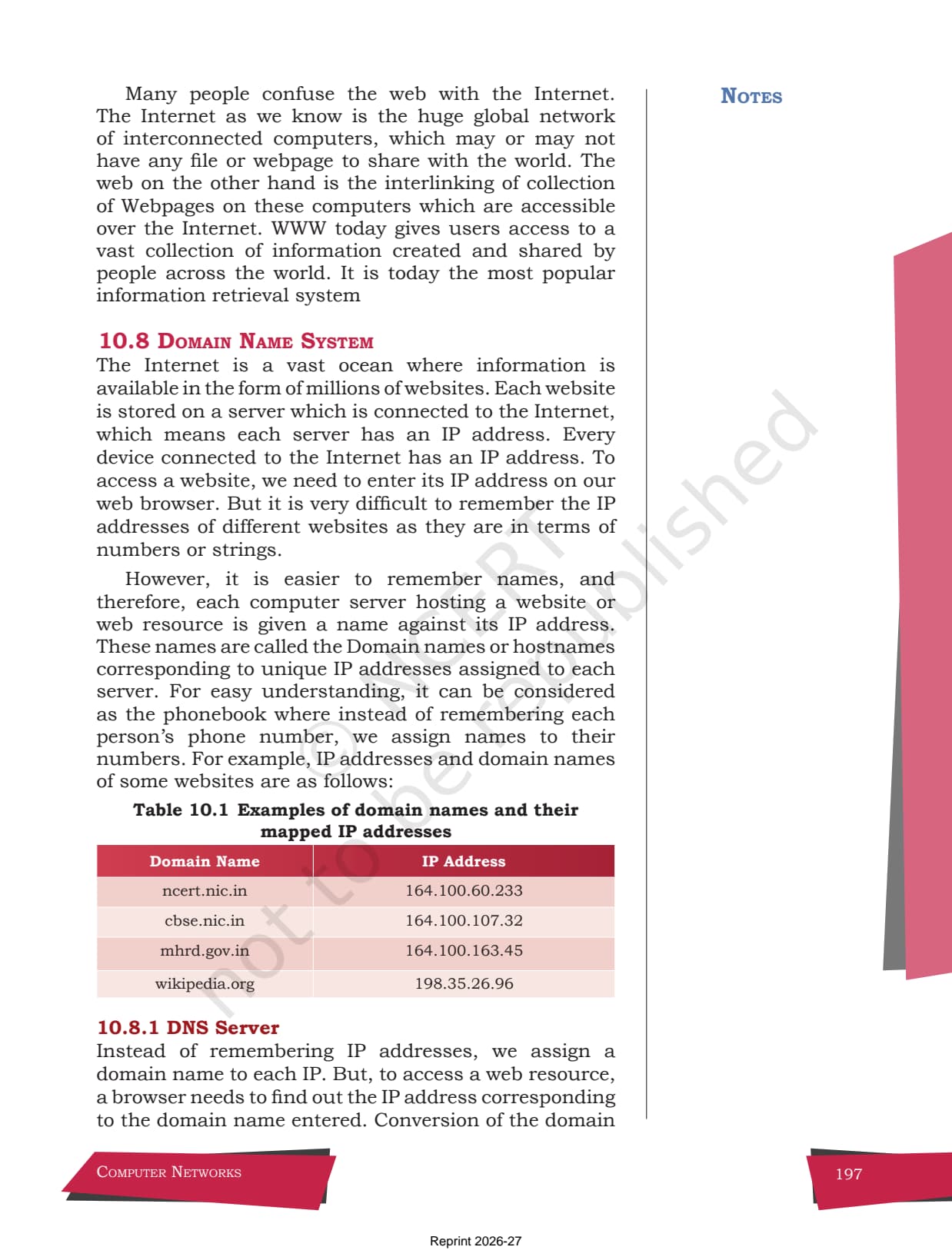
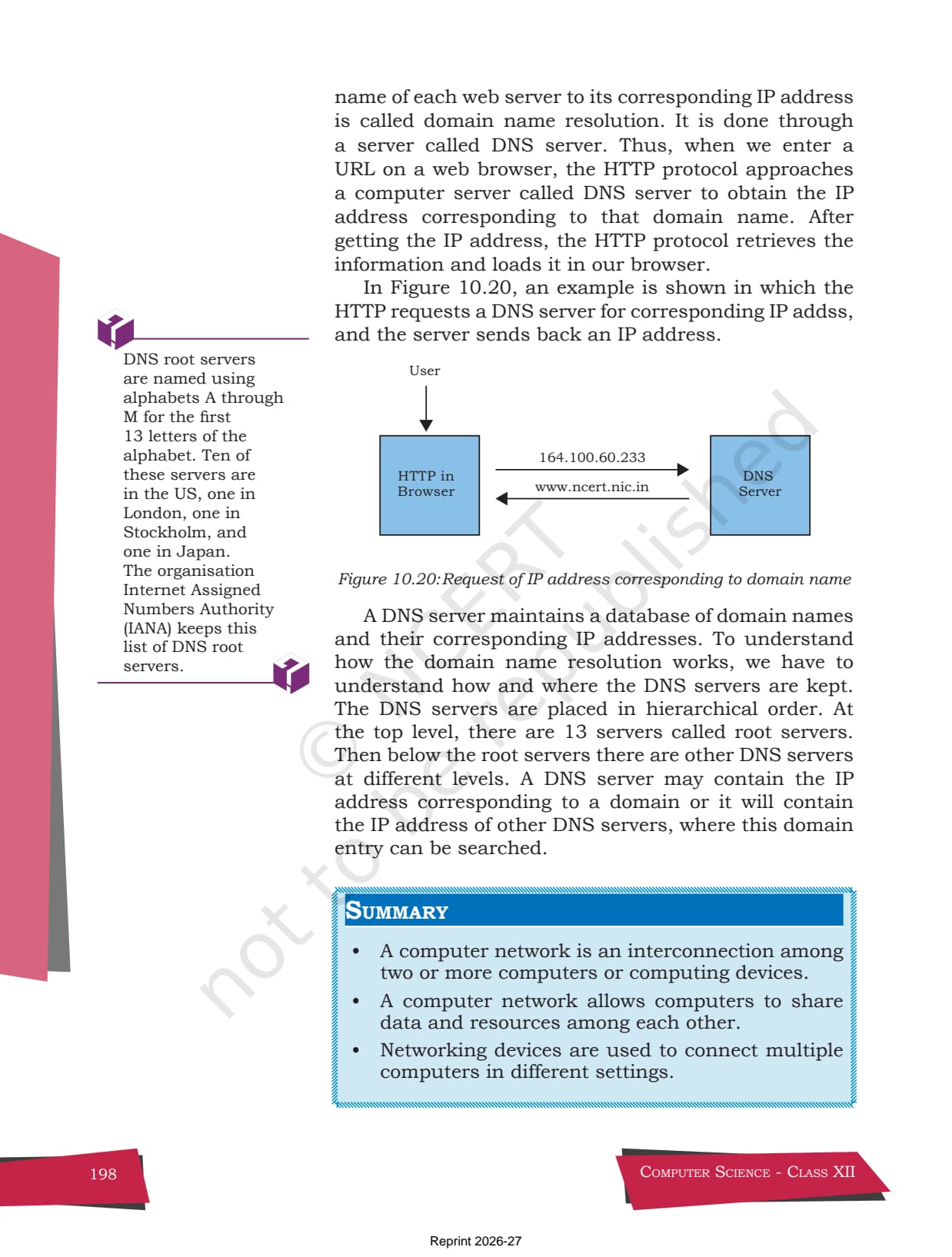
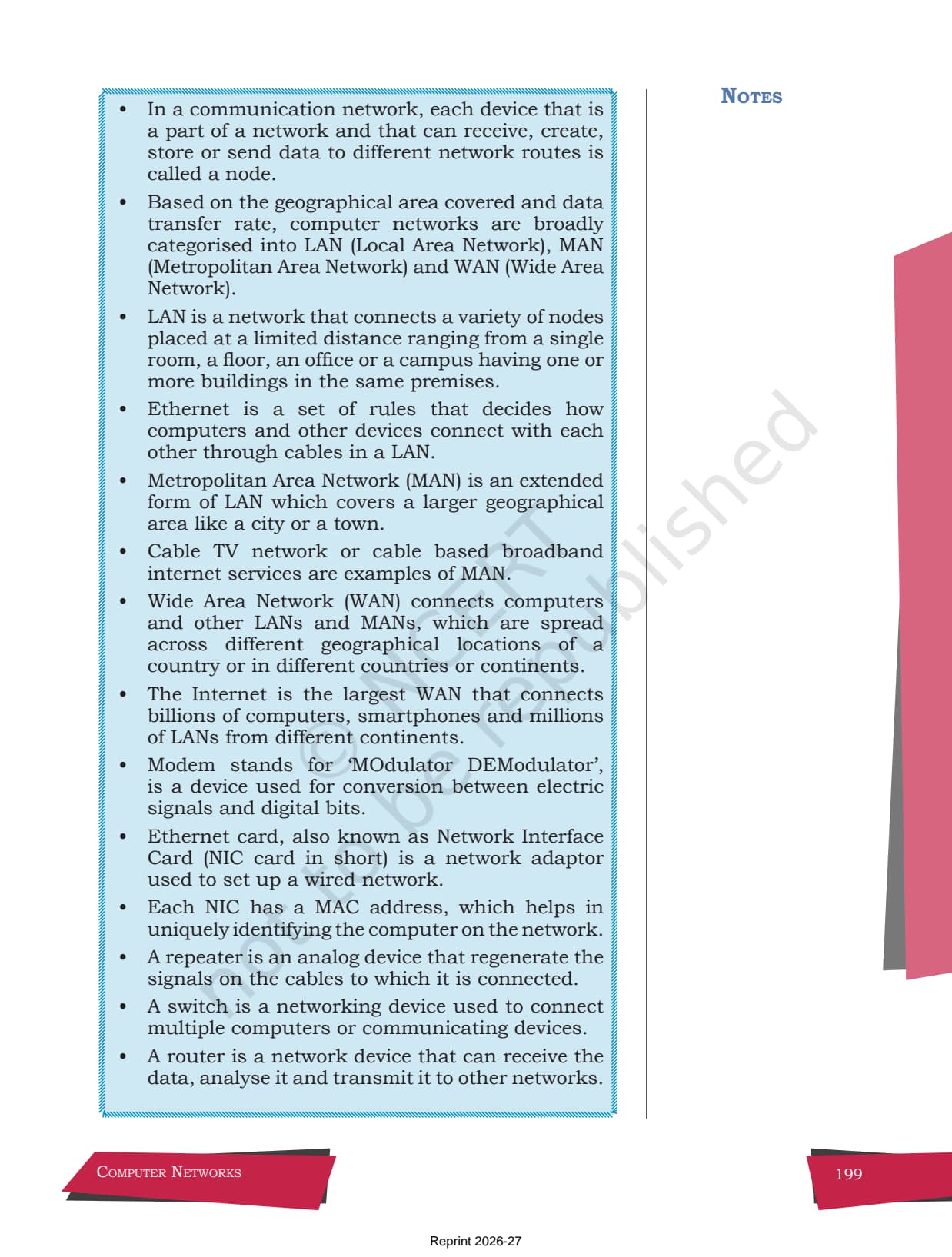
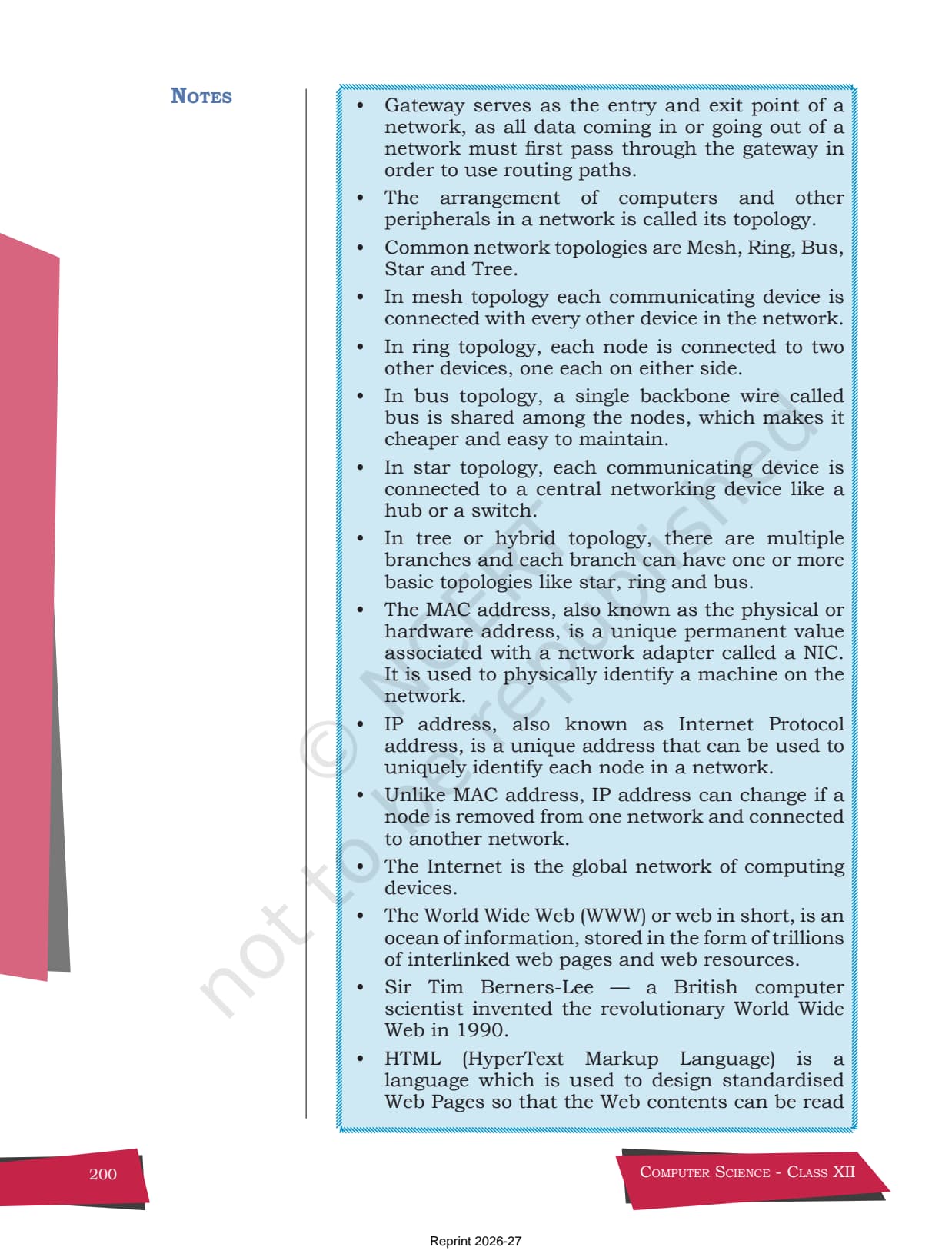
- The full NCERT chapter on computer networks, covering PAN, LAN, MAN and WAN and the five common topologies.
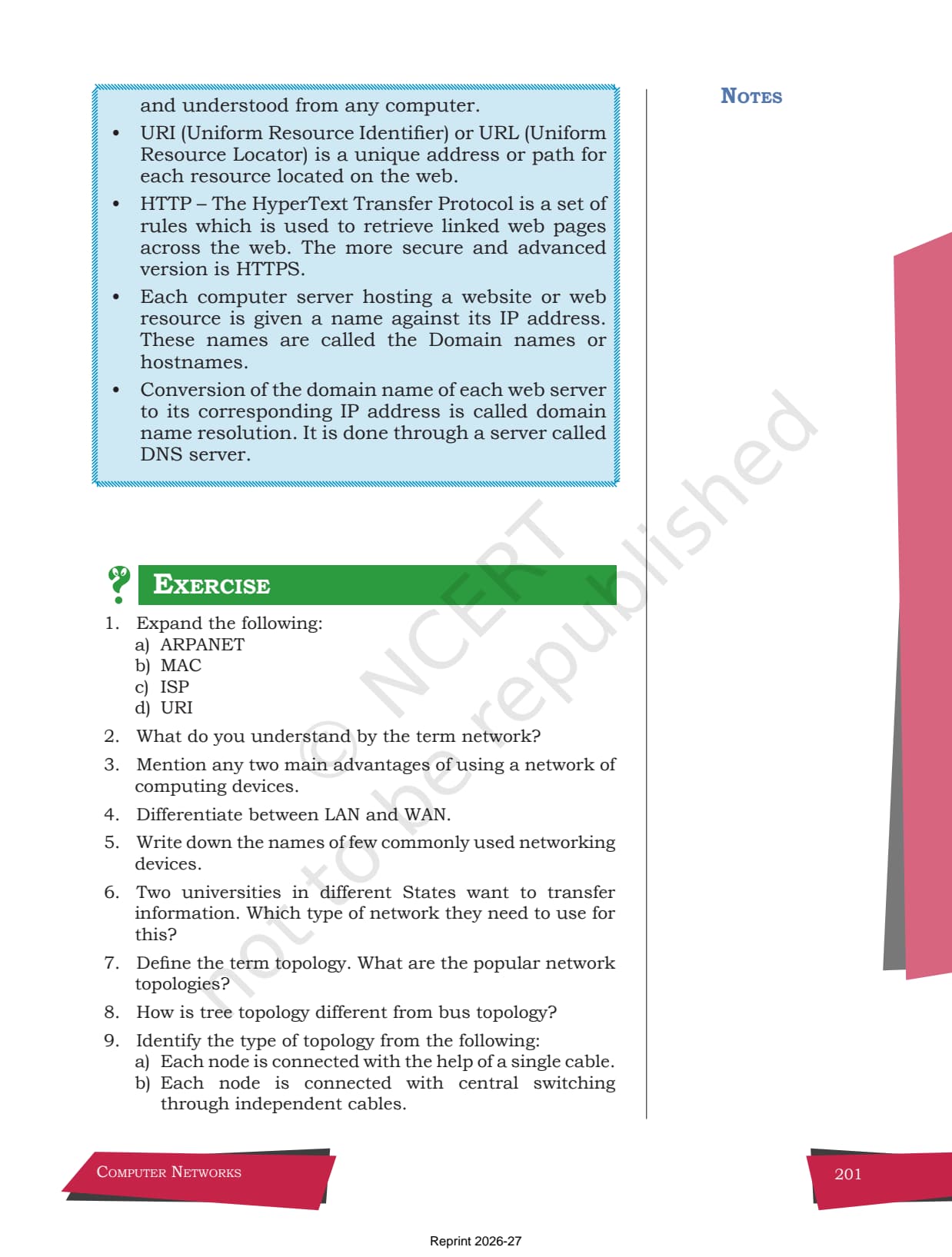
- Includes the back-exercise of 16 questions on networks, devices, topologies and addressing.
- Pairs with the NCERT Solutions, Notes and Handwritten Notes linked lower on this page.
This is the official NCERT Computer Science Chapter 10 text, hosted free for Class 12 students and matched to the 2026-27 CBSE syllabus.
Student Feedback: In a Collegedunia poll of 6,210 Class 12 Computer Science students, 72% of students said they kept the original Computer Networks chapter PDF on their phone for the topology diagrams and the MAC versus IP address table, because the board paper copies its terms and definitions almost word for word. Most read it once before moving to notes.
Source: 2026-27 Class 12 Computer Science student poll. Sample of 6,210 students from CBSE schools across 12 states.
What Is Inside the Computer Networks NCERT Book Chapter
Computer Networks is the tenth chapter of the Class 12 Computer Science NCERT textbook. It explains how two or more computing devices are joined so they can share data and resources, and it names the parts that make this work. The chapter mixes plain explanation with labelled figures, so students learn each idea by seeing a small diagram first. The list below shows what the original chapter holds, so students know what they are downloading.
- What a network is: any interconnection of two or more computing devices, where each device that can send or receive data is a node.
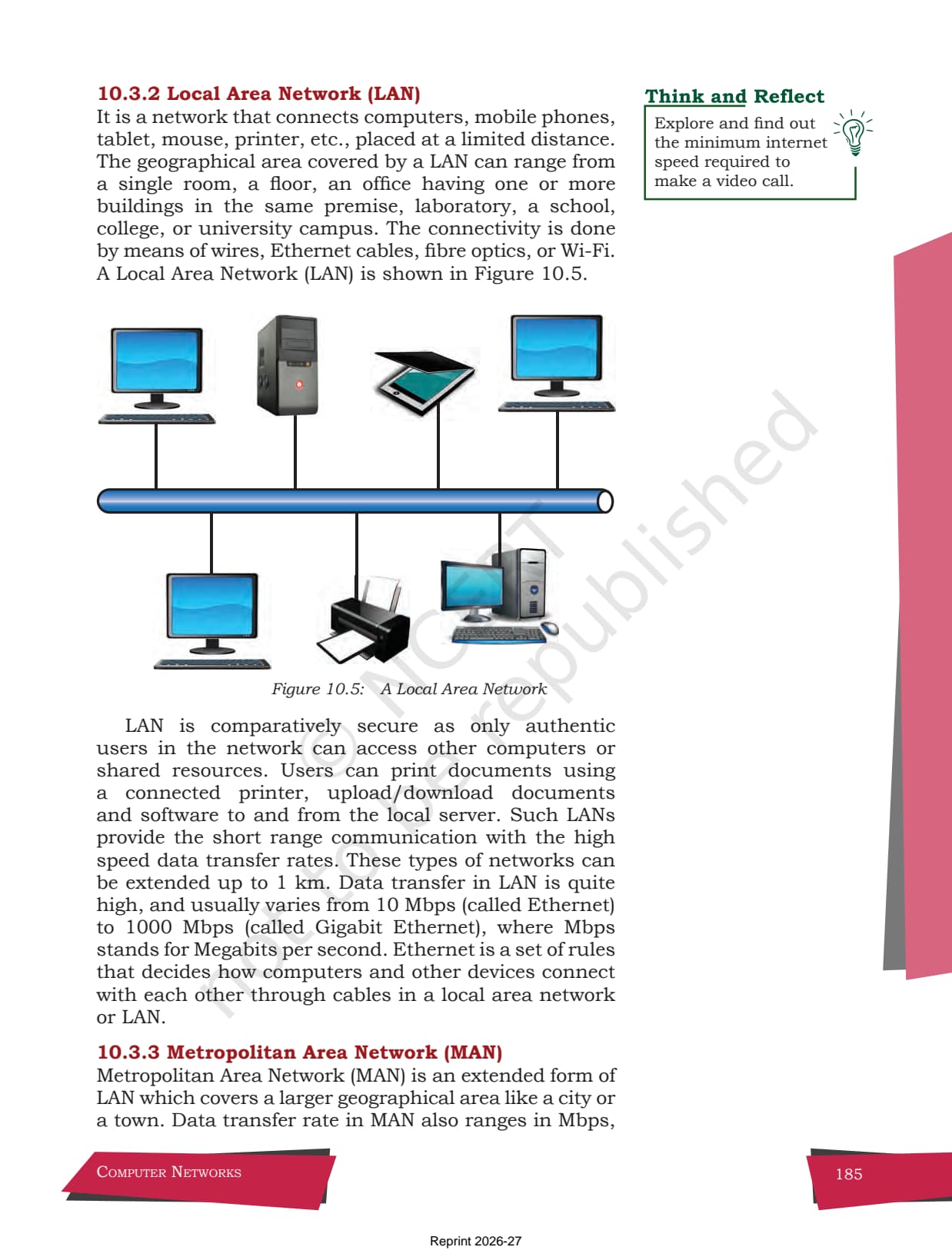
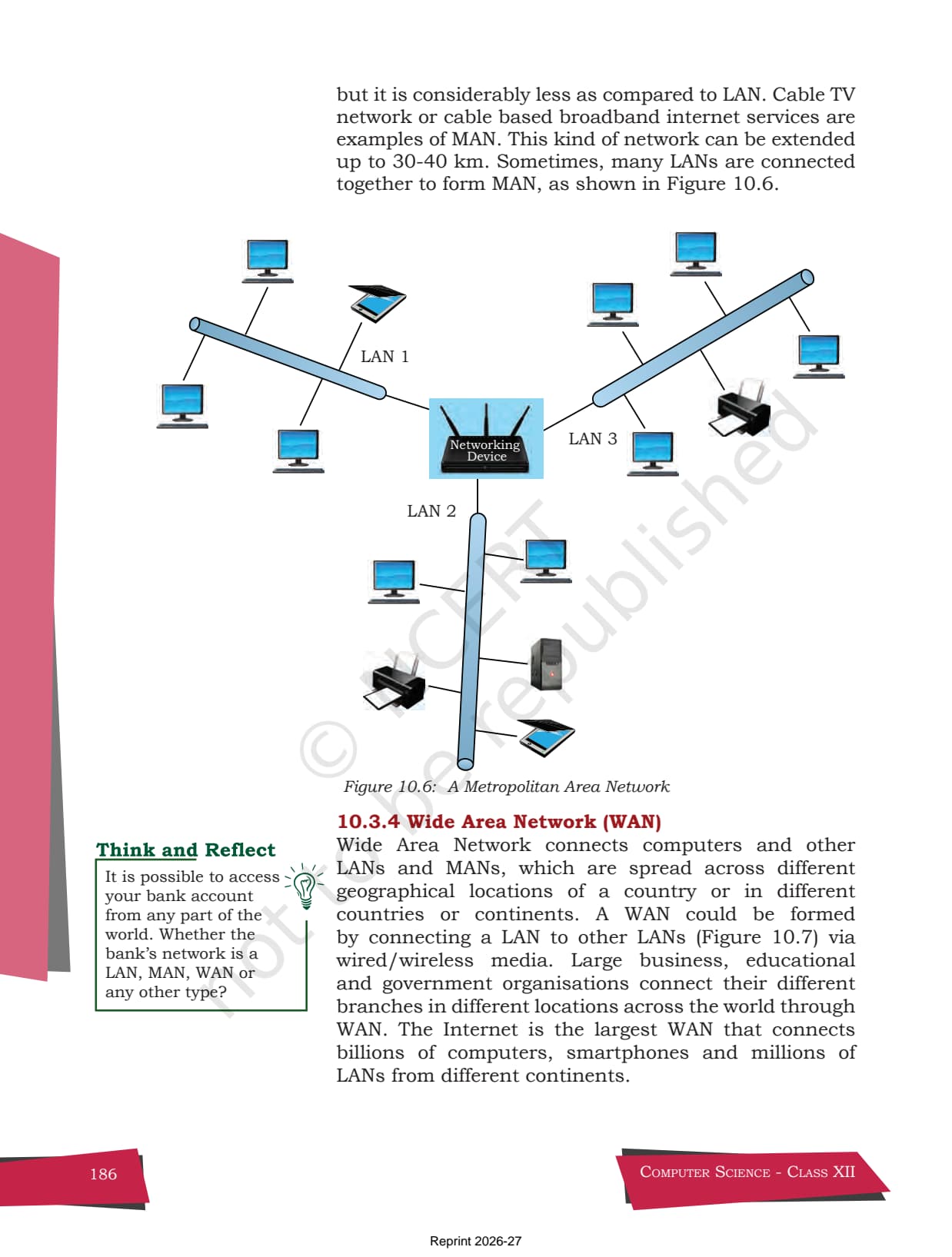
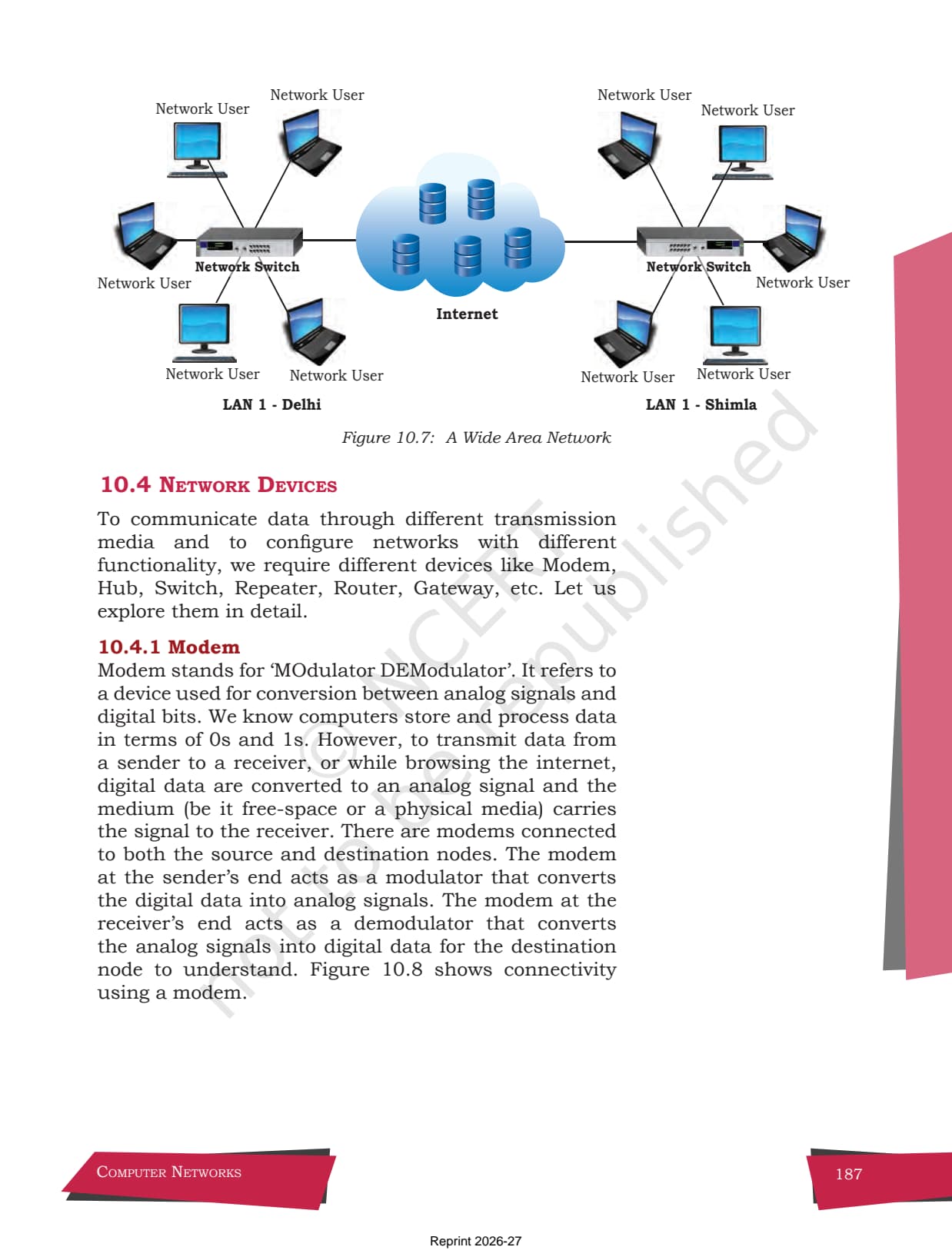
- Types of networks: PAN, LAN, MAN and WAN, sorted by the geographical area they cover, from one room to across countries.
- Network devices and topologies: modem, hub, switch, router, gateway and NIC, plus the mesh, ring, bus, star and tree layouts.
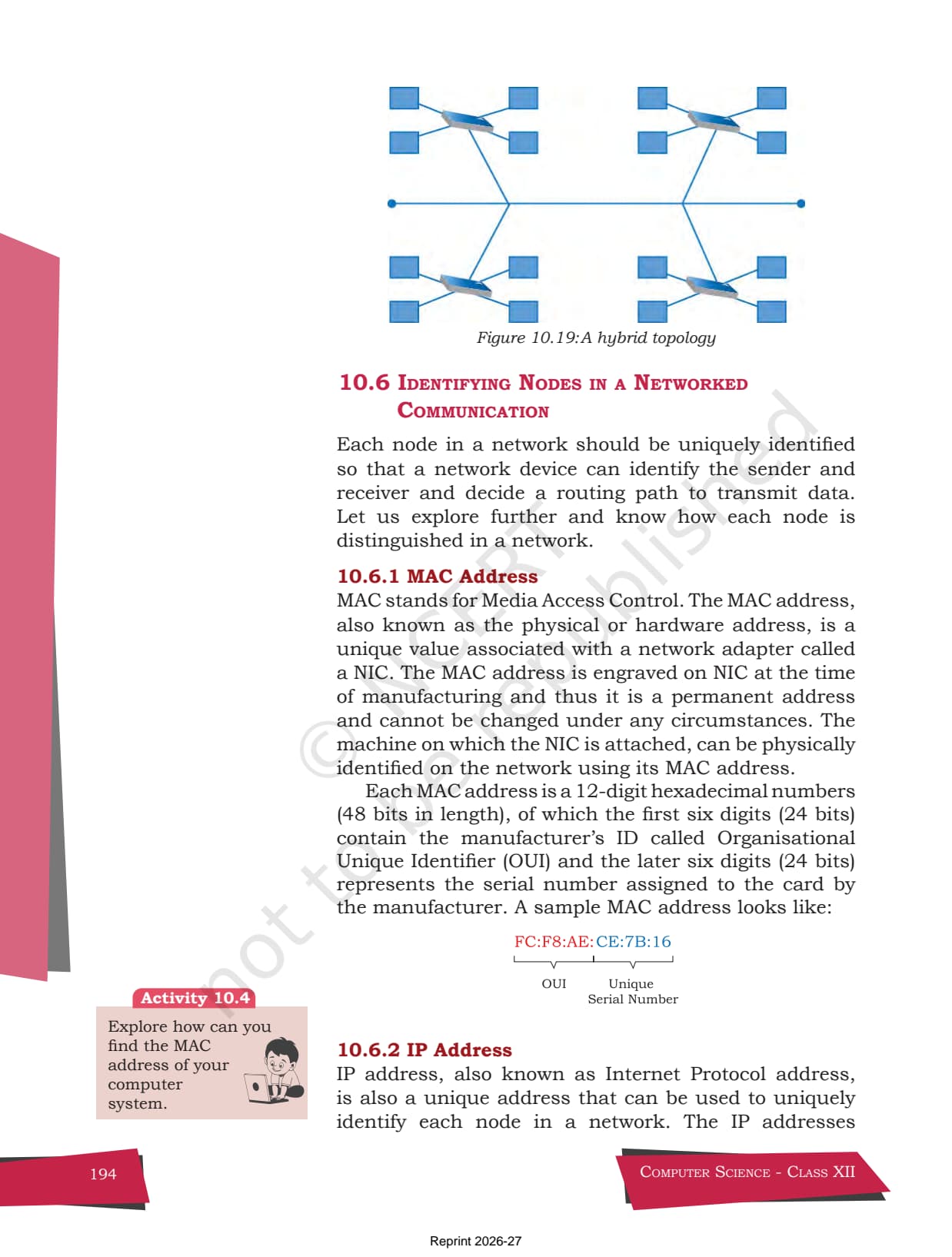
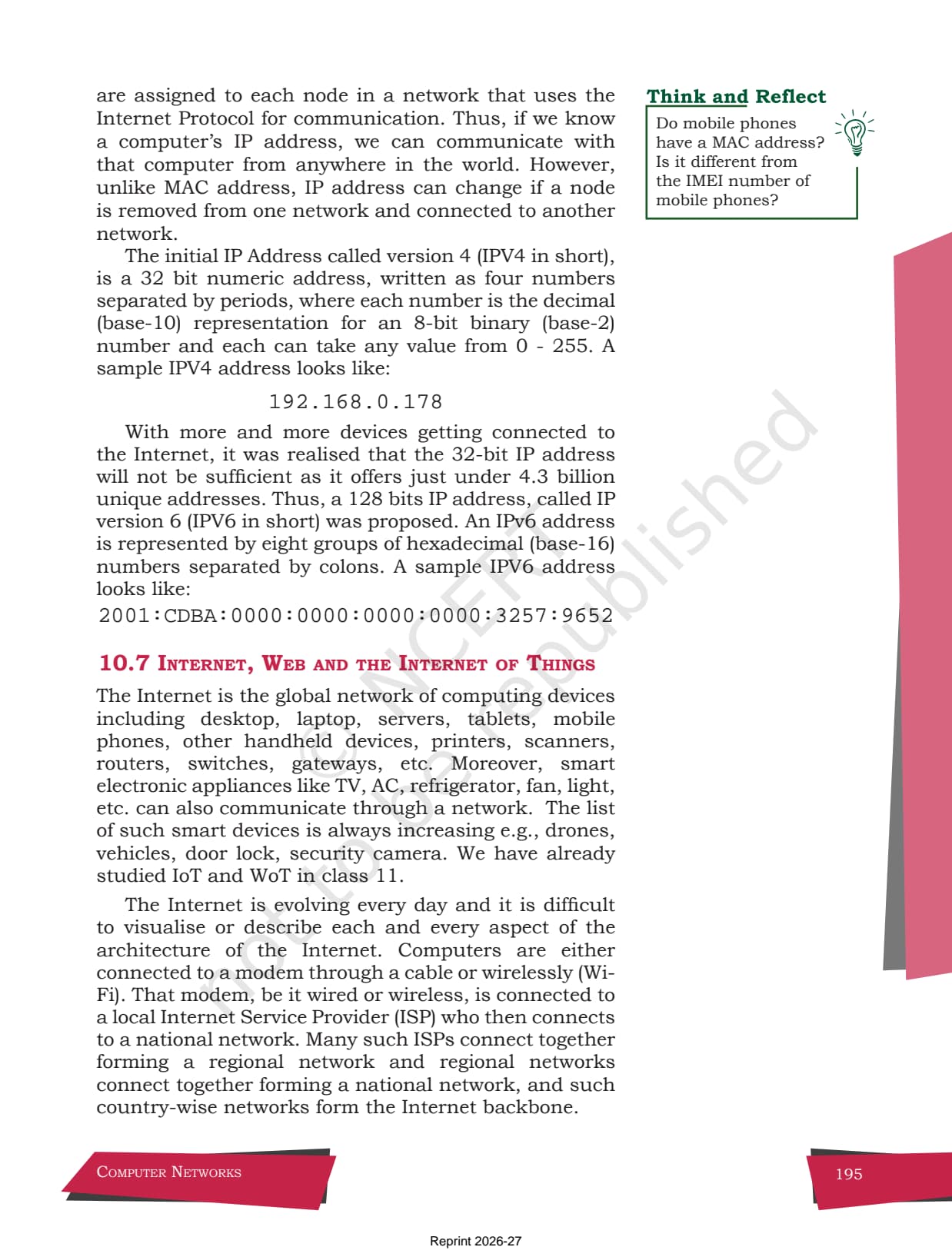
- Identifying nodes: the MAC address burned into the hardware, the IP address for routing, and the Domain Name System that maps names to IPs.
Reading the original chapter matters because the board marks answers against the NCERT wording. A student who has read the textbook once will write the LAN versus WAN difference, the topology definitions and the MAC versus IP comparison the way the examiner expects, which the Notes and Solutions then reinforce.
Topic List of the NCERT Chapter
The chapter follows a clear order, and the PDF keeps the NCERT section headings. The table below lists each section with a one-line note, so students can see the shape of the chapter before they read. It also helps with planning revision.
| Section | What it covers |
|---|---|
| 10.1 Introduction | What a network and a node are, and why devices are connected to share data and resources. |
| 10.2 Evolution of Networking | From ARPANET and NSFNET to the Internet, with the first message and the role of TCP/IP. |
| 10.3 Types of Networks | PAN, LAN, MAN and WAN, set apart by the area each one covers. |
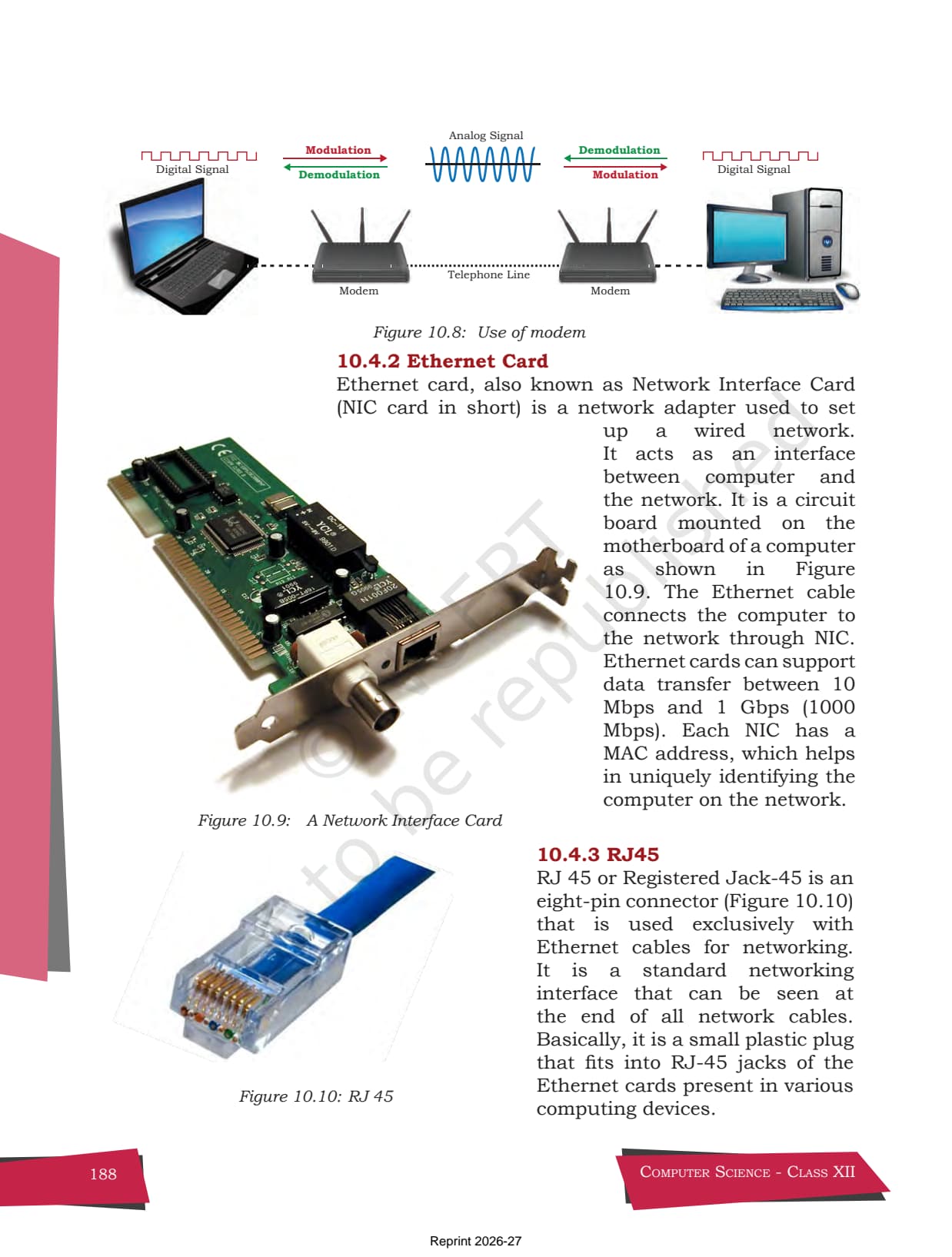
| 10.4 Network Devices | Modem, Ethernet card, RJ45, repeater, hub, switch, router and gateway. |
| 10.5 Networking Topologies | The mesh, ring, bus, star and tree layouts, each with a labelled figure. |
| 10.6 Identifying Nodes | The MAC address and the IP address, and how the two differ. |
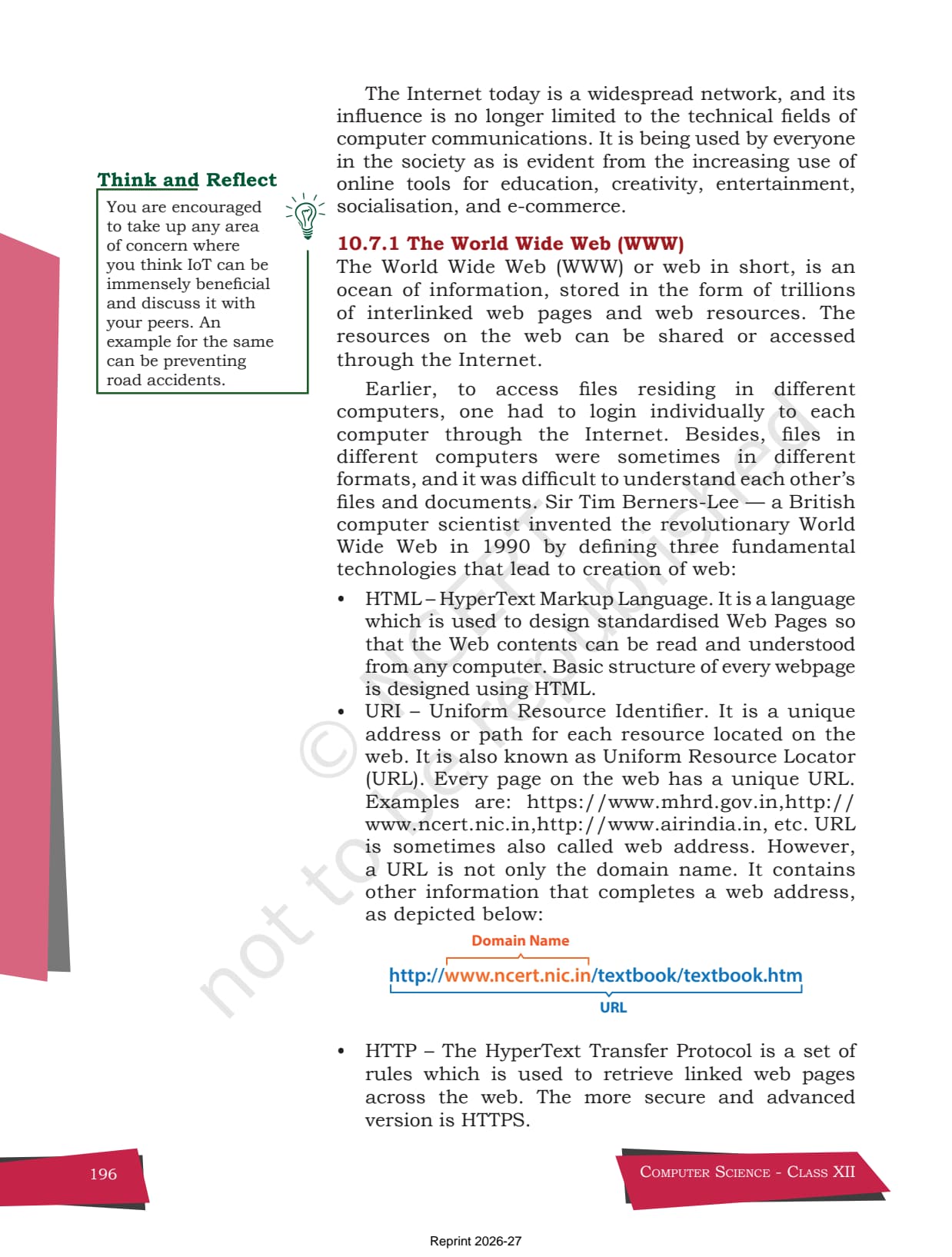
| 10.7 Internet, Web and IoT | The difference between the Internet and the World Wide Web, plus the Internet of Things. |
| 10.8 Domain Name System | How a DNS server turns a readable domain name into an IP address. |
The most exam-heavy sections are types of networks, topologies and the MAC versus IP comparison, so students should read those slowly. The LAN versus WAN difference and the topology definitions come up in nearly every board paper, so it is worth a careful first read rather than a skim.
Types of Networks: PAN, LAN, MAN and WAN
The single most asked idea in the chapter is how networks are classified by the area they cover. Students who learn this can answer the LAN versus WAN difference question the board reuses every year, and can name the right network for any given scenario. A short summary is below so students can see what the PDF carries, but the full descriptions with figures are in the download.
| Network | Area covered | Typical example |
|---|---|---|
| PAN (Personal Area Network) | A few metres around one person | Phone linked to a smartwatch over Bluetooth |
| LAN (Local Area Network) | One room, building or campus | A school computer lab |
| MAN (Metropolitan Area Network) | A city or a large town | A cable TV network across a city |
| WAN (Wide Area Network) | Countries or the whole globe | The Internet itself |
The chapter is clear that a LAN is owned by one organisation and is fast and secure, while a WAN spans long distances using leased lines and is usually slower per link. This LAN versus WAN contrast is the most repeated 2-mark question, so the original text is worth reading closely. The chapter also notes that two universities in different states would need a WAN to share data, a scenario the exercise asks directly.
Most students search for the class 12 computer science chapter 10 computer networks pdf to revise these four network types before a test, because the definitions and examples have to be exact to earn full marks.
Network Devices and Topologies in the Chapter
The chapter spends a full section on the hardware that makes a network run and another on how the devices are arranged. Both are tested heavily, so the PDF is the safest place to learn the exact roles and the exact layouts. The points below summarise what the textbook explains in detail.
- Modem: converts digital signals to analog for transmission and back again, so a computer can use a telephone line.
- Switch: connects devices in a LAN and sends each packet only to the intended device, using the MAC address.
- Router: joins different networks and chooses the best path for a packet using the IP address.
- Gateway: connects two networks that use different protocols, acting as the entry and exit point.
- Repeater and hub: a repeater boosts a weak signal over distance, while a hub broadcasts data to all connected devices.
For the layout side, the chapter defines five topologies. The table below sets them apart in one line each, which is exactly the level the board asks for in a difference question.
| Topology | How nodes connect |
|---|---|
| Mesh | Every node links directly to every other node. |
| Ring | Nodes form a closed loop; data travels around the ring. |
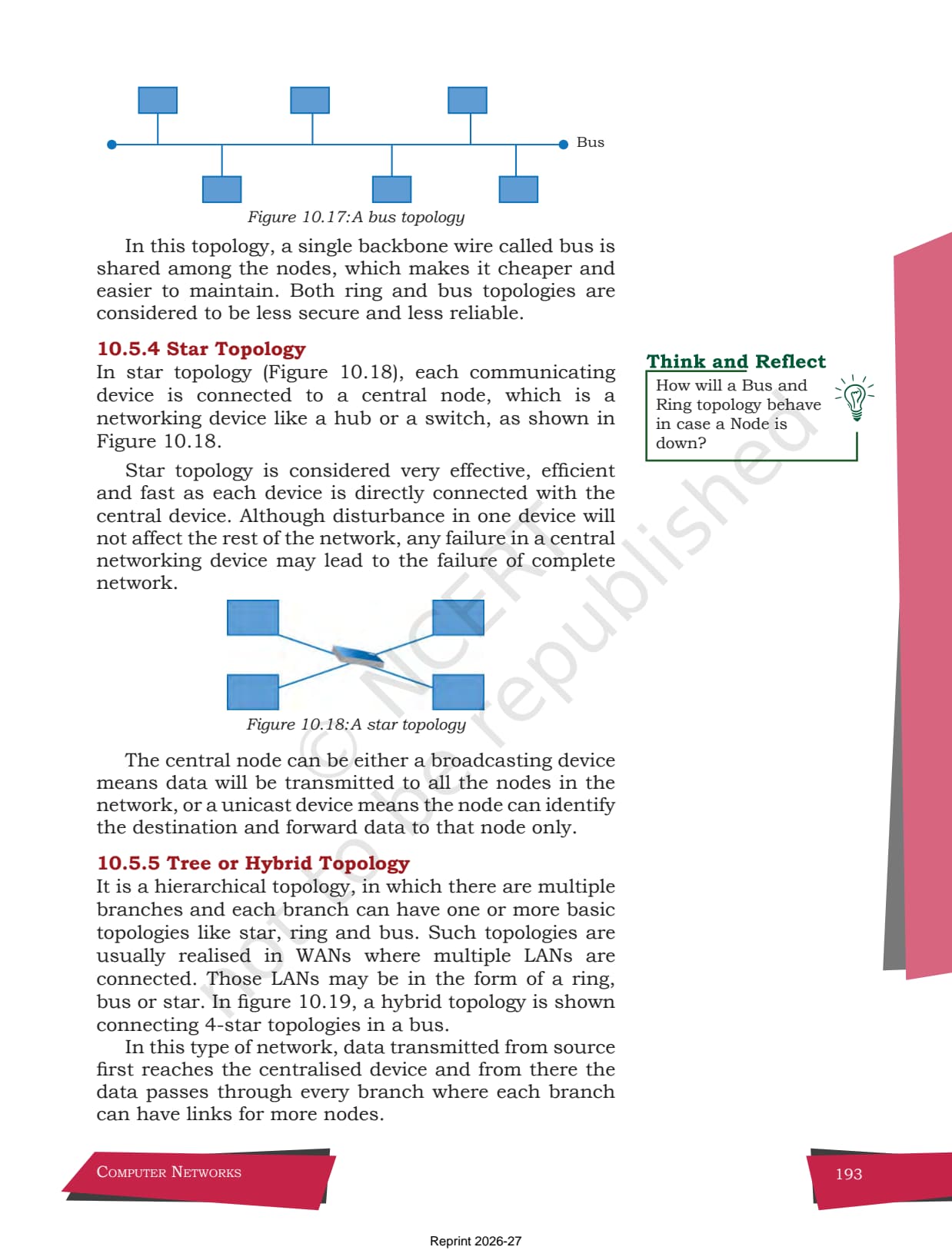
| Bus | All nodes share a single backbone cable. |
| Star | Every node connects to one central hub or switch. |
| Tree | A hierarchy of star networks joined to a central bus. |
The exercise asks students to draw the star and bus layouts for five computers, and to say how tree differs from bus, so the labelled figures in the PDF are worth copying by hand once. The chapter also explains the MAC address, a 48-bit number fixed in the network card, against the IP address, which can change and is used to route packets, written in dotted form like 192.168.1.10.
How to Download the Class 12 Computer Science Chapter 10 PDF
The PDF is free and easy to save on any device. The steps below show students how to get the chapter and keep it for offline reading. No login or payment is needed at any stage.
- Open the download card at the top of this page and tap the PDF button.
- Save to your device so you can read the chapter offline, even without internet.
- Print if you prefer paper: the topology figures and the device tables stay clear when printed.
- Pair it with the NCERT Solutions linked below to attempt the 16 back-exercise questions as you read.
Many students save the computer networks class 12 pdf the night before a unit test, so a saved copy means you can revise even when the network is down. Keep the textbook PDF and the solved answers together for a full self-study set.
Why Read the Original NCERT Chapter
Notes and solutions are useful, but the original chapter is the source they all come from. There are clear reasons to read it at least once. The points below explain why the textbook still matters even when quick notes are everywhere.
- Board style: the chapter's own definitions of LAN, WAN and each topology are the safest wording to copy in the exam.
- Full context: the chapter explains why a switch is smarter than a hub, a point notes often cut for space.
- Labelled figures: the topology diagrams and the network examples are exactly what board drawing questions are built from.
- Exercise: the back-exercise is the exact set the Solutions answer, so reading it first sharpens recall.
The honest takeaway is that the textbook is the master copy. Read it once to understand each network type, device and topology, then move to the Notes for revision and the Solutions for practice. That order builds stronger networking answers than starting from notes alone.
How the Book PDF Pairs with the Solutions and Notes
The Book PDF gives you the original text and figures. To study the chapter fully, use it with the other resources for the same chapter, all linked in the table below. The chapter sits between Structured Query Language (SQL) (Chapter 9) and Data Communication (Chapter 11), so the networking ideas here lead straight into how data actually moves across a link.
| Resource | Best used for |
|---|---|
| Computer Networks Class 12 NCERT Solutions | Full step-by-step answers for all 16 exercise questions |
| Computer Networks Class 12 Notes | A typed chapter summary with network types, devices and topologies in tables |
| Computer Networks Class 12 Handwritten Notes | One-shot revision in a scanned notebook style with topology sketches |
Tip: read the NCERT chapter first for the full picture, then revise from the Notes and test yourself with the Solutions. The textbook is where every good networking answer starts.
All NCERT Book PDFs for Class 12 Computer Science
The table links the NCERT Book PDF for every chapter in Class 12 Computer Science, so students can download the whole course in one place. Computer Networks is highlighted.
| Chapter | NCERT Book PDF |
|---|---|
| Chapter 1 | Exception Handling in Python |
| Chapter 2 | File Handling in Python |
| Chapter 3 | Stack |
| Chapter 4 | Queue |
| Chapter 5 | Sorting |
| Chapter 6 | Searching |
| Chapter 7 | Understanding Data |
| Chapter 8 | Database Concepts |
| Chapter 9 | Structured Query Language (SQL) |
| Chapter 10 | Computer Networks |
| Chapter 11 | Data Communication |
| Chapter 12 | Security Aspects |
FAQs on Computer Networks NCERT Book PDF
Computer Networks Class 12 NCERT Book Common Questions
Ques. Where can I download the Class 12 Computer Science Chapter 10 Computer Networks NCERT Book PDF?
Ans. You can download the Computer Networks NCERT Book PDF free from the download card at the top of this page. It is the official NCERT chapter, matched to the 2026-27 CBSE syllabus, and includes the network types, network devices, the five topologies, the MAC and IP address sections, and the back-exercise.
Ques. What topics does the Computer Networks NCERT chapter cover?
Ans. The chapter covers what a network and a node are, the evolution of networking from ARPANET to the Internet, the four network types PAN, LAN, MAN and WAN, the network devices like modem, switch, router and gateway, the five topologies mesh, ring, bus, star and tree, the MAC and IP addresses, the difference between the Internet and the Web, and the Domain Name System. It ends with a 16-question back-exercise.
Ques. What is the difference between LAN and WAN in this chapter?
Ans. A LAN, or Local Area Network, covers a small area such as a room, building or campus and is owned by one organisation, so it is fast and secure. A WAN, or Wide Area Network, spans long distances across cities or countries using leased lines, and the Internet is the largest WAN. The chapter notes that two universities in different states would need a WAN to share data.
Ques. Does the PDF explain MAC address and IP address?
Ans. Yes. The chapter explains that a MAC address is a 48-bit number fixed in the network card by the maker, so it does not change. An IP address, written in dotted form like 192.168.1.10, is assigned to a device on a network and is used to route packets, so it can change. This MAC versus IP comparison is a common board question, so the original PDF is worth reading carefully.
Ques. Is it useful to read the NCERT chapter and not just the notes?
Ans. Yes. The board paper copies the chapter's own definitions, topology terms and wording closely, so reading the original chapter once helps students write networking answers the way the examiner expects. Use the Notes for revision and the Solutions for practice afterwards.



Comments