




The NCERT Class 12 Computer Science Book PDF Chapter 1 Exception Handling in Python opens the Class 12 course and runs to about 18 pages in the 2026-27 reprint. The chapter explains how Python deals with errors at runtime, building from syntax errors to built-in exceptions, the raise and assert statements, and the full try / except / else / finally block.
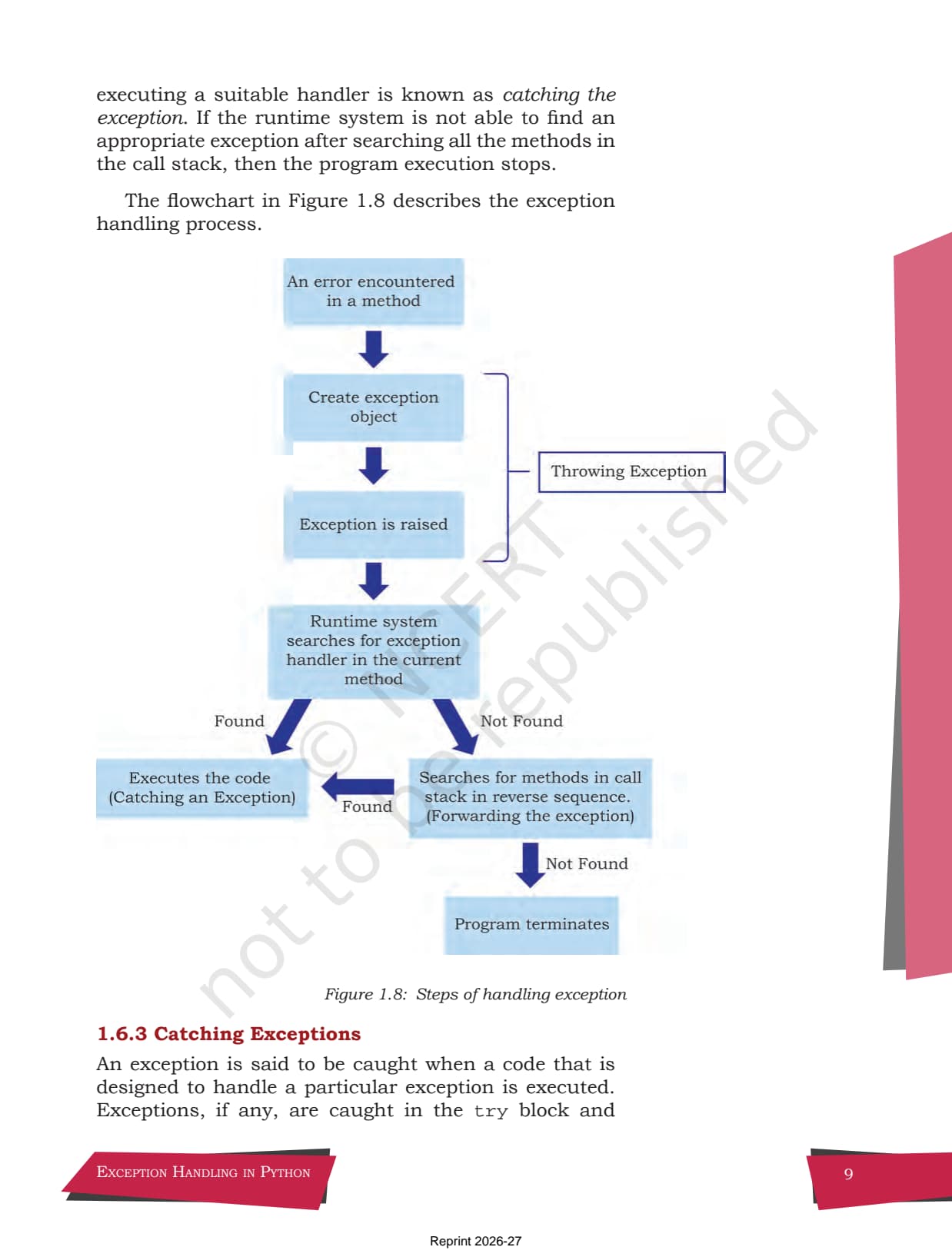
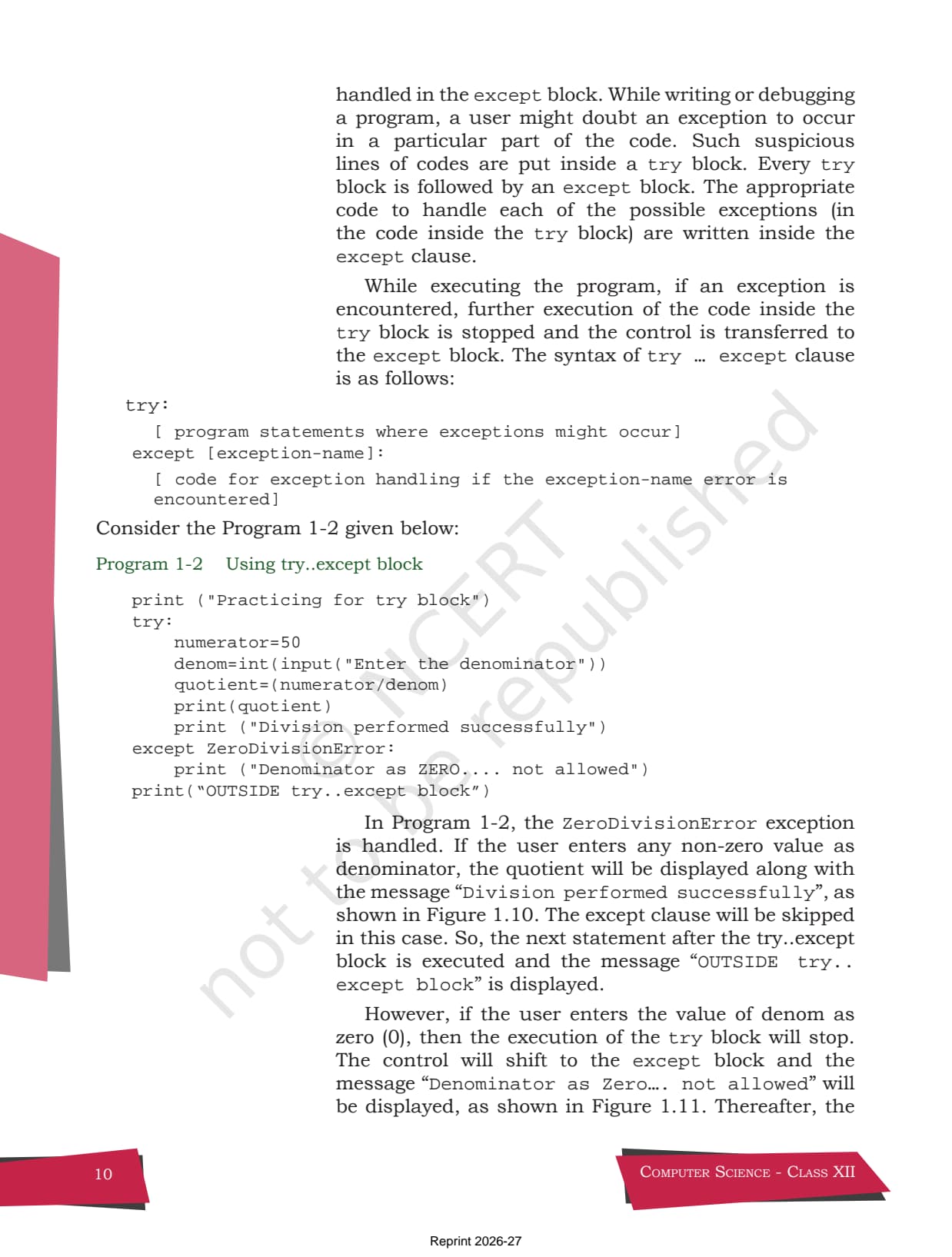
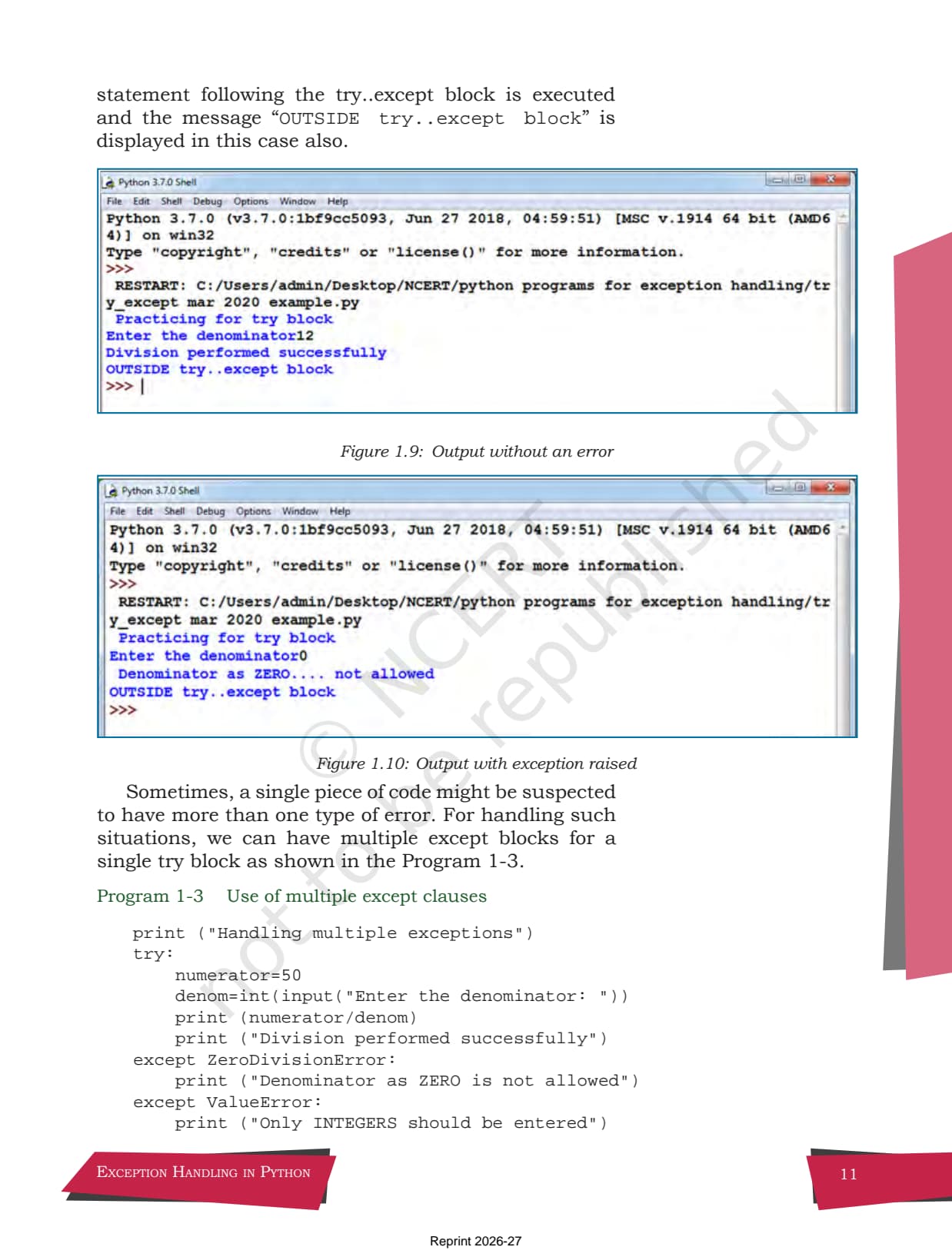
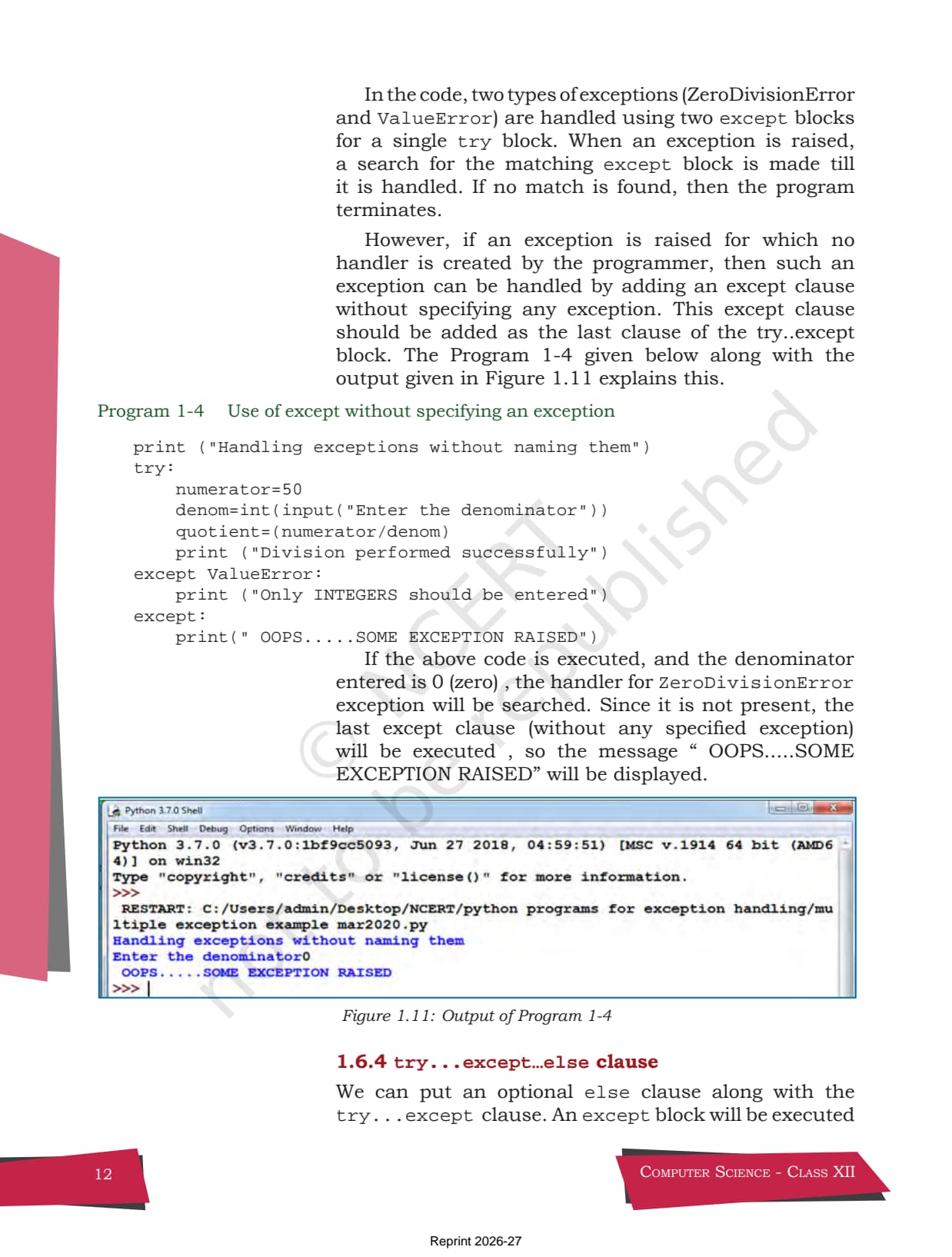
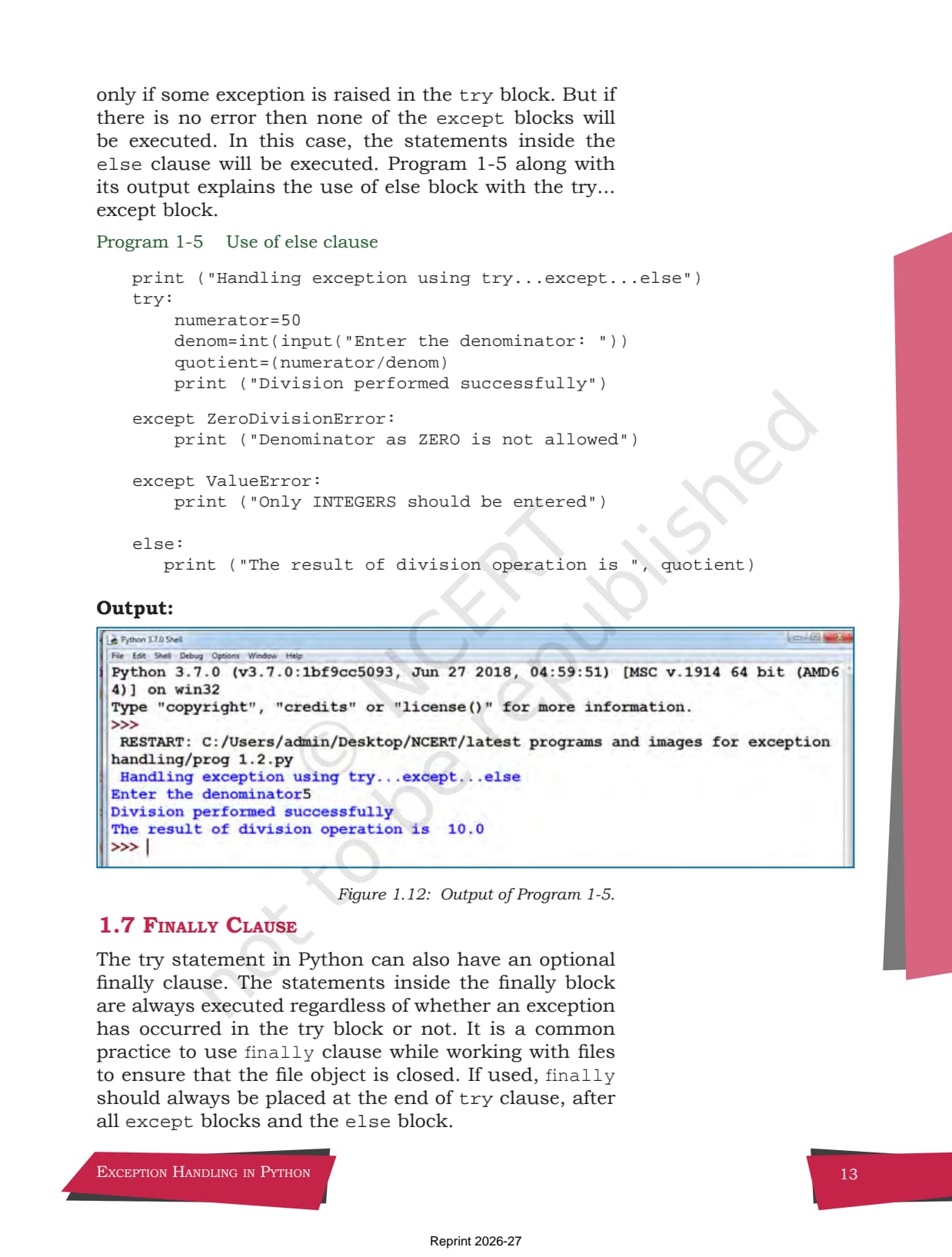
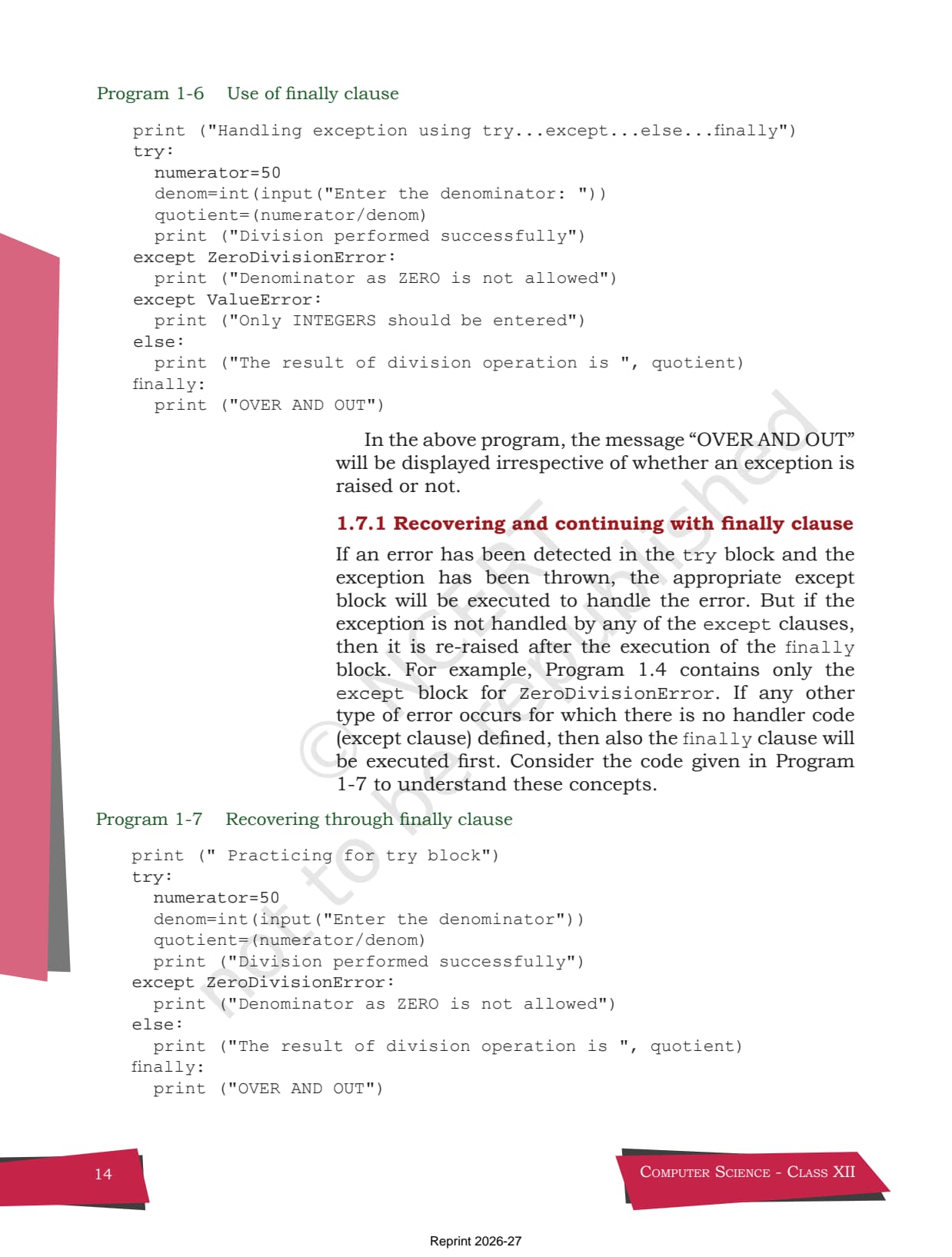
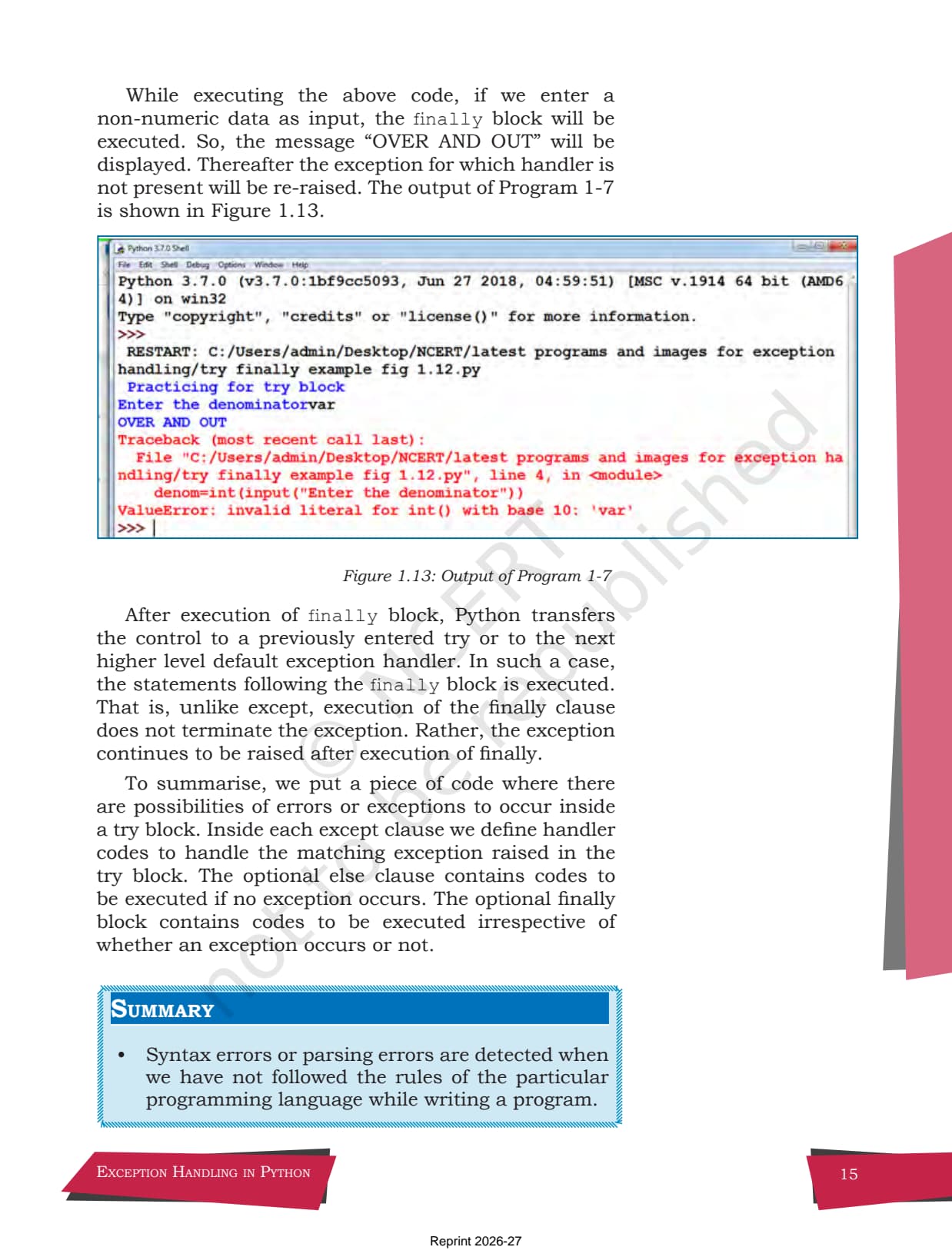
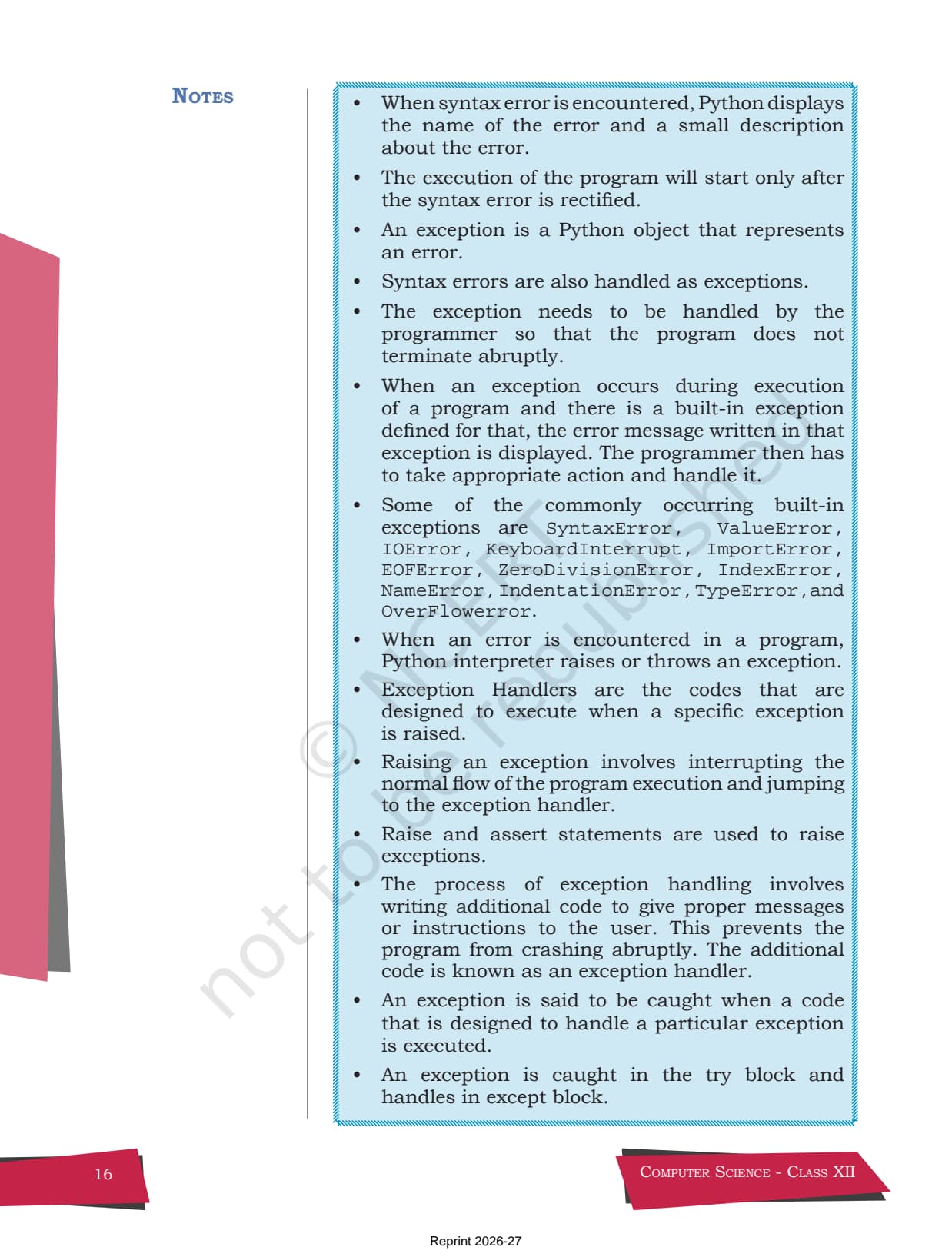
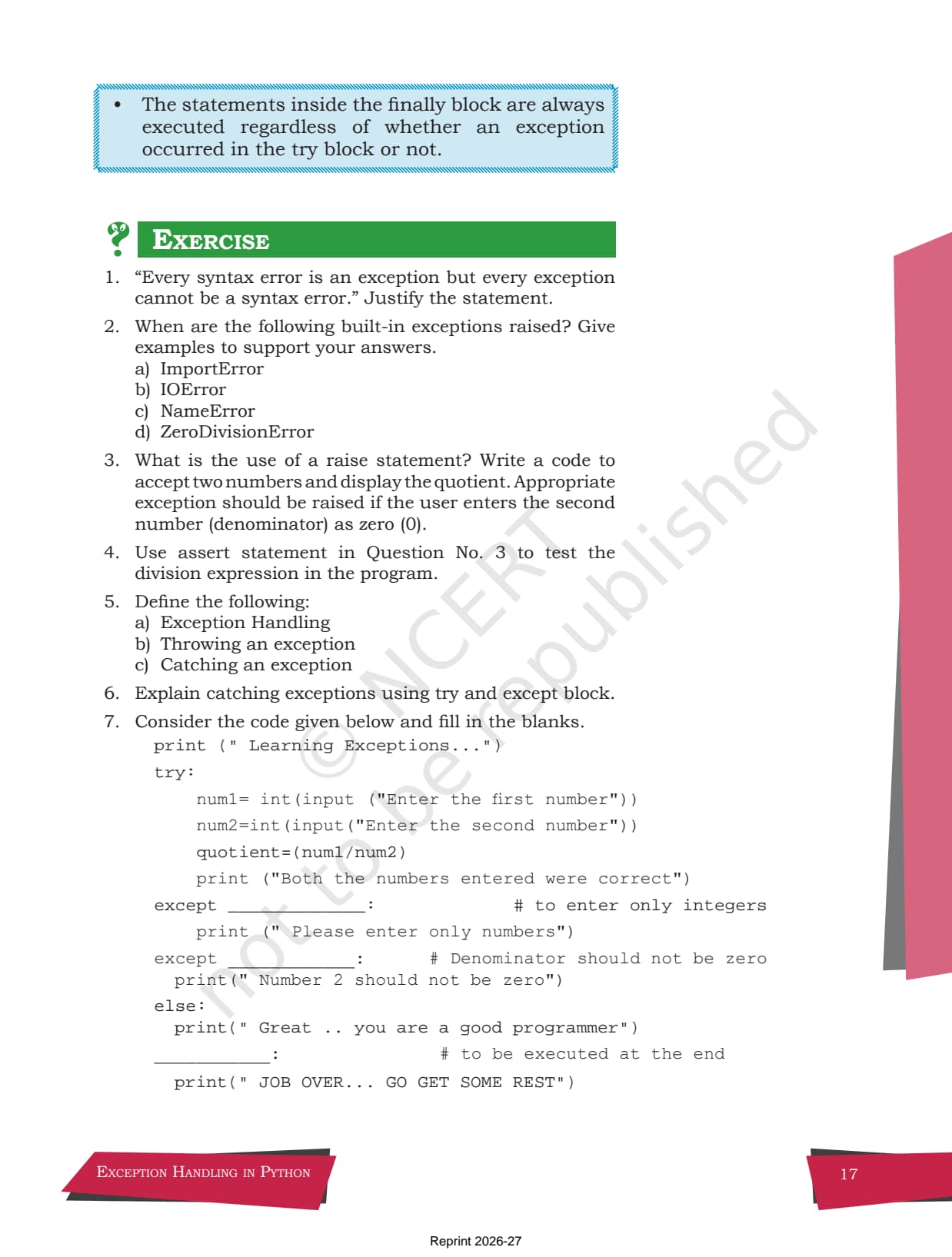
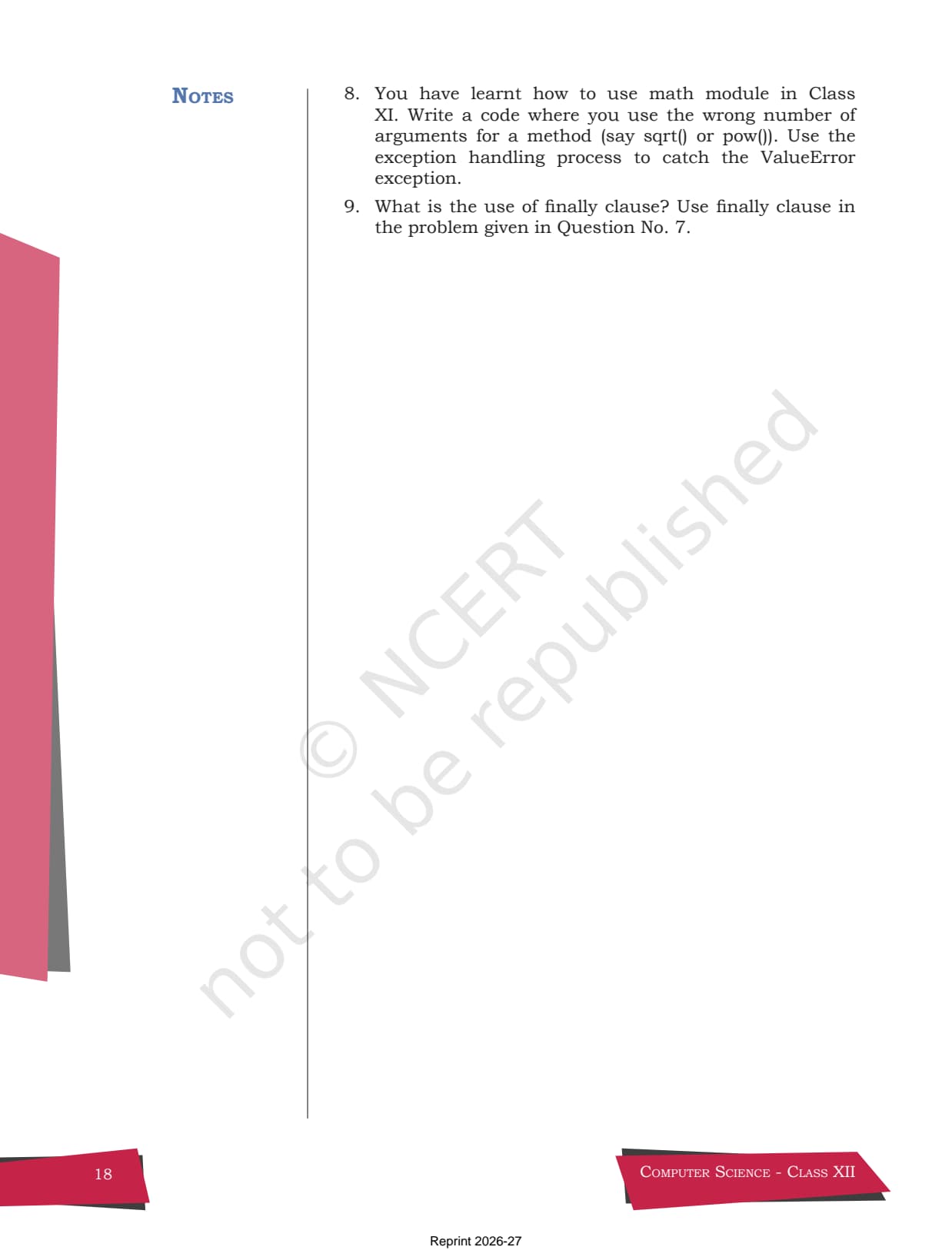
- Seven numbered sections (1.1 to 1.7) with screenshots from the Python shell, Table 1.1 of built-in exceptions, and Program 1-1 on the assert statement.
- Free, unmodified official NCERT textbook PDF for offline reading, mapped to the 2026-27 CBSE Class 12 Computer Science syllabus.
This page hosts the official NCERT Class 12 Computer Science Chapter 1 textbook PDF as released by NCERT, with no edits, no watermark, and no advertising on the pages, curated by Collegedunia subject experts for the 2026-27 CBSE syllabus.
Student Feedback: What 9,800 students told us about this chapter
71% of Class 12 students said the difference between a syntax error and an exception was the first thing they had to nail before the rest of the chapter made sense. 3 out of 5 students told us they confused the jobs of else and finally in their first read.
Toppers reported that learning Table 1.1 of built-in exceptions by name added easy 1-mark answers, and the average student spent 2 to 3 hours on this chapter across the first read and exercise practice.
Source: 2026-27 Class 12 Computer Science student poll. Sample of 9,800 students from CBSE schools across 12 states, conducted before the 2026 boards.
Table of Contents
- What the NCERT Book PDF Chapter 1 Covers
- Chapter 1 Section Sequence (1.1 to 1.7)
- Syntax Errors vs Exceptions in Python
- Built-in Exceptions in Python (Table 1.1)
- Raising Exceptions: raise and assert
- Handling Exceptions: try, except, else, finally
- Exam Weightage and Question Trends
- How to Use the NCERT Book PDF for Board Prep
- Key Features of the Official Print
- Other Resources for Class 12 Computer Science Chapter 1
- NCERT Book PDF: All Chapters
What the NCERT Class 12 Computer Science Book PDF Chapter 1 Exception Handling in Python Covers
The downloadable file above is the original Chapter 1 from the NCERT Class 12 Computer Science textbook, published by the National Council of Educational Research and Training. It is the same printed text used by CBSE-affiliated schools across India and the source for every internal and board question on exception handling. The chapter answers one core question: what does Python do when a program hits an error, and how can a programmer take control of that error instead of letting the program crash.
- Errors at three stages: syntax errors caught before the program runs, and runtime and logical errors that surface during execution.
- Exceptions as objects: an exception is a Python object that represents an error, and it can be raised automatically or forced by the programmer.
- Built-in exceptions: Table 1.1 lists 12 common ones such as
ValueError,ZeroDivisionError,NameError, andIOError. - Forcing and handling: the
raiseandassertstatements throw exceptions, while thetryblock withexcept,else, andfinallycatches and handles them.
Because this chapter sets up the error-handling vocabulary used in File Handling, database work, and every later program, a clean first read here saves time across the whole course.
Source: Magnet Brains on YouTube
Chapter 1 Exception Handling Section Sequence (1.1 to 1.7)
The chapter is organised into seven numbered sections that the textbook builds in a deliberate teaching order: first what an error is, then how Python reports it, and finally how the programmer takes control. The table below maps each section to its content and the answer style CBSE rewards.
| Section | Title | What it covers |
|---|---|---|
| 1.1 | Introduction | Why a program fails: syntax, runtime, and logical errors |
| 1.2 | Syntax Errors | Parsing errors caught before execution, shell vs script mode |
| 1.3 | Exceptions | An exception as a Python object; raised vs handled |
| 1.4 | Built-in Exceptions | Table 1.1 of 12 common exceptions with examples |
| 1.5 | Raising Exceptions | The raise statement and the assert statement |
| 1.6 | Handling Exceptions | The try and except blocks, need for handling, call stack |
| 1.7 | Finally Clause | The finally block that always runs, with else |
Sections 1.4, 1.6, and 1.7 carry the heaviest exam load. Most board questions ask you to name the right built-in exception or to complete a try / except / finally block.
Syntax Errors vs Exceptions in Python
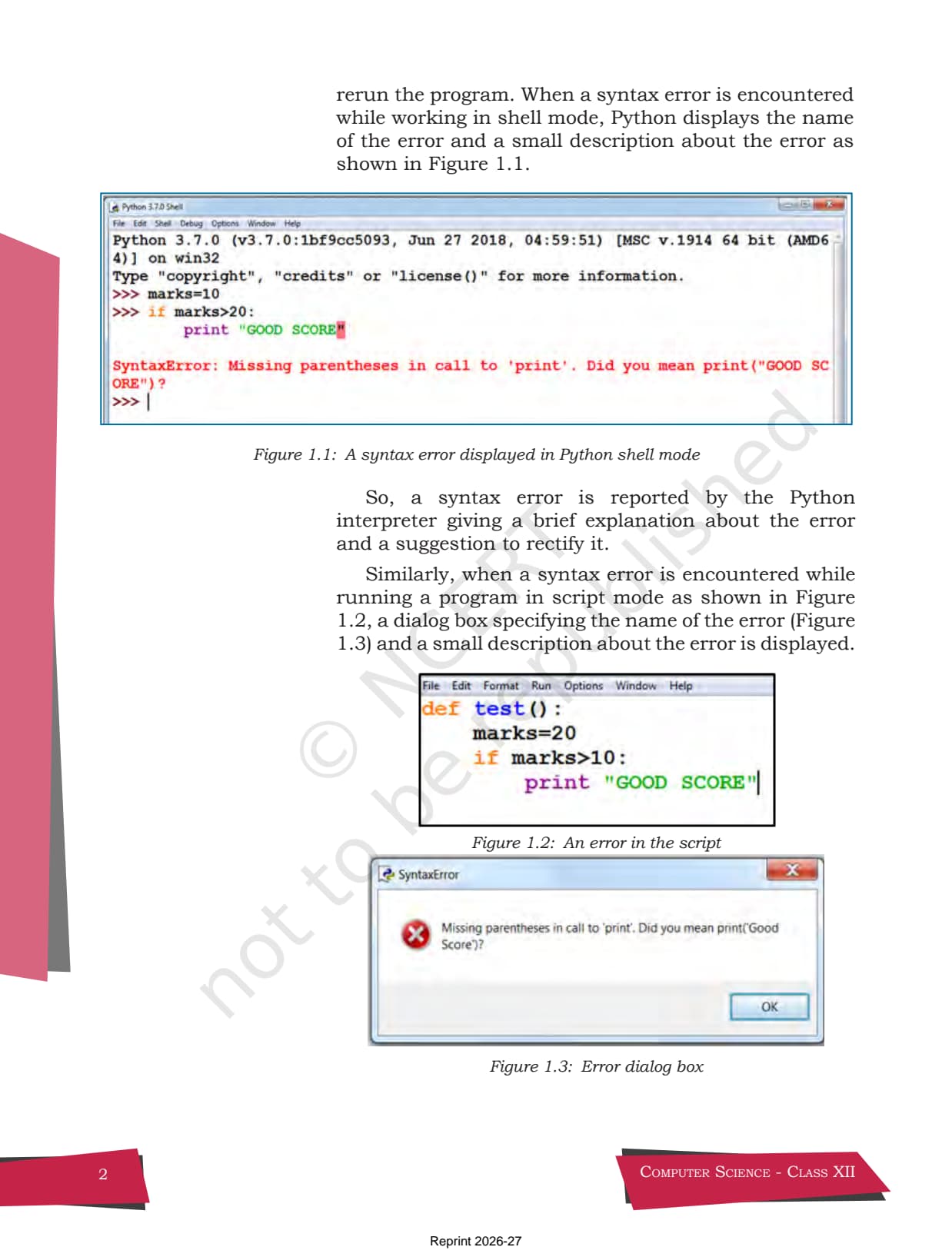
The chapter opens by drawing a clean line between the two kinds of problems. A syntax error is broken grammar: you forgot a colon, a bracket, or a quote, so Python cannot even read the program. It is caught before any line runs. An exception is a problem that appears while a syntactically correct program is running, such as dividing by zero or opening a file that does not exist.
- Syntax error: detected at parse time, the program does not execute at all until you fix it.
- Exception: detected at runtime in a valid program, and it can be caught and handled in code.
- The textbook notes that
SyntaxErroris itself a kind of exception, which is why every syntax error is an exception, but not every exception is a syntax error.
>>> if marks > 20          # missing colon
SyntaxError: invalid syntax     # caught before the program runs

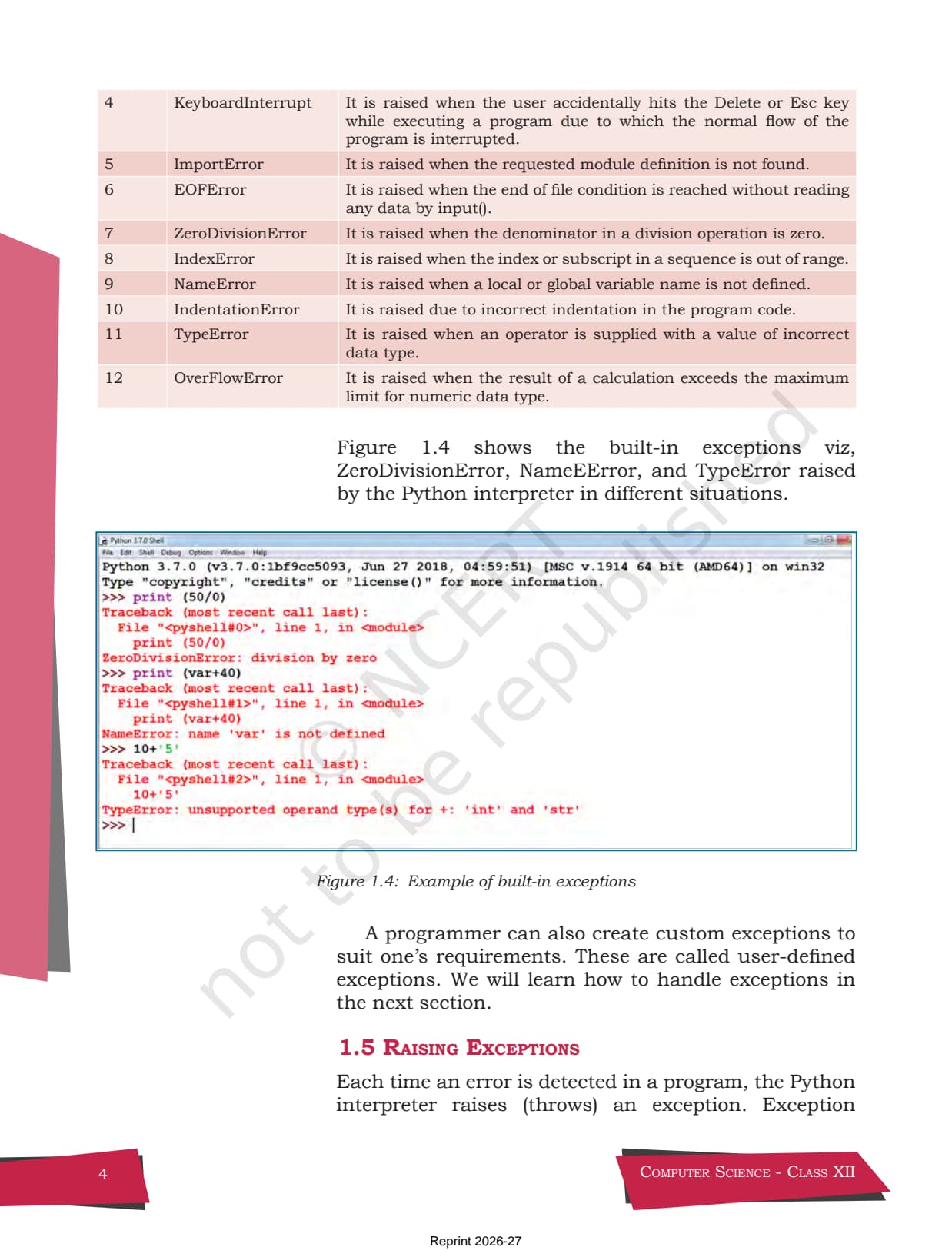
>>> print(50 / 0)          # valid grammar, fails while running
ZeroDivisionError: division by zero # an exception at runtimeBuilt-in Exceptions in Python: Table 1.1 Explained
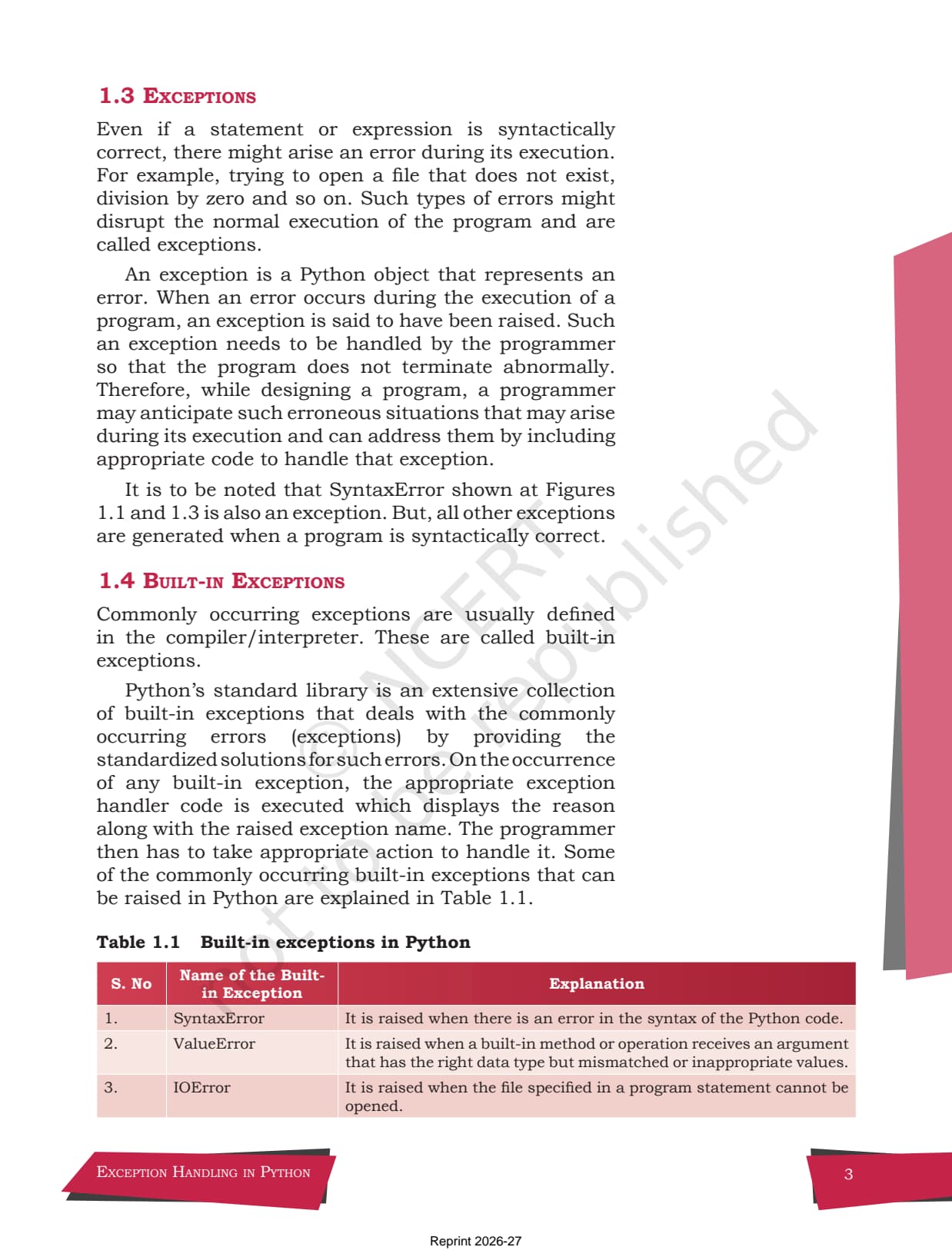
Section 1.4 gives Table 1.1, the single most quoted table in the chapter. These are exceptions that Python already defines, so you do not have to create them. Learning the common ones by name turns several 1-mark and 2-mark questions into easy marks, because the exam often shows a short program and asks which exception it raises.
| Exception | Raised when | Quick example |
|---|---|---|
| ValueError | A function gets the right type but a wrong value | int("abc") |
| ZeroDivisionError | The denominator in a division is zero | 10 / 0 |
| NameError | A variable name is used before it is defined | print(var) |
| TypeError | An operator gets a value of the wrong type | 10 + "5" |
| ImportError | The requested module cannot be found | import maths |
| IOError | A file in a statement cannot be opened | open("missing.txt") |
| IndexError | An index is out of range for a sequence | [1,2][5] |
The chapter also lists KeyboardInterrupt, EOFError, IndentationError, and OverFlowError in the full Table 1.1. A programmer can also build user-defined exceptions for their own needs.
int("abc"). TypeError means the type itself is wrong for the operation, like adding an integer to a string.
Raising Exceptions in Python: the raise and assert Statements
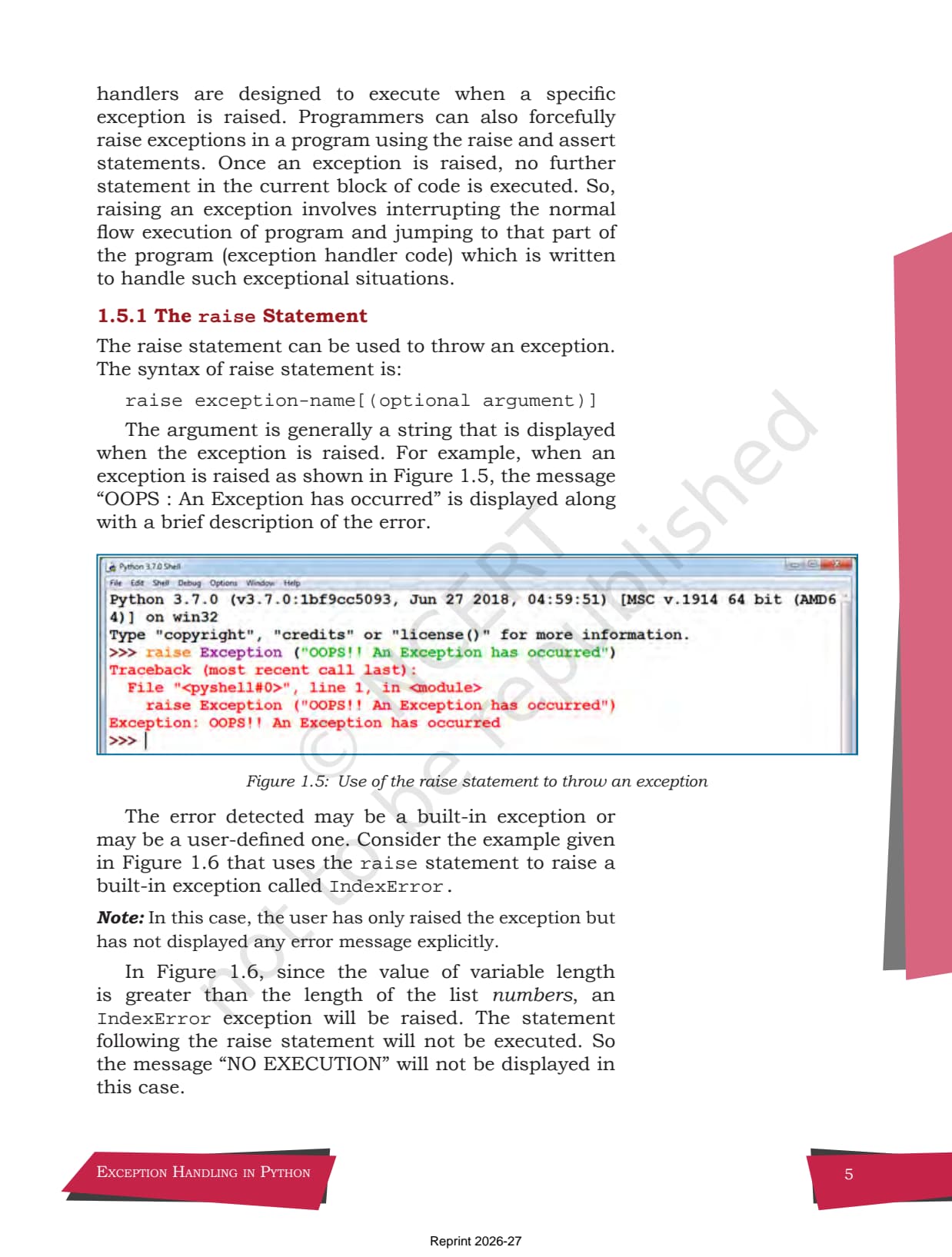
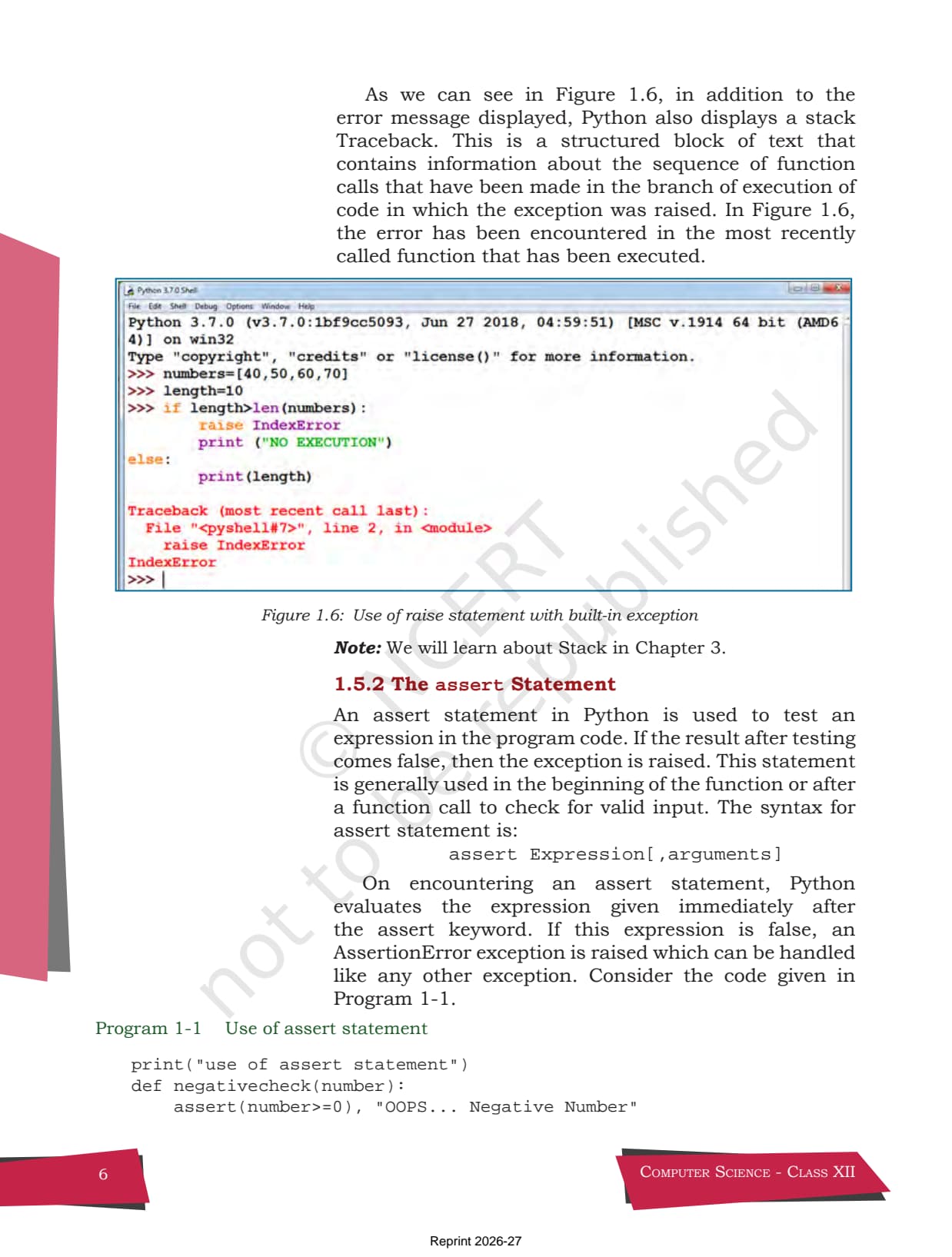
Section 1.5 shows how a programmer can force an exception instead of waiting for Python to find one. This is called throwing an exception, and the chapter gives two ways to do it. Once an exception is raised, no further statement in that block runs, so control jumps to the handler.
The raise statement
The raise statement throws an exception on demand. Its syntax is raise exception-name[(optional argument)], where the argument is the message shown when the exception is raised. It is useful when your own logic decides a value is invalid, such as a denominator of zero.
num1 = int(input("Enter the numerator: "))
num2 = int(input("Enter the denominator: "))
if num2 == 0:
    raise ZeroDivisionError("Denominator cannot be zero")
print("Quotient =", num1 / num2)
The assert statement
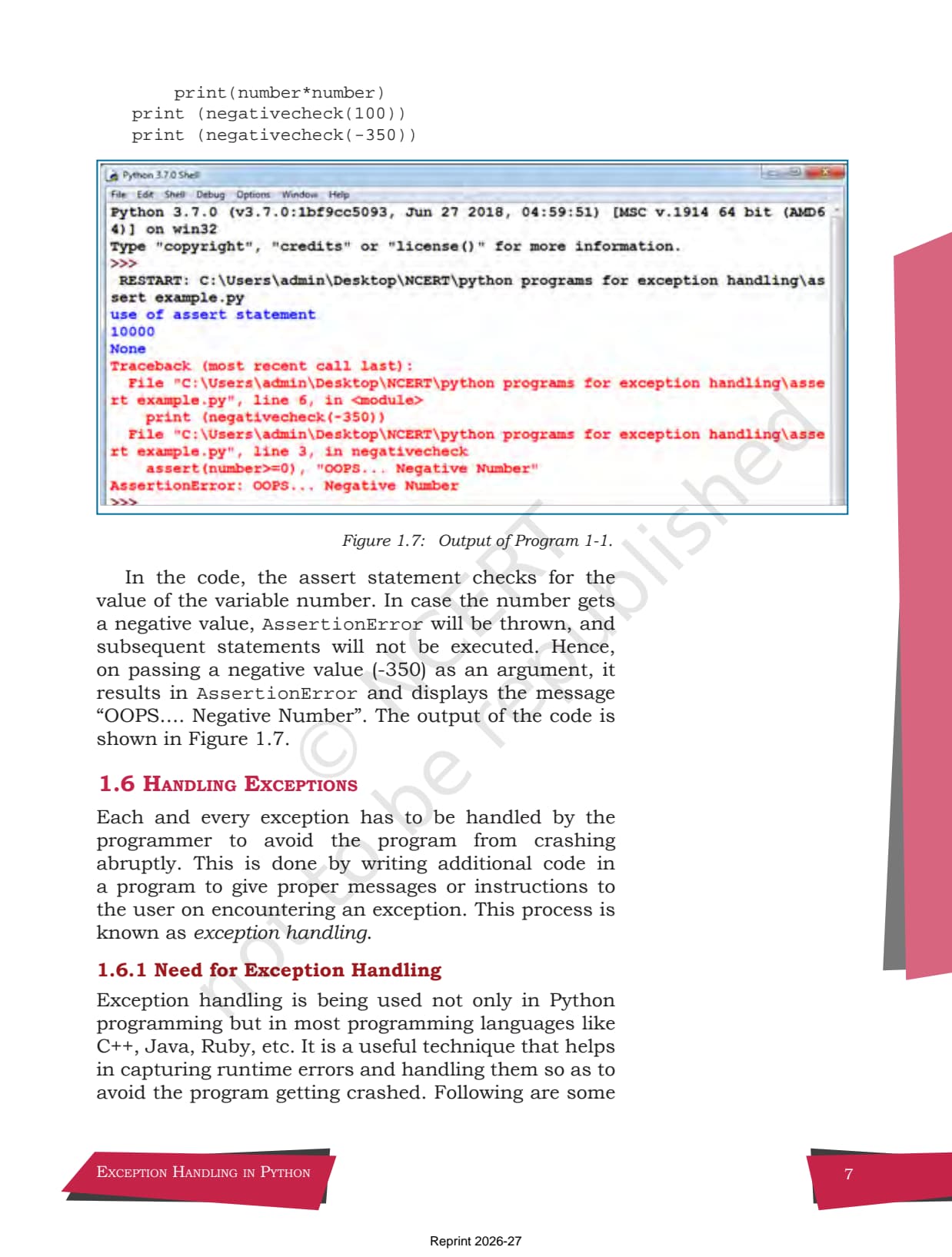
The assert statement tests an expression. If the expression is false, Python raises an AssertionError, which you can handle like any other exception. Its syntax is assert Expression[, arguments]. The chapter uses it in Program 1-1 to check for a non-negative number.
def negativecheck(number):
    assert (number >= 0), "OOPS... Negative Number"
    print(number * number)

print(negativecheck(100))      # prints 10000
print(negativecheck(-350))     # raises AssertionError: OOPS... Negative Number
Tip: Use raise when you want to throw a specific named exception, and assert when you want a quick sanity check on a value at the start of a function.
Handling Exceptions in Python: try, except, else and finally
Section 1.6 and Section 1.7 cover the part the exam tests most: catching an exception so the program keeps running. The risky code goes inside a try block, and the recovery code goes inside one or more except blocks. The optional else runs only if no exception was raised, and the finally block runs no matter what.
- try: holds the statements that might raise an exception.
- except: catches a named exception and runs the handler code.
- else: runs only when the
tryblock finished with no exception. - finally: always runs at the end, used to release resources such as closing a file.
print("Learning Exceptions...")
try:
    num1 = int(input("Enter the first number: "))
    num2 = int(input("Enter the second number: "))
    quotient = num1 / num2
    print("Both the numbers entered were correct")
except ValueError:                 # entered something that is not an integer
    print("Please enter only numbers")
except ZeroDivisionError:          # denominator was zero
    print("Number 2 should not be zero")
else:
    print("Great.. you are a good programmer")
finally:                           # runs at the end no matter what
    print("JOB OVER... GO GET SOME REST")
If the user types a letter, ValueError fires; if the second number is zero, ZeroDivisionError fires; if both inputs are valid, the else branch runs. In every case the finally line prints, which is the behaviour board questions like to test.
Class 12 Computer Science Chapter 1 Exam Weightage and Question Trends
Exception Handling is a high-yield chapter for short answers. In the CBSE Class 12 Computer Science board paper it usually shows up as a fill-in-the-blank try block, a name the exception question, or a short program using raise or finally. The table below maps the asked question types across recent board cycles.
| Year | Question type asked | Approx. marks |
|---|---|---|
| 2025 | Fill the blanks in a try / except / finally block; name the exception | 2 + 1 |
| 2024 | Difference between syntax error and exception; use of finally | 2 + 1 |
| 2023 | Write a program using raise for a zero denominator | 3 |
| 2022 | Identify the built-in exception raised by a code snippet | 1 + 1 |
| 2021 | Explain catching exceptions using try and except | 2 |
Across the last five board cycles, a try / except question has appeared in four out of five papers. Treat the full block, including else and finally, as compulsory revision before the exam.
How to Use the NCERT Book PDF Chapter 1 for Board Prep
This PDF is your primary reading text. The chapter is short, so the best plan is two passes: one to learn the vocabulary, one to practise the blocks by hand. The supporting Collegedunia resources fit around these two passes.
First pass: learn the words (45 minutes)
Read sections 1.1 to 1.4 and note the difference between an error and an exception, then learn Table 1.1 by name. Write one line of meaning next to each built-in exception so the names stick before you try to use them.
Second pass: write the blocks (1 to 1.5 hours)
Work through sections 1.5 to 1.7 by typing the raise, assert, and full try / except / else / finally examples yourself. Then attempt the nine end-of-chapter exercise questions and verify each answer against the Class 12 Computer Science Chapter 1 NCERT Solutions linked below.
JEE and CUET angle
For students sitting competitive exams, error handling appears in programming sections of JEE-level coding rounds and in CUET Computer Science. The try / except pattern and the named built-in exceptions here carry over directly, so this chapter doubles as competitive prep.
NCERT Class 12 Computer Science Book PDF Chapter 1: Key Features of the Official Print
- Reprint Edition: 2026-27, aligned to the current CBSE syllabus with no chapter content trimmed.
- Publisher: National Council of Educational Research and Training, New Delhi.
- Pages: About 18 pages, covering sections 1.1 to 1.7 plus nine end-of-chapter exercise questions.
- Licence: Open educational resource, free for student download and classroom use.
- File Type: Searchable text PDF, mobile-readable, print-ready at A4 size.
Other Resources for Class 12 Computer Science Chapter 1 Exception Handling in Python
Pair this NCERT Book PDF with the matching revision notes, handwritten notes, and the step-by-step NCERT Solutions. All resources for Class 12 Computer Science Chapter 1 Exception Handling in Python are linked below.
| Resource | What it covers | Open |
|---|---|---|
| NCERT Book PDF | Official NCERT Computer Science Chapter 1 Exception Handling in Python textbook in PDF form. | You are here |
| NCERT Solutions | Step-by-step answers to all 9 exercise questions, with an Expert Solution for each. | Class 12 Computer Science Chapter 1 NCERT Solutions |
| Notes | Concept-first revision notes on errors, built-in exceptions, and the try block. | Class 12 Computer Science Chapter 1 Notes |
| Handwritten Notes | Scanned-style handwritten pages for last-minute board revision. | Class 12 Computer Science Chapter 1 Handwritten Notes |
NCERT Book PDF for Class 12 Computer Science: All Chapters
Related Links: Use the table below to download the official NCERT Book PDF for the other chapters of Class 12 Computer Science. Every chapter ships as the unmodified NCERT print for the 2026-27 syllabus.
| Chapter | NCERT Book PDF link |
|---|---|
| Chapter 1 | Exception Handling in Python NCERT Book PDF (You are here) |
| Chapter 2 | File Handling in Python NCERT Book PDF |
| Chapter 3 | Stack NCERT Book PDF |
| Chapter 4 | Queue NCERT Book PDF |
| Chapter 5 | Sorting NCERT Book PDF |
| Chapter 6 | Searching NCERT Book PDF |
| Chapter 7 | Understanding Data NCERT Book PDF |
| Chapter 8 | Database Concepts NCERT Book PDF |
| Chapter 9 | Structured Query Language (SQL) NCERT Book PDF |
| Chapter 10 | Computer Networks NCERT Book PDF |
| Chapter 11 | Data Communication NCERT Book PDF |
| Chapter 12 | Security Aspects NCERT Book PDF |
Class 12 Computer Science Chapter 1 Exception Handling in Python NCERT Book PDF FAQs
Ques. Is this the official NCERT Class 12 Computer Science Chapter 1 textbook PDF?
Ans. Yes. The file is the original NCERT Class 12 Computer Science Chapter 1 Exception Handling in Python, Reprint 2026-27, hosted unmodified for free student download.
Ques. How many pages is NCERT Class 12 Computer Science Chapter 1?
Ans. The chapter runs to about 18 pages in the 2026-27 NCERT reprint, covering the seven sections from 1.1 Introduction to 1.7 Finally Clause, plus nine end-of-chapter exercise questions.
Ques. What is the difference between a syntax error and an exception?
Ans. A syntax error is broken grammar caught before the program runs, so the program does not execute at all. An exception is an error that appears while a valid program is running, such as ZeroDivisionError, and it can be caught and handled in code.
Ques. What is the use of the finally clause in Python?
Ans. The finally block runs at the end of a try statement no matter what, whether or not an exception was raised. It is used for cleanup work such as closing a file, so the cleanup always happens.
Ques. Where can I download the NCERT Solutions for Chapter 1 exercise questions?
Ans. The Class 12 Computer Science Chapter 1 NCERT Solutions page linked above contains step-by-step answers to all nine exercise questions, with an Expert Solution for each.
Ques. Is the NCERT Class 12 Computer Science Book PDF free?
Ans. Yes. NCERT textbooks are published as open educational resources by the Government of India and are free to download and use for study purposes.



Comments