




Getting Started with Python is the chapter where the Class 11 Computer Science course stops writing algorithms on paper and starts writing real code. The ncert book class 11 computer science chapter 5 getting started with python file on this page is the official NCERT chapter for 2026-27. Download it for the keyword table, every data type, all six operator families and the 12 exercise questions.
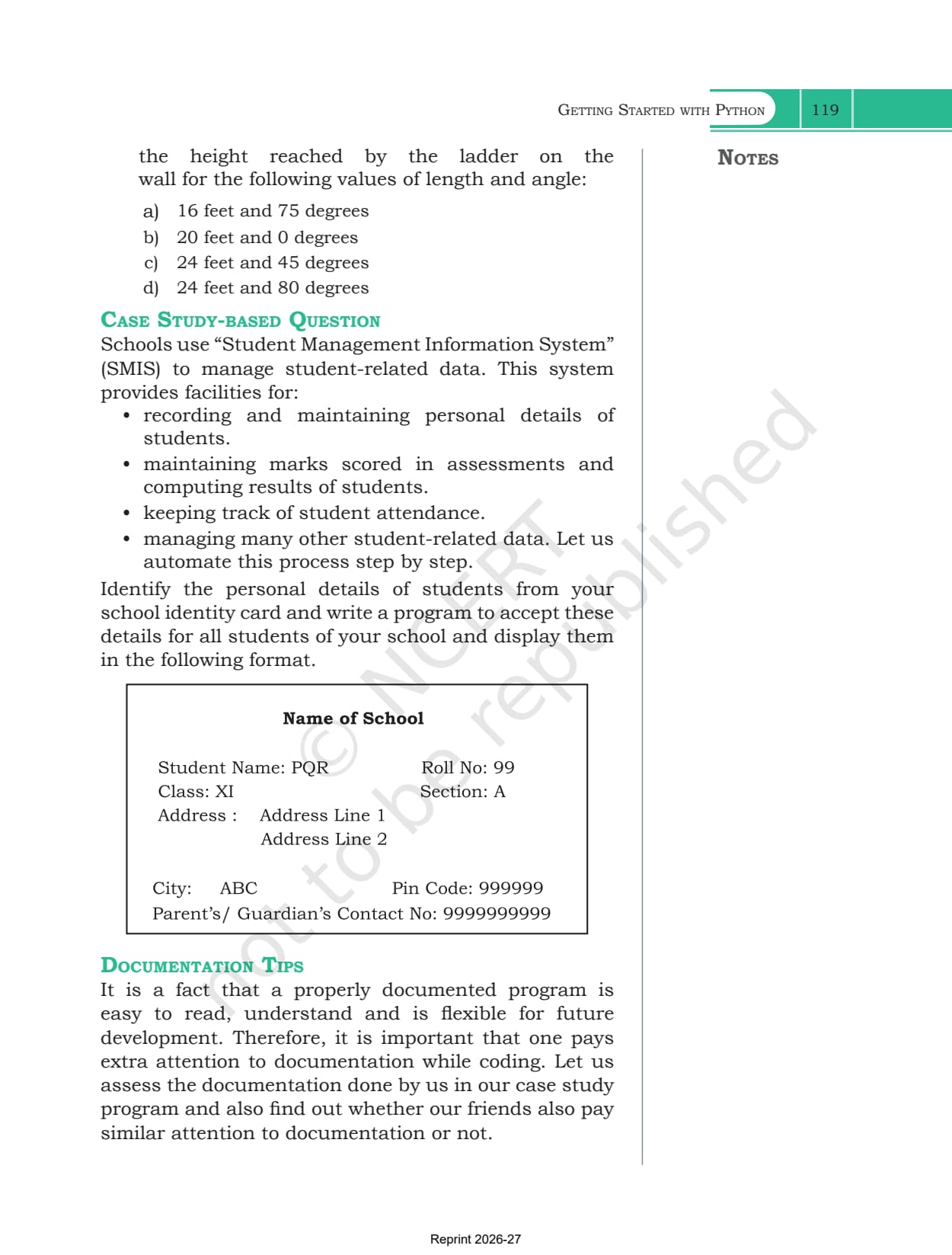
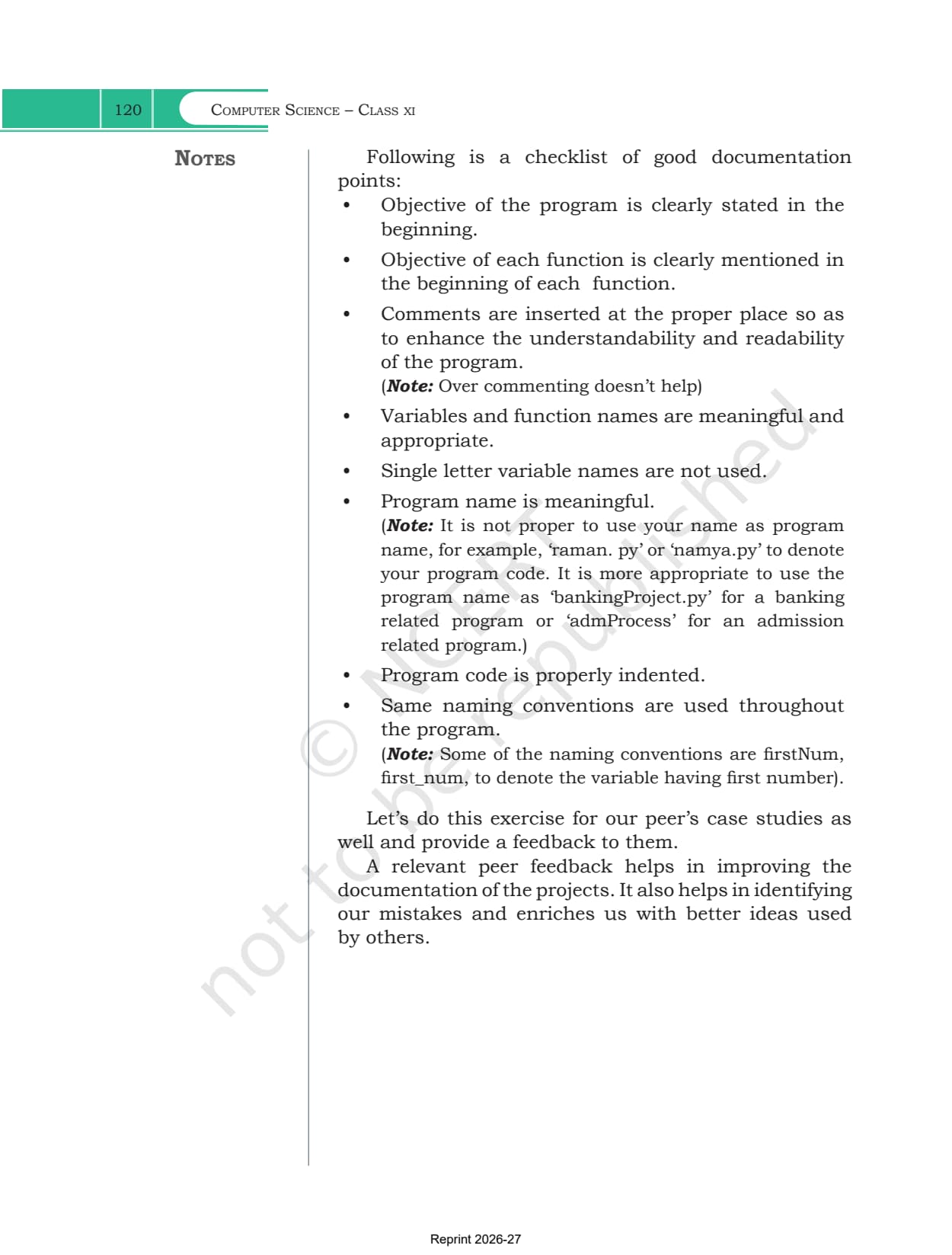
- Chapter: Chapter 5, Getting Started with Python
- Book: Computer Science, the Class 11 NCERT textbook for 2026-27, 11 chapters
- File: 34 pages, printed pages 87 to 120, the complete official chapter
You can page through the Python shell screenshots, the ten reference tables and all 11 sample programs in the viewer above before downloading.
This is the official NCERT chapter file for the 2026-27 session, hosted by Collegedunia with no pages removed.
How the Getting Started with Python Chapter Is Laid Out
The chapter opens with a line from Donald Knuth calling computer programming an art, then moves through thirteen sections. Each one adds a small piece of the language before the next chapter starts using it.
| Section | What it covers |
|---|---|
| 5.1 Introduction to Python | the interpreter, the features list, interactive and script mode |
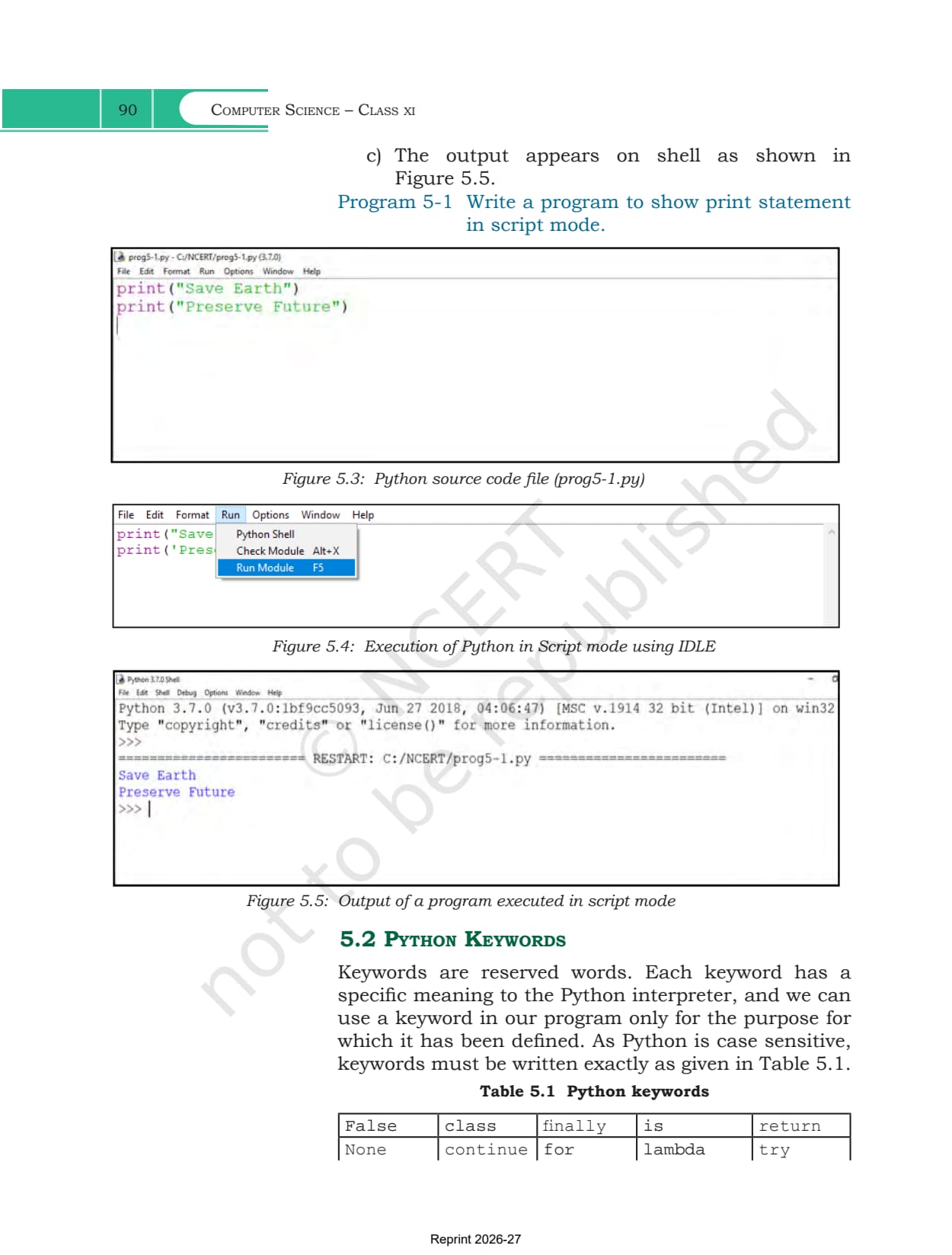
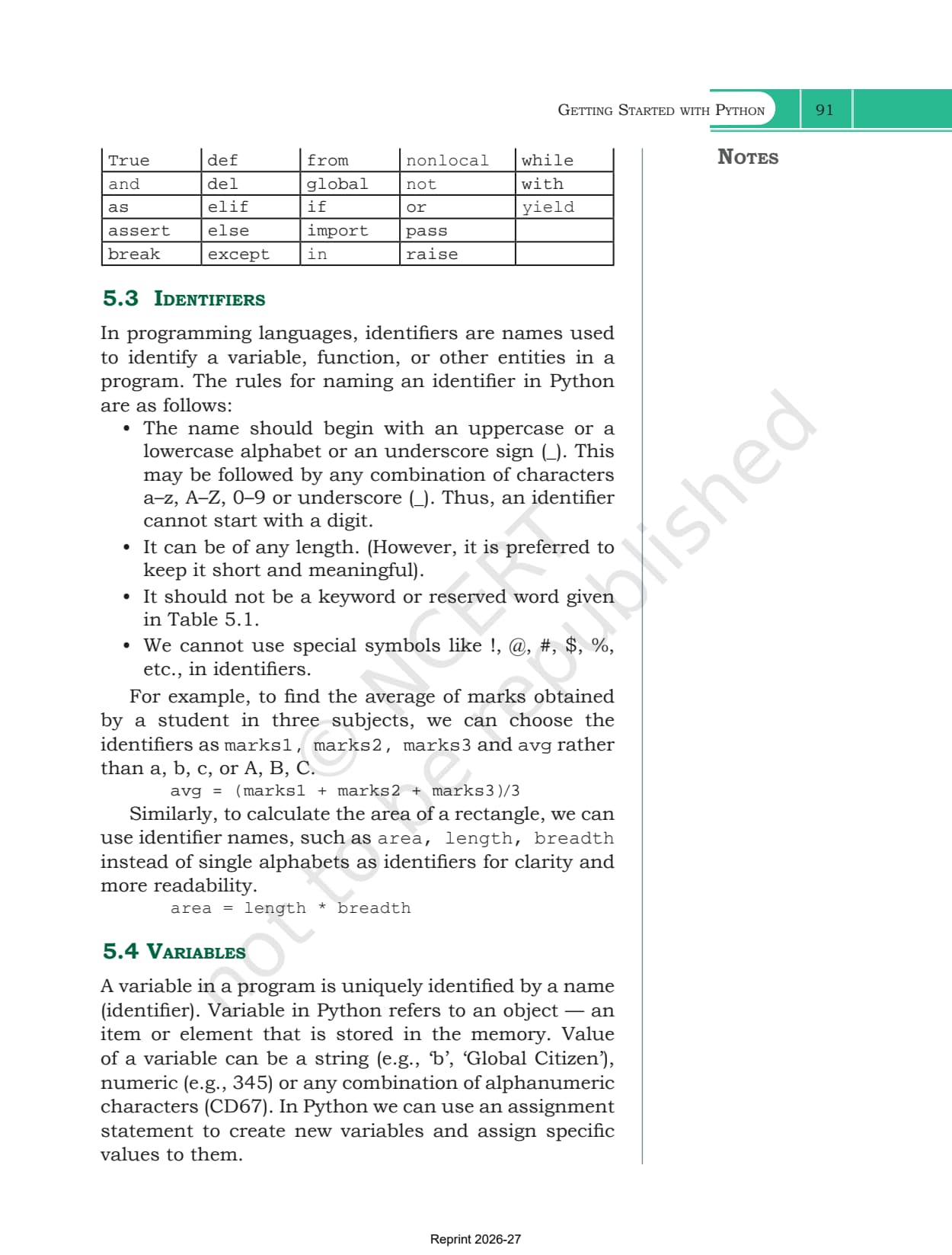
| 5.2 Python Keywords | Table 5.1, the 33 reserved words |
| 5.3 Identifiers | the four naming rules, with the marks1 and area examples |
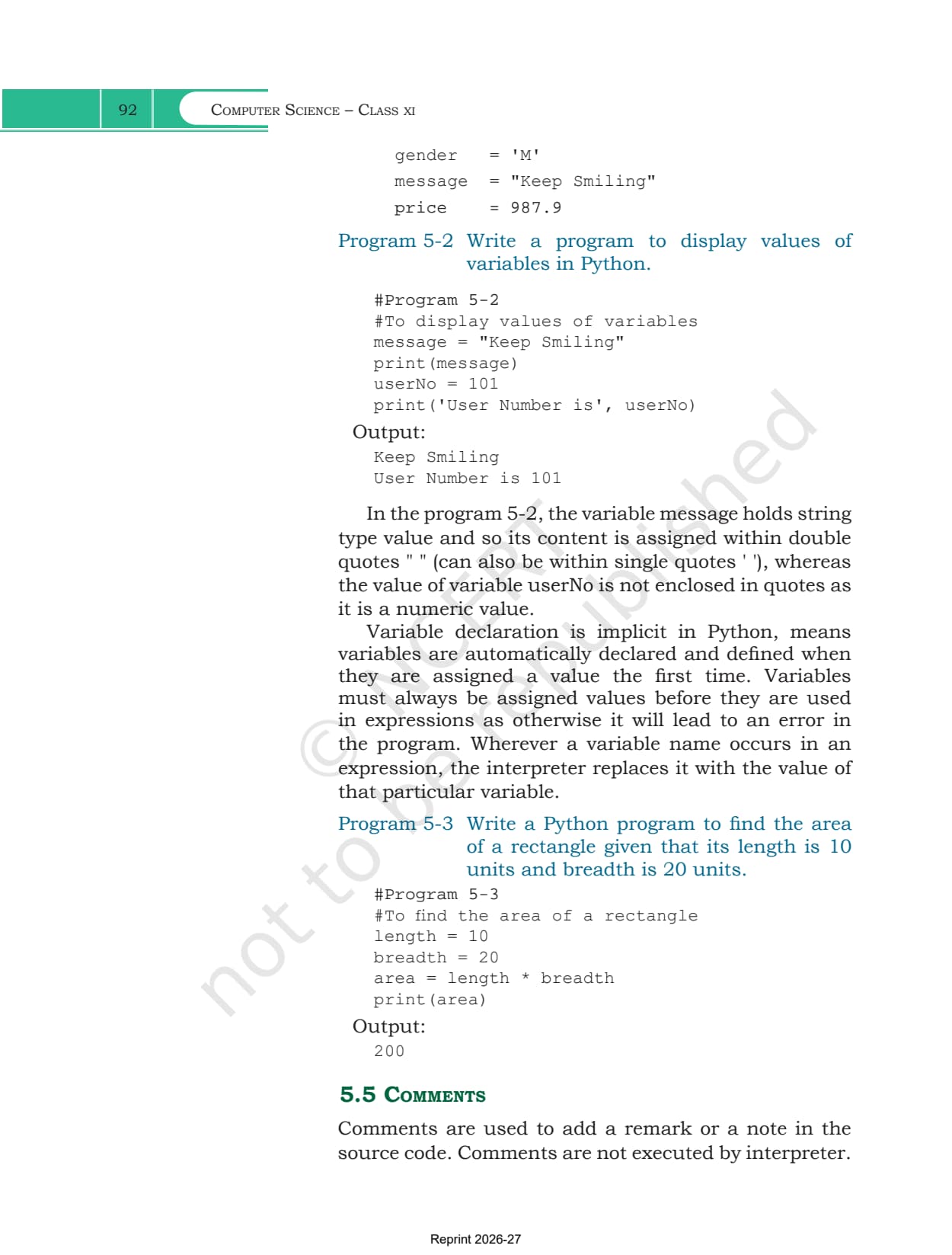
| 5.4 Variables | implicit declaration, and assigning before use |
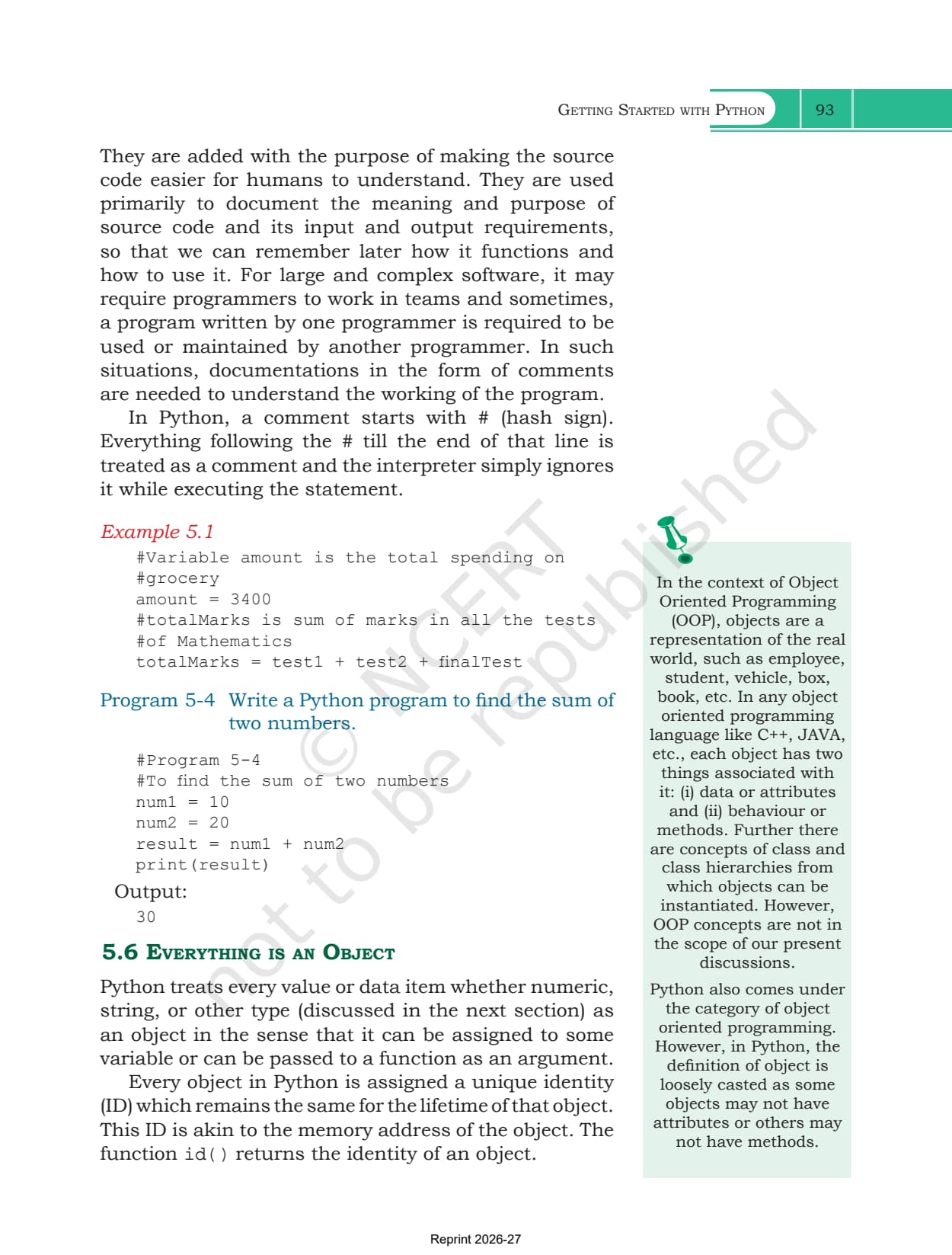
| 5.5 Comments | the hash sign, and why teams document code |
| 5.6 Everything is an Object | object identity and the id() function |
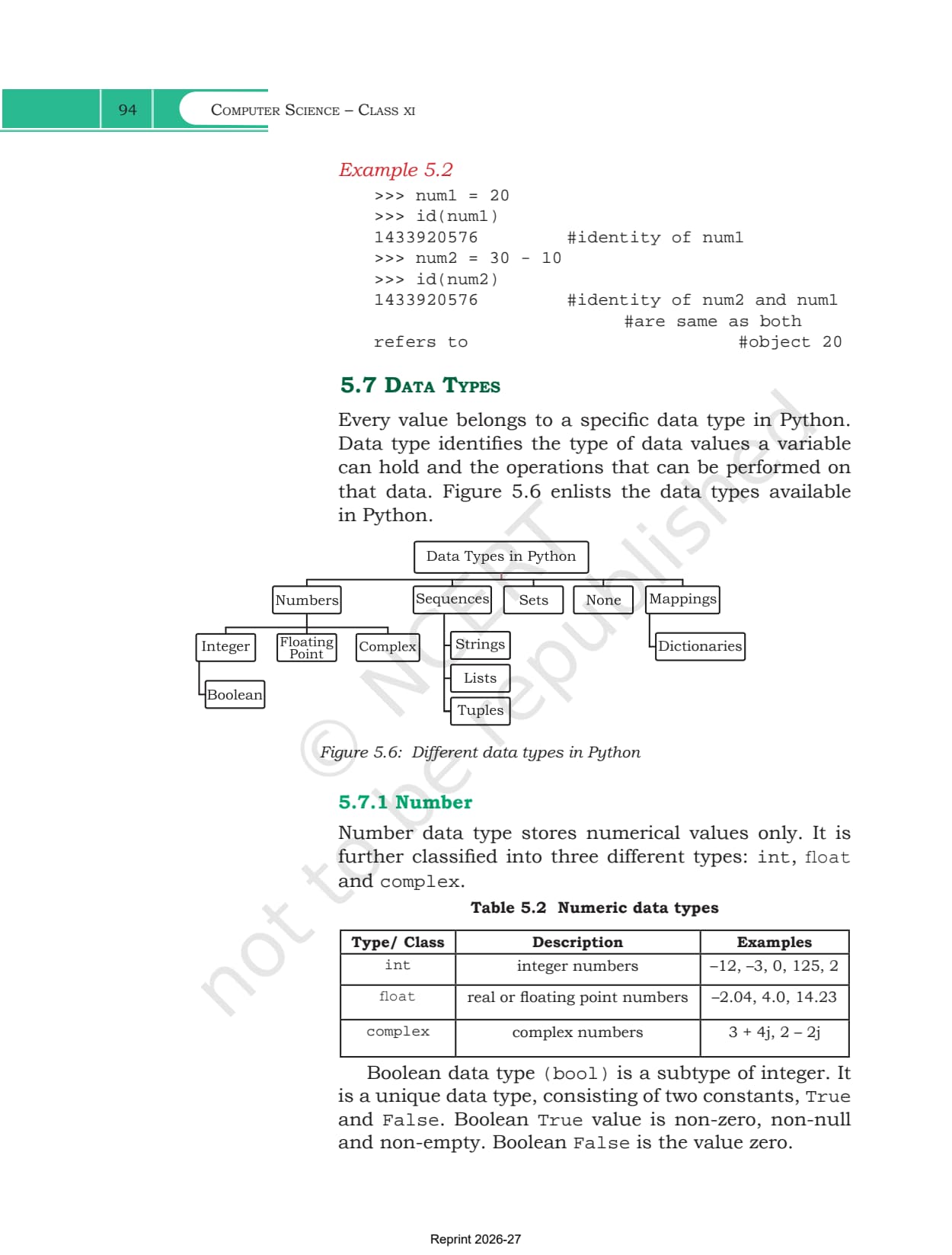
| 5.7 Data Types | numbers, sequences, sets, None, dictionaries, mutable versus immutable |
| 5.8 Operators | arithmetic, relational, assignment, logical, identity, membership |
| 5.9 Expressions | what counts as an expression, plus the precedence table |
| 5.10 Statement | the smallest unit of code the interpreter can run |
| 5.11 Input and Output | input() with a prompt, print() with sep and end |
| 5.12 Type Conversion | explicit type casting and implicit coercion |
| 5.13 Debugging | syntax, logical and runtime errors |
| Summary and Exercise | a nine point recap, 12 questions and a case study |
What the Getting Started with Python Chapter PDF Contains
The PDF holds the whole chapter as NCERT printed it, with nothing trimmed.
- All thirteen sections, from the definition of a program to the three error types
- Ten reference tables, Table 5.1 to Table 5.10, covering keywords, data types, every operator family, precedence and type casting
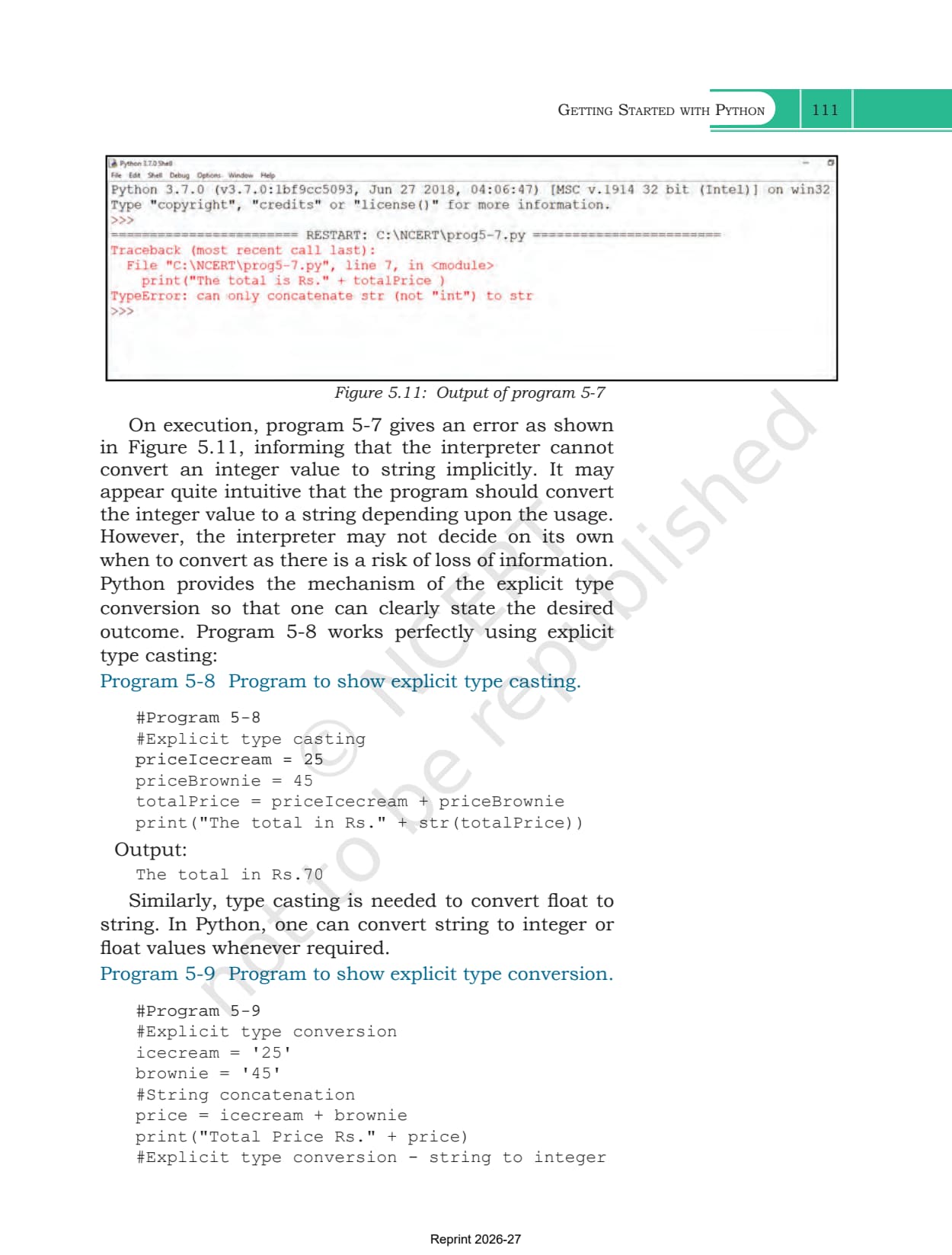
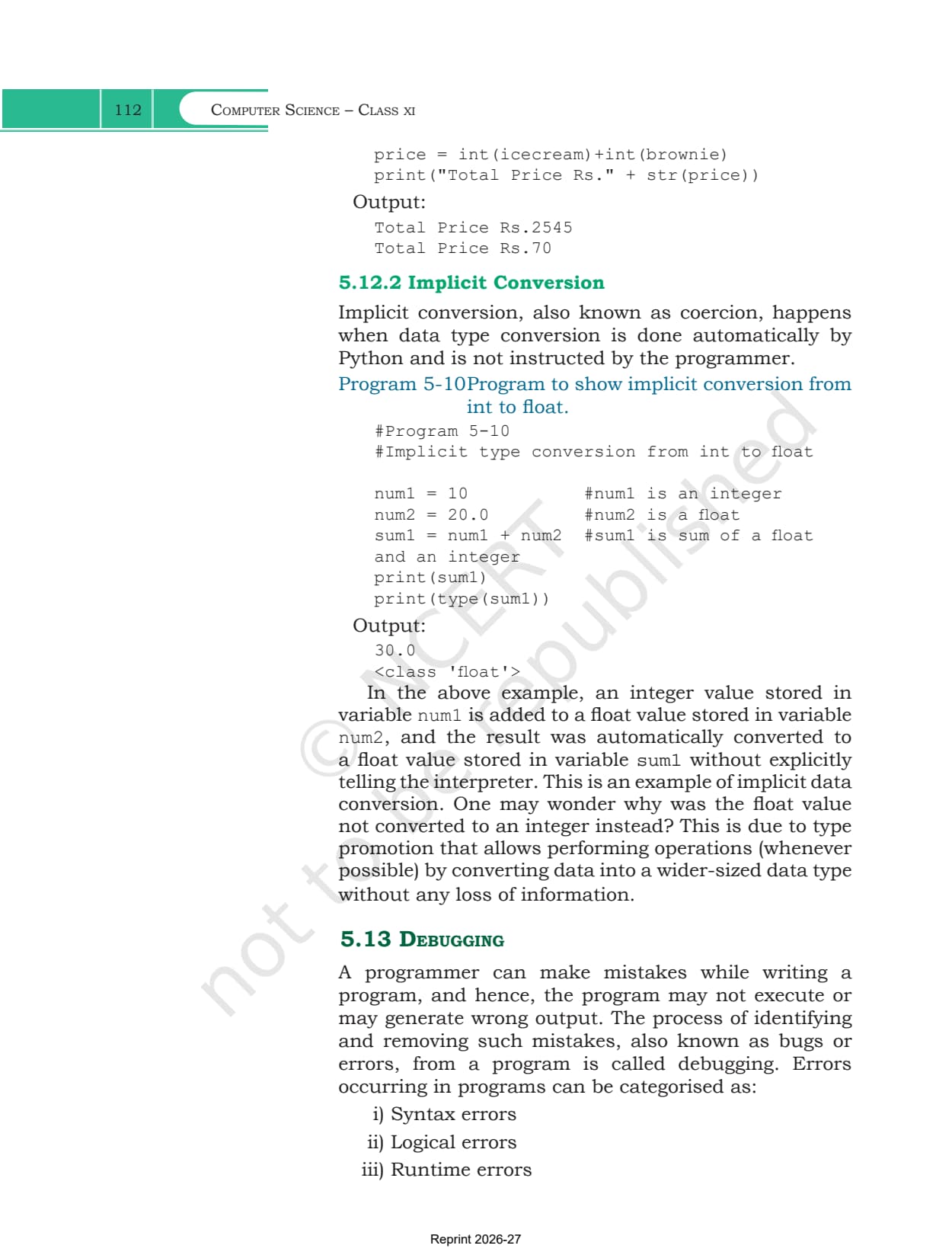
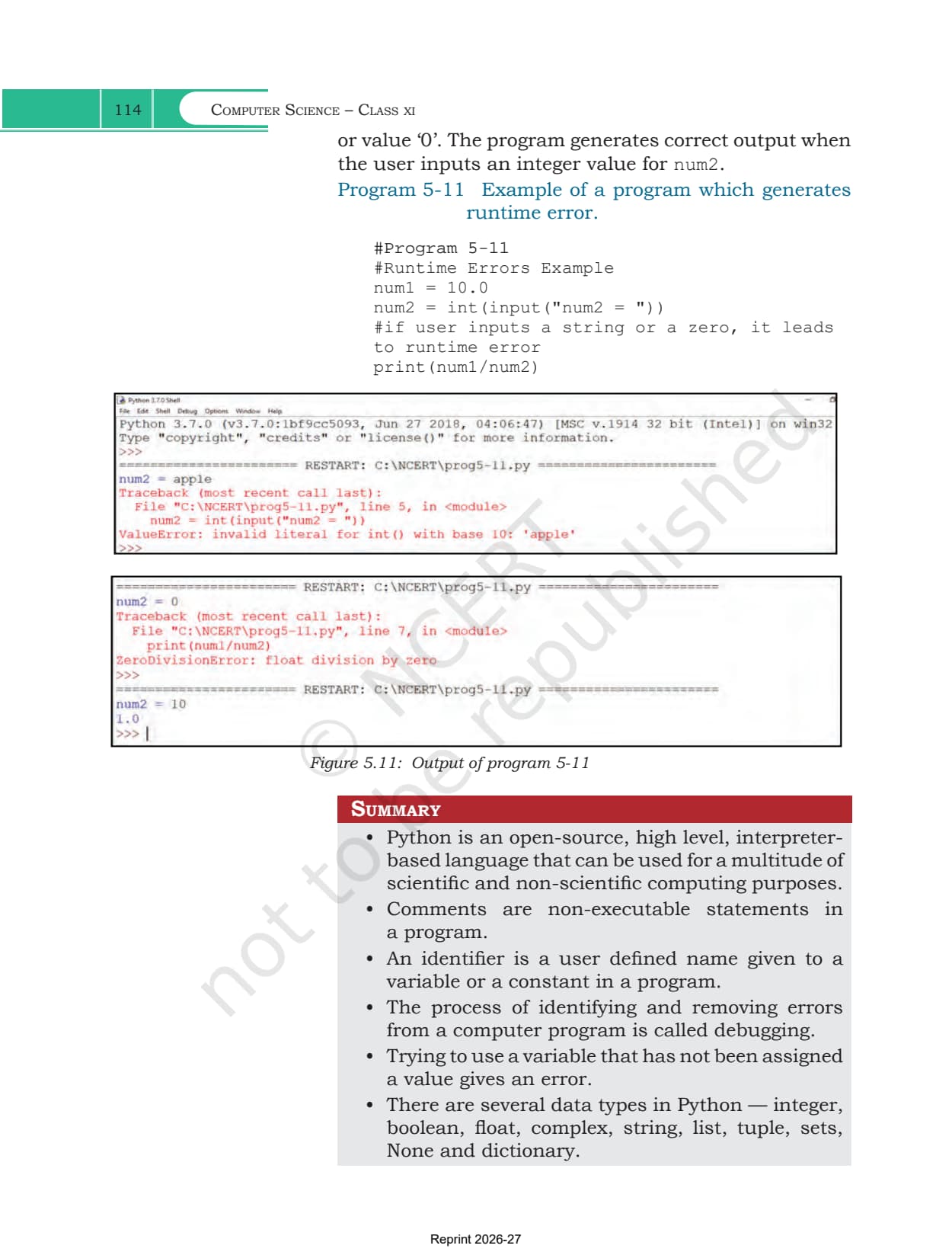
- Eleven figures, including the screenshots of the Python shell, IDLE and the error messages
- Programs 5-1 to 5-11 and Examples 5.1 to 5.16, each with its printed output
- The Summary page, all 12 exercise questions, the Student Management Information System case study and the documentation checklist
Getting Started with Python Chapter Overview
Source: Magnet Brains on YouTube
The Python Interpreter and Its Two Execution Modes
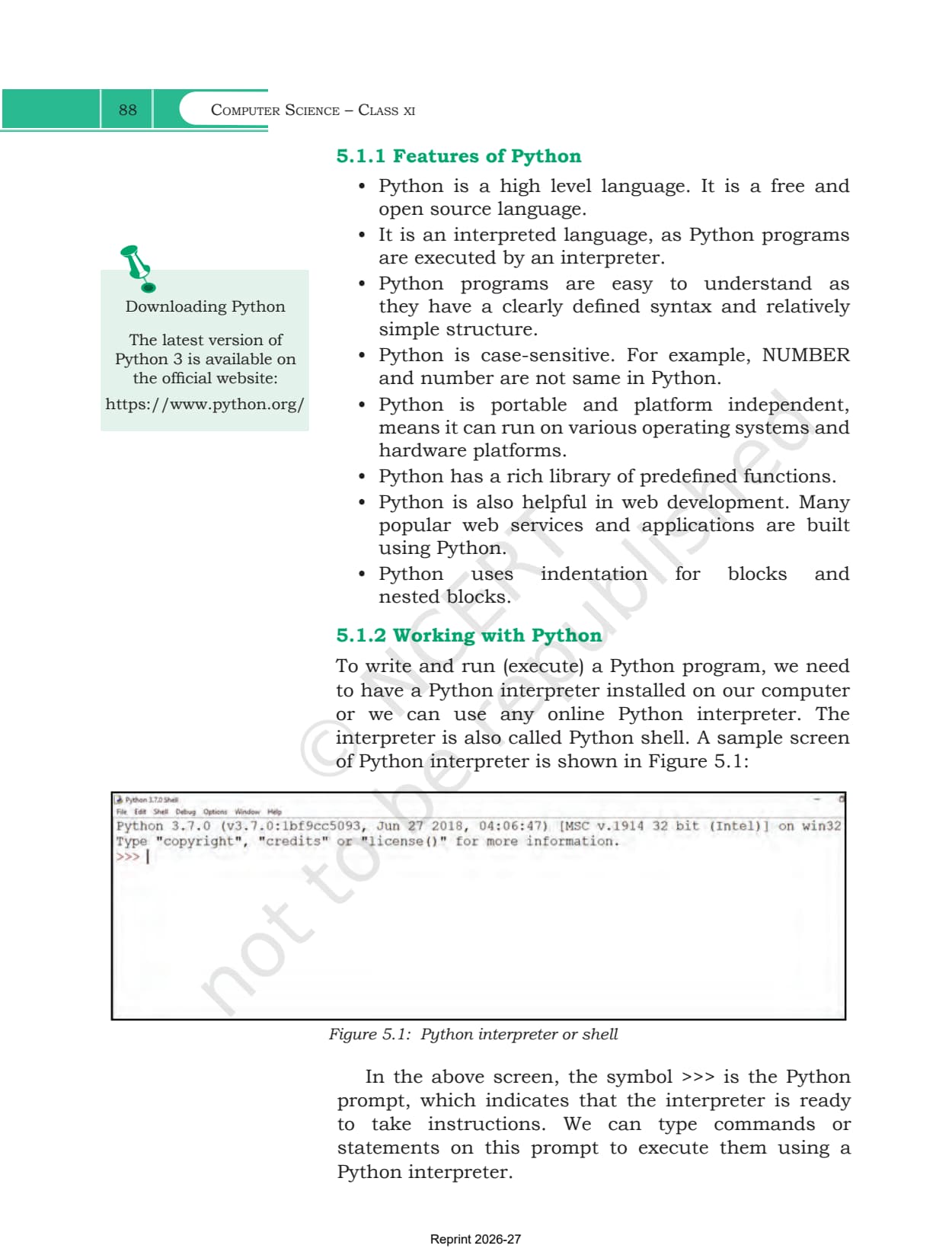
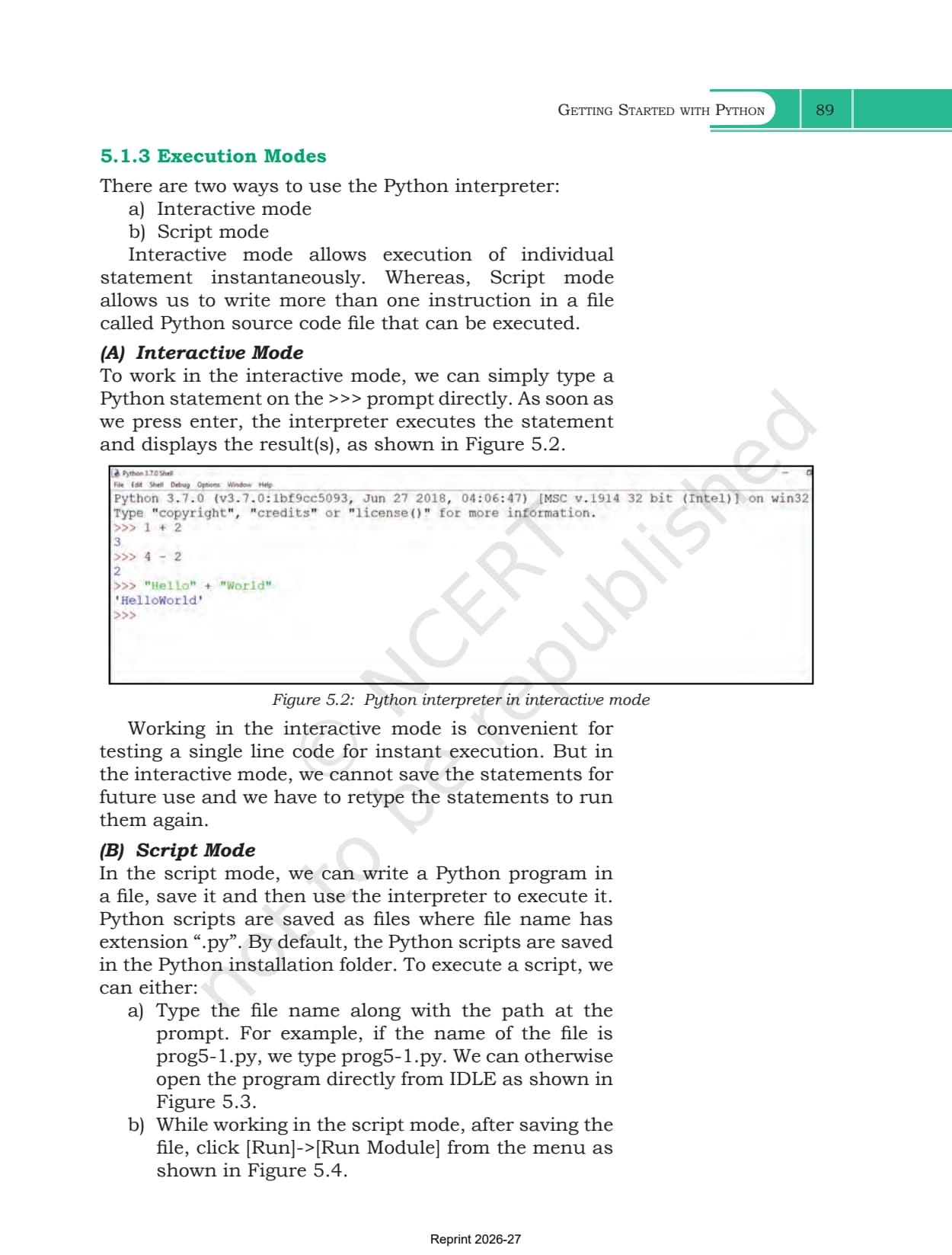
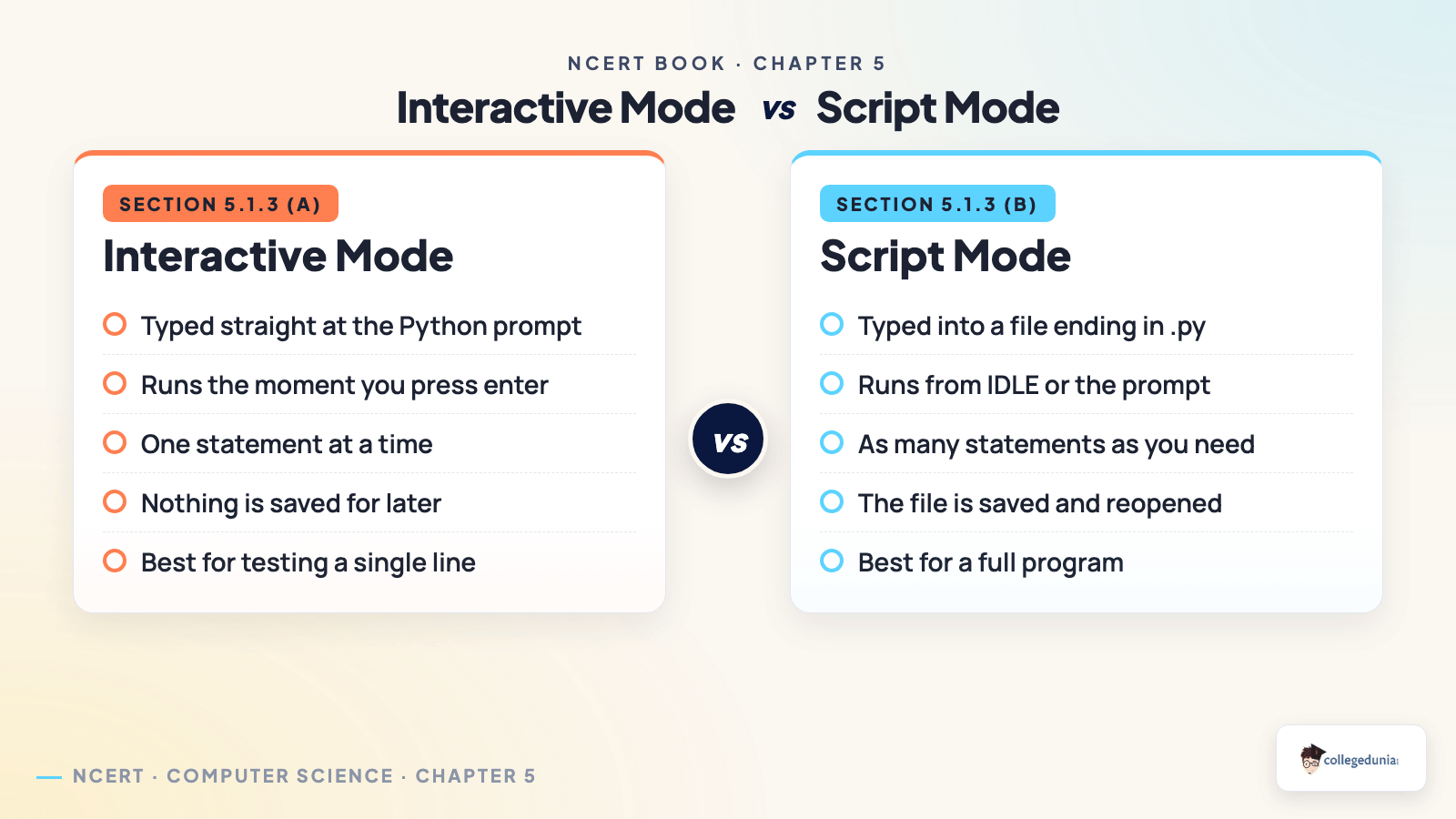
Section 5.1 explains why Python needs a translator. A program written in a high level language is called source code, and the computer only understands 0s and 1s. Python uses an interpreter, which translates and runs one statement at a time and stops at the first error. A compiler instead scans the whole program first, then reports all its errors together. Section 5.1.3 gives two ways to use that interpreter.
| Point of difference | Interactive mode | Script mode |
|---|---|---|
| Where you type | after the >>> prompt in the shell | in a file saved with a .py extension |
| When it runs | the moment you press enter | when you run the file from IDLE |
| How much code | one statement at a time | as many statements as you need |
| Can you save it | no, statements have to be retyped | yes, the file is reopened later |
| Best used for | testing a single line quickly | writing and keeping a full program |
Python is also free and open source, case sensitive, portable across operating systems, and it uses indentation instead of braces to mark a block.
Python Keywords, Identifiers, Variables and Comments
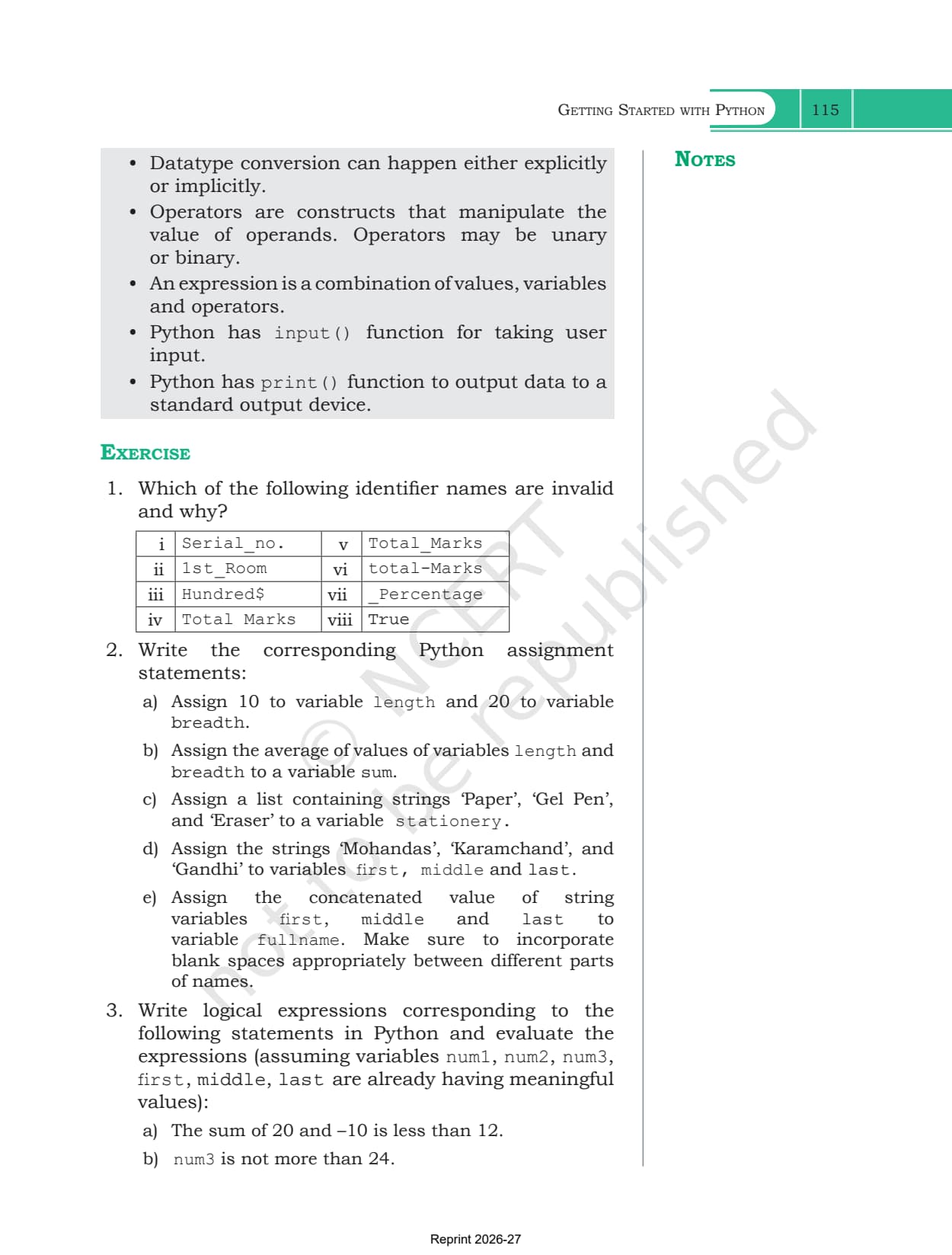
Sections 5.2 to 5.6 set the naming rules, and they supply most of the one mark questions. Exercise question 1 asks you to reject invalid identifier names using exactly these rules.
- Keywords: Table 5.1 lists 33 reserved words such as if, else, while, def, return, True and None, each typed in the exact case shown
- Identifiers: start with a letter or underscore, never a digit, then use any mix of letters, digits and underscores. No keywords, no symbols like #, $ or @
- Variables: declaration is implicit, so a variable is created the first time you assign to it. Using one before that raises an error
- Comments: everything after a # is ignored, and exists only to explain the code to the next person reading it
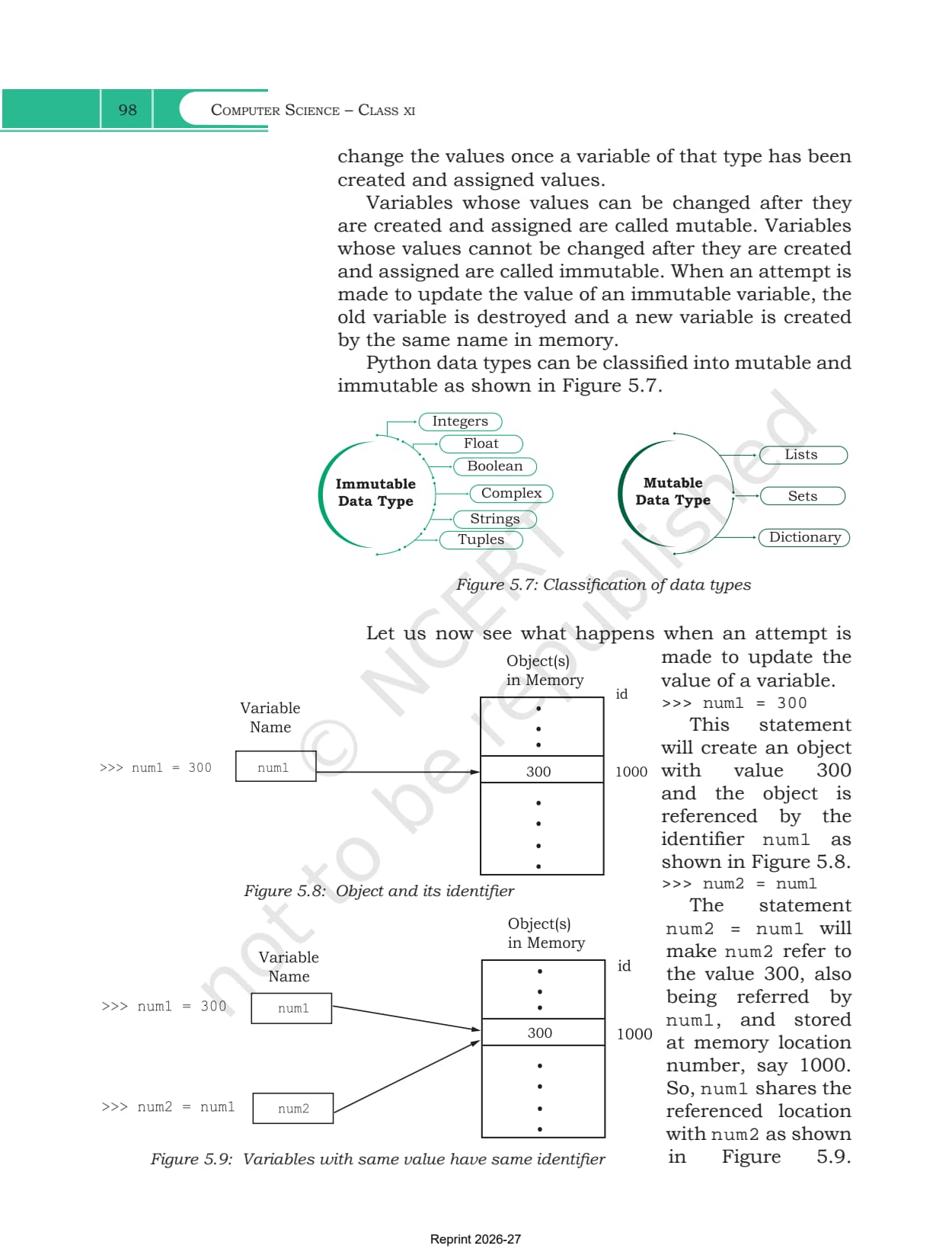
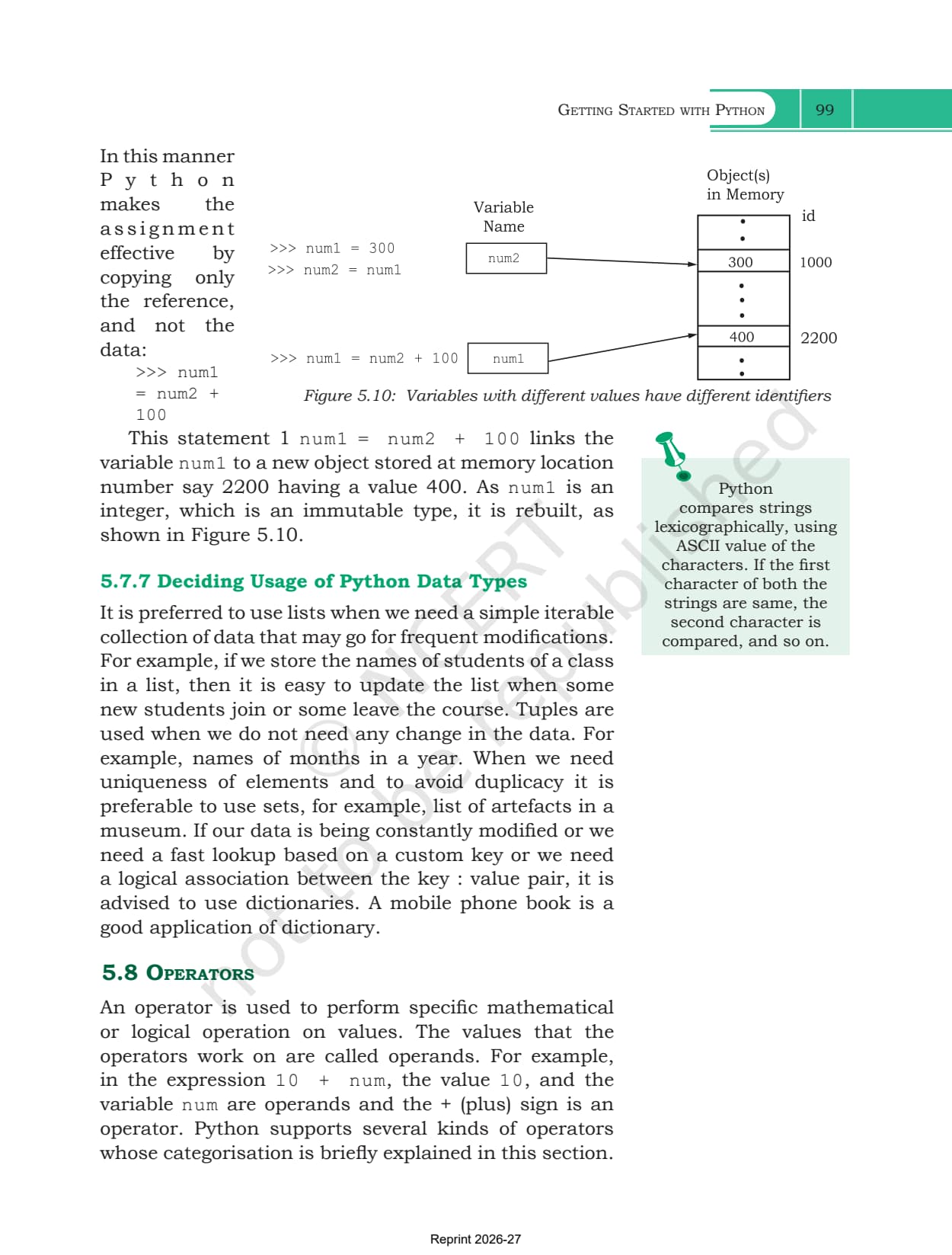
- Everything is an object: every value carries a unique identity that id() returns, so two names holding 20 report the same identity
Python Data Types from Integers to Dictionaries
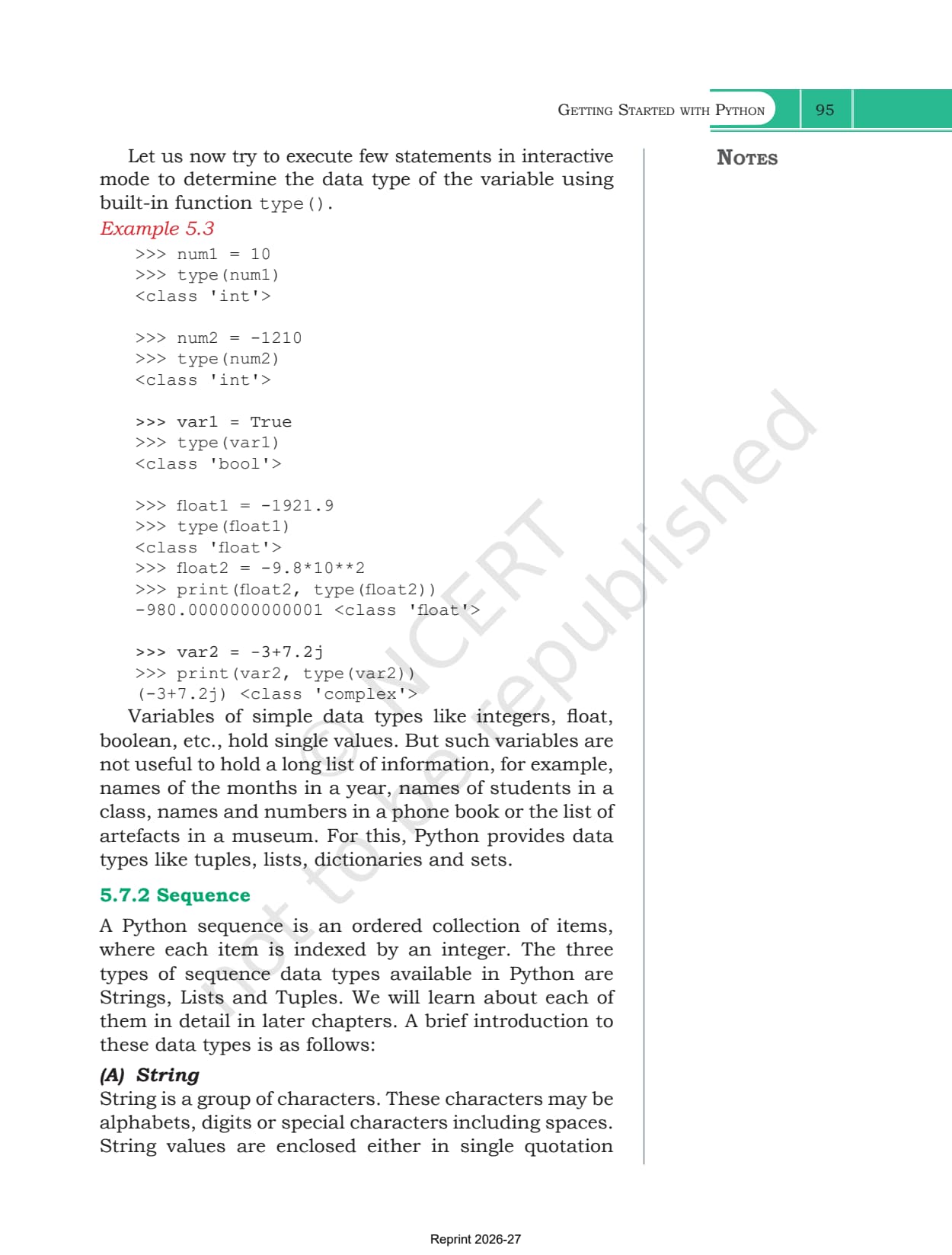
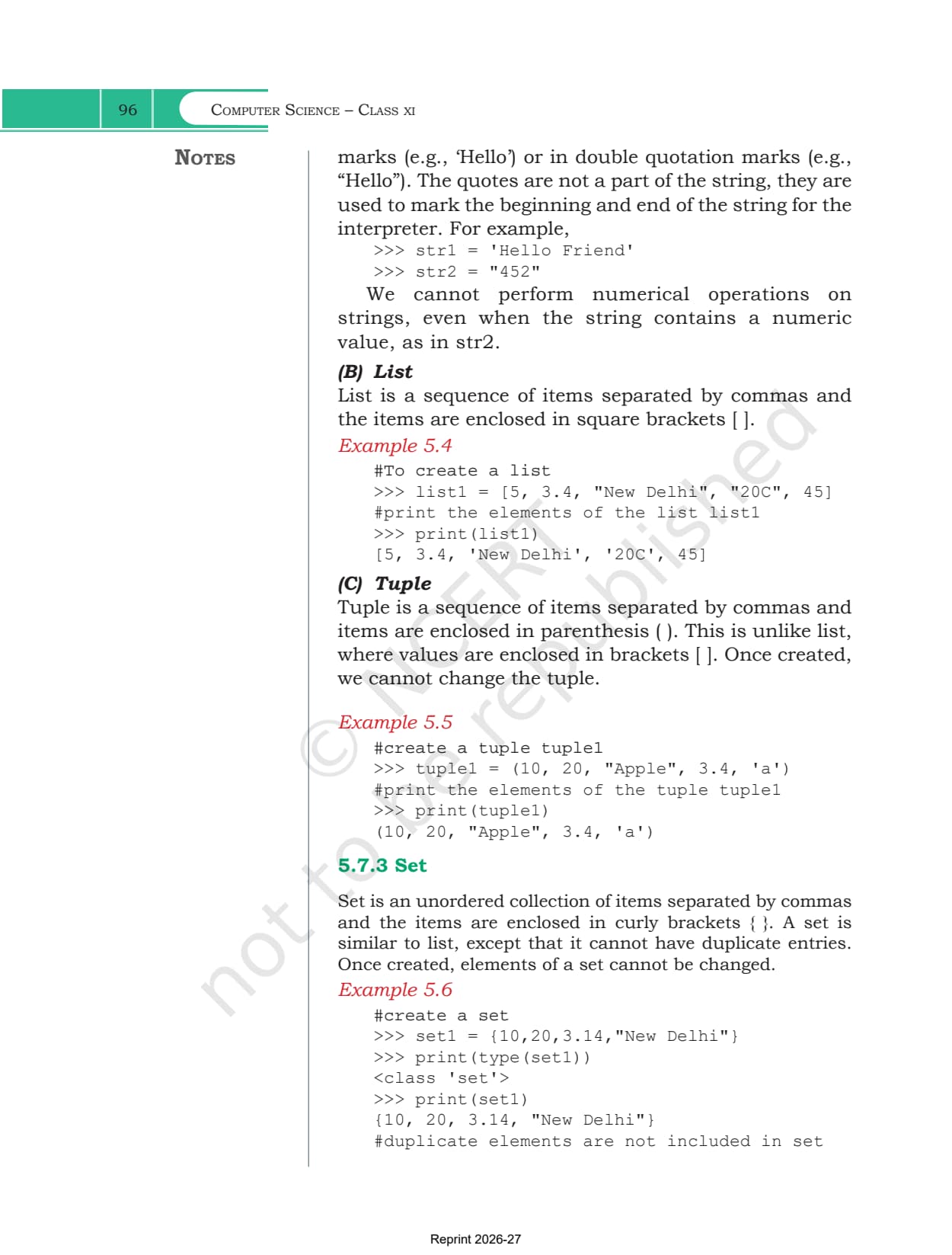
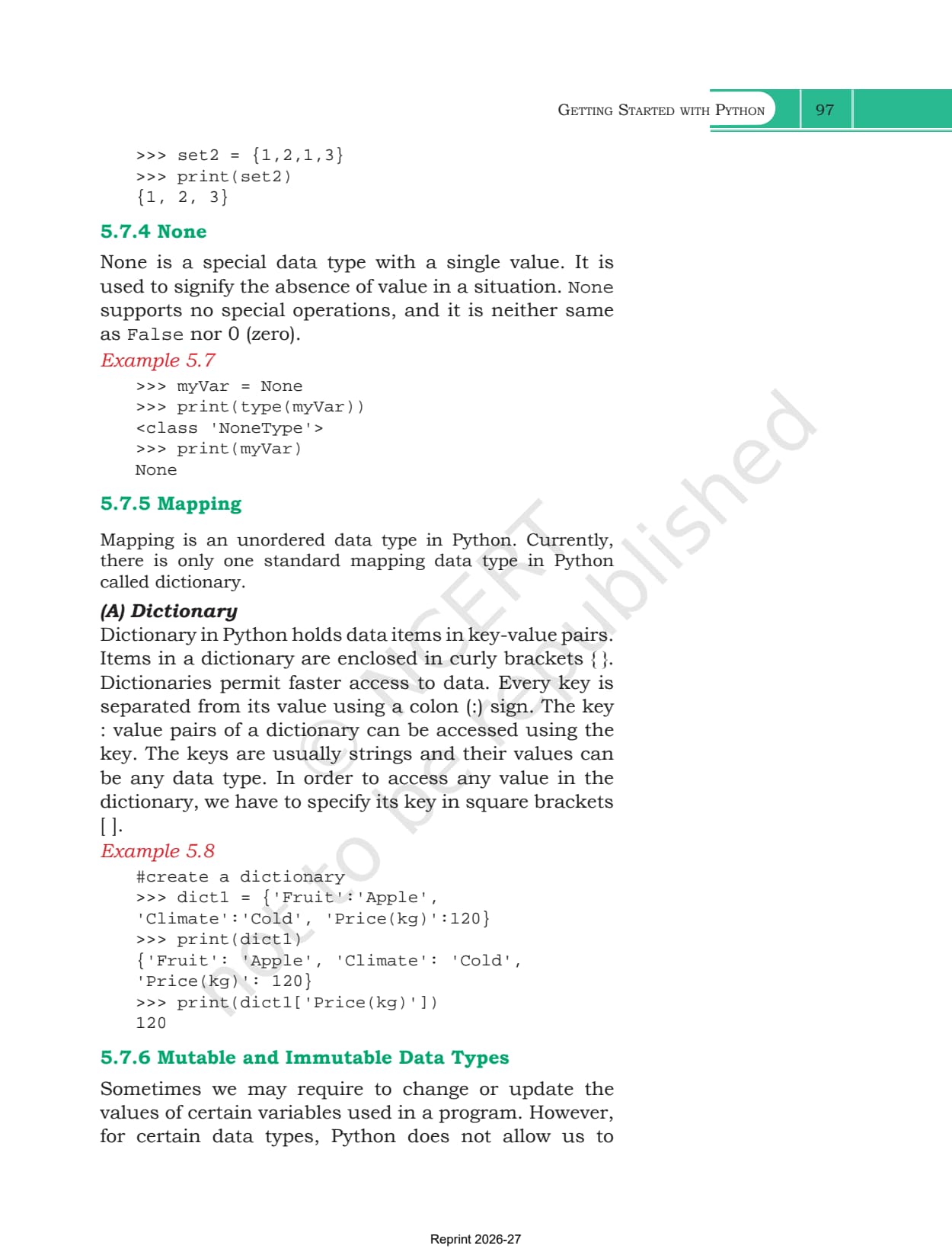
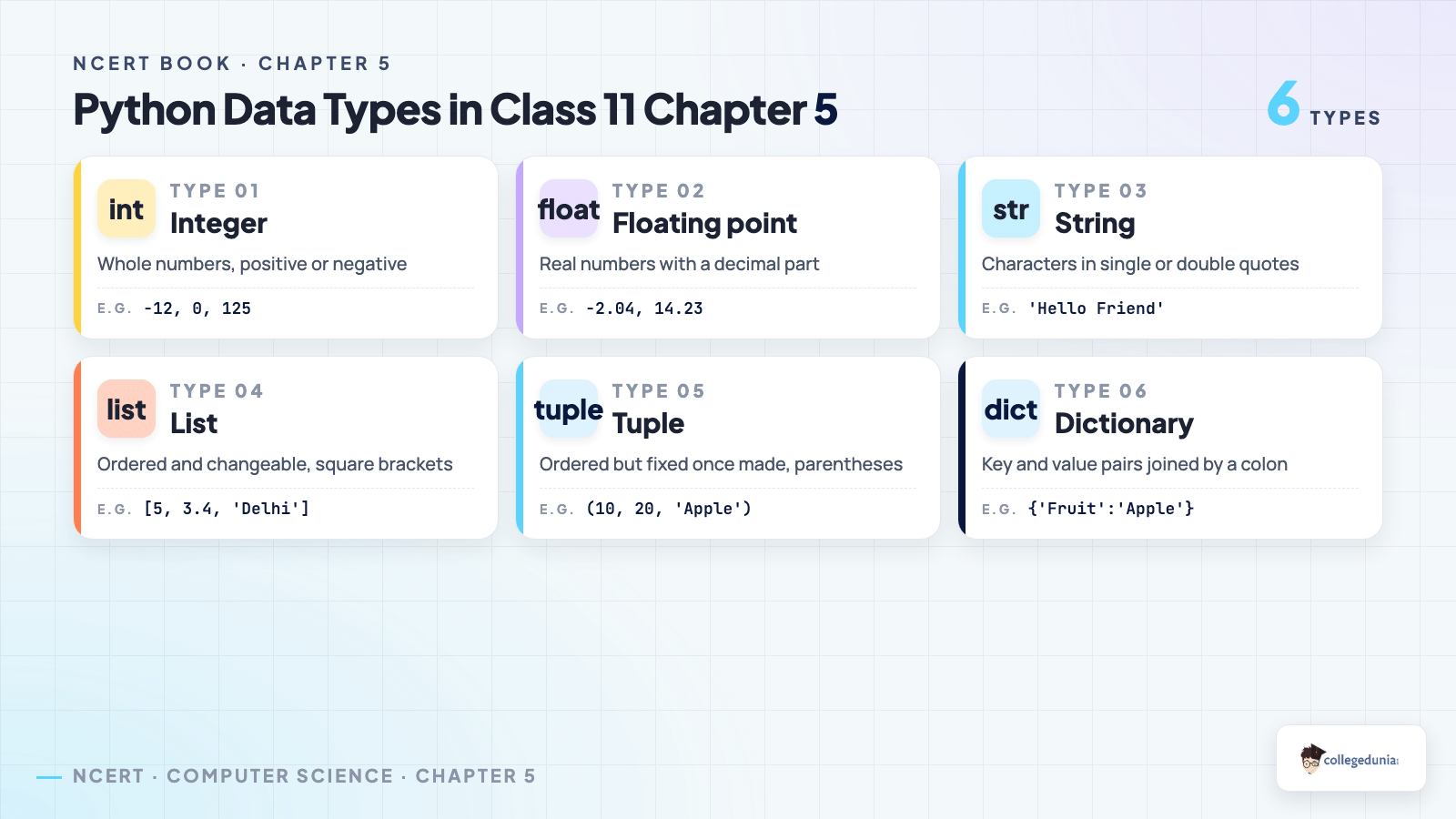
Section 5.7 is the longest part of the chapter and the one exercise question 6 tests directly, where you pick a suitable type for eight everyday values. Figure 5.6 groups them into a single tree.
| Data type | What it stores | Example |
|---|---|---|
| int | whole numbers, positive or negative | -12, 0, 125 |
| float | real numbers with a decimal part | -2.04, 14.23 |
| complex | a real and an imaginary part | 3 + 4j |
| bool | only True or False, a subtype of integer | var1 = True |
| str | characters inside single or double quotes | 'Hello Friend' |
| list | an ordered, changeable group in square brackets | [5, 3.4, "New Delhi"] |
| tuple | an ordered group in parentheses, fixed once made | (10, 20, "Apple") |
| set | an unordered group in curly brackets, no duplicates | {1, 2, 3} |
| dict | key and value pairs joined by a colon | {'Fruit':'Apple'} |
| NoneType | the single value None, meaning no value at all | myVar = None |
Section 5.7.6 splits the same list into mutable and immutable. Integers, floats, strings and tuples cannot be changed once created, so Python quietly builds a new object instead. Lists, sets and dictionaries change in place. None is not the same as False and not the same as 0, which is a favourite one mark trap.
Operators, Expressions and Operator Precedence
Section 5.8 runs through six families of operators, each with its own table and a set of shell examples you can retype in the lab.
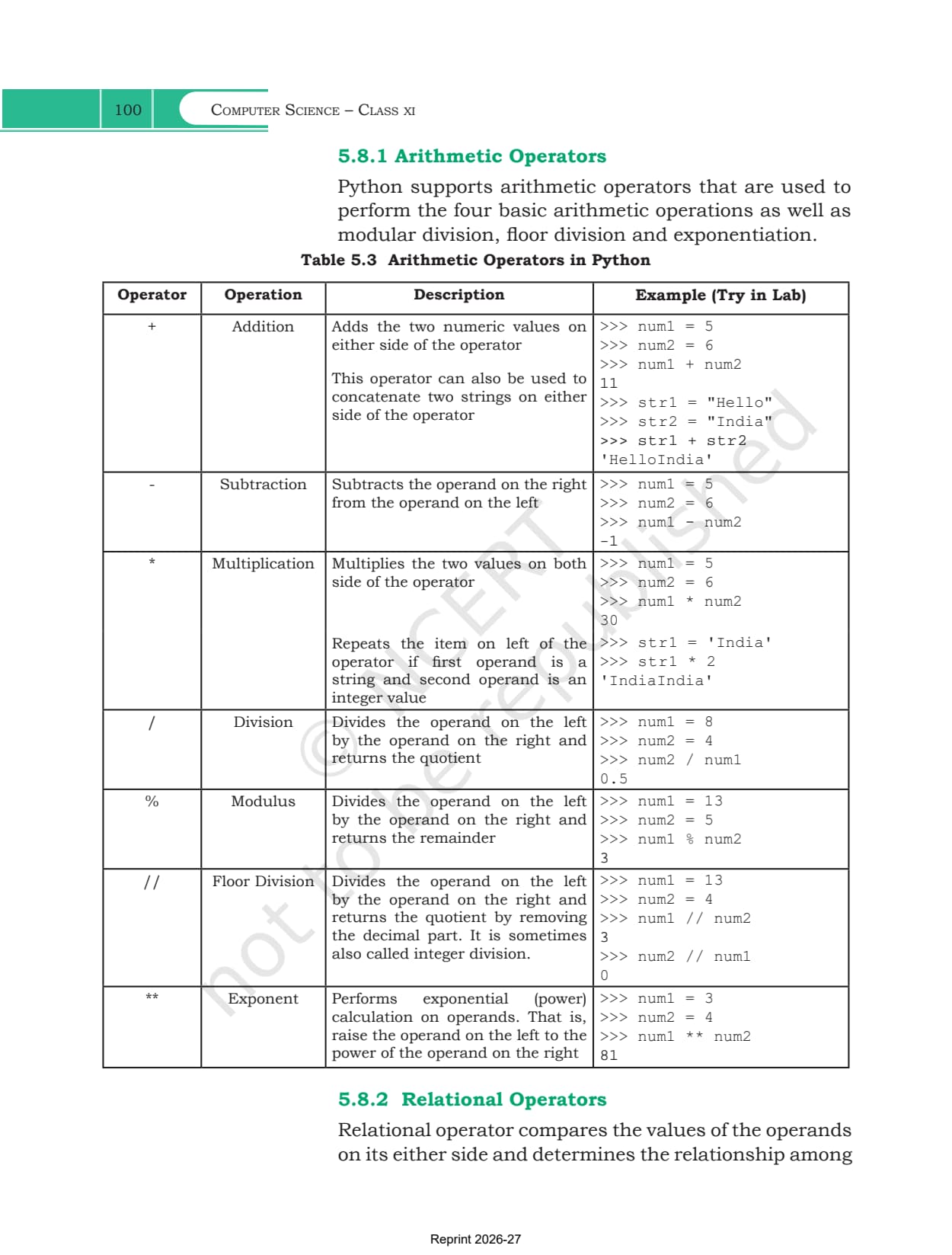
- Arithmetic: +, -, *, / plus % for the remainder, // for floor division and ** for powers. The + sign also joins two strings and * repeats one
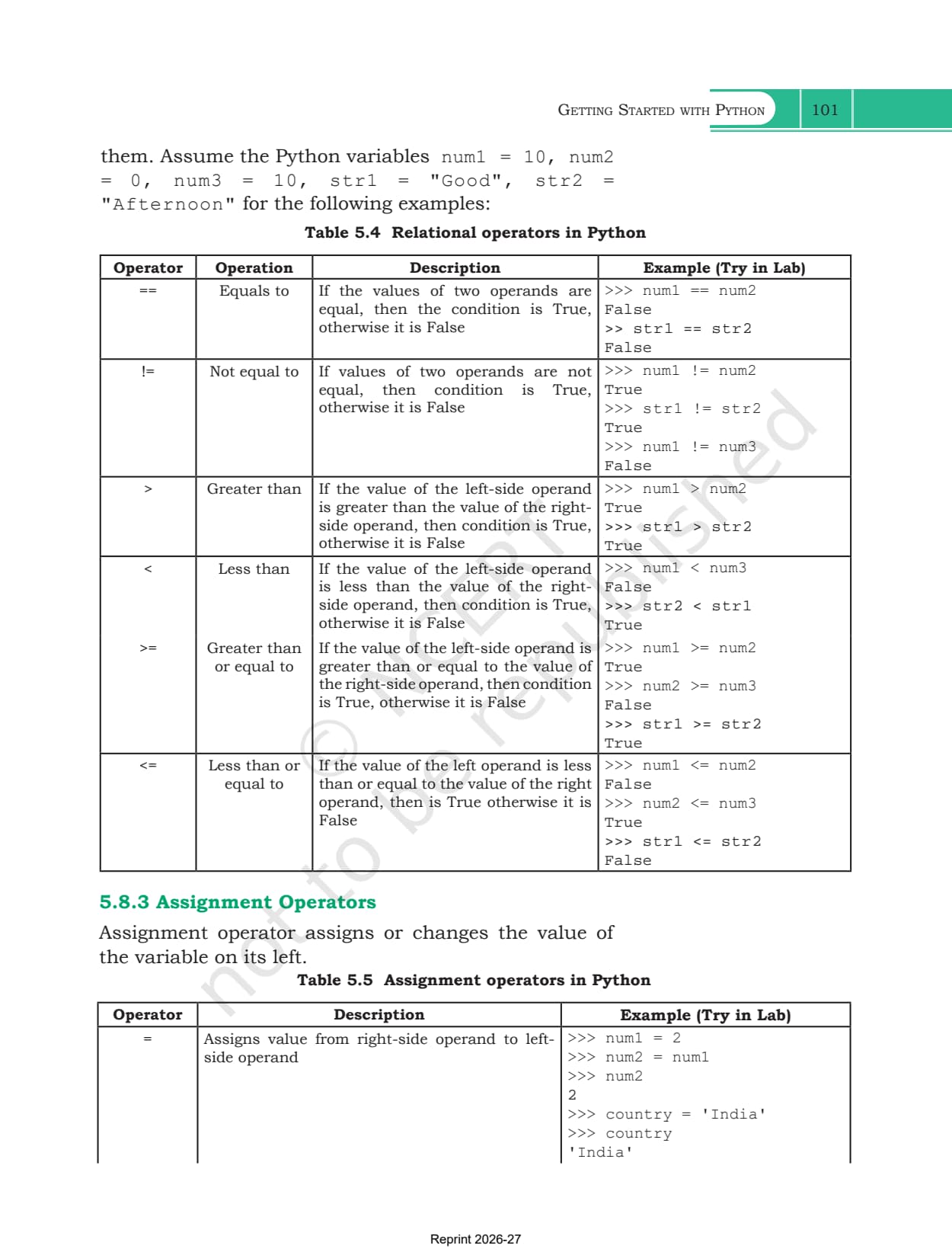
- Relational: ==, !=, >, <, >= and <=, each returning True or False. Strings compare letter by letter using ASCII values
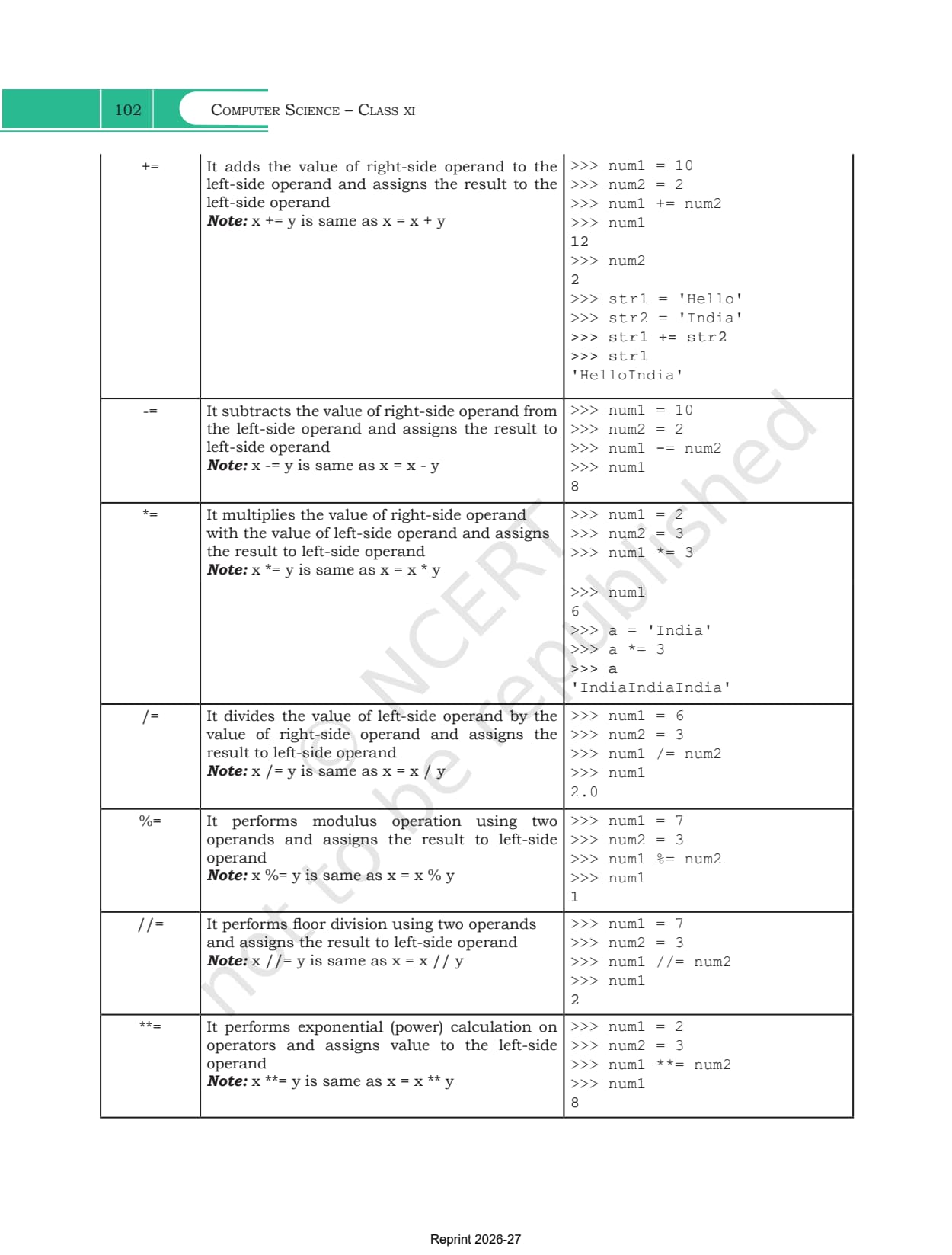
- Assignment: = with the shorthand forms +=, -=, *=, **= and //=
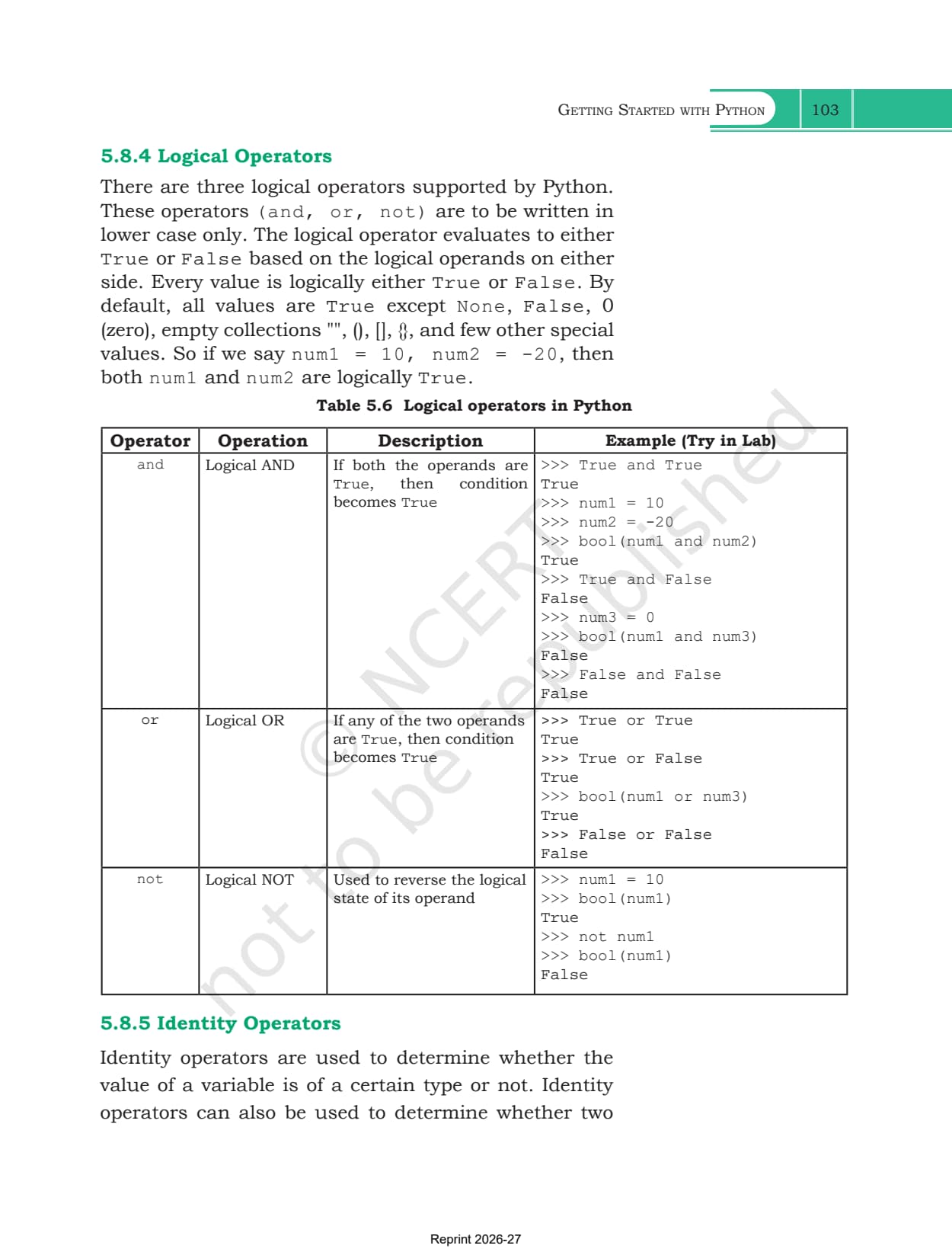
- Logical: and, or, not, in lower case only. Every value is True except None, False, 0 and empty collections
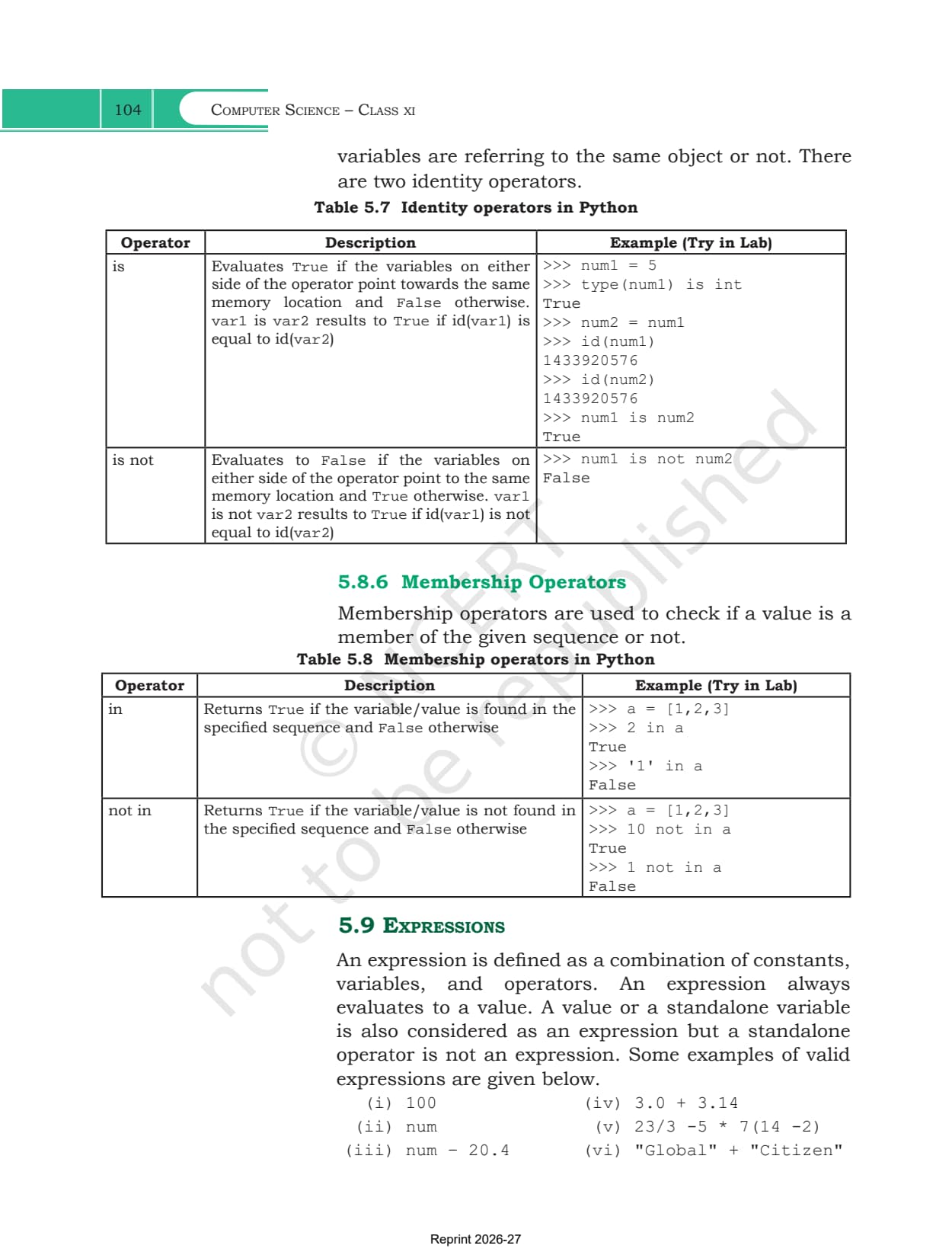
- Identity and membership: is and is not compare object identity, while in and not in test whether a value sits inside a sequence
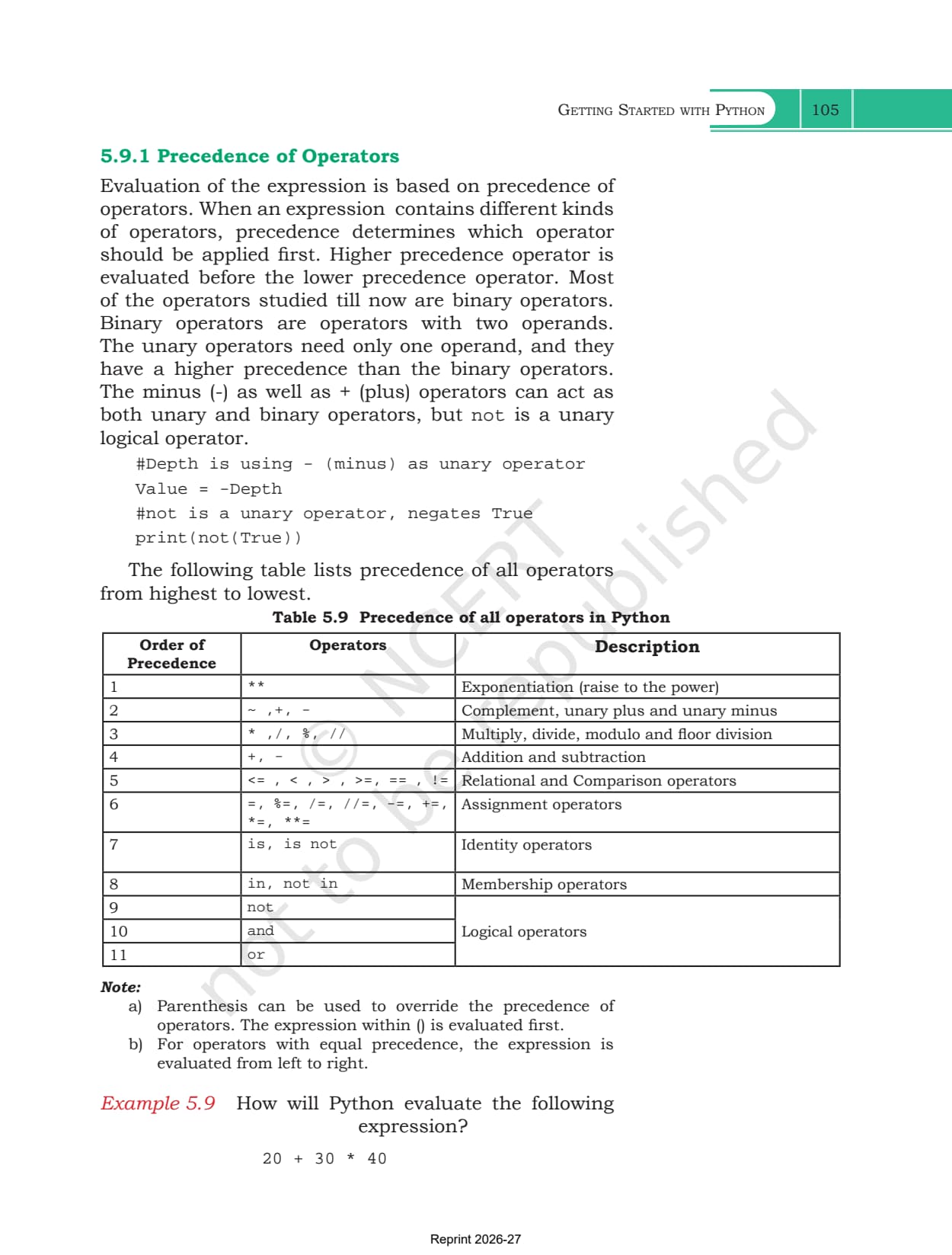
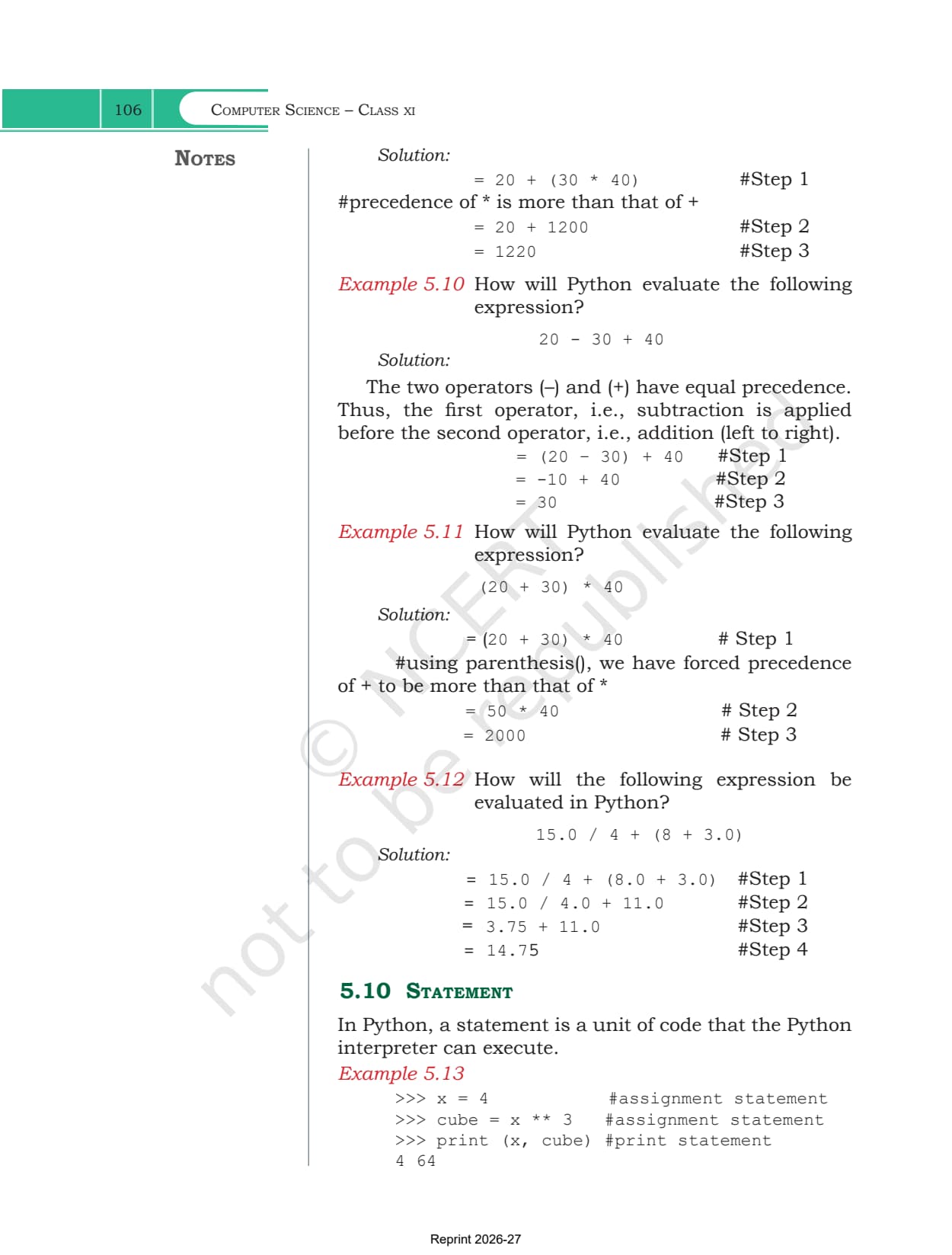
Section 5.9 defines an expression as any mix of values, variables and operators that evaluates to a result. Table 5.9 ranks them all, with ** highest and or lowest.
Input, Output, Type Conversion and Debugging
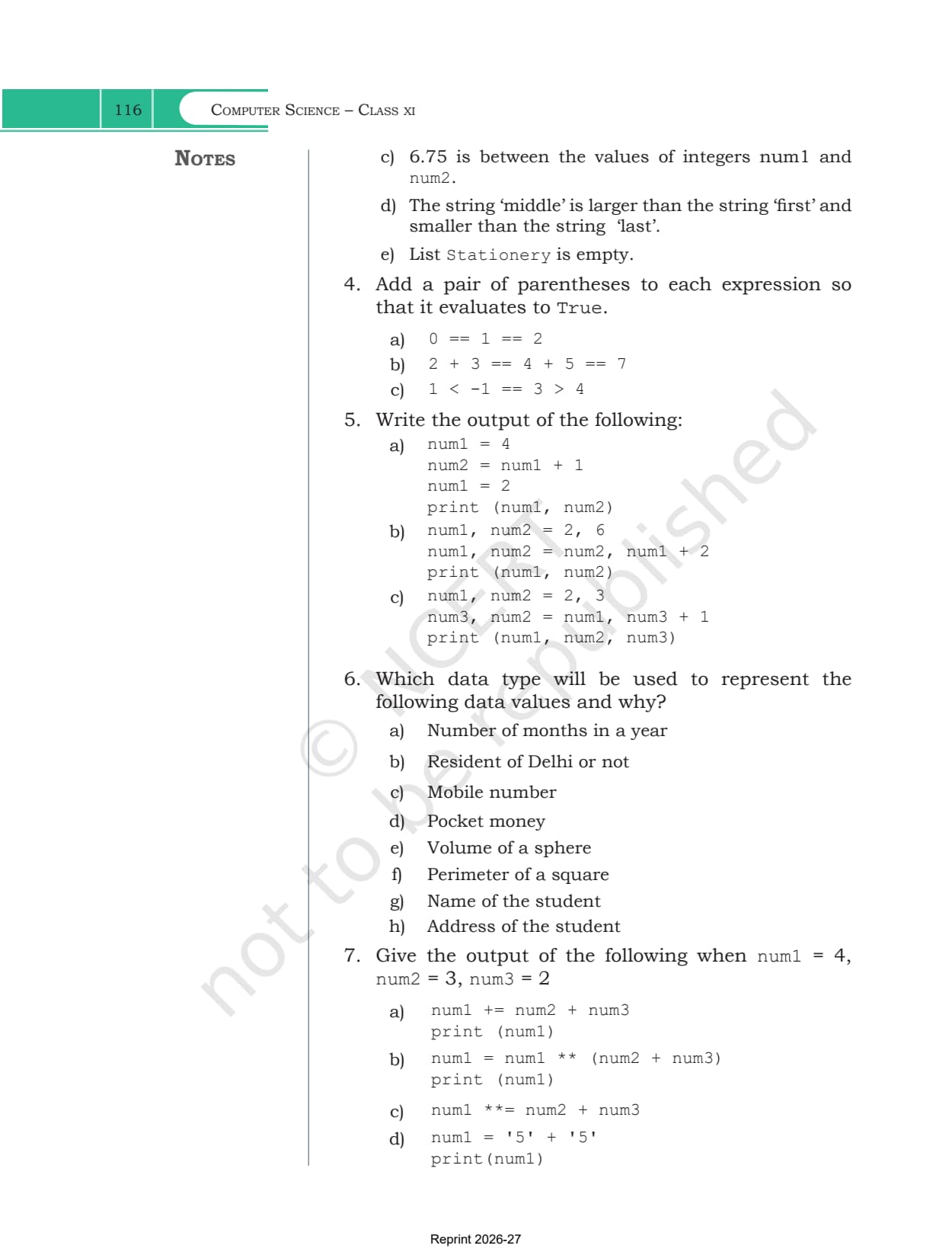
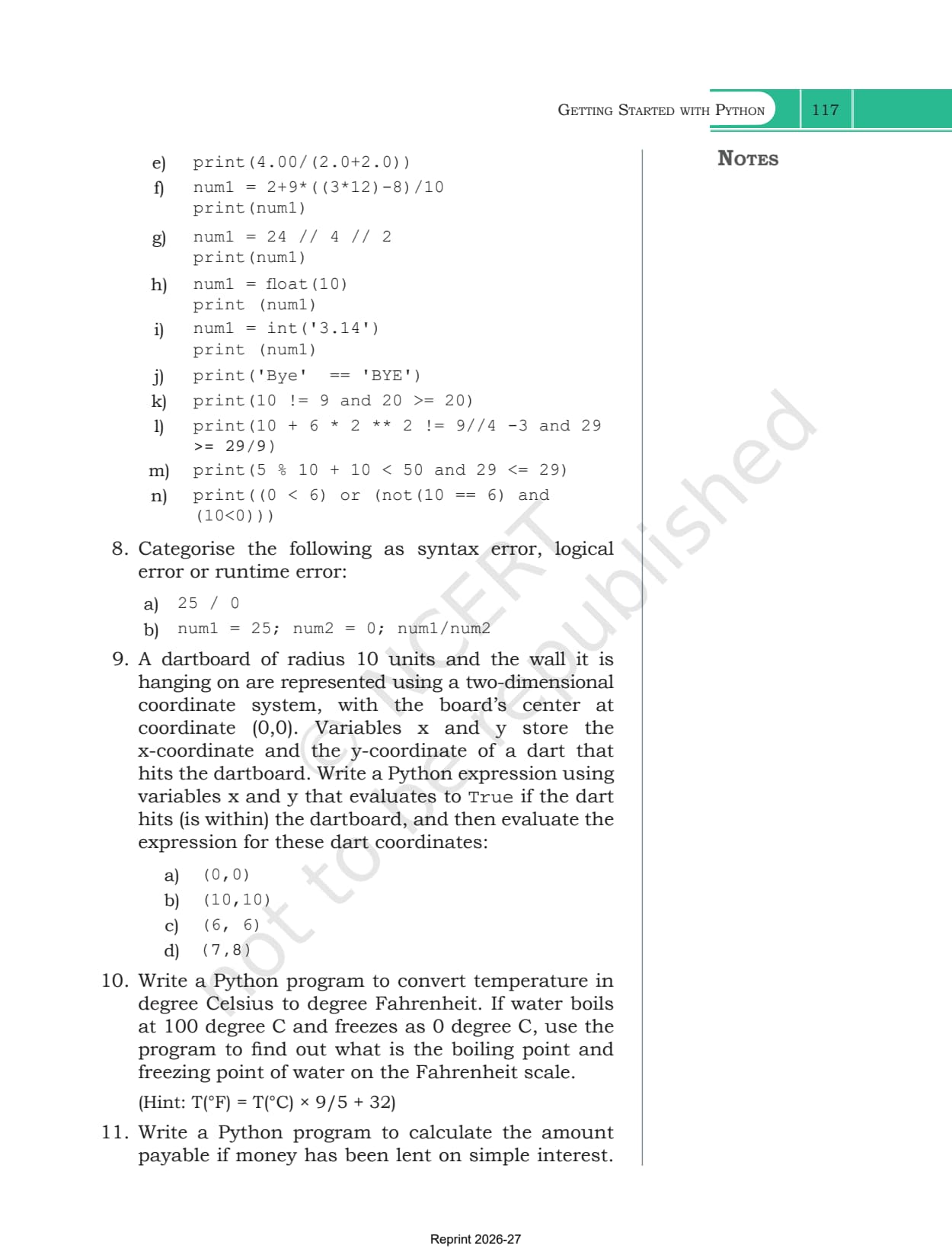
The last three sections turn the language into a working program. They are short, but exercise questions 7 and 8 draw on them heavily.
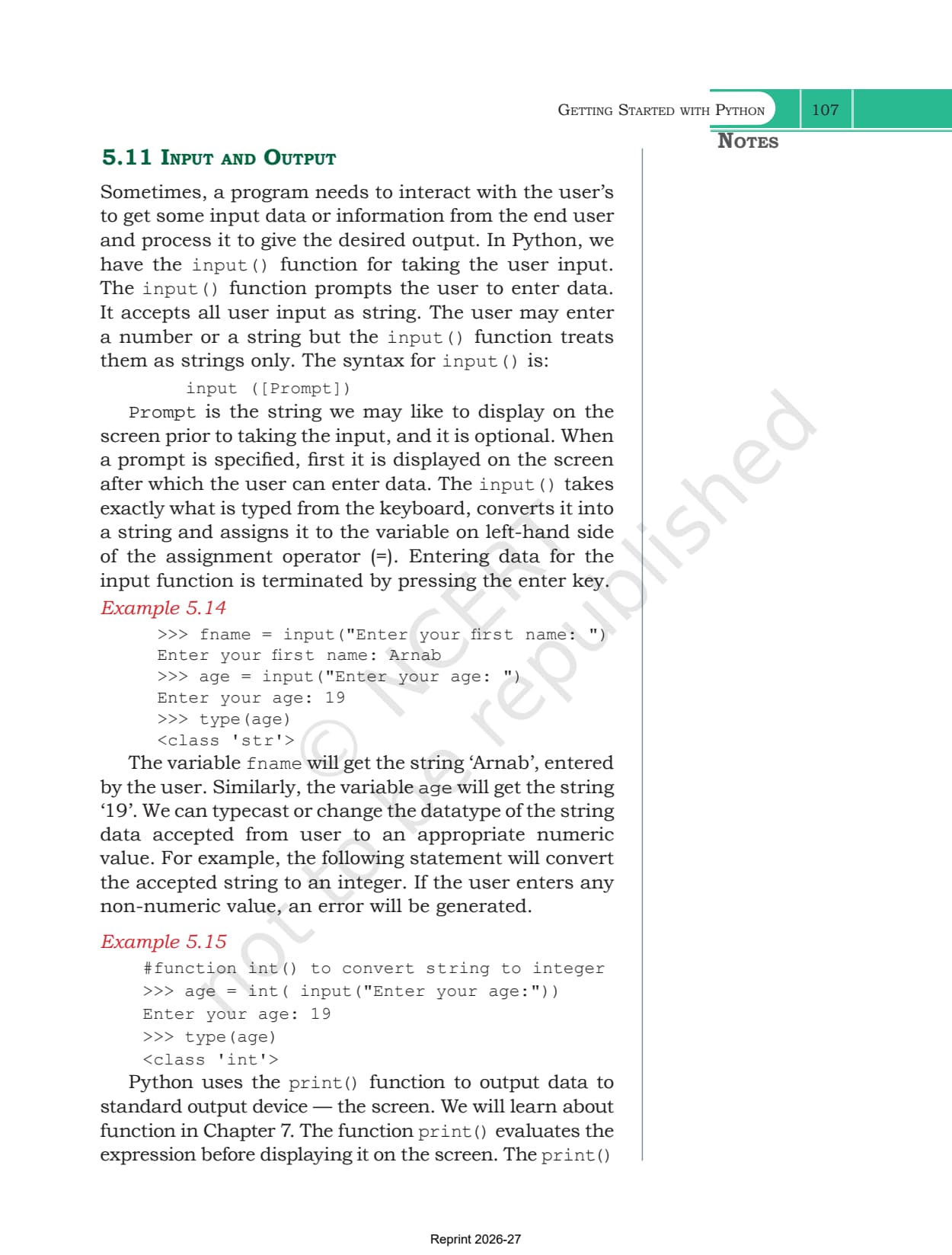
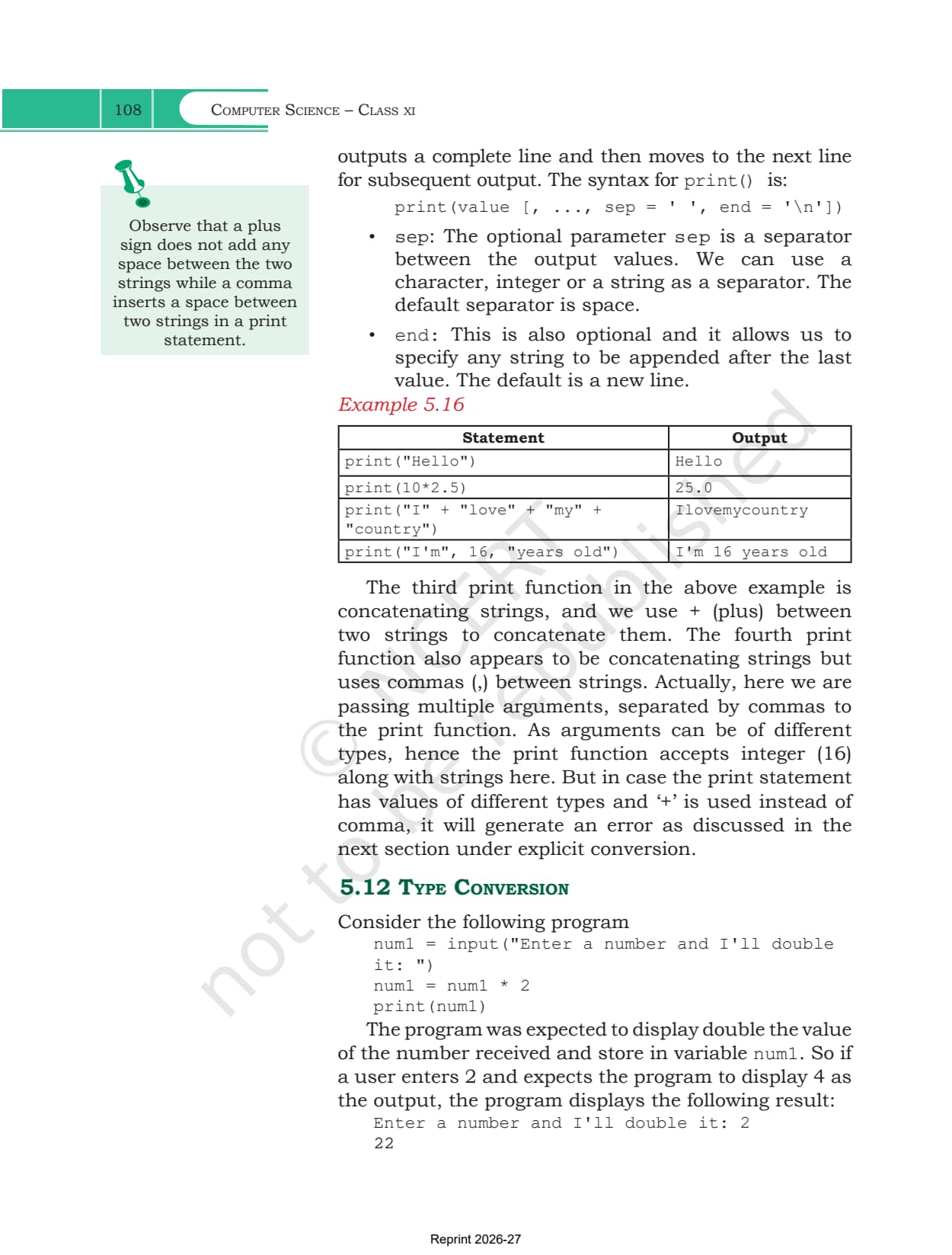
- input(): shows an optional prompt and always returns a string, even when a number is typed. Wrapping it in int() turns '19' into 19
- print(): takes any number of values, with sep setting what goes between them and end what follows the last one
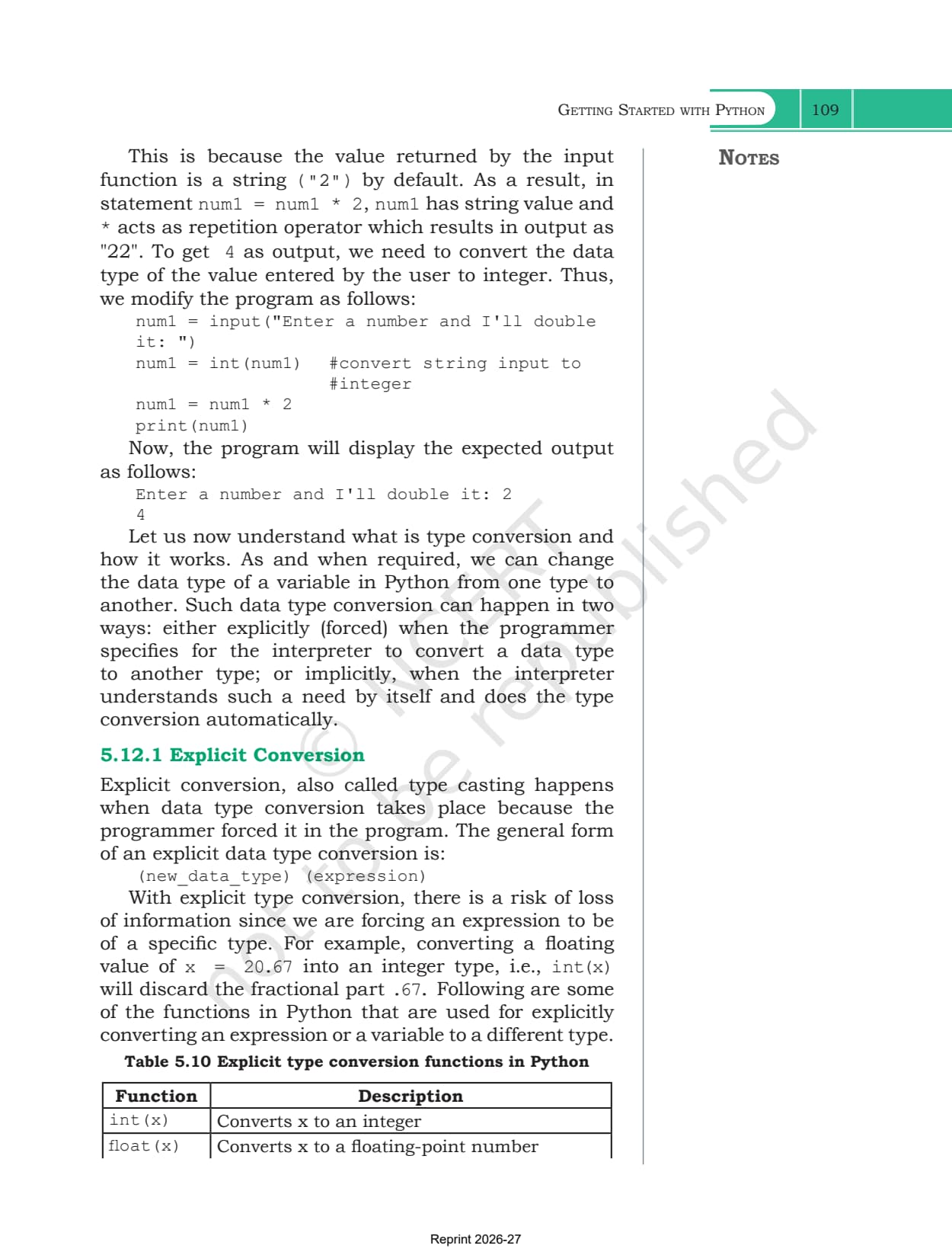
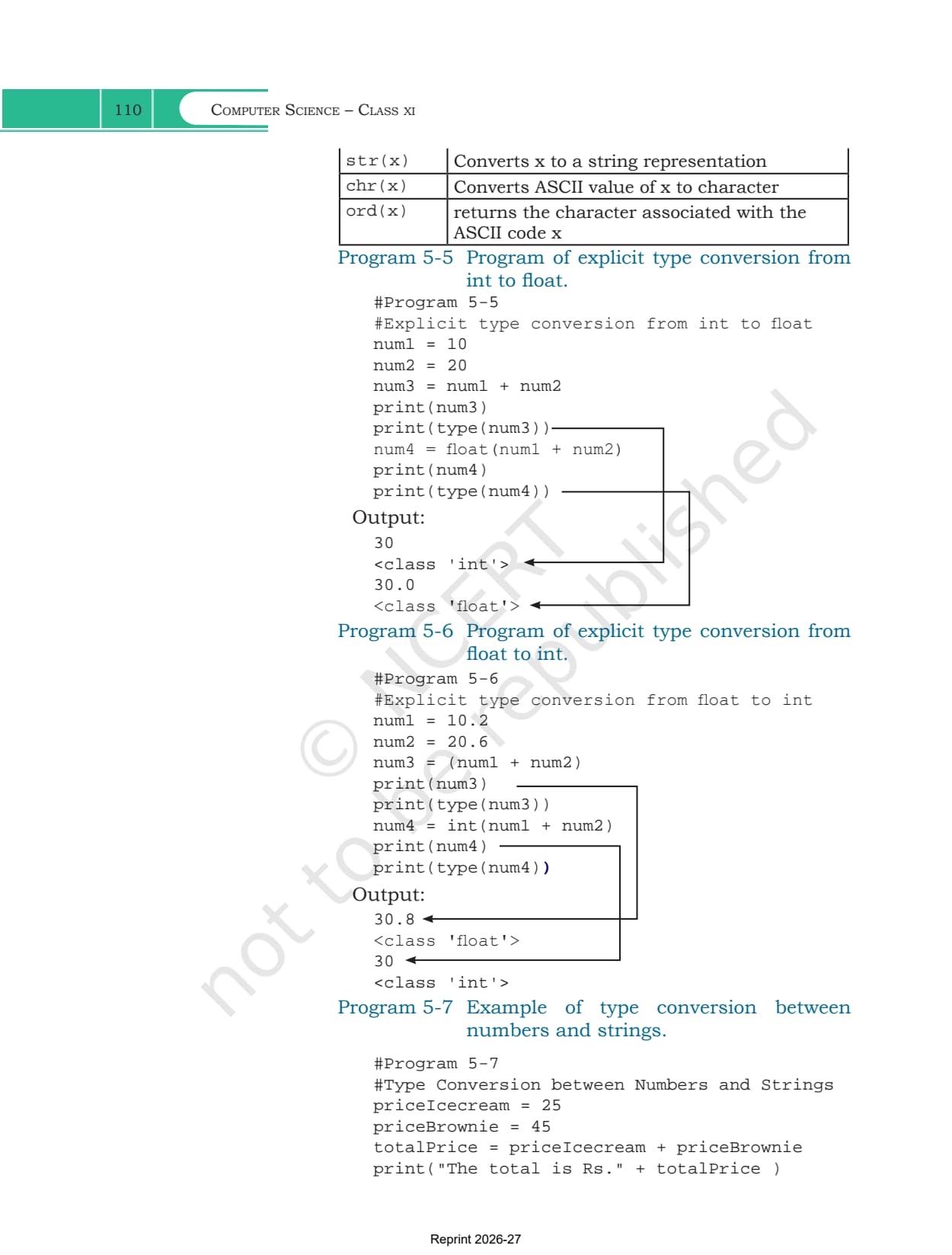
- Explicit conversion: int(), float(), str(), chr() and ord() force a change of type. Converting 20.67 to an integer drops the .67, so information can be lost
- Implicit conversion: Python promotes a narrower type to a wider one on its own, so an integer added to a float gives a float
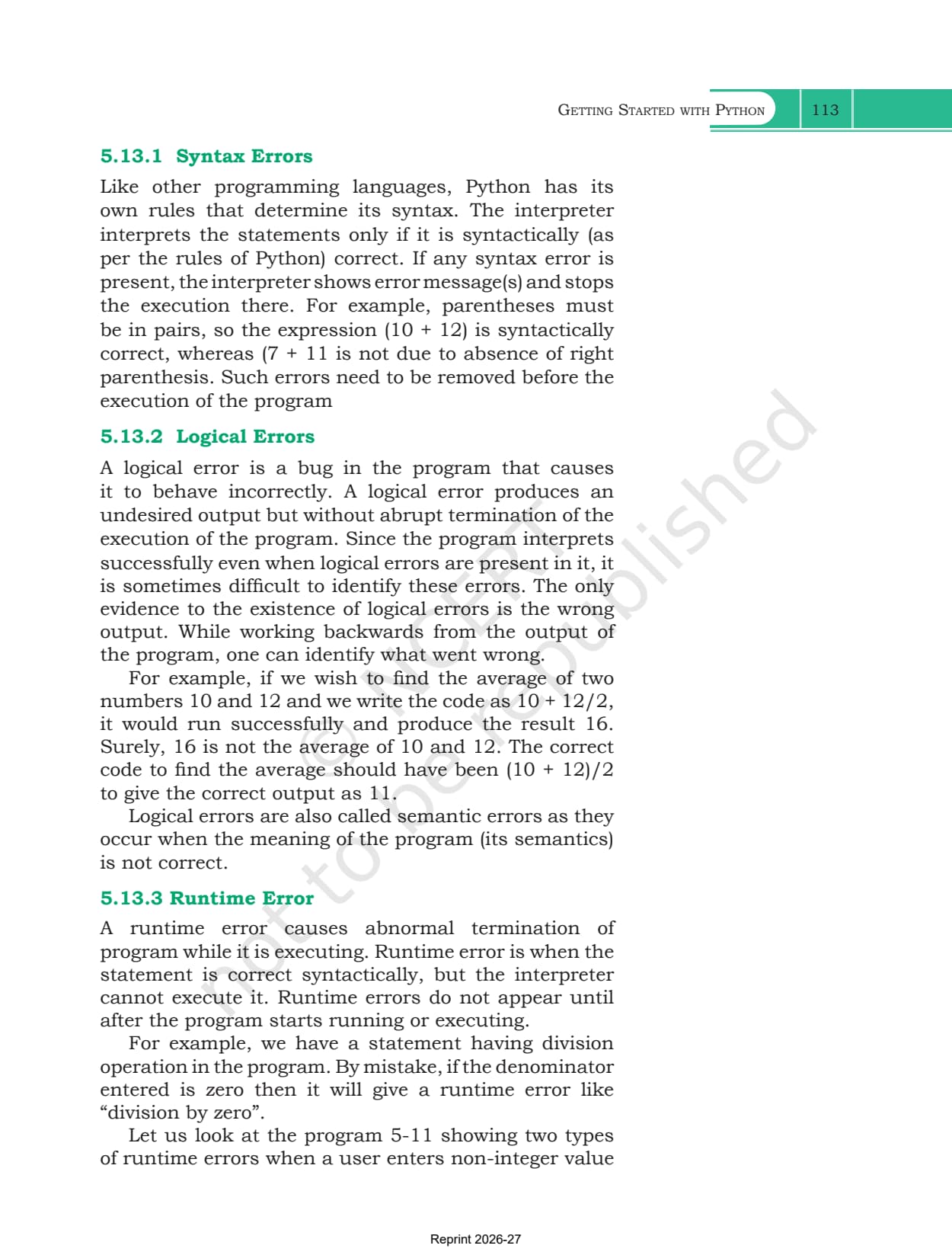
- The three errors: a syntax error breaks the rules, as in the unclosed bracket (7 + 11. A logical error runs but answers wrongly, as in 10 + 12/2 giving 16 instead of 11. A runtime error stops the program part way, as in a division by zero
What Collegedunia Adds to This Chapter PDF
Collegedunia gives students the file plus a way into it. The chapter PDF is the official NCERT file, untouched.
- Official file: the exact NCERT chapter PDF, no pages removed
- Read in the browser: page through all 34 pages first
- Chapter list: jump to any other chapter from one table
Also Check: the other Class 11 Computer Science resources for this chapter.
| Resource | Link |
|---|---|
| Handwritten notes | Getting Started with Python Class 11 Handwritten Notes |
| Chapter notes | Getting Started with Python Class 11 Notes (coming soon) |
| Chapter solutions | Getting Started with Python Class 11 NCERT Solutions (coming soon) |
| Previous chapter book PDF | Introduction to Problem Solving Class 11 NCERT Book PDF |
| Next chapter handwritten notes | Flow of Control Class 11 Handwritten Notes |
Class 11 Computer Science NCERT Book PDF: All Chapters
Every chapter of the book is on its own page. The 2026-27 Class 11 Computer Science textbook has 11 chapters, and chapters 5 to 10 form the Python programming block.
| Chapter | Download |
|---|---|
| Chapter 1 | Computer System NCERT Book PDF |
| Chapter 2 | Encoding Schemes and Number System NCERT Book PDF |
| Chapter 3 | Emerging Trends NCERT Book PDF |
| Chapter 4 | Introduction to Problem Solving NCERT Book PDF |
| Chapter 5 | Getting Started with Python NCERT Book PDF |
| Chapter 6 | Flow of Control NCERT Book PDF (coming soon) |
| Chapter 7 | Functions NCERT Book PDF (coming soon) |
| Chapter 8 | Strings NCERT Book PDF (coming soon) |
| Chapter 9 | Lists NCERT Book PDF (coming soon) |
| Chapter 10 | Tuples and Dictionaries NCERT Book PDF (coming soon) |
| Chapter 11 | Societal Impact NCERT Book PDF (coming soon) |
Getting Started with Python Class 11 NCERT Book PDF FAQs
Common Student Questions on the Getting Started with Python Chapter File
Ques. Where can I download the Class 11 Computer Science Chapter 5 NCERT Book PDF?
Ans. The official 34-page chapter file is on this page, free to download.
Ques. How many pages is the Getting Started with Python chapter?
Ans. 34 pages, printed pages 87 to 120 in the 2026-27 book, and this PDF is the complete chapter.
Ques. What is the difference between interactive mode and script mode?
Ans. Interactive mode runs one statement at a time after the prompt and cannot save it. Script mode keeps the statements in a .py file that can be saved, reopened and run again.
Ques. How many keywords does Python have according to this chapter?
Ans. Table 5.1 lists 33 keywords. Python is case sensitive, so True is a keyword but true is not.
Ques. What are the rules for naming an identifier in Python?
Ans. Start with a letter or an underscore, never a digit. After that use any mix of letters, digits and underscores. Do not use a keyword or symbols such as !, @, # and $.
Ques. Why does input() give the wrong answer when I multiply the value?
Ans. input() always returns a string. Multiplying '2' by 2 repeats the text and gives 22. Wrap the call in int() so the value becomes a number first.
Ques. What are the three types of errors covered in the chapter?
Ans. Syntax errors break the rules of the language and stop the program before it starts. Logical errors let it run but give a wrong answer. Runtime errors stop it part way, such as a division by zero.
Ques. Is this the official NCERT file?
Ans. Yes. It is the NCERT chapter PDF for 2026-27 hosted as published, with no pages removed or added.



Comments