




These Notes for Class 12 Computer Science Chapter 10 Computer Networks give you a fast, concept-first revision of the whole chapter, built on the latest 2026-27 CBSE syllabus. They explain what a network is, the four network types PAN, LAN, MAN and WAN, network devices, the five topologies, and how MAC and IP addresses, DNS and the World Wide Web fit together.
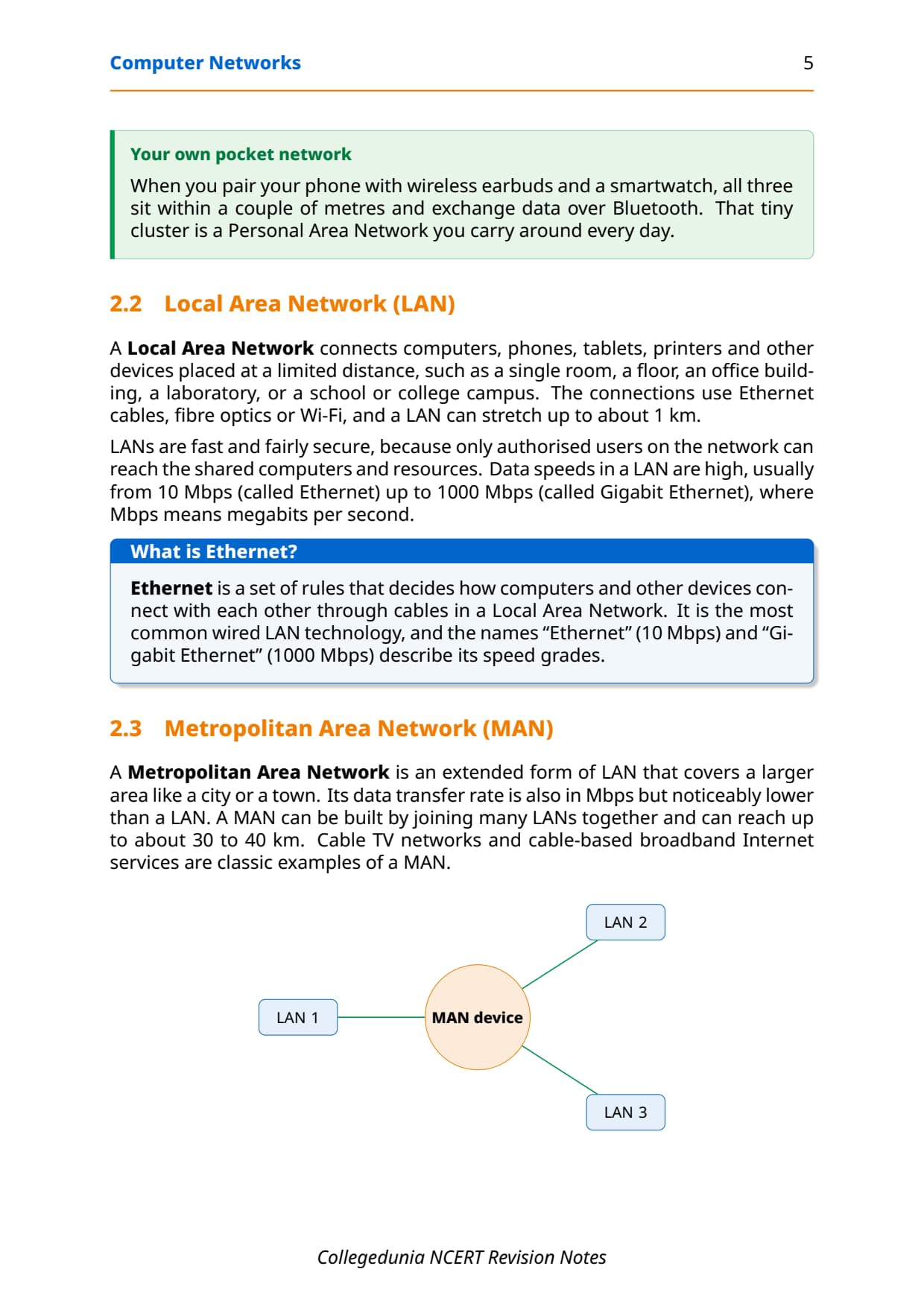
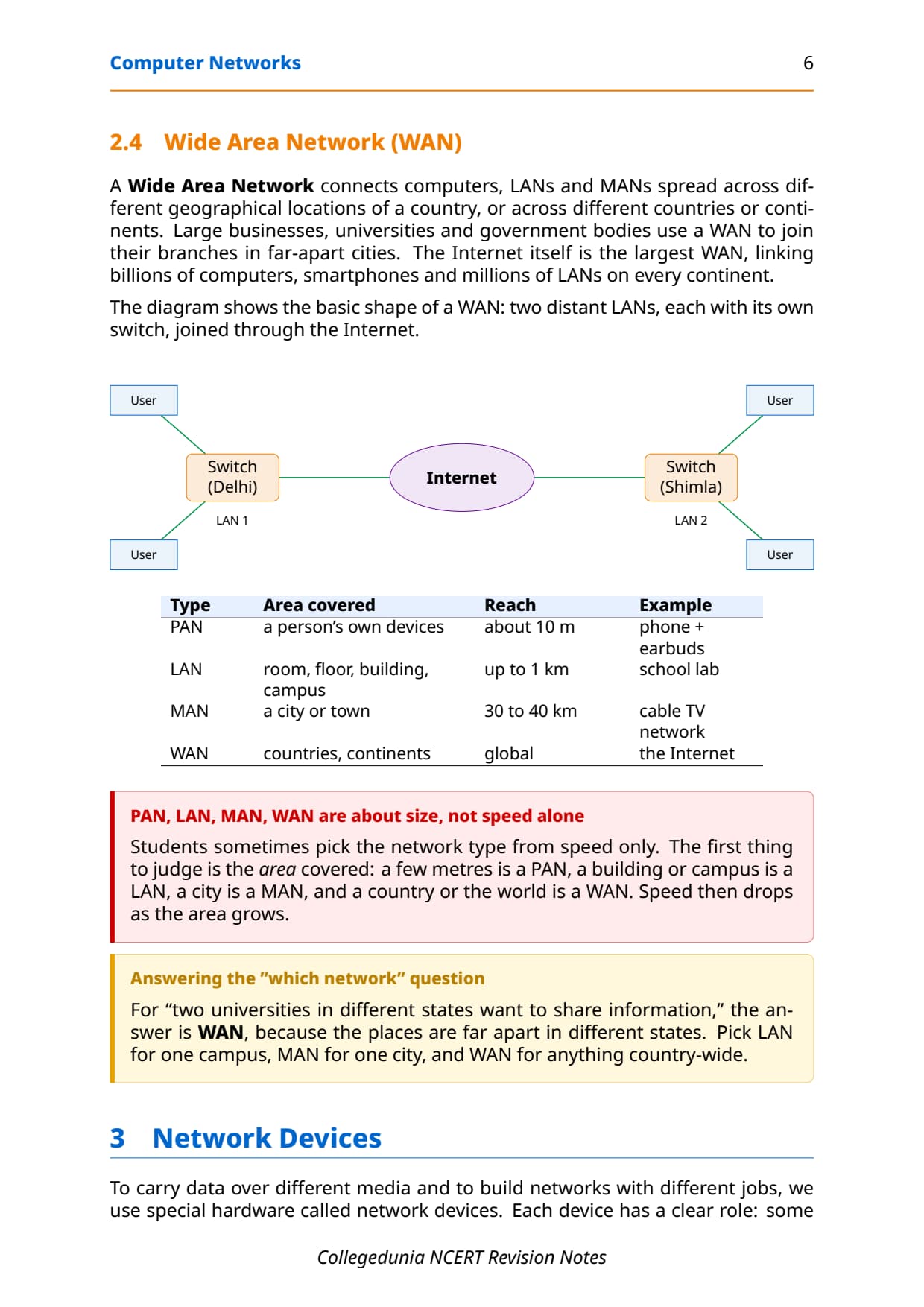
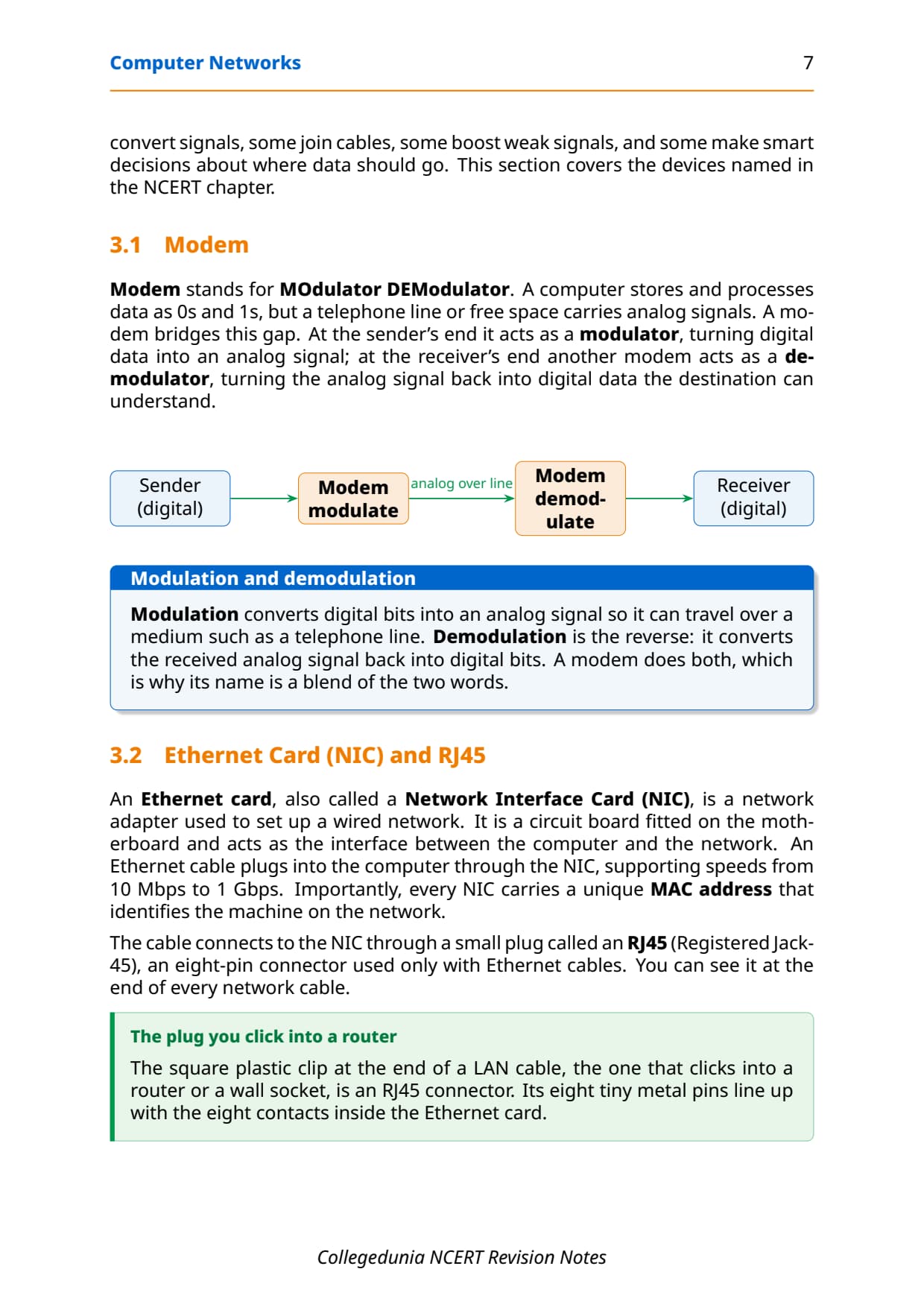
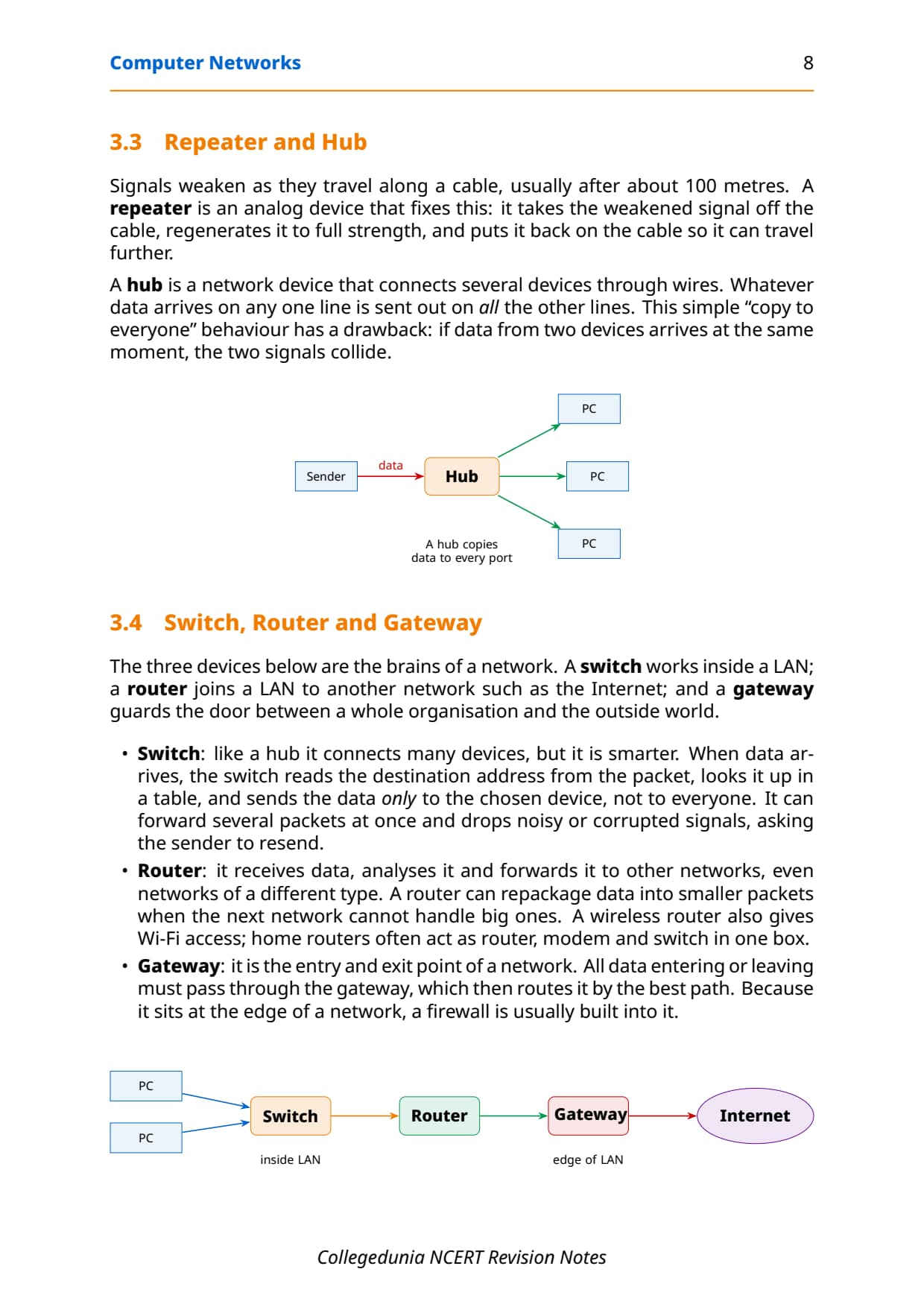
- Every networking term in one place with the meaning, a labelled diagram, and the exact wording the CBSE board paper uses to test it.
- Full coverage of network types, topologies, devices, MAC and IP addresses, DNS and the Internet versus the Web, the high-frequency two and three-mark areas.
- Notes aligned with the 2026-27 CBSE Class 12 Computer Science syllabus and useful for JEE and CUET computing questions; no NEET references because Computer Science is not a medical subject.
These Collegedunia revision notes are curated by Computer Science subject experts, mapped to the 2026-27 NCERT textbook, and refined against the last five years of CBSE Class 12 Computer Science board papers.
Student Feedback: What 12,400 students told us about this chapter
71% of Class 12 students said they mixed up MAC and IP addresses, or switch and hub, while revising. 3 out of 5 students told us a single comparison table for each pair was the fastest way to lock the chapter the night before the exam.
Toppers found that drawing the five topology diagrams once by hand fixed the whole chapter faster than re-reading the theory, and the average student spent 1 to 2 hours on these notes across the first read and the final revision.
Source: 2026-27 Class 12 Computer Science student poll. Sample of 12,400 students from CBSE schools across 14 states, conducted before the 2026 boards.
What the Notes for Class 12 Computer Science Chapter 10 Computer Networks Cover
This chapter answers one question: how do separate machines join up and talk to each other, and what hardware and addresses make that possible? These notes keep the NCERT order but compress it into revision-ready blocks, so you can read the whole chapter in one sitting and recall it fast in the exam.
- What a network is: the idea of a node, a packet and a computer network, plus a short history from ARPANET to today's Internet.
- Network types: PAN, LAN, MAN and WAN, sorted by the area they cover, with reach and a real example for each.
- Devices and topologies: modem, NIC, repeater, hub, switch, router and gateway, and the five layouts mesh, ring, bus, star and tree.
- Addresses and the web: how MAC and IP addresses differ, what DNS does, and how the Internet differs from the World Wide Web.
Source: Magnet Brains on YouTube
What a Computer Network Is and How It Grew
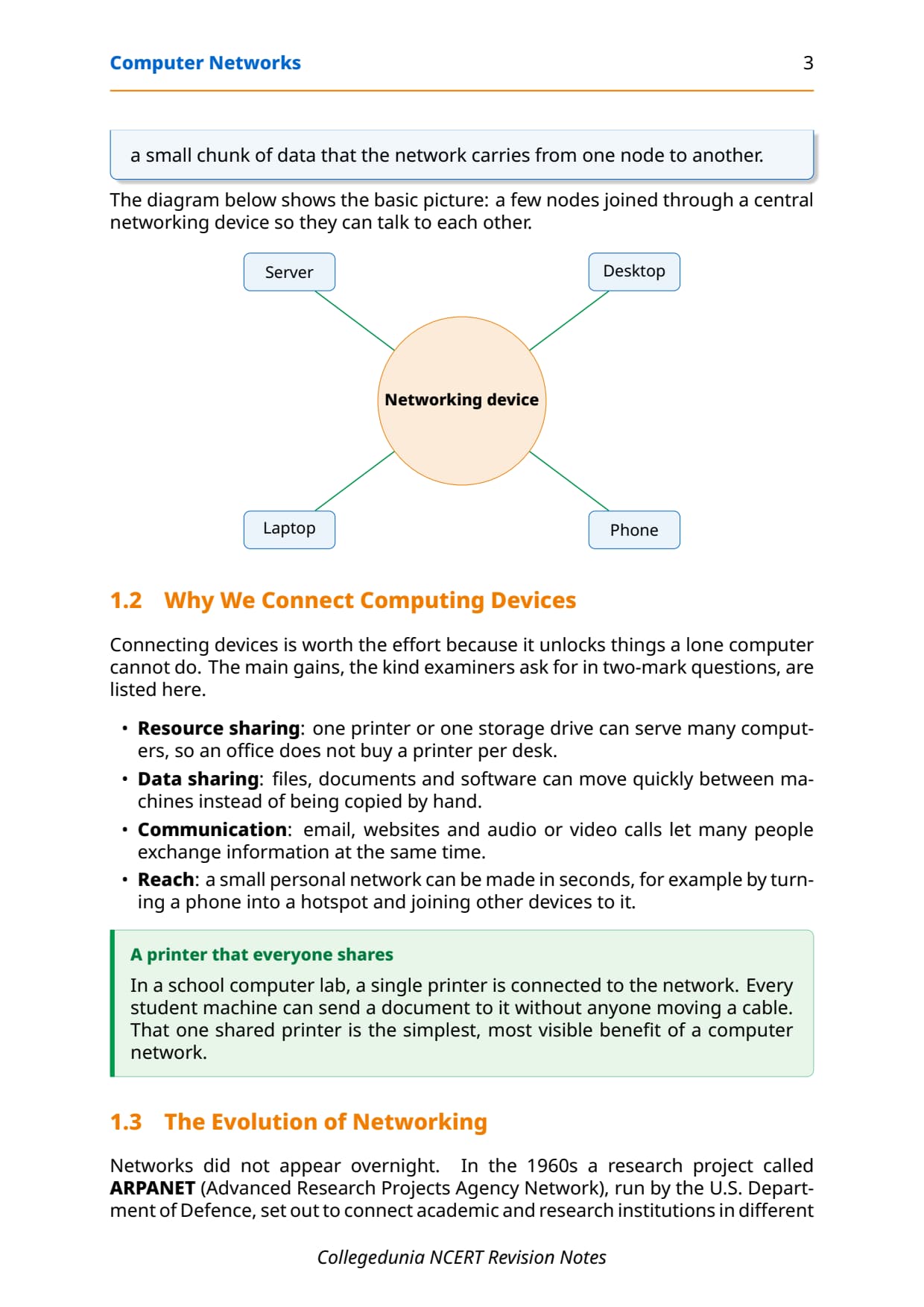
Fix the idea first. A network is a group of two or more similar things or devices connected with each other, like a social network or a railway network. When the connected things are computers, we get a computer network: an interconnection among two or more computers that lets them share data and resources. A network is not made of computers alone; it also uses devices such as a switch, router or modem to join the machines.
- Node: any device in a network that can receive, create, store or send data, such as a computer, server, printer, modem, hub, switch or router.
- Packet: data does not travel in one lump; it is split into small chunks called packets that are carried over wires or the air.
- Why connect: resource sharing, data sharing, communication, and easy reach, such as turning a phone into a hotspot.
The evolution of networking
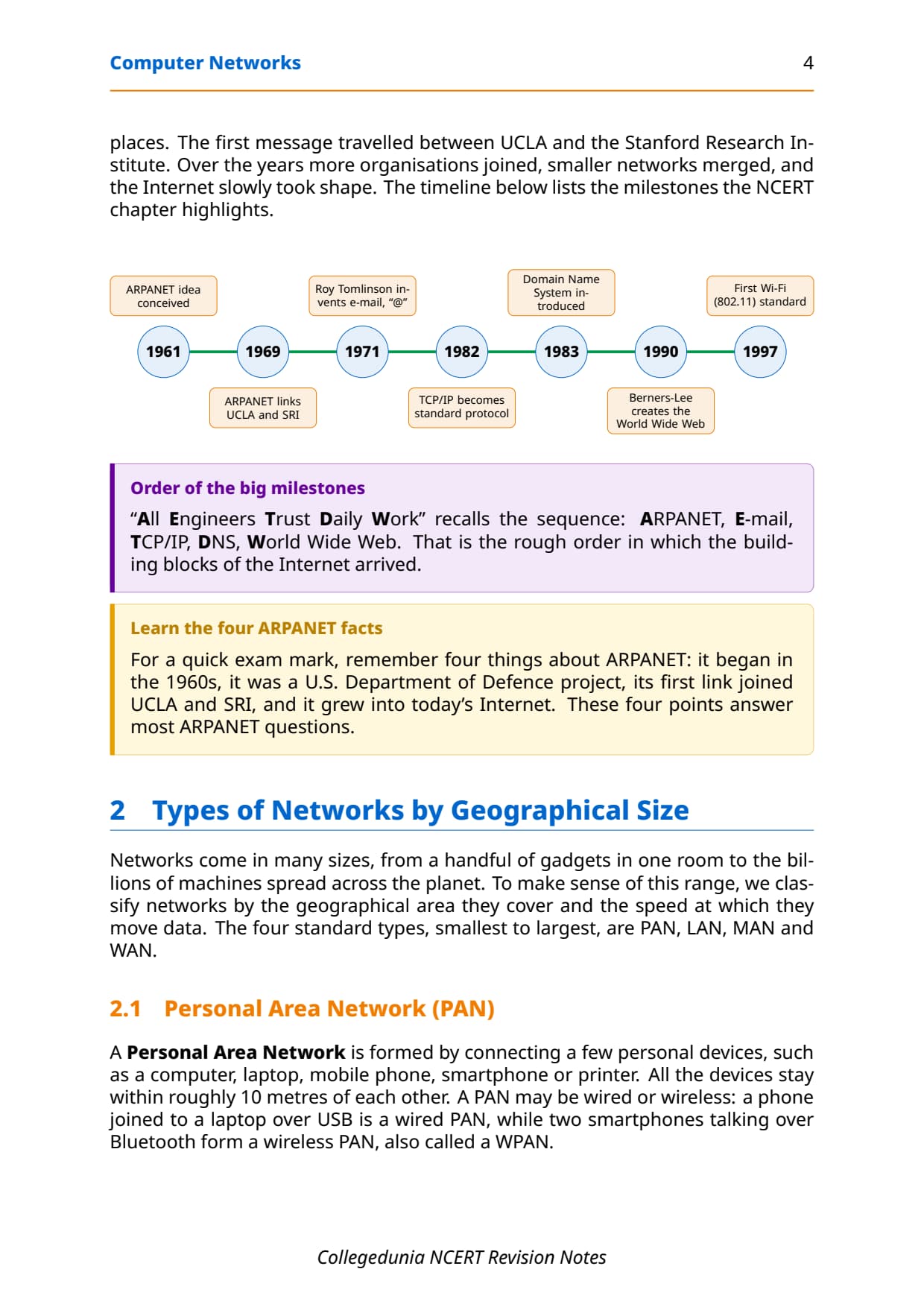
Networks did not appear overnight. In the 1960s a research project called ARPANET (Advanced Research Projects Agency Network), run by the U.S. Department of Defence, set out to connect research institutions. The first message travelled between UCLA and the Stanford Research Institute. Over the years more organisations joined, smaller networks merged, and the Internet slowly took shape.
| Year | Milestone |
|---|---|
| 1969 | ARPANET links UCLA and SRI, the first network message |
| 1971 | Ray Tomlinson invents email and the use of "@" |
| 1982 | TCP/IP becomes the standard protocol |
| 1983 | The Domain Name System (DNS) is introduced |
| 1990 | Tim Berners-Lee creates the World Wide Web |
Types of Networks by Geographical Size: PAN, LAN, MAN, WAN
Networks range from a handful of gadgets in one room to the billions of machines spread across the planet. To make sense of this range, we classify them by the geographical area they cover and the speed at which they move data. The four standard types, smallest to largest, are PAN, LAN, MAN and WAN.
- PAN (Personal Area Network): a few personal devices like a phone, laptop and earbuds, within about 10 metres, often over Bluetooth or USB.
- LAN (Local Area Network): devices in one room, floor, building or campus, up to about 1 km, fast and fairly secure.
- MAN (Metropolitan Area Network): an extended LAN covering a city or town, up to 30 to 40 km, such as a cable TV network.
- WAN (Wide Area Network): links LANs and MANs across countries or continents; the Internet itself is the largest WAN.
| Type | Area covered | Reach | Example |
|---|---|---|---|
| PAN | a person's own devices | about 10 m | phone + earbuds |
| LAN | room, floor, building, campus | up to 1 km | school computer lab |
| MAN | a city or town | 30 to 40 km | cable TV network |
| WAN | countries, continents | global | the Internet |
A LAN uses Ethernet cables, fibre optics or Wi-Fi, with speeds from 10 Mbps (Ethernet) up to 1000 Mbps (Gigabit Ethernet), where Mbps means megabits per second. A MAN can be built by joining many LANs together, and a WAN joins LANs and MANs that sit far apart, even on different continents.
Network Devices in Class 12 Computer Science
To carry data over different media and to build networks with different jobs, we use special hardware called network devices. Each device has a clear role: some convert signals, some join cables, some boost weak signals, and some make smart decisions about where data should go. This section covers every device named in the NCERT chapter.
Modem, NIC and RJ45
A modem (MOdulator DEModulator) bridges the gap between a computer and a phone line. A computer works in digital 0s and 1s, but a telephone line carries analog signals. At the sender's end the modem acts as a modulator, turning digital data into an analog signal; at the receiver's end another modem acts as a demodulator, turning it back into digital data. An Ethernet card, also called a Network Interface Card (NIC), is the adapter that links a computer to a wired network and carries the machine's unique MAC address. The cable plugs into the NIC through an RJ45 connector, an eight-pin plug used only with Ethernet cables.
Repeater, hub, switch, router and gateway
Signals weaken as they travel along a cable, usually after about 100 metres. The devices below either fix that or decide where data should go. A repeater regenerates a weak signal so it can travel further. A hub copies incoming data to every port. A switch reads the destination address and sends data only to the correct port. A router joins different networks, and a gateway guards the door between a whole organisation and the outside world.
| Device | What it does | Smartness |
|---|---|---|
| Repeater | regenerates a weakened signal on a cable | analog booster, no addressing |
| Hub | sends incoming data to every port | none, may cause collisions |
| Switch | sends data only to the correct port | reads address, forwards selectively |
| Router | connects different networks, repackages data | analyses and reroutes packets |
| Gateway | entry and exit point to outside networks | routes by best path, holds a firewall |
Modem versus router
Students often confuse these two. A modem converts signals between digital and analog so your line can reach the Internet. A router shares that single connection among many devices and directs the traffic. Home Wi-Fi boxes simply do both jobs together, which is why one box at home often acts as router, modem and switch at the same time.
Network Topologies and Their Layouts in Class 12
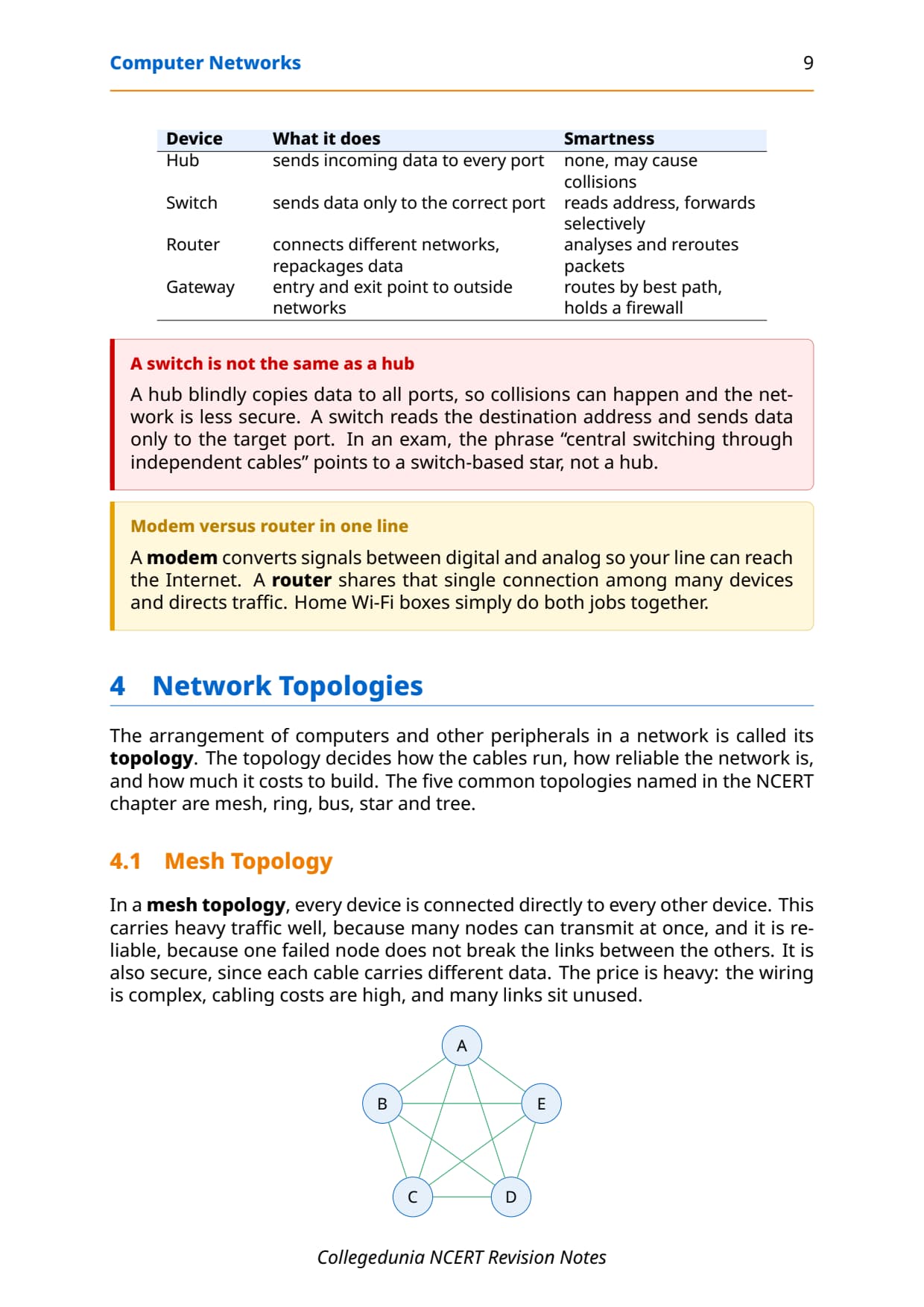
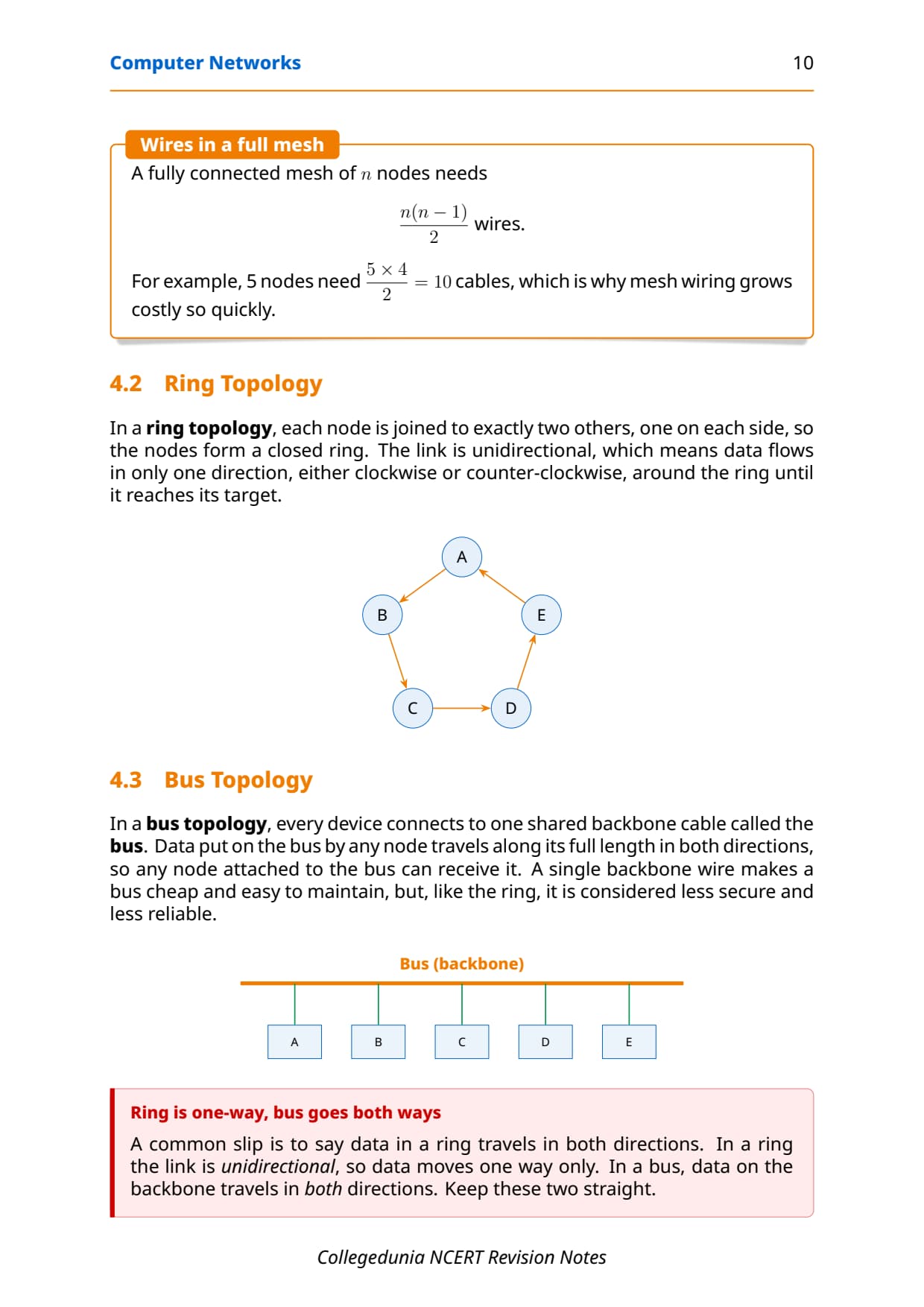
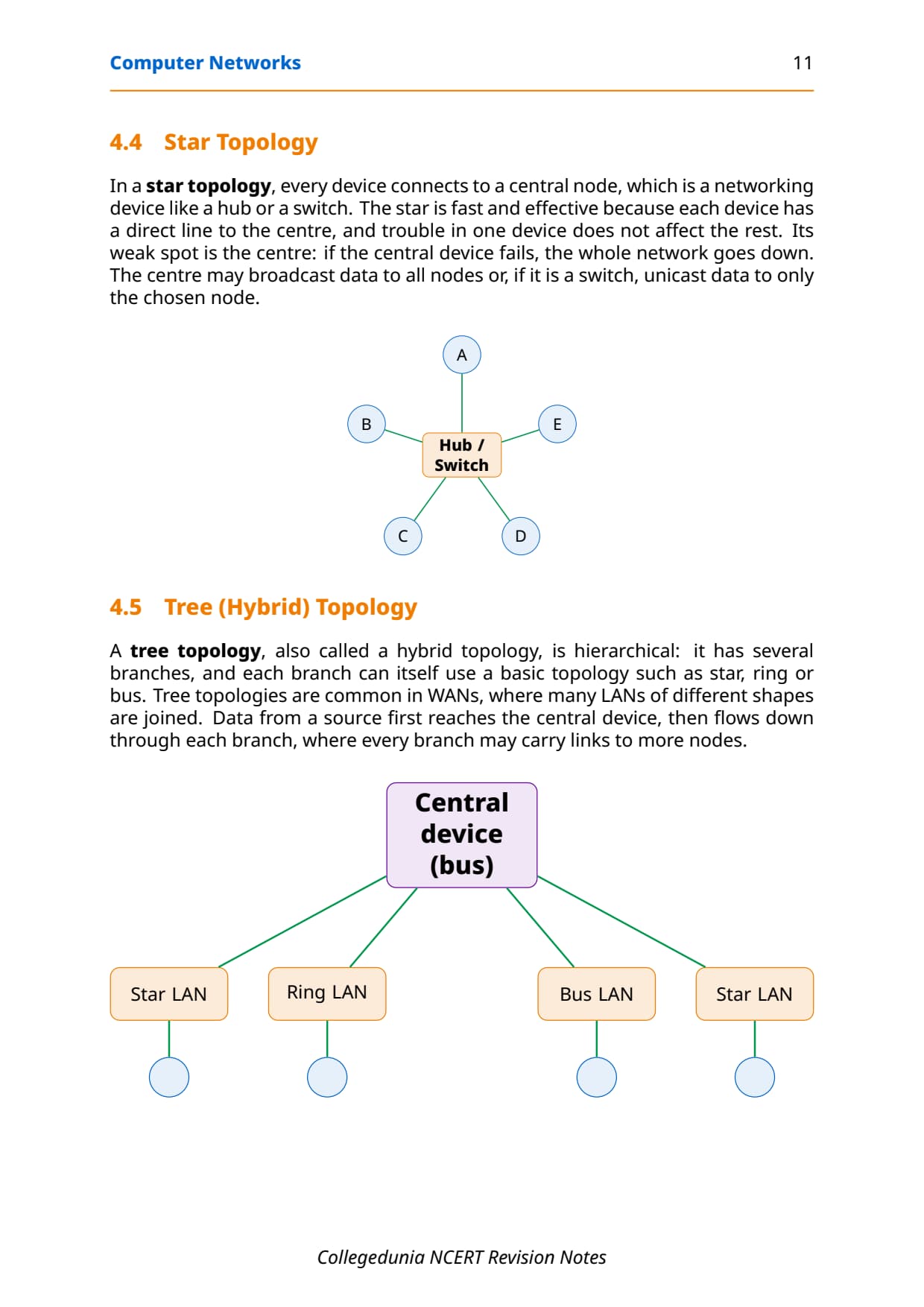
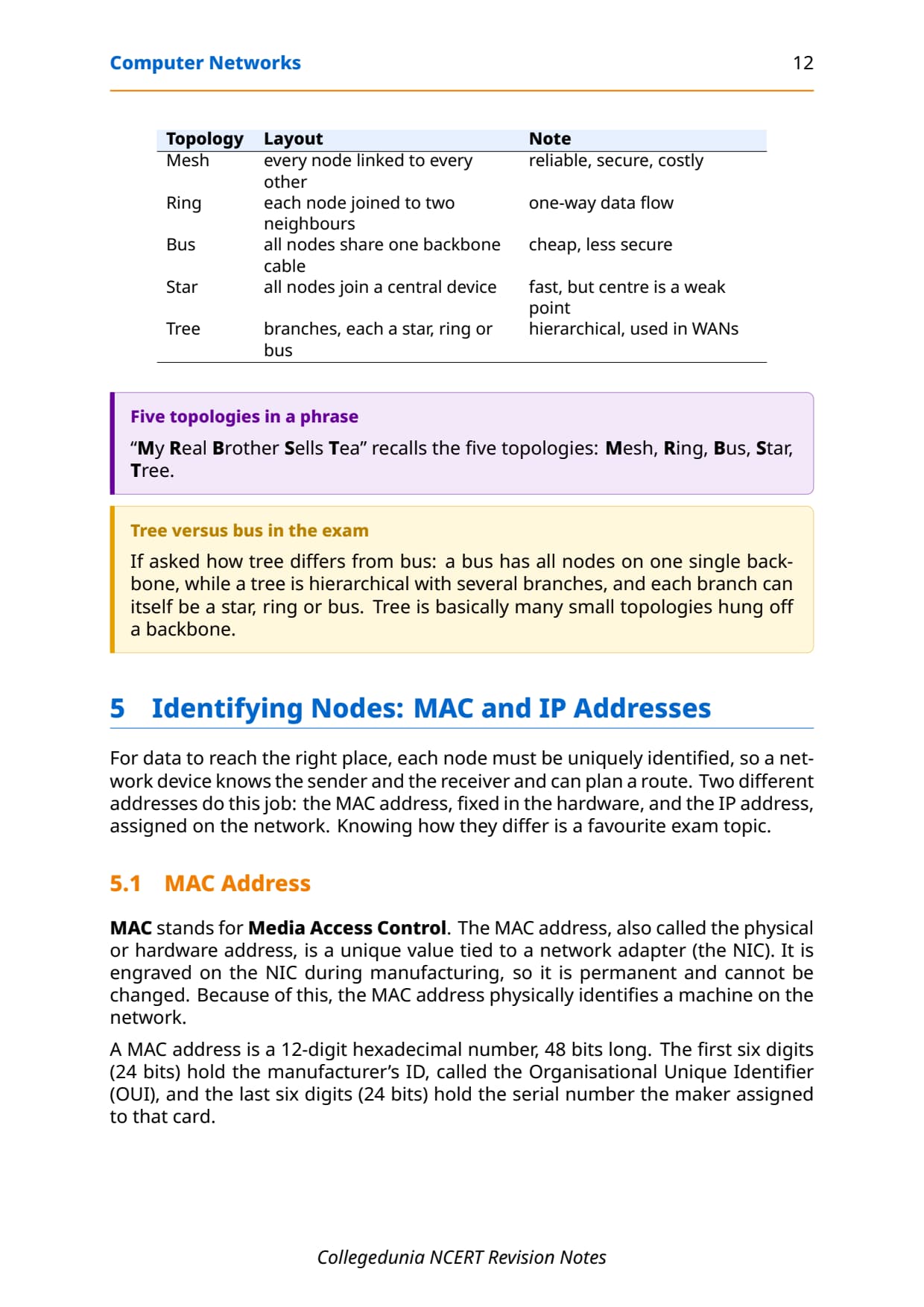
The arrangement of computers and other peripherals in a network is called its topology. The topology decides how the cables run, how reliable the network is, and how much it costs to build. The five common topologies named in the NCERT chapter are mesh, ring, bus, star and tree.
| Topology | Layout | Note |
|---|---|---|
| Mesh | every node linked to every other | reliable, secure, costly |
| Ring | each node joined to two neighbours | one-way data flow |
| Bus | all nodes share one backbone cable | cheap, less secure |
| Star | all nodes join a central device | fast, but centre is a weak point |
| Tree | branches, each a star, ring or bus | hierarchical, used in WANs |
In a mesh, every device connects directly to every other, so it is reliable and secure but the wiring is costly. The number of wires in a full mesh grows fast, following a simple rule. In a ring, each node joins exactly two others and data flows one way only. A bus puts all nodes on one shared backbone cable, while a star connects every device to a central hub or switch.
Wires in a full mesh of n nodes  =  n * (n - 1) / 2

Example, n = 5 nodes:
5 * (5 - 1) / 2 = 5 * 4 / 2 = 10 wiresA tree topology, also called a hybrid topology, is hierarchical: it has several branches, and each branch can itself use a basic topology such as star, ring or bus. Tree topologies are common in WANs, where many LANs of different shapes are joined under one backbone.
Identifying Nodes: MAC Address vs IP Address
For data to reach the right place, each node must be uniquely identified, so a device knows the sender and the receiver and can plan a route. Two different addresses do this job: the MAC address, fixed in the hardware, and the IP address, assigned on the network. Knowing how they differ is a favourite exam topic, so keep this comparison sharp.
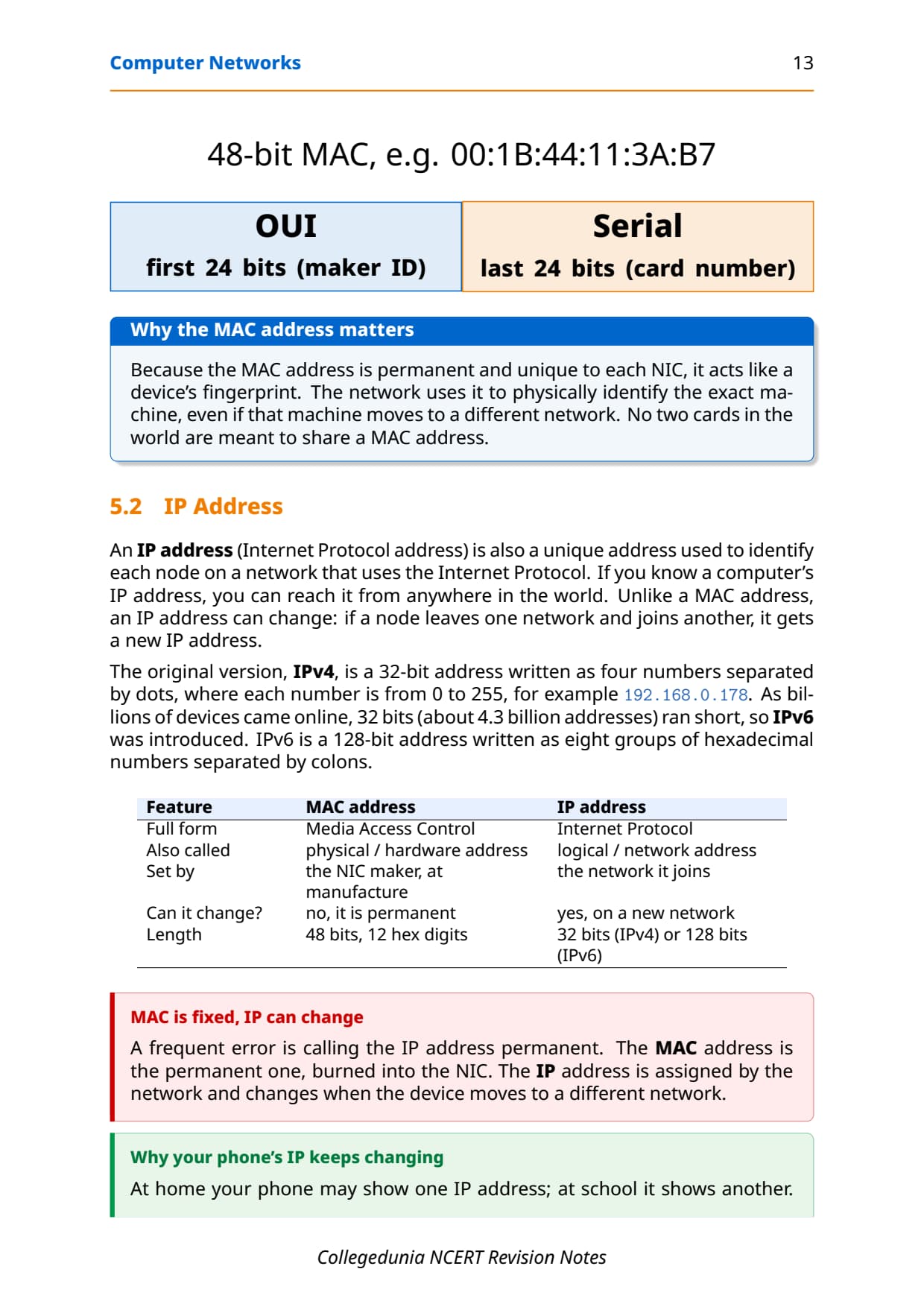
A MAC address (Media Access Control) is a unique value engraved on the NIC during manufacturing, so it is permanent and cannot be changed. It is a 12-digit hexadecimal number, 48 bits long: the first 24 bits hold the maker's ID and the last 24 bits hold the card's serial number. An IP address (Internet Protocol) is a logical address assigned by the network, so it changes when a device joins a different network.
| Feature | MAC address | IP address |
|---|---|---|
| Full form | Media Access Control | Internet Protocol |
| Also called | physical / hardware address | logical / network address |
| Set by | the NIC maker, at manufacture | the network it joins |
| Can it change? | no, it is permanent | yes, on a new network |
| Length | 48 bits, 12 hex digits | 32 bits (IPv4) or 128 bits (IPv6) |
The original IPv4 is a 32-bit address written as four numbers separated by dots, each from 0 to 255, for example 192.168.0.178. As billions of devices came online, the roughly 4.3 billion IPv4 addresses ran short, so IPv6 was introduced: a 128-bit address written as eight groups of hexadecimal numbers separated by colons.
Internet, World Wide Web and DNS in Class 12 Computer Science
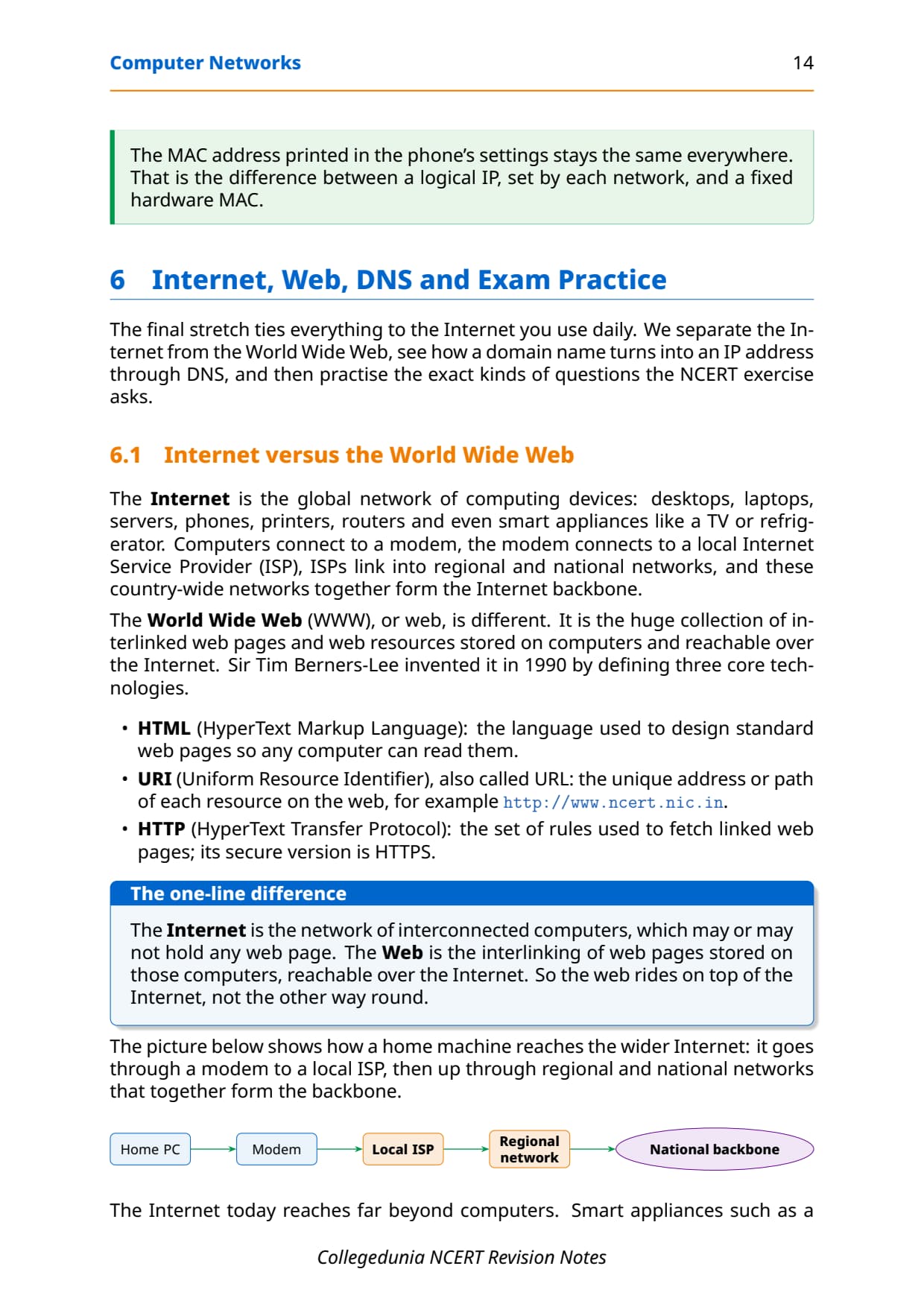
The last stretch ties everything to the Internet you use daily. The Internet is the global network of computing devices: desktops, laptops, servers, phones, printers, routers and even smart appliances. Computers connect to a modem, the modem connects to a local ISP (Internet Service Provider), ISPs link into regional and national networks, and these together form the Internet backbone.
The World Wide Web (WWW), or web, is different. It is the huge collection of interlinked web pages and resources stored on computers and reachable over the Internet. Sir Tim Berners-Lee invented it in 1990 by defining three core technologies, listed below.
- HTML (HyperText Markup Language): the language used to design standard web pages so any computer can read them.
- URI (Uniform Resource Identifier), also called URL: the unique address of each resource on the web, such as
http://www.ncert.nic.in. - HTTP (HyperText Transfer Protocol): the rules used to fetch linked web pages; its secure version is HTTPS.
The Domain Name System (DNS)
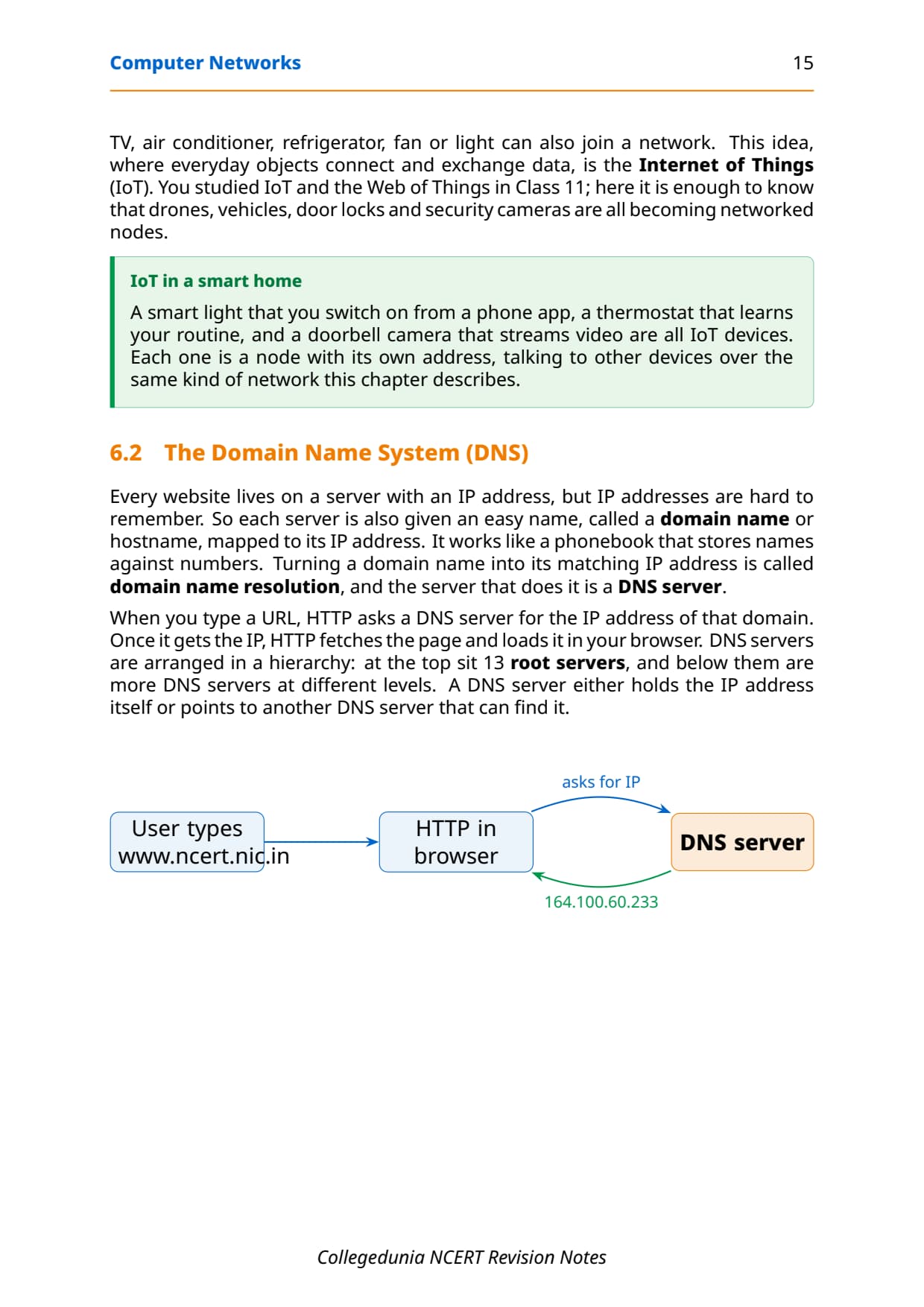
Every website lives on a server with an IP address, but IP addresses are hard to remember. So each server is also given an easy name, a domain name or hostname, mapped to its IP address, the way a phonebook stores names against numbers. Turning a domain name into its matching IP address is called domain name resolution, and the server that does it is a DNS server.
You type :  www.ncert.nic.in
   |
   v   HTTP asks a DNS server for the IP address
DNS server  -->  164.100.60.233   (domain name resolution)
   |
   v   the browser uses that IP to fetch the page
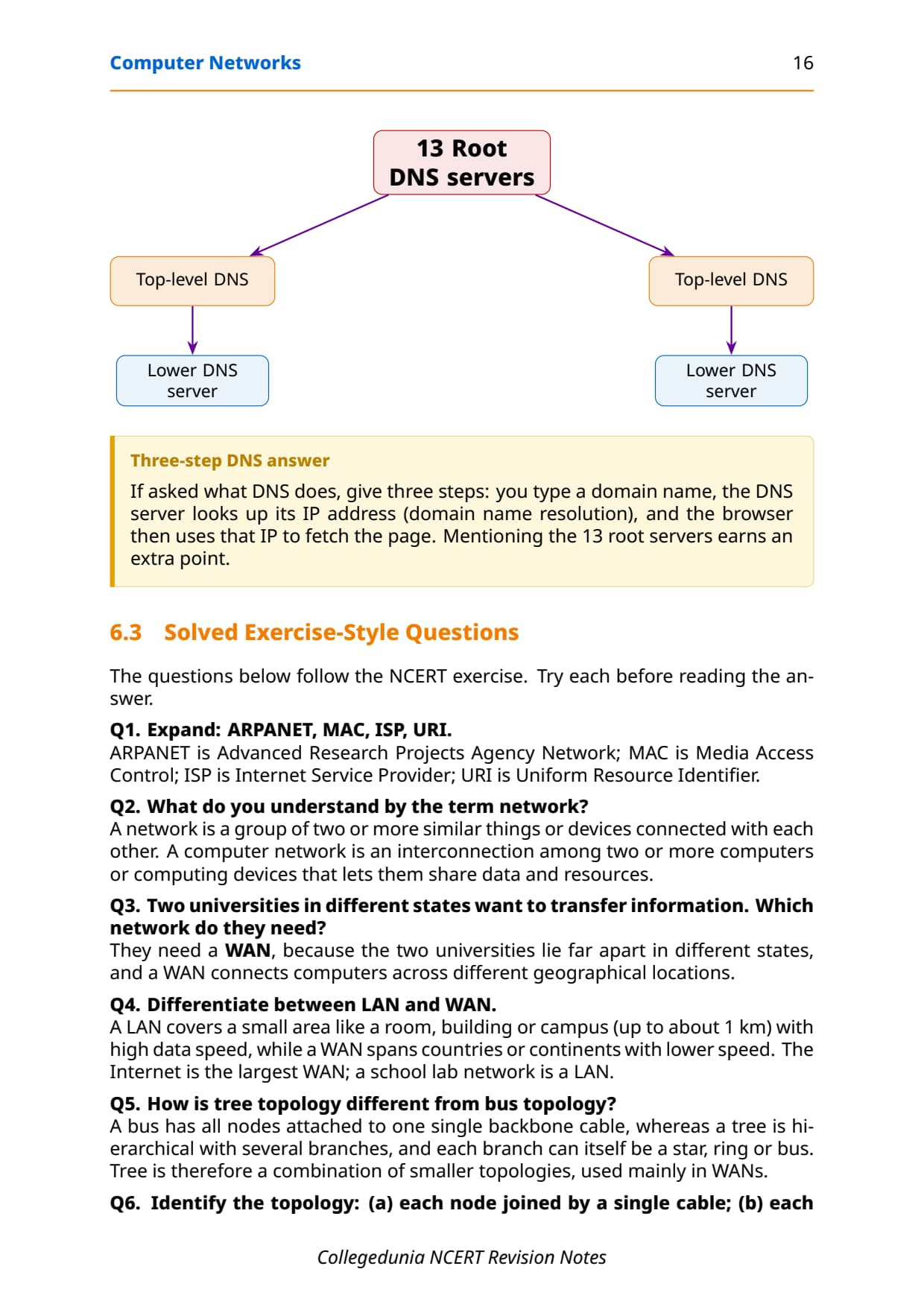
DNS servers are arranged in a hierarchy: at the top sit 13 root servers, and below them are more DNS servers at different levels. A DNS server either holds the IP address itself or points to another DNS server that can find it. The Internet today reaches far beyond computers; smart appliances like a TV, fridge or door lock can also be networked nodes, an idea called the Internet of Things (IoT).
One-Glance Revision Strip and Common Exam Traps
This is the strip to read in the last five minutes before the exam. It lines up the chapter's key facts, then lists the traps that cost students marks every year.
| Topic | One-line fact |
|---|---|
| Network | two or more devices connected to share data and resources; each is a node |
| Types | PAN (10 m), LAN (1 km), MAN (a city), WAN (the globe); Internet is the largest WAN |
| Devices | modem (digital/analog), hub (all ports), switch (one port), router (joins networks) |
| Topologies | mesh, ring, bus, star, tree; full mesh of n nodes needs n(n-1)/2 wires |
| Addresses | MAC is a fixed 48-bit hardware ID; IP (IPv4 32-bit, IPv6 128-bit) is set by the network |
The repeat-offender mistakes in Computer Networks board answers:
- Choosing a network type by speed alone: decide by area first, PAN then LAN then MAN then WAN.
- Calling the IP address permanent: the MAC is permanent, burned into the NIC; the IP can change on a new network.
- Treating a hub like a switch: a hub copies data to all ports; a switch sends only to the target port.
- Saying ring data flows both ways: a ring is one-directional; only a bus carries data in both directions.
- Mixing up the Internet and the Web: the Internet is the network of computers; the web is the linked pages on it.
How to Use the Computer Networks Notes PDF for Board Revision
The Computer Networks chapter is definition-heavy and diagram-heavy. The best approach is two passes: one for the terms and comparisons, one for drawing the diagrams by hand.
First pass: terms and comparisons
Read these notes and lock the three comparison tables: PAN vs LAN vs MAN vs WAN, hub vs switch vs router vs gateway, and MAC vs IP address. Say one line of meaning aloud for each device and each topology so the terms stick before you start the diagrams.
Second pass: draw the diagrams
Draw the five topologies, mesh, ring, bus, star and tree, on paper, and sketch a star and a bus topology connecting five computers, since that exact diagram is a common board question. Then write out the full forms of ARPANET, MAC, ISP and URI from memory.
JEE and CUET angle
For students preparing competitive exams, networking basics appear in CUET Computer Science and in the general-awareness sections of several entrance tests. The network-type definitions, the device roles and the MAC-versus-IP distinction are exactly the kind of one-line facts those papers reuse, so this revision doubles as competitive prep.
Previous Year Question Trends from the Computer Networks Chapter
The Computer Networks chapter is tested in CBSE board papers mainly through definitions, full-form expansions, comparison questions and small topology diagrams. The table below maps the asked question types across recent board papers, so your revision can target the high-frequency areas.
| Year | Question type asked | Marks |
|---|---|---|
| 2025 | Differentiate between LAN and WAN; name two network devices | 2 + 1 |
| 2024 | Expand ARPANET, MAC, ISP, URI; what is a node | 2 + 1 |
| 2023 | Draw star and bus topology for five computers; which is more reliable | 3 |
| 2022 | How is an IP address different from a MAC address | 2 |
| 2021 | What is DNS; difference between the Internet and the World Wide Web | 2 + 2 |
Also Check: The full set of CBSE board paper questions for this chapter, with step-by-step answers, is included in the downloadable PDF above, updated for the 2026-27 cycle.
Other Resources for Class 12 Computer Science Chapter 10 Computer Networks
Pair these revision notes with the matching NCERT Solutions, handwritten notes and the official NCERT book chapter. All resources for Class 12 Computer Science Chapter 10 Computer Networks are linked below.
| Resource | What it covers | Open |
|---|---|---|
| Notes | Concept-first revision notes on network types, devices, topologies, MAC and IP addresses, and DNS. | You are here |
| NCERT Solutions | Step-by-step answers to all 16 exercise questions, with an Expert Solution for each. | Class 12 Computer Science Chapter 10 NCERT Solutions |
| Handwritten Notes | Scanned-style handwritten pages for last-minute board revision. | Class 12 Computer Science Chapter 10 Handwritten Notes |
| NCERT Book PDF | Official NCERT Computer Science Chapter 10 Computer Networks textbook in PDF form. | Class 12 Computer Science Chapter 10 NCERT Book PDF |
Notes for Class 12 Computer Science: All Chapters
Related Links: Use the table below to open the revision notes for the other chapters of Class 12 Computer Science. Every chapter ships with the same concept-first notes style, full PDF download, and revision FAQ.
| Chapter | Notes link |
|---|---|
| Chapter 1 | Exception Handling in Python Notes |
| Chapter 2 | File Handling in Python Notes |
| Chapter 3 | Stack Notes |
| Chapter 4 | Queue Notes |
| Chapter 5 | Sorting Notes |
| Chapter 6 | Searching Notes |
| Chapter 7 | Understanding Data Notes |
| Chapter 8 | Database Concepts Notes |
| Chapter 9 | Structured Query Language (SQL) Notes |
| Chapter 10 | Computer Networks Notes (You are here) |
| Chapter 11 | Data Communication Notes |
| Chapter 12 | Security Aspects Notes |
Notes Class 12 Computer Science Chapter 10 Computer Networks FAQs
Ques. What does Chapter 10 Computer Networks cover in Class 12 Computer Science?
Ans. Chapter 10 covers how separate computers join up and talk to each other. The notes explain what a network, a node and a packet are, the short history from ARPANET to the Internet, and the four network types PAN, LAN, MAN and WAN sorted by area. They then describe the network devices, the modem, NIC, RJ45, repeater, hub, switch, router and gateway, the five topologies mesh, ring, bus, star and tree, how MAC and IP addresses differ, what DNS does, and how the Internet differs from the World Wide Web, all aligned with the 2026-27 CBSE syllabus.
Ques. What is the difference between LAN, MAN and WAN in Class 12 Computer Science?
Ans. The three are sorted by the area they cover. A LAN, or Local Area Network, connects devices in a single room, floor, building or campus, reaches up to about 1 km, and is fast and fairly secure, such as a school computer lab. A MAN, or Metropolitan Area Network, is an extended LAN that covers a city or town, reaches about 30 to 40 km, and is often built by joining many LANs, such as a cable TV network. A WAN, or Wide Area Network, links LANs and MANs across countries or continents; the Internet itself is the largest WAN. Speed usually drops as the area grows.
Ques. How is a MAC address different from an IP address?
Ans. A MAC address, Media Access Control, is a permanent 48-bit hardware address engraved on the Network Interface Card by the maker, so it never changes and physically identifies the device. An IP address, Internet Protocol, is a logical address assigned by the network the device joins, so it changes when the device moves to a different network. IPv4 is 32 bits long, written as four numbers separated by dots, while IPv6 is 128 bits long, written as eight groups of hexadecimal numbers separated by colons. In short, the MAC identifies the device physically and is fixed, while the IP identifies it on the network and can change.
Ques. What is the difference between a hub and a switch?
Ans. A hub is a simple device that copies any data arriving on one port to every other port, so all connected devices receive it. This can cause collisions when two devices send at the same time, and it is less secure because every device sees the data. A switch is smarter: it reads the destination address from the packet, looks it up in a table, and sends the data only to the correct port. Because of this selective forwarding, a switch avoids needless collisions and is more secure. In a board question, the phrase central switching through independent cables points to a switch-based star topology.
Ques. What are the five network topologies and how many wires does a mesh need?
Ans. The five topologies are mesh, ring, bus, star and tree, recalled by the phrase My Real Brother Sells Tea. In a mesh, every node connects to every other node, which is reliable and secure but costly; a full mesh of n nodes needs n times (n minus 1) divided by 2 wires, so five nodes need 10 cables. In a ring, each node joins two neighbours and data flows one way only. In a bus, all nodes share one backbone cable and data travels both ways. In a star, every node joins a central hub or switch. A tree is hierarchical, with branches that can each be a star, ring or bus, and is common in WANs.
Ques. What is DNS and what is a DNS server?
Ans. DNS stands for Domain Name System. It maps an easy-to-remember domain name, such as www.ncert.nic.in, to the numeric IP address of the server that hosts the website, the way a phonebook stores names against numbers. Turning a domain name into its matching IP address is called domain name resolution. A DNS server is the computer that stores this mapping and performs the resolution: when you type a domain name, HTTP asks a DNS server for the IP address, and the browser then uses that IP to fetch the page. DNS servers are arranged in a hierarchy, with 13 root servers at the top and more servers at lower levels.
Ques. How many pages is the Class 12th Computer Science Computer Networks Notes PDF?
Ans. The Computer Networks Notes PDF runs about 20 pages and covers the full chapter in concept-first revision blocks, with labelled diagrams of every topology and device, comparison tables for network types and addresses, common traps and a one-glance revision strip. The PDF is free to download for the 2026-27 session, and a green Handwritten Notes button on this page opens the scanned-style version for last-minute revision.
Ques. Are these Notes for Class 12 Computer Science Chapter 10 aligned with the 2026-27 syllabus?
Ans. Yes. This page reflects the current 2026-27 CBSE syllabus for Class 12 Computer Science. The Computer Networks chapter is unchanged for the current cycle, and these notes follow the NCERT textbook, covering the meaning of a network, the four network types, the network devices, the five topologies, MAC and IP addresses, DNS and the difference between the Internet and the World Wide Web. The notes are useful for the CBSE board exam, and the same ideas help with CUET Computer Science and general computing questions in other entrance tests.



Comments