




Searching is the chapter where most students lose marks on the binary search step, usually by forgetting that the list must be sorted first or by mixing up the low, high and mid pointers. These Searching Class 12 Computer Science handwritten notes walk through linear search, binary search and hashing with boxed code, according to the latest 2026-27 CBSE syllabus.
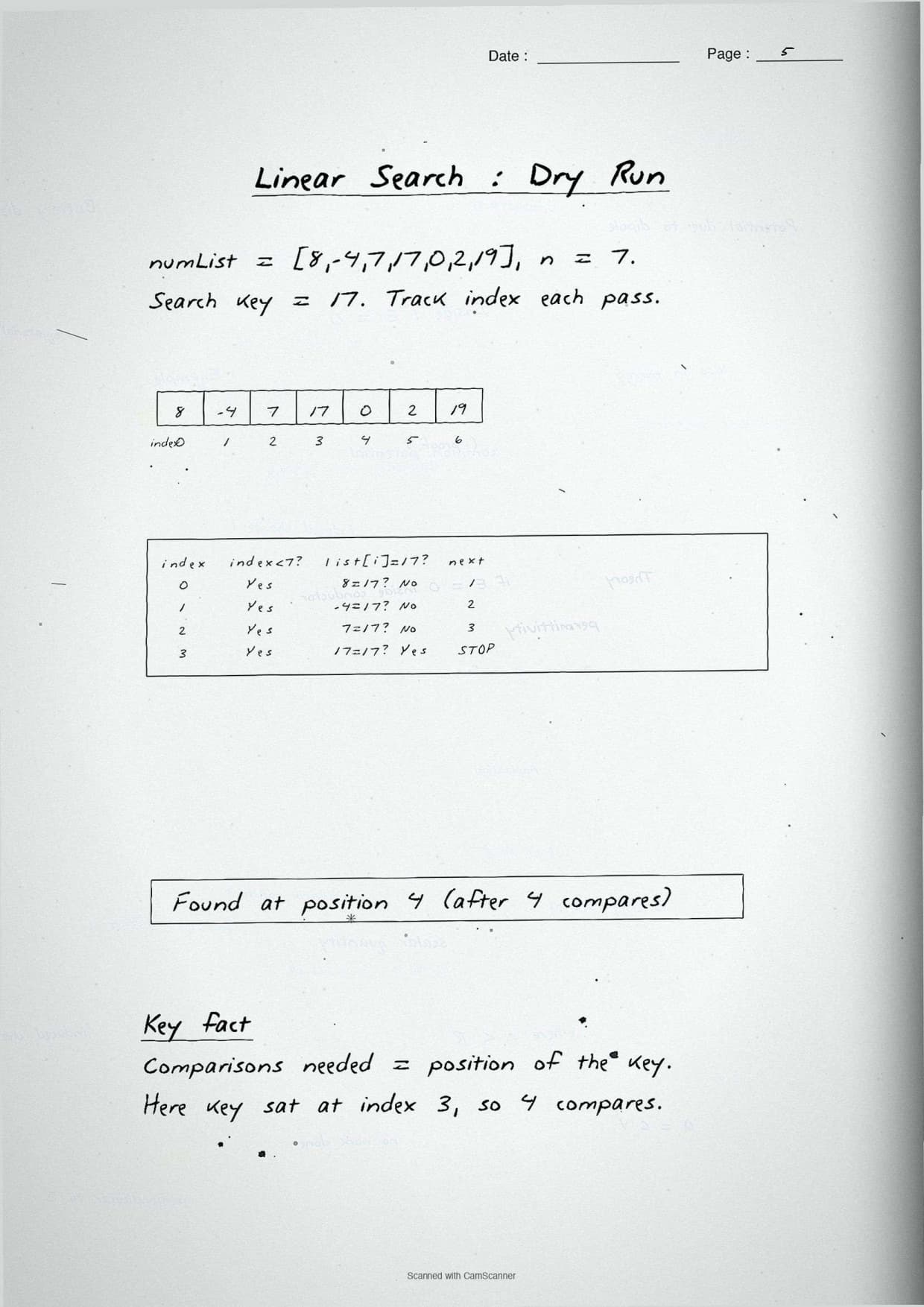
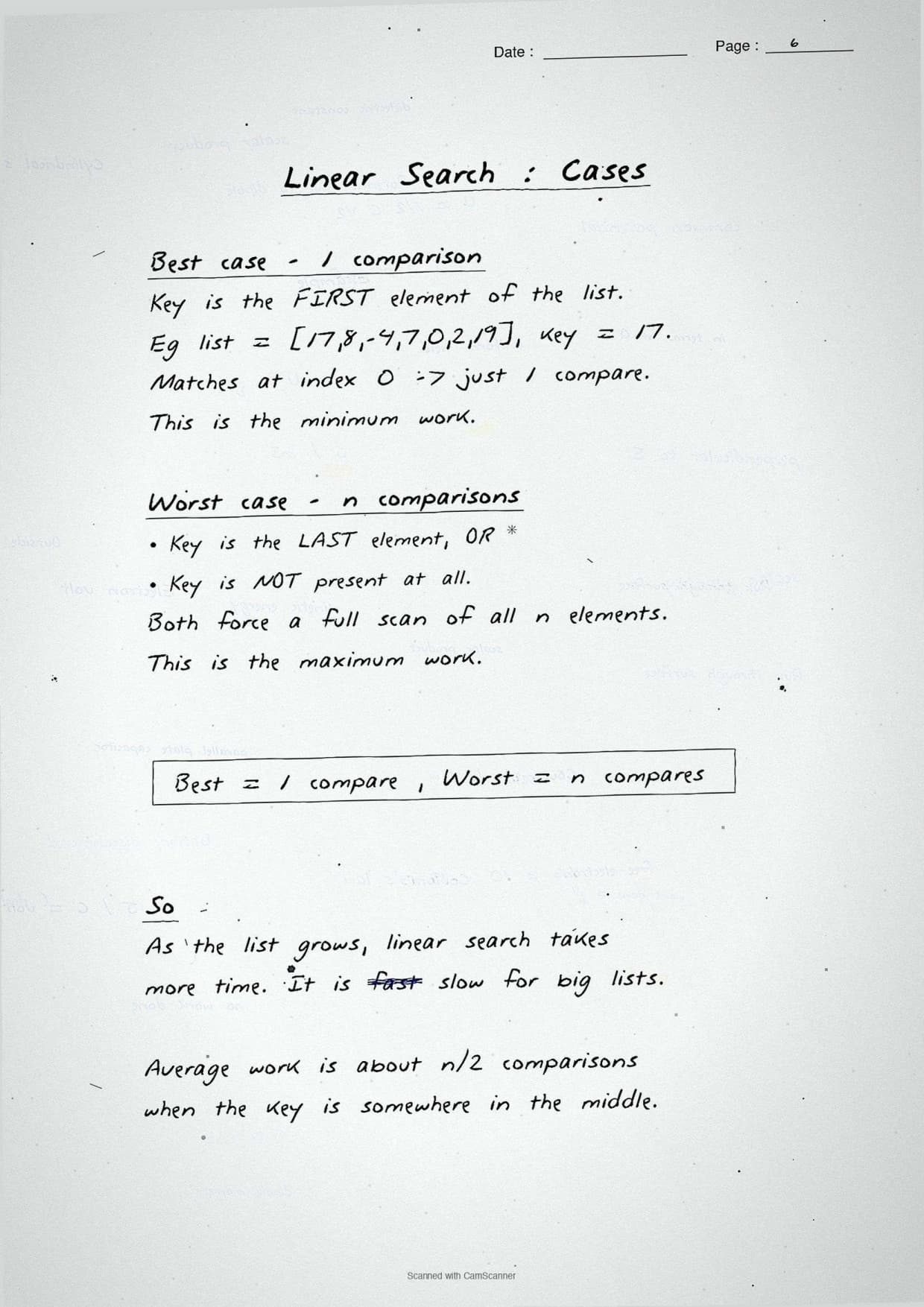
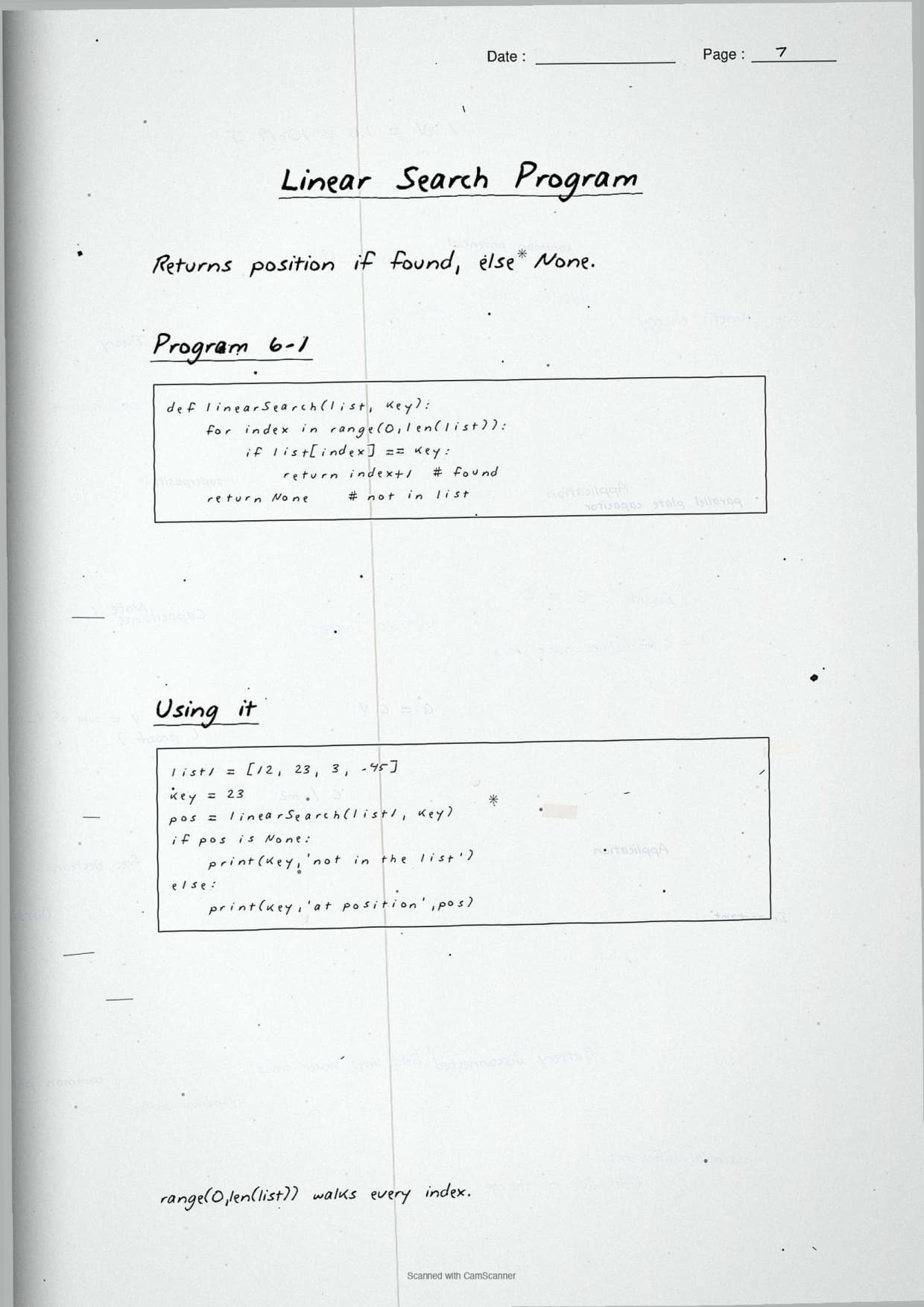
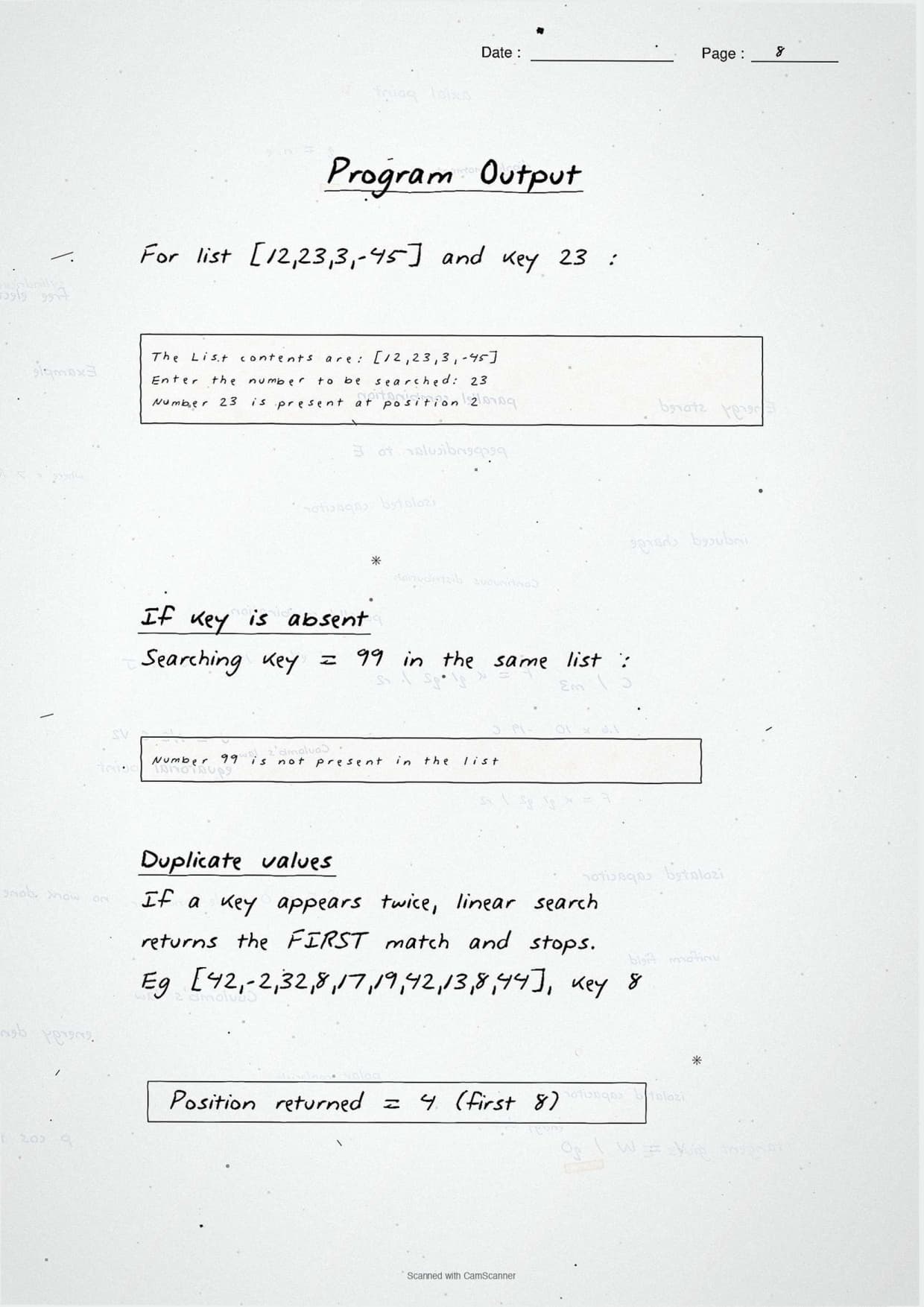
- CBSE Weightage: 6 to 8 marks from Unit 1 (Computational Thinking and Programming-2), shared with Sorting.
- Boxed Python code for linear search, binary search and hash tables, plus a key-comparison count table.
- Pairs with the NCERT Solutions, Notes and Book PDF linked lower on this page.
These Searching handwritten notes are prepared from the official NCERT Computer Science textbook and matched to the 2026-27 CBSE syllabus.
Student Feedback: In a Collegedunia poll of 11,700 Class 12 Computer Science students before the 2026 boards, 76% of students said the hand-drawn binary search pointer diagram was the fastest way to remember the low-mid-high update rule. Most students copied the boxed code blocks straight onto practice answer sheets.
Source: 2026-27 Class 12 Computer Science student poll. Sample of 11,700 students from CBSE schools across 14 states.
What These Searching Handwritten Notes Include
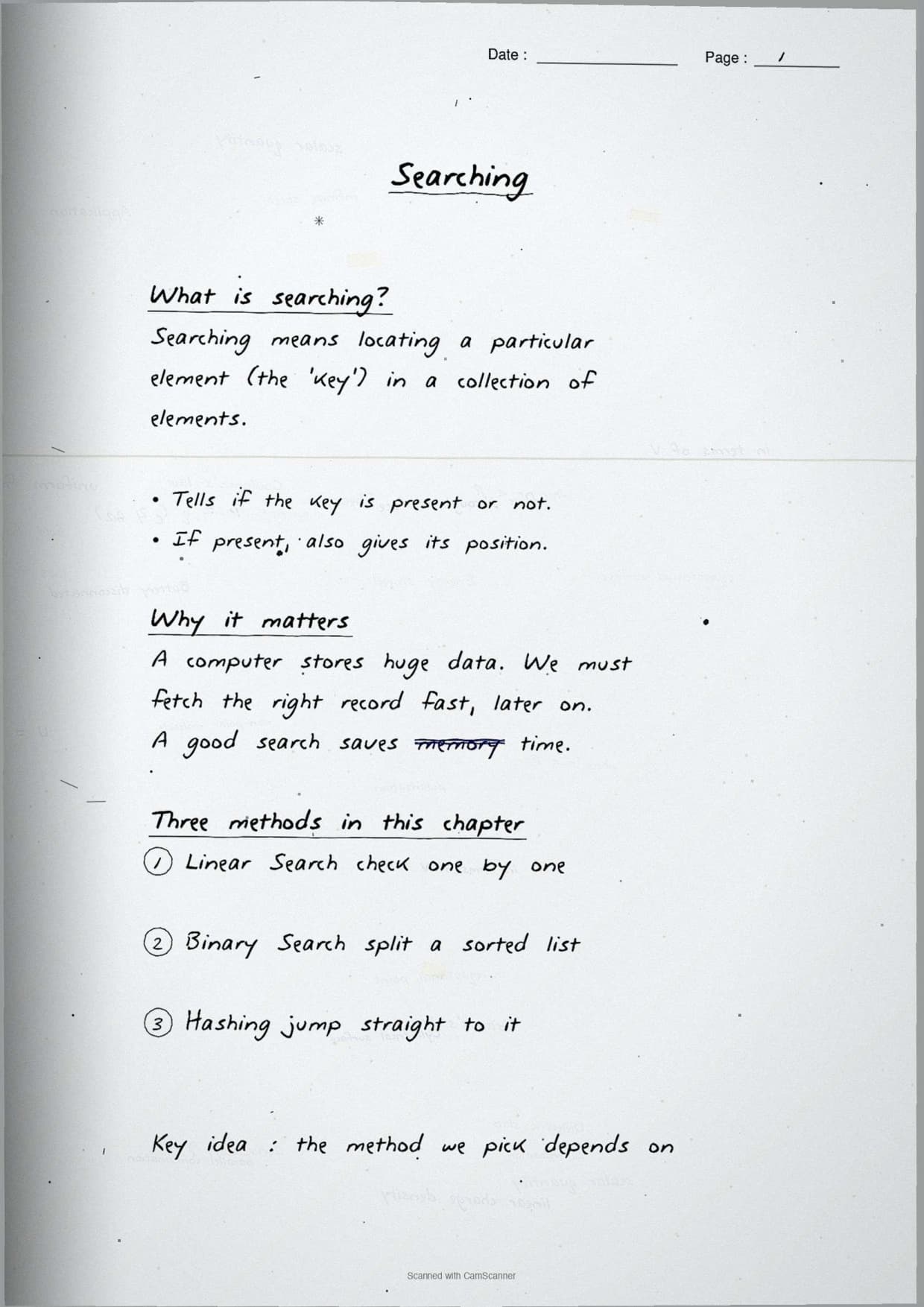
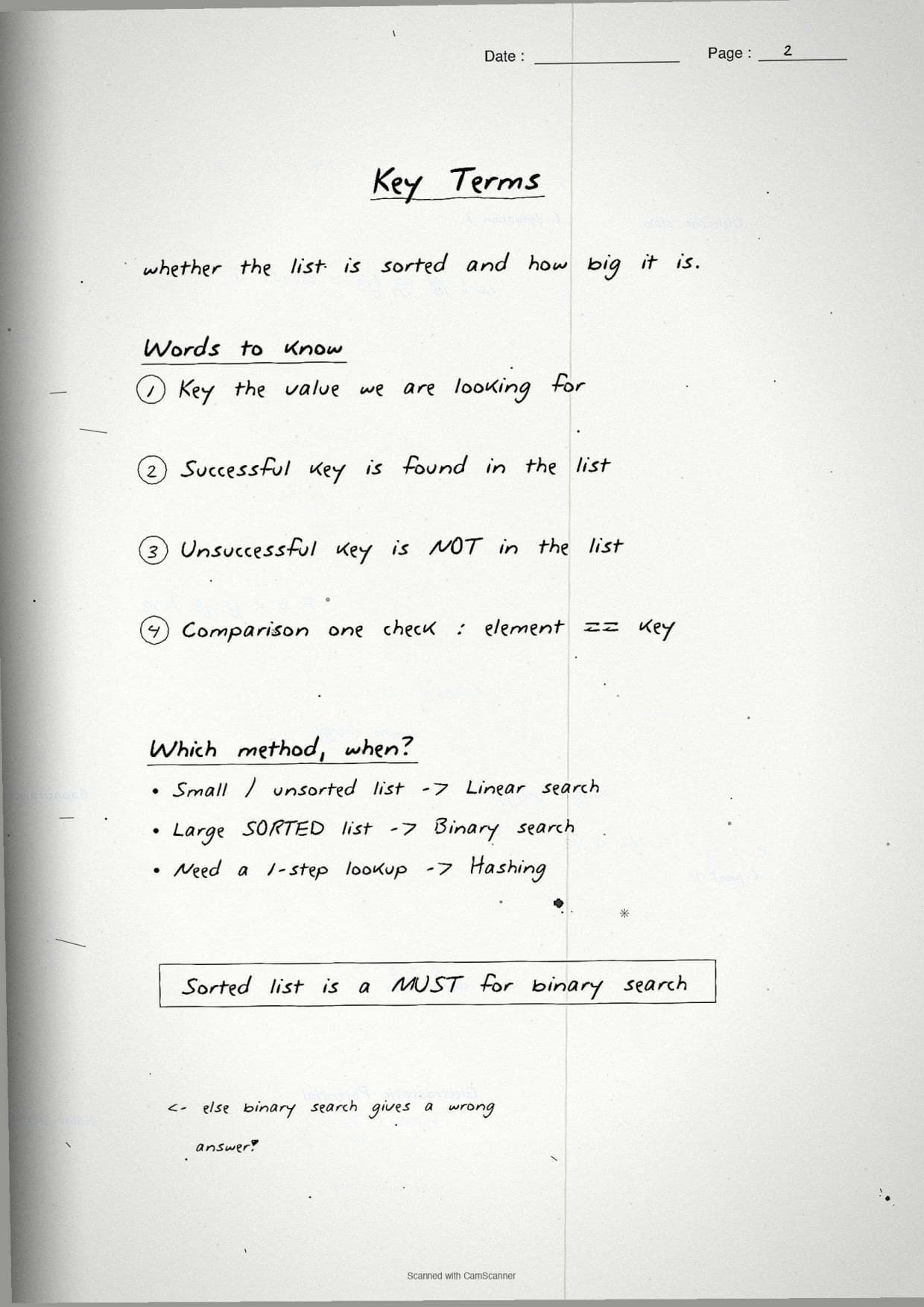
Typed notes read like a textbook. Handwritten notes read like a friend's revision book, so the eye finds the keyword fast on exam day. These Searching handwritten notes condense the whole chapter into 24 handwritten pages of ruled paper, with every search program in a box and each comparison count circled.
The pages are built around the three search methods the CBSE board paper tests:
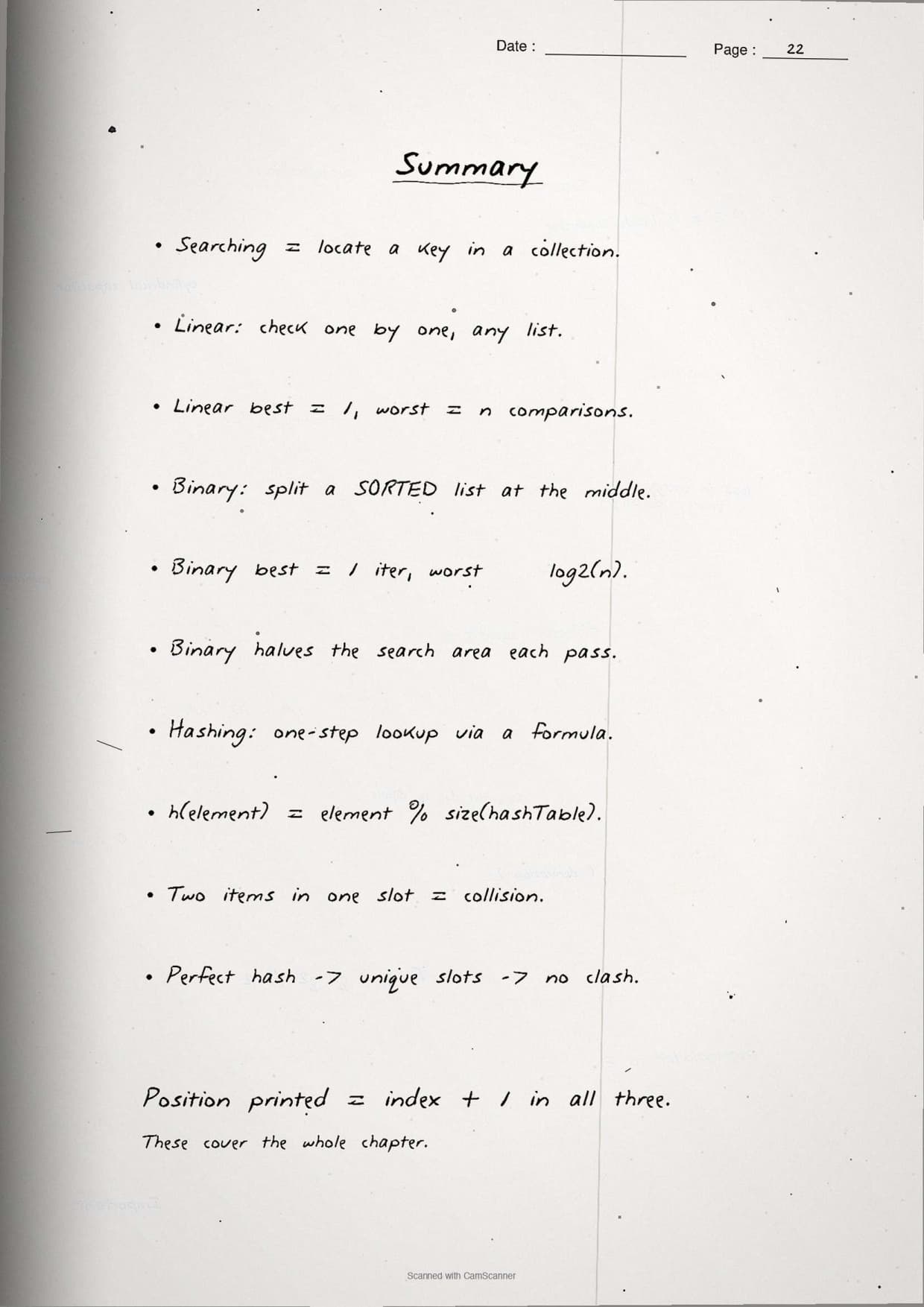
- Linear search: check each item one by one until the key is found or the list ends.
- Binary search: halve a sorted list each pass using
low,highandmid. - Hashing: jump straight to a slot using a
hash function, so the search is near-instant.
Because the notes are handwritten, the code blocks sit in pen-drawn boxes and the keys are circled, so locating a single line during last-week revision takes seconds. This makes the set ideal for a fast recap the night before the exam.
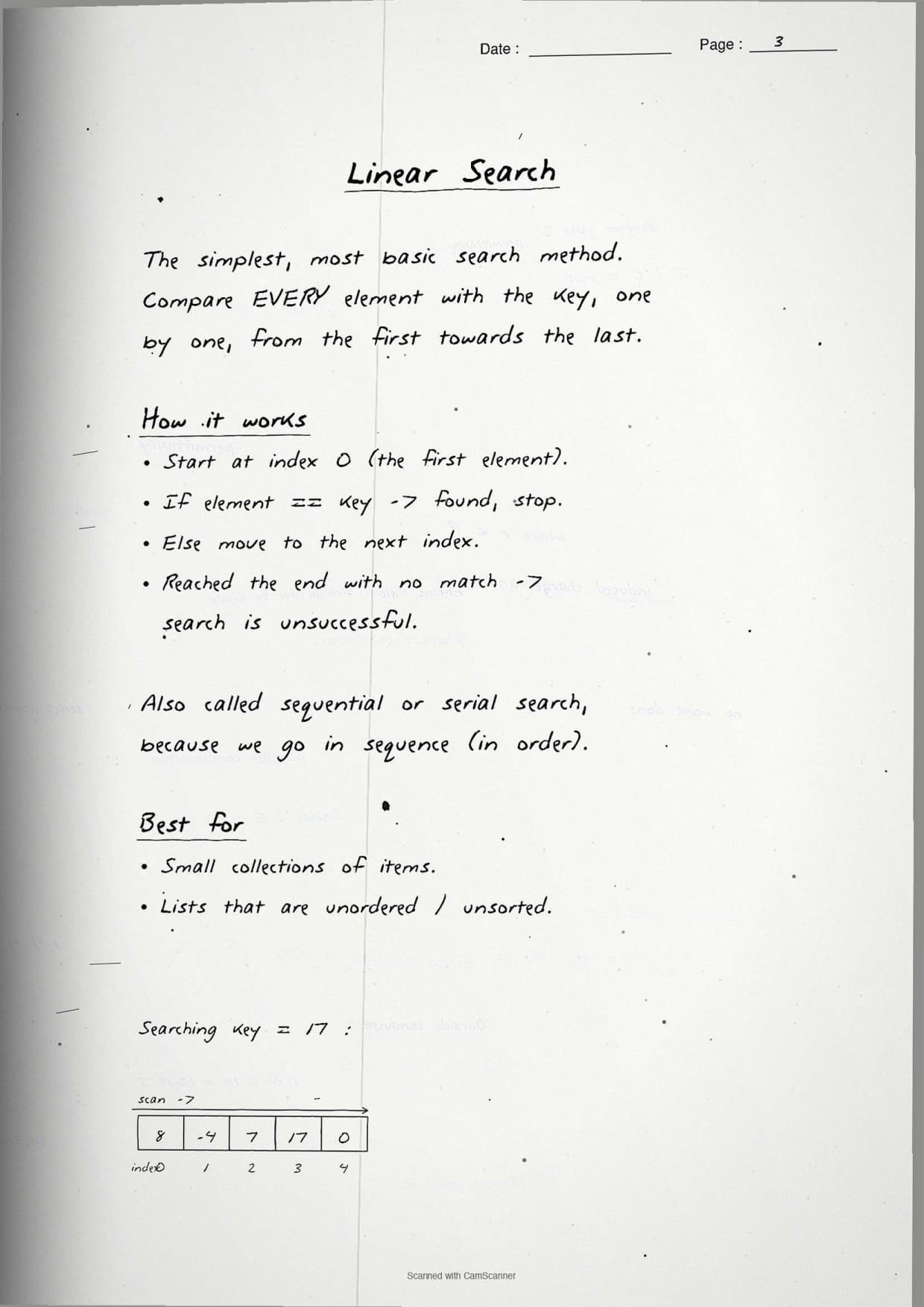
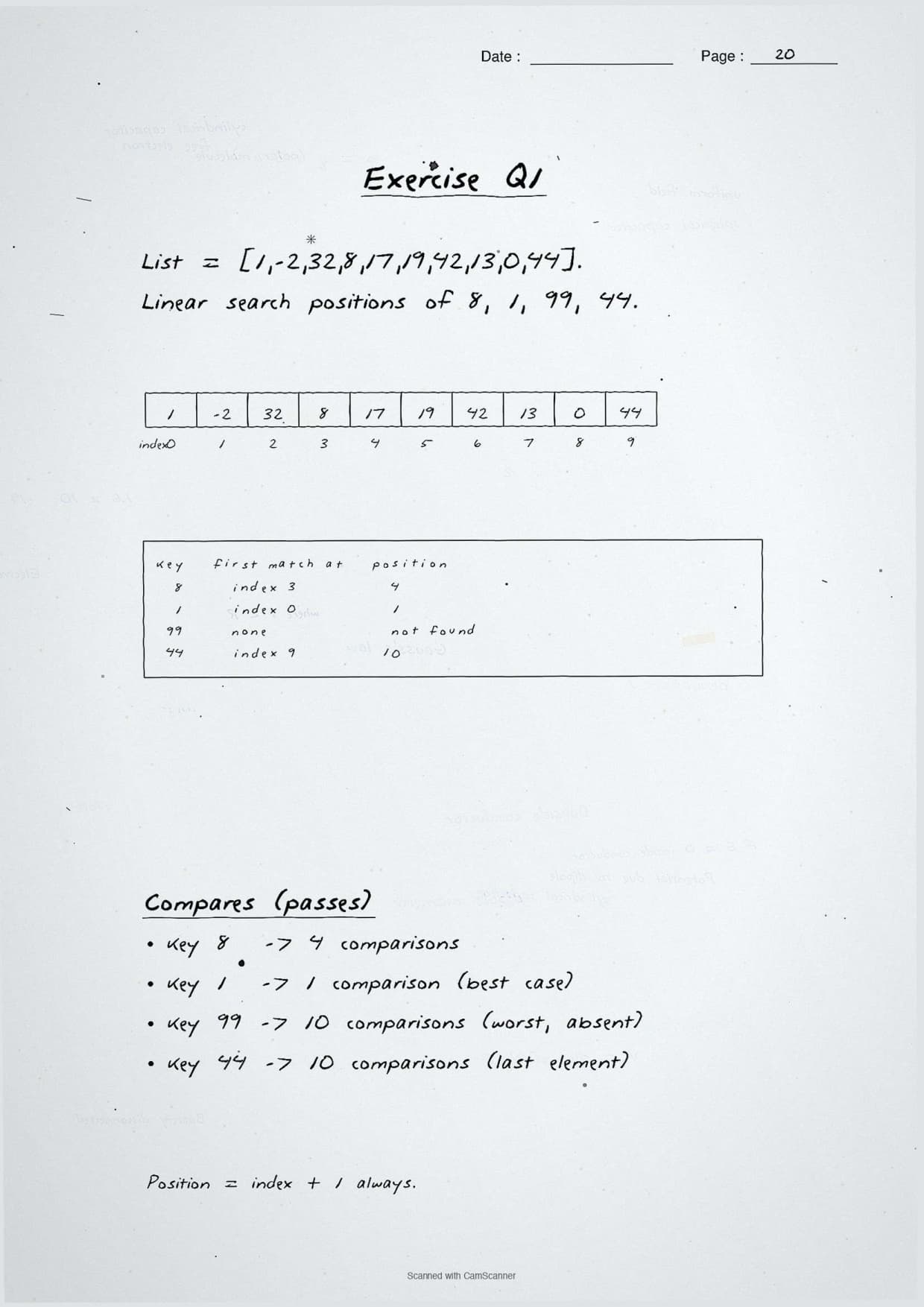
Linear Search: The First Page of the Notes
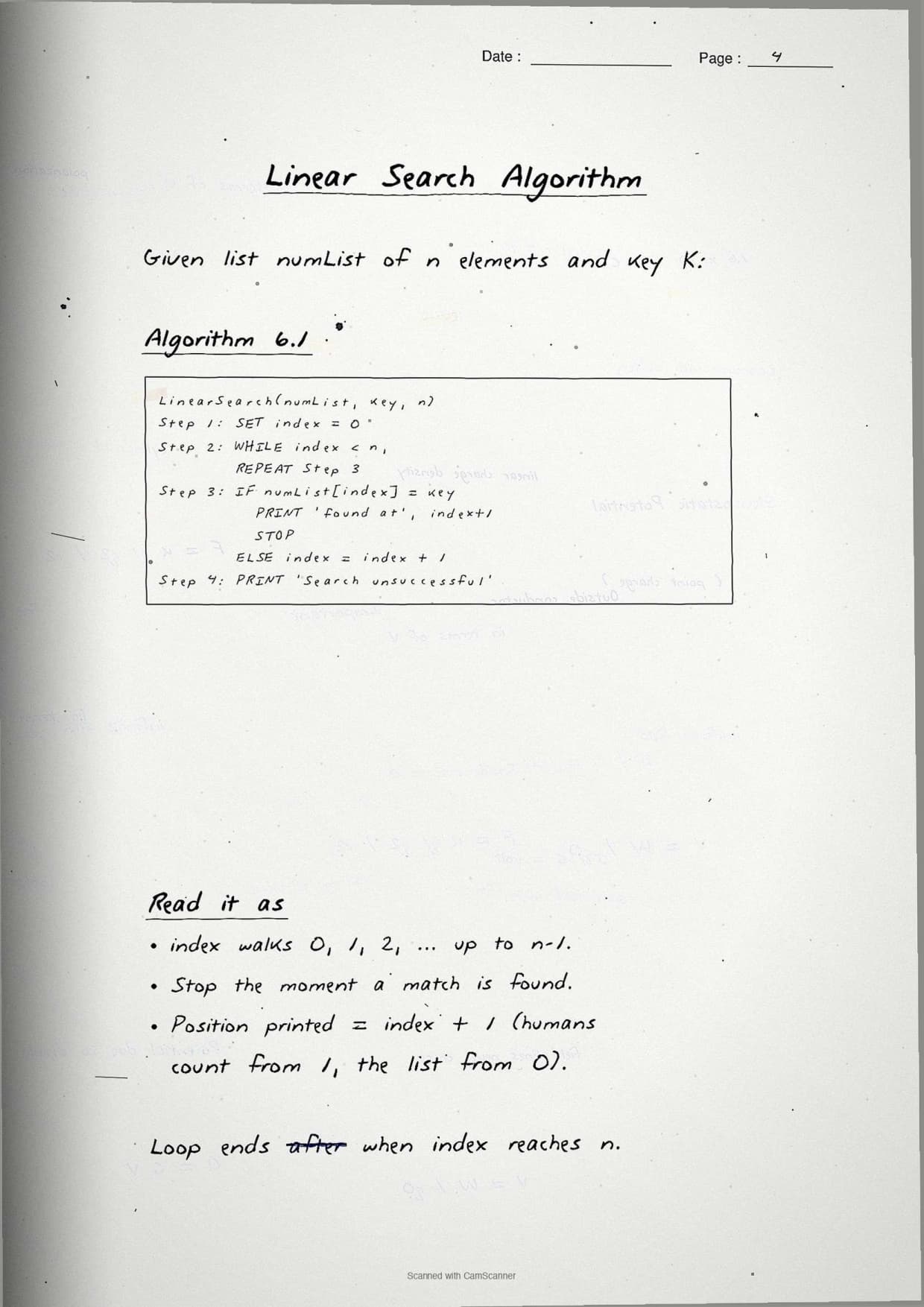
The opening page settles the simplest method: linear search. The notes box the one-line idea and back it with a short program, so students can reproduce the answer from memory. The search walks the list from index 0 and stops the moment it meets the key.
- Idea: compare the key with each element in turn, left to right.
- Found: return the index of the first match.
- Not found: reach the end of the list and return -1.
- Works on: any list, sorted or unsorted.
The boxed program below mirrors the page. It returns the position of the key, or -1 when the key is absent:
def linear_search(arr, key):
    for i in range(len(arr)):
        if arr[i] == key:
            return i        # key found at index i
    return -1               # key not in the list

numbers = [1, -2, 32, 8, 17, 19, 42, 13, 0, 44]
print(linear_search(numbers, 8))    # output: 3
The margin note boxes the exam point students miss with duplicates: linear search returns the position of the first match only. In a list like [42, -2, 32, 8, 17, 19, 42, 13, 8, 44], searching for 8 returns index 3, not index 8, because the search stops at the first 8 it meets.
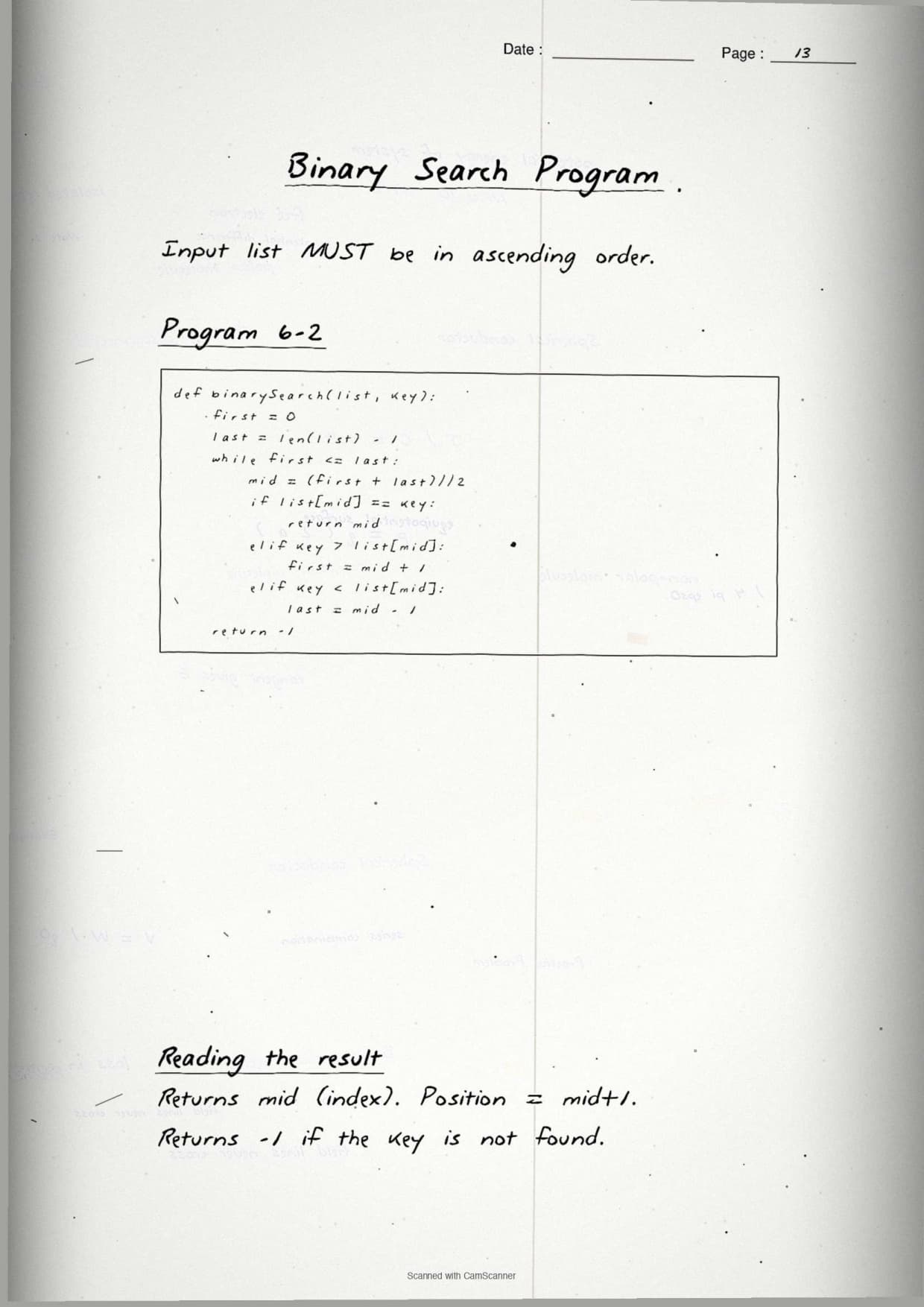
Binary Search and the Sorted-List Rule
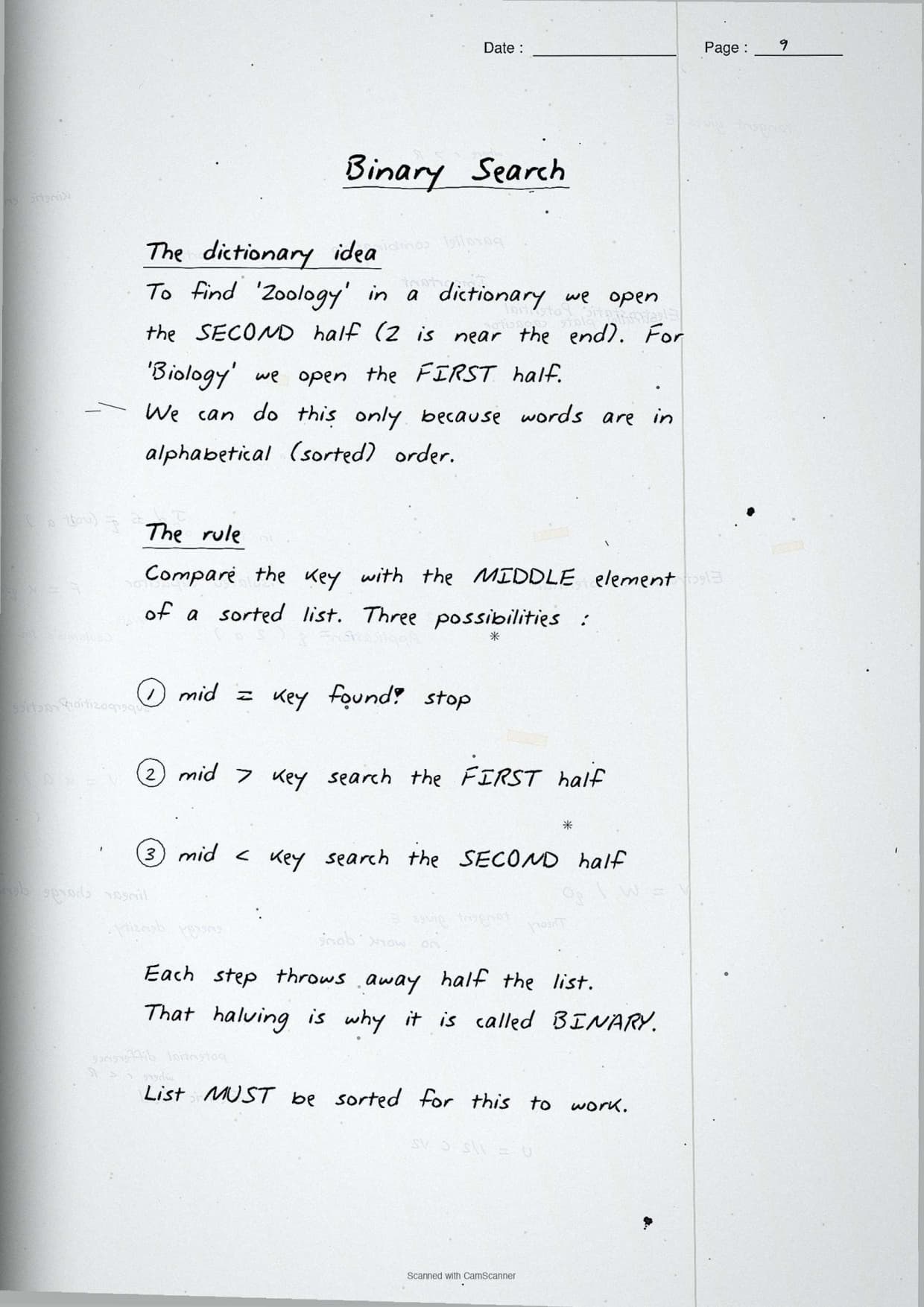
This is the page students revise most. Binary search is far faster than linear search, but it has one hard condition: the list must be sorted first. The notes draw the low, high and mid pointers so it is clear which half survives each pass.
The method halves the search space every comparison:
- Set up:
low = 0andhigh = len(arr) - 1. - Find the middle:
mid = (low + high) // 2. - Key bigger than mid: search the right half, so
low = mid + 1. - Key smaller than mid: search the left half, so
high = mid - 1.
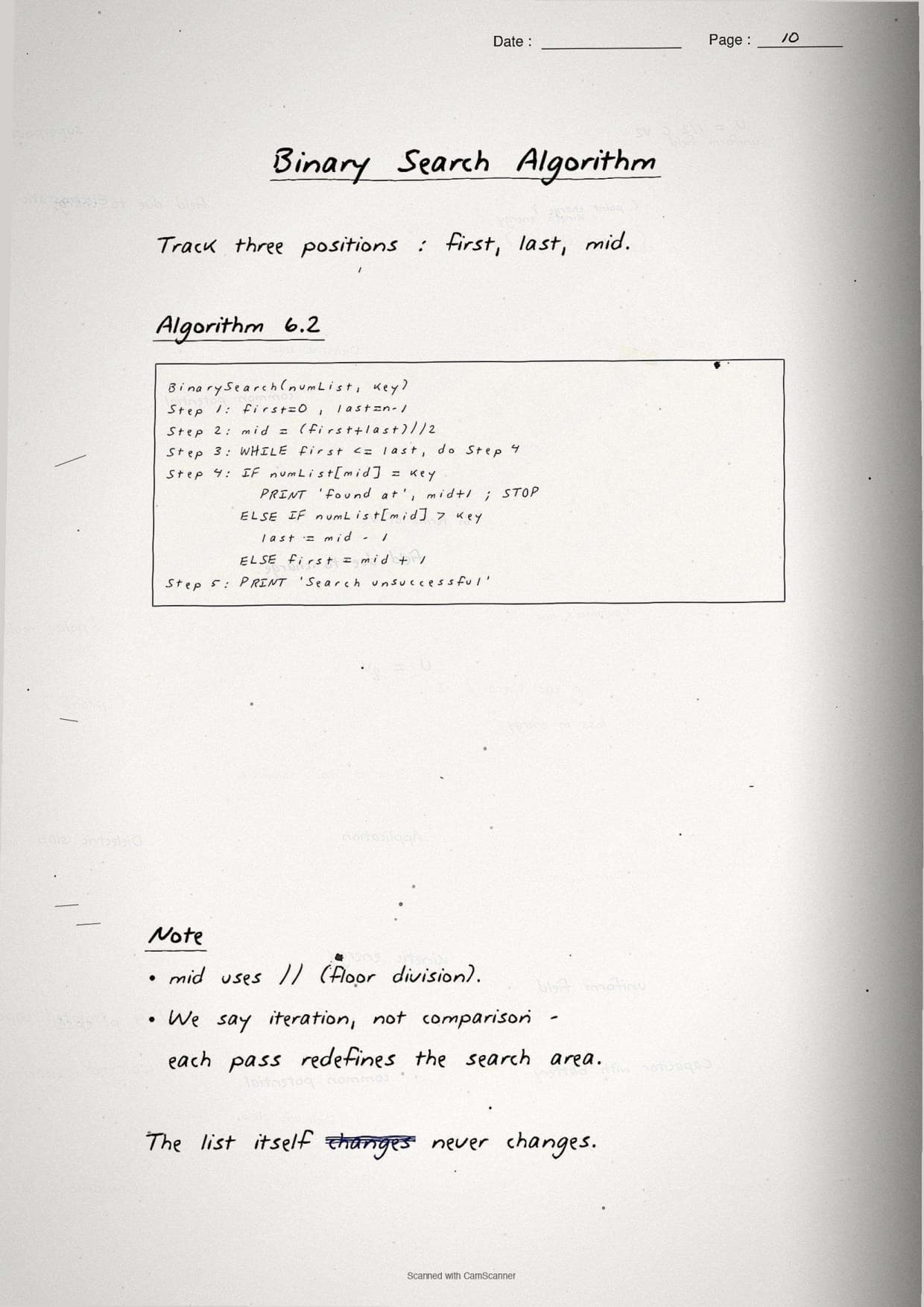
The boxed program below mirrors the page. The loop runs while low <= high and returns the index when the key sits at mid:
def binary_search(arr, key):
    low = 0
    high = len(arr) - 1
    while low <= high:
        mid = (low + high) // 2
        if arr[mid] == key:
            return mid          # key found
        elif key > arr[mid]:
            low = mid + 1       # search right half
        else:
            high = mid - 1      # search left half
    return -1                   # key not found

sorted_list = [5, 9, 17, 21, 28, 31, 43, 50, 72, 99]
print(binary_search(sorted_list, 43))   # output: 6
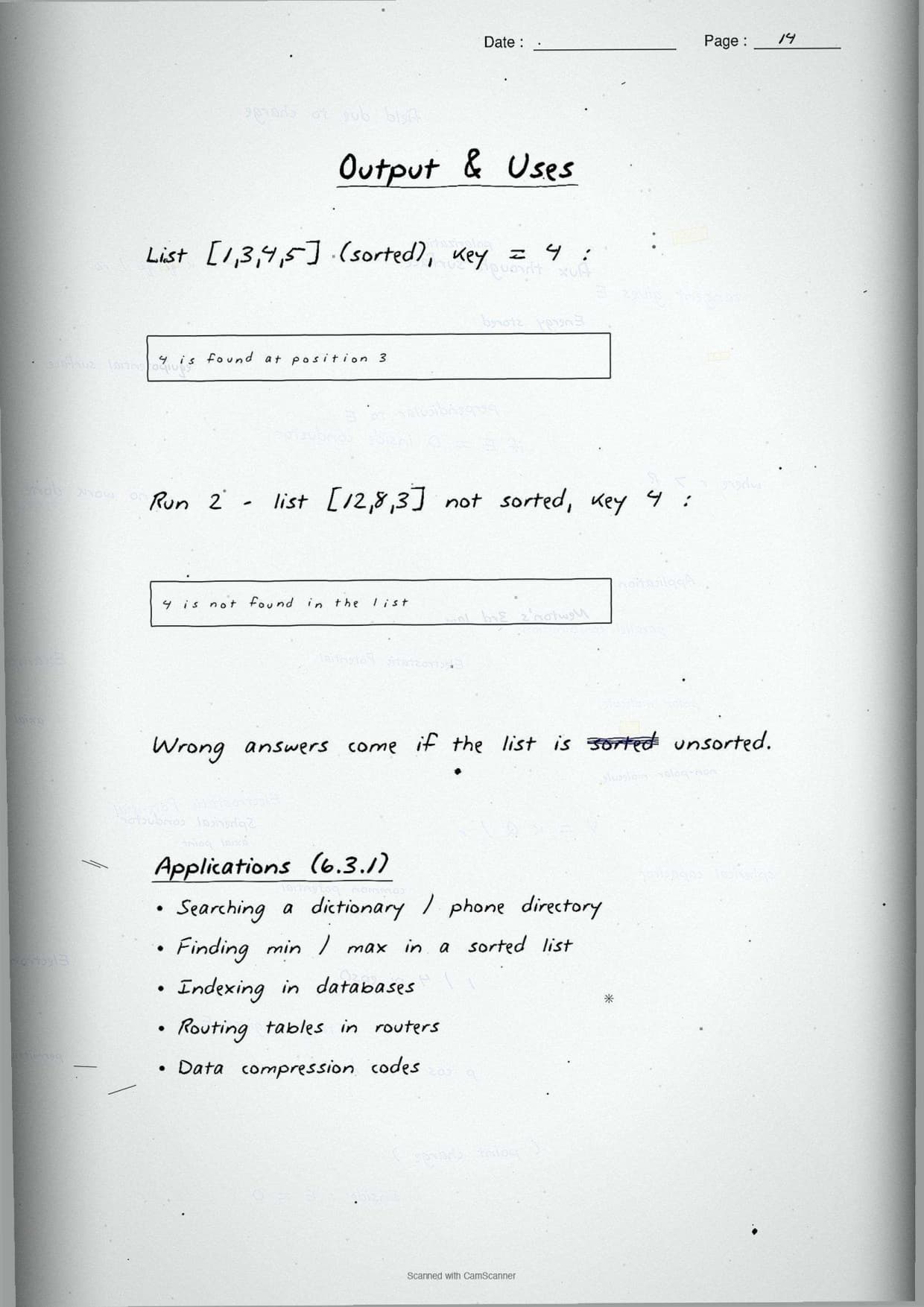
The margin note underlines the rule examiners check first: binary search only works on a sorted list. Run it on an unsorted list and it may report "not found" even when the key is present, because the half it discards might be the half that holds the key.
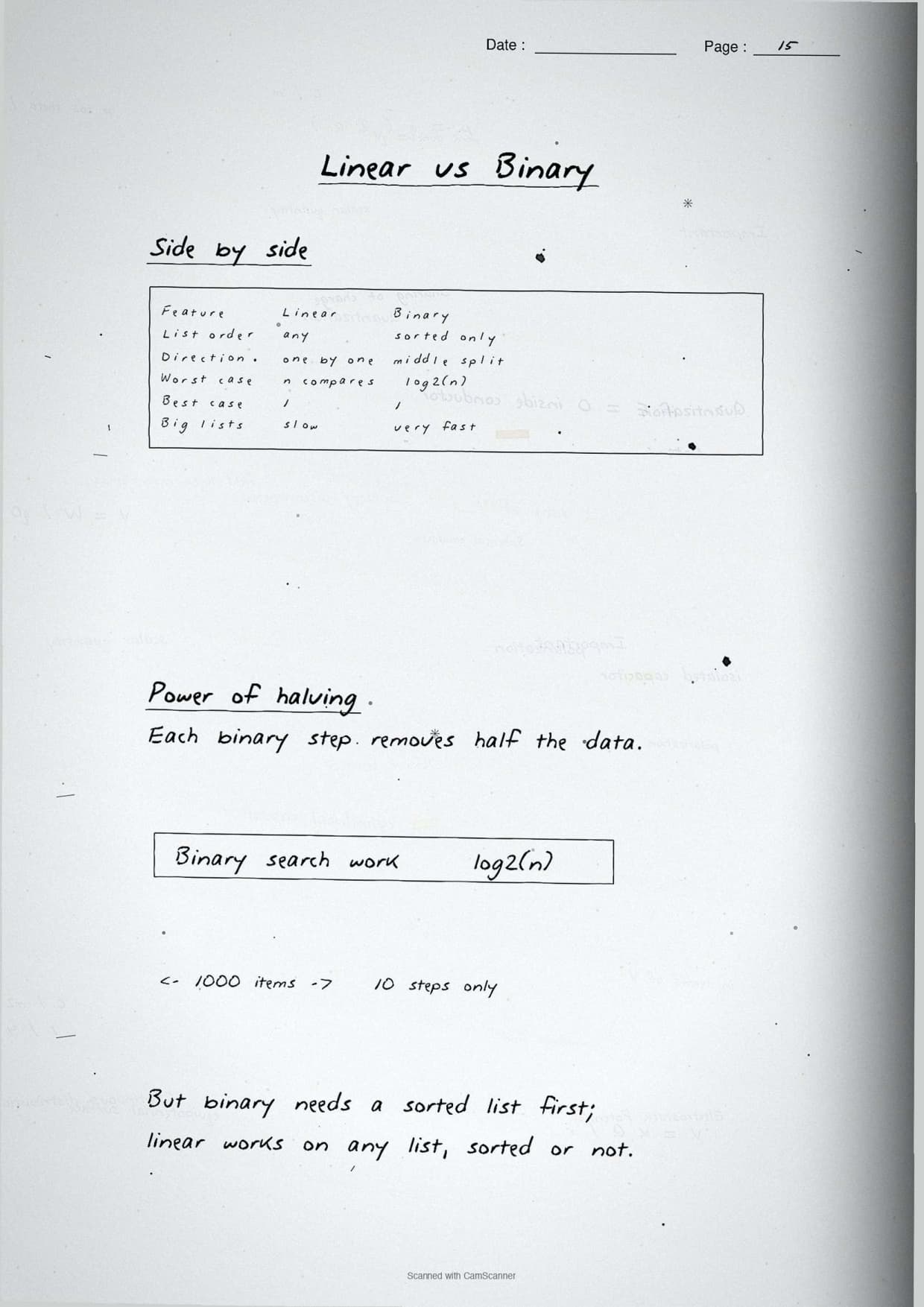
Linear vs Binary Search: Key Comparisons
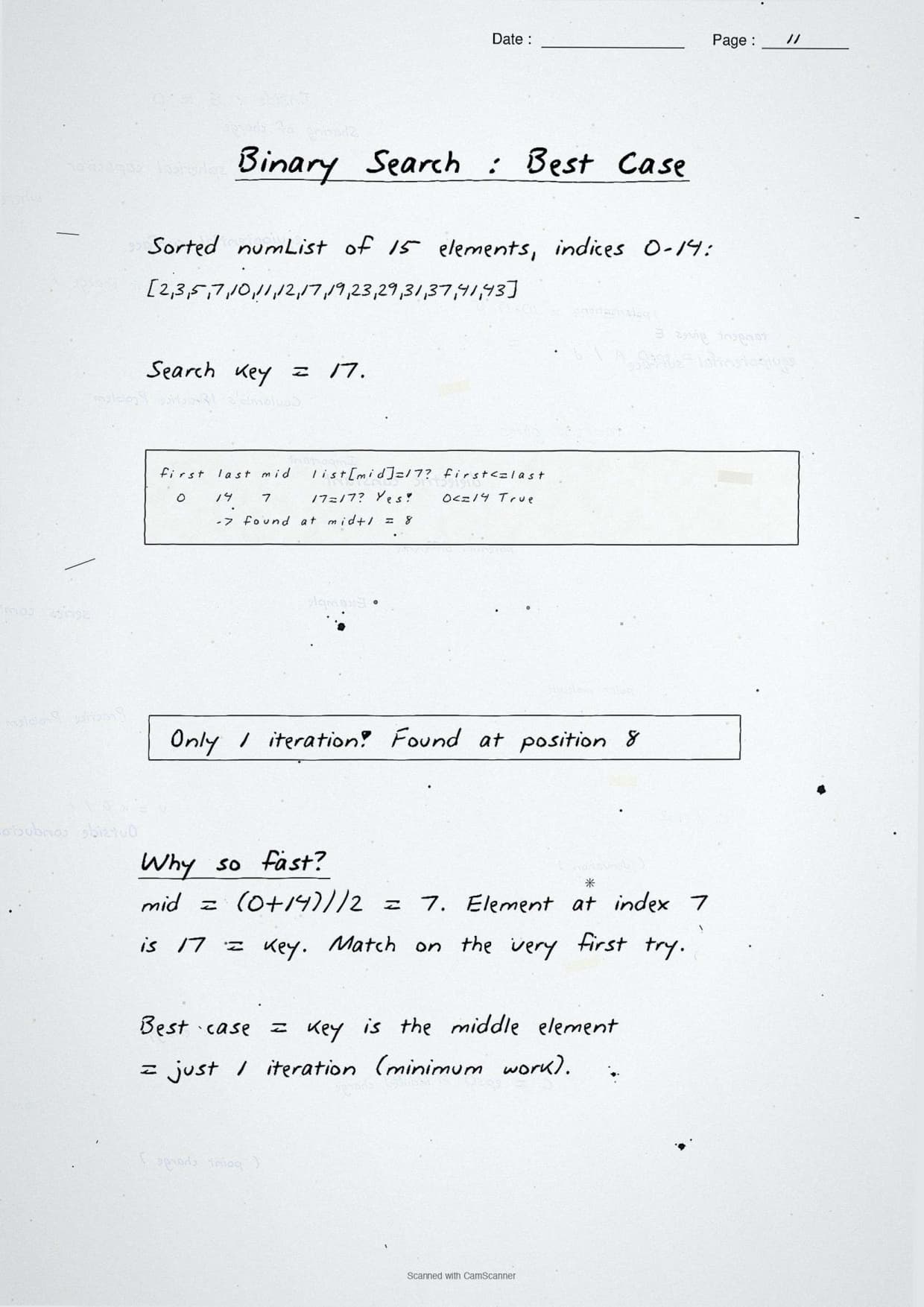
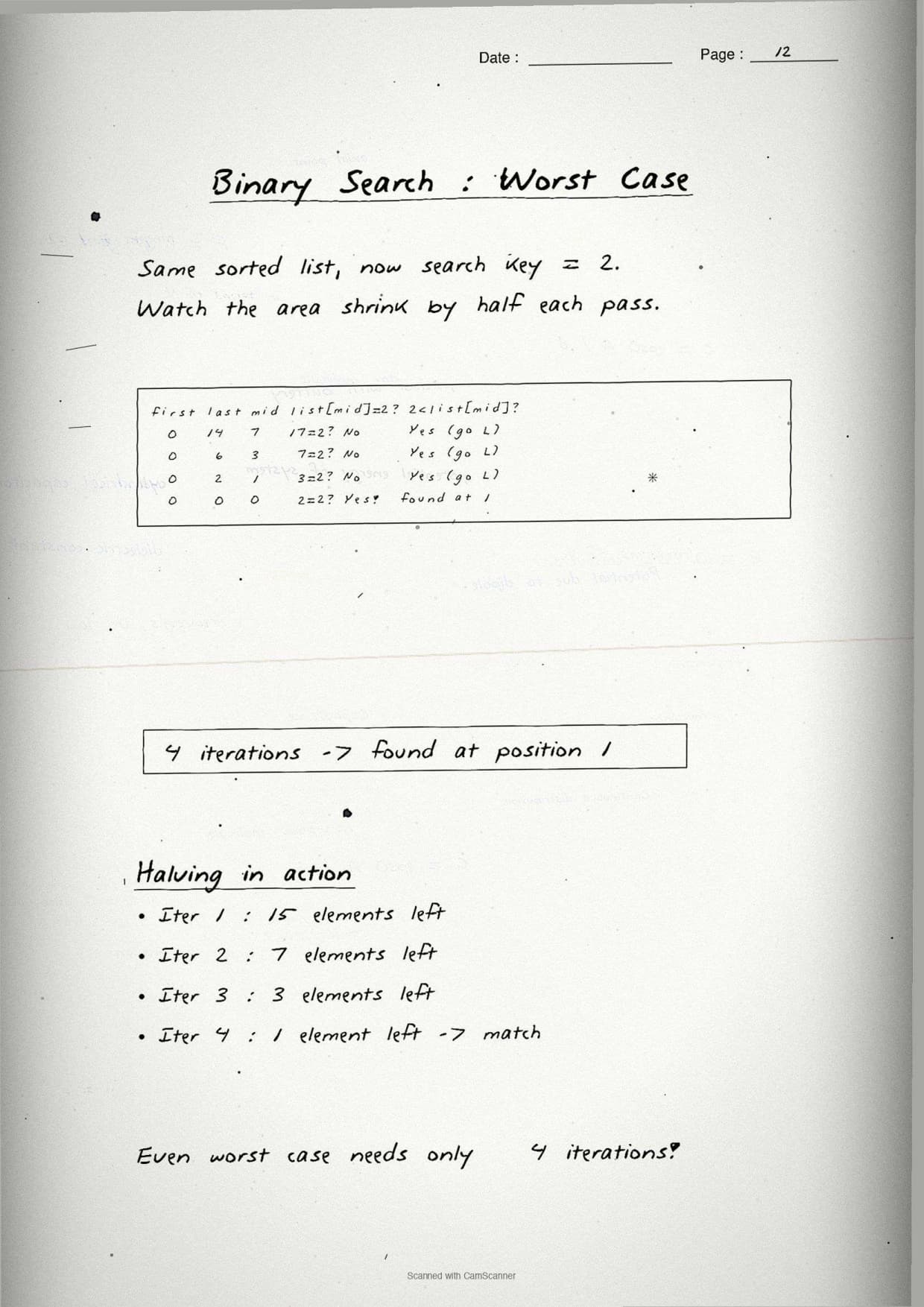
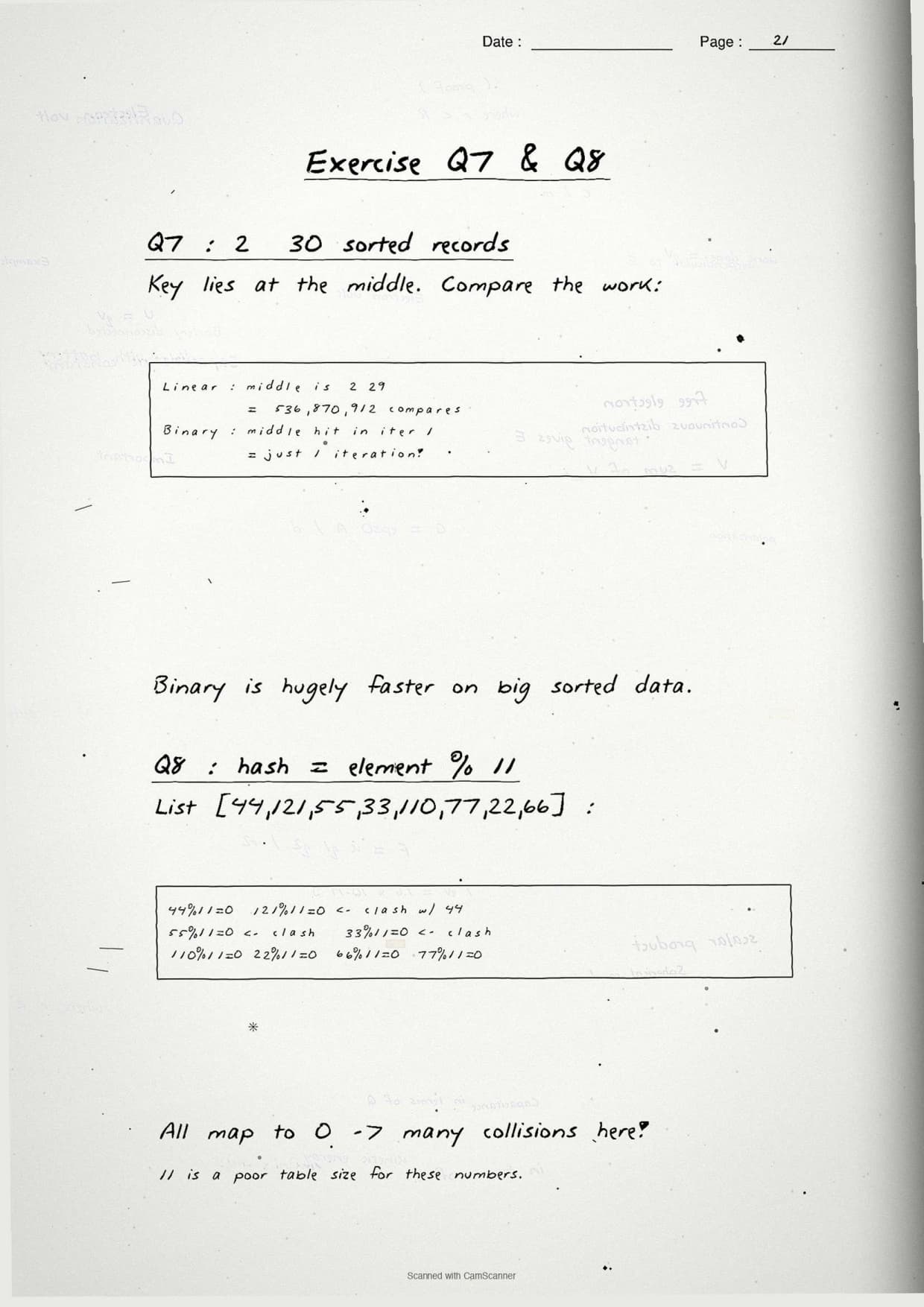
One page in the notes compares the two methods by the number of key comparisons each one needs. This is the figure the CBSE paper loves, because it shows why binary search wins on large sorted data. The table boxes the worst-case count for a list of n items.
| Feature | Linear Search | Binary Search |
|---|---|---|
| List must be sorted? | No | Yes |
| How it moves | One item at a time | Halves the list each pass |
| Worst-case comparisons | n | log₂ n |
| Best for | Small or unsorted lists | Large sorted lists |
The notes box the worked figure students should memorise. For a sorted database of 2²⁰ (about 1.07 billion) records with the key in the middle, linear search may need over a billion comparisons, while binary search needs only about 30. That gap is the one-line answer to "why is binary search preferred for large data".
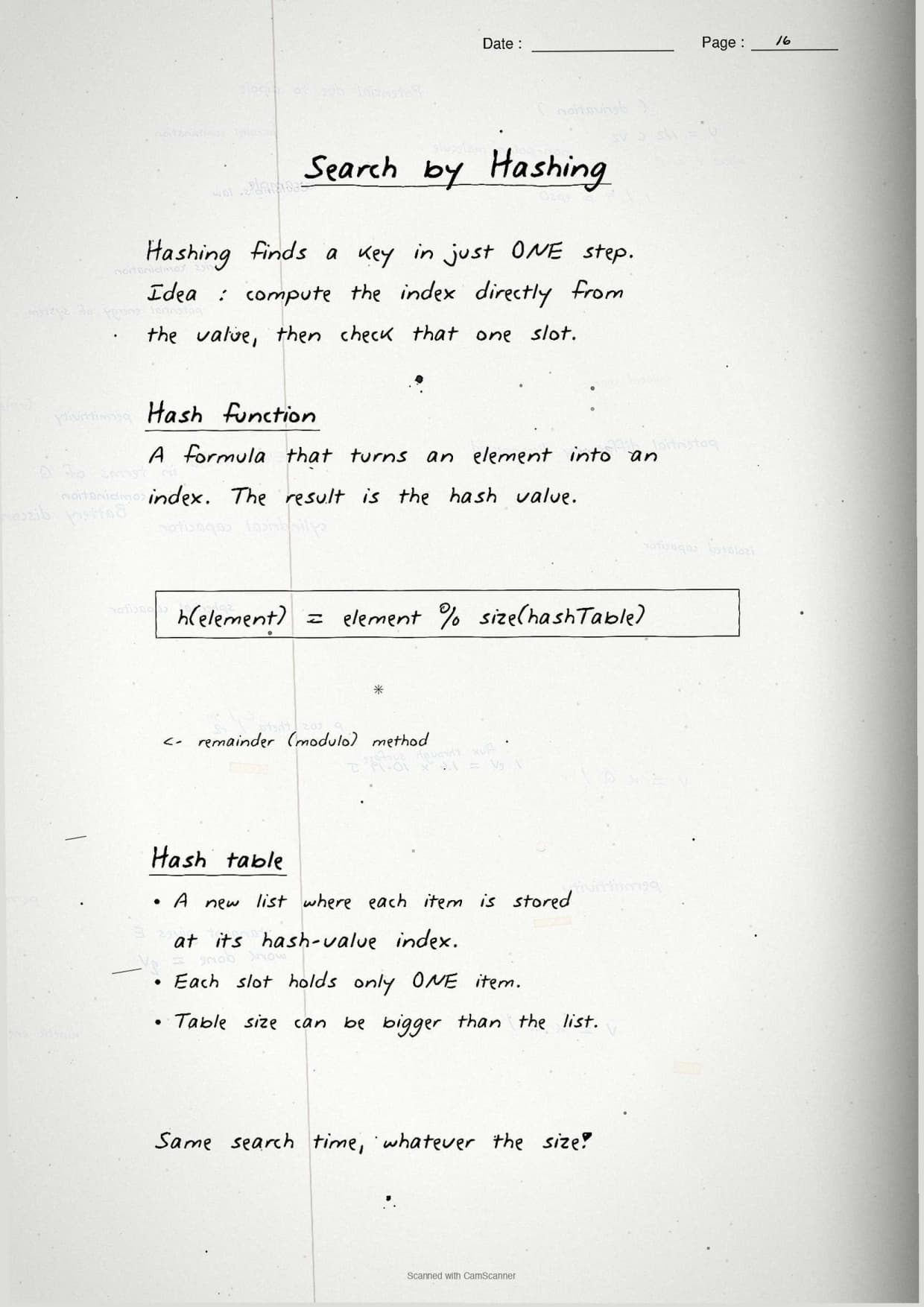
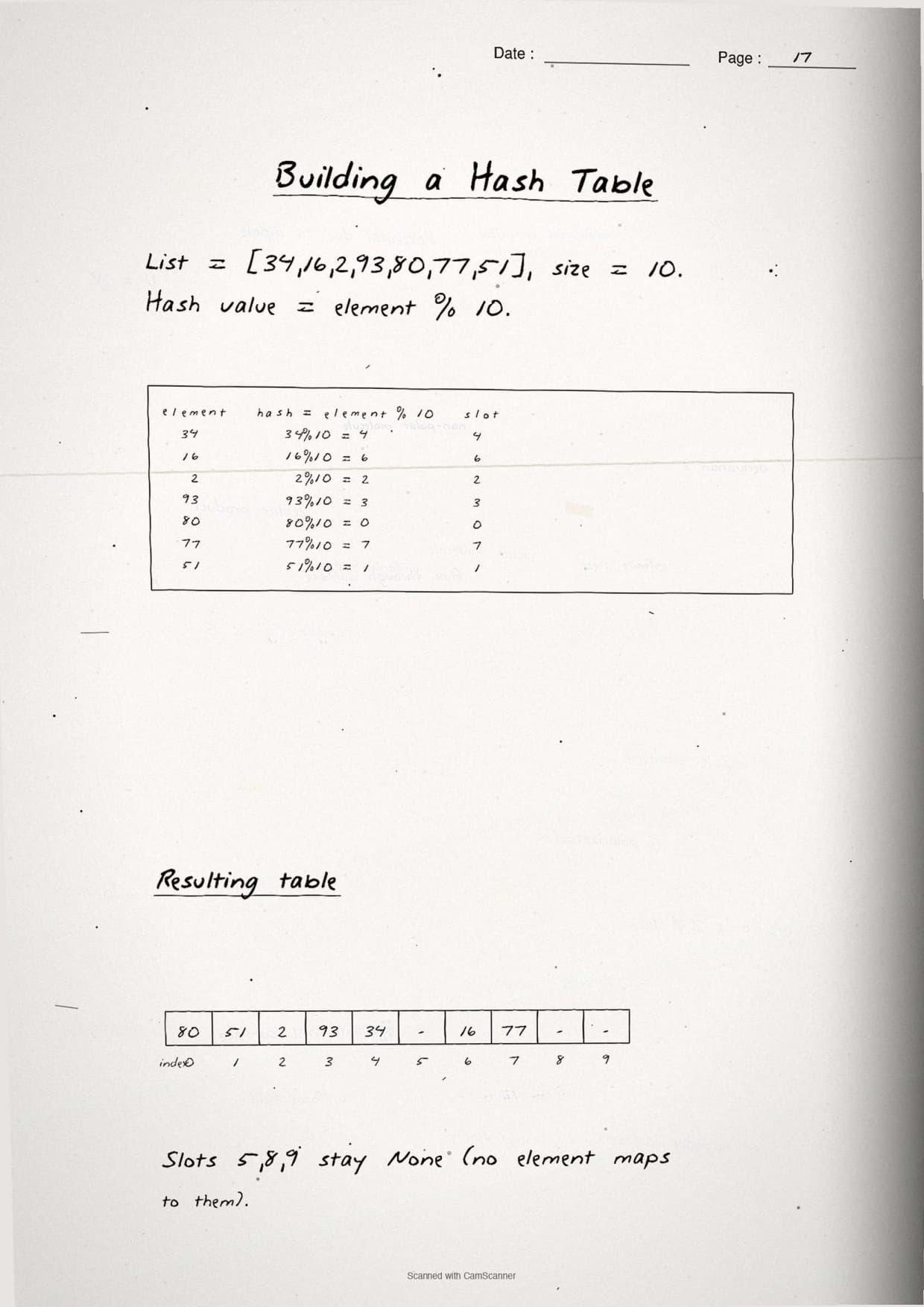
Hashing and Hash Tables for Fast Search
The last method page covers hashing, the trick that makes a search near-instant. A hash function turns an element into an index, and the element is stored at that slot in a hash table. To search, you hash the key again and look in one slot, so no scanning is needed.
The notes box the standard NCERT example with the simple mod hash function:
- Hash function:
h(element) = element % 11gives a slot from 0 to 10. - Store: place each number at index
h(element)in the table. - Search: hash the key once, then check that single slot.
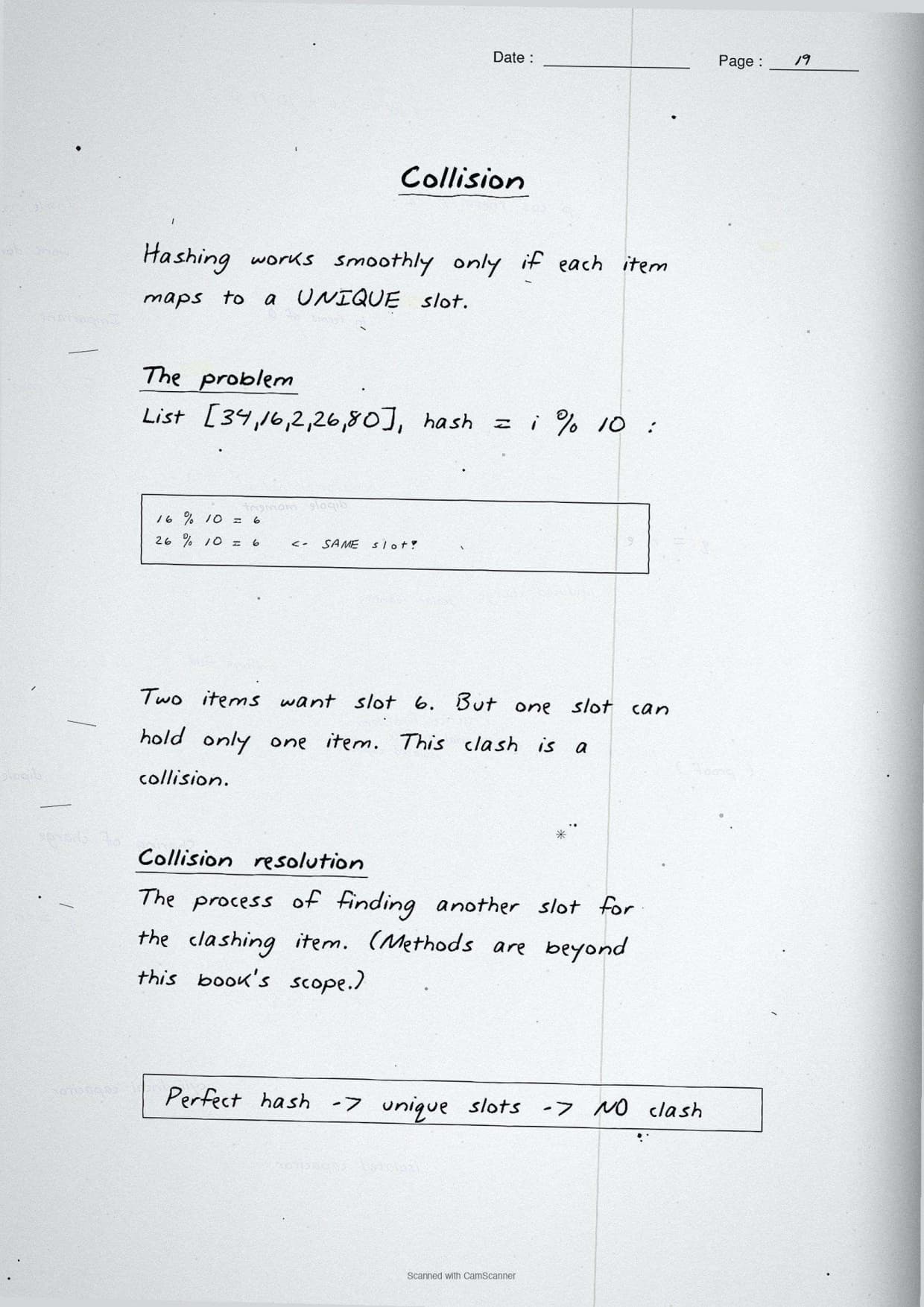
- Collision: two elements hash to the same slot, which the notes flag as the main limit.
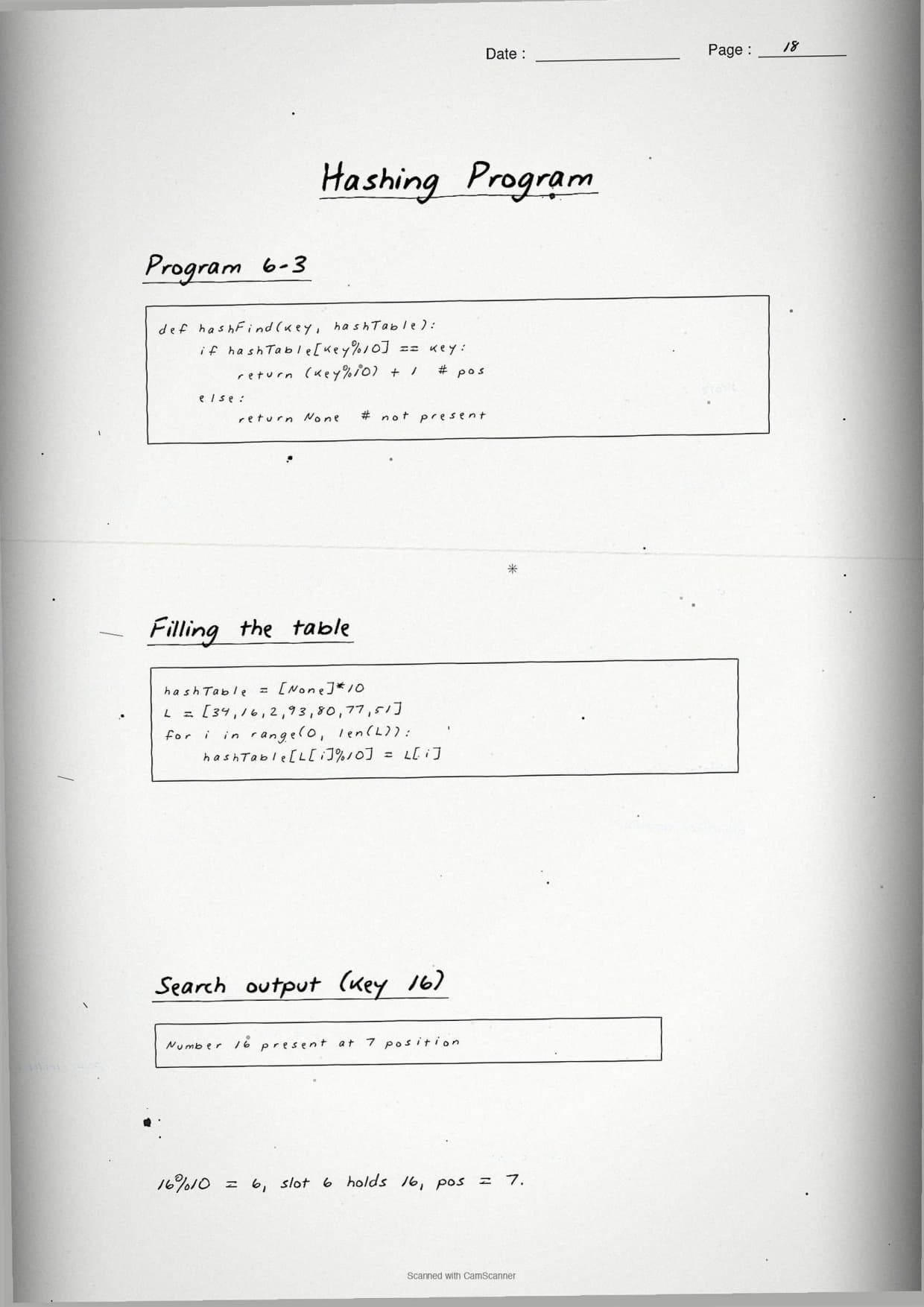
The boxed program below builds the table for the NCERT list and then searches a few keys:
def create_hash(arr):
    table = [None] * 11
    for element in arr:
        table[element % 11] = element   # slot = element % 11
    return table

numbers = [44, 121, 55, 33, 110, 77, 22, 66]
hash_table = create_hash(numbers)

key = 44
if hash_table[key % 11] == key:
    print("Found at slot", key % 11)    # Found at slot 0
else:
    print("Not present")
The margin note boxes the takeaway: a good hash function spreads elements evenly and reduces collisions. When two keys land on the same slot, the second one cannot be stored directly, so it must be handled separately. This is the core reason hashing is fast but not perfect.
How to Use These Handwritten Notes Effectively
Handwritten notes work best as a final layer of revision, not as your first read. The plan below helps students get the most out of the Searching handwritten notes before the board and practical exams. Follow it once a week in the run-up to the test.
- First pass: read the pages in order, linear search, then binary search, then hashing.
- Active recall: cover the boxed code and try to write each search function from memory.
- Type it out: run the boxed programs in Python and check the index each one returns.
- Self-test: attempt a short class 12 computer science chapter 6 searching drill to check the comparison counts.
Because the notes come as a downloadable PDF, students can save them on a phone and revise offline on the way to the exam centre. Many students open searching in python class 12 notes on their phone the night before a test, so a saved PDF means revision is always at hand. Pair these pages with the full solutions to check your written code against model answers.
Common Mistakes These Notes Help You Avoid
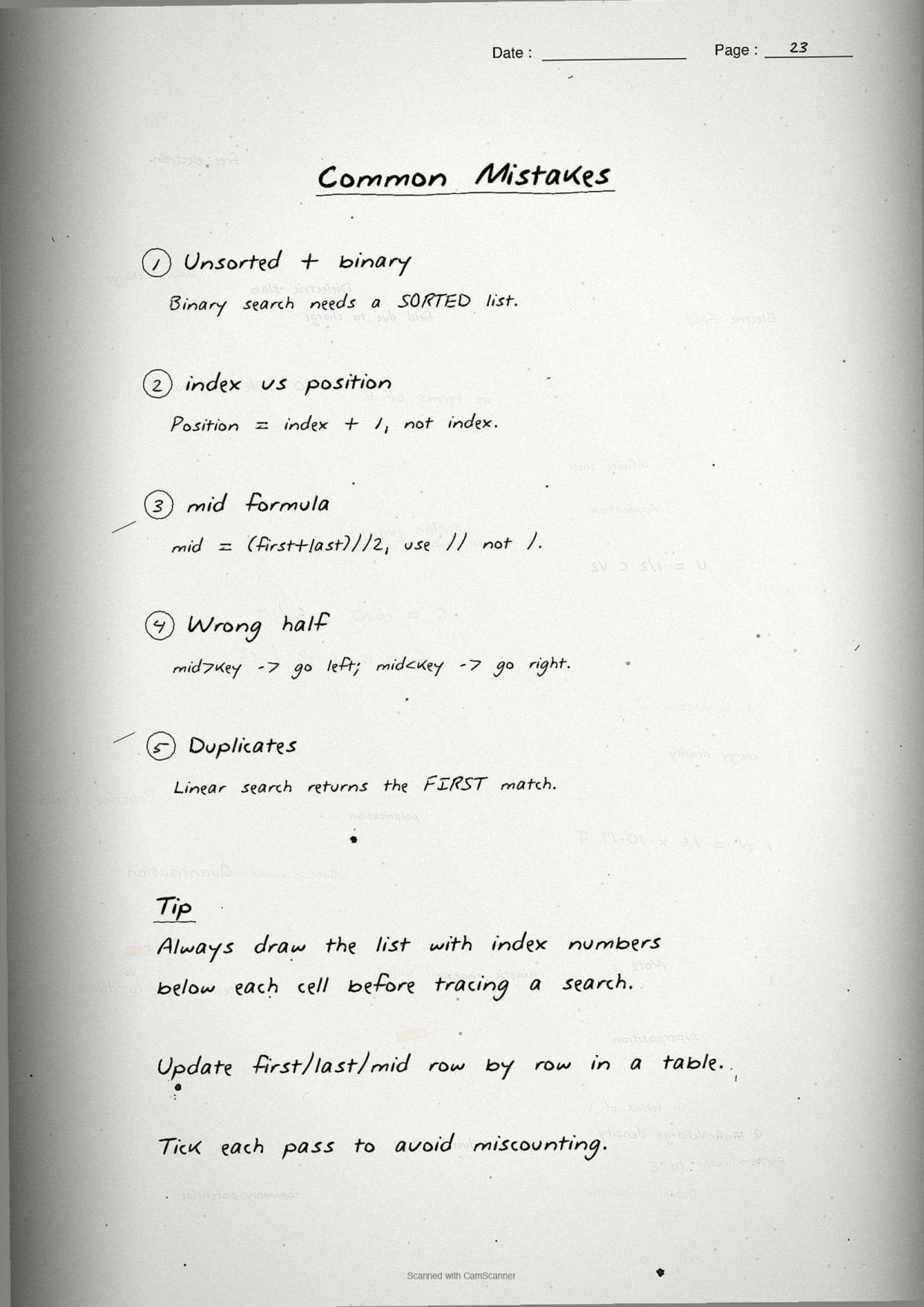
A few errors cost marks in this chapter every year. Most come from running binary search on an unsorted list or mixing up the pointer updates. The notes flag each soft point in the margin so students phrase it safely on the answer sheet.
- Running binary search on an unsorted list. Sort the list first, every time.
- Updating the wrong pointer, like
low = midinstead of low = mid + 1, which loops forever. - Thinking linear search returns every match; it returns only the first one.
- Forgetting the loop runs while
low <= high, notlow < high. - Saying a hash function never repeats; two keys can collide on the same slot.
Students who fix these five points usually move from average to high marks. The exam rewards exact logic, so always state the sorted-list rule for binary search and name the comparison count. The handwritten margin notes nudge you to keep that precision in the right places.
How These Notes Pair with the Solutions and Book PDF
These handwritten notes are a revision layer. To prepare fully, students should use them with the other resources for the same chapter, all linked in the table below. Read the notes, then test yourself with the solutions, and open the book PDF for the original text.
| Resource | Best used for |
|---|---|
| Searching NCERT Solutions | Step-by-step code and output for all 9 back-exercise questions |
| Searching Class 12 Notes | Quick typed summary with linear search, binary search and hashing in one place |
| Searching NCERT Book PDF | Reading the original NCERT chapter text from the textbook |
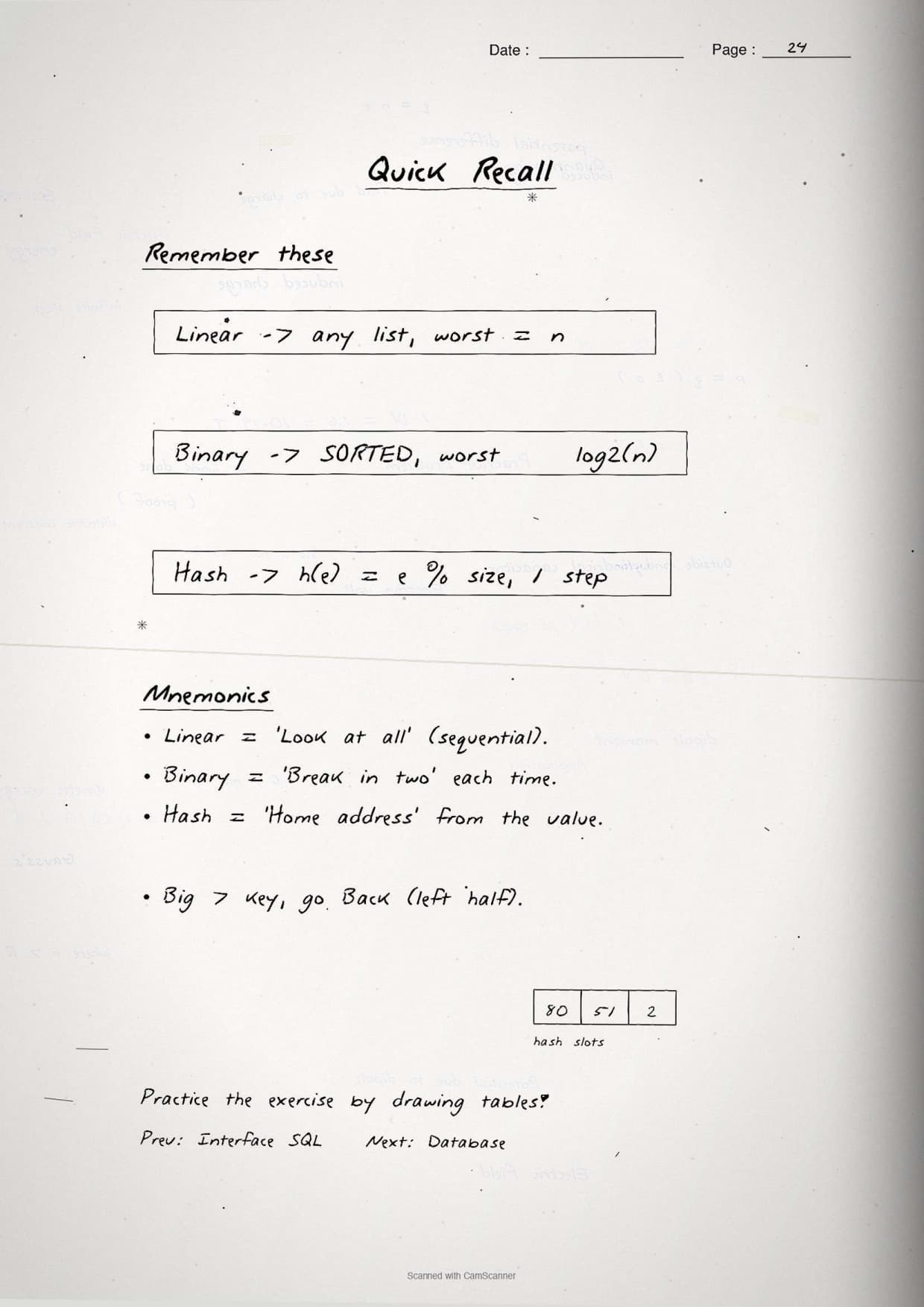
Tip: redraw the binary search low-mid-high diagram once from memory, then write the full code in your own words. Drawing that pointer flow once fixes the halving logic for good.
All Class 12 Computer Science Handwritten Notes by Chapter
The table links the handwritten notes for every chapter in Class 12 Computer Science, so students can move across the course in one click. Searching is highlighted, with Sorting before it and Understanding Data after it.
| Chapter | Handwritten Notes |
|---|---|
| Chapter 1 | Exception Handling in Python |
| Chapter 2 | File Handling in Python |
| Chapter 3 | Stack |
| Chapter 4 | Queue |
| Chapter 5 | Sorting |
| Chapter 6 | Searching |
| Chapter 7 | Understanding Data |
| Chapter 8 | Database Concepts |
| Chapter 9 | Structured Query Language (SQL) |
| Chapter 10 | Computer Networks |
| Chapter 11 | Data Communication |
| Chapter 12 | Security Aspects |
FAQs on Searching Handwritten Notes
Searching Class 12 Computer Science Handwritten Notes Common Questions
Ques. Are these class 12 computer science chapter 6 Searching handwritten notes free to download?
Ans. Yes. The Searching handwritten notes are free to download as a PDF from this page. They follow the 2026-27 NCERT syllabus and cover the full chapter across 24 handwritten, boxed-keyword pages for quick revision.
Ques. What does the Searching chapter cover in Class 12 Computer Science?
Ans. The notes cover linear search, binary search and hashing. They include the Python code for each method, the key-comparison counts, the sorted-list rule for binary search, and the hash function with hash tables that the CBSE board paper tests directly.
Ques. What is the difference between linear search and binary search?
Ans. Linear search checks each element one by one and works on any list, sorted or not, needing up to n comparisons. Binary search needs a sorted list and halves the search space each pass, needing only about log₂ n comparisons, so it is much faster on large data.
Ques. Why must a list be sorted before binary search?
Ans. Binary search decides which half to discard by comparing the key with the middle element. This only works if the list is sorted. On an unsorted list it may discard the half that holds the key and wrongly report "not found", so sorting first is compulsory.
Ques. Are these notes enough for the class 12 computer science chapter 6 board exam?
Ans. They are a strong final revision layer. For full preparation, pair them with the NCERT Solutions linked on this page so you can write out complete code answers to all 9 back-exercise questions and check them against model output.



Comments