




The Security Aspects Class 12 Computer Science handwritten notes have been carefully prepared by hand for quick one-shot revision, according to the latest 2026-27 CBSE syllabus. They cover the main malware threats, the difference between a virus, a worm and a Trojan, network attacks like DoS and DDoS, the move from HTTP to HTTPS, cookies, and the three hat colours of hackers.
- CBSE Weightage: 3 to 5 marks from the Society, Law and Ethics and networking strand.
- Boxed keywords and hand-written notes for virus, worm, Trojan, ransomware, DoS and DDoS.
- Pairs with the NCERT Solutions, Notes and Book PDF linked lower on this page.
These Security Aspects handwritten notes are prepared from the official NCERT Computer Science textbook and matched to the 2026-27 CBSE syllabus.
Student Feedback: In a Collegedunia poll of 11,300 Class 12 Computer Science students before the 2026 boards, 71% of students said the hand-drawn malware comparison table, with virus, worm and Trojan placed side by side, was the fastest way to fix this chapter in memory. Most students copied the boxed virus-versus-worm definition straight onto practice answer sheets.
Source: 2026-27 Class 12 Computer Science student poll. Sample of 11,300 students from CBSE schools across 13 states.
What These Security Aspects Handwritten Notes Include
Typed notes read like a textbook. Handwritten notes read like a friend's revision book, so the eye finds the keyword fast on exam day. These Security Aspects handwritten notes condense the whole chapter into 24 handwritten pages of ruled paper, with every malware type in a box and the virus-versus-worm contrast drawn out so students can see the difference at a glance.
The pages are built around the four threads that the CBSE board paper tests:
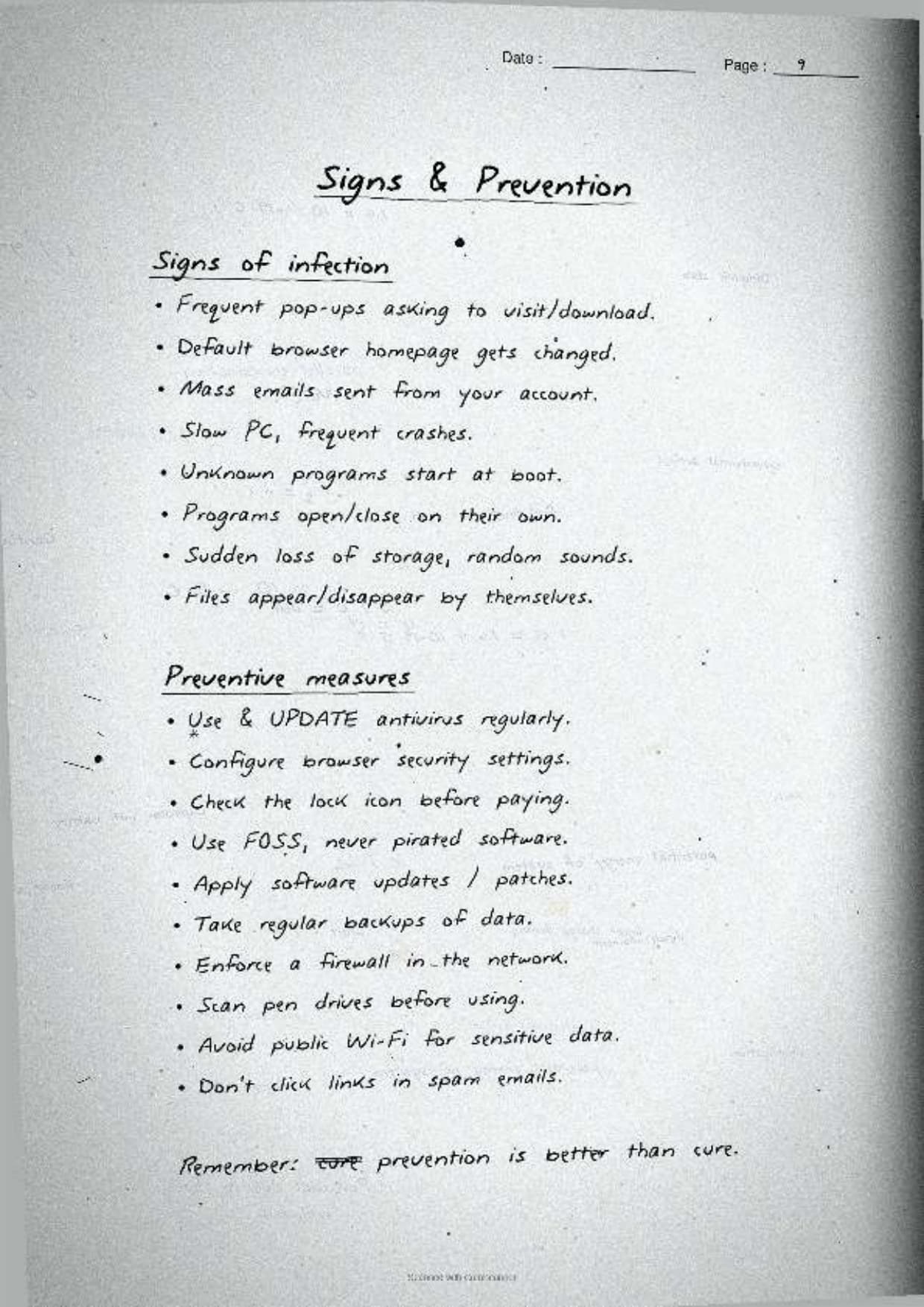
- The threats: what malware is, how it spreads, and the common signs that a computer is infected.
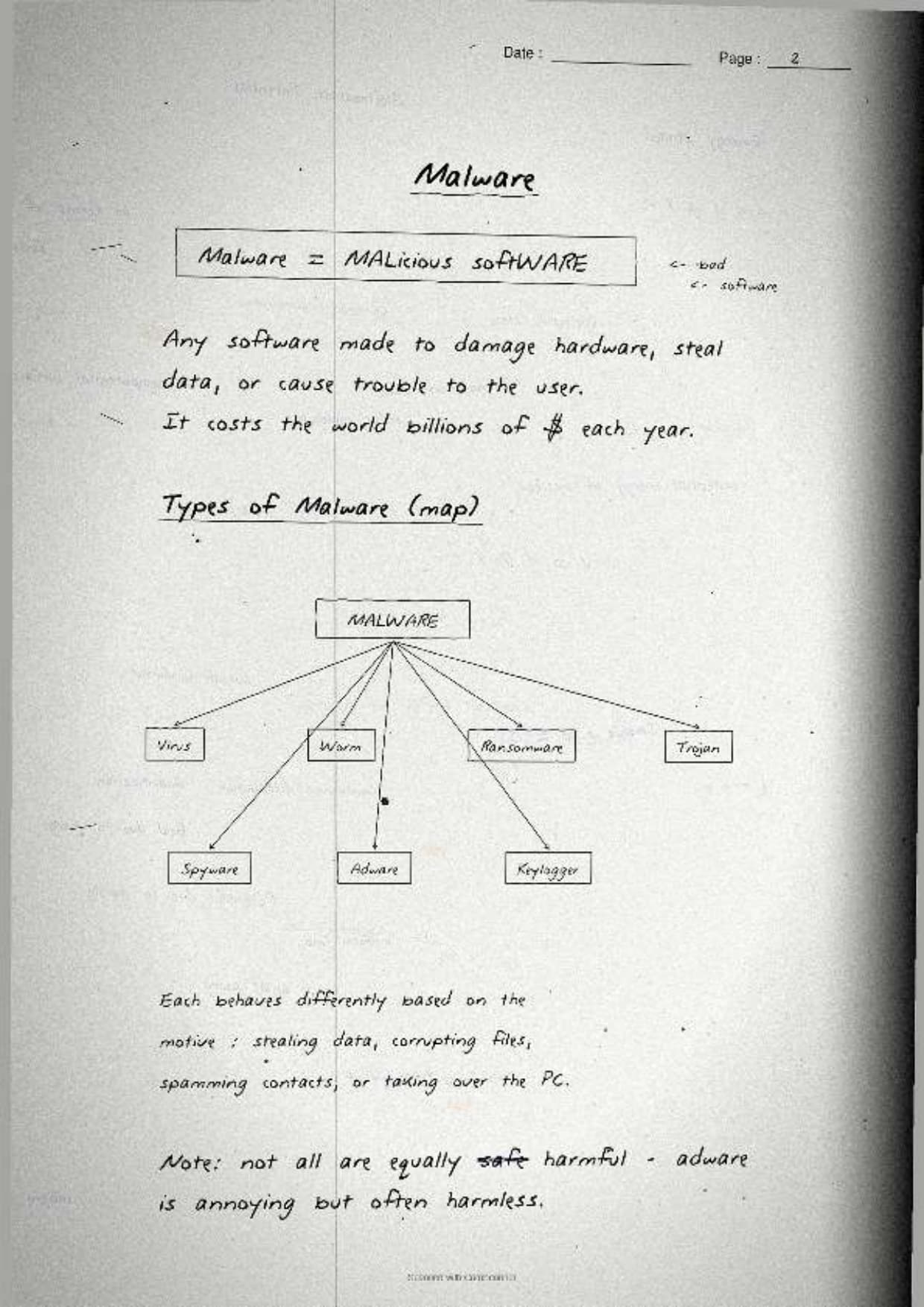
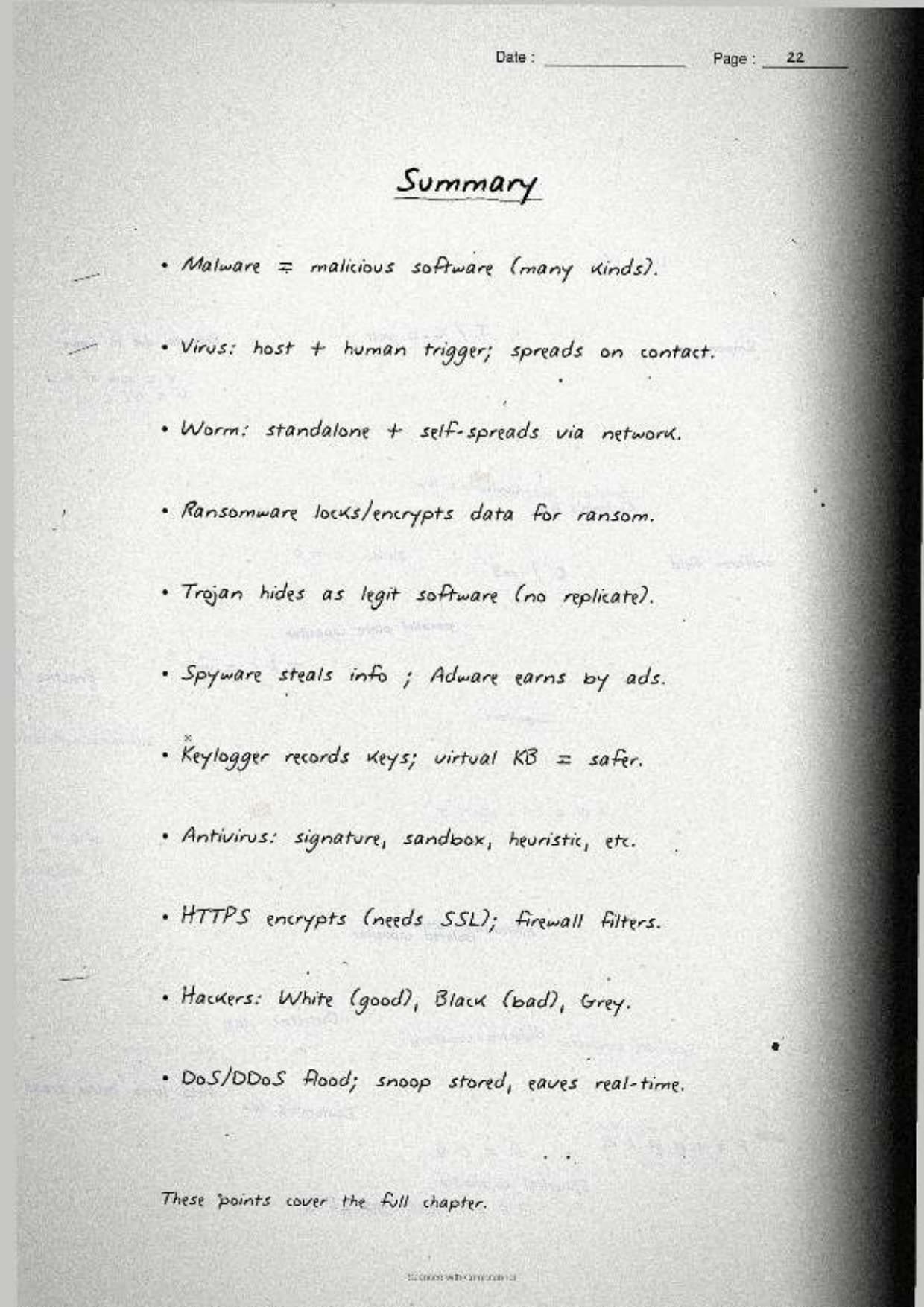
- The malware family: virus, worm, Trojan, ransomware, adware, spyware and keyloggers, each with a one-line meaning.
- The network attacks: DoS, DDoS, snooping, eavesdropping, and why HTTP is risky next to HTTPS.
- The defences: antivirus identification methods, cookies, virtual keyboards, and the three hacker hat colours.
Because the notes are handwritten, the definitions sit in pen-drawn boxes and each threat is shown with a tiny sketch of how it spreads, so locating a single term during last-week revision takes seconds. This makes the set ideal for a fast recap the night before the exam.
Threats and Malware: The First Page of the Notes
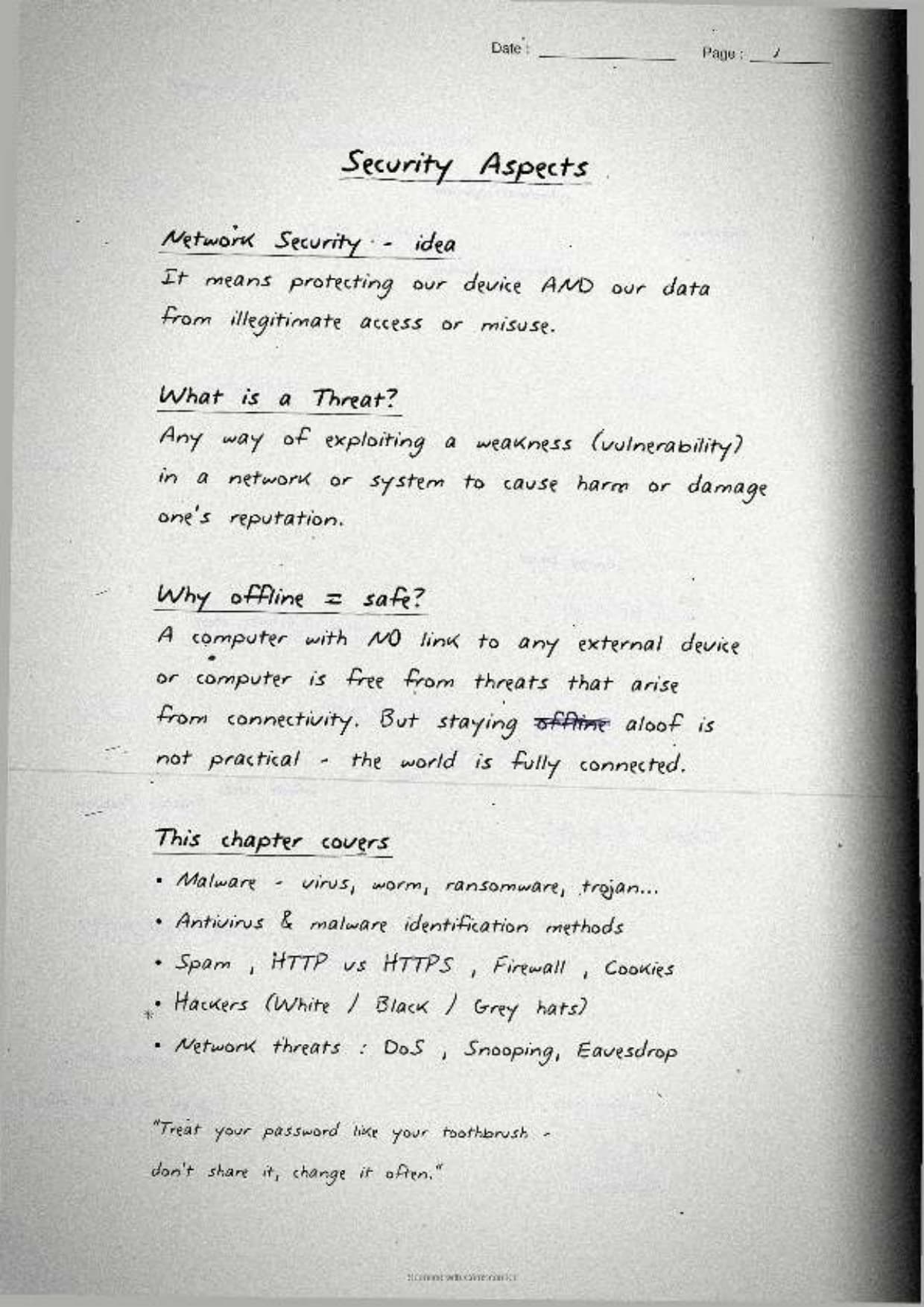
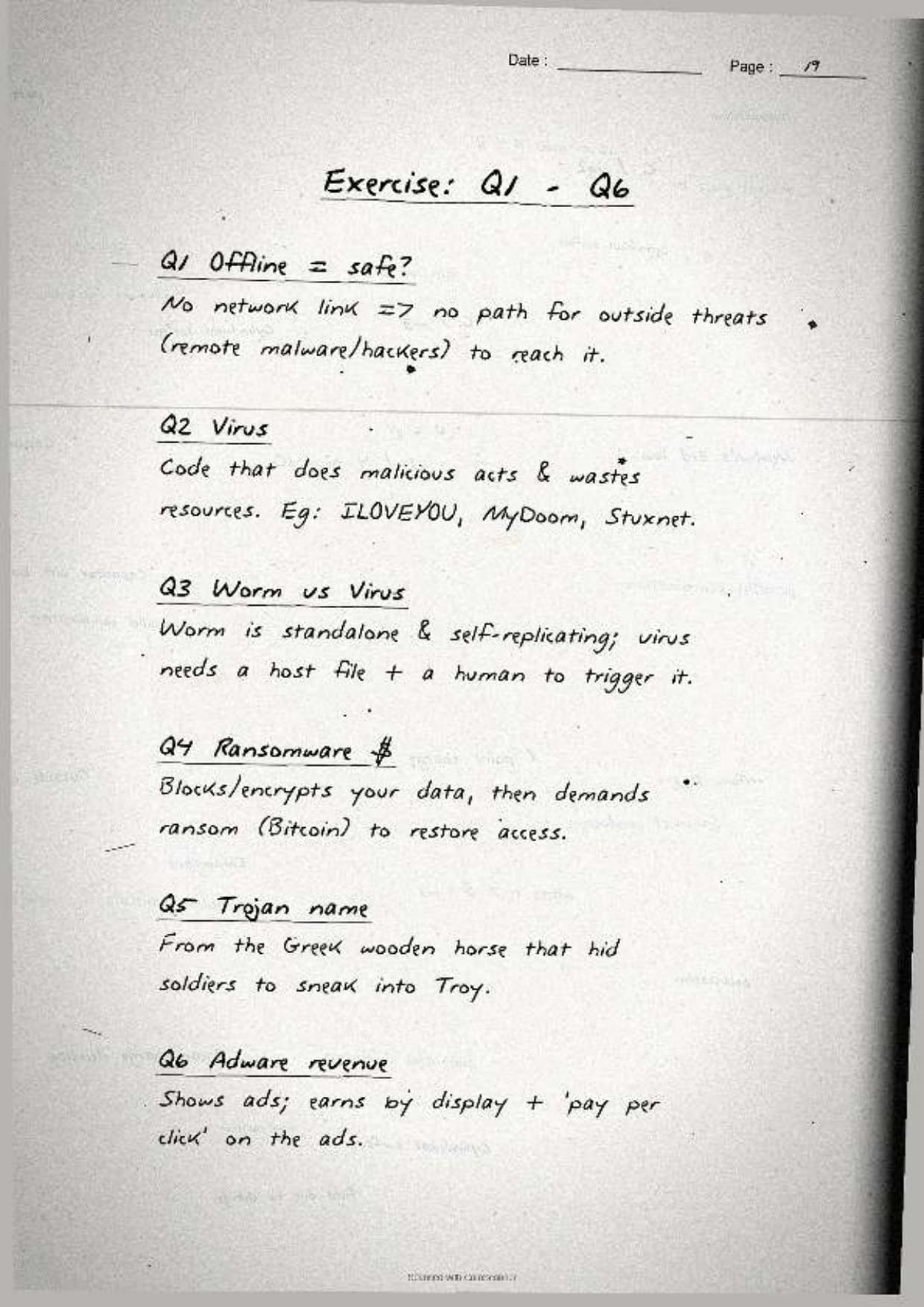
The opening page settles the most common board question: why is a computer that is not connected to a network considered safe? The notes box the one-line reason and then define malware, so students can reproduce the answer from memory.
- The offline rule: a stand-alone computer has no path for an attacker to reach it. Most malware spreads over a network, the Internet, email or shared media, so cutting the connection removes the main entry point.
- Malware: short for malicious software, any program written to damage, disrupt or gain unwanted access to a computer or its data.
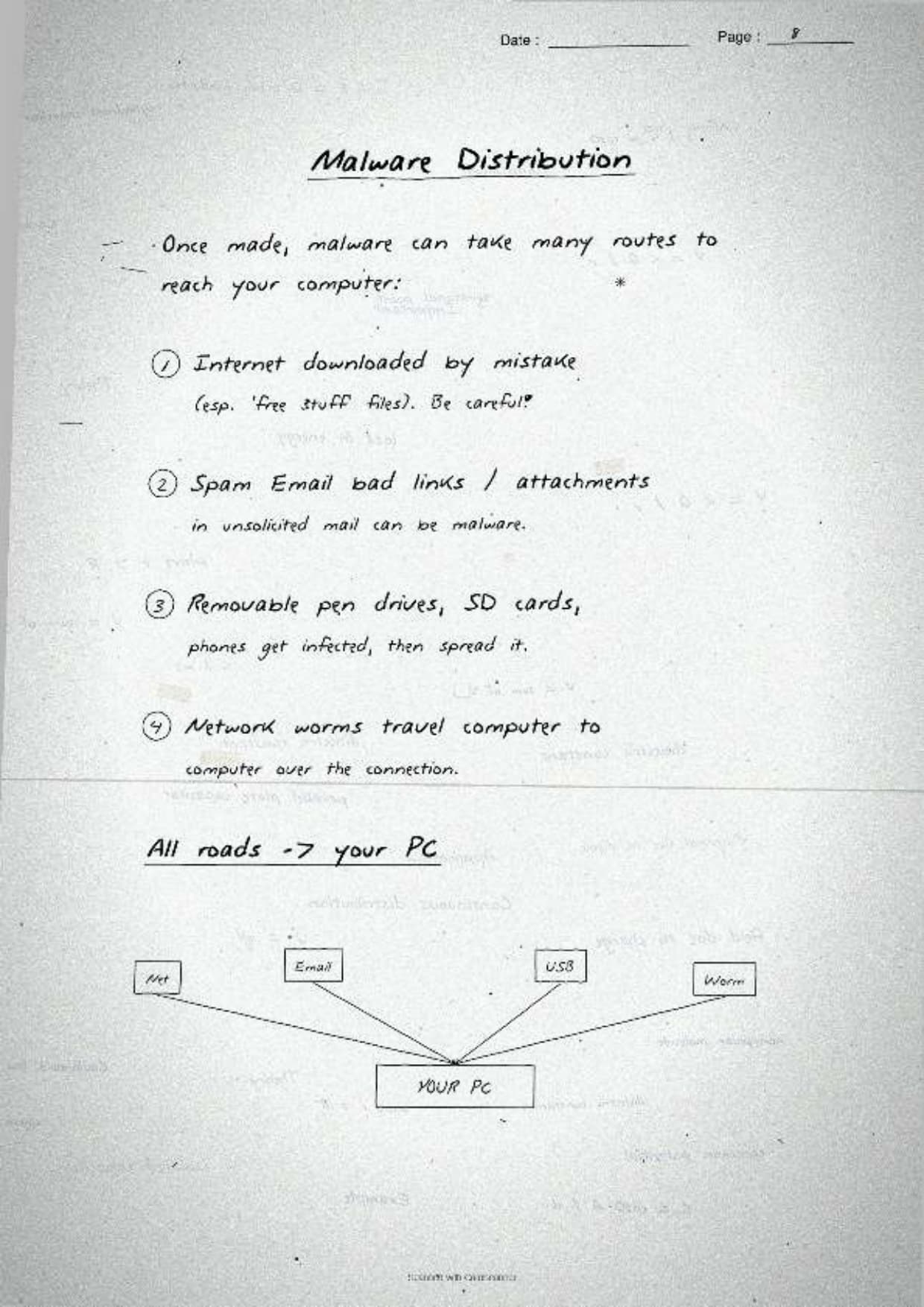
- The exam line: malware spreads through downloads, email attachments, removable media, and infected websites, and a single careless click is often enough.
The margin note lists the signs of infection that turn up as a 2-mark question: the computer slows down, crashes or freezes often, shows unwanted pop-ups, runs unknown programs, or loses free disk space for no clear reason. Spotting two or three of these together is the textbook signal that a scan is overdue.
Virus, Worm and Trojan: The Comparison Page
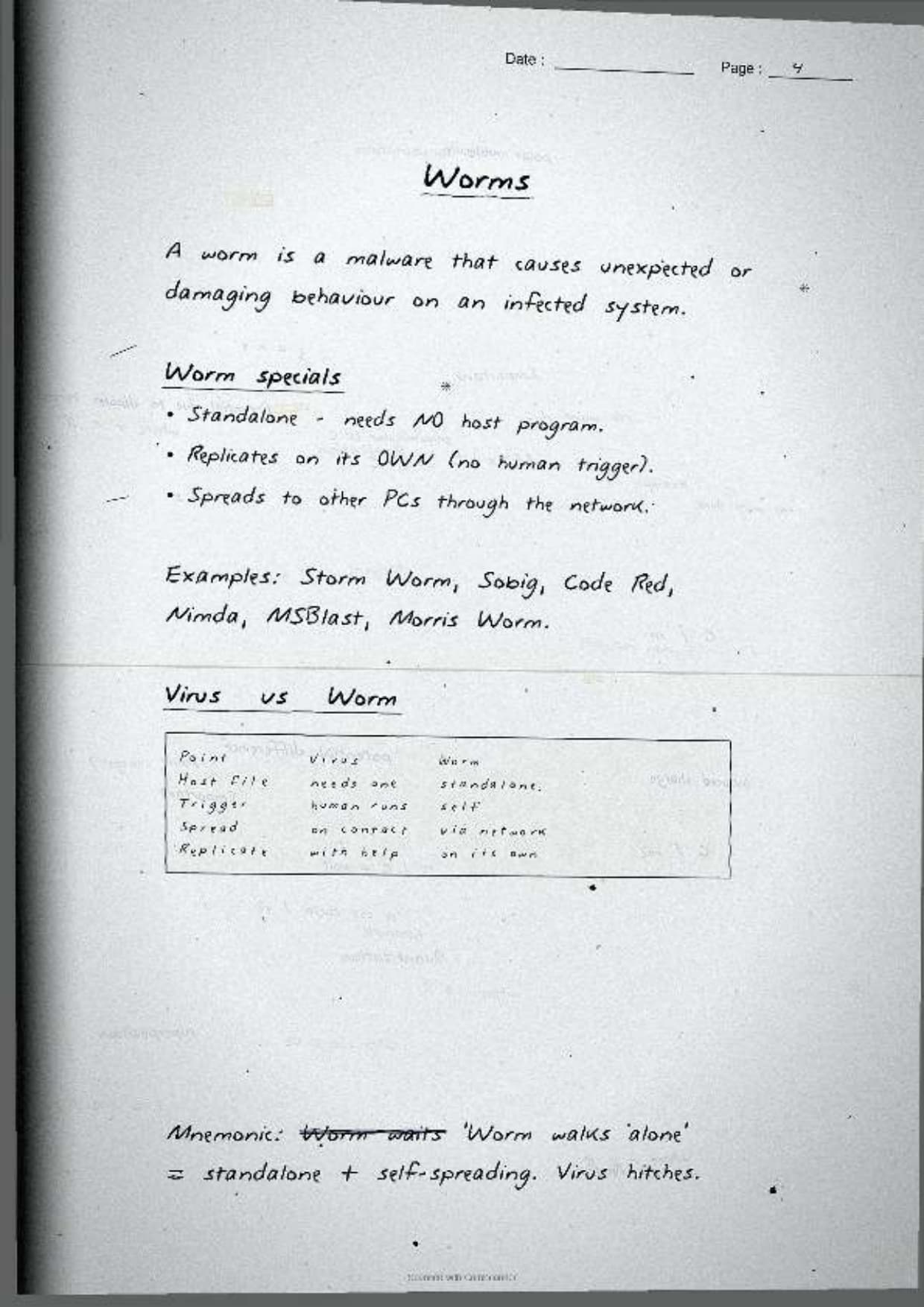
One full page lines up the three malware types the CBSE paper asks about by name. The notes give each a one-line meaning and a clear contrast, so students can write the difference in a single sentence.
| Malware | What it does | How it spreads |
|---|---|---|
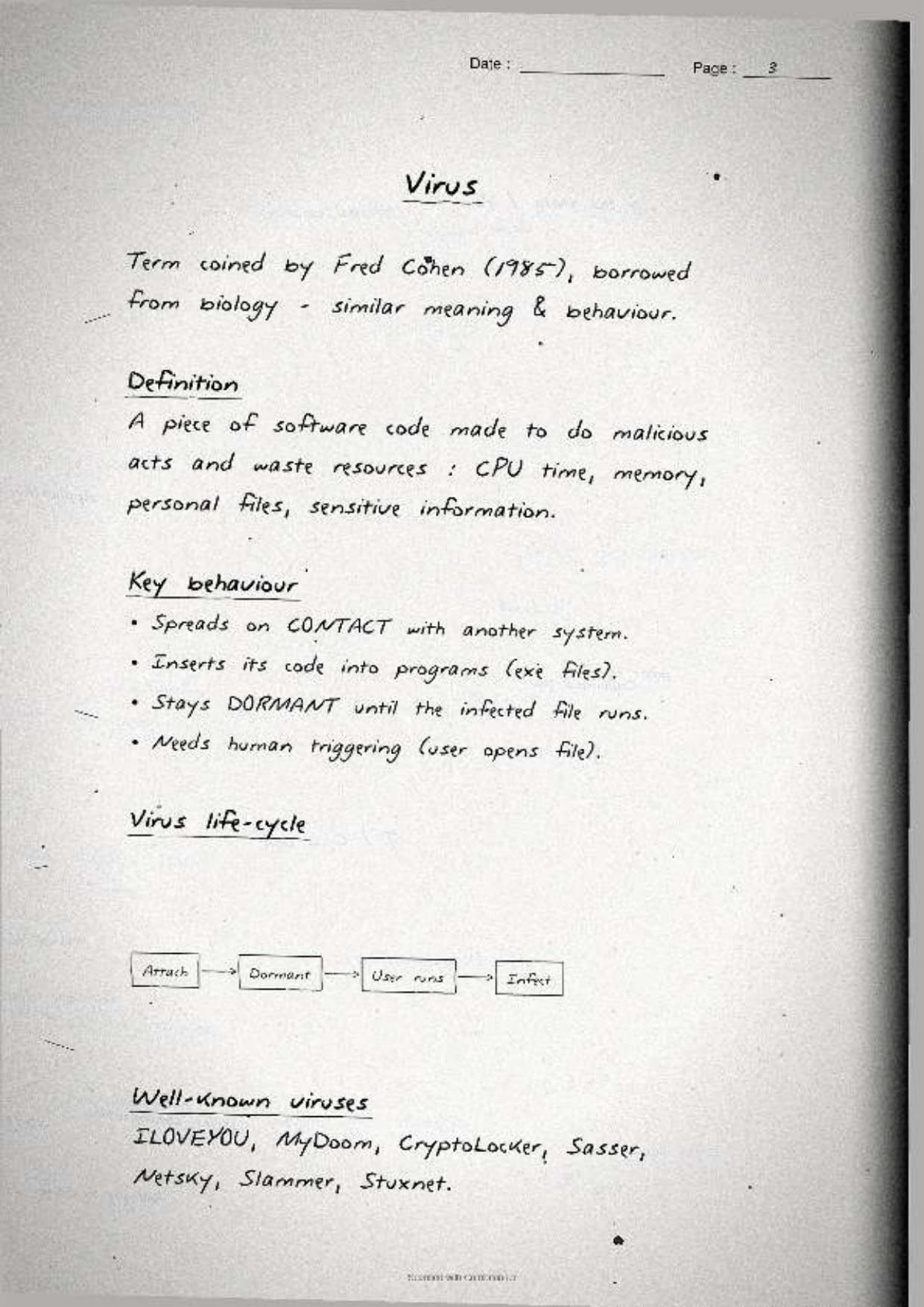
| Virus | Attaches itself to a file or program and damages data when that file runs | Needs a host file and a user action to run |
| Worm | Copies itself again and again to clog memory and slow the system | Spreads on its own across a network, no host needed |
| Trojan | Hides inside a useful-looking program and opens a back door once run | Tricks the user into installing it, does not self-replicate |
The page boxes the sharpest distinction students miss: a virus needs a host file and a human action, while a worm spreads by itself across a network. Keeping that one line in mind turns a vague answer into a full-marks one, because the difference question is almost guaranteed. The notes also pin down the Trojan story so the name sticks:
- Trojan name: it is named after the wooden Trojan Horse of Greek legend, which looked like a gift but hid soldiers inside. A Trojan program looks harmless but carries a hidden harmful payload.
- Trojan trait: unlike a virus or worm, a Trojan does not copy itself. Its danger is the back door it opens for an attacker.
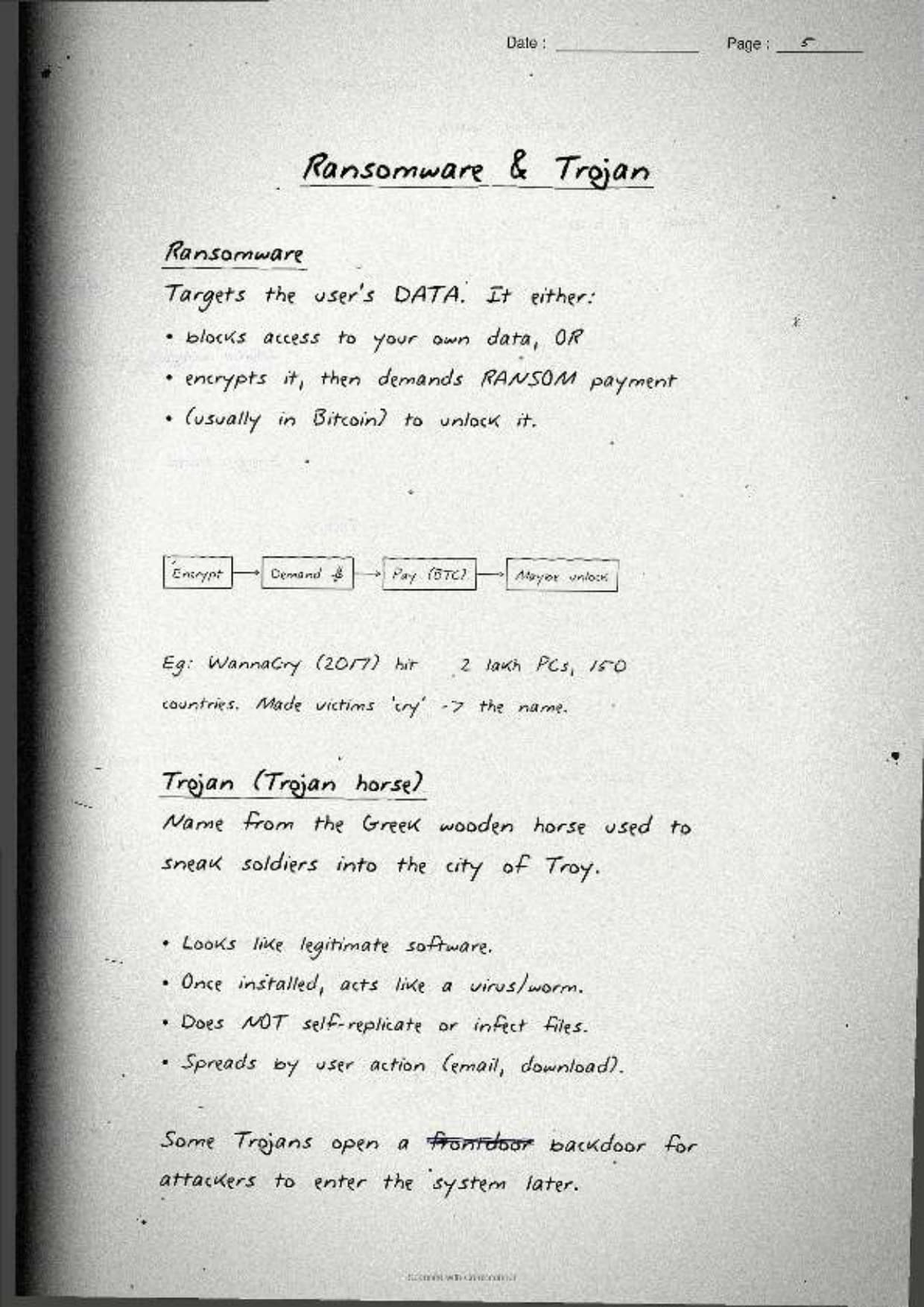
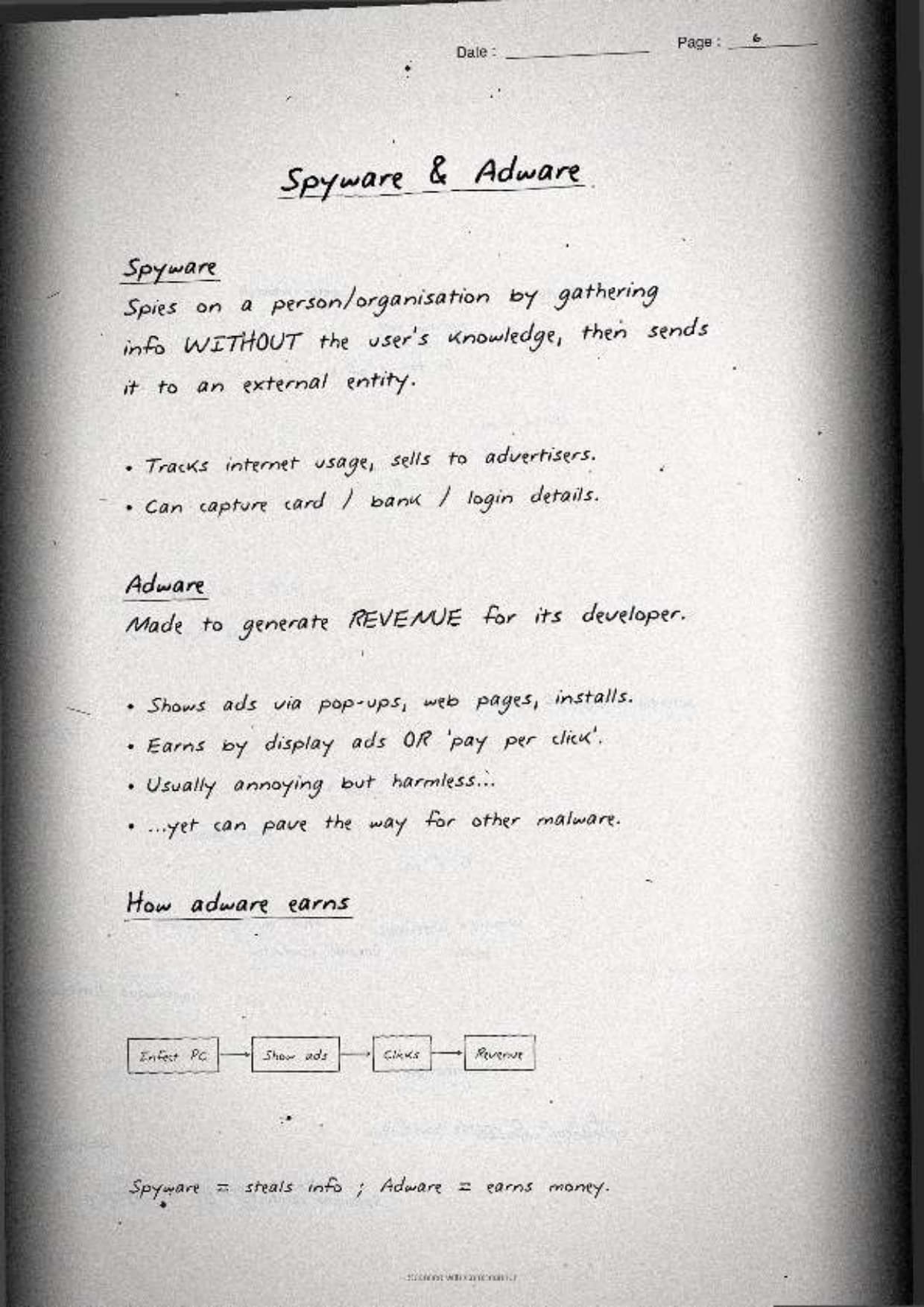
Ransomware, Adware, Spyware and Keyloggers
This is the page students revise most before short-answer questions. The notes box a one-line money or harm angle for each, because the board paper usually asks "how does X harm the user" rather than a plain definition.
| Malware | What it does | Harm to the user |
|---|---|---|
| Ransomware | Locks or encrypts the user's files | Demands a ransom payment to unlock the data |
| Adware | Shows forced pop-up and banner adverts | Earns its maker money per ad view or click, and slows the system |
| Spyware | Secretly watches what the user does | Steals browsing habits, passwords and personal data |
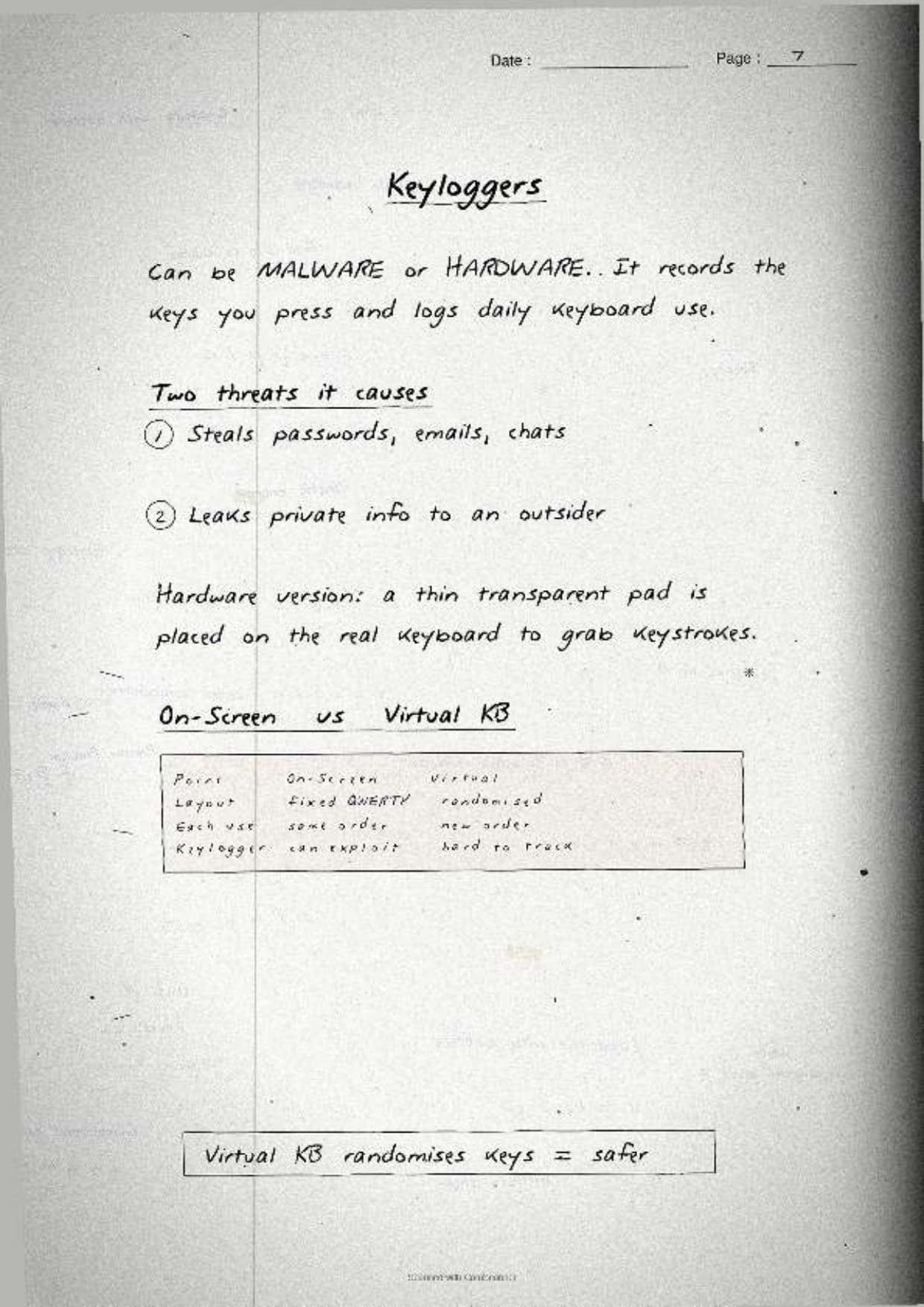
| Keylogger | Records every key the user presses | Captures passwords, bank PINs and private messages |
The notes pin down the exam reasoning behind each one:
- Ransomware money trail: it encrypts files and shows a note demanding payment, often in cryptocurrency, in return for the decryption key. Paying does not guarantee the files come back.
- Adware revenue: the creator is paid for every advert shown or clicked, so the more pop-ups it forces, the more it earns.
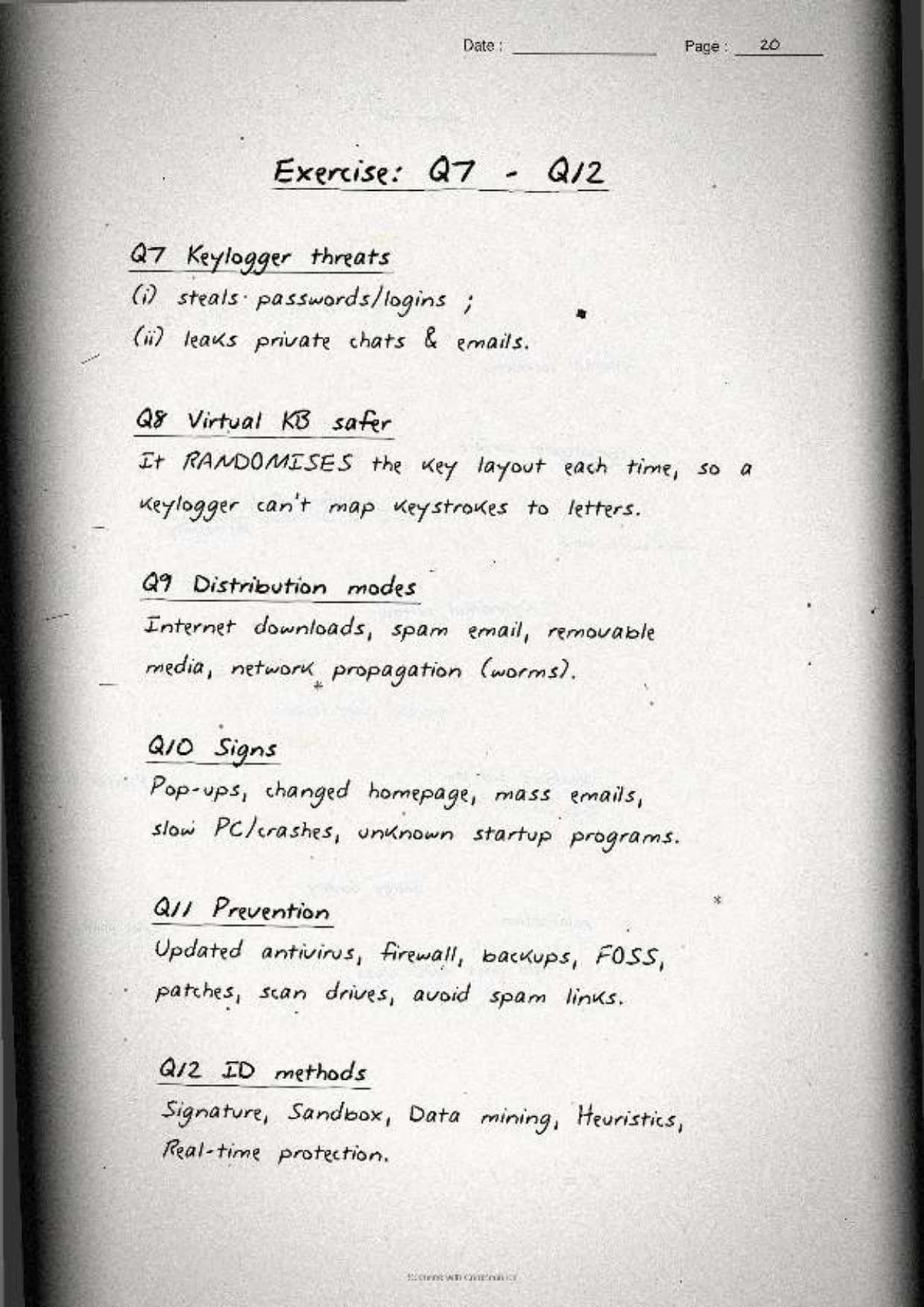
- Keylogger threats: two clear harms are stolen login passwords and stolen banking or card details, both captured straight from the keystrokes.
- Virtual keyboard defence: a virtual keyboard is safer than an on-screen click pad because clicks are harder to log than physical keys, so it blocks a hardware or software keylogger from reading a typed password.
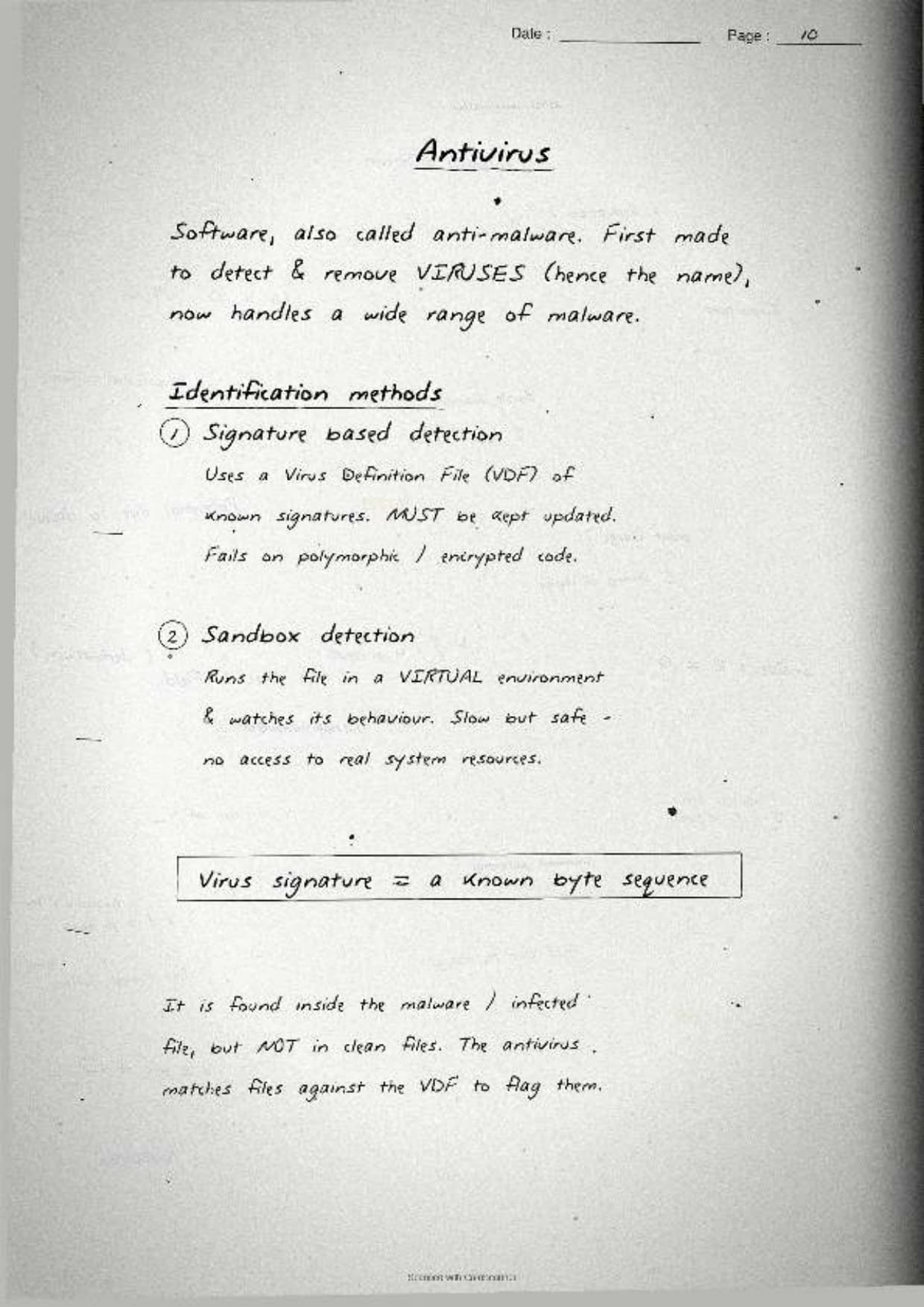
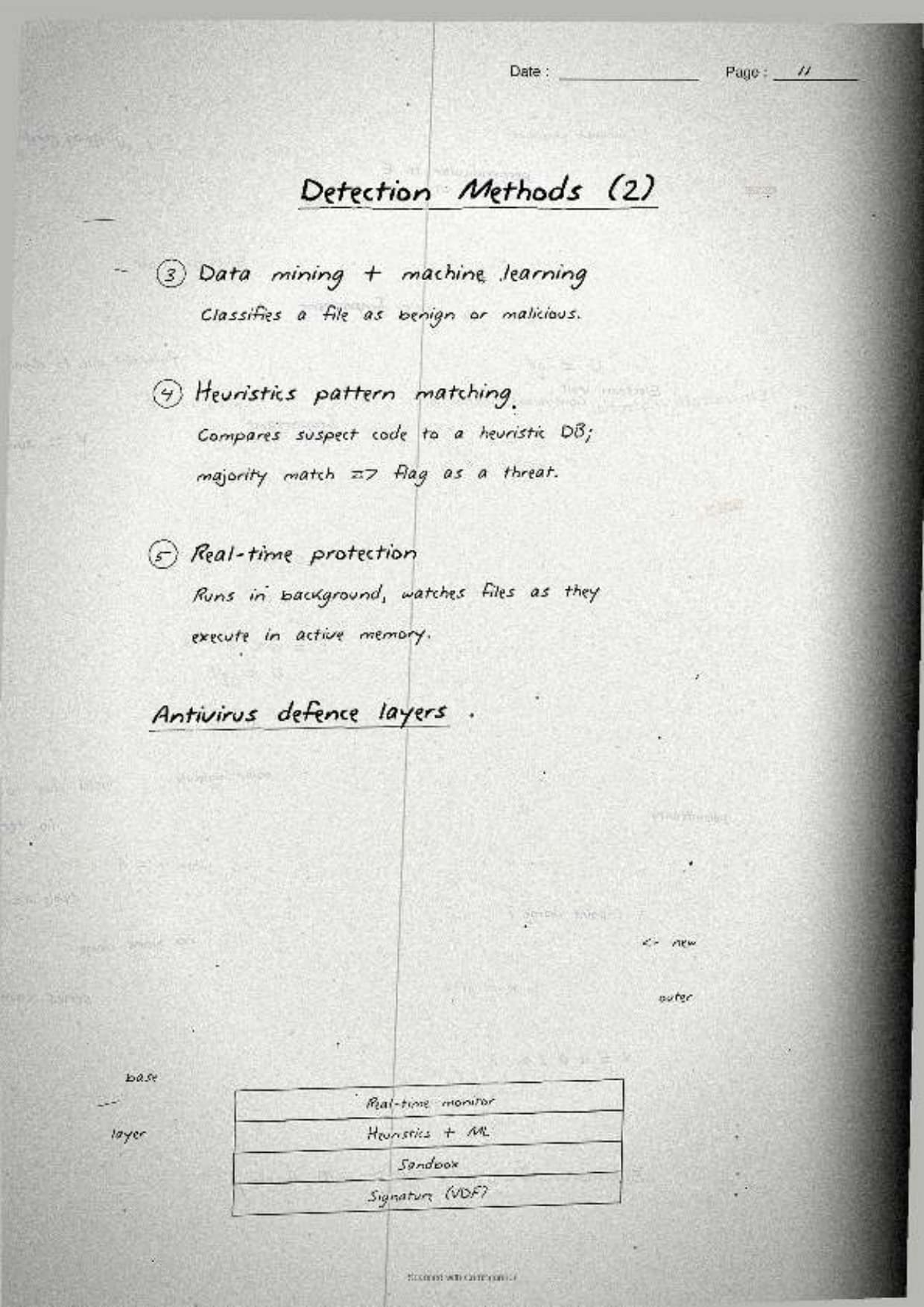
The margin note boxes the antivirus angle that comes up as a short note: an antivirus spots malware by signature-based detection, which matches code against a list of known malware patterns, and by heuristic or behaviour-based detection, which flags a program that acts like malware even if it is new.
Network Threats: DoS, DDoS, Snooping and HTTPS
The last concept page covers the attacks that travel over the network and the two ways the chapter says to defend against them. The notes box a one-line rule for each, because all of them turn up as 2-mark or 3-mark direct questions in the board paper.
| Threat | What it does |
|---|---|
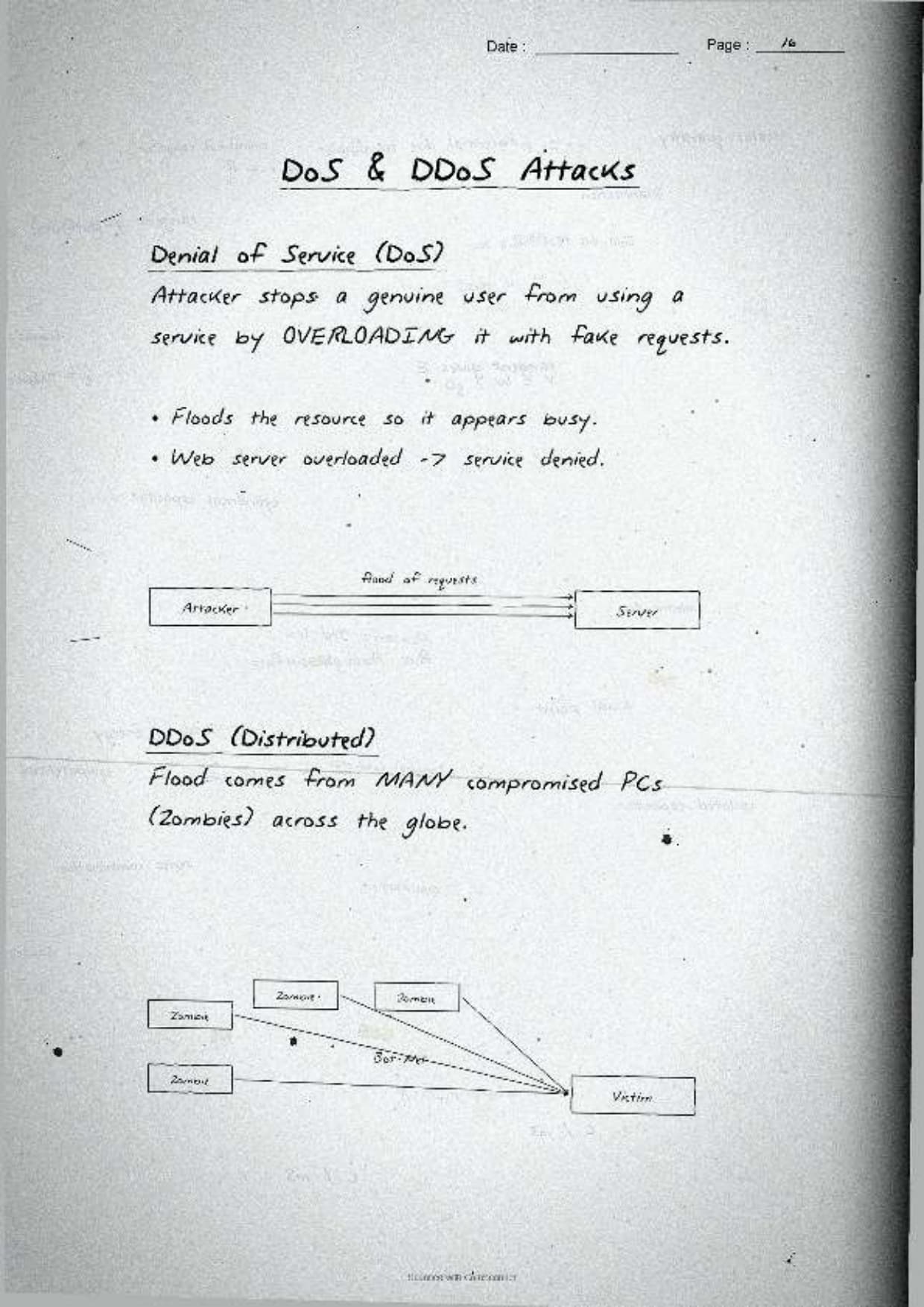
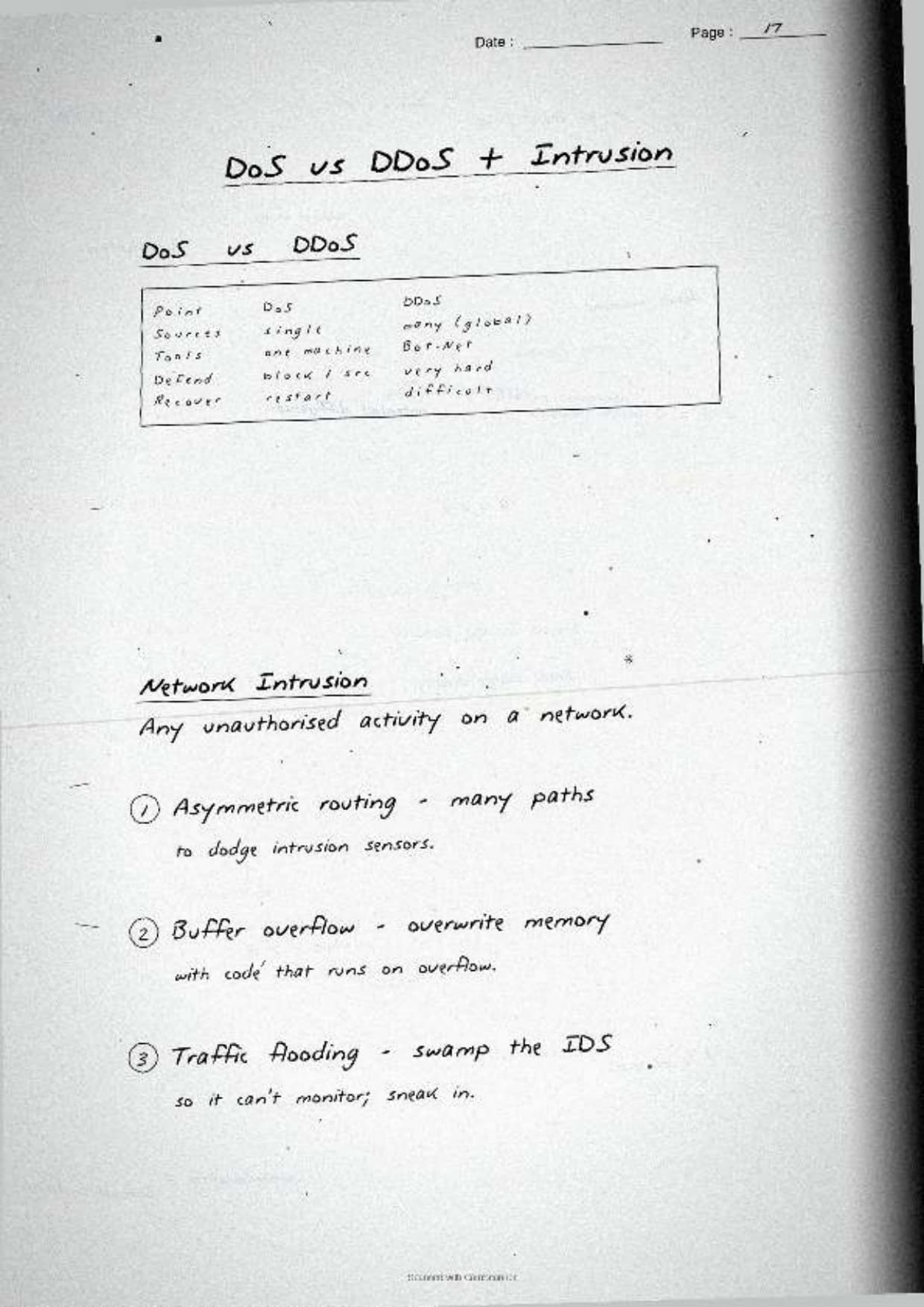
| DoS attack | Floods a server from one source so real users cannot get a response |
| DDoS attack | The same flood launched from many computers at once, so it is far harder to block |
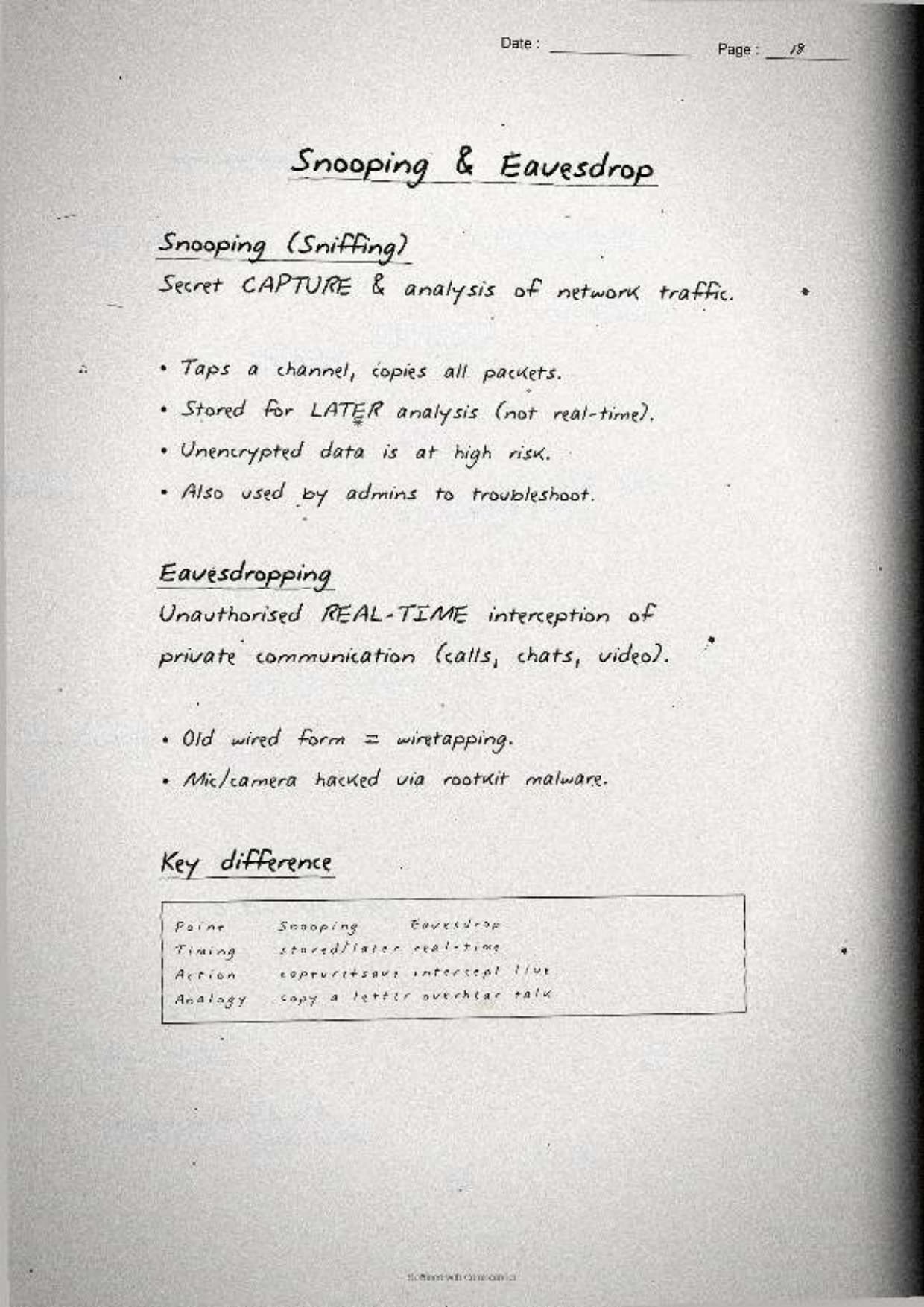
| Snooping | Secretly capturing and looking through another user's data or activity |
| Eavesdropping | Secretly listening to a private network conversation as it travels |
The notes pin down the contrasts the examiner checks first:
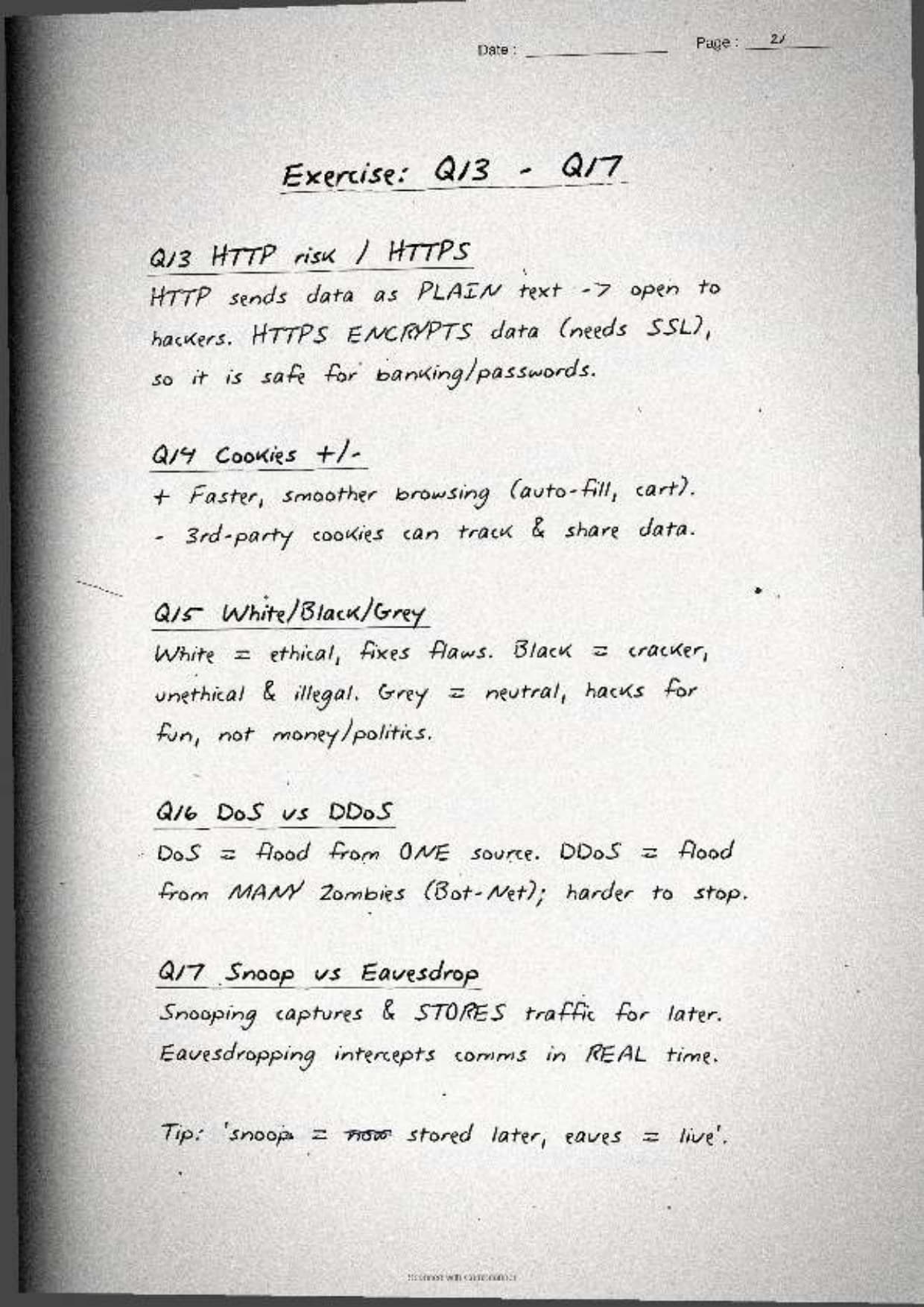
- DoS versus DDoS: a DoS attack comes from a single machine, while a DDoS attack comes from many machines (often a botnet) at the same time. That is why a DDoS is harder to stop.
- Snooping versus eavesdropping: snooping is about reading stored data or files, while eavesdropping is about intercepting data while it is in transit on the network.
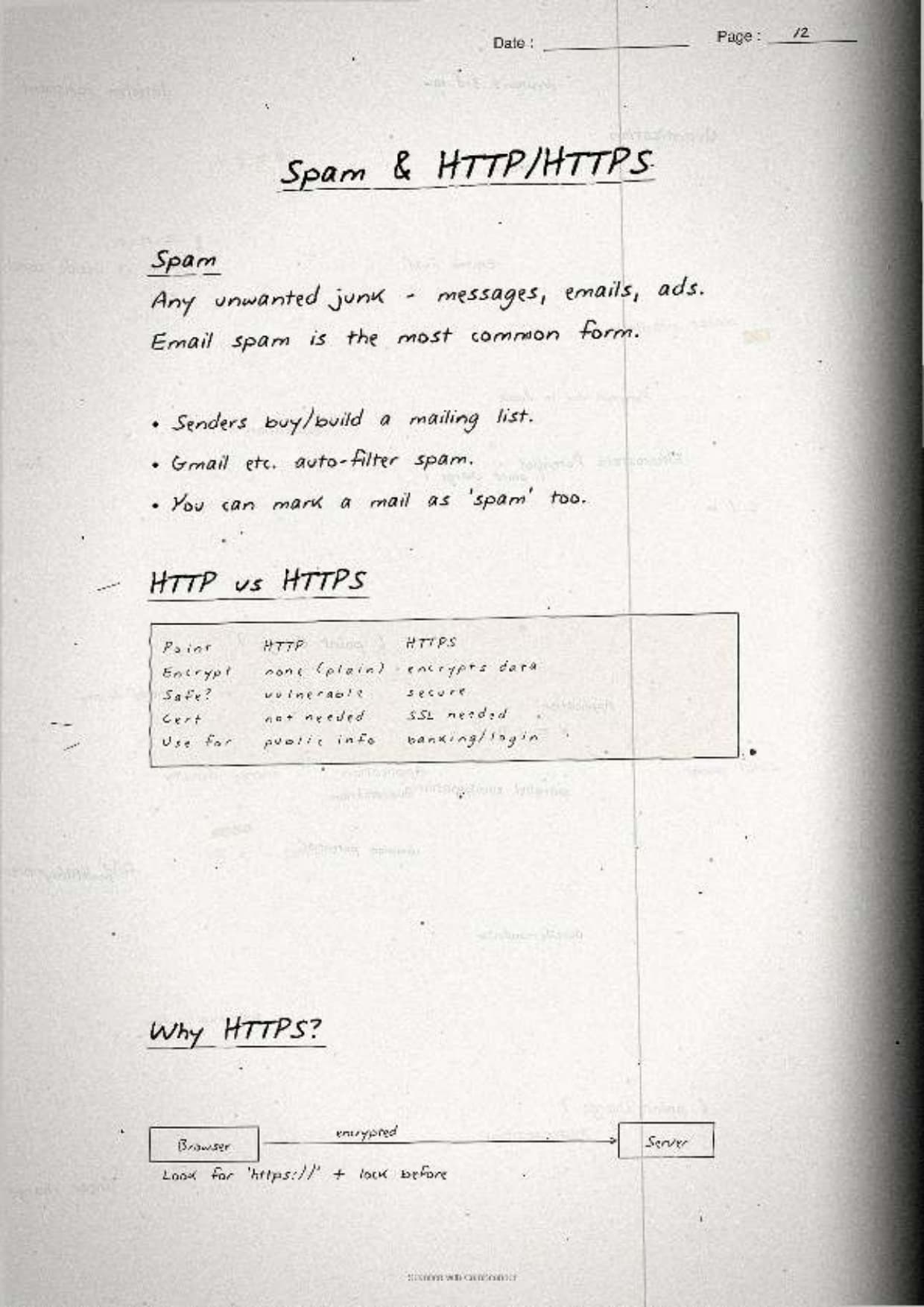
The margin note boxes the HTTP-to-HTTPS story, the most repeated network question:
- HTTP risk: plain HTTP sends data as clear text, so anyone snooping on the line can read passwords and card numbers.
- HTTPS fix: HTTPS adds an SSL or TLS layer that encrypts the data, so even if it is intercepted it cannot be read. The padlock icon shows the site is secured.
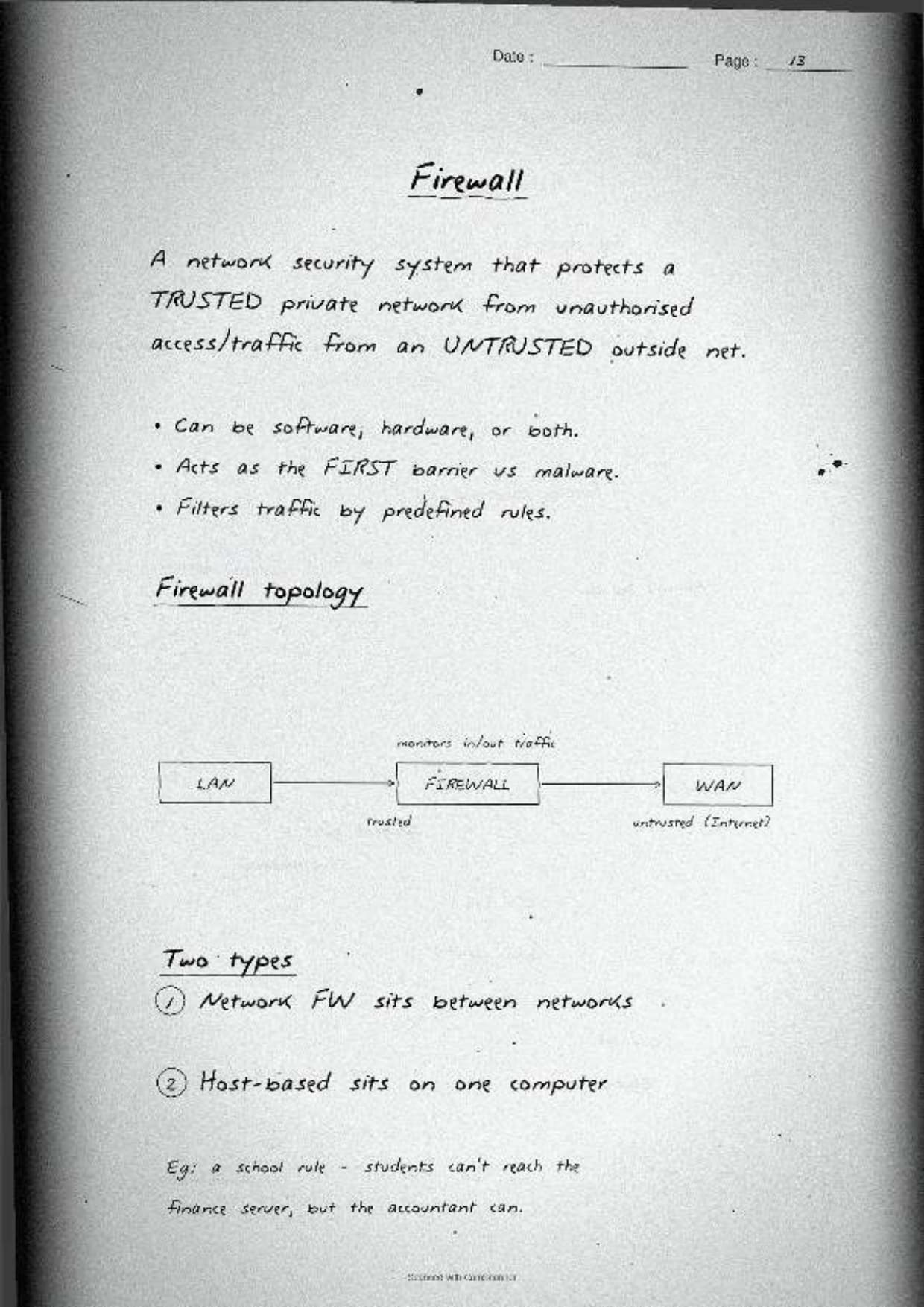
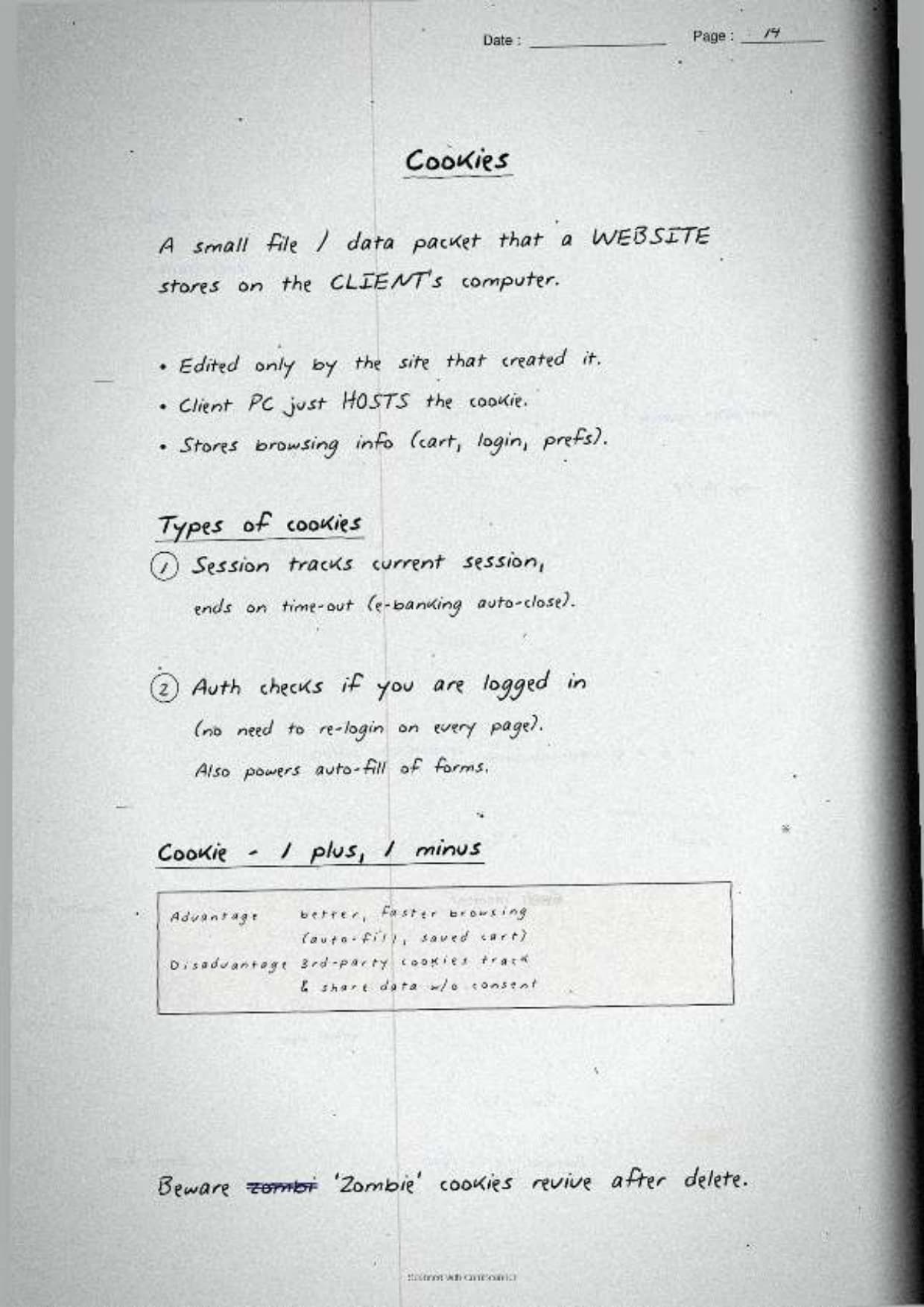
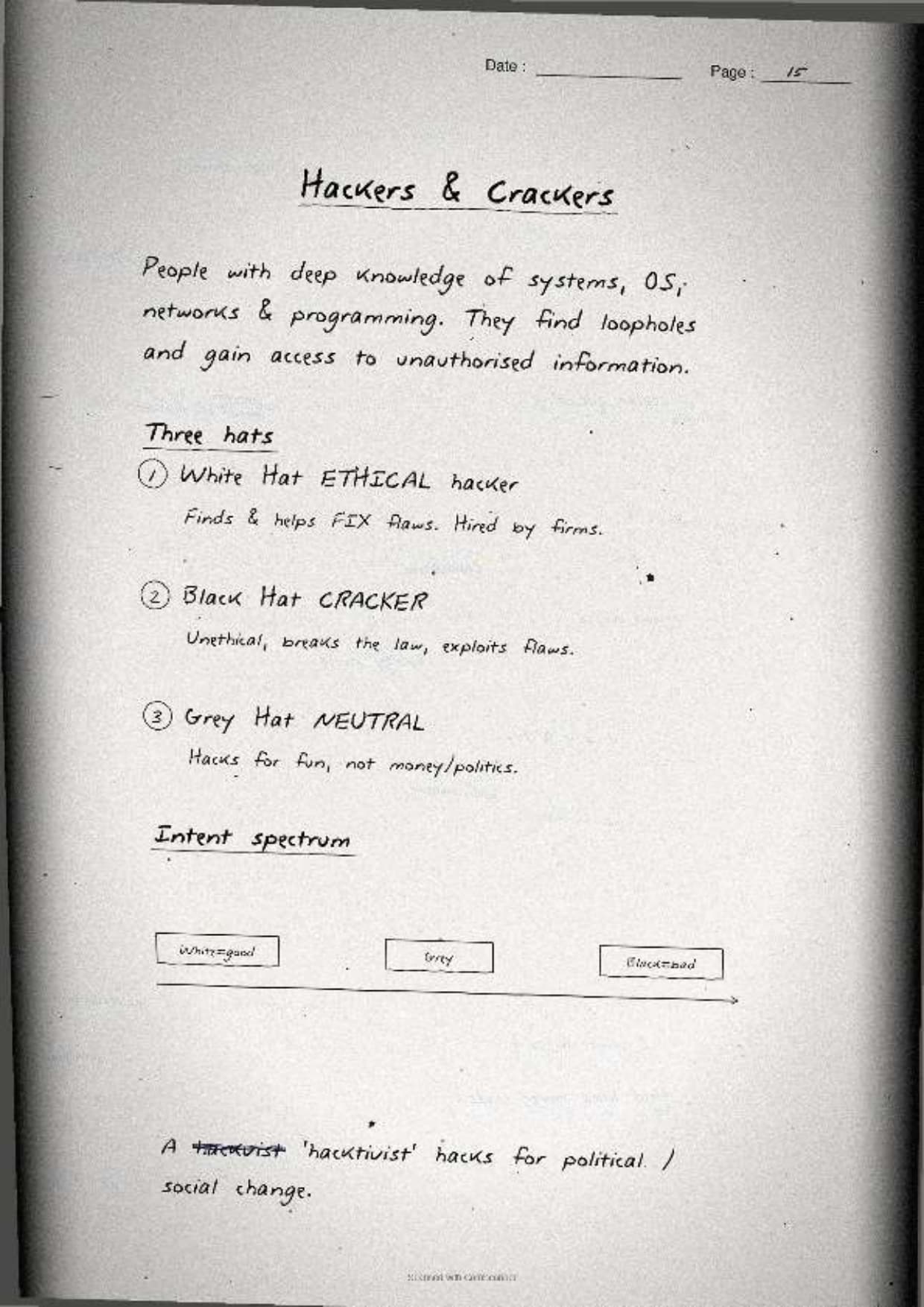
The page closes with two quick facts the paper reuses. A cookie is a small text file a website stores on the user's computer: its advantage is that it remembers logins and preferences for a faster visit, and its disadvantage is that it can track browsing and raise a privacy concern. The three hacker hats are also boxed: a White Hat hacker is ethical and tests systems with permission, a Black Hat hacker breaks in for harm or gain, and a Grey Hat hacker sits in between, breaking in without permission but usually without bad intent.
How to Use These Handwritten Notes Effectively
Handwritten notes work best as a final layer of revision, not as your first read. The plan below helps students get the most out of the Security Aspects handwritten notes before the board exam. Follow it once a week in the run-up to the test.
- First pass: read the pages in order, the threats and malware signs, then the malware family, then the network attacks and HTTPS.
- Active recall: cover the boxed definitions and try to write each malware type and network attack from memory.
- Draw the contrast: sketch the virus, worm and Trojan side by side, then check the row against the page.
- Self-test: attempt a short class 12 computer science chapter 12 security aspects drill to check the small facts.
Because the notes come as a downloadable PDF, students can save them on a phone and revise offline on the way to the exam centre. Many students open security aspects class 12 computer science notes on their phone the night before a test, so a saved PDF means revision is always at hand. Pair these pages with the full solutions to check your reasoning against model answers.
Common Mistakes These Notes Help You Avoid
A few errors cost marks in this chapter every year. Most come from mixing up the malware types or blurring the network attacks. The notes flag each soft point in the margin so students phrase it safely on the answer sheet.
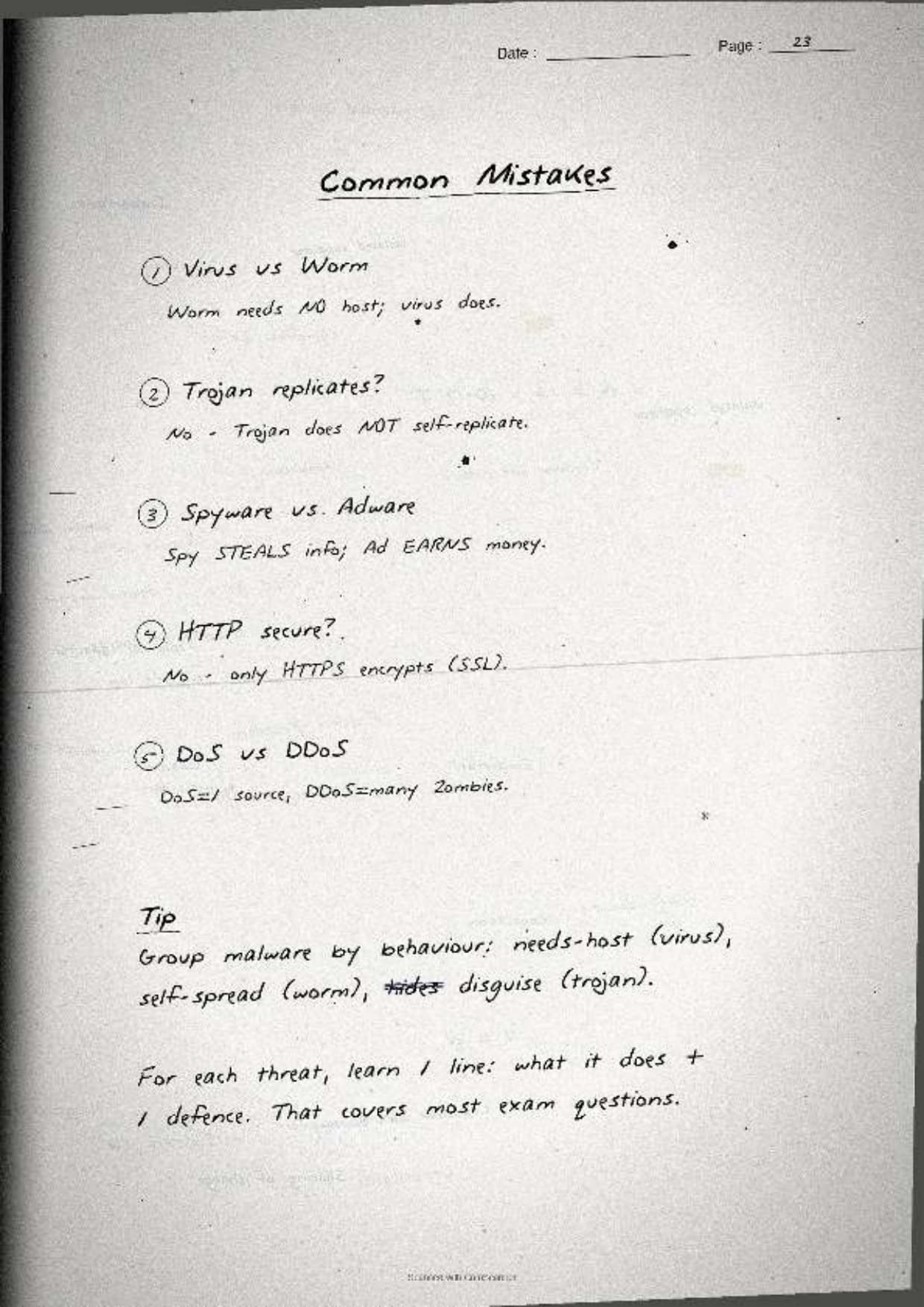
- Saying a virus and a worm are the same. A virus needs a host file and a user action, while a worm spreads on its own across a network.
- Calling a Trojan self-replicating. A Trojan does not copy itself; it hides inside a useful-looking program and opens a back door.
- Swapping DoS and DDoS. DoS is from one source; DDoS is from many machines at once.
- Treating snooping and eavesdropping as identical. Snooping reads stored data; eavesdropping intercepts data in transit.
- Saying HTTPS hides the data fully. HTTPS encrypts the data so it cannot be read, but the connection still happens, so use the word encrypt, not hide.
Students who fix these five points usually move from average to high marks. The exam rewards exact wording, so always tie a virus to "needs a host file" and a worm to "self-replicates over a network." The handwritten margin notes nudge you to keep that precision in the right places.
How These Notes Pair with the Solutions and Book PDF
These handwritten notes are a revision layer. To prepare fully, students should use them with the other resources for the same chapter, all linked in the table below. Read the notes, then test yourself with the solutions, and open the book PDF for the original text.
| Resource | Best used for |
|---|---|
| Security Aspects NCERT Solutions | Step-by-step reasoning for all back-exercise questions on malware, network attacks and HTTPS |
| Security Aspects Class 12 Notes | Quick typed summary with the malware family, network threats and defences in one place |
| Security Aspects NCERT Book PDF | Reading the original NCERT chapter text from the textbook |
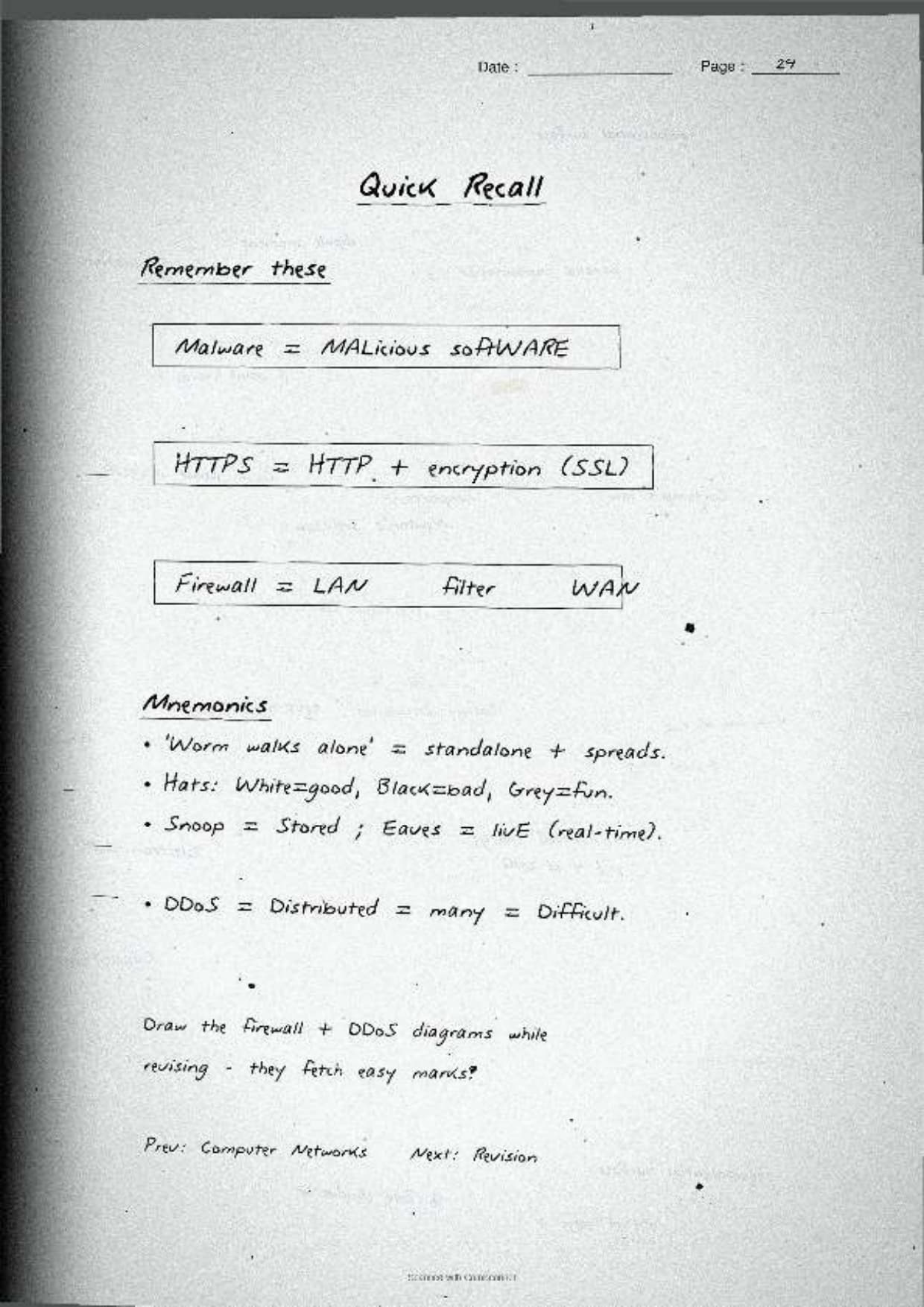
Tip: redraw the virus, worm and Trojan row once with a tiny spread sketch beside each, then write the definitions in your own words. Drawing that contrast once fixes the whole malware family for good.
All Class 12 Computer Science Handwritten Notes by Chapter
The table links the handwritten notes for every chapter in Class 12 Computer Science, so students can move across the course in one click. Security Aspects is highlighted, with Data Communication just before it as the last networking chapter of the course.
| Chapter | Handwritten Notes |
|---|---|
| Chapter 1 | Exception Handling in Python |
| Chapter 2 | File Handling in Python |
| Chapter 3 | Stack |
| Chapter 4 | Queue |
| Chapter 5 | Sorting |
| Chapter 6 | Searching |
| Chapter 7 | Understanding Data |
| Chapter 8 | Database Concepts |
| Chapter 9 | Structured Query Language (SQL) |
| Chapter 10 | Computer Networks |
| Chapter 11 | Data Communication |
| Chapter 12 | Security Aspects |
FAQs on Security Aspects Handwritten Notes
Security Aspects Class 12 Computer Science Handwritten Notes Common Questions
Ques. Are these class 12 computer science chapter 12 Security Aspects handwritten notes free to download?
Ans. Yes. The Security Aspects handwritten notes are free to download as a PDF from this page. They follow the 2026-27 NCERT syllabus and cover the full chapter across 24 handwritten, boxed-keyword pages for quick revision.
Ques. What does the Security Aspects chapter cover in Class 12 Computer Science?
Ans. The notes cover malware and how it spreads, the difference between a virus, a worm and a Trojan, ransomware, adware, spyware and keyloggers, network attacks like DoS, DDoS, snooping and eavesdropping, the move from HTTP to HTTPS, cookies, and White, Black and Grey Hat hackers, all with hand-drawn comparisons.
Ques. What is the difference between a virus and a worm?
Ans. A virus attaches itself to a host file and needs a user action to run before it can spread, while a worm is a stand-alone program that copies itself across a network on its own, with no host file and no user action needed. That self-replication is why a worm can clog memory and slow a whole system fast.
Ques. How is HTTPS safer than HTTP for Class 12 students to remember?
Ans. Plain HTTP sends data as clear text, so anyone snooping on the line can read passwords and card numbers. HTTPS adds an SSL or TLS layer that encrypts the data, so even if it is intercepted it cannot be read. The padlock in the address bar shows the site is secured.
Ques. Are these notes enough for the 12th std computer science chapter 12 board exam?
Ans. They are a strong final revision layer. For full preparation, pair them with the NCERT Solutions linked on this page so you can write complete reasoning answers for all back-exercise questions on malware, network attacks, HTTPS and cookies, since these direct questions appear in the board paper most years.



Comments