




Computer Networks is the theory chapter where students lose easy marks by mixing up LAN, MAN and WAN, or by swapping the jobs of a switch, router and gateway. These Computer Networks Class 12 Computer Science handwritten notes box every full form, every topology diagram and every networking device in hand-drawn ruled pages, according to the latest 2026-27 CBSE syllabus.
- CBSE Weightage: 7 to 10 marks from Unit 3 (Computer Networks), one of the most scoring theory units.
- Hand-drawn diagrams for bus, star, tree, ring and mesh topology, plus boxed full forms for ARPANET, MAC, ISP and URI.
- Pairs with the NCERT Solutions, Notes and Book PDF linked lower on this page.
These Computer Networks handwritten notes are prepared from the official NCERT Computer Science textbook and matched to the 2026-27 CBSE syllabus.
Student Feedback: In a Collegedunia poll of 11,900 Class 12 Computer Science students before the 2026 boards, 74% of students said the side-by-side topology diagrams were the fastest way to remember which layout has a central node. 3 out of 5 students told us they earlier lost marks by confusing a switch with a router.
Source: 2026-27 Class 12 Computer Science student poll. Sample of 11,900 students from CBSE schools across 14 states.
What These Computer Networks Handwritten Notes Include
Typed notes read like a textbook. Handwritten notes read like a friend's revision book, so the eye finds the keyword fast on exam day. These Computer Networks handwritten notes condense the whole chapter into 26 handwritten pages of ruled paper, with every full form boxed and every topology drawn by hand.
The pages are built around the four blocks the CBSE board paper tests:
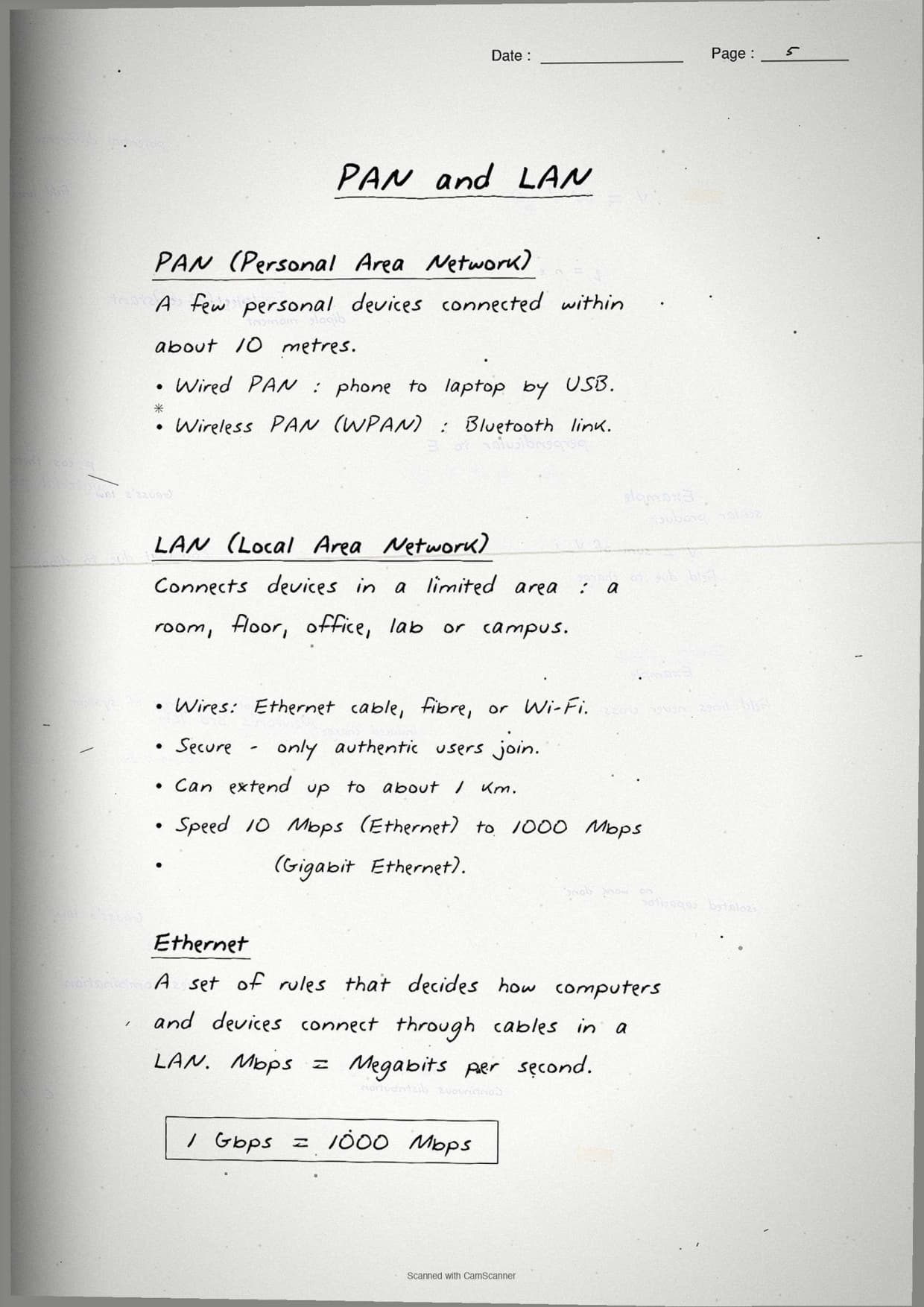
- Network and its types: what a network is, plus LAN, MAN, WAN and PAN by area covered.
- Topologies: hand-drawn bus, star, tree, ring and mesh layouts with their plus and minus points.
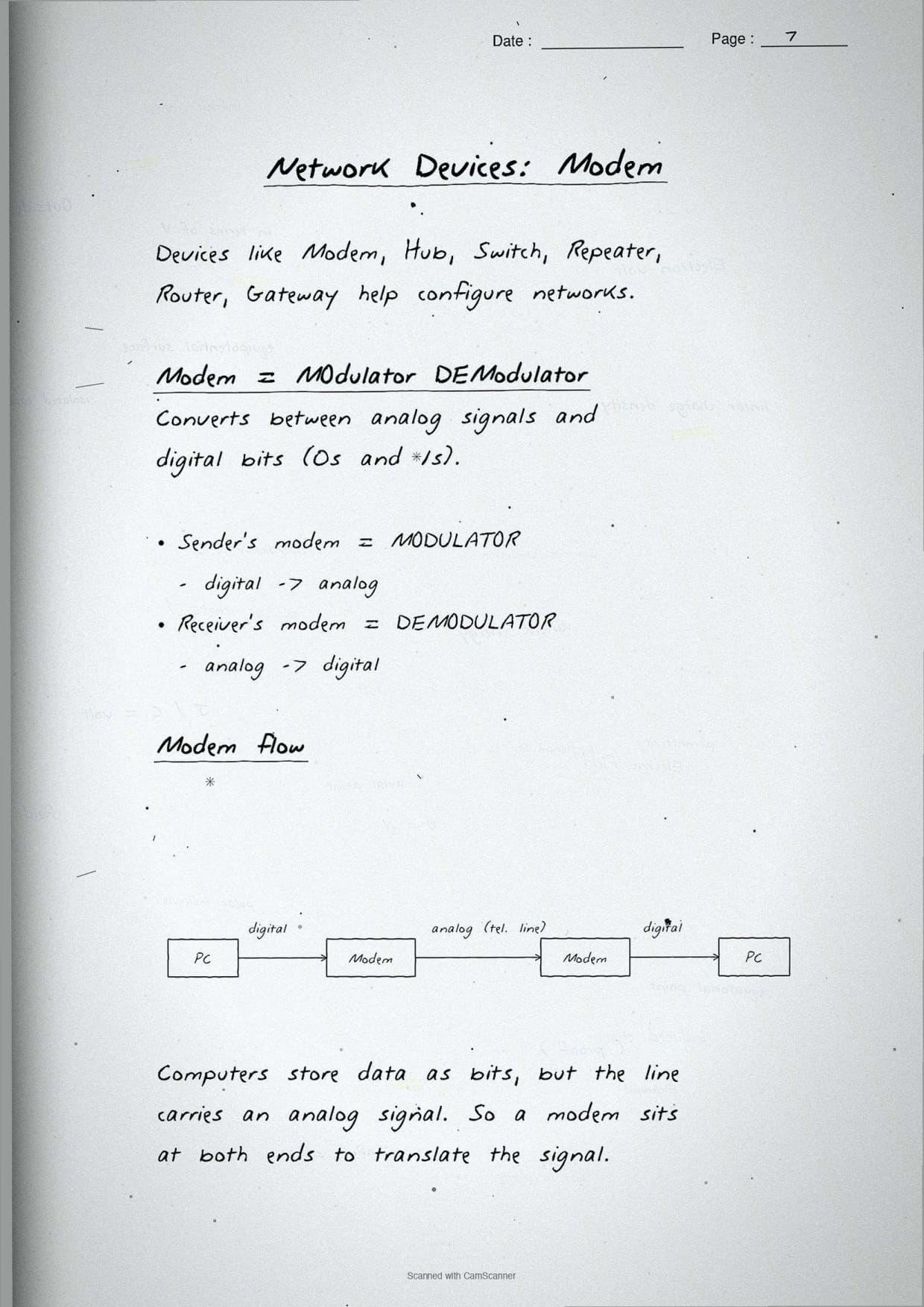
- Networking devices: modem, hub, switch, repeater, router, gateway and NIC, each with one boxed job.
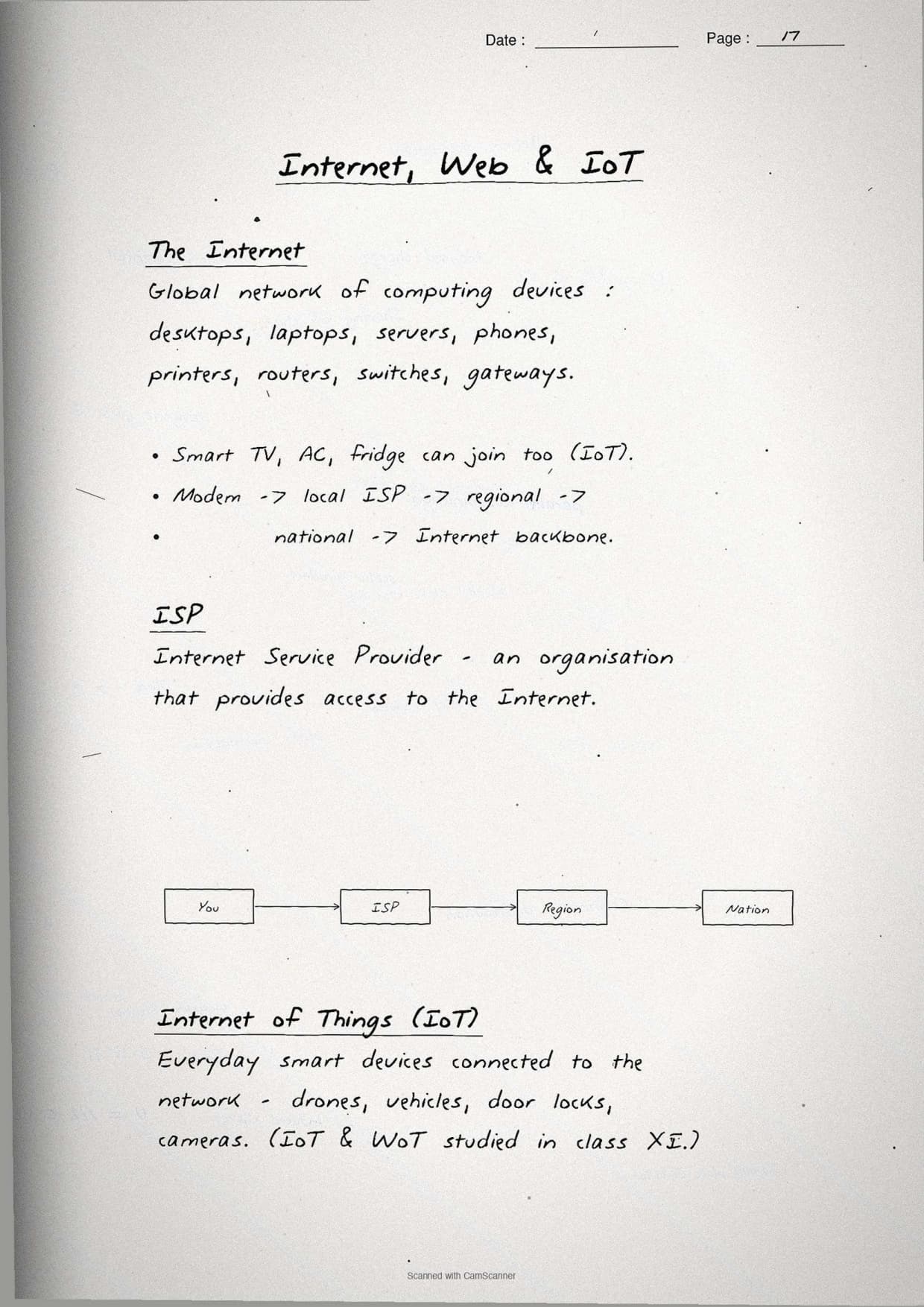
- Addressing and naming: IP address, MAC address, DNS and the difference between the Internet and the World Wide Web.
Because the notes are handwritten, the device jobs sit in pen-drawn boxes and the full forms are circled, so locating a single term during last-week revision takes seconds. This makes the set ideal for a fast recap the night before the exam.
Network Basics and Full Forms: The First Page
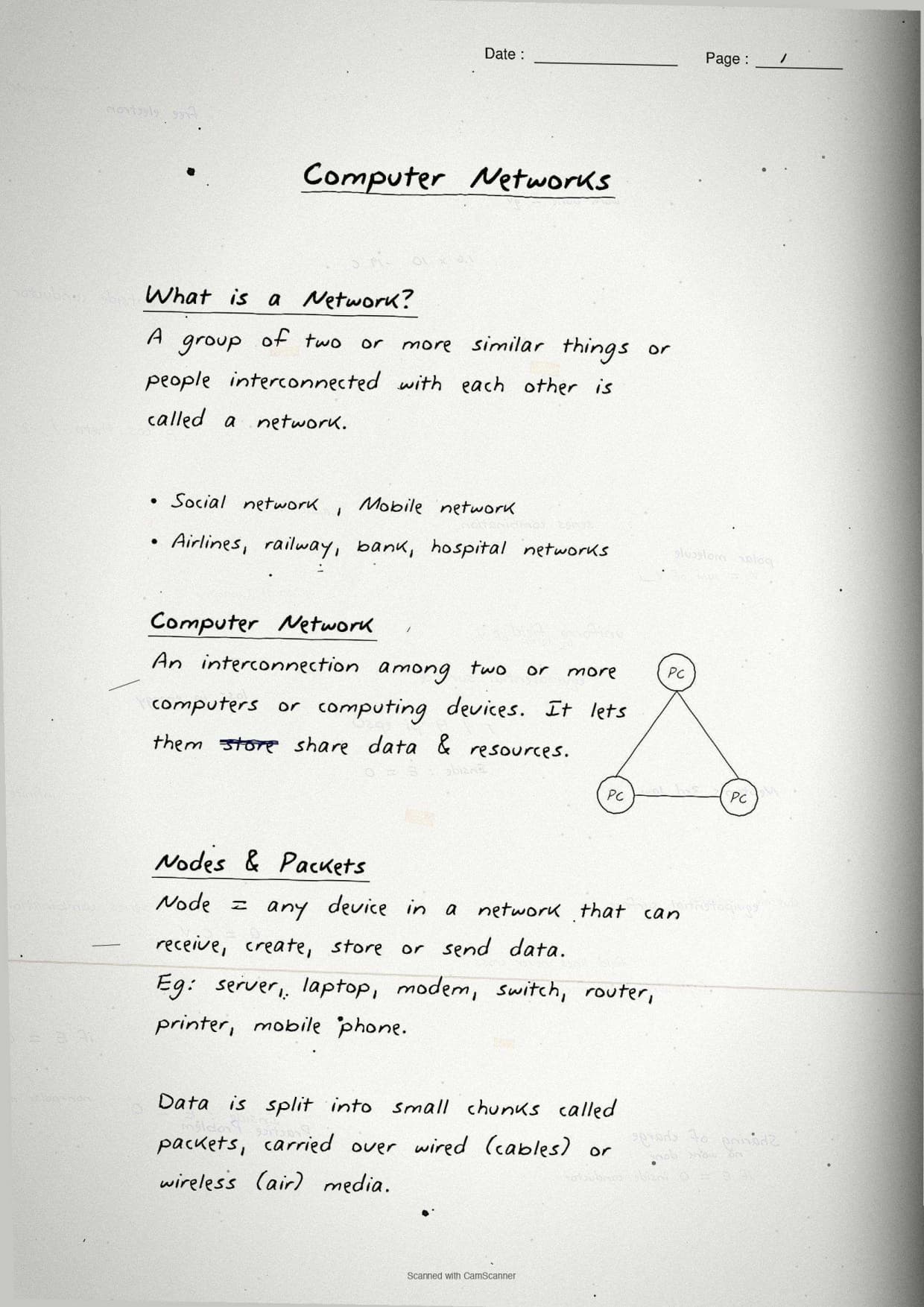
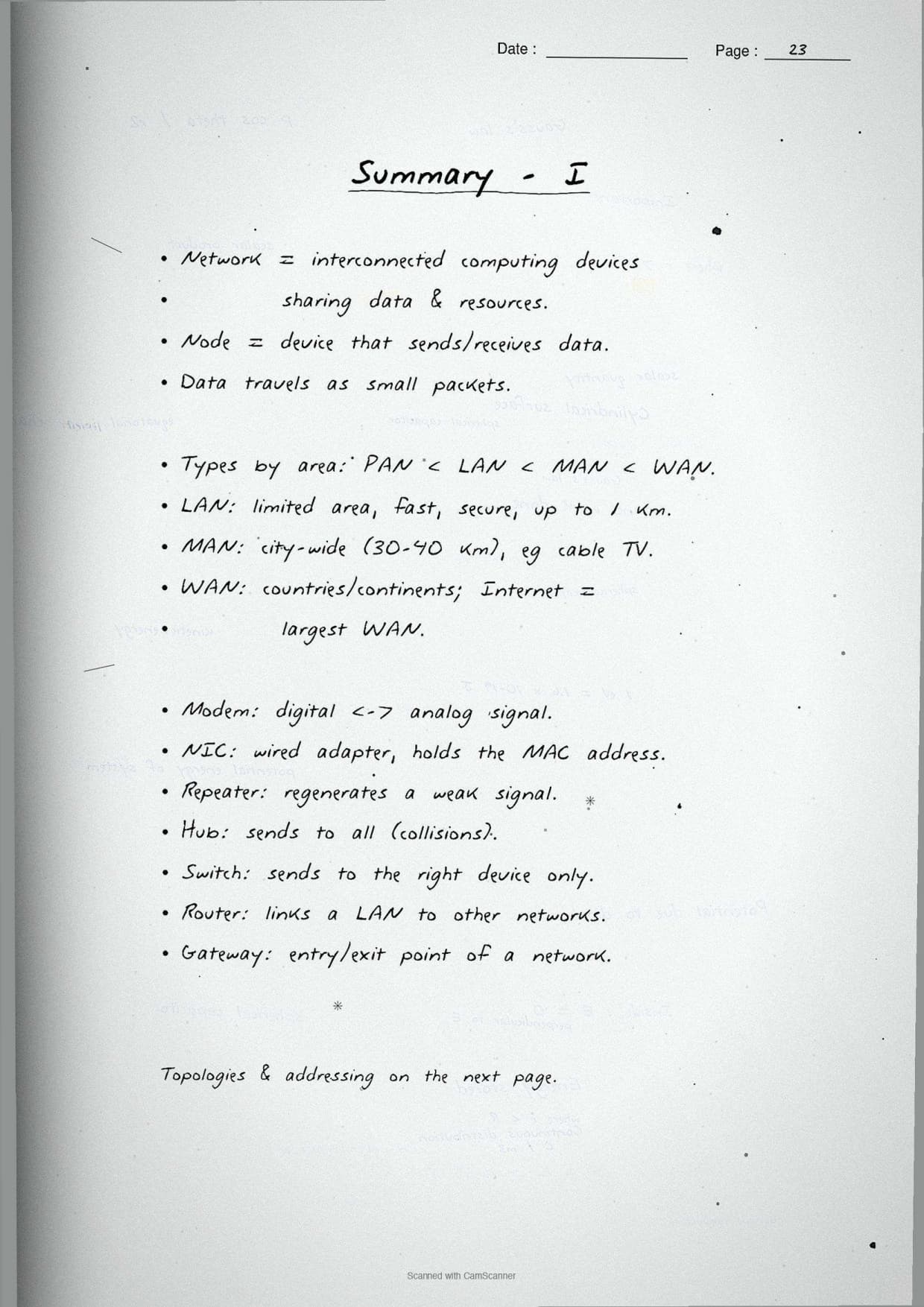
The opening page settles the basics. A computer network is a group of computing devices connected together so they can share data and resources. The notes box the one-line definition, then list the two main gains students must name in a 2-mark answer.
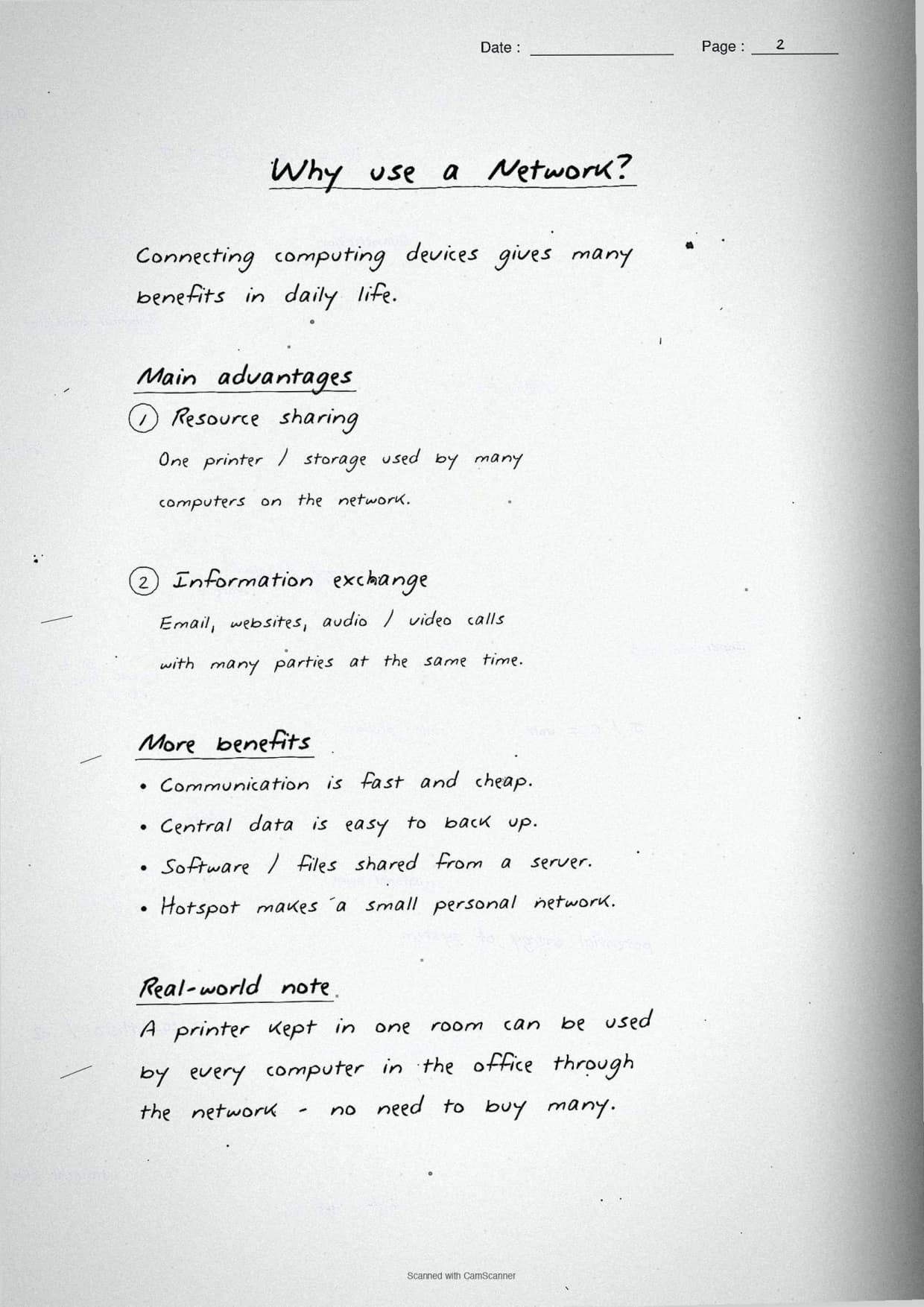
- Resource sharing: one printer, scanner or file can be used by many devices.
- Fast communication: data and messages move between devices in seconds.
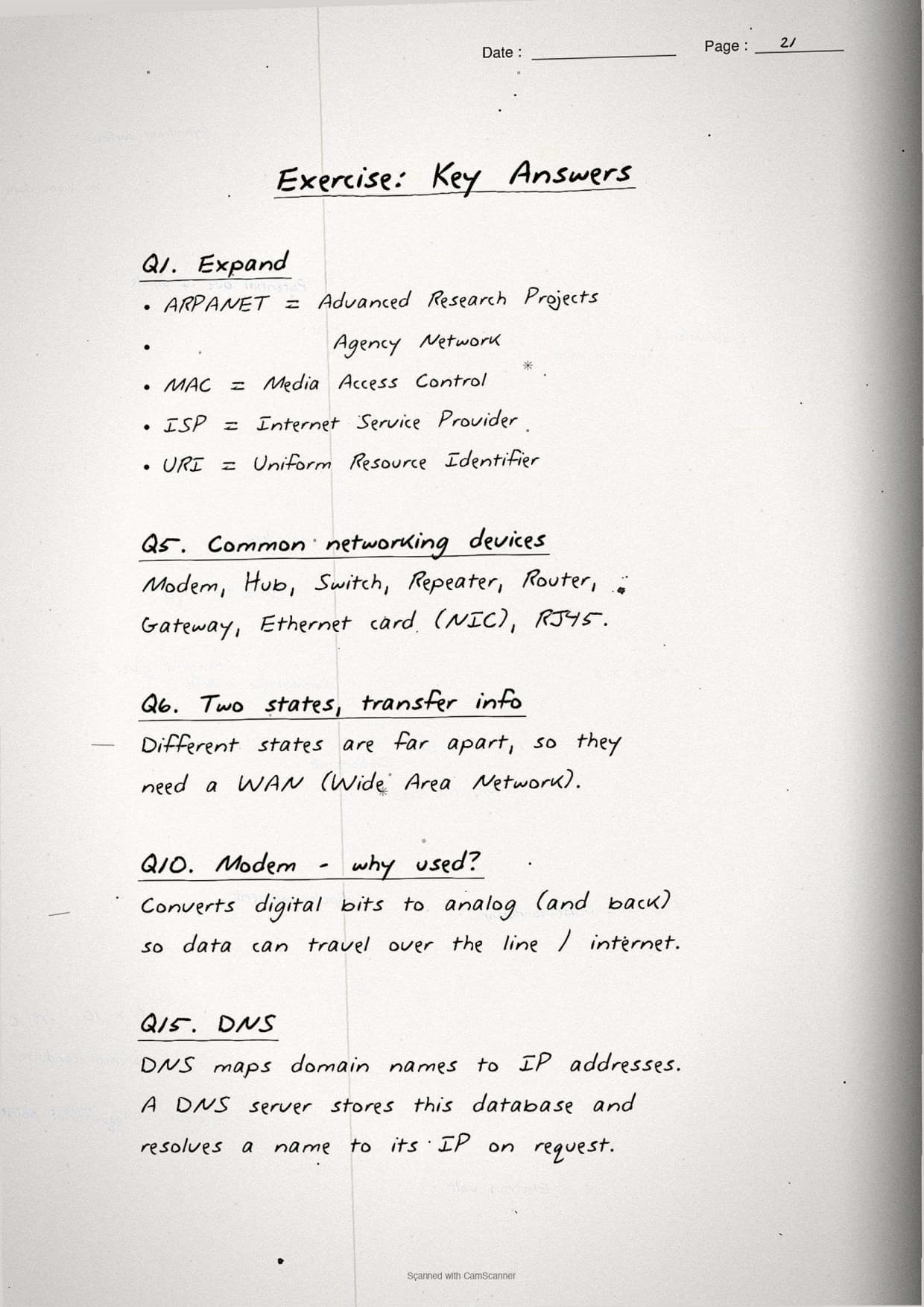
The first page also boxes the full forms the board paper asks almost every year. These are the easiest marks in the chapter, so the notes circle each one:
| Short form | Full form |
|---|---|
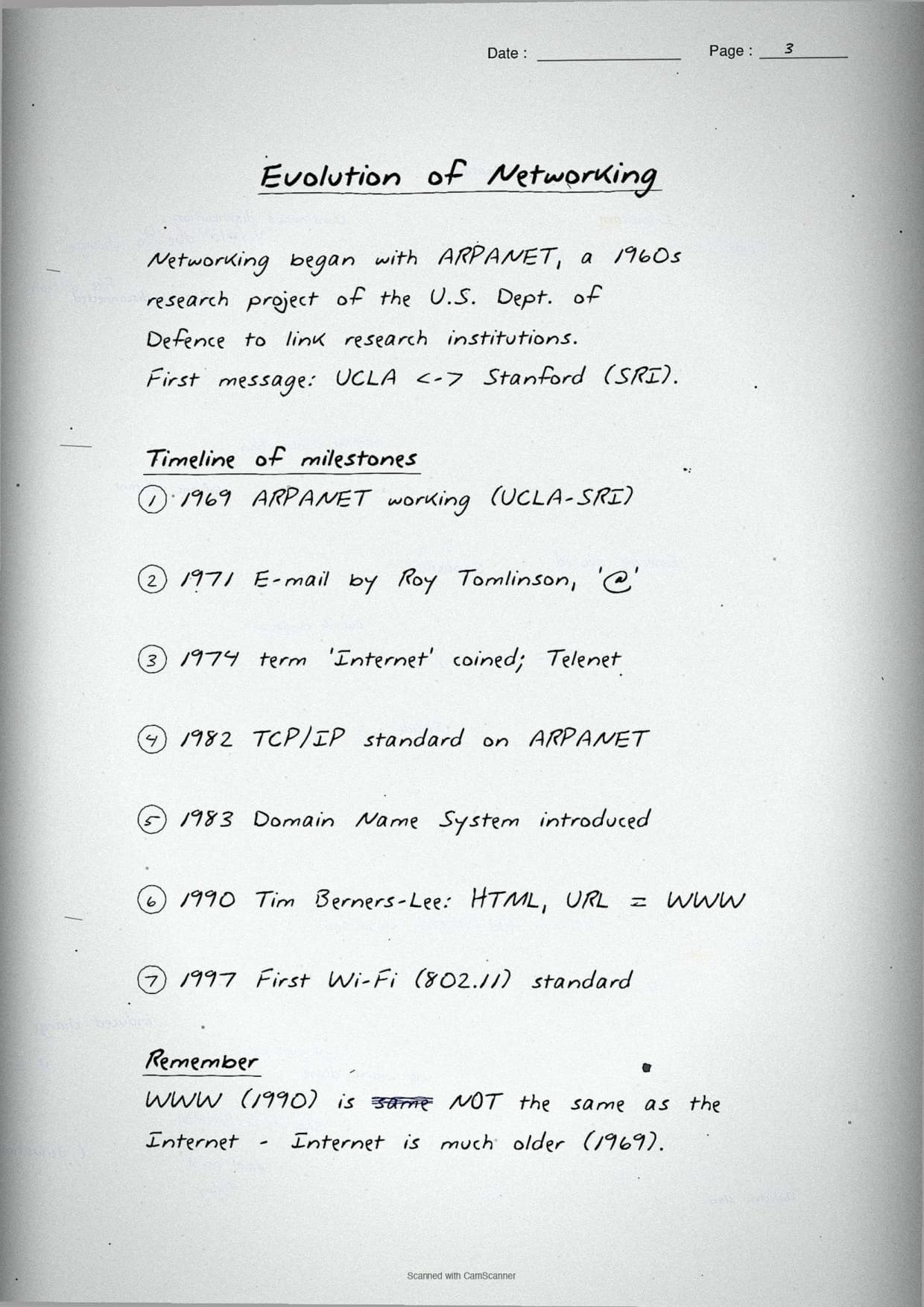
| ARPANET | Advanced Research Projects Agency Network |
| MAC | Media Access Control |
| ISP | Internet Service Provider |
| URI | Uniform Resource Identifier |
| NIC | Network Interface Card |
| DNS | Domain Name System |
The margin note boxes a recall trick: ARPANET was the first network and the parent of today's Internet. Linking each full form to one fact makes it stick far better than reading the long form on its own.
LAN, MAN and WAN: Network Types by Size
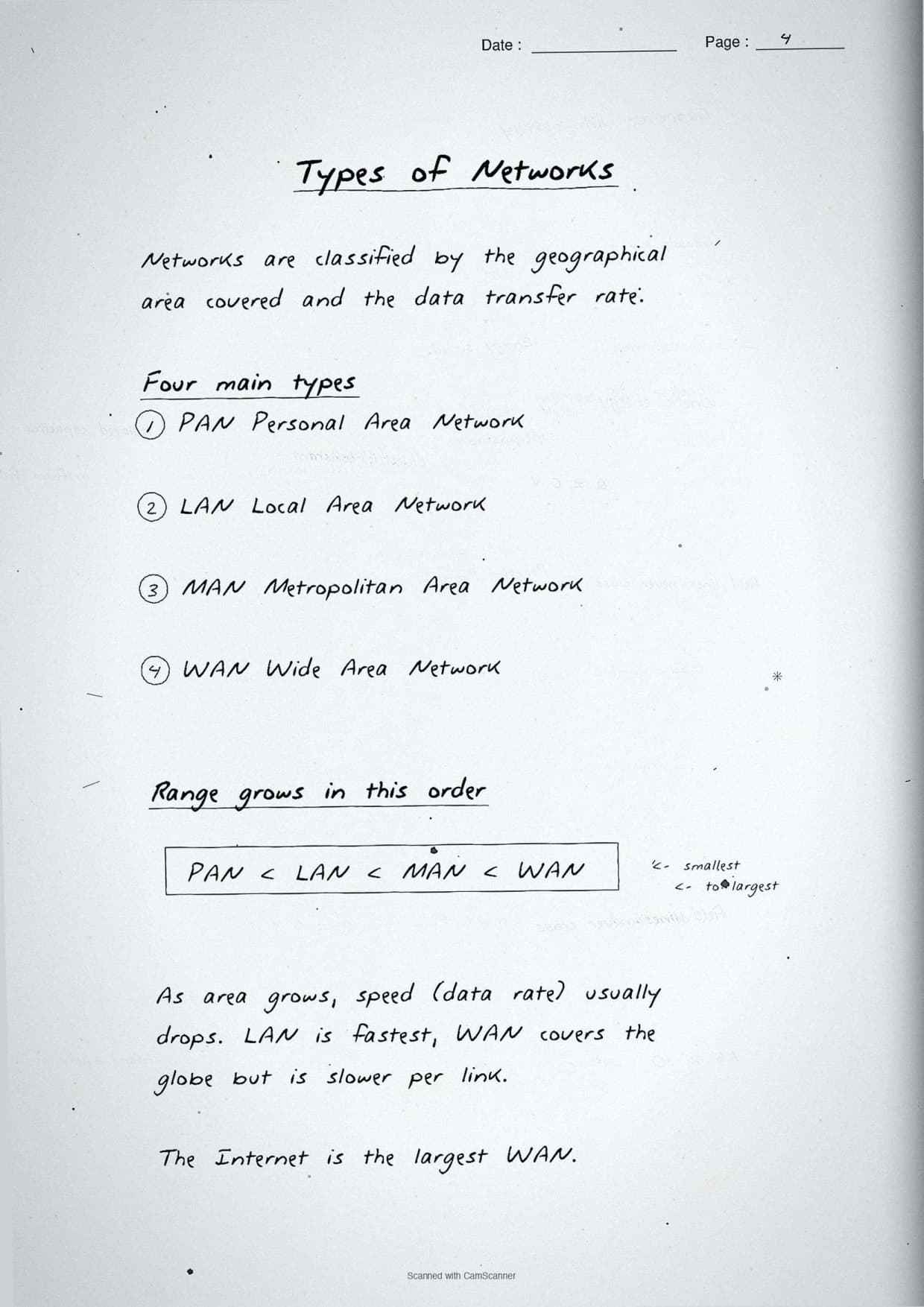
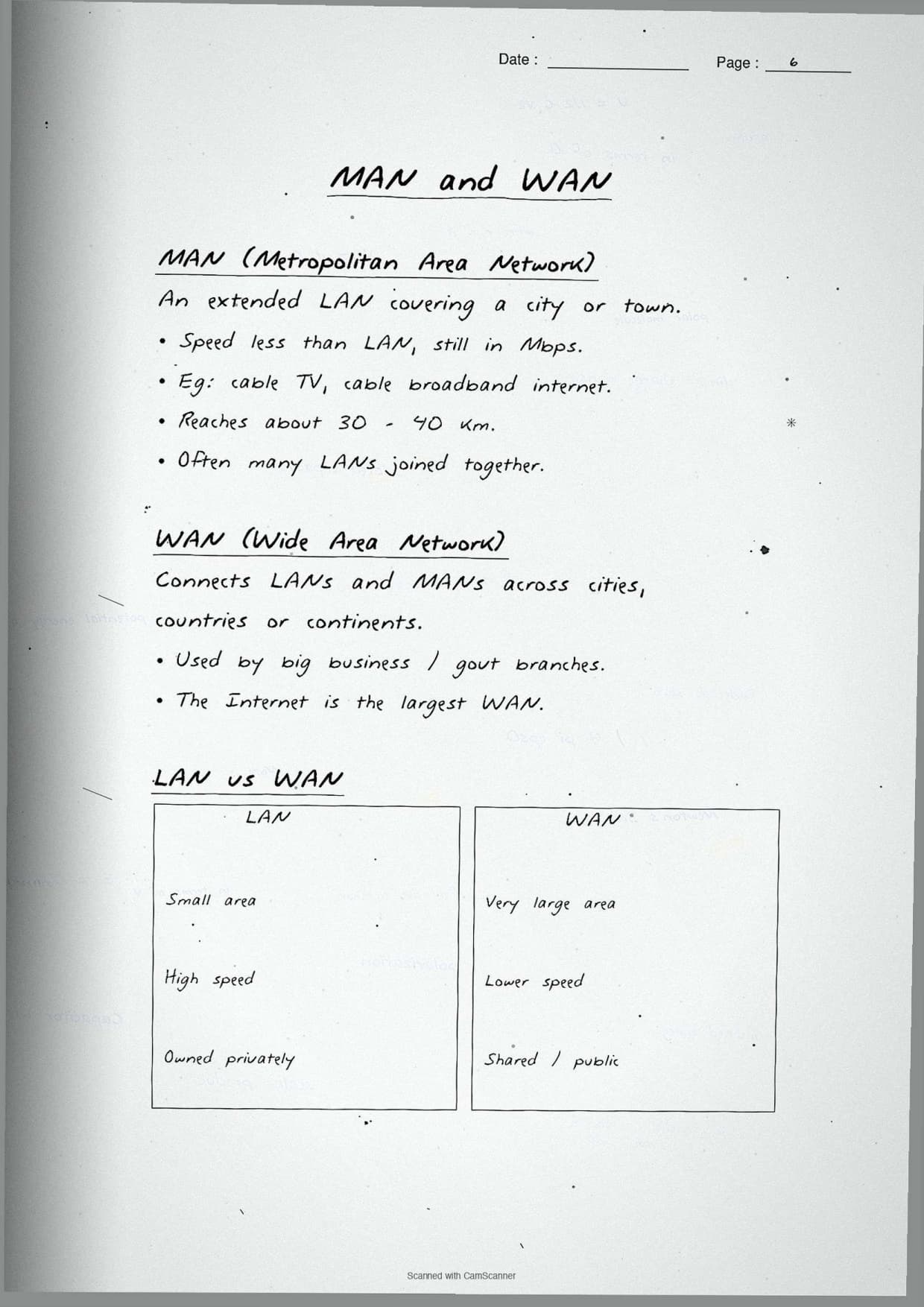
This page sorts networks by the area they cover. The notes draw the three rings, smallest to largest, so the LAN-MAN-WAN order is fixed in the mind. The bigger the area, the more devices link up and the slower the typical speed.
The three types the CBSE paper compares most are:
- LAN (Local Area Network): one building or campus, like a school computer lab. Fast and privately owned.
- MAN (Metropolitan Area Network): one city, like a cable TV network. Mid-sized.
- WAN (Wide Area Network): across cities, states or countries. The Internet is the largest WAN.
The boxed comparison below mirrors the page. It is the exact table students should reproduce for a "differentiate between LAN and WAN" question:
| Feature | LAN | WAN |
|---|---|---|
| Area covered | One building or campus | Across cities or countries |
| Speed | High | Lower than LAN |
| Ownership | Usually private | Often public or shared |
| Example | School computer lab | The Internet |
The margin note boxes the exam point students miss: two universities in different states must use a WAN, because the link crosses cities. Naming LAN there is the most common slip on this question.
Network Topologies: Bus, Star, Tree, Ring and Mesh
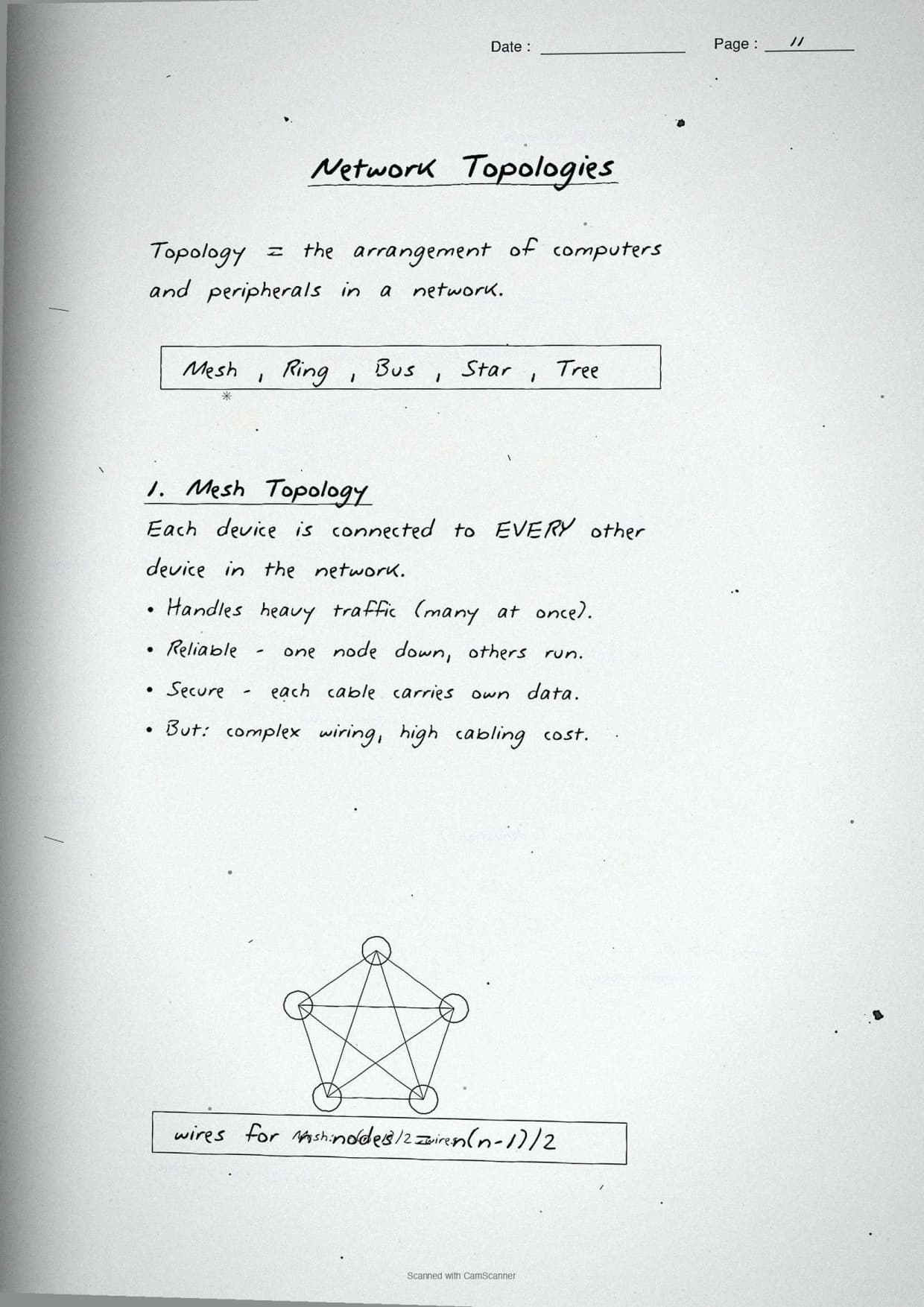
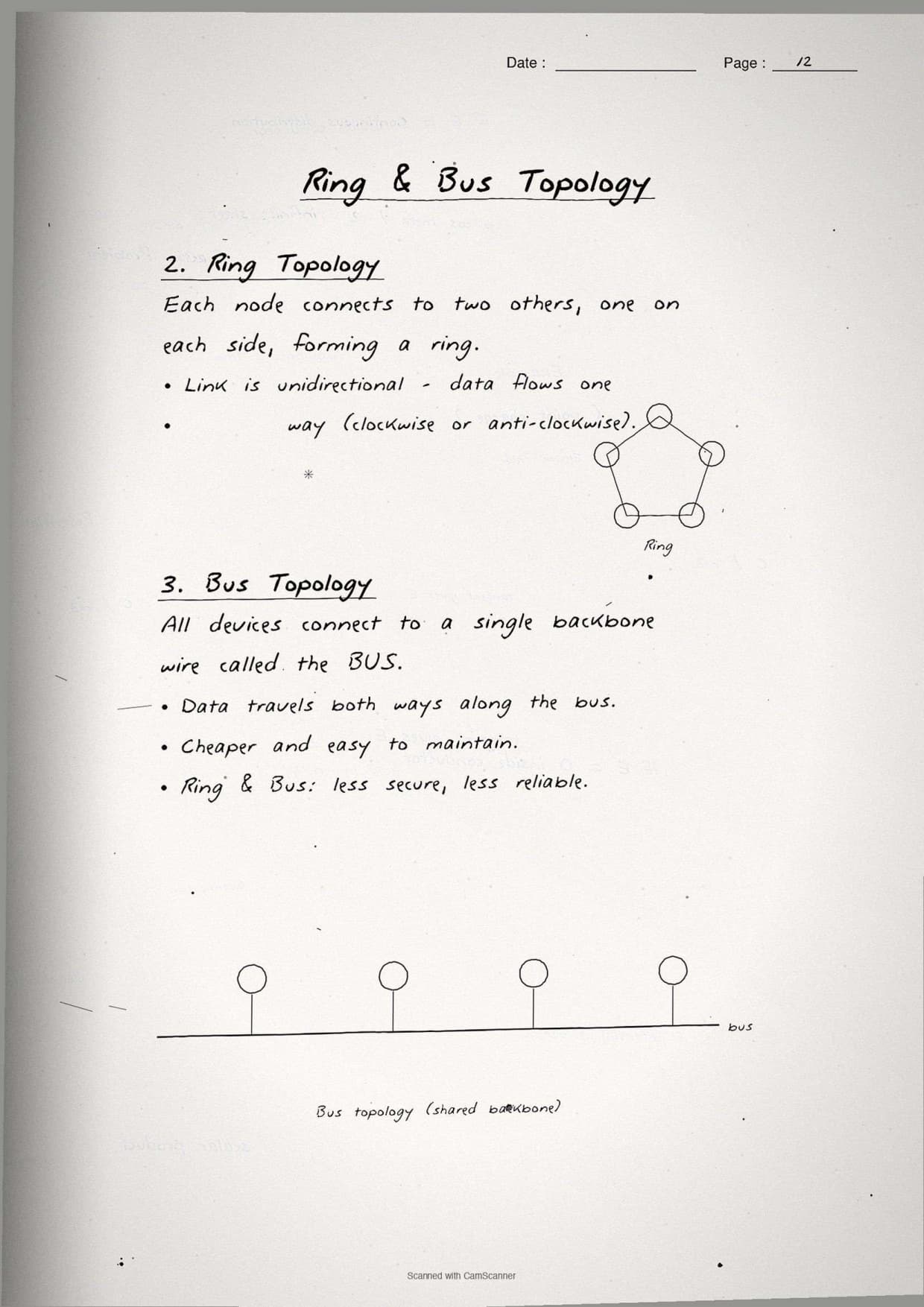
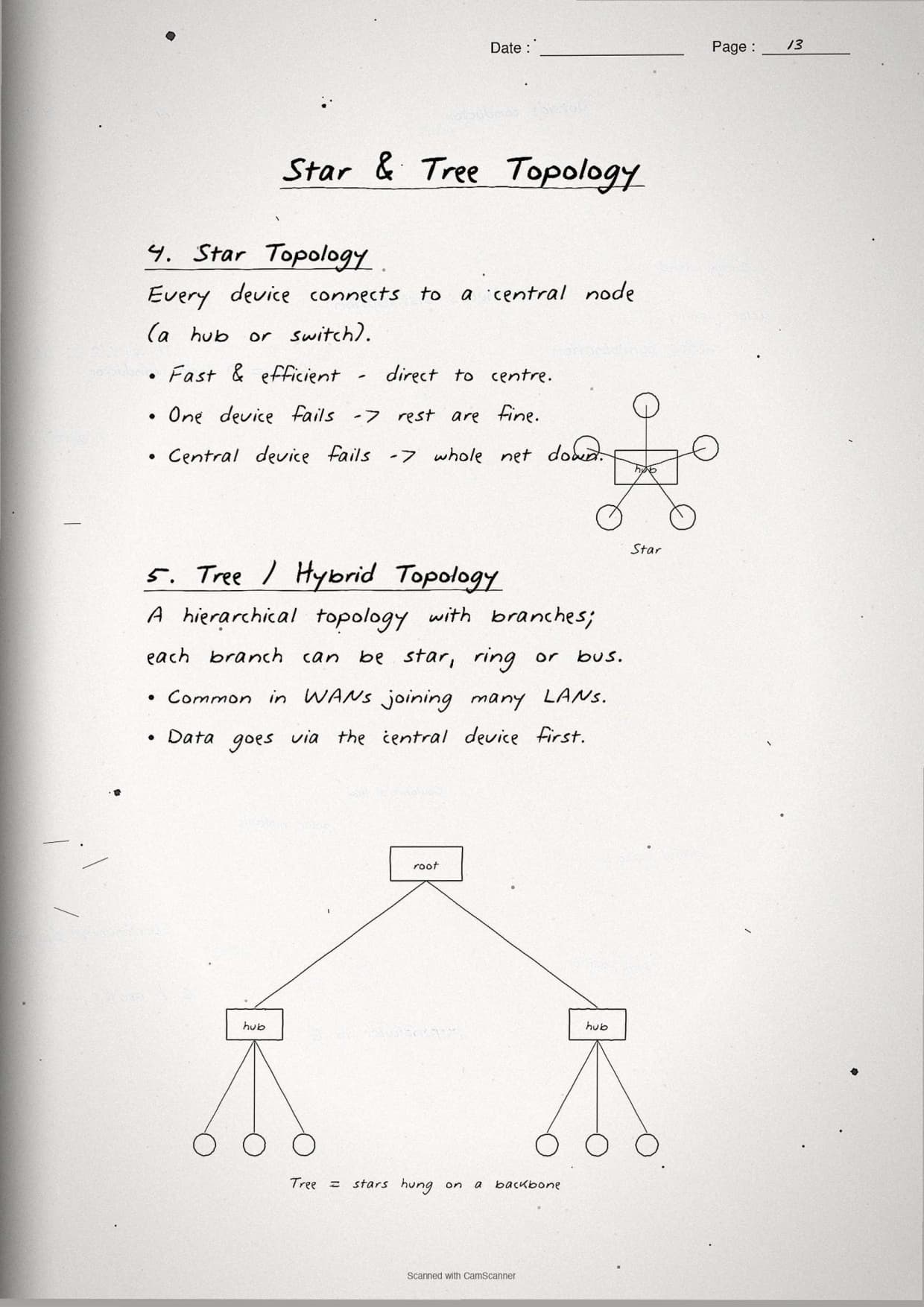
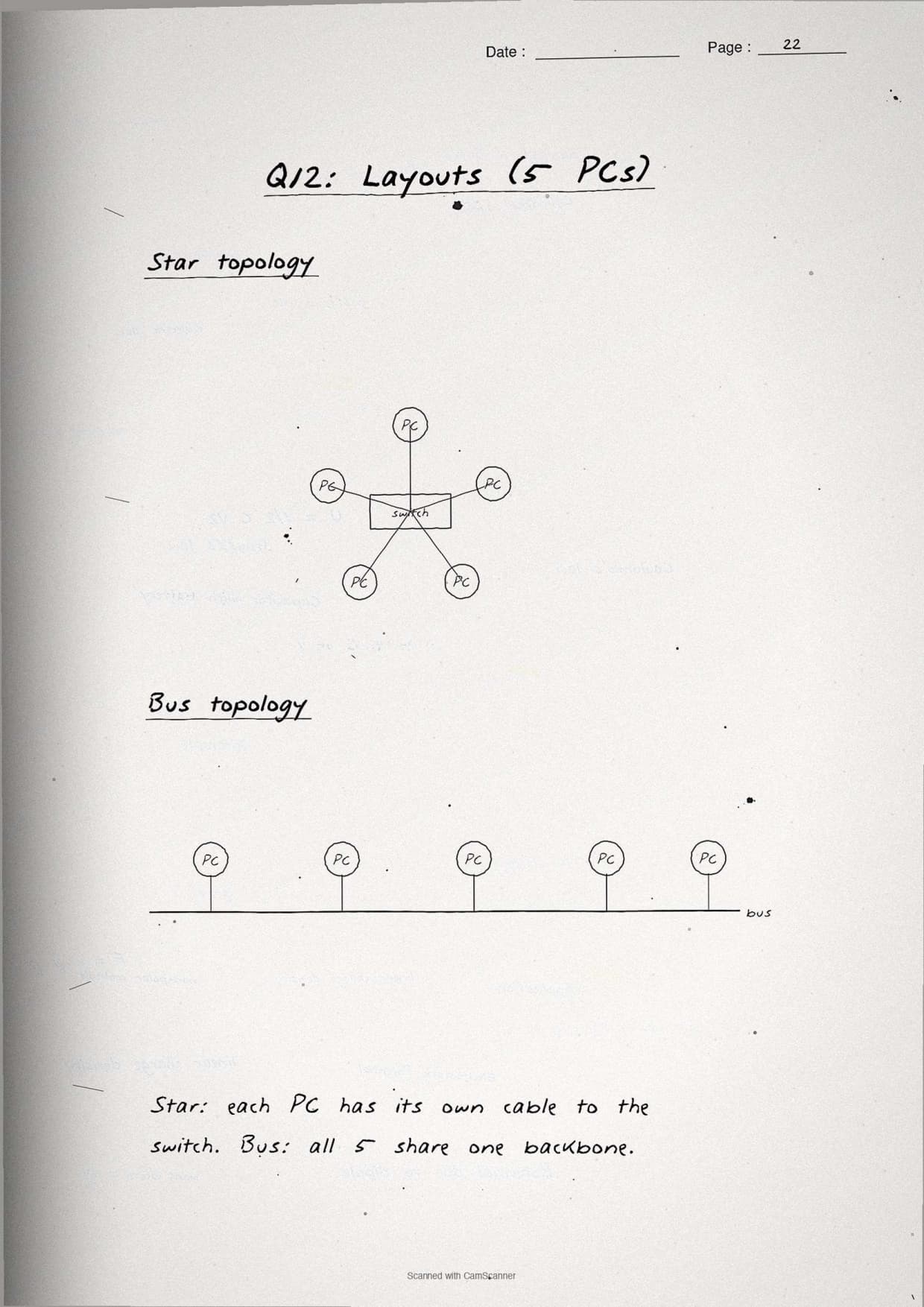
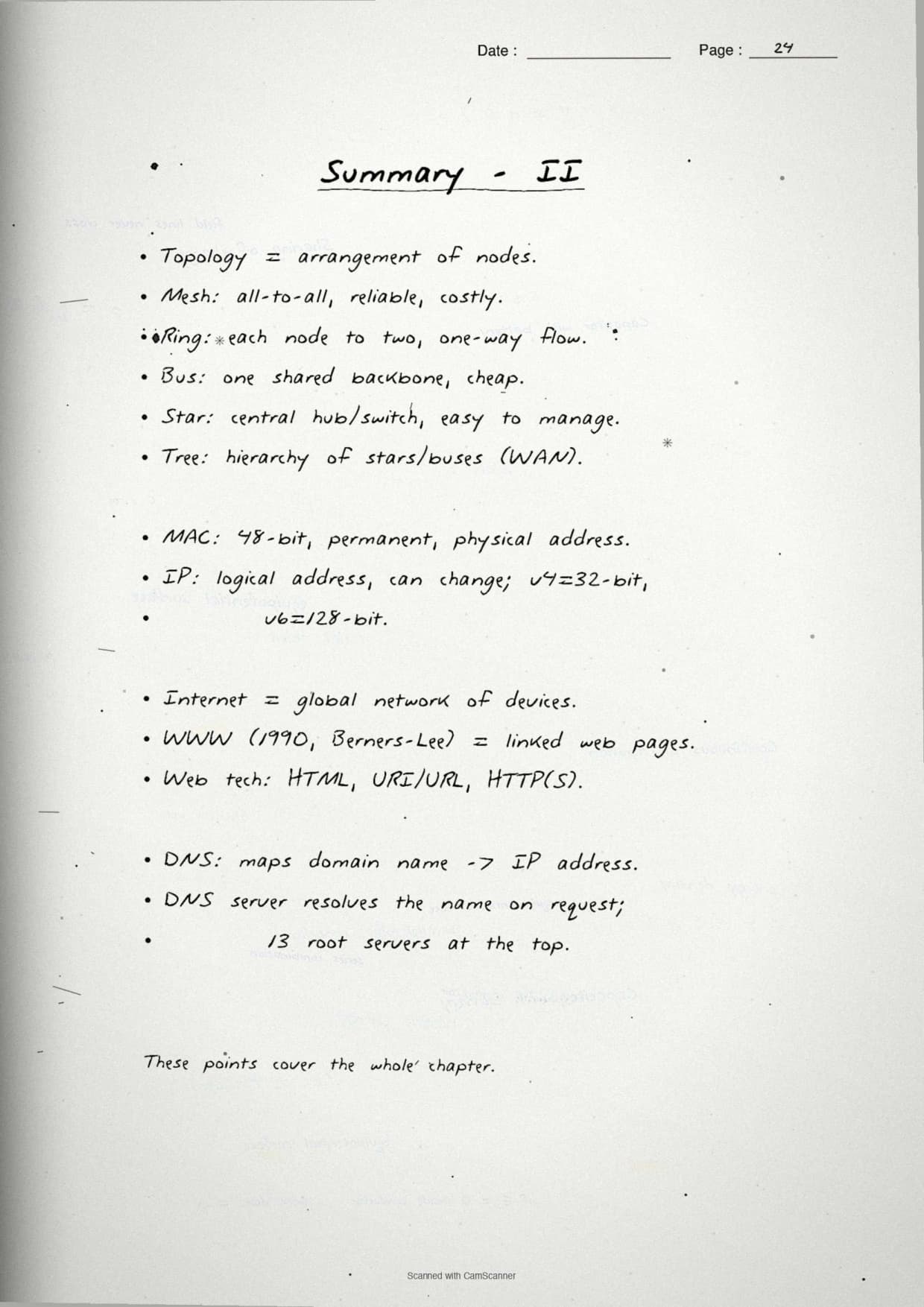
This is the page students revise most, because topology questions carry diagrams. A topology is the arrangement of devices in a network, that is, how the nodes are connected. The notes hand-draw all five layouts side by side so the shape of each is locked in memory.
The five popular topologies the chapter covers are:
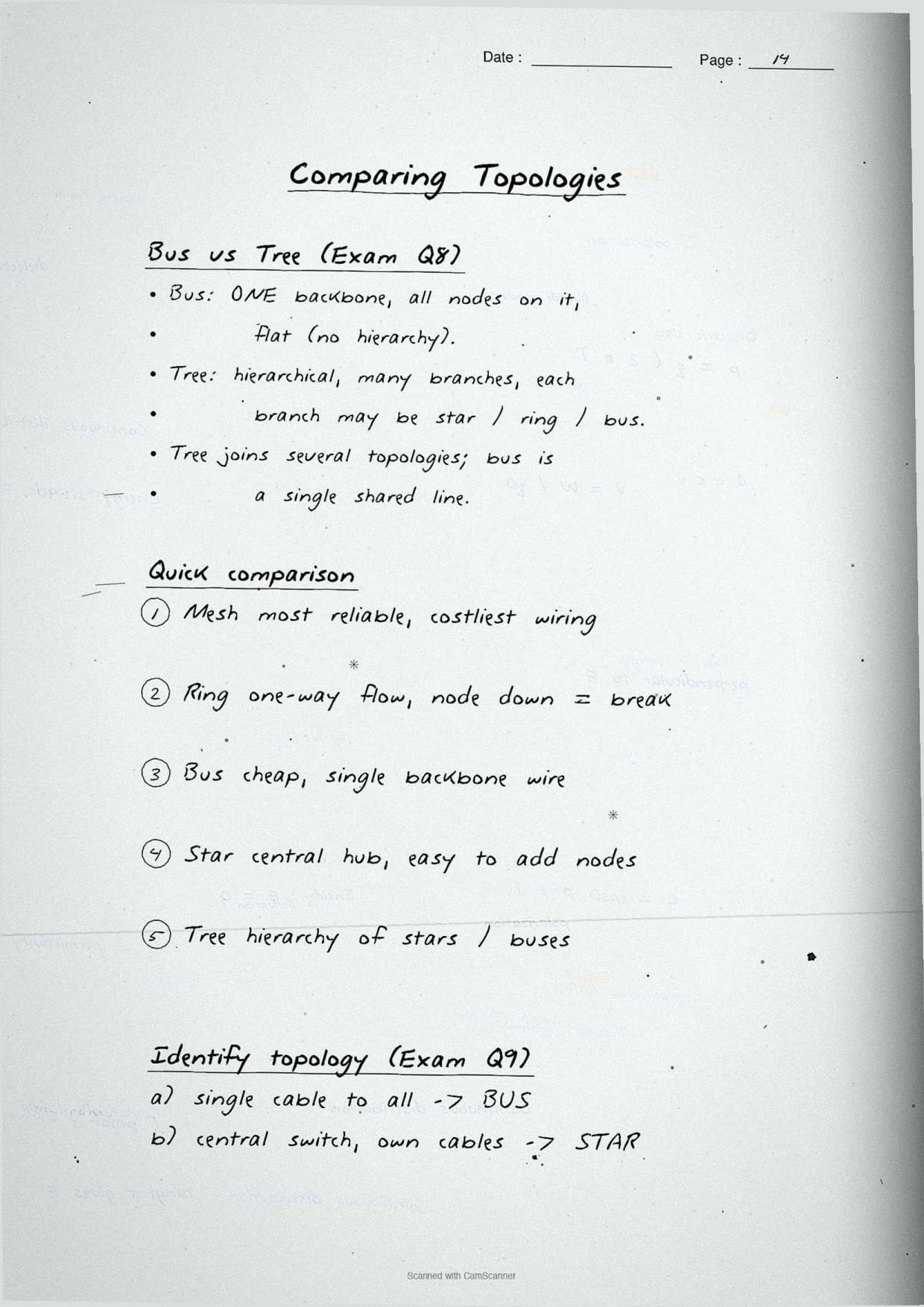
- Bus: every node is connected to one single backbone cable. Cheap, but one cable fault stops the network.
- Star: every node links to a central hub or switch with its own cable. One node failing does not affect the rest.
- Tree: a mix of star groups joined to a main bus backbone, so it scales like a hierarchy.
- Ring: each node connects to two neighbours, forming a closed loop; data travels in one direction.
- Mesh: every node links to every other node, giving the most reliable but most expensive layout.
The notes box the two identify-the-topology answers the paper repeats: a layout where each node uses a single common cable is a bus, and a layout where each node connects to a central switch by its own cable is a star.
Bus vs Tree, the boxed difference: a bus topology uses one straight backbone with all nodes hung off it, while a tree topology joins several star groups onto a backbone in a parent-child hierarchy. Tree therefore scales to far more nodes than a plain bus.
Networking Devices: Switch, Router, Gateway and More
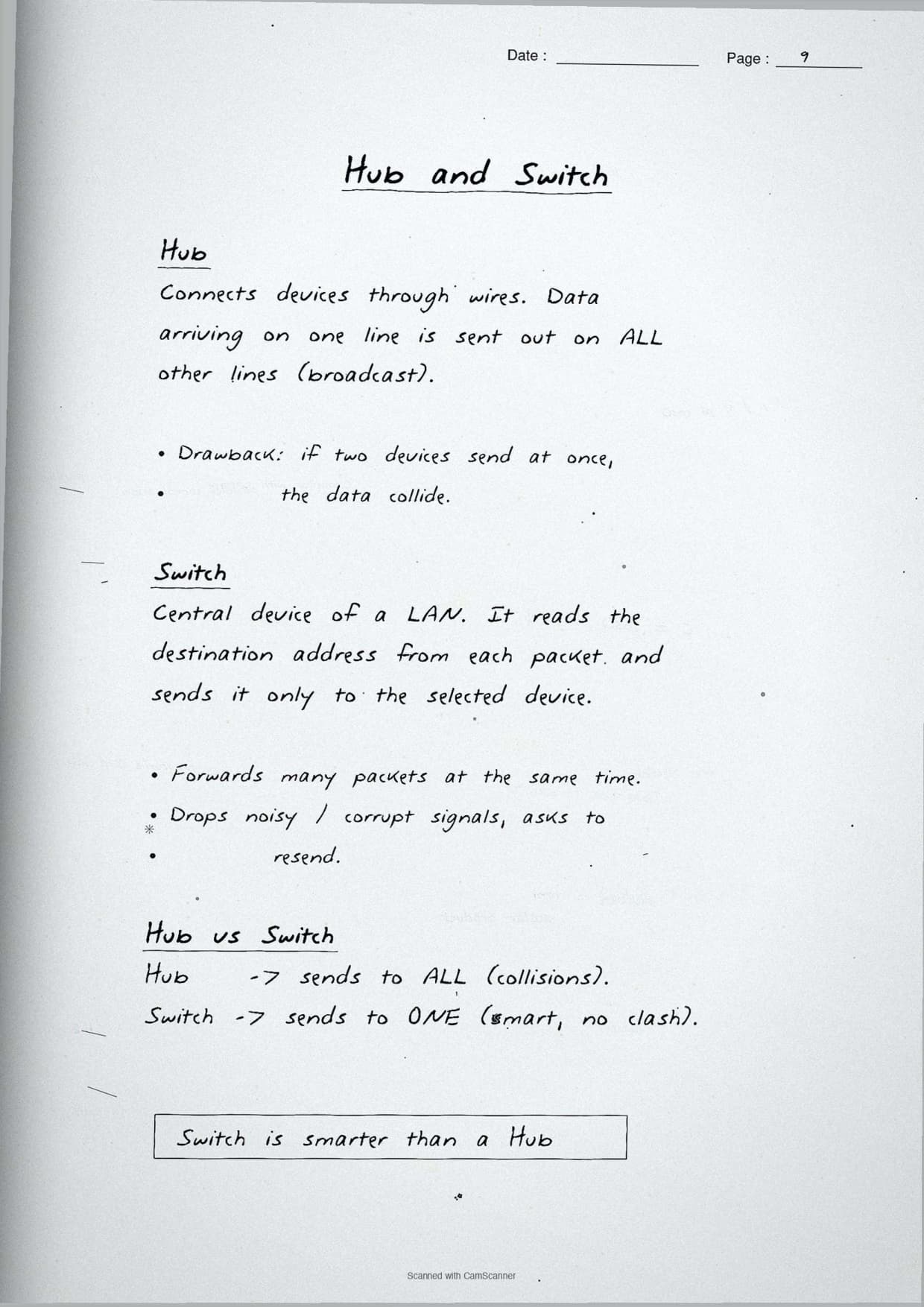
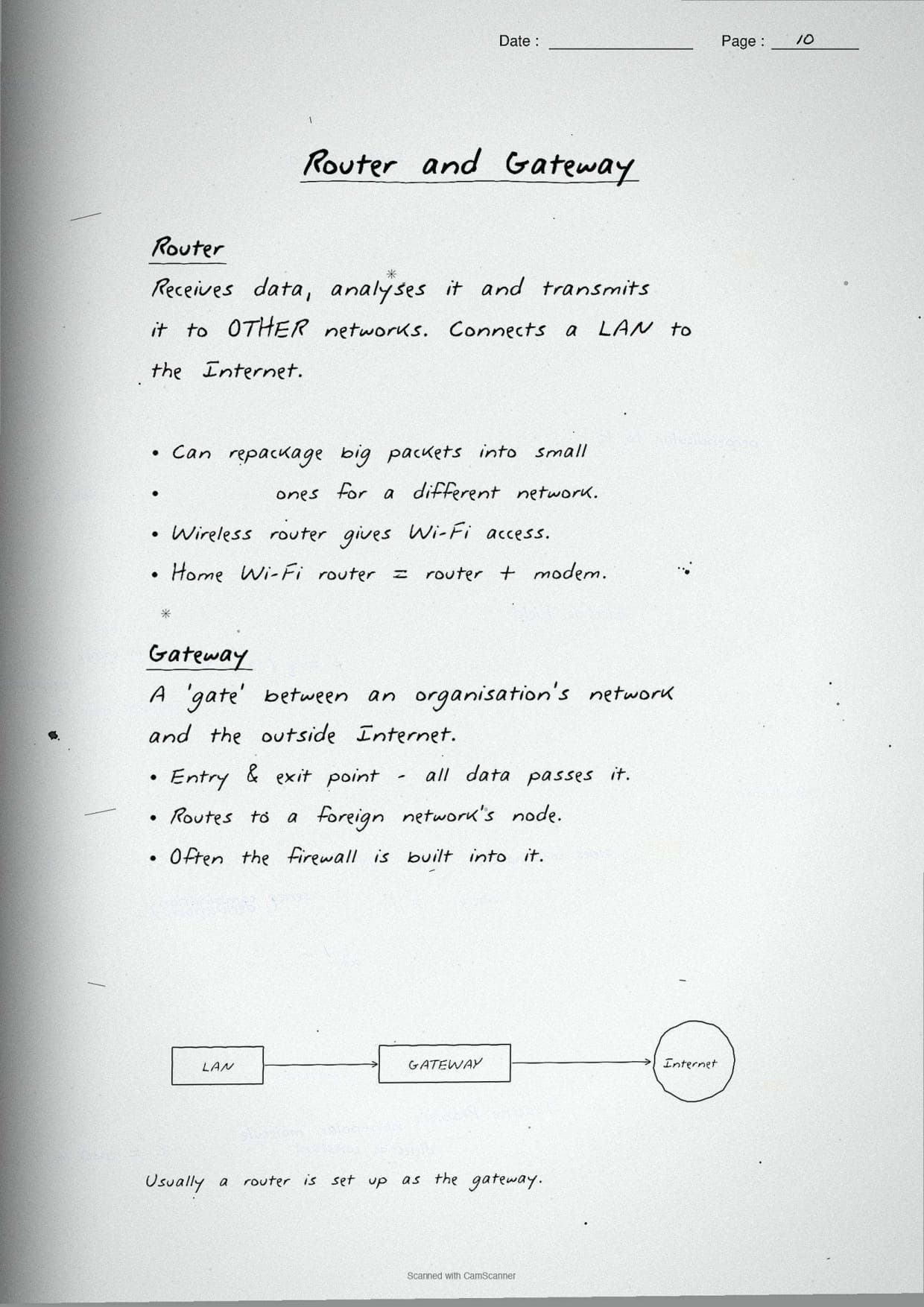
This page boxes one job per device, because the board paper asks students to "explain the following devices" and to tell similar ones apart. The notes write each device name as a pen-boxed heading with a single-line role beneath it, so the difference between a switch and a router is never blurred.
- Modem: converts digital signals to analog and back, so a computer can send data over a phone or cable line. The name comes from MOdulator-DEModulator.
- Hub: a basic device that broadcasts incoming data to every connected port.
- Switch: a smarter hub that sends data only to the destination device using its MAC address.
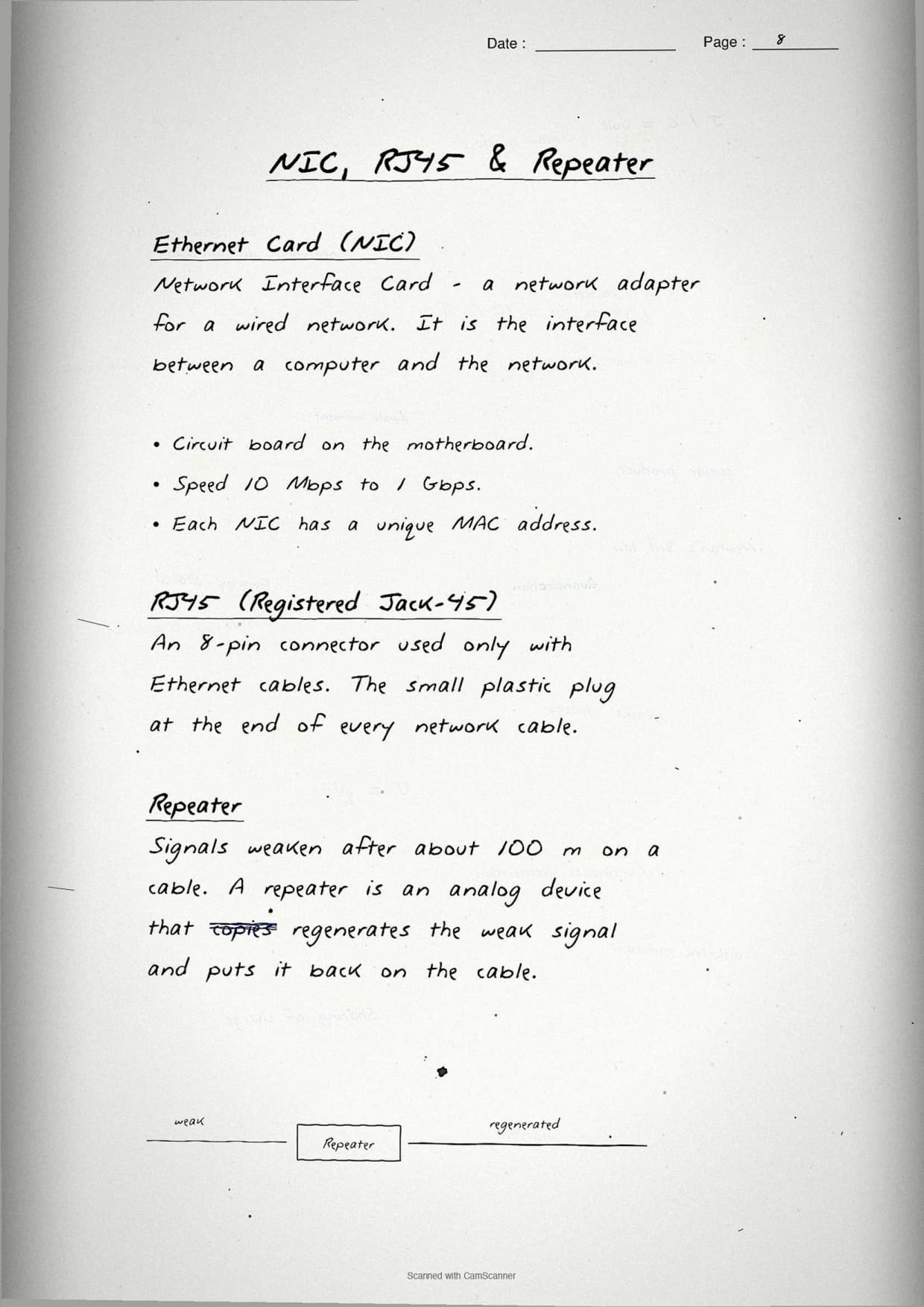
- Repeater: regenerates a weak signal so the network can cover a longer distance.
- Router: connects different networks and chooses the best path for data using IP addresses.
- Gateway: a node that joins two networks that use different protocols, acting as the entry and exit point.
- NIC (Network Interface Card): the hardware that connects a single computer to the network and carries its permanent MAC address.
The margin note boxes the most asked contrast: a switch works inside one network using MAC addresses, while a router connects two networks using IP addresses. A gateway goes one step further and translates between different protocols.
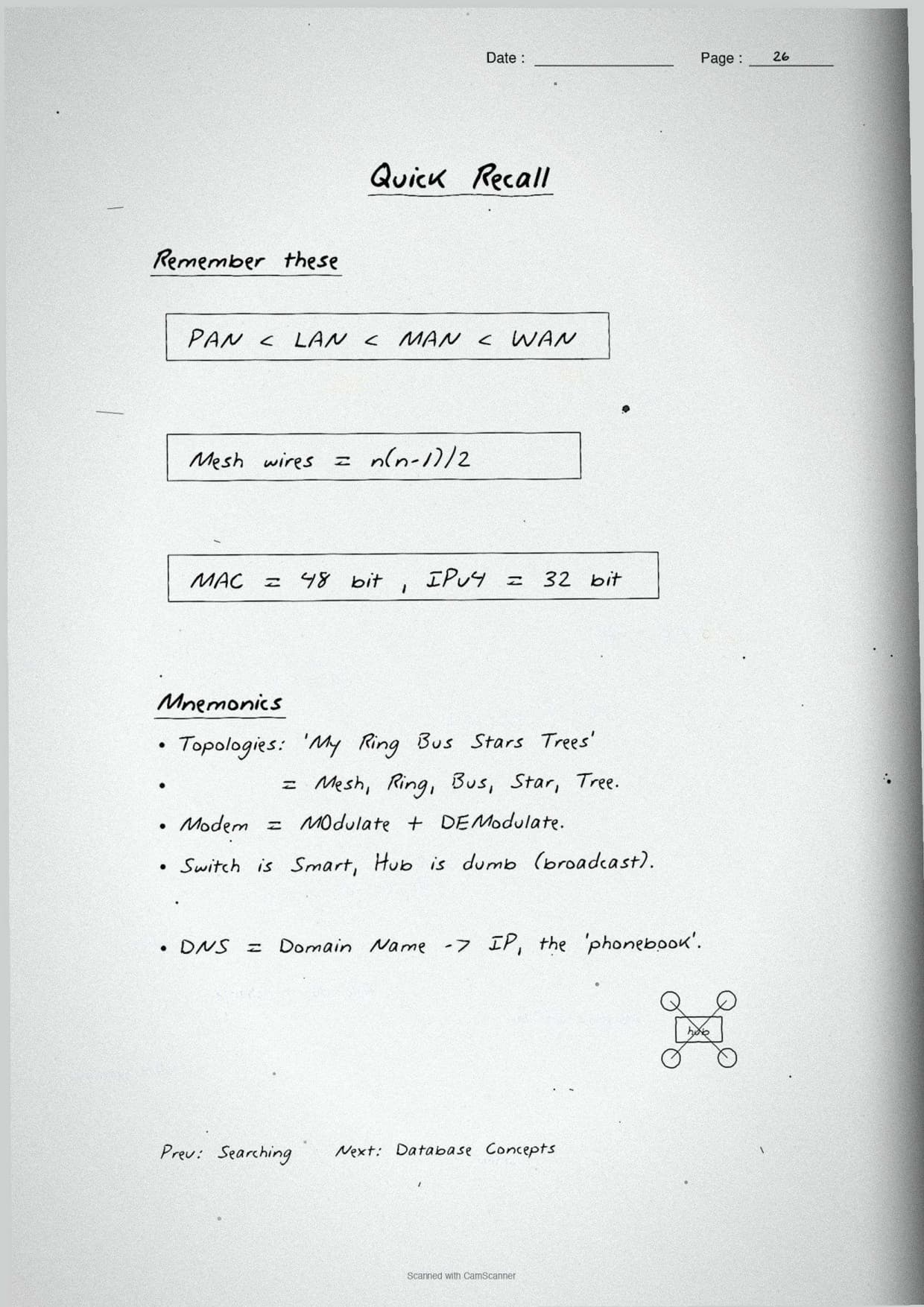
Quick recall line: hub broadcasts to all, switch targets one, router links networks, gateway translates protocols. Writing this single chain in the margin covers four 1-mark device questions at once.
IP Address, MAC Address and DNS Explained
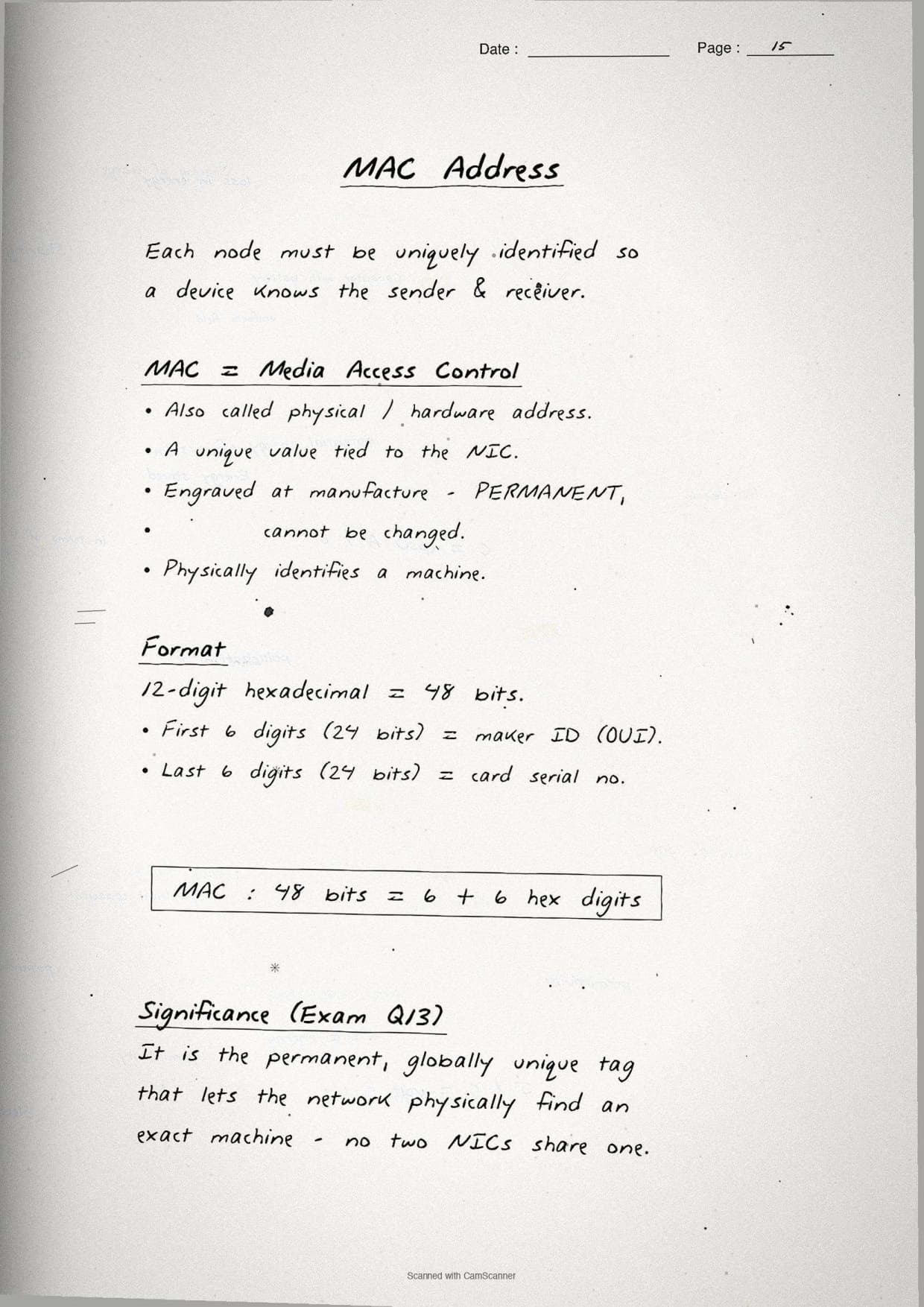
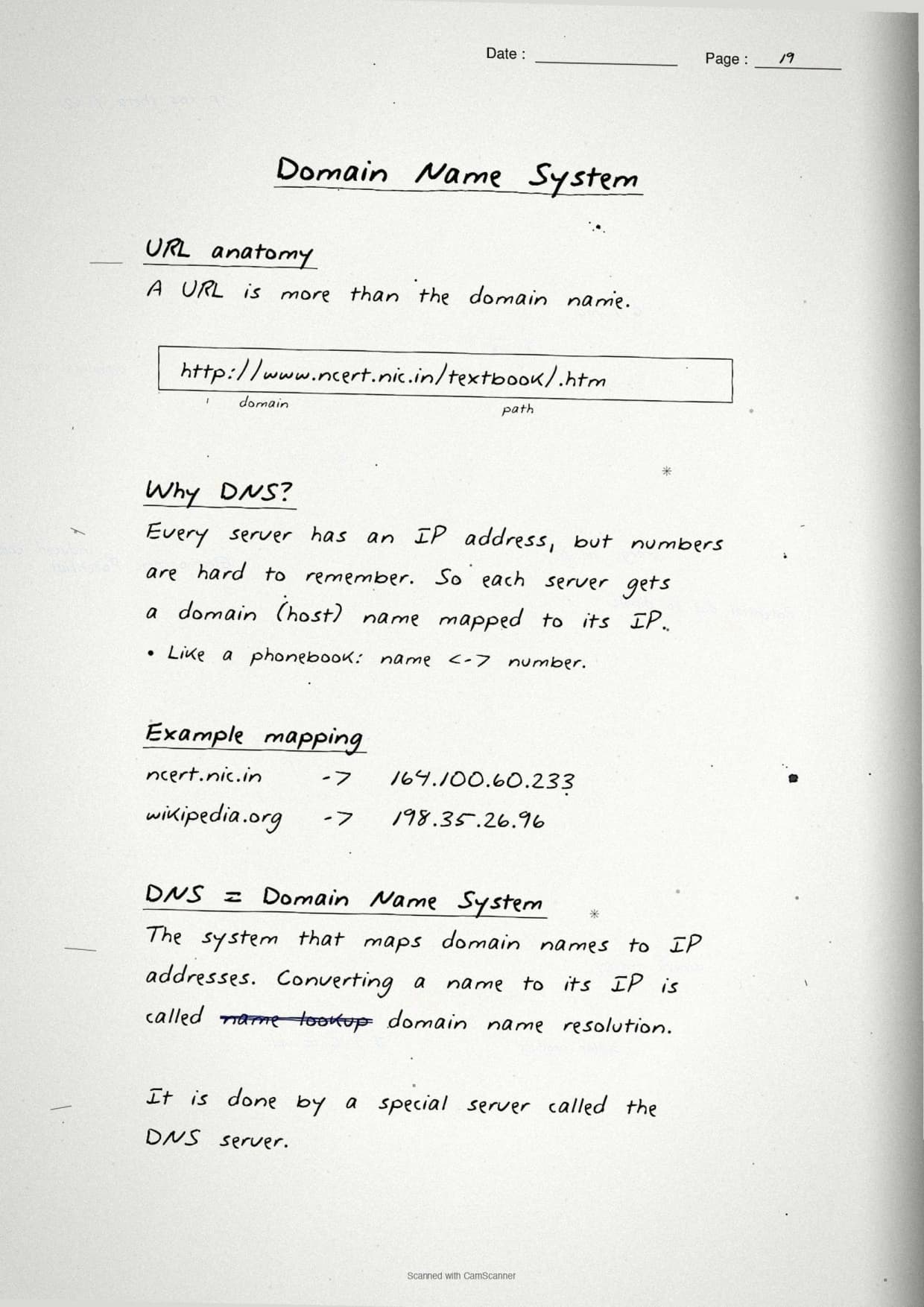
The last theory page covers addressing and naming, the block that decides how data reaches the right machine. The notes box the three terms students must keep separate: the MAC address, the IP address and the DNS that maps names to numbers.
- MAC address: a permanent, physical address burned into the NIC by the maker. It identifies the device itself and never changes.
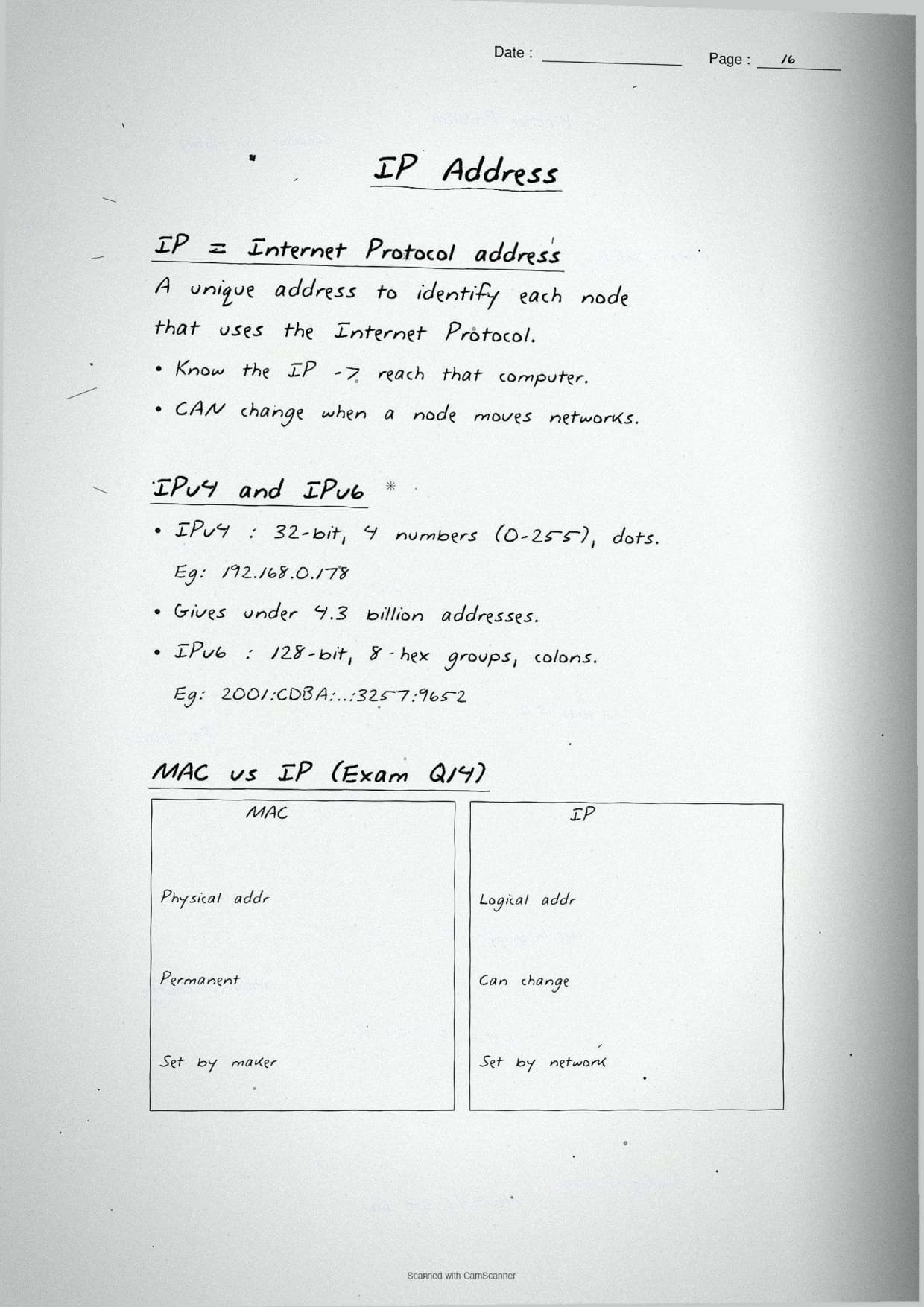
- IP address: a logical address given to a device on a network. It can change when the device joins a new network.
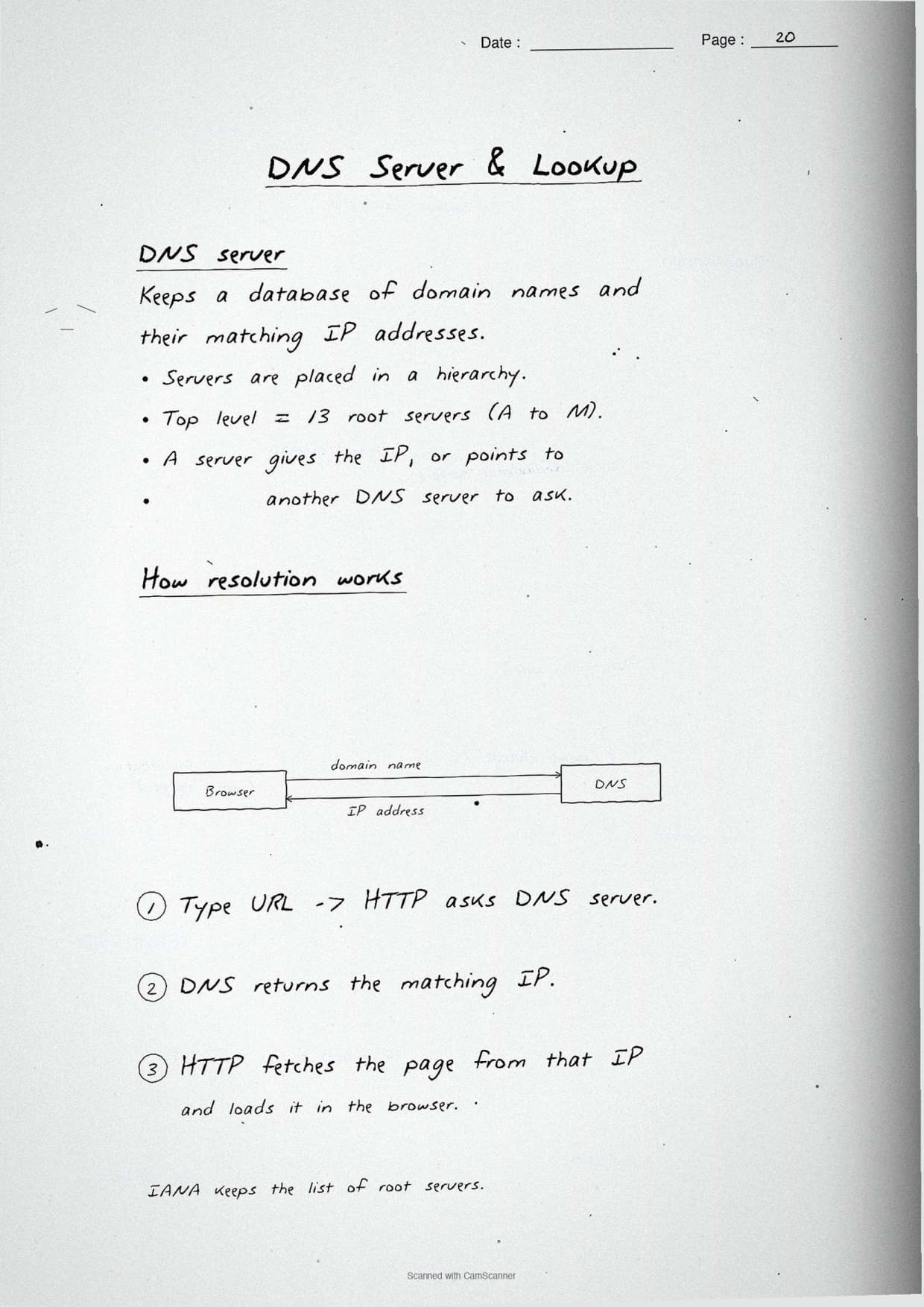
- DNS (Domain Name System): the system that turns a readable name like
collegedunia.cominto its IP address. A DNS server stores this name-to-IP map.
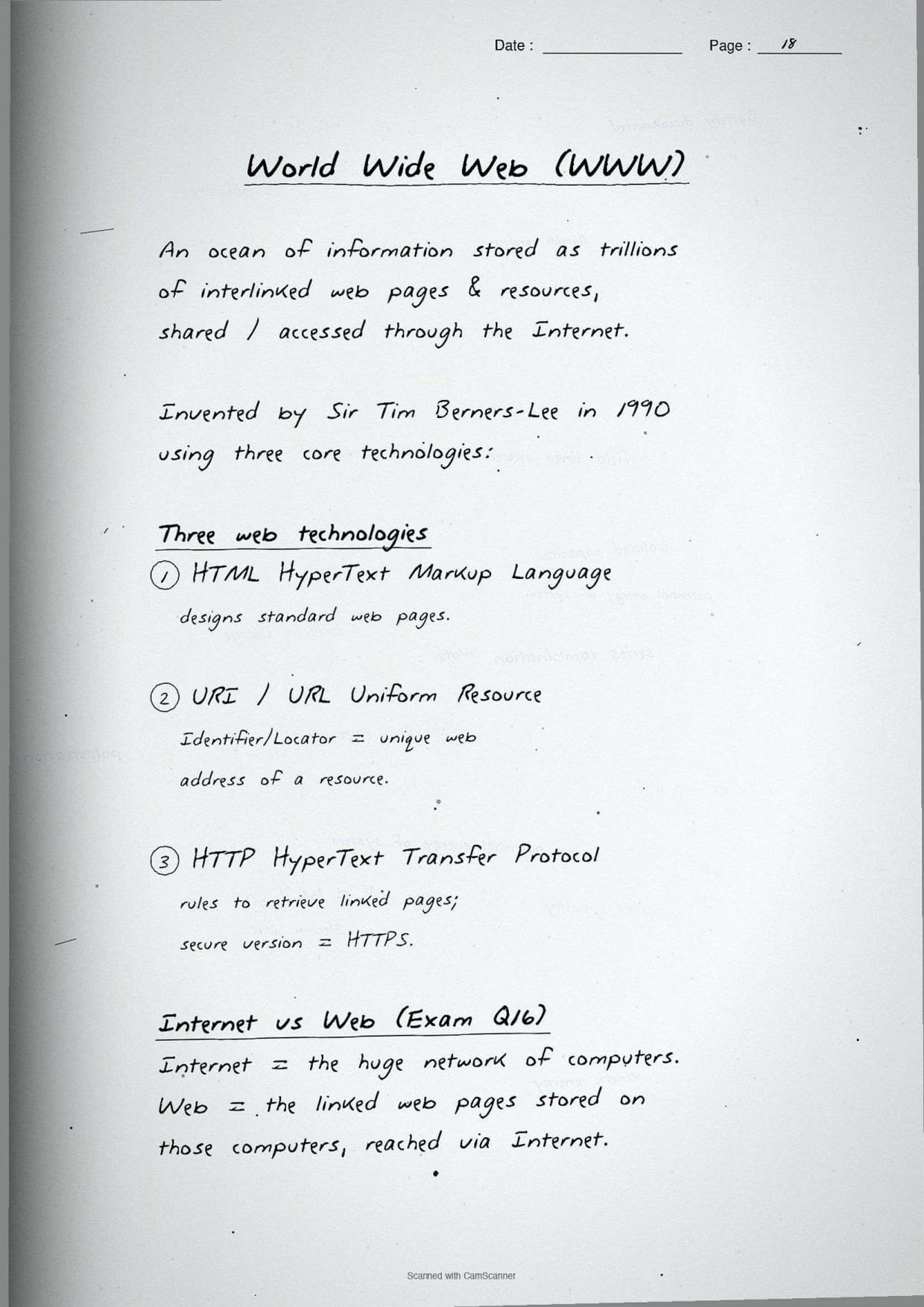
The notes also box the World Wide Web versus Internet point, since the chapter ends with that exact confusion. The boxed margin note reads: the Internet is the global network of connected devices, while the World Wide Web is the set of linked web pages that runs on top of it. Email and file transfer use the Internet but are not part of the Web.
A small Python snippet on the page shows how a program reads back the host name and IP, which makes the abstract address idea concrete:
import socket

host_name = socket.gethostname()          # name of this machine
ip_address = socket.gethostbyname(host_name)   # its IP address

print("Host name:", host_name)
print("IP address:", ip_address)
# DNS does the same name-to-IP lookup for a website
The margin note boxes the difference graders look for: a MAC address is physical and fixed, an IP address is logical and changeable. Stating both halves of that contrast earns the full 2 marks on the "how is IP different from MAC" question.
How to Use These Handwritten Notes Effectively
Handwritten notes work best as a final layer of revision, not as your first read. The plan below helps students get the most out of the Computer Networks handwritten notes before the board exam. Follow it once a week in the run-up to the test.
- First pass: read the pages in order, network basics, then types, then topologies, then devices, then addressing.
- Active recall: cover the boxed full forms and try to write ARPANET, MAC, ISP and URI from memory.
- Redraw: sketch the five topology diagrams once each, since the paper asks you to draw star and bus layouts.
- Self-test: attempt a short class 12 computer science chapter 10 computer networks drill on devices and addresses.
Because the notes come as a downloadable PDF, students can save them on a phone and revise offline on the way to the exam centre. Many students open computer networks class 12 notes on their phone the night before a test, so a saved PDF means revision is always at hand. Pair these pages with the full solutions to check your written answers against model ones.
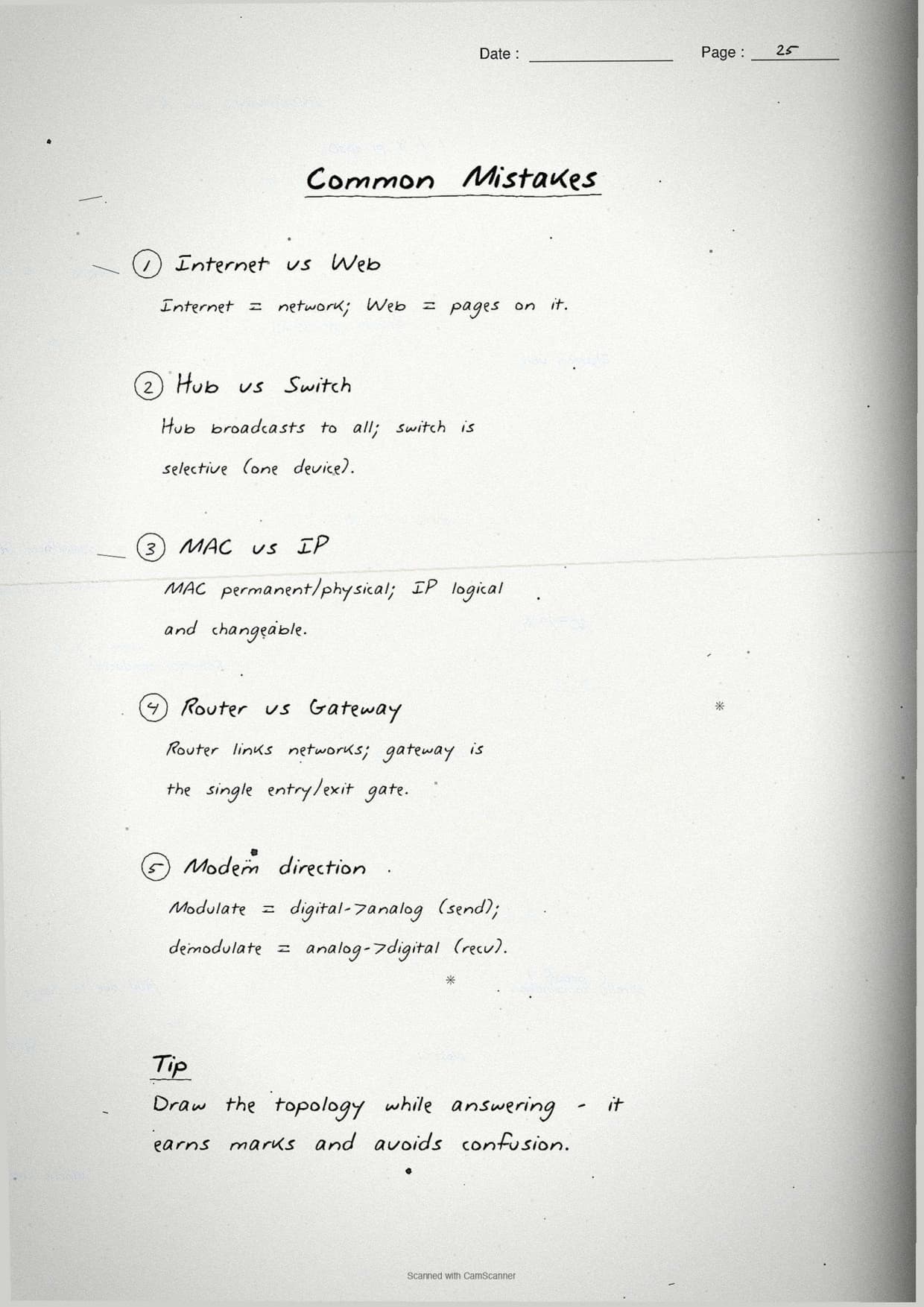
Common Mistakes These Notes Help You Avoid
A few errors cost marks in this chapter every year. Most come from mixing up network types or device jobs. The notes flag each soft point in the margin so students phrase it safely on the answer sheet.
- Naming a LAN when two places in different states connect; that case needs a WAN.
- Calling a switch and a router the same thing; a switch works within one network, a router links networks.
- Saying a MAC address can change; it is physical and permanent, only the IP address changes.
- Treating the Internet and the World Wide Web as identical; the Web runs on the Internet.
- Confusing bus and tree topology; tree is a hierarchy of star groups on a backbone.
Students who fix these five points usually move from average to high marks. The exam rewards exact wording, so always tie each device to the address it uses and each network type to its area. The handwritten margin notes nudge you to keep that precision in the right places.
How These Notes Pair with the Solutions and Book PDF
These handwritten notes are a revision layer. To prepare fully, students should use them with the other resources for the same chapter, all linked in the table below. Read the notes, then test yourself with the solutions, and open the book PDF for the original text.
| Resource | Best used for |
|---|---|
| Computer Networks NCERT Solutions | Step-by-step answers to all 16 back-exercise questions |
| Computer Networks Class 12 Notes | Quick typed summary of network types, topologies and devices in one place |
| Computer Networks NCERT Book PDF | Reading the original NCERT chapter text from the textbook |
Tip: redraw the five topology diagrams once from memory, then box the job of each device next to it. Drawing the layouts once fixes the bus-star-tree difference for good.
All Class 12 Computer Science Handwritten Notes by Chapter
The table links the handwritten notes for every chapter in Class 12 Computer Science, so students can move across the course in one click. Computer Networks is highlighted, with Structured Query Language (SQL) before it and Data Communication after it.
| Chapter | Handwritten Notes |
|---|---|
| Chapter 1 | Exception Handling in Python |
| Chapter 2 | File Handling in Python |
| Chapter 3 | Stack |
| Chapter 4 | Queue |
| Chapter 5 | Sorting |
| Chapter 6 | Searching |
| Chapter 7 | Understanding Data |
| Chapter 8 | Database Concepts |
| Chapter 9 | Structured Query Language (SQL) |
| Chapter 10 | Computer Networks |
| Chapter 11 | Data Communication |
| Chapter 12 | Security Aspects |
FAQs on Computer Networks Handwritten Notes
Computer Networks Class 12 Computer Science Handwritten Notes Common Questions
Ques. Are these class 12 computer science chapter 10 Computer Networks handwritten notes free to download?
Ans. Yes. The Computer Networks handwritten notes are free to download as a PDF from this page. They follow the 2026-27 NCERT syllabus and cover the full chapter across 26 handwritten, boxed-keyword pages for quick revision.
Ques. What does the Computer Networks chapter cover in Class 12 Computer Science?
Ans. The notes cover what a network is, the network types LAN, MAN and WAN, the five topologies bus, star, tree, ring and mesh, networking devices like the switch, router and gateway, and addressing terms such as MAC address, IP address and DNS that the CBSE board paper tests directly.
Ques. What is the difference between LAN and WAN?
Ans. A LAN covers one building or campus, is usually private and runs at high speed, like a school computer lab. A WAN covers cities, states or countries, is often public or shared and runs slower, like the Internet. Two places in different states must connect using a WAN.
Ques. How is an IP address different from a MAC address?
Ans. A MAC address is a permanent physical address burned into the network card by the maker, so it never changes and identifies the device itself. An IP address is a logical address given to a device on a network, and it can change when the device joins a different network.
Ques. Are these notes enough for the class 12 computer science chapter 10 board exam?
Ans. They are a strong final revision layer. For full preparation, pair them with the NCERT Solutions linked on this page so you can write out complete answers to all 16 back-exercise questions, including the full forms, topology diagrams and device explanations, and check them against model answers.



Comments