




These Flow of Control handwritten notes turn the whole of Chapter 6 into clean, handwritten pages for fast last-minute revision. They follow the 2026-27 NCERT syllabus and Chapter 6 of Class 11 Computer Science. Students get the three flow types of sequence, selection and iteration, the full if family, the while and for loops with range(), the break, continue and pass statements, nested loops and loop else, all with the Python code written out by hand so the syntax is easy to skim before a test.
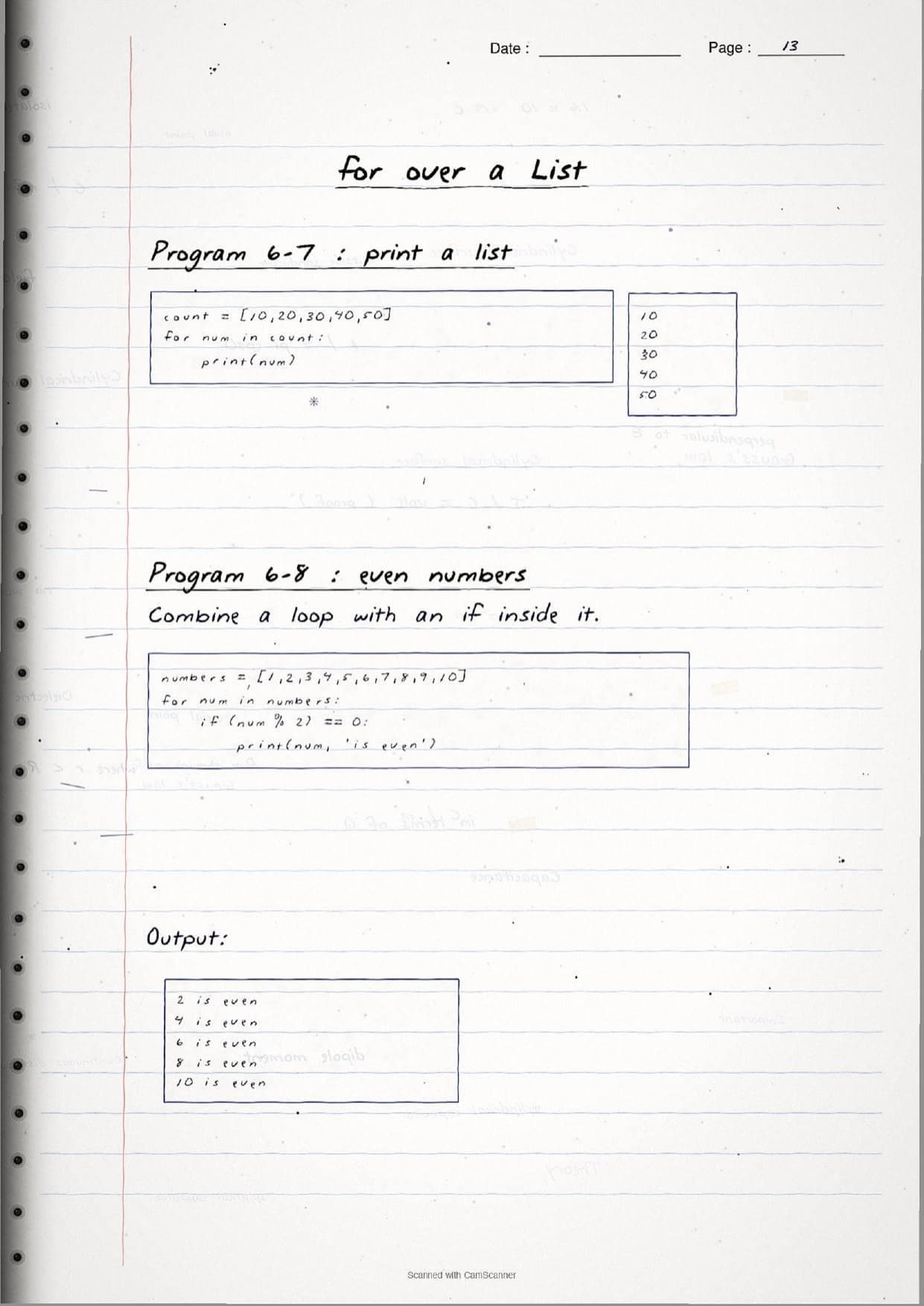
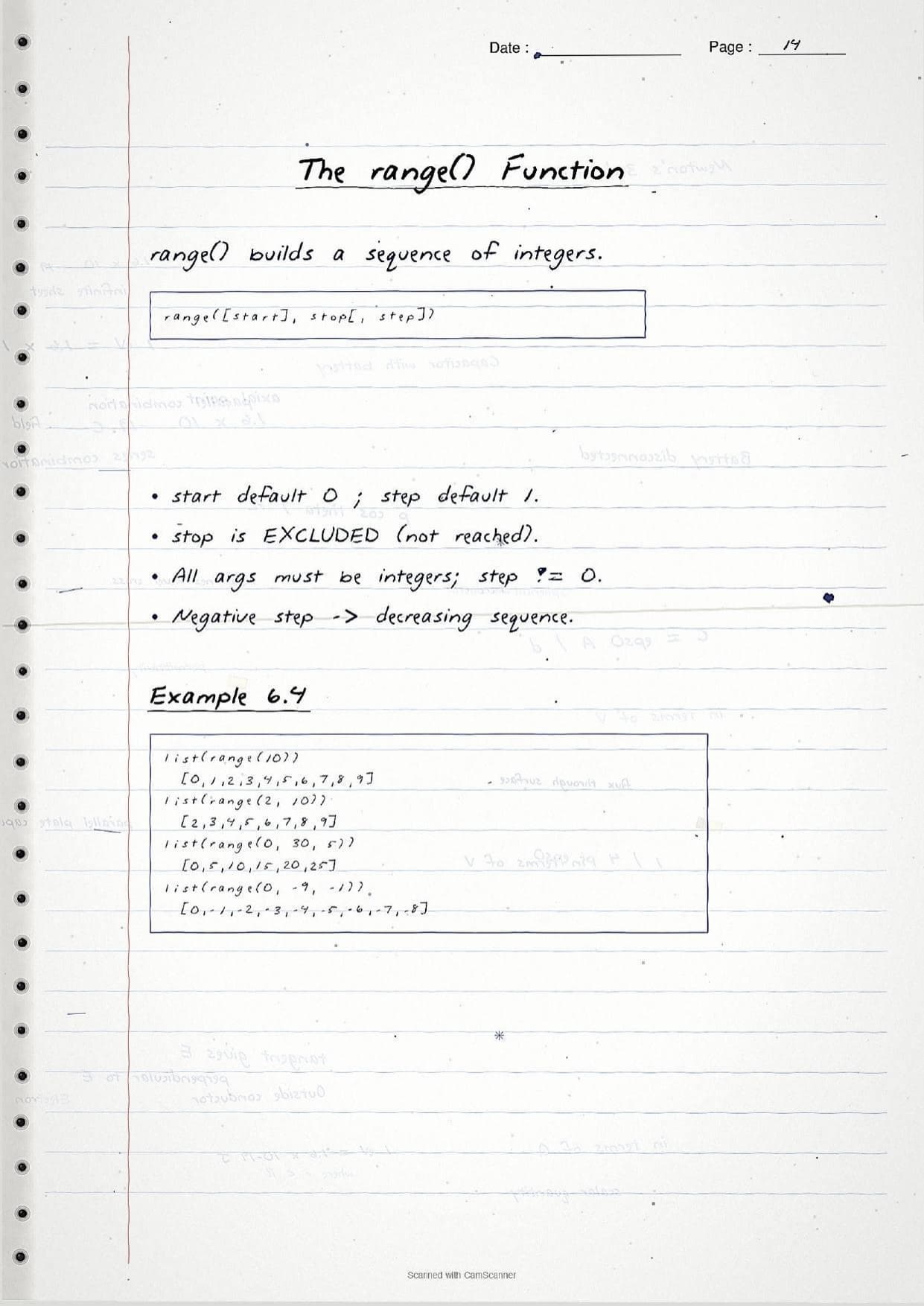
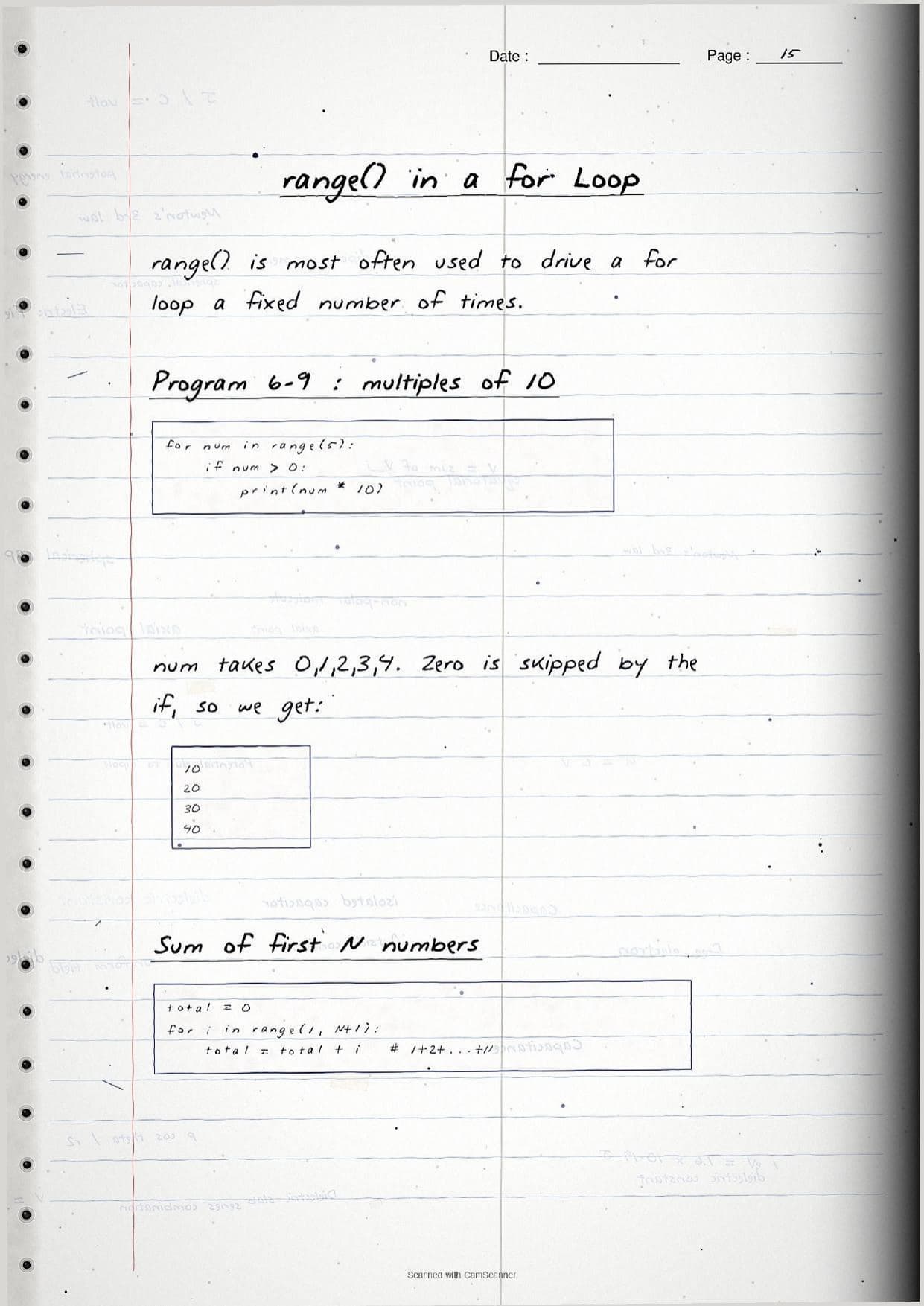
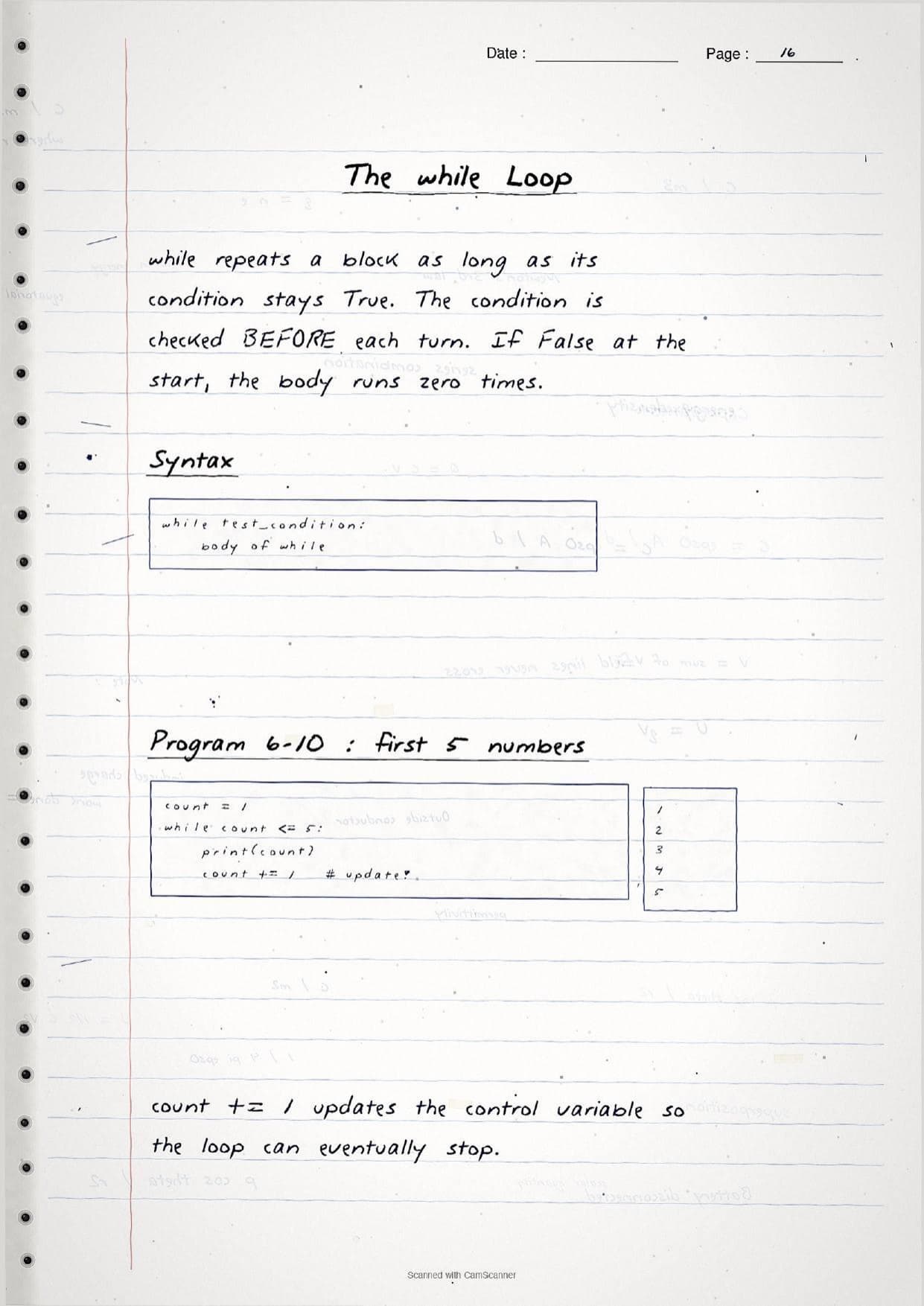
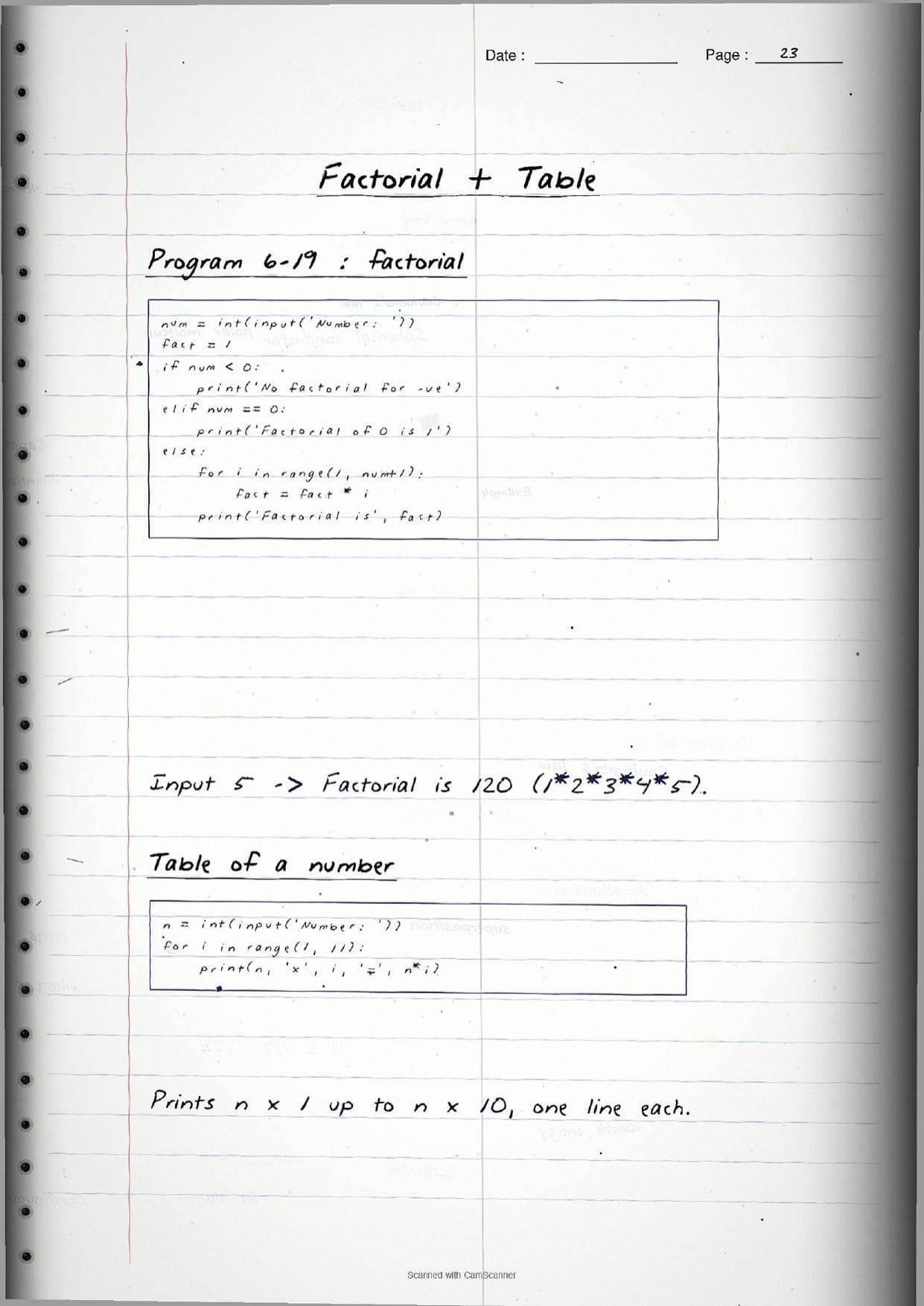
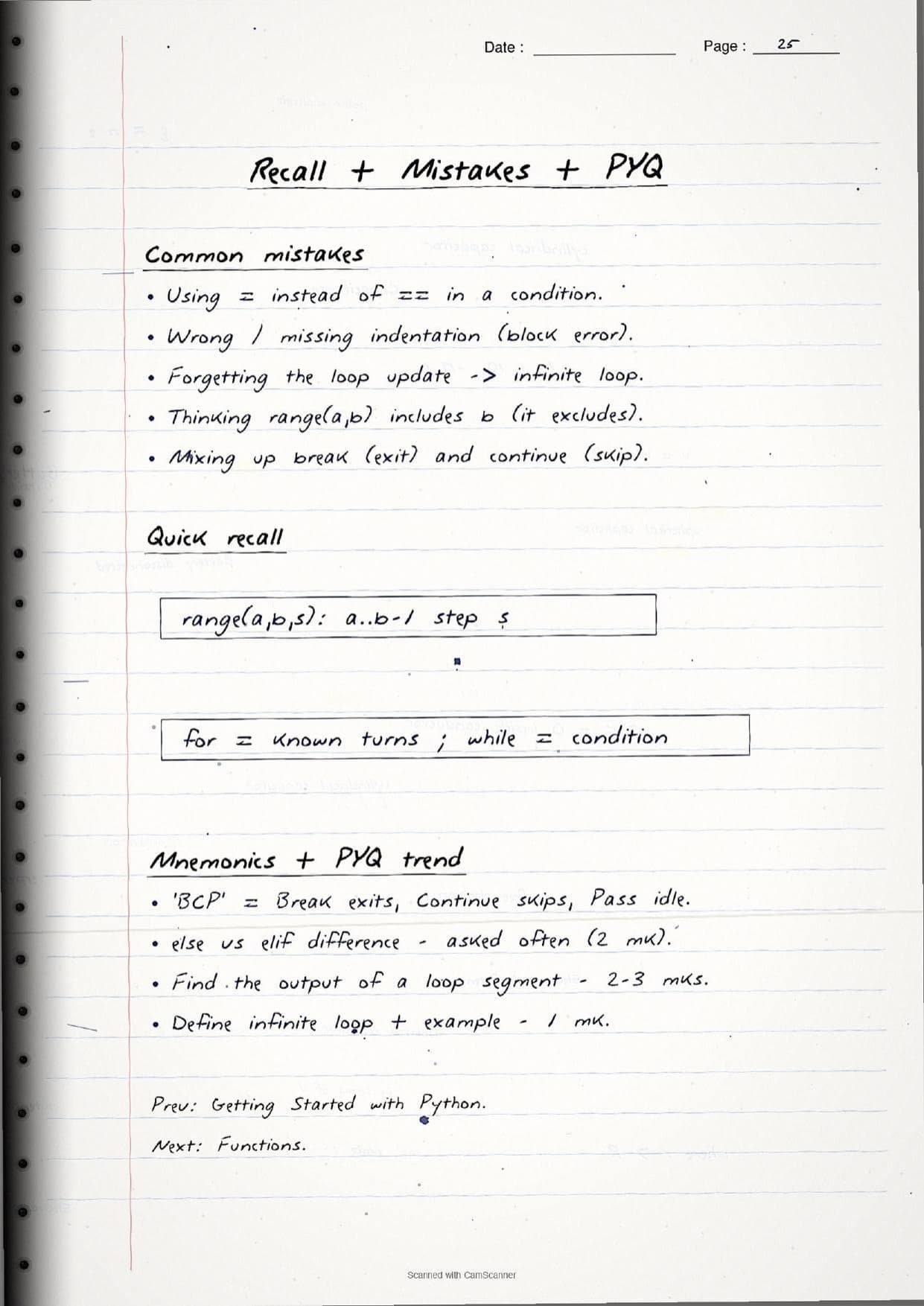
- Handwritten pages with boxed Python syntax, sample programs and their output traced by hand.
- This chapter builds directly on Getting Started with Python and sets up Functions, Strings and Lists later in the course.
- Pairs with the NCERT Solutions, Notes and Book PDF linked lower on this page.
These Flow of Control handwritten notes are prepared from the official NCERT Computer Science textbook and checked against recent CBSE Class 11 question papers.
Student Feedback: In a Collegedunia poll of 4,630 Class 11 Computer Science students, 78% of students said the handwritten code pages helped them trace loop output and spot indentation errors faster than reading printed listings, because seeing the code and its output side by side in one hand made each step easier to follow.
Source: 2026-27 Class 11 Computer Science student poll. Sample of 4,630 students from CBSE schools across 9 states.
What These Flow of Control Handwritten Notes Contain
Flow of Control is Chapter 6 of Class 11 Computer Science. It explains the order in which Python runs the statements of a program, and how that order is changed using control structures. These handwritten notes condense the chapter into handwritten pages that read like a topper's own notebook, with every Python snippet and its output written out by hand on a monospace grid.
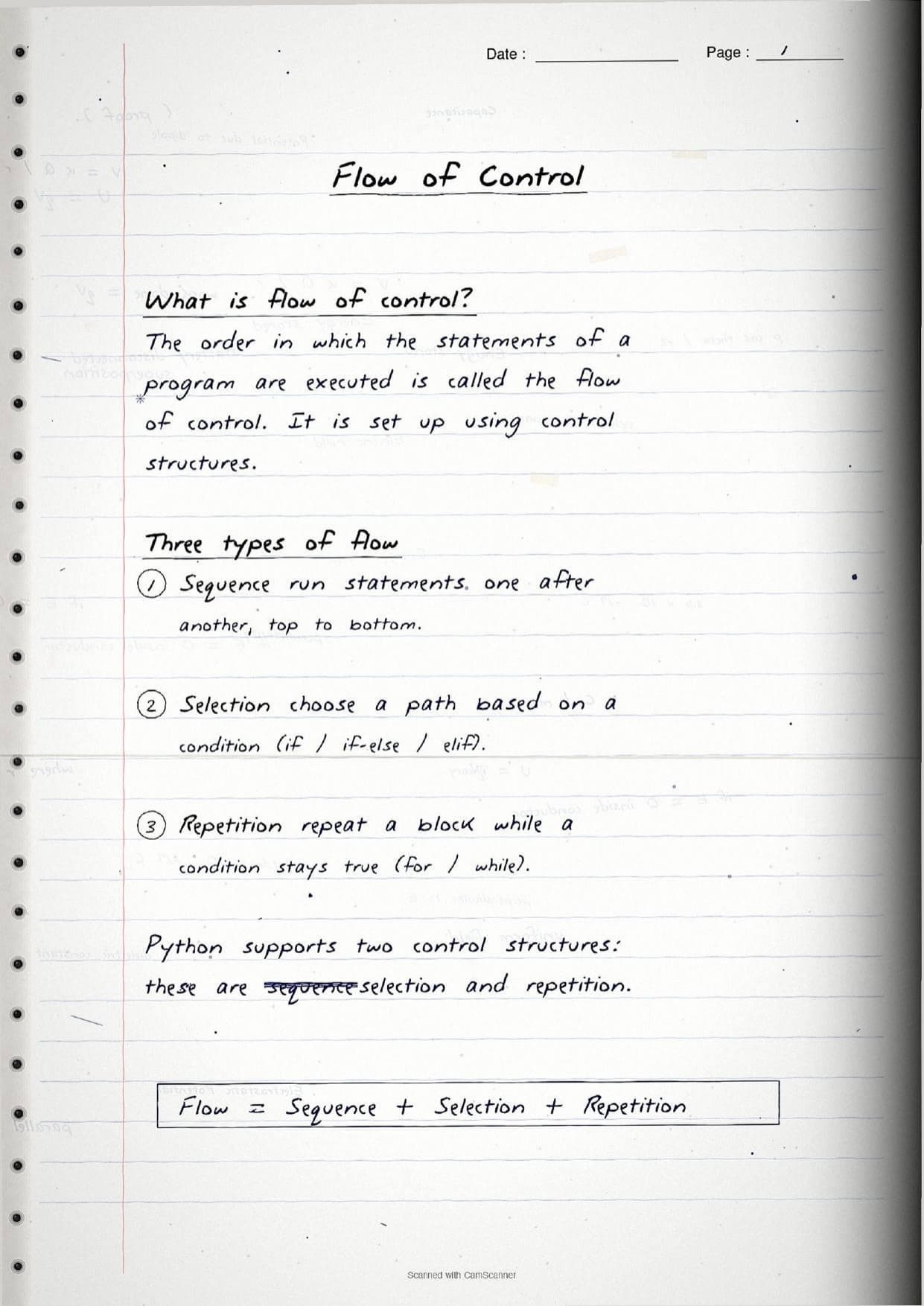
The notes open with the core idea. The flow of control is the order in which statements are executed, and Python supports three ways to shape it:
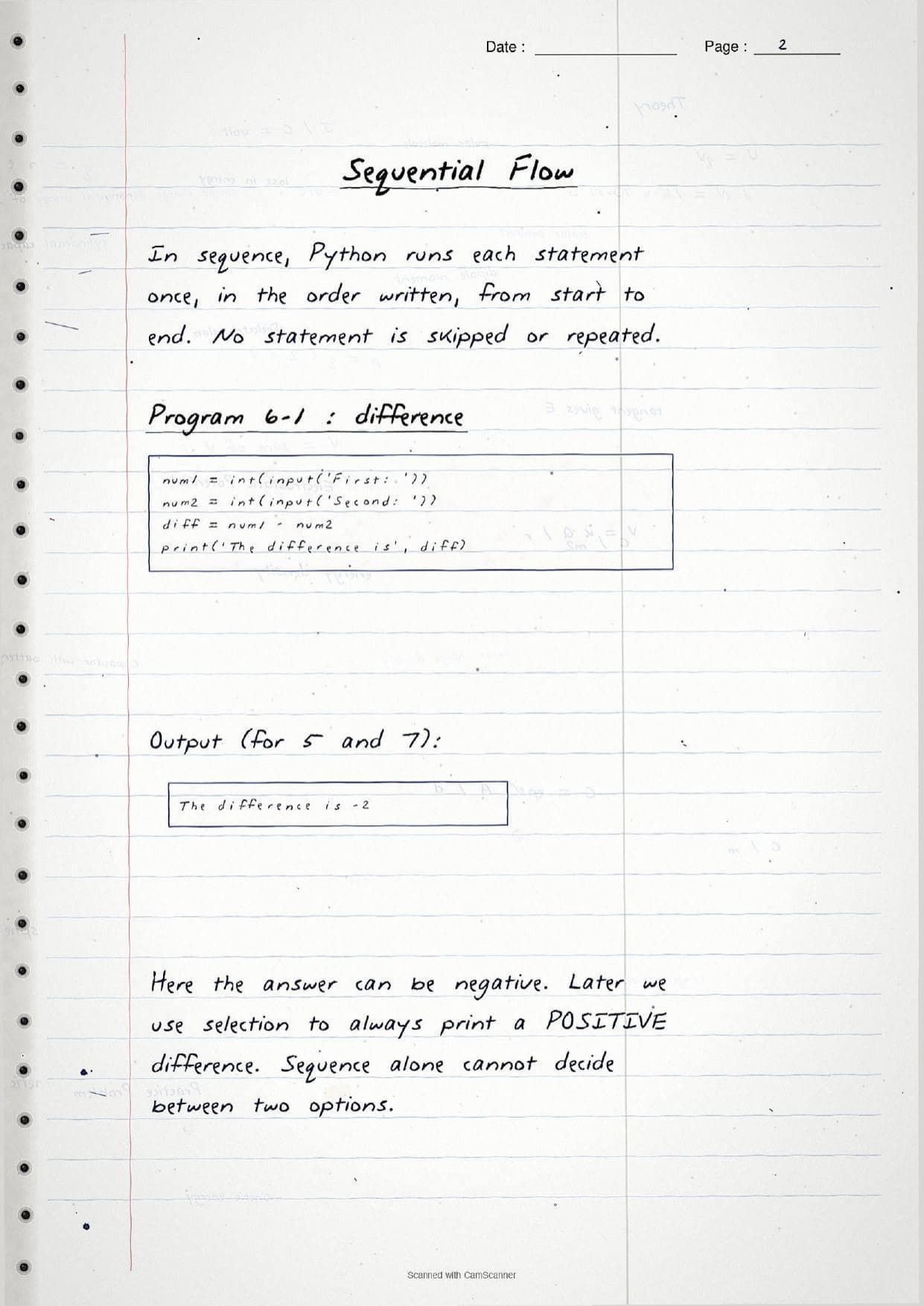
- Sequence: statements run one after another, top to bottom, with none skipped or repeated.
- Selection: the program chooses a path based on a condition, using the
iffamily. - Iteration (repetition): a block repeats while a condition stays true, using
fororwhile.
Because the pages are handwritten, the syntax sits in hand-drawn boxes next to short notes rather than long paragraphs. A student can flip through the Flow of Control class 11 pages in a few minutes and still recall the shape of each control structure, how indentation marks a block, and what break and continue do, before walking into the exam.
Selection: if, if-else and if-elif-else in the Handwritten Pages
Selection means picking one path out of two or more. The handwritten notes work through the whole if family in order, from the simplest form to nested decisions, and box the syntax for each one so it is easy to compare at a glance.
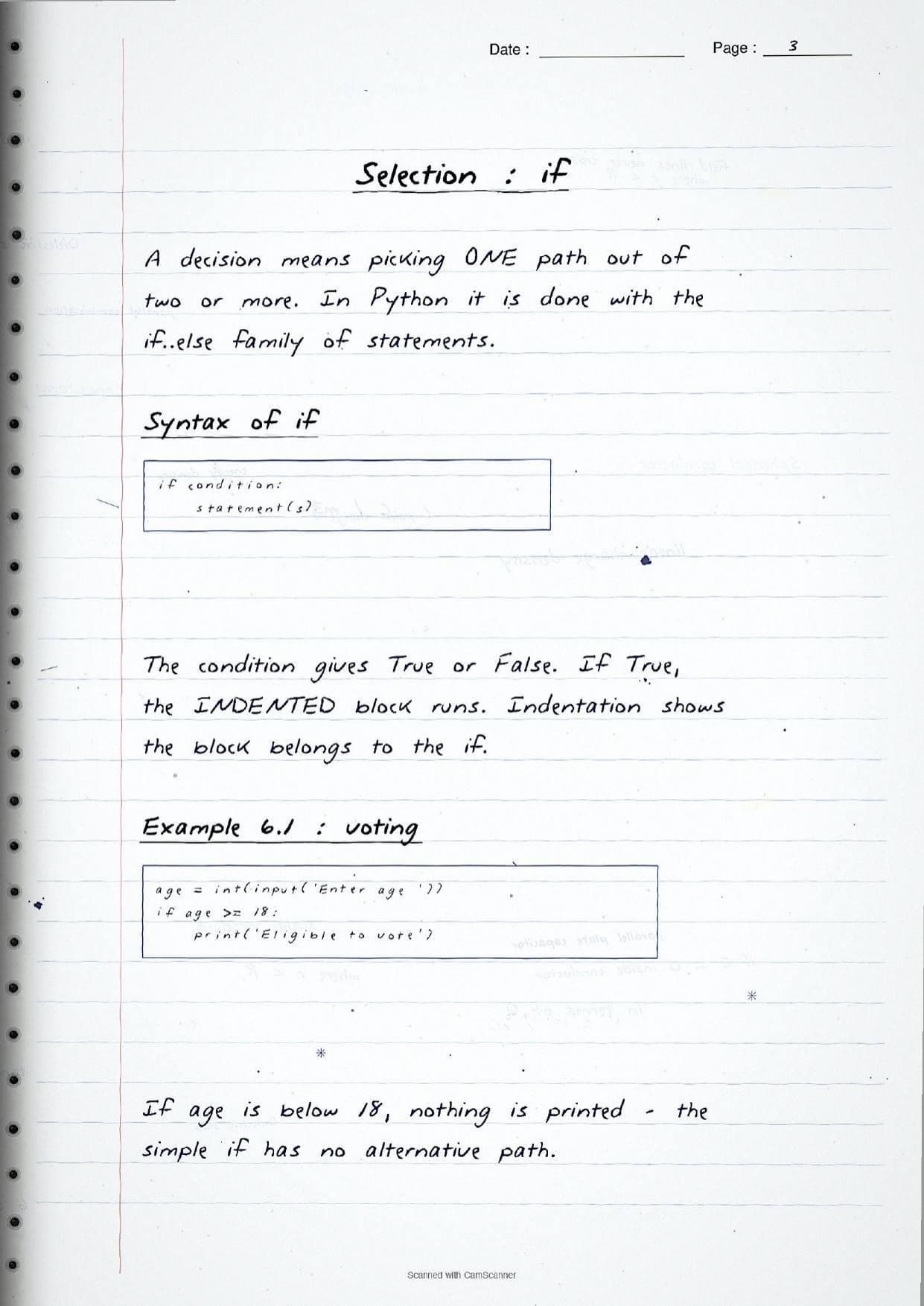
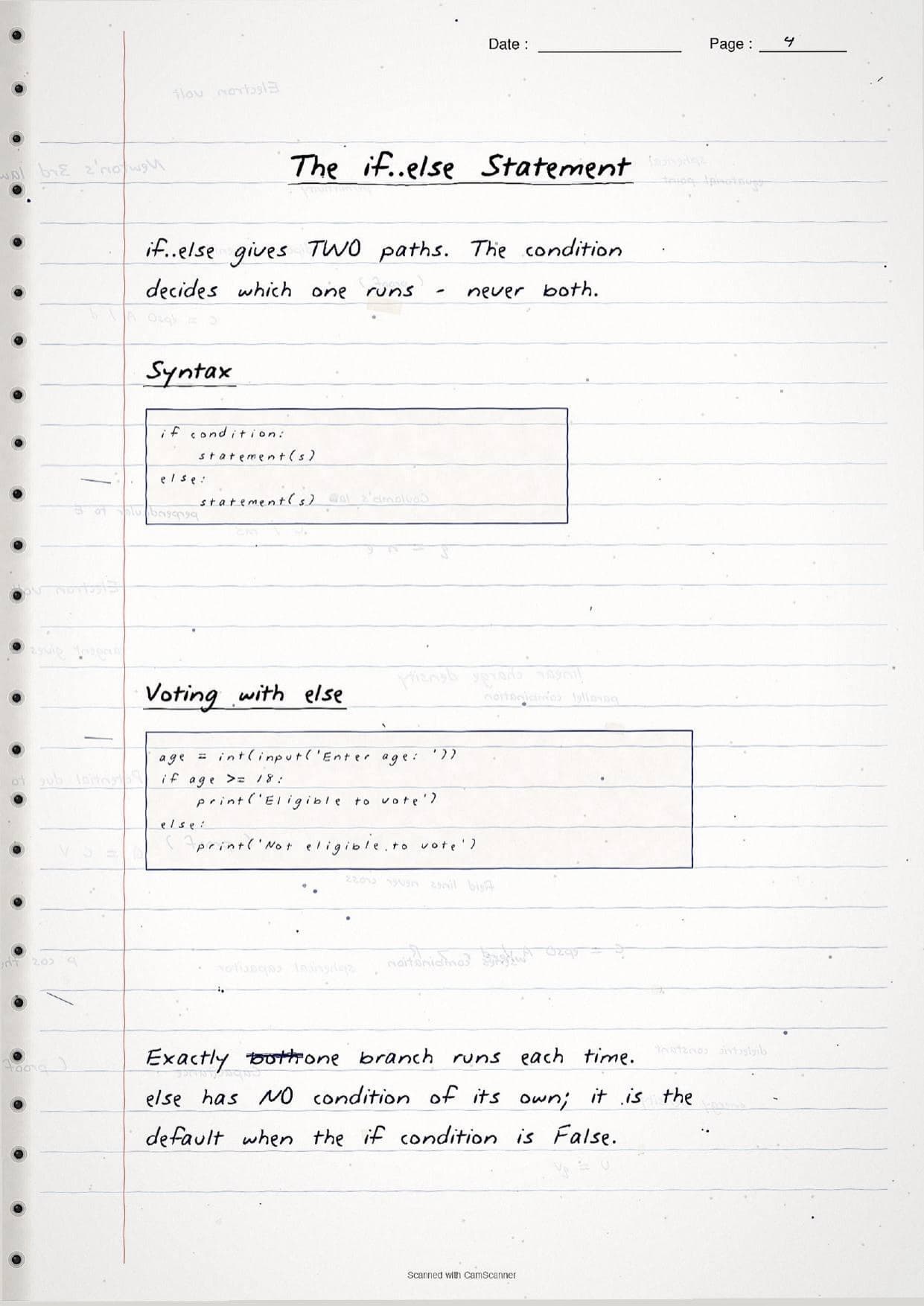
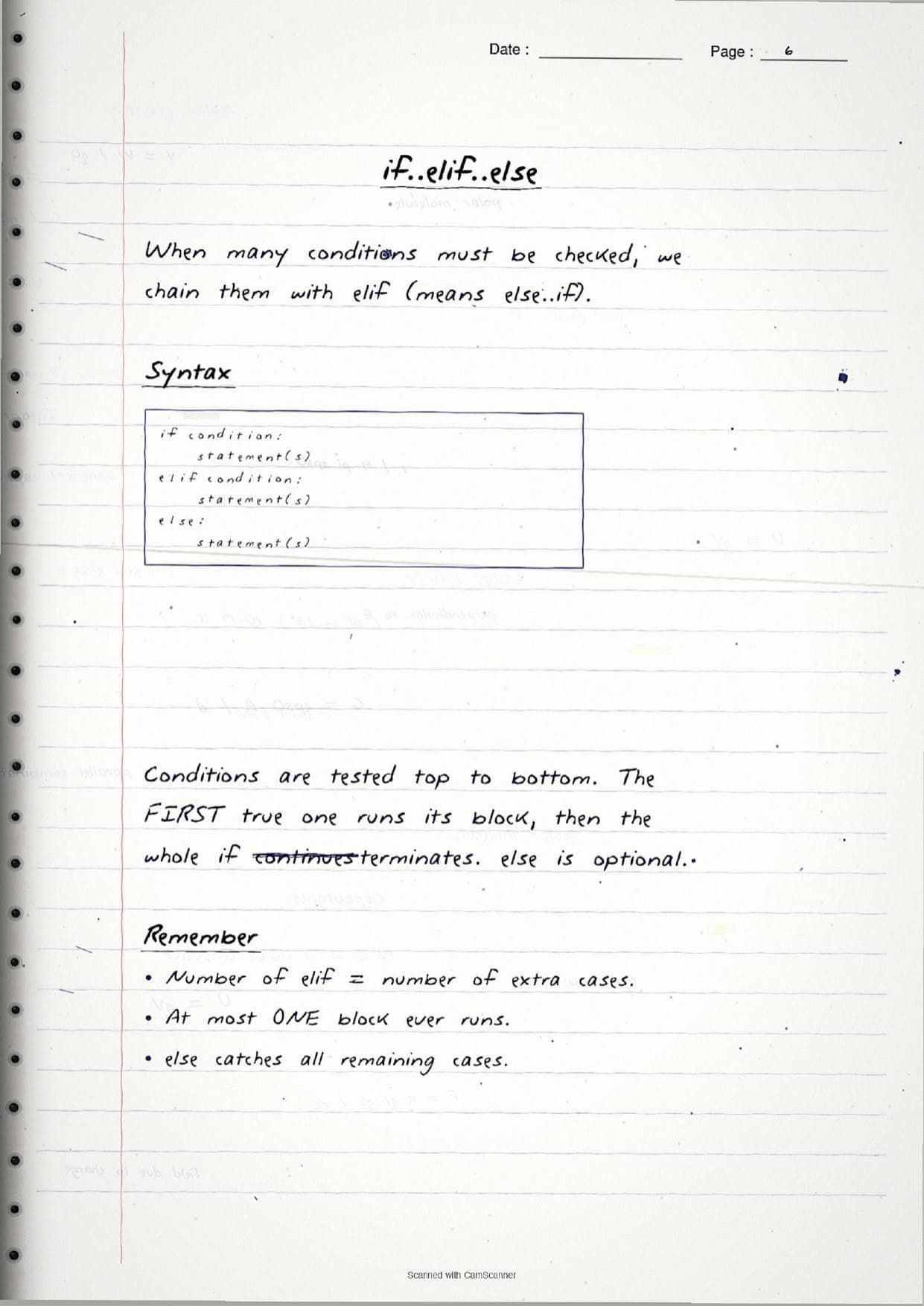
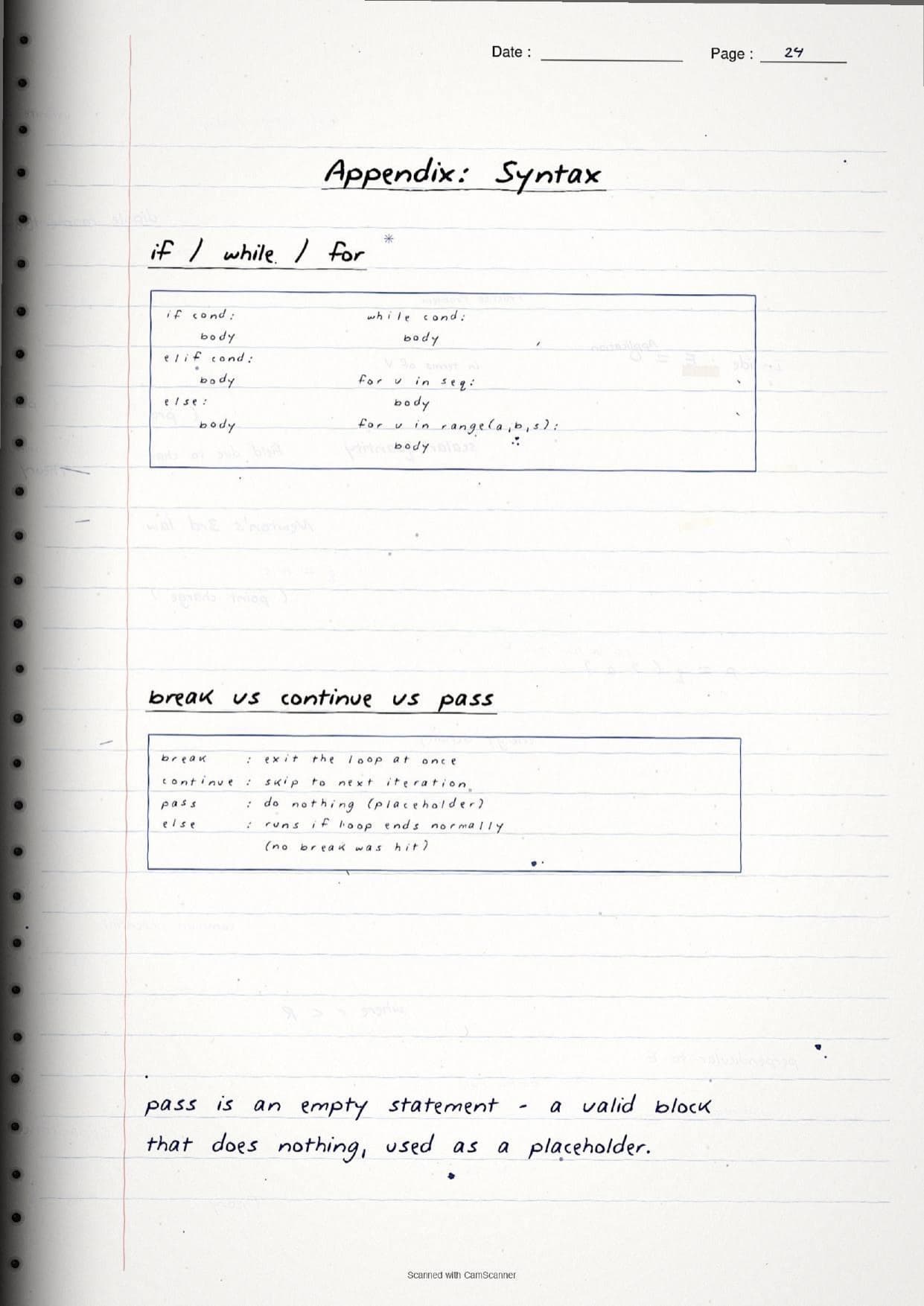
The simple if runs its indented block only when the condition is True; if the condition is False, nothing happens and there is no alternative path. The if-else form adds a second path so exactly one branch always runs, never both. When many cases must be checked, the notes chain them with elif (short for else-if), tested top to bottom, where the first true condition runs its block and the rest are skipped. The boxed syntax on the page looks like this:
if condition:
    statement(s)
elif condition:
    statement(s)
else:
    statement(s)
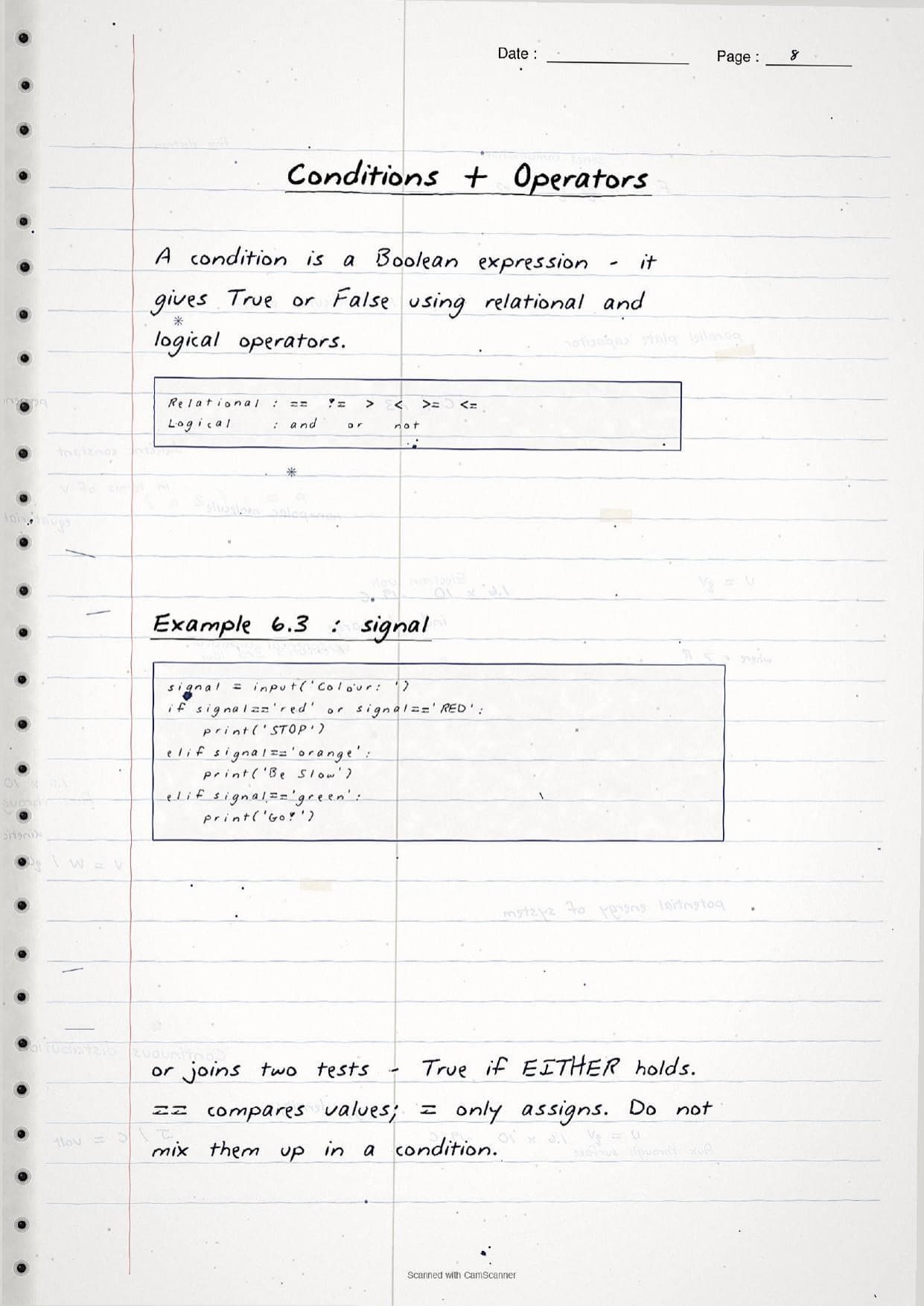
A condition is a Boolean expression that gives True or False. The notes list the two operator sets students need: relational operators ==, !=, >, <, >=, <=, and the logical operators and, or and not. A margin note warns that == compares values while a single = only assigns, so a condition like if age >= 18: must use the relational form.
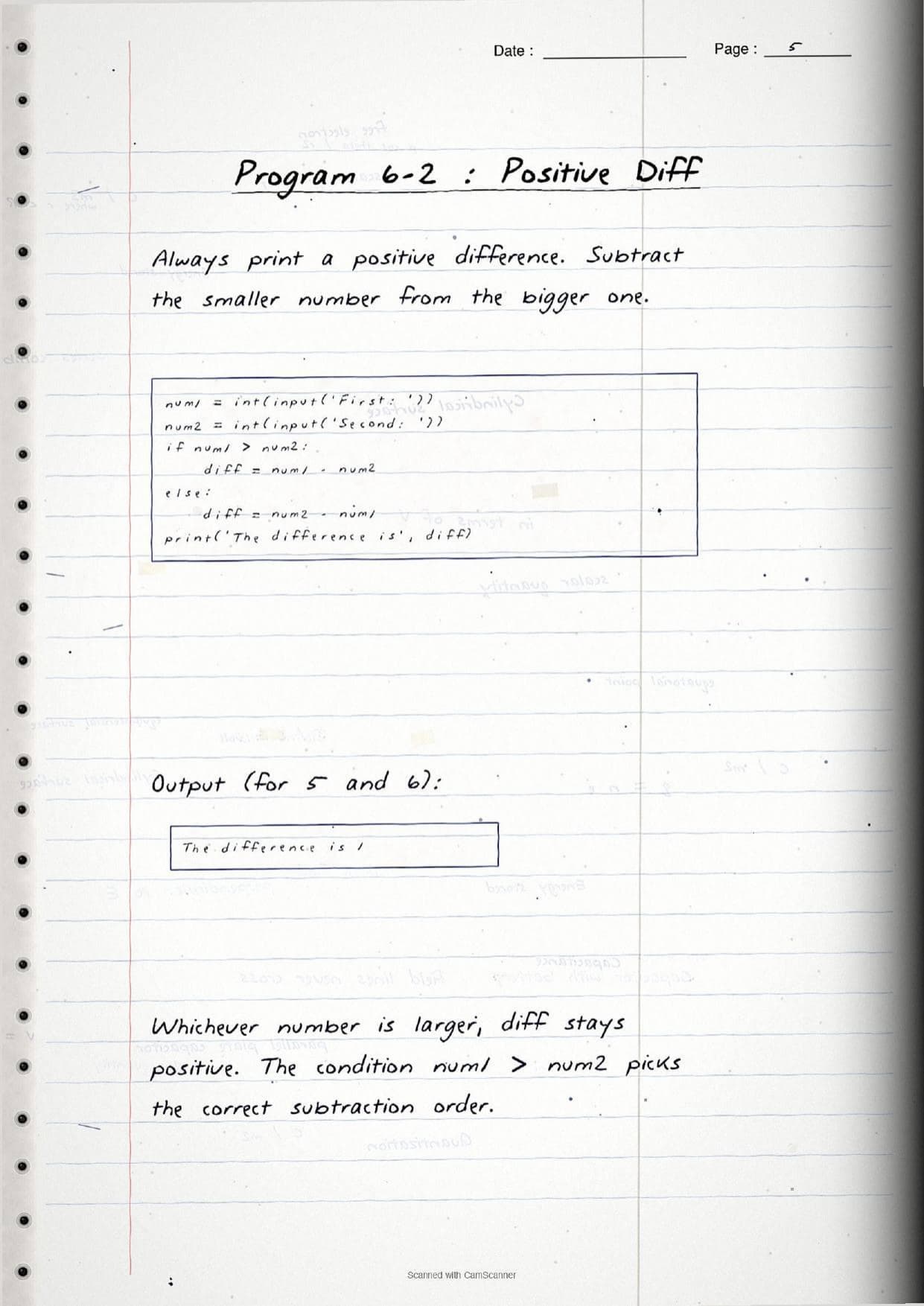
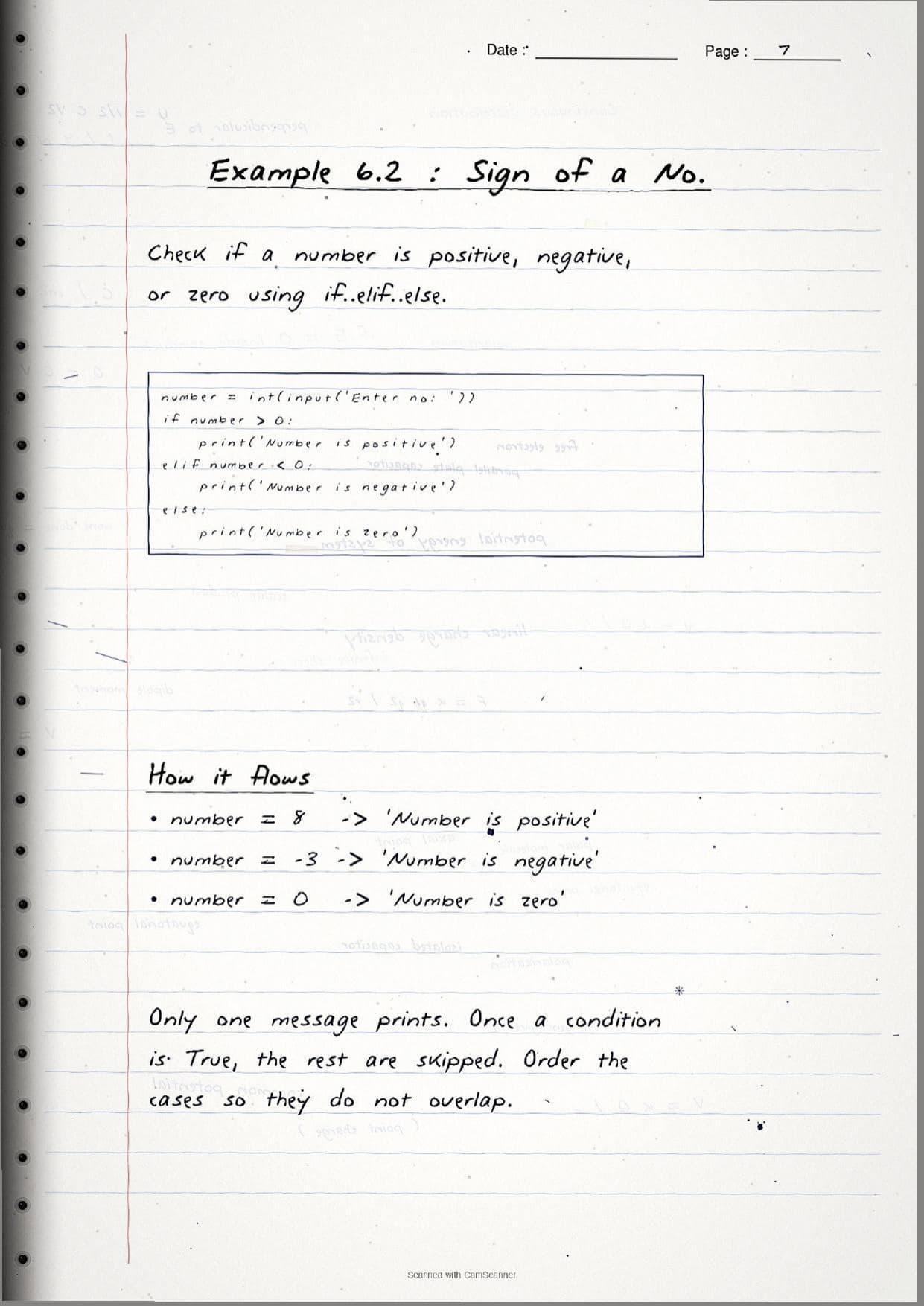
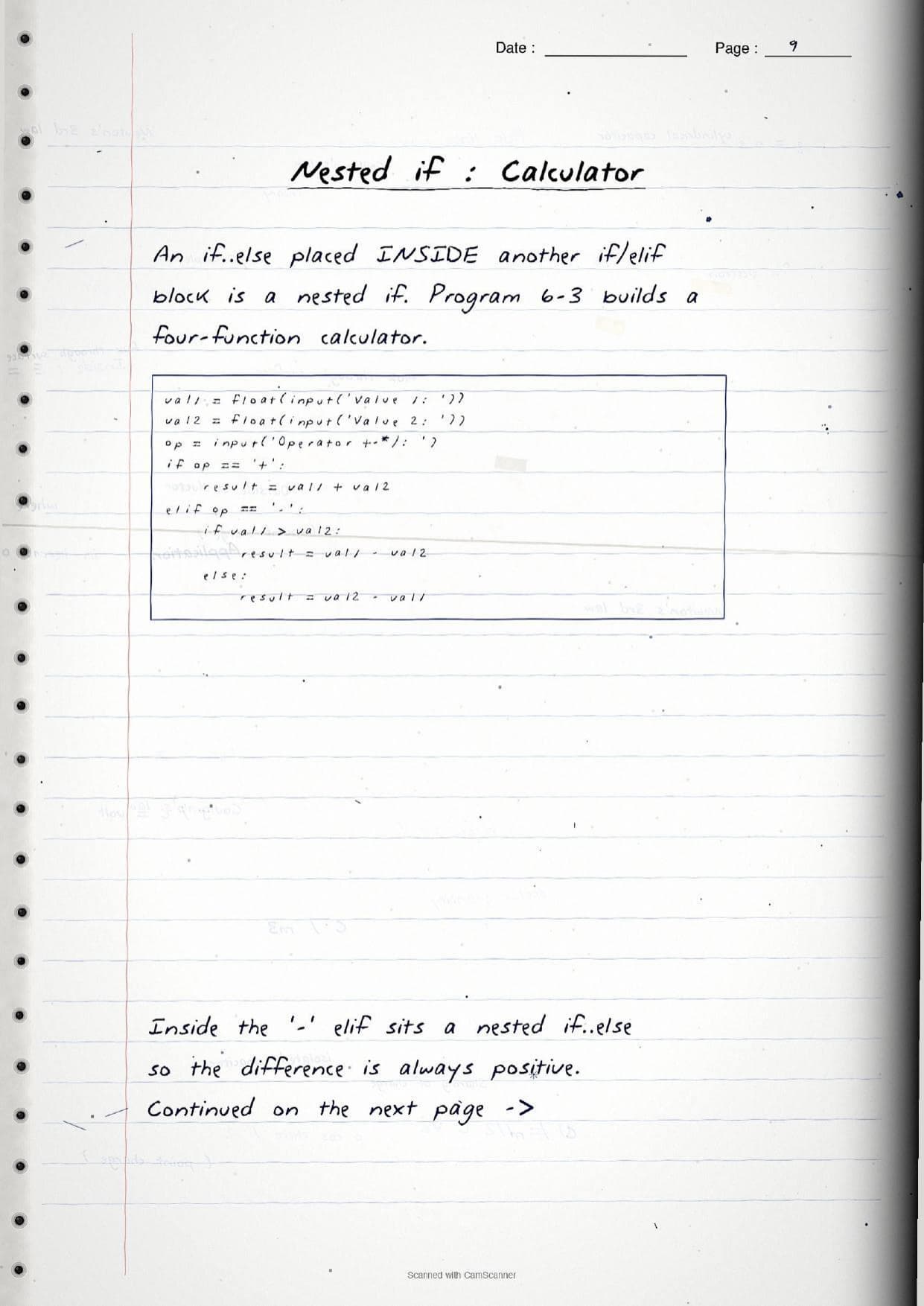
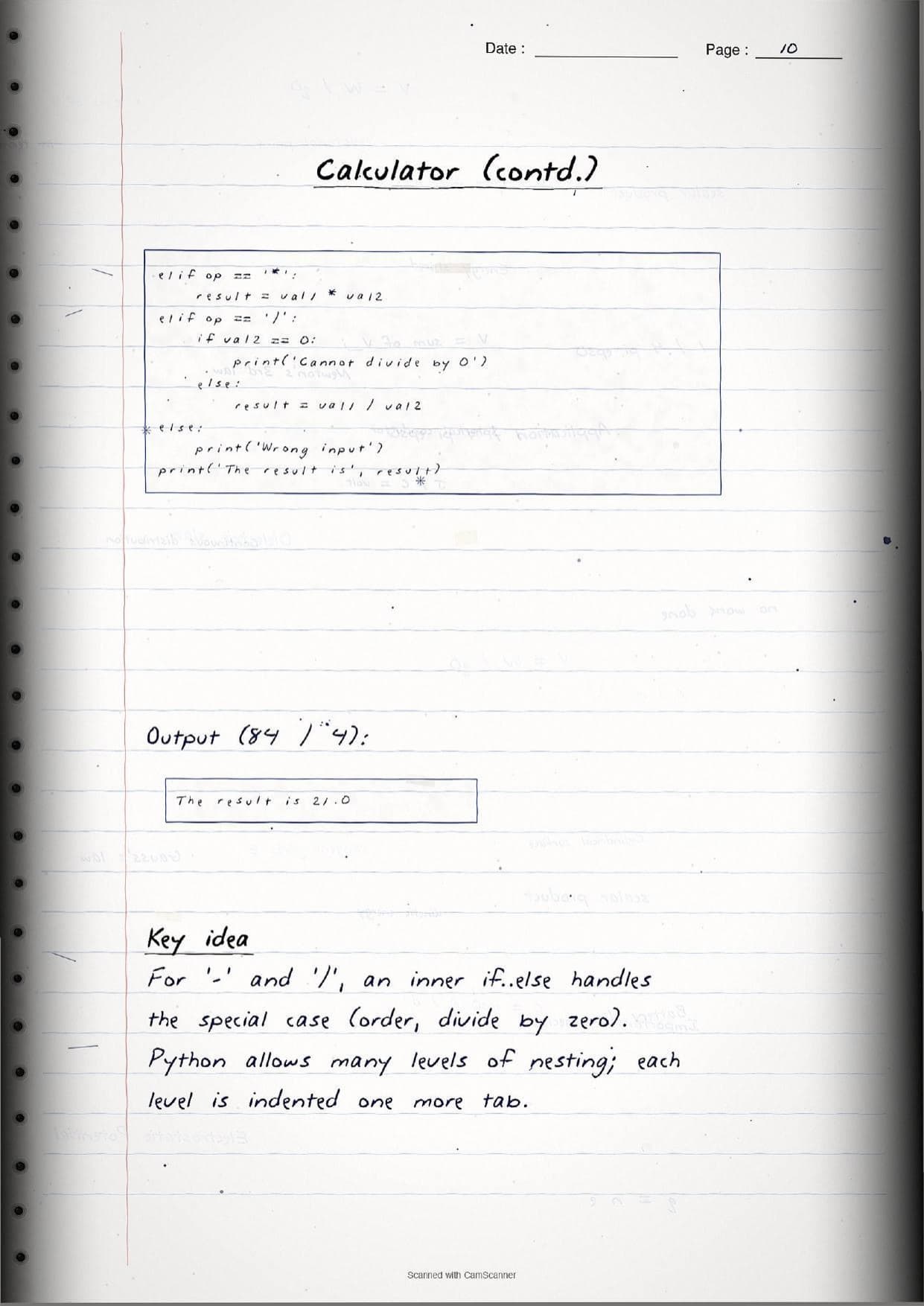
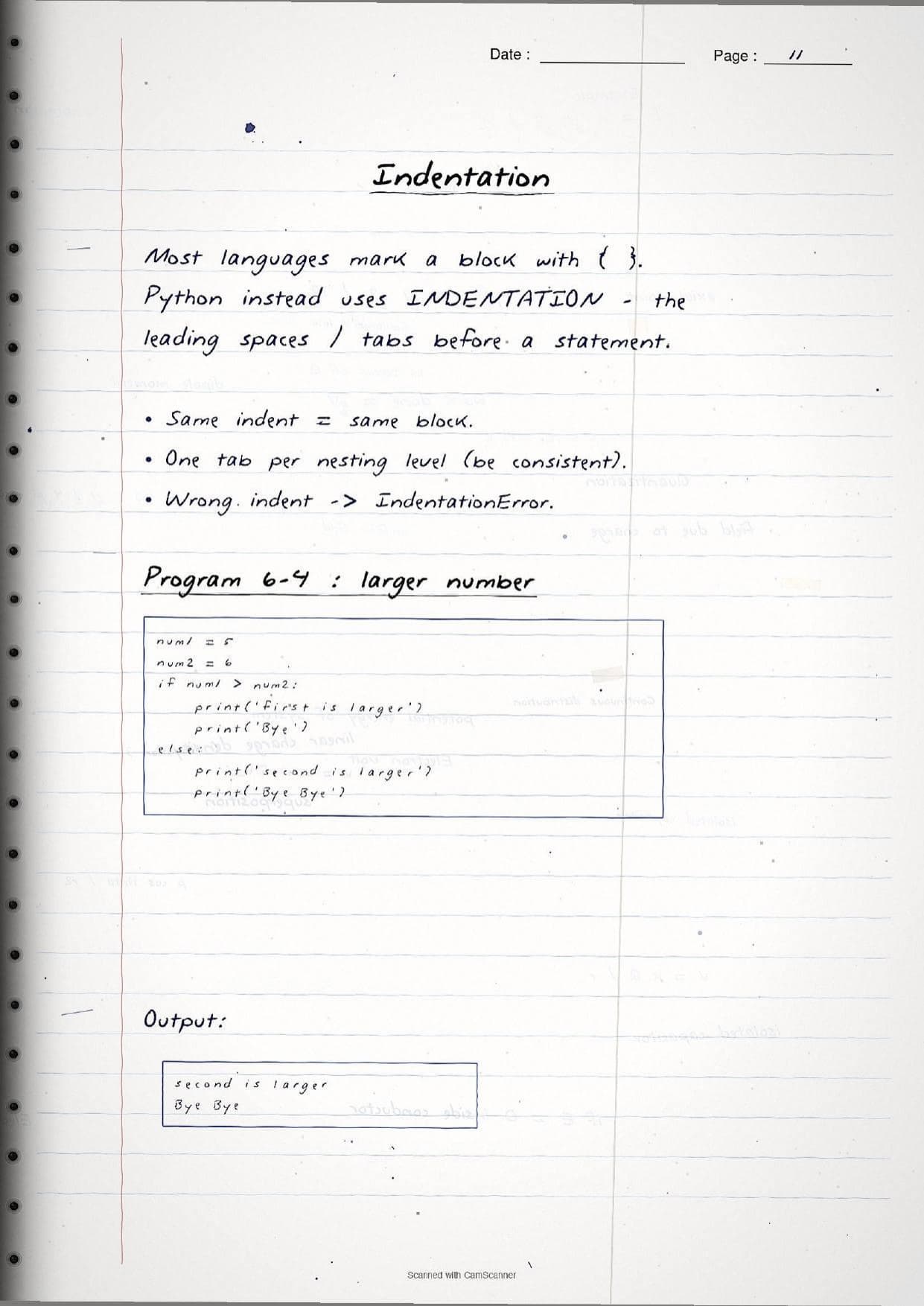
The pages then show worked programs. A sign checker uses if number > 0:, elif number < 0: and else to print positive, negative or zero. A four-function calculator places an inner if-else inside an elif branch, which is a nested if: it keeps a subtraction positive and guards against divide-by-zero before it happens. The notes stress that Python marks these blocks with indentation rather than braces, so one tab per nesting level is what tells Python which statements belong together, and a wrong indent raises an IndentationError.
| Statement | What the page shows |
|---|---|
if | One path. The indented block runs only when the condition is True. |
if-else | Two paths. Exactly one branch runs; else is the default when the condition is False. |
if-elif-else | Many cases tested top to bottom; the first True block runs and else catches the rest. |
Nested if | An if placed inside another, indented one more level for a special case. |
Iteration: while, for and range() in the Handwritten Pages
Iteration, also called looping, repeats a set of statements so students do not have to write the same code many times. The handwritten notes cover both Python loops, when to reach for each, and the three statements that control how a loop behaves.
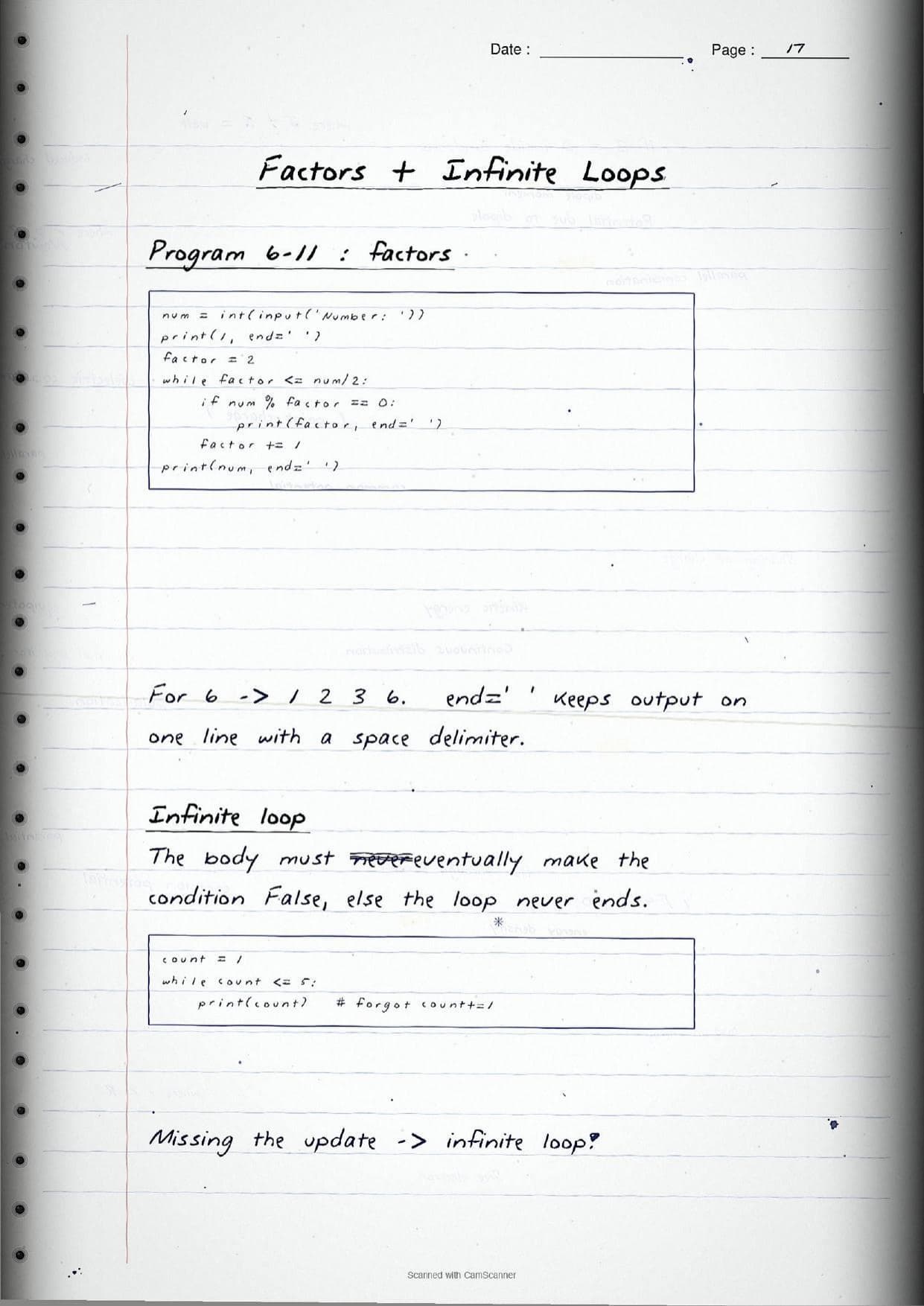
The while loop repeats its body as long as a condition stays true. The condition is checked before each turn, so if it is false at the start the body runs zero times. The notes flag the classic trap in the margin: the body must eventually change the control variable, or the loop never ends. A page shows count = 1 with while count <= 5: and the update count += 1, then a version with the update removed and the label "infinite loop".
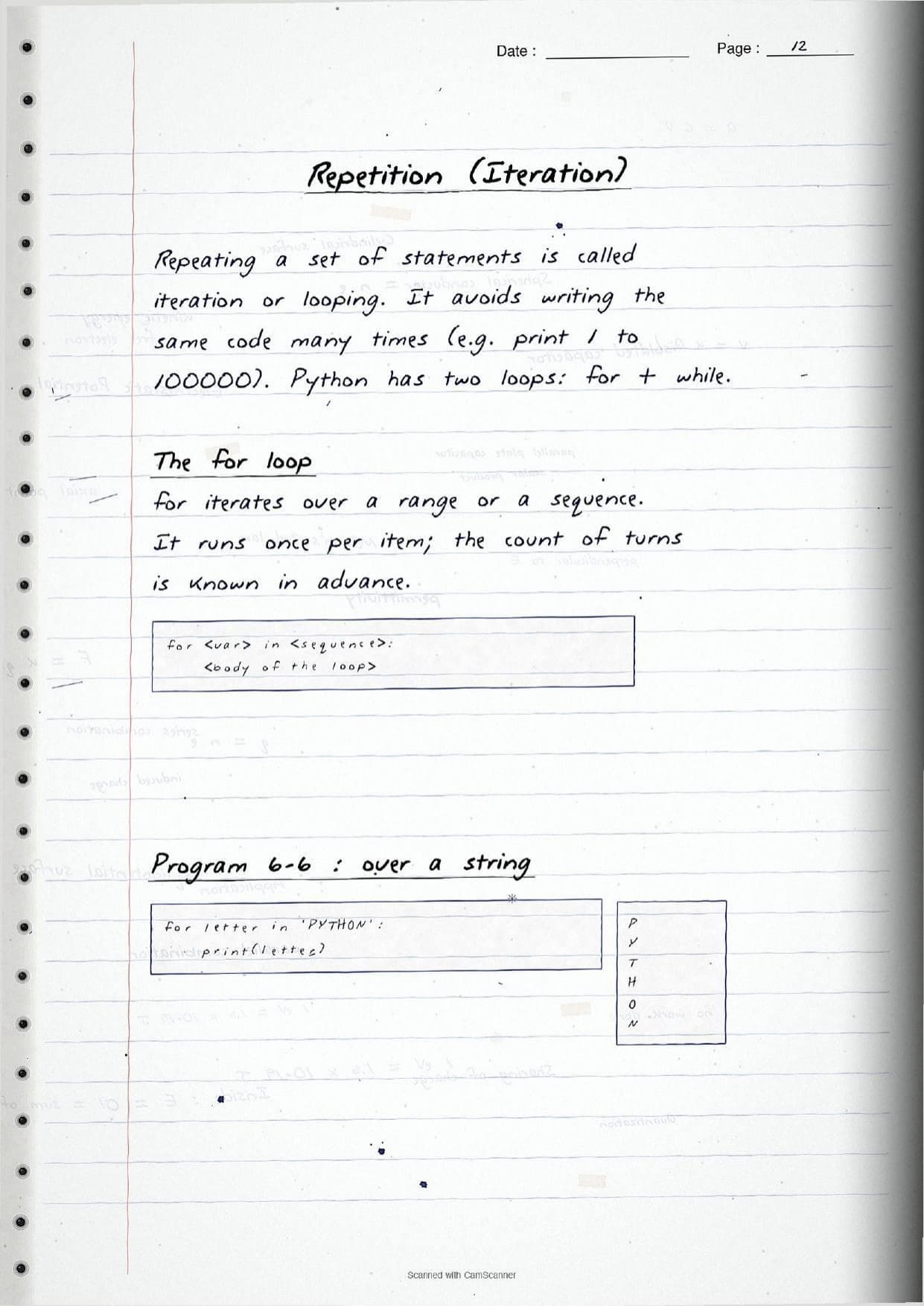
The for loop iterates once per item over a sequence, such as a string or a list, and is used when the number of turns is known in advance. It is most often driven by the range() function, which builds a sequence of integers. The notes box its rules clearly:
range(stop)starts at 0;range(start, stop)andrange(start, stop, step)set the start and step.- The stop value is excluded, so
range(5)gives 0, 1, 2, 3, 4. - All arguments must be integers, the step cannot be 0, and a negative step counts down.
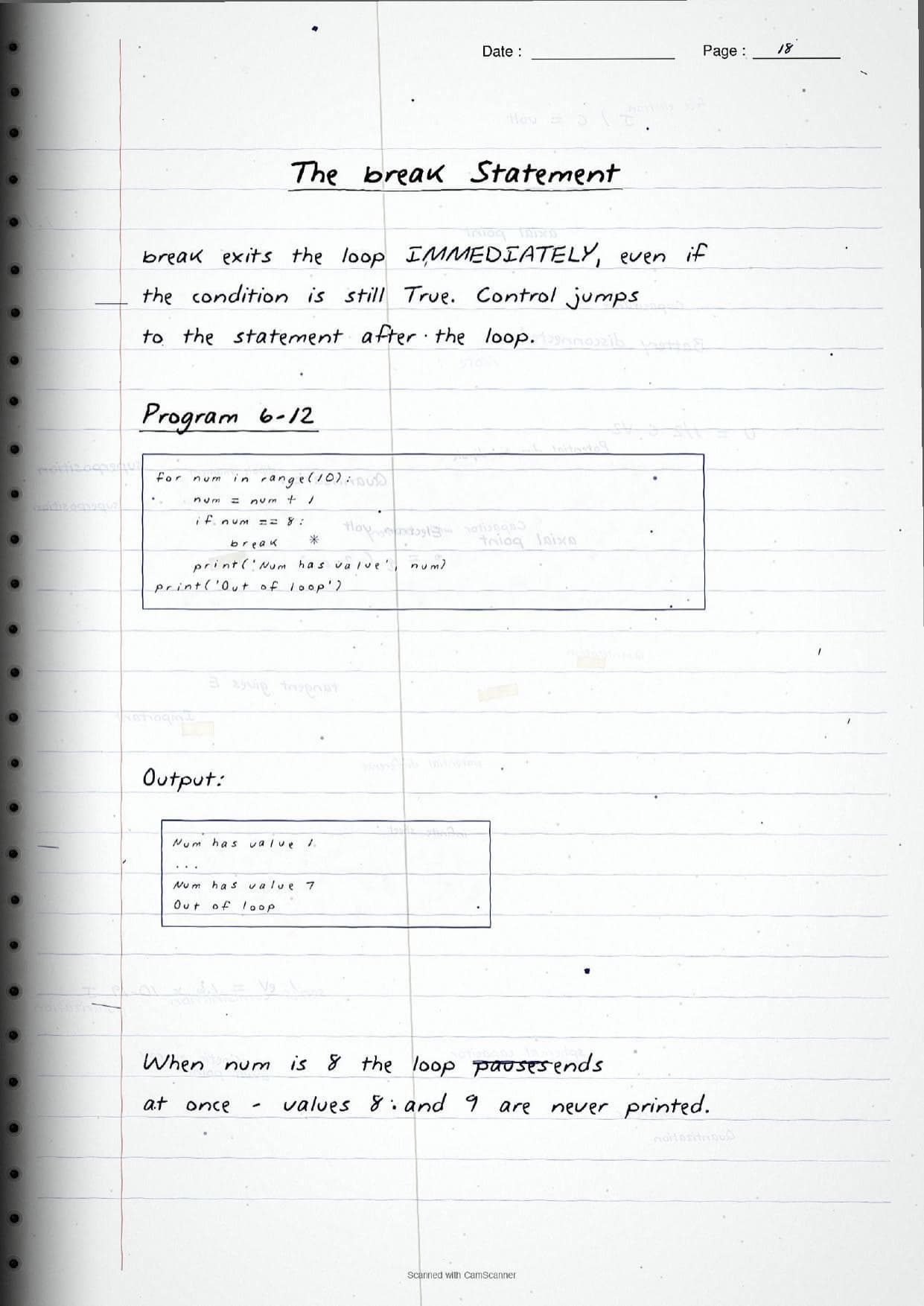
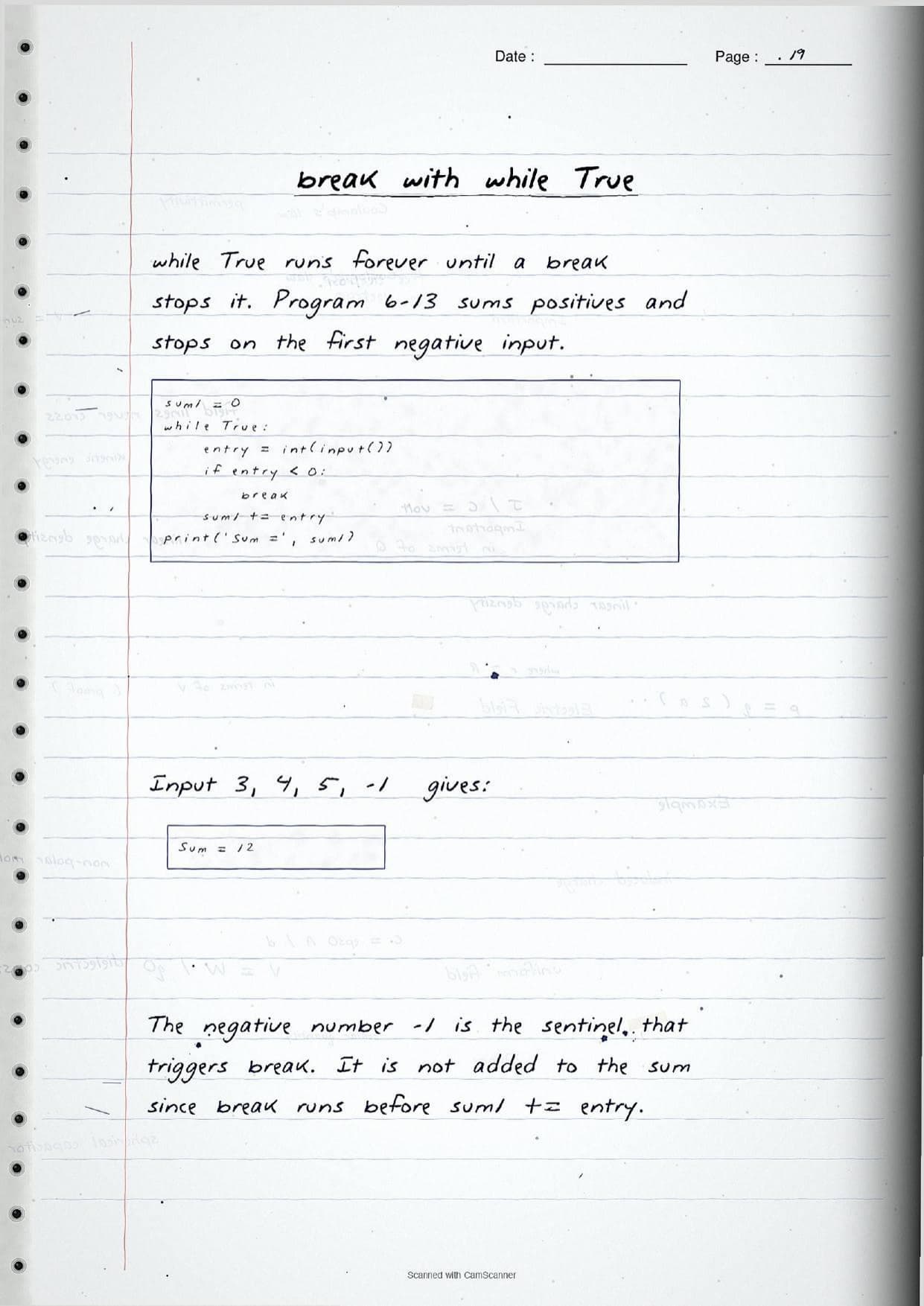
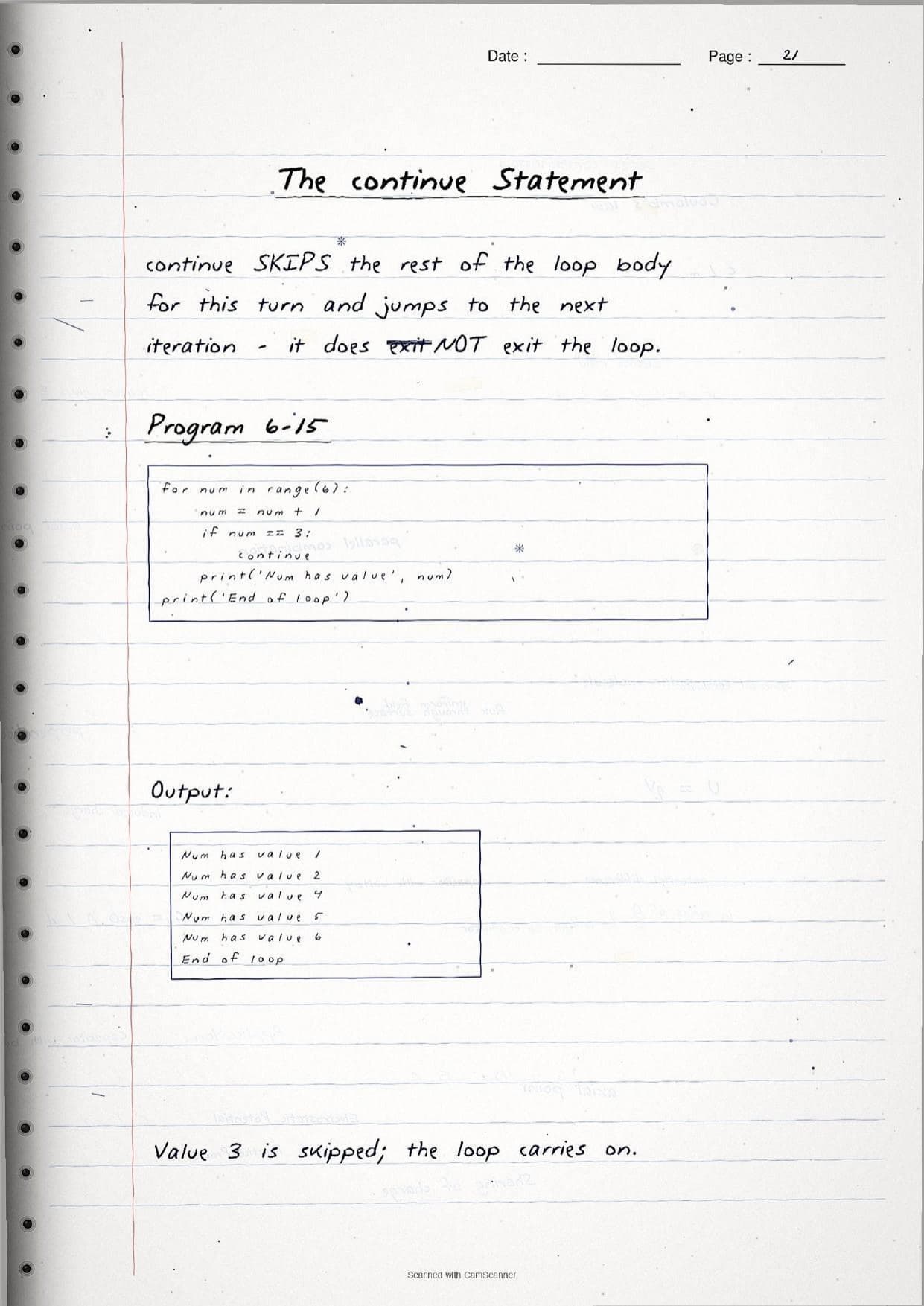
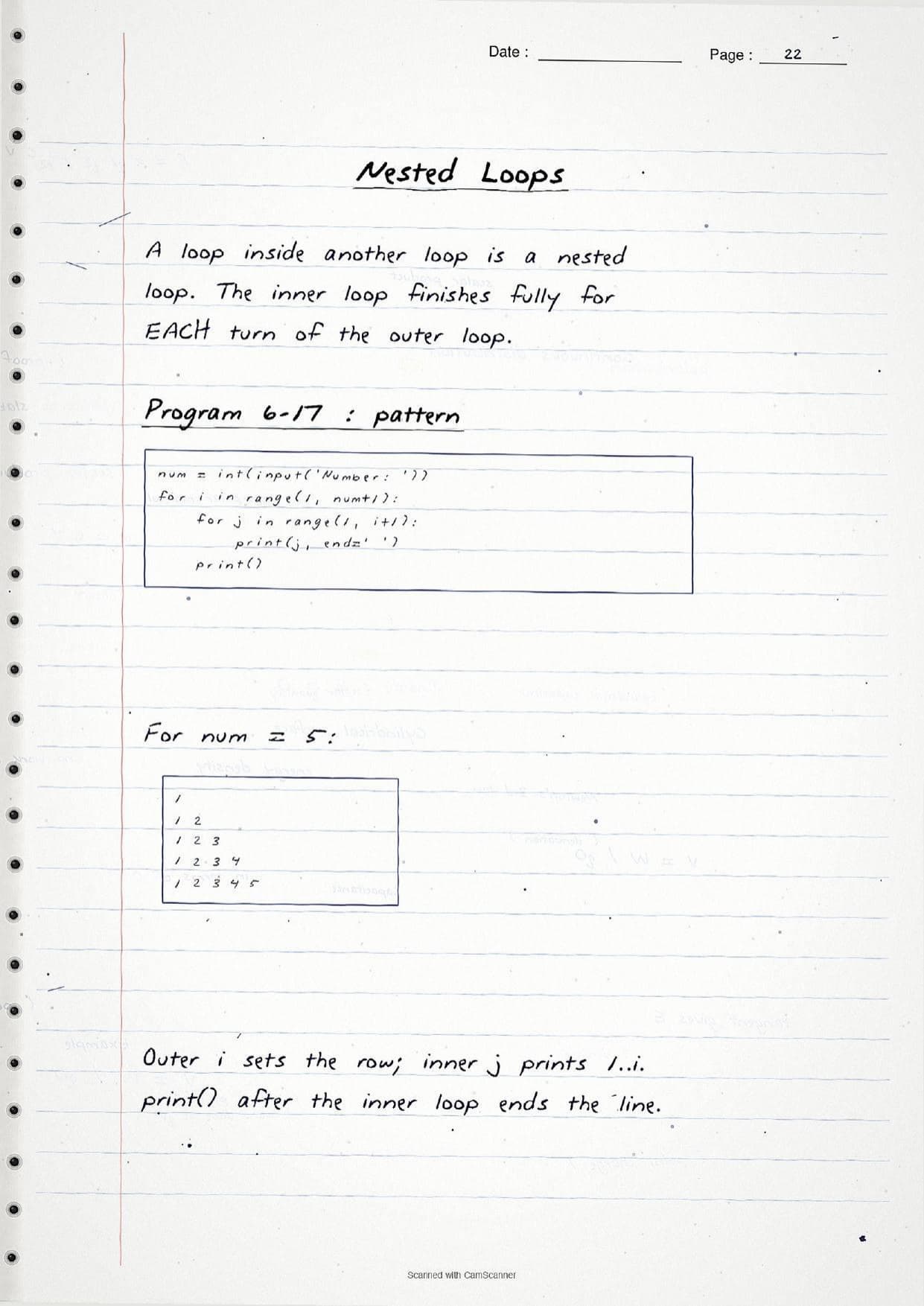
Three statements steer the flow inside a loop. break exits the loop at once, even if the condition is still true, which the notes use in a while True: loop that sums positive inputs and stops on the first negative sentinel. continue skips only the rest of the current turn and jumps to the next iteration, so it does not leave the loop. pass is an empty placeholder statement that does nothing. A final page shows a nested loop, where an inner for runs fully for each turn of the outer for to print a number pattern, and notes that a loop else runs only when the loop ends normally without hitting a break.
How to Use These Handwritten Notes
Handwritten notes work best as a final-revision tool, not a first read. The steps below show how to get the most out of the Flow of Control handwritten notes in the last days before a test.
- Download: tap the download card above to save the handwritten pages to your device.
- First read: read the printed Notes and run a few programs once, so the handwritten pages act as a refresher, not a first source.
- Dry-run drill: cover the output box and trace each loop by hand, writing down what prints on every turn.
- Night before: flip through the boxed syntax for
if,while,forandrange()for a quick last-minute recall.
Many students search for class 11 computer science chapter 6 notes on their phone the night before a test, so a saved set of handwritten pages means you can revise offline. Use the handwritten notes to fix the syntax in memory, then check the solutions to confirm you are tracing the output correctly.
Common Mistakes These Notes Help You Avoid
A few errors cost marks every year in the output and short-program questions. The handwritten notes flag each one in the margin so you can fix it before the exam. These five are the most common.
- Using a single
=in a condition. A test needs==;=only assigns a value. - Wrong or missing indentation. Python uses indentation to mark a block, so a stray space raises an IndentationError.
- Forgetting the loop update. Without something like
count += 1, awhileloop becomes an infinite loop. - Assuming
range(a, b)includesb. The stop value is always excluded. - Mixing up
breakandcontinue.breakexits the loop;continueonly skips the current turn.
Students who fix these five points usually move from average to high marks. The handwritten notes box every syntax form and trace each program's output, so these soft points are hard to miss when you revise.
How These Handwritten Notes Pair with the Solutions and Book PDF
These handwritten notes are a fast revision tool. To prepare fully, students should use them alongside the other resources for the same chapter, all linked in the table below. Read the printed Notes, test yourself with the solutions, then use these pages for a final recall.
| Resource | Best used for |
|---|---|
| Flow of Control NCERT Solutions | Step-by-step answers to the exercise and output questions |
| Flow of Control Class 11 Notes | Quick chapter summary with all control structures and syntax in one place |
| Flow of Control NCERT Book PDF | Reading the original NCERT chapter text and worked programs |
Tip: read the printed Notes first, run the sample programs, then keep these handwritten pages for the final night-before flip. Using them for recall, not for the first read, builds memory faster.
All Class 11 Computer Science Handwritten Notes by Chapter
The table links the handwritten notes for every chapter in Class 11 Computer Science, so students can move across the course in one click. Flow of Control is highlighted.
| Chapter | Handwritten Notes |
|---|---|
| Chapter 1 | Computer System |
| Chapter 2 | Encoding Schemes and Number System |
| Chapter 3 | Emerging Trends |
| Chapter 4 | Introduction to Problem Solving |
| Chapter 5 | Getting Started with Python |
| Chapter 6 | Flow of Control |
| Chapter 7 | Functions |
| Chapter 8 | Strings |
| Chapter 9 | Lists |
| Chapter 10 | Tuples and Dictionaries |
| Chapter 11 | Societal Impact |
FAQs on Flow of Control Handwritten Notes
Flow of Control Class 11 Computer Science Handwritten Notes Common Questions
Ques. Where can I download the Flow of Control handwritten notes PDF?
Ans. You can download the Flow of Control Class 11 Computer Science handwritten notes PDF directly from this page. It is free, follows the 2026-27 NCERT, and presents sequence, selection, iteration and the loop control statements as handwritten pages with the Python code written out by hand.
Ques. What is flow of control in Class 11 Chapter 6?
Ans. Flow of control is the order in which the statements of a program are executed. Python shapes it with three control structures: sequence runs statements top to bottom, selection uses the if family to choose a path, and iteration uses for or while to repeat a block.
Ques. What topics do these handwritten notes cover?
Ans. They cover sequence, selection with if, if-else, if-elif-else and nested if, relational and logical operators, indentation, the while and for loops, the range() function, break, continue and pass, nested loops and the loop else, with sample programs and their output.
Ques. What is the difference between break and continue?
Ans. break exits the loop at once and control moves to the statement after the loop, even if the condition is still true. continue only skips the rest of the current turn and jumps to the next iteration, so the loop keeps running. The handwritten notes trace the output of both so the difference is clear.
Ques. Are handwritten notes good for revising Class 11 Computer Science Chapter 6?
Ans. Yes. Handwritten notes are best for fast, last-minute revision because the boxed syntax and the traced output make each control structure easy to skim. Use them after a first read of the printed Notes and after running a few programs, not as your only source.



Comments