




These Introduction to Problem Solving handwritten notes turn the whole of Chapter 4 into clean, handwritten pages for fast revision. They follow the 2026-27 NCERT syllabus and Chapter 4 of Class 11 Computer Science. Students get the steps of problem solving, the meaning and characteristics of an algorithm, flowcharts with their standard symbols, pseudocode, the three types of flow of control, decomposition, verifying an algorithm with a dry run, and comparing algorithms for efficiency, all in a pen-on-paper format that is easy to skim before the Class 11 final exam.
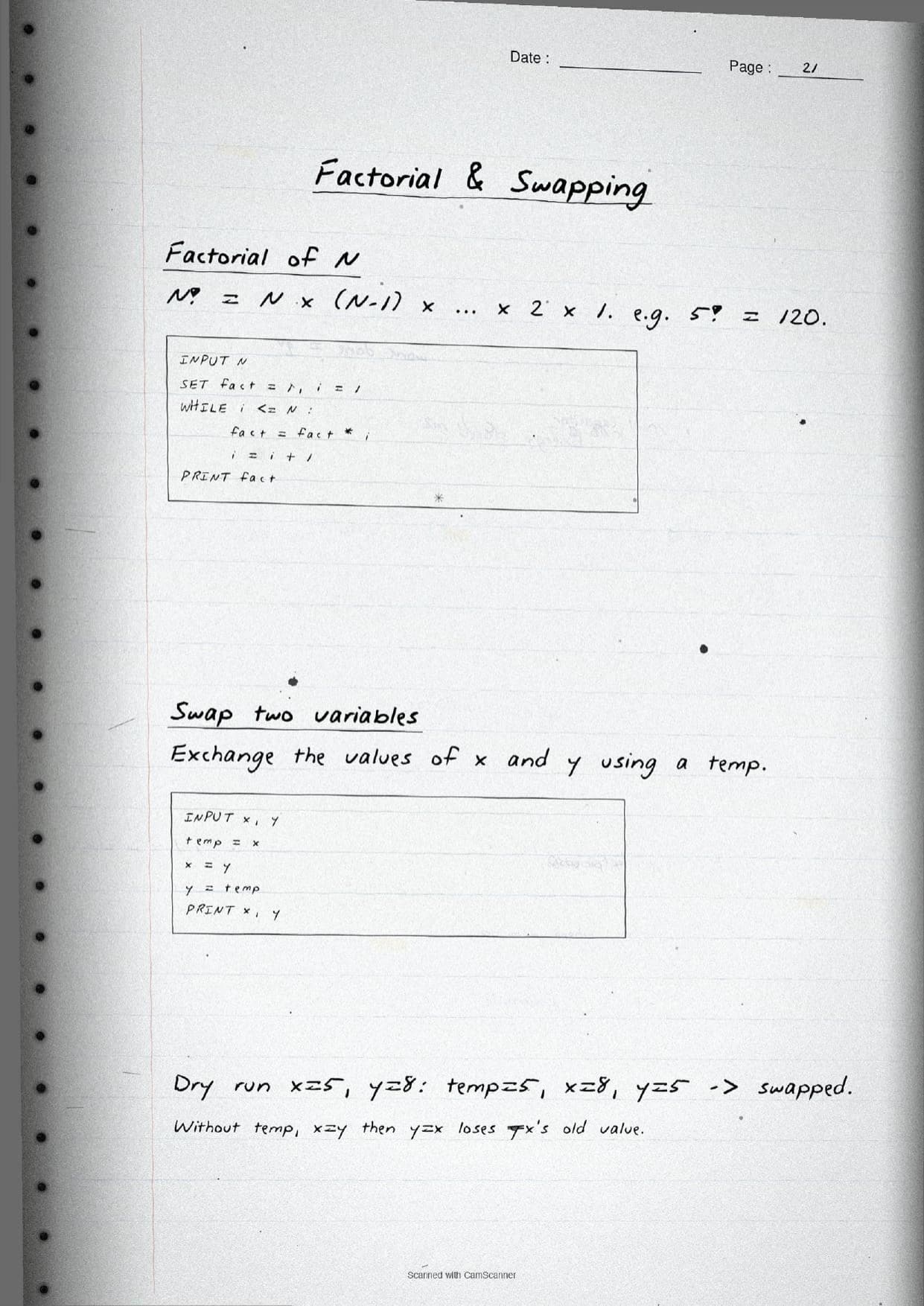
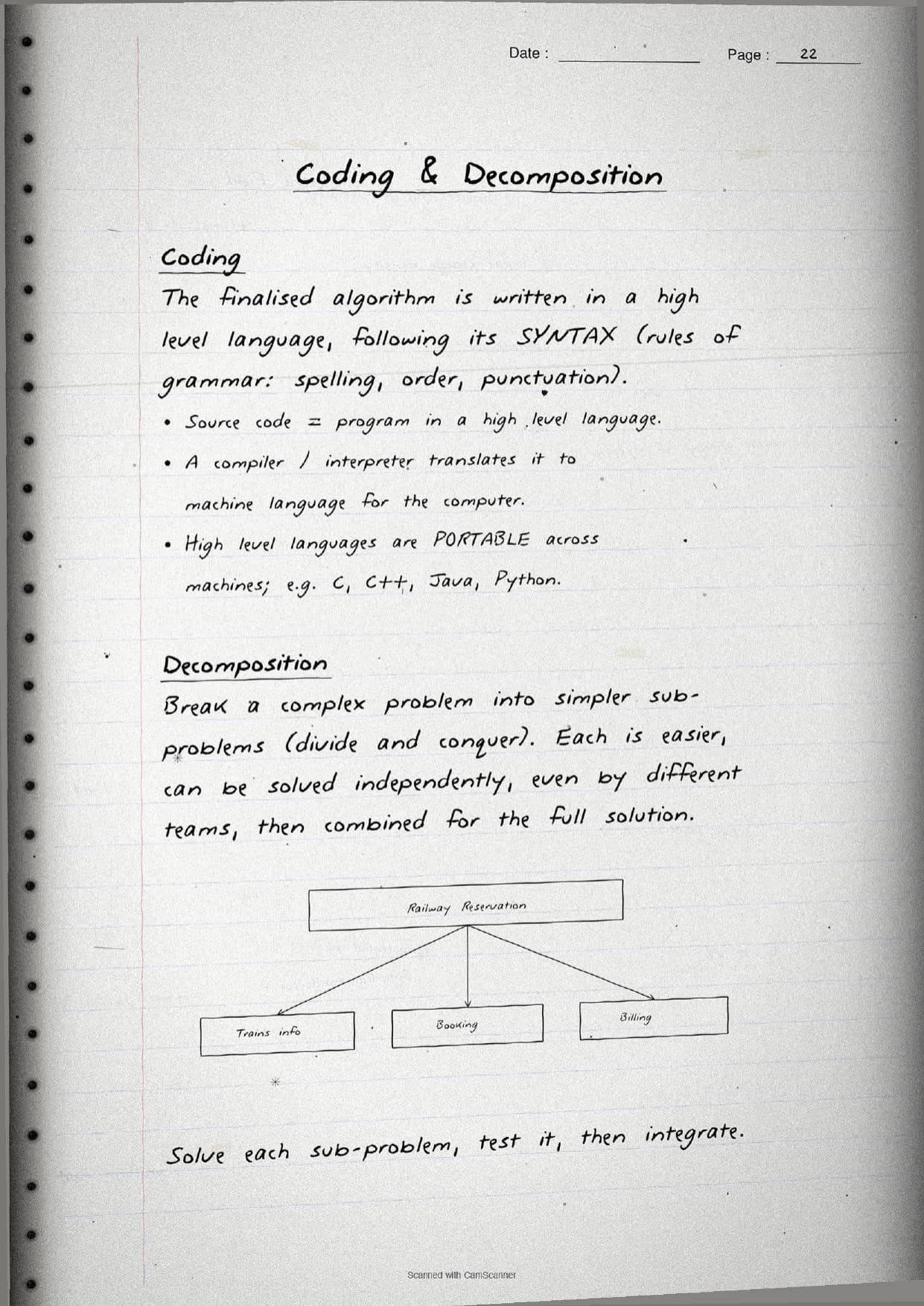
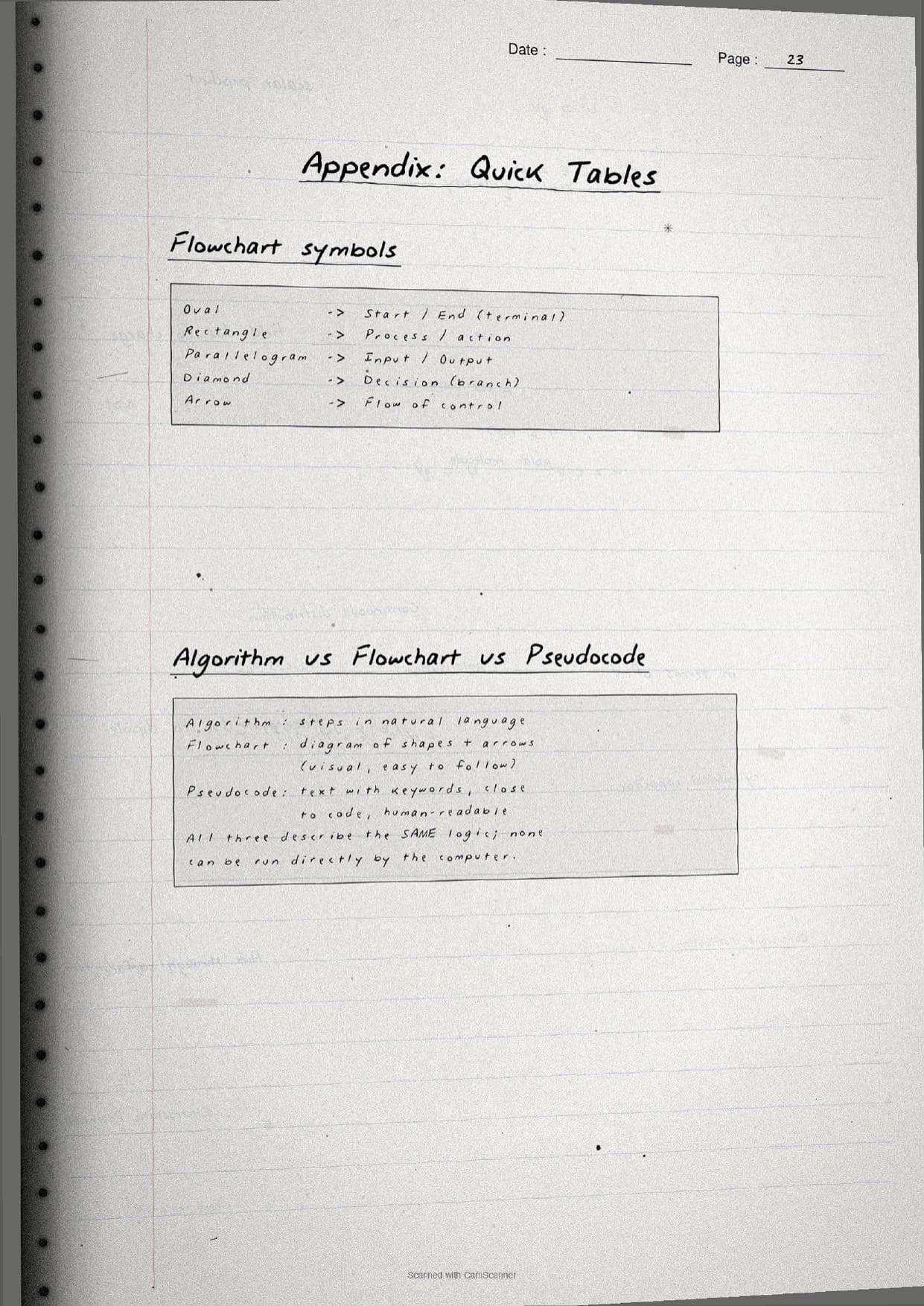
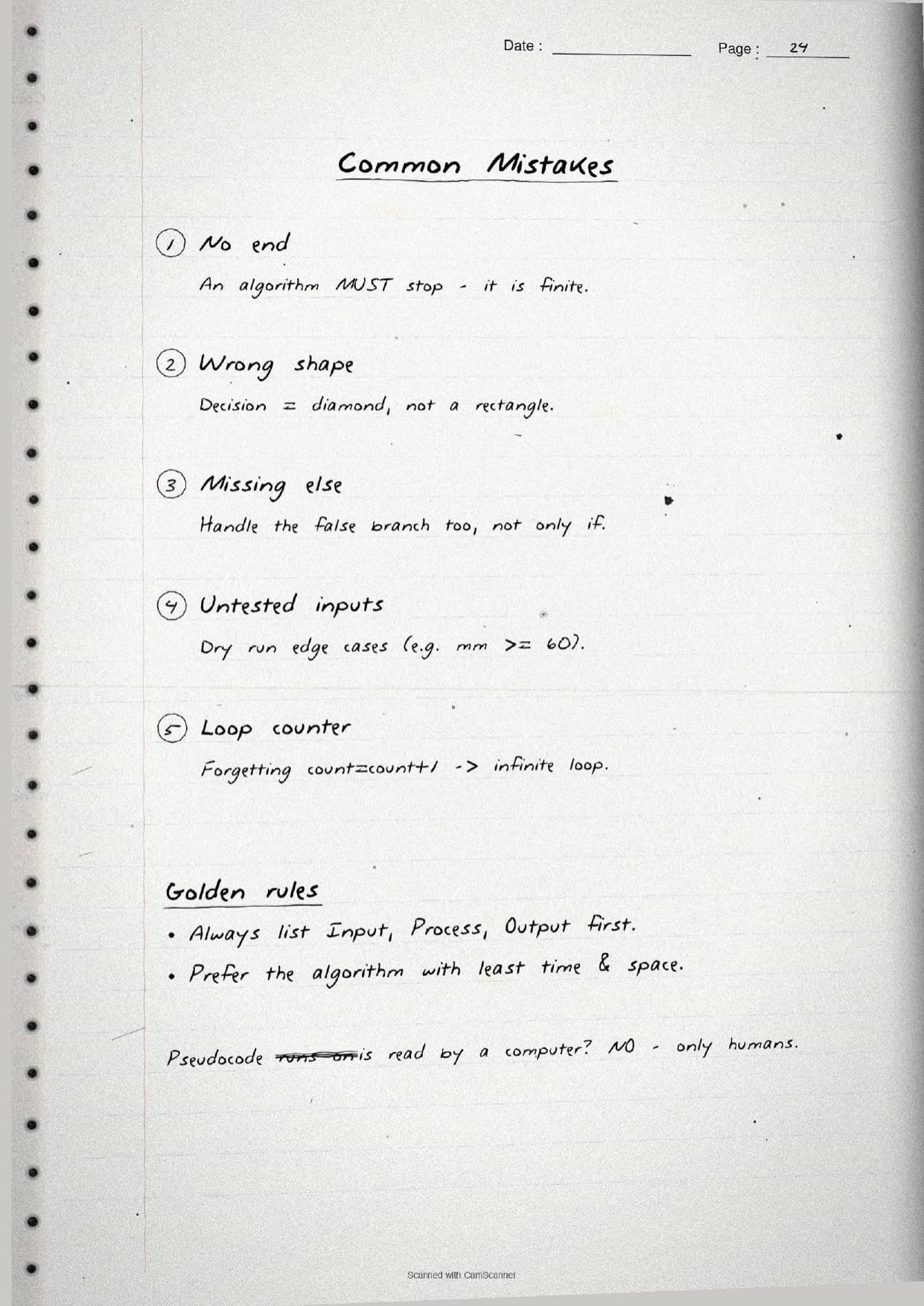
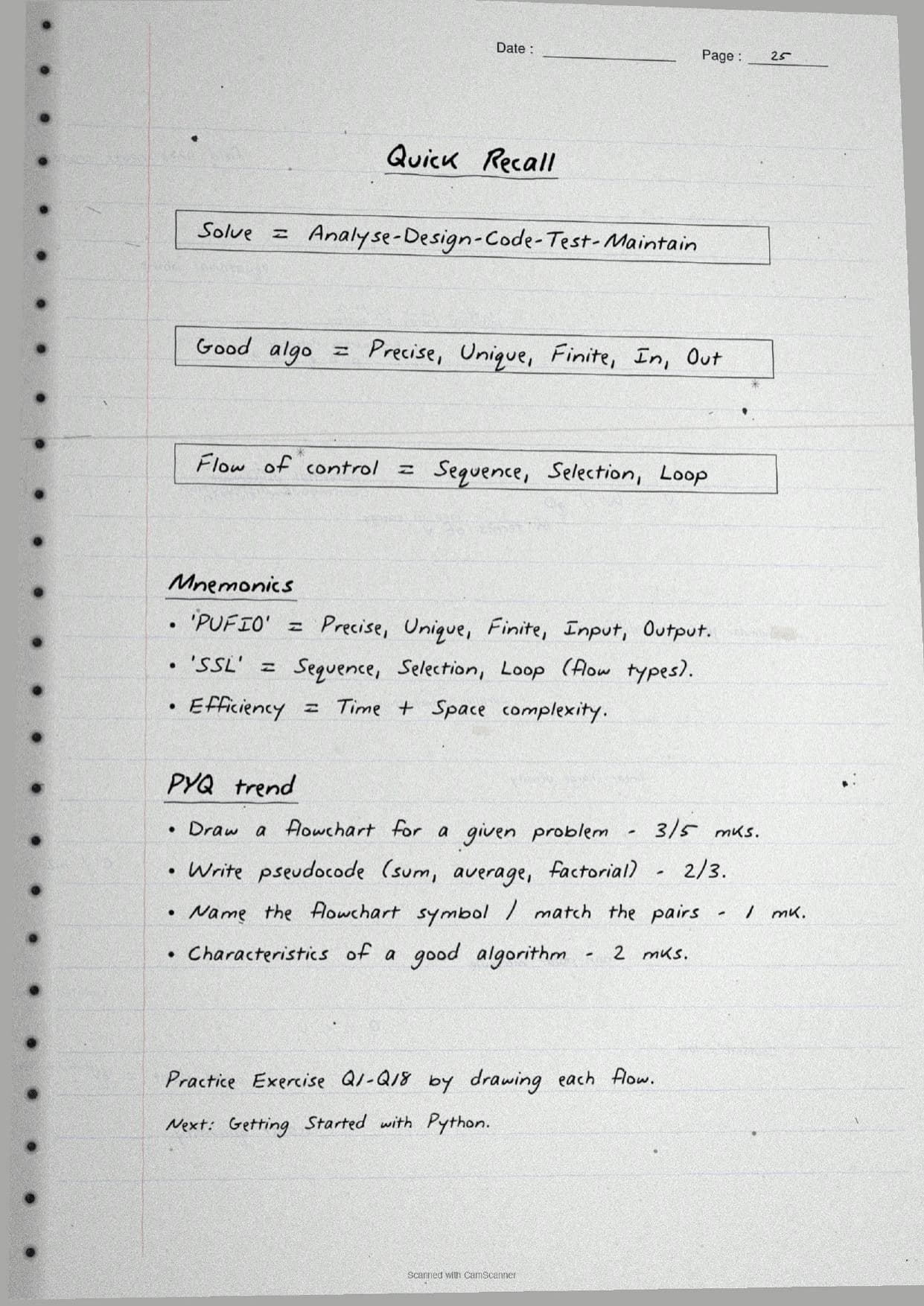
- Handwritten pages with boxed pseudocode, hand-drawn flowcharts, and every flowchart symbol traced by hand.
- Chapter 4 is the first coding-logic chapter of Class 11 Computer Science, so it sets up Python and the whole flow-of-control unit.
- Pairs with the NCERT Solutions, Notes and Book PDF linked lower on this page.
These Introduction to Problem Solving handwritten notes are prepared from the official NCERT Computer Science textbook and checked against recent CBSE Class 11 question papers.
Student Feedback: In a Collegedunia poll of 4,360 Class 11 Computer Science students, 78% of students said the hand-drawn flowcharts and boxed pseudocode helped them draw a flowchart in the exam faster than reading printed diagrams, because each symbol and arrow was traced by hand and easy to copy.
Source: 2026-27 Class 11 Computer Science student poll. Sample of 4,360 students from CBSE schools across 9 states.
What These Introduction to Problem Solving Handwritten Notes Contain
Introduction to Problem Solving is Chapter 4 of Class 11 Computer Science. It teaches how a computer is made to solve a problem, moving from a plain problem statement to an algorithm and finally to a program. These handwritten notes condense the chapter into handwritten pages that read like a topper's own notebook, with the logic drawn out rather than described in long paragraphs.
The notes are organised under three threads, each on its own set of pages:
- The process: the four to five steps from analysing the problem to developing an algorithm, coding, testing and maintenance.
- The representations: how the same logic is written as a flowchart, as pseudocode, or as an algorithm in plain language.
- The control and checks: sequence, selection and iteration, plus verifying an algorithm and comparing two algorithms for efficiency.
Because the pages are handwritten, key terms sit in boxes and arrows and every code snippet is written out by hand. A student can flip through the Introduction to Problem Solving Class 11 pages in a few minutes and still recall the algorithm characteristics, the flowchart symbols and the three flow-of-control types before an exam.
Steps of Problem Solving and the Algorithm
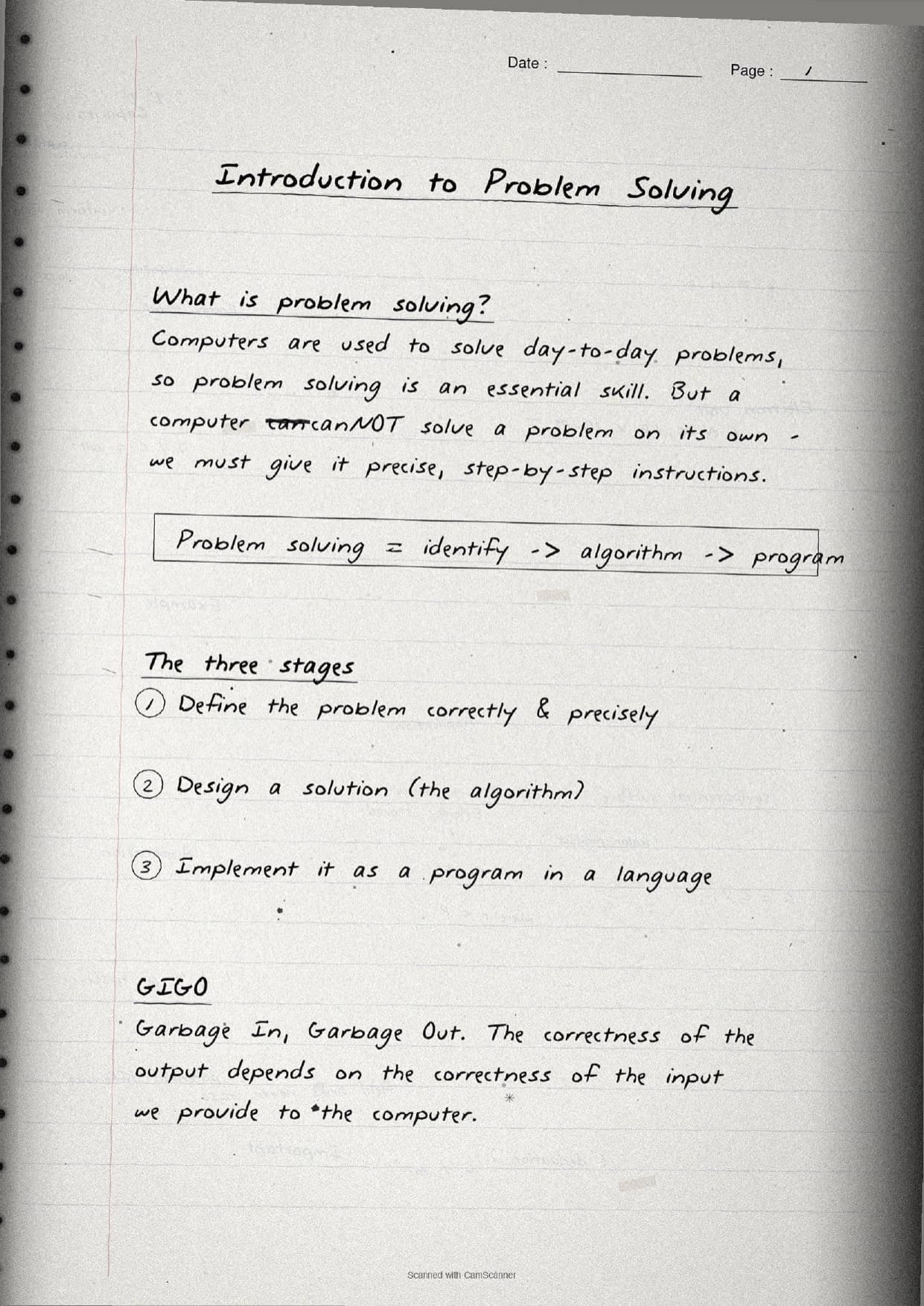
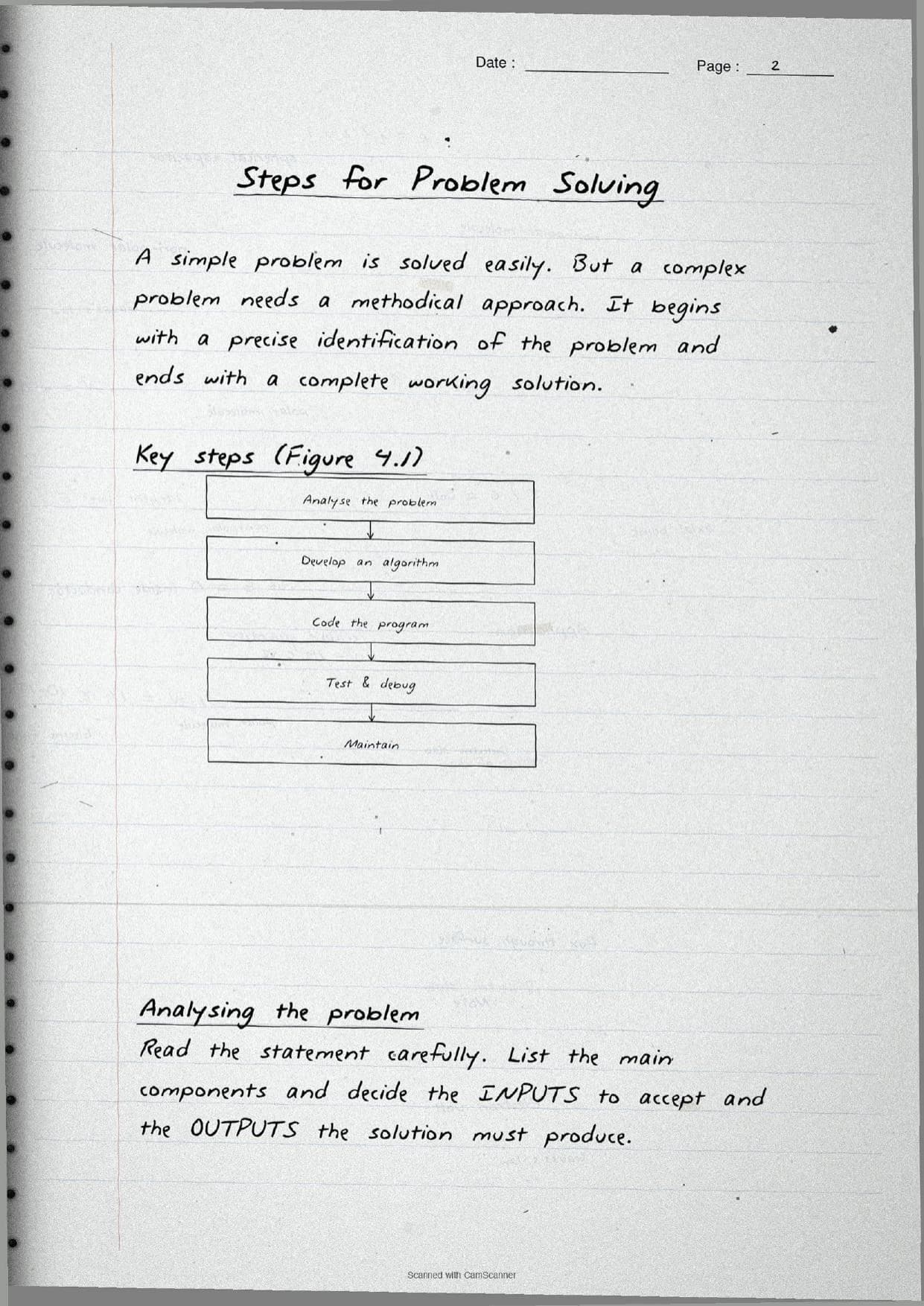
The opening pages settle what problem solving means. A computer cannot solve a problem on its own, so students must give it precise, step-by-step instructions. The notes box the rule GIGO, meaning Garbage In, Garbage Out: the output is only as correct as the input. The whole process is drawn as a short vertical flow of steps.
| Step | What the page shows |
|---|---|
| Analyse the problem | Read the statement, list the components, decide the inputs to accept and the outputs to produce. |
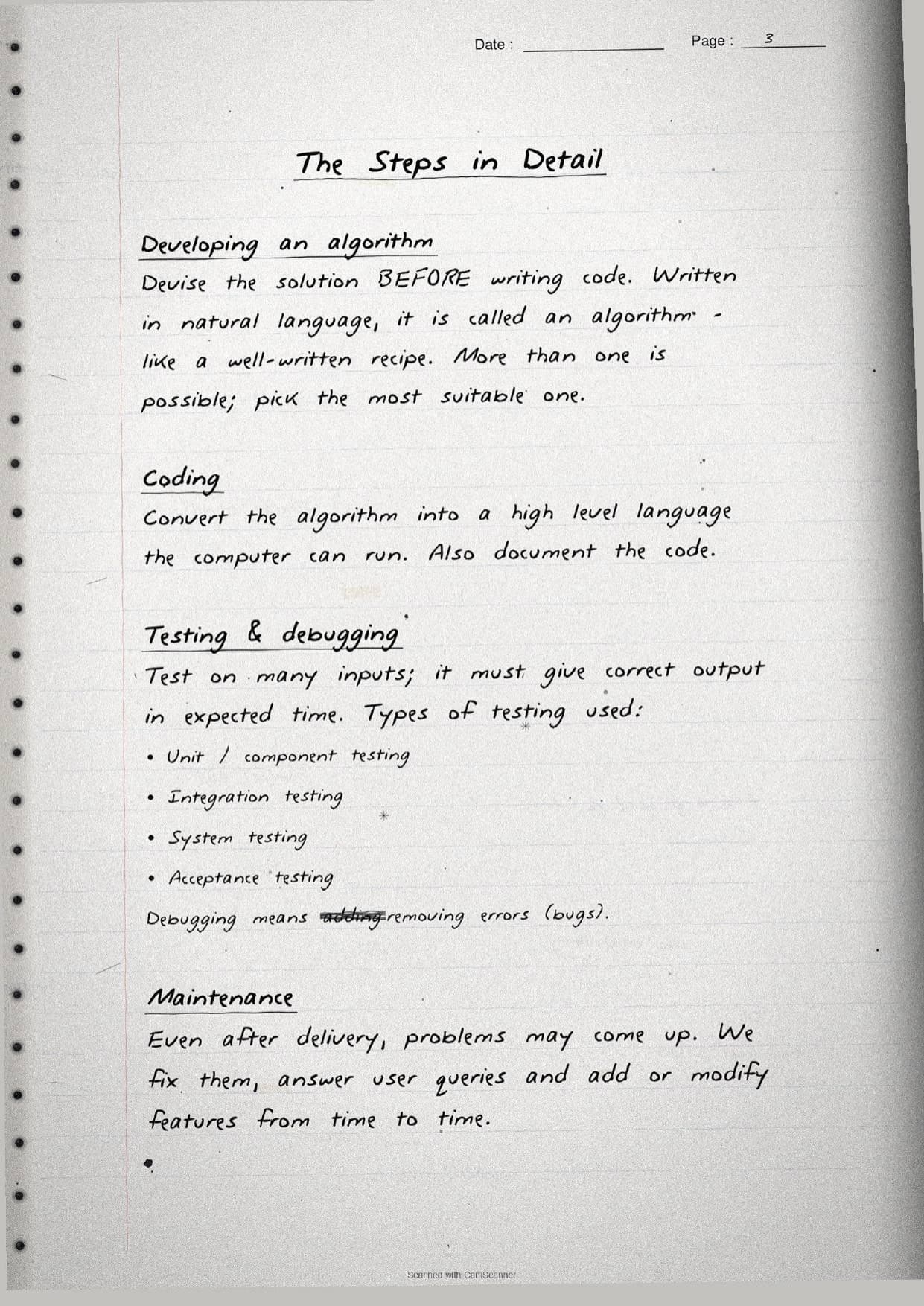
| Develop an algorithm | Devise the solution before coding, written in natural language like a well-written recipe. |
| Code the program | Convert the algorithm into a high level language and document the code. |
| Test and debug | Run on many inputs; debugging means removing errors (bugs), not adding them. |
| Maintain | Fix problems after delivery, answer queries and add or modify features over time. |
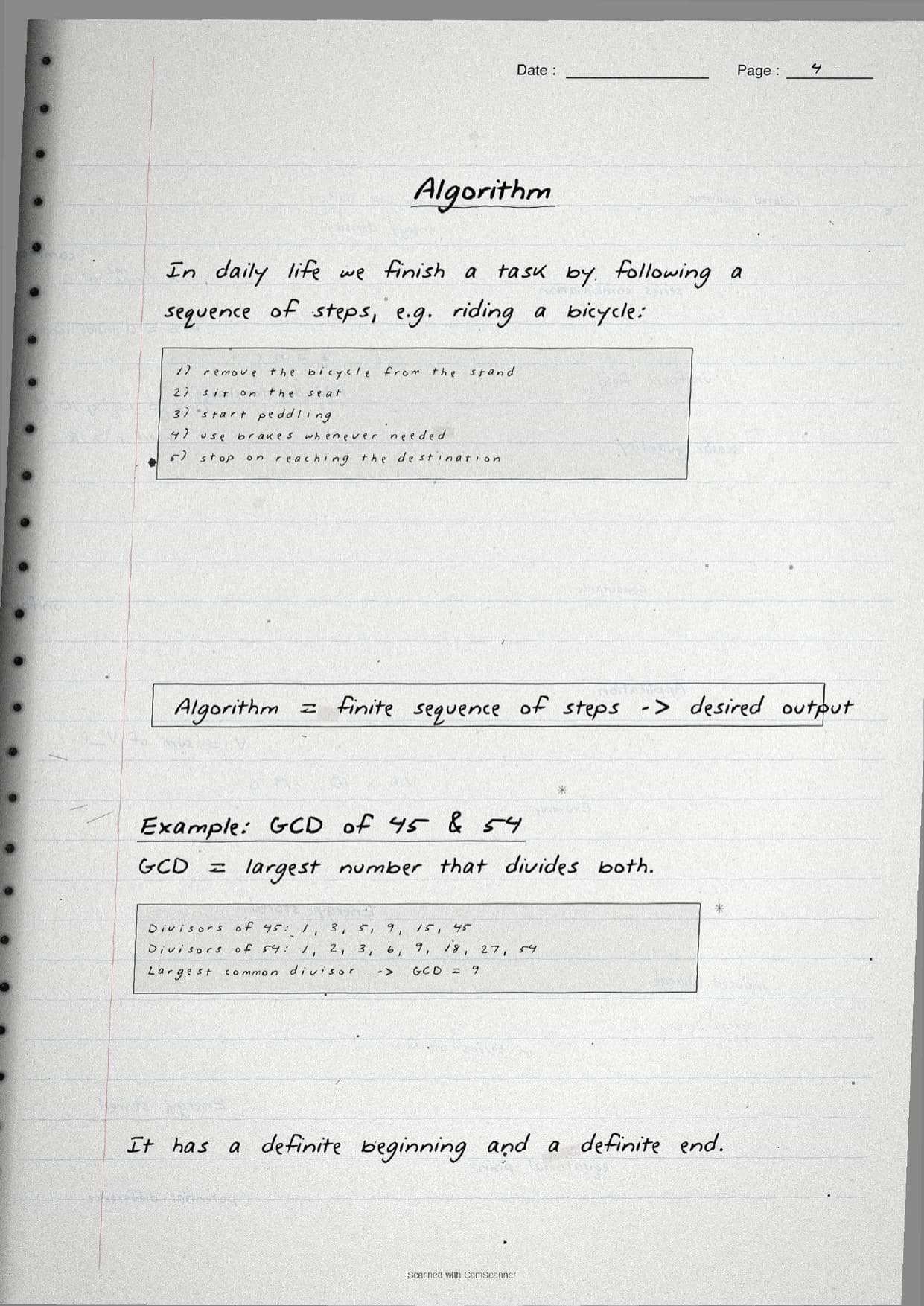
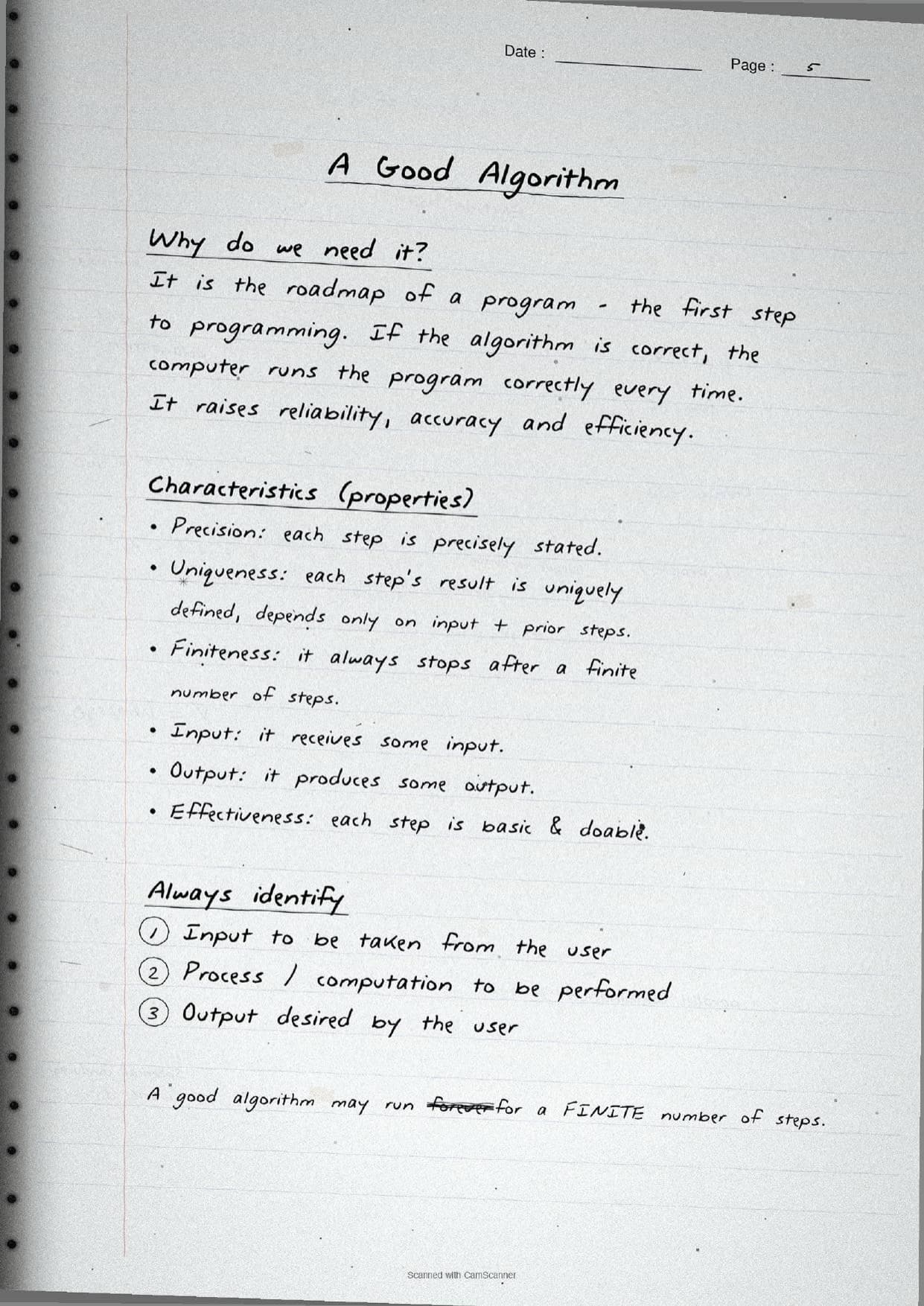
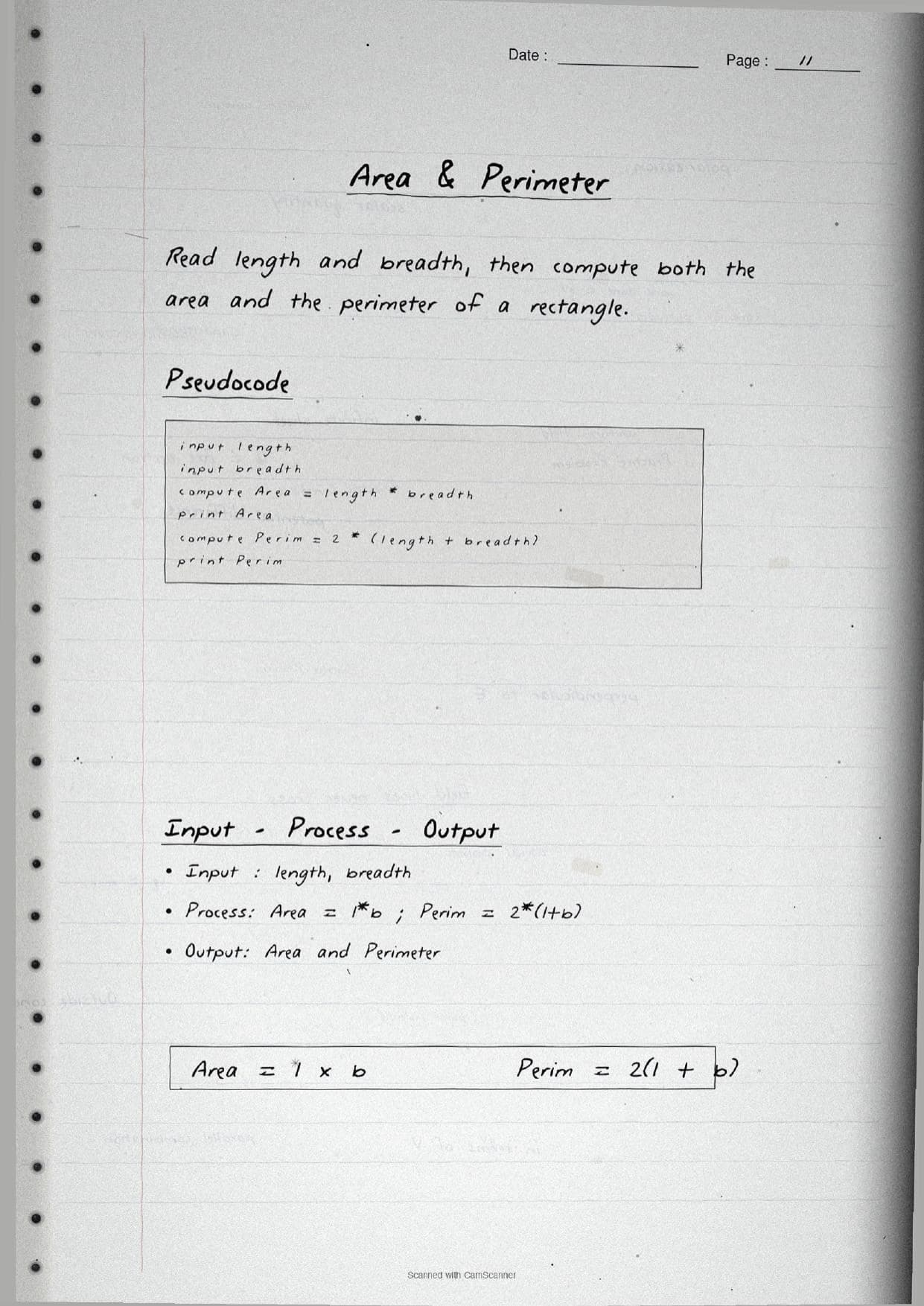
The next pages define an algorithm as a finite sequence of steps that produces the desired output, with a definite beginning and a definite end. The notes use the everyday bicycle example and the GCD of 45 and 54 to show a real finite procedure. A boxed panel lists the characteristics of a good algorithm, which students must know for the exam. These are precision, uniqueness, finiteness, defined input, defined output and effectiveness. A margin note reminds students that a good algorithm always halts after a finite number of steps, never runs forever. Before writing any algorithm, the pages tell students to fix the three parts first: the input to be taken, the process to be performed, and the output desired.
Flowcharts, Pseudocode and Flow of Control
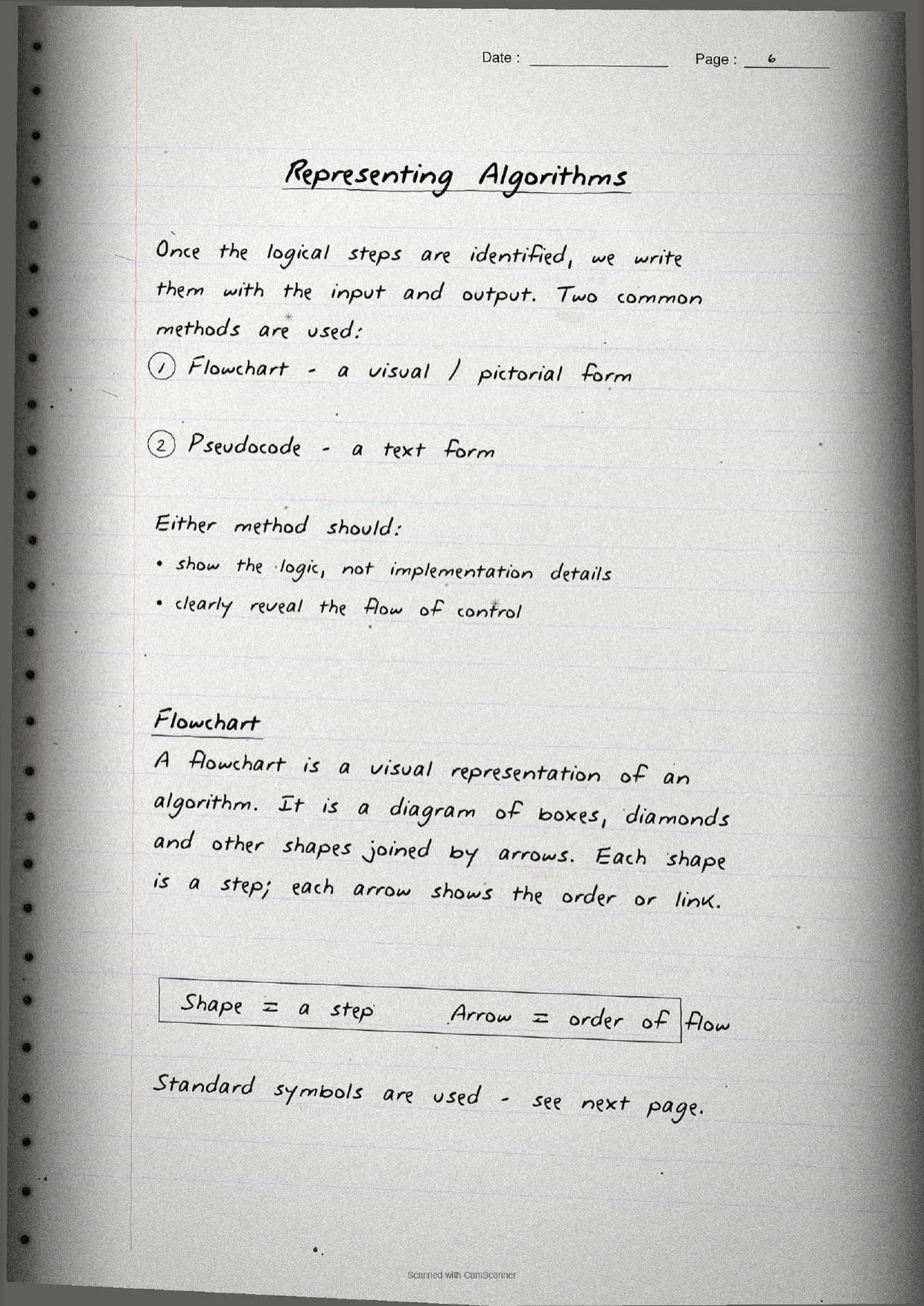
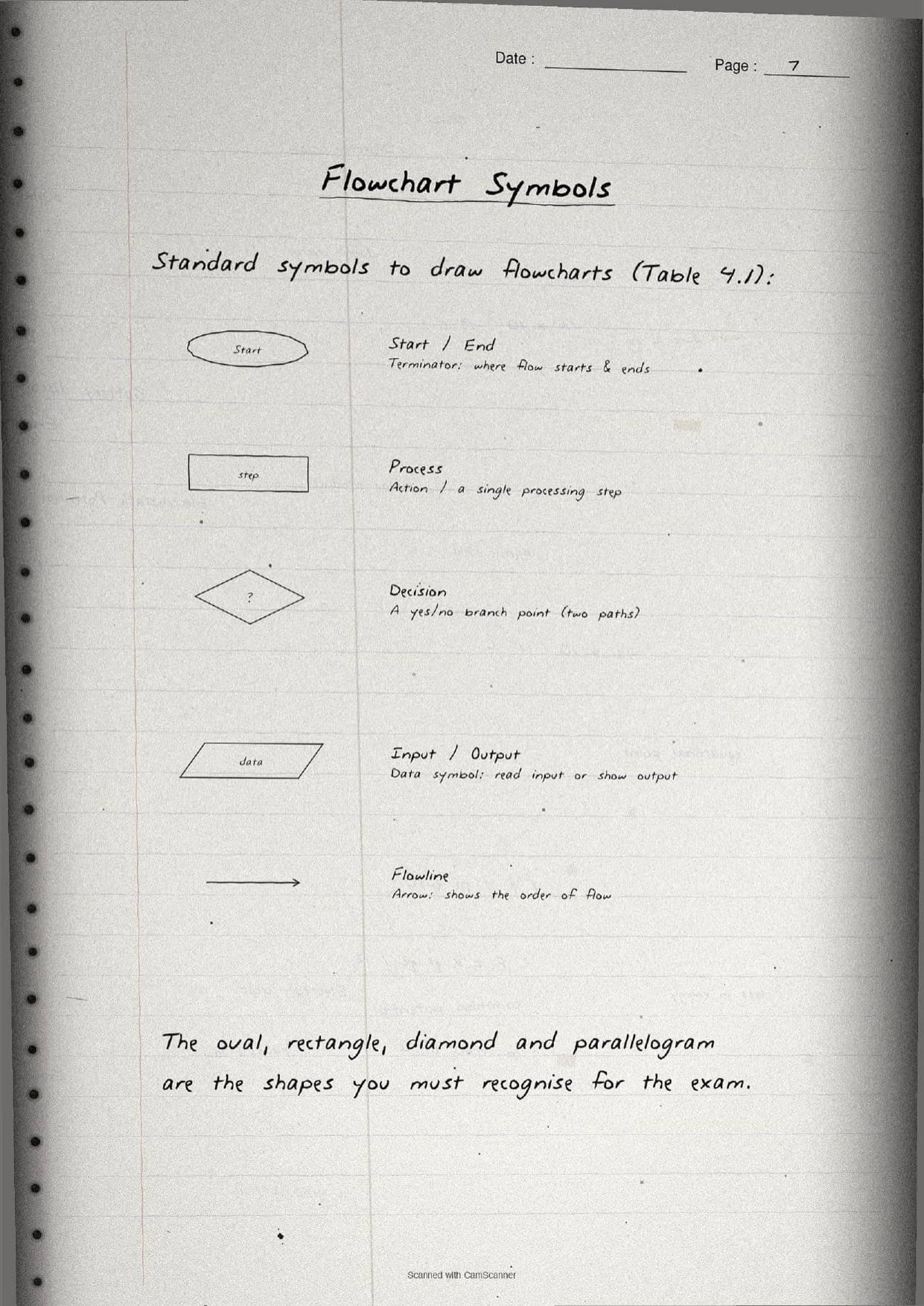
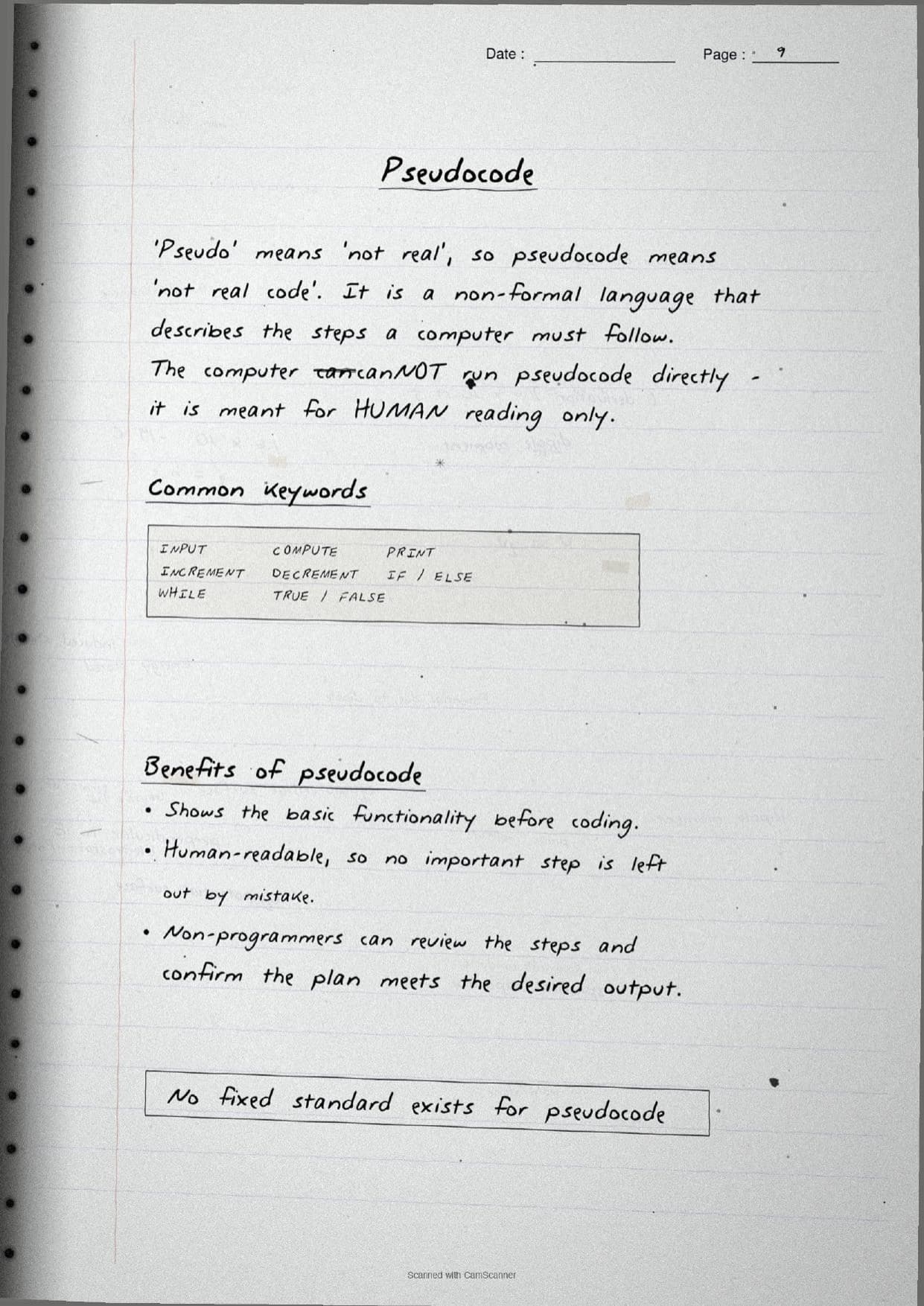
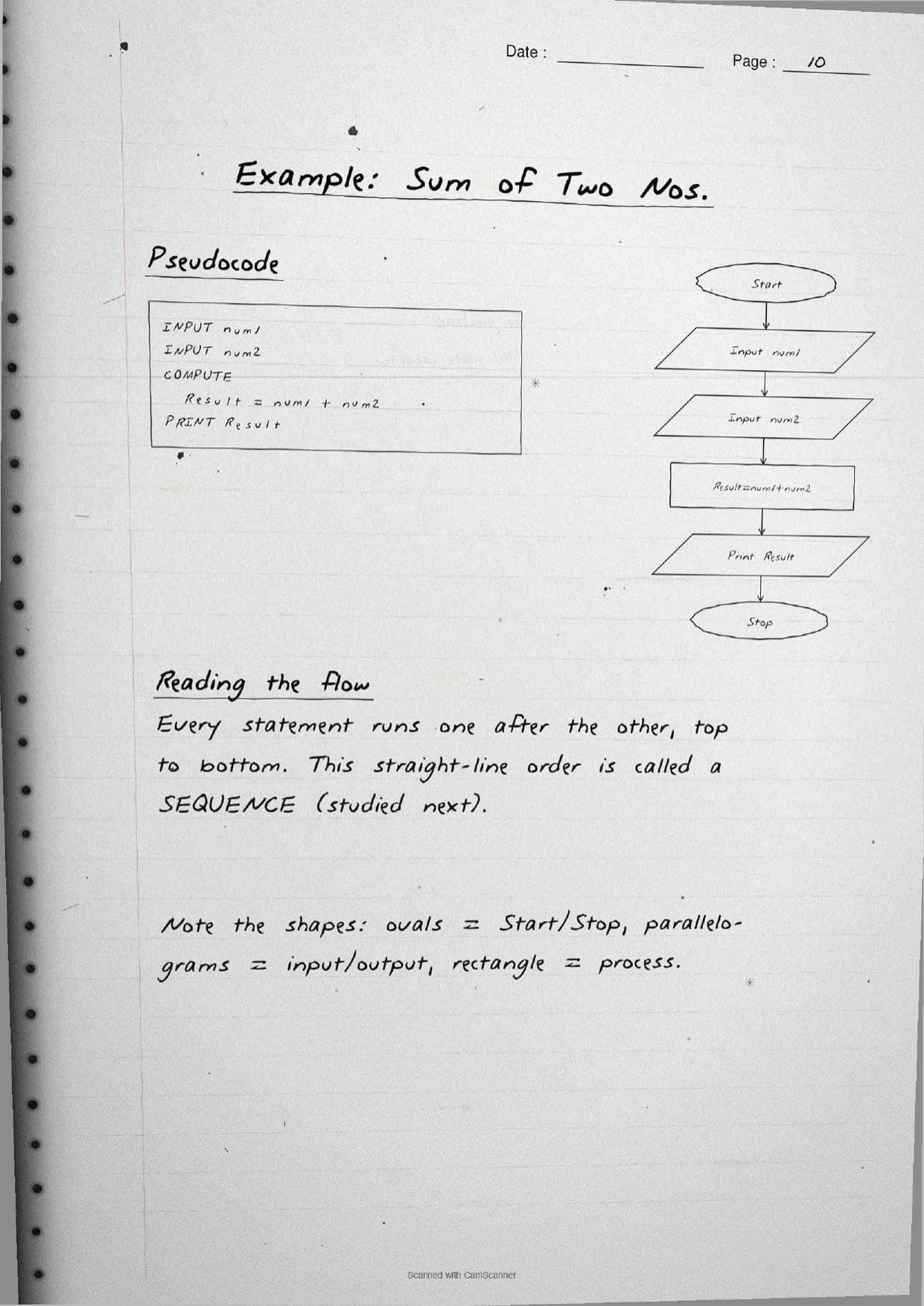
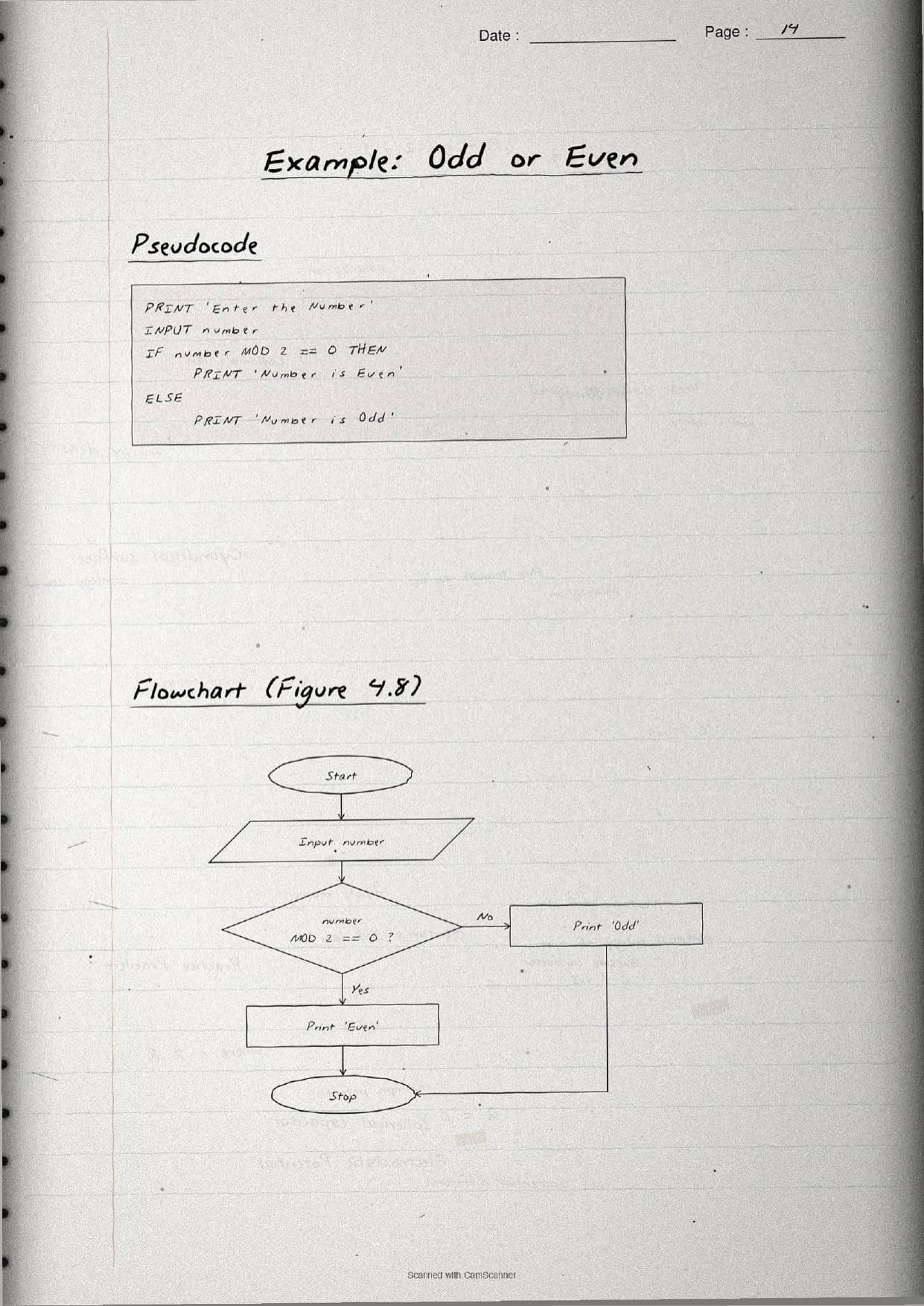
Once the logical steps are known, the notes show the two common ways to represent them. A flowchart is the visual or pictorial form, a diagram of shapes joined by arrows where each shape is a step and each arrow shows the order. Pseudocode is the text form. The word "pseudo" means "not real", so pseudocode is "not real code": a human cannot expect the computer to run it directly, since it is meant for reading only. The handwritten pages trace every standard flowchart symbol so students can copy them exactly.
| Symbol | Meaning on the page |
|---|---|
| Oval | Terminal: where the flow starts and ends (Start / Stop). |
| Rectangle | Process: a single action or processing step. |
| Parallelogram | Input / Output: read input or display output. |
| Diamond | Decision: a yes or no branch with two paths. |
| Arrow | Flowline: shows the order or flow of control. |
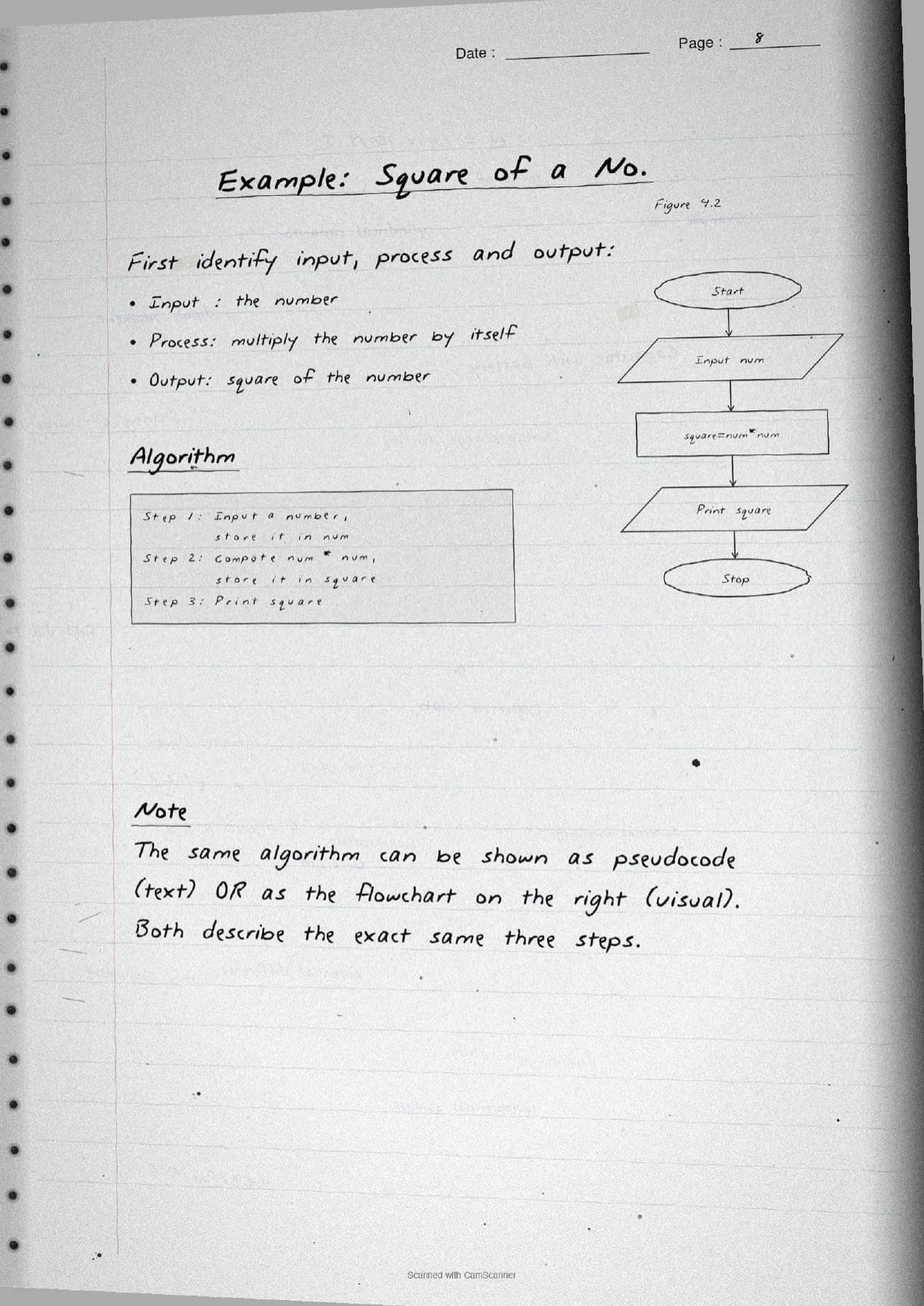
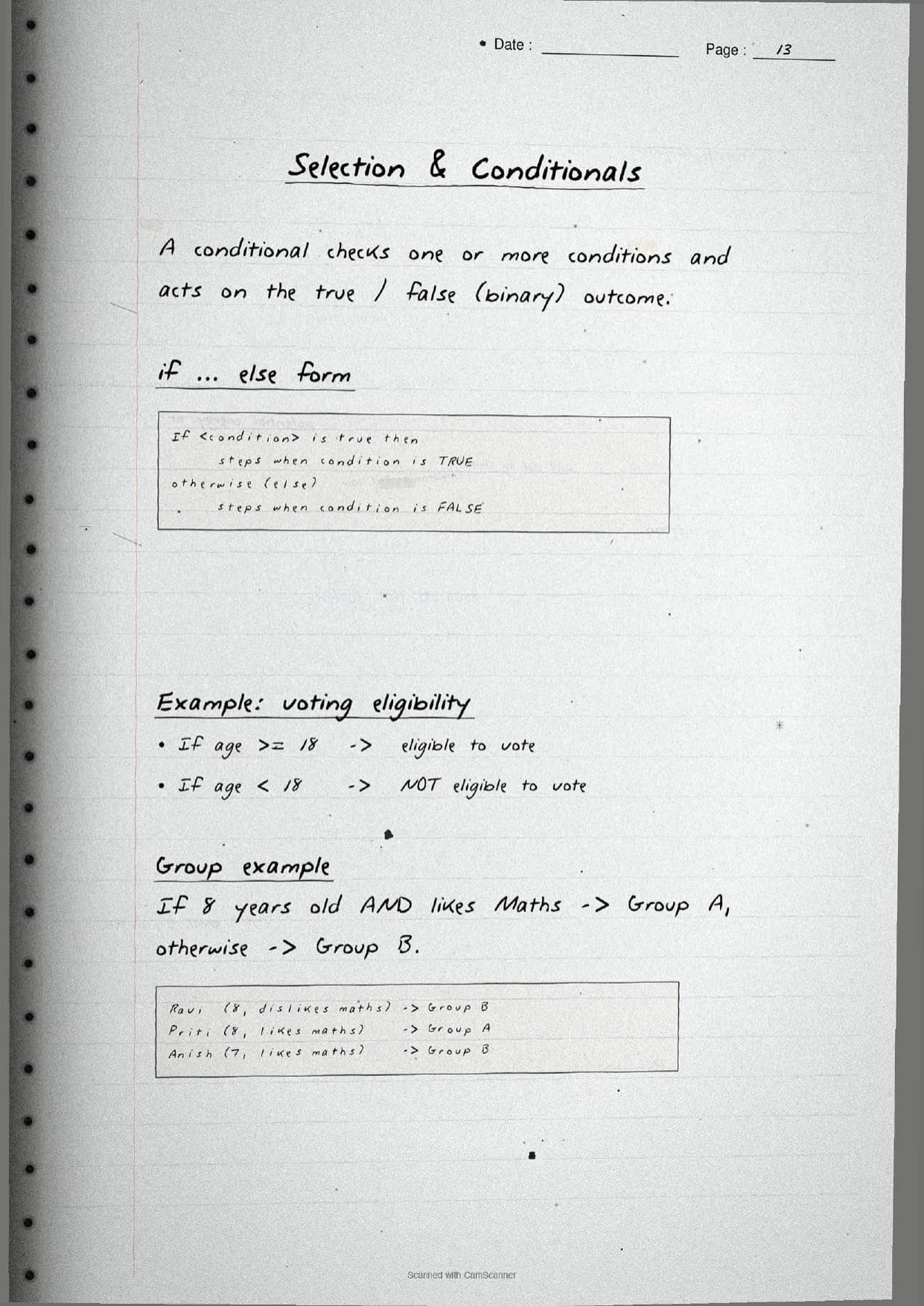
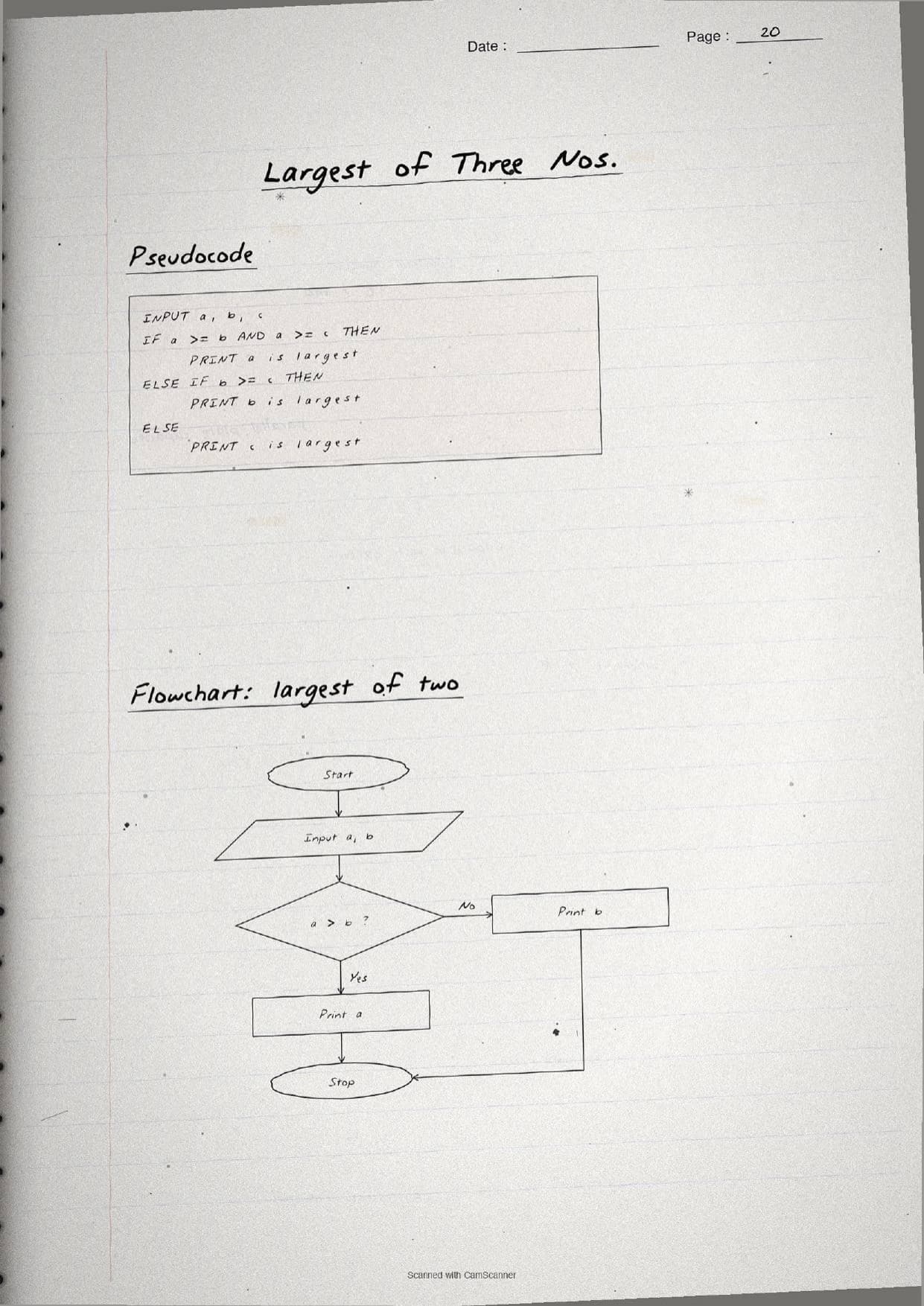
Common pseudocode keywords are boxed on their own page, including INPUT, COMPUTE, PRINT, IF / ELSE and WHILE. The notes work several examples by hand, such as the square of a number, the sum of two numbers and the area and perimeter of a rectangle, each written first as pseudocode and then drawn as a flowchart so students see both forms side by side. A short snippet shows the shape of an if statement in pseudocode:
IF <condition> is true THEN
     steps when condition is TRUE
ELSE
     steps when condition is FALSE
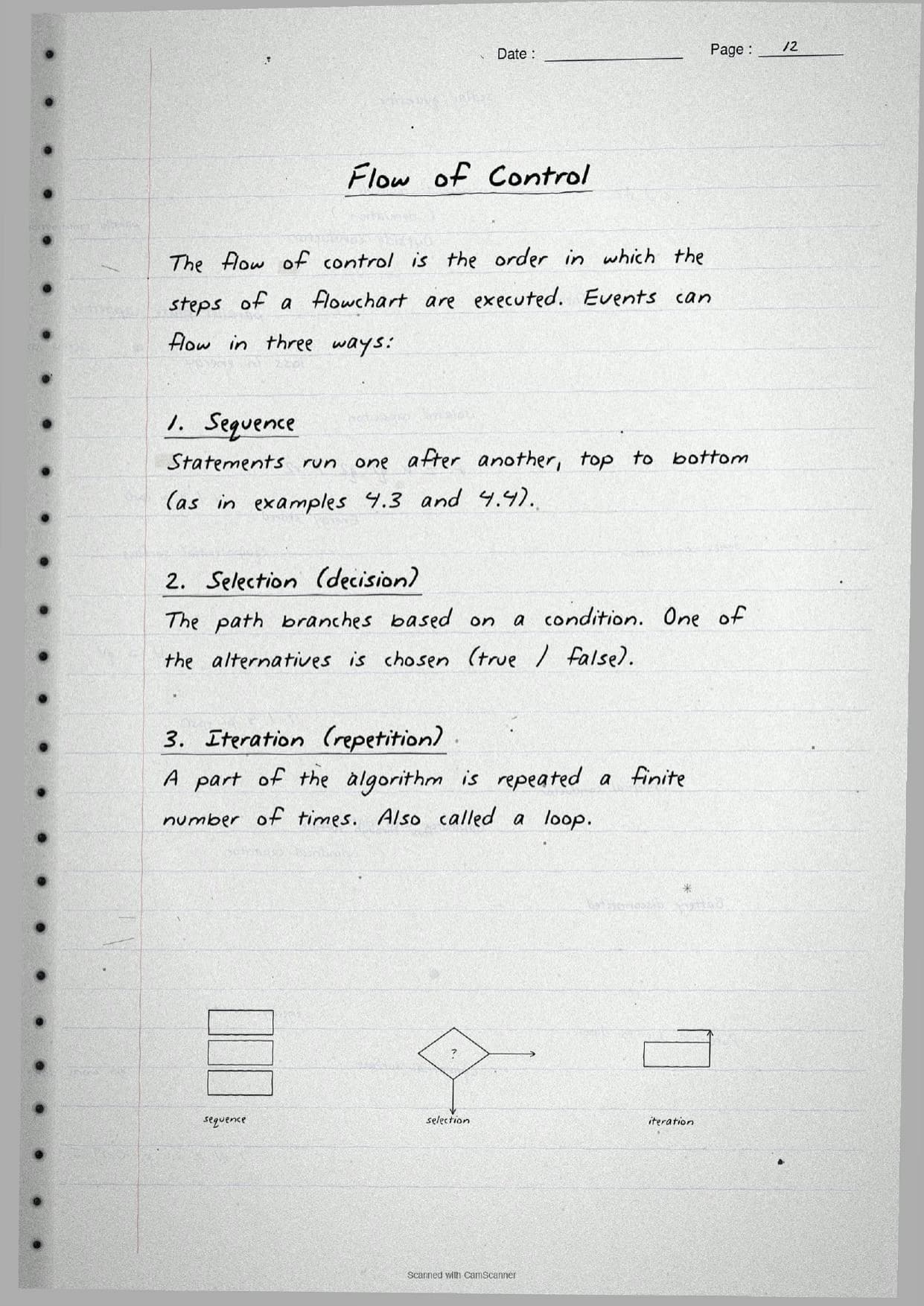
The last thread on these pages is the flow of control, the order in which the steps of a flowchart run. Events flow in three ways, and the notes draw a tiny sketch for each:
- Sequence: statements run one after another, top to bottom, as in the sum and area examples.
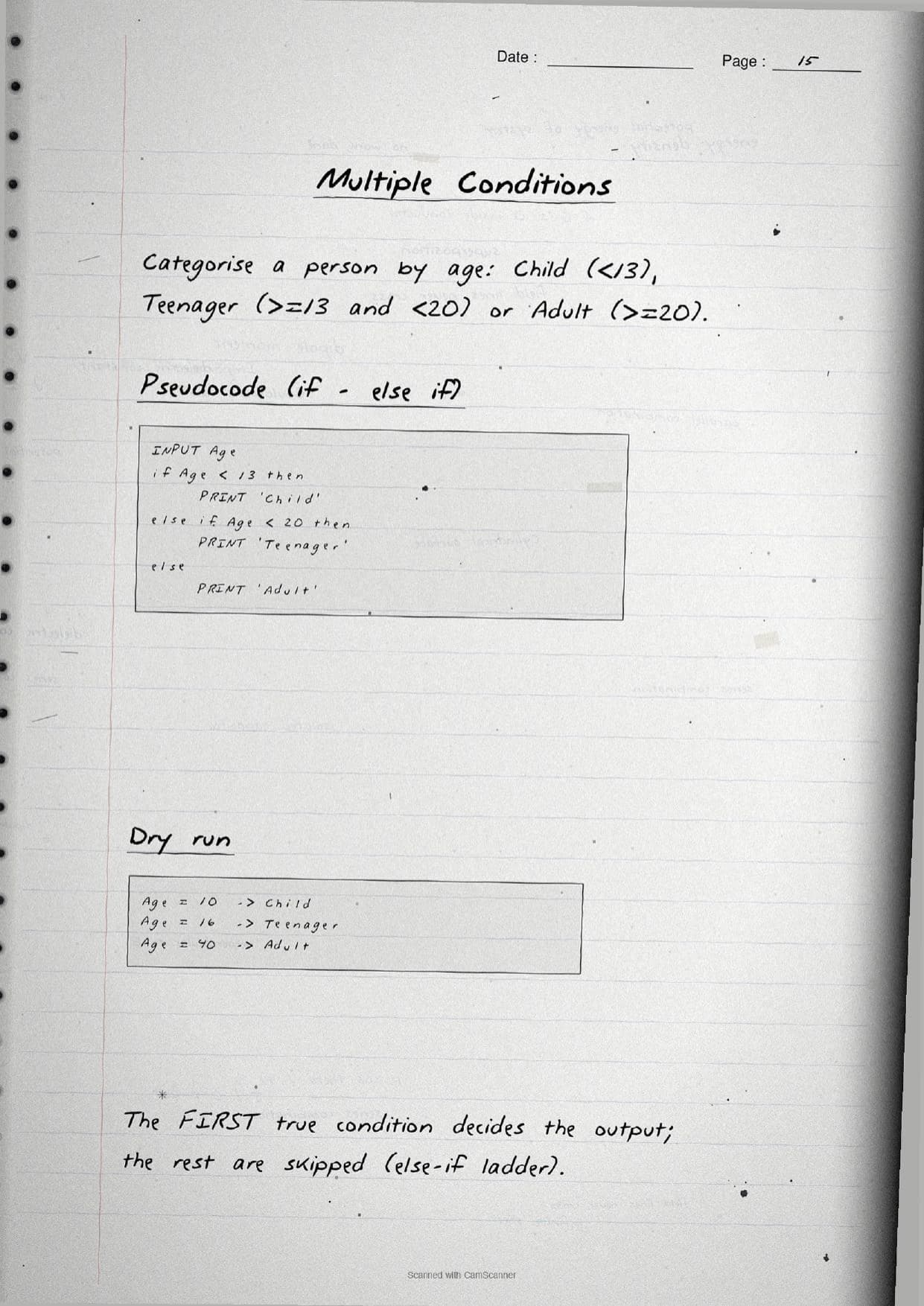
- Selection: the path branches on a condition and one alternative is chosen, shown with the odd-or-even example using
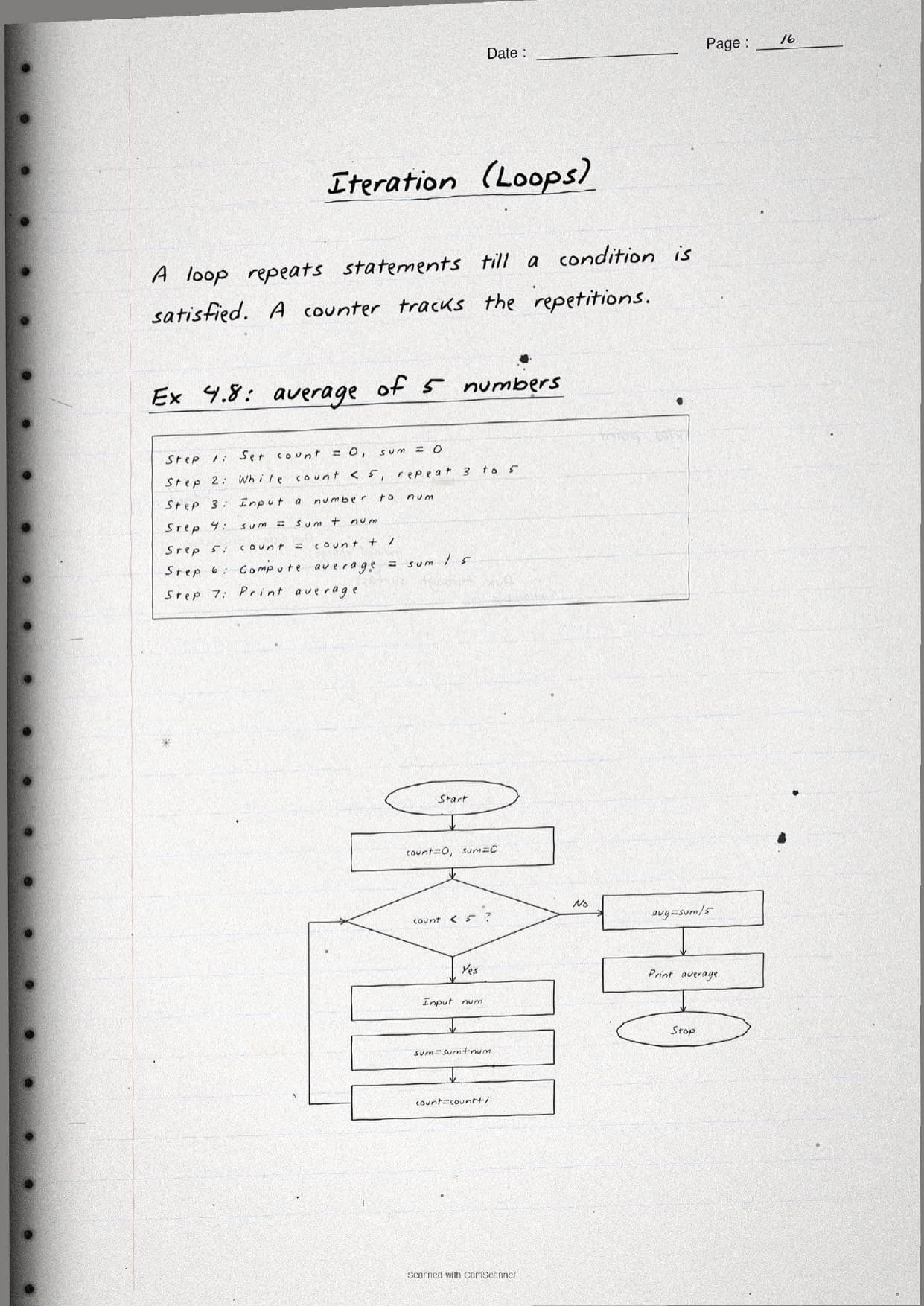
number MOD 2 == 0. - Iteration: a part of the algorithm repeats a finite number of times, shown with a
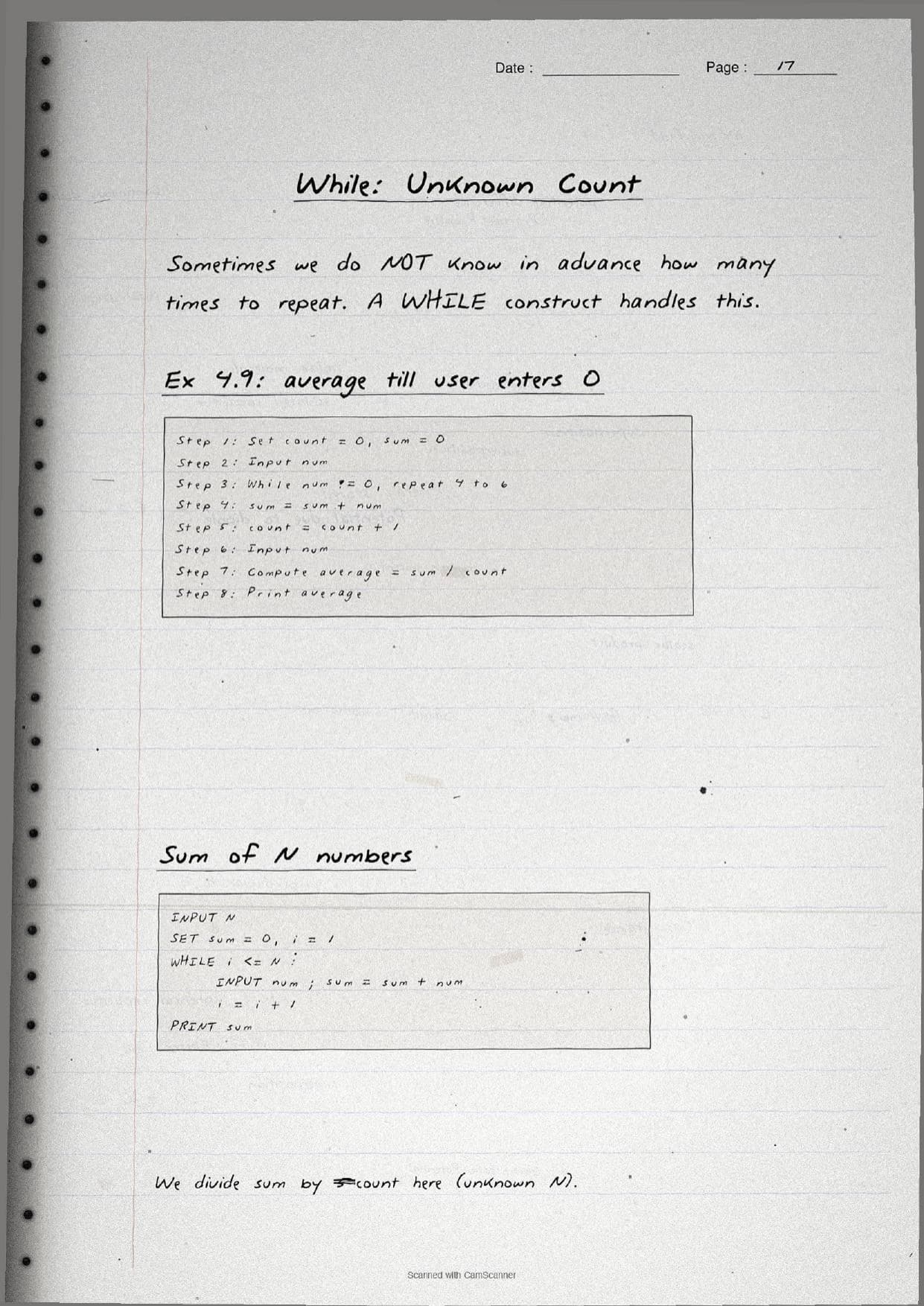
WHILEloop that finds the average of five numbers using a counter.
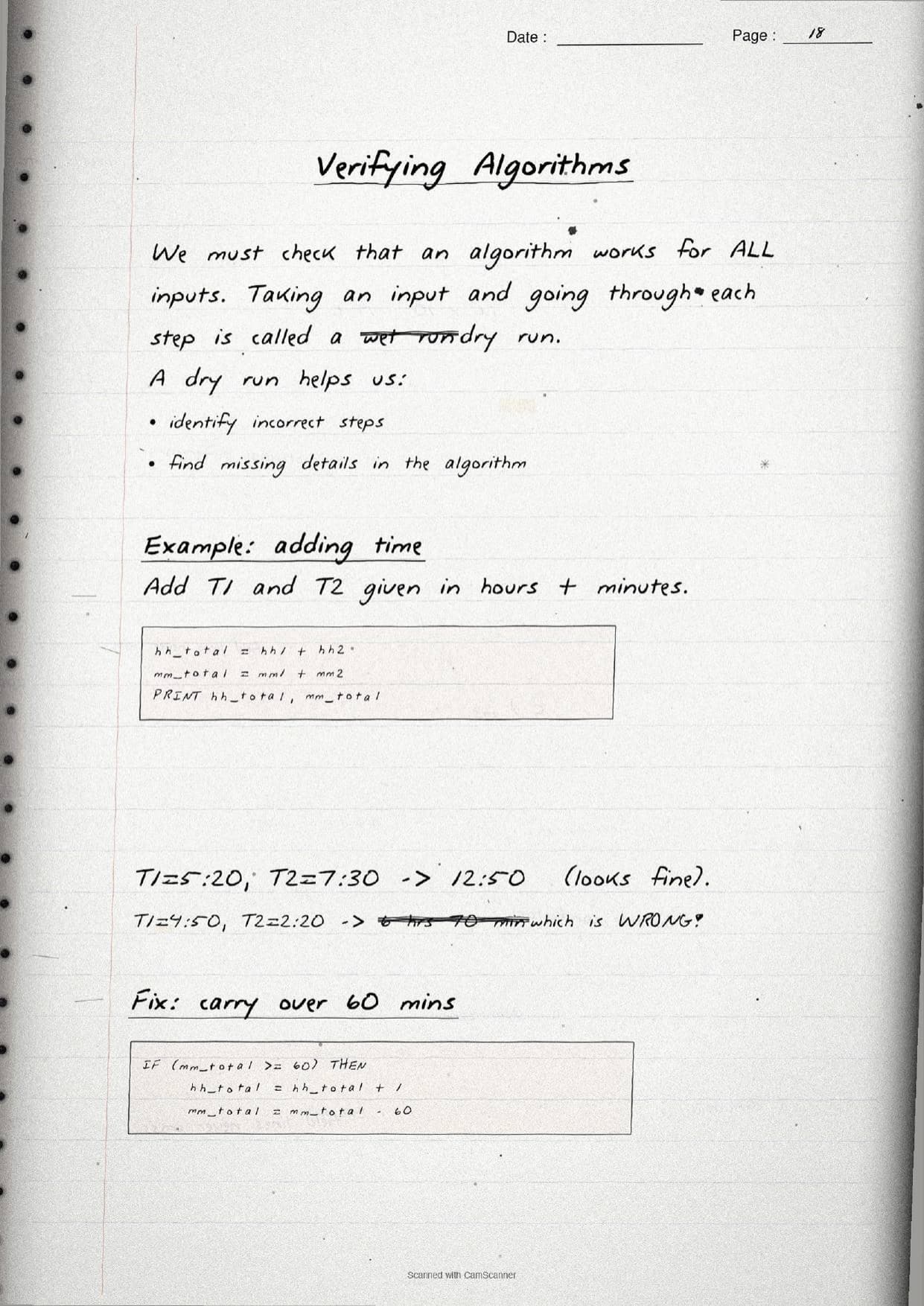
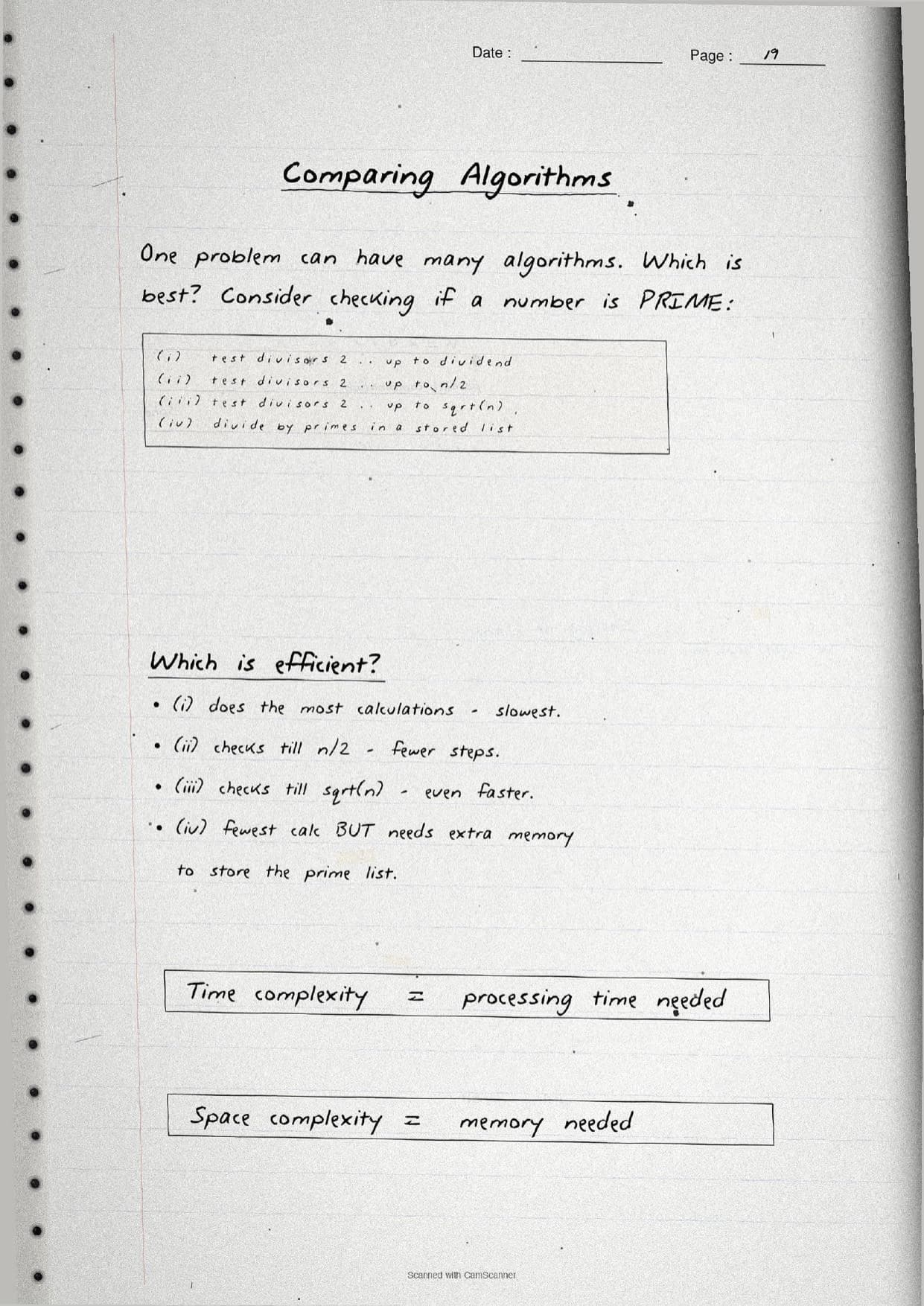
Two more topics round off the notes. Verifying an algorithm uses a dry run, where students take a sample input and go through each step by hand to catch missing or wrong steps, as in the time-addition example where 4:50 plus 2:20 wrongly gives 70 minutes until a carry-over fix is added. Comparing algorithms shows that one problem can have many solutions, using the prime-number check to explain time complexity and space complexity. Finally, decomposition breaks a complex problem into simpler sub-problems that can be solved independently and then combined.
How to Use These Handwritten Notes
Handwritten notes work best as a final-revision tool, not a first read. The steps below show how to get the most out of the Introduction to Problem Solving handwritten notes in the last days before a test.
- Download: tap the download card above to save the handwritten pages to your device.
- First read: read the printed Notes once so the handwritten pages act as a refresher, not a first source.
- Copy a flowchart: redraw one flowchart, such as odd-or-even, from memory using the boxed symbols.
- Night before: flip through the boxed pseudocode and the six algorithm characteristics for a quick last-minute recall.
Many students search for class 11 computer science chapter 4 notes on their phone the night before a test, so a saved set of handwritten pages means you can revise offline. Use the handwritten notes for speed, then check the solutions to confirm your pseudocode and flowcharts match the expected answer points.
Common Mistakes These Notes Help You Avoid
A few errors cost marks every year. The handwritten notes flag each one in the margin so students can fix it before the exam. These five are the most common.
- Writing an algorithm with no end. An algorithm must be finite and always stop after a finite number of steps.
- Using the wrong flowchart shape. A decision is a diamond, not a rectangle, and input or output is a parallelogram.
- Handling only the
ifbranch and forgetting theelse, so the false case is left out. - Not doing a dry run on edge cases, such as minutes adding past 60 or a loop that never updates its counter.
- Forgetting
count = count + 1inside a loop, which creates an infinite loop.
Students who fix these five points usually move from average to high marks. The handwritten notes box the algorithm characteristics and draw each flowchart symbol in full, so the soft points are hard to miss when you revise.
How These Handwritten Notes Pair with the Solutions and Book PDF
These handwritten notes are a fast revision tool. To prepare fully, students should use them alongside the other resources for the same chapter, all linked in the table below. Read the printed Notes, test yourself with the solutions, then use these pages for a final recall.
| Resource | Best used for |
|---|---|
| Introduction to Problem Solving NCERT Solutions | Step-by-step answers to every exercise question, with pseudocode and flowcharts |
| Introduction to Problem Solving Class 11 Notes | Quick chapter summary with all steps, symbols and key terms in one place |
| Introduction to Problem Solving NCERT Book PDF | Reading the original NCERT chapter text and figures |
Tip: read the printed Notes first, then attempt the solutions, and keep these handwritten pages for the final night-before flip. Using them for recall, not for the first read, builds memory faster.
All Class 11 Computer Science Handwritten Notes by Chapter
The table links the handwritten notes for every chapter in Class 11 Computer Science, so students can move across the course in one click. Introduction to Problem Solving is highlighted.
| Chapter | Handwritten Notes |
|---|---|
| Chapter 1 | Computer System |
| Chapter 2 | Encoding Schemes and Number System |
| Chapter 3 | Emerging Trends |
| Chapter 4 | Introduction to Problem Solving |
| Chapter 5 | Getting Started with Python |
| Chapter 6 | Flow of Control |
| Chapter 7 | Functions |
| Chapter 8 | Strings |
| Chapter 9 | Lists |
| Chapter 10 | Tuples and Dictionaries |
| Chapter 11 | Societal Impact |
FAQs on Introduction to Problem Solving Handwritten Notes
Introduction to Problem Solving Class 11 Computer Science Handwritten Notes Common Questions
Ques. Where can I download the Introduction to Problem Solving handwritten notes PDF?
Ans. You can download the Introduction to Problem Solving Class 11 Computer Science handwritten notes PDF directly from this page. It is free, follows the 2026-27 NCERT, and presents the problem-solving steps, algorithm characteristics, flowchart symbols, pseudocode and flow of control as handwritten pages.
Ques. What is an algorithm in Class 11 Computer Science Chapter 4?
Ans. An algorithm is a finite sequence of well-defined steps that produces the desired output, with a definite beginning and end. A good algorithm is precise, unique, finite, has defined input and output, and is effective. The handwritten notes box this definition and list all six characteristics.
Ques. What topics do these handwritten notes cover?
Ans. They cover the steps of problem solving, algorithms and their characteristics, flowcharts with their standard symbols, pseudocode and its keywords, the three types of flow of control (sequence, selection and iteration), decomposition, verifying an algorithm with a dry run, and comparing algorithms using time and space complexity.
Ques. What is the difference between a flowchart and pseudocode?
Ans. A flowchart is a visual representation of an algorithm using shapes such as ovals, rectangles, parallelograms and diamonds joined by arrows. Pseudocode is a text representation using keywords like INPUT, IF and WHILE. Both describe the same logic, and neither can be run directly by the computer.
Ques. How should I use these notes with the other resources?
Ans. Read the printed Notes first, test yourself with the NCERT Solutions by writing pseudocode and drawing flowcharts, then keep these handwritten pages for the final night-before flip. Using them for recall rather than the first read builds memory faster.



Comments