




These Computer System handwritten notes turn the whole first chapter into clean, handwritten pages for fast last-minute revision. They follow the 2026-27 NCERT syllabus and Chapter 1 of Class 11 Computer Science. Students get the functional units of a computer, the CPU broken into ALU, control unit and registers, hardware versus software, the memory hierarchy, RAM versus ROM, units of memory, system and application software, the boot process, the microprocessor and ports, all written out by hand so the ideas are easy to skim before a test.
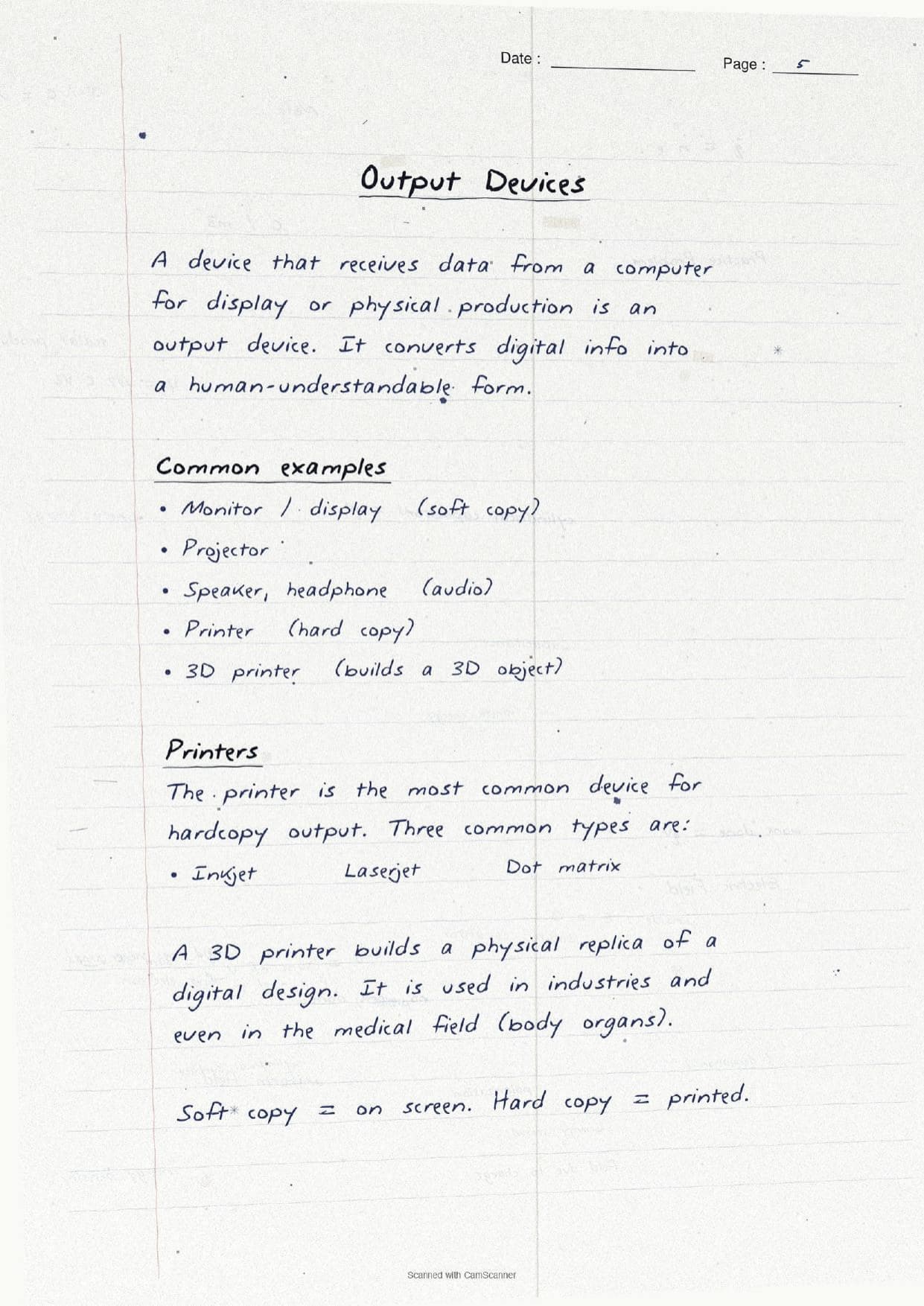
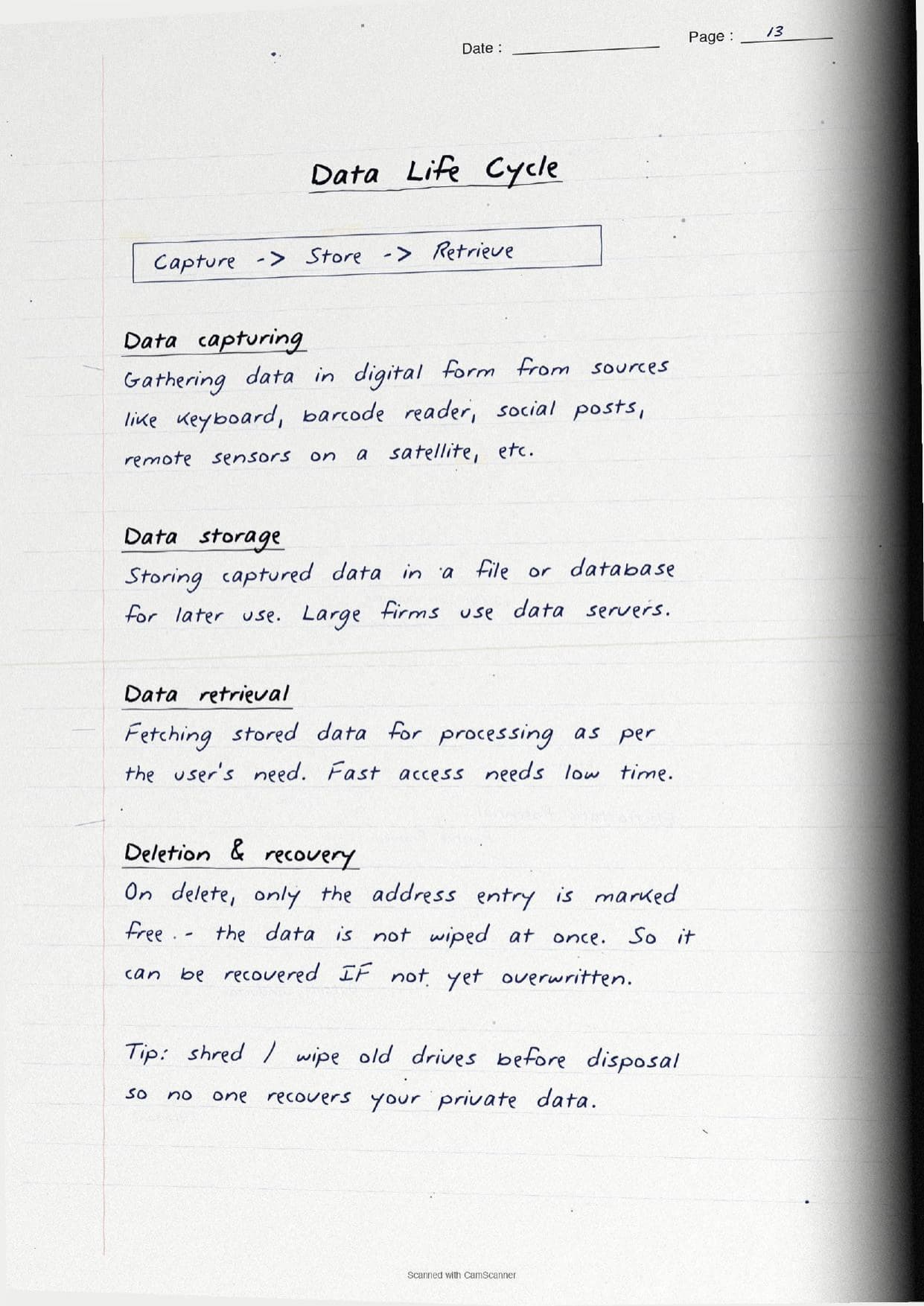
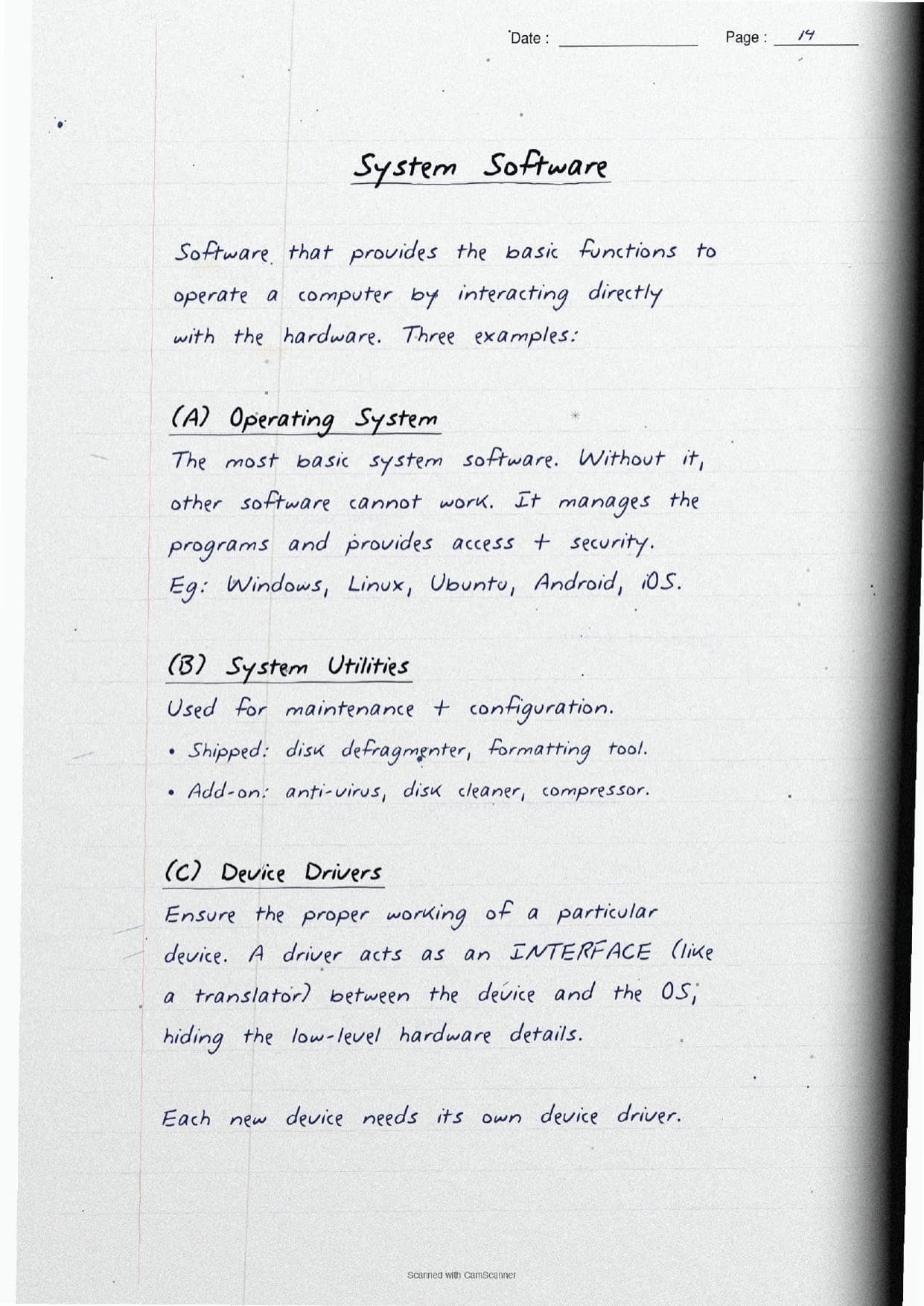
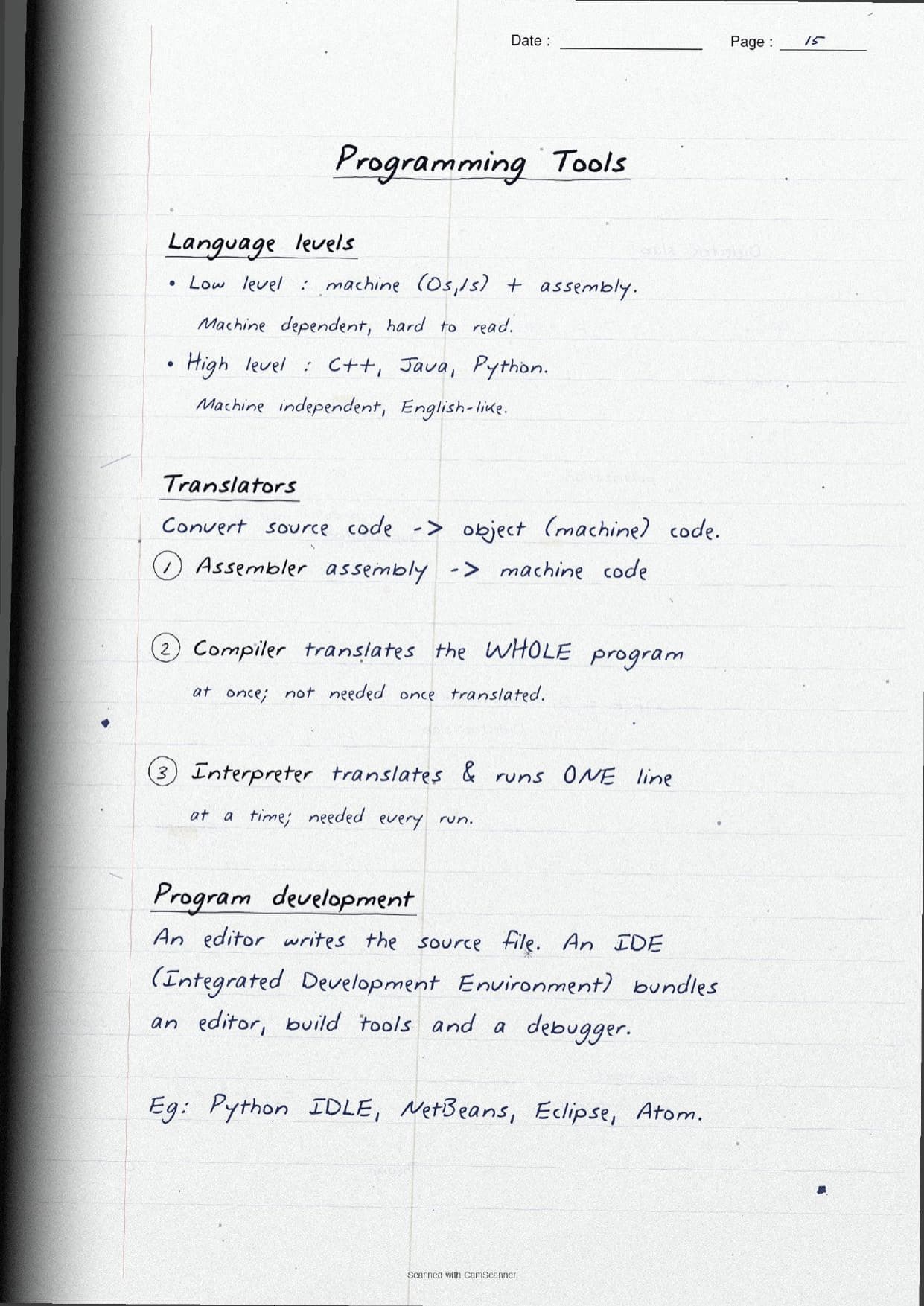
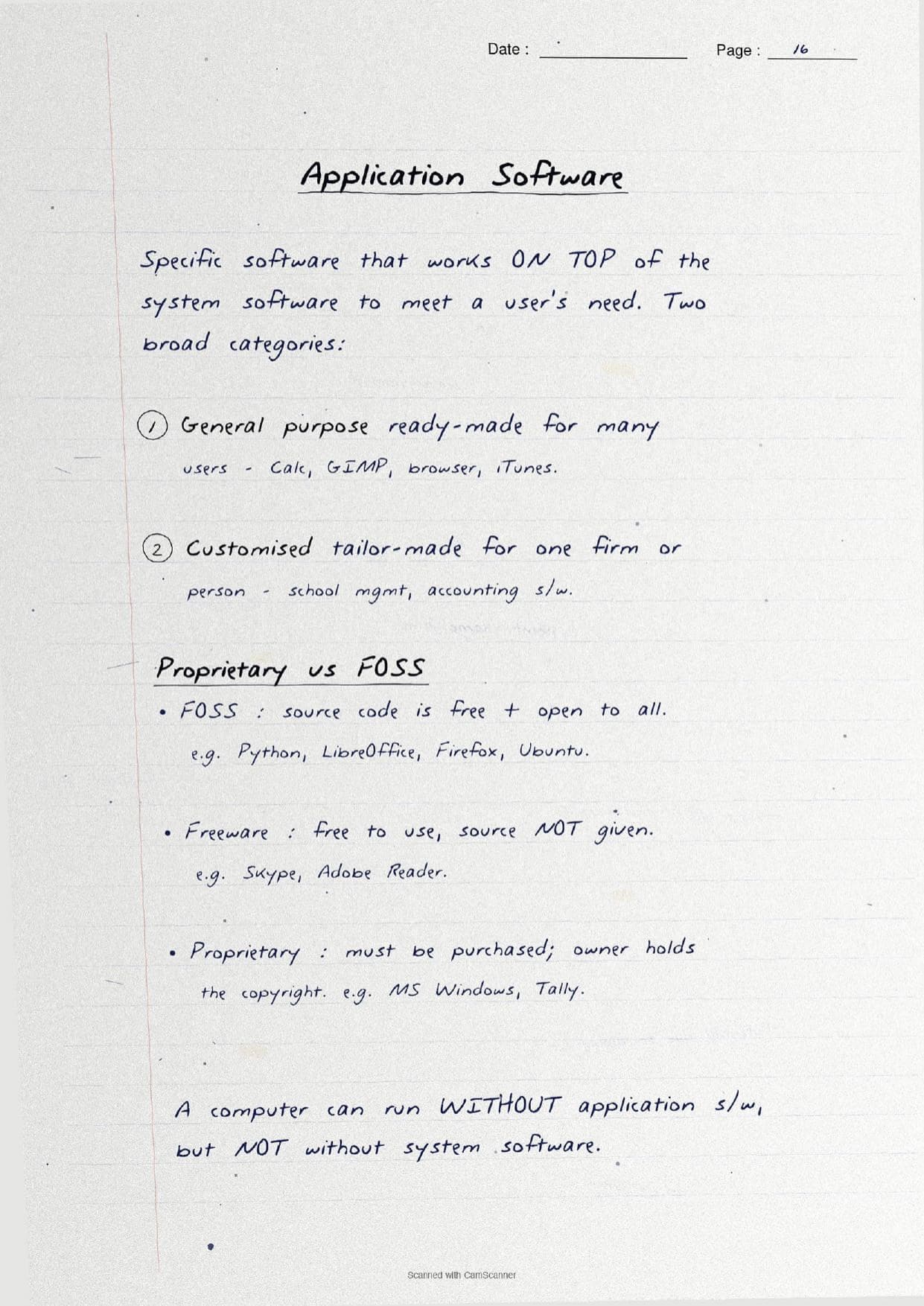
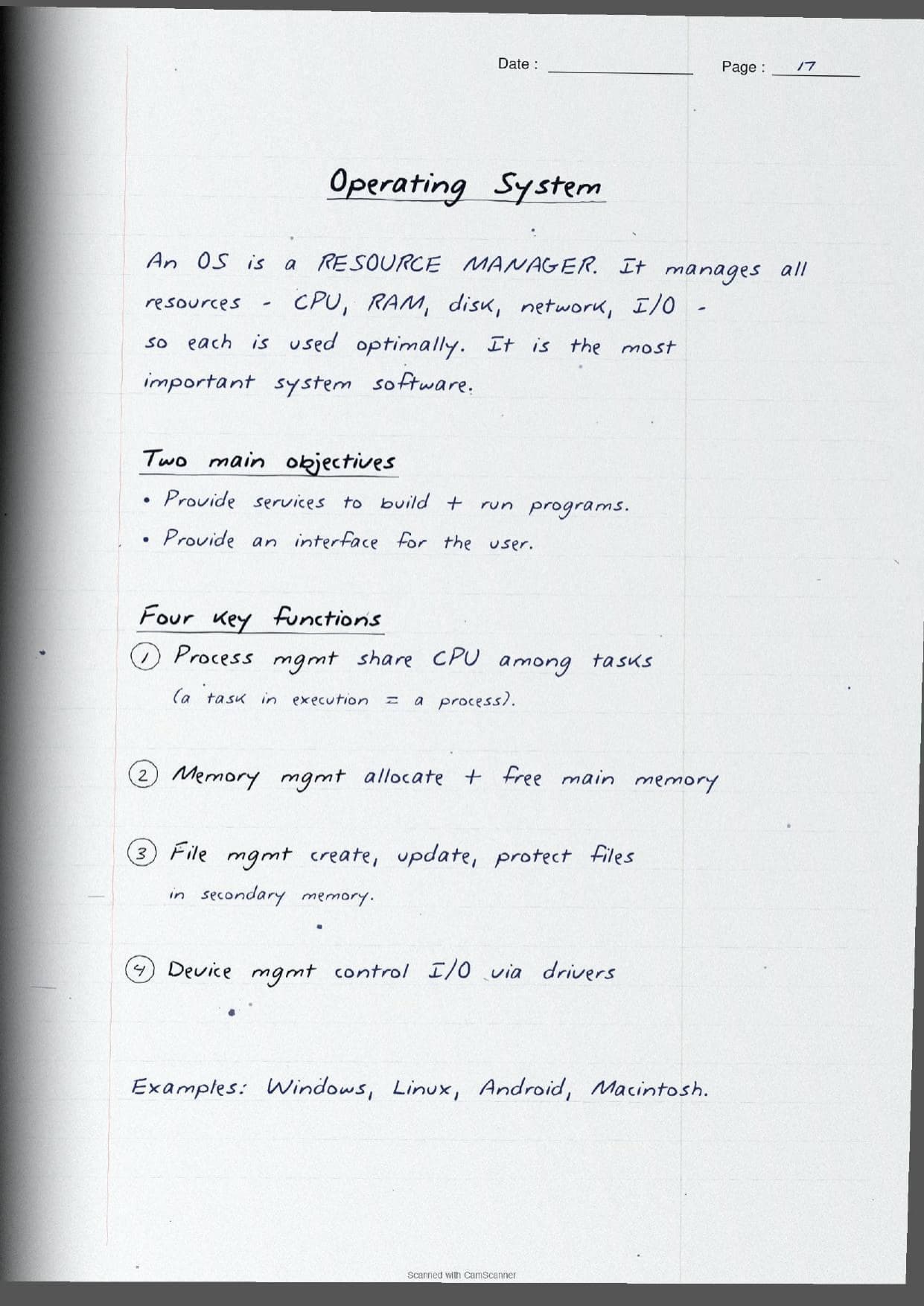
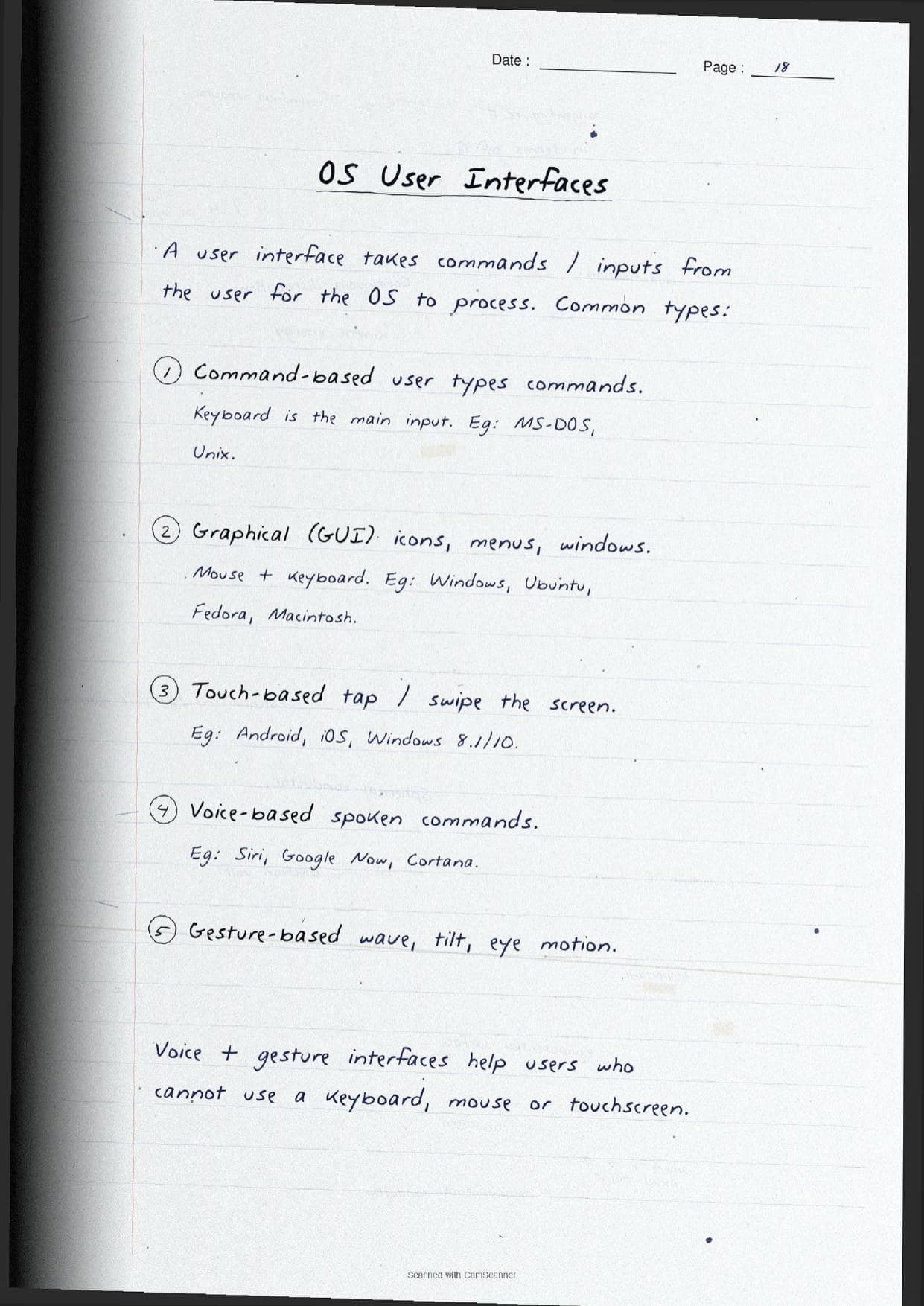
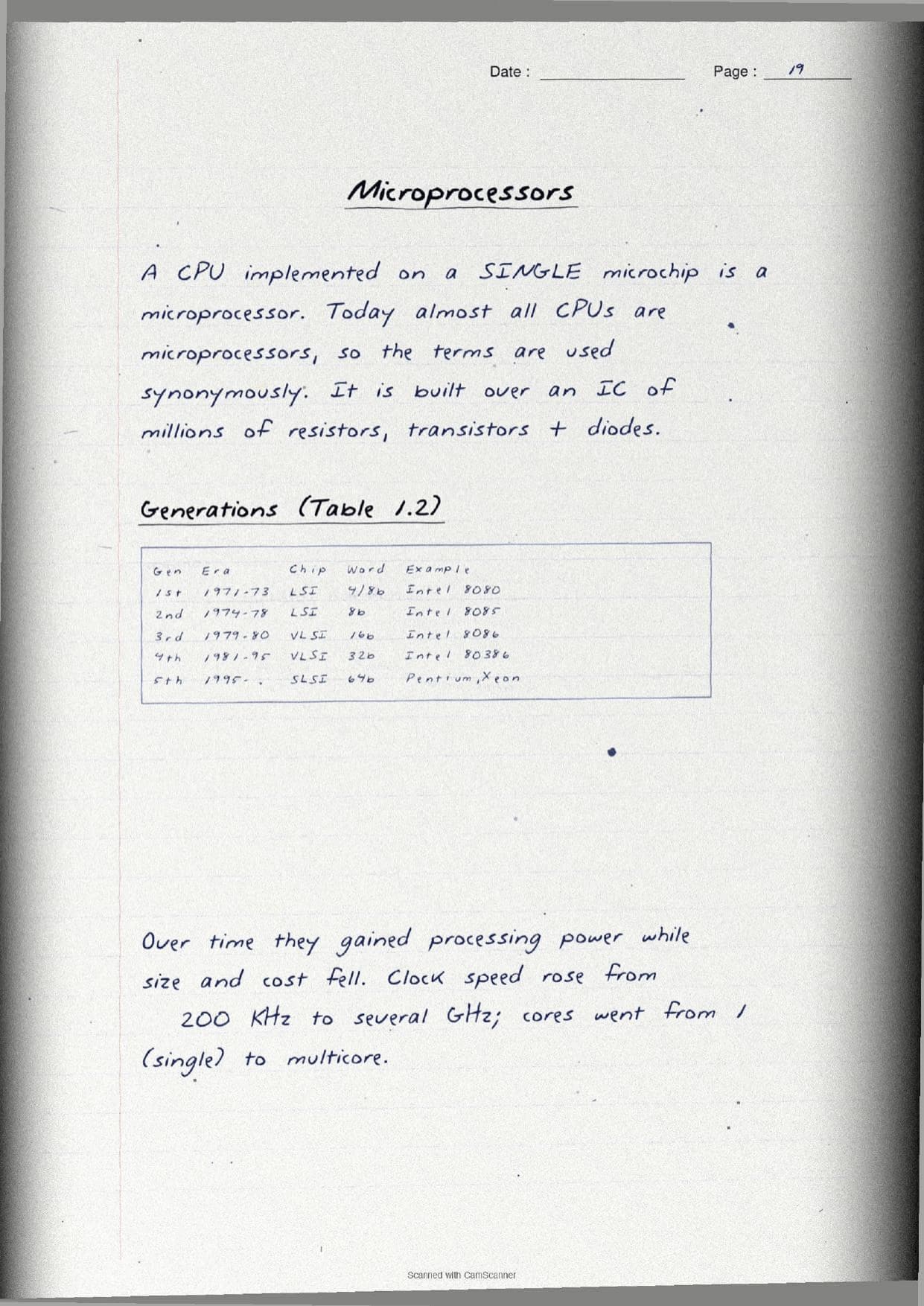
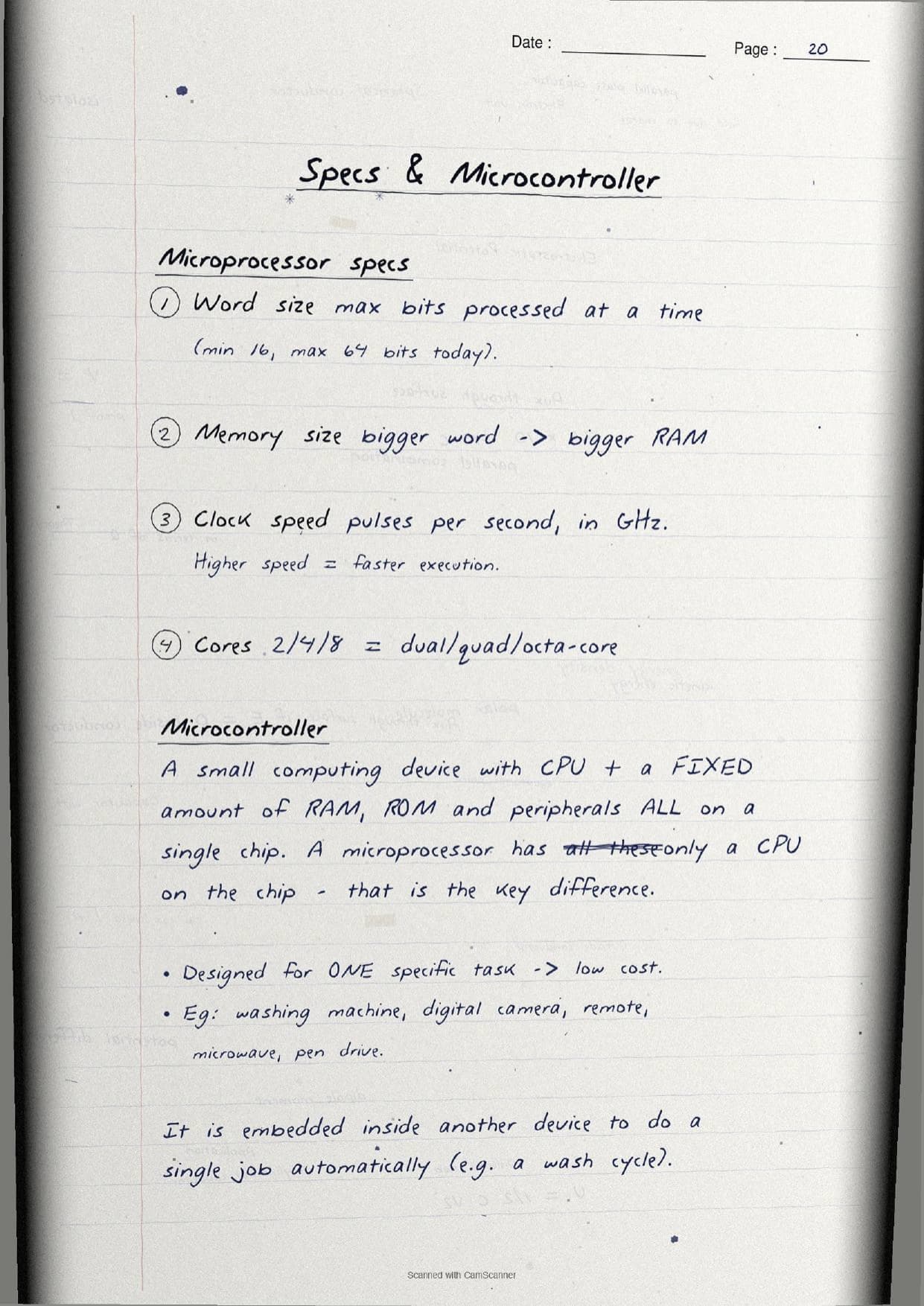
- Handwritten pages with a labelled block diagram, a memory-hierarchy pyramid, a software tree, and boxed
RAMversusROMcomparisons. - This is the opening chapter of Class 11 Computer Science, so its terms and units set up the whole course.
- Pairs with the NCERT Solutions, Notes and Book PDF linked lower on this page.
These Computer System handwritten notes are prepared from the official NCERT Computer Science textbook and checked against recent CBSE Class 11 question papers.
Student Feedback: In a Collegedunia poll of 4,640 Class 11 Computer Science students, 76% of students said the handwritten block diagram and the boxed RAM versus ROM table helped them recall the functional units and memory types faster than printed text, because the arrows and boxes made the flow of data click.
Source: 2026-27 Class 11 Computer Science student poll. Sample of 4,640 students from CBSE schools across 9 states.
What These Computer System Handwritten Notes Contain
Computer System is the first chapter of Class 11 Computer Science. It explains what a computer is, the units that work together inside it, how memory is arranged, and the software that drives the hardware. These handwritten notes condense the chapter into handwritten pages that read like a topper's own notebook, with the key parts drawn out rather than buried in paragraphs.
The notes are organised under three threads, each on its own set of pages:
- The machine: the definition of a computer, the functional units, and the
CPUsplit intoALU, control unit and registers, drawn as a labelled block diagram. - The memory: the memory hierarchy pyramid, units from
bittoYB, and theRAMversusROMcomparison in a boxed table. - The software: hardware versus software, system and application software, the operating system, the microprocessor, ports and the boot process.
Because the pages are handwritten, the key terms sit in boxes and arrows rather than long paragraphs. A student can flip through the Computer System class 11 pages in a few minutes and still pick up the block diagram, the memory units and the software types before walking into the exam.
Functional Units and the CPU in the Handwritten Pages
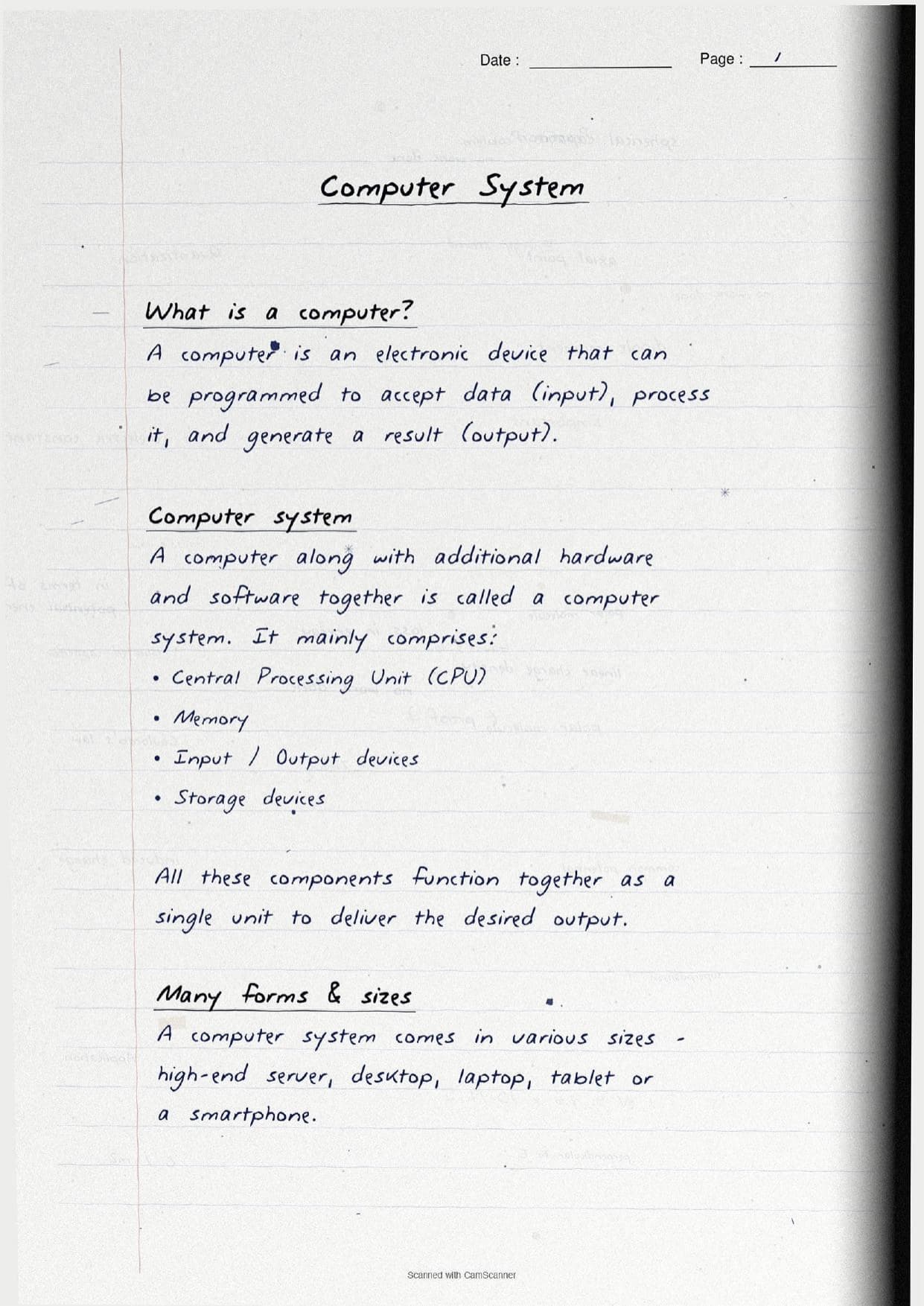
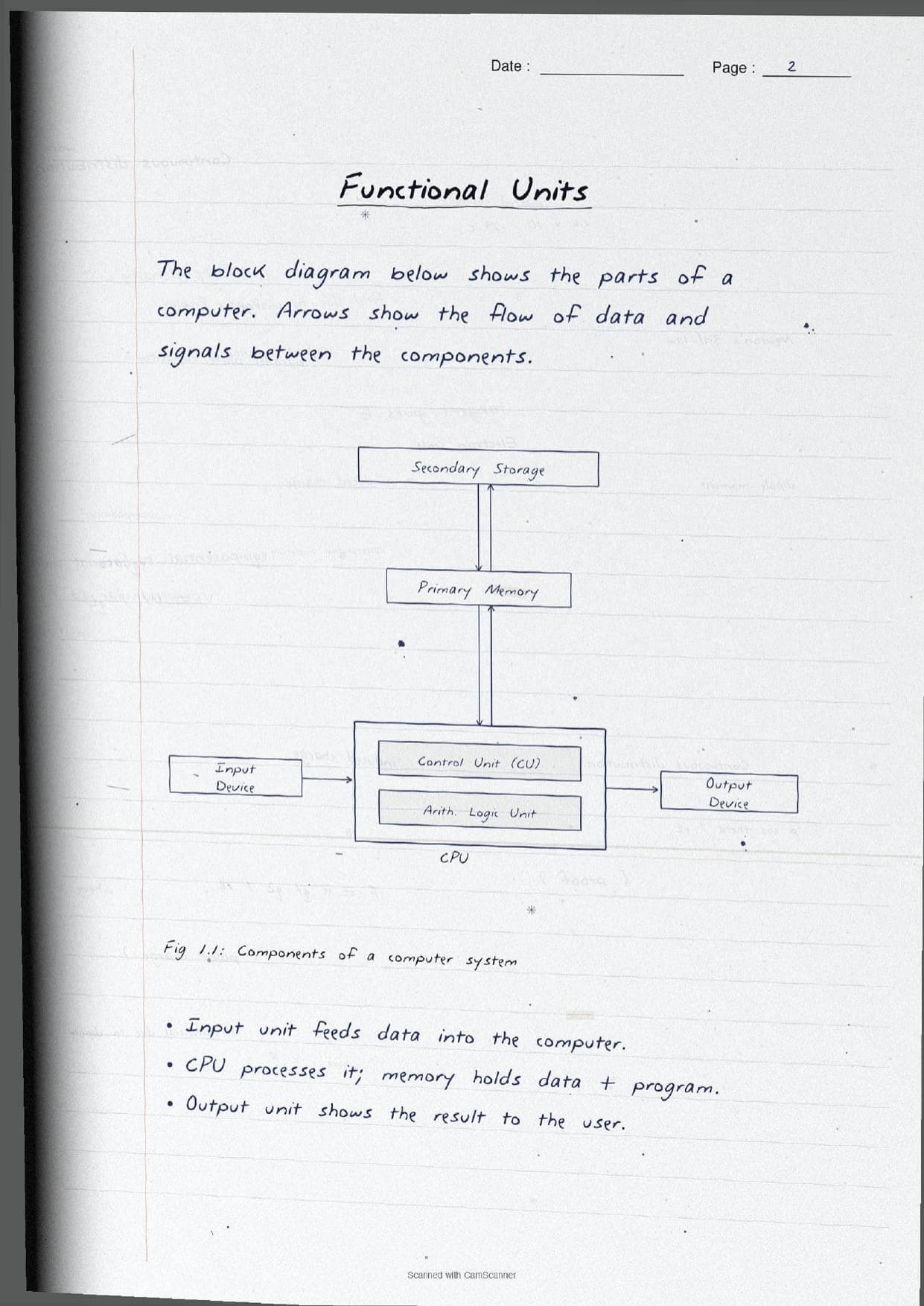
The opening pages settle what a computer is and how its parts fit together. A computer is an electronic device that accepts data as input, processes it, and generates a result as output. A computer along with its extra hardware and software is a computer system. The notes draw a clean block diagram so the flow of data between units is obvious, then label each functional unit.
| Unit | What the page shows |
|---|---|
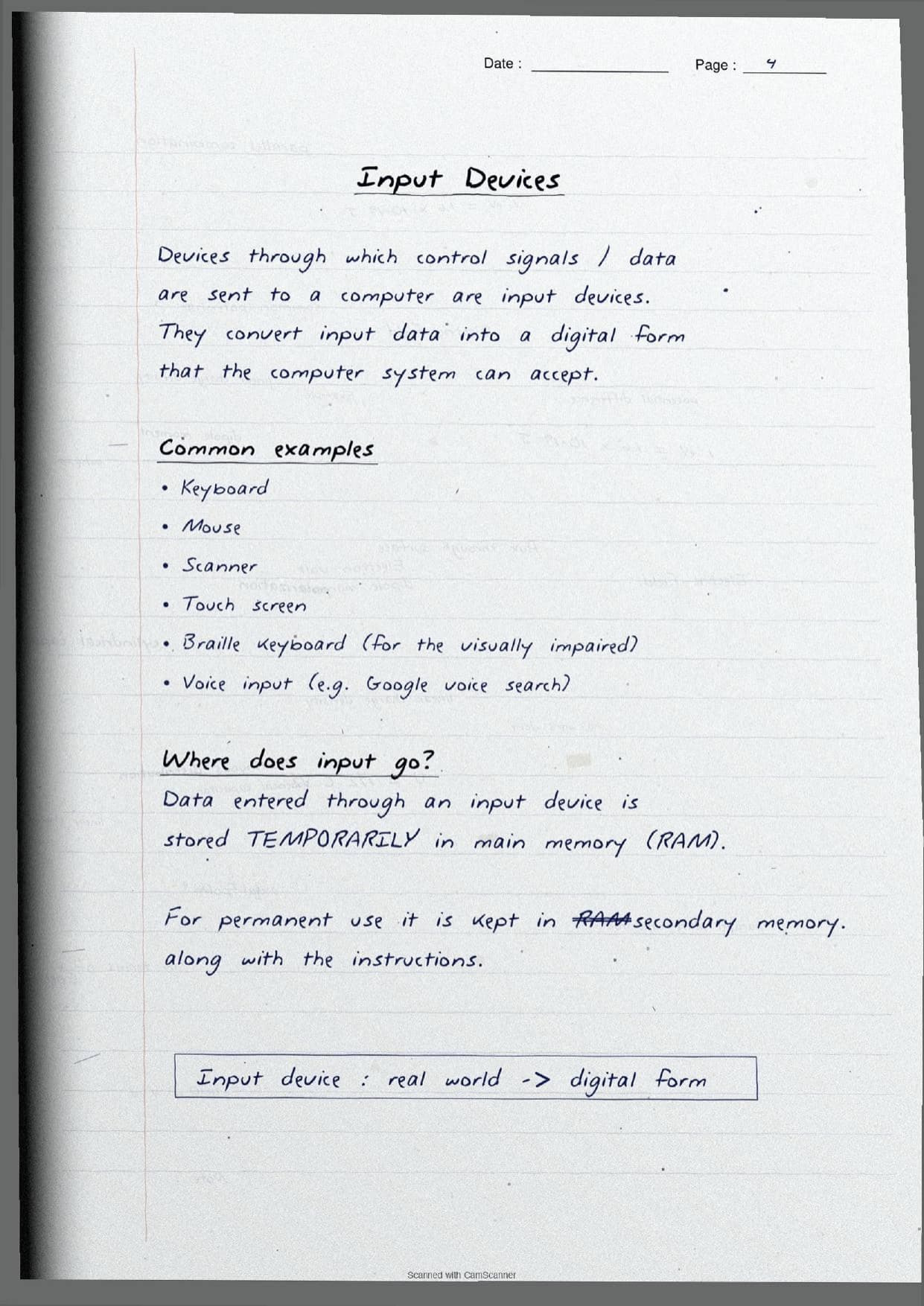
| Input unit | Feeds data and control signals into the computer in digital form. Examples: keyboard, mouse, scanner, touch screen, voice input. |
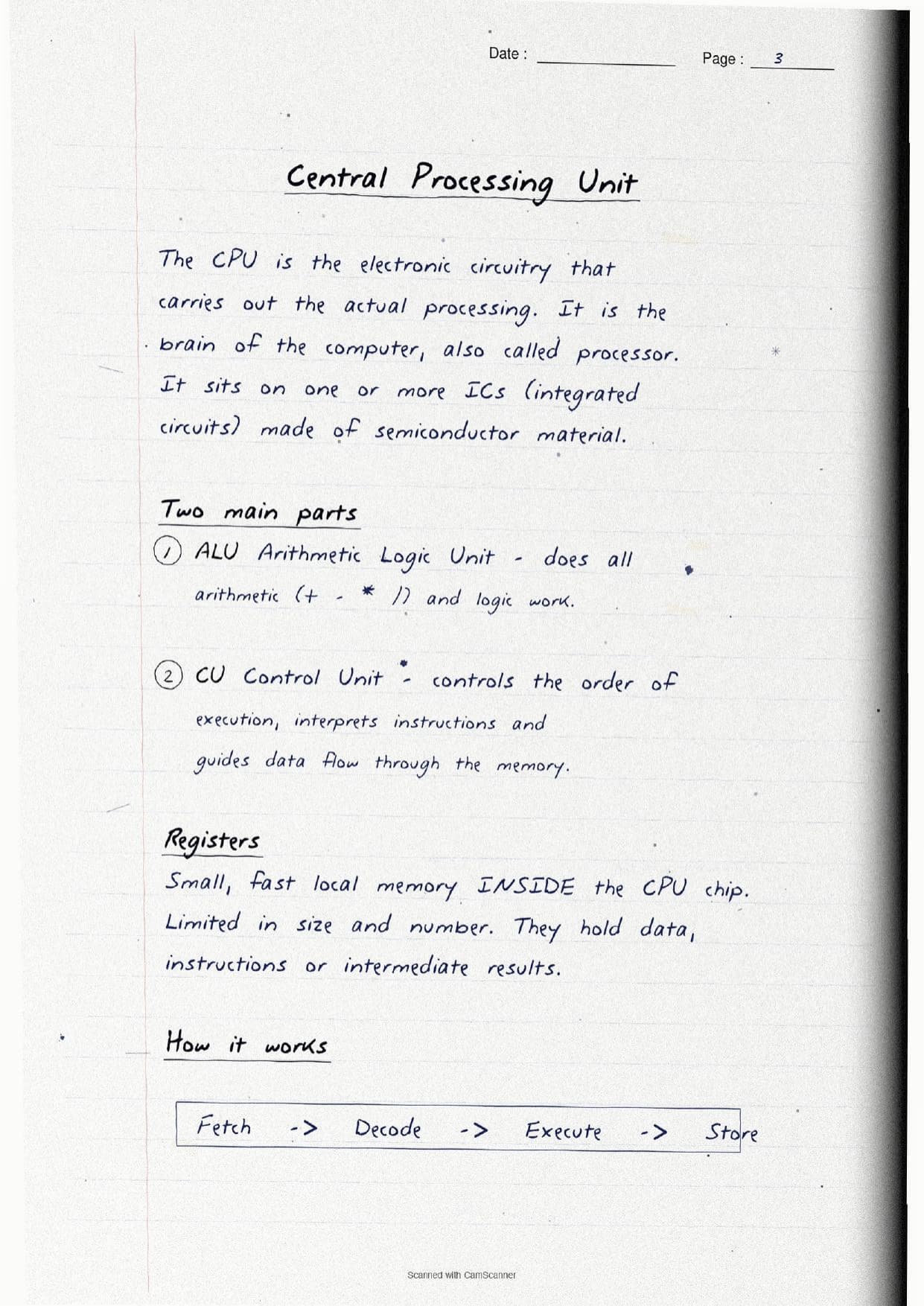
| CPU | The brain that carries out the actual processing; made of the ALU, the control unit and registers on one or more integrated circuits. |
| Memory | Holds the data and the program while the computer works, split into primary and secondary memory. |
| Output unit | Converts digital results into a human form. Examples: monitor (soft copy), printer (hard copy), speaker, projector. |
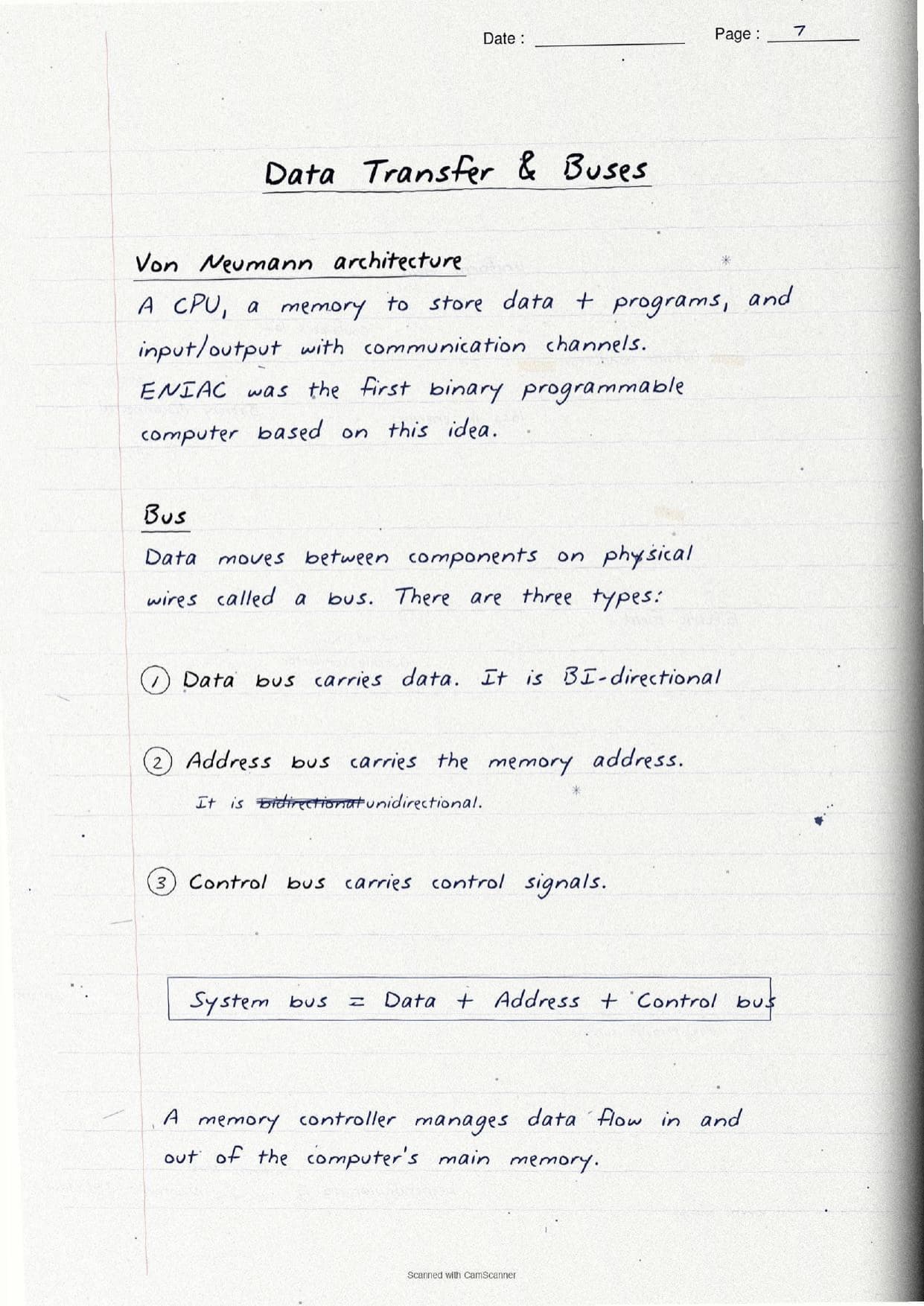
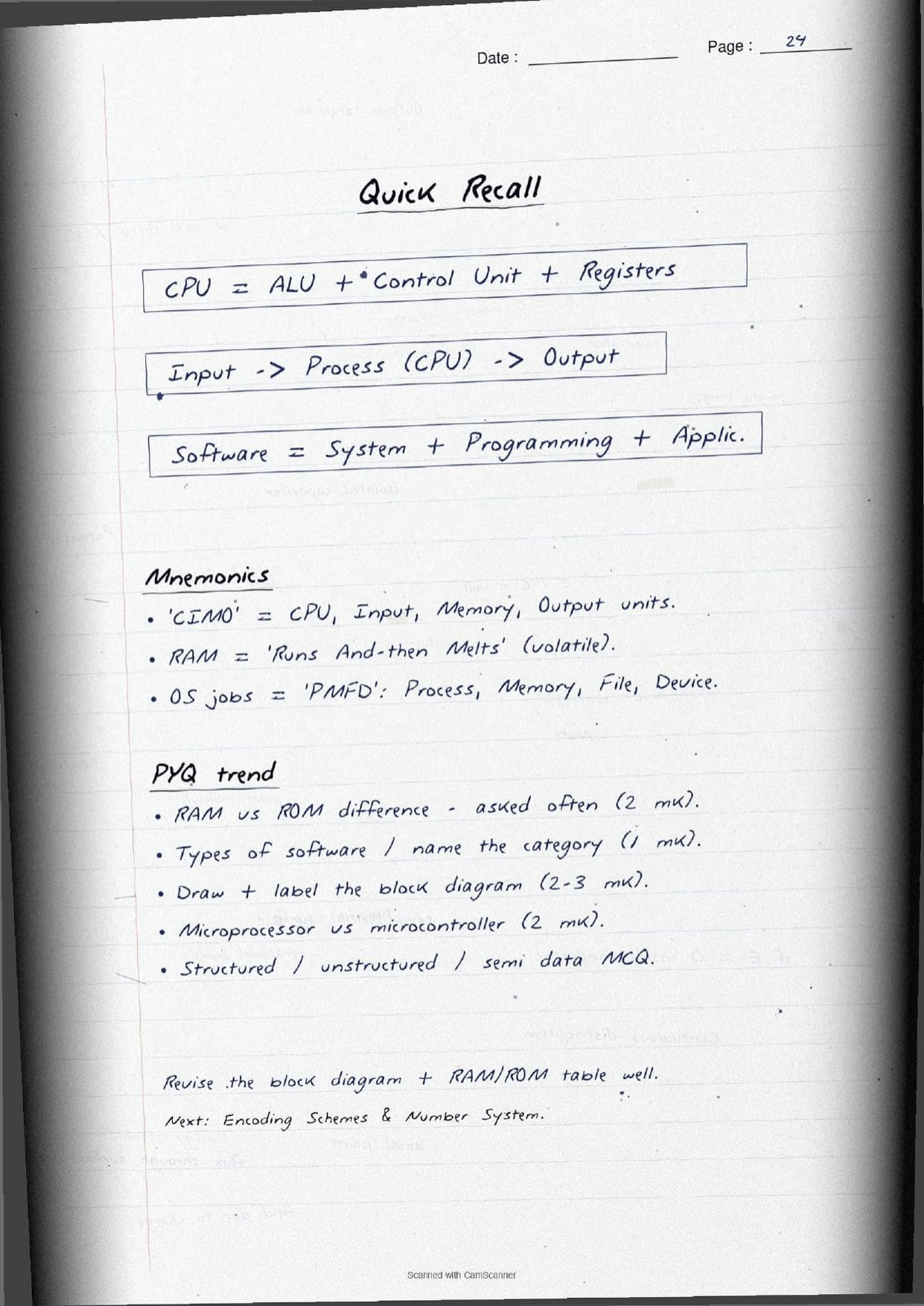
A full page zooms into the Central Processing Unit. The ALU (Arithmetic Logic Unit) does all arithmetic like +, -, *, / and the logic work. The control unit decides the order of execution, interprets each instruction and guides the data flow. Registers are the small, very fast memory inside the CPU chip that hold data, instructions or intermediate results. The notes box the working cycle as Fetch → Decode → Execute → Store so students remember how one instruction is carried out. A short note also covers the bus: the data bus is bi-directional, the address bus is unidirectional, and the control bus carries control signals, together forming the system bus.
Memory, Software and Booting in the Handwritten Pages
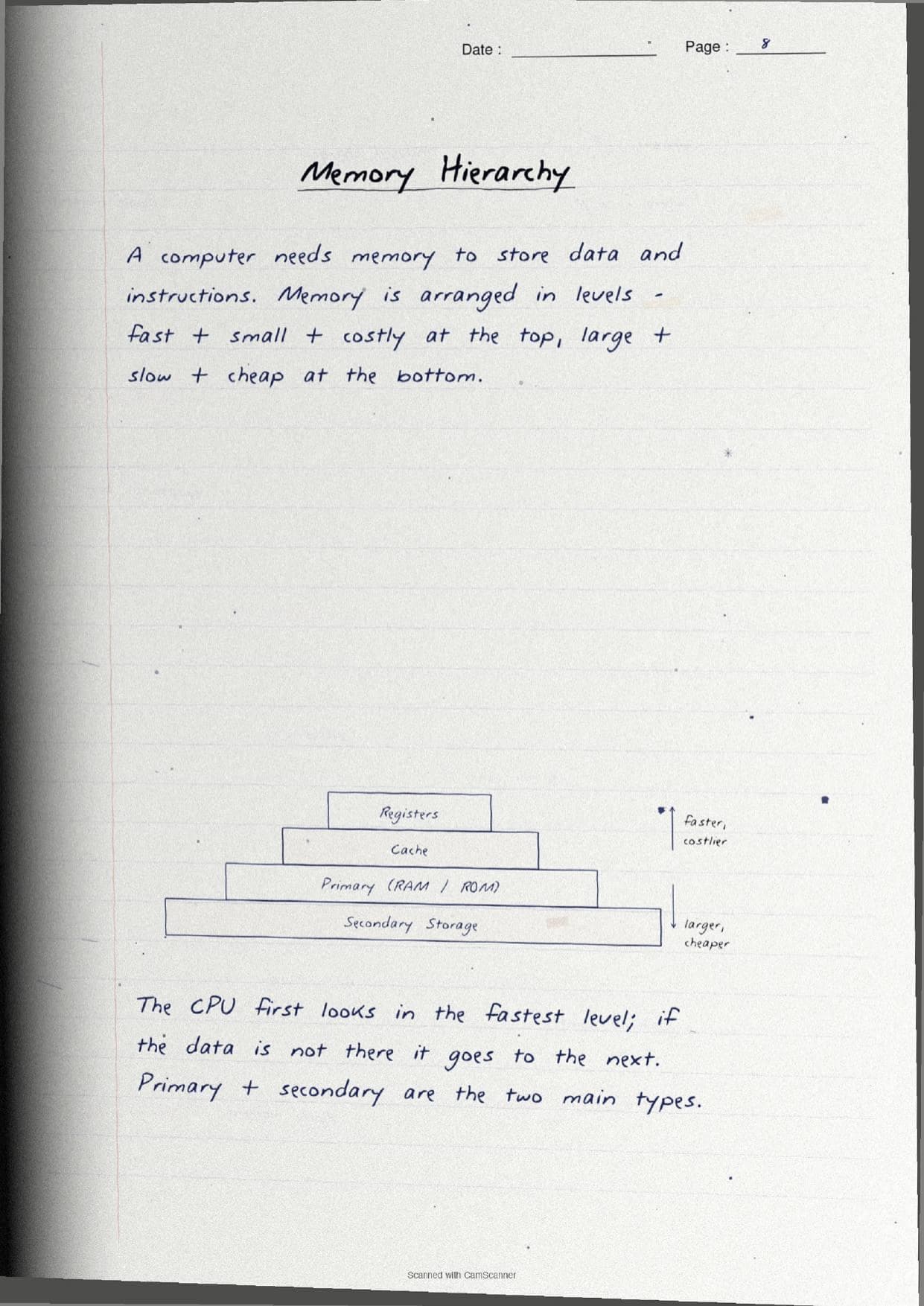
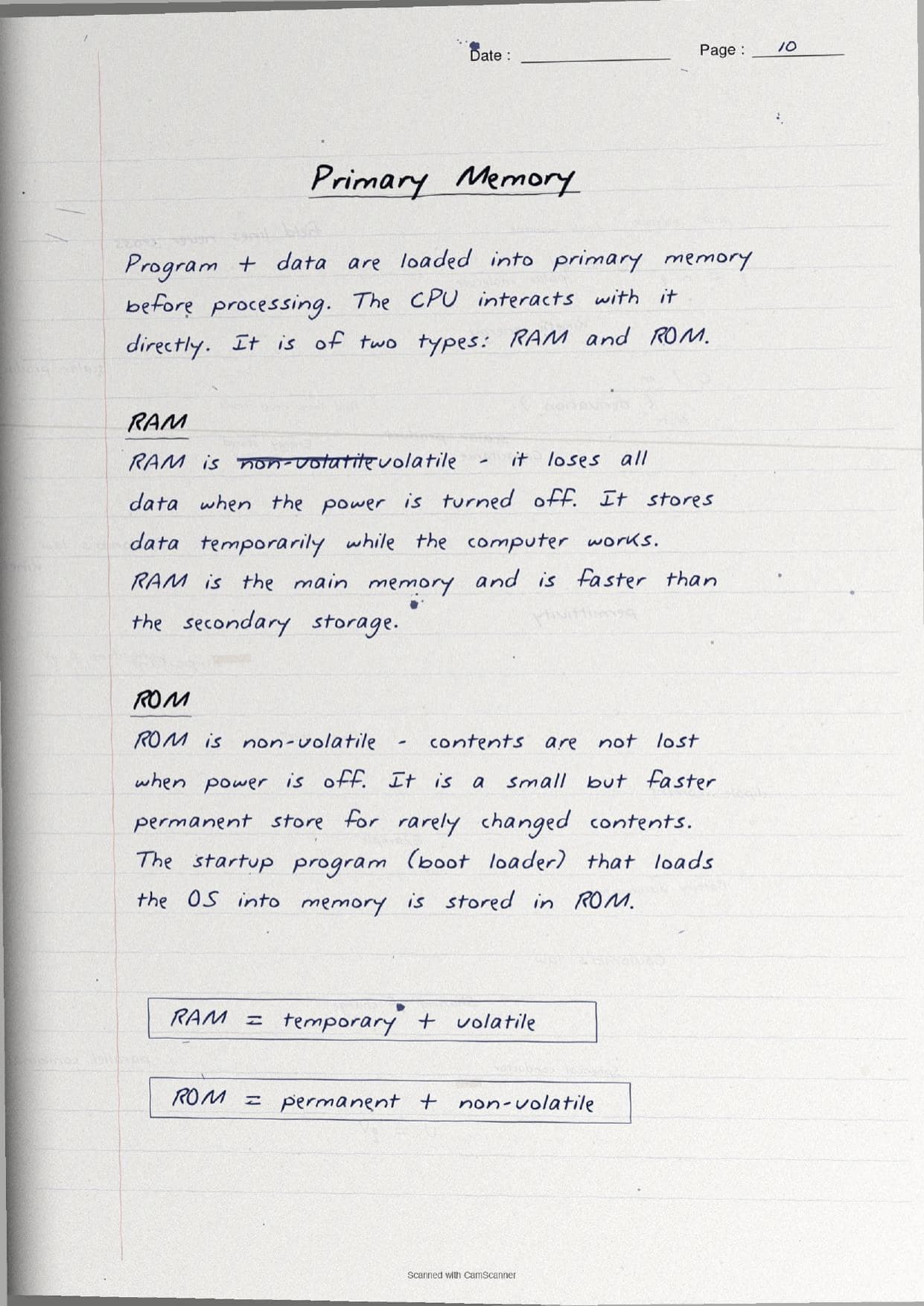
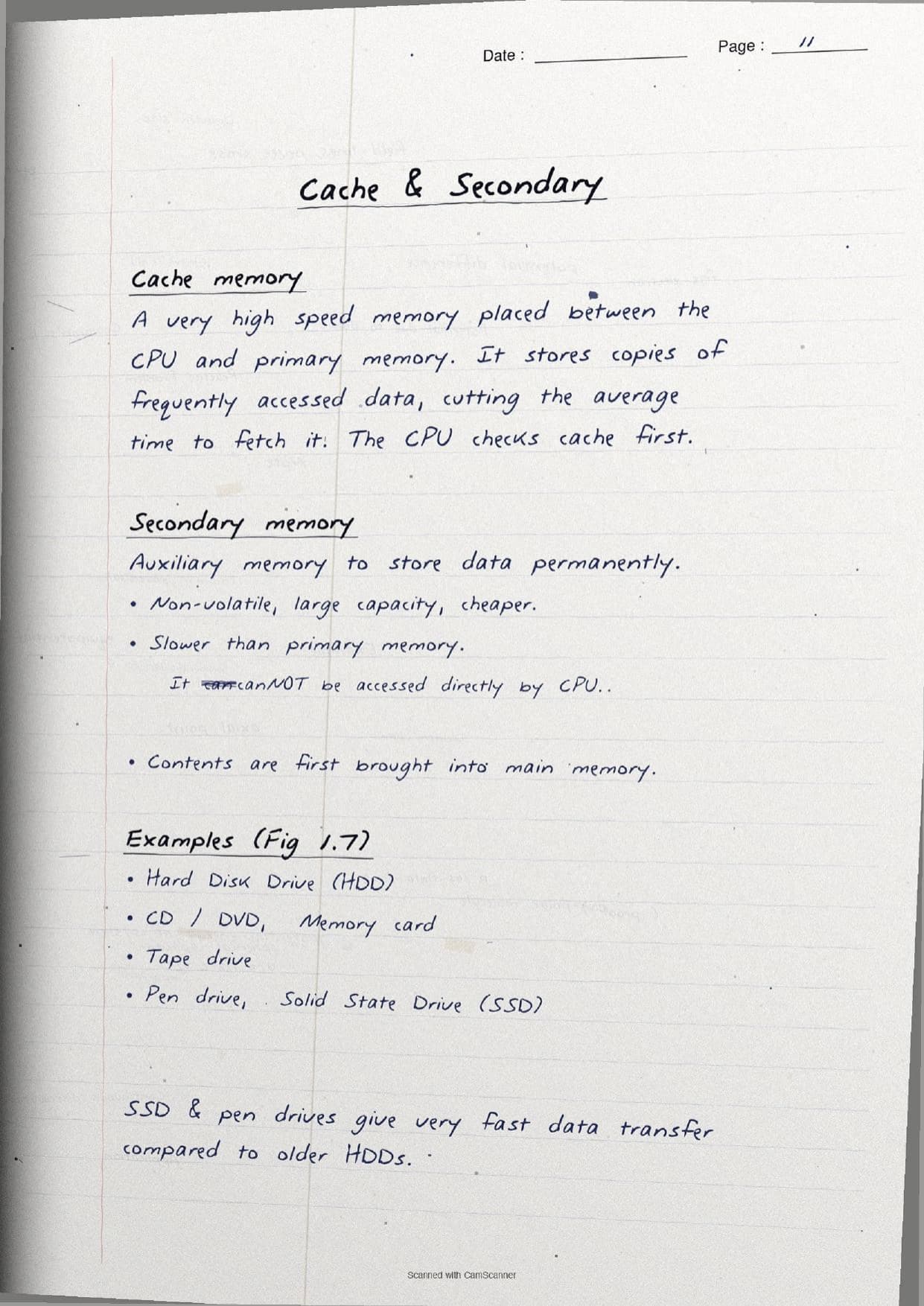
The middle pages handle memory, drawn as a pyramid so the levels stand apart. Memory is arranged from fast, small and costly at the top to large, slow and cheap at the bottom, and the CPU always checks the fastest level first. The notes then box the two types of primary memory so the difference is never mixed up.
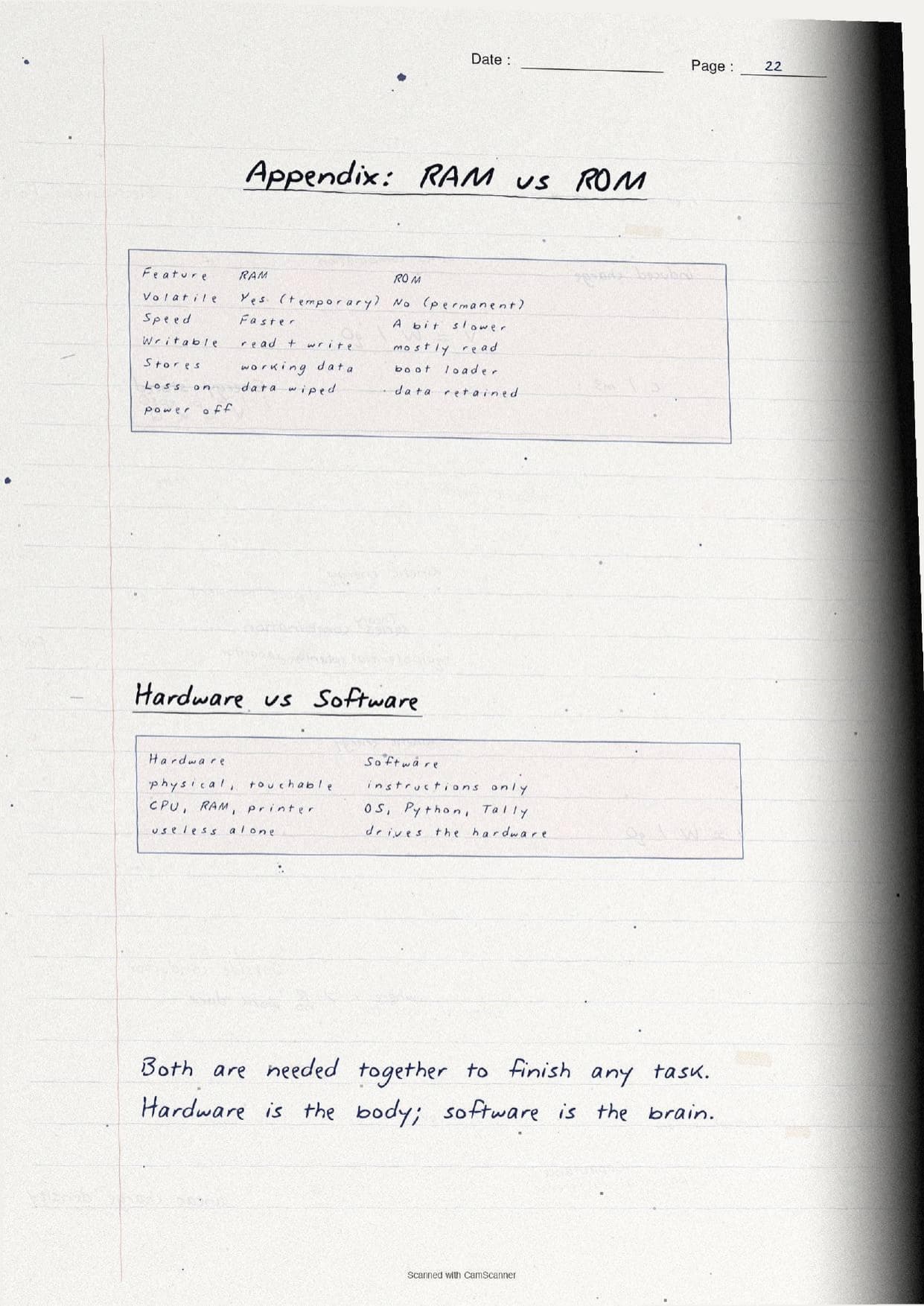
| Feature | RAM | ROM |
|---|---|---|
| Volatility | Volatile, loses data when power is off | Non-volatile, keeps data when power is off |
| Use | Temporary working store while the computer runs | Permanent store for rarely changed contents |
| Holds | The active program and data | The startup program or boot loader |
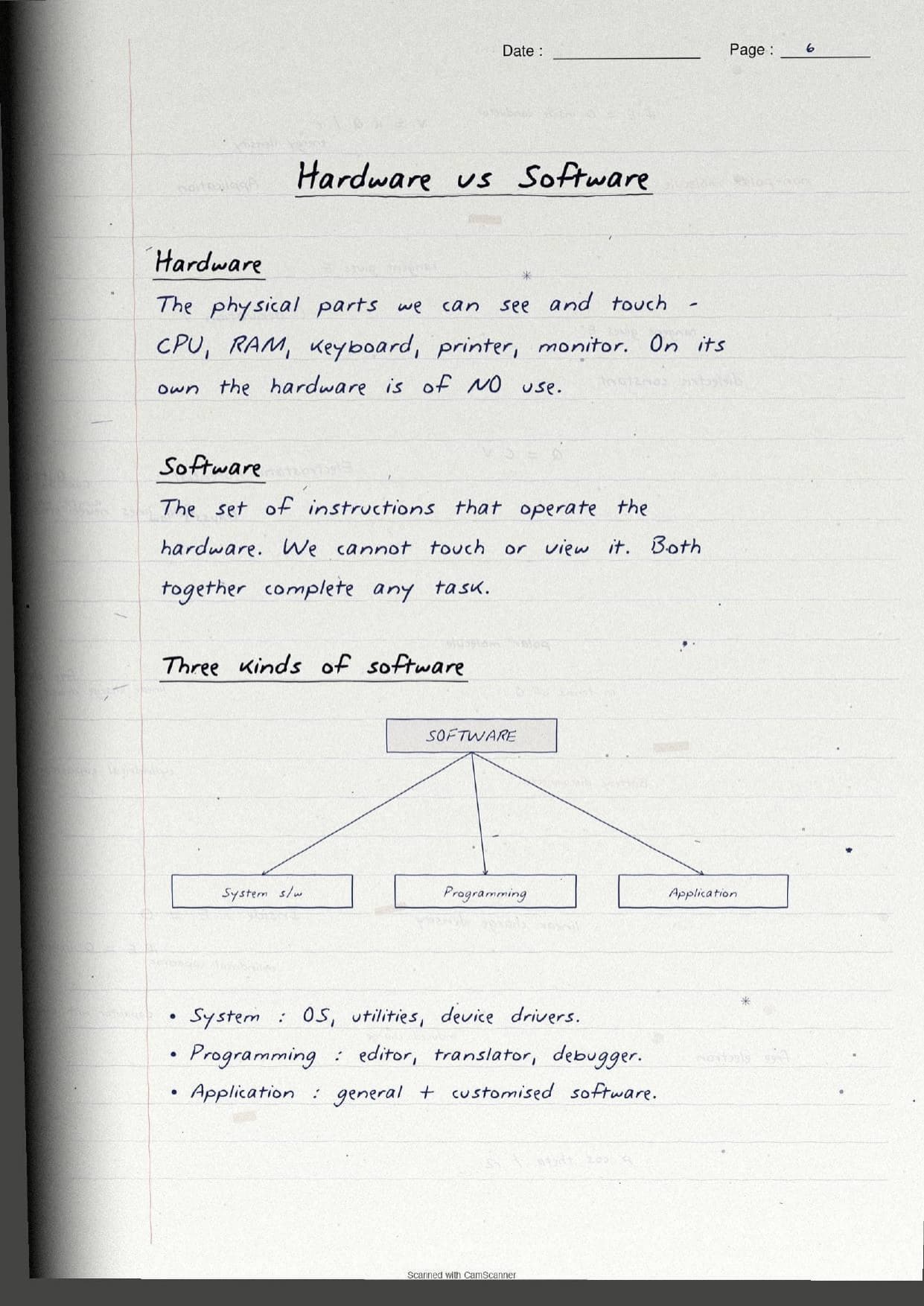
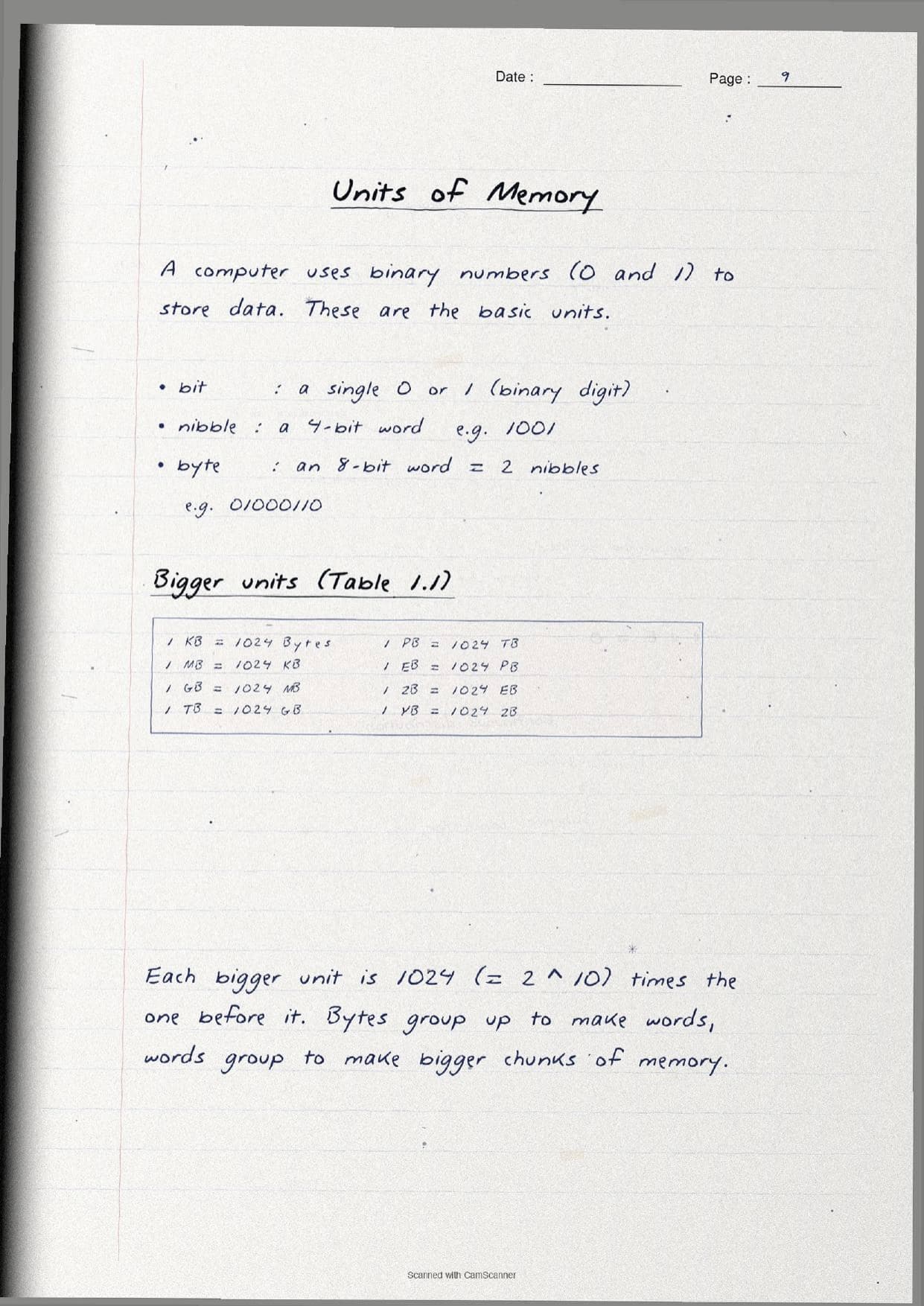
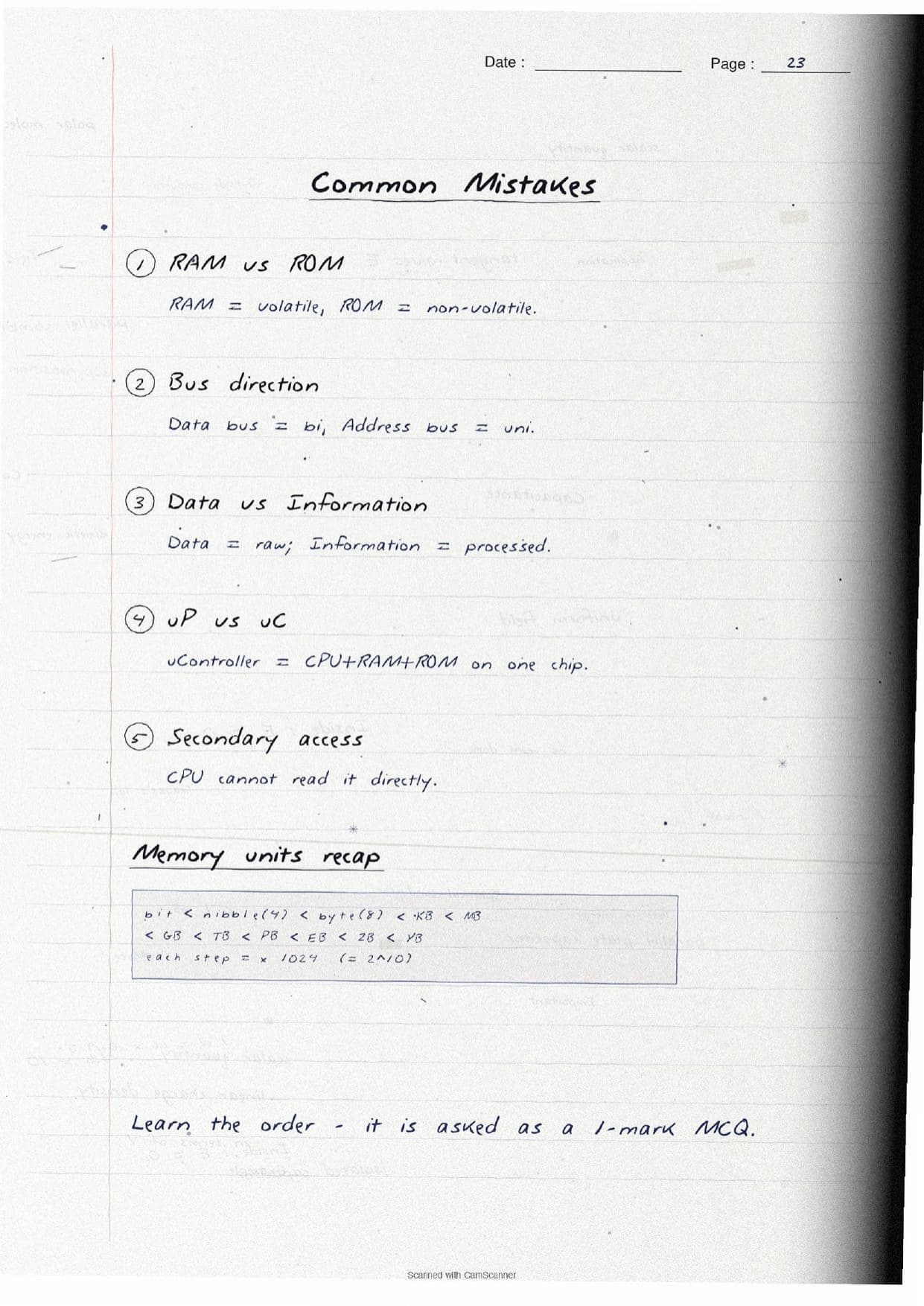
A separate page lists the units of memory. The smallest is a bit (a single 0 or 1), then a nibble (4 bits), then a byte (8 bits). Above that, each step is 1024 (that is 2^10) times the one before it: 1 KB = 1024 Bytes, then MB, GB, TB, PB, EB, ZB and YB. The software pages then draw a tree that splits software into three kinds:
- System software: the operating system, utilities and device drivers that run the hardware. Examples: Windows, Linux, Android.
- Programming tools: editors, translators like the compiler and interpreter, and debuggers used to build programs.
- Application software: general purpose tools like a browser or calculator, and customised software built for one firm.
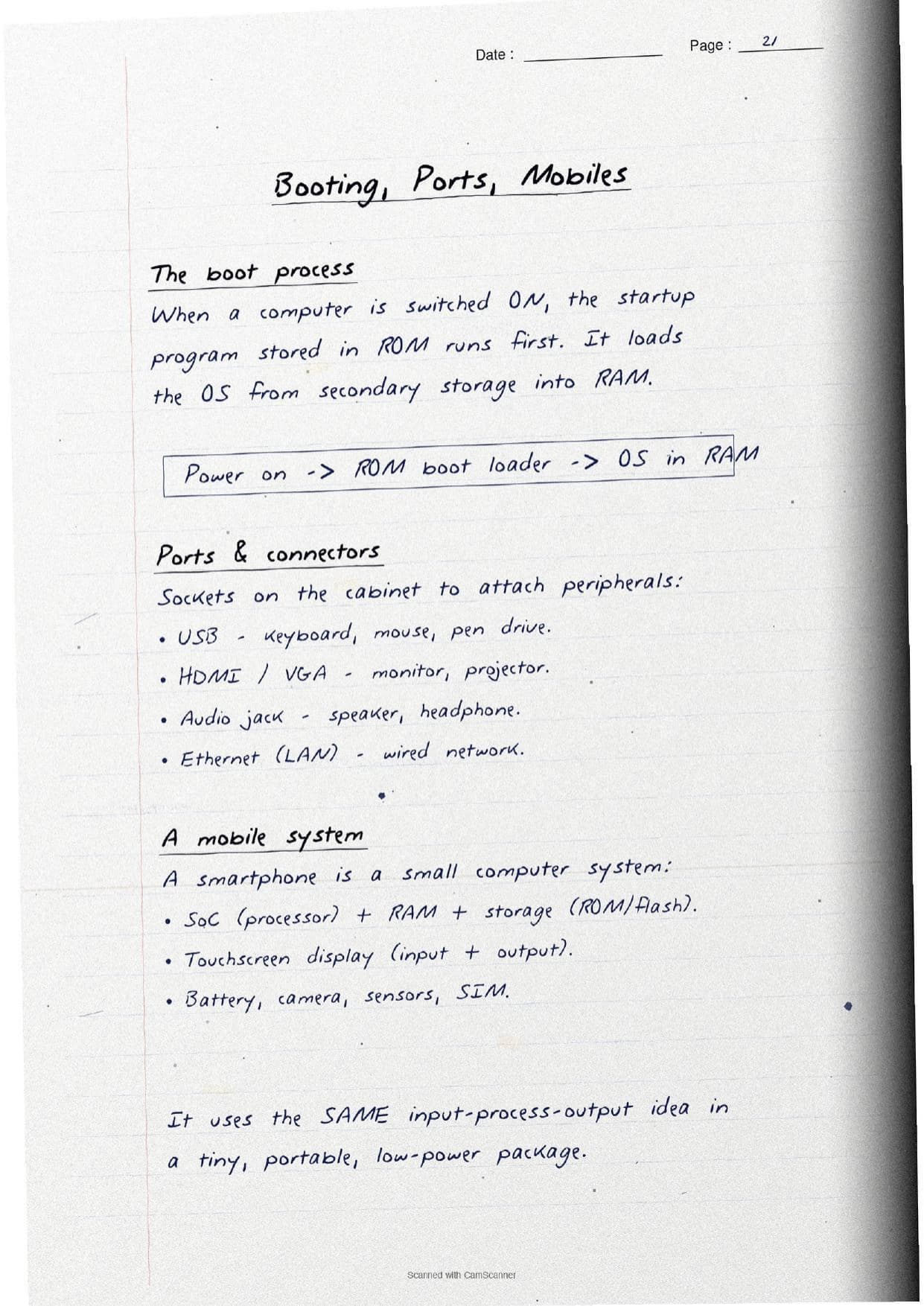
The last pages cover the microprocessor (a whole CPU on a single microchip), its specs like word size, clock speed and cores, and the boot process: on power on, the startup program in ROM runs first and loads the operating system from secondary storage into RAM. A short note on ports (USB, HDMI, audio jack, Ethernet) and a mobile system rounds off the chapter, showing a smartphone as the same input, process, output idea in a tiny package.
How to Use These Handwritten Notes
Handwritten notes work best as a final-revision tool, not a first read. The steps below show how to get the most out of the Computer System handwritten notes in the last days before a test.
- Download: tap the download card above to save the handwritten pages to your device.
- First read: read the printed Notes once so the handwritten pages act as a refresher, not a first source.
- Diagram drill: cover the page and try to redraw the block diagram and the memory pyramid from memory.
- Night before: flip through the boxed
RAMversusROMtable and the memory-unit order for a quick last-minute recall.
Many students search for class 11 computer science chapter 1 notes on their phone the night before a test, so a saved set of handwritten pages means you can revise offline. Use the handwritten notes for speed, then check the solutions to confirm your answer points are complete.
Common Mistakes These Notes Help You Avoid
A few errors cost marks every year. The handwritten notes flag each one in the margin so you can fix it before the exam. These five are the most common.
- Swapping
RAMandROM.RAMis volatile and temporary;ROMis non-volatile and permanent. - Wrong bus direction. The data bus is bi-directional, but the address bus is unidirectional.
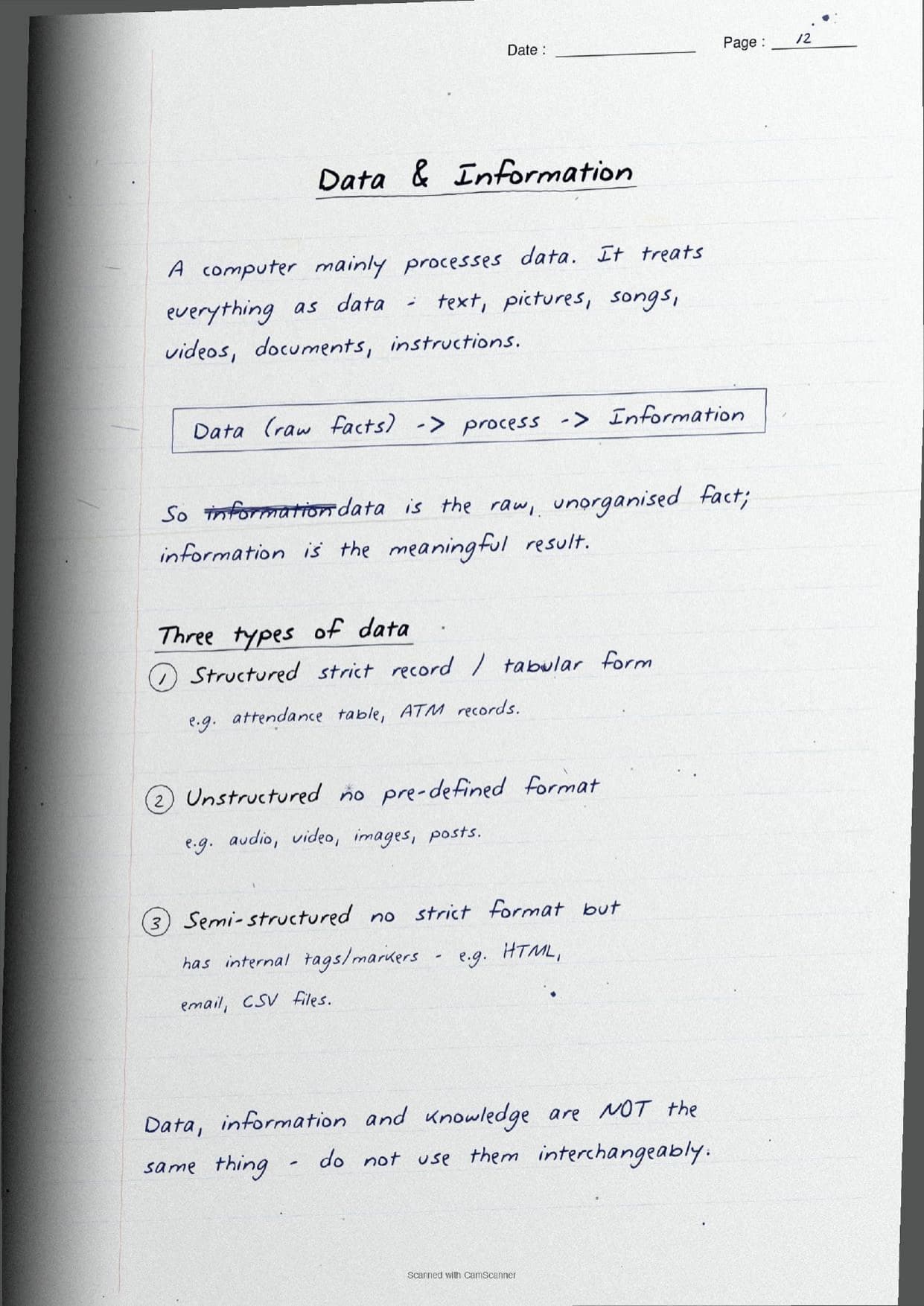
- Treating data and information as the same. Data is raw facts; information is the processed, meaningful result.
- Confusing a microprocessor with a microcontroller. A microcontroller packs the CPU, RAM, ROM and peripherals on one chip; a microprocessor is only the CPU.
- Saying the CPU reads secondary memory directly. It cannot; the data must first be brought into main memory.
Students who fix these five points usually move from average to high marks. The handwritten notes box the definitions and lay out every comparison in full, so the soft points are hard to miss when you revise.
How These Handwritten Notes Pair with the Solutions and Book PDF
These handwritten notes are a fast revision tool. To prepare fully, students should use them alongside the other resources for the same chapter, all linked in the table below. Read the printed Notes, test yourself with the solutions, then use these pages for a final recall.
| Resource | Best used for |
|---|---|
| Computer System NCERT Solutions | Step-by-step answers to all the chapter exercise questions |
| Computer System Class 11 Notes | Quick chapter summary with the block diagram and memory types in one place |
| Computer System NCERT Book PDF | Reading the original NCERT chapter text and figures |
Tip: read the printed Notes first, then attempt the solutions, and keep these handwritten pages for the final night-before flip. Using them for recall, not for the first read, builds memory faster.
All Class 11 Computer Science Handwritten Notes by Chapter
The table links the handwritten notes for every chapter in Class 11 Computer Science, so students can move across the course in one click. Computer System is highlighted.
| Chapter | Handwritten Notes |
|---|---|
| Chapter 1 | Computer System |
| Chapter 2 | Encoding Schemes and Number System |
| Chapter 3 | Emerging Trends |
| Chapter 4 | Introduction to Problem Solving |
| Chapter 5 | Getting Started with Python |
| Chapter 6 | Flow of Control |
| Chapter 7 | Functions |
| Chapter 8 | Strings |
| Chapter 9 | Lists |
| Chapter 10 | Tuples and Dictionaries |
| Chapter 11 | Societal Impact |
FAQs on Computer System Handwritten Notes
Computer System Class 11 Computer Science Handwritten Notes Common Questions
Ques. Where can I download the Computer System handwritten notes PDF?
Ans. You can download the Computer System Class 11 Computer Science handwritten notes PDF directly from this page. It is free, follows the 2026-27 NCERT, and presents the block diagram, the CPU parts, the memory hierarchy and the RAM versus ROM table as handwritten pages.
Ques. What are the functional units of a computer in Class 11 Chapter 1?
Ans. The functional units are the input unit, the CPU, memory and the output unit. The CPU itself is made of the ALU, the control unit and registers. The handwritten notes draw these as a labelled block diagram with arrows showing the flow of data.
Ques. What topics do these handwritten notes cover?
Ans. They cover the meaning of a computer system, the functional units, the CPU with its ALU and control unit, hardware versus software, the memory hierarchy, units from bit to YB, RAM versus ROM, system and application software, the operating system, the microprocessor, ports and the boot process.
Ques. Are handwritten notes good for revising Class 11 Computer Science Chapter 1?
Ans. Yes. Handwritten notes are best for fast, last-minute revision because the boxed key terms, the block diagram and the memory pyramid make the ideas easy to skim. Use them after a first read of the printed Notes, not as your only source.
Ques. What is the difference between RAM and ROM in this chapter?
Ans. RAM is volatile, so it loses its data when the power is off, and it holds the active program and data while the computer works. ROM is non-volatile, keeps its contents when power is off, and stores the startup program that loads the operating system. The handwritten notes box this comparison so it is easy to recall.



Comments