


Candidates appearing for ICAI CA September 2026 needs to pay an examination fee of INR 1500- 2700 for intermediate course and INR 1800- 3300 for final course examination by July 19, 2026. The online application form will be available on the website at, icai.org on July 6, 2026.
- You will be able to pay the ICAI CA September 2026 fee by logging in to the SSP portal at eservices.icai.org.
- Candidates should also keep in mind that ICAI CA September 2026 fee payment may get failed due to unstable network connection or due to bank error.
- In such situation you are advised to pay the ICAI CA September 2026 fee through eservices.icai.org by logging in with required details.
- Students can follow the steps for repay as mentioned below in case their ICAI CA September 2026 fee gets failed in first try.
Related Articles:
- CA Foundation September 2026: Check Registration, Eligibility, Criteria and Last Date
- Check How to Fill ICAI CA 2026 September Exam Form: Group Wise Steps and Fee

Key Summary
- In case you have a doubt regarding your ICAI CA September 2026 fee payment, you can check the details at eservices.icai.org.
- The registration for ICAI CA September 2026 is complete only when you get your application number and email confirmation from ICAI to your given Email Id.
- If you have paid twice for ICAI CA September 2026 the required amount will be returned to your account after giving both required transaction IDs at examhelpdesk@icai.in within a week.
Why ICAI CA Fee Payment Fails
Fee payment failures on the ICAI SSP portal happen for several reasons. Understanding the cause helps you fix the issue faster and avoid a repeat error on retry.
| Reason | What Happens |
|---|---|
| Network timeout | The payment page loads but the session expires before the transaction completes |
| Bank gateway error | The payment gateway declines the transaction due to a technical issue at the bank’s end |
| Insufficient balance | Your account does not have the required fee amount at the time of debit |
| OTP expiry | The OTP window (usually 60–90 seconds) expires before you enter it |
| Browser or session issue | Using an incompatible browser or multiple open tabs causes the session to break |
| Daily transaction limit | Your UPI or debit card daily limit is lower than the total fee amount |
Note: In most cases your bank may show a debit even when the ICAI portal shows "payment failed." This is a pending reversal — banks typically return such amounts within 3 to 7 working days automatically.
Related Article: ICAI eServices Login Not Working: Check CA September 2026 Registration
Ques. My ICAI CA fee payment failed, but my bank account was debited. What should I do?
Ans. A debit on your bank statement without a corresponding ICAI receipt is usually a pending reversal. Wait 3–7 working days for the amount to return. Meanwhile, retry payment on the SSP portal using a different method. If the amount is not reversed after 7 working days, email examhelpdesk@icai.in with your transaction details and a copy of your bank statement.
How to Repay ICAI CA September 2026 Exam Fee
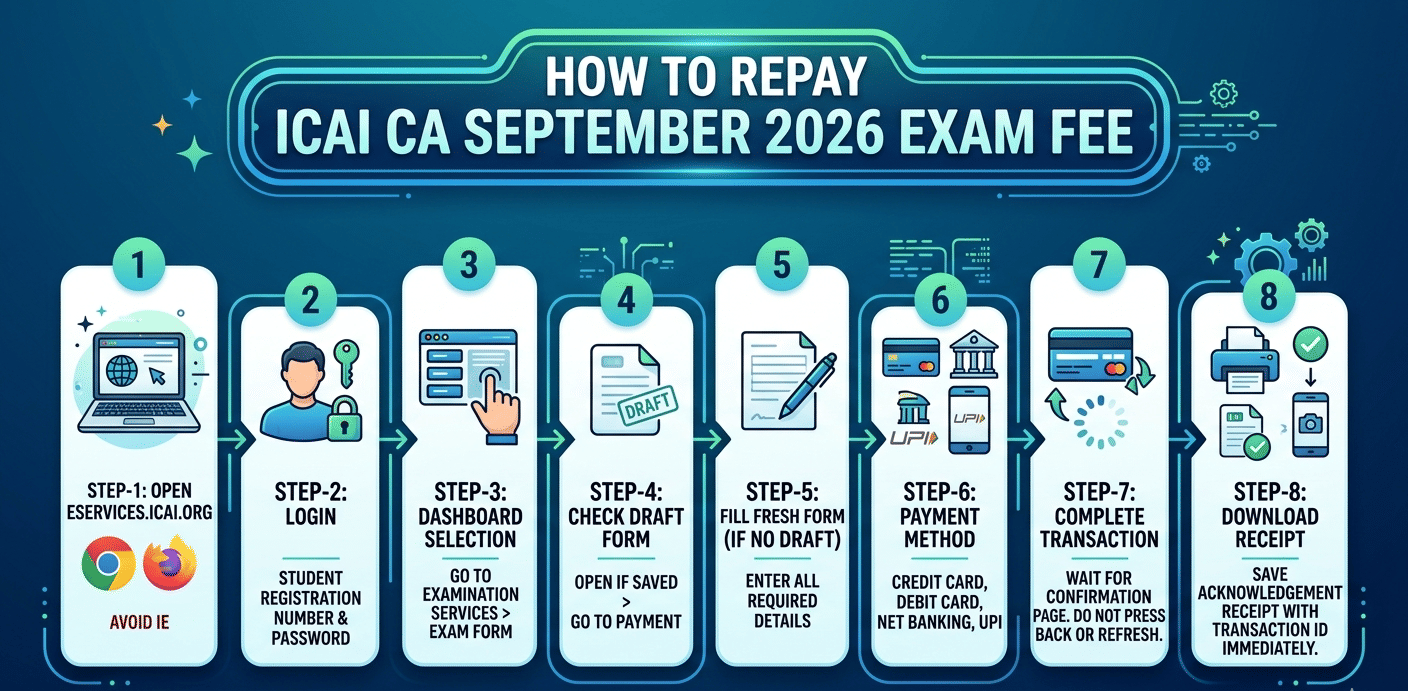
The step-by-step process of how to repay ICAI CA September 2026 exam fee is described below:
- Step- 1 Open eservices.icai.org in Google Chrome or Mozilla Firefox — avoid Internet Explorer.
- Step- 2 Click Login and enter your ICAI Student Registration Number and password.
- Step- 3 Go to Examination Services and click Exam Form from your dashboard.
- Step- 4 Check if your earlier form is saved as a draft — if yes, open it and go directly to the payment page.
- Step- 5 If no draft exists, fill a fresh form for September 2026 with all required details before proceeding.
- Step- 6 On the payment page, choose Credit Card, Debit Card, Net Banking, or UPI.
- Step- 7 Complete the transaction and wait for the confirmation page — do not press Back or refresh the browser.
- Step- 8 Download or screenshot the acknowledgement receipt with your transaction ID immediately after payment.
Note: Use a stable internet connection and clear your browser cache before retrying. Try during off-peak hours as the ICAI portal experiences heavy traffic between 10 AM and 12 PM, especially near the deadline.
Related Article: ICAI CA September 2026: Check Overseas Exam Registration Steps and Fee
Ques. Which payment methods are accepted for ICAI CA September 2026 exam fee?
Ans. The ICAI SSP portal accepts Credit Card, Debit Card, Net Banking, and UPI. For the most reliable transaction, use Net Banking or a Debit Card on a stable broadband connection. Avoid UPI on a slow mobile network, particularly close to the deadline when portal traffic is high.
How to Check ICAI CA Fee Payment Status
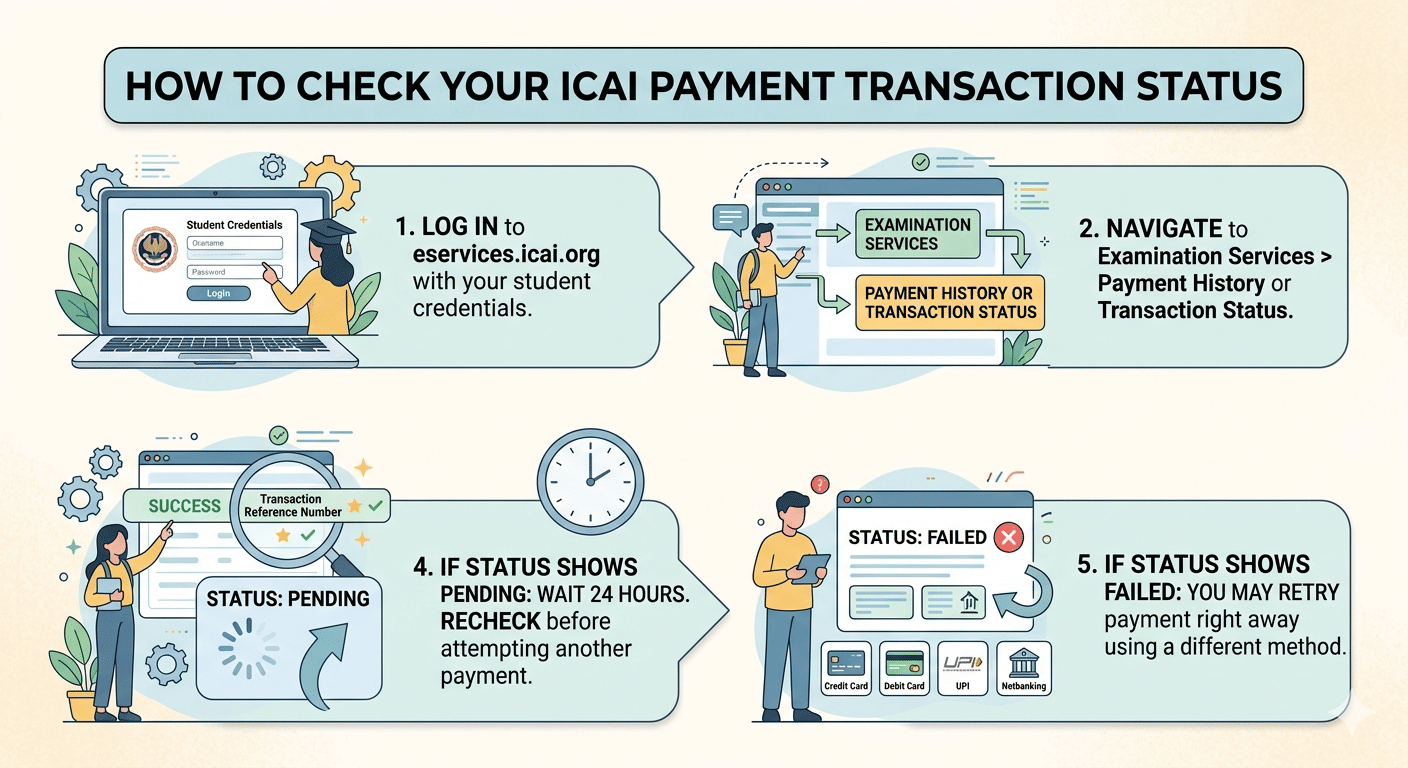
After completing or retrying payment, the ways how to check ICAI CA Fee Payment Status is listed below:
- Step- 1 Log in to eservices.icai.org with your student credentials.
- Step- 2 Navigate to Examination Services > Payment History or Transaction Status.
- Step- 3 Locate your most recent entry and the status must show Success along with a Transaction Reference Number.
- Step- 4 If the status shows Pending, wait 24 hours and recheck before attempting another payment.
- Step-5 If the status shows Failed, you may retry payment right away using a different method.
Note: ICAI also sends an automated confirmation email to your registered email ID within a few minutes of a successful payment. If no email arrives within 2 hours of a success-status transaction, write to examhelpdesk@icai.in with your transaction reference number and student registration number.
Related Article: ICAI CA September 2026: Check Admit Card and Next Steps
Ques. Who should I contact if my ICAI CA fee payment issue is not resolved?
Ans. Email ICAI’s exam helpdesk at examhelpdesk@icai.in with your student registration number, transaction ID, payment date, and amount. You can also visit the nearest ICAI branch office for in-person assistance. Check icai.org for the regional office contact details closest to you.
How to Confirm Your Registration is Successful
A payment receipt alone does not always mean your ICAI CA exam registration is complete. Check all three signals below to be certain that your ICAI CA September 2026 registration is done:
- Step- 1 Log in to the SSP portal and go to Examination Services > Application Status and it must read Submitted or Confirmed.
- Step- 2 You must have received an acknowledgement number and save this for admit card queries and any future grievances.
- Step- 3 An email confirmation from ICAI at your registered email ID is the most reliable proof of a successful registration.
Note: If your application status remains "In Progress" for more than 48 hours after a successful payment, email examhelpdesk@icai.in with your student registration number and transaction ID for escalation.
Related Article: ICAI CA September 2026: Check Last Fee Date and Additional Charges
According to a reddit post a user wanted to order books for ICAI CA September 2026 exam. As per the discussion, there is a separate portal that is, cds portal, candidates need to login there. Under categories section then click on student after that on foundation to order books free of cost as it is included in the registration fees.
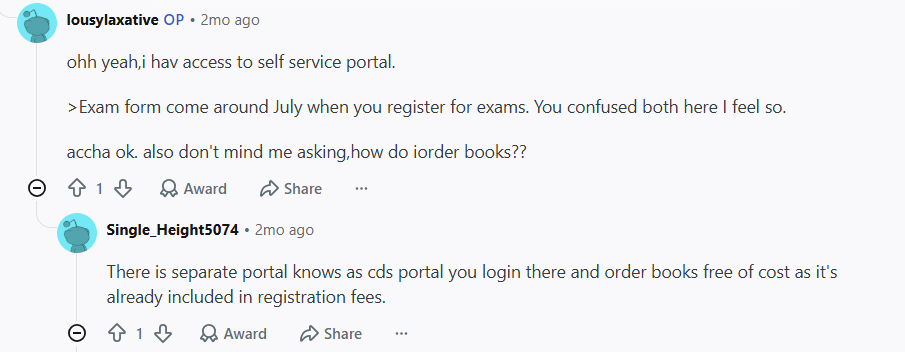
Source: Reddit
What to Do if Your Bank Was Debited Twice
Retrying a failed payment can sometimes lead to two bank debits which means one for the original failed attempt (pending reversal) and one for the successful retry. Follow these steps:
- Step- 1 Collect your bank statement showing both debits with their exact dates and amounts.
- Step- 2 Note both transaction reference numbers from your bank’s SMS alerts or mobile app.
- Step- 3 Email examhelpdesk@icai.in with your student registration number, both transaction IDs, the amount, and your bank statement attached.
- Step- 4 The failed-transaction debit is usually reversed automatically by the payment gateway within 3–7 working days — your email creates a record if it does not.
- Step- 5 Raise a bank chargeback only if 10 working days pass without any reversal.
Note: Keep all payment SMS alerts and bank statements from the date of your first payment attempt until you confirm only one debit remains in your account.
Related Article: ICAI CA September 2026: Check How to Edit Wrong Details in the Form
ICAI CA September 2026 Fee Payment FAQs
Ques. Can I submit a new exam form if my previous fee payment attempt failed?
Ans. Yes. Log in to eservices.icai.org and check whether your earlier form is saved as a draft. If a draft exists, open it and complete payment from where you left off. If no draft is visible, fill a fresh form. Do not submit multiple forms — only one confirmed submission is valid per exam cycle.
Ques. How do I know if my ICAI CA September 2026 registration is confirmed?
Ans. Your registration is confirmed when the SSP portal shows Application Status as "Submitted" or "Confirmed," you have received an acknowledgement number, and an email confirmation has arrived at your registered ID. If any of these are missing after a successful payment, contact ICAI at examhelpdesk@icai.in.
Ques. What is the last date to pay the ICAI CA September 2026 exam fee?
Ans. The last date for ICAI CA September 2026 exam form submission with fee payment is around July 3, 2026, based on ICAI’s published exam schedule. Complete your payment at least 2–3 days before the deadline to avoid last-minute portal errors and congestion.



Comments