



Content Writer | Updated On - Mar 29, 2026
Students cannot download their Hall Ticket/Admit Card without completing the slot booking.
BITS Pilani has released the BITSAT 2026 Session 1 Test City Allotment and opened the portal for online slot booking as of March 29, 2026. Candidates who have registered for the entrance examination are required to log in to the official admission portal to view their assigned city. Once the city is confirmed, they must proactively select their preferred examination date and time slot from the available options.
Students must complete this process promptly, as the window will strictly close on March 31, 2026. If a candidate fails to reserve a slot manually within this timeframe, the system will automatically assign an available date and slot based on remaining capacity, which may not align with the candidate's preference.
Read More: BITSAT Preparation Tips 2026- Preparation Plan, Important topics, Good Score & Books
Important Instructions for Students
- Mandatory Action: Every candidate must log in to the portal to confirm their city and book a slot.
- First-Come, First-Served: Slots are limited for each day and session; therefore, students should book as early as possible to get their desired timing.
- Deadline: The slot booking window is only open for three days. No requests for changes will be entertained after March 31, 2026.
- Hall Ticket: The final hall ticket, featuring the specific venue address and the booked slot, will be available for download starting April 10, 2026.
BITSAT 2026 Session 1 Important Dates
| Event | Date |
|---|---|
| Test City Allotment Announcement | March 28, 2026 |
| Slot Booking Window Opens | March 29, 2026 |
| Last Date for Slot Booking | March 31, 2026 |
| Hall Ticket Download Starts | April 10, 2026 |
| BITSAT 2026 Session 1 Exam Dates | April 15 – April 16, 2026 |
For more information, students can visit the official website, bits-pilani.ac.in. For easy access, the link is given below.
Direct Link: BITSAT 2026 Session 1 Test City Allotment and Slot Booking Portal
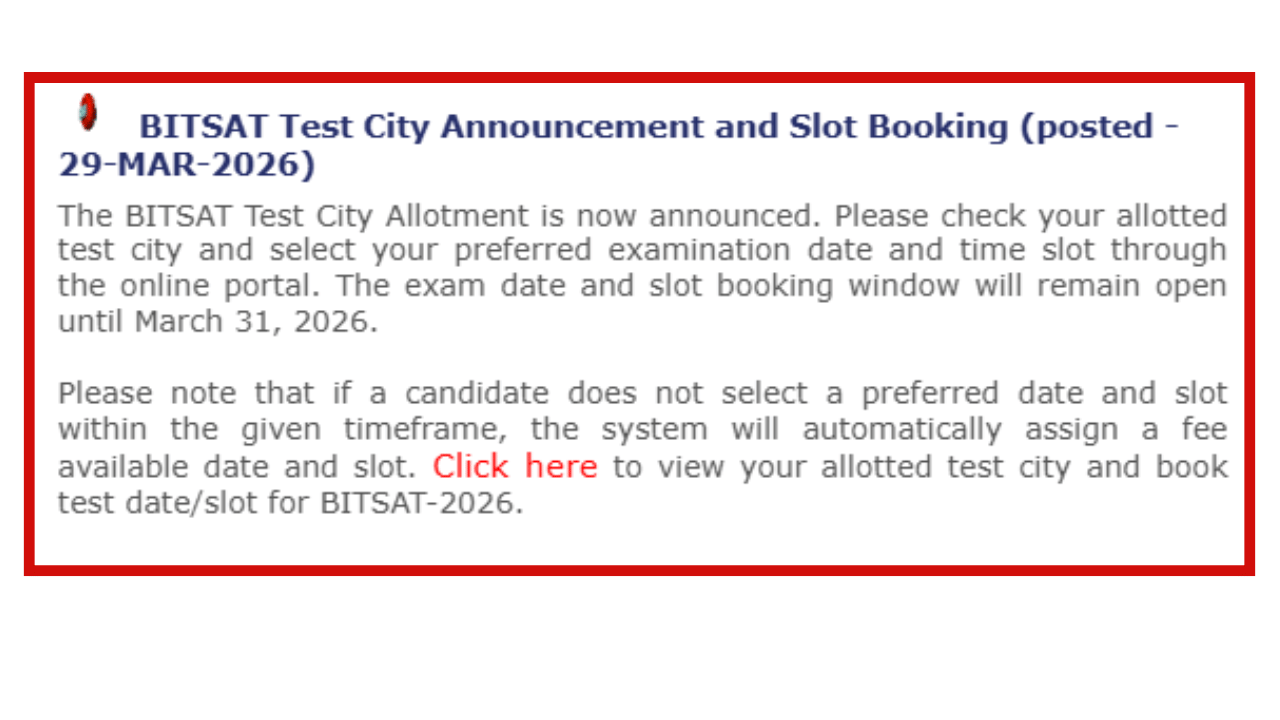
To book a slot, the candidate should visit the official website of BITS Pilani. They must click on the link for BITSAT-2026 Slot Booking and enter their Application Number and Password to log in. After logging in, the student will see their Allotted Test City. They should then follow the on-screen instructions to select a Test Date and a Test Session (Morning or Afternoon) from the list of available slots. Once selected, they must confirm and save their choice to ensure the reservation is recorded.
Candidates are advised to visit the official website at bits-pilani.ac.in and collegedunia.com for the latest updates.
Read More:-
- JECRC Jaipur Fee Structure 2026 Out @jecrcuniversity.edu.in; Check Course-Wise Fees
- Future University Admission 2026 Open; Apply Online @futureuniversity.in
Subscribe to Collegedunia to get the latest news and updates –






.png?h=127&w=254&mode=stretch)
.png?h=127&w=254&mode=stretch)
.png?h=127&w=254&mode=stretch)

.jpeg?h=40&w=40&mode=stretch)
%20-%202026-03-30T110550.799.png?h=40&w=40&mode=stretch)
%20-%202026-03-05T153452.776.png?h=40&w=40&mode=stretch)
%20-%202026-03-30T143714.754.png?h=40&w=40&mode=stretch)
.png?h=40&w=40&mode=stretch)
%20-%202026-03-30T135741.993.png?h=40&w=40&mode=stretch)
%20-%202026-03-30T120713.651.png?h=40&w=40&mode=stretch)
.jpeg?h=40&w=40&mode=stretch)
%20-%202026-03-30T120713.651.png?h=40&w=40&mode=stretch)
.jpeg?h=40&w=40&mode=stretch)





Comments