



| Updated On - Jul 4, 2026
Bluebook app is the official digital testing platform developed by the College Board for conducting exams like the SAT in a secure, computer-based format. It enables students to take full-length practice tests, preview exam formats, and appear for actual exams with built-in tools such as a timer and on-screen calculator (for specific sections).
Key highlights of the Bluebook app include:
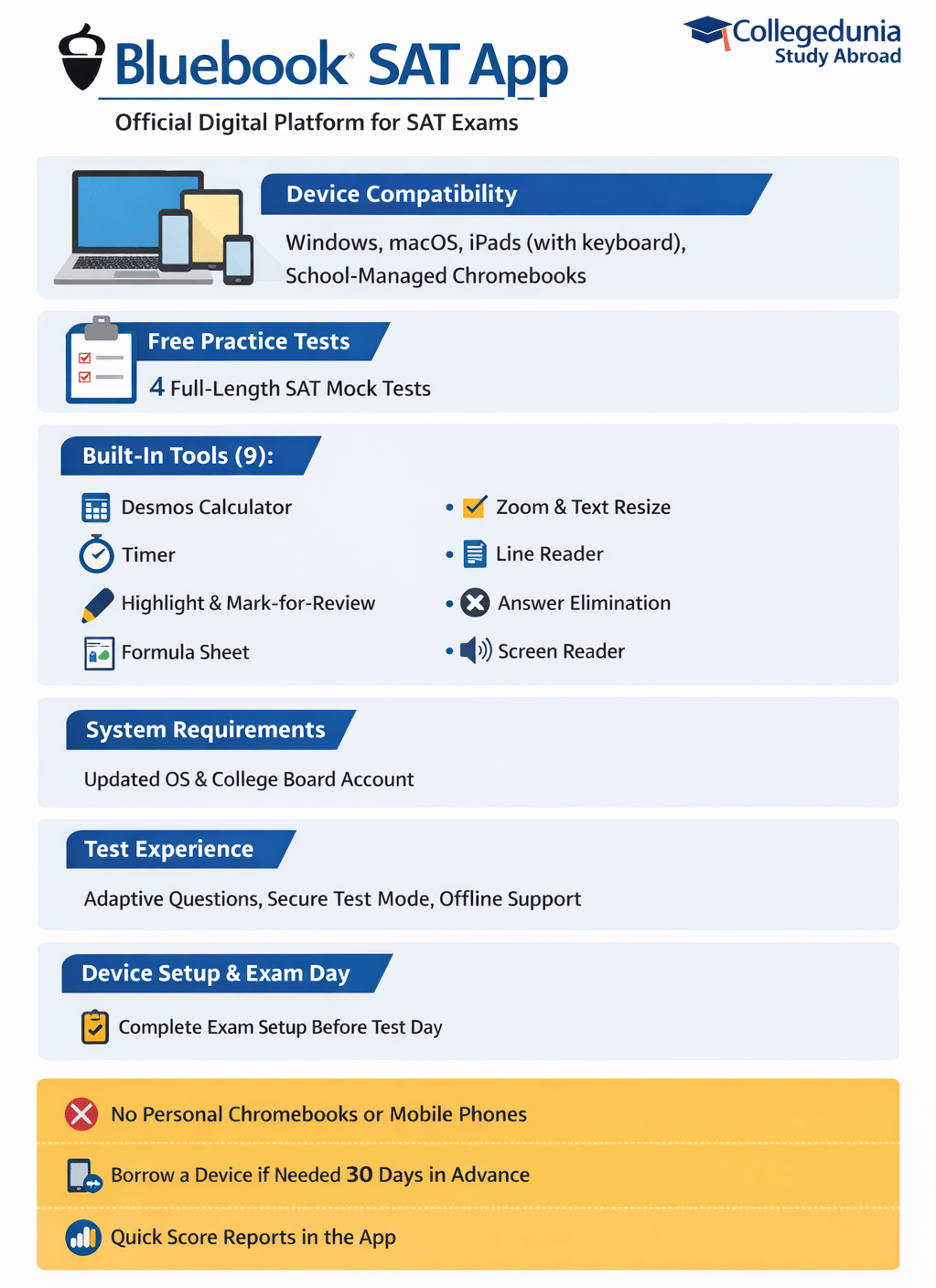
- Device compatibility: Works on approved devices, including Windows laptops, Mac computers, iPads (with an external keyboard), and school-managed Chromebooks.
- System requirements: Requires updated operating systems and a valid College Board account for login.
- Exam features: Includes timers, section navigation, and digital tools to match the actual test environment.
Bluebook is designed to keep exams fair and secure. It blocks access to other apps during the test, lets students continue even if the internet disconnects, and uploads answers safely once the connection is restored.
- Bluebook SAT App Highlights 2026
- What is the Bluebook App?
- How to Download the Bluebook App?
- Technical Requirements to Use the Bluebook App for SAT
- What Are the Built-In Tools in the Bluebook App?
- How to Use the SAT Bluebook App for Practice?
- How to Set Up the Bluebook App for SAT Exam Day?
- Digital SAT vs Paper-based SAT
- Common Bluebook Errors and Fixes for Digital SAT 2026
- FAQs
Bluebook SAT App Highlights 2026
Here are some of the key highlights for the Bluebook app:
| Purpose | Official app for Digital SAT and practice tests |
|---|---|
| Free Practice | Includes 4 full-length official SAT mock tests |
| Number of Built-In Tools | 9 |
| Main Tools | Desmos calculator, timer, highlighting option, mark-for-review feature, formula sheet, zoom, and text size adjustment |
| Accessibility | Options to change text size, adjust color contrast, and use screen readers |
| Test Experience | Same layout for practice and real exams, adaptive question format, and secure test mode |
| Offline Use | The test continues even if the internet disconnects for a short time |
| Device Support | Works on Windows, macOS, iPads, and school-managed Chromebooks |
| Results | Scores are released quicker than the paper-based SAT |
What is the Bluebook App?
The Bluebook app is developed and managed by the College Board. It is a secure digital platform used to take the SAT and its official practice tests. The app works on Windows laptops, Mac computers, iPads, and school-managed Chromebooks, but it is not supported on personal Chromebooks or mobile phones. It ensures that all students testing at an official SAT test centre use the same interface, helping maintain a fair and standardised exam experience.
Students who do not have a compatible device can request to borrow one from the College Board while registering for the SAT. For this, make sure you register at least 30 days before the official registration deadline.
How to Download the Bluebook App?
Here is the step-by-step guide on how to download the Bluebook app:
- Go to the official download page: bluebook.app.collegeboard.org (or search “Bluebook College Board”).
- Download directly for Windows or Mac.
- For iPad, get it from the Apple App Store (search “Bluebook Exams” by College Board).
- School-managed Chromebooks are installed by your school (you usually cannot download them yourself).
You can download and explore the app right now, even before you register for the SAT. It is completely free.
Technical Requirements to Use the Bluebook App for SAT
To use the Bluebook app, you need a device that meets the official requirements set by the College Board. Some of the commonly accepted devices for testing are:
- Windows laptops or desktops (Windows 11 strongly recommended; Windows 10 support ends and will not work from Fall 2026)
- Mac laptops (macOS 12.0 or later)
- iPads (iPadOS 16 or later)
- School-managed Chromebooks only
NOT allowed: Mobile phones, personal Chromebooks, or tablets without a keyboard when required.
In addition to system requirements, certain hardware requirements help ensure a smooth SAT testing experience. These include:
- 1 GB free storage (Windows, Mac, or Chromebook) or 250 MB (iPad)
- Must connect to Wi-Fi (test centers provide it)
- Battery must last 3-4 hours fully charged + bring charger or portable power bank (outlets may not be available)
- External mouse allowed (wired recommended); external keyboard allowed only on tablets or iPads (not on laptops)
Tip for Indian students: Most students in India use their personal Windows laptop or iPad. Test your device in the app by clicking “Test Your Device” on the sign-in screen. Do not update your OS close to test day (updates can cause issues).
What Are the Built-In Tools in the Bluebook App?
The Bluebook SAT app includes 9 built-in tools that help make the test-taking process easier for students. Below is a list of these tools along with their uses:
| Tool on the Bluebook App for SAT | Use |
|---|---|
| Built-in Calculator (Desmos Graphing calculator) | A built-in advanced calculator for the math section, so students don’t have to bring one. |
| Testing Timer | Shows how much time remains in each section, including automatic break timers. |
| Highlight and Annotation Tool | Lets students highlight important parts in reading or math questions and add quick notes. |
| Mark-for-Review | Allows students to mark questions to come back to before finishing a section. |
| Formula Reference Sheet | Provides important math formulas like geometry and algebra within the app. |
| Zoom and Text Resize | Lets students increase font size and zoom in for easier reading, especially on small screens. |
| Line Reader | Helps focus on one line of text at a time to avoid distractions. |
| Answer Elimination Tool | Lets students cross out answer choices to narrow down options on multiple-choice questions. |
| Screen Reader and Accessibility Options | Offers built-in support for text-to-speech and other visual or hearing aids for students. |
The SAT Bluebook app includes an exam preview that allows students to try out the tools before the actual test day.
How to Use the SAT Bluebook App for Practice?
After familiarizing themselves with the built-in tools and how to use them, students can start by taking a free SAT practice test. The steps are as follows:
- Download the Bluebook app on your Windows, Mac, iPad, or school-managed Chromebook.
- Log in securely using your College Board account to get free access.
- Choose any of the 4 full-length SAT practice tests and start when you’re ready.
- The practice test in the app looks just like the real SAT exam, but with different questions.
- Each section has 2 parts: the second part’s difficulty changes based on how you do in the first part. This creates a personalized test for each student, so sharing answers isn’t possible.
- After finishing a practice test, you’ll see your scores right away. You can also get detailed reports in My Practice and connect your results to Khan Academy for focused study help.
This is how students can use the Bluebook app before their real SAT test. This will give them a practice experience just like exam day and help them learn all the details of how the app works.
How to Set Up the Bluebook App for SAT Exam Day?
On the actual SAT test date at the exam centre, students need to set up their Bluebook app properly and follow the instructions given below:
- Since students are already registered with the College Board, they need their SAT admission ticket.
- Log in to the Bluebook app, make sure the device is ready, and confirm access to the exam beforehand.
- The app locks the device during the test to keep the environment secure and free from distractions.
- Students can move forward or backward within modules, mark questions for review, use the built-in tools, and complete the test following the SAT syllabus.
- Section changes happen automatically, with a 10-minute break between the Reading and Writing and Math sections.
- After finishing, the test is uploaded once the internet is available or the device is charged. Each student receives a unique set of questions, which is securely transmitted.
On the actual exam day, the Bluebook app should run smoothly so students can focus on the SAT without stress and aim for their best score. Check what is a good SAT score in 2026.
Digital SAT vs Paper-based SAT
To show how the Digital SAT provides a smoother testing experience, here’s a comparison with the previous paper-based version:
| Parameters | Digital SAT (Bluebook) | Paper SAT |
|---|---|---|
| Question Format | Adaptive questions with changing difficulty | Fixed questions, multiple choice, and grid-in |
| Length | 2 hours 14 minutes plus a 10-minute break | 3 hours |
| Calculator | Allowed for all math modules, built into the app | Allowed in one math section only |
| Practice | Instant scoring with full digital practice tests | Practice by filling in the answers on paper |
| Security | Each student gets a unique digital test | Paper-based, possible risk of leaks |
| Results | Typically delivered in 2 weeks with detailed online reports | Takes more than 2 weeks |
The Bluebook app serves as the official platform for the Digital SAT, offering a standardized testing experience with built-in tools and adaptive question formats. It requires specific device and system specifications and supports faster score reporting. The app is designed to maintain exam security and provide consistent access for all students using approved devices.
Common Bluebook Errors and Fixes for Digital SAT 2026
The Bluebook app might have some technical issues, such as being unable to load or sign in. Such issues can be resolved by updating the Bluebook app or reconnecting to the internet. Check out these common Bluebook errors and their fixes:
- Bluebook is unable to update: Check your network connection and enable automatic updates. Restart your device or try uninstalling the app and reinstalling.
- Bluebook app is not loading: Restart the device, free up some space in case the device storage is full, or reinstall the app.
- Unable to sign in: Check that the details entered are correct and exactly what you used at the time of registration. Check your internet connection, if you are still unable to sign in, reset the password.
- Bluebook app crashes or freezes: Update the app to the latest version. Close the unnecessary apps and reopen it. If the issue persists, shift to any other device to be on the safer side.
- Unable to start the Digital SAT: Ensure the app setup is complete. Check the internet connection, sign in again, and, to be on the safer side, keep a backup device.
FAQs
Ques. Can you practice SAT tests without the Bluebook app?
Ans. No. To access full‑length official digital practice tests and the test preview on the official platform, you must download and use the Bluebook app.
Ques. What if a device doesn’t meet requirements close to test day?
Ans. The College Board strongly suggests checking your device at least 30 days before the test.
Ques. Will Bluebook work on a personal Chromebook in India?
Ans. No. Bluebook only runs on school‑managed Chromebooks. Personal Chromebooks and mobile phones are not supported.
Ques. Does Bluebook have a built‑in calculator and accessibility support?
Ans. Yes. The app includes the Desmos calculator, adjustable text size, contrast settings, and screen reader support, which is helpful for students needing accessibility features. (Inferred from built‑in tool list)
Ques. Is it essential to complete ‘Exam Setup’ in Bluebook before test day?
Ans. Yes. Students must complete the Bluebook Exam Setup in advance; failing to do so can lead to issues like not seeing the test on the app or even being denied entry at the test centre, according to student experiences.
Ques. Do official Bluebook practice tests include score reports and explanations?
Ans. Official digital practice tests are scored in the app, and you can view detailed reports in “My Practice.” For answer explanations, logging into your College Board account on a browser may be needed.


1787567517.png?tr=w-305,h-145,c-force?h=175&w=350&mode=stretch)



Comments