



| KdTvCV - Jul 28, 2026
CCMT 2026 Special Round 2 seat allotment result is out at ccmt.admissions.nic.in. Allotted candidates must complete online document verification by July 29 and pay the partial admission fee by July 31 to confirm the seat.
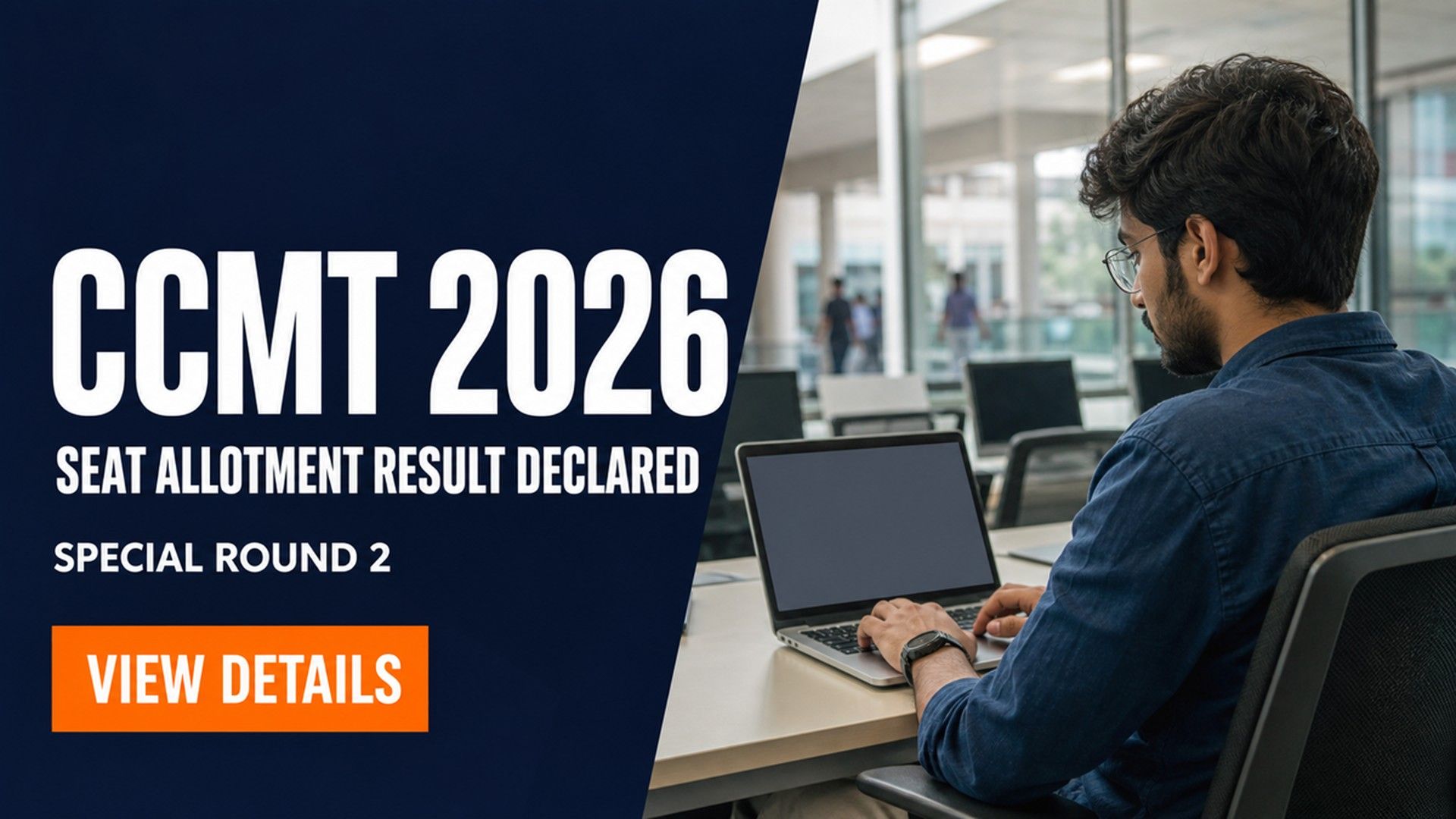
The National Institute of Technology Karnataka Surathkal (NITK) has declared the Centralised Counselling for M.Tech./M.Arch./M.Plan. Admissions (CCMT) 2026 Special Round 2 seat allotment result at ccmt.admissions.nic.in.
Candidates can log in using their GATE credentials to view the result. The allotment covers postgraduate seats in NITs, IIITs, and GFTIs across India.
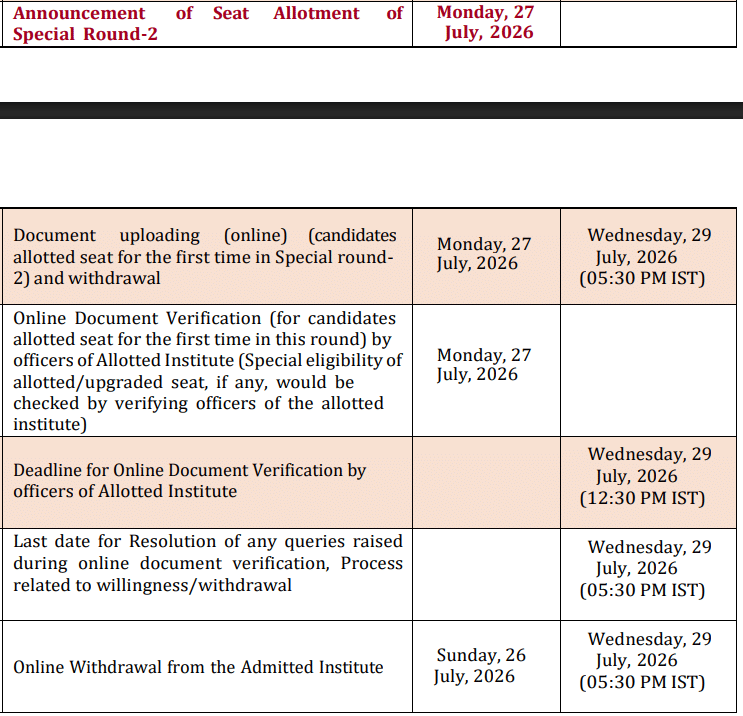
Allotted candidates must complete the online document verification by July 29, 2026. The partial admission fee must be paid through the portal by July 31, 2026. Physical reporting at the allotted institute will take place in early August.
CCMT is the single-window counselling platform for postgraduate technical admissions. It handles seat allotment for M.Tech., M.Arch., and M.Plan. programmes across participating institutes.
| Direct Link: CCMT 2026 Special Round 2 Seat Allotment Result Out |
CCMT 2026 Special Round 2 Key Dates
| Event | Date |
| Special Round 2 Seat Allotment Result | July 28, 2026 |
| Online Document Verification Deadline | July 29, 2026 |
| Partial Admission Fee Payment – Last Date | July 31, 2026 |
| Physical Reporting at Allotted Institute | August 1 to 3, 2026 |
| Withdrawal Deadline | August 4, 2026 |
How to Check the CCMT 2026 Special Round 2 Seat Allotment Result?
The allotment status is available through the candidate login dashboard. Candidates can follow the steps below to view the result and download the allotment letter:
- Visit the official CCMT portal at ccmt.admissions.nic.in.
- Click on the candidate login link available on the homepage.
- Enter the GATE registration number and password.
- The seat allotment status will appear on the dashboard.
- Download the provisional seat allotment letter for future reference.
Also Check: IIT Kanpur Launches 4 New Online M.Tech Programs for Admission 2026
How to Complete the Online Document Verification?
The document verification process for Special Round 2 will be conducted completely online through the CCMT portal. Candidates must upload scanned copies of all the required documents before the July 29, 2026 deadline.
The reporting institute will cross-check the uploaded documents and confirm the candidate’s admission. Any mismatch, invalid document, or missing certificate may lead to the cancellation of the allotted seat.
Also Read:
- GATE 2027 Drops International Exam Centres
- GATE 2027 Introduces New Robotics and Automation Paper; Check Exam Dates
- GATE 2027 Syllabus Revised at gate2027.iitm.ac.in
Documents Required for Verification
Candidates should keep the following documents ready:
- GATE 2026 scorecard and admit card
- Qualifying degree certificate and mark sheets
- Class 10 and Class 12 certificates
- Category certificate, if applicable SC, ST, OBC-NCL, or EWS
- PwD certificate, if applicable
- Government-issued photo identity proof
- Recent passport-size photograph and signature
What Is the Partial Admission Fee and How to Pay It?
Allotted candidates must pay the partial admission fee displayed on their CCMT dashboard. The payment window will close on July 31, 2026.
The payment can be completed through online modes such as:
- Net banking
- Debit card
- Credit card
- UPI
The partial admission fee will be adjusted against the final admission fee payable at the allotted institute.
Also Check: CCMN 2026 Special Round 2 Seat Allotment Result Out; Check Last Date for Document Verification
What Happens After Document Verification and Fee Payment?
Candidates whose documents have been successfully verified and whose partial admission fee has been paid must report physically at the allotted institute. The physical reporting process will take place from August 1 to August 3, 2026.
The withdrawal option will remain open until August 4, 2026. Candidates who withdraw their admission within the specified window will receive a refund according to the applicable CCMT rules.
Candidates must not miss any of the prescribed deadlines, as failure to complete the document verification, fee payment, or physical reporting may result in the cancellation of the allotted seat. There will be no further counselling round after CCMT 2026 Special Round 2.
Special Round 2 is the final counselling round of CCMT 2026. Missing the July 29 verification deadline will cost the allotted seat, and no fresh round will be held.
Action Plan for Candidates
- Log in at ccmt.admissions.nic.in and check the allotment status.
- Decide whether to accept the allotted seat or withdraw.
- Upload all required documents before July 29, 2026.
- Pay the partial admission fee by July 31, 2026.
- Report at the allotted institute between August 1 and 3, 2026.
Watch the CCMT portal for institute-wise reporting instructions. Any post-allotment vacancy updates from NITK will also appear at ccmt.admissions.nic.in.
Read More


.jpeg?h=40&w=40&mode=stretch)



Comments